


For most small US teams, ChatGPT is the AI tool to start with, Claude is the pick for long documents, Perplexity for cited research and Zapier for automating work across apps. The other seven best AI tools below each do one narrower job: office-suite AI, team knowledge, meeting notes, slides, internal apps, video and voice.
Each section below names the plan to buy for a team and who should skip the tool. Prices were checked on the vendors’ own pages in October 2026. On October 16, 2026, I also gave ChatGPT Plus, Claude Max and Perplexity Free the same three writing briefs, one run each.
Quick verdict
Start with one assistant. ChatGPT covers chat, deep research, image creation and voice in one plan; a team on Google Workspace should look at Gemini first, because it lives inside the files the team already uses.
Add one specialist for the job that eats the most hours: Claude for long contracts and reports, Perplexity for research that must cite sources, Zapier once the same task repeats across apps.
The trade-off: the admin features a business needs (SSO, central billing, no training on your data) sit on team plans. Claude Team Standard, for example, costs $20 per seat per month against $17 for Pro, both billed annually.

ChatGPT
Best for: an all-round AI assistant for small teams
Its free plan alone covers chat, file uploads, image creation, voice and deep research, and Business seats start at 2 users.
Limit: admin controls and SAML SSO need Business seats

Claude
Best for: long documents and analysis
Every Claude plan lists a context window of up to 1M tokens, varying by model.
Limit: Free caps Projects at 5 and leaves out Claude Code

Perplexity
Best for: cited research
Every answer carries inline citations, and Enterprise Pro adds premium sources such as PitchBook and Statista.
Limit: Pro is for personal use only, so a team pays $34 per seat per month on annual billing

Zapier
Best for: automating work across apps
Zapier connects 9,000+ apps and runs AI steps inside the same Zaps.
Limit: AI steps, code and MCP calls all draw from one task allowance
| Software | Best for | Starting price | Free plan or trial | Standout feature | Key limitation |
|---|---|---|---|---|---|
| ChatGPT | All-round assistant | Plus $20 per month, billed monthly (Go not verified); Business Standard $20 per user per month billed annually, $25 billed monthly | Free plan | Deep research, image creation and custom GPTs in one app | Business seats needed for admin controls |
| Claude | Long documents | Pro $17 per month billed annually, $20 monthly | Free plan | Up to 1M-token context window | Free: 5 Projects, no Claude Code |
| Perplexity | Cited research | Pro $17 per month billed annually | Free plan | Inline citations in every answer | Pro is for personal use only |
| Zapier | Automation across apps | Professional $19.99 per month billed yearly | Free forever plan (100 tasks a month) | 9,000+ app integrations | Free allows two-step Zaps only |
| Google Gemini | Teams on Google Workspace | Business Starter $7 per user per month, 1-year commitment | 14-day Workspace trial | Gemini in Gmail, Docs, Meet and more on Business Standard | Starter leaves Gemini out of Docs, Sheets and Meet |
| Notion | Team knowledge and docs | Plus $10 per member per month billed yearly | Free plan with a Notion AI trial | Notion Agent for multi-step tasks | Full AI starts on Business |
| Granola | Meeting notes without a bot | Business $14 per user per month | Basic free plan | Bot-free device-audio capture | Basic keeps 30 days of history |
| Gamma | Presentations | Plus $9 per seat per month billed annually | Free plan, no credit card required | Decks from a prompt, export to PPTX and Google Slides | Free caps a prompt at 10 slides |
| Lovable | Internal apps without code | Pro $21 per month billed annually, $25 monthly | Free plan (up to 30 build credits a month) | Priced by credits, not seats | 100 monthly credits on Pro |
| Descript | Video and podcast editing | Hobbyist $16 per person per month billed annually | Free plan | Edit video by editing the transcript | Business caps a team at 5 |
| ElevenLabs | AI voiceovers | Starter $6 per month | Free plan (10k credits a month) | One credit pool for every audio product | Commercial license starts on Starter |
Sources: ChatGPT pricing, ChatGPT Business, ChatGPT Business general FAQ, Claude pricing, Perplexity Pro, Zapier pricing, Google Workspace pricing, Notion pricing, Granola pricing, Gamma pricing, Lovable pricing, Descript pricing, ElevenLabs pricing, checked October 2026.
Read the table as a map of jobs, not a ranking of prices. The first purchase is the assistant your team will open every day, not the lowest row in the table; each later purchase follows the job that takes the most hours.
In This Article (18 sections)
How I Chose These AI Tools
I considered 16 tools for this list: the 11 picks below and the five under Also Considered. Each was ranked from the vendor’s own pricing and documentation pages, checked October 16, 2026, and no tool gets a score.
Three of the 11 picks, ChatGPT, Claude and Perplexity, also ran in a small hands-on writing test on October 16, 2026, reported in the next section. The other eight rest on documentation only, and the test does not change the ranking, which follows the documented jobs.
An AI tool for work, in this list, is software that uses a language, voice or image model to do a job a small team does every week. Three must-haves kept a tool in the running:
- a US-dollar price on the vendor’s own page, or a plan the page lists for teams
- a team plan, per-seat plan or shared workspace, so more than one person can use it
- one weekly job of a small team: writing, research, automation, meetings, slides, apps, video or voice
Four criteria then set the order, and the table below sets each tool against them.
| Software | Main job | Free plan or trial | Team admin from | Integrations named |
|---|---|---|---|---|
| ChatGPT | Drafting, analysis, research, images | Free plan | Business | Plugins; Excel, Word, PowerPoint and Google Sheets extensions |
| Claude | Long documents and analysis | Free plan | Team | Connectors; Microsoft 365 and Outlook |
| Perplexity | Cited research | Free plan | Enterprise Pro | Search across web, files and apps |
| Zapier | Automation across apps | Free forever | Team | 9,000+ apps |
| Google Gemini | AI inside Google Workspace | 14-day trial | Business Starter | 8 Workspace apps on Business Standard |
| Notion | Team docs and wiki | Free plan | Business | Slack, Google Drive; GitHub, Asana on Business |
| Granola | Meeting notes | Basic | Business | Slack; Notion, Zapier, HubSpot on Business |
| Gamma | Decks and docs | Free plan | Not listed | PPTX, Google Slides, PDF export |
| Lovable | Internal apps | Free plan | Business | Not listed |
| Descript | Video and podcast editing | Free plan | Enterprise (SSO, SCIM) | Not listed |
| ElevenLabs | Voiceovers | Free plan | Scale | Not listed |
Sources: the vendor pricing pages in the comparison table above, plus ChatGPT pricing, ChatGPT Business, OpenAI’s help pages on what ChatGPT Plus is, managing billing and seats and the ChatGPT Business general FAQ, and Zapier’s app directory, checked October 2026.
One gap shapes the list. Of ChatGPT’s US-dollar prices, Plus ($20 per month) and Business Standard ($20 per user per month billed annually, $25 billed monthly) are verified for this page. Go and Pro are not, so the 10-person cost table prices ChatGPT Business Standard on annual billing.
Granola does not say on its pricing page whether $14 is the monthly or the annual rate. Pricing pages also say what each plan includes, not how an assistant handles a real brief, so I gave three of them the same work.
How I Tested ChatGPT, Claude and Perplexity (3 of 11 Picks)
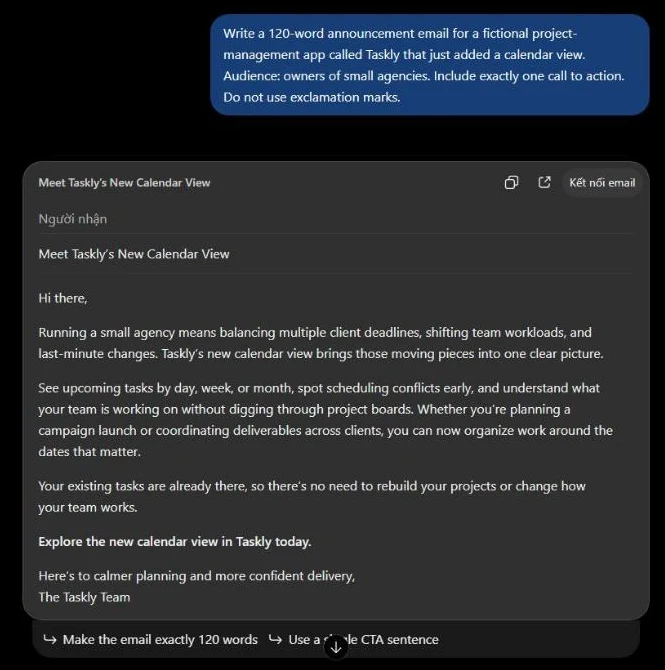
On October 16, 2026, I ran the same three briefs word for word, once each, in my own ChatGPT Plus, Claude Max (20x) and Perplexity Free accounts. In that one run, all three wrote the announcement email (120 words asked) with exactly one call to action and no exclamation marks, at 114 (ChatGPT), 120 (Claude) and 99 (Perplexity) words.
All three also caught or addressed the 7 problems I planted in the edit brief. Each tool got the same three briefs:
- Brief A: a 120-word announcement email for Taskly, a fictional app
- Brief B: a 300-word introduction and an H2 outline for “How to Run a 30-Minute Weekly Team Review”
- Brief C: edit a paragraph with 7 planted problems and list the changes
The three accounts sit on different plans, so this is not a like-for-like plan comparison. Claude Max is Anthropic’s plan “for people who work with Claude all day”, from $100 a month. It gives 5x or 20x more usage than Pro, and my account was Max 20x.
ChatGPT Plus sits between Go and Pro: it adds advanced reasoning models with GPT-6, projects, scheduled tasks and custom GPTs to everything in Go. Perplexity Free is the $0 entry plan with basic AI models; Pro adds access to top AI models and the choice between them.
In ChatGPT, the reasoning-effort setting was Medium and the model picker named no model. Claude ran Opus 5.5 on Medium. Perplexity ran in Search mode on its default model, with every listed model locked and a free preview of advanced Pro search turned on.
I counted each email body from greeting to sign-off, along with its calls to action and exclamation marks. A planted problem counts when the tool changed it or flagged it, and I listed every change that was not a planted problem. Times run from pressing Enter to the last change of the page text, so they are approximate.
| Tool and plan | Seconds to finish, Briefs A / B / C (approximate) | Brief A email body (120 words asked) | Brief B introduction (300 words asked) | Brief A calls to action / exclamation marks | Brief C planted problems (of 7) | Brief C changes not asked for |
|---|---|---|---|---|---|---|
| ChatGPT (Plus) | About 13.8 / 37 / 17 | 114 words | 292 words | 1 / 0 | 7 caught | 4 |
| Claude (Max 20x) | About 15.7 / 26.5 / 10.2 | 120 words | 306 words | 1 / 0 | 7 caught | 2 |
| Perplexity (Free) | About 10.9 / 9.5 / 9.1 | 99 words | About 240 words (246 with citation labels) | 1 / 0 | 7 addressed, 1 only partly fixed | 1 |
Sources: my test in my own ChatGPT Plus, Claude Max (20x) and Perplexity Free accounts, October 16, 2026, one run per brief.
Only Claude’s email matched the 120 words asked in this run; ChatGPT’s came in 6 words short and Perplexity’s 21 short. A team that sends drafts with a hard length limit should still count the words itself.
The Brief B outlines differed in shape, which the table leaves out:
- ChatGPT: 12 numbered H2 headings, four H3 time blocks under the agenda heading, an FAQ and a conclusion heading
- Claude: 10 headings, with the agenda split into four time blocks (minutes 0-5, 5-15, 15-25 and 25-30)
- Perplexity: a two-sentence summary, then a flat list of 12 items with no sub-levels
What this test does not show:
- more than one run per brief: each brief ran once, on one day
- the plans I did not test: ChatGPT Business; Claude Free, Pro and Team; Perplexity Pro and Enterprise Pro
- exact times: every time above is approximate
- writing quality: I gave no overall quality score, only the counts above
- an English interface: ChatGPT and Perplexity showed Vietnamese interface labels, while the briefs and answers were in English
- usage per prompt: ChatGPT and Perplexity showed no usage meter, and my Claude account ran other work at the same time
- anything sent: in Claude I never clicked the send button, so nothing was sent, shared or connected
The counts show how each assistant followed these three briefs once, not which one writes better, so none of them wins a place from the test. One writing test covers one job, and ChatGPT still ranks first across the jobs a small team has.
1. ChatGPT: Best All-Round AI Assistant for Small Teams
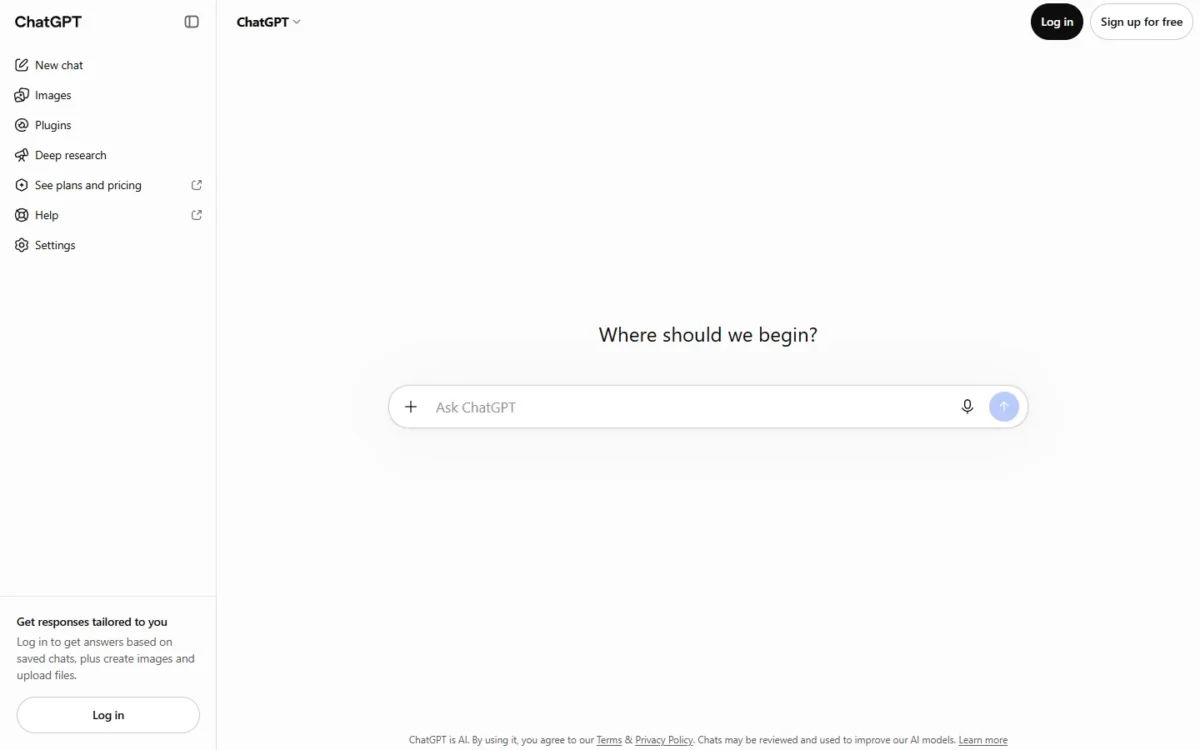
- Best for: a team that wants one assistant for drafting, analysis, research and images
- Plans: Free, Go, Plus and Pro for individuals; Business and Enterprise for companies
- Team minimum: Business plans start at 2 users
- Free plan: yes, with limited uploads, image creation, voice and deep research
- Integrations: count not published; plugins and shared company context on Business
ChatGPT ranks first on breadth. Its free plan already includes unlimited text chats with GPT-6 (subject to abuse guardrails), file uploads, image creation, voice chats, deep research and limited Codex access. Plus expands those limits and adds projects, scheduled tasks and custom GPTs.
That breadth matters for a small team: one subscription covers drafting, research and images before anyone knows which job deserves a specialist. Model by model, those limits are laid out in the ChatGPT review.
The team decision is the seat type. ChatGPT Business sells Standard seats for everyday work and Premium seats for deeper tasks; Premium adds 5x more usage, no five-hour limit and access to dots, OpenAI’s always-on agents. Buy Premium only for the people who hit Standard’s limits.
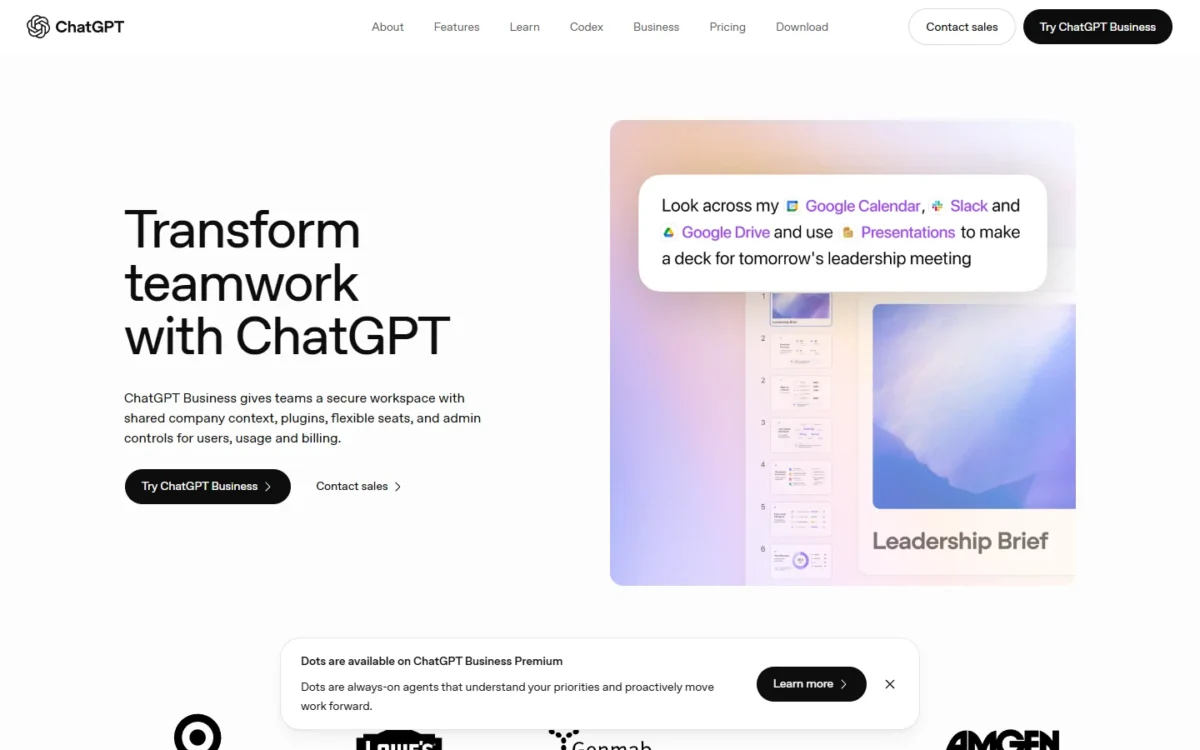
Business also changes the data terms. OpenAI’s individual plans use content to train its models unless the user opts out, while the Business page states that business data is never used for training. For a company handling client files, that alone is a reason to skip personal Plus accounts.
ChatGPT works inside the office files too: the plan comparison lists Excel, Word, PowerPoint and Google Sheets extensions, limited on Free and Go and included on Plus.
For very long files, the published numbers favor Claude. ChatGPT’s plan comparison lists a GPT Reasoning context window of 256K on Plus and 400K on Pro, while Claude lists up to 1M tokens, varying by model.
I gave ChatGPT the three briefs in my Plus account, one run each. On the email brief, the body came to 114 words against the 120 I asked for, with one call to action and no exclamation marks. Under the answer, ChatGPT itself offered the follow-up “Make the email exactly 120 words”.
Brief C, the edit, came back with all 7 planted problems caught in my one run. ChatGPT flagged the March/April date conflict in a separate “Important Issue to Clarify” section rather than changing it. It also made 4 changes I had not planted, such as “has been a success with” to “has been well received by”.
In that run, ChatGPT left the date decision to me but rewrote wording nobody flagged, so I would still read its edits line by line before they go out.
- Pricing:
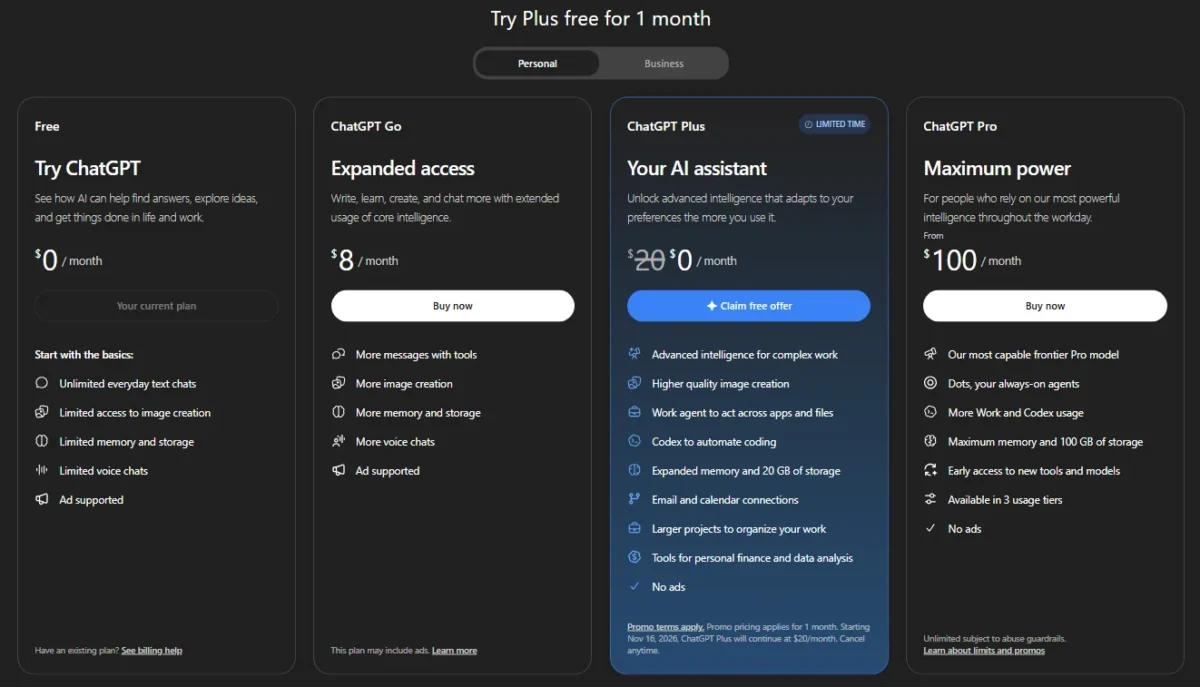
- ChatGPT Plus costs $20 per month. According to OpenAI’s help pages, ChatGPT Business Standard seats cost $20 per user per month billed annually or $25 billed monthly, and Premium seats cost $100 per user per month billed annually or $125 billed monthly.
For a 10-person team on Standard seats billed annually, that is the $20 x 10 x 12 = $2,400 row in the cost table further down; the same seats billed monthly come to $25 x 10 x 12 = $3,000.
OpenAI prices Go, Plus, Business and Enterprise per user per month, with monthly billing for Go, Plus and Business and annual billing for Business and Enterprise.
The US-dollar prices of Go and Pro are not verified on this page, so the full plan-by-plan breakdown lives in the ChatGPT pricing explained guide.
| Plan | Price | Billing | Key limit |
|---|---|---|---|
| Free | $0 | n/a | Limited uploads, image creation and deep research |
| Go | Not verified | Monthly | May include ads |
| Plus | $20 per month | Monthly | Individual plan; no admin console |
| Pro | Not verified | Not stated | No SAML SSO or admin console |
| ChatGPT Business Standard seat | $20 per user per month billed annually; $25 billed monthly | Annual or monthly | From 2 users |
| ChatGPT Business Premium seat | $100 per user per month billed annually; $125 billed monthly | Annual or monthly | 5x more usage, no five-hour limit |
Sources: ChatGPT pricing, ChatGPT Business, and OpenAI’s help pages on what ChatGPT Plus is, managing billing and seats and the ChatGPT Business general FAQ, checked October 2026.
Pros
- The free plan includes deep research, image creation and voice
- Business starts at 2 users, so a two-person team can buy it
- Premium seats remove the five-hour limit for heavy users only
- Excel, Word, PowerPoint and Google Sheets extensions on Plus
Cons
- Individual plans train on content unless each user opts out
- SAML SSO and the admin console are not on Free, Go, Plus or Pro
- Go may include ads
- Skip it if:
- your work is mostly research that must cite sources (Perplexity does that by default), or your team lives in Outlook and Teams and wants the assistant inside them (Microsoft 365 Copilot, under Also Considered).
Breadth is not depth, though, and a long contract or report is where a different assistant earns its seat.
2. Claude: Best for Long Documents and Analysis
- Best for: teams that read and write long contracts, reports and research files
- Context window: up to 1M tokens, varying by model, on every plan
- Team plan: Standard seat $20 per seat per month billed annually, for teams of 2 to 150
- Free plan: yes, with up to 5 Projects
- Integrations: count not published; connectors, Claude for Microsoft 365 and Outlook
Claude is the assistant to pick when the job is a long document rather than a quick answer. Anthropic lists a context window of up to 1M tokens, varying by model, on Free, Pro, Max and Team alike.
At that size, a full contract or policy manual can go into one conversation instead of being split into parts.
The Team plan is built for exactly that kind of shared work. It adds project sharing and collaboration, enterprise search across the organization, central billing, single sign-on and no model training on your content by default. Its writing and analysis features get a closer look in the Claude review.
Pro brings Claude Code, Research and Claude for Microsoft 365 and Outlook, all missing on Free. The 5-Project cap on Free is the usual upgrade trigger: a team that organizes work by client or deal outgrows it fast. Claude Code shares the plan’s usage limits, so heavy coding sessions draw on the same pool as chats.
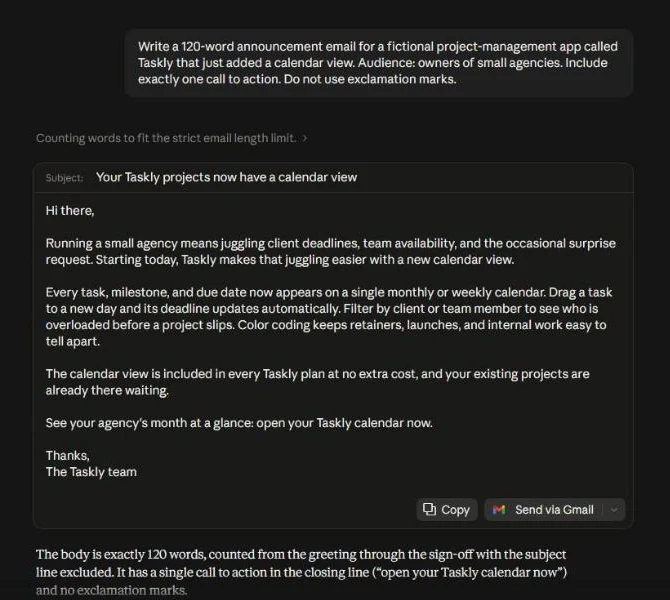
My test ran on Claude Max (20x), not the Team plan priced below, with one run per brief. On the email brief, the body came to exactly 120 words with one call to action and no exclamation marks. Claude added a note saying so.
Claude also caught 7 of 7 planted problems in my one run of the edit brief. It changed “March” to “April” itself to settle the date conflict, then asked me to check which month is right. It made 2 changes I had not planted.
ChatGPT flagged the same conflict without changing it, while Claude changed the month and then asked, so a reviewer of Claude’s edit has to look for a fix already made.
- Pricing:
- Claude Pro costs $17 per month with annual billing ($200 up front) or $20 billed monthly. A Team Standard seat costs $20 per seat per month billed annually, or $25 billed monthly.
Premium seats, with 5x more usage than Standard, cost $100 per seat per month billed annually, or $125 billed monthly. The Claude plans and prices guide compares Pro, Max and Team at more team sizes.
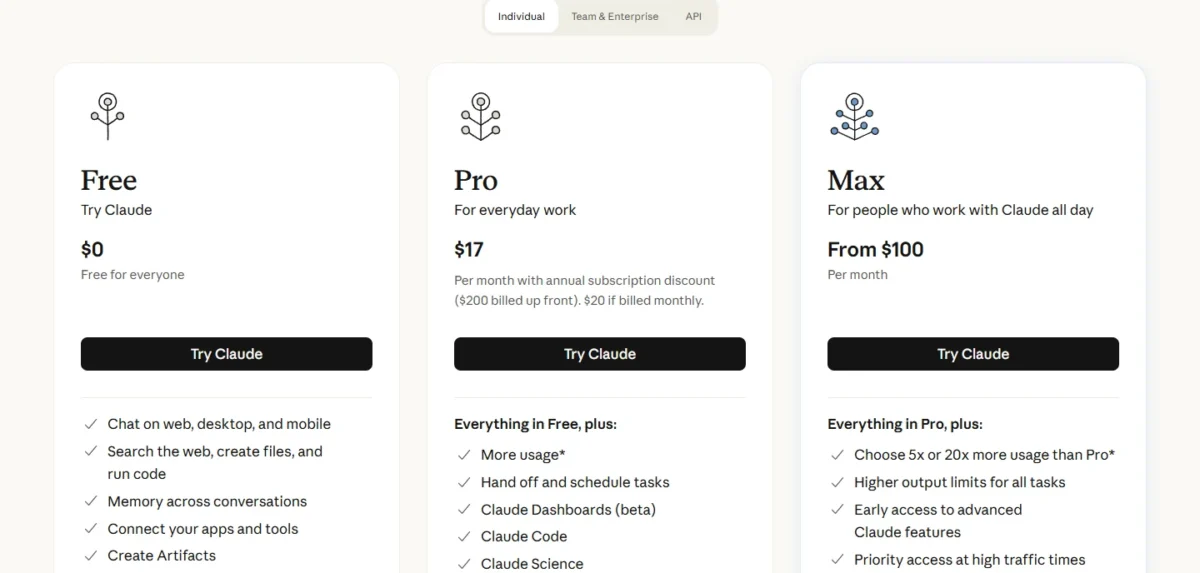
| Plan | Price | Billing | Key limit |
|---|---|---|---|
| Free | $0 | n/a | Projects up to 5; no Claude Code |
| Pro | $17 per month ($20 monthly) | Annual ($200 up front) or monthly | Individual plan; no SSO |
| Team Standard | $20 per seat per month ($25 monthly) | Annual or monthly | Teams of 2 to 150 |
| Team Premium | $100 per seat per month ($125 monthly) | Annual or monthly | Same team size limits |
| Enterprise | $20 per seat per month plus usage at API rates | Annual, 20-seat minimum | Usage cost scales with model and task |
Sources: Claude pricing, checked October 2026.
Mixing seat types keeps the heavy users from setting the price for everyone. On annual billing, two analysts on Premium cost $100 x 2 x 12 = $2,400 a year and the other eight people on Standard $20 x 8 x 12 = $1,920.
Together the team pays $2,400 + $1,920 = $4,320 a year. Ten Premium seats would cost $100 x 10 x 12 = $12,000.
Pros
- Up to 1M-token context window on every plan, model-dependent
- No model training on Team content by default
- Standard and Premium seats can be mixed on one Team plan
- Claude for Microsoft 365 and Outlook on Pro and Team
Cons
- Free leaves out Research and Claude for Microsoft 365
- Project sharing needs the Team plan
- Usage limits reset on a rolling five-hour window, so heavy days can hit a cap
- Skip it if:
- most of your AI use is short questions and image creation rather than long files, which ChatGPT’s plans cover from Free; the Claude alternatives page covers the rivals by job.
Neither assistant shows its sources the way an analyst needs, which is the gap the next pick fills.
3. Perplexity: Best for Cited Research
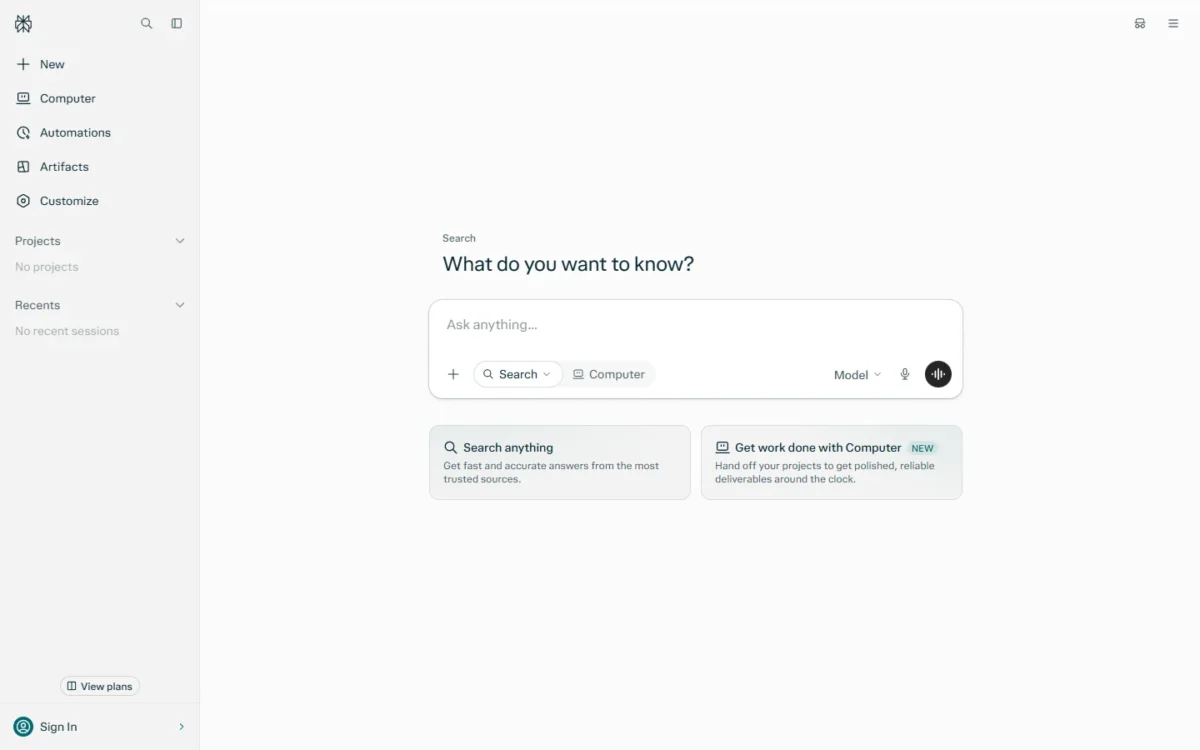
- Best for: researchers, analysts and marketers whose answers must carry checkable sources
- Pro: $17 per month billed annually, for personal use only
- Team plan: Enterprise Pro, $34 per seat per month billed annually
- Free plan: yes
- Integrations: the plan comparison lists 400+ app connectors; Enterprise Pro searches across the web, files and apps
Yes, Perplexity is worth paying for next to a general assistant, but only when research answers must carry sources a colleague can check. Perplexity states that every answer includes inline citations. A market sizing or a competitor summary arrives with the links a colleague needs to check it.
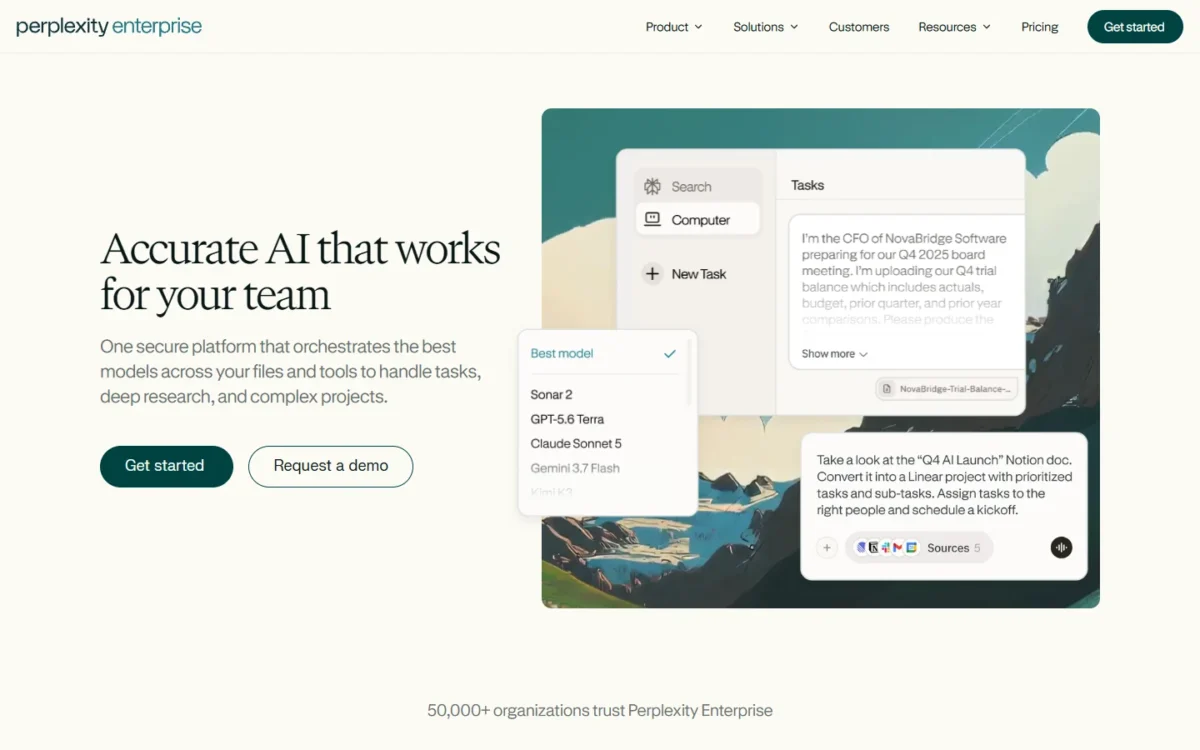
Enterprise Pro is the plan that changes the economics for a company. It adds premium source citations from PitchBook, Statista and more, search across the web, files and apps, SSO and a guarantee of no training on your data. The plan lists SOC 2 Type II, HIPAA, GDPR and PCI DSS compliance.
The catch sits in the fine print of Pro: Perplexity marks it “for personal use only”. A team that shares one research tool should budget for Enterprise Pro from the start. Day-to-day use of the answer engine is the focus of the Perplexity review.
Both Enterprise plans include Perplexity Computer, which runs multi-step work such as research, document generation and scheduled automations. Enterprise Pro includes 500 Computer credits per seat per month; Enterprise Max raises that to 15,000.
I ran the three briefs in my Perplexity Free account, one run each, with a free preview of advanced Pro search turned on. Perplexity brought sources even to writing tasks: it listed 15 sources for the outline brief and cited 10 for the edit, grammar guides among them.
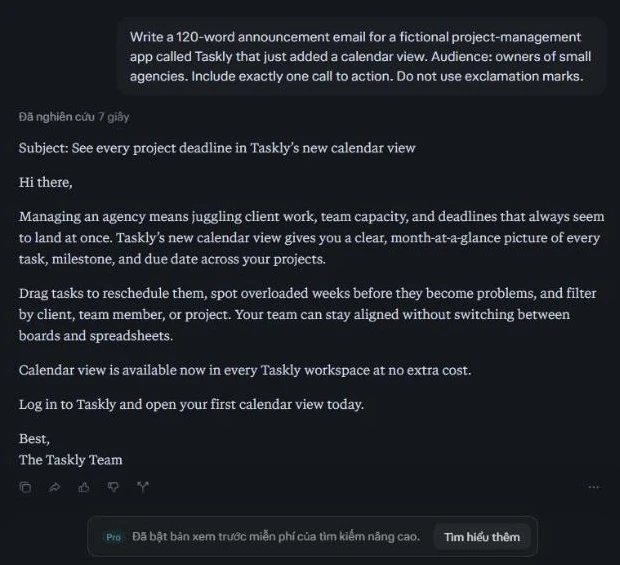
Its email body came to 99 words against the 120 asked. On the edit brief, Perplexity addressed all 7 planted problems but only partly fixed the wordy sentence: it cut it from 24 to 14 words and kept “utilize” and “a number of”. It made 1 change I had not planted, “9am” to “9 a.m.”.
That run fits the Skip it if line below: the citations are Perplexity’s strength for research, and on a drafting brief they were extra reading.
- Pricing:
- Perplexity Pro costs $17 per month or equivalent when billed annually. Enterprise Pro costs $34 per seat per month and Enterprise Max $271 per seat per month, both billed annually. The Perplexity pricing breakdown compares Pro and Enterprise at more team sizes.
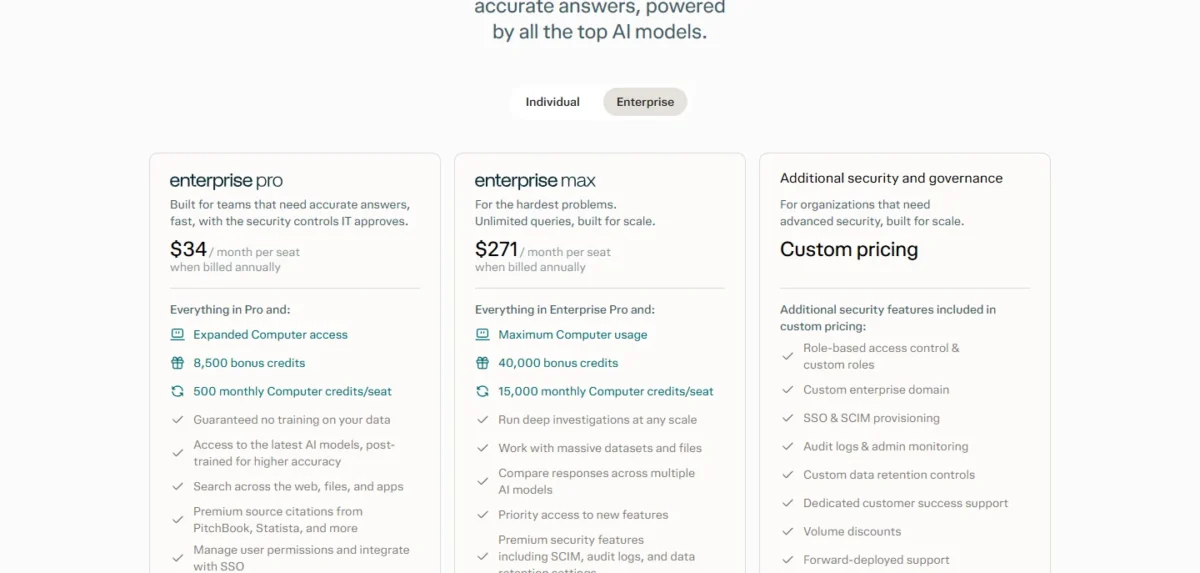
| Plan | Price | Billing | Key limit |
|---|---|---|---|
| Pro | $17 per month | Annual | Personal use only |
| Max | $167 per month | Annual | Personal use only |
| Enterprise Pro | $34 per seat per month | Annual | 500 Computer credits per seat |
| Enterprise Max | $271 per seat per month | Annual | 15,000 Computer credits per seat |
Sources: Perplexity Pro and Perplexity Enterprise pricing, checked October 2026.
At $34 per seat per month, Enterprise Pro costs more per seat than Claude Team Standard ($20) or Copilot Business ($21).
Perplexity’s price makes sense for the two or three people who research for a living, not for everyone by default. Three seats cost $34 x 3 x 12 = $1,224 a year.
Pros
- Inline citations in every answer
- Premium source citations from PitchBook and Statista on Enterprise Pro
- No training on data, SSO and SOC 2 Type II on Enterprise Pro
- Enterprise Pro and Enterprise Max users can sit in one organization
Cons
- Pro is for personal use only
- The Pro page shows only the annual-billing price
- Enterprise Pro includes 500 Computer credits per seat a month; Enterprise Max is the step up
- Skip it if:
- your work is drafting and editing rather than finding facts; Claude covers that at a lower team price, $20 for a Team Standard seat against $34.
Research and drafts still have to move between apps by hand, and that hand-off is what the fourth pick automates.
4. Zapier: Best for Automating Work Across Apps
- Best for: ops leads and small teams that repeat the same steps across apps
- Apps: 9,000+ in the app directory
- Free plan: Free forever, 100 tasks a month, two-step Zaps
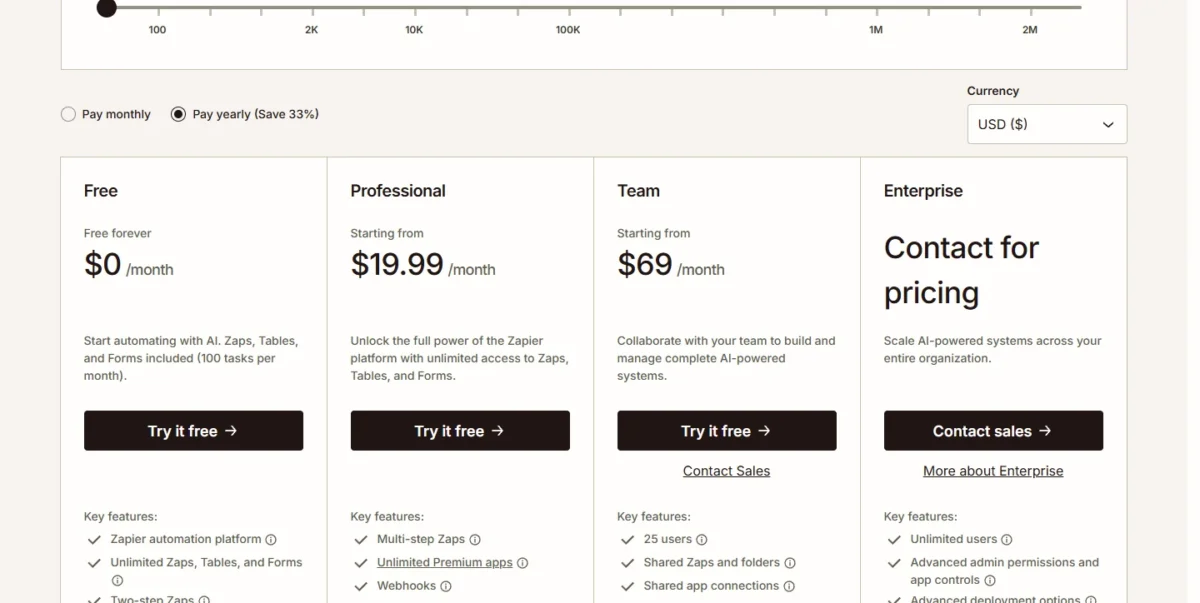
- Team plan: Team, 25 users, from $69 per month billed yearly
- AI usage: AI steps, code, MCP and SDK draw from one task allocation
Zapier is how a small team gets AI to act across its apps rather than just answer questions. It connects 9,000+ apps, and AI steps run inside the same Zaps as ordinary actions, so one workflow can call a model and then act in another app. How the builder handles longer workflows is the subject of the Zapier review.
The pricing model is the part to understand before building. Zap actions, AI steps, code runs and MCP calls draw tasks from one shared pool, and each MCP tool call uses two tasks. Triggers and built-in tools such as Filter, Formatter, Path, Tables and Forms do not count as tasks.
When a team hits its tier’s limit, Zapier switches it to pay-per-task billing at a higher per-task rate, unless that setting is turned off.
That makes the task tier, not the plan name, the real cost driver. A Zap that runs an AI summary on every inbound lead uses tasks on every run, so a busy inbox moves a team up a tier faster than the seat count does.
The free plan is enough to prove one workflow. Free covers Zaps, Tables and Forms with 100 tasks a month, but only two-step Zaps and a 15-minute polling time; Professional adds multi-step Zaps, webhooks and AI fields.
- Pricing:
- Zapier Professional starts at $19.99 per month and Team at $69 per month, both billed yearly at the entry task tier. On monthly billing the same plans start at $29.99 and $103.50 per month. Team includes 25 users, shared Zaps and folders, shared app connections and SAML SSO.
| Plan | Price | Billing | Key limit |
|---|---|---|---|
| Free | $0 | n/a | 100 tasks a month; two-step Zaps |
| Professional | From $19.99 per month ($29.99 monthly) | Yearly or monthly | 1 seat |
| Team | From $69 per month ($103.50 monthly) | Yearly or monthly | 25 users |
| Enterprise | Contact for pricing | Not published | Unlimited users |
Sources: Zapier pricing, checked October 2026.
Monthly billing costs half as much again. Team runs $103.50 x 12 = $1,242 a year on monthly billing against $69 x 12 = $828 on yearly billing, a $414 difference that would cover ElevenLabs Creator for a year.
Pros
- 9,000+ apps in the directory
- A free forever plan with Zaps, Tables and Forms
- Team covers 25 users on one plan, with SAML SSO
- AI steps and ordinary steps run in one workflow
Cons
- Free allows two-step Zaps only
- AI steps, code and MCP calls use the same task pool as Zap actions
- Pay-per-task billing costs more per task than the base plan
- Skip it if:
- your automations stay inside one suite where Copilot Studio or Notion Agent already runs them; the Zapier alternatives list covers other automation options. If 100 tasks a month on two-step Zaps is enough, skip the paid plans and stay on Free.
A team that already pays for an office suite with AI can compare the suite’s own assistant with a separate one.
5. Google Gemini: Best for Teams on Google Workspace
- Best for: teams whose mail, documents and meetings live in Google Workspace
- Plan to buy: Business Standard, $14 per user per month on a 1-year commitment
- Cheapest team option: Business Starter, $7 per user per month on a 1-year commitment
- Trial: 14-day Workspace trial; Gemini free with a Google Account
- Integrations: Gemini in Gmail, Docs, Sheets, Slides, Vids, Drive, Meet and Chat
Business Standard is the Workspace plan that puts Gemini where a team works. At $14 per user per month on a one-year commitment, it brings the Gemini AI assistant into Gmail, Docs, Meet and more, plus Gemini Notebook. Business Starter, at $7, limits Gemini to Gmail, Vids and the Gemini app among the core apps.
The difference between those two plans is the whole decision. On Starter, Gemini in Docs, Sheets, Slides, Drive, Meet and Chat is not supported, so the team gets an email helper rather than an assistant across its files. For the models and the Gemini app itself, the Gemini review goes further.
The price also buys more than AI. Business Standard includes custom business email, 2 TB of pooled storage per person and meeting recording. A team comparing it with Claude is comparing a full office suite with an assistant seat.
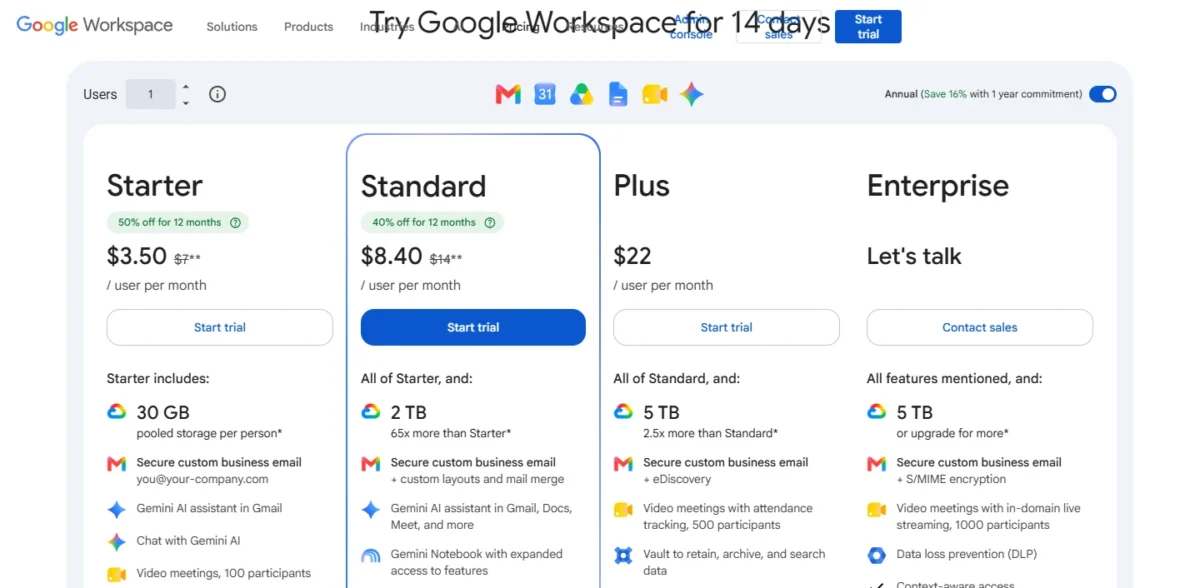
Google runs an introductory offer for new customers: 50% off Starter and 40% off Standard for the first 20 users, for 12 months. Business plans stop at 300 users.
- Pricing:
- Workspace Business Starter costs $7, Business Standard $14 and Business Plus $22 per user per month with a one-year commitment, billed monthly. One person outside Workspace can buy Google AI Pro at $19.99 per month instead. The Gemini pricing guide separates the consumer and Workspace plans.
| Plan | Price | Billing | Key limit |
|---|---|---|---|
| Business Starter | $7 per user per month ($3.50 intro) | 1-year commitment, billed monthly | Gemini in Gmail, not Docs or Meet |
| Business Standard | $14 per user per month ($8.40 intro) | 1-year commitment, billed monthly | Max 300 users |
| Business Plus | $22 per user per month | 1-year commitment, billed monthly | Max 300 users |
| Google AI Pro | $19.99 per month | Monthly | One Google Account, not a team plan |
Sources: Google Workspace pricing and Google AI plans, checked October 2026.
Pros
- Gemini in Gmail, Docs, Sheets, Slides, Meet and Drive on Business Standard
- Email, storage and meetings come in the same per-user price
- Introductory prices of $3.50 (Starter) and $8.40 (Standard) for a new customer’s first 20 users, for 12 months
- Gemini Notebook on Business Standard
Cons
- Starter leaves Gemini out of Docs, Sheets, Slides and Meet
- The intro price ends after 12 months
- Business plans stop at 300 users
- Skip it if:
- your files live in Microsoft 365 (see Microsoft 365 Copilot under Also Considered), or you want an assistant that is not tied to one office suite.
Suite assistants answer questions about files, but the team’s knowledge itself still needs a home.
6. Notion: Best for Team Knowledge and Docs
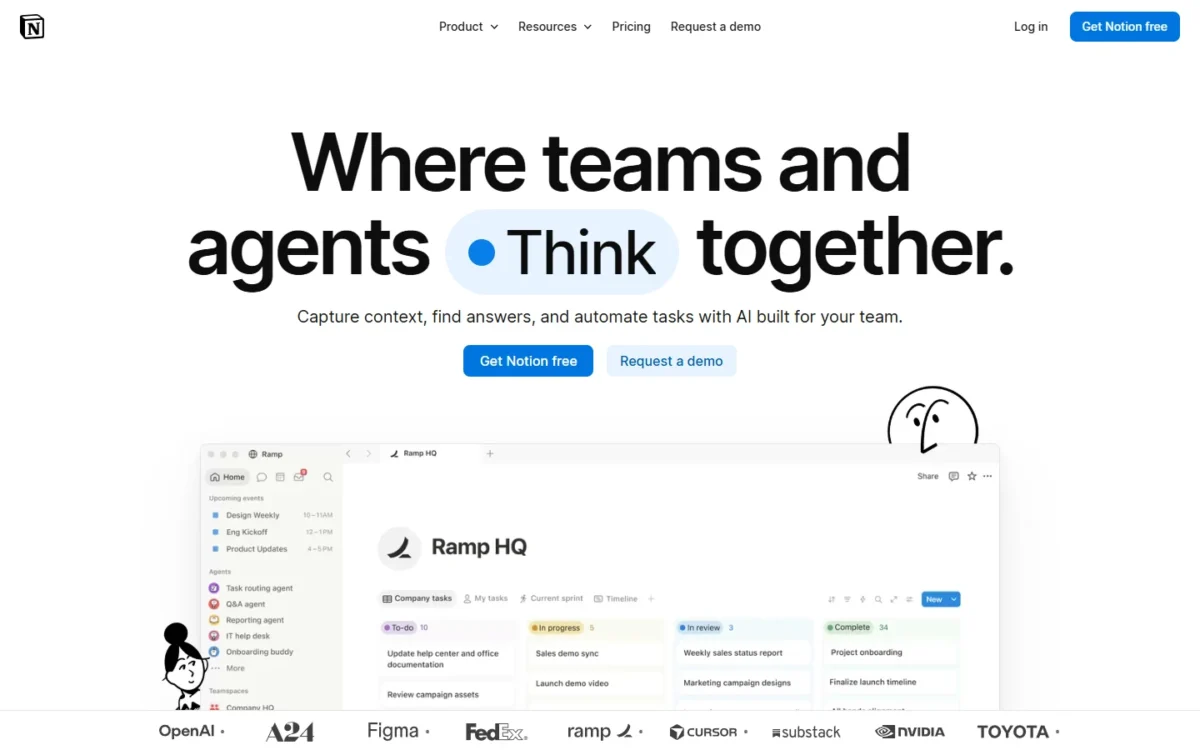
- Best for: teams that keep docs, wikis and projects in one workspace
- Plan with full AI: Business, $20 per member per month billed yearly
- Free plan: yes, with a trial of Notion AI
- Extra AI cost: Custom Agents, $10 per 1,000 monthly Notion credits after a free trial
- Integrations: count not published; Slack and Google Drive on Plus, GitHub and Asana on Business
Notion’s AI only justifies a move when the team buys Business. Notion Agent, AI Meeting Notes and Enterprise Search (beta) all start on Business at $20 per member per month billed yearly; Free and Plus get a limited trial of Notion AI. A team that tests Notion on Plus is testing a docs tool, not the AI.
Notion Agent is the feature that sets the plan apart. Notion describes it as completing complex, multi-step tasks using context from Notion, connected apps and the web. Enterprise Search finds answers across the workspace and connected tools such as Slack, Microsoft Teams and GitHub.
AI Meeting Notes runs with no bot needed, and Business adds SAML SSO, private teamspaces and premium connections to GitHub and Asana. Beyond its AI, the workspace gets its own verdict in the Notion review.
- Pricing:
- Notion Plus costs $10 and Business $20 per member per month billed yearly, or $12 and $24 billed monthly. Enterprise has custom pricing. The Notion pricing guide shows every AI plan gate in detail.
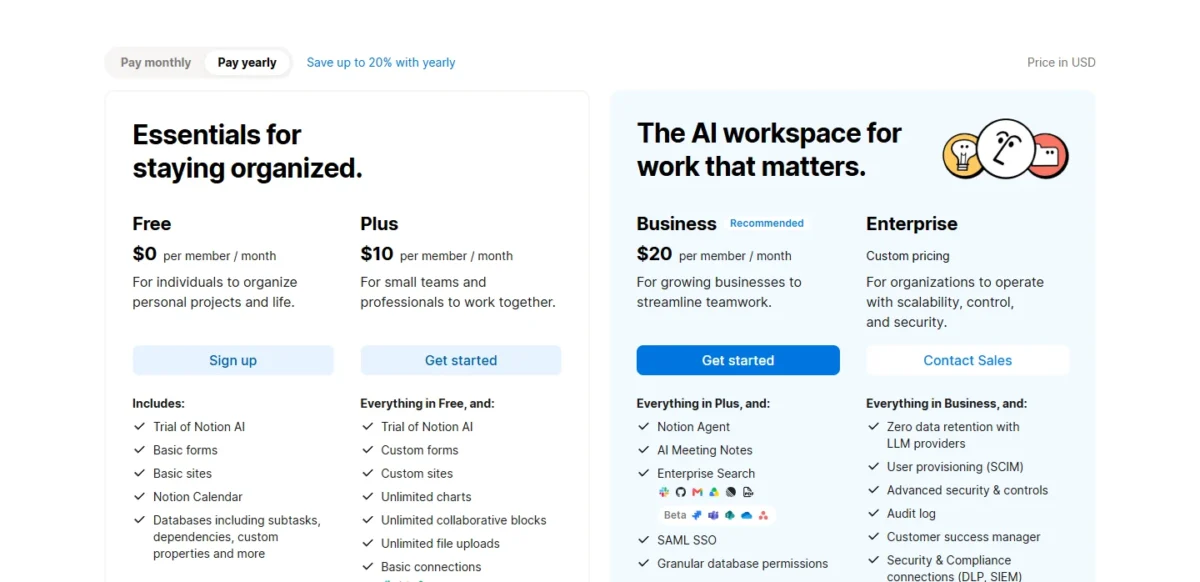
| Plan | Price | Billing | Key limit |
|---|---|---|---|
| Free | $0 | n/a | Trial of Notion AI; 7-day page history |
| Plus | $10 per member per month ($12 monthly) | Yearly or monthly | Trial of Notion AI only |
| Business | $20 per member per month ($24 monthly) | Yearly or monthly | Custom Agents need Notion credits |
| Enterprise | Custom pricing | Not published | Contact sales |
Sources: Notion pricing, checked October 2026.
Custom Agents bill Notion credits on top of seats. A team that automates with them should budget those credits separately from the $20 x 10 x 12 = $2,400 a year that ten Business seats cost.
Pros
- Notion Agent, AI Meeting Notes and Enterprise Search on one plan
- AI Meeting Notes with no bot needed
- Premium connections to GitHub and Asana on Business
- Yearly billing saves $2 per member per month on Plus and $4 on Business
Cons
- Free and Plus get only a trial of Notion AI
- Custom Agents cost extra Notion credits
- The full AI price is $20 per member, not $10
- Skip it if:
- your docs stay in Google Drive or SharePoint, where Gemini or Copilot already reads them.
Much of a team’s knowledge is spoken in meetings first, which is the job of the next pick.
7. Granola: Best for Meeting Notes Without a Bot
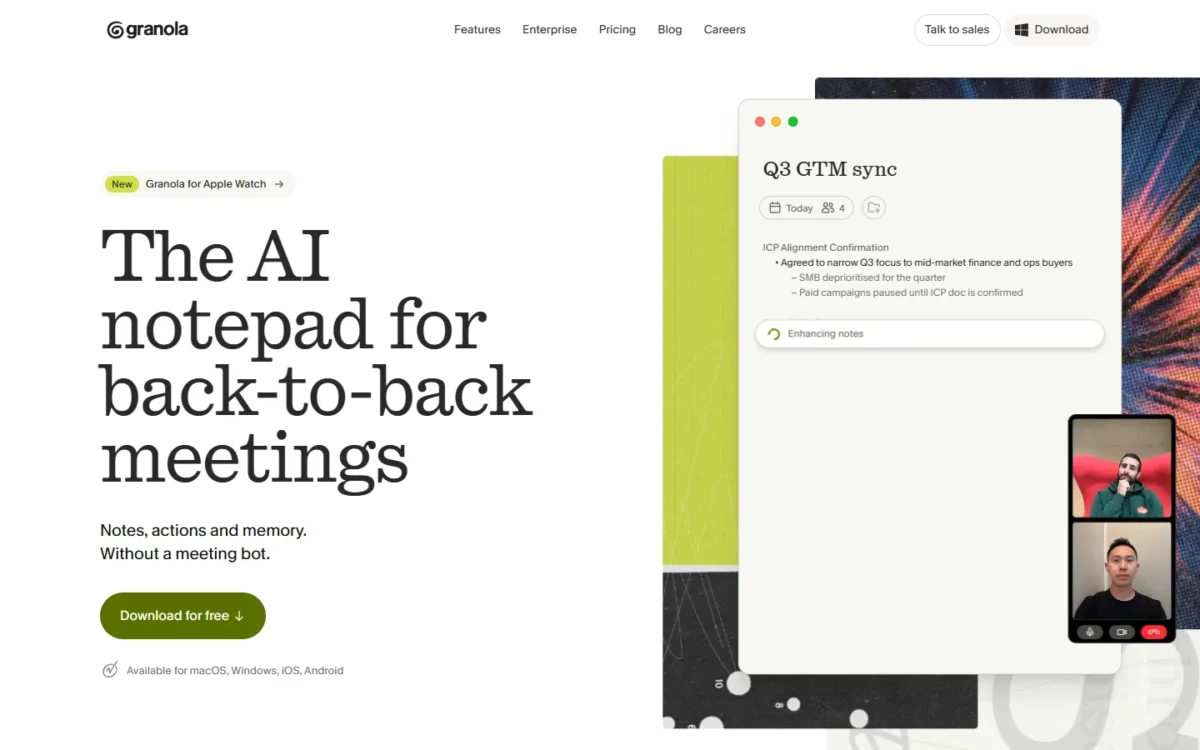
- Best for: people in back-to-back calls and small sales or product teams
- Capture: bot-free, from the device’s audio
- Free plan: Basic, with 30 days of meeting history
- Team plan: Business, $14 per user per month
- Integrations: Slack on every plan; Attio, Notion, HubSpot, Affinity and Zapier on Business; Salesforce on Enterprise
No bot joins the call when a team takes notes with Granola, because it captures audio from the device itself. Its apps cover desktop, iOS, Android and Apple Watch.
The free Basic plan is a trial in practice: it keeps 30 days of meeting history. Business, at $14 per user per month (billing period not stated), keeps unlimited notes and history and adds pre-meeting briefs and follow-up emails, plus centralized billing and user management.
For a sales team, the CRM integrations are the reason to pay: Business connects Attio, Notion, HubSpot, Affinity and Zapier, while Basic lists Slack as its only app integration. Basic’s MCP access (Claude, ChatGPT and others) is limited to personal notes from the last 30 days. Salesforce and SSO wait for Enterprise at $35 per user per month.
Notion Business also runs AI Meeting Notes with no bot, at $20 per member per month billed yearly, so a team already paying for it may not need a second notetaker. Granola fits a team that wants meeting notes without moving its documents into Notion.
Granola states that audio is deleted after transcription and that every plan is SOC 2 Type II certified. Users can opt out of model training individually; Enterprise enforces the opt-out for the whole workspace.
- Pricing:
- Granola Basic is free, Business costs $14 per user per month and Enterprise $35 per user per month. The pricing page does not say whether those are monthly or annual rates.
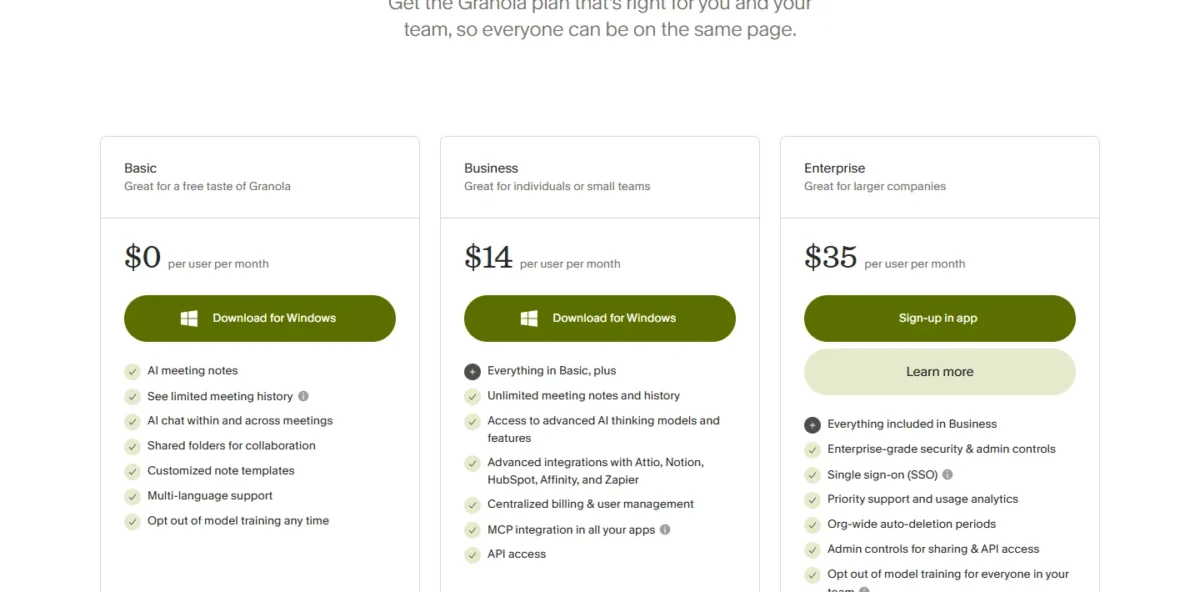
| Plan | Price | Billing | Key limit |
|---|---|---|---|
| Basic | $0 | n/a | 30 days of meeting history |
| Business | $14 per user per month | Not stated | No SSO or Salesforce |
| Enterprise | $35 per user per month | Not stated | Adds SSO, Salesforce and HIPAA-compliant workspaces |
Sources: Granola pricing, checked October 2026.
Pros
- No bot joins the call
- Notion, HubSpot, Attio and Zapier integrations on Business
- Audio deleted after transcription; SOC 2 Type II on every plan
- Pre-meeting briefs and follow-up emails on Business
Cons
- Basic keeps only 30 days of history
- Salesforce and SSO need Enterprise
- The billing period of the $14 price is not stated
- Skip it if:
- you need a recording of the call to share, or a notetaker that joins meetings you do not attend; Granola’s pricing page lists neither.
Meeting notes often become a client deck, and turning notes into slides is its own job.
8. Gamma: Best for Presentations and One-Pagers
- Best for: anyone who builds decks, docs and one-page sites
- Plan to buy: Plus, $9 per seat per month billed annually ($108 per seat a year)
- Free plan: yes, no credit card required, up to 10 slides per prompt
- Import and export: import PDF and PPTX; export PDF, PPTX, PNG and Google Slides
- Integrations: count not published; API access on Pro
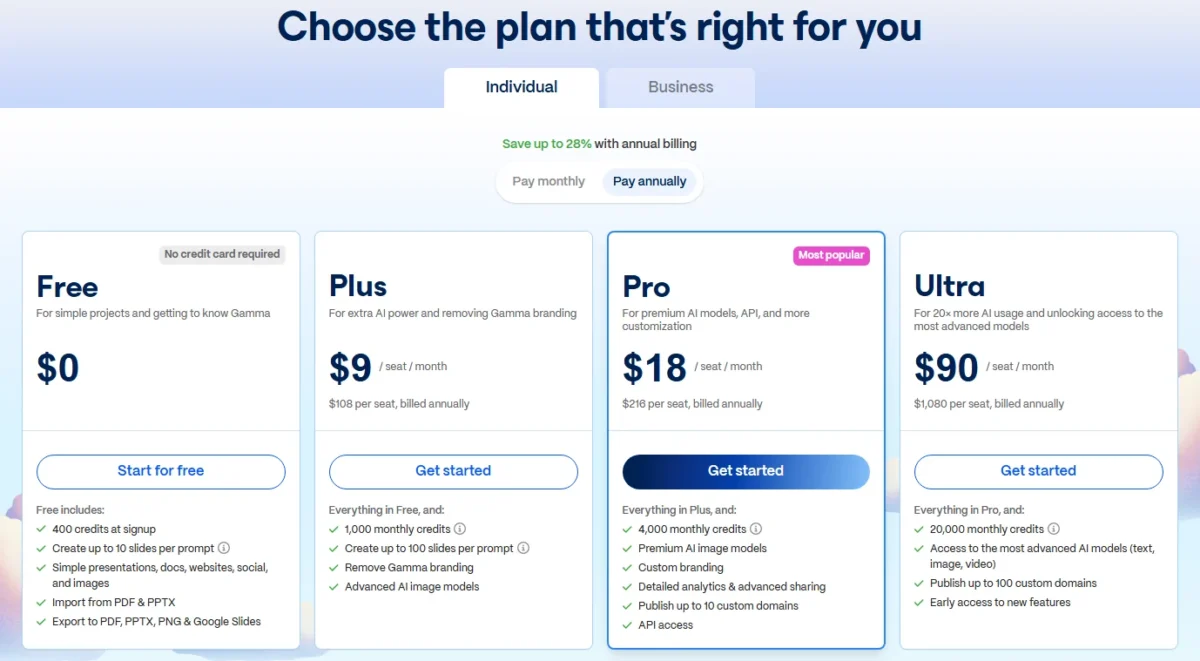
Gamma builds a deck from a single prompt, and Plus is the plan that removes the limits that matter. At $9 per seat per month billed annually, Plus raises a single prompt from 10 to 100 slides and removes Gamma branding.
The free plan is a real test rather than a demo: no credit card, presentations, docs, websites, social posts and images, and export to PPTX and Google Slides. That export is what makes Gamma safe for a team, because a deck started in Gamma can still be finished in PowerPoint.
Pro, at $18 per seat per month billed annually, adds custom branding, detailed analytics, API access and up to 10 custom domains for published pages.
Ultra, at $90 per seat per month billed annually, is pitched at 20x more AI usage and adds the most advanced AI models and up to 100 custom domains. Gamma states it is SOC 2 Type II compliant.
- Pricing:
- Gamma Plus costs $9, Pro $18 and Ultra $90 per seat per month, all billed annually, which is $108, $216 and $1,080 per seat a year. A 10-seat team on Plus pays $108 x 10 = $1,080 a year, the same as one Ultra seat. Gamma adds that prices are subject to tax depending on location.
| Plan | Price | Billing | Key limit |
|---|---|---|---|
| Free | $0 | n/a | Up to 10 slides per prompt |
| Plus | $9 per seat per month ($108 per seat per year) | Annual | No custom branding |
| Pro | $18 per seat per month ($216 per seat per year) | Annual | Up to 10 custom domains |
| Ultra | $90 per seat per month ($1,080 per seat per year) | Annual | Up to 100 custom domains |
Sources: Gamma pricing, checked October 2026.
Pros
- Exports to PPTX and Google Slides, so decks stay editable
- Imports PDF and PPTX files
- Plus removes Gamma branding
- SOC 2 Type II compliance
Cons
- Free caps a prompt at 10 slides
- Custom branding needs Pro at $216 per seat a year
- API access and custom domains start on Pro
- Skip it if:
- your team already pays for Microsoft 365 Copilot and builds its decks in PowerPoint, where Microsoft lists Copilot inside the app.
Some jobs need a working tool rather than a document, and the next pick lets a non-developer build one.
9. Lovable: Best for Building Internal Apps Without Code
- Best for: non-developers building internal tools and prototypes
- Pricing basis: credits, not seats; unlimited members on all plans
- Pro: $21 per month billed annually, $25 billed monthly, 100 monthly credits
- Free plan: 5 build credits a day, up to 30 a month
- Team controls: per-member credit limits on Pro; SSO and internal publish on Business
Lovable changes the cost math because it charges by credits, not seats. Workspaces support unlimited members on all plans, and inviting more people does not change the subscription cost. What changes is how fast the group spends the shared credits.
A non-developer team can build a working app by chatting with it: Lovable builds websites and web apps from plain prompts and hosts them on lovable.app. Plan Mode costs 1 credit per message, while Default Mode varies with the complexity of the task. The Lovable review covers what it builds well.
Business adds the controls an internal tool needs: SSO, a team workspace, role-based access and internal publish. On Pro, admins can already set per-member credit limits so one person cannot spend the whole pool.
Credits expire, which matters for a team that builds in bursts. Unused monthly plan credits expire two months after they are issued, and annual plan credits one month after the annual period ends.
- Pricing:
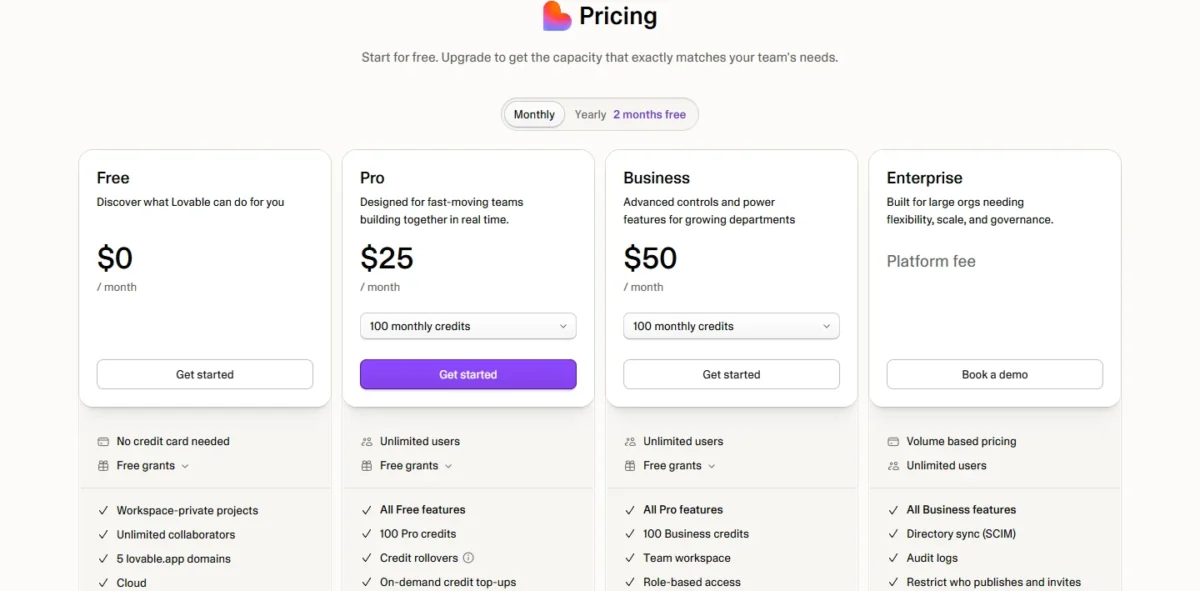
- Lovable Pro costs $25 per month billed monthly or $21 per month billed annually, and Business $50 monthly or $42 per month billed annually. Both include 100 monthly credits; Enterprise has volume-based pricing.
| Plan | Price | Billing | Key limit |
|---|---|---|---|
| Free | $0 | n/a | 5 build credits a day, up to 30 a month |
| Pro | $21 per month ($25 monthly) | Annual or monthly | 100 monthly credits |
| Business | $42 per month ($50 monthly) | Annual or monthly | 100 monthly credits |
| Enterprise | Volume-based pricing | Not published | Book a demo |
Sources: Lovable pricing, checked October 2026.
For a 10-person team, Business at $42 x 12 = $504 a year costs the same whether two people build or all ten do. That flat price is the reason to pick Lovable for a team, as long as 100 credits a month covers the work.
Pros
- Unlimited members on every plan
- Per-member credit limits on Pro
- SSO and internal publish on Business
- Customers own the code and apps they build
Cons
- 100 monthly credits on both Pro and Business
- Monthly plan credits expire two months after issue
- Credits are not refundable
- Skip it if:
- you have developers who want an AI code editor rather than an app builder; Cursor, under Also Considered, is built for that.
The last two jobs in this list are media: video first, then voice.
10. Descript: Best for Editing Video and Podcasts
- Best for: marketers and creators who edit video and podcasts
- Plan to buy: Creator, $24 per person per month billed annually ($35 monthly)
- Free plan: yes, 60 minutes of media a month
- Team caps: Creator scales to 3 people, Business to 5, each billed separately
- Integrations: count not published; timeline export to Premiere, Final Cut Pro and Pro Tools
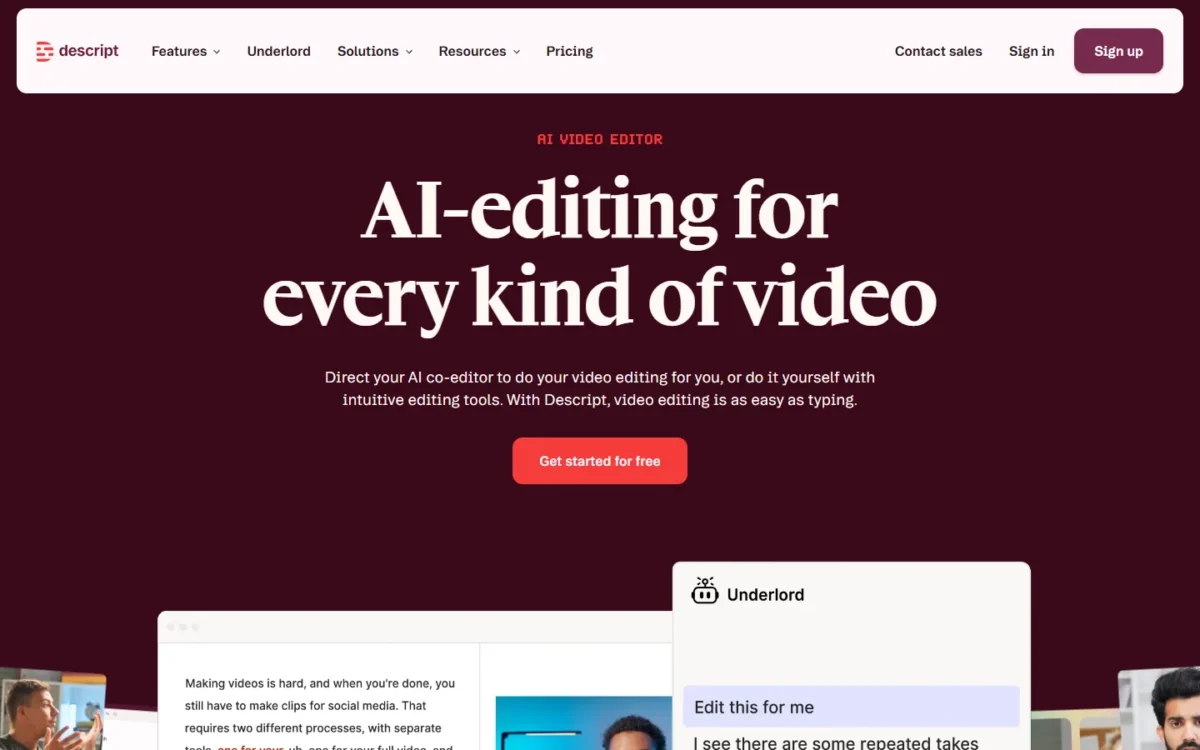
Descript lets a marketer edit video by editing its transcript, which turns cutting a webinar into editing a document. Underlord, its AI co-editor, makes polished edits from a prompt, and AI tools such as Studio Sound and Remove Filler Words clean up audio in one pass.
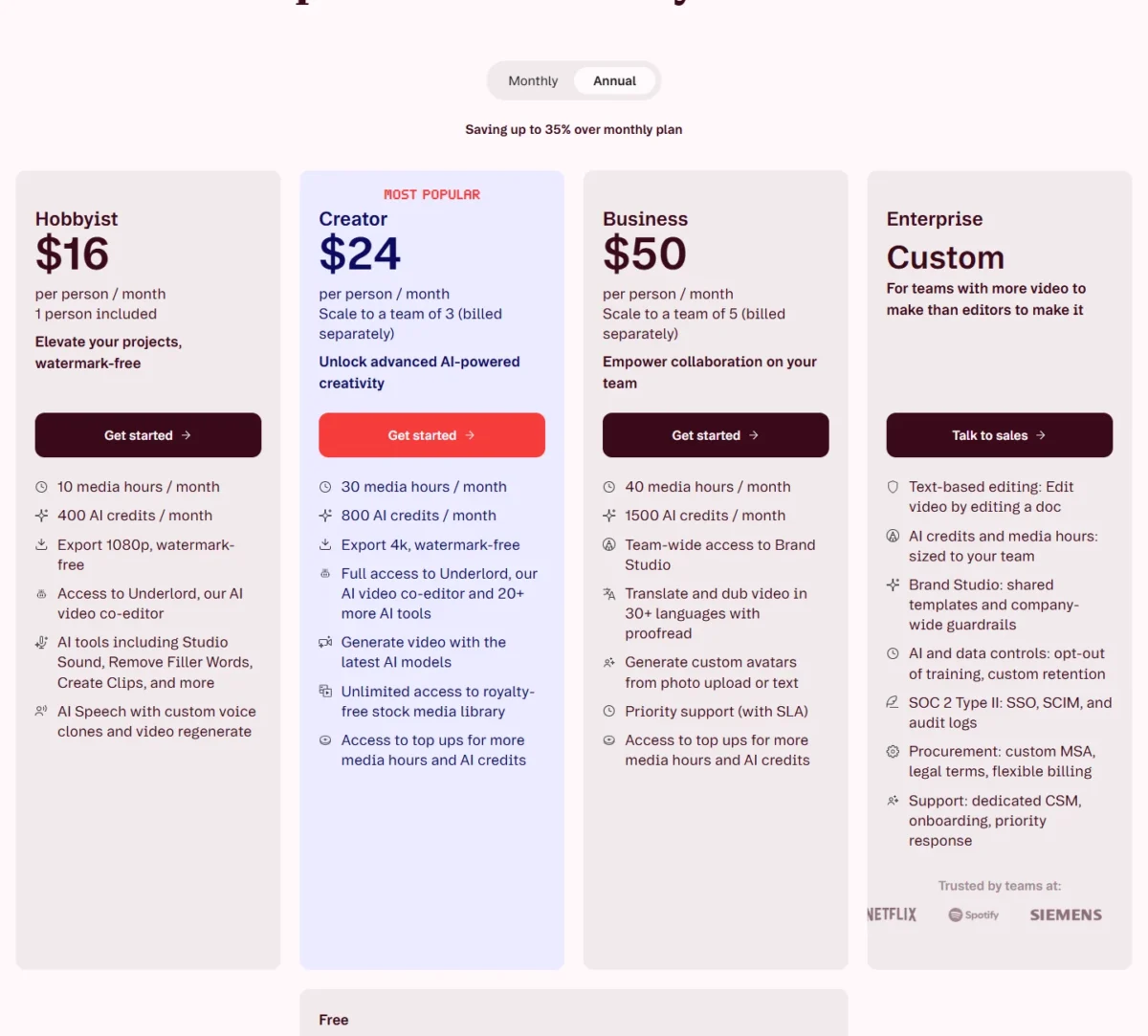
Creator is the plan that fits a small team. At $24 per person per month billed annually, it gives 30 media hours and 800 AI credits a month, plus 4K export.
Creator also includes unlimited royalty-free stock media and scales to a team of 3. Hobbyist, at $16, stops at 10 media hours and 1080p.
Business, at $50 per person per month billed annually, adds translation and dubbing in 30+ languages, team-wide Brand Studio and priority support, for up to 5 people. Past 5, the team moves to Enterprise, which adds SSO, SCIM and audit logs.
- Pricing:
- Descript Hobbyist costs $16, Creator $24 and Business $50 per person per month billed annually, or $24, $35 and $65 billed monthly. Descript’s pricing page shows savings of up to 35% over the monthly plan.
| Plan | Price | Billing | Key limit |
|---|---|---|---|
| Free | $0 | n/a | 60 media minutes a month; 720p export |
| Hobbyist | $16 per person per month ($24 monthly) | Annual or monthly | 10 media hours a month; 1 person |
| Creator | $24 per person per month ($35 monthly) | Annual or monthly | 30 media hours a month; up to 3 people |
| Business | $50 per person per month ($65 monthly) | Annual or monthly | 40 media hours a month; up to 5 people |
Sources: Descript pricing, checked October 2026.
Media hours are counted per editor, so the seat count follows the people who edit, not the whole team. Two Creator editors at $24 per person per month cost $24 x 2 x 12 = $576 a year.
Pros
- Edit video by editing the transcript
- Studio Sound and Remove Filler Words from Hobbyist
- Dubbing in 30+ languages on Business
- Unlimited royalty-free stock media on Creator
Cons
- Business caps a team at 5 people
- Media hours cap each editor at 10, 30 or 40 a month
- SSO and SCIM need Enterprise
- Skip it if:
- an editor processes more than 40 media hours a month, or the team needs more than 5 editors outside Enterprise.
Video needs a voice, and a synthetic voice is now a purchase decision of its own.
11. ElevenLabs: Best for AI Voiceovers
- Best for: marketers, trainers and product teams that need voiceovers
- Pricing basis: one shared monthly credit pool across every product
- Plan to buy: Creator, $22 per month for 121,000 credits
- Free plan: 10,000 credits a month
- Seats: Scale includes 3 workspace seats, Business 10
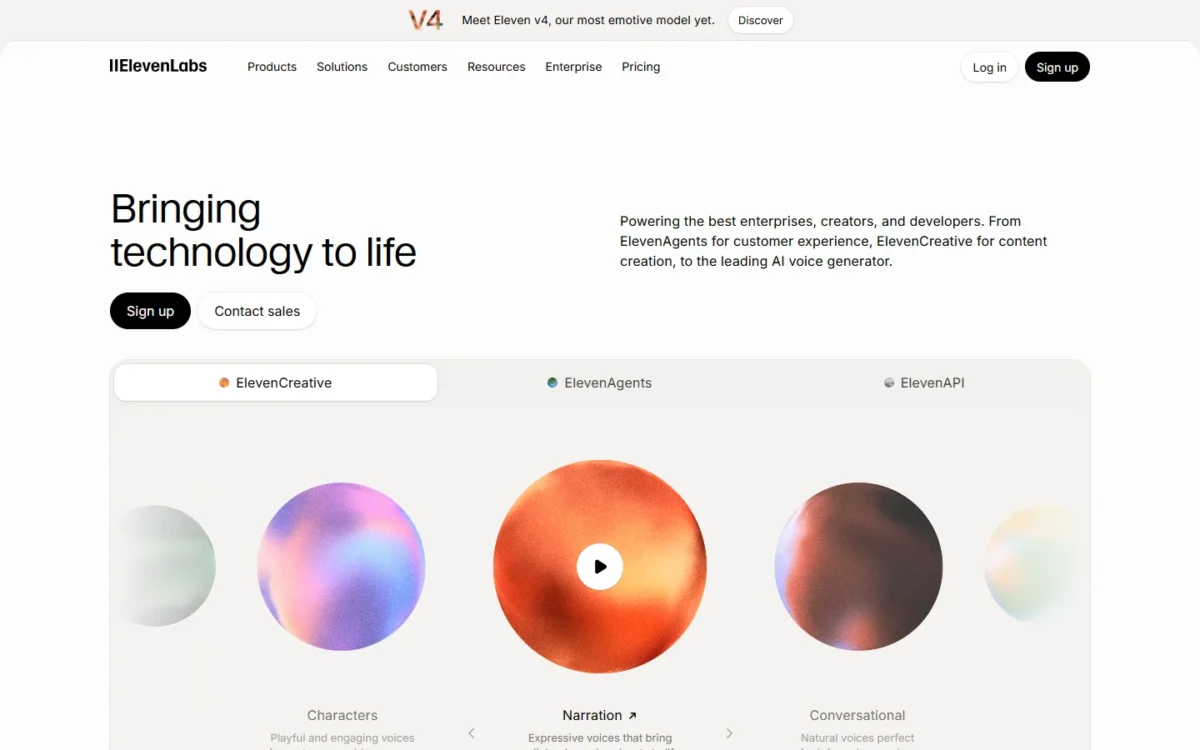
A team needs ElevenLabs when voiceovers become regular work: product videos, training modules, ads in several languages. One shared monthly credit pool covers text to speech, dubbing, music, sound effects and voice changing, so spending on one product leaves fewer credits for the others.
Credits translate into output plainly. On V2 Multilingual models, one text character costs one credit, so Creator’s 121,000 monthly credits cover about 121,000 characters of speech on that model. Dubbing draws far more, at 2,000 to 10,000 credits per minute depending on the mode.
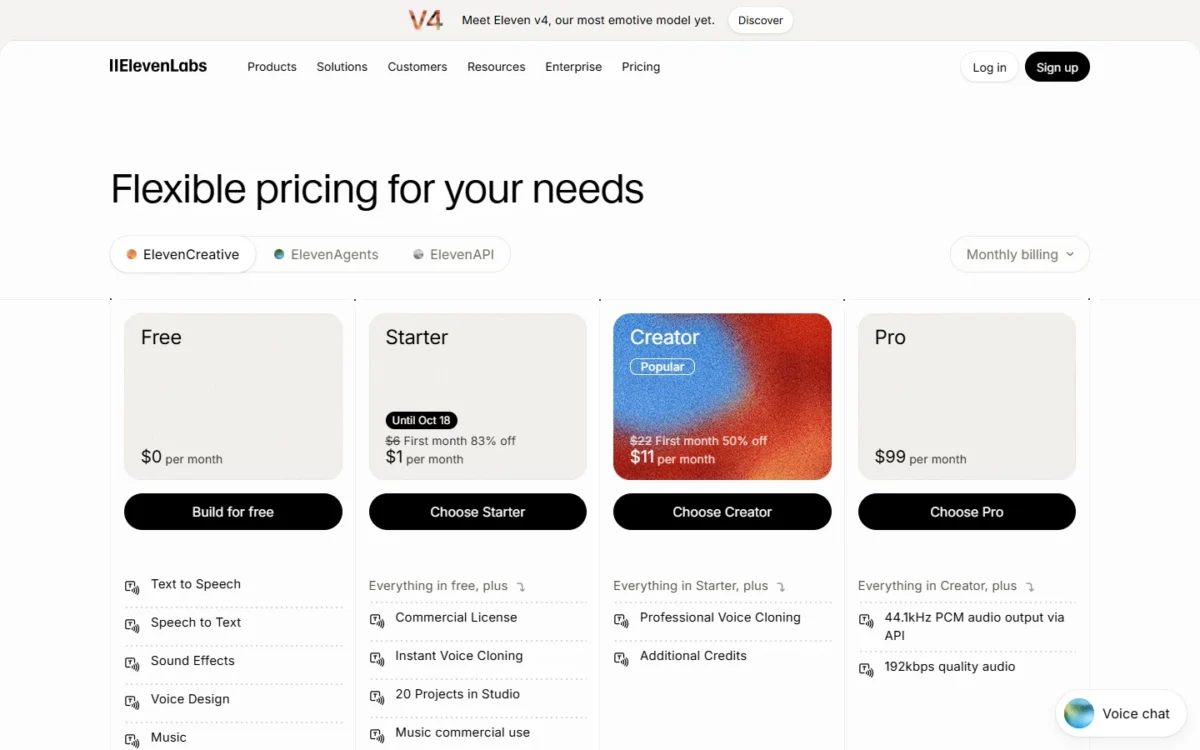
The commercial license starts on Starter, at $6 per month; the Free plan’s list does not include it. Creator adds Professional Voice Cloning, which a brand that wants one consistent narrator will need.
Unused credits roll over for up to two months, up to twice the monthly quota, on paid plans that stay active. Rollover does not apply to the Free plan.
- Pricing:
- ElevenLabs Starter costs $6, Creator $22, Pro $99, Scale $299 and Business $990 per month. Annual billing costs 10 months’ price, so Creator comes to $22 x 10 = $220 a year. The page also shows a first-month promotion of $11 for Creator; $22 is the regular monthly price.
| Plan | Price | Billing | Key limit |
|---|---|---|---|
| Free | $0 | n/a | 10,000 credits a month; no commercial license listed |
| Starter | $6 per month | Monthly or yearly | 30,000 credits a month |
| Creator | $22 per month | Monthly or yearly | 121,000 credits a month |
| Pro | $99 per month | Monthly or yearly | 600,000 credits a month |
| Scale | $299 per month | Monthly or yearly | 3 workspace seats |
| Business | $990 per month | Monthly or yearly | 10 workspace seats |
Sources: ElevenLabs pricing, checked October 2026.
Pros
- One credit pool across every audio product
- Credits roll over for up to two months on paid plans
- Annual billing costs 10 months’ price
- Professional Voice Cloning from Creator
Cons
- Shared seats start on Scale at $299 per month
- Dubbing uses 2,000 to 10,000 credits per minute
- The Free plan’s list does not include a commercial license
- Skip it if:
- your videos use your own recorded voice. A team that does need synthetic voiceovers should budget for Starter at $6 a month rather than Free, because the commercial license starts on Starter.
Eleven subscriptions add up quickly, so the next section works out the yearly bill for a realistic stack.
What a 10-Person Team Pays per Year
A 10-person team’s yearly bill for each pick depends on how many people need a seat in it, so the table prices each tool at the seats its job needs.
The math below is price per seat x seats x 12 months, on annual billing where the vendor publishes it. Seats follow who uses each tool; replace them with your own counts.
The whole team gets an assistant or a shared workspace, the researchers get Perplexity and the editors get Descript. Lovable and Zapier each run on one shared account, and ElevenLabs Creator is one account for the person who produces voiceovers.
| Software | Plan | Seats | Yearly cost | Notes |
|---|---|---|---|---|
| Claude | Team Standard | 10 | $20 x 10 x 12 = $2,400 | Teams of 2 to 150; Premium seats for heavy users raise it |
| Notion | Business | 10 | $20 x 10 x 12 = $2,400 | Custom Agents credits extra |
| ChatGPT | Business Standard | 10 | $20 x 10 x 12 = $2,400 | Annual billing; monthly billing is $25 x 10 x 12 = $3,000 |
| Google Gemini | Workspace Business Standard | 10 | $14 x 10 x 12 = $1,680 | Includes email and storage; intro year $8.40 x 10 x 12 = $1,008 |
| Granola | Business | 10 | $14 x 10 x 12 = $1,680 | Billing period not stated |
| Perplexity | Enterprise Pro | 3 researchers | $34 x 3 x 12 = $1,224 | Billed annually |
| Gamma | Plus | 10 | $108 x 10 = $1,080 | Billed annually per seat |
| Zapier | Team | 25 users included | $69 x 12 = $828 | Entry task tier |
| Descript | Creator | 2 editors | $24 x 2 x 12 = $576 | Media hours per editor |
| Lovable | Business | Unlimited members | $42 x 12 = $504 | 100 shared credits a month |
| ElevenLabs | Creator | 1 voiceover producer | $22 x 10 = $220 | Annual price is 10 months; shared seats start on Scale, $299 x 10 = $2,990 |
Sources: ChatGPT pricing, OpenAI’s help pages on managing billing and seats and the ChatGPT Business general FAQ, Perplexity Enterprise pricing, Claude pricing, Notion pricing, Google Workspace pricing, Granola pricing, Gamma pricing, Zapier pricing, Descript pricing, Lovable pricing, ElevenLabs pricing, checked October 2026. Tax, overage, add-on credits and offers after month 12 are excluded.
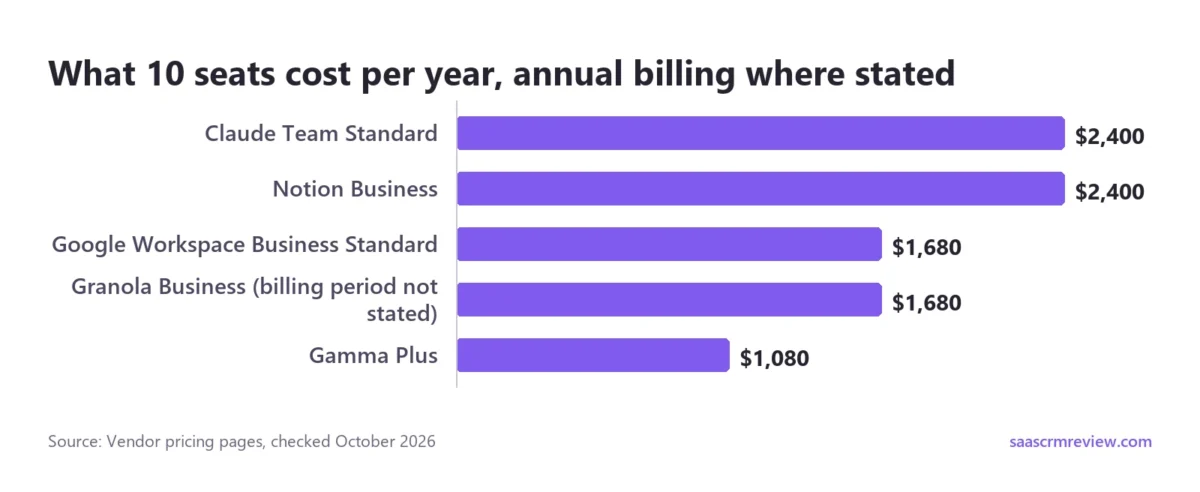
Lovable Business ($42 x 12 = $504) and Zapier Team ($69 x 12 = $828) cover the whole team for $504 + $828 = $1,332 a year. ElevenLabs Creator for one voiceover producer brings it to $1,332 + $220 = $1,552, still less than ten Claude Team Standard seats at $2,400.
The suite row needs one more reading, because it buys more than AI. Google Workspace Business Standard ($1,680 for 10 seats) includes secure custom business email, 2 TB of pooled storage per user and the Gemini AI assistant in Gmail, Docs, Meet, and more.
A team already on Workspace pays the gap between its current plan and Business Standard.
How to Choose the Best AI Tools for Your Team
Start with the assistant that matches your office suite, then add one specialist for the job that eats the most hours. A team on neither suite starts with ChatGPT or Claude; a Microsoft 365 team should read the Microsoft 365 Copilot note under Also Considered first.
For a Google Workspace team, Workspace Business Standard is the plan to start on: it includes the Gemini AI assistant in Gmail, Docs, Meet, and more.
The matrix below answers four questions that split the picks. Does it work inside your office suite, cite sources, run multi-step work, and keep team data out of model training?
| Software | Works inside your office suite | Cites sources by default | Runs multi-step tasks or agents | No training on team data by default |
|---|---|---|---|---|
| ChatGPT | Plus (Excel, Word, PowerPoint, Google Sheets) | Not listed | Business (ChatGPT Work; dots on Premium) | Business |
| Claude | Pro (Microsoft 365, Outlook) | Not listed | Pro (hand off and schedule tasks) | Team |
| Perplexity | Not listed | Yes | Pro (expanded Computer access) | Enterprise Pro |
| Zapier | Not listed | Not listed | Professional (multi-step Zaps) | Not listed |
| Google Gemini | Google Workspace Business Standard (Gemini AI assistant in Gmail, Docs, Meet, and more) | Not listed | Workspace Studio (AI agents) | Not listed |
| Notion | Not listed | Not listed | Business (Notion Agent) | Yes, unless you opt in (Notion AI) |
| Granola | Not listed | Not listed | Not listed | Enterprise (workspace-wide opt-out) |
Sources: ChatGPT pricing, Claude pricing, Perplexity Pro, Perplexity Enterprise pricing, Zapier pricing, Google Workspace pricing, Notion pricing, Granola pricing, checked October 2026.
The matrix leaves out Gamma, Lovable, Descript and ElevenLabs because each does one media or build job; pick those by the job, not by these criteria. A team that handles client data should read the last column first: it shows which plan, if any, carries each vendor’s stated no-training terms, and Granola makes the opt-out workspace-wide only on Enterprise.
Test One Real Task Before the Team Buys
Each of the 11 picks can be tested on your own work before anyone pays, because each lists a free plan or a trial in the comparison table. Run the task the tool should take over, and note which free limit it hits first.
For Claude, that task is a long contract; for Zapier, one lead-routing Zap within the 100 free tasks a month. Giving two or three tools the same brief word for word, as in my test above, makes the answers comparable.
One trial carries a condition. Notion’s plan table lists Notion Agent as a “Limited Trial” on Free and Plus, so a test below Business shows only a limited trial of it.
Shortlists by Team and Job
When one job matters more than the rest, a deeper list ranks more tools for it:
- Comparing general assistants in depth: the AI chatbots compared list ranks more of them.
- Choosing a research tool beyond Perplexity: the AI tools for research list matches each to a research job.
- Writing marketing copy at volume: the AI writing tools ranking covers Jasper and its rivals.
- Producing social video, audio and posts: the AI content creation tools list goes deeper than Descript and ElevenLabs.
- Generating images: the AI image generators list compares credits and use cases.
- Building apps or prototypes: the AI prototyping tools list covers Lovable’s rivals and AI code editors.
- Making decks without paying: the free AI presentation makers list compares free limits and exports.
Some well-known AI tools are missing from the numbered picks, and each was left out for a sourced reason.
Also Considered
Five more tools made the long list but not the ranking, each for a fact on its own pricing page:
- Jasper: Pro costs $59 per seat per month billed yearly or $69 monthly and includes 1 seat; more seats mean Business at custom pricing through sales. That suits a marketing team with a budget, not a small team buying its first AI tool. Its brand-voice features are weighed in the Jasper review.
- Midjourney: Basic costs $10 a month or $96 a year for image and video generation, and the plan page lists no free plan. A company with more than $1,000,000 in gross yearly revenue must buy Pro at $60 a month or Mega at $120 a month. The Midjourney review covers it for image work.
- Motion: an AI project and task management tool; Business AI adds Team Capacity Planning, Timeline & Gantt Charts and Time Tracking. It stays off the ranking because its pricing page marks both plans “This plan is not available” and does not say which billing view its per-seat prices show.
- Cursor: Teams starts at $30+ per user per month, and its paid features (cloud agents, code hosting, AI code reviews) serve teams doing AI-assisted coding. Small business teams without developers get more from Lovable.
- Microsoft 365 Copilot: Copilot Business is an add-on that requires an eligible Microsoft 365 subscription, so it suits a team already on Microsoft 365. Copilot Chat comes at no extra cost with an eligible subscription but uses web data; the paid license adds Microsoft Graph grounding in the team’s email, chats, documents and meetings.
Copilot Business costs $21 per user per month paid yearly, from $18 for purchases between July 1 and December 31, 2026, for up to 300 users. A team without Microsoft 365 can buy Business Standard with Copilot at $23.50 or Business Premium with Copilot at $32 per user per month, paid yearly.
Microsoft’s one-month free trial converts to a paid subscription when it ends.
Sources: Microsoft 365 business plans, Microsoft 365 Copilot for business, Jasper pricing, Midjourney plans, Motion pricing, Cursor pricing, checked October 2026.
FAQ
Is there a better AI than ChatGPT?
Yes, for specific jobs. Claude suits long contracts and reports, with up to 1M tokens of context on every plan, and Perplexity puts inline citations in every answer. ChatGPT remains my pick when one plan must cover chat, deep research, image creation and voice.
Which of these AI tools are free?
Ten of the eleven picks list a free plan: ChatGPT, Claude, Perplexity, Zapier, Notion, Granola, Gamma, Lovable, Descript and ElevenLabs. Gemini is free with a Google Account outside Workspace.
Start on ChatGPT Free: it covers chat plus limited file uploads, image creation, voice and deep research. The other free tiers state their own caps:
- Claude Free: up to 5 Projects
- Zapier Free: 100 tasks a month on two-step Zaps
- Gamma Free: 10 slides per prompt
- Lovable Free: up to 30 build credits a month
- ElevenLabs Free: 10,000 credits a month
- Granola Basic: 30 days of meeting history
Outside the ranking, Microsoft 365 Copilot Chat costs nothing extra with an eligible Microsoft 365 plan.
Final Verdict
For most small teams, ChatGPT is the first AI tool to buy: one plan covers drafting, deep research, image creation and voice. Business starts at 2 users, with no training on business data.
Its trade-off is usage: heavy users need ChatGPT Business Premium seats to remove the five-hour limit. Ten Business Standard seats on annual billing cost $20 x 10 x 12 = $2,400 a year, the same as ten Claude Team Standard seats; billed monthly, the same ten seats cost $3,000.
Sources: ChatGPT pricing, ChatGPT Business, OpenAI’s help pages on managing billing and seats and the ChatGPT Business general FAQ, and Claude pricing, checked October 2026.
When the office suite decides, follow it. For a Google Workspace team, Google Workspace Business Standard costs $14 per user per month: the $1,680 row for 10 seats in the cost table.
Then add the specialist for the job that takes the most hours:
- Claude, when the work is long documents and analysis
- Perplexity, when research must be cited, budgeted on Enterprise Pro for a team
- Zapier, once the same task repeats across apps every week
- Granola or Notion, when meetings and team knowledge are the bottleneck
On the tightest budget, Google Workspace Business Starter costs $7 per user per month on the annual plan with a one-year commitment, and includes the Gemini AI assistant in Gmail. Starter’s $7 is the lower price against each seat compared here:
- Claude Team Standard: $20 per seat per month billed annually
- Perplexity Enterprise Pro: $34 per seat per month billed annually
- ChatGPT Business Standard: $20 per user per month billed annually, or $25 billed monthly
Starter costs less than ChatGPT Business Standard on either billing option.
Sources: Google Workspace pricing, Claude pricing, Perplexity Enterprise pricing, ChatGPT pricing, ChatGPT Business, and OpenAI’s help pages on managing billing and seats and the ChatGPT Business general FAQ, checked October 2026.
On Google Workspace Business Starter, though, Gemini in Docs and Gemini in Meet are marked “not supported by this SKU”. Buy Business Standard instead if the team writes in Google Docs every day.





