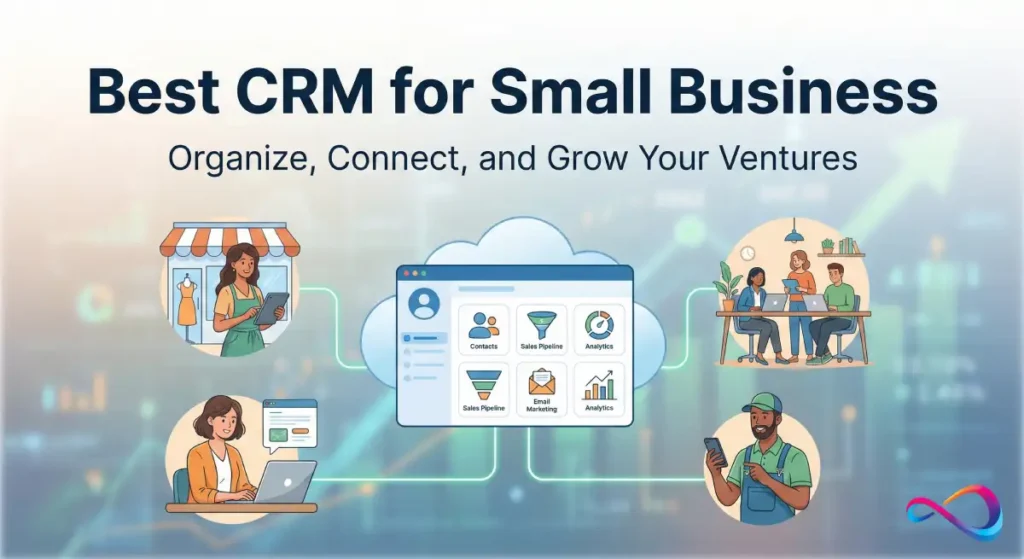
The best CRM for sales teams in 2026 depends on your sales motion and team size. For enterprise teams, Salesforce Sales Cloud delivers unmatched customization and forecasting. Mid-market B2B teams closing complex deals should choose HubSpot Sales Hub for its automation and inbound integration. Pipedrive wins for visual pipeline management in small outbound teams.
Budget-conscious startups get the most value from Zoho CRM. This guide evaluates 10 sales CRM platforms across implementation complexity, automation capabilities, forecasting accuracy, and total cost of ownership—helping sales leaders, RevOps professionals, and founders select the right system for their revenue engine.
Best CRM for Sales Teams: Top Picks by Use-Case
Best for Enterprise Sales: Salesforce Sales Cloud — Territory management, advanced forecasting, CPQ capabilities
Best for Inbound B2B Sales: HubSpot Sales Hub — Marketing alignment, lead scoring, native content integration
Best for Outbound Teams: Close — Built-in calling, SMS, email sequences without third-party tools
Best for Visual Pipeline Management: Pipedrive — Intuitive drag-and-drop interface, activity-based selling
Best Budget Option: Zoho CRM — Full feature set at fraction of enterprise pricing
Best for Microsoft Ecosystem: Microsoft Dynamics 365 Sales — Deep Teams/Outlook integration, native AI copilot
Best for Small Teams: Copper — Gmail-native experience, minimal training required
Best for Product-Led Growth: HubSpot Sales Hub — Self-serve signup tracking, usage-based lead scoring
Best for Field Sales: Salesforce Sales Cloud (Mobile) — Offline mode, location tracking, mobile-optimized workflows
Best for Implementation Speed: Pipedrive — Most teams operational within 7-10 days
Read our full: Best CRM for Startups 2026: Expert Reviews & Comparisons
Our Evaluation Method: Best CRM for Sales Teams
We evaluated CRM platforms using criteria weighted by impact on sales productivity and deal velocity. Our methodology combines hands-on demos, customer feedback analysis, and evaluation of common sales workflows including lead routing, sequence management, pipeline reviews, and forecast submission.
Evaluation Criteria & Weighting
| Criterion | Weight | What We Tested |
|---|---|---|
| Sales Workflow Efficiency | 25% | Lead routing speed, pipeline stage automation, activity logging, mobile usability |
| Automation & AI Capabilities | 20% | Email sequences, next-best action suggestions, call summarization, pipeline risk detection |
| Reporting & Forecasting | 20% | Real-time dashboards, forecast accuracy tools, custom report builders, roll-up visibility |
| Integration Ecosystem | 15% | Native integrations with Gmail/Outlook, Slack, Zoom, calendar tools, data enrichment |
| Ease of Implementation | 10% | Onboarding time, data migration support, configuration complexity, admin overhead |
| Total Cost of Ownership | 10% | Licensing costs, required add-ons, implementation fees, ongoing maintenance |
What We Validated
In typical implementations, we assess how sales teams handle:
- Lead-to-opportunity conversion: Automated routing based on territory, lead score, or round-robin assignment
- Outbound sequences: Multi-touch email/call campaigns with conditional logic
- Pipeline hygiene: Stage progression rules, automated stale deal alerts, required field enforcement
- Forecasting workflows: Bottom-up rep submissions, manager adjustments, commit vs. pipeline tracking
- Deal collaboration: Internal notes, @mentions, shared views, approval workflows
- Activity capture: Automatic email logging, call recording integration, meeting sync
Teams commonly report that CRM adoption fails when systems require excessive manual data entry or don’t integrate with daily communication tools.

What Sales Teams Actually Need From a CRM
A sales CRM software serves as the single source of truth for your revenue pipeline. Beyond contact storage, modern sales teams require:
Core Sales Capabilities
Pipeline management: Visual representation of deals across stages (e.g., Prospecting → Qualification → Proposal → Negotiation → Closed-Won). Each stage should trigger specific actions and reporting.
Lead scoring: Automated ranking based on behavioral signals (email opens, website visits, form submissions) and demographic fit (company size, industry, title). Scores help SDRs prioritize outreach.
Activity tracking: Automatic capture of emails, calls, and meetings without manual logging. Reduces admin burden and ensures complete customer interaction history.
Forecasting: Roll-up visibility from rep → manager → VP showing weighted pipeline by close probability. Essential for resource planning and board reporting.
Sequences (cadences): Pre-built multi-step outreach campaigns that automatically send emails, schedule calls, and pause when prospects respond. Critical for outbound sales efficiency.
Integration Requirements
Sales teams operate across multiple tools. A CRM for sales pipeline management must connect to:
- Email platforms: Gmail, Outlook for two-way sync and tracking
- Communication tools: Slack, Microsoft Teams for deal alerts and collaboration
- Meeting schedulers: Calendly, Google Calendar, Microsoft Bookings
- Call/video: Zoom, Google Meet with automatic activity logging
- Revenue tools: Stripe, QuickBooks for closed-deal sync
- Enrichment: LinkedIn Sales Navigator, ZoomInfo, Clearbit for contact data
Workflow Examples
SDR workflow: Lead assigned → Auto-enroll in outbound sequence → Track engagement → Score qualification → Pass to AE with context
AE workflow: Opportunity created → Stage-specific tasks auto-assigned → Proposal generated from template → Approval workflow triggered → Contract sent → Deal auto-closed when signed
Manager workflow: Daily pipeline review dashboard → Flag at-risk deals → Coach reps on next actions → Adjust forecast → Roll-up report to leadership
Read more: Best CRM for Small Business 2026: Top Picks by Use Case + Honest Trade-offs
Best CRM for Sales Teams – Comparison Table
| CRM | Best For Team Size | Sales Motion Fit | Ease of Use | Automation & AI | Reporting/Forecasting | Integrations | Typical Onboarding | Pricing Positioning |
|---|---|---|---|---|---|---|---|---|
| Salesforce Sales Cloud | 50-10,000+ | Enterprise, complex B2B | Moderate (steep learning) | Advanced (Einstein AI) | Industry-leading | 3,000+ (AppExchange) | 60-120 days | Premium (enterprise) |
| HubSpot Sales Hub | 5-500 | Inbound, PLG, B2B SaaS | Easy | Strong (AI-assisted) | Strong | 1,000+ native | 14-30 days | Mid-range to premium |
| Pipedrive | 3-100 | Outbound, transactional | Very Easy | Moderate | Good | 400+ (marketplace) | 7-14 days | Budget to mid-range |
| Microsoft Dynamics 365 Sales | 50-5,000+ | Enterprise, Microsoft shops | Moderate | Advanced (Copilot) | Advanced | Deep Microsoft stack | 45-90 days | Premium (enterprise) |
| Zoho CRM | 5-200 | Mixed, budget-conscious | Moderate | Good (Zia AI) | Good | 800+ | 14-30 days | Budget-friendly |
| Close | 5-100 | Outbound, inside sales | Easy | Strong (sequences) | Moderate | 150+ core tools | 7-14 days | Mid-range |
| Copper | 3-50 | Google Workspace teams | Very Easy (Gmail-native) | Basic to Moderate | Basic | 200+ (Google-focused) | 3-7 days | Mid-range |
| Freshsales | 10-250 | Inbound/outbound mix | Easy | Good (Freddy AI) | Good | 200+ | 10-21 days | Budget to mid-range |
| Monday Sales CRM | 5-100 | Visual teams, PM-style | Easy | Moderate | Moderate | 200+ | 7-14 days | Mid-range |
| Insightly | 10-500 | Project-based selling | Moderate | Moderate | Good | 250+ | 21-45 days | Mid-range |
The 10 Best CRM for Sales Teams
1. Best CRM for Sales Teams: Salesforce Sales Cloud

Best for: Enterprise sales organizations with complex territory structures, multi-product lines, and advanced forecasting requirements
Why It Stands Out
- Einstein AI capabilities deliver next-best action recommendations, opportunity scoring, and automated activity capture that reduce manual CRM hygiene
- Customization depth allows modeling of any sales process—from transactional to multi-year enterprise cycles with approval chains and custom objects
- Forecasting sophistication includes collaborative forecasts, quota management, territory hierarchies, and what-if scenario planning unavailable in competitors
- CPQ integration (Configure-Price-Quote) handles complex pricing, discounting approvals, and contract generation within the platform
- AppExchange ecosystem provides 3,000+ pre-built integrations and industry-specific accelerators
- Revenue Cloud extends beyond CRM into subscription management, partner relationship management, and renewals automation
Watch-Outs / Trade-Offs
- Steep learning curve: In most deployments, full user adoption takes 3-6 months even with dedicated training programs
- Cost accumulation: Base licenses are entry point—teams typically require add-ons for Einstein AI, advanced analytics, and CPQ, which can double total cost
- Over-engineering risk: Excessive customization creates technical debt and makes future upgrades challenging
- Administrative overhead: Requires dedicated Salesforce administrator (often full-time for teams over 100 users)
- Mobile experience: While improved, mobile app complexity mirrors desktop rather than optimizing for field workflows
Key Features for Sales Teams
- Multi-currency support for global sales operations
- Territory management with automatic lead/account assignment
- Collaborative forecasts with manager adjustments and commit categories
- Opportunity splits for team-based selling
- Path guidance showing stage-specific actions and best practices
- Email integration with tracking and templates (Sales Engagement add-on)
- Einstein Activity Capture for automatic email/meeting logging
- Automated workflow rules and approval processes
- Custom reporting with up to 5 joined objects
- Chatter for internal deal collaboration
Integrations & Ecosystem
Native connections to Gmail, Outlook, Slack (Salesforce-owned), Microsoft Teams, Zoom, LinkedIn Sales Navigator, Gong, DocuSign. Middleware platforms like Zapier, MuleSoft (Salesforce-owned), and Workato enable connection to virtually any business system. Data enrichment via ZoomInfo, Clearbit, and DiscoverOrg available through AppExchange.
Implementation & Onboarding Notes
In typical implementations, plan 60-120 days from kickoff to full rollout for teams over 50 users. Critical path includes data migration (expect 4-6 weeks for data cleansing), process mapping, custom object configuration, integration setup, and staged user training. Most organizations engage Salesforce partners for initial implementation. Ongoing maintenance requires administrator bandwidth—budget 10-20 hours weekly for teams of 100-200 users.
Pricing Guidance
Salesforce operates on per-user-per-month licensing tiers. Starter editions begin in the mid-range ($25-50 per user) but lack essential features like workflow automation and API access. Professional ($75-100 per user) is realistic minimum for sales teams. Enterprise ($150-200 per user) unlocks advanced forecasting and customization. Unlimited ($300+ per user) adds 24/7 support and unlimited storage.
Einstein AI features often require additional $50 per user monthly. Implementation costs range from $10,000 (small teams, light customization) to $500,000+ (enterprise, complex requirements). For a complete plan-by-plan comparison, see our Salesforce pricing guide.
Verdict
Salesforce Sales Cloud remains the gold standard for CRM for enterprise sales, particularly when deal complexity, team size, or customization requirements exceed mid-market platform capabilities. The investment in time and cost pays dividends for organizations that will fully utilize forecasting hierarchies, territory management, and approval workflows—but represents over-engineering for transactional sales motions or teams under 50 users.
Read our full: Salesforce CRM Review: Pros, Cons, Pricing, and Practical Insights
2. Best CRM for Sales Teams: HubSpot Sales Hub

Best for: Inbound-focused B2B sales teams, especially in SaaS, agencies, and businesses prioritizing marketing-sales alignment
Why It Stands Out
- Marketing-sales continuity provides unmatched visibility into prospect behavior pre-sale (content downloads, website activity, email engagement) that informs sales conversations
- Free tier with real functionality allows small teams to start with contact management, email tracking, and meeting scheduling without upfront investment
- Conversation intelligence includes AI-powered call recording, transcription, and coaching recommendations that accelerate rep development
- Sequences and workflows offer visual automation builders without requiring technical expertise—AEs can build multi-touch campaigns independently
- Reporting accessibility delivers pre-built dashboards that non-technical users can customize through drag-and-drop interface
- Product-led growth fit tracks self-serve signups, trial engagement, and usage patterns for modern sales motions
Watch-Outs / Trade-Offs
- Price escalation at scale: Professional and Enterprise tiers become expensive as user count grows—often matching Salesforce at 100+ seats
- Forecasting limitations: Lacks sophisticated territory management and collaborative forecast features expected by enterprise sales leaders
- Customization constraints: While improving, complex custom objects and process automation lag Salesforce and Dynamics flexibility
- Lock-in consideration: Deep integration across Marketing, Sales, and Service Hubs creates switching costs if outgrowing the platform
- Reporting performance: Large data volumes (1M+ contacts) can slow dashboard load times in typical implementations
Key Features for Sales Teams
- Visual sales pipeline with drag-and-drop deal management
- Email sequences with A/B testing and performance analytics
- Email tracking with open, click, and reply notifications
- Meeting scheduler embedded in emails and website
- Document tracking showing exactly which pages prospects viewed
- Lead scoring based on demographic and behavioral signals
- Conversation intelligence with call recording and transcription
- Deal forecasting with probability-weighted pipeline views
- Playbooks providing in-context guidance during sales calls
- Task automation based on deal stage changes
Integrations & Ecosystem
1,000+ native integrations including Gmail, Outlook, Slack, Microsoft Teams, Zoom, Google Meet, LinkedIn Sales Navigator, Stripe, QuickBooks, Shopify. HubSpot’s open API enables custom connections. Marketplace includes specialized apps for proposal generation (PandaDoc), sales enablement (Highspot), and conversation intelligence (Gong, Chorus).
Implementation & Onboarding Notes
HubSpot emphasizes rapid deployment. In most implementations, small teams (under 20 users) achieve basic functionality within 7-14 days. Data migration from spreadsheets or legacy CRMs typically completes in 1-2 weeks using built-in import tools. The visual workflow builder allows non-technical administrators to configure automation without developer resources. HubSpot Academy provides free certification courses that reduce training costs. Teams moving from Free to Professional tiers often handle upgrades internally without consultant support.
Pricing Guidance
HubSpot offers free CRM for unlimited users with core contact management, deal tracking, and email integration. Sales Hub Starter ($15-30 per user monthly) adds email sequences and basic reporting. Professional ($90-120 per user) unlocks conversation intelligence, forecasting, and playbooks—realistic tier for growing sales teams.
Enterprise ($150-200+ per user) provides advanced permissions, predictive lead scoring, and custom objects. Marketing Hub licenses often purchased alongside Sales Hub, increasing total investment. Annual contracts provide modest discounts over monthly billing. For a complete breakdown of every hub and tier, see our HubSpot pricing guide.
Verdict
HubSpot Sales Hub excels as a CRM for B2B sales teams operating inbound or product-led motions where marketing-generated leads drive pipeline. The platform’s usability and rapid implementation timeline make it particularly attractive for mid-market organizations (20-200 employees) prioritizing speed-to-value over deep customization. However, teams with complex territory requirements or sophisticated forecasting hierarchies will find limitations compared to enterprise platforms.
Read our full: HubSpot CRM Review: Honest Features, Pricing & Real User Experience
3. Pipedrive

Best for: Small outbound sales teams (3-50 reps) focused on activity-driven, transactional deal cycles
Why It Stands Out
- Visual pipeline clarity uses color-coded deal cards and drag-and-drop interface that makes pipeline reviews instantly comprehensible
- Activity-based selling philosophy structures the platform around scheduled activities (calls, emails, meetings) rather than passive deal stages, driving consistent prospecting
- Quick implementation allows most teams to import data, configure pipelines, and train users within one week
- Mobile-optimized provides genuinely usable mobile experience for reps who work from phones and tablets
- Affordable scaling maintains competitive per-user pricing even at 30-50 user counts where other platforms escalate significantly
- Email integration quality delivers reliable two-way sync with Gmail and Outlook without the connectivity issues common in budget platforms
Watch-Outs / Trade-Offs
- Forecasting simplicity: Lacks weighted forecasting, territory roll-ups, and collaborative forecast features required by larger sales organizations
- Limited customization: Cannot create complex custom objects or multi-entity data models beyond core contacts-deals-organizations structure
- Reporting depth: Pre-built reports cover basics well, but custom reporting and dashboard builders lack sophistication of enterprise platforms
- AI capabilities: Automation exists but falls short of HubSpot and Salesforce in predictive scoring and intelligent recommendations
- Integration ecosystem: 400+ integrations available but concentrated in mainstream tools—specialized sales tech may require Zapier middleware
Key Features for Sales Teams
- Multiple customizable pipelines for different product lines or sales processes
- Activity reminders and calendar integration preventing dropped follow-ups
- Email templates and group emailing for efficient outreach
- Automatic lead rotation for fair opportunity distribution
- Smart contact data enrichment pulling LinkedIn and public database information
- Revenue forecasting based on pipeline value and historical close rates
- Custom fields and deal stages matching specific sales processes
- Web forms capturing inbound leads directly into pipeline
- Goals and KPI tracking at individual and team levels
- Insights AI providing deal risk warnings and recommended actions
Integrations & Ecosystem
Direct integrations with Gmail, Outlook, Google Calendar, Slack, Microsoft Teams, Zoom, Google Meet, Trello, Asana, QuickBooks, Xero. Marketplace includes calling tools (Aircall, RingCentral), proposal software (PandaDoc, Proposify), and email enrichment (Hunter, Snov.io). Zapier connection unlocks 5,000+ additional apps for workflow automation.
Implementation & Onboarding Notes
Pipedrive emphasizes simplicity. Teams commonly achieve full deployment within 7-14 days including data migration. CSV import handles contacts and deals from spreadsheets or legacy CRMs. The setup wizard guides pipeline configuration and integration activation.
Most administrators handle implementation without external consultants. Training consists of 30-60 minute sessions—the interface intuitiveness reduces learning curve significantly compared to enterprise platforms. No dedicated admin role required for teams under 50 users.
Pricing Guidance
Pipedrive pricing tiers start with Essential ($15-25 per user monthly) providing core pipeline management and email integration. Advanced ($30-40 per user) adds automation, email tracking, and custom reporting. Professional ($50-65 per user) includes AI features, forecasting, and project management capabilities.
Enterprise ($80-100 per user) unlocks advanced permissions and unlimited customizations. Annual payment provides two months free compared to monthly billing. Implementation costs minimal—most teams self-implement without professional services. See our Pipedrive pricing breakdown for exact tier-by-tier costs and hidden fees.
Verdict
Pipedrive succeeds as the best CRM for small sales teams executing transactional outbound motions with deal cycles under 90 days. The platform’s simplicity and affordability make it ideal for bootstrapped startups, SMBs, and teams where ease of use determines adoption success. Need to decide between Pipedrive’s sales focus and HubSpot’s broader platform? Read our complete HubSpot vs Pipedrive comparison.
Organizations with complex approval workflows, territory hierarchies, or multi-year enterprise sales cycles will quickly outgrow Pipedrive’s capabilities and should evaluate HubSpot or Salesforce instead. If you’re weighing Pipedrive against an enterprise platform, our Pipedrive vs Salesforce comparison breaks down exactly where each CRM wins and loses.
Read our full: Pipedrive CRM Review: Features, Pricing, Pros & Cons – Is It Worth It?
4. Microsoft Dynamics 365 Sales

Best for: Enterprise organizations standardized on Microsoft 365 with sales teams operating within Outlook and Teams daily
Why It Stands Out
- Microsoft ecosystem integration provides the deepest native connection to Outlook, Teams, Excel, and Power BI—reducing context switching and improving adoption
- Copilot AI assistance offers conversational interface for record updates, email drafting, and meeting summaries directly within familiar Microsoft applications
- Power Platform leverage enables custom app development, workflow automation (Power Automate), and advanced analytics (Power BI) without third-party tools
- Enterprise-grade security meets stringent compliance requirements (SOC 2, ISO 27001, HIPAA, GDPR) with granular permission controls
- Relationship intelligence maps connections between your organization and prospect stakeholders using Office 365 communication patterns
- LinkedIn integration (Microsoft-owned) surfaces LinkedIn profiles, shared connections, and news directly in contact records
Watch-Outs / Trade-Offs
- Complex licensing model: Per-user licenses, Power Platform capacity units, and add-on features create confusion in total cost calculations
- Configuration complexity: While powerful, setting up business rules, workflows, and custom entities requires technical expertise or certified partners
- User interface dated: Despite improvements, core UI feels less modern than HubSpot or Pipedrive—adoption suffers without change management
- Implementation timeline: Enterprise deployments commonly extend 90-180 days including data migration, customization, and integration work
- Reporting learning curve: Power BI provides incredible depth but requires training investment for sales managers to build custom dashboards
Key Features for Sales Teams
- Outlook integration with CRM data visible directly in email sidebar
- Teams integration for pipeline reviews and deal collaboration in channels
- Relationship analytics showing communication frequency and sentiment
- Sales accelerator providing prioritized work lists and next-best actions
- Predictive lead and opportunity scoring using AI models
- Sequence automation for multi-touch email and task campaigns
- Forecast categories with manager adjustments and pipeline views
- Mobile app with offline mode for field sales scenarios
- Document management with SharePoint integration
- Territory management with hierarchical structures
Integrations & Ecosystem
Deep native integration across entire Microsoft 365 suite (Outlook, Teams, Excel, Power BI, SharePoint, OneDrive). LinkedIn Sales Navigator data flows bidirectionally. AppSource marketplace provides 1,000+ third-party connectors including Zoom, Slack, DocuSign, Adobe Sign. Power Automate enables custom integrations with 500+ cloud services. Azure Logic Apps handle complex B2B integration scenarios for enterprise IT requirements.
Implementation & Onboarding Notes
Microsoft Dynamics implementations typically follow enterprise methodology. For organizations over 100 users, expect 12-16 weeks from project kickoff to production launch. Critical phases include business requirements gathering, environment provisioning, data migration and cleansing, custom configuration, integration development, user acceptance testing, and phased rollout. Most organizations engage Microsoft partners with Dynamics expertise—budget $50,000-$500,000 for professional services depending on complexity. Ongoing administration requires Power Platform knowledge—plan for dedicated administrator or fractional admin support.
Pricing Guidance
Dynamics 365 Sales uses per-user-per-month licensing. Sales Professional ($65-85 per user) provides core CRM and mobile access. Sales Enterprise ($95-135 per user) adds forecasting, playbooks, and relationship intelligence—typical choice for full-featured deployment. Sales Premium ($135-180 per user) includes conversation intelligence and advanced AI. Power Platform capacity purchased separately—plan additional $10-30 per user for automation and custom app usage. First-year costs often 1.5-2x annual licensing due to implementation services.
Verdict
Microsoft Dynamics 365 Sales represents the optimal CRM for enterprise sales organizations already committed to Microsoft 365 infrastructure. The platform’s value compounds for teams that leverage Outlook and Teams as primary communication hubs—native integration reduces friction and improves data quality through automatic activity capture. However, organizations using Google Workspace or seeking rapid implementation should explore HubSpot or Salesforce, as Dynamics complexity and Microsoft ecosystem dependency create unnecessary overhead outside its target profile.
Read our full: Microsoft Dynamics 365 Sales Review : Features, Pricing, Pros/Cons, and Best-Fit Use Cases
5. Zoho CRM

Best for: Budget-conscious small businesses and startups (5-100 users) requiring enterprise-like features at SMB pricing
Why It Stands Out
- Pricing advantage delivers 70-80% cost savings versus Salesforce or HubSpot Professional tiers while including comparable functionality
- Feature completeness provides workflow automation, email campaigns, lead scoring, forecasting, and AI assistance even in lower-priced plans
- Zoho One bundle combines CRM with 45+ business applications (email, project management, helpdesk, accounting) for unified ecosystem at fraction of separate tool costs
- Customization flexibility allows custom modules, fields, and layouts without requiring developer resources or additional fees
- Zia AI assistant offers predictive sales analytics, anomaly detection, and conversational interface for CRM queries
- Multi-channel capability includes built-in telephony, live chat, social media monitoring, and SMS—no third-party integrations required for omnichannel engagement
Watch-Outs / Trade-Offs
- Interface inconsistency: UI quality varies between modules—some sections feel dated compared to modern competitors
- Learning resources scattered: Documentation comprehensive but less organized than HubSpot Academy or Salesforce Trailhead, increasing onboarding time
- Integration reliability: Third-party integrations sometimes require troubleshooting—teams report occasional sync delays with Gmail and calendar tools
- Mobile app limitations: While functional, mobile experience trails purpose-built competitors like Pipedrive for field sales efficiency
- Support quality varies: Standard support response times lag premium platforms—may require upgrading to higher-tier support plans for mission-critical assistance
Key Features for Sales Teams
- Blueprint process automation for standardized sales methodologies
- SalesSignals real-time notifications for prospect engagement
- Canvas design studio for custom CRM page layouts
- Workflow rules and approval processes without coding
- Email insights tracking opens, clicks, and optimal send times
- Lead scoring with custom criteria and automatic assignments
- Sales forecasting with quota management and trend analysis
- Territory management for geographic or account-based assignment
- Macros for one-click execution of repetitive tasks
- Analytics with custom dashboards and scheduled reports
Integrations & Ecosystem
800+ integrations via Zoho Marketplace and Zapier including Gmail, Outlook, Google Calendar, Microsoft 365, Slack, Microsoft Teams, Zoom, Mailchimp, QuickBooks, Stripe. Zoho ecosystem integration (Zoho Mail, Desk, Projects, Books, Sign) provides seamless data flow across business functions. API access included in most plans enables custom development for unique requirements.
Implementation & Onboarding Notes
Zoho CRM balances flexibility with complexity. Small teams (under 20 users) commonly complete basic setup within 2-3 weeks including data import and integration configuration. The setup wizard guides pipeline creation and field customization. However, leveraging advanced features like Blueprints and Canvas requires deeper learning investment—plan 4-6 weeks for full-featured deployments. Zoho provides webinars and documentation but lacks the structured certification programs of HubSpot or Salesforce. Most implementations handled internally without consultants for cost savings.
Pricing Guidance
Zoho CRM pricing starts with free tier (3 users) covering basic contact management. Standard ($15-20 per user monthly) adds workflow automation and mobile app. Professional ($25-35 per user) includes inventory management, custom modules, and advanced analytics—recommended tier for sales teams.
Enterprise ($45-60 per user) unlocks Zia AI, advanced forecasting, and multi-user portals. Ultimate ($60-75 per user) adds enhanced storage and anomaly detection. Zoho One bundle ($45-60 per user) provides access to entire Zoho suite including CRM, making it exceptional value for organizations needing multiple business applications.
Verdict
Zoho CRM excels as the best budget-friendly CRM for sales teams willing to trade interface polish and implementation simplicity for significant cost savings. The platform particularly suits bootstrapped startups, small services businesses, and international teams where affordability determines technology adoption. Organizations requiring best-in-class mobile experience or prioritizing premium support should budget for HubSpot or Pipedrive despite higher costs.
For a head-to-head breakdown of Zoho CRM against Salesforce — including pricing, AI, integrations, and weighted scoring — see our complete Zoho CRM vs Salesforce comparison.
Read our full: Zoho CRM Review : Features, Pricing, Pros & Cons
6. Close

Best for: Inside sales teams running high-volume outbound campaigns with emphasis on calls, SMS, and email sequences
Why It Stands Out
- Built-in calling eliminates integration complexity—power dialer, call recording, voicemail drop, and local presence included without third-party tools
- SMS capabilities native to platform enable text-based prospecting and follow-up alongside email and calls in unified sequences
- Activity-focused dashboard surfaces most important tasks first—prioritizing calls to hot leads over administrative CRM hygiene
- Predictive dialer automatically queues next call based on optimal contact timing and lead temperature, maximizing rep talk time
- Conversation intelligence transcribes calls automatically and highlights keywords, objections, and competitor mentions for coaching
- Speed of execution prioritizes rapid calling and emailing over extensive contact data management—perfect for transactional SDR motions
Watch-Outs / Trade-Offs
- Limited customization: Cannot create complex custom objects or fields beyond core lead/opportunity structure—not suitable for complex sales processes
- Basic reporting: Dashboards cover call metrics and pipeline well but lack sophisticated revenue analytics and forecasting capabilities
- Smaller ecosystem: 150+ integrations focus on essentials but miss specialized sales tech available for Salesforce or HubSpot
- Not for enterprise: Lacks territory management, approval workflows, and hierarchical forecasting required by large sales organizations
- Contact data management: De-duplication and data enrichment less sophisticated than platforms with dedicated data quality focus
Key Features for Sales Teams
- Built-in VoIP with unlimited calling to US and Canada
- Power dialer with automatic lead progression
- Call recording with searchable transcriptions
- Email sequences with dynamic personalization
- SMS campaigns and two-way text conversations
- Shared inbox for team email management
- Email tracking with real-time open and click notifications
- Task automation based on lead status changes
- Custom activity types and pipeline stages
- Lead scoring based on engagement signals
Integrations & Ecosystem
Native integrations with Gmail, Outlook, Google Calendar, Slack, Zapier, Zoom, Calendly. Zapier connection enables workflows with 5,000+ apps including marketing automation, lead generation, and proposal tools. API documented for custom integrations. Ecosystem smaller than enterprise platforms but covers core needs for outbound sales teams without unnecessary complexity.
Implementation & Onboarding Notes
Close emphasizes rapid deployment for immediate prospecting activity. Most teams achieve operational status within 5-10 days including CSV data import, email/calendar integration, and sequence template creation. The setup process focuses on configuring calling settings, building first email sequences, and establishing pipeline stages. Training requires 1-2 hours per user given focused feature set and intuitive interface. Close provides video tutorials and live onboarding sessions. No administrator role required—sales managers typically handle configuration themselves.
Pricing Guidance
Close pricing tiers start with Startup ($30-40 per user monthly for 1-3 users) including calling, email, and basic pipeline. Professional ($60-80 per user for 3-10 users) adds predictive dialer, SMS, power dialer, and reporting. Business ($90-110 per user) unlocks call coaching, advanced permissions, and custom fields—appropriate tier for scaling inside sales teams. Enterprise (custom pricing) provides dedicated support and advanced security. Annual contracts save approximately 20% versus monthly billing. Calling costs included in all plans for US and Canada—international calling requires per-minute charges.
Verdict
Close delivers exceptional value as the CRM for outbound sales teams where phone conversations drive pipeline creation. The platform’s built-in calling and SMS eliminate the cost and complexity of integrating tools like RingCentral or Aircall. Close fits perfectly for inside sales organizations (SDR teams, appointment setting agencies, B2B lead generation) with transactional deal cycles under 60 days. Organizations requiring sophisticated opportunity management, forecasting hierarchies, or extensive customization should evaluate HubSpot or Salesforce despite higher costs.
Read our full: Close CRM Review: Pricing, Features, Pros & Cons – Is It Worth It?
7. Copper

Best for: Small Google Workspace teams (3-50 users) seeking minimal learning curve and native Gmail integration
Why It Stands Out
- Gmail-native interface embeds CRM functionality directly in Gmail sidebar—reps access contact records, create deals, and log activities without leaving inbox
- Google ecosystem deep integration automatically creates contact records from email exchanges, syncs calendar events, and stores files in Google Drive
- Zero-friction adoption requires virtually no training—interface intentionally mirrors Google applications for instant familiarity
- Relationship-focused data model emphasizes people and companies over transactional deals, fitting consultative selling motions
- Automatic activity capture logs emails and meetings without manual entry, addressing the most common CRM adoption blocker
- Clean interface avoids overwhelming users with features—intentional simplicity improves consistent usage
Watch-Outs / Trade-Offs
- Google Workspace dependency: Provides minimal value outside Google ecosystem—teams using Outlook should evaluate alternatives
- Limited automation: Workflow capabilities lag competitors—basic task automation exists but lacks sophisticated multi-step sequence building
- Forecasting simplicity: Reporting covers pipeline basics but lacks weighted forecasts, territory roll-ups, and advanced analytics
- Customization constraints: Cannot extensively customize data model or create complex custom objects beyond standard fields
- Smaller integration ecosystem: 200+ integrations focus on Google-compatible tools—specialized sales tech often missing
Key Features for Sales Teams
- Relationship-based contact management automatically linking email participants
- Pipeline visualization with drag-and-drop deal stages
- Task automation triggered by pipeline stage changes
- Email templates with merge fields for personalization
- Gmail sidebar showing full contact history during email composition
- Lead assignment rules for automatic routing
- Google Calendar integration with automatic meeting logging
- Google Drive file attachment to contact records
- Activity reports tracking email volume and response rates
- Mobile app with offline access for field scenarios
Integrations & Ecosystem
Deep native integration with Gmail, Google Calendar, Google Drive, Google Meet. Third-party connectors include Slack, Zapier, Mailchimp, QuickBooks, Asana, Trello. Marketplace emphasizes Google Workspace-compatible tools rather than enterprise sales tech. API available for custom development. Workflow automation through Zapier connects to 5,000+ applications for extended functionality.
Implementation & Onboarding Notes
Copper markets itself as requiring the shortest implementation timeline in the category. Teams commonly begin using Copper within 3-7 days including Gmail extension installation and contact import. The setup wizard guides basic configuration in under 30 minutes. Automatic contact creation from email conversations populates database without manual data entry. Training consists of brief overview sessions—user familiarity with Gmail and Google tools eliminates steep learning curves. Most small teams handle implementation without consultants. No dedicated administrator required for teams under 30 users.
Pricing Guidance
Copper pricing begins with Basic ($12-25 per user monthly) providing core contact management and Gmail integration. Professional ($50-70 per user) adds workflow automation, custom fields, and advanced reporting—recommended tier for growing sales teams. Business ($100-130 per user) unlocks advanced permissions, forecasting, and dedicated support. Pricing competitive for Google Workspace-centric organizations but premium compared to Pipedrive or Zoho for similar feature sets. Annual commitment provides modest discount. Implementation costs minimal given simplicity.
Verdict
Copper succeeds in the specific niche of Google Workspace-native sales teams prioritizing adoption ease over feature depth. The platform fits consultative service businesses (agencies, consulting firms, professional services) with longer relationship-nurturing cycles rather than transactional sales. Organizations requiring sophisticated automation, forecasting, or operating outside Google ecosystem will find better value in HubSpot, Pipedrive, or Close despite slightly higher learning curves.
Read our full: Copper CRM Review: Pricing, Features, Pros & Cons for Google Workspace Teams
8. Freshsales (Freshworks CRM)

Best for: Mid-market B2B companies (25-250 employees) balancing inbound and outbound motions with moderate complexity requirements
Why It Stands Out
- Freddy AI assistant provides predictive contact scoring, deal insights, and intelligent workflow suggestions without requiring data science expertise
- Built-in phone and email includes calling, SMS, and email campaigns natively—reducing third-party tool costs and integration headaches
- CPQ capabilities (Configure-Price-Quote) in higher tiers handle product catalogs, discounting rules, and quote generation often requiring Salesforce add-ons
- Appointment scheduling embeds Calendly-like functionality directly in platform for frictionless meeting booking
- Unified customer view combines sales, marketing, and support interactions when using full Freshworks suite (particularly valuable for product-led growth companies)
- Competitive pricing delivers feature parity with HubSpot Professional at 30-40% lower cost for similar user counts
Watch-Outs / Trade-Offs
- Brand recognition lower: Less established than Salesforce or HubSpot—may require more due diligence and peer references
- Customization depth: Cannot match Salesforce or Dynamics for complex territory hierarchies, custom objects, or approval workflows
- Integration ecosystem smaller: 200+ integrations adequate for common tools but specialized sales tech may lack connectors
- Forecasting limitations: Reporting solid for mid-market but lacks sophisticated collaborative forecasting of enterprise platforms
- Learning resources: Documentation and training materials improving but less comprehensive than HubSpot Academy or Salesforce Trailhead
Key Features for Sales Teams
- AI-based lead scoring with behavior and demographic signals
- Built-in phone with call recording and click-to-dial
- Email sequences with A/B testing and engagement tracking
- Sales campaigns coordinating email, phone, and SMS touches
- Dynamic forms capturing inbound leads on websites
- Visual sales pipeline with weighted deal values
- Territory management and assignment rules
- Deal insights highlighting at-risk opportunities
- Custom reports and dashboards with scheduled delivery
- Mobile app with offline capability
Integrations & Ecosystem
Native integrations with Gmail, Outlook, Google Calendar, Slack, Microsoft Teams, Zoom, Mailchimp, Segment, Zapier. Freshworks Marketplace provides 200+ apps. API documented for custom development. Particularly strong integration within Freshworks ecosystem—Freshmarketer, Freshdesk, Freshchat share unified contact data. Zapier connection extends to 5,000+ applications for workflow automation.
Implementation & Onboarding Notes
Freshsales targets mid-market with balance of features and implementation speed. In typical deployments, teams complete configuration within 14-21 days including data migration, integration setup, and user training. The platform provides setup guides and onboarding specialists for Professional tier and above. Data import wizards handle CSV files and offer migration assistance from common CRMs. Most mid-market teams (30-100 users) implement without external consultants. Administrator role recommended but not mandatory—configuration manageable by sales operations or power users.
Pricing Guidance
Freshsales pricing starts with free tier (up to 3 users) covering basic contact and deal management. Growth ($15-20 per user monthly) adds built-in phone, email, and workflows. Pro ($40-55 per user) includes AI capabilities, time-based workflows, and custom reports—appropriate tier for full-featured sales teams. Enterprise ($70-90 per user) unlocks advanced forecasting, audit logs, and dedicated account management. Annual contracts provide approximately 20% savings versus monthly. Freshworks bundle (sales, marketing, support) offers 15-25% discount for unified platform adoption.
Verdict
Freshsales represents strong middle-ground choice for CRM for inside sales teams in growth-stage B2B companies. The platform delivers modern features (AI scoring, built-in communications, CPQ) at mid-market pricing without enterprise platform complexity. Organizations operating simple transactional sales may find Pipedrive or Close more focused; those requiring extensive customization or sophisticated forecasting should evaluate Salesforce or Dynamics despite higher investment.
Read our full: Freshsales Review: Pricing, Features & Honest Pros/Cons
9. Monday Sales CRM

Best for: Sales teams accustomed to project management methodologies who prefer visual board-based workflows
Why It Stands Out
- Visual board interface applies Monday.com’s renowned work operating system UX to sales pipeline—familiar to teams using Monday for project management
- Flexibility in structure allows creating custom views (kanban, timeline, calendar, map) for different sales scenarios and team preferences
- Automation builder provides visual no-code interface for workflow creation—sales operations can build complex automations without developers
- Collaboration features emphasize team-based selling with shared boards, comments, file attachments, and update threads on each deal
- Low-code customization enables rapid configuration of fields, statuses, and workflows without technical expertise or change request processes
- Transparent pricing publishes actual per-user costs publicly (unlike many competitors requiring sales calls for quotes)
Watch-Outs / Trade-Offs
- CRM-specific features lag: Purpose-built CRMs offer deeper sales-specific functionality (forecasting, territory management, advanced lead scoring)
- Email integration basic: While present, email tracking and sequence capabilities less sophisticated than HubSpot, Close, or Outreach integrations
- Reporting complexity: Creating custom sales reports requires understanding Monday’s formula columns and reporting logic—steeper than competitors
- Mobile app inconsistent: iOS and Android apps functional but reviews indicate performance issues and limited offline capability
- Sales methodology unclear: Platform’s flexibility means organizations must impose their own sales process structure rather than following best-practice templates
Key Features for Sales Teams
- Multiple pipeline views (board, timeline, calendar, map)
- Custom statuses and deal stages per pipeline
- Automation recipes for stage transitions and notifications
- Email and activity tracking within deal records
- Lead capture forms embedding on websites
- Document storage and version control per deal
- Contact and account management with relationship linking
- Task dependencies and deal collaboration
- Dashboard widgets for real-time metrics
- Integration hub connecting 200+ business applications
Integrations & Ecosystem
Native integrations with Gmail, Outlook, Slack, Microsoft Teams, Zoom, Google Calendar, Mailchimp, Zapier. Monday.com Marketplace provides 200+ apps and automation recipes. Excel import/export for data migration. API well-documented for custom development. Particularly strong integration with Monday Work OS—organizations using Monday for project management, marketing, and operations benefit from unified platform approach.
Implementation & Onboarding Notes
Monday Sales CRM leverages brand familiarity. Organizations already using Monday.com add sales module within days by configuring deal boards and importing contacts. New-to-Monday teams typically complete setup within 7-14 days including data migration and integration activation.
The visual interface reduces training requirements—most users productive after 1-2 hour onboarding session. Templates provide starting point for common sales processes. No dedicated administrator required for small teams—configuration accessible to non-technical users.
Pricing Guidance
Monday Sales CRM pricing begins with Basic ($12-18 per seat monthly) covering core pipeline management and mobile app. Standard ($17-26 per seat) adds integrations and automation. Pro ($28-40 per seat) unlocks time tracking, formulas, and dependency columns—realistic tier for growing sales teams.
Enterprise (custom pricing) provides advanced analytics, security, and dedicated support. Minimum seat counts apply at each tier. Annual commitment required for standard pricing—monthly billing available at premium. For a full cost analysis including seat-bucket math and hidden fees, see our monday CRM pricing guide. Transparent published pricing uncommon in CRM category.
Verdict
Monday Sales CRM serves organizations seeking visual, flexible CRM platform aligned with Monday.com’s project management aesthetic. The platform fits creative agencies, consulting firms, and teams where collaborative deal management matters more than sophisticated forecasting or territory structures.
Purpose-built sales teams requiring advanced lead scoring, detailed forecasting, or enterprise-grade automation should evaluate HubSpot, Salesforce, or Freshsales for deeper sales-specific functionality despite less visual appeal.
Read our full: Monday.com Review: Pros, Cons, Features & Pricing
10. Insightly

Best for: Organizations selling project-based services where post-sale delivery management matters as much as deal closing
Why It Stands Out
- Projects module integrated with CRM enables tracking implementation, onboarding, and delivery milestones after contract signing—rare capability in sales-focused platforms
- Relationship linking maps complex organizational structures (parent companies, subsidiaries, partner networks) essential for enterprise account management
- Email sidebar integration provides Gmail and Outlook plugins showing CRM context during email composition similar to Salesforce
- Custom objects flexibility allows modeling unique business processes (partnership tiers, certification levels, vendor relationships) beyond standard CRM structure
- Workflow automation includes advanced routing, approvals, and record updates without requiring developer resources
- Pricing predictability maintains consistent per-user costs as teams scale rather than feature-gated tier jumps
Watch-Outs / Trade-Offs
- Interface feels dated: UI aesthetics trail modern competitors like HubSpot and Pipedrive—impacts user adoption especially with younger sales teams
- Mobile app limitations: Functional but reviews indicate reliability issues and offline mode restrictions frustrating field sales scenarios
- Learning curve moderate: Feature breadth creates complexity—expect 3-4 weeks for full adoption versus 1-2 weeks for Pipedrive or Close
- Integration ecosystem: 250+ integrations adequate but lacks depth in specialized sales tech categories (conversation intelligence, sales engagement)
- Market positioning unclear: Sits awkwardly between simple CRMs (Pipedrive) and enterprise platforms (Salesforce) without clearly dominating either segment
Key Features for Sales Teams
- Opportunity pipeline with customizable stages and probabilities
- Lead routing and assignment based on territory or criteria
- Email tracking and templates with performance analytics
- Workflow automation with conditional logic
- Custom fields and page layouts per user role
- Project management with tasks, milestones, and Gantt charts
- Relationship linking for complex account structures
- Reports and dashboards with scheduled delivery
- Quote generation and tracking
- Marketing automation and email campaigns
Integrations & Ecosystem
Native integrations with Gmail, Outlook, Google Calendar, Slack, Microsoft Teams, Mailchimp, QuickBooks, Xero, Dropbox, Box, Evernote. Marketplace includes 250+ apps spanning project management, accounting, e-signature, and communication tools. Zapier connection enables 5,000+ app workflows. API documented for custom development. Particularly strong connections to professional services tools given target market.
Implementation & Onboarding Notes
Insightly complexity falls between simple and enterprise CRMs. Teams typically complete basic configuration within 21-30 days including data migration, custom field setup, and workflow creation. The platform provides implementation guides and live training webinars. Data import from spreadsheets or legacy systems requires careful mapping given custom object flexibility. Most mid-market organizations (50-200 users) handle implementation internally with sales operations support. Dedicated administrator recommended for ongoing maintenance and user support.
Pricing Guidance
Insightly pricing begins with Plus ($29-39 per user monthly) covering core CRM and basic projects. Professional ($49-69 per user) adds workflow automation, custom branding, and advanced permissions—appropriate tier for sales teams. Enterprise ($99-129 per user) unlocks custom objects, territory management, and premium support. Annual contracts provide approximately 20% discount versus monthly billing. Implementation services available at additional cost for complex deployments.
Verdict
Insightly serves the specific niche of project-based services organizations (consulting, agencies, systems integrators, professional services) requiring unified visibility from opportunity through delivery. The integrated projects module eliminates need for separate project management tool and maintains relationship context post-sale. Organizations selling transactional products without delivery component will find simpler CRMs like Pipedrive or Close more focused; those requiring cutting-edge sales AI and modern UX should evaluate HubSpot or Freshsales despite lacking project management depth.
Read our full: Insightly CRM Review: Features, Pricing & Comparisons
Real-World Scenarios: Which CRM Fits Your Sales Motion?
Scenario-Based CRM Selection
| Sales Motion / Team Profile | Primary Recommendation | Alternative Option | Why |
|---|---|---|---|
| High-volume outbound SDR team (50+ calls daily, transactional B2B) | Close | Freshsales | Built-in dialer, SMS, and power dialer eliminate tool stack complexity; activity-first interface matches workflow |
| Inbound SaaS with free trial (product-led growth, marketing-qualified leads) | HubSpot Sales Hub | Pipedrive | Marketing-sales data continuity, trial engagement tracking, self-serve signup monitoring |
| Enterprise complex sales (6-18 month cycles, multi-stakeholder, custom pricing) | Salesforce Sales Cloud | Microsoft Dynamics 365 Sales | Territory hierarchies, collaborative forecasting, CPQ, approval workflows handle complexity |
| Small agency or consultancy (3-15 people, relationship-driven, Google Workspace) | Copper | Pipedrive | Gmail-native interface, automatic contact creation, minimal training matches small team needs |
| Field sales team (reps on road, offline access critical, mobile-first) | Salesforce Sales Cloud (Mobile) | Microsoft Dynamics 365 Sales | Robust offline mode, location tracking, mobile-optimized workflows better than web-first competitors |
| Budget-constrained startup (under $50/user/month ceiling, need full features) | Zoho CRM | Pipedrive | 70%+ cost savings versus HubSpot/Salesforce while retaining automation, AI, forecasting |
| Microsoft 365 enterprise (Outlook/Teams primary tools, existing Power Platform) | Microsoft Dynamics 365 Sales | Salesforce Sales Cloud | Native ecosystem integration, Copilot AI, existing licensing leverage |
Motion-Specific Deep Dives
Transactional Outbound (30-day cycles): Teams closing high-volume, lower-value deals prioritize speed over complexity. Close and Pipedrive excel here with simple pipeline views, built-in calling, and rapid sequence execution. Avoid over-engineered platforms like Salesforce—customization overhead slows velocity.
Complex Enterprise (180+ day cycles): Multi-year deals with procurement processes, legal reviews, and executive approvals demand Salesforce or Dynamics. Required capabilities include opportunity splits (team-based selling), approval workflows, territory management, and forecast category tracking. HubSpot and mid-market CRMs lack these enterprise features.
Product-Led Growth (self-serve signups): When free trials or freemium models drive pipeline, HubSpot’s marketing-sales continuity provides unmatched visibility into product engagement signals. Track trial usage, feature adoption, and support interactions to identify expansion opportunities. Traditional CRMs like Salesforce require expensive add-ons for equivalent functionality.
Consultative Services (relationship over transaction): Agencies, consultancies, and professional services benefit from Copper or Insightly. These platforms emphasize contact relationship mapping over deal velocity—tracking proposal history, project delivery, and long-term account nurturing rather than high-volume pipeline churn.
Hybrid Teams (mix of inbound/outbound/renewal): Organizations running multiple sales motions should evaluate Salesforce, HubSpot, or Freshsales. These platforms support distinct pipelines per motion with appropriate automation and reporting per process. Avoid specialized tools like Close—excellent for pure outbound but limited for mixed motions.
Read more: What Is CRM Software? Comprehensive Guide + Features, Pricing & ROI
How to Choose the Best CRM for Sales Teams
Follow this decision framework to identify your optimal CRM match:
Step 1: Define Your Sales Motion Complexity
Map your typical deal flow from lead to closed-won. Count decision-makers, approval stages, and integration handoffs.
Simple (1-4 weeks, 1-3 decision-makers): Pipedrive, Close, Copper, Monday Sales CRM Moderate (4-12 weeks, 3-7 decision-makers): HubSpot, Freshsales, Zoho CRM Complex (12+ weeks, 7+ decision-makers): Salesforce, Microsoft Dynamics 365, Insightly
Step 2: Assess Team Size and Growth Trajectory
Consider not just current headcount but 2-3 year projections.
3-20 users: Copper, Pipedrive, Close 20-200 users: HubSpot, Freshsales, Zoho CRM, Monday Sales CRM 200+ users: Salesforce, Microsoft Dynamics 365, Insightly
Step 3: Evaluate Technical Stack Dependencies
Identify non-negotiable integration requirements and existing platform commitments.
Google Workspace committed: Copper (primary), HubSpot (secondary) Microsoft 365 committed: Microsoft Dynamics 365 (primary), Salesforce (secondary) Platform-agnostic: HubSpot, Pipedrive, Freshsales, Zoho CRM
Step 4: Determine Budget Constraints
Calculate total cost of ownership including licensing, implementation, administration, and third-party tool costs.
Budget-conscious (under $40/user/month): Zoho CRM, Pipedrive Mid-market ($40-100/user/month): HubSpot, Freshsales, Close, Copper Enterprise (over $100/user/month): Salesforce, Microsoft Dynamics 365
Step 5: Prioritize Must-Have Capabilities
Rank these capabilities by criticality to your sales process:
- Built-in calling and SMS (Close, Freshsales)
- Advanced forecasting and territory management (Salesforce, Dynamics)
- Marketing-sales data continuity (HubSpot)
- No-code customization (Monday Sales CRM, Zoho CRM)
- Mobile-first design (Salesforce, Pipedrive)
- Rapid implementation (Pipedrive, Copper, Close)
- AI-powered insights (Salesforce, HubSpot, Dynamics, Freshsales)
Step 6: Assess Change Management Capacity
Honest evaluation of your team’s ability to learn new systems impacts platform choice.
Minimal training bandwidth: Copper, Pipedrive (1-2 weeks to proficiency) Moderate change capacity: HubSpot, Freshsales, Close (3-4 weeks to proficiency) Dedicated training resources: Salesforce, Dynamics (8-12 weeks to proficiency)
Step 7: Validate with Trial and Reference Checks
Request demos from 2-3 finalists. Run trials with actual sales scenarios. Contact 2-3 current customers in similar industry and company size.
Trial evaluation checklist:
- Import sample data (50-100 contacts, 20-30 deals)
- Configure one complete sales pipeline
- Set up email integration and test automatic logging
- Build one automated workflow or sequence
- Create three sales reports (pipeline, activity, conversion)
- Test mobile app with common field scenarios
- Invite 3-5 users for adoption feedback
Read our full: Zendesk Sell Review 2026: Features, Pricing, Pros & Cons & Best Alternatives
Implementation Checklist
30-Day Foundation (Weeks 1-4)
Week 1: Pre-Implementation Preparation
- Document current sales process (stages, activities, handoffs)
- Export data from existing systems or spreadsheets
- Cleanse contact data (de-duplicate, normalize formats, complete required fields)
- Identify integration requirements (email, calendar, communication, accounting)
- Assign project owner and implementation team
- Schedule kickoff meeting with vendor support
Week 2: Core Configuration
- Set up user accounts and permissions
- Configure pipeline stages matching documented process
- Create custom fields for industry-specific data
- Establish deal stages and required field definitions
- Import clean contact and company data
- Connect email systems (Gmail or Outlook two-way sync)
- Integrate calendar for automatic meeting logging
Week 3: Automation and Templates
- Build email templates for common scenarios
- Configure automated lead assignment rules
- Set up basic workflows (stage change notifications, task creation)
- Create email sequences for typical outreach campaigns
- Establish task automation based on deal stages
- Configure mobile apps on rep devices
Week 4: Training and Early Adoption
- Conduct initial user training (2-3 hour sessions per role)
- Provide quick reference guides and video tutorials
- Establish CRM usage expectations and policies
- Begin daily usage with early adopter group
- Schedule office hours for questions and troubleshooting
- Monitor adoption metrics and address friction points
60-Day Optimization (Weeks 5-8)
Week 5-6: Advanced Features
- Implement forecasting and quota tracking
- Build custom reports for sales metrics
- Set up dashboards for reps, managers, and leadership
- Configure advanced automation workflows
- Integrate additional tools (calling, proposal, e-signature)
- Expand to full user base beyond early adopters
Week 7-8: Process Refinement
- Analyze initial usage data and identify gaps
- Refine workflows based on user feedback
- Add missing fields or pipeline stages
- Optimize mobile experience for field scenarios
- Document best practices and create internal playbook
- Conduct refresher training addressing common mistakes
90-Day Maturity (Weeks 9-12)
Week 9-10: Advanced Reporting and AI
- Build executive dashboards for board reporting
- Implement territory and quota management
- Enable AI features (lead scoring, opportunity insights)
- Configure advanced forecasting categories
- Set up pipeline health monitoring and alerts
- Integrate revenue tools for closed-loop reporting
Week 11-12: Continuous Improvement
- Conduct formal adoption review with metrics
- Survey users for satisfaction and pain points
- Plan Phase 2 enhancements (CPQ, partner portals, etc.)
- Establish ongoing training cadence
- Document ROI and productivity improvements
- Assign permanent administrator for ongoing management
Success Metrics to Track:
- Daily active users percentage
- Data quality scores (completeness, recency)
- Activities logged per rep per day
- Pipeline created and velocity trends
- Forecast accuracy improvement
- Time saved on administrative tasks
Best CRM for Sales Teams – FAQs
What is the best CRM for sales teams just starting out?
For startups and small teams (3–20 users), Pipedrive offers the best balance of ease-of-use, core functionality, and affordable pricing. Teams can be operational within one week with minimal training. HubSpot’s free tier provides an alternative for inbound-focused teams willing to trade some features for zero upfront cost.
How much should we budget for CRM implementation beyond licensing costs?
Plan 50–100% of first-year licensing costs for implementation when selecting enterprise platforms (Salesforce, Dynamics). This covers data migration, custom configuration, integrations, and training. Mid-market platforms (HubSpot, Freshsales, Zoho) typically require 20–40% additional for setup. Simple CRMs (Pipedrive, Close, Copper) often need less than 10% additional since most teams self-implement.
Can we switch CRMs if our first choice doesn’t work out?
Yes, but switching creates disruption and cost. Most CRM migrations take 2–4 months and cost $10,000–$100,000 depending on data volume and customization complexity. Minimize switching risk by running thorough trials, checking customer references, and starting with platforms matching your current scale rather than an aspirational future state.
What’s the difference between CRM for small sales teams versus enterprise CRM?
Small team CRMs prioritize simplicity, rapid implementation, and affordable pricing—features include basic pipeline management, email integration, and mobile access. Enterprise CRMs add territory hierarchies, collaborative forecasting, approval workflows, custom objects, and sophisticated permission structures. Small team platforms often lack these features entirely rather than just hiding them behind pricing tiers.
Do we need separate tools for marketing automation and sales CRM?
Depends on your go-to-market motion. Inbound and product-led growth models benefit significantly from unified platforms (HubSpot) where marketing campaigns, content engagement, and sales conversations share one database. Outbound-dominant teams can succeed with standalone sales CRM (Close, Pipedrive) plus separate marketing tools since workflows rarely overlap.
How do we ensure reps actually use the CRM consistently?
Adoption requires reducing friction, not just mandating usage. Connect email and calendar for automatic activity logging—eliminates most manual data entry. Provide mobile apps matching field workflows. Build sequences and templates saving time rather than creating work. Establish CRM-based compensation tracking and territory assignment creating natural usage incentives. Remove alternative systems (spreadsheets, personal notes apps) forcing CRM as the only option.
What CRM integrations are absolutely essential?
Email platform (Gmail or Outlook) for two-way sync and tracking is non-negotiable—reps spend most time in email and won’t consistently switch to CRM. Calendar integration for automatic meeting logging runs second. Communication tools (Slack, Teams) for deal notifications third. Beyond these, prioritize integrations matching your specific workflow: calling for outbound teams, proposal tools for complex sales, e-signature for contract automation.
How long does CRM implementation typically take?
Simple CRMs (Pipedrive, Close, Copper) require 1–2 weeks for small teams to achieve basic functionality. Mid-market platforms (HubSpot, Freshsales, Zoho) typically need 3–6 weeks for complete deployment including automation and reporting. Enterprise systems (Salesforce, Dynamics) demand 3–6 months for full implementation including customization, integration, and change management. These timelines assume dedicated project resources and clean input data.
Should we build custom CRM features or use out-of-the-box functionality?
Start with standard features and only customize when process uniqueness provides competitive advantage. Most “unique” sales processes actually follow industry patterns addressable through configuration rather than custom development. Custom code creates technical debt, complicates upgrades, and requires ongoing developer maintenance. Reserve customization for truly differentiating workflows—territory structures, industry-specific data models, proprietary scoring algorithms.
What’s the ROI timeline for implementing a new sales CRM?
Teams typically see measurable productivity improvements within 60–90 days: time saved on administrative tasks, increased activity levels, improved pipeline visibility. Revenue impact emerges 6–12 months post-implementation as pipeline created under the new system progresses to closed-won stage. Full ROI (implementation costs recovered) generally achieves within 12–18 months through a combination of productivity gains, increased win rates, and faster sales cycles.
How do we handle CRM data migration from our current system?
Start by exporting all data to CSV files including contacts, companies, deals, and activities. Cleanse data before migration: deduplicate records, standardize formats (phone numbers, addresses), complete required fields. Map old fields to the new CRM structure accounting for naming differences. Use CRM import tools or migration services for bulk upload. Validate data quality post-migration by sampling 50–100 records. Establish a cutover date and plan for a double-entry period if a phased migration is required.
What security and compliance features should we verify before selecting a CRM?
All modern CRMs provide SOC 2 Type II certification and GDPR compliance as baseline. Verify role-based permissions allow restricting sensitive data by user. Check encryption standards (at rest and in transit). Confirm data residency options if regional requirements apply. Review audit logging for tracking record access and changes. For regulated industries (healthcare, financial services), specifically verify HIPAA compliance or equivalent certifications rather than assuming general security suffices.
Final Recommendation + Decision Tree
Decision Tree: Find Your Best CRM Match
Start here: What’s your team size?
→ 3-20 users
- Using Google Workspace daily? → Copper
- Running high-volume outbound? → Close
- Need visual simplicity? → Pipedrive
- Budget under $30/user? → Zoho CRM
→ 20-200 users
- Inbound or product-led growth? → HubSpot Sales Hub
- Need balance of features and price? → Freshsales
- Microsoft 365 ecosystem? → Microsoft Dynamics 365 Sales
- Maximum customization flexibility? → Zoho CRM or Monday Sales CRM
→ 200+ users
- Complex enterprise sales? → Salesforce Sales Cloud
- Microsoft-committed organization? → Microsoft Dynamics 365 Sales
- Project-based services? → Insightly
- Budget extremely tight? → Zoho CRM (scales to enterprise)
Universal Selection Principles
Choose simplicity when: Your sales process fits standard patterns, team size stays under 50 users, implementation timeline matters more than feature depth, technical resources limited.
Choose sophistication when: Sales cycles exceed 180 days, territory hierarchies essential, forecast accuracy determines resource allocation, extensive customization provides competitive advantage.
Choose ecosystem alignment when: Deeply committed to Google Workspace or Microsoft 365, existing platform investments significant, unified data across sales-marketing-support critical.
Consultant’s Final Guidance
The best CRM for sales teams ultimately depends less on feature checklists than strategic fit with how your organization actually sells. Three criteria matter most:
- Adoption likelihood: Simplest platform your team will consistently use beats sophisticated system gathering dust
- Growth accommodation: Can the platform scale with your 3-year revenue targets without requiring disruptive migration?
- Total cost realism: Does budget account for licensing, implementation, ongoing administration, and third-party tools—or just monthly per-user pricing?
In typical implementations, teams overestimate their need for customization and underestimate the importance of mobile usability, automatic activity capture, and integration reliability. When in doubt, start with less complex platforms—upgrading from Pipedrive to Salesforce proves easier than downgrading from over-engineered enterprise deployments.
For most mid-market B2B organizations, HubSpot Sales Hub delivers optimal balance of modern features, reasonable complexity, and predictable implementation timeline. Budget-conscious small teams should begin with Pipedrive and upgrade when forecasting limitations emerge. Enterprise organizations with complex requirements cannot avoid Salesforce Sales Cloud investment despite higher costs—attempting workarounds with simpler platforms creates more friction than properly implementing Salesforce from the start.
Editor’s Note: Keeping This Evaluation Current
CRM platforms evolve rapidly with quarterly feature releases, pricing adjustments, and acquisition changes. To maintain decision accuracy:
Review pricing directly: Published ranges in this guide reflect typical 2026 costs but vendor pricing changes frequently. Always request current quotes directly from vendors and clarify required add-ons, minimum seat counts, and annual commitment requirements.
Test new AI capabilities: Vendors continuously release AI features. Evaluate current offerings through trials rather than relying solely on feature lists—AI quality varies significantly between marketing claims and production utility.
Check acquisition status: CRM industry consolidation continues. Verify vendor independence and product roadmap commitments—acquisitions sometimes result in feature deprecation or platform consolidation forcing unexpected migrations.
Monitor user reviews: Platforms like G2, Capterra, and TrustRadius provide recent user feedback highlighting emerging issues or improvements post-publication. Filter reviews by company size and industry matching your profile.
Validate integration health: Integration reliability changes as connected platforms update APIs. Test critical integrations during trial periods rather than assuming documentation accuracy.
This review reflects 2026 market state based on hands-on evaluation, customer feedback analysis, and vendor documentation review through early January 2026. For personalized guidance on your specific sales motion and requirements, consider engaging a CRM consultant or RevOps advisor before committing to enterprise platform investments.
About the author

I’m Macedona, an independent reviewer covering SaaS platforms, CRM systems, and AI tools. My work focuses on hands-on testing, structured feature analysis, pricing evaluation, and real-world business use cases.
All reviews are created using transparent comparison criteria and are updated regularly to reflect changes in features, pricing, and performance.