The best AI for students depends on the study job, so I name no overall winner: ChatGPT for step-by-step tutoring, Google Gemini for the free student year, Knowt for flashcards and Grammarly for the last check before you submit. ChatGPT’s study mode, which asks questions instead of just answering, is on every plan, Free included.
Eligible US college students 18 and older can claim Google AI Pro free for a year if they redeem by December 31, 2026; it then renews at $19.99 per month. Billing takes math too: $20 x 9 months = $180 for Claude Pro against a $200 annual bill, while Knowt’s annual plan wins by month 4.
High school students preparing for AP, SAT or ACT exams should start with Knowt, which has prep for all three. Otter Basic’s 300 monthly minutes stop at 30 per conversation. I read every price on vendor pages in November 2026.
Quick verdict
Start free and match the tool to the job: ChatGPT study mode guides you through new concepts, homework and exam prep, Gemini Notebook answers from your own files, and Knowt gives you free flashcards.
If you qualify, claim Gemini’s free year and calendar the cancel date, because a payment method stays on file. Output depends on your material, so run one lecture PDF through the free tiers of your top two before you pay.

ChatGPT
Best for: step-by-step tutoring
Study mode asks guiding questions on every plan, Free included.
Limit: Free takes about 12 pages of text per input on GPT Instant

Google Gemini
Best for: US college students who can claim a free year
Eligible students get Google AI Pro at $0 for a year.
Limit: redeem by Dec 31, 2026, with a payment method on file

Knowt
Best for: free flashcards and AP, SAT, ACT prep
Knowt’s flashcards and unlimited learn mode are free; its Chrome extension lets you import Quizlet sets with one button press.
Limit: AI summarizers and full exam prep need Ultra

Grammarly
Best for: a final check before you submit
Pro detects plagiarism and AI-generated text.
Limit: the plans page lists no individual student price
In This Article (19 sections)
The 10 Best AI Tools for Students at a Glance
This table sorts the 10 picks by study job, and the first paid price in a row is not always the plan you would end up needing.
| Software | Best for | Starting paid price | Free plan or trial | Key limitation |
|---|---|---|---|---|
| ChatGPT | Step-by-step tutoring | Go $8 per month; Plus $20 per month | Free plan | About 12 pages per input on Free |
| Google Gemini | US college students who can claim a free year | Plus $4.99 per month; Pro $19.99 per month | Free plan; Pro free 1 year on the offer | Offer ends Dec 31, 2026 |
| Gemini Notebook | Studying only from your own course files | Plus $4.99 per month; Pro $19.99 per month | Free Standard tier | Built to answer from your uploads |
| Claude | Working through an argument with questions | Pro $20 monthly or $200 a year | Free plan | Learning mode listed on Education only |
| Knowt | Free flashcards and AP, SAT, ACT prep | Ultra $95.99 a year or $24.99 monthly | Basic free | AI summarizers and full exam prep need Ultra |
| Quizlet | Ready-made sets and low-cost practice tests | Plus $35.99 a year; Unlimited $44.99 a year | Some AI free; 7-day trial on annual | Plus stops at 3 practice tests a month |
| Otter.ai | Searchable lecture transcripts and live captions | Pro $13.59 monthly or $79.99 a year with .edu email | Basic free | Basic stops at 30 minutes per conversation |
| Grammarly | A final check before you submit | Pro “$12 USD”, no billing period printed | Free plan; Pro trial | No individual student price |
| Jenni | Citation-heavy papers | Plus $30 monthly, or $12 per month on annual billing | Free plan | Free export is body content only |
| Gamma | Class presentations | $108 per seat, billed annually | Free plan | 400 free credits arrive once |
Sources: ChatGPT, Gemini for Students, Google AI plans, Gemini Notebook, Claude, Knowt, Quizlet, Otter, Grammarly, Jenni, Gamma, checked November 2026.
Every row lists a free plan or tier, so you can shortlist two and try both at $0. The table does not say which kind of tool you need.
Which Kind of Study AI Do You Need?
Six kinds of tool cover the jobs students bring to AI: a tutor, a notebook bound to your files, flashcards and practice tests, lecture capture, writing help, and slides and audio.
| Your job this week | Look first at |
|---|---|
| Understand a concept | ChatGPT; Claude if your school provides it |
| Prepare from set course files | Gemini Notebook; Gemini on the student plan |
| Memorize and self-test | Knowt; Quizlet |
| Capture a lecture | Otter.ai; Knowt Ultra for flashcards |
| Finish a paper | Jenni, then Grammarly |
| Present, or listen to your course files | Gamma for slides; Gemini Notebook’s audio overview |
If most of your homework is math, the AI tools built for math homework will serve you better than this list. For a literature review, start with the research-focused AI tools and come back for the writing and checking steps.
My take
Pick the kind before the brand. Pick Knowt if the job is memorizing terms and ChatGPT if a concept will not click.
How I Chose These 10 Tools
I considered 22 tools, the 10 picks below and the 12 under Also Considered, and built the ranking from each vendor’s pricing, help and product pages, read in November 2026.
Three must-haves came first: an individual student can sign up without a school contract, the AI does a real study job, and any paid plan I recommend has a price on a public page. Turbo AI left the ranked list on that third test.
The order runs from broad study help to single jobs. ChatGPT is first because study mode is on Free and handles new concepts, homework and exam prep. Gemini is second because its free year is worth $19.99 x 12 months = $239.88 to a student who qualifies, and Gemini Notebook third because it works only from what you upload. Claude closes the broad group because its learning mode is listed under the Education plan, and Knowt through Gamma each fit one job.
Prices and plan gates are vendor facts; each “skip it if” is my inference.
| Software | Guided or source-bound mode | Cheapest plan that does the job |
|---|---|---|
| ChatGPT | Study mode | Free |
| Google Gemini | Study notebooks | Pro, on the offer |
| Gemini Notebook | Cited replies | Standard |
| Claude | Learning mode | Education plan, through a school |
| Knowt | Not listed | Basic |
| Quizlet | Not listed | Plus Unlimited $44.99 a year |
| Otter.ai | Not listed | Pro $13.59 monthly with .edu |
| Grammarly | Not listed | Free; Pro “$12 USD” as printed for plagiarism and AI-text detection |
| Jenni | Not listed | Plus $30 monthly |
| Gamma | Not listed | Free, 400 credits once |
Sources: vendor pages linked under the first table, plus Using study mode in ChatGPT, checked November 2026.
1. ChatGPT: Best for Step-by-Step Tutoring
- Starting price: Go $8 per month; Free plan includes study mode
- Integrations: Excel, Word, PowerPoint and Google Sheets extensions, limited on Free and Go
A student with no budget can stop shopping for a tutor app here. Study mode makes ChatGPT ask questions and check your understanding on every plan, whether you are learning a new concept, working through homework or preparing for an exam, which is why it leads this list. The catch comes from OpenAI itself, which warns of inconsistent behavior and mistakes across conversations.
Questions instead of answers. Upload a syllabus, ask for one quiz question at a time, and study mode explains what to review next. It can still give a direct answer, so ask for hints when it does.
The Free ceiling. GPT Instant takes about 12 pages of text per input on Free against about 40 on Go and Plus, so a full chapter needs splitting up. The Study option is also missing from Projects. Gemini Notebook answers from your sources while ChatGPT goes past them, which helps when you have no material yet.
Study mode costs nothing extra, so the plan only decides how much you can send. ChatGPT’s full plan breakdown covers the rest.

- Go: $8 per month; may include ads
- Plus: $20 per month; expanded messages and uploads
Sources: ChatGPT pricing, checked November 2026.
Pros
- Guided mode on every plan
- Reads notes, slides and photos of problems
- Tutors with or without your files
Cons
- Can behave inconsistently
- Study option unavailable in Projects and GPTs
- ChatGPT Edu is sold to universities only
My take
Start on Free and move to Go only when the 12-page ceiling interrupts a session; Plus is hard to justify for tutoring alone.
- Skip it if:
- your exam sticks to set material and answers must come only from those files; Gemini Notebook is built for that.
For the whole product, see my ChatGPT review.
2. Google Gemini: Best for US College Students Who Can Claim a Free Year
- Starting price: Google AI Plus $4.99 per month; Pro free for 1 year on the student offer
- Integrations: Gmail, Drive and Workspace
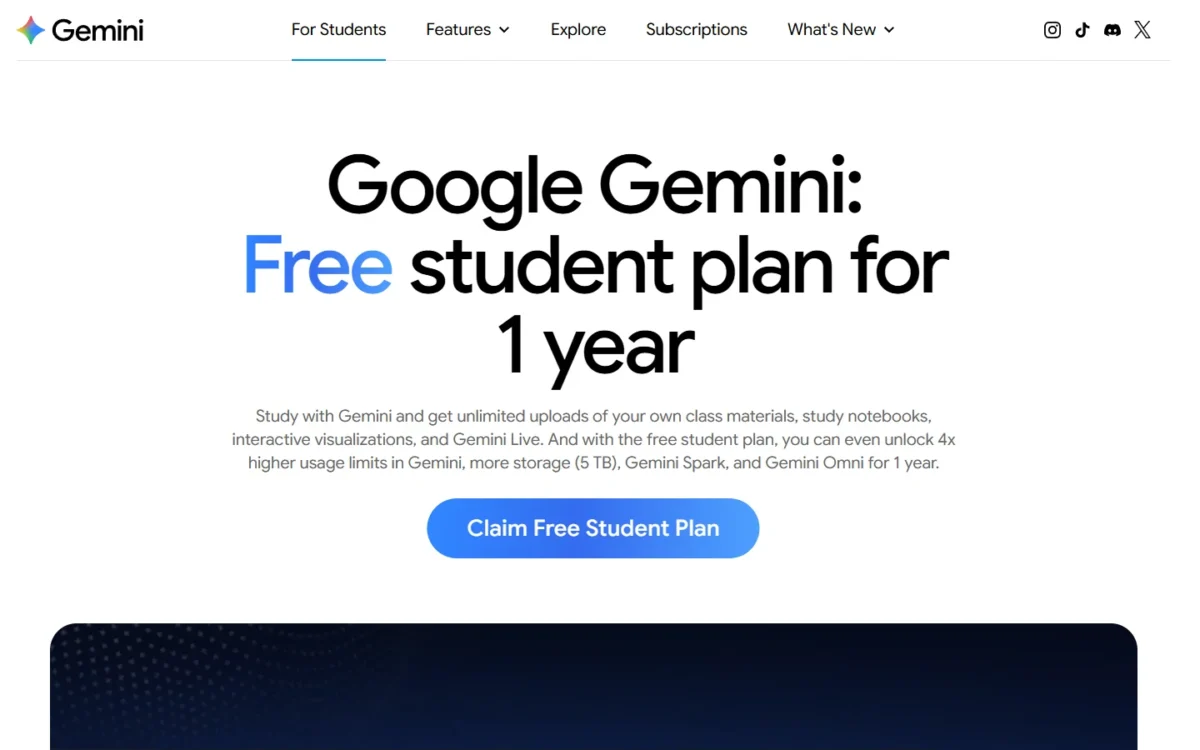
Claim this one first if you are eligible: Google gives US college students 18 and older a year of Google AI Pro at no charge, a plan that lists at $19.99 x 12 months = $239.88. The trade-off is the payment method you add at sign-up, because Pro charges automatically after the free period unless you cancel.
Who really qualifies. New users and students whose 2025 AI Pro trial has expired can both qualify, and eligibility is verified each year.
One notebook per course. Upload your materials to a notebook for each course and Gemini builds a learning plan, quizzes and a performance tracker. Replies are grounded in your materials, closer to Gemini Notebook than to ChatGPT’s open chat. The plan adds 4x higher usage limits, 5 TB of storage, Gemini Spark and Gemini Omni.
Pro’s price is the one to remember, since it is the charge you avoid by cancelling in time; Gemini plan prices cover the rest.

- Google AI Plus: $4.99 per month; 2x higher usage than Free
- Google AI Pro: $19.99 per month; 4x higher usage than Free
Sources: Google AI plans and Gemini for Students, checked November 2026.
Pros
- A paid plan at $0 for a year
- Student hub, quizzes and a performance tracker
- 5 TB of storage
Cons
- Automatic charge after the free period
- Eligibility verified each year
- US college students 18 and older only
My take
Claim it this week. After the free year it costs about what ChatGPT Plus does, so compare ChatGPT against Gemini on what you actually used.
- Skip it if:
- you are under 18, outside the US, not in college, or unwilling to add a payment method; ChatGPT’s Free plan gives you study mode without these conditions.
The rest of the product is covered in my Gemini review.
3. Gemini Notebook: Best for Studying Only From Your Own Course Files

- Starting price: $0 on Standard
- Integrations: Google Docs, Google Slides and YouTube as sources
For exam prep on set material, this is the default I would pick, because replies are built from the sources you upload and carry in-line citations you can check. It needs no student status. The trade-off is scope: it will not teach you what your files leave out.
Cited replies and study formats. Upload PDFs, websites, YouTube videos, audio files, Docs or Slides, then chat with the notebook or turn them into study guides, audio overviews and mind maps. Citations matter when a professor grades on the assigned reading, because you can trace a reply back to its source.
Limits that fit a term. A five-course term barely touches the 100 free notebooks, so watch the 50-source cap: slides plus one reading a week for 15 weeks is 30 sources.
Data and age rules. Your data is not used for training unless you provide feedback. Users under 18 get stricter content policies, while Workspace for Education accounts are open to all ages.
Pro’s limits come with Google AI Pro, so a student on Gemini’s free year should get them without a separate bill.

- In Google AI Plus, $4.99 per month: 200 notebooks, 100 sources each
- In Google AI Pro, $19.99 per month: 500 notebooks, 300 sources each
Sources: Gemini Notebook plans, Learn about Gemini Notebook, checked November 2026.
Pros
- In-line citations to your sources
- Study guides and mind maps
- No training on uploads without feedback
Cons
- Gaps in your files stay gaps
- Stricter content policies under 18
- School accounts depend on an admin
My take
Make one notebook per course on day one. Pay for a Google AI plan only when a single course passes 50 sources.
- Skip it if:
- you need a tutor on a topic with no source files yet; ChatGPT’s study mode can start from nothing.
For more on the notebook, see my Gemini Notebook review.
4. Claude: Best for Working Through an Argument With Questions, Not Answers

- Starting price: Pro $20 monthly, or $200 a year billed up front
- Integrations: Claude in Chrome on Pro; Claude for Word
Claude makes the most sense when your school is already paying for it. Anthropic says it pushes back and asks follow-up questions, which suits an essay-heavy major more than a student memorizing terms. The trade-off is where the best feature sits: the pricing page lists learning mode under the Education plan and not under Free or Pro.
Learning mode. It asks questions that help you find the answers yourself, so it is the feature to look for if your school provides the Education plan.
Campus access. Claude for higher education is a university-wide plan for institutions, including their students, faculty and staff, so check your student portal first.
Claude for Word. It returns tracked revisions you accept or reject, which keeps every change visible to a thesis writer.
Annual billing loses on a student’s calendar: $20 x 9 months = $180 stays under the $200 bill, and the two only tie at 10 months.

- Pro, billed monthly: $20
- Pro, annual: $17 per month, $200 billed up front
Sources: Claude pricing and Claude for higher education, checked November 2026.
Pros
- Learning mode asks guiding questions
- Tracked revisions in Word
- University-wide plan through schools
Cons
- Learning mode listed under Education
- No individual student price
- Free usage limited every 5 hours
My take
Check for a campus license, try Free, and pay monthly only while a thesis is live.
- Skip it if:
- your school has no campus license, because learning mode is listed under the Education plan and ChatGPT’s study mode is the safer bet without a campus deal. For flashcards or course files alone, Knowt and Gemini Notebook do that at $0.
For the whole product, see my Claude review.
5. Knowt: Best for Free Flashcards and AP, SAT, ACT Prep
- Starting price: Ultra $95.99 a year, or $24.99 monthly
- Integrations: Chrome extension imports from Quizlet and YouTube
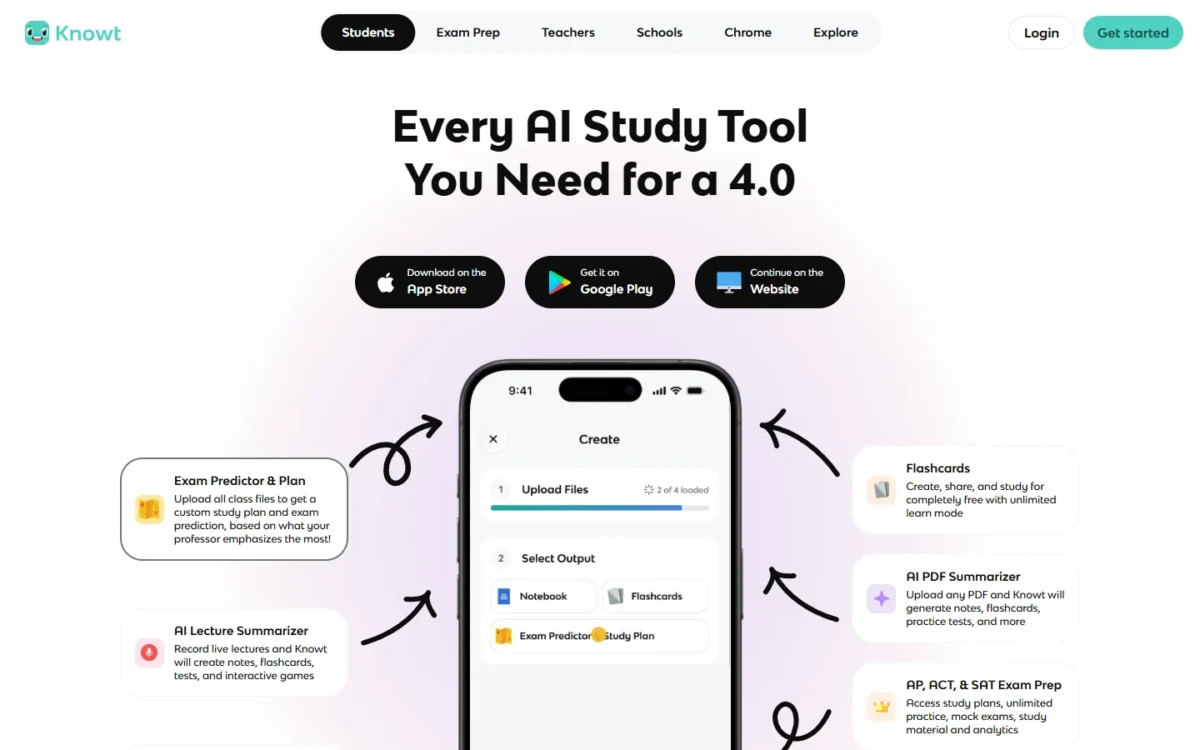
Knowt’s free plan is the reason to start here, and its monthly price is the trap to avoid. Knowt lets you create, share and study flashcards for free. Free learn mode runs unlimited rounds on Quizlet sets imported with the Chrome extension, so bring your sets here first. The trade-off: AI summarizers and full AP, SAT and ACT prep sit on Ultra.
Free study modes. Knowt offers unlimited rounds of its free learn mode, spaced repetition and practice test mode. Its free Chrome extension moves a Quizlet set over with a single button press. Spaced repetition brings cards back over time so they stick. Quizlet Plus stops at 20 rounds of Learn questions a month even after you pay.
What Ultra adds. AI summaries of PDFs and videos, a lecture recording summarizer, a voice tutor and full exam prep. Otter.ai gives you the transcript instead.
Four months of monthly billing is $24.99 x 4 = $99.96, already past the annual bill. Buy on the web: Knowt’s refund terms give 24 hours minus about 3.5% in fees, and none on iOS or Android purchases.

- Ultra, annual: $7.99 per month, billed upfront for $95.99
- Ultra, monthly: $24.99 per month
Sources: Knowt plans, Knowt, flashcards, learn mode, Chrome extension, video summarizer, checked November 2026.
Pros
- Free learn mode and spaced repetition
- One-button Quizlet import with the Chrome extension
- Imported sets keep images and formatting on Knowt
- Ultra builds flashcards from a lecture
Cons
- AI summarizers need Ultra
- Monthly Ultra costs about three times the annual rate
- No Knowt refunds on app-store purchases
My take
Stay on Basic until you can name the Ultra tool you would use weekly, then buy annual.
- Skip it if:
- you want AI summaries without paying; Gemini Notebook builds study guides from your files at $0.
6. Quizlet: Best for Ready-Made Sets and Low-Cost Practice Tests
- Starting price: Plus $7.99 monthly or $35.99 a year; Plus Unlimited $9.99 monthly or $44.99 a year
- Integrations: Google Drive, PowerPoint and Google Slides uploads
Quizlet’s cheaper plan is rarely the one to buy, since Plus Unlimited costs $44.99 a year against $35.99, just $9 more, and removes every monthly cap. It suits students who want practice tests at a low annual price and an archive of millions of decks. Plus Unlimited is also $9.99 monthly, so paying monthly is cheaper only through month 4, and only annual plans get the 7-day trial.
Practice tests from your notes. Quizlet turns notes into practice exams with custom question types, time limits and difficulty, and Plus allows 3 a month, which several midterms use up quickly.
Handwritten notes count. The mobile app builds flashcards from a photo of your notes. Textbook solutions cover English textbooks only, so check your edition first.
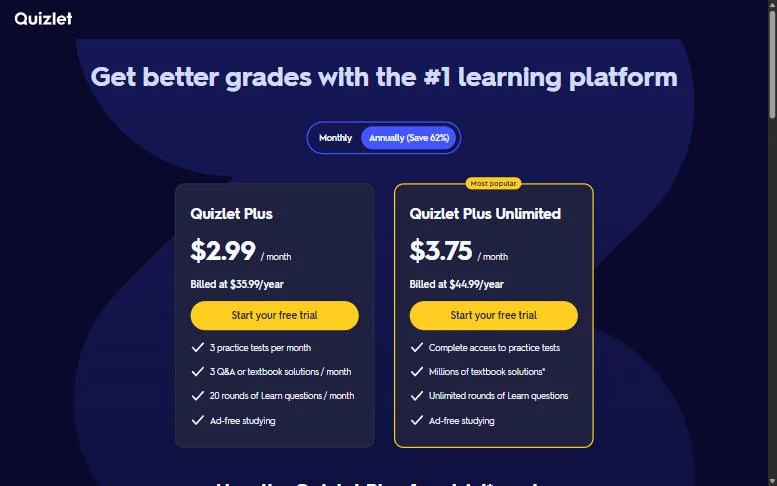
Family is printed as $1.40 per person per month for up to 5 accounts.
- Plus: $7.99 monthly or $35.99 a year; 3 practice tests and 20 Learn rounds a month
- Plus Unlimited: $9.99 monthly or $44.99 a year; complete access
- Family: $83.99 a year; up to 5 accounts
Sources: Quizlet upgrade page, AI study tools, AI flashcard generator, checked November 2026.
Pros
- Unlimited removes all three caps
- AI practice tests with time limits
- Flashcards from a photo of notes
Cons
- Plus caps Learn rounds
- Trial on annual plans only
- Annual plans auto-bill every year
My take
Buy Plus Unlimited over Plus every time, and calendar the renewal date when the trial starts.
- Skip it if:
- you only need flashcards and learn mode, since Knowt’s are free.
7. Otter.ai: Best for Searchable Lecture Transcripts and Live Captions

- Starting price: Pro $13.59 monthly or $79.99 a year with a .edu email
- Integrations: Zoom, Microsoft Teams, Google Meet, and Google or Microsoft calendars
Otter fits the student who needs captions or keeps losing spoken detail, not the one who wants flashcards from a lecture. It stores a searchable transcript, a different output from the study material Knowt Ultra builds. The trade-off sits in the free plan’s per-conversation cap.
Captions and search. Real-time captions make a class more accessible, and search lets you find the moment a professor defined a term. In virtual sessions Otter also adds lecture slides to the notes, which favors online courses.
The limit to count first. Basic’s 300 minutes read as 300 / 50 = 6 lectures of 50 minutes, but each conversation stops at 30 minutes, so a 50-minute lecture does not fit in one recording. Pro moves the cap to 90 minutes and 1,200 minutes a month, or 1,200 / 50 = 24 lectures.
The student price is 20% off Pro for an email address ending in .edu. The lower starred price on the page applies to India-issued cards only, so ignore it in the US.
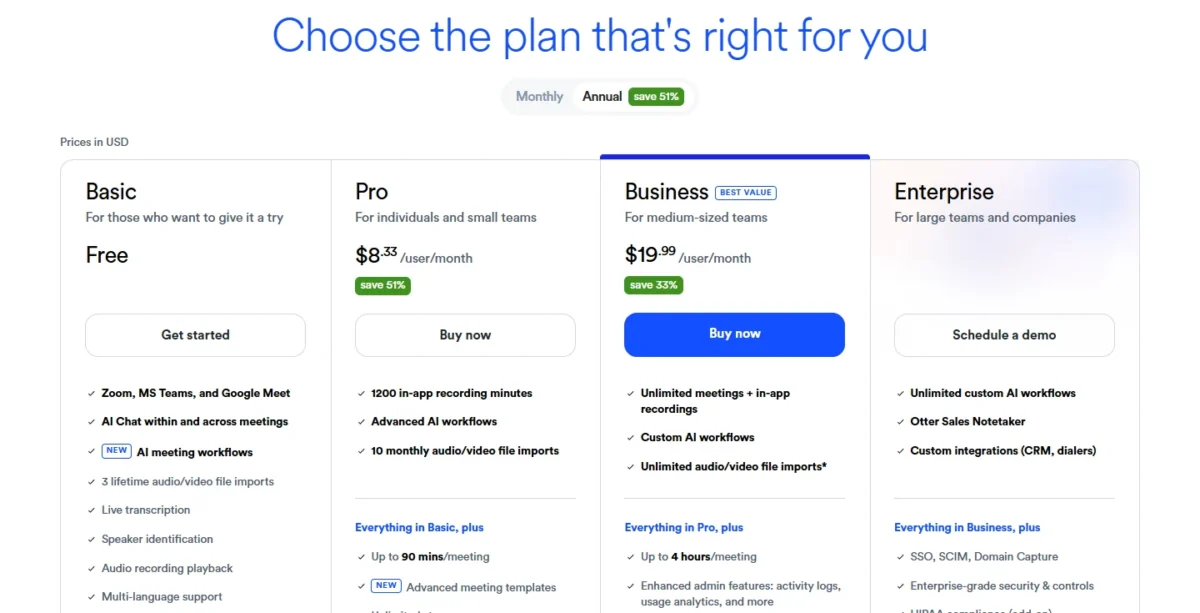
- Pro, student: $13.59 per month, or $79.99 a year ($6.67 per month)
- Pro, list: $16.99 monthly, or $8.33 per month billed annually
Sources: Otter pricing and Otter for education, checked November 2026.
Pros
- Live captions
- Automatic summary after each lecture
- 20% off with a .edu email
Cons
- 30-minute cap on Basic
- Slide capture only in virtual sessions
- 3 lifetime imports on Basic
My take
Count minutes against your timetable before paying. If you keep Pro past a semester, the annual student price wins from month 6 ($13.59 x 6 months = $81.54 against $79.99).
- Skip it if:
- you want flashcards and practice tests from the recording; Knowt Ultra’s lecture summarizer builds them.
8. Grammarly: Best for a Final Check Before You Submit
- Starting price: Pro “$12 USD”, no billing period printed
- Integrations: Canvas, Blackboard, Moodle, Microsoft Word and Google Docs
Think of Grammarly as the last step in a paper, not a study tool. For a student, the case for Pro comes down to detecting plagiarism and AI-generated text before you hand work in. The trade-off is that Grammarly sells its education deals to institutions, so an individual student gets no listed discount.
Agents you can try free. AI Grader gives feedback against your rubric plus an estimated grade, and Citation Finder finds sources and generates citations. Most agents can be tried on Free, so test them on a real draft first.
Authorship cuts both ways. Where a school uses it, Authorship shows instructors all the sources of text in a document. Ask whether your school already licenses Grammarly before you pay.
The plans page prints Pro as “$12 USD” with no billing period and no toggle, so I quote it as printed and leave it out of the term math below. Grammarly’s plan costs go into more detail.

- Free: $0 per month; 100 AI prompts a month
- Pro: “$12 USD”; 2,000 AI prompts per member per month
Sources: Grammarly plans, AI agents, Grammarly for Education, checked November 2026.
Pros
- Plagiarism and AI-text detection on Pro
- AI Grader works from your rubric
- Fits inside Canvas and Moodle
Cons
- No individual student price
- Pro’s billing period not printed
- Authorship shows instructors text sources
My take
Use Free through the term, and pay for Pro only if your course penalizes unattributed AI text.
- Skip it if:
- you want to generate text instead of checking it; my ranking of AI writing tools by job covers that job.
9. Jenni: Best for Citation-Heavy Papers
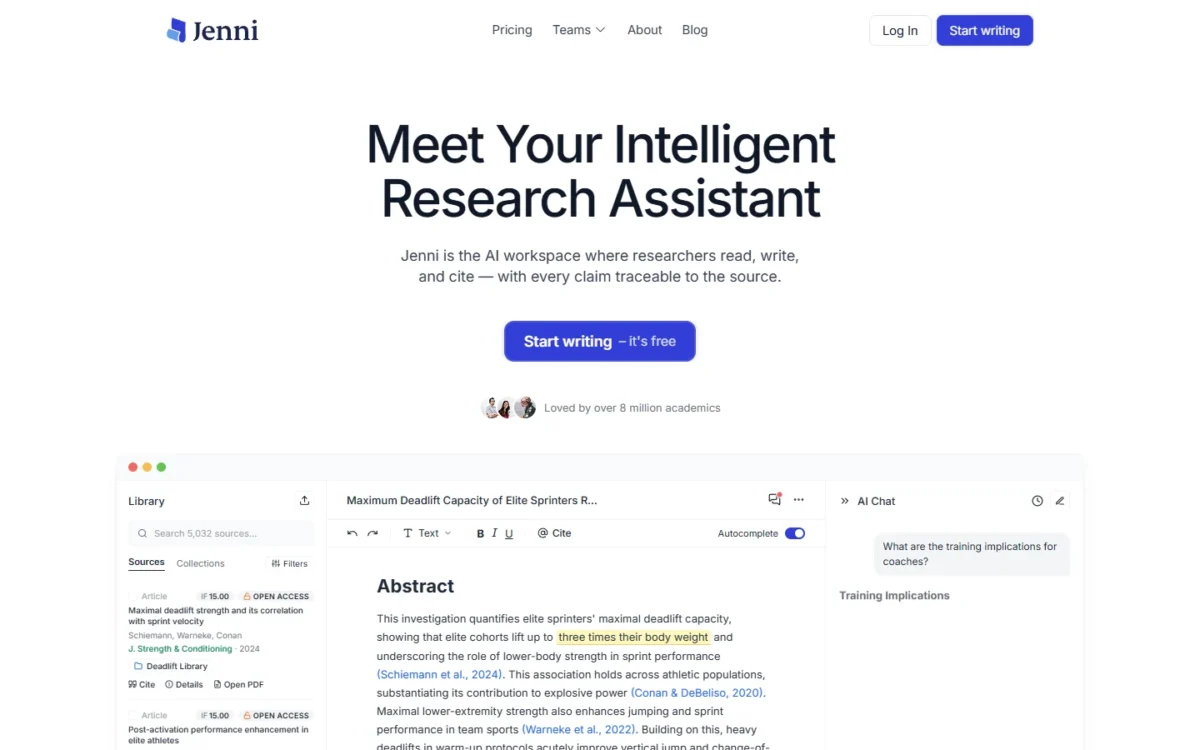
- Starting price: Plus $30 monthly, or $12 per month on annual billing
- Integrations: .ris, .bib and .csv library export; count not published
Jenni gives away the part paper writers worry about most and charges for the part they need at the end. Citations are unlimited on Free, in 10,000+ styles, which suits anyone with a strict reference format. The trade-off is export: Free exports body content only, so finishing a real paper there means Plus, at least for the month it is due.
References while you draft. Grammarly checks a finished draft; Jenni works earlier, while you are still writing and citing. Free allows 10 autocompletes a day, 5 chat messages and 3 edits, so treat it as a trial.
A library you can take with you. Every plan exports your library as .ris, .bib or .csv. Free reads PDFs up to 150 pages and Plus up to 500, so a primary text past 150 pages forces the upgrade.
On annual billing Plus comes to $12 x 12 months = $144 a year, so monthly stays cheaper until month 5, when $30 x 5 months = $150 passes that bill.
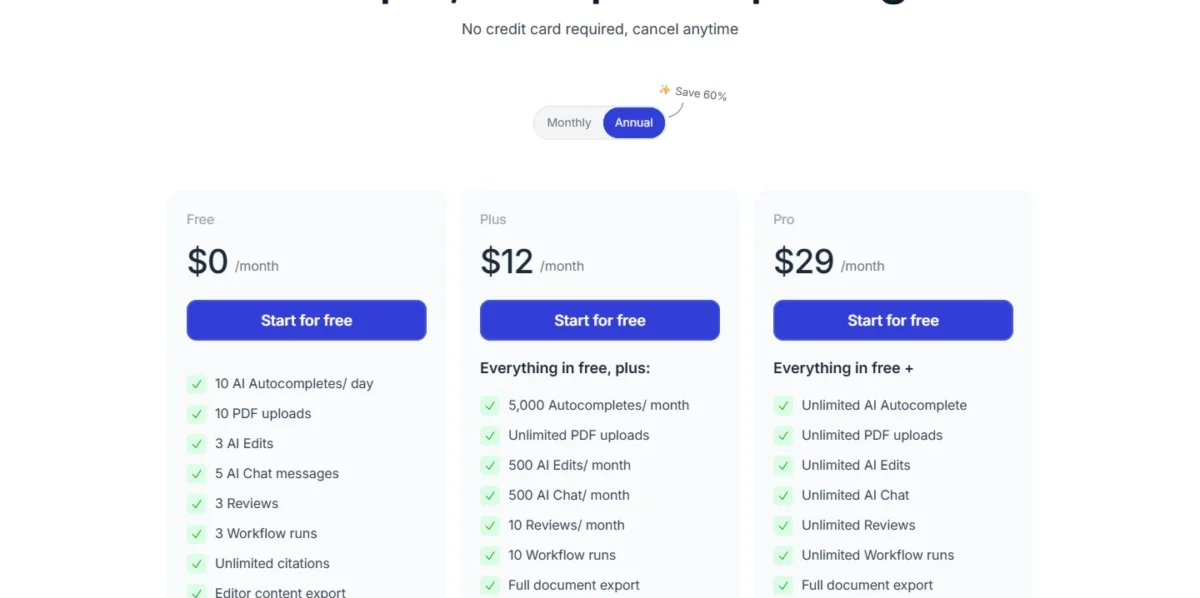
- Monthly billing: Plus $30 per month, Pro $73 per month
- Annual billing: Plus $12 per month, Pro $29 per month
Sources: Jenni pricing, monthly and annual views, checked November 2026.
Pros
- Unlimited citations at $0
- Library export on every plan
- One month of Plus can cover a paper
Cons
- Free export is body content only
- Small AI allowance on Free
- Pro at $73 monthly is steep for one course
My take
Draft on Free and buy one month of Plus when a paper is due.
- Skip it if:
- the paper needs a literature search more than drafting help; start with the AI tools for research instead.
10. Gamma: Best for Class Presentations
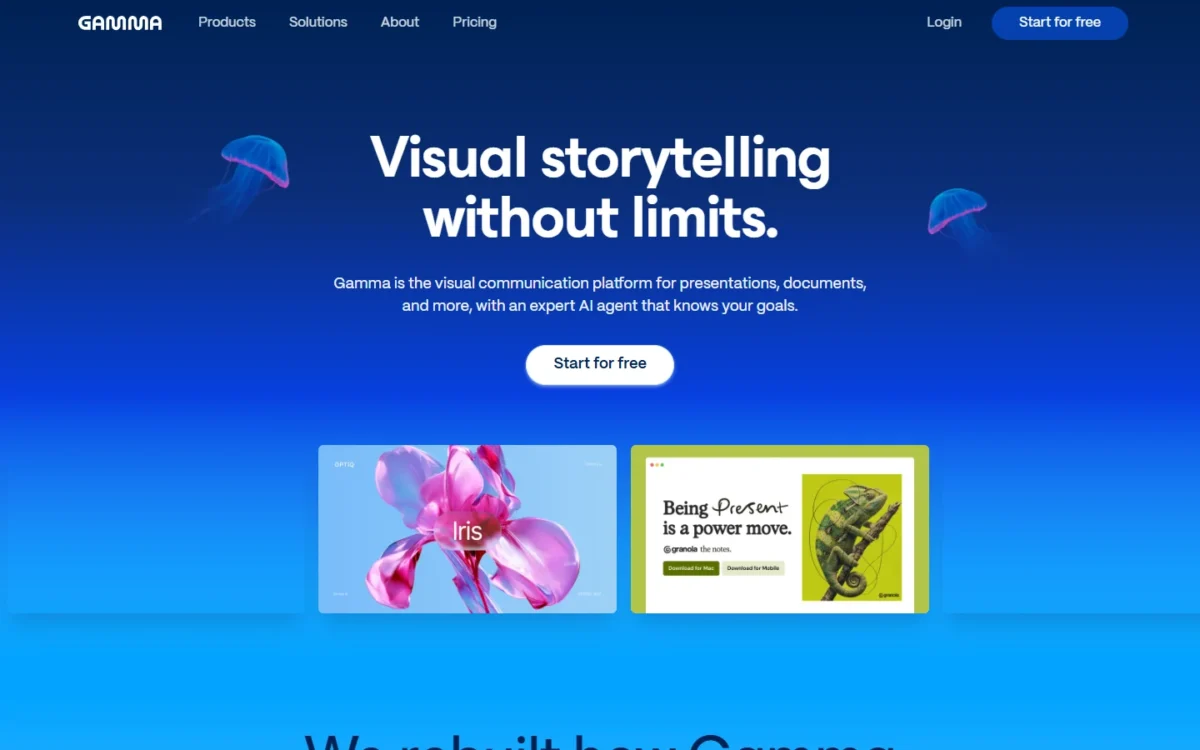
- Starting price: $108 per seat, billed annually
- Integrations: PDF and PPTX import; PDF, PPTX, PNG and Slides export
Start class decks on Gamma’s free plan, because the export that matters is not paywalled. It sits beside Jenni at the end of an assignment: Jenni finishes the paper, Gamma the talk. The catch is the credit pool: Free’s 400 credits arrive once at signup, while monthly credits start on Plus.
Draft, then hand off. A prompt produces up to 10 slides on Free, and exporting to PPTX or Slides lets a group finish the deck where everyone already works.
What Plus changes. Plus, the first paid plan, gives 1,500 monthly credits, up to 100 slides per prompt and removes Gamma branding. The pricing page does not say how many credits a deck uses, so watch your balance after the first one.
Plus is a full year’s commitment for what may be a few presentations in one term, so I would want a term of regular decks before paying it.
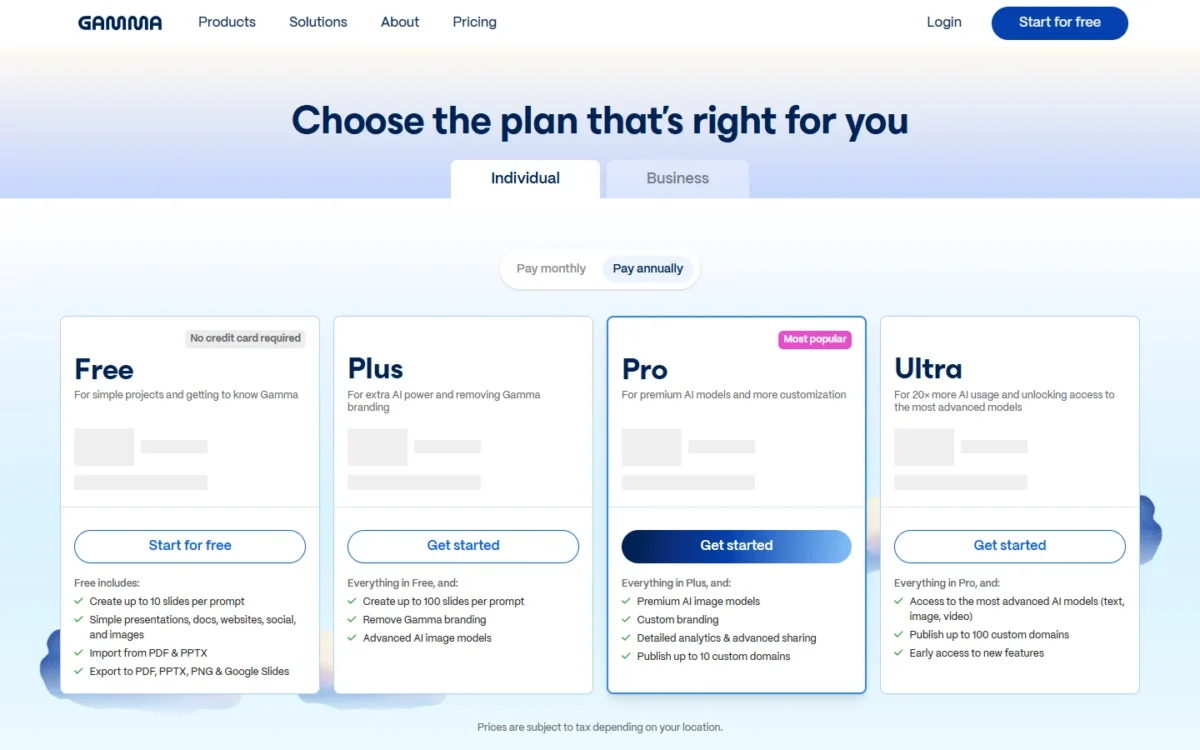
- Free: 400 credits at signup; 10 slides per prompt
- First paid plan: $108 per seat, billed annually; 1,500 monthly credits
Sources: Gamma pricing, checked November 2026.
Pros
- Exports on Free, including PPTX and Slides
- Imports from PDF and PPTX
- No credit card to start
Cons
- Free’s credits are given once
- 10 slides per prompt on Free
- Credits per deck not listed on the pricing page
My take
Start on Free and export every deck; move to Plus only if you present often enough to run through the 400 credits.
- Skip it if:
- your course bans AI slides; build the deck in Google Slides, and my list of free presentation makers compares other free routes.
Student Discounts: Who Actually Qualifies
Three vendors here print an individual student offer: Google, Otter and Notion. Microsoft verifies an EDU email but prints no student price, and ChatGPT, Claude and Grammarly sell their education plans to schools.
| Tool | Offer | Who qualifies | How it is checked | What happens after |
|---|---|---|---|---|
| Google AI Pro | Free for 1 year | Eligible US college students 18 and older | Verified each year; payment method required | $19.99 per month unless cancelled |
| Otter Pro | 20% off | Individual students and teachers | Email ending in .edu | Not stated on the pricing page |
| Notion Plus | Free, 1-member limit | Students and educators | School email address at sign-up | Notion AI stays a trial below Business |
Sources: Gemini for Students, Otter pricing, Notion pricing, checked November 2026.
Google’s is the offer that puts a paid AI plan at $0, because Notion’s free Plus leaves Notion AI as a trial. For everyone else, the billing choice decides the bill.
What a Semester and an Academic Year Cost
Annual billing wins from month 4 on Knowt, month 5 on Jenni and Quizlet, and month 6 on Otter’s student price; on Claude, monthly stays cheaper through a 9-month year. Each figure is the monthly price times the months in a semester or an academic year, or the annual price where only that is listed.
| Tool and plan | Monthly price | Semester | Academic year | Annual bill |
|---|---|---|---|---|
| ChatGPT Go | $8 | $8 x 4 months = $32 | $8 x 9 months = $72 | None listed |
| ChatGPT Plus | $20 | $20 x 4 months = $80 | $20 x 9 months = $180 | None listed |
| Google AI Plus | $4.99 | $4.99 x 4 months = $19.96 | $4.99 x 9 months = $44.91 | None listed |
| Google AI Pro | $19.99 | $19.99 x 4 months = $79.96 | $19.99 x 9 months = $179.91 | $0 for 1 year on the offer |
| Claude Pro | $20 | $20 x 4 months = $80 | $20 x 9 months = $180 | $200 |
| Knowt Ultra | $24.99 | $24.99 x 4 months = $99.96 | $24.99 x 9 months = $224.91 | $95.99 |
| Otter Pro, student | $13.59 | $13.59 x 4 months = $54.36 | $13.59 x 9 months = $122.31 | $79.99 |
| Jenni Plus | $30 | $30 x 4 months = $120 | $30 x 9 months = $270 | $144 ($12 x 12) |
| Jenni Pro | $73 | $73 x 4 months = $292 | $73 x 9 months = $657 | $348 ($29 x 12) |
| Quizlet Plus Unlimited | $9.99 | $9.99 x 4 months = $39.96 | $9.99 x 9 months = $89.91 | $44.99 |
| Gamma, first paid plan | Annual price only | $108 | $108 | $108 per seat |
Sources: ChatGPT, Google AI plans, Claude, Knowt, Otter, Jenni, Quizlet, Gamma, checked November 2026.
Grammarly Pro is not in the table because its plans page prints “$12 USD” with no billing period, and multiplying that would invent a bill. A student who cancels for the summer should not pay Claude annually, yet should pay Knowt Ultra annually.
QuillBot goes further: its FAQ says you can pause Premium over summer vacation and not be billed for that time.
How to Choose
Choose by the study job that takes the most hours each week, start free, and add one paid tool only when a named cap blocks you. Should you simply use ChatGPT or Gemini? For tutoring, yes, but neither replaces a flashcard tool or a transcript. A university assignment usually needs a tutor plus a final check, and a group project adds Gamma.
My take
Most students need two tools, not five: one that teaches and one that fits their heaviest job.
A $0 study stack
This example stack starts a term at $0, and each piece has one cap to watch:
- Otter Basic for lectures: 30 minutes per conversation.
- Gemini Notebook for course files: 50 sources per notebook.
- ChatGPT study mode for tutoring: about 12 pages of text per input on Free.
- Knowt Basic for flashcards: the AI PDF and video summarizer, lecture summarizer, podcast generator and voice tutor need Ultra.
- Grammarly Free for spelling, grammar and tone: 100 AI prompts a month, with plagiarism and AI-text detection left to Pro.
Work in that order: capture the lecture, load your files into the notebook, ask ChatGPT about what will not click, drill the terms in Knowt, and run Grammarly before you submit.
Check the course policy before graded work
You can use these tools on graded work only as your course policy allows. OpenAI’s help page tells students to follow the AI-use policies of their school or instructor.
For a paper, read your policy against the kind of help each tool gives. Study mode asks questions instead of giving the answer right away, Jenni offers citations and autocomplete while you draft, and Grammarly’s Authorship shows instructors all the sources of text where a school uses it. My inference: asking questions is the help a strict policy is least likely to bar and accepted autocomplete text the most likely, so start with study mode and ask your instructor before you keep drafted text.
If detection is the worry, see how AI detectors compare.
Lists for math, research and free-only needs
- Homework that is mostly math: the math-focused picks.
- Literature reviews and cited research: the research picks.
- A $0 budget across more job types: the free AI tools by cap.
Also Considered
Twelve more tools came up, each with the job it fits and the fact that kept it off the ranked list.
- Turbo AI turns PDFs and lecture recordings into notes, flashcards and quizzes, but its home page prints no price, so a term cannot be budgeted.
- Speechify reads web pages, PDFs and Google Docs aloud, a narrower listening job than the study tools ranked here.
- Tutor AI builds custom courses, but flashcards sit on Genius at $17.50 per month on yearly billing.
- StudyFetch offers a tutor and live lecture notes, but its homepage prints no price.
- Mindgrasp builds notes and flashcards from a lecture, but its homepage prints no price.
- StudentAI bundles 100+ tools with a free tier, but its homepage prints no paid price.
- QuillBot leads with paraphrasing: up to 125 words free, then Premium at $8.33 per month billed annually.
- Notion gives students Plus free, but Notion AI stays a trial below Business at $20 per member per month.
- Anki schedules reviews for when you are most likely to forget, but its site lists no AI generation.
- Perplexity costs $17 per month billed annually and fits research more than study.
- Khanmigo tutors on Khan Academy’s own content at $4 a month or $44 a year, a narrower job.
- Microsoft 365 puts Copilot in Word with a student discount, but its college page prints no student price.
FAQ
Is there a ChatGPT for students?
Yes, in two forms. Study mode sits on every ChatGPT plan, including Free, and ChatGPT Edu is sold to universities for their campus communities. The pricing page lists no individual student price, so a discount search will not turn one up. Ask your school whether it has Edu before paying for Plus.
What is the most used AI by students?
No neutral figure appears on the pages I read. Vendors state their own counts: Turbo AI says 10 million learners, StudyFetch says 8M+ users and Knowt says 6,500,000 users. These self-reported counts are not comparable, so do not pick by popularity.
Final Verdict
Prices and limits cannot crown one winner, so match the pick to your situation; my chatbot comparison goes wider than study.
- By job: ChatGPT for tutoring; Gemini Notebook for set course files; Knowt or Quizlet for memorizing; Otter.ai for transcripts and captions; Jenni while drafting and Grammarly before you submit; Gamma for slides.
- By budget: at $0, use the study stack above. If memorizing is your heaviest job and you pay for one tool, Quizlet Plus Unlimited at $44.99 a year costs less than three months of ChatGPT Plus at $20 per month ($20 x 3 months = $60).
- By special need: captions point to Otter.ai, and an essay-heavy major at a licensed school to Claude.
My take
Pick the Gemini year if you are an eligible US college student, and claim it before December 31, 2026. High school students preparing for AP, SAT or ACT exams should start with Knowt, and everyone else with ChatGPT Free and one Knowt set.