

For selling to other companies, my picks are Salesforce Sales Cloud for Sales Planning and product-to-cash, HubSpot Sales Hub for account-based marketing, Microsoft Dynamics 365 Sales for Microsoft 365 teams, and Zoho CRM for CPQ and territories on a budget.
The right CRM for business-to-business selling is decided less by the entry price than by the plan that carries forecasting, quotes and account routing.
This list ranks ten CRMs for companies selling to accounts with several buyers and long cycles. I built it from each vendor’s pricing and help pages, checked October 2026, and priced each plan for a ten-seat team.
Quick verdict
- Sales Planning and product-to-cash: Salesforce Sales Cloud, with quoting and forecasting from Pro Suite and product-to-cash in the Revenue Cloud add-on.
- Account-based marketing: HubSpot Sales Hub Professional, plus its required onboarding fee.
- Microsoft 365 teams: Dynamics 365 Sales, with quotes, orders and invoices in the entry plan.
- CPQ and territories on a budget: Zoho CRM, with CPQ in Professional and territories in Enterprise.
- The others by need: Freshsales for cheap territory assignment, Sugar Sell for ERP account data, Close for outbound calling, Attio for custom data models, Pipedrive for small teams on one pipeline, monday CRM when delivery runs in monday.com.
The trade-off: the entry plan of most picks lacks the account-selling feature you are buying, so budget for the tier that has it.

Salesforce Sales Cloud
Best for: enterprise sales planning and product-to-cash
Pro Suite carries quoting and forecasting at $100 per user per month.
Limit: Max bundles Sales Planning and Salesforce Maps
HubSpot Sales Hub
Best for: account-based marketing
ABM tools come with Sales Hub Professional seats; the LinkedIn Sales Navigator integration also needs a Sales Navigator Advanced Plus account.
Limit: Professional and Enterprise require a one-time onboarding fee

Microsoft Dynamics 365 Sales
Best for: Microsoft 365 sales teams
Sales Professional pairs Microsoft 365 interoperation with quotes, orders and invoices.
Limit: forecast roles apply to Sales Enterprise and Sales Premium

Zoho CRM
Best for: CPQ and territories on a budget
CPQ sits in Professional; territory management and ABM sit in Enterprise.
Limit: territories and ABM wait for Enterprise
| Software | Best for | Starting price | Plan for the job | Free plan or trial | Key limitation |
|---|---|---|---|---|---|
| Salesforce Sales Cloud | Sales planning and product-to-cash | $25 per user per month, Starter Suite | Max, $550 per user per month, billed annually; Pro Suite ($100) for quotes and forecasting | Free Suite; 30-day trial | Product-to-cash is Revenue Cloud, from $200 per user per month |
| HubSpot Sales Hub | Account-based marketing | $0, Free for up to 2 users | Professional, $90 per seat per month, plus $1,500 onboarding | Free plan | Hierarchy forecasting only in Enterprise |
| Microsoft Dynamics 365 Sales | Microsoft 365 teams | $65.00 per user per month, paid yearly | Sales Enterprise, $105.00 per user per month, paid yearly | Free trial | Sales Navigator bundle needs 10 seats |
| Zoho CRM | CPQ and territories on a budget | $14 per user per month, billed annually | Enterprise, $40 per user per month, billed annually | Free edition, 3 users | Territories and ABM wait for Enterprise |
| Sugar Sell | ERP-driven account intelligence | $68 per user per month, billed annually | Advanced+, $98 per user per month, billed annually | No trial published | Precision+ priced on request |
| Freshsales | Low-cost territory assignment | $9 per user per month, billed annually | Pro, $39 per user per month, billed annually | 21-day trial | Forecasting insights only in Enterprise |
| Pipedrive | Small teams on one pipeline | $14 per seat per month, billed annually | Premium, $49 per seat per month, billed annually | 14-day trial | No territories or ABM listed |
| Close | Outbound inside sales | $35 per user per month, billed annually, Essentials | Growth, $99 per user per month, billed annually | Free trial | Calling billed on usage |
| Attio | Custom data models | $0, Free for up to 3 seats | Pro, $79 per user per month, billed annually | Free plan | Plus caps at 10 seats |
| monday CRM | Quotes in a work-management workspace | $12 per seat per month, billed yearly, 10-seat view | Pro, $28 per seat per month, billed yearly | 14-day trial | Quotes capped at 250 a month on Pro |
Sources: Salesforce, HubSpot, Microsoft, Zoho, SugarAI, Freshworks, Pipedrive, Close, Attio and monday.com pricing pages, checked October 2026.
In This Article (16 sections)
How I Chose These CRMs
A CRM for selling to companies holds the account (the company) above its contacts and deals, with the forecasting, quoting and territory rules a consumer contact list never uses. The guide to what a CRM is covers the term itself.
I considered thirteen CRMs: the ten picks below and the three under Also Considered. A tool had to keep company or account records and print a US-dollar price, or a named contact-sales tier, on its own pricing page.
The ranking criteria, in order:
- Account-level selling: many contacts per account, custom objects, team hierarchies
- Forecasting by team
- Quotes and CPQ (configure, price, quote: quotes built from products and price rules)
- Territory management and routing
- ABM (marketing to named companies rather than single leads) and enrichment, plus intent data where a plan lists it: HubSpot’s buyer intent, from Sales Hub Starter, using HubSpot Credits
- Integrations for selling to companies: Microsoft 365 or Google, LinkedIn Sales Navigator, ERP
- Year-one cost of ten seats, including required fees
Every price, plan gate and limit comes from the vendors’ pricing and help pages, read in October 2026; Salesforce figures come from the Internet Archive’s October 10, 2026 copy of its pricing page. Plan fit and cost math are my own analysis.
How contact roles, parent-child accounts and enrichment behave on your data is what no pricing page shows. Load twenty of your accounts, including one parent-child pair and a deal with three to five contacts, into the trials of your top two, then run one quarter’s forecast.
For a ranking without the account-selling lens, my list of the best CRM software overall covers the general field.
1. Salesforce Sales Cloud: Best for Enterprise Sales Planning and Product-to-Cash

- Best for: sales orgs that run Sales Planning and product-to-cash
- Plan for the job: Max, $550 per user per month, billed annually; Pro Suite, $100, for quotes and forecasting
- Free plan or trial: Free Suite; 30-day trial, no credit card
- Integrations: AgentExchange access from Pro Suite; no count published
Salesforce Sales Cloud earns its place when sales operations, not only sellers, run the CRM. Its price list carries Sales Planning, Salesforce Maps and a product-to-cash add-on, Revenue Cloud. The trade-off is the tier spread: edition prices run from $25 to $550 per user per month.
Pro Suite includes “Sales Quoting and Forecasting”, so a mid-size team needing priced quotes and a forecast stops there. Beyond those quotes, Revenue Cloud, from $200 per user per month, is the add-on Salesforce sells to “automate and optimize product to cash at scale”.
Support changes the bill too: the Premier Success Plan costs 30% of net license fees, and Core includes it. Dynamics 365 Sales Professional includes quotes at $65.00 per user per month, paid yearly, against $100 for Salesforce Pro Suite, billed annually.
The decisive prices are Pro Suite at $100 and Max at $550 per user per month, both billed annually. Max bundles Spiff, Sales Planning, Sales Programs and Salesforce Maps. Taking the Max bundle multiplies the Pro Suite seat price $550 / $100 = 5.5 times.
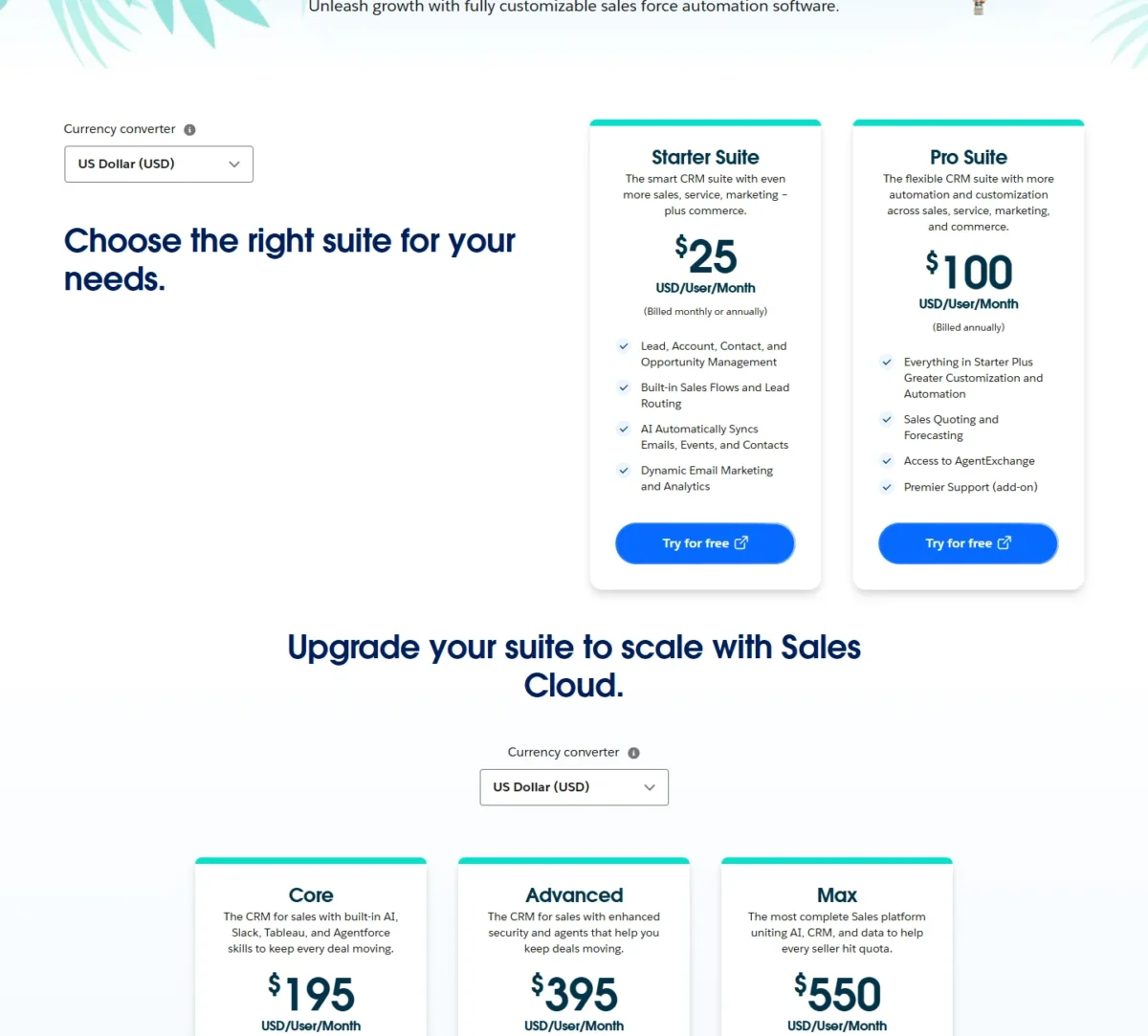
| Plan | Price per user per month | Billing | Key account feature |
|---|---|---|---|
| Starter Suite | $25 | Monthly or annually | Lead, account and opportunity management |
| Pro Suite | $100 | Annually | Sales Quoting and Forecasting |
| Core | $195 | Annually | Premier Success, Slack Business+ |
| Advanced | $395 | Annually | Sales Programs, Backup & Recover |
| Max | $550 | Annually | Sales Planning, Salesforce Maps, Spiff |
Sources: Salesforce Sales Cloud pricing page, Internet Archive copy of October 10, 2026, checked October 2026.
Pros
- Pro Suite pairs quoting and forecasting in one tier
- AgentExchange access from Pro Suite
- Revenue Cloud covers product-to-cash beyond basic quotes
Cons
- Pro Suite and the editions above it are billed annually
- Revenue Cloud for product-to-cash starts at $200 per user per month extra
- Premier Success costs 30% of net license fees below Core
Choose Salesforce when a sales operations team runs Sales Planning and needs product-to-cash beyond basic quotes.
- Skip it if:
- you run fewer than ten sellers and need only a forecast and quotes; Zoho CRM lists sales forecasting in Standard at $14 and CPQ in Professional at $23 per user per month, billed annually.
The Salesforce CRM review covers the platform beyond these plan gates.
Every edition and add-on price is in Salesforce pricing by edition.
2. HubSpot Sales Hub: Best for Account-Based Marketing
- Best for: teams where marketing and sales work the same named accounts
- Plan for the job: Sales Hub Professional, $90 per seat per month, plus $1,500 onboarding
- Free plan or trial: Free plan for up to 2 users
- Integrations: over 2,000 apps, including LinkedIn and Microsoft Teams
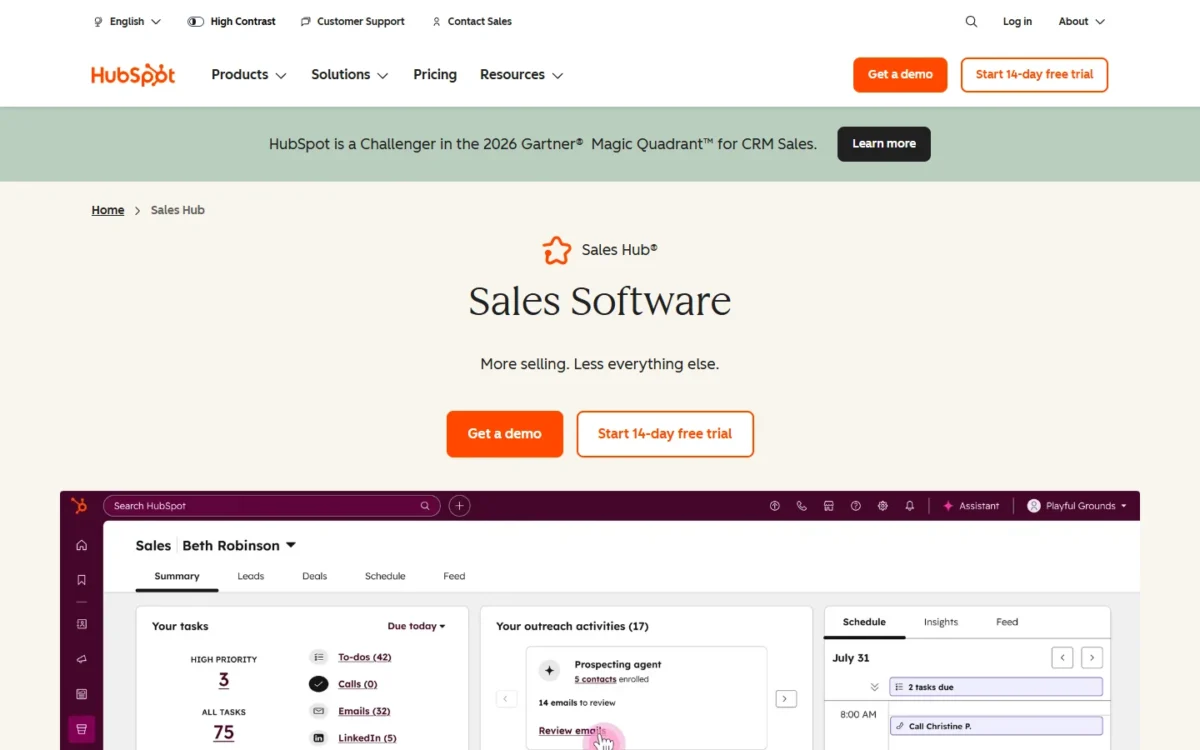
HubSpot Sales Hub is my pick when marketing and sales chase the same companies. HubSpot makes its ABM tools available with Sales Hub Professional and Enterprise, and its LinkedIn Sales Navigator integration needs a Sales Hub Professional or Enterprise seat plus a Sales Navigator Advanced Plus account.
The catch: hierarchy forecasting and deal splits wait for Enterprise, and both upper plans add a required onboarding fee.
ABM separates HubSpot from the pipeline-first picks: its ABM tools identify target accounts, organize them into account lists and coordinate marketing and sales activities. Zoho CRM lists ABM only in Enterprise, and Sugar Sell only in its contact-sales Precision+ packages.
Intent data comes from buyer intent, available with Sales Hub Starter, Professional and Enterprise: it shows which companies visit your website and which research topics across the web. Adding and tracking those companies uses HubSpot Credits.
Forecasting follows the org chart. Professional includes default and custom forecasting; Enterprise adds “forecasting across team hierarchies”, the gate a company with regional managers reporting to a VP will hit.

Sales Hub Professional costs $90 per seat per month, paid annually, plus a required one-time $1,500 Professional Onboarding. Enterprise starts at $150 per seat per month with a required $3,500 onboarding, so the hierarchy forecast costs more than the seat gap suggests.
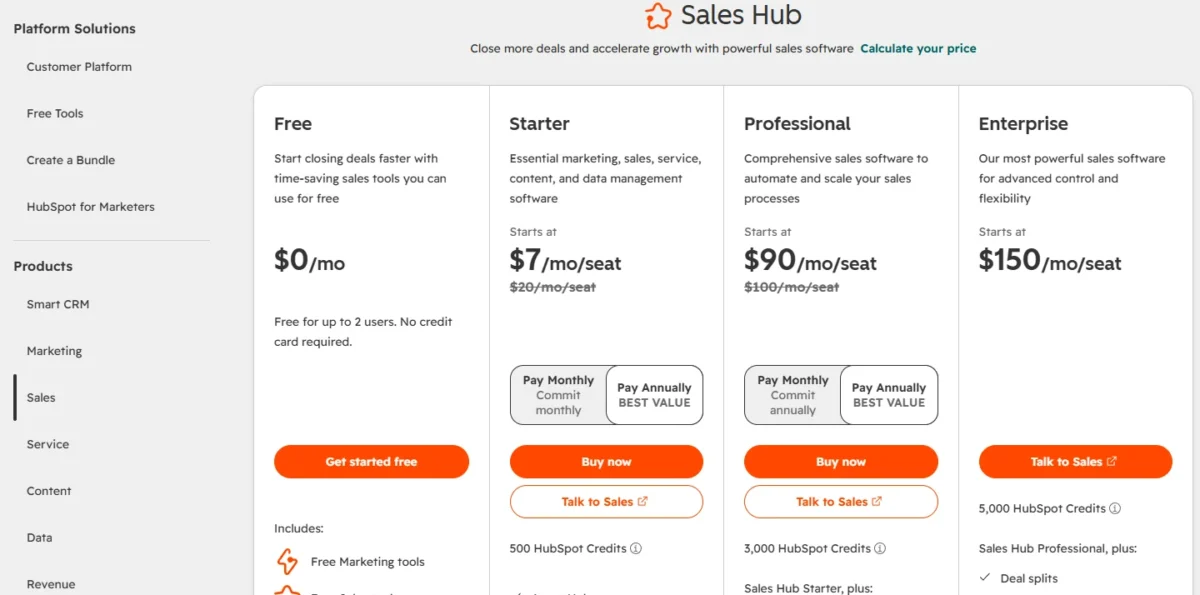
| Plan | Price | One-time fee | Key account feature |
|---|---|---|---|
| Free | $0, up to 2 users | None | Free sales and marketing tools |
| Sales Hub Professional | $90 per seat per month | $1,500 onboarding | ABM tools, forecasting |
| Sales Hub Enterprise | $150 per seat per month | $3,500 onboarding | Hierarchy forecasting, deal splits |
Sources: HubSpot Sales Hub pricing page, HubSpot’s account-based marketing setup guide and HubSpot’s LinkedIn Sales Navigator integration guide, checked October 2026.
Pros
- ABM sits on the platform whose free tier includes marketing tools
- Enterprise adds deal splits, pipeline approvals and lead form routing
- Free plan for up to 2 users to pilot the CRM
Cons
- Required onboarding: $1,500 on Professional, $3,500 on Enterprise
- Forecasting across team hierarchies only on Enterprise
- LinkedIn actions in sequences need a separate Sales Navigator subscription
Choose HubSpot when ABM is a joint marketing and sales program, not a sales report.
- Skip it if:
- you forecast through regional managers but cannot fund Enterprise plus $3,500 onboarding. Zoho CRM lists forecasting from Standard; its Enterprise reporting hierarchy ($40 per user per month, billed annually) shows each manager their team’s pipeline.
The HubSpot CRM review covers the platform beyond Sales Hub.
Hub and bundle prices are in HubSpot pricing across Hubs and bundles.
Weighing HubSpot against Sugar for a mid-size team? HubSpot vs SugarCRM compares them plan by plan.
3. Microsoft Dynamics 365 Sales: Best for Microsoft 365 Sales Teams
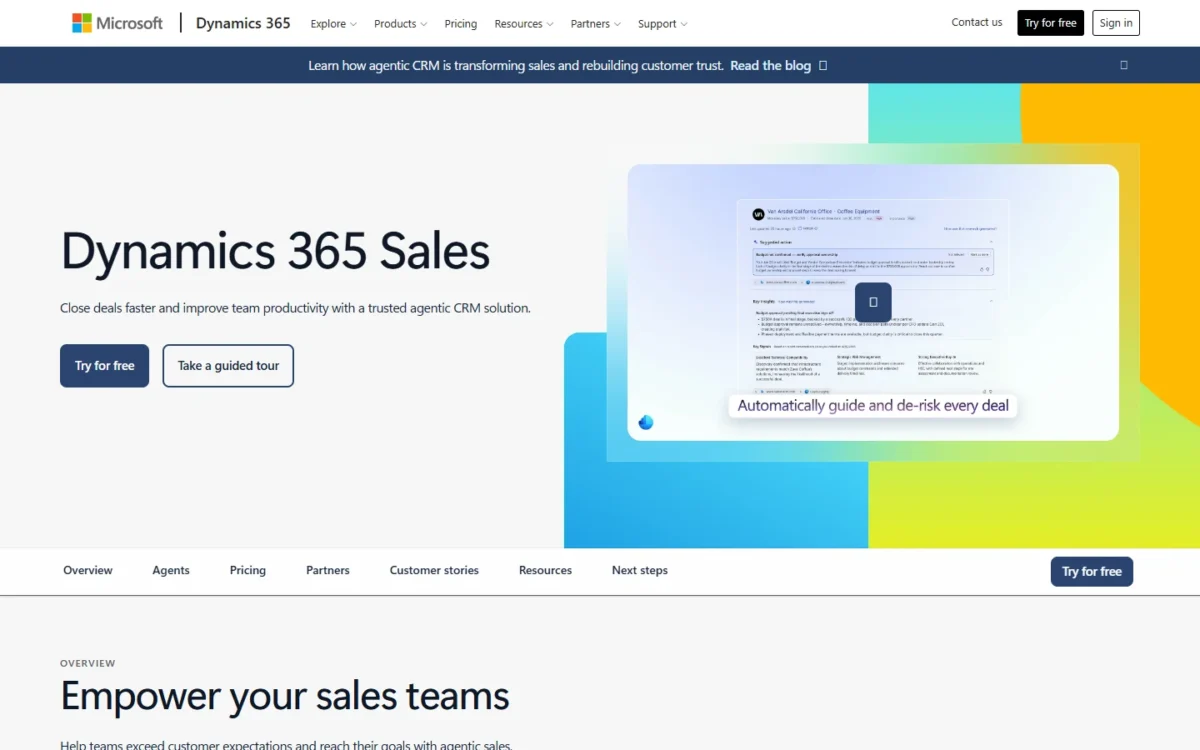
- Best for: sales teams that work in Outlook, Teams and Microsoft 365
- Plan for the job: Sales Enterprise, $105.00 per user per month, paid yearly
- Free plan or trial: free trial
- Integrations: Microsoft 365, Power BI, LinkedIn Sales Navigator (Relationship Sales)
Dynamics 365 Sales is the pick for a sales team already on Microsoft 365. Sales Professional pairs core sales force automation with “Microsoft 365 interoperation”, and that core covers price lists, quotes, orders and invoices. The trade-off is forecasting: Microsoft’s forecast roles apply to Sales Enterprise and Sales Premium, so forecasting starts at $105.00.
Quote-to-invoice in the entry plan is the practical gain. The Sales Professional Person role covers “everything from lead to invoice”, so a distributor quoting from price lists can stay on the $65.00 plan, where Salesforce gates quoting at Pro Suite.
Microsoft lists territory management in the same “advanced sales force automation” group as forecasting and sales goals. Sales Premium adds 1,000 Copilot Credits, Sales Insights and AI-powered data enrichment.
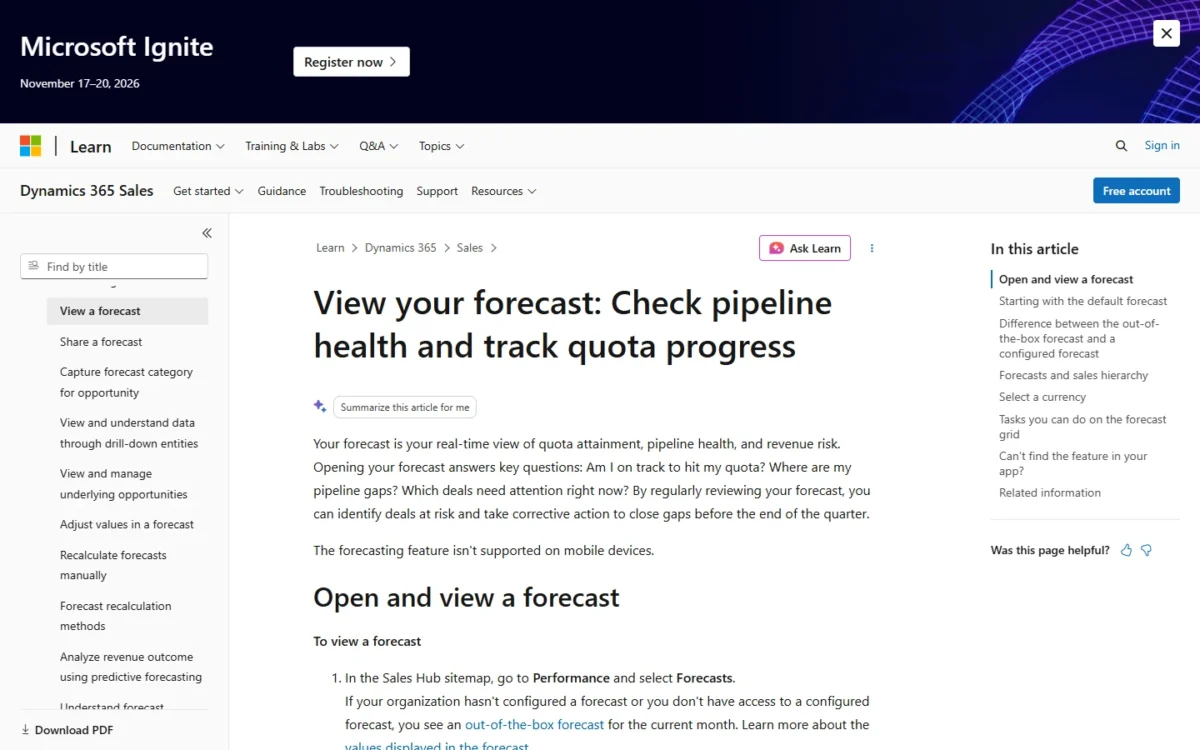
LinkedIn Sales Navigator comes through Microsoft Relationship Sales, “Dynamics 365 Sales Enterprise plus LinkedIn Sales Navigator”, which requires a 10-seat minimum and a quote.
Sales Professional costs $65.00 and Sales Enterprise $105.00 per user per month, paid yearly, a $105.00 – $65.00 = $40 gap that buys forecasting for each seat.
| Plan | Price per user per month | Billing | Key account feature |
|---|---|---|---|
| Sales Professional | $65.00 | Paid yearly | Quotes, orders, invoices |
| Sales Enterprise | $105.00 | Paid yearly | Forecast roles |
| Sales Premium | $150.00 | Paid yearly | AI-powered data enrichment |
| Microsoft Relationship Sales | Variable | Contact sales | LinkedIn Sales Navigator, 10-seat minimum |
Sources: Dynamics 365 Sales pricing page and Microsoft Learn security roles for Sales, checked October 2026.
Pros
- Quotes, orders, invoices and price lists in the $65.00 Sales Professional plan
- Microsoft 365 interoperation from Sales Professional
- Sales Premium adds AI-powered data enrichment and Sales Insights
Cons
- Sales Professional has no forecast roles
- Relationship Sales needs a 10-seat minimum and a quote
- Power Automate and Power Apps customization need additional licenses
Choose Dynamics 365 when sellers already work in Outlook and Teams and quotes must flow into orders and invoices.
- Skip it if:
- your company runs on Google Workspace without Microsoft 365; Zoho CRM integrates Gmail from its $14 Standard plan, billed annually.
My Dynamics 365 Sales review goes beyond the plan list into setup.
4. Zoho CRM: Best for CPQ and Territory Management on a Budget
- Best for: budget-conscious teams that need CPQ and territories
- Plan for the job: Enterprise, $40 per user per month, billed annually
- Free plan or trial: Free edition for 3 users; free trial
- Integrations: Gmail, Outlook, Slack, Zoom and Teams from Standard
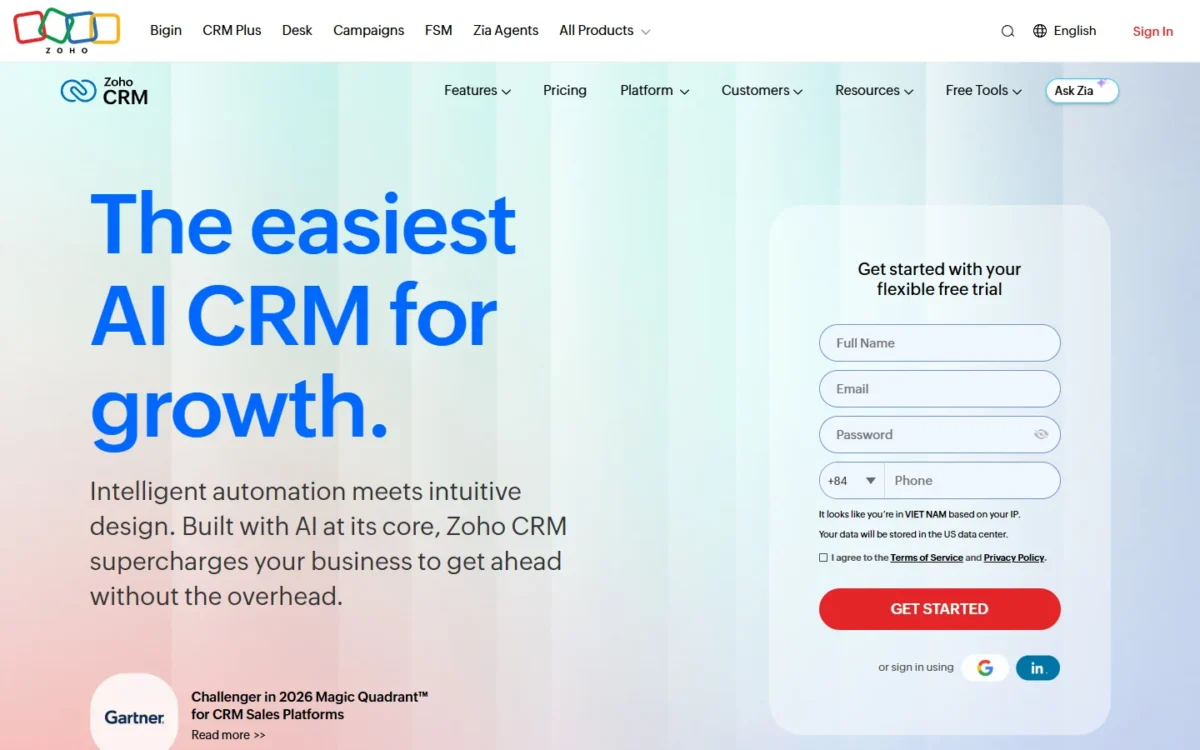
Zoho CRM is my pick for a cost-conscious team selling to companies that needs CPQ and territories in one CRM. Forecasting and enrichment start in Standard, CPQ in Professional, and territories, a reporting hierarchy and ABM in Enterprise.
Enterprise lists territory management and ABM at $40 per user per month, billed annually, against Salesforce Pro Suite at $100, billed annually, and Dynamics 365 Sales Enterprise at $105.00, paid yearly. The $14 entry price is therefore not the number to budget.
Data enrichment in Standard adds company size, industry and revenue to records, so a rep can qualify an inbound account without a separate data tool. CPQ arrives in Professional at $23 per user per month, billed annually, with built-in price rules.
Enterprise is the edition an account-selling team needs. Territory management assigns leads, customers and accounts by product line, geography and vertical, and the reporting hierarchy shows each manager only their team’s pipeline.
Zoho CRM Enterprise costs $40 per user per month billed annually, or $50 billed monthly, with local taxes on top. Annual billing saves $50 – $40 = $10 per seat each month.
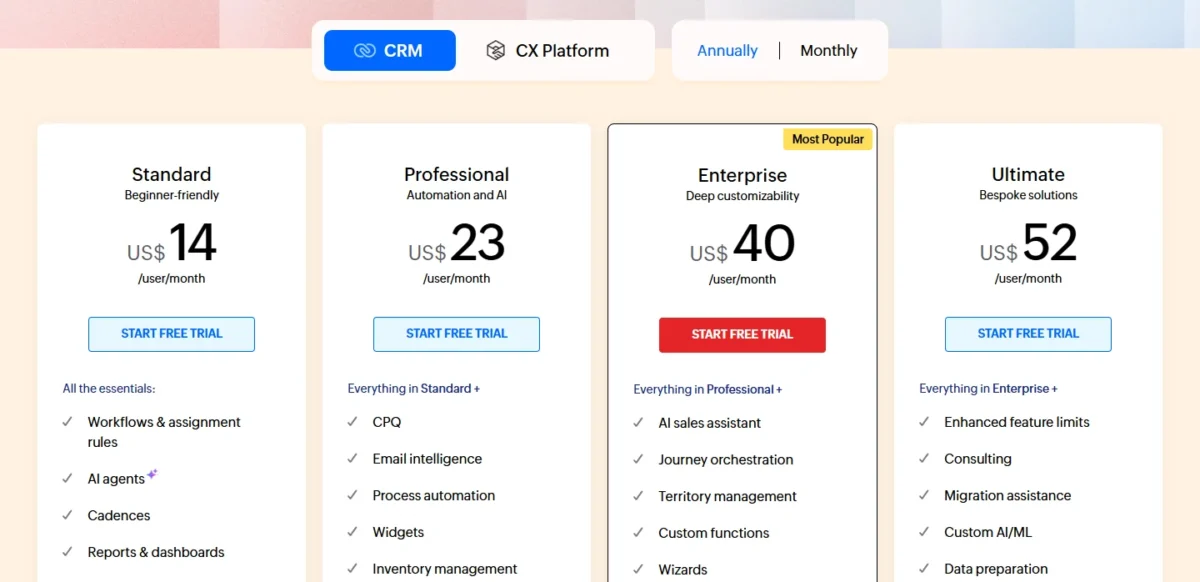
| Plan | Annual billing | Monthly billing | Key account feature |
|---|---|---|---|
| Standard | $14 per user per month | $20 per user per month | Forecasting, data enrichment |
| Professional | $23 per user per month | $35 per user per month | CPQ, inventory management |
| Enterprise | $40 per user per month | $50 per user per month | Territories, ABM |
| Ultimate | $52 per user per month | $65 per user per month | Enhanced feature limits |
Sources: Zoho CRM pricing page, annual and monthly US views, checked October 2026.
Pros
- Data enrichment and sales forecasting from Standard
- CPQ with built-in price rules from Professional
- Territory management, reporting hierarchy and ABM in Enterprise
Cons
- Territories, ABM and the approval process all wait for Enterprise
- QuickBooks integration listed only in Enterprise
- Local taxes added on top of list prices
Choose Zoho CRM when the account feature set matters more than the brand and the budget is per seat.
- Skip it if:
- marketing owns the target-account list and needs ABM next to its email tools; HubSpot makes its ABM tools available with Marketing Hub Professional and Sales Hub Professional.
The Zoho CRM review covers the editions in day-to-day terms.
Every edition is priced in Zoho CRM pricing by edition.
For the most common head-to-head here, see HubSpot vs Zoho CRM.
5. Sugar Sell (SugarAI): Best for Mid-Market Account Intelligence
- Best for: mid-market sellers whose account history lives in an ERP
- Plan for the job: Advanced+, $98 per user per month, billed annually
- Free plan or trial: none published
- Integrations: 180+ ERP integrations; mail and calendar on Advanced+
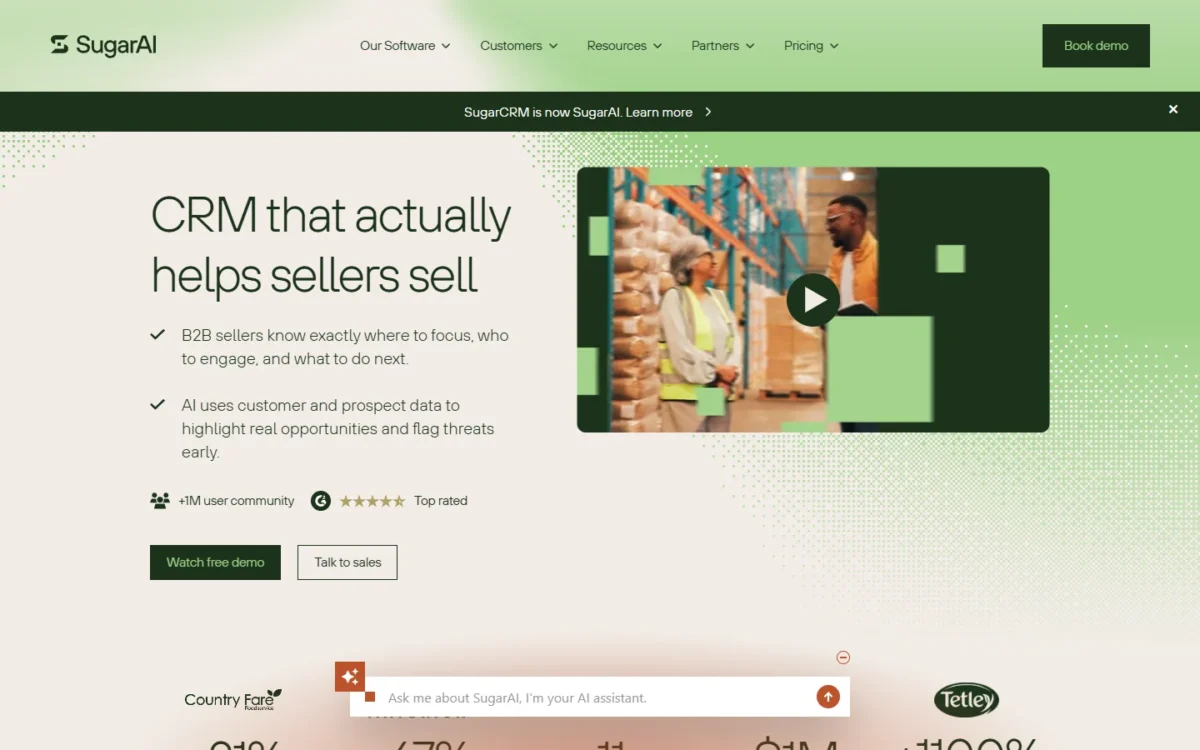
Sugar Sell, sold by SugarAI (formerly SugarCRM), is built for sellers whose best revenue comes from existing accounts. Its Precision+ packages add Sugar Predict, which reads ERP purchase data to flag cross-sell, reorder windows and early churn. The trade-off: Precision+ has no published price, and the entry package already costs $68.
Advanced+ is the working tier for account selling, adding forecasting, geo mapping and mail and calendar integration. Premier+ adds data enrichment, a news feed and meeting preparation.
Precision+ is why Sugar is on this list: cross-sell recommendations, optimal reorder windows, early churn signals and account-based marketing, driven by what customers actually bought. Zoho CRM lists ABM in Enterprise; Sugar’s starts from ERP order history.
Sugar Sell Advanced+ costs $98 per user per month, billed annually, before any Sugar Predict package. That is more than double Zoho CRM Enterprise per seat, a premium that pays only if ERP data drives your selling.
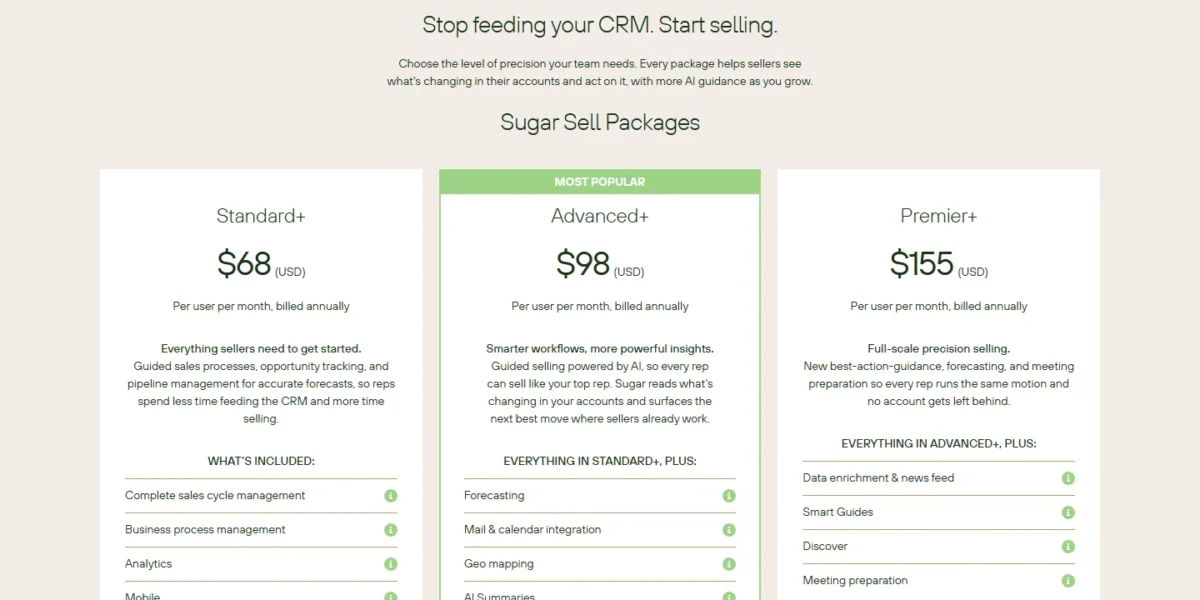
| Package | Price | Billing | Key account feature |
|---|---|---|---|
| Standard+ | $68 per user per month | Billed annually | Sales cycle management |
| Advanced+ | $98 per user per month | Billed annually | Forecasting, geo mapping |
| Premier+ | $155 per user per month | Billed annually | Data enrichment, news feed |
| Precision+ | Contact sales | Contact sales | ERP-based cross-sell and churn signals |
Sources: SugarAI pricing page, checked October 2026.
Pros
- ERP purchase data drives cross-sell, reorder and churn signals in Precision+
- Forecasting and geo mapping from Advanced+
- 180+ ERP integrations
Cons
- Precision+ (Sugar Predict) is priced only through sales
- No free plan or trial on the pricing page
- Seat minimum not published
Choose Sugar Sell when repeat orders from existing accounts are most of your revenue and an ERP holds the history.
- Skip it if:
- you have no ERP and sell mostly to new logos; Freshsales Pro adds territory management at $39 per user per month, billed annually.
The SugarCRM review covers Sugar Sell beyond its packages.
For a large-org shortlist, Salesforce vs SugarCRM weighs the two for a mid-size sales team.
6. Freshsales: Best for Low-Cost Territory Assignment

- Best for: mid-sized teams assigning accounts by territory on a budget
- Plan for the job: Pro, $39 per user per month, billed annually
- Free plan or trial: 21-day trial
- Integrations: no count on the pricing page
Of the picks that include territory management in a plan, Freshsales Pro has the lowest seat price, a dollar under Zoho CRM Enterprise. That makes it the pick for a mid-sized team that mainly needs accounts routed to the right rep by region. The trade-off is forecasting, which Freshworks keeps for Enterprise.
Pro pairs territory management with contact scoring, deal insights and sales sequences, so a team splitting accounts between regions gets assignment and follow-up in one tier. Enterprise adds forecasting insights, field-level permissions, custom modules, a sandbox and audit logs.
Branded documents are a $19 per user per month add-on on any plan, and Freshworks’ pricing page does not describe what they contain. A team sending configured quotes should compare Zoho CRM’s CPQ.
Freshsales Pro costs $39 and Enterprise $59 per user per month, both billed annually. A manager who reports a quarterly forecast should price Enterprise from the start.

| Plan | Price | Billing | Key account feature |
|---|---|---|---|
| Growth | $9 per user per month | Billed annually | Kanban view, basic workflows |
| Pro | $39 per user per month | Billed annually | Territory management, sequences |
| Enterprise | $59 per user per month | Billed annually | Forecasting insights, sandbox |
| Branded documents | $19 per user per month | Add-on, any plan | Contents not described |
Sources: Freshsales pricing page, checked October 2026.
Pros
- Territory management from Pro
- Contact scoring and sales sequences in the same tier
- Enterprise adds field-level permissions, custom modules and a sandbox
Cons
- Forecasting insights only on Enterprise
- Branded documents cost $19 per user per month extra
- No ABM or CPQ feature on the pricing page
Choose Freshsales when territory routing is the gap and the budget is under fifty dollars a seat.
- Skip it if:
- you quote configured products with price rules; Zoho CRM Professional includes CPQ at $23 per user per month, billed annually.
My Freshsales review and Freshsales pricing go plan by plan.
7. Pipedrive: Best for Small Teams Running a Visual Pipeline
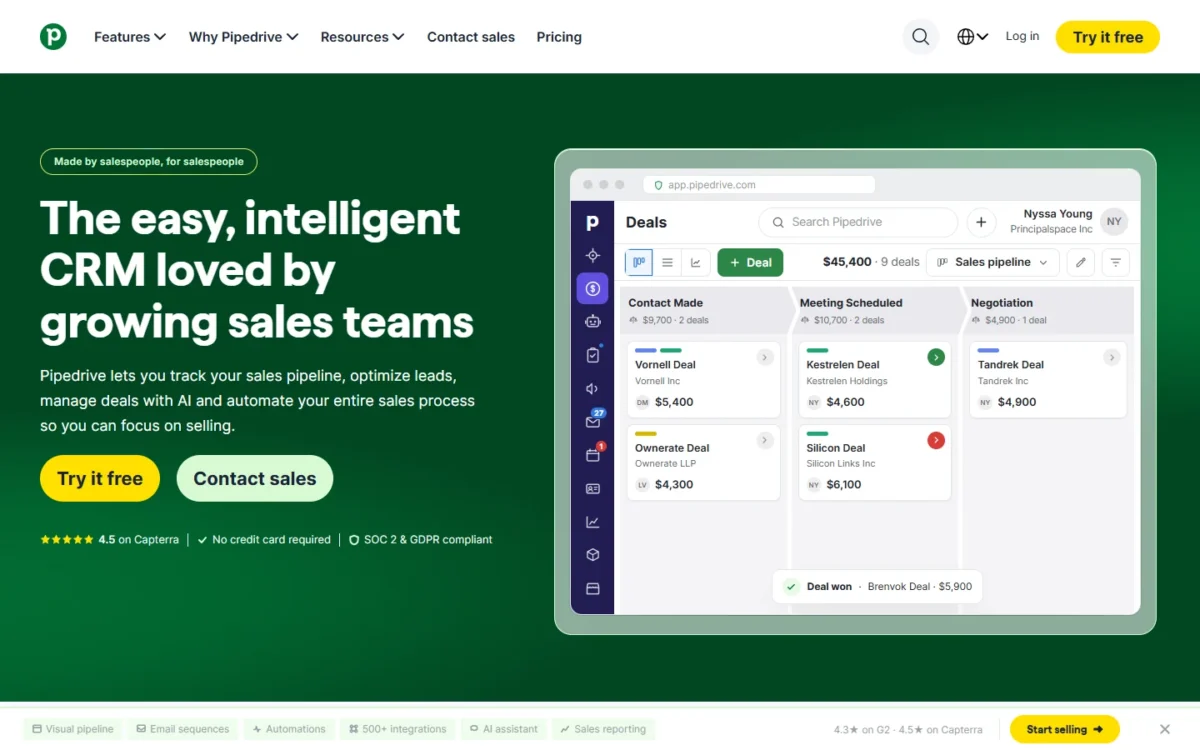
- Best for: small teams whose deals run through one visual pipeline
- Plan for the job: Premium, $49 per seat per month, billed annually
- Free plan or trial: 14-day trial, no credit card
- Integrations: 500+, including Zapier, Zoom and Lemlist
Pipedrive suits a small sales team whose buying committees are small enough to run from a deal pipeline. Its plan lists name no territory management or ABM, which ranks it below the account-centric picks.
Growth adds subscriptions and forecast reports, so a team selling subscriptions or installments can anticipate revenue from its pipeline. Premium sends and tracks quotes, proposals and contracts with built-in e-signatures, routes LeadBooster leads to reps, and enriches company data with industry, size and revenue.
monday CRM caps quotes per month by plan; Pipedrive’s Premium sets no quote cap among its features. Ultimate adds phone and email enrichment and a sandbox account.
Pipedrive Premium costs $49 per seat per month, billed annually, one payment of $588 per seat a year. Growth, at $24, is enough when forecast reports are the only need beyond the pipeline.
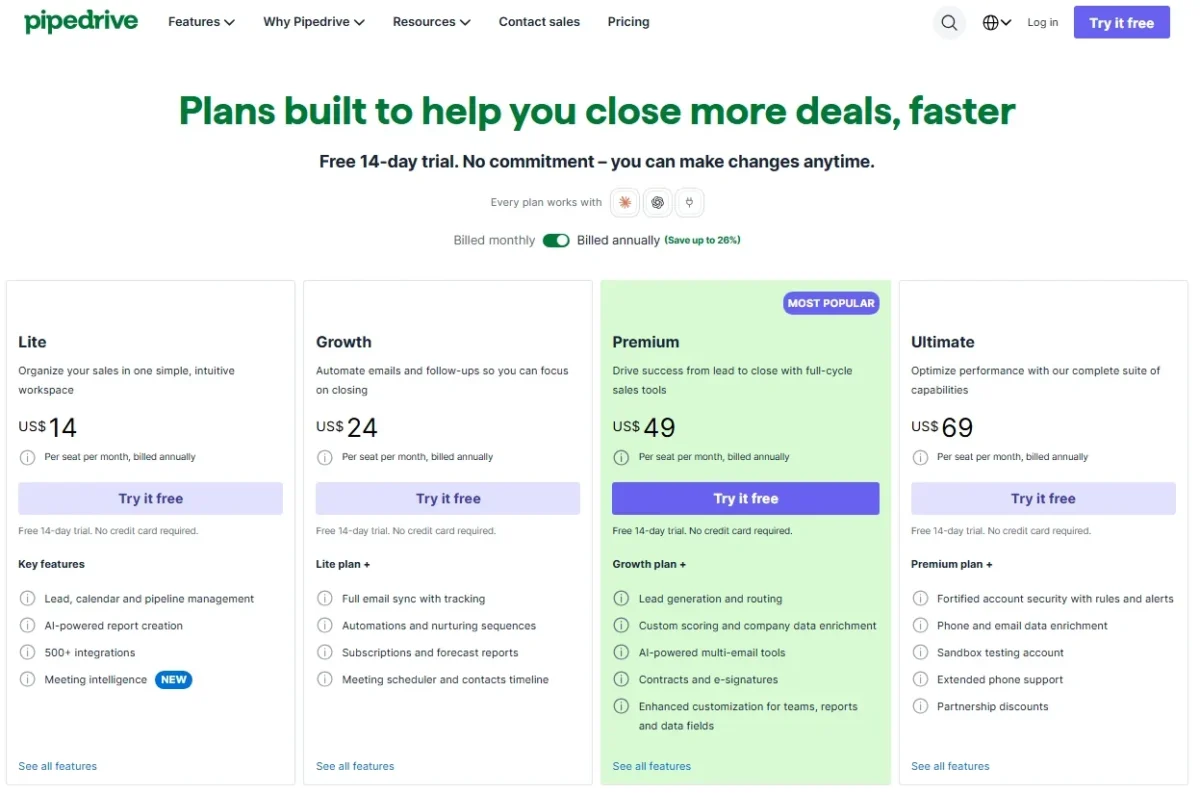
| Plan | Price per seat per month | Billing | Key account feature |
|---|---|---|---|
| Lite | $14 | Billed annually | Lead and pipeline management |
| Growth | $24 | Billed annually | Forecast reports, sequences |
| Premium | $49 | Billed annually | Quotes, LeadBooster, company enrichment |
| Ultimate | $69 | Billed annually | Phone and email enrichment, sandbox |
Sources: Pipedrive pricing page, US view, billed annually, checked October 2026.
Pros
- Forecast reports from Growth
- Quotes, proposals and contracts with e-signatures in Premium
- 500+ integrations and a 14-day trial with no credit card
Cons
- No territory management or ABM among plan features
- Phone and email enrichment only in Ultimate
- Sandbox testing only in Ultimate
Choose Pipedrive when deals, not account hierarchies, are the unit your team manages.
- Skip it if:
- your accounts have several buying units assigned by region; Freshsales Pro adds territory management at $39 per user per month, billed annually.
The Pipedrive review covers the pipeline workflow in detail.
Every plan and add-on is priced in Pipedrive pricing and plans.
If Zoho is the other name on your list, Pipedrive vs Zoho CRM compares them side by side.
8. Close: Best for Outbound Inside-Sales Teams

- Best for: outbound inside-sales teams that sell by phone
- Plan for the job: Growth, $99 per user per month, billed annually
- Free plan or trial: free trial with $5 of calling and enrichment credits
- Integrations: over 100 apps
Close fits the sales team that wins accounts on the phone. It holds unlimited contacts and leads from Essentials and up to 300 opportunities per lead, so a buying committee and its deals sit under one record. The trade-off: no forecasting or territory feature, and calling billed on usage on top of the seat.
Essentials includes built-in email, calling and SMS; Growth adds a power dialer and workflows; Scale adds a predictive dialer and lead visibility rules. HubSpot Sales Hub Professional includes 3,000 calling minutes per account per month, while Close passes calls through at cost, most around $0.02 a minute.
Close also enriches contact and company records.
Close Growth costs $99 per user per month, billed annually, before calling usage. Essentials, at $35, has calling but no workflows, so outbound teams that automate follow-up land on Growth.
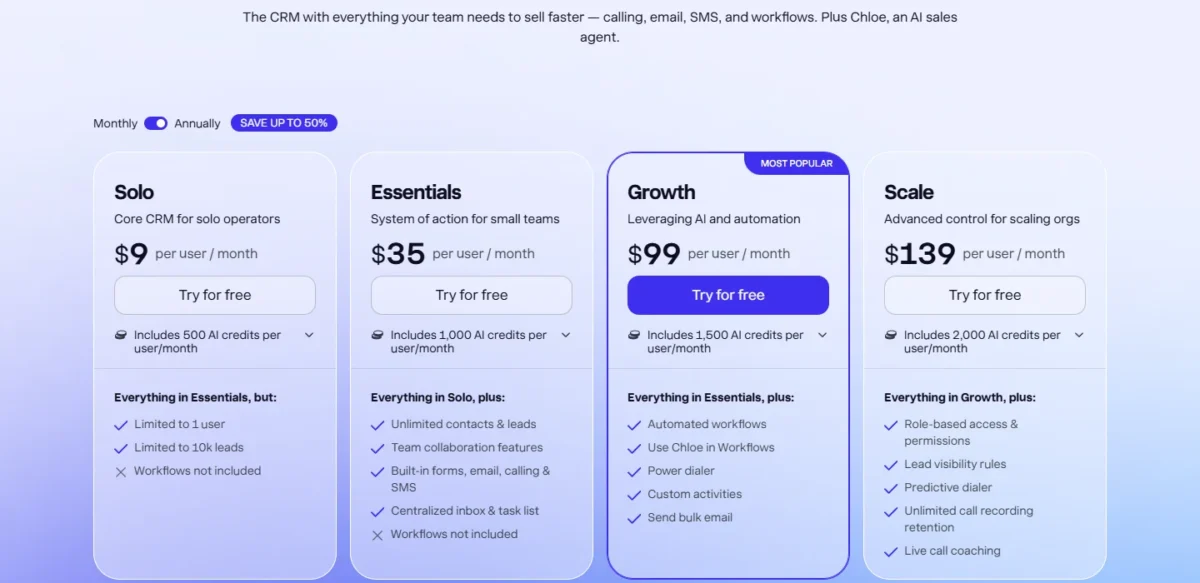
| Plan | Price per user per month | Billing | Key account feature |
|---|---|---|---|
| Solo | $9 | Billed annually | 1 user, 10k leads |
| Essentials | $35 | Billed annually | Unlimited contacts and leads, calling |
| Growth | $99 | Billed annually | Power dialer, workflows |
| Scale | $139 | Billed annually | Predictive dialer, lead visibility rules |
Sources: Close pricing page, checked October 2026.
Pros
- Up to 300 opportunities per lead, with unlimited contacts from Essentials
- Built-in calling, SMS and email from Essentials
- Power dialer on Growth, predictive dialer on Scale
Cons
- No forecasting or territory management listed
- Calling and SMS billed on usage on top of seats
- Workflows start at Growth
Choose Close when call volume, not account planning, drives your pipeline.
- Skip it if:
- your managers need forecasts rolled up by team; HubSpot Sales Hub Enterprise adds forecasting across team hierarchies at $150 per seat per month plus $3,500 onboarding.
The Close CRM review covers the calling workflow in depth.
Usage costs per plan are in Close pricing and calling costs.
9. Attio: Best for Custom Data Models and Built-In Company Enrichment

- Best for: software sales teams that model their own accounts and relationships
- Plan for the job: Pro, $79 per user per month, billed annually
- Free plan or trial: Free plan for up to 3 seats
- Integrations: API and webhook access, App SDK and MCP server
Attio suits a sales team that wants the data model shaped around its own accounts. Its Free plan lists automatic data enrichment with limited capabilities; Plus has enhanced and Pro advanced data enrichment. The trade-offs are caps: Plus stops at 10 seats and 5 objects, and sequences wait for Pro.
Custom objects are the reason to pick it: 3, 5 or 12 by plan, unlimited on Enterprise, so a team can model buying groups, partners or parent companies. Connection strength shows which colleague knows a contact best, the first question of any account-based deal.
Zoho CRM starts data enrichment at Standard, $14 per user per month; Attio’s company enrichment fields include employee count, ARR and funding raised. Pro adds call intelligence, sequences, permission controls and up to 100 reports.
Attio Pro costs $79 per user per month and Plus $35, both billed annually. The eleventh seller forces the move from Plus to Pro.
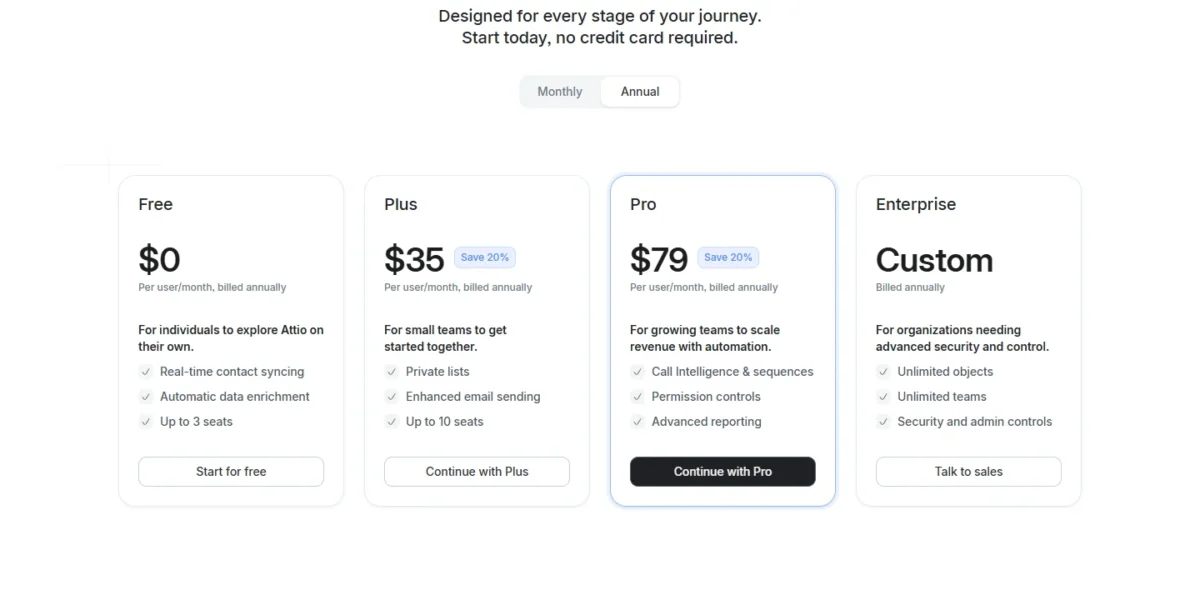
| Plan | Price per user per month | Billing | Key limit |
|---|---|---|---|
| Free | $0 | None | Up to 3 seats, 3 objects |
| Plus | $35 | Billed annually | Up to 10 seats, 5 objects |
| Pro | $79 | Billed annually | 12 objects, 1,000,000 records |
| Enterprise | Custom quote | Billed annually | Unlimited objects |
Sources: Attio pricing page, checked October 2026.
Pros
- Automatic data enrichment from Free, enhanced on Plus and advanced on Pro
- Up to 12 custom objects on Pro
- Connection strength across the team’s email and calendar
Cons
- Plus caps at 10 seats
- No forecasting, quoting or territory feature listed
- Sequences need Pro
Choose Attio when your account model does not fit a standard CRM’s objects.
- Skip it if:
- you need quotes with e-signatures; Pipedrive Premium includes quotes, proposals and contracts with e-signatures at $49 per seat per month, billed annually.
My Attio review and Attio pricing and credits cover the data model and credit packs.
10. monday CRM: Best for Quotes Inside a Work-Management Workspace
- Best for: sales teams already running projects on monday.com
- Plan for the job: Pro, $28 per seat per month, billed yearly
- Free plan or trial: 14-day trial; plans start from 3 users
- Integrations: no count on the pricing page
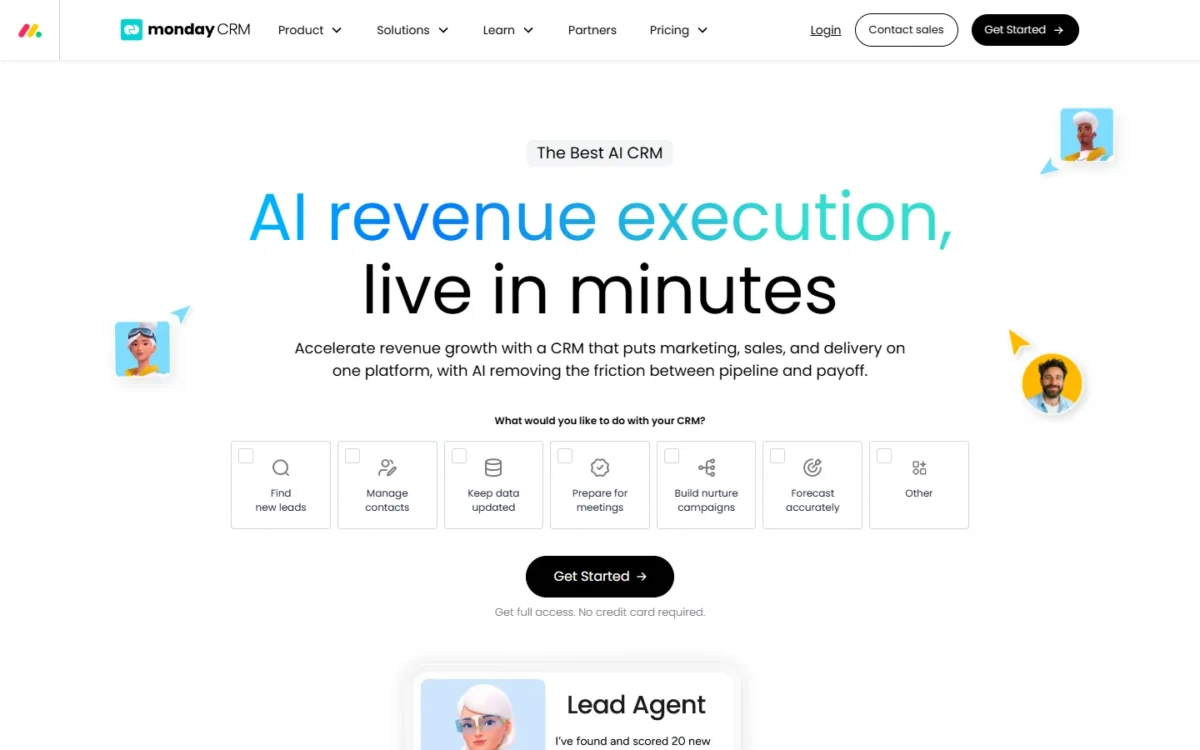
monday CRM makes sense when the sales team already runs projects on monday.com and wants quotes and invoices from the same workspace. Every plan creates quotes and invoices, and Standard adds a lead sourcer agent that finds and enriches leads. The trade-off: quotes are capped below Ultimate, and no forecasting or territory feature is listed.
Quote caps decide the plan: 20 a month on Basic, 50 on Standard, 250 on Pro, unlimited on Ultimate. If 10 reps each send three quotes a week, that is about 120 a month, over Standard’s cap and inside Pro’s.
Pro also lifts active contacts and deals to 100,000 and adds email sequences. Pipedrive puts forecast reports in Growth; monday CRM lists none, so it fits only when delivery already lives in monday.com.
monday CRM Pro costs $28 per seat per month, billed yearly, in the 10-seat view. Ultimate, the new name for monday’s Enterprise tier, is priced on request.

| Plan | Price per seat per month | Billing | Key limit |
|---|---|---|---|
| Basic | $12 | Billed yearly | 20 quotes and invoices a month |
| Standard | $17 | Billed yearly | 50 quotes and invoices a month |
| Pro | $28 | Billed yearly | 250 quotes and invoices a month |
| Ultimate | Custom price | Through sales | Unlimited quotes and invoices |
Sources: monday CRM pricing page, 10-seat view, checked October 2026.
Pros
- Quotes and invoices on every plan
- Lead sourcer agent finds and enriches leads from Standard
- 100,000 active contacts and deals on Pro
Cons
- Quotes capped at 20, 50 or 250 a month below Ultimate
- No forecasting or territory management listed
- Plans start from 3 users
Choose monday CRM when sales and delivery share one workspace and quote volume stays under 250 a month.
- Skip it if:
- your board reviews a pipeline forecast every quarter; Pipedrive Growth includes forecast reports at $24 per seat per month, billed annually.
My monday CRM review and monday CRM pricing explain the workspace and its seat buckets.
What a Ten-Seat Team Pays in Year One
A 10-seat team pays from $28 x 10 x 12 = $3,360 a year on monday CRM Pro to $550 x 10 x 12 = $66,000 on Salesforce Max, at annual list prices.
| CRM | Plan | Year-one math, 10 seats | What the plan adds |
|---|---|---|---|
| Salesforce Sales Cloud | Pro Suite | $100 x 10 x 12 = $12,000 | Quoting and forecasting |
| Salesforce Sales Cloud | Max | $550 x 10 x 12 = $66,000 | Sales Planning, Salesforce Maps |
| HubSpot Sales Hub | Professional | $90 x 10 x 12 = $10,800 plus $1,500 onboarding, which is $12,300 | ABM tools, forecasting |
| HubSpot Sales Hub | Enterprise | $150 x 10 x 12 = $18,000 plus $3,500 onboarding, which is $21,500 | Hierarchy forecasting |
| Dynamics 365 Sales | Sales Enterprise | $105.00 x 10 x 12 = $12,600 | Forecast roles |
| Zoho CRM | Enterprise | $40 x 10 x 12 = $4,800 | Territories, ABM |
| Sugar Sell | Advanced+ | $98 x 10 x 12 = $11,760 | Forecasting, geo mapping |
| Freshsales | Pro | $39 x 10 x 12 = $4,680 | Territory management |
| Pipedrive | Premium | $49 x 10 x 12 = $5,880 | Quotes, company enrichment |
| Close | Growth | $99 x 10 x 12 = $11,880 | Power dialer, workflows |
| Attio | Pro | $79 x 10 x 12 = $9,480 | Sequences, 12 objects |
| monday CRM | Pro | $28 x 10 x 12 = $3,360 | 250 quotes a month |
Sources: Salesforce (Internet Archive copy of October 10, 2026), HubSpot, Microsoft, Zoho, SugarAI, Freshworks, Pipedrive, Close, Attio, monday.com, checked October 2026.
The totals leave out add-ons, taxes, usage and support plans: Close’s calling, Salesforce’s Revenue Cloud and Premier Success, Freshsales’ Branded documents and Sugar’s Precision+.
HubSpot’s onboarding fee puts Professional’s first year within a few hundred dollars of Dynamics 365 Sales Enterprise, although HubSpot’s seat is cheaper.
How to Choose the Best CRM for Selling to Companies
Start from the feature that blocks your sales process, then pick the cheapest plan in this matrix that lists it.
| CRM | Forecasting | Quotes / CPQ | Territories | ABM | Enrichment |
|---|---|---|---|---|---|
| Salesforce Sales Cloud | Pro Suite | Quotes: Pro Suite; product-to-cash: Revenue Cloud add-on | Sales Planning and Salesforce Maps: bundled in Max | Not listed | Not listed |
| HubSpot Sales Hub | Professional; hierarchies in Enterprise | Not listed; quote-based workflows: Enterprise | Not listed | Professional | Buyer intent: Starter, uses HubSpot Credits |
| Dynamics 365 Sales | Sales Enterprise | Sales Professional | Listed; plan not stated | Not listed | Sales Premium |
| Zoho CRM | Standard | CPQ: Professional | Enterprise | Enterprise | Standard |
| Sugar Sell | Advanced+ | Not listed | Not listed (geo mapping: Advanced+) | Precision+ | Premier+ |
| Freshsales | Enterprise | Not listed | Pro | Not listed | Not listed |
| Pipedrive | Growth | Premium | Not listed | Not listed | Premium |
| Close | Not listed | Not listed | Not listed | Not listed | Listed |
| Attio | Not listed | Not listed | Not listed | Not listed | Free (limited) |
| monday CRM | Not listed | Basic, 20 a month | Not listed | Not listed | Standard |
Sources: the pricing pages linked above, plus Microsoft Learn security roles for Sales for Dynamics 365 forecasting, HubSpot’s account-based marketing setup guide for HubSpot ABM and HubSpot’s buyer intent guide for intent data, checked October 2026.
Read the matrix by the job that blocks you:
- Accounts split by region or vertical: Freshsales Pro ($39) for territory management, Zoho CRM Enterprise ($40) for territory management and a reporting hierarchy, per user per month, billed annually.
- Configured products with price rules: Zoho CRM Professional’s CPQ; at enterprise scale, Salesforce sells product-to-cash as the Revenue Cloud add-on.
- Marketing runs the target-account list: HubSpot Sales Hub Professional or Marketing Hub Professional.
- LinkedIn Sales Navigator inside the CRM: a HubSpot Sales Hub Professional seat with a Sales Navigator Advanced Plus account, or Dynamics 365 Relationship Sales for 10 seats or more.
Once you pick, the CRM implementation guide covers the rollout.
Shortlists by Team and Job
If your need is narrower than selling to companies, these lists rank by a different job:
- Pipeline and seller features for any market: best CRM for sales teams
- Seat price and setup time for small companies: best CRM for small business
- A free or cheap first CRM for early-stage teams: best CRM for startups
Also Considered
Three more CRMs were considered and left off the ranked list:
- Copper: a Google Workspace CRM with no forecasting, quoting or territory feature on its pricing page; Basic caps at 2,500 contacts.
- Creatio: an “AI CRM and Workflow Platform” with no-code visual designers; left off because every pick here is priced from its vendor’s pricing page, and Creatio’s was not in that set.
- Bigin by Zoho: Zoho positions it for small businesses moving from spreadsheets, so its account-selling depth sits in Zoho CRM.
FAQ
Which CRM is best for selling to other businesses?
No single CRM fits every account-selling job, so pick by the gap you are closing. Salesforce Sales Cloud fits Sales Planning, HubSpot Sales Hub fits ABM, Dynamics 365 Sales fits Microsoft 365 teams, and Zoho CRM fits CPQ and territories on a budget.
Do I need CPQ, or are CRM quotes enough?
Built-in quotes are enough when reps price from a product list: Dynamics 365 Sales Professional, Pipedrive Premium and every monday CRM plan handle them. Zoho CRM Professional adds CPQ with price rules. Product-to-cash at scale points to Salesforce Revenue Cloud, from $200 per user per month.
Final Verdict
Pick by the job your current CRM cannot do, not by the entry price.
- By job: Salesforce Sales Cloud for sales operations teams running Sales Planning and product-to-cash. HubSpot Sales Hub Professional for ABM run by marketing and sales together. Dynamics 365 Sales for Microsoft 365 teams quoting from price lists.
- By budget: Zoho CRM Enterprise ($40) or Freshsales Pro ($39), per user per month billed annually, list territory management; Zoho adds CPQ and ABM.
- By special need: Sugar Sell when ERP history should drive cross-sell; Close for phone-first teams; Attio for custom account models; Pipedrive for small teams on one pipeline; monday CRM when delivery runs in monday.com.
Start with the trials of your top two and the twenty-account test before you sign an annual contract.





