The right QuickBooks alternative depends on the QuickBooks Online limit you hit: Zoho Books when the bill grows with users, Xero for a guided move of your books, FreshBooks for client billing, and Wave for a $0 start. QuickBooks Online Simple Start costs $38 a month and covers 1 user. Inventory and a fifth login arrive together on Plus, at $140 a month.
I matched eleven alternatives to those limits from each vendor’s US pricing, help and migration pages, read in November 2026, and did the math for each comparable plan at 1 and 5 users.
Quick verdict
Pick by the limit you hit. Zoho Books fits a team whose bill grows with logins: Standard includes 3 users for $20 a month. Xero fits an owner who dreads the move: Jet Convert transfers the current and prior fiscal year from QuickBooks free.
FreshBooks fits client billing and Wave a solo owner who wants $0 books. The other seven cover payroll, inventory with operations, many logins, a desktop file, self-hosting and multi-entity scale.
Stay with QuickBooks Online if your accountant already works in it, you run Advanced with up to 25 users, or you have more than two fiscal years of history to move.
In This Article (21 sections)
Best QuickBooks Alternatives at a Glance
The best replacement for QuickBooks depends on why you are leaving, and these four cover four common reasons: a guided move, cheaper seats, client billing and free books.
Xero
Best for: a guided switch off QuickBooks
Jet Convert moves your current and prior fiscal year from QuickBooks to Xero free.
Limit: Early allows 20 invoices and 5 bills

Zoho Books
Best for: multi-user teams on a budget
Standard includes 3 users for $20 a month, where QuickBooks Simple Start covers 1 user.
Limit: the Free plan ends once yearly revenue passes $50K

FreshBooks
Best for: client billing
Plans are sized by billable clients rather than by the user tiers QuickBooks Online sells.
Limit: Lite bills 5 clients, and each team member adds $11 a month

Wave
Best for: free books for a solo owner
Starter costs $0 and includes mobile invoicing, which QuickBooks Free does not offer.
Limit: automatic bank imports need Pro at $19 a month
QuickBooks vs Alternatives: Quick Comparison
QuickBooks Online is the benchmark row; read each entry price with its cap.
| Software | Best for | Starting price (unit, billing) | Main advantage | What you give up | Switching note |
|---|---|---|---|---|---|
| QuickBooks Online | Intuit’s ledger with accountant access | $38 per month, Simple Start, 1 user | Accountant access on paid plans | Benchmark | Benchmark |
| Xero | A guided switch | $27 per month, Early | Free Jet Convert move | Early caps invoices and bills | Jet Convert or CSV Toolbox |
| Zoho Books | 3 to 5 users | $0, Free, 1 user + 1 accountant | 3 users on Standard | Report-by-report import | Reports imported by module |
| FreshBooks | Client billing | $23 per month, Lite | Billable-client plans | No inventory listed | Easy Switch on Select |
| Wave | Solo owners | $0, Starter | Unlimited invoices and records | Bank auto-import needs Pro | Onboarding via Wave Advisors |
| Patriot Accounting | US employers on a budget | $20 per month, Accounting Basic | Unlimited users | No inventory listed | Imports trial balance |
| Odoo | Inventory and operations | $0, One App Free | Every app on Standard | Billed per user | Import via implementation |
| Kashoo | Many logins | $30.00 per month, one plan | Unlimited users | No higher tier | No importer listed |
| AccountEdge | A desktop file | $20 per month, Pro, 1 user | Local company file | Bank feeds cost extra | No importer listed |
| Akaunting | Low-cost cloud, self-host option | $12 per month, Standard Cloud; Premium Cloud $36 per month | 10 users on Premium Cloud | Double-entry starts on Premium | Import From File |
| NetSuite | Multi-entity companies | Annual license + implementation fee | Subsidiaries and close tools | No published price | No QuickBooks importer named; implementation fee for initial setup |
| Sage Intacct | Finance teams past $4 million | Customized quote from sales, annual | Multi-entity consolidation | No published price | Implementation project |
Sources: QuickBooks (Internet Archive copy, Nov 3, 2026), Xero, Zoho Books, FreshBooks, Wave, Patriot, Odoo (US archive copy, Nov 3, 2026), Kashoo, AccountEdge, Akaunting, NetSuite, Sage Intacct, checked Nov 2026.
Why Look for a QuickBooks Alternative?
Most reasons to leave QuickBooks Online trace back to how its plans cap users and gate features. These are the QuickBooks Online monthly prices, next to an offer of 50% off for 3 months or a 30-day free trial:
- Simple Start: $38 a month, 1 user
- Essentials: $85 a month, 3 users
- Plus: $140 a month, 5 users, the first plan with inventory
- Advanced: $340 a month, 25 users
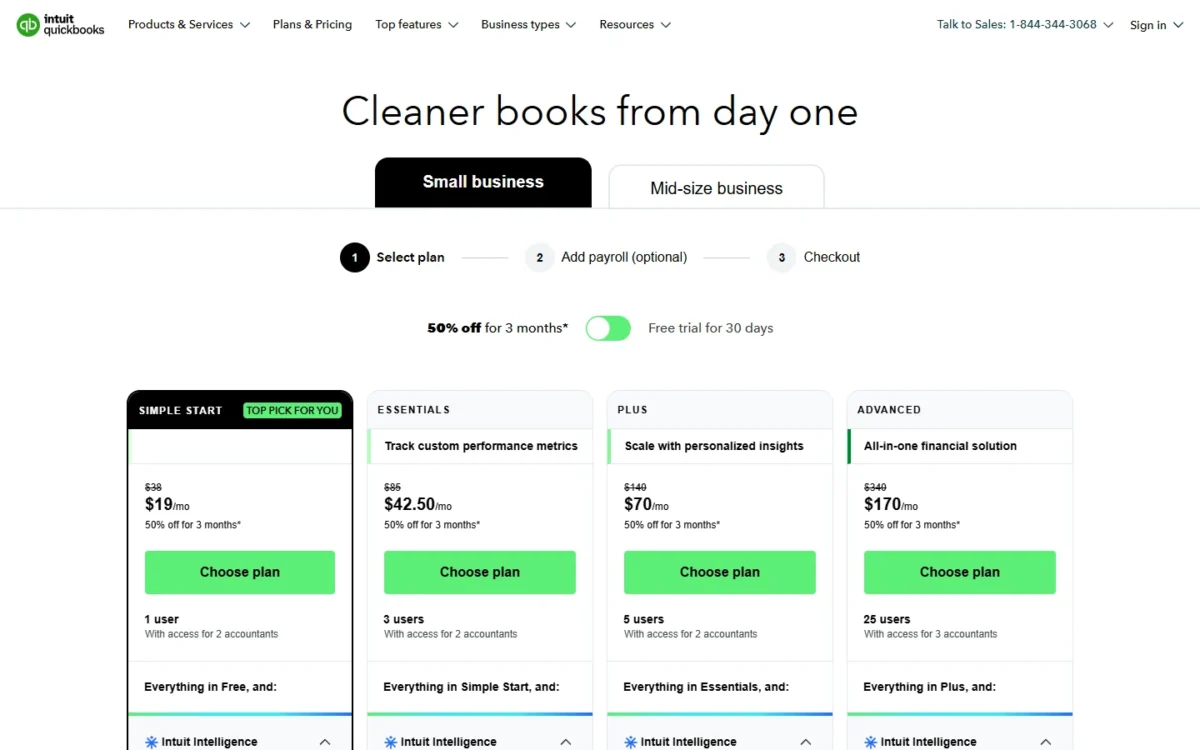
A second login is the first big jump: a two- or three-person office moves from Simple Start to Essentials and more than doubles its bill. Zoho Books, Kashoo and Patriot Accounting remove that step, at the cost of Intuit’s AI agents.
Inventory waits for Plus, so a product seller jumps two tiers to track stock; Zoho Books Professional and Odoo Standard both include it. QuickBooks Free is narrow too, without mobile app access or third-party integrations, which leaves room for Wave Starter and Zoho Books Free.
The last three exits are client billing, a local file and scale. FreshBooks prices by client count, AccountEdge keeps the file on your computer, and NetSuite and Sage Intacct take over where Advanced stops at 25 users and Intuit points multi-entity organizations to Intuit Enterprise Suite.
If you are not sure QuickBooks itself is the problem, my QuickBooks Online review weighs each plan on its own terms.
Promotions and plan changes are tracked in my guide to QuickBooks Online pricing by plan, and payroll has its own QuickBooks Payroll pricing.
1. Xero: Best QuickBooks Alternative for a Guided Switch

- Best for: QuickBooks users who want their history moved for them
- Comparable plan: Growing, $59 per month, billed monthly
- Replaces: the full QuickBooks Online ledger
- Import from QuickBooks: Jet Convert, a fresh start or CSV files
If the move itself keeps you on QuickBooks, start with Xero. Its conversion partner Jet Convert transfers your current and prior fiscal year from QuickBooks free, including the chart of accounts, contacts, bills and invoices. Migration takes 20 minutes to five business days. Watch the entry plan, though: Early allows 20 invoices and 5 bills, so a busier business needs Growing.
For messier files, a fresh start skips old data, and the Conversion Toolbox lets an accountant import CSV files.
Where Xero may be better
- A free Jet Convert transfer of two fiscal years
- No per-user license fees, so a fifth login leaves the price alone
Where QuickBooks Online may be better
- Inventory inside Plus, where Xero sells Inventory Plus as an add-on
- QuickBooks Free gives a solo owner a $0 start
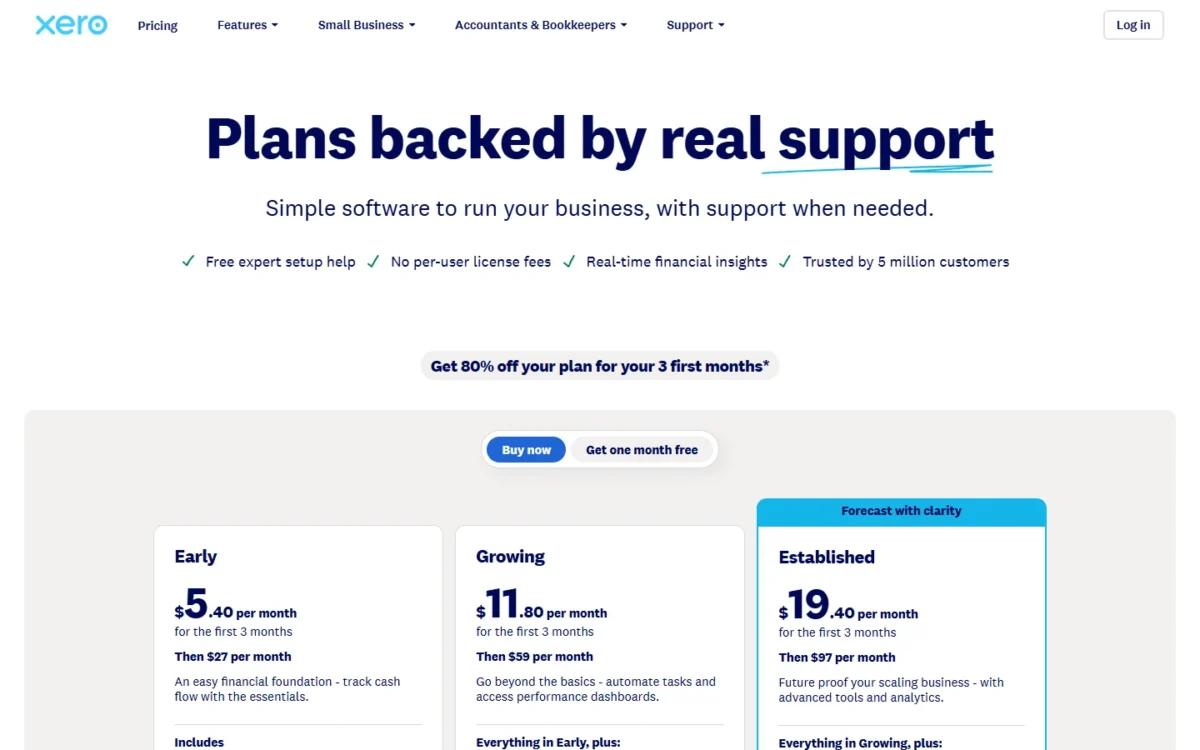
Growing is the plan to compare with Simple Start and Essentials, because it drops Early’s caps. New US customers get 80% off the base plan for 3 months, and my Xero pricing breakdown has the plan detail.
| Plan | Price, billed monthly | Key limit or addition |
|---|---|---|
| Early | $27 per month | 20 invoices, 5 bills |
| Growing | $59 per month | 60-day cash flow forecast |
| Established | $97 per month | Multiple currencies, projects |
Sources: Xero US pricing, Xero QuickBooks conversion, checked Nov 2026.
Automations, app connections and report layouts are not among the converted records, so plan to rebuild them. The QuickBooks vs Xero comparison covers the two feature by feature.
- Skip it if:
- you need more than two fiscal years moved free or want inventory inside the plan; Zoho Books Professional includes inventory tracking.
My Xero review gives the full verdict beyond the migration.
2. Zoho Books: Best QuickBooks Alternative for Multi-User Teams on a Budget
- Best for: 3 to 5 people who share the books
- Comparable plan: Standard (3 users) or Professional (5 users)
- Replaces: the full ledger, with inventory on Professional
- Import from QuickBooks: report exports, imported module by module
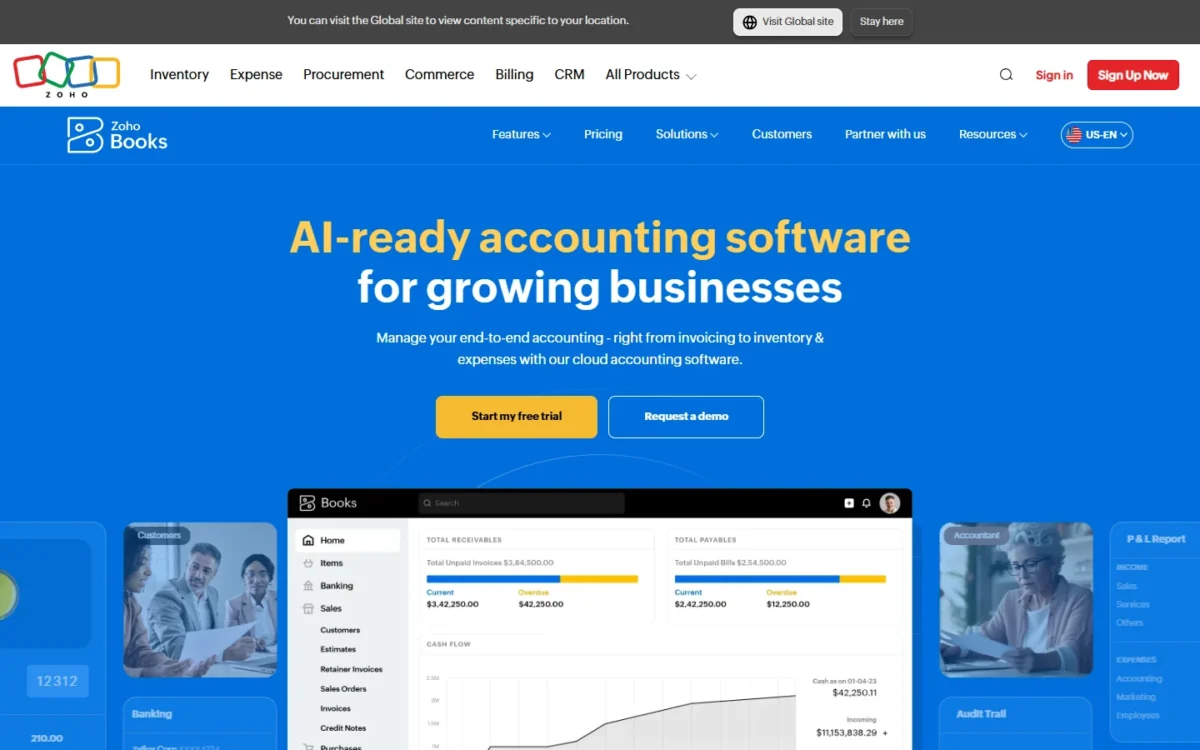
For a three- to five-person office, Zoho Books turns the QuickBooks seat ladder into a much smaller bill. Standard includes 3 users and Professional 5 users with inventory tracking. Where Zoho asks more of you is the move: its QuickBooks Online guide is a report-by-report import, and Zoho also offers migration help by email.
Professional adds inventory, sales and purchase orders, multi-currency and project profitability, the reason a product seller would pick it. Standard already has bank feeds, custom fields, 1099 e-filing and API access, with 5,000 invoices a year; the Free plan covers 1 user + 1 accountant, without bank feeds.
Where Zoho Books may be better
- 3 users on Standard, the seat count QuickBooks puts on Essentials
- Inventory with 5 users on Professional, below the plan where QuickBooks starts it
Where QuickBooks Online may be better
- Intuit Intelligence agents, such as reconciliation and anomaly checks on Plus
- Advanced includes 25 users; Zoho’s Ultimate includes 15
Zoho prices each plan per organization, annual billing lowers every paid plan, and extra users cost $3 per user per month. A five-person team that needs no inventory can stay on Standard with 2 extra users: $20 + $3 x 2 = $26 a month, against $50 for Professional. To price a different team size, see my Zoho Books pricing guide.
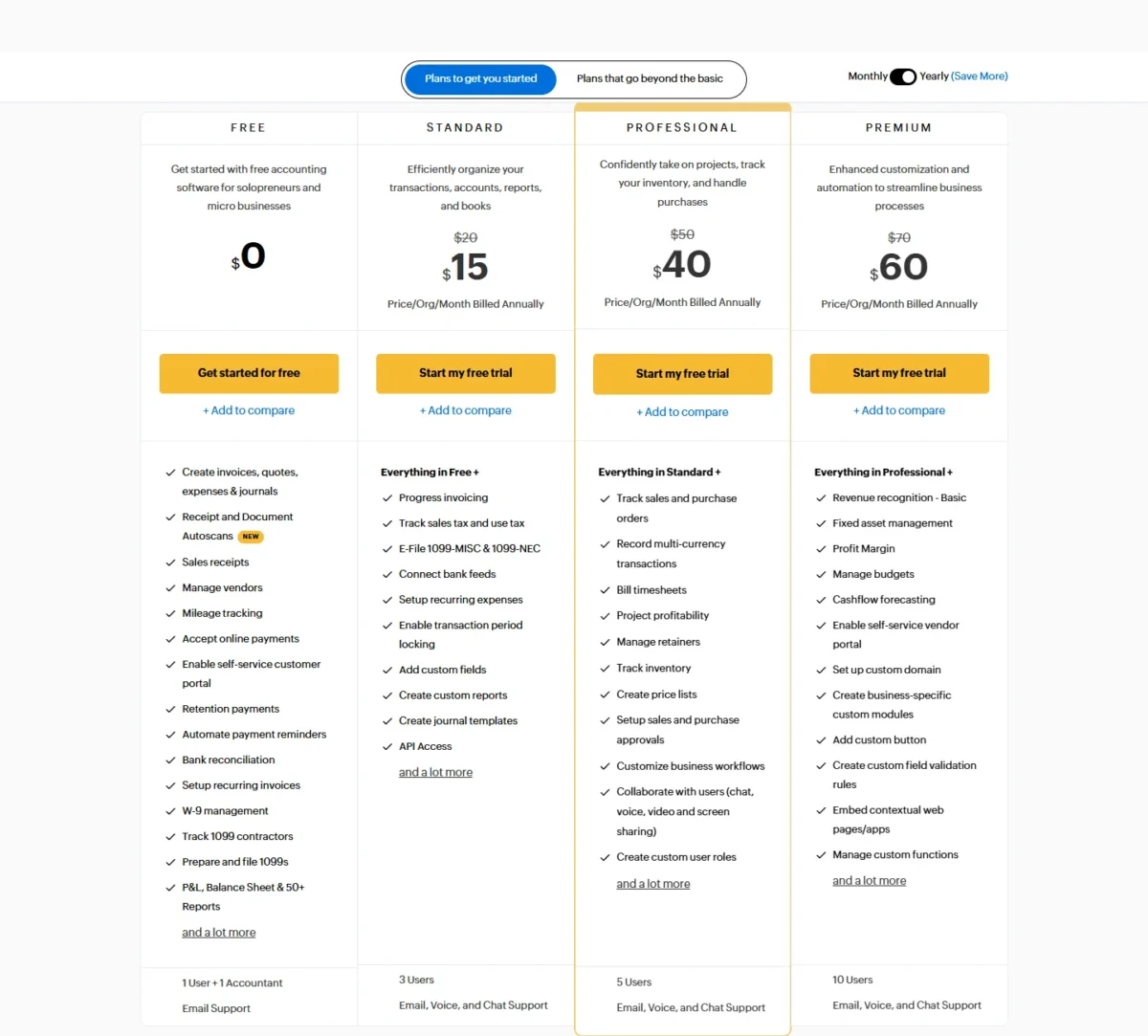
| Plan | Monthly billing | Billed annually | Users |
|---|---|---|---|
| Free | $0 | $0 | 1 user + 1 accountant |
| Standard | $20 per month | $15 per month | 3 |
| Professional | $50 per month | $40 per month | 5 |
Sources: Zoho Books US pricing, Zoho’s QuickBooks Online migration guide, checked Nov 2026.
The migration means exporting QuickBooks reports to PDF or Excel and importing each module, with edits for some account types. Run it on the 14-day free trial.
Before you open that trial, read my Zoho Books review for the verdict on the product itself.
- Skip it if:
- you want a conversion partner with a stated scope, or your accountant works only in QuickBooks; Xero’s Jet Convert transfers two fiscal years free.
3. FreshBooks: Best QuickBooks Alternative for Client Billing
- Best for: freelancers and agencies who bill clients
- Comparable plan: Plus, 50 billable clients
- Replaces: invoicing, expenses and books; no inventory (partial)
- Import from QuickBooks: Easy Switch, listed on Select
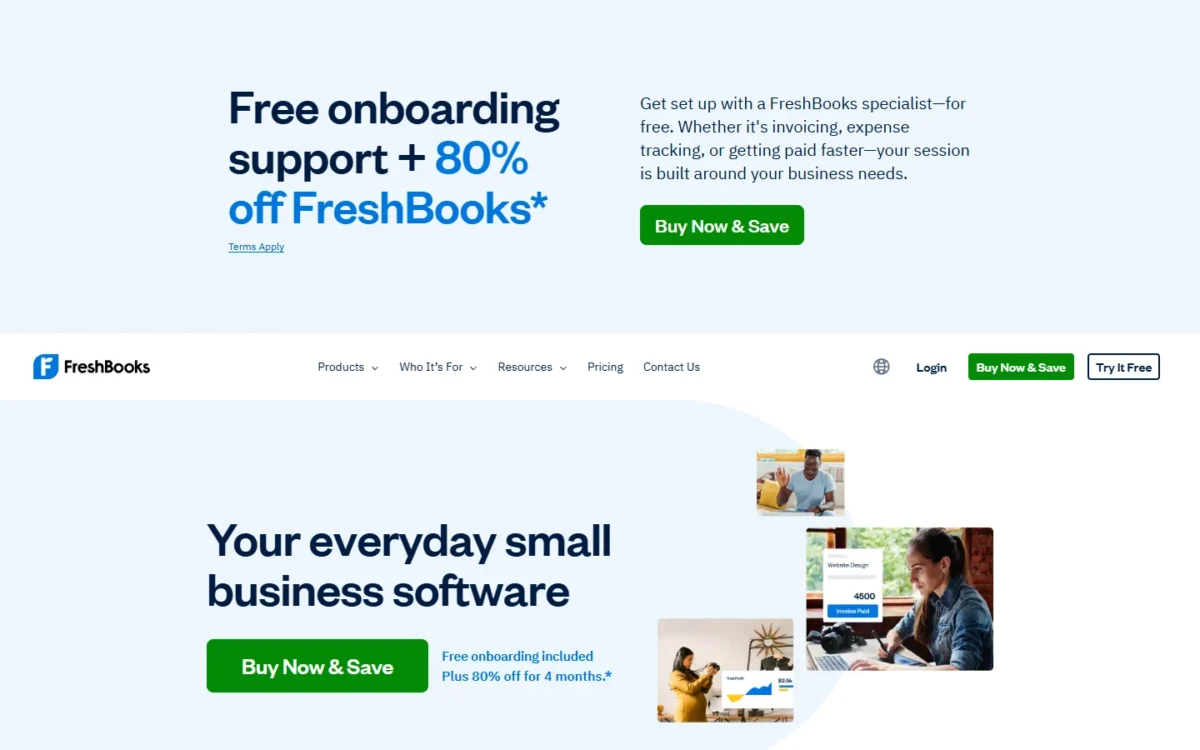
Service businesses get a different pricing model from FreshBooks: plans are sized by billable clients (5 on Lite, 50 on Plus, unlimited on Premium), with estimates, proposals and retainers next to the invoice. It replaces QuickBooks only in part. FreshBooks lists no inventory tracking, and every extra team member adds $11 a month.
Plus is the real starting point, because accountant access and financial reports start there. The client cap counts archived clients too, so an agency with a long list should price Premium, which removes the cap. If you are weighing FreshBooks against staying put, read my QuickBooks vs FreshBooks comparison.
Where FreshBooks may be better
- Plans scale by billable clients, not by logins
- A 30-day money-back guarantee after you buy
Where QuickBooks Online may be better
- Inventory tracking on Plus
- Plus includes 5 users, where each FreshBooks team member costs $11 a month
For a five-person team on Plus, the bill is $43 + $11 x 4 = $87 a month, counting the owner’s account in the plan. Add-ons are in my FreshBooks pricing guide.
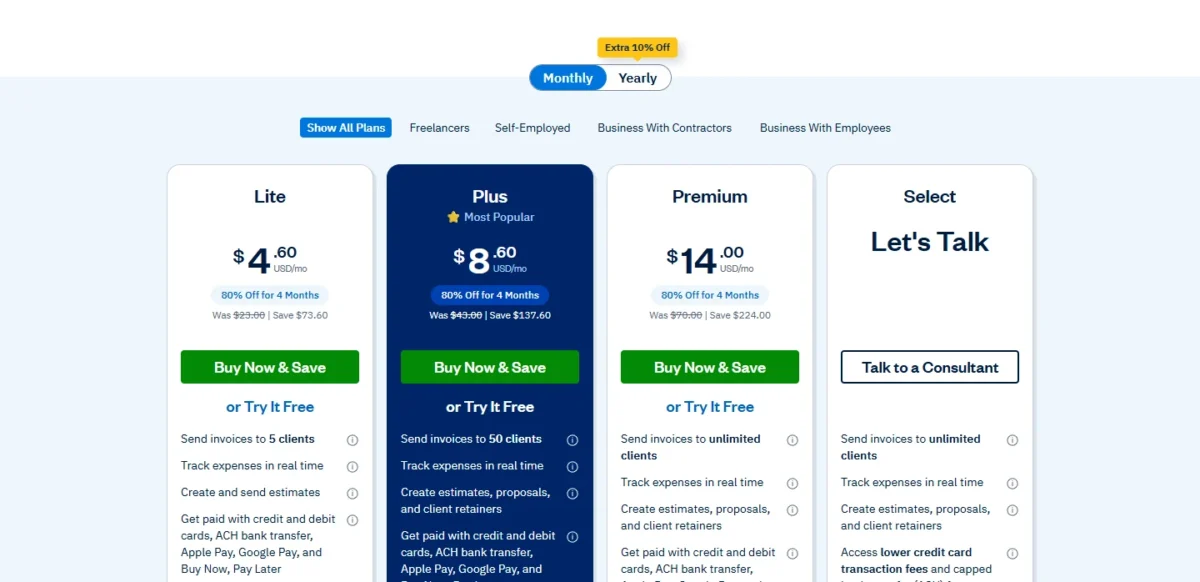
| Plan | Price, billed monthly | Billable clients |
|---|---|---|
| Lite | $23 per month | 5 |
| Plus | $43 per month | 50 |
| Premium | $70 per month | Unlimited |
Sources: FreshBooks pricing (live page and Internet Archive copy of Nov 3, 2026), checked Nov 2026.
Easy Switch data migration sits on Select only, so on other plans confirm how clients and open invoices come across. My FreshBooks review covers the product beyond price.
- Skip it if:
- you sell physical products or need five logins without per-person fees; Zoho Books Professional covers both.
4. Wave: Best Free QuickBooks Alternative for Solo Owners
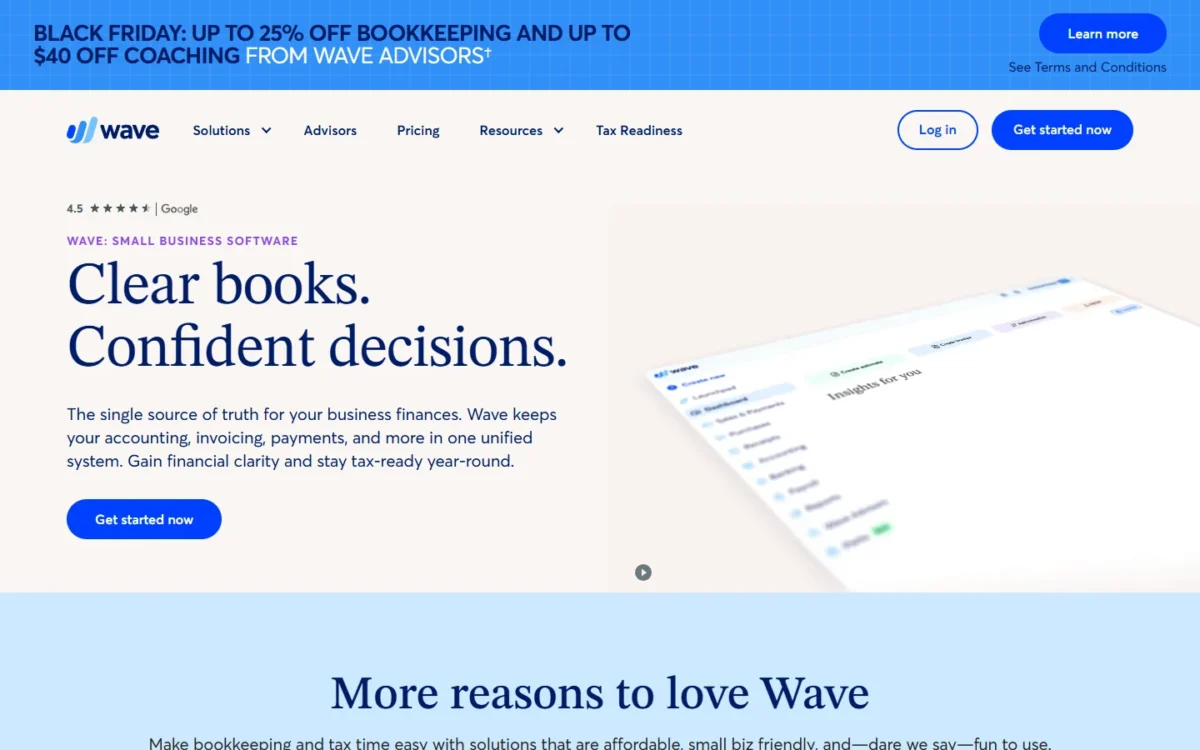
- Best for: solo owners who want $0 books
- Comparable plan: Pro, $19 per month, billed monthly
- Replaces: one-person books and invoicing (partial)
- Import from QuickBooks: switching onboarding in Wave Advisors packages
Free books that still cover the daily work are Wave’s case against QuickBooks Free. Starter includes unlimited estimates, invoices, bills and bookkeeping records, plus invoicing in the mobile app, which QuickBooks Free leaves out. The catch is automation: bank transactions import and categorize automatically only on Pro.
Pro also adds receipt capture, late payment reminders and admin, editor and viewer roles, so price it once transactions pile up every week.
Where Wave may be better
- Unlimited invoices and records on a $0 plan
- Mobile invoicing on Starter, which QuickBooks Free lacks
Where QuickBooks Online may be better
- Paid plans include app integrations, phone support and the mobile app
- Essentials and Plus include 3 and 5 users
Pro is billed per business, so three businesses pay $19 x 3 = $57 a month. Paying monthly for a year comes to $19 x 12 months = $228, so the annual plan saves $38.
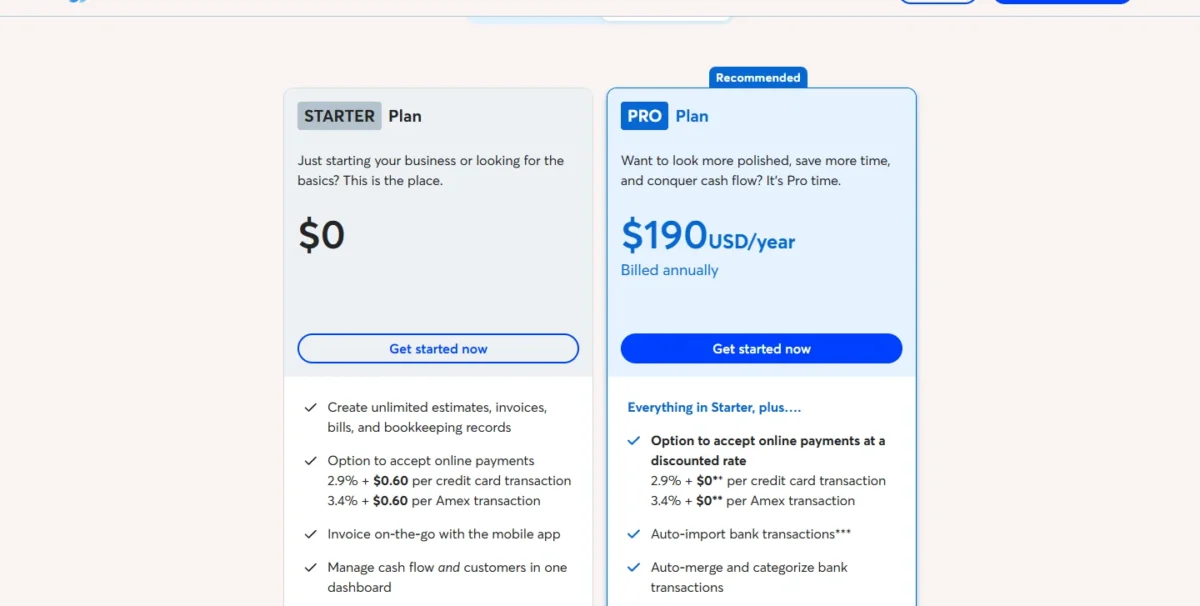
| Plan | Price | Key limit |
|---|---|---|
| Starter | $0 | No auto-import of bank transactions |
| Pro, monthly | $19 per month | Billed monthly |
| Pro, annual | $190 per year | Billed annually |
Sources: Wave pricing, checked Nov 2026.
Wave names no QuickBooks importer outside the Advisors onboarding, which starts at $149 a month, so plan to enter customers and opening balances yourself. If Wave is still on your shortlist, read my Wave Accounting review before you sign up.
- Skip it if:
- you track inventory, which neither Wave plan lists; Zoho Books Professional includes inventory tracking.
5. Patriot Accounting: Best QuickBooks Alternative for Low-Cost Books With US Payroll
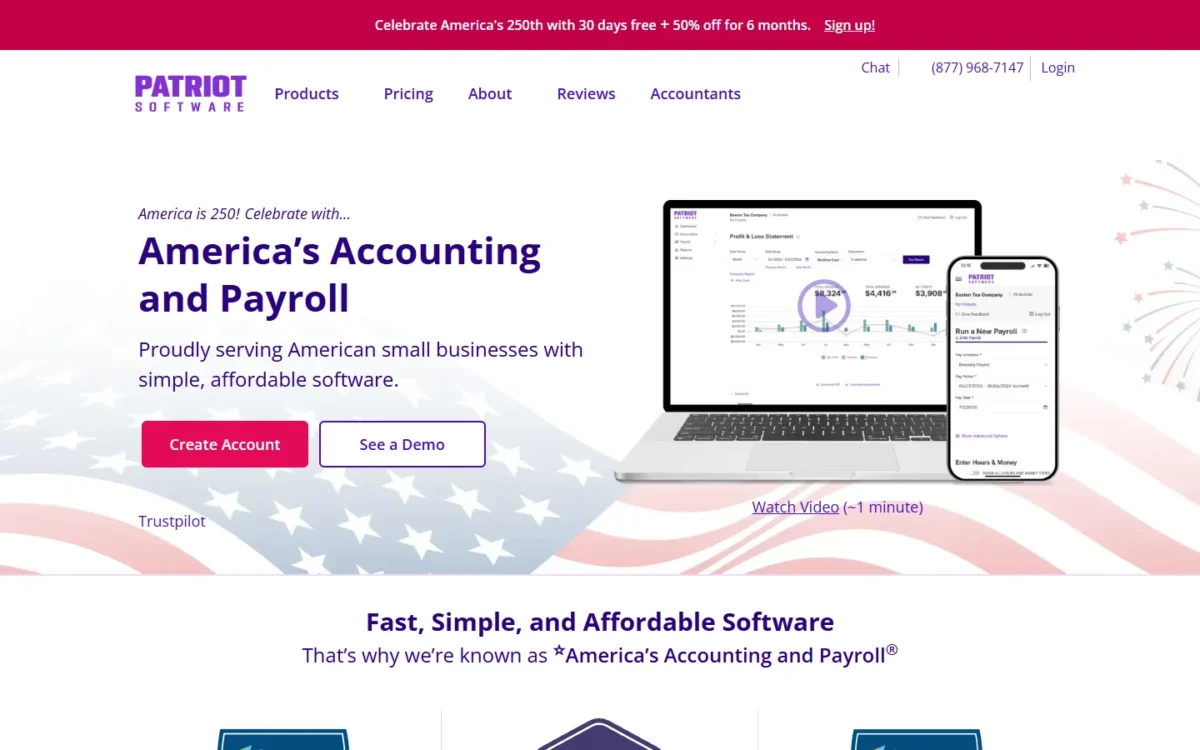
- Best for: US employers who want payroll that feeds the books
- Comparable plan: Accounting Premium, $30 per month
- Replaces: QuickBooks bookkeeping; no inventory listed
- Import from QuickBooks: chart of accounts, trial balance, customers, vendors
For a US employer on a tight budget, Patriot Accounting pairs unlimited users with payroll that imports into the accounting software. Premium adds the controls a shared ledger needs: estimates, user-based permissions, recurring invoices and payment reminders. Patriot lists no inventory or project tools, so it replaces QuickBooks’ bookkeeping, not Plus.
Payroll is the reason to pick it: Full Service Payroll files federal, state and local taxes, and each additional state costs $12 a month. A 5-person crew on Premium with Full Service Payroll pays $30 + $37 + $5 x 5 = $92 a month.
Where Patriot Accounting may be better
- Unlimited users, with permissions on Premium
- Payroll that imports into the books, priced per worker paid
Where QuickBooks Online may be better
- Inventory, budgets and project profitability on Plus
- A mobile app on paid plans, where Patriot runs in the mobile browser
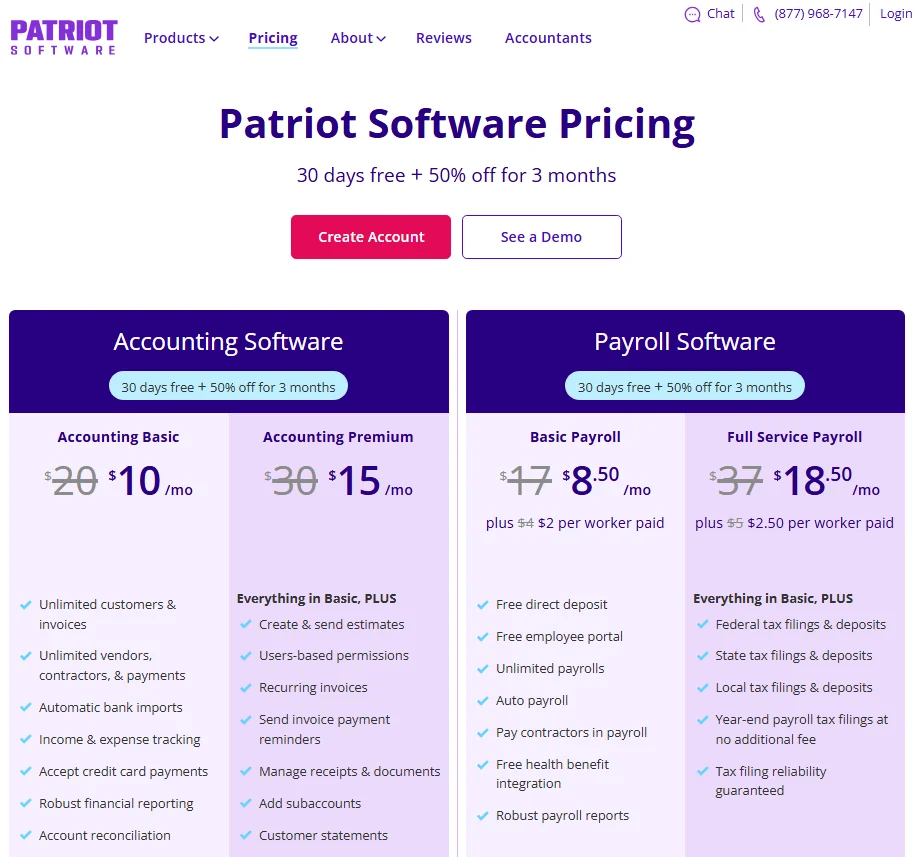
Both accounting plans bill monthly, with a 30-day free trial and then 50% off for 3 months. The screenshot shows promotional prices beside regular ones; the table lists regular monthly prices. Premium is the plan to compare once two people share the books.
| Plan | Price | What it adds |
|---|---|---|
| Accounting Basic | $20 per month | Bank imports, reconciliation, reports |
| Accounting Premium | $30 per month | Estimates, user permissions |
| Full Service Payroll | $37 per month + $5 per worker paid | Tax filings |
Sources: Patriot Software pricing, checked Nov 2026.
The import takes your chart of accounts, trial balance, customers, vendors and contractors, but not invoice history, so keep the QuickBooks export. My ranking of payroll software for small business compares payroll-first options.
- Skip it if:
- you track inventory or projects; Odoo Standard includes its Inventory app.
6. Odoo: Best QuickBooks Alternative for Inventory and Operations in One System
- Best for: sellers who want books, inventory and sales in one system
- Comparable plan: Standard, priced per user
- Replaces: QuickBooks Online plus inventory, sales, CRM and POS
- Import from QuickBooks: part of Odoo’s implementation services
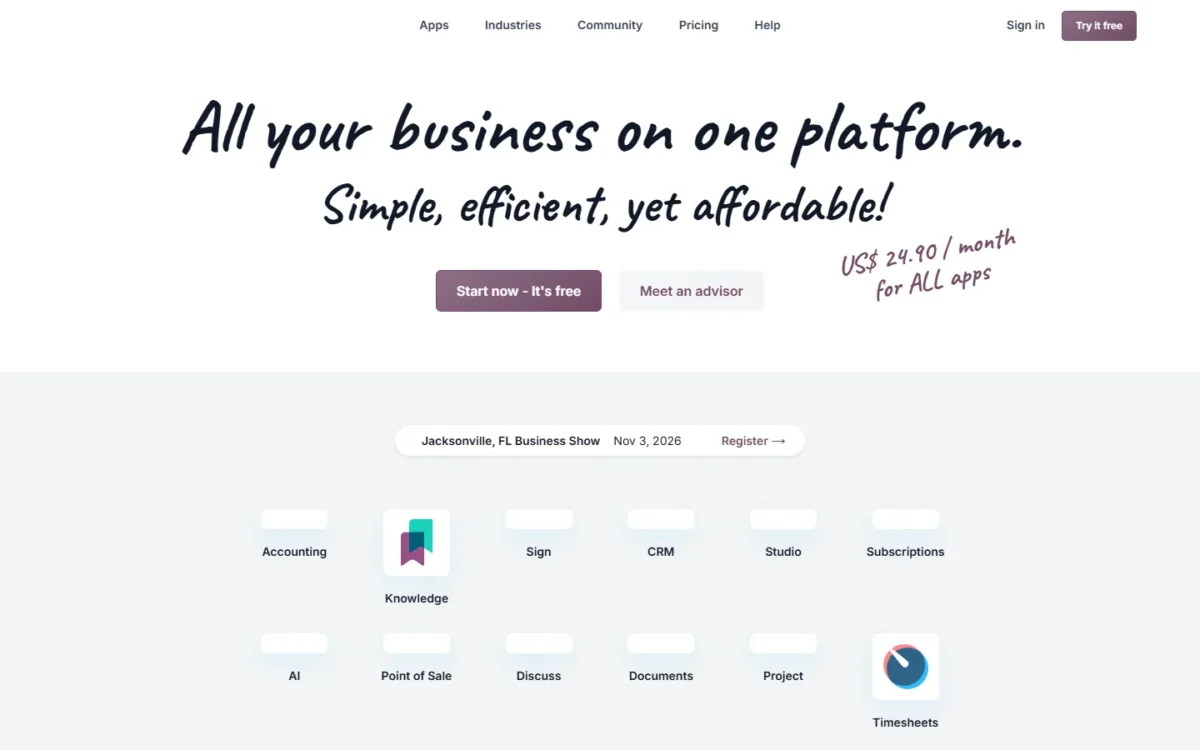
Choose Odoo when the books are one part of a bigger operations problem. Standard includes every app for one per-user price, so accounting, inventory, sales, CRM and point of sale share one system. That per-user price cuts the other way too: the bill grows with each login, and Odoo counts a third-party accountant who works in it as a paying user.
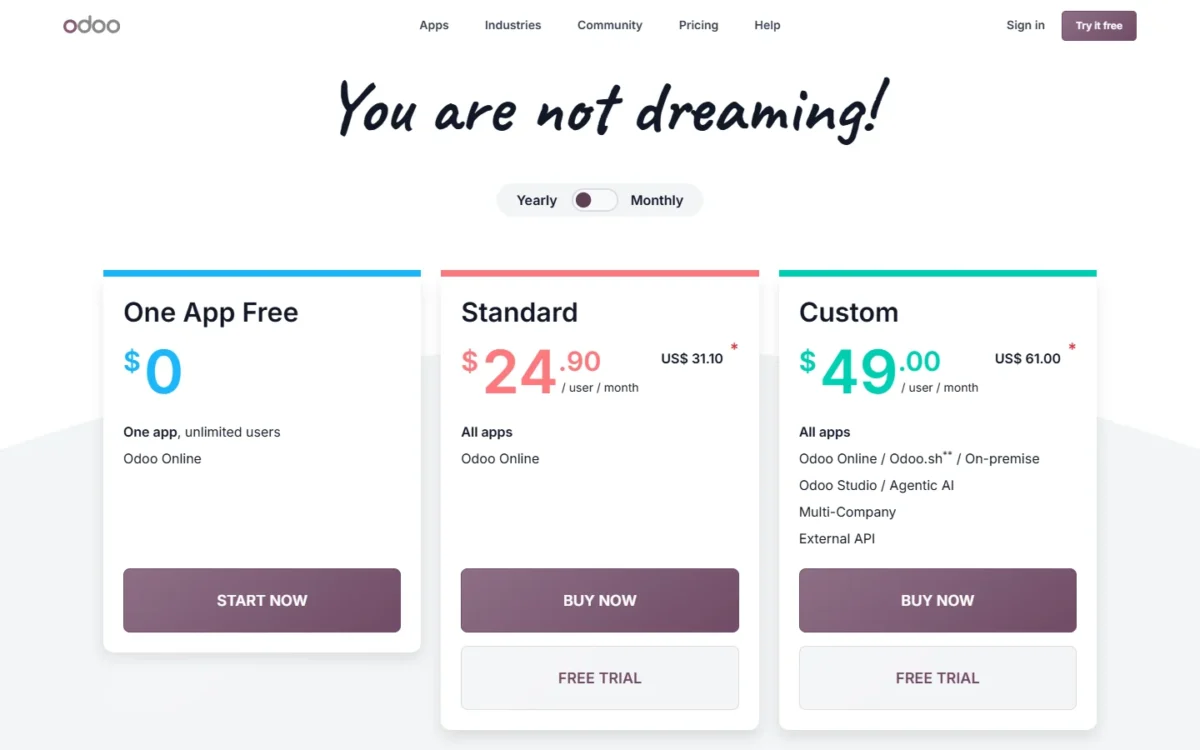
One App Free costs $0 for unlimited users but covers one app and its dependencies, so adding Inventory to Accounting means Standard. Odoo prices by country; these are its US prices.
Where Odoo may be better
- Inventory, Sales, CRM and POS inside the Standard price
- One free app for unlimited users
Where QuickBooks Online may be better
- Flat pricing: Plus covers 5 users
- Access for 2 accountants with no user fee
The US discount lasts 12 months for the users you first order. Five Standard users on monthly billing cost $31.10 x 5 = $155.50 a month during it, and $38.90 x 5 = $194.50 at the regular price. Both sit above QuickBooks Plus for five users, so Odoo saves money only when its apps replace other subscriptions.
| Plan | Monthly billing, first 12 months | Regular monthly | Includes |
|---|---|---|---|
| One App Free | $0 | $0 | One app, unlimited users |
| Standard | $31.10 per user | $38.90 per user | All apps |
Sources: Odoo pricing (Internet Archive US copy of Nov 3, 2026), checked Nov 2026.
Odoo names no QuickBooks importer; data import belongs to its implementation services (Success Packs for small companies), so price that service before counting savings.
- Skip it if:
- you run a one- or two-person, bookkeeping-only business; Zoho Books Standard includes 3 users for $20 a month.
7. Kashoo: Best QuickBooks Alternative for One Flat Price With Unlimited Users
- Best for: teams where many people need a login
- Comparable plan: the one plan, $30.00 per month
- Replaces: core books, with projects, items and multi-currency
- Import from QuickBooks: no importer named
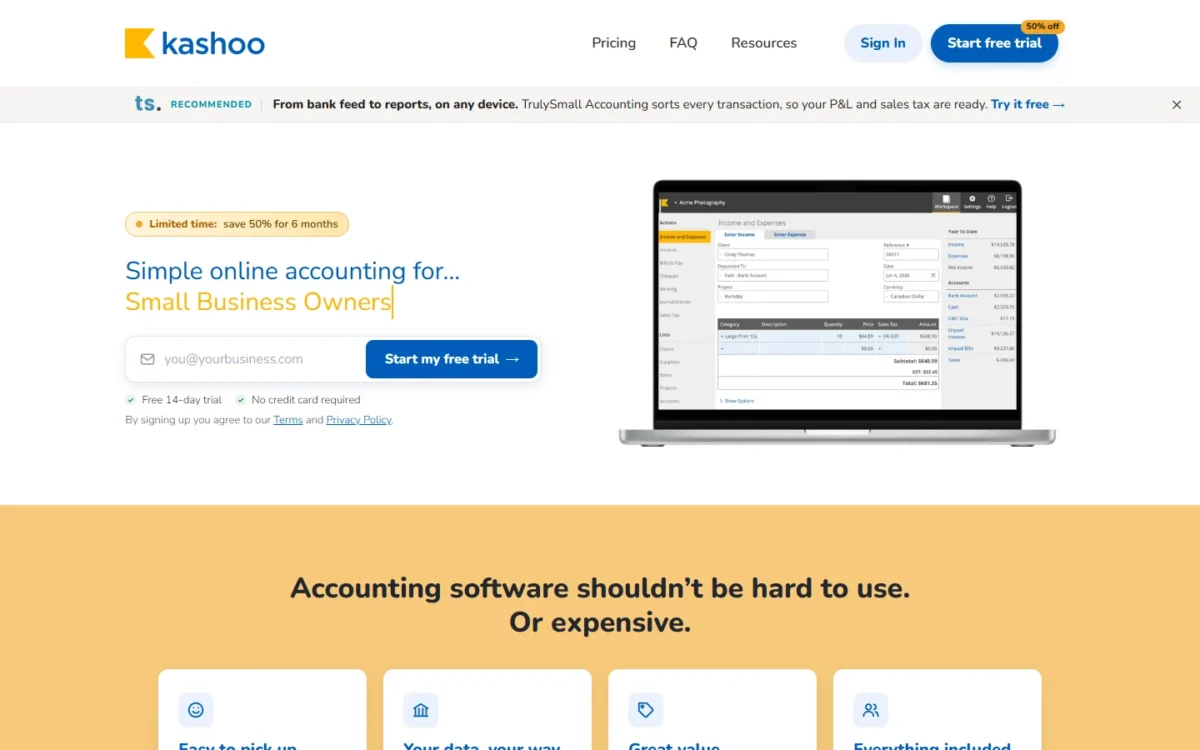
Kashoo suits a business that pays for QuickBooks Essentials mainly so more people can log in. Its single plan includes unlimited users, unlimited invoices, bank feeds, projects, inventory items and multi-currency for one monthly price. What you give up is room to grow: with one plan, there is no higher tier with budgets or classes to grow into.
Each additional business needs its own subscription, so an owner of three companies pays $30 x 3 = $90 a month. Payroll comes through a PaymentEvolution integration.
Where Kashoo may be better
- Unlimited users on one plan
- Multi-currency and projects without an upgrade
Where QuickBooks Online may be better
- Classes and locations, 40 on Plus
- Custom KPIs and dashboards on Advanced
The price stays the same whether two or twelve people log in, and the page currently shows 50% off the first 6 months.

| Plan | Price | Trial |
|---|---|---|
| Kashoo (one plan) | $30.00 per month | 14 days, no credit card |
Sources: Kashoo pricing, checked Nov 2026.
During the trial, ask Kashoo’s customer success team how your chart of accounts and open invoices come across.
- Skip it if:
- you need inventory with purchase orders; Zoho Books Professional includes both.
8. AccountEdge: Best Desktop QuickBooks Alternative
- Best for: owners who want the company file on their own computer
- Comparable plan: Pro, $20 per month, single user
- Replaces: the QuickBooks ledger, as desktop software
- Import from QuickBooks: no importer named
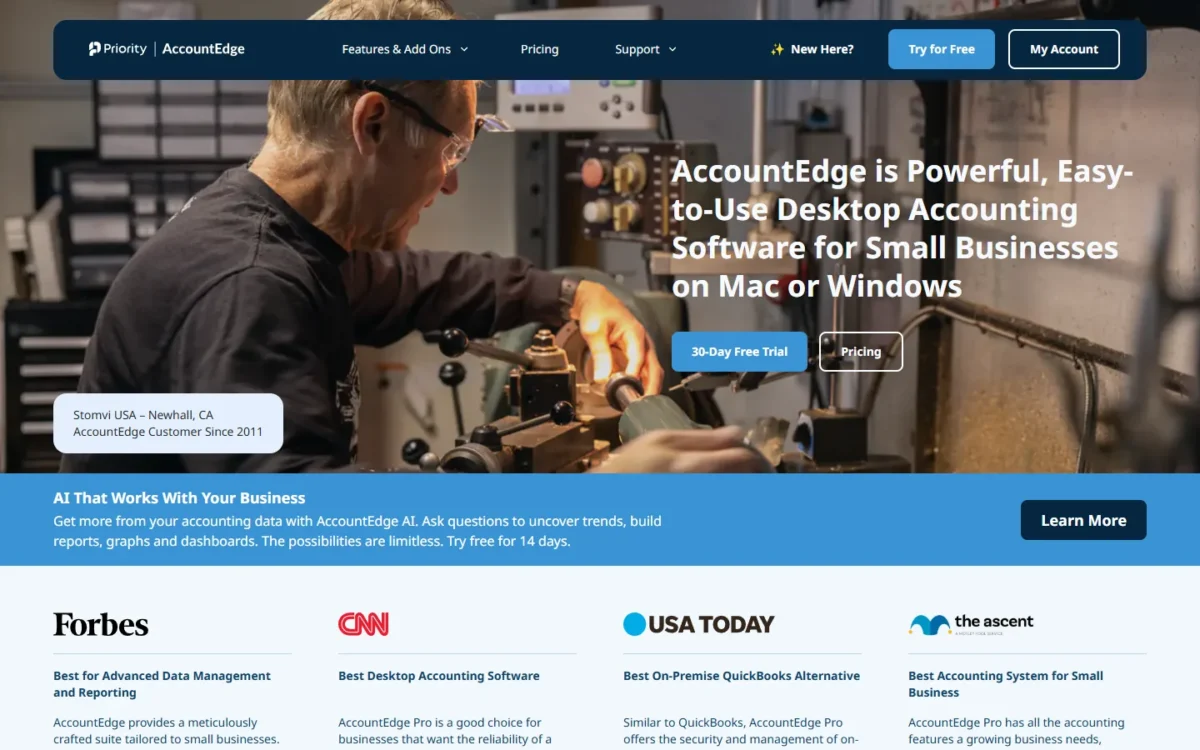
Owners who want accounting on the desktop, not in the browser, have one clear pick here. AccountEdge Pro is Mac or Windows desktop software sold as a subscription, and every plan includes ten company files with inventory and time billing. Reach is where it falls short: Pro is single-user, and bank feeds are an add-on.
Desktop does not mean offline forever: the software must connect at least once every 30 days or it turns read-only after a 7-day grace period. How you weigh cloud and desktop accounting software decides whether this pick belongs on your list.
Where AccountEdge may be better
- A local company file, with ten included
- Read-only access to your books after you cancel
Where QuickBooks Online may be better
- Cloud access in the plan price, where AccountEdge’s browser access is Hosted at $50 per month per user
- Essentials and Plus include 3 and 5 users
Pro with bank feeds comes to $20 + $5 = $25 a month. Telephone support is a $10 monthly add-on, and each workstation license is another $10 a month.
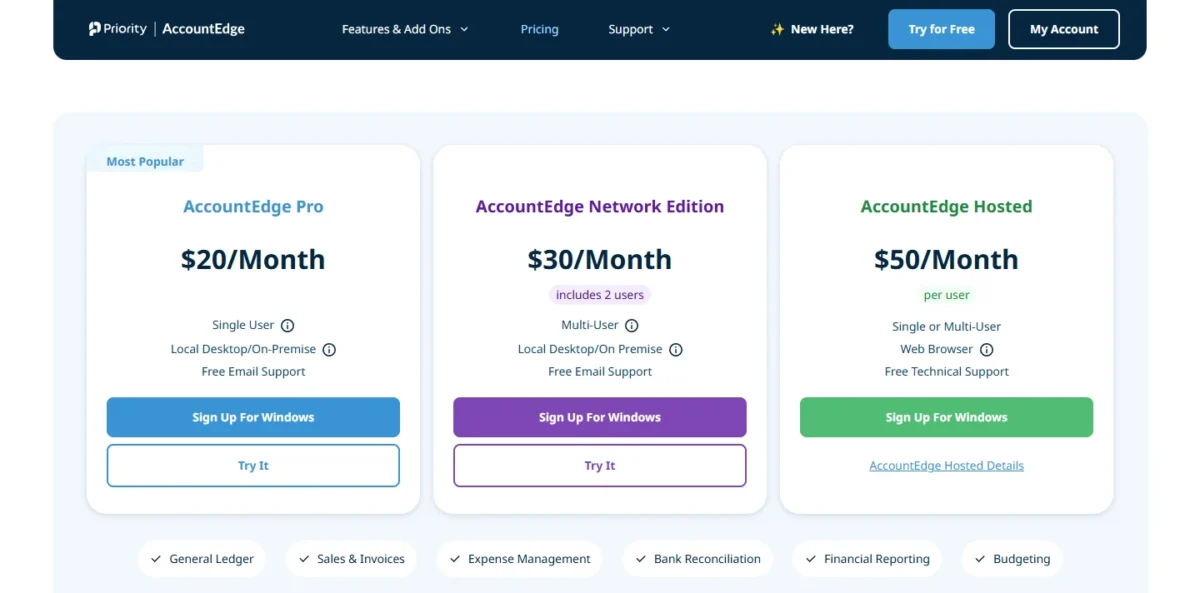
| Plan | Price | Users | Runs on |
|---|---|---|---|
| Pro | $20 per month | Single user | Local desktop |
| Network Edition | $30 per month | Includes 2 users | Local desktop |
| Hosted | $50 per month per user | Single or multi-user | Web browser |
Sources: AccountEdge pricing, checked Nov 2026.
AccountEdge names no QuickBooks Online importer, so set up the chart of accounts and opening balances from your QuickBooks Trial Balance export.
- Skip it if:
- your staff work from different places: Pro and Network Edition are desktop software and Hosted is priced per user, so a remote team should price Kashoo or Zoho Books first.
9. Akaunting: Best QuickBooks Alternative for Low-Cost Cloud Books With a Self-Hosted Option
- Best for: small teams who want low-cost cloud books, with self-hosting later
- Comparable plan: Premium Cloud, 10 users
- Replaces: the QuickBooks ledger from Premium Cloud up
- Import from QuickBooks: Import From File on every plan
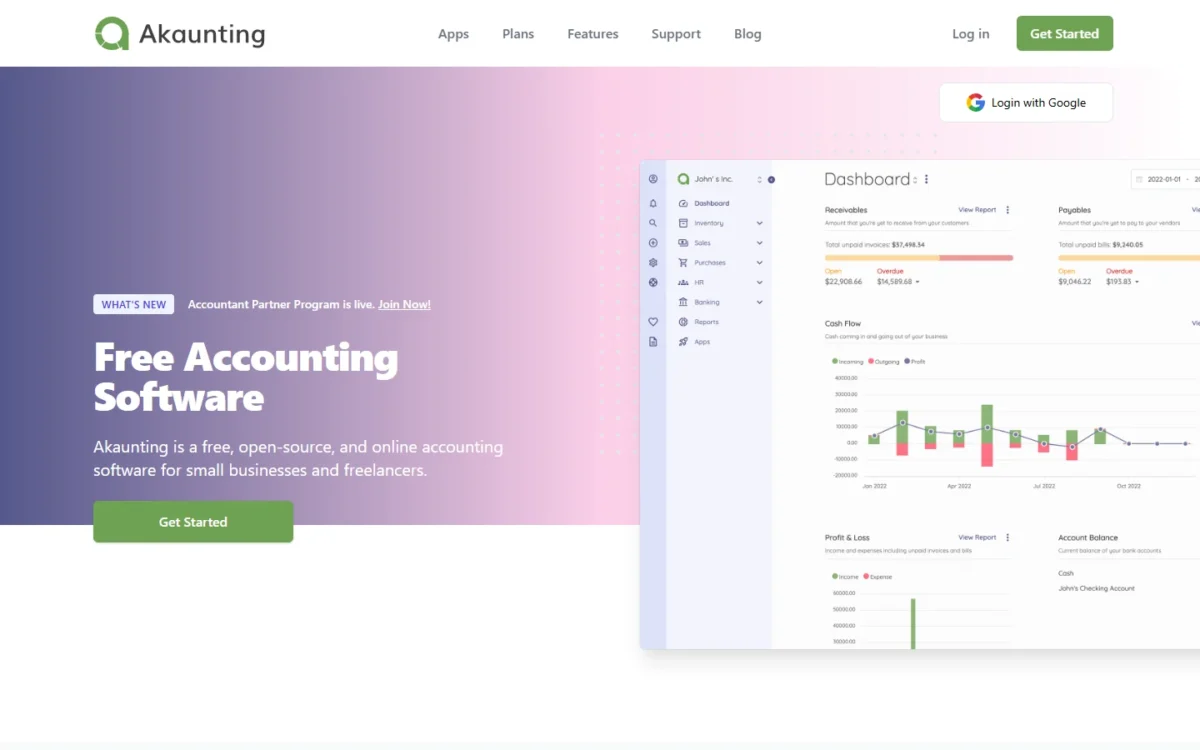
Akaunting makes most sense for a team of up to 10 that wants cloud books now and a way to self-host later: Premium Cloud includes 10 users for $36 a month, or $24 a month billed yearly. Compare that plan, not the entry one. Standard Cloud lacks double-entry, the general ledger and bank feeds; Premium Cloud adds them with 10 users, and self-hosting uses separate On-Premise plans.
US buyers should read the upper tiers: payroll and inventory start on Elite Cloud, and Form 1099 regulations sit on Ultimate Cloud.
Where Akaunting may be better
- 10 users on Premium Cloud
- A self-hosted route through On-Premise plans
Where QuickBooks Online may be better
- Phone support with paid subscriptions
- Free 1099 e-filing with Bill Pay Elite on Advanced
Yearly billing gives 4 months free.
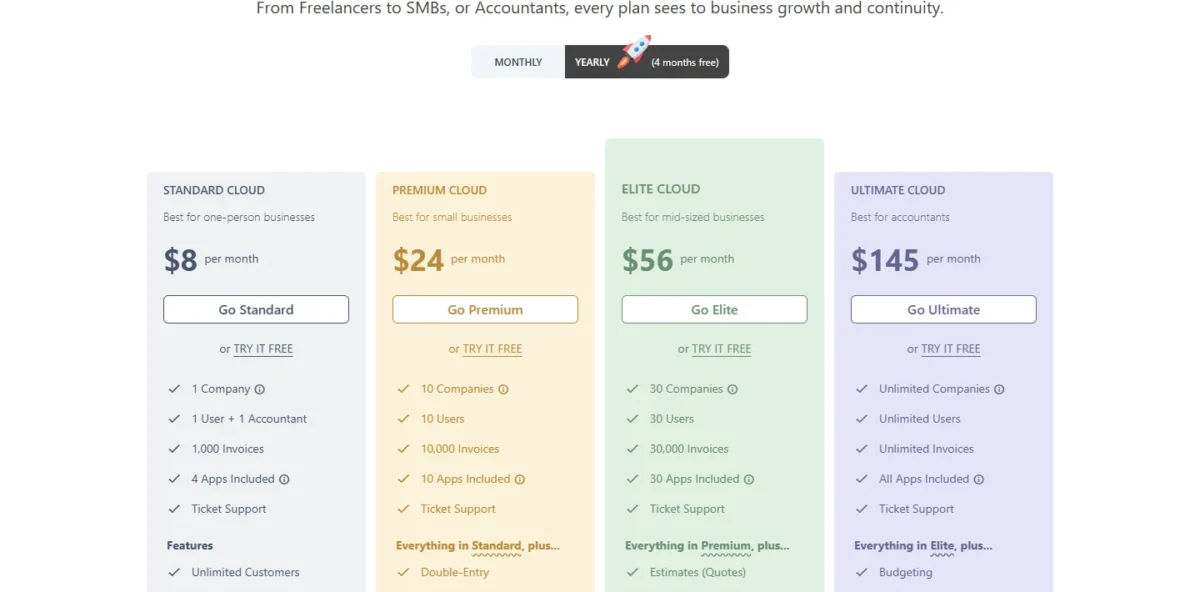
| Plan | Monthly | Yearly, per month | Users | Key addition |
|---|---|---|---|---|
| Standard Cloud | $12 | $8 | 1 user + 1 accountant | No double-entry |
| Premium Cloud | $36 | $24 | 10 | Double-entry, bank feeds |
| Elite Cloud | $84 | $56 | 30 | Payroll, inventory |
Sources: Akaunting plans, checked Nov 2026.
Import From File is on every plan, so your QuickBooks Accounts List and contact exports can feed it; test the format on the free trial first.
- Skip it if:
- you need US payroll without a top-tier plan; Patriot Accounting adds payroll from $17 a month + $4 per worker paid.
10. NetSuite: Best QuickBooks Alternative for Multi-Entity Companies
- Best for: companies with subsidiaries or a finance team past Advanced
- Comparable plan: annual license + one-time implementation fee
- Replaces: QuickBooks Online Advanced and the tools around it
- Import from QuickBooks: no QuickBooks importer named; setup is a paid implementation project
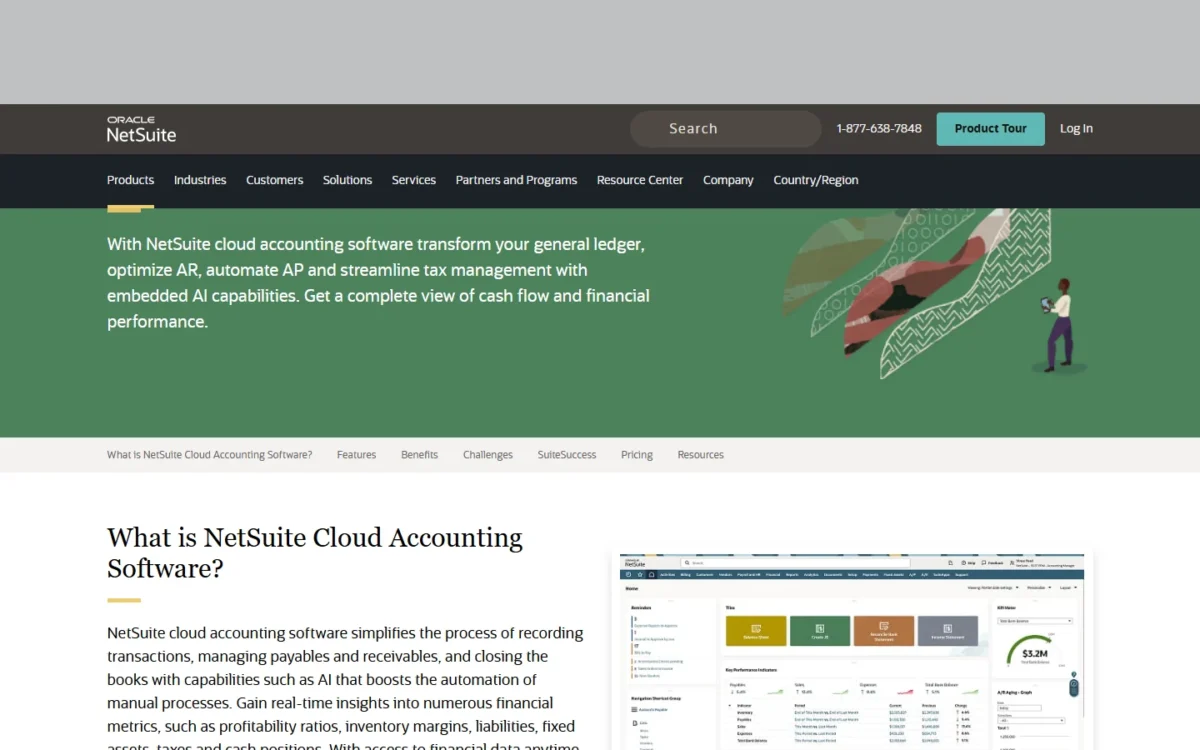
Companies that outgrow QuickBooks Online Advanced because of structure, not price, are NetSuite’s buyers. Its accounting handles local taxes across subsidiaries, intercompany transactions and close management, inside a suite with inventory, order management and HR. The trade-off is cost visibility: NetSuite explains how its license is built, not what it costs.
Grant management tracks awards, allocations and deadlines, which makes NetSuite a candidate for a nonprofit leaving QuickBooks.
Where NetSuite may be better
- Subsidiary taxes and intercompany transactions
- Close and grant management in core accounting
Where QuickBooks Online may be better
- Published prices: Advanced is $340 a month for 25 users
- A 30-day free trial and cancellation at any time
NetSuite sells an annual license built from the core platform, optional modules and the number of users, plus a one-time implementation fee.
| Cost part | How NetSuite prices it |
|---|---|
| Platform, modules, users | Annual license fee |
| Implementation | One-time fee for initial setup |
Sources: NetSuite cloud accounting, checked Nov 2026.
The one-time implementation fee covers initial setup, so ask how your QuickBooks history comes across before you sign.
- Skip it if:
- you run one entity and fewer than 25 people use the books; QuickBooks Online Advanced covers that at a published price.
11. Sage Intacct: Best QuickBooks Alternative for Finance Teams Past $4 Million in Revenue
- Best for: growing or mid-sized companies with a finance team
- Comparable plan: customized quote from sales, annual subscription
- Replaces: QuickBooks Online Advanced for multi-entity finance
- Import from QuickBooks: no QuickBooks importer named; Sage recommends its expert team for implementation
Between QuickBooks Online Advanced and a full ERP sits Sage Intacct, a finance-first system for businesses with over $4 million in annual revenue or more than 20 employees. It automates intercompany eliminations and consolidations across entities. Expect commitment in return: pricing is quoted, the plan is annual, and implementation typically takes 3-6 months.
Where Sage Intacct may be better
- Consolidations and intercompany eliminations
- AI agents for the close, journal review and payables
Where QuickBooks Online may be better
- Published monthly prices and a 30-day free trial
- Cancellation at any time, against an annual subscription
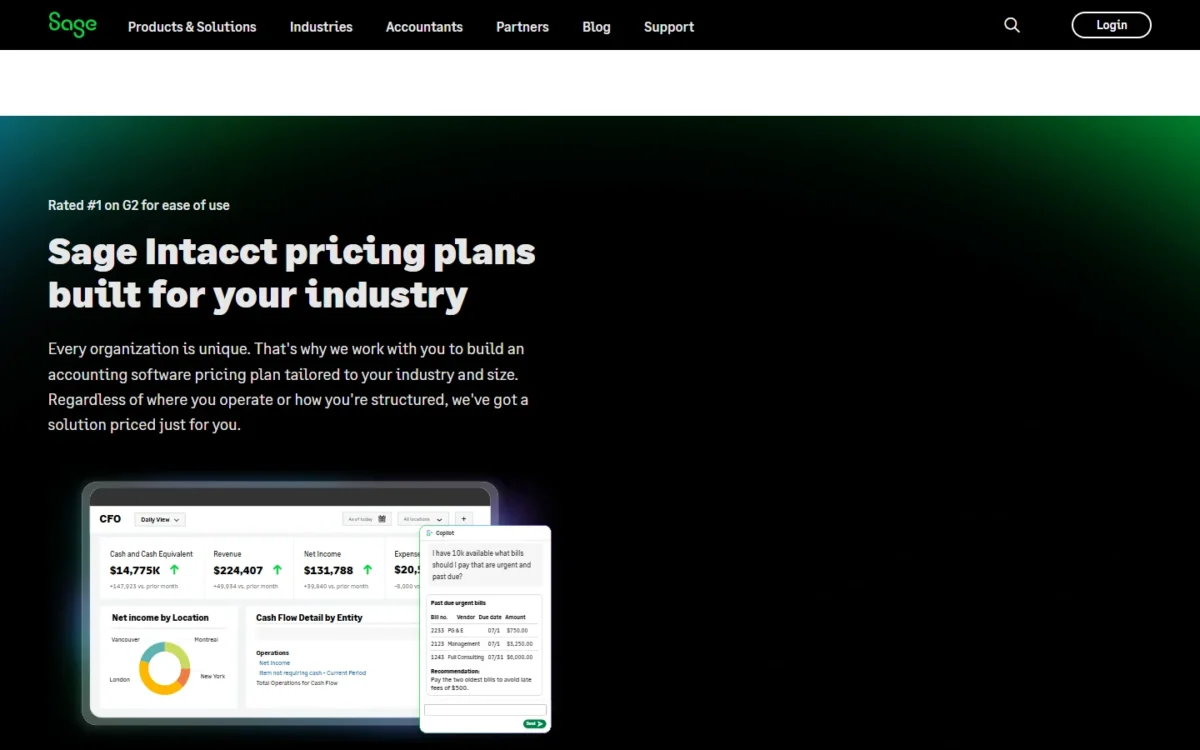
Sage tailors Intacct pricing to each organization and quotes it through sales, on an annual subscription.
| Cost part | Terms |
|---|---|
| Subscription | Annual; customized quote from sales |
| Implementation | Typically 3-6 months |
Sources: Sage Intacct, checked Nov 2026.
Sage recommends its own expert team for implementation, so put your QuickBooks history on the agenda of the first sales call.
- Skip it if:
- you run one entity under $4 million in revenue; QuickBooks Online Advanced or Xero Established keeps a published monthly price.
When Should You Stick With QuickBooks Online?
Stay with QuickBooks Online when your accountant already works in it, when you run Advanced with up to 25 users, or when your history is longer than the free conversions move.
Every paid plan includes access for 2 accountants, and Advanced for 3. If your bookkeeper lives in QuickBooks, a switch moves your books away from their daily tool.
Advanced covers 25 users with no fees per user, app, ACH transfer or Form 1099. Seats alone are a weak reason to stay, since Kashoo and Patriot Accounting Premium include unlimited users for $30 a month. Stay for what Advanced adds around the seats: customized user permissions, custom KPIs and dashboards, and access for 3 accountants.
History is the third reason: Jet Convert stops at the current and prior fiscal year. Plus and Advanced users also give up Intuit Intelligence agents that reconcile books and find anomalies.
Consider switching if
- You pay for Essentials or Plus mainly to add logins
- You need inventory without buying Plus
- You need a desktop file or multi-entity accounting
Consider staying with QuickBooks Online if
- Your accountant works in QuickBooks through the included accountant access
- You run Advanced with up to 25 users and use its custom permissions and KPIs
- You have more than two fiscal years of history to keep in one ledger
How to Choose the Right QuickBooks Alternative
Choose by priority first, then find your user count in the second table.
| Your priority | Alternative to consider | Reason | Trade-off |
|---|---|---|---|
| Low cost for 3 to 5 users | Zoho Books | Seats included in Standard and Professional | Manual, report-by-report import |
| A managed migration | Xero | Jet Convert moves two fiscal years free | Early caps invoices and bills |
| Client billing | FreshBooks | Plans sized by billable clients | Team members cost extra |
| Free books for one person | Wave | Unlimited invoices on Starter | Bank auto-import needs Pro |
| US payroll on a budget | Patriot Accounting | Payroll priced per worker paid | No inventory |
| Inventory with operations | Odoo | Standard includes every app | Every user is billed |
| Many logins, one price | Kashoo | Unlimited users on one plan | No higher tier |
| A desktop file | AccountEdge | Local desktop software | Pro is single-user |
| Self-hosting later | Akaunting | Separate On-Premise plans | Double-entry starts on Premium Cloud |
| Multi-entity finance | NetSuite or Sage Intacct | Subsidiaries and consolidation | Quoted prices and implementation |
| Your accountant works in QuickBooks | QuickBooks Online | Accountant access on paid plans | Logins priced by plan tier |
Sources: Zoho Books, Xero conversion, FreshBooks, Wave, Patriot, Odoo, Kashoo, AccountEdge, Akaunting, QuickBooks, checked Nov 2026.
| Software | Plan priced | 1 user, per month | 5 users, per month | Assumption |
|---|---|---|---|---|
| QuickBooks Online | Simple Start; Plus | $38 | $140 | Essentials covers 3 users |
| Xero | Growing | $59 | $59 | No per-user license fees |
| Zoho Books | Standard | $20 | $20 + $3 x 2 = $26 | $3 per extra user; Professional, with inventory, is $50 |
| FreshBooks | Plus | $43 | $43 + $11 x 4 = $87 | Owner plus 4 Team Members |
| Wave | Pro | $19 | No user count published | Priced per business |
| Patriot Accounting | Accounting Premium | $30 | $30 | Unlimited users |
| Odoo | Standard | $38.90 | $38.90 x 5 = $194.50 | Regular price after 12 months |
| Kashoo | One plan | $30.00 | $30.00 | Unlimited users |
| AccountEdge | Pro; Hosted | $20 | $50 x 5 = $250 | Hosted is priced per user |
| Akaunting | Premium Cloud | $36 | $36 | Includes 10 users |
Sources: QuickBooks (archive copy, Nov 3, 2026), Xero, Zoho Books, FreshBooks, Wave, Patriot, Odoo (US archive copy, Nov 3, 2026), Kashoo, AccountEdge, Akaunting, checked Nov 2026. NetSuite and Sage Intacct quote prices, so they are left out.
Each 5-user figure assumes the plan in its row; Wave publishes no user count for Pro. At five users, Odoo and AccountEdge Hosted multiply by headcount while the flat plans hold. If leaving QuickBooks is only part of the question, my ranking of the best accounting software for small business sorts the wider field by business type.
Migrating From QuickBooks Online: What to Consider
Move in this order, from clean-up to cancellation; each vendor’s migration page decides step 2.
- Reconcile bank and card accounts and review receivables, payables and sales tax in QuickBooks, then export the Accounts List, contact lists, Trial Balance and A/R and A/P reports to PDF or Excel.
- Check the target’s import: Jet Convert or CSV on Xero, module imports on Zoho Books, chart of accounts and trial balance on Patriot, Import From File on Akaunting, Easy Switch on FreshBooks Select. Ask the others before you sign.
- Reconnect bank feeds and apps, and confirm each bank connects before cutover.
- Rebuild custom fields, automations and report layouts unless the vendor documents a transfer.
- Enter last month’s transactions during the trial: 14 days on Zoho Books and Kashoo, 30 days on FreshBooks and Patriot, or Wave Starter at $0.
- Book the onboarding on offer, such as Xero’s 90 days with a product specialist.
- Cut over at a period end with opening balances from the Trial Balance, and keep the old QuickBooks data file for IRS compliance.
- Cancel QuickBooks only after the new books reconcile; plans can be cancelled at any time, so keep a final export as your rollback.
How I Evaluated the Alternatives
Every pick passed three must-haves, then the ranking criteria decided its order and its job.
| Step | Criterion | What I checked |
|---|---|---|
| Must-have | A ledger or bookkeeping records | The plan I compared keeps books, not only invoices |
| Must-have | A US price or a quote path | The vendor’s US pricing page or licensing model |
| Must-have | A QuickBooks Online job | Invoicing, bills, reconciliation, reports |
| First | The QuickBooks limit it solves | User caps, inventory, entry plans, client billing, desktop, scale |
| Second | Comparable plan at your team size | Monthly billing for one and five users, offers excluded |
| Third | Migration path | Named importers, CSV imports, conversion services |
| Fourth | Entry-tier gates | Invoice, bill, client and ledger limits |
| Fifth | Deployment and scale | Cloud, desktop or self-hosted; entity ceilings |
The vendors’ US pricing, help and migration pages were read on November 4, 2026, except the QuickBooks Online and Odoo pricing pages, which come from Internet Archive copies, and the FreshBooks pricing page, which was read live next to an Internet Archive copy. Those Internet Archive copies of the QuickBooks Online, Odoo and FreshBooks US pricing pages are dated November 3, 2026. Prices, user counts and import paths are verified facts from those pages, while plan matches and skip advice are my inference from them.
Also Considered
Each of these eight failed a must-have or fits a narrower job:
- Zoho Invoice: free for up to 500 invoices a year, with invoicing as its core; my list of invoicing software covers that narrower job.
- ZipBooks: its free Starter plan sends unlimited invoices but connects 1 bank account.
- GnuCash: free, GPL-licensed desktop software, offered as a download rather than a hosted service.
- Pilot: a bookkeeping service, with Essentials at $99/month, rather than software you run.
- Accounting Seed: accounting built natively on Salesforce, with pricing by request.
- Certinia: financial management for Salesforce, sold through a demo request.
- Dynamics 365 Business Central: Essentials costs $80.00 per user per month, paid yearly, an ERP step above Advanced.
- Sage 50: an on-prem desktop product for smaller businesses; AccountEdge covers the desktop job with a published price.
FAQ
Is QuickBooks Free a reason not to switch?
Only for a solo owner who needs neither the mobile app nor third-party integrations, since neither is currently available on QuickBooks Free. Wave Starter includes mobile invoicing, and Zoho Books Free adds an accountant seat.
How many years of QuickBooks history can I move for free?
Two fiscal years with Xero’s Jet Convert; older data may cost extra. Zoho Books recommends importing the current financial year with opening balances, though its guide also describes a full-history import.
Which QuickBooks alternative includes payroll?
These picks print a payroll price:
- Patriot Basic Payroll: $17 a month + $4 per worker paid
- FreshBooks Payroll: $40 a month + $6 per user
- Xero Payroll, powered by Gusto: $36 a month + $6 per employee or contractor
- Wave’s add-on: from $25 a month
- Akaunting: payroll included from Elite Cloud, $84 a month
AccountEdge sells payroll as an optional service. For a crew of more than a few people, the per-person fees decide the order, so multiply them by your headcount first.
Final Verdict
Pick by the limit that sends you away from QuickBooks Online. If users drive the bill, trial Zoho Books; if the move worries you most, start with Xero and let Jet Convert take two fiscal years. Freelancers should price FreshBooks Plus with their team members, and a solo owner should open Wave Starter before paying anyone.
Employers on a budget fit Patriot Accounting and sellers who want operations in one system fit Odoo; NetSuite and Sage Intacct belong on the list only at multi-entity scale.
Stay with QuickBooks Online if your accountant works in it, you run Advanced with up to 25 users, or your history runs past two fiscal years. The real work of switching is rebuilding bank connections, apps and reports, so enter last month’s transactions during a trial before you cancel.