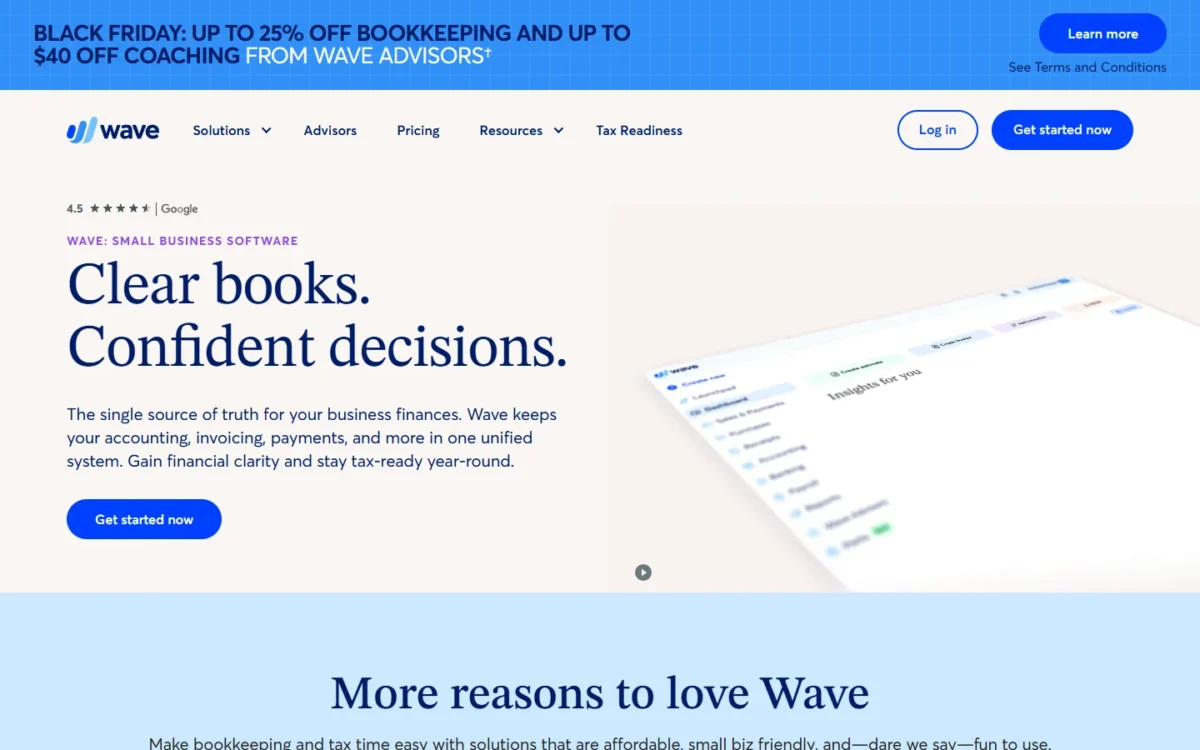
Wave’s $0 Starter plan suits a US freelancer or very small business that invoices clients and can enter transactions by hand. Bank feeds and accountant logins need Pro, which costs $19 USD a month, billed monthly. Billed annually, Pro costs $190 USD a year. This Wave Accounting review adds up card fees, receipts, payroll and bookkeeping help, totals the bill at three business sizes, and names the readers who should pick QuickBooks Online, FreshBooks or Zoho Invoice instead.
Quick verdict
Wave Accounting is worth starting on for a solo owner or small US business that bills clients and wants clean books for little money.
- Worth it for: freelancers who need unlimited invoices and records at $0, and owners who want bank feeds for $190 a year.
- Skip it if: you need help outside weekday business hours, cannot absorb a held payment, or run several businesses that would each pay for Pro.
- Main strength: Starter keeps unlimited estimates, invoices, bills and bookkeeping records at $0.
- Biggest limit: Starter has no automatic bank import and no admin, editor or viewer roles for an accountant.
- Price basis: Pro is charged per business, not per owner, on monthly or annual billing. US payroll has a $40 USD monthly base fee, and each active employee or contractor paid adds $6 a month.
In This Article (12 sections)
Wave Accounting at a Glance
- Category: double-entry accounting, invoicing and payments software, web-based with iOS and Android apps
- Best for: US freelancers and small businesses that invoice clients
- Entry plan: Starter at $0
- Pro, billed monthly: $19 USD a month
- Pro, billed annually: $190 USD a year
- Card fees: 2.9% + $0.60 per Visa, Mastercard or Discover payment, 3.4% + $0.60 per Amex payment
- Payroll (US): $40 base fee + $6 per active employee + $6 per contractor paid, per month
- Main limitation: bank auto-import and accountant user roles need Pro
The free core is real, and the paid gates are few and easy to name, so the next question is which of them help your business and which hurt it.
Wave Accounting Pros and Cons
Pros
- Unlimited estimates, invoices, bills and bookkeeping records at $0, enough for a freelancer who bills a handful of clients
- Bank feeds on Pro, at $190 USD a year billed annually, a low price for a solo owner who wants transactions imported and categorized
- US payroll pays and files state and federal payroll taxes in all 50 states, useful for an owner with a few W-2 staff
- Google Sheets syncs free on every plan, and Pro adds Etsy, Amazon and eBay syncs for US sellers
- Receipt scanning sells alone at $8 a month, so a Starter user can digitize expenses without Pro
Cons
- Starter has no bank auto-import, so anyone with dozens of transactions a month types them in by hand
- Admin, editor and viewer roles need Pro, which hits owners who work with an outside bookkeeper or CPA
- Online payments need identity verification and a credit review, and Wave may hold funds after a risk review
- Live chat and email support comes with Pro or an add-on and runs Monday to Friday, from 9 AM to 4:45 PM Eastern
- Pro is charged per business, so an owner with three companies pays for it three times
The biggest limit of Wave Accounting is that Starter has neither bank auto-import nor accountant roles. The other main drawback is the risk of a held payment, and the rest are plan gates you can price before signing up.
Wave Accounting Features
Six features decide the purchase. Invoicing and bookkeeping records work on Starter, and online payments work on either plan once Wave approves you. Bank feeds, admin, editor and viewer roles and the Pro app integrations are included in Pro. Receipt scanning comes with Pro or as its own add-on, late reminders come with Pro or with online payments, and payroll is a separate add-on.
Invoicing, estimates and reminders
Starter can run a freelancer’s billing on its own: it includes unlimited estimates and invoices, invoicing from the mobile app, and a dashboard for cash flow and customers. Deposits through estimates work once online payments are turned on.
Automatic late-payment reminders go out 3, 7 and 14 days after an invoice is due, with Pro or with online payments, and recurring billing with automatic payments follows the same rule. So invoicing alone is rarely the reason to pay.
Bookkeeping and bank connections
On Starter you enter every bank transaction by hand. Pro automatically imports, merges and categorizes bank and card transactions, with unlimited bank and credit card connections, through Plaid. Wave states that not every financial institution is supported, so a connection cannot be guaranteed.
Wave keeps real double-entry books, so your accountant gets a ledger rather than a spreadsheet; if the term is new, see how accounting software records transactions. Once you log more than a few dozen bank lines a month, bank feeds alone justify Pro.
Online payments and payouts
Customers pay by card, bank payment (ACH) or Apple Pay through a “Pay now” button on the invoice, but only after Wave approves your account for online payments. Payouts arrive in 1-2 business days for card payments and 1-7 business days for bank payments, and deposit times can vary with risk reviews.
Instant Payout sends money to a linked debit card in up to 30 minutes for 1% of the amount withdrawn ($1 minimum) on top of regular fees, with a $25 minimum withdrawal. Apply for payments the week you sign up, not the week rent is due.
Receipts capture
Receipt scanning is included in Pro or sold alone at $8 a month or $72 a year, with unlimited scans either way. You photograph a receipt in the app, upload files on the desktop (up to 10 at a time) or forward e-receipts by email, and OCR turns each into a bookkeeping record.
A receipts subscription also unlocks accounting transactions in the mobile app. For a Starter user who mainly needs expenses captured, it is the cheaper add-on, but it brings no bank feeds.
Payroll for US employees and contractors
Wave Payroll is a paid add-on that pays employees and contractors by direct deposit and, through its tax service, pays and files state and federal payroll taxes with your state agency and the IRS, excluding 1099 filings. It generates W-2, W-3 and 1099-NEC forms. Wave Payroll has a 30-day free trial that starts when you process your first payroll.
Wave’s own payroll page names the limit: it suits standard pay structures, not highly customized compensation plans. Salaried staff plus a few contractors fit; a business with commission plans should price a dedicated payroll service such as Gusto first.
Users, accountant access and integrations
Starter lets you add only two free roles: a payroll manager or a Block Advisors tax pro. Admin, editor and viewer roles need Pro, and Wave does not publish how many users Pro allows. So an owner who wants a CPA or a business partner inside the books is buying Pro.
Google Sheets syncs with the ledger on every plan. Pro adds 13 more app integrations, including Amazon, Etsy, MinuteDock and GoHighLevel, plus Make.com workflows that reach Shopify, Stripe and 1,000+ other apps. Amazon, Etsy and eBay syncs are for US businesses only, and a public API covers the rest.
Wave Accounting Ease of Use
Wave needs no installation: its tools are web-based, with iOS and Android apps for invoices and payments, and Wave publishes step-by-step guides for switching to Wave from other accounting software or a spreadsheet.
The setup work is two approvals. Bank feeds need Pro and a bank that Plaid supports; online payments need answers about your business, identity verification and a credit review. On Starter you can send a few invoices and apply for online payments before paying anything. Connecting a bank needs a Pro subscription, so test your bank on one month of monthly Pro before you pay for a year.
Wave Accounting Pricing
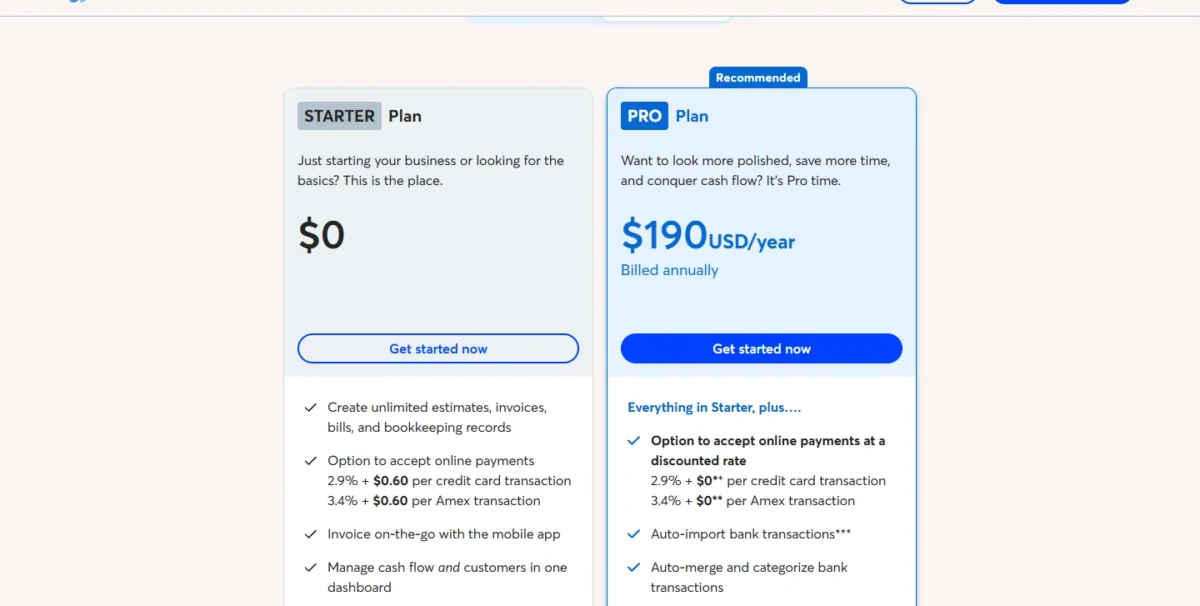
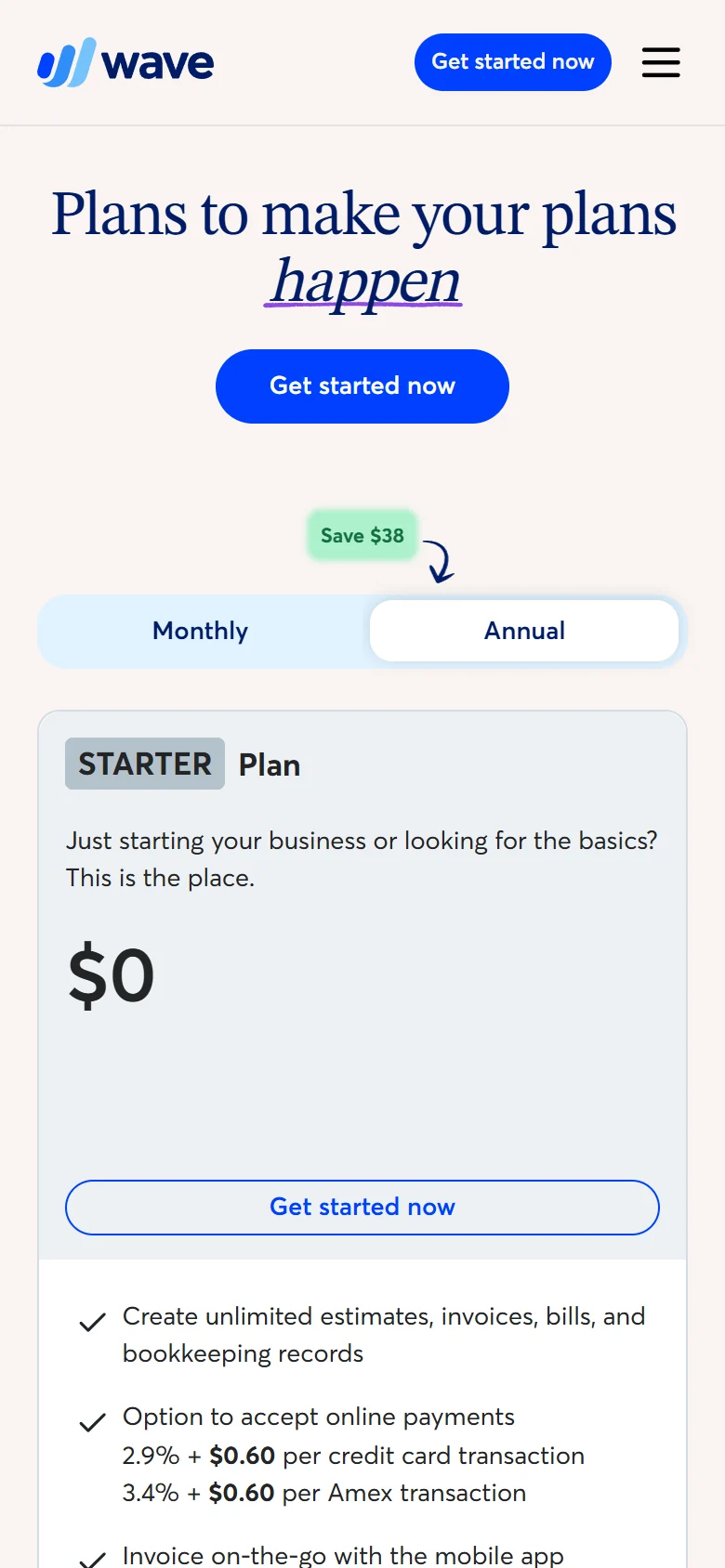
Wave Starter costs $0. On monthly billing, Wave Pro is $19 USD a month. On annual billing, Wave Pro is $190 USD a year, billed annually. The Pro fee is charged per business, not per owner, and Wave adds applicable taxes to it; payments, receipts, payroll and bookkeeping are priced separately.
Pro’s annual price is the better deal for anyone staying a year: $19 x 12 months = $228 on monthly billing, $38 more than the $190 annual price for the same plan.
| Plan or add-on | Price | Billing | Key limit |
|---|---|---|---|
| Starter | $0 | Free | Manual bank entry; no admin, editor or viewer roles |
| Pro | $19 a month or $190 a year | Monthly or annual, per business | Card fee discount covers the first 10 transactions a month |
| Receipts | $8 a month or $72 a year | Monthly or annual | Included in Pro |
| Payroll (US) | $40 base + $6 per active employee + $6 per contractor paid | Monthly | 30-day free trial, starting when you process your first payroll |
| Bookkeeping support | From $149 a month | Billed annually; monthly plans available | Priced by transaction volume; includes Pro, not receipts |
| Accounting coaching | Starting at $229 USD one time fee | One time | Does not include Pro or receipts |
Sources: Wave pricing page, payroll, receipts and Wave Advisors pages, US prices in US dollars, checked Nov 2026.
Time-limited offer
Wave Advisors runs a Black Friday offer until November 30, with up to 25% off bookkeeping and up to $40 off coaching. During the offer, bookkeeping support starts at $134 USD and up per month, billed annually, instead of $149. Accounting coaching, which starts at $229, drops to a $199 USD one time fee. The largest savings Wave quotes assume a 2-year engagement for businesses with over 1,000 monthly transactions.
You can cancel Pro at any time, and the cancellation takes effect at the end of the billing period, so the annual plan’s risk is one prepaid year, not a contract.
Starter vs Pro: what the $19 buys
The upgrade trigger is bank feeds or an accountant login, not invoicing. Pro adds automatic bank import and categorization, unlimited receipt scans, admin, editor and viewer roles, the 13 Pro integrations, and a smaller card fee on the first 10 card payments a month. Pro also turns on automated late reminders, though online payments turn them on too, so a Starter user with payments already has them.
I would stay on Starter while one checking account and a short list of monthly transactions are all you reconcile. Move to Pro the month typing bank lines starts eating into billable time, or the month your accountant asks for a login, and take the annual plan once you know you will stay.
Processing fees and the Pro discount
Pro’s fee discount never covers its own price: Pro drops the $0.60 fixed fee only on the first 10 card payments in a monthly period, worth at most 10 x $0.60 = $6 a month against the $19 fee. After those 10, Pro users pay Starter rates, and bank payments cost 1% ($1.00 minimum) on both plans.
Take an illustrative month of 10 card payments of 500 US dollars each. At a 2.9% rate, each payment’s percentage fee is 2.9% x 500 = 14.50 US dollars.
With a 0.60 fixed fee per payment, the month’s fees come to 10 x (14.50 + 0.60) = 151.00 US dollars. With no fixed fee, they come to 10 x 14.50 = 145.00 US dollars, a difference of 6.00.
Take one of those invoices, 500 US dollars, and pay it by bank transfer at a 1% rate: the fee is 1% x 500 = 5.00 US dollars.
Moving that one invoice from card to bank transfer saves (14.50 + 0.60) – 5.00 = 10.10 US dollars. That one move saves more than the 6.00 difference above across all ten card payments.
So buy Pro for bank feeds or user roles, not for the card discount, and steer large invoices toward bank payments.
Payroll, receipts and Wave Advisors add-ons
The payroll price in the table applies to customers who signed up after April 2, 2025, when Wave extended its tax service to all 50 states and set one price for every state. Receipts are included in Pro, so never buy both.
Bookkeeping support from Wave Advisors is priced by your monthly transaction volume and quoted after a call. It includes an assigned in-house bookkeeper based in North America, monthly review calls and an upgrade to Pro, though not the receipts feature. For an owner with staff or outsourced books, payroll and bookkeeping, not Pro, drive the bill.
What Wave costs at three business sizes
A freelancer who only invoices pays $0, a solo owner with bank feeds pays for Pro alone, and a five-employee business pays $40 + $6 x 5 = $70 a month for payroll before Pro and processing fees.
| Business | Wave setup | Monthly cost | Yearly cost |
|---|---|---|---|
| Freelancer, invoicing only | Starter | $0 | $0 |
| Solo owner who wants bank feeds | Pro, billed annually | Billed yearly | $190 |
| 5 employees, Pro billed monthly | Pro + payroll | $19 + $40 + 5 x $6 = $89 | $89 x 12 = $1,068 |
| 5 employees, Pro billed annually | Pro + payroll | $40 + 5 x $6 = $70 for payroll | $190 + $70 x 12 = $1,030 |
Sources: Wave pricing page and payroll page, US prices, no contractors paid, card and bank processing fees excluded, checked Nov 2026.
An owner with three businesses on Pro annual pays 3 x $190 = $570 a year, because the fee is charged per business profile. Bookkeeping support changes the math. It starts at $149 USD and up per month, billed annually, so its first year starts at $149 x 12 = $1,788. Active bookkeeping support includes a Wave Pro subscription, so a separate Pro subscription would be wasted money.
The price list is predictable; the harder question is how safe your money is once customers pay through Wave.
Support, Security and Payment Holds
Wave states that bank data connections are read-only and use 256-bit encryption, and that it is a PCI-DSS Level 1 Service Provider. These are Wave’s own claims.
Plan for payment holds
Every payment is subject to a risk review, Wave runs periodic credit risk assessments on business owners, and in some cases Wave may hold funds and request more information. Keep a cash buffer for your first large payments.
Pro users can reach Wave’s support team by live chat or email on weekdays, 9 AM to 4:45 PM Eastern, and payroll customers get a priority live chat connection. On Starter, live chat and email support comes with any optional add-on, such as receipts, so a Starter user with no add-on should not count on live help. A Saturday problem waits until Monday. These are the documented limits a Starter or payments user meets: possible payment holds, weekday support hours and manual bank entry on Starter.
Who Should Use Wave Accounting?
Wave fits owners whose books are simple and whose cash flow can wait a few days: freelancers who invoice, solo owners who want bank feeds cheaply, and small teams with standard payroll.
Best for
- A freelancer who invoices a few clients and can enter transactions by hand, on Starter at $0
- A solo owner who wants automatic bank import and categorization on Pro’s annual plan
- A US Etsy, Amazon or eBay seller who wants sales and fees synced, which Pro includes
- An owner with a few W-2 employees on standard pay, at $40 plus $6 per person a month
Not ideal for
- A team that needs weekend support, since Wave lists live chat and email Monday to Friday
- A business that cannot wait out a held payment after a risk review
- An owner of several businesses, who pays for Pro once per business
- A business that needs inventory or multi-currency tools, which Wave’s pricing and feature pages do not describe
Wave Accounting vs Competitors
Billed annually, Wave Pro costs $190 USD a year and includes bank feeds. QuickBooks Simple Start lists at $38 a month, and its 50% off for 3 months is a promotion. FreshBooks Lite lists at $23.00 USD a month and covers 5 billable clients. Zoho Invoice costs $0 and lets you send up to 500 invoices per year.
| Software | Best for | Starting price | Key difference | Main trade-off |
|---|---|---|---|---|
| Wave Accounting | Freelancers and small US businesses | Starter at $0 | Unlimited estimates, invoices, bills and bookkeeping records on Starter | Bank feeds and user roles need Pro |
| QuickBooks Online | Businesses that will add users and features | QuickBooks Free at $0/mo | Simple Start: 1 user, with access for 2 accountants | 50% off for 3 months is a promotion, not the list price |
| FreshBooks | Service businesses billing clients | Lite at $23.00 USD/mo list price | 30-day free trial, no credit card required | Lite stops at 5 billable clients |
| Zoho Invoice | Invoicing only, no budget | $0 | Free invoicing with up to 2 users | 500 invoices a year and 3 projects |
Sources: Wave pricing, QuickBooks pricing, FreshBooks pricing and Zoho Invoice pricing, US list prices, checked Nov 2026.
QuickBooks or Wave? Wave is the better buy for a solo owner whose books fit one ledger, and QuickBooks once you need more users, since its plans step from 1 user on Simple Start to 25 on Advanced. Its 50% off for 3 months is a promotion, not the list price; my QuickBooks Online review covers which plan to buy.
FreshBooks has a 30-day free trial with no credit card required, then charges for a plan, and its 80% off for 4 months is a promotion, not the list price. My FreshBooks review weighs its client-billing tools for service businesses.
Zoho Invoice is the closest $0 rival and lists 24/5 free email and voice support. Its caps are the catch: up to two users, a maximum of three projects and up to 500 invoices per year, which my Zoho Invoice review weighs for a growing business.
Best Wave Accounting Alternatives
Pick the alternative by the limit that ruled Wave out. A business that is adding staff, users or an outside accountant should look at QuickBooks Online, and an owner torn between the two paid ledgers can weigh QuickBooks against Xero.
If QuickBooks Online does not suit you either, see my QuickBooks alternatives guide for other options.
A consultant or agency billing many clients should check what each FreshBooks plan costs by client count, and an owner who only needs invoices at $0 can try Zoho Invoice.
When QuickBooks and FreshBooks are your finalists, read my QuickBooks vs FreshBooks comparison.
For the full shortlist by business type, my guide to the best accounting software for small business ranks the options.
How I Evaluated Wave Accounting
I built this review from Wave’s pricing, accounting, payments, payroll, receipts, integrations and Wave Advisors pages, read on November 4, 2026, and from the QuickBooks Online, FreshBooks and Zoho Invoice pricing pages, read the same day. Every price and plan gate in this review comes from those official pages. The scenario totals and the card-payment example are my arithmetic on those prices, and the fit calls are my judgment.
Wave does not publish how many users Pro allows or a final price for bookkeeping support, which it quotes after a call.
Wave Accounting FAQ
Is Wave Accounting legit?
Yes. Wave is accounting software from Wave Financial, priced in US and Canadian dollars, and it states that bank connections are read-only with 256-bit encryption and that it is a PCI-DSS Level 1 Service Provider. Its payments terms are public too: approval needs identity verification and a credit review before customers can pay online.
Is Wave Accounting really free?
Starter costs $0, and online payments are pay-per-use with no monthly fee, but each payment carries a processing fee. On Starter, a credit card payment costs 2.9% + $0.60. A bank payment costs 1% per transaction ($1.00 minimum fee) on Starter and on Pro. Everything else that costs money is optional, from Pro and receipt scanning to payroll and bookkeeping help, so a cash-or-check business can run on Wave for $0.
Can one Wave account run several businesses?
Yes. One Wave account can manage several business profiles. Pro is the catch: each business profile subscribes and pays separately, so two businesses on Pro billed monthly pay $19 x 2 = $38 a month plus applicable taxes.
How do I cancel Wave Pro?
You can unsubscribe at any time, and Wave’s Help Center explains the steps. The cancellation takes effect at the end of the billing period in which you cancel, so an annual subscriber keeps Pro until the prepaid year ends.
Wave Accounting Review: Final Verdict
Start on Wave Starter if you invoice clients and can enter transactions by hand. Move to Pro on annual billing the month bank feeds or an accountant login would save you time, and ignore the card discount when you decide.
Before you add staff, check that your pay rules are standard enough for Wave Payroll. Choose QuickBooks Online when you need more users and FreshBooks when client billing runs the business. If weekday chat is not enough help and you only need invoices, Zoho Invoice lists 24/5 free email and voice support. Before relying on Wave for cash flow, get payments approved and confirm your bank connects.