


For a small US marketing team, the best AI marketing tools by job are AdCreative.ai for ads, Semrush for SEO and Brevo or Klaviyo for email. Social goes to Buffer or Hootsuite, measurement to Google Analytics and creative to Canva.
AI marketing tools put AI to work inside one channel: generating ads, scoring pages, drafting emails, scheduling posts or predicting what customers do next. For several vendors here, the AI sits a tier above the entry price: HubSpot’s Content and Nurture agents and Brevo’s Aura AI both need Professional.
I built the ranking from each vendor’s official pricing pages and product documentation, read on October 26, 2026. HubSpot, Zapier and ChatGPT complete the list for teams that want one suite, connected tools or a general assistant.
Quick verdict
- Ads: AdCreative.ai generates and scores ad creatives; Starter is $39 a month billed monthly, with 20 credits.
- SEO: Semrush Starter, $199 a month billed monthly, is its first plan with a stated daily prompt count, 50.
- Email: Brevo Starter ($9 a month billed monthly) for newsletters on a budget; Klaviyo for stores that want predicted customer value.
- Social: Buffer puts its AI Assistant on every plan, Free included; Hootsuite adds an inbox and listening at $99 per user a month, billed annually.
- Measurement and creative: Google Analytics is free of charge; Canva Pro is US$144 a year for one person.
- The trade-off: HubSpot saves the wiring, but its Content and Nurture agents need Professional plus a $3,000 onboarding fee.

AdCreative.ai
Best for: generating and scoring ad creatives
Creative Scoring AI rates each ad before you spend on it, and the 7-day trial includes 20 credits.
Limit: Starter includes 20 credits a month, and each download uses one

Semrush
Best for: SEO research and AI search visibility
Starter tracks 50 AI prompts daily on top of 500 keywords across 5 websites.
Limit: the cheaper SEO plan states no daily prompt count; Starter lists 50

Brevo
Best for: email marketing on a small budget
Starter, at $9 a month billed monthly, includes the AI content generator for subject lines and copy.
Limit: Aura AI segmentation starts on the $499 Professional plan

Buffer
Best for: social media scheduling for small teams
The AI Assistant is on every plan, Free included, with unlimited credits.
Limit: Essentials includes 1 user, so a team needs the Team plan
The table sets all 12 picks side by side, with the plan each job needs.
| Software | Best for | Starting price | Free plan or trial | Recommended plan | Key limitation |
|---|---|---|---|---|---|
| AdCreative.ai | Ad creatives | $39/mo billed monthly | 7-day trial | Professional, $249/mo billed monthly | A credit per download |
| Semrush | SEO and AI search | SEO $139.95/mo billed monthly | Free plan | Starter, $199/mo billed monthly | Extra users from $45/mo |
| Surfer | Page optimization | Discovery $49/mo billed yearly | No free plan listed | Standard, $99/mo billed yearly | Standard: 360 documents a year, or 30 a month billed monthly |
| Klaviyo | Ecommerce email | Email $20/mo at 500 profiles | Free plan | Email plus $20/mo Composer add-on | Free plan stops at 250 profiles |
| Brevo | Budget email | Starter $9/mo billed monthly | Free plan | Standard, $18/mo billed monthly | AI segmentation on Professional |
| Buffer | Social scheduling | Essentials $5 per channel/mo billed yearly | Free plan; 14-day trial | Team, $10 per channel/mo billed yearly | Essentials includes 1 user |
| Hootsuite | Social management | Standard $99 per user/mo billed annually | 14-day trial | Professional, $199 per user/mo billed annually | 10 social accounts on Standard |
| Google Analytics | Measurement | Free of charge | Free | Free version | Predictions need 1,000 returning users |
| Canva | Creative | Pro US$144/ | Free plan | Business, US$250/ | One shared AI allowance |
| HubSpot Marketing Hub | All-in-one suite | Starter $20/mo/seat list price | Free plan, 2 users | Professional, $800/mo paid annually | $3,000 onboarding on Professional |
| Zapier | Connecting tools | Professional from $19.99/mo billed yearly | Free plan | Professional | AI steps and MCP calls use tasks |
| ChatGPT | Research and briefs | Go $8/mo | Free plan | Business, $20/ | Business needs 2+ seats |
Sources: AdCreative.ai, Semrush, Surfer, Klaviyo, Brevo, Buffer, Hootsuite, Google Analytics, Canva, HubSpot, Zapier and ChatGPT pricing pages, checked Oct 2026.
In This Article (19 sections)
Which AI Marketing Tool Fits Each Job
The effective AI tools for marketing are the ones whose AI does work in your channel, so each job below has its own pick.
| Marketing job | Pick | What the AI does there |
|---|---|---|
| Ads | AdCreative.ai | Generates banners, videos and ad text, then scores them |
| SEO | Semrush; Surfer | Tracks prompts in AI answers; guides page content |
| Brevo; Klaviyo | Drafts copy; predicts lifetime value and churn risk | |
| Social | Buffer; Hootsuite | Rewrites posts; forecasts trends and suggests replies |
| Measurement | Google Analytics | Predicts purchase and churn probability |
| Creative | Canva | Generates on-brand designs, resizes and videos |
| Across jobs | HubSpot; Zapier; ChatGPT | Agents draft and nurture; AI steps move data; an assistant researches |
Two jobs have two picks because the buyer splits: Klaviyo serves stores and Brevo newsletters, Hootsuite serves social teams and Buffer publishers.
How I Chose These AI Marketing Tools
A tool made the list only if it passed two must-haves: an AI feature that does work inside one marketing job, and a price the vendor publishes or a no-cost way to try it. I ranked the rest on six criteria, in order:
- Fit to one marketing job.
- The AI capability that does the work, and the plan that includes it.
- The pricing unit and how cost grows: seat, channel, contact, send, credit or task.
- The AI usage cap that forces an upgrade.
- A no-cost way to try it on your own material.
- Integrations with the rest of the stack.
The evidence is each vendor’s official pricing pages and product documentation, read on October 26, 2026, plus screenshots captured that month. The page covers the 12 picks below and the tools under Also Considered. The numbering follows the jobs from paid ads to creative, then the cross-job tools; it is not a quality score.
Generated ads, designs and predictions depend on your own brand assets and data, so run one real campaign brief through your top two picks before you commit to a year.
Where Jasper and Other AI Writing Tools Fit
Jasper, Copy.ai and Writesonic write copy for every channel rather than act inside one, so they are ranked by writing job on my AI tools for content creation page. Most picks below already draft inside their own channel: Brevo writes email copy, Buffer rewrites posts and HubSpot’s Content Agent drafts landing pages.
1. AdCreative.ai: Best for Generating and Scoring Ad Creatives
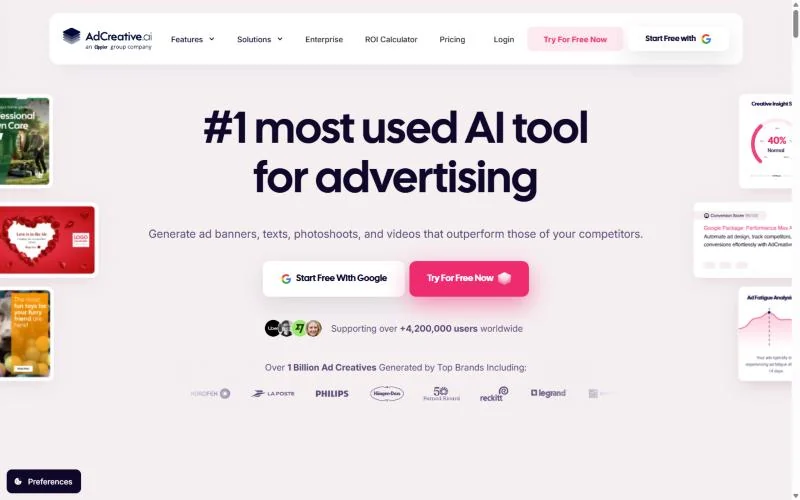
- Starting price: Starter, $39 a month billed monthly or $20 billed yearly
- Trial: 7 days with 20 credits
- AI that does the work: ad generation, Creative Scoring AI, Competitor Insights AI
- Integrations: ad platform integrations on every plan
AdCreative.ai earns the ads slot because it works on the paid ad itself: it generates banners, videos and ad text, then scores each creative before money goes behind it. That suits a team testing many variants per campaign. The catch is the credit model: generation is unlimited, but each download uses a credit, and Starter includes 20 a month.
Creative Scoring AI rates ads before launch, so weak variants are dropped before they take budget. AdCreative.ai claims over 90% accuracy for its performance predictions; check that against your own past winners during the trial.
Competitor Insights AI surfaces rivals’ best-performing ad creatives across platforms. Product photos also become studio-style images and video ads. Canva covers general visuals; AdCreative.ai is the pick when the asset is a paid ad you want scored first.
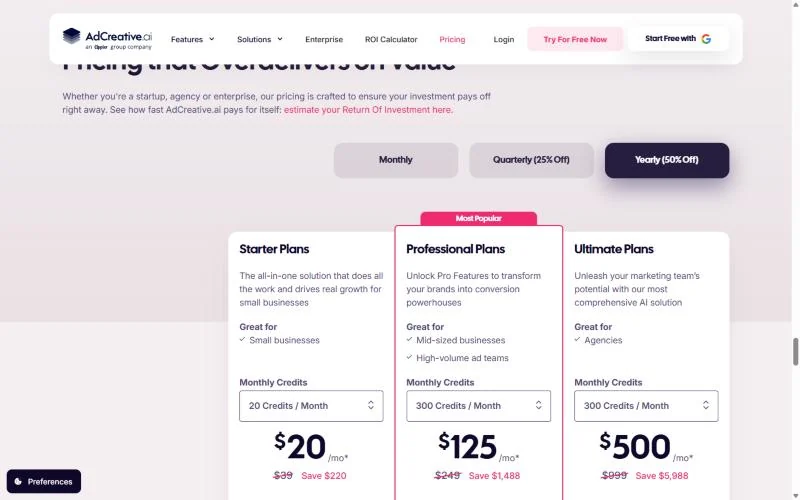
AdCreative.ai shows its plans on its homepage. Count the finished ads you ship: more than 20 downloads a month puts you on Professional, which the vendor aims at high-volume ad teams.
| Plan | Billed monthly | Billed yearly | Credits a month |
|---|---|---|---|
| Starter | $39/mo | $20/mo | 20 |
| Professional | $249/mo | $125/mo | 300 |
| Ultimate | $999/mo | $500/mo | 300 |
Sources: AdCreative.ai plans on its homepage, checked Oct 2026.
Pros
- Unlimited generation; credits go only on downloads
- Ads are scored before you put budget behind them
- Competitor Insights AI shows rivals’ best-performing ads
Cons
- Starter’s 20 credits cover 20 downloaded ads a month
- Score accuracy rests on the vendor’s own claim
- Yearly-plan refunds need an unused account within 30 days
- Skip it if:
- you make a handful of ads a month alongside other visuals; Canva’s 20 free AI uses cover that.
2. Semrush: Best for SEO Research and AI Search Visibility
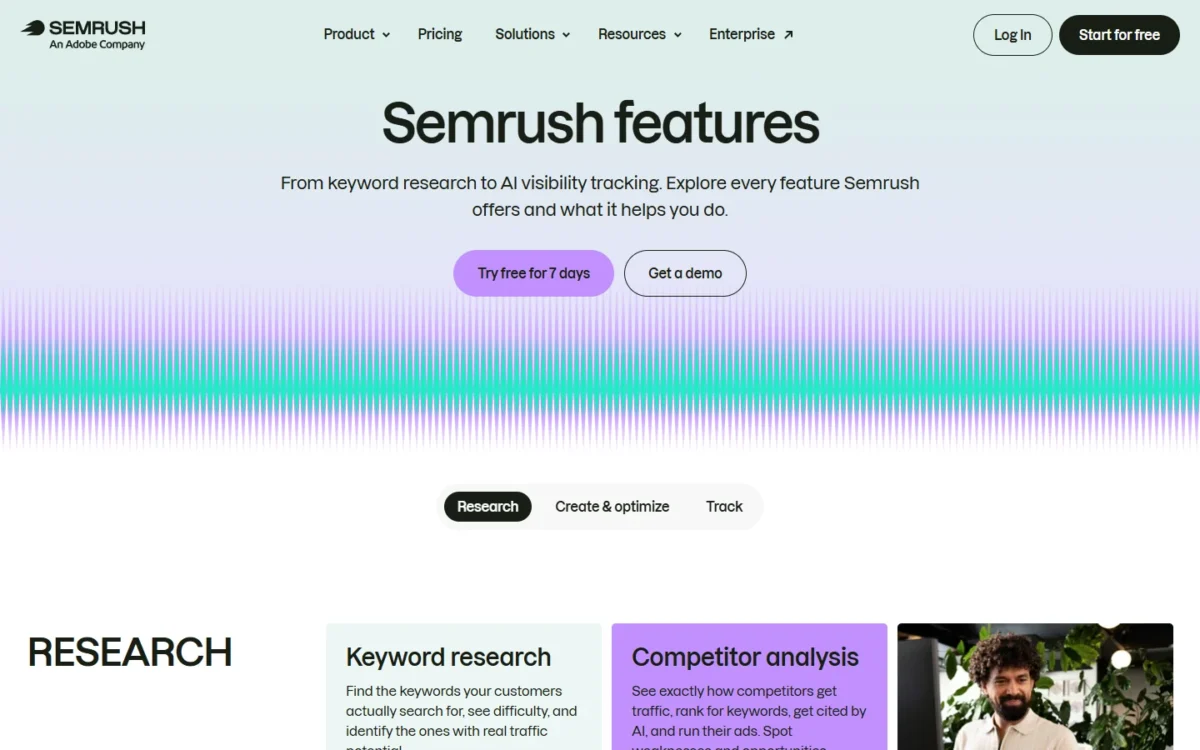
- Starting price: SEO plan, $139.95 a month billed monthly
- Free plan: 10 reports per day, no credit card
- AI that does the work: AI visibility reports, daily prompt tracking, AI sentiment monitoring
- Integrations: Google Analytics and Search Console in the report add-ons
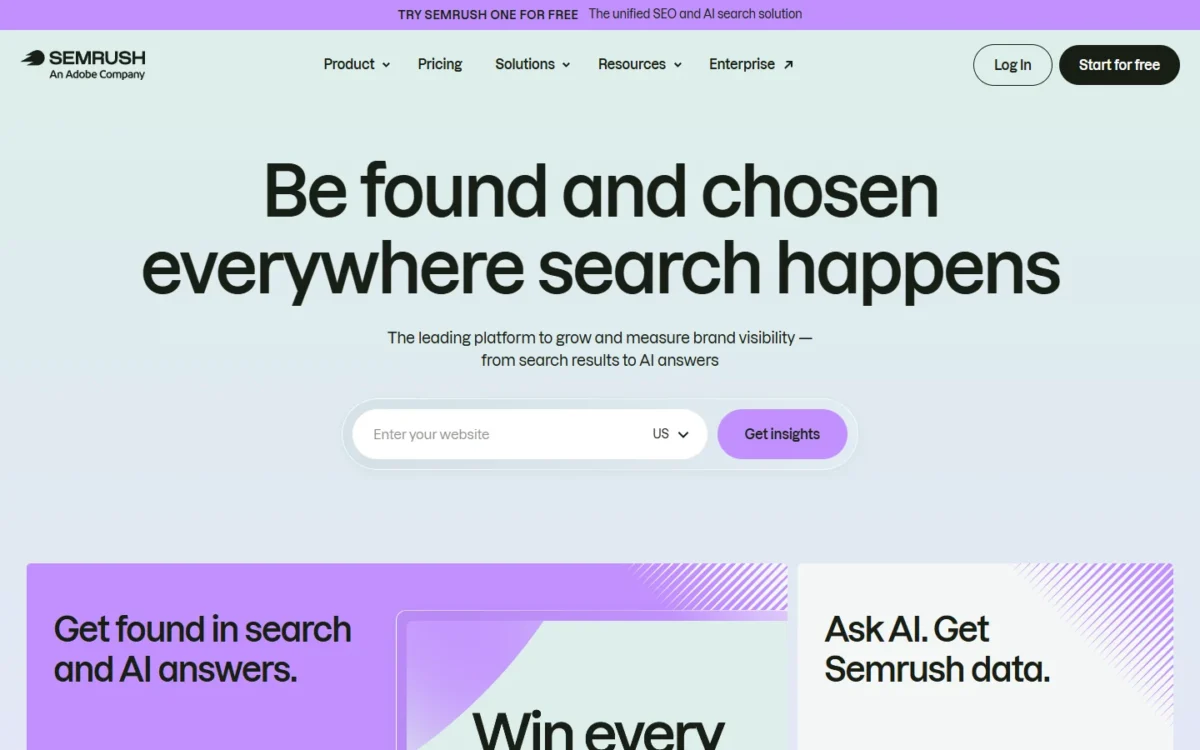
Paid ads stop when the budget does; Semrush is the pick for traffic that keeps coming. It suits an SEO lead who needs keyword and competitor research plus a daily read on how AI answers mention the brand.
Buy the right plan: the SEO plan covers rankings and lists custom prompt monitoring with no daily count. Starter, at $199 a month billed monthly, states 50 prompts a day.
AI visibility on Starter means 50 prompts tracked daily, AI brand performance for 1 domain and 300 AI visibility reports a day. Pro+ doubles the prompts to 100, and MCP access on Starter brings Semrush data into AI assistants.
Rank tracking caps decide agencies. SEO and Starter monitor 5 websites and 500 keywords daily; Pro+ allows 15 sites and 1,500 keywords, so an agency with six client sites starts on Pro+. Surfer is the narrower buy: it works one page at a time, while Semrush watches whole sites and competitors.
Semrush prices each account, adds users from $45 a month each, and says annual billing saves up to 17%.
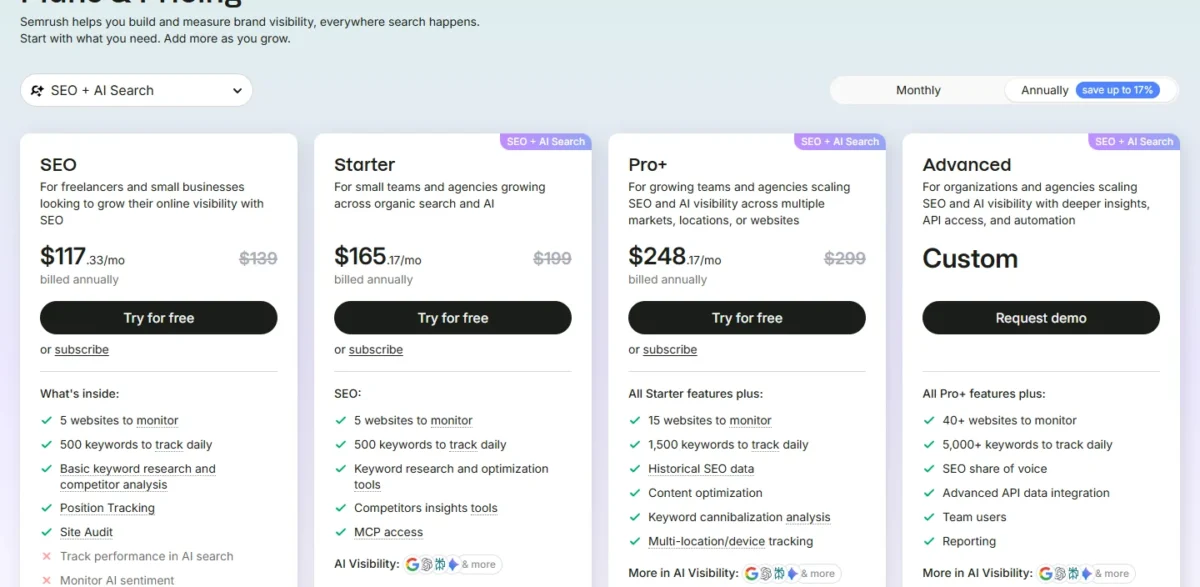
| Plan | Billed monthly | AI prompts tracked daily |
|---|---|---|
| SEO | $139.95/mo | Not listed |
| Starter | $199/mo | 50 |
| Pro+ | $299/mo | 100 |
| Advanced | Custom | Unlimited |
Sources: Semrush plans and pricing, checked Oct 2026.
Pros
- Starter pairs rank tracking with 50 AI prompts tracked daily
- 300 AI visibility reports a day, for any domain
- MCP access puts Semrush data inside AI assistants
Cons
- The SEO plan states no daily prompt count
- 5 websites and 500 keywords cap both lower plans
- Each extra user starts at $45 a month
- Skip it if:
- you publish a few pages a month and only need each one optimized; Surfer Discovery does that job for less.
3. Surfer: Best for Optimizing Pages for Google and AI Search
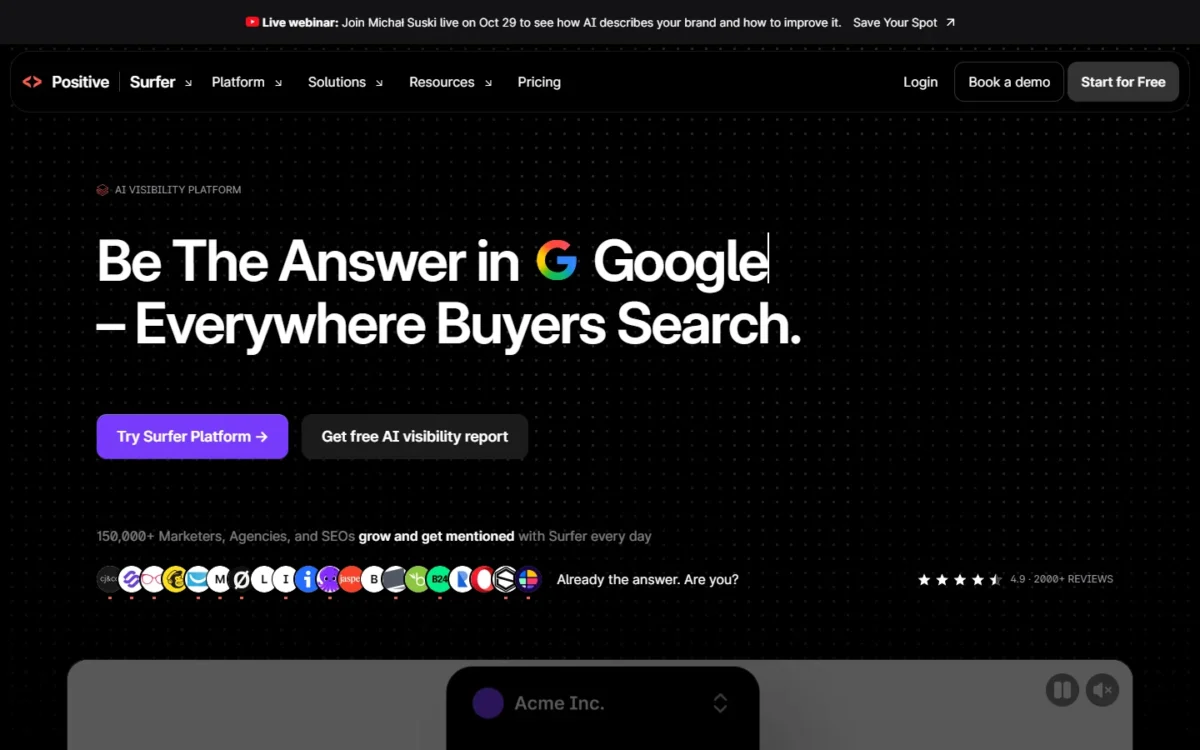
- Starting price: Discovery, $49 a month billed yearly
- AI that does the work: Content Score, Surfy AI SEO assistant, Humanizer, AI visibility tracking
- Integrations: WordPress and Google Docs on Standard
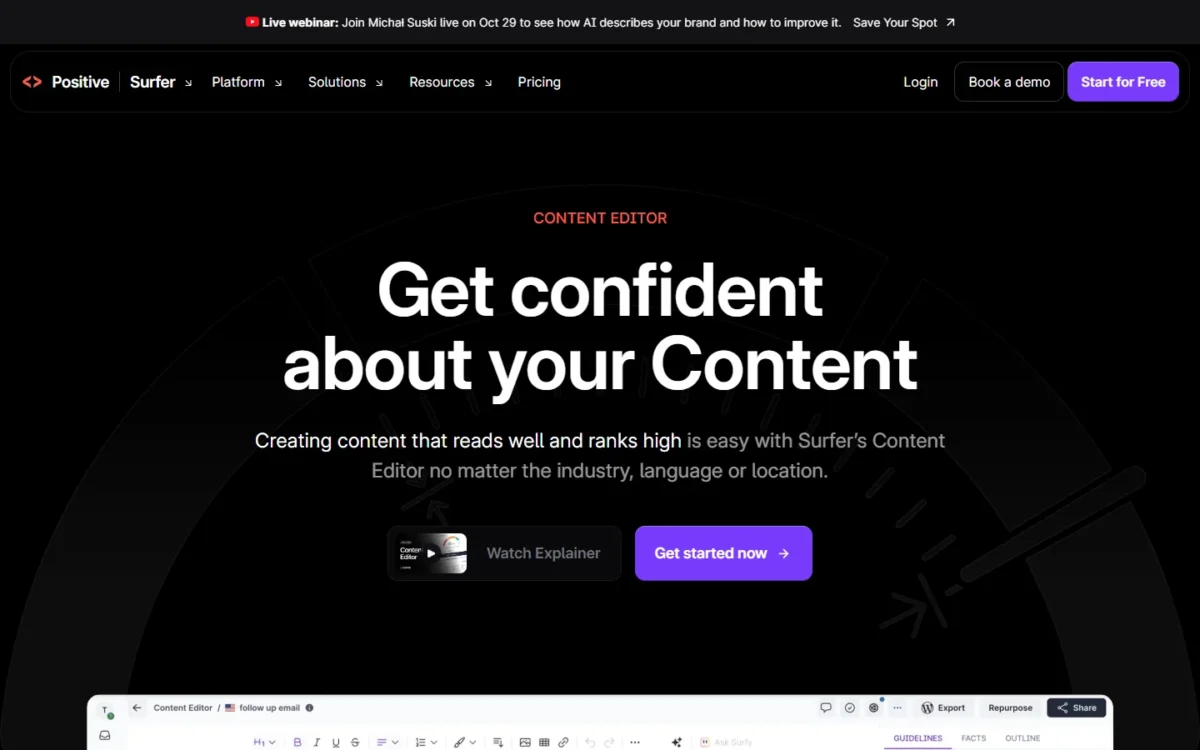
Research names the pages; Surfer is the better buy than a full suite when the job is getting each page right. Its Content Editor gives live guidelines aimed at both search results and AI chats, with Surfy, the AI SEO assistant, included from the entry plan.
The limit to watch is documents.
Documents decide the plan. Standard and Pro list 360 documents on yearly billing, where Surfer says credits reset yearly, and 30 on monthly billing. That is the same pace of 30 a month, though a yearly pool lets a busy month borrow from a quiet one.
A team optimizing eight pages a week needs 8 x 4 = 32 a month, or 32 x 12 = 384 a year, so it runs short on Standard and Pro under either billing.
AI visibility tracking, among the writing plans, starts on Standard with 25 prompts refreshed weekly. Pro tracks 50 daily, as does the tracking-only AI Search Analytics plan.
Surfer bills per account; its pricing now lives at surfer.ai. Standard is $99 a month billed yearly or $119 billed monthly.

| Plan | Billed yearly | Billed monthly | Documents (yearly billing; monthly billing) |
|---|---|---|---|
| Discovery | $49/mo | $59/mo | 120 a year; 10 a month |
| Standard | $99/mo | $119/mo | 360 a year; 30 a month |
| Pro | $182/mo | $219/mo | 360 a year; 30 a month |
| AI Search Analytics | $82/mo | $95/mo | Tracking only |
Sources: Surfer pricing, checked Oct 2026.
Pros
- Surfy and the Humanizer come with the entry plan
- Pro tracks prompts daily across five AI engines
- A tracking-only plan suits teams that write elsewhere
Cons
- Standard and Pro stop at 360 documents a year, or 30 a month billed monthly
- Standard refreshes its 25 prompts weekly, not daily
- No free plan listed
- Skip it if:
- you need keyword research, competitor data and rank tracking across a whole site; Semrush Starter covers that.
4. Klaviyo: Best for Ecommerce Email and SMS With Predictive AI
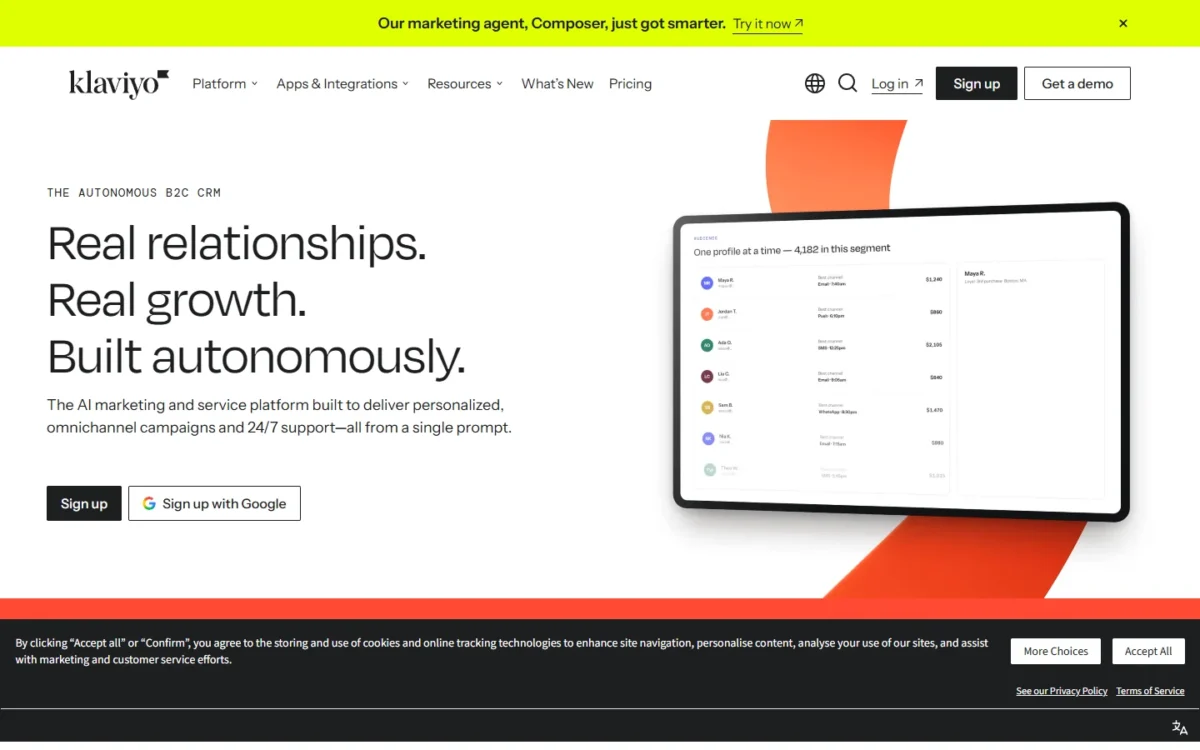
- Starting price: Email, $20 a month at 500 active profiles with 5,000 emails a month
- Free plan: up to 250 active profiles and 500 email sends a month
- AI that does the work: Composer agent, predicted CLV, churn risk, personalized send time
- Integrations: 350+
Once traffic arrives, a store earns in email, and Klaviyo is the pick because its AI reads purchase data. It scores customers on predicted lifetime value and churn risk, then picks each person’s send time and channel.
Brevo’s contact scoring waits for its $499 Professional plan. The trade-off is profile-based pricing and a free plan that stops sending past 250 active profiles.
Composer, Klaviyo’s AI marketing agent, builds the audience, drafts the content and maps the send strategy from one goal. The free Composer plan includes 500 credits; the $20 monthly Composer plan, bought on top of the email plan, includes 2,000. Klaviyo estimates a new campaign at $0.10 to $10.00 of usage, so one complex campaign can outrun the free allowance.
Predictive scoring (predicted CLV, RFM analysis, churn risk) scores every customer on lifetime value, churn risk and purchase patterns, so a store knows whom to target and who is ready to buy. My Klaviyo review covers flows and reporting in depth.
Klaviyo prices email by active profiles, and Composer is a $20 monthly add-on, so a 500-profile store with the agent pays $20 + $20 = $40 a month. US toll-free SMS adds $0.01 plus carrier fees per send.

| Item | Price | Limit |
|---|---|---|
| Free | $0 | 250 active profiles, 500 sends a month |
| $20/mo | 500 active profiles, 5,000 emails a month | |
| Composer add-on | $20/mo | 2,000 credits |
Sources: Klaviyo pricing and Composer plan help, checked Oct 2026.
Pros
- Predicted CLV and churn risk come from your store data
- Composer plans a campaign from one goal
- 350+ integrations, including major store platforms
Cons
- Sending stops past 250 active profiles or 500 sends on Free
- Composer usage per campaign is an estimate
- Free users get email support for 60 days
- Skip it if:
- you send newsletters with no store behind them; Brevo prices by email volume from $9 a month.
5. Brevo: Best for Email Marketing on a Small Budget
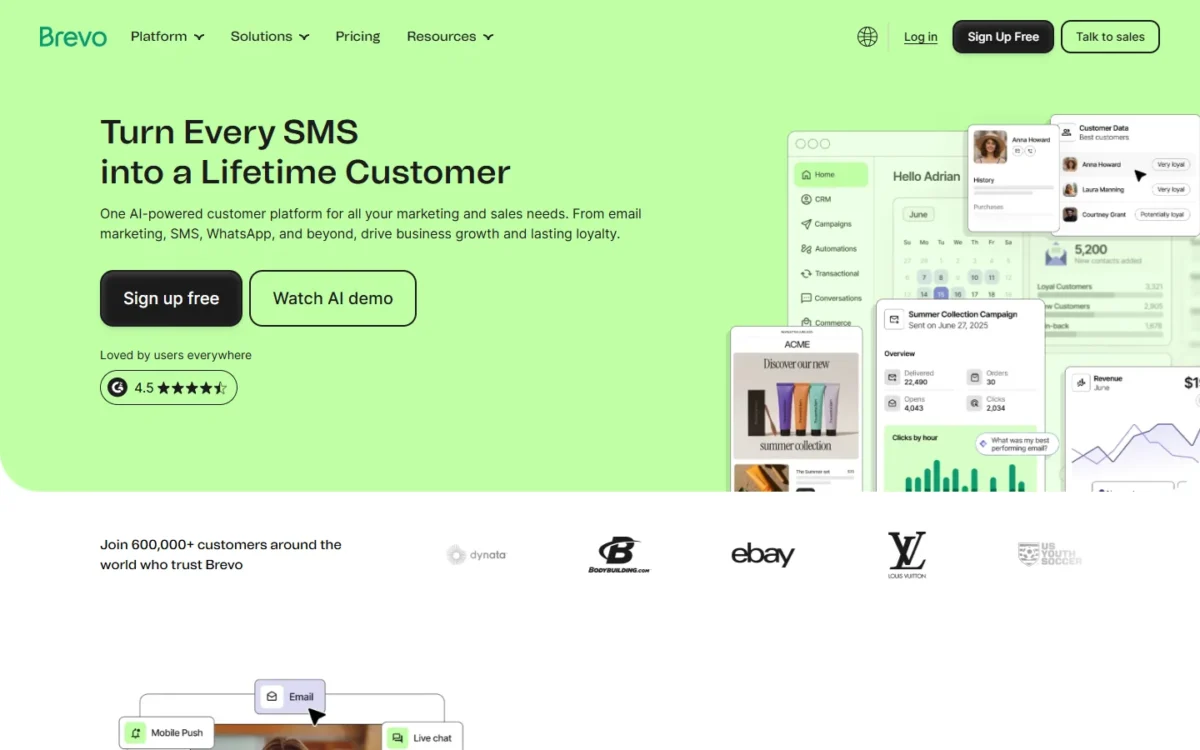
- Starting price: Starter, $9 a month billed monthly, from 5,000 emails a month
- Free plan: up to 300 emails per day
- AI that does the work: AI content generator, AI send time optimization, Aura AI
- Integrations: MCP for ChatGPT and Claude on Starter
Brevo is the email pick when budget is the first limit: the AI content generator on Starter drafts subject lines and copy and adjusts tone. Its plans are priced by monthly email volume, so the bill tracks how much you send.
Its paid entry also costs less: Starter is $9 a month billed monthly, against $20 a month for Klaviyo’s Email plan at 500 active profiles.
The trade-off: the AI that decides who gets what sits high on the plan ladder.
AI by plan. Standard adds AI send time optimization and unlimited automation workflows. Professional adds Aura AI segmentation, an AI Data Analyst, 10 seats and 150,000 emails a month. A small team should buy Standard and treat Aura AI as a later decision.
MCP for ChatGPT and Claude lets Starter users manage campaigns and contacts from those assistants, which pairs with ChatGPT. Deliverability and support are covered in my Brevo review.
Brevo bills by monthly email volume, and yearly billing takes 10% off, bringing Starter to $8.08 a month. Higher volumes are priced in my breakdown of Brevo pricing by email volume.

| Plan | Billed monthly | AI it adds |
|---|---|---|
| Starter | $9/mo | AI content generator |
| Standard | $18/mo | AI send time optimization |
| Professional | $499/mo | Aura AI segmentation, AI Data Analyst |
Sources: Brevo pricing, checked Oct 2026.
Pros
- Starter, at $9 a month, includes the AI content generator
- Pricing follows email volume, not list size
- Starter connects to ChatGPT and Claude through MCP
Cons
- Aura AI segmentation starts on Professional
- Removing the Brevo logo on Starter costs $12 a month billed monthly
- Multi-user access with 10 seats starts on Professional
For non-AI criteria, see my ranking of the best email marketing software.
- Skip it if:
- you run an online store and want each customer scored on lifetime value and churn risk; Klaviyo does that, and its free plan works for stores starting out on Shopify, WooCommerce or Wix.
6. Buffer: Best for Social Media Scheduling for Small Teams
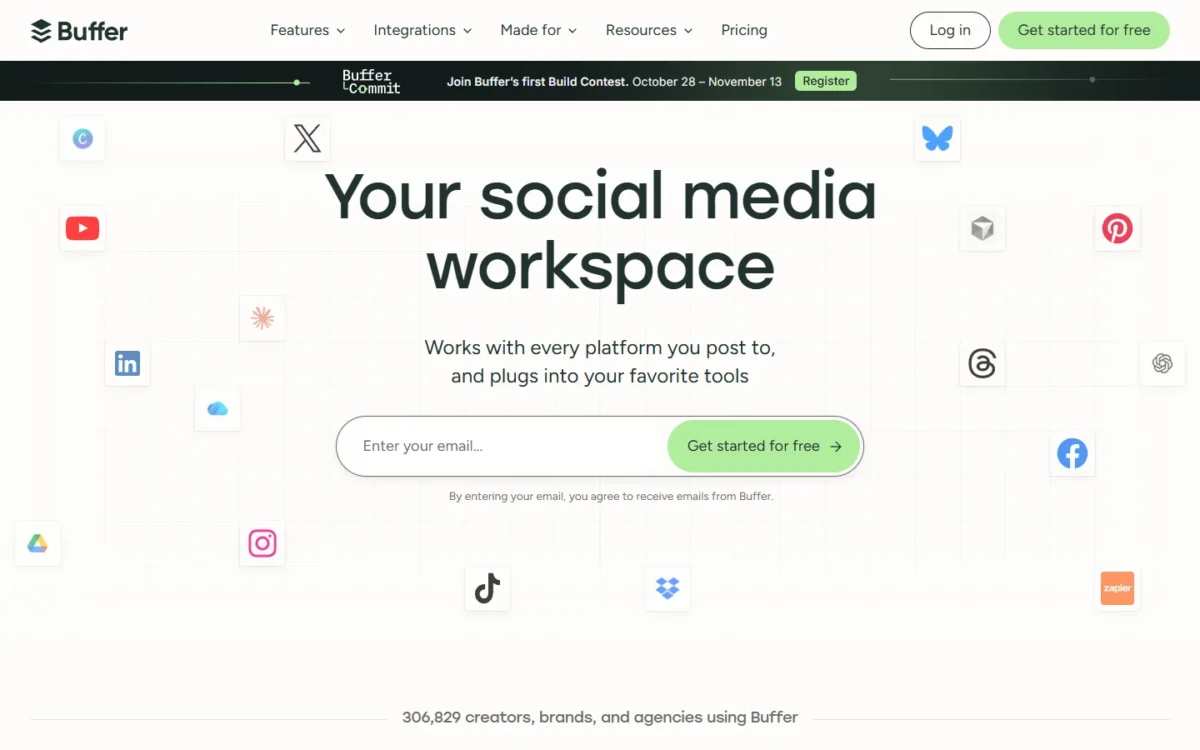
- Starting price: Essentials, $5 per channel a month billed yearly
- Free plan: 3 channels, 10 scheduled posts per channel
- AI that does the work: AI Assistant on every plan, unlimited credits
- Integrations: Canva, ChatGPT, Claude and Bitly on every plan
Email reaches people who signed up; social reaches the rest, and Buffer is where a small team should start. Its AI Assistant sits on the Free plan with unlimited credits, so drafting help costs nothing extra.
Paid plans charge per channel rather than per person. The limit that bites first is users: Essentials includes one.
AI Assistant brainstorms ideas, drafts platform-specific posts, and rewrites, shortens or expands your own.
Per-channel pricing means Team, with unlimited members and approval workflows, costs $10 per channel a month billed yearly. Hootsuite charges per user instead, so Buffer’s bill grows with channels and Hootsuite’s with headcount.
Buffer prices each connected channel, and both paid plans start with a 14-day free trial.

| Plan | Billed yearly | Billed monthly | Users |
|---|---|---|---|
| Essentials | $5 per channel/mo | $6 per channel/mo | 1 |
| Team | $10 per channel/mo | $12 per channel/mo | Unlimited |
Sources: Buffer pricing, checked Oct 2026.
Pros
- AI Assistant on every plan with unlimited credits
- Per-channel pricing keeps a two-channel brand cheap
- Team adds unlimited members and approvals
Cons
- Essentials includes 1 user
- The bill grows with every channel
- Free holds 10 scheduled posts per channel at a time
- Skip it if:
- your team needs social listening or competitor benchmarks; Hootsuite’s Standard plan adds both.
7. Hootsuite: Best for Social Media Management and Listening at Team Scale
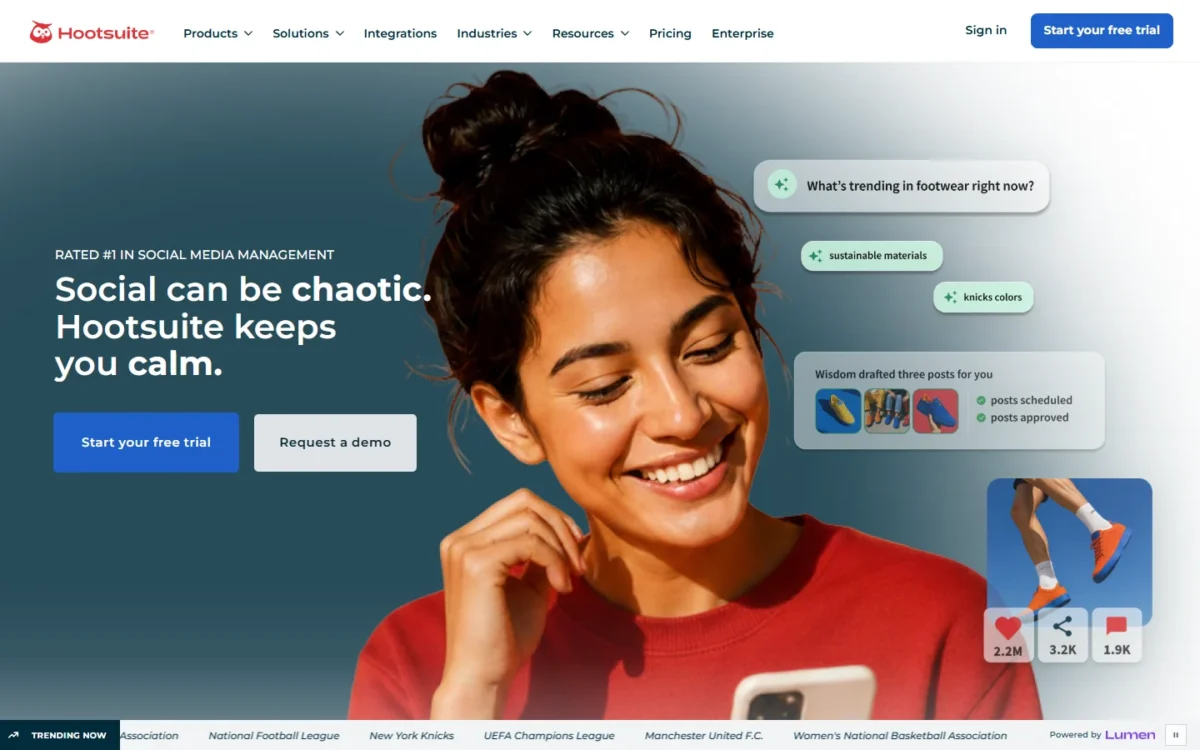
- Starting price: Standard, $99 per user a month billed annually
- Trial: 14 days, no credit card required
- AI that does the work: Wisdom AI on every plan; AI post and image generation
- Integrations: Salesforce on Enterprise
Hootsuite is the step up from Buffer when publishing is not the whole job. Standard adds a unified inbox, competitor benchmarking and social listening, and Wisdom, its AI teammate, runs on every plan. It is the pick when several people share social care and reporting; the trade-off is a per-seat price that rises with each teammate.
Standard and Professional. Standard generates posts and images with AI across up to 10 social accounts. Professional adds AI-powered smart replies, automated DM workflows, trend forecasting up to 90 days ahead and benchmarks against 20 competitors instead of 5.
Seat economics. Three users on Standard cost $99 x 3 = $297 a month billed annually, against $10 x 4 = $40 a month for four channels on Buffer Team billed yearly. If nobody works the inbox, that gap buys nothing. For social messages tied to a contact record, the social media CRM tools comparison covers that route.
Hootsuite sells every plan per user, and trial accounts are limited to 10 to 20 posts a day with no bulk scheduling.
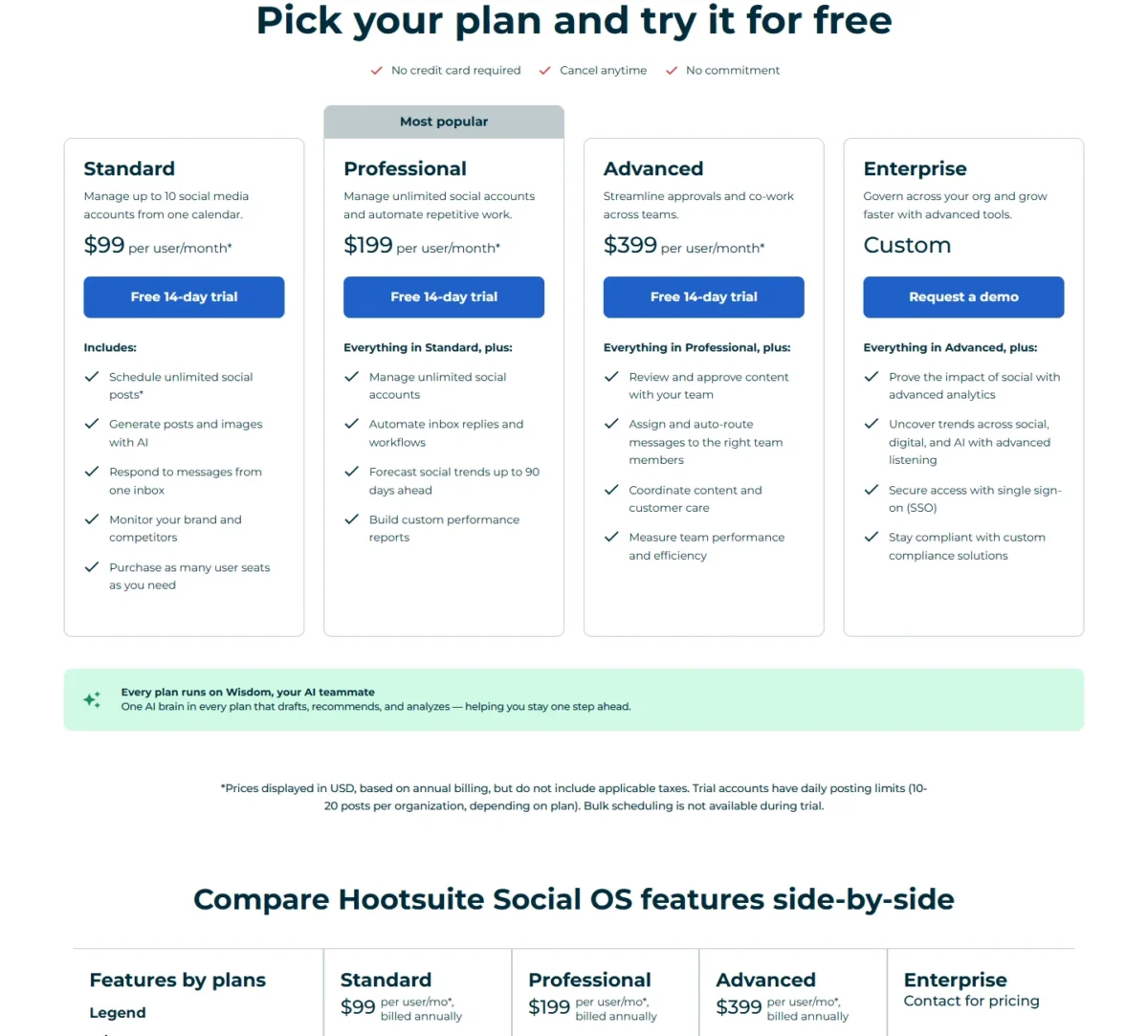
| Plan | Billed annually | Key limit |
|---|---|---|
| Standard | $99 per user/mo | Up to 10 social accounts |
| Professional | $199 per user/mo | Unlimited social accounts |
| Advanced | $399 per user/mo | Approvals and message routing |
Sources: Hootsuite plans, checked Oct 2026.
Pros
- Wisdom AI on every plan
- Standard includes inbox, benchmarking and listening
- Professional forecasts trends up to 90 days ahead
Cons
- Per-user pricing grows with every teammate
- Standard caps you at 10 social accounts
- Smart replies and forecasting need Professional
- Skip it if:
- you only schedule posts to three or four channels; Buffer’s Team plan covers that with unlimited members.
8. Google Analytics: Best for Free Measurement With Predictive Insights

Google Analytics homepage, first screen, marketingplatform.google.com, captured Oct 2026
- Price: free of charge
- AI that does the work: predictive metrics, proactive insights, data-driven attribution
- Integrations: Google Ads, Search Ads 360, Display & Video 360, Search Console, BigQuery
Every channel above needs measuring, and Google Analytics does it for free. Its machine learning predicts purchase and churn probability, flags important changes and trends on its own, and credits each touchpoint through data-driven attribution. The catch for a small team is volume: predictions need many returning users before they appear.
Predictive metrics (purchase probability, churn probability, predicted revenue) feed predictive audiences. To qualify, at least 1,000 returning users must trigger the condition and 1,000 must not, within the last 28 days. A site with a few hundred buyers a month will not see them, so plan around the reports.
Proactive insights surface changes and new trends without a query. Conversions and audiences built in Analytics import into Google Ads, which closes the loop if AdCreative.ai’s ads run there.
Google Analytics is free of charge; Analytics 360 raises limits to 125 custom dimensions and 400 audiences.
| Version | Price | Key limit |
|---|---|---|
| Google Analytics | Free of charge | Predictions need 1,000 returning users per condition |
Sources: Google Analytics, features and predictive metrics, checked Oct 2026.
Pros
- Free, with machine-learning insights built in
- Predictive audiences once data qualifies
- Conversions and audiences import into Google Ads
Cons
- Predictions need 1,000 returning users per condition
- Purchase predictions need purchase events with value and currency
- Predictions stop updating if model quality drops
- Skip it if:
- you need revenue attributed to CRM contacts and deals; HubSpot Marketing Hub lists multi-touch revenue attribution on Enterprise.
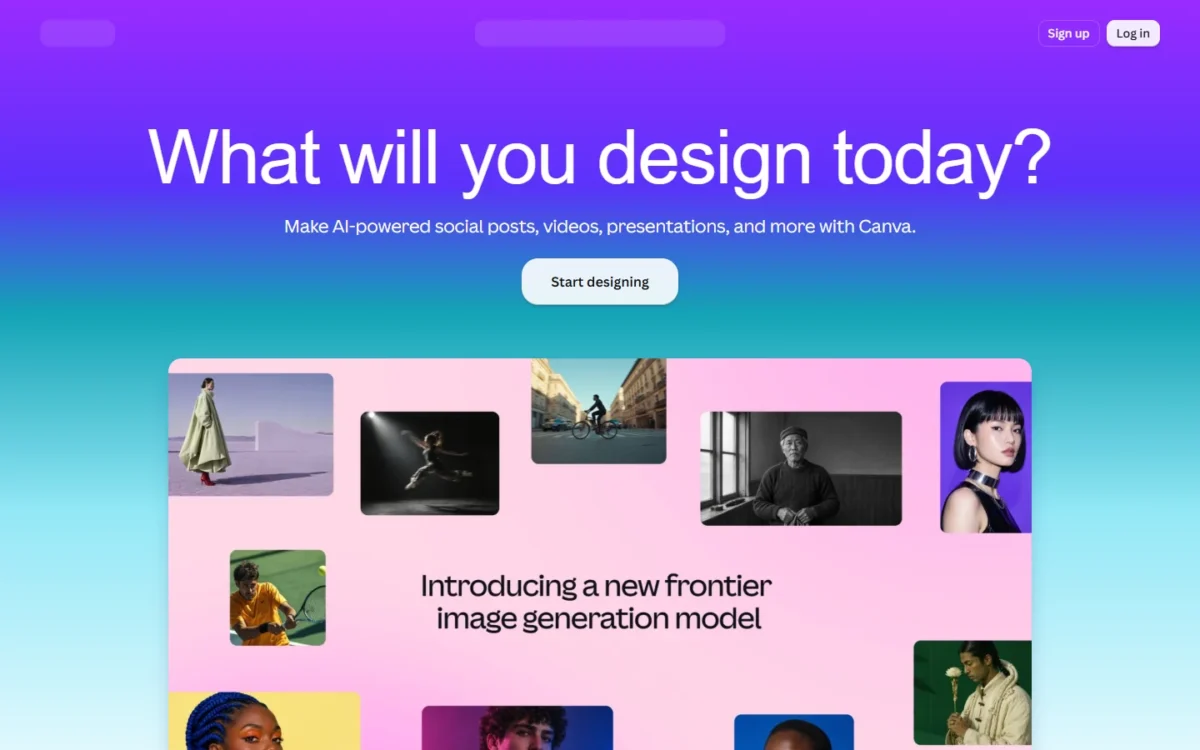
9. Canva: Best for On-Brand Image and Video Creative
- Starting price: Pro, US$144 a year for one person
- Free plan: up to 20 uses of Standard or Premium AI
- AI that does the work: on-brand design generation, Magic Layers, Video Generator, Resize
- Brand Kits: 1 on Free, 5 on Pro, 100 on Business
- Integrations: Apps Marketplace; Canva says Canva AI can pull context from your connected tools
Measurement shows what works; Canva makes the visuals that get measured. Canva AI applies your Brand Kit automatically, so every generated design starts consistent with the brand.
It also makes video clips and turns AI designs into editable layouts with Magic Layers. The trade-off is one shared AI allowance that tools use at different rates.
AI allowance by plan. Pro gives 10x more Premium AI than Free, and Business 20x. Advanced tools and complex tasks use more of the allowance, so a team generating video should plan for Business or the AI Pass add-on.

Business for ad work adds smarter ad performance insights and 100 Brand Kits, which suits a small agency; AdCreative.ai goes further by scoring each ad before launch. For each AI tool in detail, see my Canva AI review.
Canva’s US prices are yearly, and a three-person team on Business pays US$250 x 3 = US$750 a year.
| Plan | Price, US view | AI allowance |
|---|---|---|
| Free | US$0 | Up to 20 Standard or Premium AI uses |
| Pro | US$144 a year, one person | 10x Premium AI vs Free |
| Business | US$250 a year per person | 20x Premium AI vs Free |
Sources: Canva pricing, US view and Canva AI, checked Oct 2026.
Pros
- Canva AI applies your Brand Kit to generated designs
- 20 AI uses on the Free plan
- Magic Layers and Video Generator in one editor
Cons
- One shared AI allowance across tools
- More AI than Business needs the paid AI Pass add-on
- Business is priced per person
For an image-first tool, see the AI image generators I rank by job and budget.
- Skip it if:
- the asset is a paid ad you want scored before spend; AdCreative.ai’s Creative Scoring AI does that.
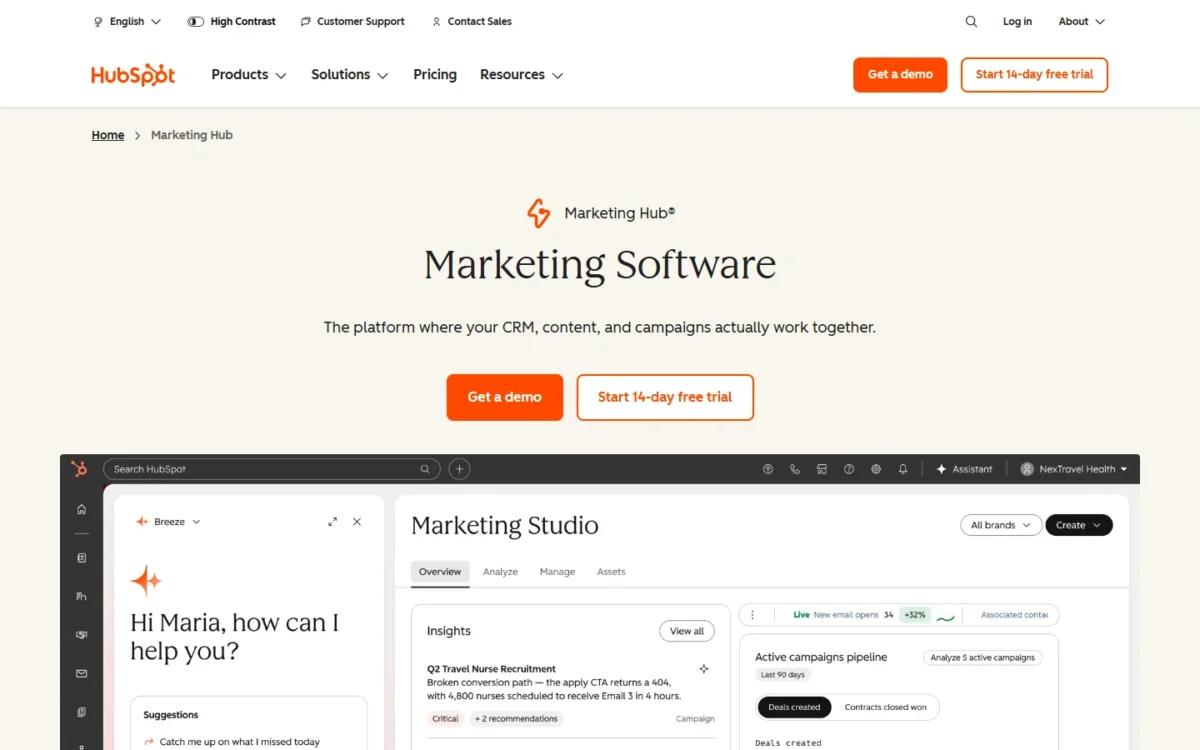
10. HubSpot Marketing Hub: Best for All-in-One Campaigns on a CRM
- Starting price: Starter, $20 per seat a month list price
- Free plan: up to 2 users
- AI that does the work: Data Agent on Starter; Content Agent, Nurture Agent and AEO on Professional
- HubSpot Credits: 500 on Starter, 3,000 on Professional
- Integrations: over 2,000 apps; Google Search Console
HubSpot Marketing Hub is the one-suite route, and its agents are built on your CRM data. That suits a team that would otherwise pay for and wire several products. It stops making sense at the agent tier, where Content and Nurture agents need Professional plus a required $3,000 onboarding fee.
Agents by plan. Starter brings Agent Hub, Agent Builder and the Data Agent, which answers questions about a contact from CRM signals. Professional adds Content Agent for blog posts, social posts and landing pages, Nurture Agent for personalized nurture email, and AEO with 25 prompts run daily across 3 engines.
HubSpot Credits pay for agents and AI features when they take action, with packs or pay-as-you-go on top, so watch credit use in the first month. On October 26, 2026 the pricing page also showed a limited-time Starter offer for new customers. Every hub is priced in my HubSpot pricing guide.
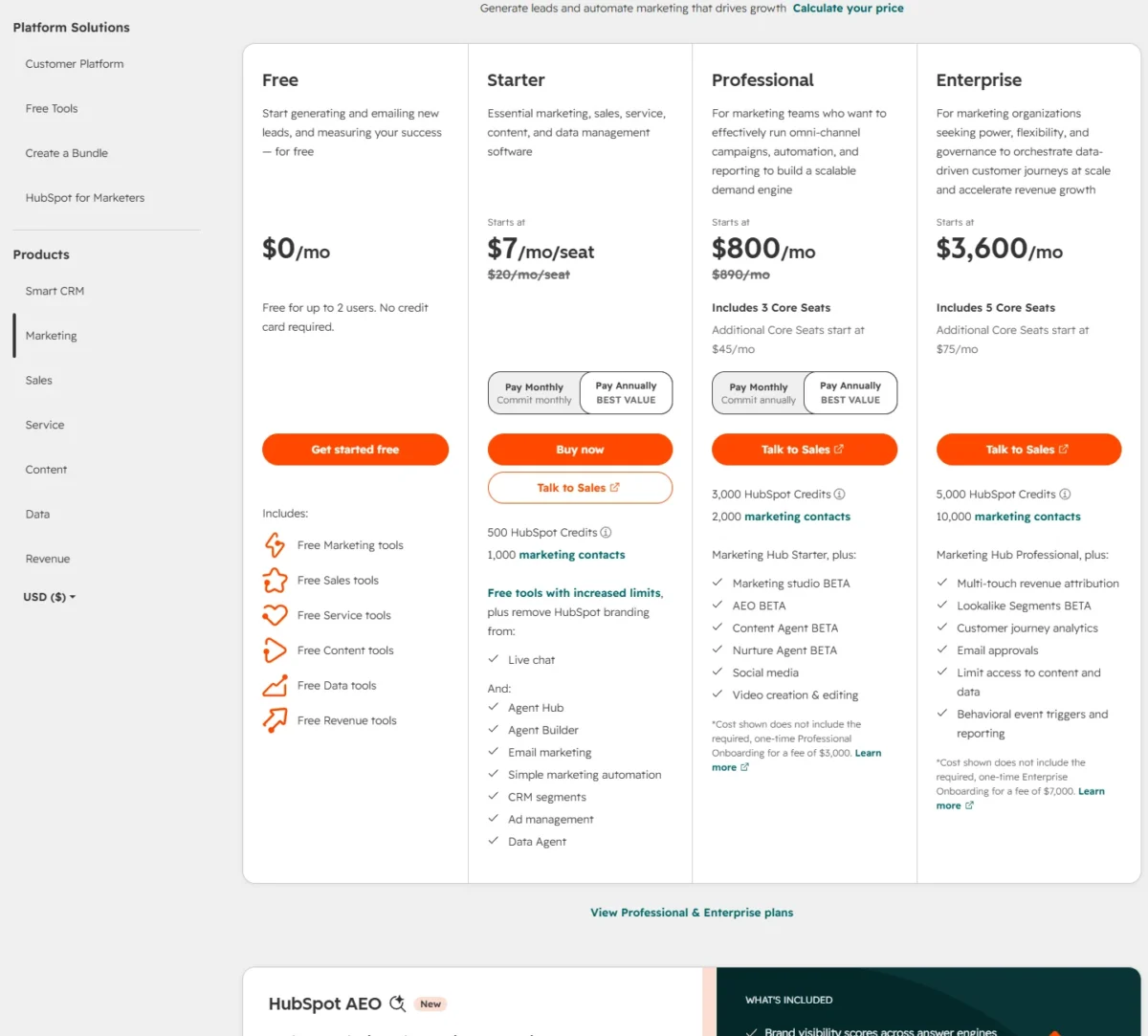
Professional is $800 a month paid annually or $890 paid monthly, with 3 Core Seats included; the one-time Professional onboarding fee of $3,000 comes on top.
| Plan | Paid annually | Paid monthly | Included |
|---|---|---|---|
| Starter | $7/mo/seat offer, $20 list | $10/mo/seat offer, $20 list | 500 credits, 1,000 contacts |
| Professional | $800/mo | $890/mo | 3 Core Seats, 3,000 credits |
| Enterprise | $3,600/mo | $3,600/mo | 5 Core Seats, 5,000 credits |
Sources: HubSpot Marketing Hub pricing and HubSpot Agent Hub, checked Oct 2026.
Pros
- Agents are built on your CRM data
- Starter includes the Data Agent and ad management
- AEO shows how the brand appears in ChatGPT, Gemini and Perplexity
Cons
- Content and Nurture agents need Professional
- Professional requires $3,000 onboarding
- Multi-touch revenue attribution sits on Enterprise
Automation platforms are compared on their own in my ranking of marketing automation platforms.
- Skip it if:
- email is the only channel you automate; Brevo Standard adds AI send time and workflows for $18 a month.
11. Zapier: Best for Connecting AI to Your Marketing Stack
- Starting price: Professional, from $19.99 a month billed yearly
- Free plan: 100 tasks a month, two-step Zaps
- AI that does the work: AI fields, Copilot, Agents, Zapier MCP
- Integrations: 9,000+ apps
A team that keeps separate tools needs something between them, and Zapier is that layer: it moves data across 9,000+ apps and puts an AI step in the middle. A team running Brevo, Buffer and Gmail side by side uses it to stop copying records by hand.
Its cost is counted in tasks, and AI steps and MCP calls draw on the same allowance.
Zapier MCP lets assistants such as ChatGPT and Claude act in connected apps. It is open to all accounts, and one MCP tool call uses two tasks, so the free plan’s 100 tasks cover 50 calls.
AI fields and multi-step Zaps start on Professional. When tasks run out, pay-per-task billing keeps Zaps running at a higher rate; switched off, Zaps pause. Task tiers get a full treatment in my Zapier review.
Zapier sells task tiers; Team, from $69 a month billed yearly, adds 25 users and shared Zaps.
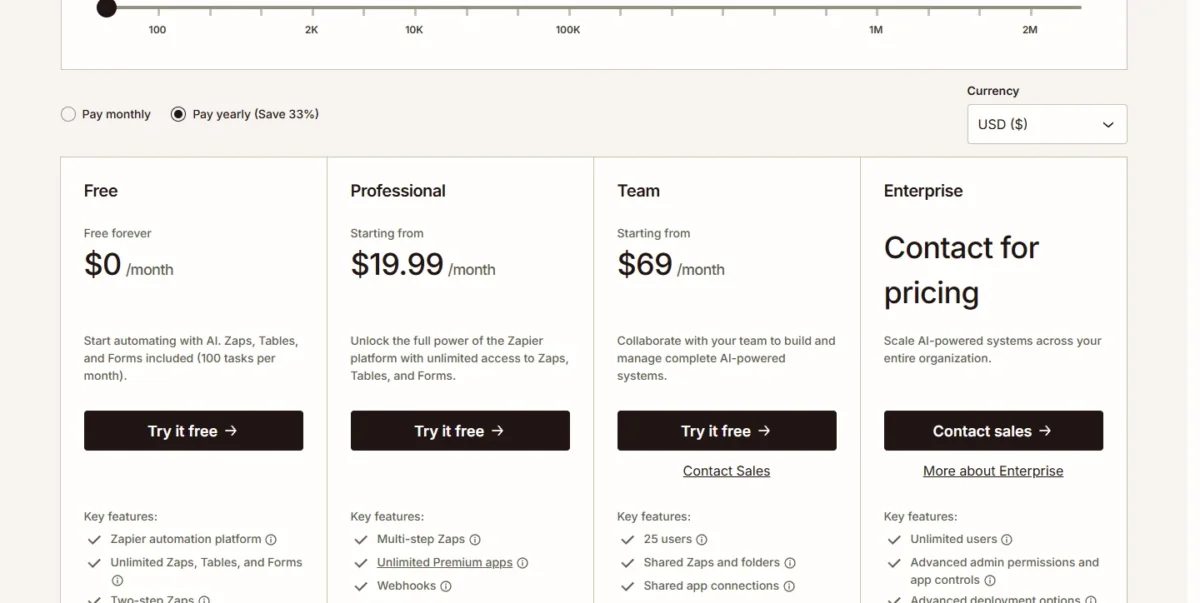
| Plan | Billed yearly | Billed monthly | Key limit |
|---|---|---|---|
| Professional | From $19.99/mo | From $29.99/mo | Multi-step Zaps, AI fields |
| Team | From $69/mo | From $103.50/mo | 25 users |
Sources: Zapier pricing, checked Oct 2026.
Pros
- 9,000+ apps, from Gmail to Salesforce
- MCP on every account, Free included
- Pay-per-task billing keeps Zaps running past the limit
Cons
- Each MCP call uses two tasks
- Free stops at two-step Zaps
- Overage tasks cost more than plan tasks
- Skip it if:
- all your marketing runs inside HubSpot, where the tools already share one record. If task pricing is the problem, my list of Zapier alternatives compares cheaper automation.
12. ChatGPT: Best for Research, Briefs and Analysis Across Jobs

- Starting price: Go, $8 a month; Plus, $20 a month
- Team plan: Business, $20 per user a month billed annually, 2+ users
- Integrations: connects to a team’s existing tools on Business
ChatGPT is the complement rather than a channel tool. I would give it the thinking work no pick above is built for, such as turning research into a brief or questioning a data export.
It acts in marketing apps through connectors, Zapier MCP or an app’s own MCP server, so it sits beside the channel tools. For a team, the choice is Plus per person or Business.
Business workspace connects ChatGPT to the tools a team already uses so it can find context and take action. It adds SAML SSO and MFA, and business data is not used for training by default, which matters once customer lists go into prompts.
One person or a team. A solo marketer can start on Plus at $20 a month, since Business needs at least two paid seats. Each plan’s features are walked through in my ChatGPT review.
Pro starts at $100 a month, with tiers at $100, $200 and $500. Plan limits are listed in my ChatGPT pricing breakdown.
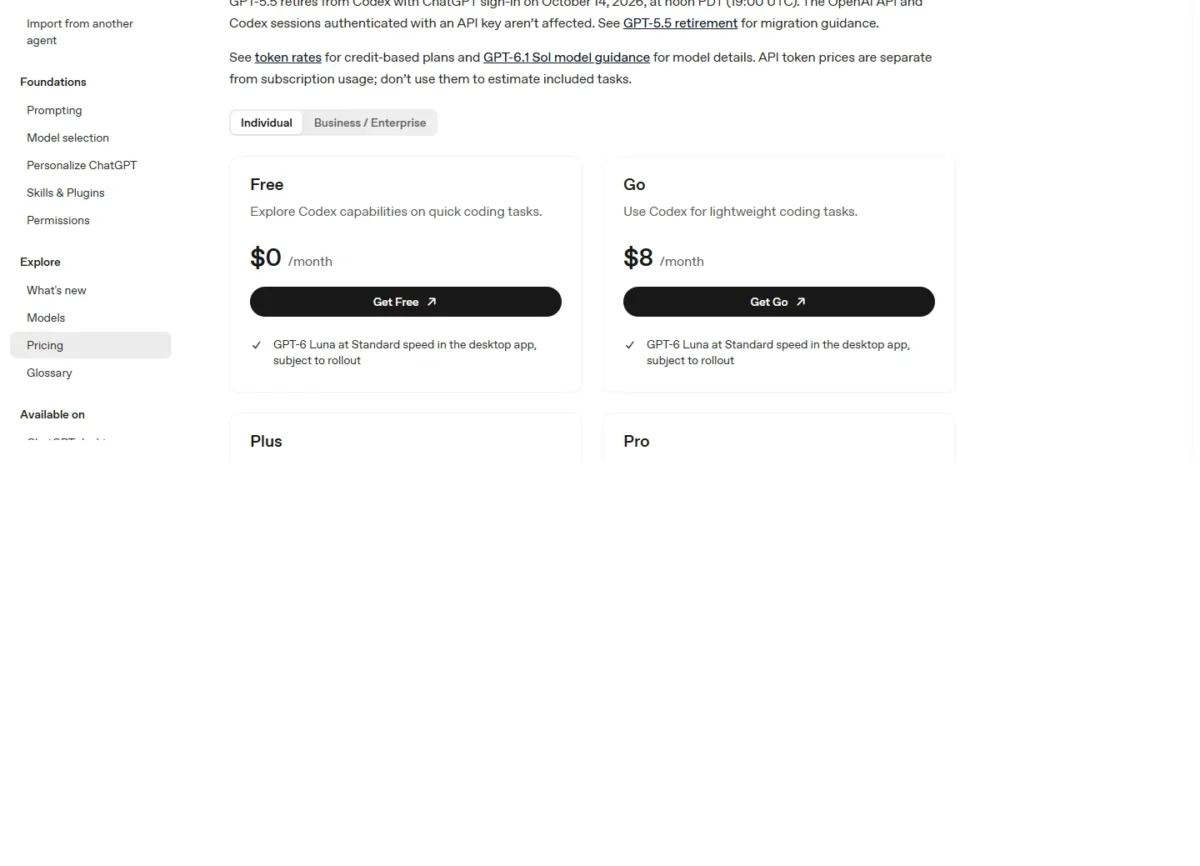
| Plan | Price | Key limit |
|---|---|---|
| Go | $8/mo | Usage limits apply |
| Plus | $20/mo | Usage limits apply |
| Pro | From $100/mo | Tiers at $100, $200, $500 |
| Business | $20/ | 2+ users |
Sources: ChatGPT pricing and ChatGPT Business FAQ, checked Oct 2026.
Pros
- Business keeps business data out of training by default
- Reaches Brevo through MCP and 9,000+ apps through Zapier
- Plus suits a solo marketer
Cons
- Business needs two paid seats
- Acting inside apps needs connectors or MCP set up first
- Usage depends on the model and task
- Skip it if:
- you only need drafting inside one channel; Buffer’s AI Assistant or Brevo’s AI content generator covers that at no extra cost.
What a 3-Person Marketing Team Pays per Month
A three-person team pays $10 x 4 + $20 x 3 = $100 a month for channels and seats. Each per-account line is priced on its own:
- Brevo Standard: $18 a month, billed monthly
- Semrush Starter: $199 a month, billed monthly
- AdCreative.ai Professional: $125 a month billed yearly, or $249 billed monthly
- Zapier Professional: $19.99 a month, billed yearly
- Canva Business: US$250 x 3 = US$750 a year
One marketer gets by on $8.08 + $20 = $28.08 a month. For a small business, the pricing unit moves the total more than the AI does.
| Job | Lean stack (1 marketer) | Lean cost | Team stack (3 people, 4 channels) | Team cost |
|---|---|---|---|---|
| Social | Buffer Free | $0 | Buffer Team, billed yearly | $10 x 4 = $40/mo |
| Brevo Starter, billed yearly | $8.08/mo | Brevo Standard, billed monthly | $18/mo | |
| Creative | Canva Free | $0 | Canva Business | US$250 x 3 = US$750 a year |
| Research | ChatGPT Plus | $20/mo | ChatGPT Business, billed annually | $20 x 3 = $60/mo |
| Automation | Zapier Free | $0 | Zapier Professional, billed yearly | $19.99/mo |
| SEO | Semrush Free | $0 | Semrush Starter, 1 login, billed monthly | $199/mo |
| Ads | Not included | $0 | AdCreative.ai Professional, billed yearly | $125/mo |
| Per-seat and per-channel total | Research | $20/mo | Social and research | $10 x 4 + $20 x 3 = $100/mo |
Sources: the Buffer, Brevo, Canva, ChatGPT, Zapier, Semrush and AdCreative.ai pricing pages, checked Oct 2026. Google Analytics is free in both stacks.
Assumptions: one login each for Semrush, Brevo and Zapier; four social channels; 5,000 emails a month. AdCreative.ai Professional lists 10 users and 300 credits a month, which fits a team shipping more than 20 ads a month. Canva’s yearly bill stays outside the monthly lines; tax, SMS, overage and extra Semrush users are left out.
Semrush Starter is the single biggest line at $199 a month. A team that does not report on AI answers can drop to Surfer Discovery at $49 a month billed yearly.
The one-suite route costs more up front: HubSpot Marketing Hub Professional is $800 x 12 = $9,600 a year plus the $3,000 onboarding fee, which is $12,600 in year one. It pays only if the agents replace work someone now does by hand.
How to Choose an AI Marketing Tool
Start from the job, then check where the AI sits and what caps it. For the wider picture across sales, support, books and admin, see AI tools for small business.
| Software | AI that does the job | AI cap to watch | Pricing unit | Integrations |
|---|---|---|---|---|
| AdCreative.ai | Starter | 20 credits a month | Account | Ad platforms, every plan |
| Semrush | Starter | 50 prompts daily | Account plus users | Google Analytics and Search Console with the Base Report add-on, $10/mo |
| Surfer | Discovery | 10 documents on monthly billing | Price per plan per month | WordPress, Google Docs on Standard |
| Klaviyo | Free | 500 Composer credits | Active profiles | 350+ |
| Brevo | Starter | Aura AI on Professional | Emails a month | MCP for ChatGPT and Claude |
| Buffer | Free | Unlimited AI credits | Channel | Canva, ChatGPT, Claude, Bitly |
| Hootsuite | Standard | Forecasting on Professional | User | Salesforce on Enterprise |
| Google Analytics | Free | 1,000 returning users | Free | Google Ads, Search Console, BigQuery |
| Canva | Free | 20 AI uses on Free | Person | Apps Marketplace |
| HubSpot Marketing Hub | Starter | 500 credits on Starter | Seat | Over 2,000 apps |
| Zapier | Free | 100 tasks a month | Task tier | 9,000+ apps |
| ChatGPT | Free | Usage limits per plan | User | Team tools on Business |
Sources: Klaviyo Composer plan help, Canva AI, ChatGPT Business, Google Analytics features, Google Analytics predictive metrics, HubSpot, Buffer, Hootsuite and Zapier pricing and help pages, plus the pages under the comparison table, checked Oct 2026.
- One marketer, tight budget: the lean stack, upgrading only the tool whose cap you hit first.
- An online store: Klaviyo, because its predictions read order data; Brevo for a newsletter.
- Three or more people on social: Buffer Team for publishing, Hootsuite once someone works a shared inbox.
- AI search reporting: Semrush Starter for a whole site; Surfer Standard page by page.
- One suite: HubSpot, only if Professional’s agents replace manual work worth more than the onboarding fee.
Also Considered
These tools came up in top-ranking lists or fit a job here, and each lost its slot to a pick above:
- Jasper, Copy.ai and Writesonic: AI writers, ranked on the content-creation page.
- Gemini: the same assistant job as ChatGPT; my Gemini review covers it.
- Claude: Buffer, Brevo and Zapier all list connections to it.
- Runway, Descript and ElevenLabs: video and voice production, covered with the content-creation tools.
- Similarweb, Clearscope and Frase: research that overlaps the Semrush and Surfer slots.
- Notion AI: a workspace assistant rather than a channel tool.
FAQ
Which AI tool is best for marketing?
No single tool is best for every job, because each tool’s AI acts inside one channel. If you can pay for only one, pick the job that eats the most team hours each week. Ads point to AdCreative.ai, SEO to Semrush, email to Brevo, social to Buffer and visuals to Canva.
Are there free AI marketing tools?
Yes. Google Analytics is free of charge, and eight other picks, ChatGPT among them, have free plans. Each caps something first: Buffer at 3 channels, Brevo at 300 emails a day, Klaviyo at 250 active profiles, Canva at 20 AI uses, HubSpot at 2 users, Zapier at 100 tasks and Semrush at 10 reports a day.
Do AI features cost extra on marketing platforms?
Often, through credits or usage allowances:
- HubSpot agents spend HubSpot Credits.
- Canva AI draws on a shared allowance.
- Klaviyo’s Composer runs on credits.
- AdCreative.ai uses a credit per download.
Buffer’s AI Assistant is the exception here, with unlimited credits on every plan.
Final Verdict
Match the tool to the job and buy the plan where the AI sits. AdCreative.ai earns its place if you ship ads weekly.
Semrush Starter is the SEO buy when AI answers matter, Surfer when the work is page by page. Brevo fits a newsletter budget and Klaviyo a store; Buffer covers publishing and Hootsuite a shared inbox.
On a tight budget, Google Analytics, Buffer, Canva, Zapier and Semrush all have free tiers, so one marketer pays only for Brevo Starter and ChatGPT Plus. A three-person team pays for seats, channels and Semrush Starter, which is where the money goes.
A store should start with Klaviyo, and a team that wants one system should price HubSpot Professional with its onboarding fee before signing. Zapier connects whatever stays separate, and ChatGPT handles the research in between. If you are weighing AI beyond marketing, start with my picks of AI tools for small teams.






Pingback: AI Tools for Small Business 2026: 12 Picks and Team Costs