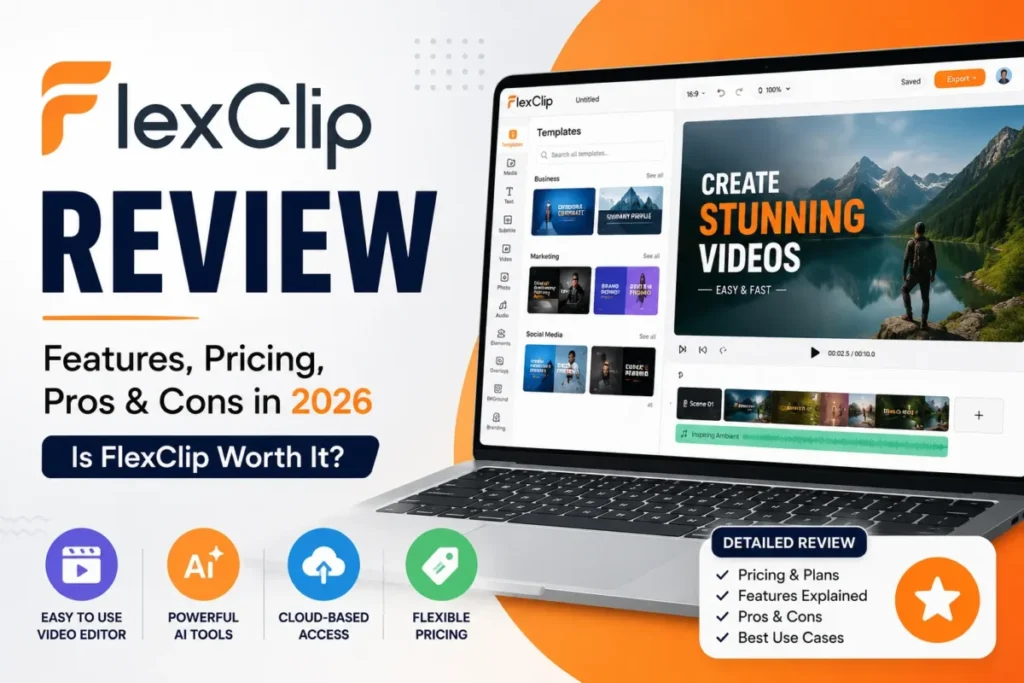
FlexClip sells two things that look like one product, and the gap between them is where buyers lose money. A Video Editor Plan controls export resolution, stock allowances, project limits, and cloud storage.
AI credits are a separate purchase that pays for generation and opens none of that. Our FlexClip review starts there because the confusion is expensive: AI credit purchases are non-refundable, and a buyer can pay for credits and still be blocked from a 1080p export.
The short version: FlexClip Free costs $0 and caps you at 720p, twelve saved projects, ten-minute videos, and one stock video per project. Plus at $11.99 a month on annual billing is the first plan that removes those bottlenecks.
Skip FlexClip if you need mobile project continuity, precision post-production, or documented enterprise controls. If you are still shortlisting, our roundup of the best AI video generators covers the wider category.
In This Article (18 sections)
FlexClip Review 2026: Quick Verdict
| Category | Verdict |
|---|---|
| Best for | Solo creators, marketers, educators, and podcasters producing frequent short-form video in a browser |
| Not ideal for | Precision post-production, mobile-first editing, and regulated teams needing verified security controls |
| Starting price | $0 on Free, and $11.99 per month effective on annual Plus billing ($143.88 charged annually) |
| Best practical plan | Plus, because it removes the 720p ceiling, the twelve-project cap, the ten-minute limit, and the watermark trigger |
| Free plan or trial | Free plan, with limited AI access |
| Setup difficulty | Low. Browser-based, no install, autosave every few seconds |
| Main strength | Speed from template to export without a desktop editor |
| Main limitation | AI credits are billed separately and open no editor entitlement |
| Best alternative | Depends on the blocker. See the requirement-mapped alternatives below |
Source: FlexClip’s pricing page and the Video Editor plan benefits documentation, checked July 28, 2026.
FlexClip Pros and Cons
| Pros | Cons |
|---|---|
| Plus removes the Free plan’s 720p ceiling, twelve-project cap, and ten-minute duration limit in one step | AI credits and Video Editor Plans are separate purchases, so credits open no 1080p or 4K export |
| Annual Plus billing costs $143.88 against $239.88 for twelve monthly payments, a $96.00 difference | Plus caps stock at five videos and five audios per project, which pushes stock-heavy work to Business |
| Brand Kit and custom fonts appear on Plus, so client work does not need per-project restyling | No immediate downgrade exists. You cancel, wait for expiry, then buy the lower plan |
| Cloud Space gives 30 GB on Plus and 100 GB on Business for reusable source media across devices | Cloud files can be deleted three months after non-renewal, forcing manual relinking |
| AI Auto Edit accepts up to 50 files and returns an editable timeline, not a locked render | SOC 2, ISO 27001, HIPAA, SSO, SCIM, audit logs, and a support SLA were not verified in public sources |
| Uploaded content stays the user’s property and is not used for AI model training under the terms | FlexPix is a separate AI-only mobile app with no shared accounts, projects, or subscriptions |
Source: every row above resolves to FlexClip’s pricing page, the subscription expiry article, or the terms of use, checked July 28, 2026.
What Is FlexClip?
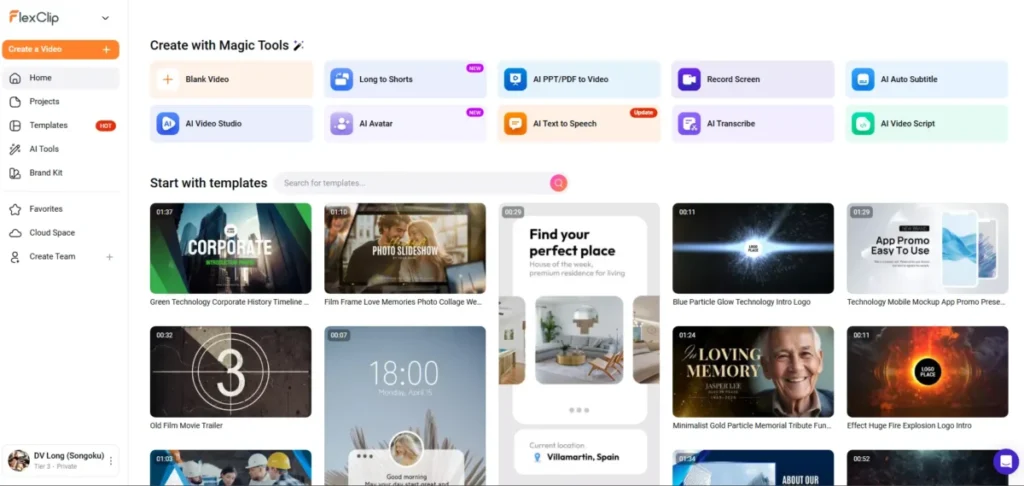
FlexClip is a browser-based video creation platform from PearlMountain Limited. It combines a timeline editor, ready-made templates, royalty-free stock media, screen and webcam recording, shared team workspaces, and a credit-metered AI suite in one workspace.
The editor handles trimming, splitting, cropping, merging, resizing, speed changes, layered media, text, transitions, animations, voiceovers, and effects. Exports come out as MP4, GIF, or MP3, at 480p, 720p, 1080p, or 4K depending on the active plan.
That positioning matters for a buying decision. FlexClip is built for people who need a finished social clip fast, not for people who need frame-accurate control over a thirty-minute edit.
The AI layer runs alongside the editor rather than inside the same subscription. Text-to-video, AI Auto Edit, subtitles, voice, images, music, and avatars all draw down credits.
That suite is a generative AI layer bolted to an editor, not a feature of the editor subscription. The credit balance is governed by its own issuance, validity, and refund rules.
That split is the single most decision-relevant fact in this review, and the pricing section takes it apart first.
Source: FlexClip’s help center overview, the export documentation, and the privacy policy.
How We Researched FlexClip
This review draws on FlexClip’s official pricing page, its help center, the privacy policy, the terms of use, and labeled independent review evidence. Pricing, plan limits, and AI-credit rules were checked on July 28, 2026.
Every plan was assessed against the same buyer criteria: export ceiling, project and stock limits, AI-credit economics, cloud and hosting quotas, brand controls, collaboration roles, billing mechanics, and documented data-retention behavior.
Greater weight went to the factors that change a purchase: the cheapest plan that removes a real bottleneck, the exact limit that forces an upgrade, the refund and downgrade rules, and the cost of leaving later.
Claims that could not be verified from reliable evidence were excluded rather than estimated. User sentiment is labeled as sentiment, and vendor positioning is attributed to FlexClip and kept separate from documented behavior.
FlexClip Pricing and Which Plan Is Practical
Four plans matter here, and the published monthly prices are not the numbers most buyers pay.
Every figure in this section is FlexClip’s standard list price and renewal price, checked July 28, 2026, not a temporary checkout rate. Confirm the renewal figure before committing to an annual invoice, because the number shown at checkout is not always the number that recurs.
| Plan | Month-to-month | Annual, effective per month | Annual invoice | Export ceiling | The limit that forces the next step |
|---|---|---|---|---|---|
| Free | $0 | $0 | $0 | 720p | 12 saved projects, 10-minute videos, 1 stock video and 1 stock audio per project |
| Plus | $19.99 | $11.99 | $143.88 | 1080p | 5 stock videos and 5 stock audios per project, 30 GB Cloud Space, 100 saved templates |
| Business | $29.99 | $19.99 | $239.88 | 4K | 100 GB Cloud Space, 200 saved templates, no team roles |
| Team | $69.99 | $39.99 per team | $479.88 | 4K | 3 included seats, extra-seat price not published |
Sources: FlexClip’s official pricing page, the Video Editor plan benefits article, and the Team plan cost article, checked July 28, 2026.
The annual commitment, priced honestly
Annual billing on FlexClip is a full-year invoice, not a discounted monthly charge. That distinction turns an $11.99 monthly line item into a $143.88 up-front commitment.
| Scenario | 12 months monthly | Annual invoice | Difference |
|---|---|---|---|
| Plus, one creator | $239.88 (12 x $19.99) | $143.88 | $96.00 |
| Business, one account | $359.88 (12 x $29.99) | $239.88 | $120.00 |
| Team, three included seats | $839.88 (12 x $69.99) | $479.88 | $360.00 |
Source: calculated from the monthly and annual prices published on FlexClip’s pricing page and in the Team plan cost article, checked July 28, 2026. These totals exclude tax and any AI-credit purchase.
Team’s annual invoice works out to $13.33 per included seat per month, which is cheaper per person than a single Plus subscription. That only holds at exactly three seats, because FlexClip’s public documentation does not publish an extra-seat price.
We would not model a five-editor or ten-editor budget on this plan until that number is confirmed in writing.
Where each plan stops working
The Free plan is a real plan, not a trial, and it fails at predictable points. Exports cap at 720p, saved projects cap at twelve, and individual videos cap at ten minutes.
Stock is limited to one video and one audio track per project. FlexClip’s pricing page warns that exceeding the included stock limit can add a watermark.
Any one of those five is enough to end a client project. That is why we treat Plus, not Free, as the entry point for anyone producing work that leaves their own channel.
Plus is the practical plan for most solo buyers. It moves export to 1080p, removes the project-count and duration caps, adds Brand Kit and custom fonts, gives 30 GB of Cloud Space and 100 GB of hosting, and allows up to 100 saved templates.
Business earns its extra $96.00 a year only on specific triggers: 4K delivery, unlimited stock video and audio, 9,600 AI credits a year against Plus’s 3,600, 100 GB of Cloud Space, 1 TB of hosting, and 200 saved templates. One independent reviewer, The Business Dive, flagged the Plus stock ceiling as the practical reason to move up, and the pricing page confirms the numeric cap.
Cloud Space and hosting are two different quotas, and buyers routinely read them as one. Cloud Space holds reusable source media that syncs across devices, and hosting covers published video capacity.
A team with a large reusable asset library is constrained by the first number, not the second.
Sources: the FlexClip plan comparison and FlexClip’s plan-entitlement documentation, updated June 16, 2026.
Refunds, renewal, and the downgrade you cannot make
Three billing rules deserve attention before the card goes in.
A first Plus, Business, or Team payment can qualify for a refund request within seven days. Renewal payments are excluded, and AI credit packages and AI credit subscriptions are non-refundable including renewals.
| Purchase | Refund window |
|---|---|
| First Video Editor Plan payment (Plus, Business, Team) | Request within 7 days |
| Video Editor Plan renewal | Not eligible |
| AI Credits Package (one-time) | Not refundable |
| AI Credits Subscription, including renewals | Not refundable |
Sources: FlexClip’s editor subscription refund policy and the AI credits refund policy.
Subscriptions renew automatically unless cancelled, and cancelling preserves benefits through the current paid term. Upgrades apply with prorated billing.
Downgrades do not work the same way. FlexClip does not offer an immediate downgrade, so a buyer who over-buys Business must cancel, wait out the paid term, and then choose the lower plan.
On an annual invoice that is a long wait, which makes the first plan choice more consequential than the marketing implies.
Sources: FlexClip’s auto-renewal article, the cancellation steps, and the plan-change article.
Feature Gates: What You Get on Each Plan
| Capability | Free | Plus | Business | Team |
|---|---|---|---|---|
| Export resolution | 720p | 1080p | 4K | 4K |
| Watermark condition | Can apply when included stock limits are exceeded | Not listed | Not listed | Not listed |
| Saved projects | 12 | Unlimited | Unlimited | Unlimited |
| Project length | 10 minutes | Unlimited | Unlimited | Unlimited |
| Stock per project | 1 video, 1 audio | 5 videos, 5 audios | Unlimited | Unlimited |
| AI credits (annual billing) | Limited trial access | 3,600 per year | 9,600 per year | Business benefits |
| Cloud Space | Not included | 30 GB | 100 GB | Business benefits |
| Video hosting | Not listed | 100 GB | 1 TB | Business benefits |
| Brand Kit and custom fonts | Not included | Included | Included | Included |
| Saved templates | Not listed | Up to 100 | Up to 200 | Business benefits |
| Team roles and centralized billing | Not offered | Not offered | Not offered | 3 seats included |
| Verified enterprise controls (SOC 2, SSO, SCIM, audit logs) | Not verified | Not verified | Not verified | Not verified |
Sources: FlexClip’s published plan table, the plan benefits reference, and the Team plan comparison, checked July 28, 2026.
Two rows carry most of the buying weight. The stock row explains why a paid Plus user can still hit a wall on a stock-heavy montage, and the bottom row explains why a procurement team cannot approve this from public evidence alone.
Export behavior is where gates become visible. When a project uses paid resources or exceeds the active plan’s limits, FlexClip’s documentation states that export can require re-editing or upgrading.
A buyer discovers that at the end of the job, not the beginning, which is the worst possible moment.
AI Credits: The Separate Cost Layer
Here is the thing most FlexClip coverage skips. Buying AI credits does not buy editor capability.
| Question | Video Editor Plan | AI Credits Plan |
|---|---|---|
| What it pays for | Editor entitlements: export resolution, stock allowance, project limits, Cloud Space, hosting, Brand Kit | AI generation across FlexClip’s AI tools |
| Opens 1080p or 4K export | Yes, by tier | No |
| Opens premium stock | Yes, by tier | No |
| Allows importing AI-generated video into the editor | Yes, with an eligible plan | No |
| Refundable | First payment only, within 7 days | No, including renewals |
| Starting price | $0 Free, $11.99 per month effective annual Plus | From $9.90 for 300 AI credits |
Sources: FlexClip’s comparison of Video Editor Plans and AI Credits Plans, the export article for AI credit buyers, and FlexClip’s pricing guide.
An AI-first buyer can spend on credits, generate a clip, and then find the editor still asking for a Video Editor Plan before the clip enters a timeline or exports above 720p. Because credit purchases are non-refundable, that is a mistake with no reversal path.
How credits are consumed and how they expire
Credit cost is not a flat rate. Consumption varies by tool, model, duration, resolution, and task, and FlexClip displays an estimated cost before generation, which is the amount deducted when the generation runs.
Treat that pre-generation estimate as the real price list. It is the only figure that reflects the model and settings a buyer chose.
Expiry rules differ by how the credits arrived, and this is where unused budget quietly disappears.
| Credit source | Issued | Validity | Rolls over | Refundable |
|---|---|---|---|---|
| Bundled with a Video Editor Plan | Each billing cycle | Current cycle | No | Covered by the editor refund rule, first payment only |
| AI Credits Subscription | Monthly | 2 months on a monthly subscription, 3 months on an annual subscription, while active | Within the validity window only | No |
| One-time AI Credits Package | On purchase | 365 days | Buying another package refreshes existing one-time credits to 365 days | No |
Sources: Types of AI Credits and How They Are Issued, what a FlexClip AI credit is, and the AI tools credit consumption guide.
The one-time package rule is the useful one. A buyer with an aging balance who tops up refreshes the whole one-time balance to 365 days, which makes periodic small purchases better value than one large lapsed block.
Bundled editor credits behave the opposite way. They refresh each cycle and do not roll over, so an occasional user on annual Plus is paying for capacity that resets whether or not it was touched.
The upgrade trigger here is specific. When the pre-generation estimates for your normal month exceed the bundled allowance, add an AI Credits Plan or a one-time package rather than jumping to Business.
Business is priced for 4K, unlimited stock, and storage as much as for its 9,600 credits. Paying the higher tier only to raise a credit ceiling is the wrong lever.
We cannot price an AI budget per finished video, and neither can anyone else from public data. The full package ladder beyond the $9.90 entry offer and the per-model credit rates are not published in a form that supports that math, so any per-video AI cost you see quoted is an estimate rather than a verified figure.
Key Features and Where Each One Stops
Six capabilities carry most of the buying decision. Each one below states what it does, which plan it sits on, and the exact point where it stops.
Timeline editor
The editor handles trimming, splitting, cropping, merging, resizing, speed changes, layered media, text, transitions, animations, voiceovers, and effects in the browser. For a marketer turning one product shoot into six platform cuts, that is the whole job in one tab.
Available on every plan, including Free. The ceiling is output, not editing: Free stops at 720p and ten minutes per video, so the same edit that looks finished on screen can fail at the export step.
Templates and stock media
Templates and royalty-free stock are the reason FlexClip is fast, and independent reviewers consistently name them as the product’s strongest practical asset.
The plan gate is per project, not per month. One stock video and one stock audio on Free, five and five on Plus, unlimited on Business.
A stock-heavy build on Plus can trip the watermark or upgrade path late in production, which is the most common paid-plan surprise in this product.
Brand Kit and custom fonts
Brand Kit and custom fonts sit on Plus and Business. For a freelancer running three client brands, this is the difference between restyling every project and applying a saved identity.
An older third-party review claimed FlexClip had no brand-asset management. FlexClip’s July 2026 pricing page lists Brand Kit and custom fonts on both paid individual plans, so treat that older statement as out of date.
AI creation suite
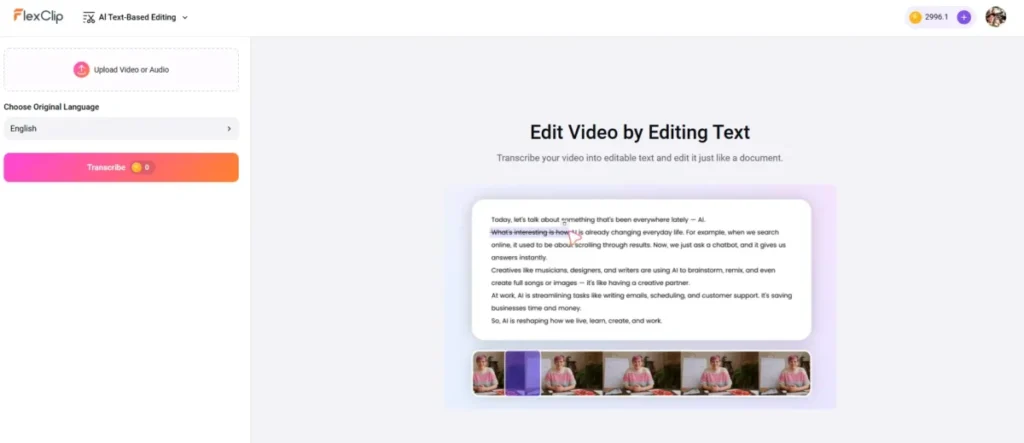
Text-to-video, AI Auto Edit, subtitles, voice, images, music, and avatars all run on credits. AI Auto Edit is the one with a hard operational ceiling: up to 50 input files with total video duration under 45 minutes.
That gate decides whether the feature fits your footage. A three-camera event shoot or a full interview recording exceeds it, so the batch has to be split or pre-selected before generation.
The still-image tools draw on the same credit pool as video generation, which matters if your workflow already runs through dedicated AI image generators. Running both means paying twice for overlapping capability.
Cloud Space
Cloud Space is a premium feature that syncs uploaded media across devices and shows syncing, success, and retry states, with folder, trash, and restore controls. It gives 30 GB on Plus and 100 GB on Business.
FlexClip’s documentation does not state what happens when the quota fills, so overflow behavior is unknown rather than known-safe. Plan capacity with headroom instead of assuming a graceful cap.
Sources: About Cloud Space and Manage Saved Files in Cloud Space.
Export and sharing
Output is MP4, GIF, or MP3, at 480p, 720p, 1080p, or 4K subject to plan entitlement. Deliverable format is rarely the constraint here.
The constraint is the resolution ladder, and it maps directly to money: 1080p requires Plus, 4K requires Business.
Sources for this section: FlexClip’s product overview and the AI Auto Edit documentation.
Storage and plan figures come from About Cloud Space and the FlexClip plan and price listing.
Documented Workflows
These six workflows are reconstructed from FlexClip’s official documentation. They describe the documented path, the documented limits, and the point where a buyer hits a decision.
Template to export
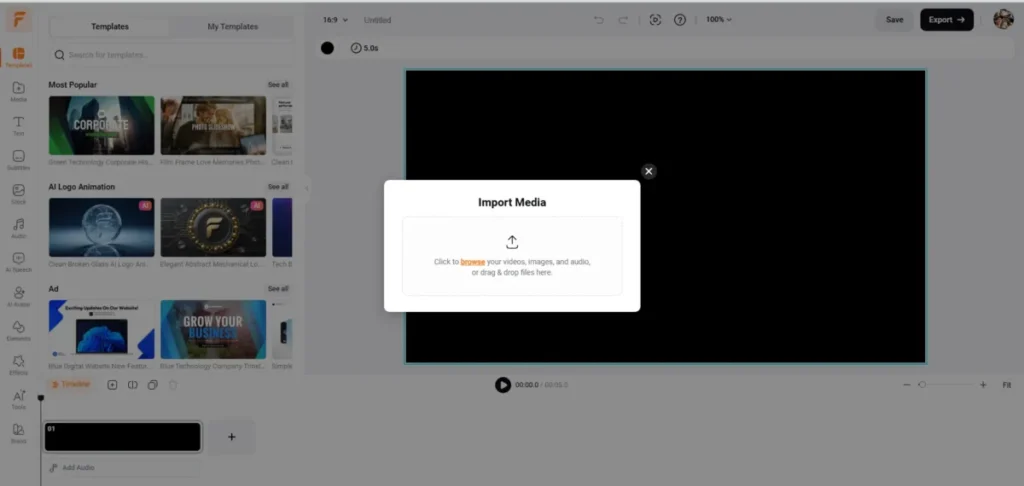
Open a template or a blank canvas, add uploaded or stock media from the Media panel, arrange scenes on the timeline, add text, audio, captions, or effects, confirm the Saved indicator, then export with a chosen format and resolution.
The friction is concentrated at the last step. Plan resolution, stock allowance, project count, and duration all resolve at export, and browser or local disk problems can block processing independently of the plan.
AI Auto Edit to editable timeline
Upload the batch, choose language, choose aspect ratio, choose a theme, review the displayed credit cost, then generate. The result opens in the editor for manual refinement rather than arriving as a finished render.
The gate is capacity: 50 files, total video duration under 45 minutes. Split larger jobs, and remember that export quality still answers to the Video Editor Plan rather than the credits you just spent.
AI generation and the editor entitlement check
Select an AI tool or model, enter the prompt, review the estimated credit charge, generate, and download where supported. Importing that output into the full editor requires an active Video Editor Plan.
This is the workflow that produces the pay-again support ticket. The safe sequence is to validate the workflow on the Free editor first, then price the editor plan and the AI need as two separate lines.
Cloud media sync and post-expiry planning
Upload media to Cloud Space, watch the syncing state, confirm success or use Retry, organise files and folders, then edit on another device. Before any cancellation, download or archive the source media locally.
After expiry, cloud files can be removed and projects need their media relinked by hand. An agency with a reusable asset library should treat the local archive as the system of record, not FlexClip.
Team collaboration and project handoff
Create or join a Team, invite users, assign a role, then move or duplicate the project inside the Team workspace. The recipient duplicates the project into their own area and continues editing.
There is no direct account-to-account transfer and no direct cross-project scene copy. Duplicate Project inside a Team is the documented handoff route, and Save as Template is the documented route for reusing scenes across projects.
Cancel, downgrade, and protect the work
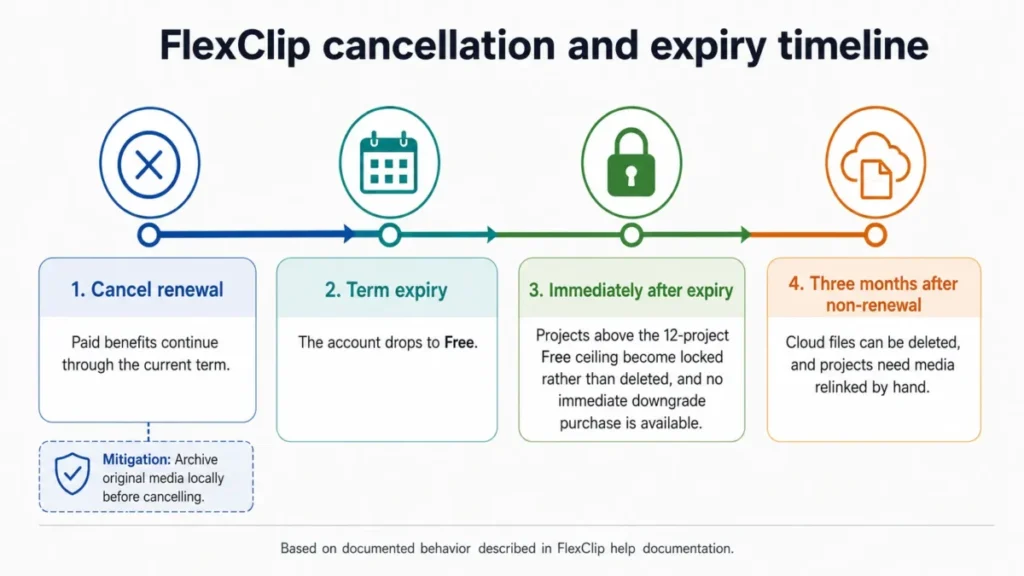
Open billing settings on a computer, cancel renewal, keep benefits through term end, then allow the account to drop to Free. Review which projects sit above the twelve-project Free ceiling, and archive or relink cloud media before the three-month deletion window.
Buying a lower plan happens after expiry, not before. Bundled editor credits do not roll over, so cancel timing should account for credits you have already paid for.
Sources: FlexClip’s export guide, AI Auto Edit, Manage Saved Files in Cloud Space, project transfer guidance, scene reuse guidance, and the cancellation article.
Ease of Use, Setup, and Browser Requirements
Setup difficulty is low. There is no install, media comes in from a device, a phone, Google Drive, Google Photos, or OneDrive, screen and webcam recording are built in, and projects autosave every few seconds with a Saved indicator.
Independent reviewers describe the drag-and-drop editor and caption workflow as the strongest fit for podcast marketing clips and social content, and as a weaker fit for precision or long-form post-production. That is sentiment rather than a measured result, and it matches the plan design.
Sentiment sources: Creative Bloq’s FlexClip review and The Podcast Host’s FlexClip review.
The part buyers underestimate is the local environment. FlexClip supports current Chrome, Firefox, and Safari, recommends Chrome for stability, and can be disrupted when browser storage or the system disk runs out of space.
Run this preflight before any deadline job:
- Use a current version of Chrome.
- Confirm free space on the system disk before importing large media.
- Confirm the Saved indicator before closing the tab.
- If export fails, refresh, then try Cloud Export when it is offered.
- If it still fails, contact support with the account and project identifiers.
Sources: FlexClip’s browser support article, the disk-space article, the export troubleshooting article, and the autosave article.
Integrations and Ecosystem
FlexClip’s documented integrations are import paths, not workflow automation. That distinction matters if you were planning to trigger renders from another system.
| Integration | Status | What the evidence covers |
|---|---|---|
| Google Drive | Verified | Media upload through the Media panel |
| Google Photos | Verified | Documented import source |
| OneDrive | Verified | Documented import source |
| YouTube | Limited | Privacy documentation states only the user-selected video is shared through YouTube API access. The publishing workflow was not verified |
| Public automation API | Not verified | No public developer documentation was located in reviewed sources |
| Zapier or Make connectors | Not verified | No official connector documentation was located in reviewed sources |
Sources: FlexClip’s guide to adding files from other platforms, the local upload guide, and the privacy policy.
For a team whose content pipeline already runs on scheduled automation, the absence of verified connector documentation is a real planning constraint. Ask FlexClip directly before assuming an API exists, and compare against tools in our content creation tools roundup if automation is non-negotiable.
Team Collaboration, Privacy, and Support
Team is the only plan with documented role administration. Members create and edit, Admins manage invitations and roles, and Owners control the subscription and team deletion.
| Role | Can do |
|---|---|
| Member | Create and edit projects in the shared workspace |
| Admin | Manage invitations and role assignments, plus Member capabilities |
| Owner | Control the subscription and team deletion, plus Admin capabilities |
Sources: FlexClip’s team role permissions article and the Team, Plus, and Business comparison.
Three seats and a role hierarchy is enough governance for a small content pod. It is not enough for a company that needs provisioning, audit trails, or per-project access boundaries, and our roundup of team collaboration tools covers products built for that layer.
What the privacy documentation covers
FlexClip’s public documents are stronger than the vague “is it safe” answer most reviews give, and weaker than what a regulated buyer needs.
| Control | Status | Documented scope |
|---|---|---|
| Content privacy | Documented | Uploaded and created content is private by default unless shared. Team content follows workspace roles |
| GDPR rights | Documented | Access, correction, deletion, restriction, portability, consent withdrawal, and complaint rights for EEA residents |
| Content and model training | Documented | Terms state user content stays the user’s property and is not used for AI training, machine learning, or unrelated analysis |
| Google and YouTube API data | Documented | Processed in FlexClip-controlled systems, not sent to third-party AI providers for AI processing, not used to train generalized models |
| Account deletion | Documented | 14-day grace period, then permanent removal of data and remaining credits, with no backup or recovery |
| SOC 2, ISO 27001, HIPAA | Not verified | No public certification evidence was located in reviewed sources |
| SSO, SCIM, audit logs, DPA, support SLA | Not verified | No public documentation was located in reviewed sources |
Sources: FlexClip’s privacy policy, last updated July 15, 2026, and the terms of use.
“Not verified” means the evidence was not found in public sources, not that the control is absent. A procurement team should request written confirmation rather than reading absence either way.
Stock licensing carries its own boundary. FlexClip’s terms state stock assets cannot be redistributed as standalone files, mass-scraped, or used to create a trademark or logo, and some assets can carry editorial-use restrictions.
An agency reusing FlexClip stock across client deliverables should check asset-level restrictions before invoicing.
Support runs through the help center and email contact. No formal response-time target was verified, so a team with a same-day publishing commitment cannot plan around a contractual reply time.
FlexClip Limitations and Buyer Risks
Six limitations change a purchase decision. Each one below states its trigger, its workflow consequence for an affected buyer, and the mitigation we would recommend.
AI credits open no editor entitlement. An AI-first buyer can pay for credits, generate output, and still be blocked from 1080p export or editor import. Price the editor plan and the AI need separately, and validate on the Free editor before committing, because credits are not refundable.
The Plus stock ceiling is a hard per-project cap. Five stock videos and five stock audios per project is generous for a talking-head clip and tight for a montage. Teams building stock-heavy montages on Plus should either supply their own footage or budget for Business.
There is no immediate downgrade. Over-buying Business means cancelling, waiting for the term to expire, and repurchasing. On annual billing that can mean most of a year on the wrong plan.
Cancellation puts source media on a clock. After expiry the account drops to Free, projects above the twelve-project ceiling become locked rather than deleted, and cloud files can be deleted three months after non-renewal, which forces manual relinking.
Account deletion is irreversible. In-account deletion starts a 14-day grace period, after which data and remaining credits are permanently removed with no backup or recovery. Export deliverables and archive source media before starting that process.
Enterprise controls are not publicly verified. SOC 2, ISO 27001, HIPAA, SSO, SCIM, audit logs, a DPA, and a support SLA were not confirmed in the sources reviewed. A regulated buyer should treat that as an open question to resolve in writing, not as a pass or a fail.
Two more constraints belong on the ledger. Mobile continuity does not exist in the way buyers assume, because FlexPix is a separate AI-only iOS and Android app whose accounts, projects, and subscriptions are not shared with FlexClip.
Project portability is a workaround rather than a feature, since cross-account transfer runs through a Team workspace plus Duplicate Project.
On sentiment, Trustpilot’s recent-review summary reports recurring complaints about purchase options or watermarks, rejected files, download failures, and limits in advanced collaboration. Those are opinion patterns rather than measured failure rates, and the documented export recovery path addresses part of the third one.
Sources: FlexClip’s subscription expiry article, the FlexPix article, and Trustpilot’s FlexClip review page.
Where FlexClip Works Best
One-to-three-person social teams without a dedicated editor. Frequent Reels, Shorts, ads, and explainers are exactly what the template plus timeline combination is built for. Plus is the right plan, because 1080p and the removal of the twelve-project cap match a weekly publishing rhythm.
Podcasters cutting captioned episode clips. Independent reviewers rate the drag-and-drop and caption workflow highly for this job, and episode clips rarely need 4K. Plus covers it unless the clips lean heavily on stock B-roll.
Educators producing lessons and narrated walkthroughs. Browser access, screen and webcam recording, and autosave suit an environment where installing software is difficult. Free is a fair trial here, and Plus becomes necessary once lessons run past ten minutes or past twelve saved projects.
Freelancers delivering client-ready short video. Brand Kit, custom fonts, 1080p, and up to 100 saved templates make repeat client work faster on Plus. Add Business only when a client contract specifies 4K or the projects run stock-heavy.
Three-person content pods needing shared editing. Team gives roles, a shared workspace, and centralized billing at $479.88 a year, which is $13.33 per included seat per month. Confirm extra-seat pricing before planning to grow past three.
At the 30-day mark, a working FlexClip purchase looks like this: the team ships on schedule without hitting an export gate, and nobody has bought AI credits expecting them to change the export ceiling. At 90 days, the source media archive exists outside FlexClip and the credit consumption pattern is known well enough to choose between a top-up and a plan change.
Who Should Avoid FlexClip
Precision post-production teams. Accessible reviews consistently place FlexClip on the beginner and rapid-content side rather than the cinematic, keyframe-heavy, or long-form side. If multi-track precision is the job, this is the wrong category of tool.
Mobile-first editors. FlexPix does not share accounts, projects, or subscriptions with FlexClip, so there is no start-on-desktop, finish-on-phone path. Buyers who need that should shortlist a mobile-native editor instead.
Regulated or enterprise buyers. Without publicly verified SOC 2, ISO 27001, HIPAA, SSO, SCIM, audit-log, DPA, or SLA evidence, most security reviews stall. Request the documentation first, and plan for the possibility that it does not exist in the form your reviewer needs.
AI-first buyers expecting one purchase. If the mental model is “buy credits, get the product”, FlexClip will disappoint at the export step and will not refund the credits. This buyer needs an editor plan too, or a tool that bundles both.
Teams that need downgrade flexibility or firm retention commitments. No immediate downgrade, no rollover on bundled credits, and a three-month cloud-file window after non-renewal add up to real switching friction. Buyers with seasonal production cycles should model that cost before committing annually.
FlexClip Alternatives
FlexClip’s disqualifiers are specific, so an alternative should be chosen by the exact blocker rather than by brand. The table routes each requirement to the tool worth shortlisting next.
| Requirement FlexClip does not cover | Shortlist next | Verify before you buy |
|---|---|---|
| Mobile continuity with a shared account and shared projects | Canva | Whether desktop and mobile share one account, one project list, and one subscription |
| AI-first generation where credits and editor access come from one purchase | Runway ML | The credit model, the expiry rules, and whether generation and export are billed together |
| Deeper creative control inside a larger creative suite | Adobe Firefly | Whether the suite reaches your editing depth, and the licensing terms for generated assets |
| Fast record-and-share without a timeline edit | Loom | Retention limits, sharing permissions, and whether an editable output is ever needed |
This table states no verified pricing or capability claim for the four tools above. Their pricing and features were not verified in this research pass, so each one routes to the review where that evidence is assessed.
Canva
Canva is the shortlist entry when the blocker is editing one project on a desktop and then on a phone, which FlexPix does not provide for FlexClip. Template-driven browser production is the closest match to what FlexClip already does well.
Check its plan terms against the same five FlexClip breakpoints before switching: export ceiling, project count, stock allowance, brand controls, and what happens to stored assets after cancellation. Our Canva AI review holds the current evidence.
Runway ML
Runway ML belongs on the list when AI generation is the product rather than a credit-metered add-on beside an editor. FlexClip’s split between a Video Editor Plan and AI credits is the exact friction this category replaces.
Verify how its credits are issued, when they expire, and whether generation and export sit inside one purchase, because that is the FlexClip rule that costs buyers money. The Runway ML review is where to check.
Adobe Firefly
The Adobe route fits when the blocker is creative depth rather than production speed, since accessible reviews place FlexClip on the beginner and rapid-content side. Generated-asset licensing is the term to read closely.
Confirm the suite reaches the editing depth your work needs before committing, and compare its commercial-use terms against FlexClip’s stock restrictions. Start with our Adobe Firefly review.
Loom
Loom answers the record-and-share half of the job rather than the edit-and-publish half, which covers a large share of the screen-recording work FlexClip also handles. No timeline means no export gate to plan around.
Check retention limits and sharing permissions first, because those replace resolution and stock caps as the binding constraint. The detail sits in our Loom review.
For a wider shortlist judged against the same requirements, our guide to text-to-video AI generators covers adjacent tooling.
Final Verdict: Is FlexClip Worth It?
FlexClip is worth paying for when the bottleneck is production speed in a browser, and it is not worth paying for when the bottleneck is editing depth, mobile continuity, or security governance.
Plus at $143.88 a year is the plan we would choose for almost every solo buyer. It removes the five limits that stop work on Free, adds Brand Kit and custom fonts, and costs $96.00 less than paying monthly for the same twelve months.
Choose Business when a specific trigger exists: 4K delivery, unlimited stock, 9,600 AI credits a year, 100 GB of Cloud Space, or 1 TB of hosting. Choose Team when three people need shared roles and one invoice, and confirm extra-seat pricing before planning past three.
That recommendation rests on the plan entitlements published in FlexClip’s plan pricing table and detailed in the plan benefits article, checked July 28, 2026.
Run the shortlist through six questions.
- Do you need 1080p or 4K?
- Are your projects stock-heavy?
- Will AI generation exceed the bundled allowance?
- Do you need editable team handoff?
- Do you need mobile continuity?
- Do you need verified enterprise controls?
The last two are the disqualifiers. A “yes” to either one means FlexClip is not the tool, and no plan upgrade changes that.
Before renewal, the buyer should be able to answer one question: is the source media archived somewhere that survives cancellation? If the answer is no, the subscription is holding the assets hostage, and that is a cheaper problem to fix now than three months after expiry.
Frequently Asked Questions
These are the questions buyers ask before committing to an annual invoice, answered from FlexClip’s own documentation.
Is the FlexClip free plan a real plan or a trial?
Yes, it is a real free plan rather than a time-limited trial, but it is capped. Free gives 720p exports, twelve saved projects, ten-minute videos, one stock video and one stock audio per project, and limited AI access.
Most client-facing work hits one of those five limits, which is why Plus at $143.88 a year is the practical entry point.
How much does FlexClip cost in 2026?
Free is $0, and Plus is $19.99 month-to-month or $11.99 per month on annual billing, invoiced at $143.88. Business is $29.99 month-to-month or $19.99 per month annually, invoiced at $239.88.
Team is $69.99 monthly or $479.88 a year for three seats. AI credits are a separate purchase starting at $9.90 for 300 credits, checked July 28, 2026.
Does FlexClip put a watermark on your videos?
FlexClip’s pricing page warns that exceeding the included stock limit can add a watermark, and paid plans do not list a watermark. Free allows one stock video and one stock audio per project, so a Free project using more stock than that is the common trigger.
Export can also require a re-edit or an upgrade when a project exceeds its plan.
Do FlexClip AI credits include the video editor?
No, unless you also hold a Video Editor Plan. AI credits pay for generation only, and they do not open 1080p or 4K export, premium stock, or importing AI-generated video into the editor.
Because AI credit packages and subscriptions are non-refundable including renewals, budget the editor plan and the credits as two separate purchases.
Can FlexClip export 4K?
Yes, if you are on Business or Team. Plus tops out at 1080p and Free tops out at 720p.
There is no add-on that raises the resolution ceiling on a lower plan, and buying AI credits does not change it. A project that exceeds its plan prompts a re-edit or an upgrade at the export step.
Is FlexClip good for a small business or a two-person marketing team?
Yes, if the output is short-form social video at 1080p and nobody on the team is a dedicated editor. Plus covers that pattern well.
It stops fitting when projects lean heavily on stock footage, because Plus caps stock at five videos and five audios per project, or when a third editor needs their own seat and role.
What happens to my projects if I cancel FlexClip?
Benefits continue through the paid term, then the account drops to Free. Projects above the twelve-project Free ceiling become locked rather than deleted.
Cloud files can be deleted three months after non-renewal, which means projects need their media relinked manually. Archive original media locally before cancelling, because there is no immediate downgrade path either.
Is FlexClip safe for client footage?
FlexClip’s documents state that uploaded and created content is private by default unless shared, that content stays the user’s property, and that it is not used for AI training or unrelated analysis. EEA users get GDPR rights.
What was not verified is SOC 2, ISO 27001, HIPAA, SSO, SCIM, audit logs, or a DPA, so a regulated buyer should request that documentation directly.
Does FlexClip have a mobile app I can edit projects in?
No, not in the way most buyers expect. FlexPix is a separate AI-only app for iOS and Android without the FlexClip timeline editor, and FlexPix accounts, projects, and subscriptions are not shared with FlexClip.
Starting a project on desktop and finishing it on a phone is not a documented workflow, so mobile-first editors should shortlist a mobile-native tool instead.
FlexClip vs Canva: which one should I shortlist?
Shortlist by the blocker rather than the brand. If your requirement is browser-based template video at 1080p with Brand Kit, FlexClip’s Plus plan already answers it at $143.88 a year.
If your requirement is editing the same project across desktop and mobile, FlexClip cannot do it, and that is the case for evaluating Canva against the same checklist.