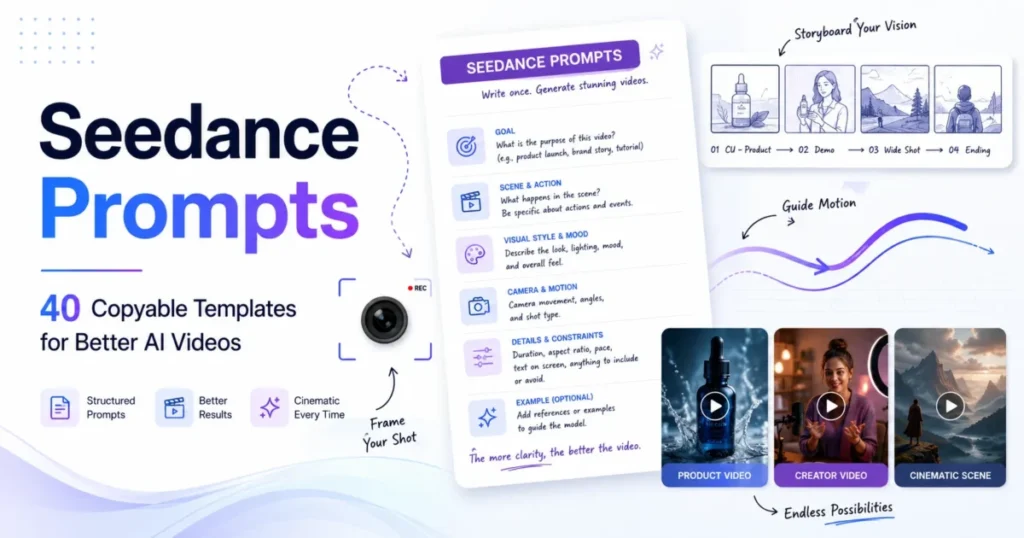
A Seedance 2.5 prompt is a director-style text instruction that tells ByteDance’s Seedance 2.5 video model what each uploaded reference is for, what happens second by second, and how the camera, sound and constraints behave.
Seedance 2.5 prompts steer a clip of up to 30 seconds and up to 50 reference files in one request, so a good one reads like a shot list, not a caption. Files are bound with @ tags such as @Image1 and @Video1, and actions sit in whole-second ranges such as 0-6s.
Past 30 seconds, ByteDance Seed says a clip can be extended twice, and Dreamina offers a beta long-video mode of 5 to 180 seconds, so a long piece is a base prompt plus continuation prompts. The 30 prompts below suit creators and small teams making ads, product clips, story scenes and dialogue in Dreamina or through BytePlus ModelArk.
Every extra reference or action adds a chance of conflict: Dreamina names conflicting camera instructions and too many actions for the duration among the most common reasons a Seedance 2.5 prompt fails. Copy the template first, then pick a prompt from the group that matches your files: cinematic, product, UGC, character and dialogue, motion reference, or editing.
In This Article (6 sections)
How to Write a Seedance 2.5 Prompt: The Copy-First Template
Paste this master template, built on Dreamina’s own four-beat layout for a 30-second clip, replace the uppercase slots, and delete any line your clip does not need:
Reference map: @Image1 is SUBJECT. @Image2 is LOCATION. Refer to CAMERA_OR_ACTION in @Video1 only. Use the voice in @Audio1 for SUBJECT.
Main idea: DURATION-second ASPECT_RATIO video: SUBJECT does EVENT in LOCATION, STYLE.
0-6s: SHOT_SIZE, one action, one camera move.
6-14s: SHOT_SIZE, one action, one camera move.
14-24s: SHOT_SIZE, one action, one camera move.
24-30s: resolution beat, hold.
Audio: NAME's line (EMOTION): "LINE". Ambience and sound effects. No BGM.
Keep consistent: face, wardrobe, product label, light direction.
Avoid: no subtitles, UNWANTED_ITEMS.
The order follows Dreamina’s Seedance 2.5 prompt guide, which runs format, subject, action, environment, camera, look, timing, then audio and constraints. BytePlus ModelArk’s Dreamina Seedance 2.5 prompt guide puts asset referencing first among its basic prompting techniques. I put the reference map on top because every later line points back to those labels.
Dreamina’s commercial-use guide recommends 16:9 for website and YouTube-style scenes and 9:16 for Shorts, Reels, TikTok and mobile ads. ModelArk supports negative constraints for subtitles and audio (“No subtitles”, “No BGM”) but advises positive descriptions elsewhere, so keep the Avoid line short and last.
Here is the template filled for a 30-second product hero:
Reference map: @Image1 is the amber serum bottle, front view (label, cap, logo position). @Image2 is the same bottle from the side. Refer to the drop motion in @Video1 only.
30-second 16:9 still-life film: the bottle alone on gray stone, window light from the left.
0-6s: macro shot of the cap and label, slow push-in.
6-14s: one drop of cream lands beside the bottle and spreads; camera locked.
14-24s: slow orbit around the bottle.
24-30s: static hero shot, logo facing camera, right third empty for copy.
Audio: one soft drop sound at 6s, room tone, no BGM.
Avoid: no subtitles, no added text, no second product, no label changes.
Before you spend a Seedance 2.5 generation, run these checks:
- The main idea fits in one sentence.
- Every @ tag has one job, and no two files claim the same job.
- The ranges start at 0, leave no gaps and end at the stated duration.
- The audio line names the sound you want, or “No BGM”.
- The Avoid line names only what this clip could get wrong.
If structured prompting is new to you, my guide to prompt engineering basics explains why role, order and constraints change a model’s output.
30 Seedance 2.5 Prompts to Copy, by Use Case
The 30 prompts fall into six groups: cinematic, product, UGC, character and dialogue, motion reference, and editing. Prompts 1-26 each use @ labels, ranges that add up to their length, an audio line and an avoid line. The editing group works differently: ModelArk locks an edit’s aspect ratio and duration to the source clip, so prompts 27-29 keep its length, while prompt 30 continues the clip.
My AI video prompts for other models use the same shot structure outside Seedance.
Dreamina’s commercial-use guide recommends at least two variants before deciding whether a weak result comes from the wording, the model or the scene’s complexity, so run two takes of a prompt before you scale it.
Cinematic film and story prompts
These six build a multi-shot story scene in one take, with one camera move per beat.
1. Four-beat reunion
Needs: an image of each character and a location image.
Reference map: @Image1 is CHARACTER_A. @Image2 is CHARACTER_B. @Image3 is LOCATION.
30-second 16:9 reunion at LOCATION, LIGHT_MOOD.
0-6s: wide shot, slow push-in.
6-14s: medium shot, CHARACTER_A sees CHARACTER_B and stops; handheld drift.
14-24s: tracking shot as they walk together and embrace.
24-30s: close two-shot, locked camera, hold.
Audio: ambience and footsteps, no BGM.
Avoid: no subtitles, no face or costume changes, no extra people.
2. Suspense corridor reveal
Needs: a character image and a corridor image.
Reference map: @Image1 is SUBJECT. @Image2 is the corridor.
20-second 16:9 suspense scene in the @Image2 corridor, cold fluorescent light.
0-5s: rear medium shot, slow forward tracking.
5-12s: ceiling lights fail one by one; SUBJECT keeps walking.
12-17s: SUBJECT stops at a door; slow lateral reveal.
17-20s: the door opens slightly; hold.
Audio: footsteps, room tone, one click per light.
Avoid: no subtitles, no creature, no zoom, no second person.
3. Artifact awakening
Needs: an object image and a mood image.
Reference map: @Image1 is ARTIFACT. Refer to @Image2 for lighting and atmosphere only.
15-second 16:9 macro scene in ENVIRONMENT.
0-4s: locked macro shot, dust drifting.
4-10s: a ring of LIGHT_COLOR light climbs the artifact; slow orbit.
10-15s: ARTIFACT rises slightly and holds.
Audio: low hum rising with the light, no BGM.
Avoid: no new symbols, no shape change, no hands, no subtitles.
4. Documentary craft process
Needs: maker, tool and finished-object images.
Reference map: @Image1 is MAKER. @Image2 is TOOL. @Image3 is the finished OBJECT.
24-second 16:9 documentary sequence in WORKSHOP, side window light.
0-6s: wide shot, locked camera.
6-12s: close-up of hands doing STEP_ONE with the @Image2 tool.
12-18s: medium side shot of STEP_TWO.
18-24s: MAKER sets down the @Image3 object; hold.
Audio: tool sounds and room tone, no BGM.
Avoid: no extra fingers, no extra tools, no subtitles.
5. Game trailer encounter
Needs: hero, creature and world-style images.
Reference map: @Image1 is HERO. @Image2 is CREATURE. Refer to @Image3 for style and palette only.
30-second 16:9 trailer encounter at LOCATION.
0-7s: aerial establishing shot.
7-15s: HERO enters and draws WEAPON in one action.
15-24s: CREATURE circles HERO; lateral tracking shot.
24-30s: wide silhouette face-off, empty sky for a title; hold.
Audio: wind, a roar at 15s, drums from 24s.
Avoid: no subtitles, no game interface, no extra enemies.
6. Vertical travel micro-story
Needs: a traveler image and a destination image.
Reference map: @Image1 is TRAVELER. @Image2 is DESTINATION.
18-second 9:16 travel clip at TIME_OF_DAY.
0-5s: low wide shot; TRAVELER enters from lower right; open sky above.
5-12s: side tracking shot as TRAVELER does LOCAL_ACTION.
12-18s: static medium shot at VIEWPOINT; hold.
Audio: wind and street ambience, no BGM.
Avoid: no subtitles, no landmark changes, no duplicated crowd.
Product and commercial prompts
Each product prompt locks identity to an @Image and leaves space for copy, since Dreamina’s commercial-use guide suggests adding text overlays, logos and small UI details in a later edit.
7. Bottle hero film
Needs: front and side product images.
Reference map: @Image1 is the PRODUCT front (label, cap, logo). @Image2 is its side view.
20-second 16:9 product film on SURFACE, LIGHT_SETUP.
0-5s: macro shot of MATERIAL_DETAIL, locked camera.
5-12s: one slow orbit.
12-17s: PRODUCT_ACTION happens once.
17-20s: hero shot, logo facing camera, space on COPY_SIDE; gentle push-in.
Audio: studio ambience, one clink at 12s.
Avoid: no label rewrite, no added text, no second product.
8. Skincare texture demo
Needs: a pack image and a texture clip.
Reference map: @Image1 is PRODUCT packaging. Refer to @Video1 for how TEXTURE moves, only.
15-second 9:16 texture demo on SURFACE, soft daylight.
0-4s: close-up of PRODUCT, top third empty.
4-10s: one drop lands and spreads in one direction; locked camera.
10-15s: PRODUCT beside the swatch; hold.
Audio: soft drop sound at 4s, no BGM.
Avoid: no skin before-and-after, no label changes, no subtitles.
9. Tech unboxing
Needs: device, box and accessory images.
Reference map: @Image1 is DEVICE (ports, finish, screen size). @Image2 is the box. @Image3 shows the accessories.
24-second 16:9 top-down unboxing on a clean desk.
0-6s: sealed box, locked overhead shot.
6-14s: two hands open the lid in one motion.
14-20s: accessories come out in this order: ACCESSORY_ORDER.
20-24s: DEVICE rests centered; hold.
Audio: cardboard and plastic sounds, no BGM.
Avoid: no added accessory, no changed ports, no screen text, no extra hands.
10. Apparel movement
Needs: garment image, authorized model image, walking clip.
Reference map: @Image1 is the GARMENT (cut, color, pattern, logo). @Image2 is MODEL. Refer to the walking rhythm in @Video1 only.
18-second 9:16 apparel clip against BACKGROUND.
0-5s: full-body front shot; MODEL starts walking.
5-12s: side tracking shot showing the fabric move.
12-18s: MODEL turns once and holds a three-quarter pose.
Audio: footsteps, light BGM.
Avoid: no garment redesign, no added accessories, no subtitles.
11. Beverage pour
Needs: a can or bottle image and a pour clip.
Reference map: @Image1 is PRODUCT (label, color, closure). Refer to @Video1 for pour speed and arc only.
15-second 1:1 beverage shot on SURFACE.
0-4s: PRODUCT on SURFACE, slow push-in.
4-11s: one continuous pour into a glass; locked camera.
11-15s: glass and PRODUCT side by side, label facing camera; hold.
Audio: can opening at 4s, pour and fizz.
Avoid: no overflow, no second pour, no label changes, no subtitles.
12. One product, three settings
Needs: a product image and an image of each setting.
Reference map: @Image1 is PRODUCT, the only identity reference. @Image2, @Image3 and @Image4 are three settings.
30-second 9:16 lifestyle sequence.
0-9s: @Image2 setting, ACTION_ONE, static medium shot.
9-19s: match cut to the @Image3 setting, ACTION_TWO, one side track.
19-27s: @Image4 setting, ACTION_THREE, locked close-up.
27-30s: centered hold on PRODUCT.
Audio: ambience changes with each setting.
Avoid: no duplicate product, no label changes, no subtitles.
UGC and social ad prompts
These five are vertical, and each gives speech its own line and range, so you control what is said and when.
13. Hook, proof and CTA
Needs: authorized creator image, product image.
Reference map: @Image1 is CREATOR (authorized). @Image2 is PRODUCT.
24-second 9:16 creator ad in SETTING, window light, handheld feel.
0-4s: close-up; CREATOR's line (frustrated): "HOOK_LINE"
4-12s: CREATOR shows FEATURE with one hand action.
12-19s: CREATOR's line (calm): "PROOF_OR_OBJECTION_LINE"
19-24s: CREATOR holds PRODUCT beside empty lower space; push-in.
Audio: voice only, no BGM.
Avoid: no subtitles, no second person, no extra fingers.
14. Authorized testimonial
Needs: speaker image, speaker voice clip, product image, approved script.
Reference map: @Image1 is SPEAKER (authorized). @Image2 is PRODUCT. Use the voice in @Audio1 for SPEAKER.
18-second 9:16 testimonial-style clip at home.
0-4s: medium shot; SPEAKER's line (relaxed): "APPROVED_LINE_ONE"
4-12s: SPEAKER holds PRODUCT: "APPROVED_LINE_TWO"
12-16s: insert shot of APPROVED_USE_ACTION.
16-18s: back to SPEAKER; hold.
Audio: voice and room tone, no BGM.
Avoid: no subtitles, no invented names or results.
15. Day in the life
Needs: user image, product image.
Reference map: @Image1 is USER. @Image2 is PRODUCT.
30-second 9:16 day-in-the-life sequence.
0-8s: morning at HOME, ACTION_ONE with PRODUCT; locked medium shot.
8-18s: midday at WORK, ACTION_TWO; one side tracking move.
18-27s: evening at PLACE, ACTION_THREE; locked frame.
27-30s: USER and PRODUCT in a calm hold.
Audio: ambience shifts with each place, light BGM.
Avoid: no subtitles, no second person, no wardrobe change.
16. Retail discovery and try-on
Needs: shopper, garment and store images.
Reference map: @Image1 is SHOPPER. @Image2 is GARMENT. @Image3 is the store.
20-second 9:16 retail sequence in the @Image3 store.
0-5s: SHOPPER notices GARMENT on a rack; medium shot.
5-11s: close-up of a hand taking GARMENT off the rack.
11-17s: SHOPPER wears GARMENT in the fitting area; slow push-in.
17-20s: three-quarter pose; hold.
Audio: store ambience, a hanger click at 5s.
Avoid: no body-shape changes, no garment changes, no price on screen, no subtitles.
17. Presenter with inserts
Needs: presenter image, insert image, chart image, approved script.
Reference map: @Image1 is PRESENTER. @Image2 is INSERT_ONE. @Image3 is VISUAL_AID; keep its data unchanged.
30-second 9:16 presenter clip.
0-8s: medium shot; PRESENTER's line (direct): "PROBLEM_LINE"
8-15s: cut to @Image2 while PRESENTER says: "FEATURE_LINE"
15-22s: back to PRESENTER: "EXPLANATION_LINE"
22-27s: @Image3 full frame, voice continues.
27-30s: PRESENTER nods; hold.
Audio: voice only, no BGM.
Avoid: no subtitles, no second speaker, no new figures on the chart.
Character and dialogue prompts
These five multi-character prompts bind each face and voice to a reference and each line to a range, which is where role and voice swaps start.
18. Two-person dialogue
Needs: an image of each character, plus a voice clip for each when the voices must stay fixed.
Reference map: @Image1 is NAME_A, screen left, voice from @Audio1. @Image2 is NAME_B, screen right, voice from @Audio2.
20-second 16:9 dialogue scene in LOCATION.
0-5s: two-shot establishing both positions.
5-11s: over NAME_B's shoulder; NAME_A's line (worried): "LINE_A"
11-17s: reverse shot; NAME_B's line (calm): "LINE_B"
17-20s: back to the two-shot, hold.
Audio: dialogue and room tone, no BGM.
Avoid: no subtitles, no role or voice swap, no overlapping speech.
19. One character across four beats
Needs: front and side images of one character.
Reference map: @Image1 and @Image2 are CHARACTER (front and side), the only identity references.
30-second 16:9 sequence, one lighting logic throughout.
0-7s: wide shot, ACTION_ONE in PLACE_ONE.
7-15s: medium side tracking shot, ACTION_TWO.
15-23s: close static shot, ACTION_THREE.
23-30s: ACTION_FOUR, then hold.
Audio: ambience only, no BGM.
Keep consistent: face, age, hair, clothing and accessories at every beat.
Avoid: no subtitles, no second character.
20. Two-language handoff
Needs: an image of each speaker, lines in two of the 11 supported languages.
Reference map: @Image1 is SPEAKER_ONE. @Image2 is SPEAKER_TWO.
24-second 16:9 dialogue scene in LOCATION.
0-5s: two-shot establishing both speakers.
5-11s: SPEAKER_ONE's line in LANGUAGE_ONE (friendly): "LINE_ONE"
11-17s: SPEAKER_TWO replies in LANGUAGE_TWO (amused): "LINE_TWO"
17-22s: both laugh without speaking; slow push-in.
22-24s: hold.
Audio: both voices lip-synced, cafe ambience, no BGM.
Avoid: no subtitles, no translated voice-over, no overlapping speech.
21. Character sheet to action
Needs: character sheet, prop image, setting image, motion clip.
Reference map: @Image1 is CHARACTER. @Image2 is PROP. @Image3 is the setting. Refer to the action in @Video1 only, not its person or background.
18-second 16:9 action scene.
0-5s: wide shot of CHARACTER and PROP in the @Image3 setting.
5-13s: CHARACTER performs ACTION_SEQUENCE following @Video1; one tracking move.
13-18s: CHARACTER reaches END_POSITION and holds.
Audio: footsteps and impact sounds, no BGM.
Avoid: no subtitles, no costume or prop changes, no extra limbs.
22. Three-character blocking
Needs: an image of each character, uploaded in the order the characters first appear.
Reference map: @Image1 is A (left foreground). @Image2 is B (center). @Image3 is C (right background).
24-second 16:9 group scene in LOCATION.
0-6s: wide shot establishing all three positions.
6-12s: B's line (urgent): "LINE_B"; A and C look at B.
12-18s: A does RESPONSE_ACTION; camera pans once to A.
18-24s: back to the wide shot for GROUP_REACTION; hold.
Audio: dialogue and ambience, no BGM.
Avoid: no subtitles, no position swaps, no merged faces, no fourth person.
Motion reference and action prompts
Each of these four says what the @Video reference contributes and what it must not, the job Dreamina describes for R2V, green-screen and white-model references.
23. Green-screen performance transfer
Needs: authorized green-screen clip, character image, background image.
Reference map: @Video1 is a green-screen performance; use its movement and timing only. @Image1 is CHARACTER. @Image2 is the background.
15-second 16:9 scene in the @Image2 setting.
0-12s: CHARACTER performs the @Video1 movement, matching foot contact, direction and speed; CAMERA_MOVE only.
12-15s: CHARACTER holds the ending pose.
Audio: footsteps and ambience, no BGM.
Avoid: no green spill, no reversed direction, no extra person, no subtitles.
24. White-model choreography
Needs: white-model (3D clay) render, character image, set image.
Reference map: Refer to the camera movement, positions and motion in @Video1, a white-model render. Map the gray model in @Video1 to CHARACTER from @Image1. Use the set in @Image2 as the full background.
20-second 16:9 scene.
0-6s: START_LAYOUT as in @Video1.
6-15s: CHARACTER follows PATH; the camera follows the @Video1 path.
15-20s: arrive at END_LAYOUT and hold.
Audio: footsteps and room ambience, no BGM.
Avoid: no path inversion, no extra subject, no subtitles.
25. Product operation
Needs: product image, clip of hands operating it.
Reference map: @Image1 is PRODUCT (controls, ports, finish). Strictly refer to the hand actions in @Video1 and keep their order.
16-second 16:9 demonstration of OPERATION.
0-4s: locked close-up on the first control.
4-12s: the operation runs once at the @Video1 speed.
12-16s: RESULT_STATE appears; hold.
Audio: clicks and device sounds, no BGM.
Avoid: no added buttons, no invented screen content, no extra hands, no subtitles.
26. Camera path only
Needs: camera-move clip, subject image, setting image.
Reference map: Refer to the camera movement in @Video1 only, not its subject, location or audio. @Image1 is SUBJECT. @Image2 is the setting.
12-second 16:9 scene.
0-10s: SUBJECT does SUBJECT_ACTION once while the camera follows the @Video1 path and speed.
10-12s: end on the @Video1 final framing; hold.
Audio: ambience of the @Image2 setting, no BGM.
Avoid: no second orbit, no speed ramp, no shake, no subtitles.
Editing, extension and repair prompts
These four change an existing clip, and each starts with a trigger the ModelArk prompt guide lists: edit video, add, insert, remove, delete, modify, replace, change to, or for extension, extend forward, extend backward, continue. The ModelArk tutorial says an edited output keeps the input’s aspect ratio and duration.
27. Replace one object
Needs: source clip, image of the replacement.
Edit video: replace TARGET_OBJECT in @Video1 with the object in @Image1.
Match scale, perspective, lighting and occlusion to the original.
Leave the rest of @Video1 unchanged: faces, hands, camera path, timing, audio and color.
No subtitles.
28. Remove an object or unwanted audio
Needs: source clip.
Edit video: remove UNWANTED_OBJECT from @Video1 and rebuild the background behind it.
Remove the background music from @Video1; keep the dialogue and ambience.
Leave everything else unchanged, including camera movement, timing and lip sync.
No subtitles.
29. Timestamp edit of one action
Needs: source clip.
Edit video: from 4-6 seconds in @Video1, change CHARACTER's action from ACTION_A to ACTION_B.
Keep 0-4 seconds and everything after 6 seconds as in @Video1, including dialogue, camera and lighting.
No subtitles.
30. Extend from the last frame
Needs: the clip to continue; ModelArk recommends the mov format for input and output to keep audio and picture continuous.
Extend @Video1 forward by DURATION seconds: continue from its last frame.
First: CHARACTER continues ACTION in the same direction and at the same speed.
Final 2 seconds: END_STATE, hold.
Keep consistent: identity, clothing, lighting, camera direction and ambience from @Video1.
Avoid: no reset to an earlier pose, no new subject, no new music, no subtitles.
The 2.5 Prompt Syntax: References, Timestamps, Audio and Length
Seedance 2.5 prompts rest on seven documented limits, and the three official sources agree on most of them:
| Limit | Seedance 2.5 value | Stated by |
|---|---|---|
| One generation | Up to 30 seconds (API output 4 to 30 seconds) | ByteDance Seed product page, ModelArk tutorial |
| Past 30 seconds | Extend twice (Seed); extend forward or backward over multiple rounds (ModelArk); beta long-video mode of 5 to 180 seconds (Dreamina) | Seed, ModelArk, Dreamina |
| References per request | 50: up to 30 images, 10 videos and 10 audio clips | ModelArk tutorial and prompt guide; Dreamina states 50 |
| Reference video and audio length | 30 seconds combined for videos, 30 seconds combined for audio | ModelArk prompt guide |
| Timing | Integer seconds: ranges, exact moments or relative timing | ModelArk prompt guide |
| Fixed shot order | Multiframes, up to 10 frames of 0 to 8 seconds each; keyframe prompts | Dreamina; ModelArk prompt guide |
| Spoken languages | 11 | ModelArk tutorial, Dreamina |
Sources: ByteDance Seed Seedance 2.5 page, BytePlus ModelArk Seedance 2.5 tutorial, ModelArk Seedance 2.5 prompt guide, Dreamina how to use Seedance 2.5, Dreamina Seedance 2.5 page, checked November 2026.
A dialogue scene with 11 voice clips breaks the 10-audio cap, and three 12-second motion clips (36 seconds) break the 30-second video budget. The extension rows differ because each source describes its own product: an extension option on the Seed page and the API, and an app mode in Dreamina. For the click-by-click Dreamina steps, see how to use Seedance 2.5 step by step.
Reference labels: give every upload one job
Tag each file by upload order (@Image1, @Video1, @Audio1) and say in the same sentence what it controls: identity, motion, camera, style or voice. The ModelArk prompt guide asks for every asset to be bound in the text and warns that a name written only inside an image can cause character confusion or duplication. When a reference is exact, point to it instead of describing it again: “Strictly refer to the actions and camera movements in Video 1.”
| Job | One owner | What the guides flag |
|---|---|---|
| Identity | front and side images of one subject | face, logo or packaging drifts |
| Motion | one @Video clip | Dreamina: say which input controls motion |
| Style | one lighting or palette image | Dreamina: say which image defines the lighting |
| Audio | one voice or ambience clip | ModelArk: in multi-subject videos, voice timbres can be mismatched with characters |
| Shot order | one storyboard or keyframe set | ModelArk: an 18-panel storyboard can give still frames or the wrong order |
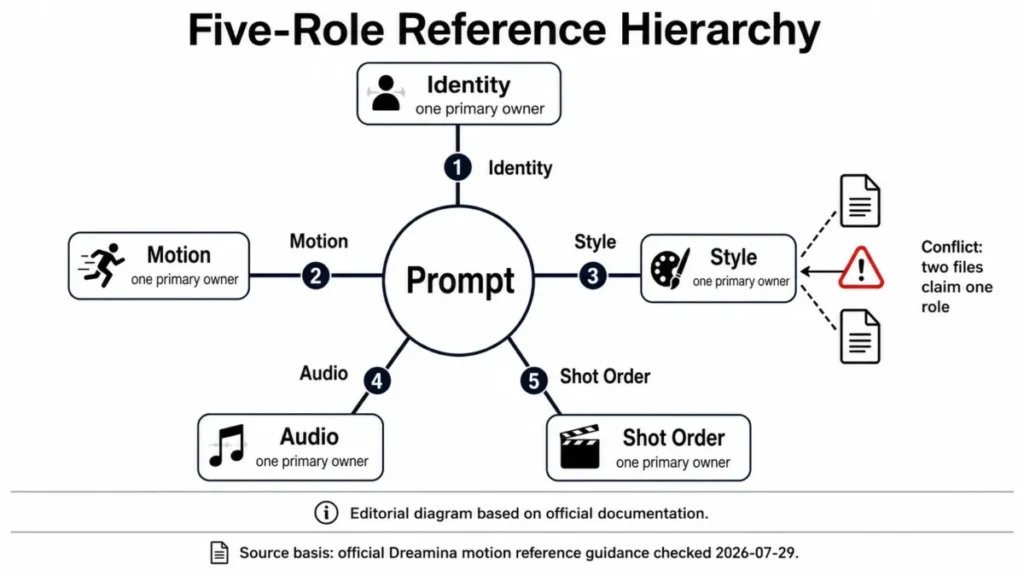
Because of that ModelArk warning, keep names and labels out of the reference images themselves: build identity and style frames first with one of the AI image generators for reference images and keep their backgrounds plain.
Timestamps: write the clip second by second
Seedance 2.5 reads timestamps in whole seconds, as ranges (“0-3 seconds…3-7 seconds”), exact moments (“at the 5-second mark”) or relative timing (“After 3 seconds”), per the ModelArk prompt guide. Too little plot in a range lets the model improvise, and too much produces extra cuts or skipped plot. Dreamina’s guide calls 6-8 seconds per beat a solid default, with 3-4 seconds saved for the resolution, and its own 30-second four-beat layout runs 0-6, 6-14, 14-24 and 24-30 seconds, giving the escalation beat the extra time.
| Check | Rule | Fix when it fails |
|---|---|---|
| Coverage | ranges start at 0 and end at the stated length | remove a beat; do not squeeze |
| Gaps | no “0-3s… 5-6s” holes | extend the earlier range |
| Density | one action and one camera move per range | give the second action its own range |
| Ending | a short hold at the end | shorten the busiest middle beat |
Sources: ModelArk Seedance 2.5 prompt guide, Dreamina Seedance 2.5 prompt guide, checked November 2026.
Camera and action language
Write the shot size and one move per beat in plain film terms, and write actions as visible behavior. ModelArk’s guide lists shot sizes (wide, medium, close-up), moves (push in, pull out, pan, track, orbit, handheld shake) and angles (low angle, overhead, first-person) that can be written directly, and a transition needs its moment and method: “At the 5-second mark, a left wipe.”
Put the shot and the move before lighting and mood. “She smiles and takes a bite” gives Seedance 2.5 something to stage; “she feels satisfied” does not.
Audio, dialogue and language
Every Seedance 2.5 generation prompt needs an audio line, even one that only says “No BGM; generate only environmental sounds and action sounds.” For speech, ModelArk recommends the format “Character’s line (emotion): content”, because repeating dialogue words or attaching tone notes to single words can trigger subtitles. A voice can come from a reference (“Image 1 depicts the protagonist John and uses the voice timbre from Audio 1.”).
Seedance 2.5 speaks 11 languages: Chinese, English, Spanish, Indonesian, Malay, Thai, Arabic, Portuguese, Vietnamese, Japanese and Korean. The ModelArk prompt guide describes subject reference as referencing a subject’s appearance identity and/or voice, which prompts 18, 20 and 22 depend on.
Clip length, extensions and keyframes
One Seedance 2.5 generation covers up to 30 seconds; anything longer is a continuation. ByteDance Seed’s product page offers two extensions, the ModelArk API extends when the prompt says “extend forward”, “extend backward” or “continue” and leaves an extension’s duration to the user, and Dreamina’s beta long-video mode runs from 5 to 180 seconds.
Plan a longer piece as a 30-second base prompt plus up to two extensions like prompt 30, each at a length you set (its final hold counts back from the end), or use Dreamina’s 5-180 second beta; check the clip’s length after each round before you write the next one.
For a fixed shot order, two tools exist:
- Multiframes (Dreamina): up to 10 reference frames, each scene 0 to 8 seconds long.
- Keyframes (ModelArk): upload each storyboard frame as its own image and open the prompt with “Use Images 1 to 7 in order as keyframes”, matching the numbers to your frames.
A multi-panel storyboard in one image is looser: ModelArk says the output will not follow it frame by frame, and it works better with 15 panels or fewer.
Seedance 2.5 Prompts Not Working? Symptom-to-Fix Table
Dreamina names four common causes when a Seedance 2.5 prompt fails: conflicting camera instructions, too many actions for the duration, vague identity rules and references that disagree. Its fix order is one control layer per variant: references and identity first, then shot structure, then camera, then style and audio.
| Symptom | Likely cause | Change this line only |
|---|---|---|
| Face or product drifts | vague identity rules or conflicting reference views | Reference map and Keep consistent |
| Characters swap faces, voices or entry order | files not uploaded in the order subjects appear | Reference map, renumbered |
| Random cuts or skipped plot | too much action in one range, or no shot plan | Timeline |
| Camera ignores the move | move buried under style words | Timeline: shot and move first |
| Output looks generic | broad words such as “cinematic” | Main idea: place, light, lens, texture |
| Subtitles appear anyway | repeated dialogue words or tone notes on single words | Audio: “Name’s line (emotion): content” |
| Music under “No BGM” | the model renders sound effects as music | Audio: “No BGM, no music, no score, no instrumental, no melody” |
| On-screen text misspelled | the model substitutes, adds or omits letters | Reference map: supply the text as an image |
| Glowing eyes | strong emotional words | Keep consistent: “normal human eyes; no glowing eyes” |
| Unstable result | one task mixes many reference and edit requests | split into separate passes |
Sources: Dreamina Seedance 2.5 prompt guide, ModelArk Seedance 2.5 prompt guide, checked November 2026.
The symptoms and causes come from the Dreamina and ModelArk troubleshooting sections, and the last column maps each fix onto one line of the template, as in this weak and strong version of one prompt:
Weak: A cinematic, beautiful, emotional video of a woman with a watch, epic camera, 4K.

Strong: Reference map: @Image1 is the woman. @Image2 is the watch (logo, bezel, strap color).
20-second 1:1 commercial on a dawn rooftop, soft rim light.
0-6s: close-up, she fastens the watch; locked camera.
6-14s: medium shot, she checks the time; slow push-in.
14-20s: hero shot of the watch, logo facing camera; hold.
Audio: city ambience, no BGM.
Avoid: no subtitles, no warped logo, no extra people.
ByteDance Seed’s launch post names two weak spots of its own: the physical plausibility of complex motion and the stability of scenes where several subjects interact. ModelArk adds that editing works best on clips within 20 seconds with 1-5 reference images.
My take
An edit is worth it when identity, timing, motion path and shot order are right and the fault sits in one place; I would regenerate when the action, camera path or beat structure is wrong, because an edit keeps the structure it was given. Pick Seedance 2.5 for a fight, sports contact or crowd scene only if you can keep it to one interaction per range; if the job depends on more, compare other models in my ranking of the best AI video generators.
Once a prompt works, the remaining question is where to run it.
Where to Run Seedance 2.5 Today
You can paste these prompts into Dreamina’s AI video generator or send them through BytePlus ModelArk’s API, and ByteDance Seed’s model index lists Seedance 2.5 with links to a playground and to Dreamina.
| Route | Who it suits | What to know |
|---|---|---|
| Dreamina AI video generator | creators and small teams in a browser | choose Seedance 2.5, turn on Omni reference mode, bind files with @ tags; up to 30 seconds per generation, beta long-video mode to 180 seconds |
| BytePlus ModelArk API | developers and teams automating batches | model ID dreamina-seedance-2-5-260628; output 4 to 30 seconds; edit and extend tasks need trigger words |
Sources: Dreamina how to use Seedance 2.5, BytePlus ModelArk Seedance 2.5 tutorial, ByteDance Seed models, BytePlus Seedance 2.5 announcement, checked November 2026.
Dreamina’s Seedance 2.5 page says the model is officially live worldwide.
The ModelArk prompt guide opens with an official Seedance 2.5 Skill for rewriting prompts, which suits teams that send prompts through the API:
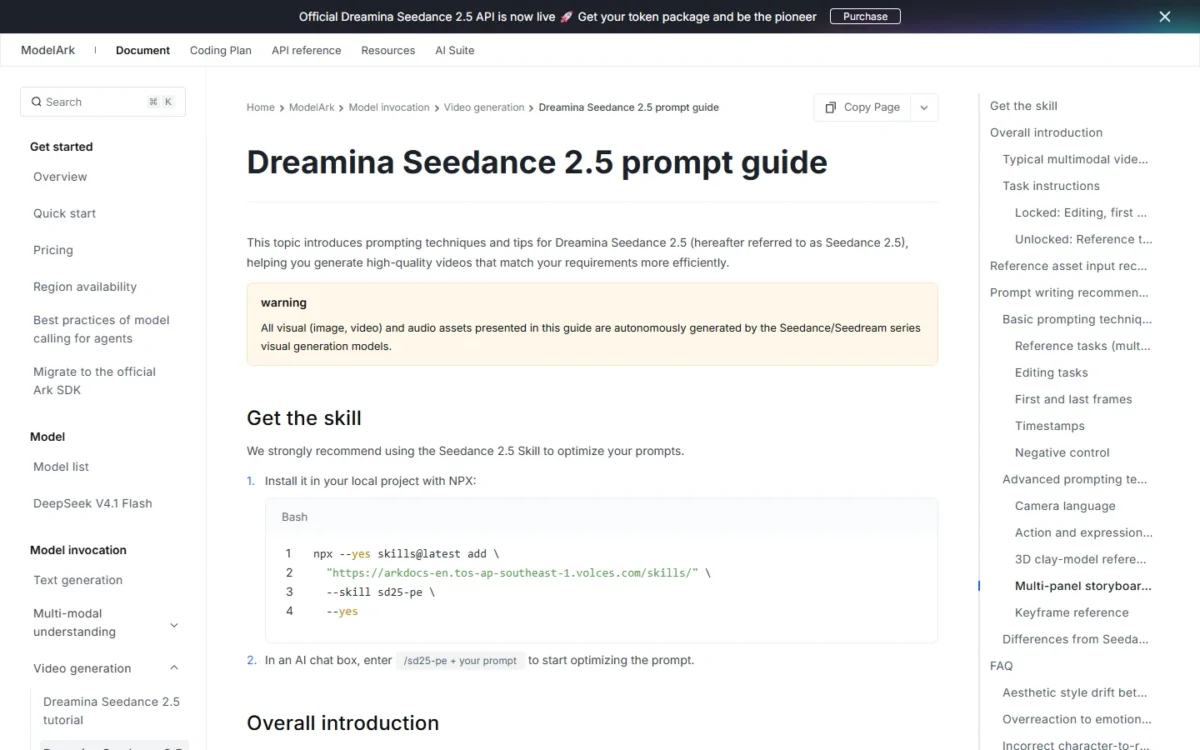
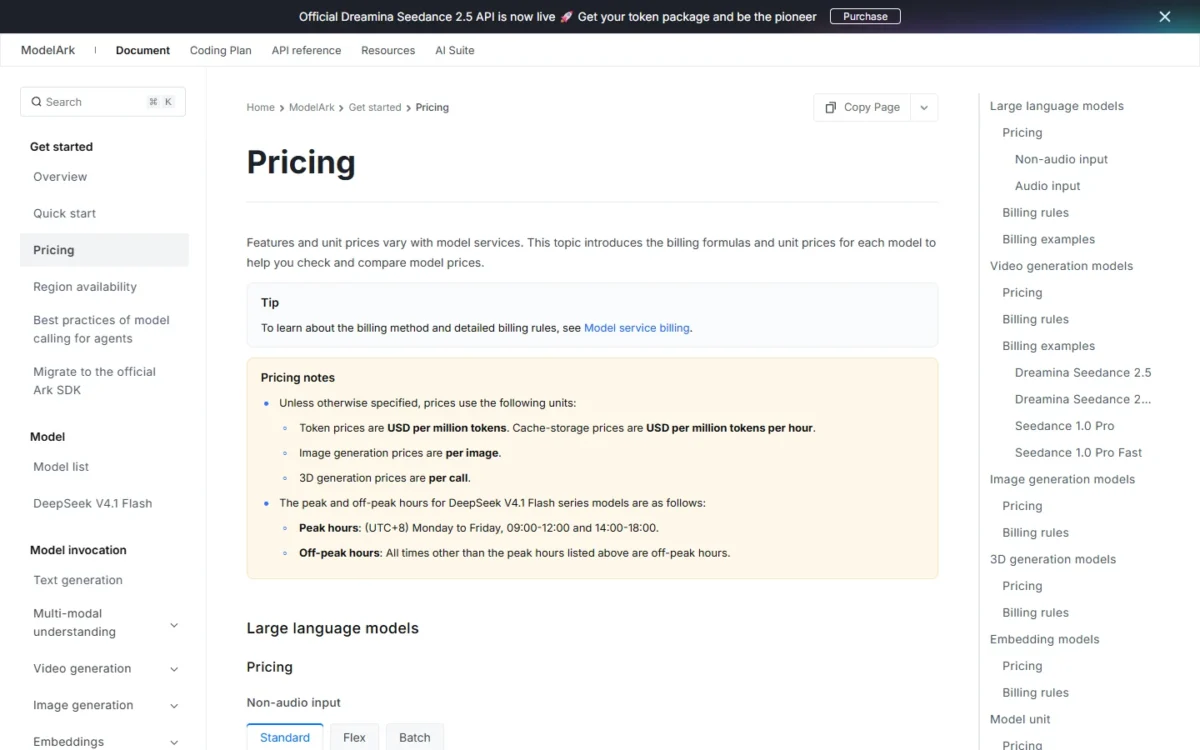
See my Seedance pricing guide before you run two variants of every prompt.
FAQ
Do these prompts work in Seedance 2.0?
Partly. The ModelArk prompt guide says Seedance 2.0 does not respond to timestamps and reads only shot numbers, so rewrite each range as “Shot 1”, “Shot 2”. The ModelArk tutorial also caps 2.0 at 4 to 15 seconds and 15 references (9 images, 3 videos, 3 audio clips), so a 30-second prompt has to be cut in half.
Is Seedance 2.5 output native 4K?
Not through the API. The ModelArk tutorial lists Seedance 2.5 output at 480p, 720p and 1080p, while its Seedance 2.0 column includes 4K. Dreamina’s prompt guide describes Upscale as the step that pushes clarity toward 4K, so treat 4K as a Dreamina finishing step.
How long should a Seedance 2.5 prompt be?
As short as the clip allows. Dreamina’s guide asks for the shortest prompt that still covers the whole production: a few precise sentences for one controlled shot, timecoded beats for a 30-second multi-shot story. It judges a prompt by its structure and visible direction, not its word count.
Is there a Seedance 2.5 prompt generator or skill?
Yes, two official ones. The ModelArk prompt guide recommends its Seedance 2.5 Skill, installed with npx and called by typing /sd25-pe plus your prompt in an AI chat box, and Dreamina’s Seedance 2.5 page links to a free AI video prompt generator.
How many characters can one prompt keep consistent?
Fewer than the 50-file limit suggests. The ModelArk prompt guide says 1-8 subjects from image references and 1-5 subjects from audio or video references generally work better, with stability dropping above that, and it suggests subject audio or video references of 5-10 seconds.
Can I use Seedance 2.5 clips for clients?
Yes, after your own review. Dreamina’s commercial-use guide tells teams doing brand or client work to review output rights, quality standards and approval requirements before using clips externally.