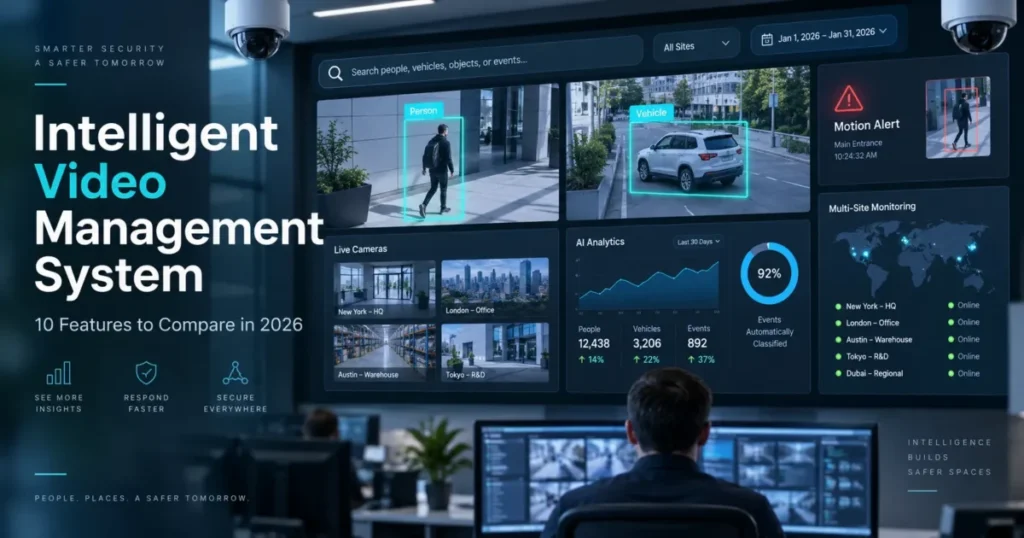
Most video projects get approved on camera count and get judged, eighteen months later, on how long it takes to find one clip. An intelligent video management system is the software layer that ingests camera streams, records them, runs analytics against what they capture, and gives an operator a way to locate a person, a vehicle or an event without scrubbing a timeline. The cameras are sensors. The management platform decides whether anyone can act on what those sensors saw.
That distinction is worth holding onto, because the search and alerting features sold as “AI” are computer vision models running over live and recorded video, and their accuracy varies far more between vendors than sensor resolution does. A 4K camera attached to weak software produces expensive footage nobody opens.
This guide covers the software decision: the ten features that change what a security team can do on an ordinary Tuesday, and how to check each one before signing. It does not cover camera selection, lens or mounting specifications, or access control hardware. Those are separate purchases with their own evaluation criteria, and bundling them into one comparison is how buyers end up scoring a camera catalogue instead of a platform.
In This Article (20 sections)
What Changed in Video Management Between 2023 and 2026
The market has moved from recording to interpretation, and the buying pattern moved with it. In Genetec’s 2026 State of Physical Security report, built on responses from more than 7,300 physical security professionals, over 70% of respondents were already running unified or integrated systems. Among organizations replacing legacy technology, 60% named integrating new capabilities as the reason and 51% pointed to access to new features.
Three consequences follow for a buyer. Integration is now the default expectation rather than a premium add-on, so a platform that only talks to its own hardware is priced against a market that no longer buys that way. Feature access has become a replacement trigger, which means the upgrade path of whatever you buy this year is part of the purchase. And “unified” is used loosely enough by vendors that it needs a definition in your own words before any demo starts.
Adding cameras does not fix any of this. An organization with 400 cameras and no usable search has 400 cameras and no usable search. The features below are ordered by how often they decide whether the platform gets used daily or becomes an archive somebody visits after an incident.
The Ten Features That Decide Whether a VMS Gets Used
| # | Feature | What it changes in daily work | Failure mode when it is weak |
|---|---|---|---|
| 1 | AI video search | An investigation becomes a query instead of a shift of review | Staff guess at cameras and timestamps, and stop trying |
| 2 | Real-time alerts | Events surface while they are still developing | Alarm fatigue, then ignored notifications |
| 3 | Deployment model | Where video lives and who administers it | Bandwidth bills or a server nobody patches |
| 4 | Scalability | New sites and users are added without redesign | Parallel systems per location, no shared view |
| 5 | Camera compatibility | Existing hardware keeps working | A software purchase turns into a hardware replacement |
| 6 | Usability and remote access | Ordinary staff can retrieve video unaided | Every request routes through one trained admin |
| 7 | Cybersecurity and permissions | Video access matches job responsibility | Shared logins and no record of who watched what |
| 8 | Retention and export | Evidence survives long enough to be useful | Footage expires before the claim arrives |
| 9 | Failure behavior | Recording continues when the network drops | Gaps in exactly the window that mattered |
| 10 | Total cost and vendor viability | The five-year bill is predictable | Per-camera licence creep and a stalled roadmap |
Ranking is editorial judgment based on the source material below, not a scored benchmark. The order changes with context: a single-site warehouse can reasonably weight failure behavior above scalability, and a 40-site retailer cannot.
1. AI Video Search That Returns Footage, Not Results
Traditional retrieval assumes the investigator already knows which camera to open and roughly when the event happened. In a building with dozens of cameras, that assumption turns a fifteen-minute question into an afternoon.
Search built on video analytics inverts the workflow. The operator describes the subject, a person, a vehicle, an object, a direction of movement, an appearance attribute, and the platform returns candidate clips. Someone investigating a vehicle that entered a restricted loading bay narrows to that bay, that window and that object class instead of opening eight streams in sequence.
Treat the word “AI” on a feature sheet as unverified until a demo proves otherwise. Bring your own scenario, ideally one that already happened at your site, and count the steps and the elapsed time to a usable clip. A platform that needs eleven clicks and a training refresher will lose to the habit of not bothering.
Questions worth putting to the vendor:
- Which attributes are searchable, and which require a specific camera model or firmware level?
- Does the search run over archived footage as well as live streams?
- What happens to search accuracy at night, in rain, or on a camera angled above head height?
- Is analytics processing licensed per camera, per server, or per user?
The judgment I would apply: analytics earn their price when they reduce the video a human has to watch. Anything that adds a second dashboard for somebody to monitor is a cost, not a capability.
2. Real-Time Alerts and Event Prioritization
Search helps after the fact. Alerting is what gives a team a chance to respond while the event is still in progress.
The comparison is not about how many alert types a platform advertises. It is about how precisely a rule can be scoped and how much context arrives with the notification. A warehouse cares about movement near a specific gate after 19:00. A retailer cares about the stockroom door during trading hours. A campus cares about a car park entrance during exam weeks. Those are three different rules, and a platform that only offers motion detection on a camera will generate noise in all three cases.
Poorly tuned alerting fails in a predictable way. Volume rises, staff stop reading the notifications, and a real event lands in a queue nobody trusts. This is the same failure pattern that swamps a support desk, which is why alerts need an owner and a place to land, the way tickets do in a ticketing system. Decide during evaluation who receives which alert, on what device, and what they are expected to do next.
Check these specifics:
- Can thresholds, schedules, zones, cameras and recipients each be configured separately?
- Does the notification carry a clip or a still, or only a text line?
- Can an alert be acknowledged, assigned and closed inside the platform?
- Is there a report showing alert volume per rule, so noisy rules can be found and fixed?
3. Cloud, On-Premises, and Hybrid Deployment
Where video lives is a budget decision, an IT decision and a resilience decision at the same time.
Cloud deployment moves administration off local servers and makes multi-site access simpler, and it is bought the way other SaaS products are bought: a subscription, vendor-run updates, and capacity you rent rather than own. Local recording keeps bandwidth on site and gives tighter control over retention and continuous capture. Hybrid keeps recording local while sending selected streams, events or archives to the cloud.
Buyer expectations have been moving toward the middle. In the 2025 edition of the same survey, 43% of end users named hybrid as their preferred model within five years, against 18% for fully cloud and 17% for fully on-premises.
| Model | Fits when | Main cost pressure | Question to settle first |
|---|---|---|---|
| Cloud | Multiple small sites, thin IT staffing, remote administration matters most | Upload bandwidth and per-camera subscription | What does retention cost at 30, 60 and 90 days? |
| On-premises | High camera density on one site, continuous recording, strict data control | Server refresh, storage expansion, patching effort | Who patches the recorder, and on what schedule? |
| Hybrid | Recording must survive outages while access stays central | Two architectures to administer | Which streams go up, and which stay local? |
Cost estimates in the table are structural, not vendor quotes. Model your own numbers with real camera counts, resolution, frame rate, retention target and the cost of extending retention after year one, because the later extension is where quotes usually stop matching the original proposal.
4. Scalability and Multi-Site Administration
A platform that runs 25 cameras cleanly can become unmanageable at 500, and the breaking point is rarely video throughput. It is administration.
Growth adds users, sites, permission groups, retention policies and update cycles. A restaurant group with 40 locations needs local managers who see only their own cameras while a regional lead sees everything in the region. A manufacturer needs different rules for production floors, warehouses, car parks and offices, and the person maintaining those rules is usually not a full-time systems administrator.
Test the administrative path, not the viewing path. Add a site, add a user, change one permission, push a firmware or software update to a subset of cameras, and see how many separate consoles that takes. If the answer is more than one, ask what the second console costs in staff time each month.
5. Compatibility With the Cameras You Already Own
Replacing working cameras because new software cannot speak to them is the fastest way to double a project budget.
Interoperability deserves more attention in 2026 than it did two years ago because the standards baseline is shifting. ONVIF’s Profile S deprecation notice sets 31 March 2027 as the end of Profile S conformance submissions, and names Profile T as the successor. The reason is authentication: Profile S relies on username tokens, which no longer match current security guidance, while Profile T adds digest authentication alongside H.264 and H.265 support, metadata streaming, motion and tampering events and HTTPS media transport. Existing Profile S devices keep working, but new conformance stops.
“Supports ONVIF” on a datasheet is not an answer. Ask for the profile, then verify model by model against your own inventory, including firmware versions, encoders, access control panels and any analytics or sensors that must survive the migration. Integration beyond cameras runs through documented interfaces, so ask which functions are exposed through APIs rather than only through the vendor’s own console. An integration that exists as a marketing logo and not as an endpoint will not survive your first workflow change.
Platforms differ in how far they take this. Evaluating an intelligent video management system on that axis means asking what happens to the cameras already on the wall. Coram’s product page sets out one compatibility-first version of the model, describing work with existing IP cameras alongside AI-based footage search, customizable real-time alerts, hybrid on-site and cloud storage, and one dashboard for managing, searching and exporting video. Those are the vendor’s own claims rather than verified results, and the structure is the useful part: keep the camera fleet, replace the software layer. Whichever vendor you evaluate, the principle holds. The platform fits into the environment you already run, or the environment gets rebuilt around the platform, and only one of those was in the budget.
6. Daily Usability and Remote Access
A capable platform still fails if the people who need video cannot get it without help.
The realistic user is not a security analyst. It is a duty manager retrieving a clip for an insurance claim, a facilities lead checking a delivery bay, or an operator exporting footage for an officer standing at the desk. If each of those tasks needs training or three applications, the platform’s advantages evaporate in normal use.
During a demonstration, hand the mouse to someone who has never seen the system. Ask them to find a camera, locate footage from last Thursday afternoon, export a two-minute clip, and switch to another site. Time it. That single exercise separates platforms more reliably than any feature grid, and it costs half an hour.
Remote access needs the same scrutiny for distributed organizations. Directors, facility managers and approved executives need controlled access away from a control room, without weakening permissions or forcing a workaround that ends with a shared login.
7. Cybersecurity, Permissions, and Audit Trails
A video platform holds a detailed record of a building: who enters, when, through which door, and what routine looks like. That makes the platform itself a security asset to be evaluated, not just a tool for securing something else.
The financial context is not hypothetical. IBM’s Cost of a Data Breach report puts the global average cost of a breach at 4.99 million dollars for the period from March 2025 to February 2026. That figure covers breaches across all data types rather than video specifically, and it is the reason an internet-connected recording estate belongs in the same review as any other business system.
Compare encryption in transit and at rest, authentication and single sign-on support, permission granularity, administrative separation, audit logging, the software update process, and how the vendor handles disclosed vulnerabilities. Then match access to responsibility. A store manager needs one location. A regional administrator needs several. Giving everyone full access because it is quicker to configure creates a risk that only becomes visible after an incident, when nobody can say who watched what.
8. Retention, Export, and Evidence Handling
Recording video is only half the requirement. The other half is producing the right clip, months later, in a form somebody else will accept.
Retention rules vary by industry, insurer, internal policy and incident type, and they rarely stay uniform across a site. Entrances and cash handling areas often need longer retention than corridors. Check whether retention can be set per camera and per group without rebuilding the storage design, and what extending it by 30 days costs. Retention is where video budgets quietly expand, in the same way that team file archives grow on cloud storage platforms until somebody audits the bill.
Export deserves a live test. Watch how a clip is selected, trimmed, exported, watermarked or hashed, and shared with an external party. Ask what metadata travels with the file and whether a recipient needs a proprietary player to open it.
Auditability closes the loop. A record of who accessed which footage, and which administrative changes were made, is what makes video defensible when it involves employees, students, patients, residents or the public.
9. Behavior During Network and Hardware Failures
Physical security does not pause when connectivity does, and cloud-connected platforms differ sharply in what they do next.
Get precise answers before signing. Do cameras or the local appliance keep recording during an internet outage? Where is that footage held, and for how long? How does it synchronize afterward, and does the synchronization compete with normal upload bandwidth? Which functions, live view, search, export, alerting, remain available locally while the link is down?
Tolerance varies by site. A manufacturing plant with continuous shift work and a warehouse on a rural connection have different thresholds from an office with fibre and a helpdesk. Ask the vendor to walk through internet loss, appliance failure, disk failure and a power event, and to say what the customer sees in each case. A vendor that answers those four questions in specifics is describing a system somebody has already operated under stress.
10. Total Cost and Vendor Viability
The licence price is the smallest number in the file.
Build the five-year figure from licences and subscriptions, storage, appliances or servers, installation, bandwidth, maintenance, upgrades, training, integration work, professional services, and the cost of adding the next 50 cameras. A platform that looks cheap at signature becomes expensive when every expansion needs proprietary hardware or another server.
Vendor durability now carries real weight in evaluations. In the 2026 Genetec survey, 73% of end users called a manufacturer’s long-term viability and stability an important factor, ahead of product performance at 45% and price indicators at 43%. That ordering makes sense for an asset with a ten-year service life, where a discontinued platform means a migration nobody budgeted.
So treat the vendor as part of the product. Ask about release cadence, security update policy, published integration roadmap, support response commitments, and what an exit looks like: whether footage, metadata and configuration can leave the platform in a documented format if requirements change in year four.
What to Test in a VMS Demonstration
Run the same script with every vendor, in this order, and keep a stopwatch on the first two rows.
| Task | What to measure | A weak answer looks like |
|---|---|---|
| Find a clip from a described event, no camera or exact time given | Steps taken and minutes elapsed | The demo pivots to a pre-selected sample clip |
| Ask an untrained colleague to export a two-minute clip | Whether they finish unaided | An engineer takes the mouse back |
| Create an alert rule for one gate, after hours, and trigger it | Whether the notification carries visual context | The rule can only be scoped to a whole camera |
| Add a site, a user and a restricted permission group | Number of consoles involved | Configuration moves to a second application |
| Unplug the network link, then reconnect | Recording continuity and resynchronization | The answer is theoretical rather than shown |
| Pull the audit log for the session just completed | Whether every action appears with a user | Logging is described as available on request |
Timing the first two rows is what turns a sales demonstration into a comparison. Vendors control the narrative of a scripted demo. They do not control how long an unfamiliar user takes to export a clip.
Common Mistakes That Show Up After the Purchase
| Mistake | What it causes | The fix during evaluation |
|---|---|---|
| Scoring cameras instead of software | Sharper footage, same search problem | Score the platform separately from hardware |
| Accepting “supports ONVIF” without a profile | Devices that connect but lose features | Verify profile, model and firmware line by line |
| Buying alert breadth rather than alert precision | Notification volume nobody reads | Configure one real rule during the demo |
| Sizing storage at launch camera count | Retention cut short to control cost | Model storage at planned count and target retention |
| Leaving permissions flat because it is faster | No way to answer who viewed what | Build the real permission map before rollout |
| Ignoring exit terms | A migration priced by the incumbent | Ask how footage and configuration are exported |
Every row here is a decision made before purchase that only becomes visible afterward, which is why they belong in the evaluation rather than the implementation plan.
Ten Questions Worth Putting in the RFP
- Which ONVIF profile do you support today, and which of our listed camera models are verified against it?
- What analytics run on which hardware, and what is licensed per camera versus per server?
- Can retention be configured per camera group, and what does adding 30 days cost at our camera count?
- What continues to work during an internet outage, and how does footage resynchronize?
- Which administrative tasks require a second application?
- How are permissions structured for multi-site organizations, and can access be scoped by site and by time?
- What is logged in the audit trail, and how long is it retained?
- How are security vulnerabilities disclosed and patched, and on what timeline?
- What is the five-year cost at our camera count, including storage, licences and expansion?
- If we leave, in what format do footage, metadata and configuration come with us?
Send these before the demo. The written answers, and the questions a vendor declines to answer in writing, tell you more than the meeting will.
Terms Buyers Mix Up: VMS, NVR, VSaaS and Video Analytics
| Term | What it refers to | Where confusion causes a problem |
|---|---|---|
| VMS | Software that manages cameras, recording, search, users and events | Sold as interchangeable with a recorder, then lacks multi-site administration |
| NVR | A recording appliance, often with basic viewing software | Treated as a platform, so scaling means buying more appliances |
| VSaaS | Video surveillance delivered as a subscription service | Assumed to include analytics that are licensed separately |
| Video analytics | Detection and classification applied to streams | Assumed to be camera-independent when some features need specific models |
Fixing the vocabulary early prevents the most expensive procurement error in this category, which is comparing a recorder quote against a platform quote and concluding the platform is overpriced.
What to Prepare for Beyond 2026
Two things are worth watching while a contract is still being drafted.
Cloud interoperability is being standardized. ONVIF released the Profile V release candidate on 9 July 2026, aimed at cloud video systems that are not tied to one vendor, with OAuth 2.0 authentication and encryption requirements in a security add-on, and finalization expected by the end of 2026. A buyer signing a multi-year cloud contract now has a fair question for the vendor: what is your position on Profile V, and what changes for us if it becomes the market baseline?
The second is caution about AI itself. In the 2026 Genetec survey, 70% of respondents raised concerns about how AI systems are designed and implemented, particularly around data use and understanding how the technology reaches its conclusions. Attribute-based search touches employee and customer data, so ask where inference runs, what is retained, and how a false match is reviewed.
Architecture that leaves room to change is the practical hedge. Camera fleets, analytics, storage needs, security expectations and regulations all keep moving after deployment, and the platform that survives is the one that lets each of those change independently.
How This Guide Was Built
This is a documentation-based guide rather than a hands-on product test. No platform in this category was installed, configured or operated for this article, and no performance figures are presented as measured results.
The evaluation criteria came from three inputs: published industry survey data on how organizations are buying and replacing physical security technology, published interoperability standards documentation, and vendor documentation for the capability claims that are attributed to a named vendor. Figures from surveys are cited to the publishing organization with the survey period stated where the publisher states it. Vendor capability descriptions are labelled as vendor claims, not verified outcomes. The full standard applied to sourcing and disclosure is documented in the site’s review methodology.
Where a number could not be verified against a primary source, it was left out rather than estimated.
FAQ
What is an intelligent video management system?
It is software that manages camera streams and recordings while adding analytics, attribute-based search, event handling, alerting, user administration and integrations. The purpose is to make video usable for investigations and daily operations rather than to store it. A recorder keeps footage. A management platform decides whether anyone can find it.
How much should AI capability weigh in a 2026 VMS decision?
It matters in proportion to how much manual review it removes. Judge it on two workflows, search and alerting, using a scenario from your own site, and treat vendor descriptions of AI as unverified until the demo shows the steps and the time. A platform that adds a monitoring surface without reducing review time has added work.
Is cloud or on-premises the better choice for video?
Choose cloud when sites are numerous, IT staffing is thin and remote administration is the priority. Choose on-premises when camera density is high on one site, recording must be continuous, or data control requirements are strict. Choose hybrid when recording has to survive outages while access stays central. The deciding numbers are camera count, upload bandwidth, retention target and who patches the recorder.
Can a modern VMS work with cameras we already own?
Often, but never assume it. Support varies by vendor, camera model, firmware version and feature, and a device that connects may still lose analytics, audio or PTZ control. Build an inventory with models and firmware, then ask the vendor to confirm which features are verified against each one, given that Profile S conformance submissions end on 31 March 2027.
How long should video be retained?
There is no single answer, because retention is set by industry rules, insurer requirements, internal policy and the type of incident you expect to investigate. The practical approach is to set retention per camera group rather than site-wide, keep entrances and high-value areas longer, and price a 30-day extension before signing, since that is the change most often requested after the first serious incident.
What is the difference between a VMS and an NVR?
An NVR is a recording appliance with viewing software attached. A VMS is a software platform that manages cameras, users, permissions, events, retention and search, and can usually run across multiple sites and hardware types. Scaling an NVR estate means adding appliances. Scaling a platform means adding cameras and licences.
What should a business test during a VMS demonstration?
Use real scenarios rather than the vendor’s script. Find a clip described only by what happened, then have an untrained colleague export it. Create and trigger one alert rule, add a user with a restricted permission group, disconnect the network, and pull the audit log for the session. Those six tasks expose the gap between a feature list and daily use.
The Short Version
Choosing video management software in 2026 is a software decision that happens to involve cameras. The platform either turns recorded video into something a team acts on, or it becomes an archive with a subscription attached.
If your priority is faster investigations, weight search quality and usability first. If you run many sites with thin IT support, weight deployment model, multi-site administration and failure behavior. If you already own a large camera fleet, weight compatibility and exit terms, because those two decide whether this is a software purchase or a hardware replacement wearing a software invoice.
Run the same demo script with every vendor, put the ten RFP questions in writing, and price five years rather than year one. Buyers who evaluate that way end up with a system their team opens on an ordinary day, which is the only reliable sign the purchase worked.