
For most small US sales teams comparing Pipedrive vs Copper, Pipedrive Growth is the better buy once you need automated follow-ups and sequences. Pipedrive Growth costs $39 per seat per month, billed annually.
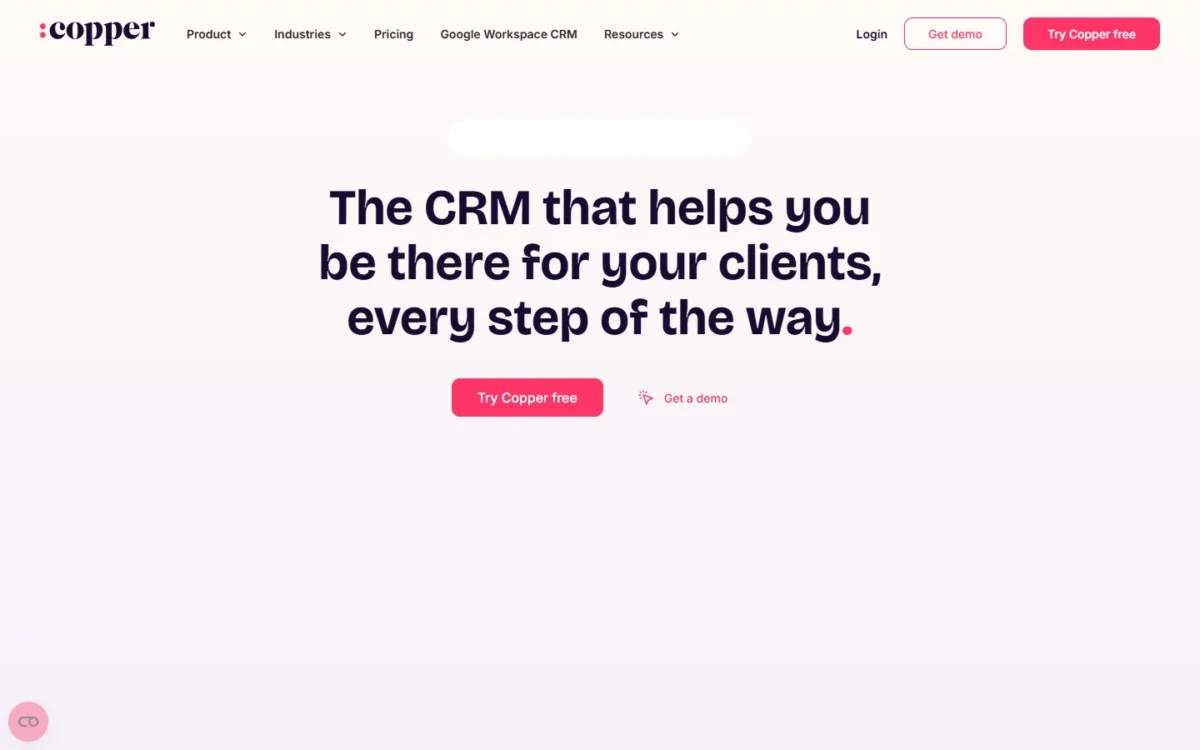
Copper is the pick for a team that sells from Gmail all day, because its CRM works inside Gmail and Google Calendar on every plan. Copper Basic costs $23 per seat per month, paid annually, and already syncs Gmail email, so it is the cheaper seat for a Gmail team that needs no workflows.
Copper’s catch is workflow automation, which starts on Copper Professional at $59 per seat per month, billed annually. For 10 seats on annual billing, Pipedrive’s automation seat comes to $39 x 10 seats x 12 months = $4,680 a year. Copper’s comes to $59 x 10 seats x 12 months = $7,080 a year.
Quick verdict
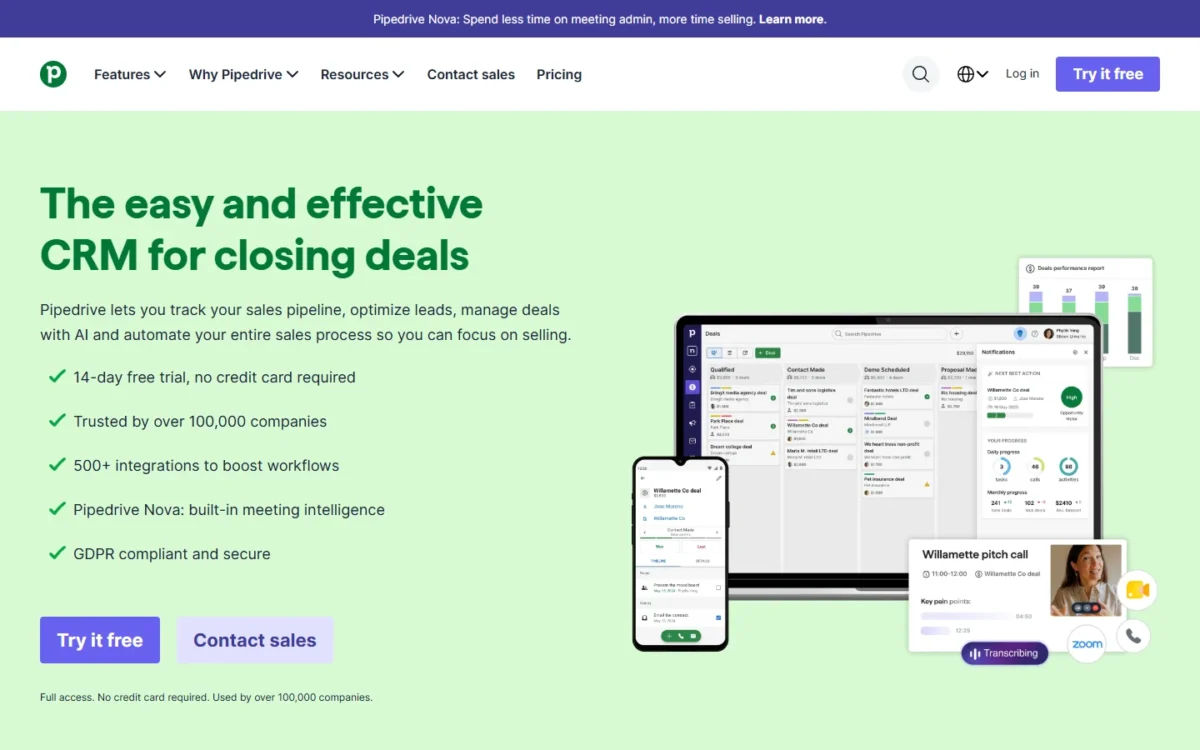
Copper puts the CRM inside Gmail and Google Calendar on every plan. Pipedrive puts workflow automation and sequences on its second plan, Growth.
Pick Pipedrive Growth for automated follow-ups and pipeline reports at a lower seat price than Copper’s workflow plan. Pick Copper if the team lives in Gmail and task automation on Basic is enough, since Basic is the cheaper Gmail seat.
The trade-off: once you need workflow automation, Copper’s seat costs $59 – $39 = $20 more per month than Pipedrive’s, billed annually.
In This Article (11 sections)
Pipedrive vs Copper at a Glance
Pipedrive is a pipeline-first CRM with automation from its second plan, Growth. Copper is a Google Workspace CRM with Gmail on every plan, and its workflow automation starts on Professional, a pricier seat than Pipedrive’s automation plan.
| Attribute | Pipedrive | Copper |
|---|---|---|
| Best for | Teams that want automation and reports on a mid plan | Teams that sell from Gmail and Google Calendar |
| Starting price | $14 | Basic: $23 |
| First plan with workflow automation | Pipedrive’s $39 plan | Professional: $59 |
| Gmail email sync | Growth and higher | Every plan |
| CRM inside Gmail | Gmail add-on, a Marketplace app | Chrome extension, every plan |
| Contact limits | Not listed in the plan-features article | 2,500 on Basic, 15,000 on Professional |
| Free trial | 14 days, no credit card | Free start, no credit card, runs on Business |
| Mobile apps | iOS and Android | iOS and Android |
| Main limitation | Lite has no email sync or automations | Reports start on Professional |
Sources: Pipedrive pricing, Pipedrive plan features, Copper pricing, Copper plan comparison, checked October 2026.
The row that moves most budgets is the plan where workflow automation begins.
Key Differences Between Pipedrive and Copper
Four differences decide this choice, and each one has a plan gate behind it.
- Where the CRM lives: Pipedrive is its own web app that syncs Gmail from Growth. Copper’s Chrome extension puts the CRM in Gmail and Google Calendar on every plan, which suits reps who work from the inbox.
- Where automation starts: Pipedrive automates follow-ups from Pipedrive Growth ($39 per seat per month, billed annually). Copper Basic automates tasks only, and Copper’s workflows begin on Copper Professional at $59 per seat per month, paid annually.
- How reports are gated: Pipedrive includes Insights reporting on every plan. Copper’s pipeline reports start on Professional, so a manager who needs them cannot stay on Basic.
- How growth is priced: a Pipedrive bill grows with add-ons below Premium. A Copper bill grows when the database passes 2,500 contacts on Basic or 15,000 on Professional.
Pipedrive vs Copper: Features Compared
Copper leads on Gmail depth, Pipedrive leads on automation, sequences and reports per dollar, and pipelines depend on how you sell.
| Feature | Pipedrive | Copper |
|---|---|---|
| Google contact and calendar sync | Lite and higher | Every plan |
| Gmail email sync | Growth and higher | Every plan |
| CRM inside Gmail | Marketplace app | Every plan |
| Workflow automation | Growth and higher | Professional and higher |
| Sequences or email series | Growth and higher | Business |
| Pipeline reports | Lite and higher | Professional and higher |
| Pipeline-specific fields | Premium and higher | Basic and higher |
| Team permissions | Permission sets: Premium | Professional and higher |
| JustCall and RingCentral integrations | JustCall: Marketplace app | Professional and higher |
| API | Lite and higher | Professional and higher |
Sources: Pipedrive plan features, Copper plan comparison, checked October 2026.
Google Workspace and Gmail integration
Pipedrive works with Google Workspace for syncing, but Copper is the one built into Gmail on its entry plan. Pipedrive syncs Google contacts and calendars on every plan, while email sync starts on Growth.
Inside Gmail, Pipedrive relies on its Gmail add-on, a Marketplace app that shows deal and contact context in the inbox. Gmail users can also send from a verified alias.
Copper’s Chrome extension brings the CRM into Gmail and Google Calendar on desktop. Every Copper plan syncs Gmail email, contacts, files and Calendar, and links Google Drive files to records. Pipedrive’s Smart Docs, its Google Drive sync, is a paid add-on until Premium.
Verdict: Google Workspace
Copper fits better for a team that sells from Gmail all day: the inbox integration comes with Basic at $23 per seat per month, paid annually. Pipedrive closes part of the gap from Growth, but its Gmail view depends on a separate app.
Pipeline management
Both CRMs give customizable sales pipelines on the entry plan, and they differ in what each adds around them.
Pipedrive includes deal rotting on every plan and adds a forecast view on Growth. Pipeline-specific fields wait for Premium, the plan above Growth.
Copper Basic includes opportunity pipelines, project pipelines and fields customized by pipeline. Its pricing page allows 25 custom fields on Basic, 50 on Professional and Unlimited on Business. Pipedrive’s Projects is a paid add-on on Lite and Growth.
Verdict: Pipeline management
Depends on how you sell. Onboarding projects and per-pipeline fields come cheaper on Copper Basic. A team that watches stalled deals gets deal rotting on every Pipedrive plan and a forecast view from Growth.
Automation and email follow-up
Pipedrive automates follow-ups from Growth, a cheaper seat than either Copper plan that automates email. Copper needs Copper Professional at $59 for workflow automation and Copper Business at $99 for email series, per seat per month, paid annually.
Pipedrive’s automations pair a trigger with actions, with delay and if/else steps on Growth. An automation sends email only from the address connected through email sync. Sequences also start on Growth.
Copper Basic’s task automation creates a new task after an action takes place in Copper. Professional adds workflow automation, single-email automation and bulk email.
Pipedrive allows up to 40 email actions per minute within a company account, and additional emails may fail to send. Stagger large follow-up batches.
Verdict: Automation
Pipedrive fits better on automation per dollar. Five Pipedrive reps get sequences for $39 x 5 seats x 12 months = $2,340 a year on annual billing. Copper’s email series start on its Business plan. Five Copper seats with email series come to $99 x 5 seats x 12 months = $5,940 a year.
Reporting, forecasting and permissions
Pipedrive gives Insights reports, a dashboard and visibility options on every plan, plus a forecast view from Growth. Copper’s pipeline and activity reports start on Professional and its custom report builder on Business.
Pipedrive Premium adds multiple dashboards, custom field reports, and custom visibility groups and permission sets. Copper adds team permissions and visibility on Professional.
Copper’s pricing page lists Okta single sign-on on Business only. Its help-center plan comparison lists SAML single sign-on (Okta) under Basic, so confirm the plan with Copper before buying for SSO.
Verdict: Reporting
Pipedrive fits better at the lower tiers: a manager can report on a Lite or Growth pipeline. Copper requires Professional at $59 per seat, paid annually, before pipeline reports appear.
Calling and integrations
Pipedrive has no built-in calling integration and uses Marketplace apps such as Aircall, CloudTalk and JustCall for calls, while Copper lists JustCall and RingCentral integrations from Professional.
Pipedrive adds web-to-mobile calls on every plan; those calls are charged on the rep’s usual phone bill.
Pipedrive’s Marketplace lists 500+ integrations, with API access and webhooks, on every plan. Copper includes its Google integrations on all plans, keeps most other integrations on Professional and above, and links to 5,000+ apps through Zapier.
Verdict: Calling and integrations
Depends on plan. Pipedrive’s Marketplace is open on every plan, while Copper’s JustCall and RingCentral integrations need Professional at $59 per seat, paid annually.
Pipedrive vs Copper Pricing
Copper Basic is the cheaper seat for a Gmail team, Pipedrive Growth is the cheaper seat for workflow automation, and one tier up the two vendors charge the same.
Copper Basic costs $23 per seat per month, paid annually, and syncs Gmail email. Pipedrive Growth is $39 per seat per month on annual billing, and it is the first Pipedrive plan with email sync and automations.
Pipedrive Premium costs $59 per seat per month, billed annually. That matches Copper Professional’s seat price exactly, so at that budget Pipedrive adds lead routing, contracts and e-signatures on top of its automations, while Copper adds workflows and pipeline reports to its Gmail CRM.
Pipedrive’s plan names are new: its plan-feature article, updated September 3, 2026, says it recently launched new plan tiers, names and limits. Comparisons that still use Pipedrive’s older plan names describe old plans.
| Plan | What it covers for this job | Billed annually |
|---|---|---|
| Pipedrive Lite | Entry seat, no email sync | $14 |
| Copper Basic | Gmail sync, task automation | $23 |
| Pipedrive Growth | Email sync, automations, sequences | $39 |
| Copper Professional | Workflows, pipeline reports | $59 |
| Pipedrive Premium | Lead routing, contracts and e-signatures; Projects, LeadBooster, Smart Docs included | $59 |
| Pipedrive Ultimate | Account security rules and alerts, phone and email data enrichment | $79 |
| Copper Business | Email series, custom reports | $99 |
Sources: Pipedrive pricing, Pipedrive plan features, Copper pricing, checked October 2026.
Pipedrive’s US pricing page prints its prices per seat per month, billed annually, and they are VAT exclusive. Copper’s prices are in USD and don’t include taxes and fees where applicable. On monthly billing, Copper Basic is $29, Copper Professional $69 and Copper Business $134 per seat per month.
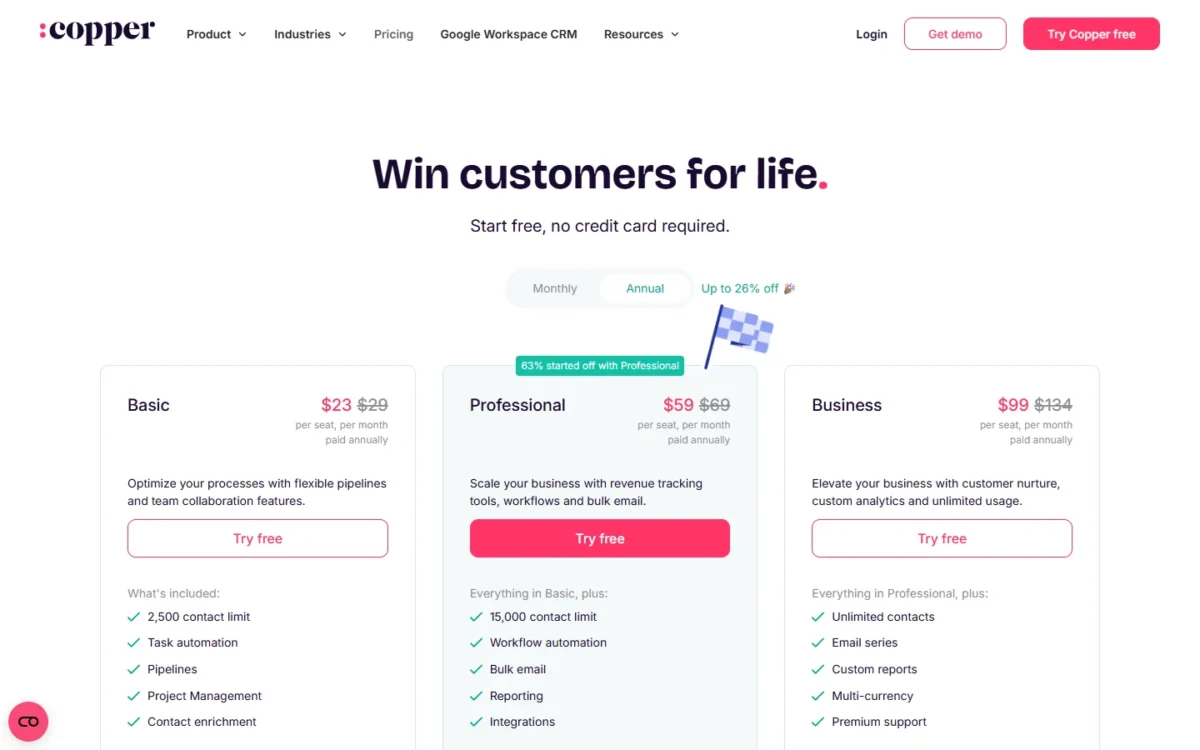
The upgrade triggers differ. Copper pushes a team up at 2,500 contacts, at 15,000 contacts, or when a manager needs pipeline reports. Pipedrive pushes a team to Premium for LeadBooster, Projects, Smart Docs, custom permission sets or phone support.
Copper offers personal onboarding to eligible Professional and Business annual accounts, and Copper pricing in detail covers each plan.
Cost for a 5- and 10-seat team
On annual billing, workflow automation for 5 seats costs $39 x 5 seats x 12 months = $2,340 a year on Pipedrive and $59 x 5 seats x 12 months = $3,540 on Copper.
| Team | Plan | Billed annually, per year |
|---|---|---|
| 5 seats | Pipedrive Growth | $39 x 5 seats x 12 months = $2,340 |
| 5 seats | Copper Basic | $23 x 5 seats x 12 months = $1,380 |
| 5 seats | Copper Professional | $59 x 5 seats x 12 months = $3,540 |
| 10 seats | Pipedrive Growth | $39 x 10 seats x 12 months = $4,680 |
| 10 seats | Copper Basic | $23 x 10 seats x 12 months = $2,760 |
| 10 seats | Copper Professional | $59 x 10 seats x 12 months = $7,080 |
| 10 seats | Copper Business | $99 x 10 seats x 12 months = $11,880 |
Sources: Pipedrive pricing, Copper pricing, checked October 2026.
Assumptions: US list prices read on October 30, 2026, per seat, billed annually, before tax, with no add-ons, calling app fees or onboarding.
The gap is what a Copper team pays for workflow automation. For 10 seats that need workflows, Copper costs $7,080 – $4,680 = $2,400 a year more than Pipedrive on annual billing.
If task automation is enough, the math flips: Copper’s entry seat costs $39 – $23 = $16 per seat per month less than Pipedrive’s first plan with email sync, and it keeps the CRM in Gmail. For 10 seats, that is $4,680 – $2,760 = $1,920 a year in Copper’s favor.
Pipedrive Lite costs $14 per seat per month, billed annually. Lite has no email sync, though, so a Gmail team weighs Copper Basic against Pipedrive Growth rather than against Lite.
On Copper, monthly billing adds $69 – $59 = $10 per seat per month on Professional, so a Copper team that will stay a year should commit annually.
Pipedrive add-ons and what Copper includes
Pipedrive sells Projects, LeadBooster and Smart Docs as paid add-ons on Lite and Growth, and Premium includes all three. Campaigns and Web Visitors are separate add-ons.
The cost table leaves add-on fees out. My breakdown of Pipedrive’s plans and add-ons goes plan by plan.
Copper bundles instead: project pipelines from Basic, bulk email from Professional, and email series and custom reports on Business.
Ease of Setup for a Gmail Team
Copper’s setup starts from Google Workspace: you connect the team’s Google Workspace accounts first, and Copper pulls in contact information and email conversations. An admin or account owner sets up integrations.
Pipedrive syncs Google contacts and calendars on every plan, but Gmail conversations need Growth and each mailbox connected through email sync.
The trials show different things. Pipedrive’s 14-day trial needs no credit card. Copper’s trial also needs no card but runs on Business, so it shows email series and custom reports that Basic and Professional lack.
Run a week of real deals through both trials, and judge Copper only on the plan you will buy.
Pipedrive vs Copper: Pros and Cons
The main disadvantages of using Pipedrive for a Gmail team are its plan gates: Lite has no email sync, and Projects, LeadBooster and Smart Docs cost extra on Lite and Growth. The verdict on Pipedrive alone is in my full Pipedrive review.
Pros
- Growth ($39 per seat per month, billed annually) adds automations and sequences
- Insights reporting comes with every plan, Lite included
- A Lite team can connect apps and the API without upgrading
Cons
- Lite has no email sync, so a Gmail team starts on Growth
- Calls need a Marketplace app such as Aircall or CloudTalk
- Projects, LeadBooster and Smart Docs cost extra on Lite and Growth
- A team that wants fields per pipeline pays the Premium seat
Copper’s downsides show up as a team grows, and the full Copper CRM review judges it on its own terms.
Pros
- The Chrome extension works in Gmail and Google Calendar on every plan
- Project pipelines and per-pipeline fields start on Basic
- The free trial runs on Business with no credit card
- Google Drive files link to records on every plan
Cons
- Workflow automation starts at $59 per seat, paid annually
- Pipeline reports need Professional, custom reports need Business
- Contacts cap at 2,500 on Basic and 15,000 on Professional
- JustCall, RingCentral and most other integrations beyond Google start on Professional
Which Is Better for Your Needs?
Pick by your team’s main priority: the matrix gives the better fit for eight common ones.
| Your priority | Better fit | Reason | Trade-off |
|---|---|---|---|
| Selling from Gmail all day | Copper | Chrome extension in Gmail on every plan | Workflows need Professional |
| Automated follow-ups on a budget | Pipedrive | Automations and sequences on Growth | Lite has neither |
| A lower seat price with Gmail email sync | Copper | Basic syncs Gmail email; Pipedrive syncs email from Growth | Workflows need Copper Professional |
| Lead routing or e-signatures at Copper Professional’s seat price | Pipedrive | Premium costs the same per seat and adds lead routing, contracts and e-signatures | Copper Professional keeps the CRM inside Gmail |
| Manager reports on the entry plan | Pipedrive | Insights reporting on every plan | Multiple dashboards need Premium |
| Projects after the sale | Depends | Copper: project pipelines on Basic; Pipedrive: Projects on Premium | Pipedrive Growth pays for the add-on |
| Calling apps and integrations | Depends | Pipedrive: Marketplace calling apps on every plan; Copper: JustCall and RingCentral integrations on Professional | Copper Basic includes neither integration |
| More than 15,000 contacts | Insufficient evidence | Copper needs Business; Pipedrive’s plan-features article lists no contact limit | Copper Business costs $99 paid annually |
Sources: Pipedrive plan features, Copper pricing, checked October 2026.
A Gmail team under 2,500 contacts that only needs task automation gets the most from Copper Basic. Once rule-based follow-up matters more than inbox fit, Pipedrive Growth is the better seat.
If neither fits, start with other CRMs to consider instead of Pipedrive.
Teams set on Gmail can compare Copper alternatives that keep a Google-first workflow.
A team also weighing HubSpot can see how Pipedrive compares with HubSpot.
If Zoho is the other CRM on your shortlist next to Copper, open Zoho CRM vs Copper.
Switching Between Pipedrive and Copper
A move works in both directions through spreadsheet export and import. Records move; automations, sequences and reports are rebuilt by hand, because neither import guide covers them.
From Pipedrive to Copper
- A global admin exports each data type as Excel or CSV. Activities, notes and files export separately, and Google Drive files are not exported.
- Set up Copper’s custom fields, then pick Pipedrive as the file type in Copper’s importer.
- Split files over 3MB, and import companies, then people, then opportunities. Connect fields cannot be imported, and an import can be reverted.
From Copper to Pipedrive
- A Copper admin exports people, companies, opportunities, projects, tasks and leads to an .xlsx file. Activities need a one-time export from Copper Support.
- Import XLS, XLSX or CSV files of up to 200,000 rows and under 50 MB.
- Fix the rows in Pipedrive’s skip file and re-import them. A global admin can revert an import within 48 hours.
Imports can activate Pipedrive automations based on date triggers, so switch those on after the import.
Before you move anything, read Pipedrive vs Nutshell if Nutshell is the CRM you are weighing against Pipedrive.
How I Compared Pipedrive and Copper
Pipedrive’s US pricing page and plan-feature list and Copper’s pricing page and plan comparison were read on October 30, 2026.
I matched plans by job rather than list price: Gmail sync with automation, workflows with reports, and multi-step email. Costs use list prices at 5 and 10 seats, with the math shown.
The cost math uses annual-billing seat prices and leaves Pipedrive’s add-on prices out.
FAQ
Does Pipedrive or Copper have a free plan?
Neither US pricing page lists a free plan. Pipedrive offers a free 14-day trial with no credit card. Copper lets you start free without a card, on its Business plan, and you can set up integrations during the trial.
How much is Copper CRM per month?
Copper costs $23, $59 or $99 per seat per month paid annually for Basic, Professional and Business, or $29, $69 or $134 on monthly billing. A 3-person team on Basic pays $23 x 3 seats x 12 months = $828 a year.
Is Pipedrive cheaper than Copper?
It depends on the plan your team needs. On annual billing, Pipedrive’s automation seat costs $59 – $39 = $20 per month less than Copper’s. A Gmail seat with email sync is cheaper on Copper: Copper Basic is $23 per seat per month on annual billing. Pipedrive syncs email from Growth. One tier up, Pipedrive Premium and Copper Professional cost the same per seat.
Can you make calls from Pipedrive?
Yes, through a Marketplace calling app such as Aircall or CloudTalk, or from the iOS and Android apps, which make and log calls. Web-to-mobile starts a call on the rep’s phone from the web app.
Final Verdict: Pipedrive or Copper?
Choose Pipedrive Growth if your small sales team needs automated follow-ups and reports. Pipedrive Growth runs $39 per seat per month, billed annually, and covers both. Copper’s workflows start on Copper Professional at $59 per seat per month, paid annually.
Choose Copper when the team sells from Gmail all day: Basic, the lower-priced seat, when task automation is enough, Professional when the team needs workflows. At the same seat price, Pipedrive Premium adds lead routing, contracts and e-signatures on top of Growth, while Copper Professional adds workflows and pipeline reports on top of Basic.
Choose Pipedrive if
- You need workflow automation on a budget: it starts on Growth
- Reps run multi-step email follow-ups: Sequences start on Growth, Copper’s email series on Business
- Managers want reports on every seat: Insights reporting comes with every plan
Choose Copper if
- The team works in Gmail and Google Calendar all day: the Chrome extension is on every plan
- You run projects after the sale: project pipelines start on Basic
- Your database stays under 2,500 contacts on Basic or 15,000 on Professional
Who should skip Copper: a team that wants to stay on the entry plan but needs pipeline reports or more than 2,500 contacts, because both start on Professional. Who should skip Pipedrive: a team that will not leave Gmail, since Pipedrive offers a Gmail add-on in its Marketplace, while Copper’s Chrome extension comes with every plan.
Buyers still choosing Pipedrive against Salesflare can compare Pipedrive vs Salesflare before deciding.
If neither fits your team, my ranked list of CRM software widens the shortlist.