


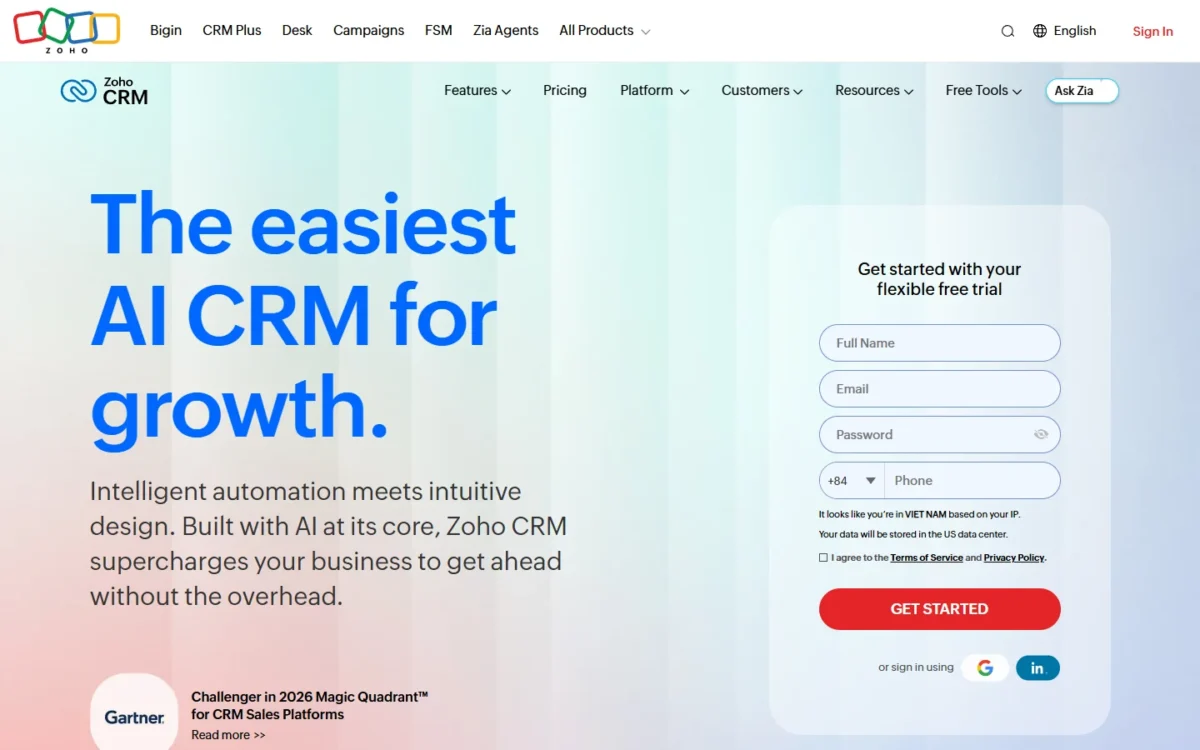
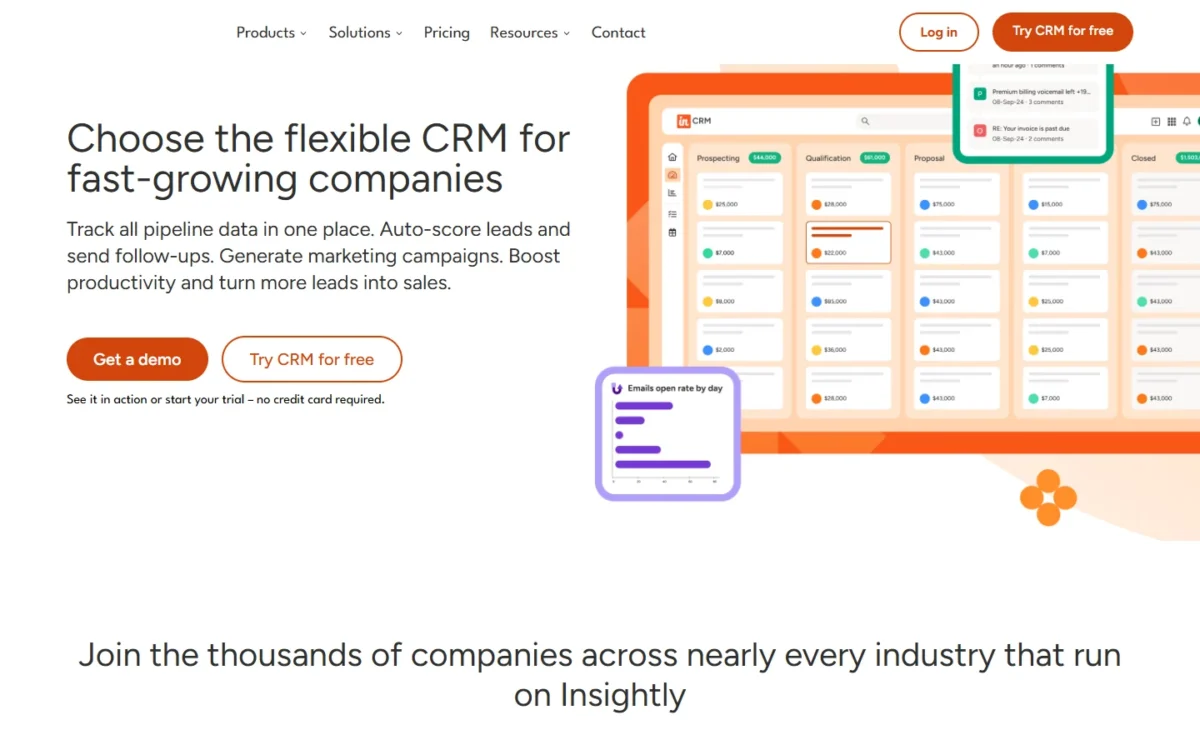
In the Zoho CRM vs Insightly choice, Zoho CRM is the better buy for most US teams that sell and then deliver projects. Zoho CRM Professional costs $23 per user per month billed annually, against $49 for Insightly Professional. Insightly earns its higher price when won deals must become projects inside the same CRM.
Even with Zoho Projects Premium added for delivery, Zoho costs $23 + $4 = $27 per user per month, billed annually. For 10 users, year one costs $3,240 for the Zoho stack against $5,880 for Insightly Professional, or $10,380 once the onboarding and Premier fees that Insightly’s add-on table labels “required” ($1,500 + $3,000 = $4,500) are added.
Quick verdict
The deciding difference: Insightly converts a won opportunity into a project inside the CRM, while Zoho CRM costs less per seat and guides reps stage by stage with Blueprint from Professional.
Pick Zoho CRM if seat price, monthly billing or a defined sales process matters most; delivery then runs in Zoho Projects, a second app.
Pick Insightly if the hand-off from sale to delivery should live in one record and annual billing suits you.
The trade-off: Zoho means two apps, while Insightly prints annual prices only and labels its onboarding and Premier fees “required”.
In This Article (11 sections)
Zoho CRM vs Insightly at a Glance
Zoho CRM is cheaper per seat at each comparable tier and bills monthly or annually; Insightly prints annual prices only and includes project management in all three CRM plans.
| Attribute | Zoho CRM | Insightly |
|---|---|---|
| Best for | Teams that want the lowest seat price and a guided sales process | Teams that hand won deals to delivery in the same CRM |
| Entry paid plan | Standard, $14 per user per month billed annually | Plus, $29 per user per month billed annually |
| Automation plan | Professional, $23 per user per month billed annually or $35 billed monthly | Professional, $49 per user per month billed annually |
| Free plan or trial | Free edition for 3 users; 15-day trial, no credit card | 14-day trial, no credit card; no free plan on the pricing page |
| Project management | Add-on: Zoho Projects, a separate app | Native on Plus, Professional and Enterprise |
| Main limitation | Edition table has no projects row; Zoho Projects has its own pricing page | Annual billing only; onboarding and Premier fees labelled “required” |
Sources: Zoho CRM pricing, Zoho CRM edition comparison, Zoho CRM features, Insightly pricing, checked October 2026.
Key Differences Between Zoho CRM and Insightly
Five differences change the choice: where delivery lives, how you pay, how far each plan guides the sales process, how certain the first-year bill is, and which plan unlocks AI.
- Delivery: Insightly converts won opportunities to projects in the CRM; Zoho sends delivery to Zoho Projects, which lists Zoho CRM among its in-house integrations.
- Billing: Zoho prints monthly prices beside annual ones; every Insightly CRM price reads “All prices USD, billed annually”.
- Process: Zoho Professional adds Process automation with 3 active Blueprints; Insightly Professional adds Workflow automation and lead assignment and routing.
- Cost certainty: Insightly’s add-on table labels onboarding and Premier fees “required”; Zoho’s CRM pricing page adds only local taxes to its prices.
- AI: Insightly AI Copilot allows 75 queries on Professional and 100 on Enterprise, none on Plus; Zoho lists Zia features such as Prediction Builder from Enterprise.
Delivery outweighs the rest for a team that retypes every won deal into a project tool today.
Zoho CRM vs Insightly: Features Compared
Insightly puts project delivery in every CRM plan and custom objects at Professional; Zoho puts workflow rules in every edition, Blueprint at Professional and custom modules at Enterprise.
| Feature | Zoho CRM | Insightly |
|---|---|---|
| Project management | Add-on: Zoho Projects | Plus and up |
| Workflow automation | Free and up (workflow rules) | Professional and up |
| Stage-by-stage process | Professional and up (3 active Blueprints) | Not listed on the pricing page |
| Custom fields | Limited: 10, 155 or 300 per module (Standard, Professional, Enterprise) | Limited: 50, 100 or 200 (Plus, Professional, Enterprise) |
| Custom objects or modules | Enterprise and up (100 modules) | Professional and up |
| Validation rules | Professional and up (5 per layout) | Enterprise |
| Custom reports | Standard (100), Professional and up (unlimited) | Plus and up (configurable reports) |
| Sandbox | Enterprise and up | Enterprise |
Sources: Zoho CRM edition comparison, Insightly pricing, checked October 2026.
Project delivery after the sale
Insightly converts a won opportunity into a project inside the CRM, copying the opportunity’s details, records and tasks into it. Zoho CRM’s edition table has no projects row, so delivery runs in Zoho Projects, a separate app that lists Zoho CRM among its in-house integrations.
For an agency that retypes the scope of every won deal, Insightly removes that step, and its projects carry pipelines, milestones and custom fields. My Insightly CRM review judges the rest of the product.
Zoho Projects is free for up to 5 users and 3 projects. Premium costs $4 per user per month billed annually and adds unlimited projects, project budgets and time logs and timesheets, which Insightly’s pricing and project management pages do not list.
Verdict: Project delivery
Insightly fits better when one record from first call to final milestone is the goal. Zoho fits better when delivery runs on billable hours and project budgets. Caveat: Zoho’s pricing pages do not describe how much deal data reaches Zoho Projects, so check that link with one real deal in the trial.
Automation and Blueprints
Zoho runs workflow rules in every edition, Free included, and Professional adds Process automation, which builds a step-by-step Blueprint. Insightly adds Workflow automation and lead assignment and routing on Professional; Plus has neither.
Zoho’s Blueprint page describes a visual editor and conditions checked before a deal moves to the next stage. Professional allows 3 active Blueprints, Enterprise 50. That guidance pays off when a hand-off fails because a rep skipped a step.
Insightly lists “Customizable sales processes” on its CRM plans, but its pricing page names no stage conditions. My Zoho CRM review weighs Blueprint against the rest of Zoho’s editions.
The upgrade triggers differ. On Zoho, a fourth active process or approval processes mean Enterprise at $40 per user per month billed annually. On Insightly, Workflow automation starts at Professional.
Verdict: Automation
Zoho CRM fits better at the mid plan: Professional buys workflow rules plus 3 Blueprints for less than Insightly’s first plan with automation. Caveat: Insightly’s pricing page lists no rule caps per plan, so run your busiest workflow in both trials.
Customization and custom objects
Insightly gives custom objects at Professional, with 100 custom fields. Zoho Professional gives 155 custom fields per module, but custom modules start at Enterprise, which at $40 still costs less per seat than Insightly Professional.
A consultancy that tracks deliverables or contracts as their own records needs objects, not more fields. The entry tiers flip the picture: Zoho Standard allows 10 custom fields per module and Insightly Plus 50, so a field-heavy team outgrows Zoho Standard first.
Validation rules arrive on Zoho Professional at 5 per layout, but only on Insightly Enterprise. Zoho’s edition table carries a “Last updated on: June 4, 2022” footer, though its prices match the current pricing page, so confirm field limits in the trial.
Verdict: Customization
Depends on plan. Insightly fits a field-heavy team on the entry tier; Zoho fits a team that needs custom objects at the lower seat price.
Reporting, analytics and dashboards
Zoho Professional gives unlimited custom reports and custom dashboards, up from 100 reports and 10 dashboards on Standard; analytics such as funnels and cohorts wait for Enterprise. Insightly Plus lists advanced reports and pre-built business dashboards, and customizable insight cards start at 100 on Professional.
For a manager who builds a report per client, Zoho Professional takes the count out of the decision.
Verdict: Reporting
Zoho CRM fits better at Professional, where custom reports and dashboards are unlimited. Caveat: Insightly’s insight cards are a different unit from Zoho dashboards, so compare the reports you actually run.
Integrations and AppConnect
Insightly includes Google, Microsoft 365, PandaDoc, QuickBooks and Xero integrations and the REST API in its CRM plans. Its no-code engine, AppConnect, is a separate product from $249 per account per month billed annually, with a $3,000 required technical setup.
That AppConnect price includes 25,000 tasks per month and “hundreds of pre-built app connectors”, in Insightly’s words. Insightly Plus does not support AppConnect; Professional and Enterprise do.
Zoho’s edition table lists integration categories for paid editions, such as finance (PayPal, QuickBooks, Pay U and 18 others), telephony and PBX (Ring.io, Amazon Connect, Zoho PhoneBridge and 106 others) and office productivity (Zapier, Trello and 26 others). A team whose next question is marketing email can see how Zoho compares with HubSpot.
Verdict: Integrations
Depends on the stack. QuickBooks appears on both entry paid plans; a team on Xero or PandaDoc gets that integration on Insightly Plus, and a team that needs Zapier or telephony finds them in Zoho’s catalog. Caveat: custom multi-app workflows on Insightly mean paying for AppConnect and its setup.
Zoho CRM vs Insightly Pricing
At the automation tier, Insightly Professional’s $49 per user per month is more than twice Zoho CRM Professional’s $23, both billed annually.

| Plan tier | Zoho CRM | Insightly |
|---|---|---|
| Free or trial | Free edition for 3 users; 15-day trial | 14-day trial on Plus and Professional |
| Entry | Standard: $14 billed annually, $20 billed monthly | Plus: $29 billed annually |
| Automation | Professional: $23 billed annually, $35 billed monthly | Professional: $49 billed annually |
| Upper | Enterprise: $40 billed annually, $50 billed monthly | Enterprise: $99 billed annually, Contact sales |
| Top | Ultimate: $52 billed annually, $65 billed monthly | Not listed on the pricing page |
| Project delivery | Zoho Projects Premium: $4 billed annually, $5 billed monthly | Included in the CRM plans |
Sources: Zoho CRM pricing (annual and monthly views), Zoho Projects pricing, Insightly pricing, checked October 2026.

Zoho states that local taxes such as VAT or GST are charged on top. Insightly marks every CRM price “All prices USD, billed annually” and prints no monthly or cancellation terms.
I would pay Zoho monthly only until the headcount settles, then move to annual billing. Every Zoho edition and add-on sits in my full Zoho CRM pricing breakdown.
What a 5- and 10-person team pays in year one
On annual billing, Zoho CRM Professional plus Zoho Projects Premium ($23 + $4 = $27 per user per month) costs less than Insightly Professional ($49), at 5 users and at 10.
| Team | Stack | Billing | Year-one cost |
|---|---|---|---|
| 5 users | Zoho CRM Standard | Annual | $14 x 5 users x 12 months = $840 |
| 5 users | Insightly Plus | Annual | $29 x 5 users x 12 months = $1,740 |
| 5 users | Zoho CRM Professional + Zoho Projects Premium | Annual | $23 x 5 users x 12 months = $1,380 plus $4 x 5 users x 12 months = $240, which is $1,620 |
| 5 users | Insightly Professional | Annual | $49 x 5 users x 12 months = $2,940 |
| 10 users | Zoho CRM Professional | Monthly | $35 x 10 users x 12 months = $4,200 |
| 10 users | Zoho CRM Professional + Zoho Projects Premium | Annual | $23 x 10 users x 12 months = $2,760 plus $4 x 10 users x 12 months = $480, which is $3,240 |
| 10 users | Insightly Professional | Annual | $49 x 10 users x 12 months = $5,880 |
Sources: Zoho CRM pricing, Zoho Projects pricing, Insightly pricing, checked October 2026.
Assumptions: list prices read on October 21, 2026; every user on the same plan and also licensed in Zoho Projects; no tax, no extra storage, and no Insightly onboarding or Premier fees, which the next section adds.

A 5-person team running 3 projects or fewer can stay on Zoho Projects Free.
Insightly’s onboarding and Premier fees: two readings
Insightly’s own pages answer both ways. Its add-on table labels guided product onboarding ($1,500) and Premier support and success (20% of license, $3,000 minimum annually) as “required”, while its FAQ says you “can upgrade” to Premier.
The Premier page answers “We recommend that customers purchase both onboarding and Premier Support and Success”, and adds that Guided Onboarding is required for Premier subscribers.
- Reading A, fees optional: the license is the bill, $49 x 10 users x 12 months = $5,880 for 10 users.
- Reading B, fees required: Premier’s share of a 10-user Professional license falls below its floor, so the minimum applies. For 10 users, $49 x 10 users x 12 months = $5,880 plus $1,500 + $3,000 = $4,500 in fees, which is $10,380.
For 5 users under Reading B, $49 x 5 users x 12 months = $2,940 plus $1,500 + $3,000 = $4,500 in fees, which is $7,440. The 5-user Zoho stack costs $23 x 5 users x 12 months = $1,380 plus $4 x 5 users x 12 months = $240, which is $1,620.
Premier’s percentage passes its floor only when the yearly license tops $3,000 x 5 = $15,000, about 26 Professional seats ($49 x 26 users x 12 months = $15,288). Below that, Reading B weighs hardest on a small team.
Ask Insightly sales to write both terms into the quote before you sign, and budget for Reading B until it does.
Setup, Customer Support and Security
Zoho lets a team of 3 run free with no time limit and trial paid editions for 15 days without a card, while Insightly offers a 14-day trial. Both state SOC 2 Type 2, HIPAA, GDPR and CCPA coverage, and Zoho adds ISO/IEC 27001.
Zoho Free stores up to 5,000 records in all modules and has no custom fields or custom reports, so it suits a pilot, not a delivery team. On the Insightly side, basic support includes a self-guided onboarding toolkit with video tutorials and an onboarding checklist.
Limits decide the next upgrade. Insightly Plus stops at 100,000 records and Professional at 250,000. Zoho Standard holds 100,000 records and Professional 10 GB, about 5 million records, for 1-200 users.
Insightly includes phone support Monday to Friday, 9 a.m. to 4 p.m. PT, and email with a first response within 24 business hours. Zoho’s edition table includes Basic support on every edition and Classic from Standard, with Premium and Enterprise support paid, and gives no response times.
Insightly states HIPAA compliance as a Business Associate and covers GDPR and CCPA obligations in its MSA and DPA. Zoho also lists SOC 2 + HIPAA Type 2, and its edition table marks HIPAA Compliance from Standard.
Verdict: Support and security
Security is comparable at the scope both vendors state. Support has not enough evidence for a call: Insightly publishes response times and Zoho’s edition table does not, so ask Zoho for its Classic support terms during the trial.
Zoho CRM vs Insightly: Pros and Cons
Zoho CRM’s strongest point is a guided process at $23 a seat, and its biggest gap is that delivery needs a second app. Insightly’s strongest point is native projects in every plan, and its biggest gap is cost certainty.
Zoho CRM, for a team that sells and then delivers:
Pros
- Professional includes 3 active Blueprints at $23 per user per month billed annually
- Monthly billing is published for every paid edition
- Free edition for up to 3 users and 5,000 records
- Unlimited custom reports and dashboards from Professional
Cons
- Delivery runs in Zoho Projects, a second app to license and learn
- Custom modules and approval processes start at Enterprise
- Standard caps custom fields at 10 per module
Insightly, for the same team:
Pros
- Won opportunities convert to projects that copy the deal’s records and tasks
- Custom objects on Professional, with 100 custom fields
- PandaDoc, QuickBooks and Xero integrations from Plus
- Phone and email support included with the license
Cons
- Every CRM price on the pricing page is billed annually
- Professional costs more than double Zoho Professional per seat
- The add-on table labels onboarding and Premier fees “required”
- Plus lacks the page’s Workflow automation label, lead routing and AI Copilot (Professional and up)
Which Is Better for Your Needs?
Zoho CRM fits better on seat price, billing flexibility and a guided process; Insightly fits better when delivery must start from the won deal in the same CRM.
| Your priority | Better fit | Reason | Trade-off |
|---|---|---|---|
| Lowest cost per seat | Zoho CRM | Professional is $23 against $49, per user per month billed annually | Delivery needs Zoho Projects |
| Won deal becomes a project in the same CRM | Insightly | Native project management on Plus, Professional and Enterprise | Annual billing only |
| Stage-by-stage sales process | Zoho CRM | Process automation with 3 active Blueprints on Professional | A fourth Blueprint needs Enterprise |
| Custom objects at a mid price | Depends | Zoho Enterprise costs less per seat; Insightly reaches objects one tier lower | Zoho Enterprise adds features you may not use |
| Xero or PandaDoc on the entry plan | Insightly | Both listed from Plus; QuickBooks appears on both entry paid plans | Plus lacks the page’s Workflow automation label |
| Timesheets and project budgets | Zoho CRM | Zoho Projects Premium adds time logs, timesheets and project budgets | Two apps to run |
| Predictable first-year cost | Depends | Insightly’s fee wording conflicts | Get Insightly’s fee terms in the quote |
Sources: Zoho CRM edition comparison, Zoho Projects pricing, Insightly pricing, checked October 2026.
An agency that bills hours should pick Zoho CRM with Zoho Projects. A consultancy whose delivery starts from the signed opportunity should pick Insightly Professional and budget for Reading B.
Who should skip each: a team that needs monthly billing should not buy Insightly, whose pricing page reads “All prices USD, billed annually”, and a team that will not license Zoho Projects separately should not buy Zoho CRM for delivery.
If seat price is the only criterion, my Pipedrive vs Zoho CRM comparison sets Zoho against a pipeline-first CRM.
If neither product fits, my list of Zoho CRM alternatives widens the field.
If Zoho CRM is your pick and Bitrix is the other name on your list, open Zoho CRM vs Bitrix.
Switching Between Zoho CRM and Insightly
Zoho imports Insightly data through an API token, while moving to Insightly is a CSV import, and leaving Insightly loses attachments, events, comments and saved emails.
From Insightly to Zoho CRM: go to Setup, Data Administration, Import, choose Insightly, paste the API token from Insightly’s User Settings and click Migrate Now. Organizations, contacts, leads, events, opportunities (as deals) and tasks map to Zoho modules, and you can undo or rerun the migration 3 times.
Zoho CRM does not support custom modules in API migrations, and projects are not in its mapping table, so delivery history needs a separate move into Zoho Projects or an archive.
From Zoho CRM to Insightly: Insightly imports CSV files with field mapping, and one CSV can carry linked records such as organizations with their contacts. It checks for duplicates by default. Zoho’s edition table lists module data export on every edition.
Leaving Insightly takes planning: an administrator must grant export permission, and file attachments, events, comments and emails saved to Insightly cannot be exported at all. Both vendors’ import pages cover records, not automations, so plan to rebuild workflows, reports and integrations by hand.
A reader weighing a move from HubSpot to Insightly should see HubSpot vs Insightly.
How I Compared Zoho CRM and Insightly
I read both vendors’ US-dollar pricing pages on October 21, 2026, Zoho’s in its annual and monthly views. I also read Zoho’s edition table, Insightly’s plan matrix, and both vendors’ import, export and security pages.
I set Professional against Professional, Standard against Plus, and Zoho CRM Professional plus Zoho Projects Premium against Insightly Professional, on delivery, automation, customization, reporting, integrations and year-one cost.
The vendors do not publish some facts on these pages: Insightly monthly prices, Zoho support response times and how much deal data the Zoho CRM link carries into Zoho Projects. Settle the last one in the free trials with one real project.
FAQ
Is Insightly a good CRM compared with Zoho CRM?
Yes, for a team whose delivery starts from the won deal. For most other teams, Zoho CRM costs less per seat at each comparable tier. Both mobile apps scan business cards: Zoho lists Zoho CRM Mobile and a Mobile Card Scanner on every edition, Free included, and Insightly’s app also records voice notes.
Does Zoho CRM have a free plan that Insightly lacks?
Yes. Zoho CRM’s Free edition is free forever for up to 3 users, with no credit card at sign-up, and automates workflows for up to 5 tasks. Insightly’s pricing page lists a free 14-day trial instead of a free plan.
Can I pay for Insightly monthly?
Not on the published pricing page, where every Insightly CRM price is billed annually. Ask Insightly sales whether monthly terms exist for your team. Zoho prints monthly prices for every paid edition, such as $20 per user per month for Standard.
Final Verdict: Zoho CRM or Insightly?
Buy Zoho CRM if you run a typical small business that sells and then delivers: Professional plus Zoho Projects Premium still costs less per seat than Insightly Professional, and adds Blueprint. Buy Insightly when the hand-off from won deal to project inside one CRM is the job and annual billing suits you.
Choose Zoho CRM if
- Seat price decides: Professional is $23 per user per month billed annually
- You want month-to-month billing, published for every paid edition
- Reps should follow a stage-by-stage Blueprint (3 active on Professional)
- Delivery needs time logs, timesheets and project budgets from Zoho Projects Premium
Choose Insightly if
- Delivery must start from the won opportunity in the same CRM
- Xero or PandaDoc must connect on the entry plan
- You need custom objects at Professional rather than a top tier
- Phone support with the license matters (Monday to Friday, 9 a.m. to 4 p.m. PT)
Zoho’s saving comes with a CRM-to-Projects link to check in the trial; Insightly’s single record comes with fee wording to settle in the quote. If neither fits, my ranking of the best CRM software for small teams widens the shortlist.
Still unsure about Insightly itself? Read Insightly vs Copper next.





