Affinity is the best free Photoshop alternative for most design and photo work: it costs $0 with a Canva account and handles photo, vector and layout tasks in one app. Photoshop is sold only by subscription, at $22.99 a month on the annual plan billed monthly. A studio pays $37.99 per license a month on Photoshop for teams, so five licenses cost $37.99 x 5 x 12 = $2,279.40 a year against $0 on Affinity.
Quick verdict
Switch if the subscription, the per-seat bill or your platform is the problem: designers, photographers, marketers and Linux or browser users each have a pick below. Photopea edits PSDs in a browser, ON1 Photo RAW gives photographers a license they own, and GIMP covers Linux.
Stay with Photoshop if Generative Fill or smart-object PSDs from clients run your day.
The first trade-off: Affinity opens layered PSDs, but smart objects and advanced filters may flatten.

Affinity
Best for: free photo, vector and layout work
It costs $0 with a free Canva account, where Photoshop requires a subscription.
Limit: Canva AI tools need a paid Canva plan, while Photoshop builds Generative Fill in

Photopea
Best for: editing PSDs in a browser
PSD is its main format, and the Free account runs on any device without a Photoshop install.
Limit: the Free account shows ads; Premium removes them

ON1 Photo RAW
Best for: photographers who want to own a license
Photo RAW 2027 is a one-time purchase, where Photoshop is subscription-only.
Limit: the license covers 2027 updates, not later major upgrades
GIMP
Best for: an open-source editor on Linux
It is free software for GNU/Linux, macOS and Windows that imports and exports PSD files, with no Photoshop subscription.
Limit: gimp.org lists no generative AI tools to match Photoshop’s Generative Fill
In This Article (17 sections)
Photoshop Alternatives Compared
Photoshop is the benchmark row, and the 11 picks follow in ranked order.
| Software | Best for | Starting price (unit, billing) | Main advantage | What you give up | Switching note (PSD handling) |
|---|---|---|---|---|---|
| Photoshop | Compositing, retouching and generative AI on native PSDs | $22.99 per month, annual plan billed monthly | Generative Fill; PSD is its own format | Benchmark | Benchmark |
| Affinity | Free photo, vector and layout work | $0 with a free Canva account | Pixel, Vector and Layout studios in one app | Canva AI tools, without a Canva premium plan | Opens layered PSDs; smart objects may flatten |
| Photopea | Editing PSDs in a browser | $0, Free account with ads | PSD is its main format | An ad-free editor, without Premium | Opens and saves PSD |
| ON1 Photo RAW | Photographers who want to own a license | $99.99 one-time, Photo RAW 2027 | RAW, layers and masks under a perpetual license | Major upgrades after version 2027 | PSD import not listed on ON1’s product page |
| GIMP | An open-source editor on Linux | $0, free software | Builds for GNU/ | Generative AI, which gimp.org does not list | Imports and exports PSD, including CMYK |
| Pixelmator Pro | Mac and iPad | $49.99 one-time for Mac; Apple Creator Studio, for iPad, is $12.99 per month | A one-time Mac purchase | Machines not on macOS 26 or iPadOS 26 | Supports PSD files |
| Photoshop Elements | Beginners who want to stay with Adobe | $99.99 one-time, 3-year term license | Quick, Guided and Advanced modes | A permanent license: it expires after 3 years | PSD handling not listed on Adobe’s Elements page |
| Krita | Digital painting (partial replacement) | $0, open source under the GNU GPL | Brush types, drawing assistants, animation tools | Photo retouching: it is a painting program | Loads and saves PSD layers, text and masks |
| Capture One Pro | Tethered studio photography (partial replacement) | $18.00 per month on the Annual toggle | Tethering with 550+ cameras supported | Compositing, which its pricing page does not list | PSD import not listed on its pricing page |
| Luminar | AI photo enhancement (partial replacement) | $99 one-time, Desktop Only sale price on Nov 20, 2026 | Runs standalone or as a Photoshop plug-in | Generative tools after 1 year, without Luminar Prime | Runs inside Photoshop as a plug-in |
| Canva | Marketing teams making social graphics (partial replacement) | $12 per month billed yearly (Pro); Business is $20.83 per person per month billed yearly | Team seats with approval workflows | Heal, clone and blend-mode tools, which Canva’s plan comparison does not list | Imports PSDs up to 300MB and 300 image layers |
| Pixlr | Low-cost AI edits in the browser | $1.99 per month billed yearly (Plus); Premium is $7.99 per month billed yearly | 12,000 AI credits for the year on Premium, billed yearly | Refunds: none once a payment is processed | PSD support not listed on its pricing page |
Sources: Adobe Photoshop plans, Affinity, Photopea accounts, ON1 Photo RAW, GIMP, Pixelmator Pro, Photoshop Elements, Krita download, Capture One pricing, Luminar pricing, Canva plans, Pixlr pricing, checked Nov 2026.
How I Evaluated the Alternatives
I judged every editor on the same criteria, in order: job coverage against Photoshop, PSD fidelity, licensing terms, platform, AI tools and team features. A pick needed layers and masks, or a documented partial job, plus an official page with its price or license.
The facts come from the vendors’ pricing, product and help pages, read on November 20, 2026; the verdicts are my editorial analysis of them. I did not measure editing speed or AI output quality.
My ranking of photo editing software by job covers the category without Photoshop as the benchmark.
Why Teams Look Beyond Photoshop
Photoshop cannot be bought outright, and Photoshop for teams costs $37.99 per license a month. Affinity answers both at $0, and four other reasons below point to different picks.
You want to own the software. Adobe sells Photoshop only by Creative Cloud subscription. Pixelmator Pro and ON1 Photo RAW are one-time purchases and Affinity is free; the cost of leaving is PSD fidelity.
The bill grows with every seat. Photoshop for teams is priced per license, for 1 to 10 licenses. A studio that moves design seats to Affinity pays nothing per seat when each designer signs in with their own free Canva account, and gives up the admin console and 180-day version history.
The $22.99 price is an annual commitment. For most plans, Adobe gives a full refund if you cancel within 14 days of your initial purchase. Occasional editors fit Photopea’s Free account, or Pixlr, which you can cancel anytime. Before leaving over price alone, compare what each Adobe plan with Photoshop costs.
The Photoshop plan includes 25 generative credits a month. Standard AI features such as Generative Fill draw on them. Pixlr Premium includes 1,000 monthly AI credits, in a different credit system. Before leaving over credits, note that Adobe’s Photography plan carries 1,000 monthly generative credits and Firefly Pro 4,000. If generation is the real job, start with my list of Adobe Firefly alternatives.
You work on Linux or in a browser. GIMP and Krita run on Linux, and Photopea runs in a browser on any device.
You mostly finish RAW photos. A photographer who opens Photoshop mainly for RAW files pays for compositing tools they rarely touch. ON1 Photo RAW and Capture One Pro are built around RAW work.
What a 1-, 3- and 5-Seat Team Pays Over One and Three Years
The table prices Photoshop’s two plans and seven alternatives at list prices, with one license per person and the math in each cell.
| Option (price basis) | 1 seat, 1 year | 3 seats, 1 year | 5 seats, 1 year | 5 seats, 3 years |
|---|---|---|---|---|
| Photoshop, individual plan ($22.99 per month) | $22.99 x 12 = $275.88 | $275.88 x 3 = $827.64 | $275.88 x 5 = $1,379.40 | $1,379.40 x 3 = $4,138.20 |
| Photoshop for teams ($37.99 per license per month) | $37.99 x 12 = $455.88 | $455.88 x 3 = $1,367.64 | $455.88 x 5 = $2,279.40 | $2,279.40 x 3 = $6,838.20 |
| Affinity (free with a Canva account) | $0 | $0 | $0 | $0 |
| Pixelmator Pro ($49.99 once per Mac user) | $49.99 | $49.99 x 3 = $149.97 | $49.99 x 5 = $249.95 | $249.95 |
| Photoshop Elements ($99.99 per 3-year license) | $99.99 | $99.99 x 3 = $299.97 | $99.99 x 5 = $499.95 | $499.95 |
| ON1 Photo RAW 2027 ($99.99 once) | $99.99 | $99.99 x 3 = $299.97 | $99.99 x 5 = $499.95 | $499.95 |
| Capture One Pro ($18.00 per month, Annual toggle) | $18.00 x 12 = $216.00 | $216.00 x 3 = $648.00 | $216.00 x 5 = $1,080.00 | $1,080.00 x 3 = $3,240.00 |
| Canva Business ($250 per person per year) | $250 | $250 x 3 = $750 | $250 x 5 = $1,250 | $1,250 x 3 = $3,750 |
| Pixlr Premium ($7.99 per month, billed yearly) | $7.99 x 12 = $95.88 | $95.88 x 3 = $287.64 | $95.88 x 5 = $479.40 | $479.40 x 3 = $1,438.20 |
Sources: Adobe Photoshop plans and Adobe Creative Cloud for teams plans, checked Nov 2026; each alternative’s price comes from its vendor page listed under the comparison table.
Pricing note
The totals use list prices and leave out tax, add-on AI credits and the Black Friday offers vendors were running on November 20, 2026. Luminar is not in the table because its pricing page that day showed the $99 sale price, marked 77% off against $417.00, and the table leaves sale prices out.
The Affinity row assumes one person per seat, each with their own free Canva account.
A subscription helps only when the seat is far cheaper: five Pixlr Premium seats cost about a fifth of five Photoshop for teams licenses.
1. Affinity: Best Photoshop Alternative for Free Photo, Vector and Layout Work
Yes, a free app can replace Photoshop for most design and photo work, and Affinity is the one that does it. Every tool in its Pixel, Vector and Layout studios costs nothing, so I would move a small studio’s design seats here first. The risk sits in smart objects and built-in Generative Fill.
Where Affinity may be better
- Cost: $0, against $22.99 a month for Photoshop
- Scope: photo editing, vector design and page layout in one app
Where Photoshop may be better
- PSD fidelity: Affinity may flatten Smart Objects and advanced filters
- AI: Generative Fill is built in; Affinity’s AI tools need a Canva premium plan
The free app runs on Mac, Windows and iPad and includes RAW development, retouching, HDR, batch processing, macros and unlimited layers. My guide to graphic design software compares full suites if vector and layout are the bigger need. On switching, keep your PSD masters: Affinity imports layered PSDs, and what it hands back to Photoshop users are PDFs or PNGs that open in Photoshop without editability.
Affinity itself costs nothing. It is free for individuals, so each designer signs in with their own free Canva account; an organization that wants SSO contacts Canva Enterprise or Canva Education. The one paid step is optional and belongs to Canva: its AI tools work inside Affinity only on a Canva premium plan.
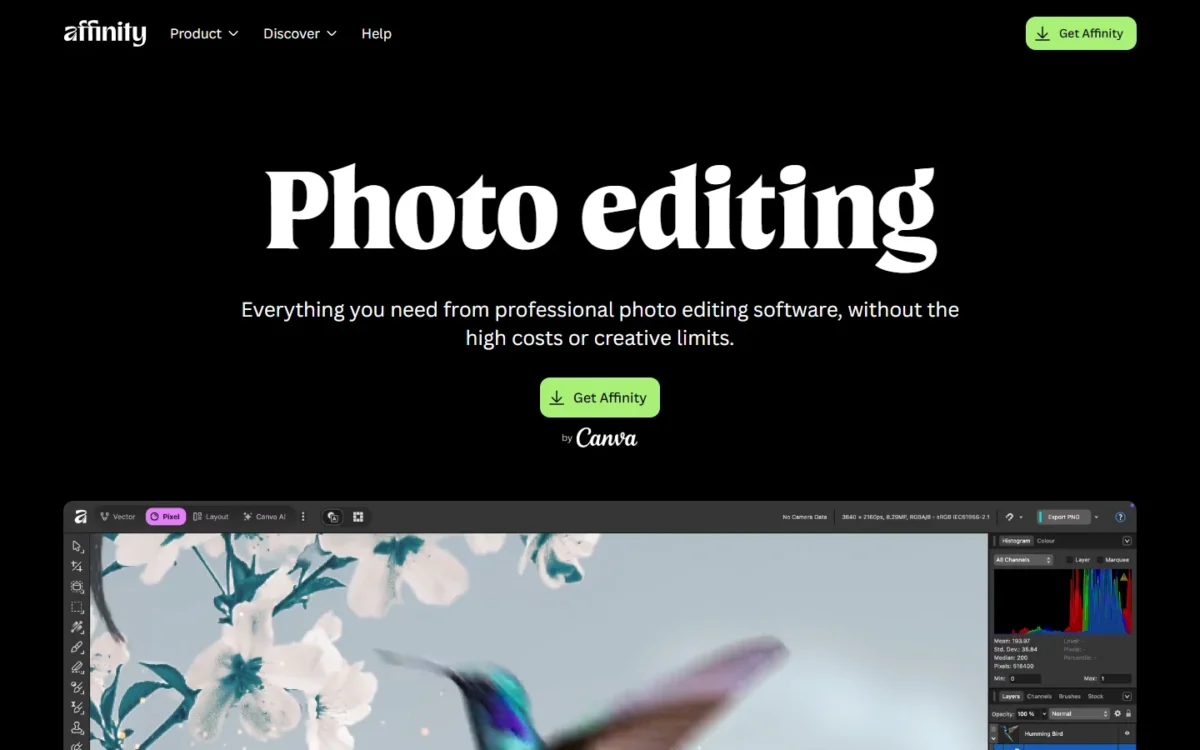
- Affinity for individuals: $0 with a free Canva account
- Canva AI tools in Affinity: Canva Pro, Business, Enterprise or Education
Sources: Affinity photo editing page and Affinity homepage, checked Nov 2026.
- Skip it if:
- clients or printers exchange smart-object PSDs with you; stay with Photoshop, or use Photopea for PSD round trips.
My take
Pick Affinity if you design, retouch and lay out pages yourself; test your three most complex PSDs in it first.
2. Photopea: Best Photoshop Alternative for Editing PSDs in a Browser

For the occasional PSD edit, a browser tab is enough. Photopea opens and saves PSD as its main format and the Free account costs nothing, so a marketer on a Chromebook can fix a client file without a Photoshop license. For long days on large files I would install Affinity instead.
Where Photopea may be better
- Access: runs in a browser on any device, with no install
- Privacy: files are processed locally and never uploaded
Where Photoshop may be better
- No ads: Photopea’s Free account carries advertising
- Desktop app: Photopea works right in your browser; Photoshop works across desktop, web and mobile
Photopea’s homepage lists layers, masks, layer styles, smart objects and adjustment layers. Smart objects are the item to notice, because Affinity may flatten them; that makes Photopea my first try for a PSD that must return to a Photoshop user. Switching needs no import step: open the PSD, edit it, save it.
Photopea has Free and Premium accounts. Premium removes the ads, and its price appears in the editor’s Account window (the Account button at the top), so check there before you budget ad-free seats.
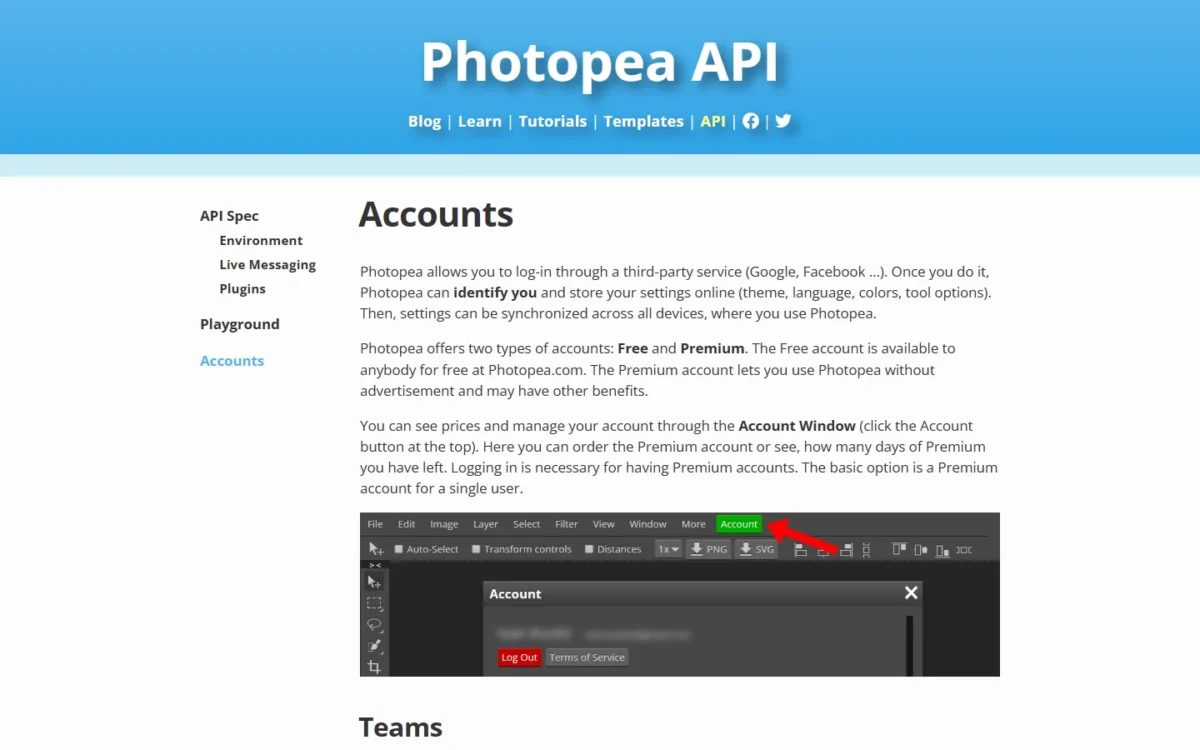
- Free: $0, with ads
- Premium: no ads; price shown in the Account window
Sources: Photopea accounts page, checked Nov 2026.
- Skip it if:
- you retouch large files all day; install Affinity, which is free and GPU-accelerated.
My take
Pick Photopea if you edit PSDs a few times a month or cannot install software.
3. ON1 Photo RAW: Best Photoshop Alternative for Photographers Who Want to Own a License
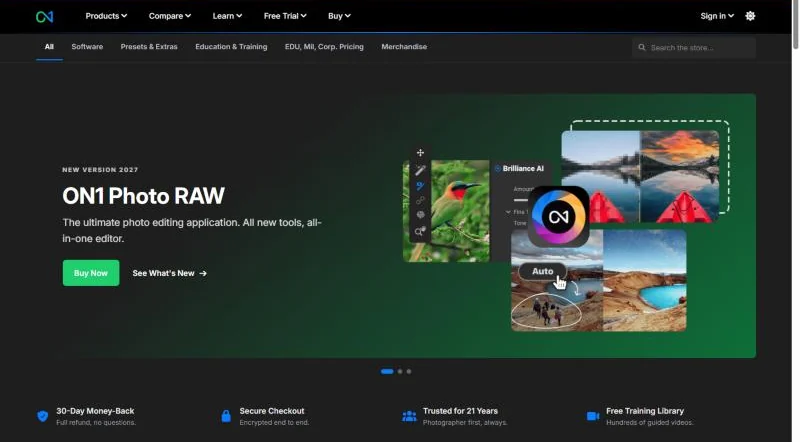
Owning the software is the whole argument for ON1 Photo RAW. A photographer pays $99.99 once for Photo RAW 2027, where Photoshop’s annual plan comes to $22.99 x 12 = $275.88 every year. It covers the photographer’s side of Photoshop on Mac and Windows; I would not recommend it to a designer who composites layered PSDs.
Where ON1 Photo RAW may be better
- Ownership: a one-time purchase; Photoshop is subscription-only
- Three-year cost: one payment, against $275.88 x 3 = $827.64 for Photoshop
Where Photoshop may be better
- PSD compositing: ON1’s product page lists no PSD import
- Generative AI: Generative Fill, Generative Expand and Harmonize
ON1 browses files where they live, with no import step, then handles raw photo edits, layers, masking and export in one app. The perpetual license includes free updates for version 2027 only. For a gradual switch, the MAX edition adds plug-ins that run inside Photoshop and Lightroom.
These are list prices; ON1’s Black Friday discounts on November 20, 2026 are left out. The MAX subscription suits buyers who want each year’s version, since $89.99 a year is less than buying MAX outright at $169.99 per release.
- Photo RAW 2027: one-time; 2 computers; 2027 updates only
- Photo RAW MAX: 3 computers; adds Photoshop and Lightroom plug-ins
Sources: ON1 Photo RAW product page, checked Nov 2026.
- Skip it if:
- designers send you layered PSDs to composite; use Affinity, which opens them.
My take
Pick ON1 Photo RAW if most of what you open in Photoshop is a RAW file.
4. GIMP: Best Open-Source Photoshop Alternative for Linux
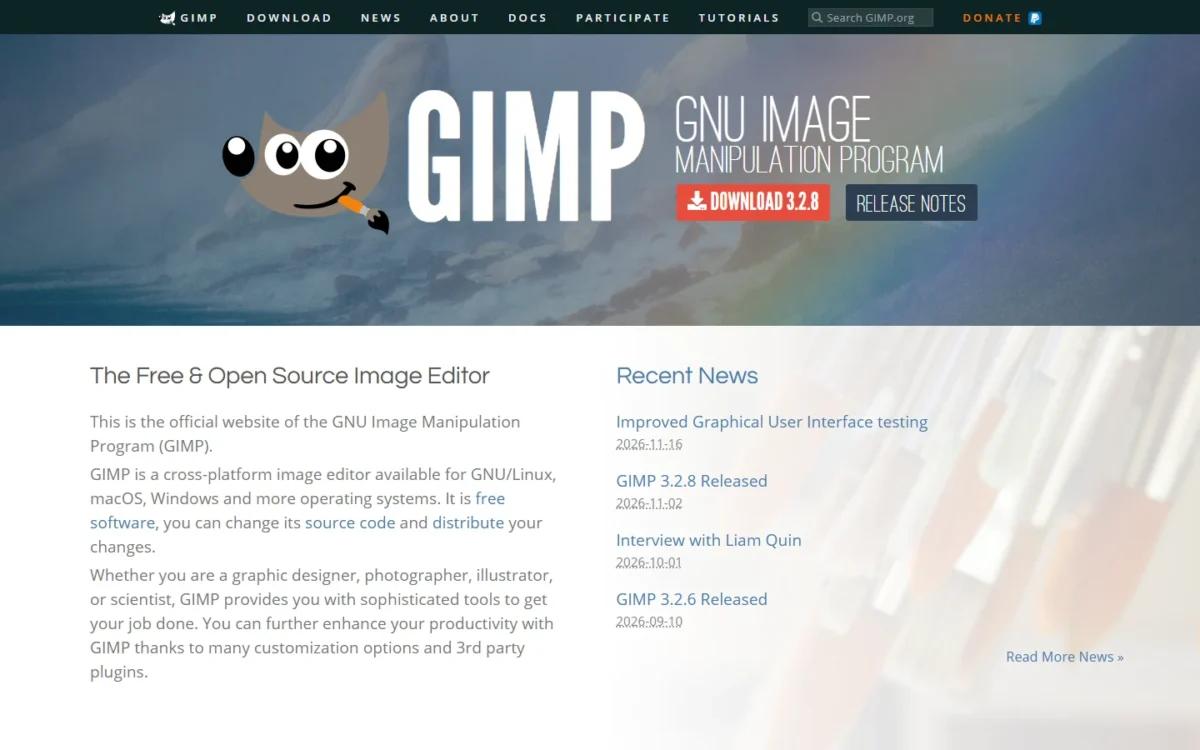
On Linux, GIMP is the default answer. The GNU Image Manipulation Program is free software for GNU/Linux, macOS and Windows that handles retouching, restoring and composites, and version 3.2.8 arrived on November 2, 2026. What it lacks is Photoshop’s generative AI, which gimp.org does not list.
Where GIMP may be better
- License: free software whose source code you can change
- Linux: official AppImage, Flatpak and Snap builds
Where Photoshop may be better
- Generative AI: Generative Fill and Generative Expand are built in
- Web and mobile: GIMP is available for GNU/Linux, macOS and Windows; Photoshop adds web, mobile and 100GB of cloud storage
GIMP 3.0’s release notes describe two changes a Photoshop user feels. Filters are non-destructive: they stay editable after you apply them. GIMP imports and exports PSD files, and the export dialog saves clipping paths, CMYK profiles and metadata for print handoffs, though the notes call CMYK image modes future work. When you migrate, plan to rebuild brushes and plug-ins.
GIMP is free on every platform it supports. The GIMP team publishes no package on Apple’s App Store, so any listing there comes from a third party.
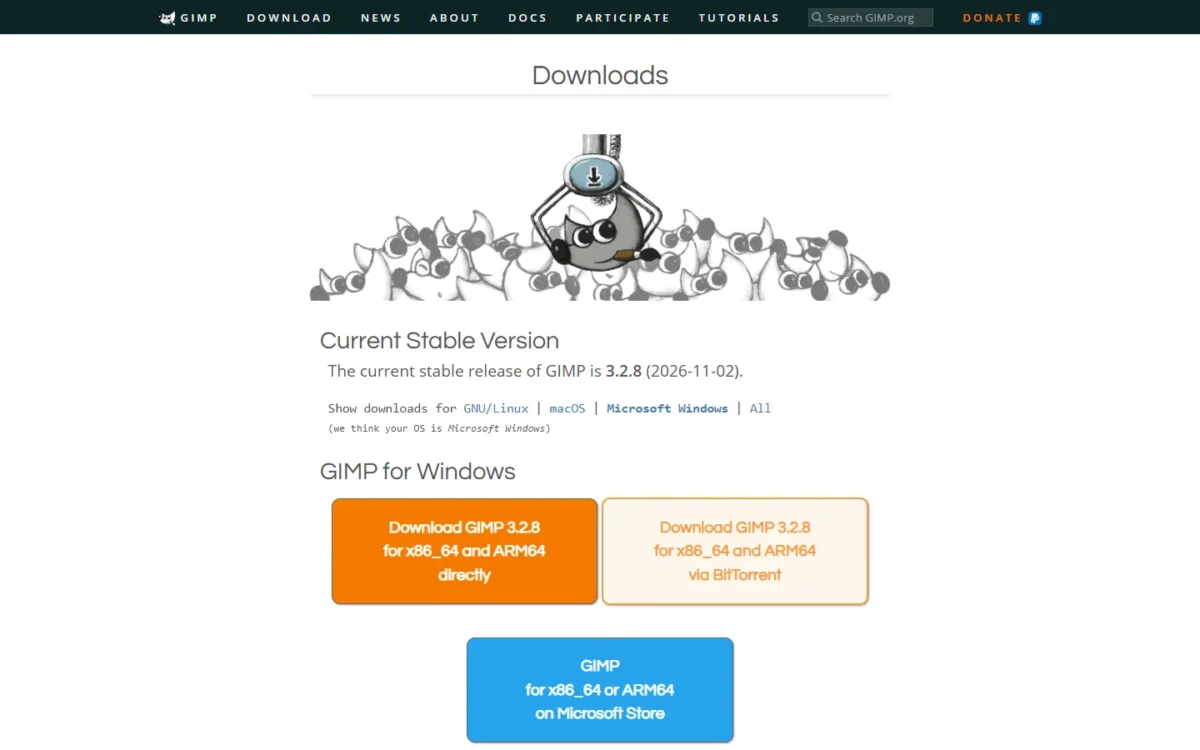
- macOS: macOS 11 Big Sur or newer
- Windows: Windows 10 version 1903 or newer
Sources: GIMP downloads, checked Nov 2026.
- Skip it if:
- generative AI edits are part of your week; look at Pixlr’s credit plans, or stay with Photoshop.
My take
Pick GIMP if you run Linux or have no budget; on a Mac or Windows PC I would try Affinity first.
5. Pixelmator Pro: Best Photoshop Alternative for Mac and iPad
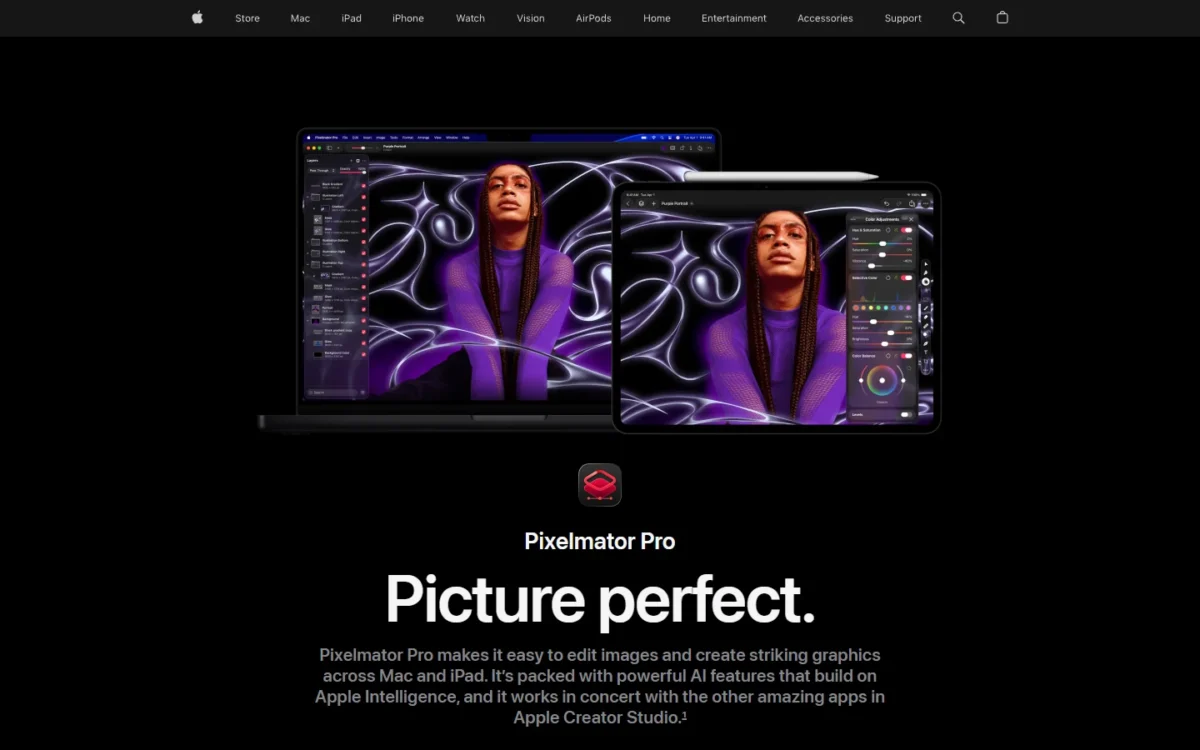
A Mac-only creator gets the lowest one-time price among these 11 picks: Pixelmator Pro replaces most Photoshop work for $49.99, less than three months of Photoshop’s $22.99 plan ($22.99 x 3 = $68.97). The trade-off is the iPad version, which comes as part of the Apple Creator Studio subscription.
Where Pixelmator Pro may be better
- Price: one payment of $49.99, against $275.88 a year on Photoshop’s annual plan billed monthly ($22.99 x 12)
- Apple workflow: edits sync between Mac and iPad
Where Photoshop may be better
- Platforms: desktop, web and mobile; Pixelmator Pro needs macOS 26 or iPadOS 26
- Team licensing: Pixelmator Pro is a one-time App Store purchase or part of Apple Creator Studio; Photoshop’s teams plan adds an Admin Console for licenses and billing
Apple describes a layer-based editor with nondestructive editing, adjustment layers, a Select and Mask feature for hair and fur, and RAW photos edited as layers. It supports PSD, SVG, PDF and Adobe Illustrator files, so imports open directly; find replacements for your Photoshop actions and plug-ins before you switch.
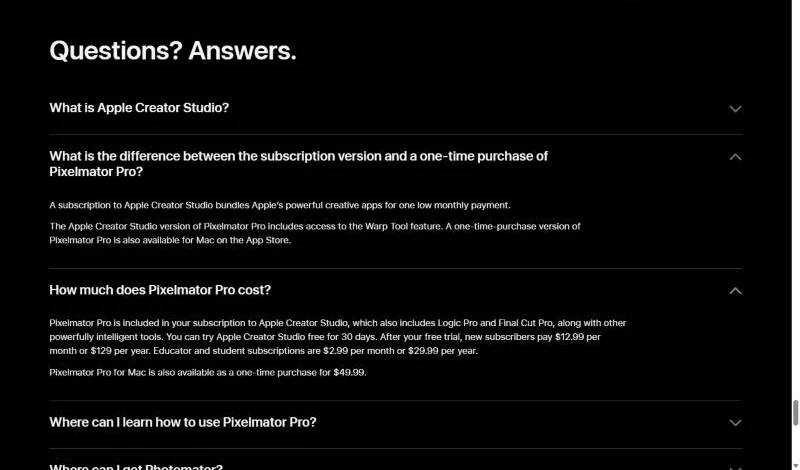
Buy the Mac license if the Mac is your only machine. Apple Creator Studio adds the iPad app and the Warp Tool; after a 30-day free trial it costs $12.99 a month, which passes the one-time price in month four ($12.99 x 4 = $51.96).
- Pixelmator Pro for Mac: one-time purchase
- Apple Creator Studio: monthly, or $129 per year, after a 30-day free trial
Sources: Pixelmator Pro on apple.com, checked Nov 2026.
- Skip it if:
- anyone on the team uses Windows; standardize on Affinity, which runs on Mac, Windows and iPad.
My take
Pick Pixelmator Pro if every seat is a Mac and you want to pay once. On a Mac I would try Affinity first, since it costs $0; Pixelmator Pro earns its $49.99 for readers who would rather not sign in with a Canva account.
6. Photoshop Elements: Best Photoshop Alternative for Beginners Who Want to Stay With Adobe
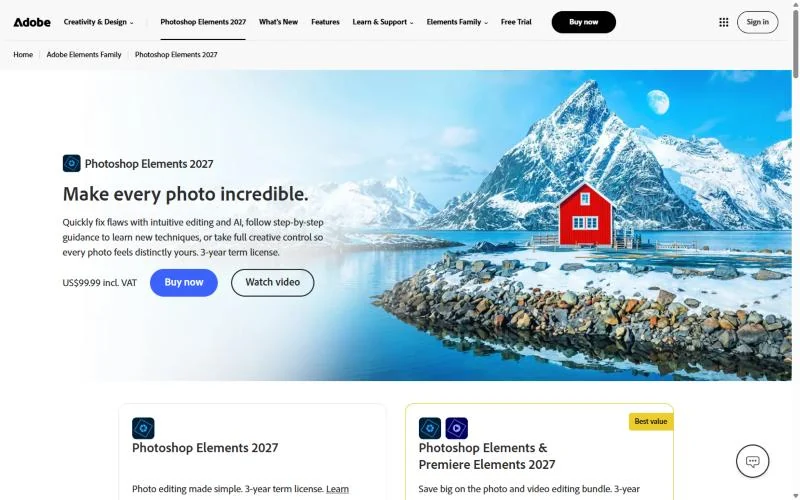
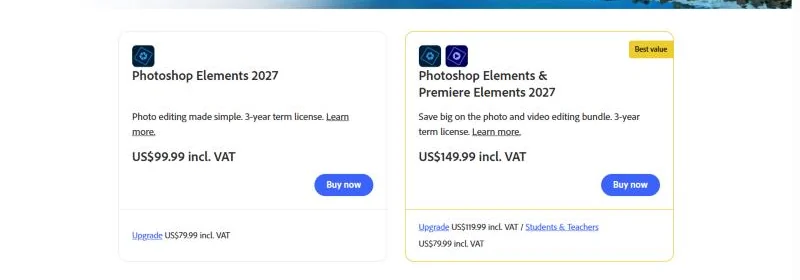
Adobe’s own answer to subscription fatigue is a lighter editor, not a cheaper Photoshop. Photoshop Elements 2027 costs $99.99 for a 3-year term license and teaches as it goes, with Quick, Guided and Advanced editing modes, which makes it my pick for beginners. Anyone editing for clients loses the full Photoshop toolset.
Where Photoshop Elements may be better
- Three-year cost: one payment, against $827.64 on Photoshop’s annual plan billed monthly
- Learning: step-by-step Guided Edits
Where Photoshop may be better
- Professional tools: unlimited layers, Smart Objects, artboards and Camera RAW
- AI models: Firefly Image 5, FLUX models and Nano Banana Pro
Guided Edits walk through combining photos, fixing color and lighting, and adding effects, and AI expands a photo, erases distractions or restores damaged pictures. Generative features run on 25 generative credits per month. Adobe’s Elements page does not say how it imports layered PSDs, so run your real files through the 7-day trial before switching.
Spread over the term, the price is $33.33 a year ($99.99 / 3). Budget for the end date: the license is non-renewing and expires 3 years after redemption. Adobe’s sale price through December 1, 2026 is left out.
- Photoshop Elements 2027: one-time, 3-year term
- Photoshop Elements & Premiere Elements 2027: $149.99, adds video editing
Sources: Adobe Photoshop Elements page, checked Nov 2026.
- Skip it if:
- you edit for clients; use Affinity, or keep Photoshop for its professional toolset.
My take
Pick Elements if you are new to editing; if you already think in layers, Affinity gives you unlimited layers for $0.
7. Krita: Best Photoshop Alternative for Digital Painting
If you opened Photoshop to paint, Krita is the replacement. It is a painting program made by artists, free and open source, with multiple brush types, drawing assistants, stabilizers and animation tools. It replaces only that part of Photoshop: I would not retouch product photos in it.
Where Krita may be better
- Painting focus: brush types, drawing assistants and stabilizers for artists
- Linux: runs on Linux as well as Windows and macOS
Where Photoshop may be better
- Photo work: AI-powered removal tools, color grading and Camera RAW
- iPad and iPhone: Krita does not support them
Krita’s manual says it reads and writes PSD layers, blending modes, layer styles, text, groups and masks. It is blunt about the limit: PSD has no official specification online, so no outside program can support it 100%. When you switch, exchange work as ORA or TIFF where you can, as the manual recommends.
Krita is a free download for Windows 8.1 or higher, macOS 10.15 and Linux. Paid versions in the Microsoft Store, Steam, Epic Games Store and Mac App Store add automatic updates and fund development.
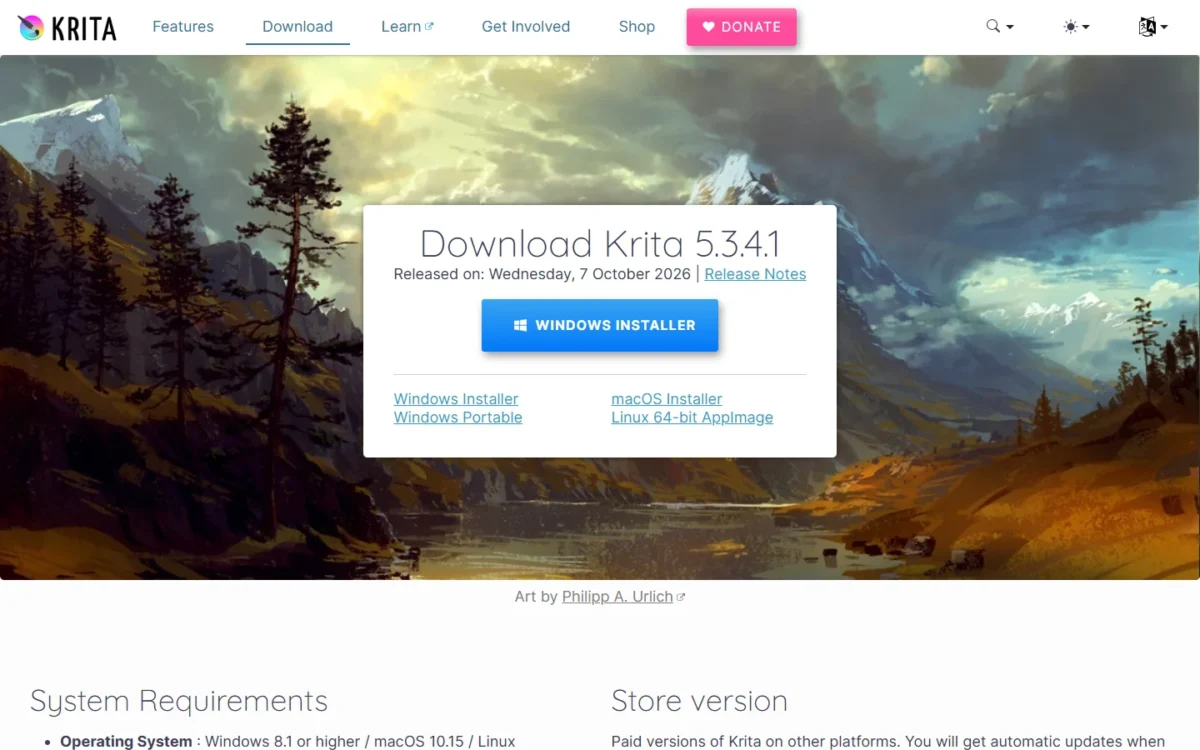
- krita.org download: $0
- Store versions: paid, with automatic updates
Sources: Krita download page, checked Nov 2026.
- Skip it if:
- you retouch photographs; choose Affinity, or GIMP on Linux.
My take
Pick Krita if drawing is the job, and pair it with Affinity or GIMP for photo edits.
8. Capture One Pro: Best Photoshop Alternative for Tethered Studio Photography

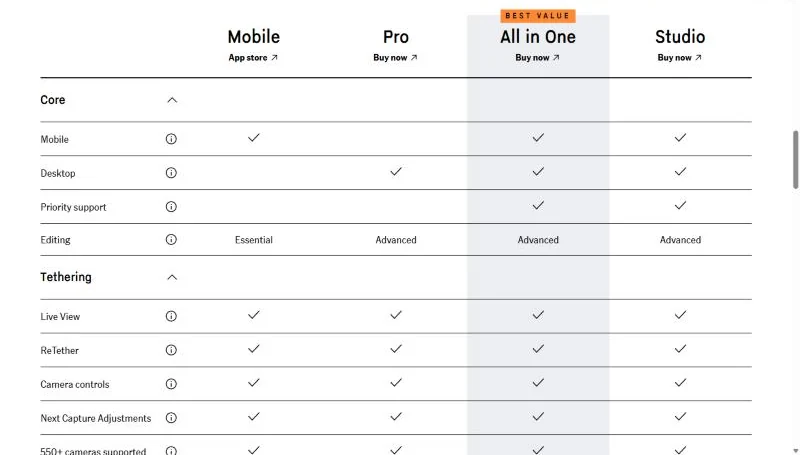
Capture One Pro replaces Photoshop only for a photographer whose day is capture, color and delivery. Its Pro plan leads with RAW conversion, color profiles and tethering, with support for 550+ cameras. Its pricing page lists no compositing or generative tools, so plan to keep a pixel editor beside it.
Where Capture One Pro may be better
- Tethered shooting: support for 550+ cameras
- Licensing: a one-time license beside the subscription
Where Photoshop may be better
- Compositing: Capture One Pro lists RAW conversion and tethering; Photoshop combines images with unlimited layers and blend modes
- Bundle: Capture One Pro is $18.00 a month; the Photography plan pairs Photoshop with Lightroom for $19.99 a month, annual billed monthly
Capture One raised prices by 6% across Pro, All in One and Studio, and a perpetual license bought after June 2, 2026 carries the higher price. The subscription can be canceled anytime with no fees. When switching, keep Photoshop, Affinity or ON1 beside it for layered files; its pricing page lists no PSD import.
The Pro subscription shows $18.00 a month with the Annual toggle selected, or $18.00 x 12 = $216.00 a year. The $349.00 one-time license costs less than the subscription from year two ($216.00 x 2 = $432.00), and Capture One aims it at photographers who do not depend on its newest updates.
- Pro: desktop software
- All in One: $24.67 per month on the Annual toggle; adds the iPad and iPhone app
Sources: Capture One pricing and Capture One’s pricing changes FAQ, checked Nov 2026.
- Skip it if:
- you build composites; ON1 Photo RAW includes layers, and Affinity opens PSDs.
My take
Pick Capture One Pro if tethered sessions are how you earn.
9. Luminar: Best Photoshop Alternative for AI Photo Enhancement

Luminar is for people who used Photoshop to make a photo look better, not to build one from parts. Its tools are AI enhancements such as sky replacement, portrait retouching, denoise and upscaling, sold as a perpetual license for macOS and Windows. The generative tools are included for one year, then need Luminar Prime.
Where Luminar may be better
- License: one payment for the desktop app, on 2 devices
- Refund: a 30-day money-back guarantee
Where Photoshop may be better
- Layers: Luminar’s Layers hold overlays and creative effects; Photoshop builds composites with unlimited layers and blend modes
- Generative AI: part of the plan; Luminar’s GenErase, GenSwap and GenExpand need Prime after 365 days
Skylum names the one-click jobs: replace skies, remove distractions, smooth skin, blur backgrounds and stitch panoramas, the AI effects a Photoshop user builds with selections and masks. Switching can be gradual, because Luminar runs inside Photoshop as a plug-in. For AI-only editing, my guide to AI photo editors covers a wider field.
On November 20, 2026, Skylum listed Desktop Only at $99 as a one-time payment, marked 77% off against $417.00, the figure Skylum sets the discount against. Treat $99 as the day’s sale price, and note that big upgrades may require extra upgrade payments.
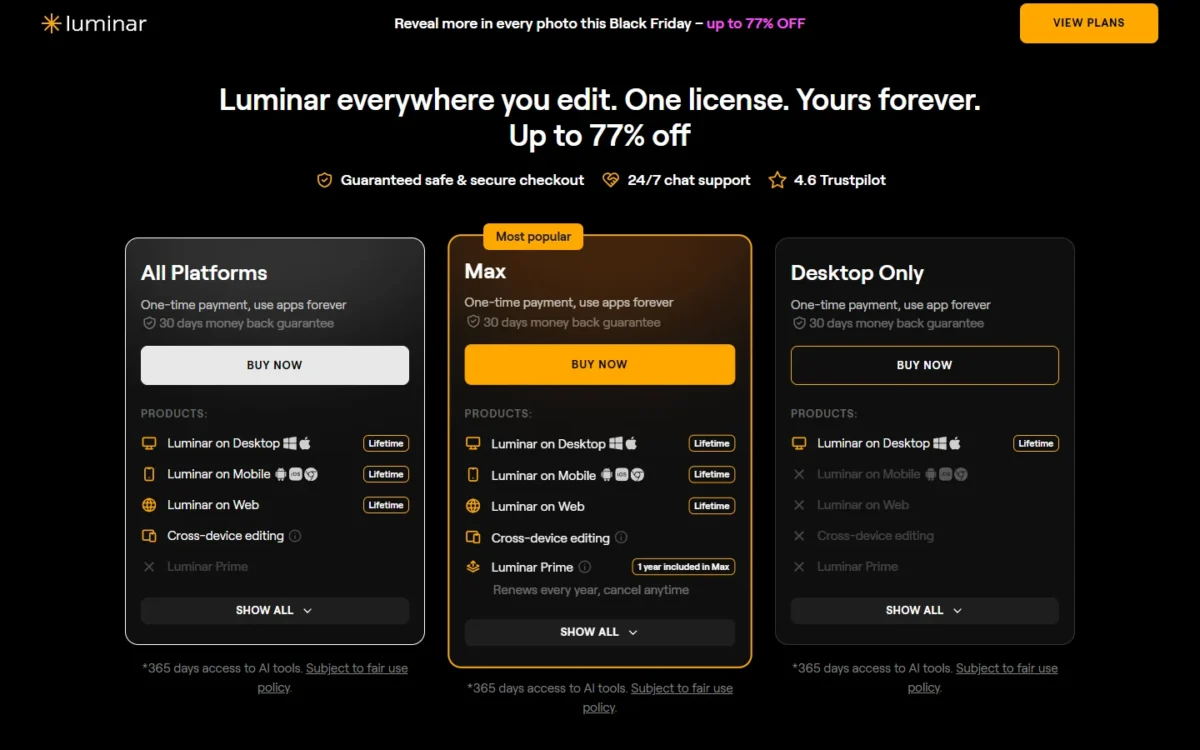
- Desktop Only: 2 devices on macOS and Windows; generative tools for 1 year
- Max: adds 1 year of Luminar Prime
Sources: Luminar pricing, checked Nov 2026.
- Skip it if:
- your work is layered design; Affinity handles layers, vectors and layout for $0.
My take
Pick Luminar if your edits are single photos and you would rather click a tool than build a mask.
10. Canva: Best Photoshop Alternative for Marketing Teams Making Social Graphics
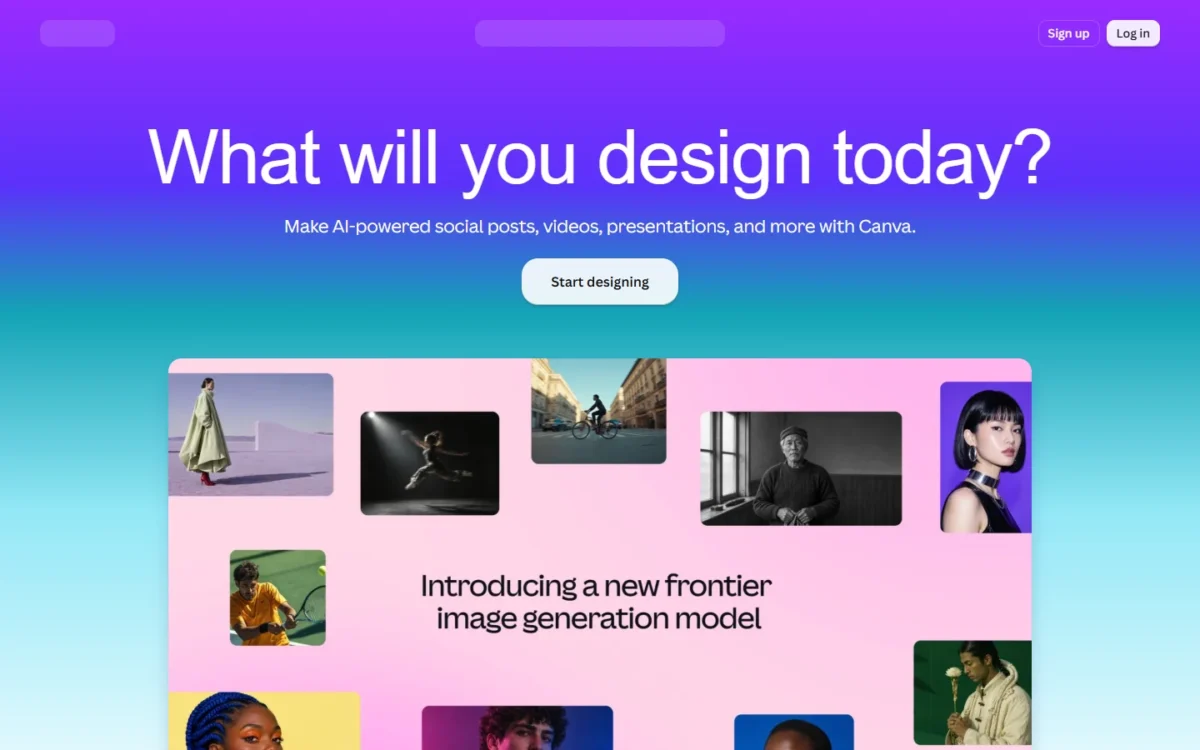
Canva replaces Photoshop for the marketing team that produces graphics, not for the person who retouches the product photo. Business seats add brand controls, approval workflows and team collaboration, and a paid Canva plan turns on the AI tools inside Affinity. Pixel-level retouching and compositing are the gap.
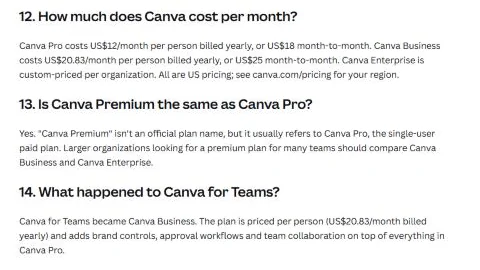
Where Canva may be better
- Team price: $250 per person a year, against $455.88 per Photoshop for teams license ($37.99 x 12)
- Approvals: brand controls and approval workflows on Business
Where Photoshop may be better
- Retouching: heal, clone and remove tools
- Layered files: Canva imports a PSD of up to 300 image layers; Photoshop has unlimited layers and blend modes
Read Canva as the second half of an Affinity setup: finished Affinity files export straight to Canva for teammates to build campaigns on. A studio can retouch in Affinity for $0 and buy Canva seats only for the people who assemble graphic design work. My Canva AI review looks at its AI tools.
A team wants Business, at $20.83 per person per month billed yearly ($250 a year): five marketers cost $250 x 5 = $1,250 a year. Canva Pro has a 30-day free trial, and Canva Business offers a free trial too. These are Canva’s US prices.
- Canva Pro: $12 per month billed yearly ($144 a year), one person
- Canva Business: $25 per person month to month
Sources: Canva plan comparison and Canva upload requirements, checked Nov 2026.
- Skip it if:
- you retouch product photos; keep that work in Affinity or Photoshop. Teams that find Canva limiting too can compare Canva alternatives.
My take
Pick Canva if your Photoshop seats belong to marketers who only resize and assemble graphics.
11. Pixlr: Best Low-Cost Photoshop Alternative for AI Edits in the Browser
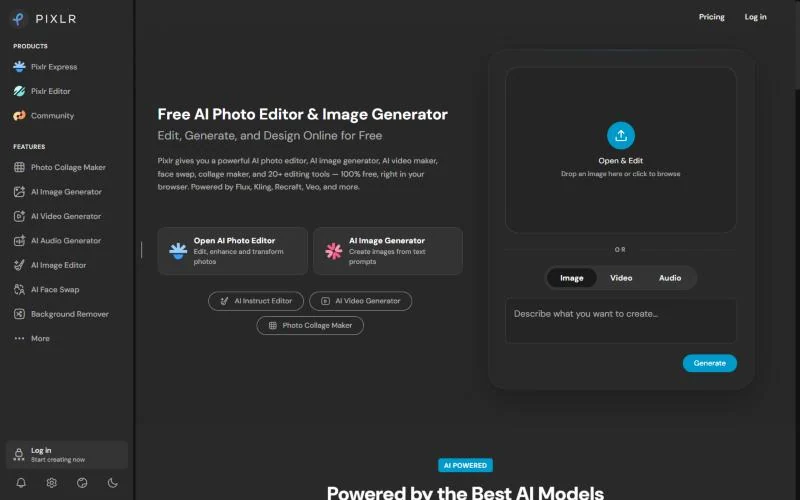
Pixlr suits the creator who needs quick edits and AI generations, not Photoshop’s depth. Premium costs $9.99 a month on monthly billing, with 1,000 AI credits each month on web, desktop and mobile. Billed yearly, it is $7.99 a month with 12,000 AI credits valid for the year. The trade-off is firm: Pixlr refunds nothing once a payment is processed, and its pricing page does not mention PSD import.

Where Pixlr may be better
- AI allowance: 1,000 monthly AI credits on Premium; the Photoshop plan includes 25 monthly generative credits, a different credit system
- Commitment: pay monthly and cancel at any time
Where Photoshop may be better
- PSD fidelity: PSD is Photoshop’s own format
- Refunds: Pixlr cannot refund a subscription once payment is processed; most Photoshop plans refund in full within 14 days of purchase
Subscription credits reset at each renewal instead of rolling over, so compare the price of the edits you make, not the credit counts. Treat the switch as a fresh start: export flattened copies from Photoshop and keep the PSD archive. To pay nothing at all, weigh the quotas in my roundup of free AI photo editors.
Yearly billing takes 20% off each plan: Premium is $7.99 x 12 = $95.88 a year, about a third of Photoshop’s $275.88. Start on monthly billing if you are unsure.
- Plus, billed monthly: $2.49 per month, with 80 monthly AI credits
- Plus, billed yearly: $1.99 per month, with 960 AI credits valid for the year
- Ultra, billed yearly: from $19.99 per month, with up to 120,000 AI credits valid for the year
Sources: Pixlr pricing, checked Nov 2026.
- Skip it if:
- you need layered PSDs to survive the trip; Photopea opens and saves them for free.
My take
Pick Pixlr if AI edits for social posts are most of what you do.
Should You Stay With Photoshop or Switch?
Stay with Photoshop if Generative Fill or smart-object PSDs drive your work, or if you need Lightroom too; switch if the problem is price, ownership or platform. Photoshop builds Generative Fill, Generative Expand, Harmonize and Generative Upscale into the editor.
Photographers who need Lightroom too pay $19.99 a month for the Photography plan, $3.00 less than Photoshop alone ($22.99 – $19.99), with 1TB of storage and 1,000 monthly generative credits against the Photoshop plan’s 25.
Consider switching if
- You want to own your editor: Photoshop is sold only by subscription
- Your 3- to 5-seat studio pays $455.88 per license a year on Photoshop for teams ($37.99 x 12)
- You work on Linux or in a browser, where GIMP, Krita and Photopea run
- You paint more than you edit photos, which is Krita’s job
Consider staying with Photoshop if
- Generative Fill and Harmonize are part of daily work
- Clients send smart-object PSDs, which other editors may flatten
- You need Lightroom too, which the Photography plan bundles
- Your studio relies on the admin console and 180-day version history
My take
Pick a switch if your complaint is money or licensing, which a pricing page settles in writing. Staying with Photoshop is worth it when one flattened smart object would cost you a client’s trust.
How to Choose by Your Reason for Leaving
| Your priority | Alternative to consider | Reason | Trade-off |
|---|---|---|---|
| A free full editor | Affinity | Free, with layered PSD import | Smart objects may flatten |
| A browser editor | Photopea | PSD is its main format | Ads on the Free account |
| Owning a photo editor | ON1 Photo RAW | A one-time purchase | No major upgrades included |
| Linux | GIMP | Official GNU/ | No generative AI listed |
| Mac and iPad | Pixelmator Pro | A one-time Mac purchase | iPad comes with a subscription |
| Learning to edit | Photoshop Elements | Guided mode | The license ends after its term |
| Illustration | Krita | Painting tools | Not a photo editor |
| Studio tethering | Capture One Pro | Tethered shooting | Compositing not listed on its pricing page |
| Marketing graphics | Canva | Team seats with approvals | Heal and clone tools not listed in its plan comparison |
| AI edits on a small budget | Pixlr | Monthly AI credits | No refunds |
| Generative Fill and client PSDs | Stay with Photoshop | Native AI and PSD | The subscription continues |
On a Windows PC, the desktop picks are Affinity, ON1 Photo RAW, GIMP, Krita and Luminar; Photopea and Pixlr run in the browser.
Migrating From Photoshop
Keep your layered PSD masters, test real files in the new editor, and cancel Adobe last.
- Keep the masters. Leave layered PSDs untouched and export flattened TIFF or PNG copies; Photoshop exports both formats.
- Test real PSDs in the target. Check smart objects, text and layer styles first.
- Use plug-ins as a bridge. ON1 Photo RAW MAX and Luminar run inside Photoshop, so a partial move can start before you cancel.
- List what you must rebuild. Actions, presets, brushes and plug-ins are your own check: confirm a replacement for each.
- Run a trial on real work. Apple Creator Studio is free for 30 days, and Photoshop Elements has a 7-day free trial. Canva Pro has a 30-day free trial. Canva Business and ON1 also offer free trials.
- Plan the training. ON1 advertises a free training library, and Elements has Guided Edits.
- Cut over with a rollback. Pick a date, stop editing in Photoshop, and keep the PSD archive as your way back.
- Cancel Adobe last. Access continues until the end of the billing period. Adobe’s cancellation page ties a refund to timing and plan type.
Also Considered
- darktable is an open source RAW developer and photo library; its site describes no layered compositing.
- DxO PhotoLab 10 is a RAW editor sold as a perpetual license; its page showed no price on November 20, 2026.
- PaintShop Pro was still listed as PaintShop Pro 2023 on Corel’s site in November 2026.
- Paint.NET is free software for PCs that run Windows; GIMP covers three operating systems.
- Procreate is sold for iPad, exclusively from the App Store; Krita is the desktop painting pick.
- Fotor overlaps Pixlr and Canva, and its pricing page displayed plans without dollar amounts on November 20, 2026.
- Adobe Express is Adobe’s free online editor with templates for social graphics; Canva covers that job among the picks.
FAQ
Is there a free version of Photoshop?
Not of the desktop app. Adobe offers a 7-day free trial that converts to a paid membership unless you cancel first, and Photoshop on mobile is free with premium features behind a subscription. Adobe says there is no free version of Photoshop on the web.
Is Photoshop becoming obsolete?
No. Photoshop integrates AI models such as Firefly Image 5, FLUX and Nano Banana Pro. What has changed is that free editors now cover retouching, RAW development and layout, so I would treat Photoshop as a choice justified by its AI and PSD fidelity, not as a default.
What is the best Photoshop alternative for Android?
Pixlr is the pick with stated Android support: subscriptions can be bought in its Android and iOS apps. Krita also offers Android builds through Google Play.
Final Verdict: The Pick for Each Reason to Leave Photoshop
Pick by the reason you are leaving. If it is the subscription itself, move to Affinity. For PSD edits on any machine, use Photopea. Photographers who want to own their editor should buy ON1 Photo RAW, and Linux users should install GIMP.
The narrower jobs have narrower picks: Pixelmator Pro for Mac-only creators, Photoshop Elements for beginners, Krita for painters, Capture One Pro for tethered studios, Luminar for enhancement-first photographers, Canva for marketing teams, and Pixlr for AI credits on a small budget.
Stay with Photoshop if Generative Fill is part of your daily work or clients send smart-object PSDs. The biggest trade-off of any move is PSD fidelity, so open three of your own layered PSDs in the editor you chose before you cancel.