The best photo editing software depends on the job: Lightroom Classic for developing and cataloging RAW files, Photoshop for layered retouching, Affinity if you pay nothing, and DxO PhotoLab 10 if you want to own a RAW developer. The license model settles most purchases, because Photoshop is sold only by subscription while DxO, ON1, Luminar and Pixelmator Pro sell one-time licenses.
Adobe’s Photography plan, with Lightroom, Lightroom Classic and Photoshop, runs $19.99 x 36 = $719.64 over three years on its annual plan billed monthly. DxO PhotoLab 10 costs $249.99 once.
Quick verdict
- Catalog plus retouching: Adobe’s Photography plan.
- Free: Affinity on Mac, Windows or iPad; GIMP on Linux.
- Open-source RAW with a library: darktable.
- Own it: DxO PhotoLab 10, or ON1 Photo RAW 2027 if you also want layers.
- Mac only: Pixelmator Pro.
- The trade-off: licenses charge for major upgrades.

Adobe Lightroom
Best for: RAW workflow and cataloging
Both Lightroom plans include Lightroom Classic and its local catalogs, plus cloud sync.
Limit: sold only as a plan

Adobe Photoshop
Best for: pixel-level retouching and compositing
The layer editor whose PSD files Affinity and Pixelmator Pro import.
Limit: cannot be bought outright

Affinity
Best for: a free professional photo editor
Free for individuals, with PSD import that keeps layers.
Limit: its AI tools need a Canva premium plan

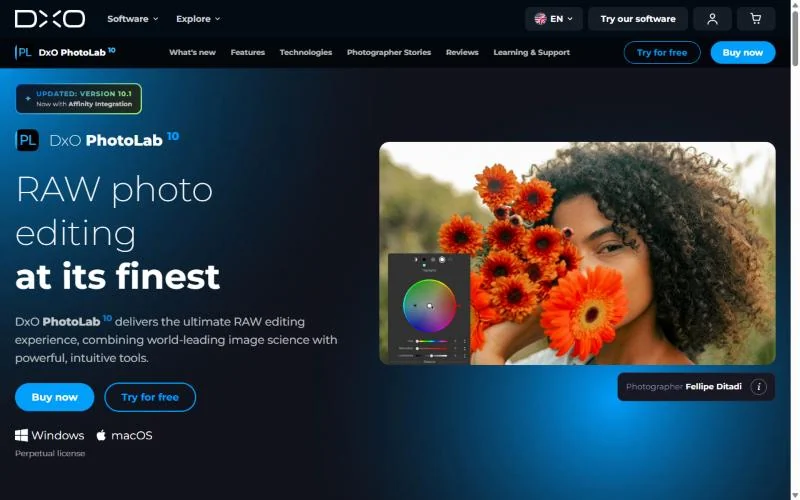
DxO PhotoLab 10
Best for: a one-time license for RAW image quality
DeepPRIME noise reduction and lab-measured lens profiles, owned outright.
Limit: no layer-based editing listed
In This Article (16 sections)
Quick Comparison: Photo Editors by Job, Price and Platform
The picks split into RAW developers with a catalog or library (Lightroom, darktable), a RAW developer with tethering on every plan (Capture One), a RAW developer built around image quality (DxO PhotoLab) and layer editors (Photoshop, Affinity, Pixelmator Pro). ON1 Photo RAW combines both, Luminar centers on presets and AI tools, and GIMP covers free retouching and composites.
| Software | Best for | Starting price | License | Platforms | Key limitation |
|---|---|---|---|---|---|
| Adobe Lightroom | RAW workflow and cataloging | $11.99/ | Subscription | Desktop, mobile, web | 250 generative credits a month |
| Adobe Photoshop | Pixel retouching and compositing | $22.99/ | Subscription only | Desktop, web, mobile | 25 generative credits a month |
| Affinity | Free pro photo, vector and layout editing | Free for individuals | Free | Mac, Windows, iPad | AI needs a Canva premium plan |
| DxO PhotoLab 10 | RAW image quality, owned | $249.99 one-time | Perpetual | Windows, macOS | No layer editing listed |
| Capture One | Tethered studio shooting | $19.80/ | Subscription or $383.90 license | Desktop; iPad and iPhone app | License skips the newest updates |
| ON1 Photo RAW 2027 | All-in-one editor you own | $99.99 one-time | Perpetual or subscription | Mac, Windows | AI culling needs MAX |
| Luminar | Preset and AI sky edits | $99 one-time for Desktop Only, shown 77% off $417 | Perpetual | macOS, Windows | Generative tools need Prime ($139/yr regular, $69 Black Friday) after 365 days |
| Pixelmator Pro | Mac and iPad users | $49.99 one-time (Mac) | One-time or Creator Studio | Mac; iPad via Creator Studio | Needs macOS 26 |
| darktable | Open-source RAW developer and library | Open source, GPL 3.0 | Open source | Windows, macOS, Linux | No layer editing listed |
| GIMP | Free open-source pixel editor | Free | Open source | Linux, macOS, Windows | No RAW development listed |
Sources: Adobe Lightroom plans, Adobe Photoshop plans, Affinity, DxO shop, Capture One pricing, ON1 Photo RAW, Luminar pricing, Pixelmator Pro, darktable, GIMP, checked Nov 2026.
Three changed recently: GIMP 3.2.8 shipped on November 2, 2026, ON1 Photo RAW MAX 2027 is discounted, and DxO’s PhotoLab 10.1 update added Affinity integration.
What Each Editor Costs Over Time
DxO PhotoLab 10’s license costs less than Adobe’s Photography plan from month 13 onward, and each license-versus-plan pairing below breaks even within 21 months on monthly-billed plans. The table uses one set of assumptions: one photographer, US prices checked in November 2026, Adobe’s annual plans billed monthly, annual billing elsewhere where offered, no tax, no add-on storage.
| Route | Price basis | One year | Three years | Five years |
|---|---|---|---|---|
| Adobe Lightroom plan | $11.99/ | $11.99 x 12 = $143.88 | $11.99 x 36 = $431.64 | $11.99 x 60 = $719.40 |
| Adobe Photography plan | $19.99/ | $19.99 x 12 = $239.88 | $19.99 x 36 = $719.64 | $19.99 x 60 = $1,199.40 |
| Adobe Photoshop alone | $22.99/ | $22.99 x 12 = $275.88 | $22.99 x 36 = $827.64 | $22.99 x 60 = $1,379.40 |
| Capture One Pro | $19.80/ | $19.80 x 12 = $237.60 | $19.80 x 36 = $712.80 | $19.80 x 60 = $1,188.00 |
| Capture One Pro License | One-time | $383.90 | $383.90 | $383.90 |
| DxO PhotoLab 10 | One-time | $249.99 | $249.99 | $249.99 |
| ON1 Photo RAW 2027 | One-time | $99.99 | $99.99 | $99.99 |
| ON1 Photo RAW MAX subscription | $79.99/ | $79.99 | $79.99 x 3 = $239.97 | $79.99 x 5 = $399.95 |
| Luminar Desktop Only plus Prime | $99 once (promotional), Prime $139/yr regular (Black Friday $69) | $99 | $99 + $139 x 2 = $377 | $99 + $139 x 4 = $655 |
| Pixelmator Pro | One-time (Mac) | $49.99 | $49.99 | $49.99 |
| Apple Creator Studio | $129/yr | $129 | $129 x 3 = $387 | $129 x 5 = $645 |
| Affinity, GIMP | Free | $0 | $0 | $0 |
Sources: Adobe Lightroom plans, Adobe Photoshop plans, Capture One pricing, DxO shop, ON1 Photo RAW, Luminar pricing, Luminar Prime, Pixelmator Pro, checked Nov 2026.
The break-even point is the license price divided by the plan price it replaces, rounded up:
- DxO PhotoLab 10 against the Photography plan: $249.99 / $19.99 = 12.5, so month 13.
- DxO PhotoLab 10 against the Lightroom plan, if you do not need Photoshop: $249.99 / $11.99 = 20.8, so month 21.
- DxO PhotoLab 10 against the Lightroom plan prepaid at $119.88 a year: $249.99 / $119.88 = 2.1, so year 3.
- Capture One Pro License against Pro on annual billing: $383.90 / $237.60 a year = 1.6, so year 2.
- ON1 Photo RAW 2027 against the Lightroom plan: $99.99 / $11.99 = 8.3, so month 9.
- Pixelmator Pro against Apple Creator Studio at $12.99 a month: $49.99 / $12.99 = 3.8, so month 4.
The one-time rows assume you stay on the version you buy:
- ON1’s license does not include major upgrades in future years.
- Skylum says big Luminar upgrades may require extra payments.
- DxO charges PhotoLab 8 or 9 owners from $129.99 to move to version 10.
My take
Pick DxO PhotoLab 10 or ON1 Photo RAW 2027 if you will keep one editor for three years or more and do not need Photoshop. The Photography plan is worth it when Photoshop itself is part of the job.
How to Choose the Best Photo Editing Software
Start from the job: a RAW developer with a catalog when you process hundreds of camera files, a layer editor when you retouch and composite single images, then filter by platform and license.
After the job, three criteria do most of the sorting. Platform removes options first: Pixelmator Pro needs macOS 26, while darktable and GIMP publish Linux builds. RAW image-quality tools decide between developers: DxO lists DeepPRIME noise reduction, and Capture One claims support for 550+ cameras. AI gates change the long-run cost: Adobe meters Generative Fill with credits, Luminar’s generative tools last 365 days, and Affinity’s AI needs a Canva plan.
If you want prompt-based or one-click edits rather than a desktop editor, my ranking of AI photo editors by edit type covers that job.
| Software | RAW development | Catalog or library | Layers or compositing | Tethering | One-time license |
|---|---|---|---|---|---|
| Adobe Lightroom | Yes | Yes (Classic catalogs) | Not listed | Not listed | Not listed |
| Adobe Photoshop | Not listed | Not listed | Yes | Not listed | No (subscription only) |
| Affinity | Yes | Not listed | Yes | Not listed | Free |
| DxO PhotoLab 10 | Yes | Not listed | Not listed | Not listed | Yes |
| Capture One | Yes | Yes (Sessions) | Not listed | Yes, every plan | Yes (Pro License) |
| ON1 Photo RAW 2027 | Yes | Yes (browses in place) | Yes | Not listed | Yes |
| Luminar | Not listed | Not listed | Yes | Not listed | Yes |
| Pixelmator Pro | Yes (750+ formats) | Not listed | Yes | Not listed | Yes (Mac) |
| darktable | Yes | Yes (library) | Not listed | Yes (tethered shooting) | Open source (GPL 3.0) |
| GIMP | Not listed | Not listed | Yes (composites) | Not listed | Free |
Sources: Lightroom Classic file formats, Lightroom Classic catalogs, Photoshop Layers panel, Affinity photo editing, DxO PhotoLab 10, Capture One pricing, ON1 Photo RAW, darktable, darktable about, checked Nov 2026.
Lightroom or Photoshop: which one do you need?
Lightroom develops and organizes RAW files, Photoshop edits pixels in layers, and most photographers who need both should buy the Photography plan, which includes both for less than Photoshop alone ($22.99 – $19.99 = $3.00 a month less). Cloud Lightroom syncs photos across desktop, mobile and web; Lightroom Classic is built for photos on a local drive.
RAW developer or pixel editor?
A RAW developer turns a camera’s unprocessed sensor data into a full-color photo and keeps a library of your shots, as Lightroom Classic and darktable do. A pixel editor works on one image in layers, as Photoshop and Affinity do.
1. Adobe Lightroom: Best for RAW Workflow and Cataloging
- Best for: photographers with large RAW libraries
- Plan most buyers need: Photography, with Photoshop
- Free trial: 7 days
- Platforms: desktop, mobile and web
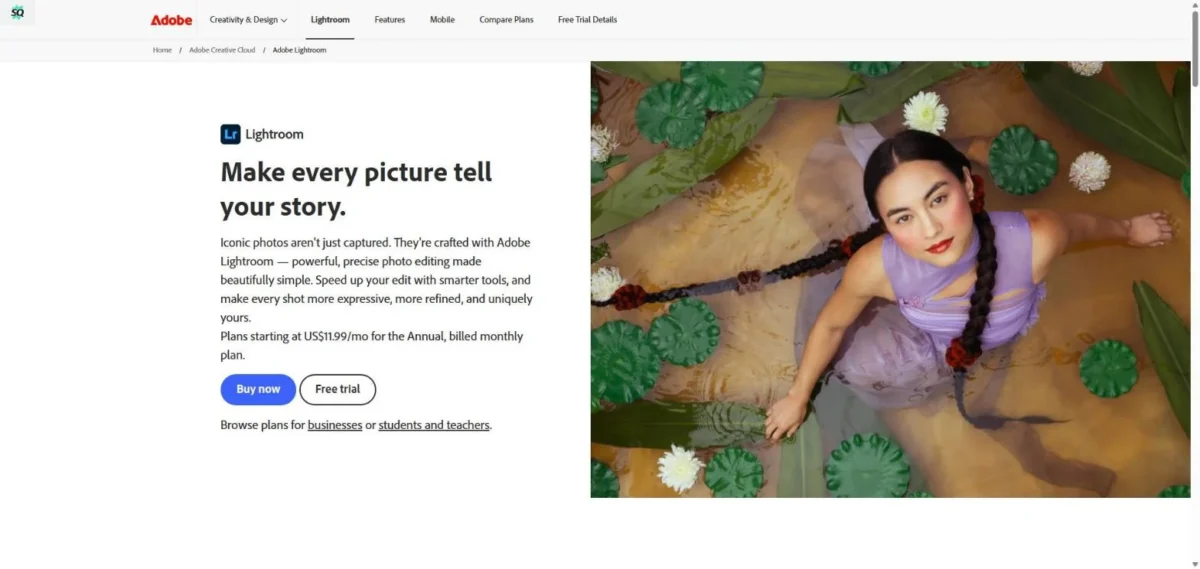
Lightroom is the pick when the hard part of your week is managing thousands of RAW files. Both plans that include it also include Lightroom Classic, so one subscription buys a local catalog on your drive and cloud sync for your phone. The trade-off is rent: Adobe sells Lightroom only as plans.
Lightroom Classic keeps each library as a catalog file in a folder you choose, so an event photographer can keep one catalog per season on the drive that holds those files. Opening a different catalog relaunches Classic, though, so many small catalogs mean a restart at every switch.
RAW work happens in the Develop module, and Classic can convert proprietary RAW files to DNG, an open archival format. For cataloging, that pairing of a local catalog with cloud sync sets Lightroom apart here: ON1 Photo RAW 2027 browses files where they live, darktable pairs its library with a scene-referred editing model, and DxO PhotoLab 10’s pages list no catalog.
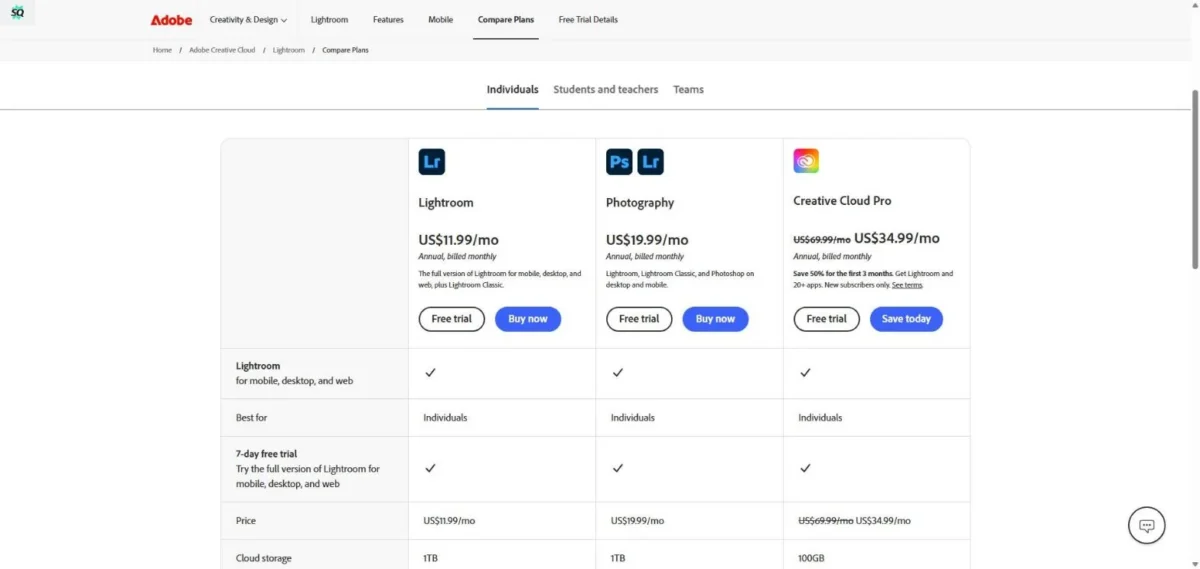
The Lightroom plan costs $11.99 a month on an annual plan billed monthly, or $119.88 a year prepaid, and includes Lightroom Classic. The Photography plan adds Photoshop and 1,000 generative credits a month instead of 250, for $19.99 a month on the same billing ($19.99 – $11.99 = $8.00 more). Both include 1TB of storage.
| Plan | Price | Billing | Key limit |
|---|---|---|---|
| Lightroom | $11.99/mo | Annual, billed monthly | No Photoshop; 250 credits a month |
| Photography | $19.99/mo | Annual, billed monthly | 1,000 credits a month |
Sources: Adobe Lightroom plans, Adobe photography plan comparison, checked Nov 2026.
Pros
- Lightroom Classic comes with both plans
- Catalogs live in a folder and drive you choose
- Free Lightroom mobile app
Cons
- No one-time license on the plans page
- Switching catalogs relaunches Classic
- The Lightroom plan has no Photoshop and 250 generative credits a month
Choose the Photography plan if you develop in Classic and finish frames in Photoshop; choose the Lightroom plan if you never open a layer.
- Skip it if:
- you will not rent a RAW workflow; DxO PhotoLab 10 sells one as a license, and ON1 Photo RAW 2027 adds layers.
2. Adobe Photoshop: Best for Pixel-Level Retouching and Compositing
- Best for: retouchers, compositors and anyone who trades PSD files
- Cheaper route: the Photography plan
- Free trial: 7 days, converts to paid unless cancelled
- Purchase model: Creative Cloud subscription only
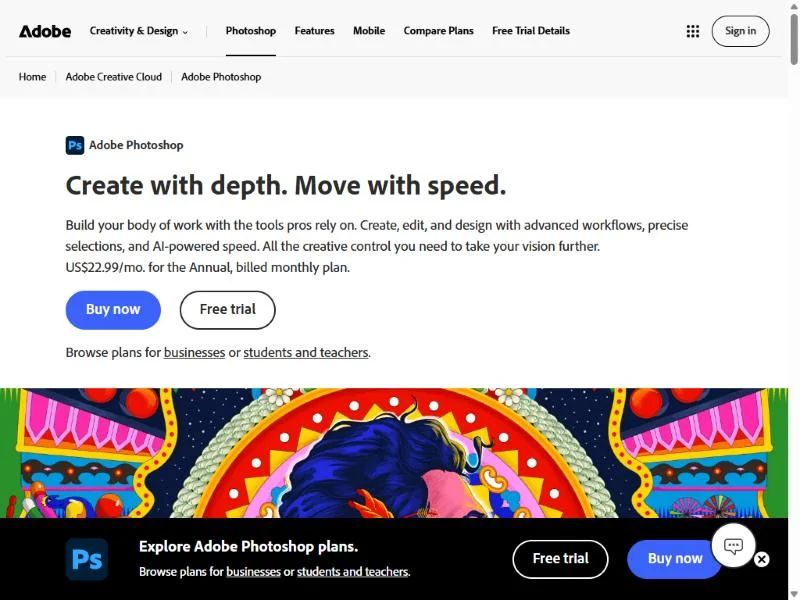
Photoshop is worth renting when your work ends in layered files other people open: composites, product retouching, client mockups. The single-app plan is the weaker buy, because the Photography plan adds both Lightroom apps for less money.
Each layer can be hidden, reordered or modified without affecting the rest, so a product photographer can keep the cut-out, shadow and background apart and swap only the background per marketplace. Affinity and Pixelmator Pro open PSD files, so a freelancer can work on a Photoshop client’s file without owning Photoshop.
On the single-app and Photography plans, standard AI features such as Generative Fill use generative credits: 25 a month on Photoshop alone and 1,000 on Photography. If you fill backgrounds daily, see Adobe Firefly credit pricing before choosing.
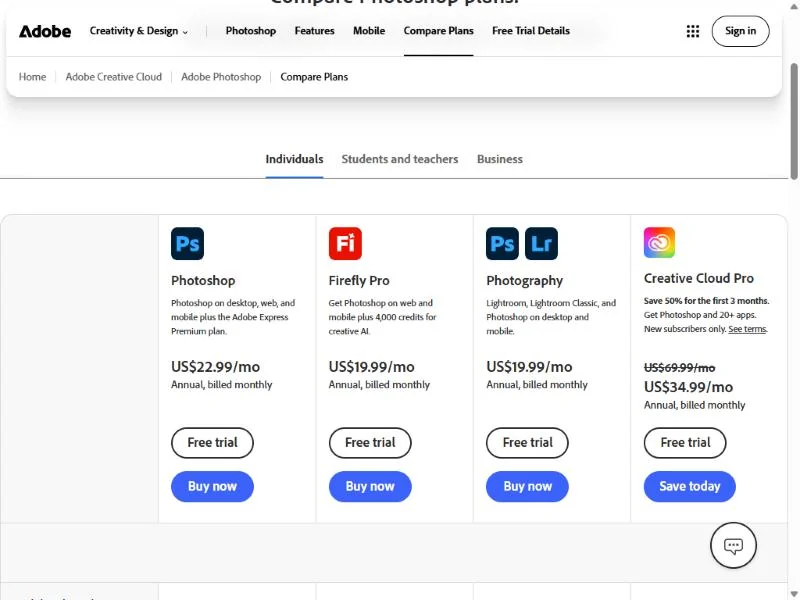
Firefly Pro suits creators who never need the desktop app: Photoshop on web and mobile plus 4,000 credits a month.
Photoshop alone costs $22.99 a month on an annual plan billed monthly, or $263.88 a year prepaid, with 100GB of storage and Adobe Express Premium. Twelve payments come to $22.99 x 12 = $275.88, so prepaying saves $275.88 – $263.88 = $12.00 a year. Every Adobe plan with Photoshop is broken down in what each Photoshop plan costs.
| Plan | Price | Billing | Key limit |
|---|---|---|---|
| Photoshop | $22.99/mo | Annual, billed monthly | 100GB, 25 credits a month |
| Firefly Pro | $19.99/mo | Annual, billed monthly | Photoshop on web and mobile only |
| Photography | $19.99/mo | Annual, billed monthly | 1TB, 1,000 credits a month |
Sources: Adobe Photoshop plans, checked Nov 2026.
Pros
- Layers can be hidden, reordered and edited independently
- Its PSD files open in Affinity, Pixelmator Pro and Photopea
- Bundled with Lightroom on the Photography plan
Cons
- Cannot be bought outright
- 25 generative credits a month when bought alone
- The trial turns into a paid membership unless cancelled within 7 days
Buy Photoshop through the Photography plan if you shoot your own images, and through Firefly Pro if you edit only on web and mobile.
- Skip it if:
- you refuse subscriptions or edit a few images a month; Affinity is free and imports PSD files, and Pixelmator Pro is a one-time Mac purchase.
3. Affinity: Best Free Professional Photo Editor

- Best for: creators who want pro layers at no cost
- Price: free for individuals
- Platforms: Mac (Apple silicon and Intel), Windows, iPad
- Paid add-on: AI tools on a Canva premium plan
Affinity removes the price objection to a professional layer editor: it is free for individuals on Mac, Windows and now iPad, and it imports PSD, AI, IDML and DWG files with their layers and structure preserved. That makes it the editor to try before paying for Photoshop. Its catch is the business model, since the AI tools turn on only with a Canva premium plan.
Vector design, pixel editing and page layout share one .af file, so a small business can keep the product photo, social graphic and flyer in one document; for a full design suite, see my comparison of graphic design software.
Edits are non-destructive: each one stacks on the last and can be reordered or removed, and the undo history saves with the file.

Check Canva’s paid plans before counting Affinity as a free answer to Generative Fill.
Affinity costs nothing for individuals; organizations that need single sign-on go through Canva Enterprise or Canva Education.

- Individuals: free on Mac, Windows and iPad
- Organizations with SSO: Canva Enterprise or Canva Education
- AI tools: need a Canva premium plan
Sources: Affinity, checked Nov 2026.
Pros
- Free for individuals, with no paid tier needed for editing
- Opens Photoshop and Illustrator files without flattening them
- Vector, pixel and layout work in one .af file
Cons
- AI tools need a Canva premium plan
- No Linux download listed
- SSO for organizations goes through Canva sales
Pick Affinity for retouching, compositing and design work, including jobs where clients send you PSD files.
- Skip it if:
- you run Linux (install GIMP) or your main job is cataloging RAW files (start with darktable, or Lightroom on a plan).
4. DxO PhotoLab 10: Best One-Time License for RAW Image Quality
- Best for: detail-focused RAW shooters who will not rent software
- Free trial: 30 days, no payment details, no watermarks or export limits
- Platforms: Windows and macOS
- Standout feature: DeepPRIME and DeepPRIME XD noise reduction
If what comes out of the RAW file matters most and you want to stop paying monthly, buy DxO PhotoLab 10. The trade-off is scope: DxO lists no layer-based editing, so composites need a second app.
DeepPRIME handles noise reduction and demosaicing together, the work a wildlife or event shooter’s high-ISO files need, and DeepPRIME XD extracts more detail from the most challenging files. DxO Modules apply camera and lens profiles built from lab measurements, so corrections start from your exact camera and lens.
Version 10 added Depth Masks, which select by distance from the camera, and a Color Grading tool; U Point and AI Masks handle other local edits.
If the job is enlarging for print, AI upscalers for print sizes fit better.
DxO PhotoLab 10 costs $249.99 for a new perpetual license, and owners of PhotoLab 8 or 9 upgrade from $129.99.

| Item | Price | Billing | Key limit |
|---|---|---|---|
| PhotoLab 10 new license | $249.99 | One-time | No layer editing listed |
| PhotoLab 10 upgrade | From $129.99 | One-time | Owners of PhotoLab 8 or 9 |
| PhotoLab 10 + FilmPack 8 + ViewPoint 6 | $429.99 (regular $529.97) | One-time | Bundle |
| Premium Support, 3 months | $34.99 | One-time | Priority support |
Sources: DxO shop, DxO PhotoLab 10 trial, checked Nov 2026.
Pros
- Perpetual license for Windows and macOS
- DeepPRIME XD for the most challenging files
- Lens profiles from lab measurements
Cons
- No layer-based editing listed
- Major upgrades cost extra
- Premium Support is a paid add-on
Choose DxO if your RAW files are the product and you keep an editor for more than a year; pair it with Affinity for layers.
- Skip it if:
- you need layers in the same app (ON1 Photo RAW 2027) or you shoot tethered in a studio (Capture One).
5. Capture One: Best for Tethered Studio Shooting

- Best for: studio, product and e-commerce photographers who shoot tethered
- Free trial: 7 days of Pro
- Cameras: 550+ supported, per Capture One
- One-time option: Pro License
Studio work needs control during the shoot, and that is where Capture One earns its place: tethering is included on every plan, and its tethering tools include Live View, ReTether, camera controls and Next Capture Adjustments. The trade-off is ownership, because its one-time License is aimed at photographers who skip its newest updates.
Next Capture Adjustments matter most on e-commerce sets, where a run of similar products needs the same crop and color. Sessions and Smart Albums organize a shoot by job, and Cull mode helps you pick frames.
After five subscribed years, a Capture One subscription becomes a perpetual license at no extra cost, and you can cancel anytime without fees.
Capture One Pro costs $19.80 a month on its Annual option ($19.80 x 12 = $237.60 a year); Capture One offers monthly or annual payments. The 7-day trial converts to Pro on monthly billing at $30.80 a month, and the $383.90 Pro License costs less than two years of Pro ($237.60 x 2 = $475.20).

| Plan | Price | Billing | Key limit |
|---|---|---|---|
| Pro | $19.80/mo | Annual option, $237.60/yr | Desktop only |
| All in One | $27.13/mo | Annual | Adds iPad and iPhone app |
| Studio | $53.35/mo | Annual | Adds viewer screens, backup, tool locks |
| Pro License | $383.90 | One-time | Not for users who need the newest updates or hardware support |
Sources: Capture One pricing, Capture One Pro FAQ, Capture One free trial, checked Nov 2026.
Pros
- Tethering included on every plan
- Five subscribed years convert to a perpetual license
- Studio adds automatic backup and tool locks
Cons
- The License is for users who skip the newest updates
- The trial converts to monthly Pro billing
- Studio costs more than twice Pro’s annual rate
Choose Pro on annual billing if you shoot tethered for clients.
- Skip it if:
- you never shoot tethered and want the lowest owned cost; DxO PhotoLab 10 and ON1 Photo RAW 2027 cost less than the Pro License.
6. ON1 Photo RAW 2027: Best All-in-One Editor You Own
- Best for: Lightroom-plus-Photoshop users who want one owned app
- Installs: 2 computers, 3 on MAX
- Guarantee: free trial and 30-day money-back
- Platforms: Mac and Windows
One owned app can replace the Lightroom-plus-Photoshop pair, and here that app is ON1 Photo RAW 2027: it organizes, develops, layers, masks and retouches photos on Mac and Windows. The trade-off is that it covers the 2027 version, not next year’s major upgrade.
Photo RAW browses files where they live, with tags, albums, stacks and AI keywording, so sorted folders need no import. Against DxO PhotoLab, DxO lists lab-measured lens profiles, while ON1 lists layers and masks.
Version 2027 adds a new RAW engine, NoNoise AI and Tack Sharp AI deblurring. MAX adds the AI Culling Assistant (similar shots, out-of-focus frames, closed eyes), plug-ins for Photoshop and Lightroom, and cloud-based Restore AI, unlimited for one year on a perpetual MAX license.
ON1 Photo RAW 2027 costs $99.99 once. Photo RAW MAX 2027 lists at $169.99, and the MAX subscription, shown at $79.99 a year beside $89.99, includes every annual upgrade and 200 GB of Cloud Sync; ON1’s product page showed one-time MAX at a lower sale price of $149.99 in November 2026.

| Plan | Price | Billing | Key limit |
|---|---|---|---|
| Photo RAW 2027 | $99.99 | One-time | No Restore AI or AI culling |
| Photo RAW MAX 2027 | $169.99 | One-time | Restore AI for 1 year |
| Photo RAW MAX subscription | $79.99/yr (shown beside $89.99) | Yearly | 200 GB Cloud Sync |
| Photo Studio | $179.99/yr | Yearly | 5 computers, 1 TB Cloud Sync |
Sources: ON1 Photo RAW, ON1 store, checked Nov 2026.
Pros
- RAW development, layers and masks in one owned app
- Browses files in place with no import step
- NoNoise AI and Tack Sharp AI included
Cons
- Future major upgrades are not included
- AI culling and Restore AI need MAX
- Restore AI on a perpetual MAX license lasts one year
Buy the standard edition if one app should replace Lightroom and Photoshop; take MAX only if culling large shoots or restoring old prints is part of the job.
- Skip it if:
- you trade layered PSD files with clients daily (Photoshop) or you shoot tethered (Capture One).
7. Luminar: Best for Preset and AI Sky Edits
- Best for: hobbyists who want a finished look from presets and AI tools
- Guarantee: 30-day money-back
- Platforms: macOS and Windows, on 2 devices
Luminar suits the photographer who wants a finished look from its 2150+ presets, Sky AI and relighting more than pixel-level control. It is also the clearest case here of a license that is only partly permanent: the core AI tools stay, but the generative ones stop after 365 days without Luminar Prime.
GenErase, GenSwap, GenExpand, Restoration and the AI Assistant come with a perpetual license for one year, then need Prime. ON1 treats Restore AI the same way on a perpetual MAX license, so compare renewal terms, not just sticker prices.
Luminar’s Layers let you add overlays such as light effects to a photo without leaving the app. It also works as a plug-in for Photoshop, Lightroom and Apple Photos. For editing that starts from a text prompt, my list of free AI photo editors and their quotas covers that job.
Luminar Desktop Only costs $99 once at a promotional price, shown 77% off a regular $417. Luminar Prime is $139 a year at its regular price, billed annually only, and $69 in a Black Friday deal.

| Plan | Price | Billing | Key limit |
|---|---|---|---|
| Desktop Only | $99 (regular $417) | One-time | Generative tools for 1 year |
| All Platforms | $139 (regular $477) | One-time | Adds mobile and web |
| Max | $159 (regular $546) | One-time | Includes 1 year of Prime |
| Luminar Prime | $139 (Black Friday $69) | Yearly, upfront | Renews generative tools |
Sources: Luminar pricing, Luminar Prime, checked Nov 2026.
Pros
- Core AI tools such as Sky AI need no renewal
- Plug-in for Photoshop, Lightroom and Apple Photos
- 2150+ presets in the asset library
Cons
- Generative tools stop after 365 days without Prime
- Current prices are promotional against much higher regular prices
- Big upgrades may cost extra
Buy Desktop Only if presets and the AI tools you keep cover your edits; budget for Prime only if you use GenErase or GenExpand every month.
- Skip it if:
- you want pixel-level control over composites (Affinity or Photoshop), or you want every tool you pay for to keep working without a renewal; DxO PhotoLab 10 sells a lifetime license with no subscription.
8. Pixelmator Pro: Best for Mac and iPad Users
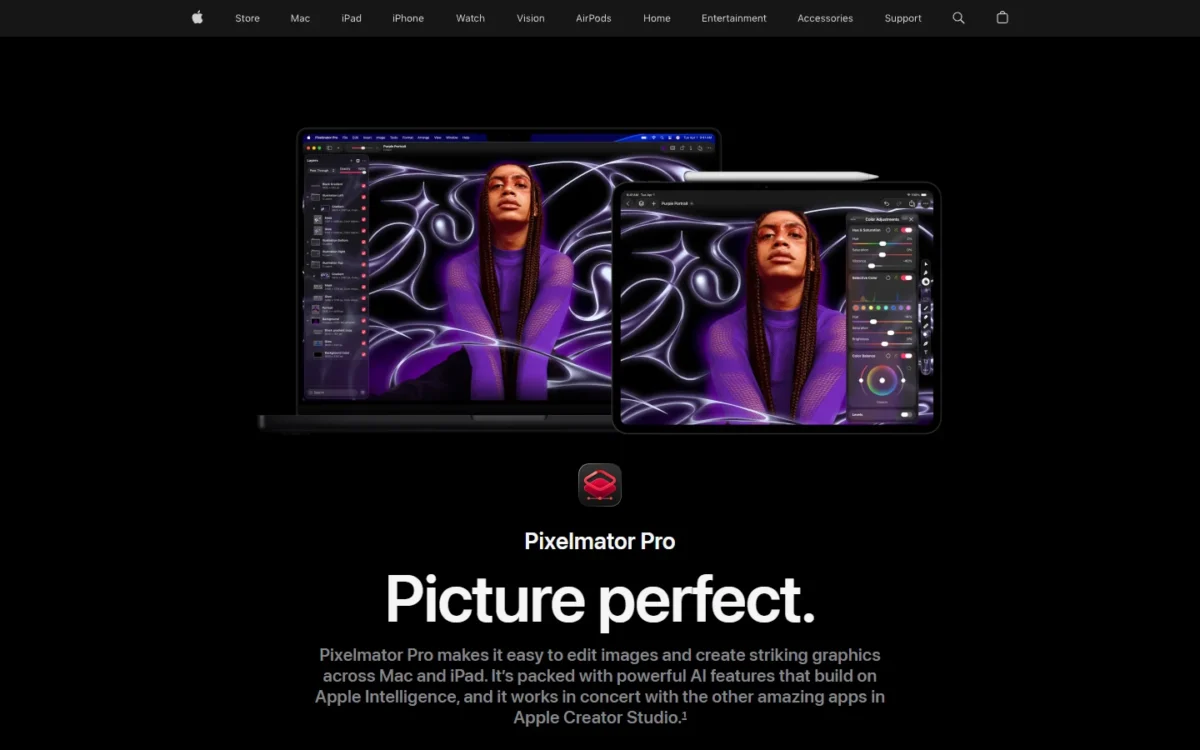
Pixelmator Pro homepage, first screen, apple.com, captured Nov 2026
- Best for: Mac users who want a layer editor without a subscription
- Requires: macOS 26 or iPadOS 26
- File support: over 750 RAW formats, PSD, SVG, PDF, AI and EPS
On a Mac, a one-time purchase still buys a full layer editor: Pixelmator Pro opens over 750 RAW formats and edits RAW photos directly as layers. It costs more than Affinity, but its AI features build on Apple Intelligence. The trade-off is the platform: it requires macOS 26.
RAW photos go into a document as layers and are edited directly, with no conversion step first. PSD, SVG, PDF, AI and EPS files keep their vector data on export, and video layers can be masked like images.
Apple Creator Studio adds the Warp Tool and the iPad app, with edits synced between Mac and iPad.
Pixelmator Pro for Mac costs $49.99 as a one-time App Store purchase. Apple Creator Studio costs $12.99 a month or $129 a year after a 30-day free trial, or $2.99 a month or $29.99 a year for students and educators.
| Option | Price | Billing | Key limit |
|---|---|---|---|
| Pixelmator Pro for Mac | $49.99 | One-time | No iPad app, no Warp Tool |
| Apple Creator Studio | $12.99/mo or $129/yr | Monthly or yearly | Includes Final Cut Pro, Logic Pro |
| Creator Studio, education | $2.99/mo or $29.99/yr | Monthly or yearly | Students and educators |
Sources: Pixelmator Pro, checked Nov 2026.
Pros
- One-time price for a full layer editor
- Edits RAW files directly as layers
- Keeps vector data in PSD, SVG, PDF, AI and EPS
Cons
- Requires macOS 26 or iPadOS 26
- Warp Tool and iPad app need Creator Studio
- No Windows version
Buy the one-time version if you edit only on a Mac; subscribe to Creator Studio only if you also want the iPad app, Final Cut Pro or Logic Pro.
- Skip it if:
- you work on Windows or a Mac that cannot run macOS 26; Affinity runs on both for free.
9. darktable: Best Open-Source RAW Developer and Photo Library
- Best for: photographers who want an open-source RAW workflow with a library
- License: open source, GPL 3.0
- Current version: 5.6.2
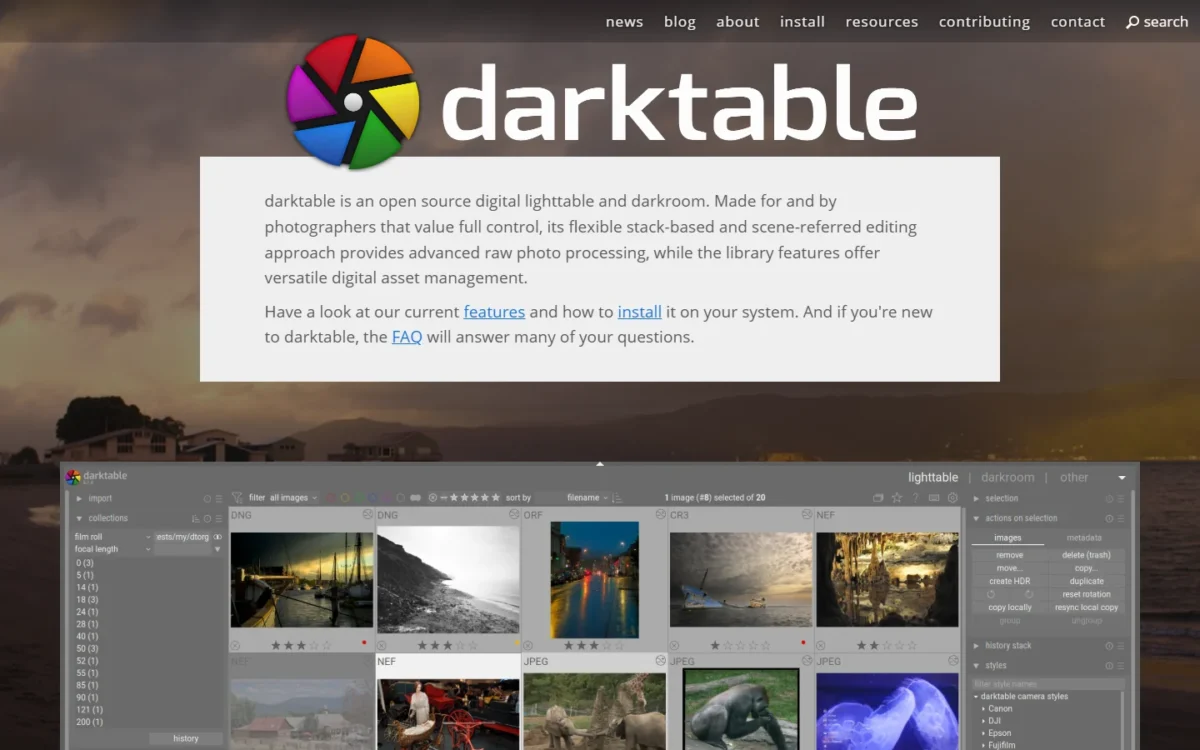
darktable suits photographers who want RAW development and a photo library in open-source software: a “lighttable and darkroom” for Windows, macOS and Linux that pairs RAW processing with digital asset management. The trade-off is its stack-based, scene-referred editing model, which works differently from Lightroom’s.
Every edit is non-destructive, the original file is never modified, and GPU-accelerated processing uses your video card on large batches. Against RawTherapee, a free RAW processor I also considered, darktable’s page lists library features.
darktable is open source under the GPL 3.0, and its install page offers Windows, macOS and Linux downloads.

- License: open source (GPL 3.0)
- Builds: Windows, macOS (Apple silicon), Linux AppImage
- Support: community forum, Flickr and Matrix
Sources: darktable, darktable install, checked Nov 2026.
Pros
- Open-source RAW development and library on three platforms
- Originals are never modified
- GPU-accelerated processing
Cons
- No layer-based pixel editing listed
- Scene-referred model differs from Lightroom’s
- Help comes from its forum, Flickr page and Matrix room
On Linux, darktable plus GIMP is an all open-source setup: develop in darktable, then finish selected frames in GIMP.
- Skip it if:
- you want vendor support (DxO PhotoLab 10 has a 30-day free trial and sells Premium Support) or a Lightroom-style workflow (Lightroom on a plan, or ON1 Photo RAW 2027, which browses files in place with tags and albums).
10. GIMP: Best Free Open-Source Pixel Editor
- Best for: Linux users and anyone who wants to script image edits
- Current version: 3.2.8, released November 2, 2026
- Platforms: GNU/Linux, macOS and Windows
Linux users and anyone who wants to script edits should install GIMP. It covers retouching, restoring and creative composites, and its source code is yours to change. On a Mac or Windows PC, Affinity is the better first download because it imports PSD files with layers kept.
GIMP runs image manipulation scripts in C, C++, Python and Scheme, so a photographer who resizes and watermarks the same export every week can automate it.
It also handles color management for print.
GIMP is free software for GNU/Linux, macOS and Windows.
- Price: free and open source
Sources: GIMP, GIMP downloads, checked Nov 2026.
Pros
- Free and open source on three platforms
- Scripting in C, C++, Python and Scheme
- Color management for print
Cons
- RAW development not listed on gimp.org
- PSD layer import not described on gimp.org
- No catalog or photo library listed on gimp.org
Install GIMP if you run Linux or want to automate repeat edits; otherwise start with Affinity.
- Skip it if:
- you exchange layered PSD files with clients; Affinity keeps their layers on import.
Also Considered
Seven more editors stayed out for one fact each:
- Photopea: a free browser editor with full PSD support that runs on your device without uploads; this list ranks desktop software.
- RawTherapee: a free GPLv3 RAW processor (5.13, July 26, 2026); darktable covers the same RAW job and adds library features.
- CyberLink PhotoDirector: a free Essential version plus a 2027 one-time license or 365 subscription; it leads with generative AI.
- ACDSee Photo Studio Ultimate 2027: asset management and layered editing, but Windows 10 (64-bit) and 11 only.
- PaintShop Pro: the edition on sale is still PaintShop Pro 2023.
- Photomator: a separate App Store purchase; Pixelmator Pro already covers Mac users.
- Adobe Creative Cloud Pro: 20+ apps at $69.99 a month regularly, more than a photo buyer needs.
FAQ
What is the best 100% free photo editor?
Pick by job: Affinity for layered retouching on Mac, Windows and iPad, and GIMP for pixel editing on Linux. For RAW development with a photo library, darktable is open source under the GPL 3.0.
What do professional photographers use to edit their photos?
For a catalog plus layered retouching, Adobe bundles Lightroom Classic and Photoshop in its Photography plan. Pick Capture One instead if the camera is connected to the computer during the shoot.
What is the best photo editing software for a Windows PC?
Lightroom Classic, Photoshop, Affinity, DxO PhotoLab 10, ON1 Photo RAW 2027, Luminar, darktable and GIMP all document Windows versions. Pick DxO or ON1 to own the software, and Affinity to pay nothing.
Is there a one-time-purchase alternative to Photoshop?
Yes. ON1 Photo RAW 2027 adds layers and masks to a RAW editor for a one-time price, Pixelmator Pro is a one-time Mac purchase, and Affinity is free and imports PSD files with layers kept.
Final Verdict: My Pick for Each Situation
Pick Adobe’s Photography plan if you need a catalog and Photoshop; otherwise take your line:
- Catalog plus retouching: Adobe’s Photography plan.
- Retouching only, paying: Photoshop on the Photography plan, or Firefly Pro for web and mobile only.
- Retouching only, free: Affinity.
- Own a RAW developer: DxO PhotoLab 10.
- Studio tethering: Capture One Pro.
- One owned app for RAW, layers and masks: ON1 Photo RAW 2027.
- Presets and AI looks: Luminar Desktop Only; add Prime only if you keep using the generative tools after the first year.
- Free RAW with a library: darktable on Windows, macOS or Linux.
- Mac only: Pixelmator Pro.
- Linux: darktable for RAW files, then GIMP for pixel edits.
How I Chose These Editors
I built this ranking from each vendor’s pricing, product and help pages, read in November 2026, and judged the picks together with the editors under Also Considered. Must-have: a desktop app that develops RAW files or edits layered images. Ranking criteria: main job, license and multi-year cost, platform, RAW image-quality tools, tethering, AI limits and PSD compatibility. Before you pay, run the same batch of your own RAW files through the trials of your top two.