For Veo 3.1 video on a budget, Google Flow is the better buy; for teams that need many models, unlimited standard images, audio tools and Adobe’s commercial-use terms for its own Firefly models, Adobe Firefly is. In a Google Flow vs Adobe Firefly decision, the closest pair is the two $19.99-a-month plans: Google AI Pro and Firefly Pro.
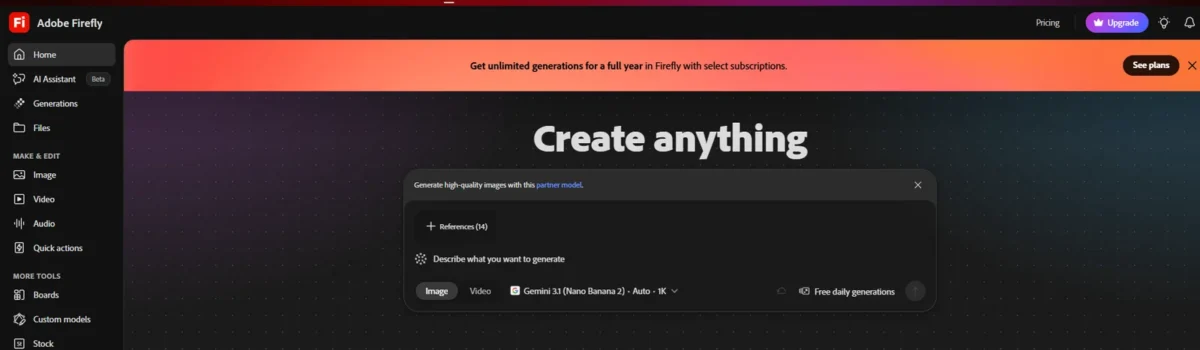
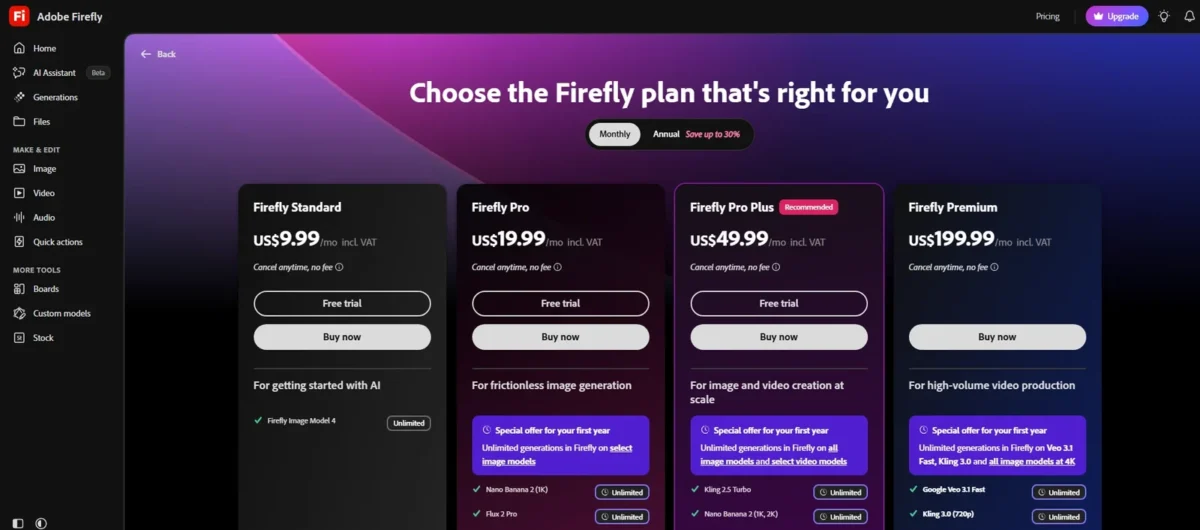
The deciding number is clip volume. Google AI Pro’s 1,000 monthly Flow credits cover 50 Veo 3.1 Fast 8-second clips; Firefly Pro’s 4,000 credits cover 25, at 20 credits per second.
Quick verdict
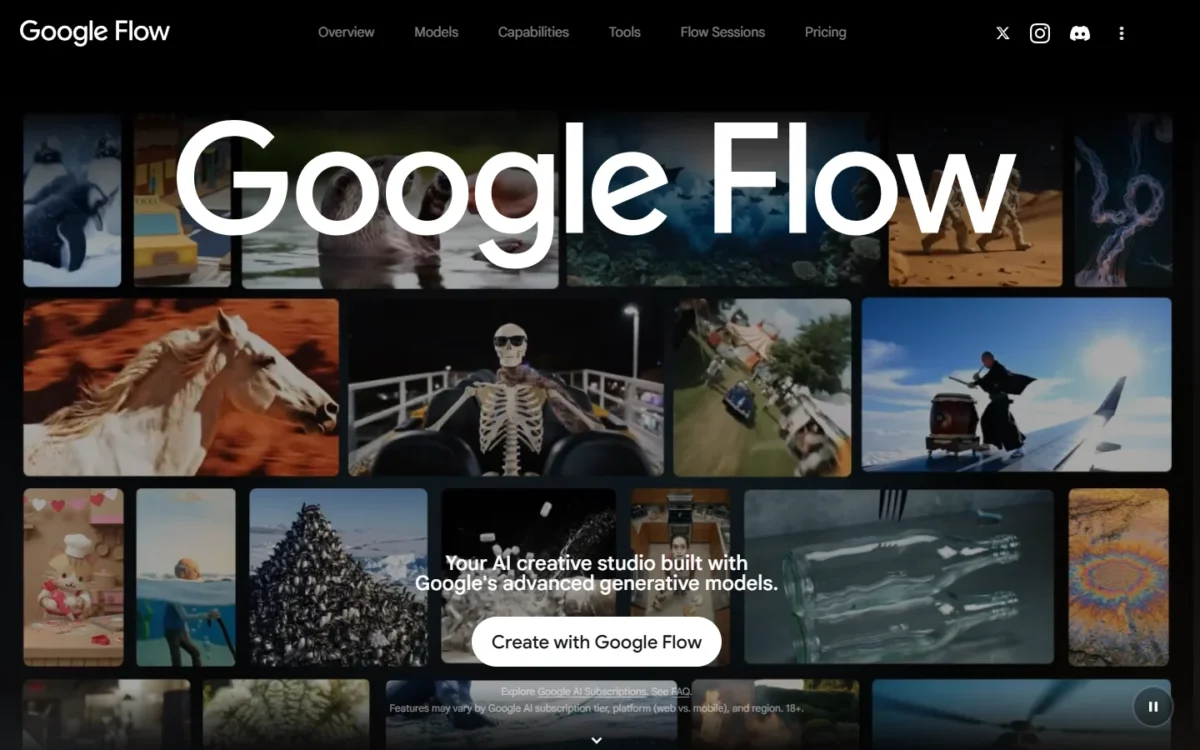
Choose Google Flow if Veo 3.1 is your main model and you work alone: Flow charges per clip, Firefly per second, and 50 free Flow credits arrive every day.
Choose Adobe Firefly if you work in Photoshop, Premiere or Express, want Luma, Runway or Kling next to Veo, or generate images in volume; the teams editions add admin tools, though Kling and Seedance are for individual users only.
Each choice has a trade-off. Flow sells Google models only. Firefly Pro’s credits cover 25 Veo 3.1 Fast 8-second clips for $19.99, against 50 on Google AI Pro, and Adobe’s commercial-safety statement covers its own models, not Veo.
In This Article (8 sections)
Google Flow vs Adobe Firefly at a Glance
Google Flow is a Google-model video studio included in Google AI plans, while Adobe Firefly is a multi-model Adobe app with its own plans.
| Attribute | Google Flow | Adobe Firefly |
|---|---|---|
| Best for | Solo makers of Veo 3.1 video | Teams already in Adobe apps |
| How you buy it | A Google AI plan; no Flow-only plan | Firefly plans, individual or teams |
| Entry paid plan | Google AI Plus, $4.99/mo | Firefly Standard, $9.99/mo |
| The $19.99 plan | Google AI Pro: 1,000 credits a month plus 50 a day | Firefly Pro: 4,000 credits a month |
| Video models | Veo 3.1, Gemini Omni Flash | Firefly Video Model, Veo 3.1, Luma, Runway, Kling, Seedance |
| Free tier | 50 Flow credits a day | Free daily generations, no count stated |
| Main limitation | Google models only | Veo billed per second |
Sources: Google Flow pricing, Firefly plans, checked Oct 2026.
Key Differences Between Google Flow and Adobe Firefly
- Veo cost per clip: Google Flow charges 20 credits per Veo 3.1 Fast generation; Adobe Firefly charges 20 credits per second. My Google Flow review covers the rest of what Pro buys.
- One vendor or many: Flow runs Google models only, while Firefly adds partners such as Luma, Runway and Kling. My Adobe Firefly review weighs that catalog.
- Personal or team buying: Google AI Pro and Ultra need a personal Google Account you manage yourself; Firefly sells Pro, Pro Plus and Premium for teams, with admin tools and 24×7 support.
- Who stands behind the output: Google won’t claim ownership of what you generate; Adobe trains its own models on licensed and public-domain content and indemnifies eligible enterprise customers.
Google Flow vs Adobe Firefly: Features Compared
Google Flow gets more 8-second Veo 3.1 Fast and Lite clips from each dollar, and Firefly’s Veo 3.1 and Veo 3.1 Fast rates are marked “for a limited time”.
Adobe Firefly adds partner models, unlimited standard images, audio tools and Adobe app integration. Flow edits video with new prompts, at 40 credits per edit, while the Firefly editor trims, reorders and regenerates clips.
| Criterion | Google Flow | Adobe Firefly |
|---|---|---|
| Veo 3.1 Fast cost | 20 credits per 8-second clip (10 on Ultra) | 20 credits per second (limited time) |
| Veo 3.1 top-tier cost | Quality: 100 credits per 8-second clip | 50 credits per second (limited time) |
| Longest clip | 10 seconds (Omni Flash) | 30 seconds (Kling 4.0 Omni) |
| Image limits on paid plans | Limited: no number published | Unlimited standard images |
| 4K | Plan-dependent: Ultra | MP4 downloads up to 4K |
| Music and sound effect tools | Google Flow Music is a separate product on the Google AI plans page; none on flow.google.com | Yes, with plan caps |
| Editing video | Omni Flash edits uploaded and generated videos with new prompts, 40 credits per edit; editing uploaded videos is not supported in the EEA, Switzerland or UK | Firefly video editor: trim, reorder, swap models, regenerate or extend a segment |
| Team plans with admin tools | Not listed on the Google AI plans page | Pro, Pro Plus, Premium for teams |
| IP indemnity | Not listed on Flow help | Limited: eligible enterprise customers |
Sources: Flow credit costs, Adobe partner models, checked Oct 2026.
Video models and clip costs
Google Flow charges 20 credits for a Veo 3.1 Fast 8-second clip (10 on Ultra), while Adobe Firefly charges 20 credits per second, so Flow buys twice the Fast clips per dollar. The same per-clip math across more tools is in my AI video generators compared by cost per clip.
One catch in Flow: costs are per generation, and one request may generate 2 videos, so a 2-video Fast request on Pro spends 40 credits (2 x 20).
At the top tier the gap closes. Flow’s Veo 3.1 – Quality costs 100 credits per 8-second clip, and Firefly’s “Google Veo 3.1” costs 50 credits per second, so each $19.99 plan covers 10 such clips (1,000 / 100 and 4,000 / (50 x 8)).
That pairing is my inference: Firefly lists “Google Veo 3.1” beside Fast and Lite, which I read as Flow’s Quality tier.
Beyond Veo, Flow’s Gemini Omni Flash makes clips up to 10 seconds and 360p drafts at half the 720p cost. Firefly adds breadth: its own Firefly Video Model, unlimited on Premium, plus Runway Gen-4.5 and other partners; for Runway alone, see how Flow compares with Runway. For Kling on its own, see how Google Flow compares with Kling.
Verdict: Veo video volume
Google Flow fits better for makers who mostly run Veo 3.1 Fast or Lite. At the $19.99 tier both give 10 Veo 3.1 Quality 8-second clips a month.
Images
Every paid Adobe Firefly plan includes unlimited standard image and vector generations, while Google Flow’s plans promise “Higher” image generation limits on Plus (and on Pro, which includes everything in Plus) and “Highest” on Ultra, without a number. Firefly still meters Nano Banana Pro at 40 credits per generation and Firefly Image 5 at 10.
For an image-first shortlist, see my best AI image generators.
Verdict: image volume
Adobe Firefly fits better for image volume, with one caveat: partner image models and Firefly Image 5 still draw credits.
Audio
Google Flow puts audio inside the clip, while Adobe Firefly sells sound as separate tools. In Flow, Veo generates native audio, Omni Flash adds custom voices, and Characters keep one voice across generations.
Firefly Pro lists up to 400 sound effects, 200 minutes of music and 13 minutes of translation. Those caps share one pool: 400 effects x 10 credits each, or 200 music minutes x 20 credits, each spend all 4,000 Pro credits, so every Veo clip shrinks them.
Verdict: audio post-production
Adobe Firefly fits better when a video needs music, effects or dubbing; Google Flow is enough when Veo’s own sound is the soundtrack.
Editing and Creative Cloud
Google Flow keeps editing inside Flow, while Adobe Firefly hands footage to Adobe’s apps. Flow’s Omni Flash accepts uploads up to 60 seconds and 1 GB, trims anything over 30 seconds down to 30 inside Flow, and edits one 10-second segment at a time.
Flow’s Scenebuilder arranges and trims clips (the step-by-step Flow tutorial shows how), and clips download or publish straight to YouTube.
Firefly credits work in Photoshop, Premiere, Illustrator, Lightroom and Express, and Pro adds Photoshop on web and mobile plus Express Premium.
Verdict: editing and app fit
Google Flow fits the US solo maker who edits with prompts and posts to YouTube. Adobe Firefly fits better once the work finishes in Premiere or Photoshop.
Commercial use and IP
Google’s Flow help says the Terms of Service govern use and Google won’t claim ownership of generated content; Adobe says output from its own Firefly models is safe for commercial use. For partner models, Adobe Firefly leaves you responsible, so Veo run inside Firefly does not carry Adobe’s assurance.
Adobe’s IP indemnity covers eligible enterprise customers on eligible Firefly features and excludes non-Adobe models. Google Flow marks outputs with an invisible SynthID watermark; Firefly attaches Content Credentials on export.
Firefly’s Seedance 2.0, Kling 3.0 and Kling 3.0 Omni send prompts and reference files to their developers, a point for client work.
Verdict: commercial use
Adobe Firefly fits better when you generate with Adobe’s own models. On Veo or other partner models it depends on the model, and both apps leave the judgment with you.
Google Flow vs Adobe Firefly Pricing
Google AI Pro and Firefly Pro both cost $19.99 a month, for 1,000 Flow credits plus 50 a day against 4,000 Firefly credits.

| Tier | Google Flow (Google AI plan) | Adobe Firefly |
|---|---|---|
| Entry | Plus: $4.99/ | Standard: $9.99/ |
| Main pair | Pro: $19.99/ | Pro: $19.99/ |
| Not the same price | Ultra: $99.99/ | Pro Plus: $49.99/ |
| Top | Ultra: $199.99/ | Premium: $199.99/ |
Sources: Google Flow pricing, Firefly plans, Monthly view, checked Oct 2026.
Google bills per month, notes that prices may vary by market and shows no annual price. Firefly’s individual plans read “Monthly”, and its teams licenses cost the same on annual terms, billed monthly.
| Scenario | Google AI Pro | Firefly Pro |
|---|---|---|
| One creator, one year | $19.99 x 12 = $239.88 | $19.99 x 12 = $239.88 |
| Veo 3.1 Fast 8-second clips a month | 1,000 / 20 = 50 | 4,000 / (20 x 8) = 25 |
| Three people, one year | $19.99 x 3 x 12 = $719.64, three personal accounts | $19.99 x 3 x 12 = $719.64, three teams licenses (Kling and Seedance: individual users only) |
Sources: Flow credits, Firefly plans, Adobe partner models, checked Oct 2026.
Assumptions: US list prices read October 29, 2026; tax, top-ups and daily free credits excluded; Firefly’s Veo rate as marked “for a limited time”.
The 3-seat totals match, so a team’s choice turns on administration.
At entry level, Google AI Plus’s 200 credits cover 10 Fast clips (200 / 20) and Firefly Standard’s 2,000 cover 12 (2,000 / (20 x 8), rounded down) at twice the price.
At the $199.99 tier, Ultra’s 25,000 credits at the Ultra rate cover 2,500 Fast clips (25,000 / 10), against 312 on Premium (50,000 / (20 x 8), rounded down).
Two limits force an upgrade: 4K upscaling in Flow needs Ultra, and unlimited Firefly Video Model needs Premium. Plus, Pro and Ultra subscribers can buy AI credits in supported regions except Japan; Firefly sells credit add-ons from 2,000 credits.
A team that needs Adobe’s desktop apps should price Creative Cloud Pro at $69.99 a month, with 4,000 Firefly credits and 20+ apps. My guide to Adobe Firefly pricing and credit add-ons lists every plan.
The Google Flow pricing breakdown covers what each Google AI plan adds beyond Flow.
Free tiers
Yes, both are free to start. Google Flow gives 50 credits a day without a subscription, enough for two Veo 3.1 Fast clips, though video may be unavailable from roughly 2 PM to 5 PM UTC; what Flow’s free tier covers goes further.
Adobe Firefly gives free daily generations with Nano Banana and Luma Ray3.14 but does not publish the count, and its Standard, Pro and Pro Plus plans show a free trial. Output depends on your prompt, so run the same one through both before you pay. My Google Flow prompts give you one to start with.
Google Flow vs Adobe Firefly: Pros and Cons
Google Flow pros and cons
Pros
- Veo 3.1 Fast at 20 credits per clip
- 50 free credits a day, with or without a plan
- Omni Flash edits your uploads and makes 10-second clips
Cons
- Google models only: no Runway, Luma or Kling
- A Flow team plan with admin tools is not listed on the Google AI plans page; Pro and Ultra need a personal account
- Image limits carry no number
Adobe Firefly pros and cons
Pros
- Partner models beside Adobe’s own
- Unlimited standard images on every paid plan
- Sound effects, music and translation with stated caps
Cons
- Veo 3.1 Fast billed at 20 credits per second
- Kling and Seedance limited to individual users
- IP indemnity for eligible enterprise customers only
Which Is Better for Your Needs?
Google Flow fits Veo-first makers and the smallest budget, and Adobe Firefly fits Adobe-based teams and image or audio work.
| Your priority | Better fit | Reason | Trade-off |
|---|---|---|---|
| Most Veo clips per dollar | Google Flow | 50 Fast clips against 25 on the Pro plans | Google models only |
| Licensed-training models for campaigns | Adobe Firefly | Its own models are “safe for commercial use” | Partner output is your call |
| Many video models in one app | Adobe Firefly | Luma and Runway beside Veo for teams; Kling and Seedance too for individual users | Each model has its own rate |
| Prompt edits of your own footage | Google Flow | Omni Flash edits with new prompts; the Firefly editor trims, reorders and regenerates clips | Editing uploaded videos is not supported in the EEA, Switzerland or UK |
| Team seats with admin tools | Adobe Firefly | Teams licenses include admin tools | Annual term; Kling and Seedance: individual users only |
| Lowest entry price | Google Flow | Google AI Plus at $4.99 a month | 200 monthly credits |
| Music, effects, dubbing | Adobe Firefly | Dedicated audio tools | Caps share one credit pool |
| 4K finals | Depends | Flow on Ultra; Firefly downloads up to 4K | Flow’s Ultra starts at $99.99 a month |
Sources: Google Flow pricing, Firefly plans, checked Oct 2026.
How I Compared Google Flow and Adobe Firefly
I read both vendors’ own pages on October 29, 2026; US prices come from flow.google.com and gemini.google/subscriptions.
I paired the two Pro plans because each is the first with full access: Google says Pro gets “the full Google Flow experience”, and Firefly Pro is the first plan with Photoshop and Express. Adobe does not publish its free daily count or trial length; Google publishes neither its image limits as numbers nor an annual price.
Final Verdict: Google Flow or Adobe Firefly?
Buy Google Flow if Veo 3.1 video is the job and you work alone; buy Adobe Firefly if you need many models, images, audio and Creative Cloud, with Adobe’s commercial-use terms for its own Firefly models.
Choose Google Flow if
- Veo 3.1 is your main model and clip count matters more than model choice
- You want to start free on 50 credits a day
- You edit your own footage with prompts from the US
Choose Adobe Firefly if
- You finish work in Photoshop, Premiere or Express
- You want Luma, Runway or GPT Image next to Veo, or Kling on an individual plan
- You generate images in volume
- You need music, sound effects or seats for a team
Skip Google Flow if: your team needs a team or seat plan (Flow’s plan list has none, and Google Workspace plans get 50 daily credits) or you edit uploaded videos from the EEA or UK.
Skip Adobe Firefly if: Veo is your only model, since Adobe’s commercial-safety case covers its own models, not Veo.
If Flow’s Google-only catalog is the problem, start with these Google Flow alternatives, or with the Google Flow vs Higgsfield comparison.
If Firefly’s credit rates are the problem, the alternatives to Adobe Firefly cover other routes.