If you’re searching for Freshsales Alternatives, you’re likely trying to fix one of three things: adoption (reps don’t use the CRM), fit (you’ve outgrown the workflow/reporting depth), or cost (add-ons push the total price higher than expected). In 2026, there isn’t a single “best” replacement—there are best-fit CRMs depending on your sales motion (inbound vs outbound), team size, required automation, and governance needs (permissions, audit logs, SSO/SAML).
In this guide, I’ll compare the strongest Freshsales competitors—including HubSpot Sales Hub, Pipedrive, Zoho CRM, Close, Salesforce, and Dynamics 365—with a consultant’s lens: what works in real implementations, what breaks during migration, and the tradeoffs vendors don’t highlight. You’ll get a quick decision framework, a comparison table, and migration notes so you can choose the right CRM without overbuying—or switching twice.
Quick Answer: What are the best Freshsales alternatives in 2026?
✅ Top picks (2026):
🥇 HubSpot Sales Hub — Best all-rounder
- Great UX + sequences + reporting + huge integrations ecosystem
🚀 Pipedrive — Fastest adoption for SMBs
- Best pipeline UX, reps actually use it, quick setup
💰 Zoho CRM — Best value “suite” option
- Strong customization + broad app ecosystem at a sensible cost
📞 Close CRM — Best for outbound + built-in calling
- Power dialing, call tracking, sequences; built for SDR/inside-sales speed
🏢 Salesforce Sales Cloud — Best for enterprise governance
- Deep customization, roles/permissions, audit logs, scalable forecasting
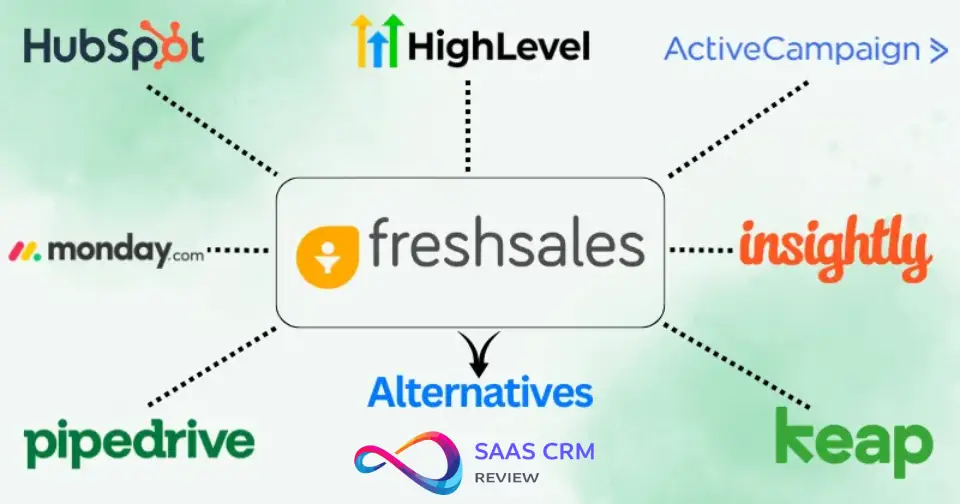
Freshsales Alternatives: Comparison Table
| Tool | Best for | Key strengths | Key limitations | Pricing feel | Setup effort |
|---|---|---|---|---|---|
| HubSpot Sales Hub | Inbound teams, content-led growth | Free tier, marketing integration, reporting | Expensive at scale, feature gating | Free–Premium | Low–Med |
| Pipedrive | Visual sellers, fast deployment | Pipeline UI, mobile app, simplicity | Limited marketing tools, basic reporting | Budget–Mid | Low |
| Close CRM | Outbound SDR teams | Built-in calling/SMS, power dialer, sequences | No marketing automation, US-centric | Mid | Low–Med |
| Zoho CRM | Budget + breadth seekers | Feature-rich, AI (Zia), customization | UI complexity, support inconsistency | Budget | Med |
| Salesforce Sales Cloud | Enterprise, complex sales | Customization, ecosystem, governance | Steep learning curve, high TCO | Premium | High |
| Monday Sales CRM | Visual/collaborative teams | Kanban-style boards, project crossover | Immature CRM features, reporting gaps | Mid | Low–Med |
| Copper CRM | Google Workspace users | Native Gmail/Drive integration, simplicity | Limited to Google ecosystem, fewer integrations | Mid | Low |
| ActiveCampaign | Marketing-heavy small businesses | Email automation, segmentation, affordable | Weak opportunity management, not true CRM | Budget | Med |
| Insightly | Project-based selling | Project management built-in, workflows | Dated UI, limited native integrations | Mid | Med |
| Keap | Service businesses, solopreneurs | Appointments, payments, follow-up automation | Clunky for complex sales, expensive per seat | Mid–Premium | Med–High |
| Bitrix24 | Teams wanting free all-in-one | Free tier (unlimited users), collaboration tools | Overwhelming UI, translation quirks | Free–Budget | Med–High |
| Microsoft Dynamics 365 | Enterprise Microsoft shops | Power Platform integration, compliance | Complex licensing, requires admin expertise | Premium | High |
How We Evaluated These Freshsales Alternatives
As a CRM consultant who’s architected migrations for over 40 implementations, I evaluated these alternatives through the lens of real-world RevOps outcomes, not marketing brochures.
Evaluation criteria:
- Usability: Time-to-first-value, rep adoption resistance, mobile experience
- Sales automation: Sequences, workflows, lead scoring depth
- Pipeline management: Stage customization, deal progression visibility, forecast accuracy
- Reporting: Out-of-box dashboards vs. custom report complexity
- Integrations: Native connections vs. middleware dependency (Zapier tax)
- Total cost of ownership: Per-seat + calling + enrichment + implementation hours
- Security/compliance: GDPR tooling, audit logs, SOC 2, SSO availability
- Support quality: Response SLAs, community strength, documentation depth
Common pitfalls I’ve observed across migrations:
Data quality decay: Teams migrate messy Freshsales data without field audits, then wonder why reporting fails in the new CRM. Clean before you migrate.
Automation bloat: Freshsales workflows look simple until you map them to tools with different logic models (especially HubSpot’s if/then branches vs. Salesforce Process Builder).
Integration debt: Assuming your Freshsales integrations “just work” elsewhere. Zapier connections break, API limits differ, webhook logic needs rebuilding.
Field governance collapse: Freshsales’ flexibility becomes chaos without discipline. Structured tools like Salesforce force governance—expect a learning curve.
Adoption failure: Reps loved Freshsales’ speed? Moving to Salesforce without change management kills productivity for 60+ days.
The Best Freshsales Alternatives in 2026 (Detailed Reviews)
1. HubSpot Sales Hub

Who it’s best for: Inbound-focused teams, content marketers who need CRM, startups wanting room to grow without ripping-and-replacing.
Why it can replace Freshsales: HubSpot matches Freshsales’ core CRM functionality while adding best-in-class marketing automation. You get contact/company management, deal pipelines, email tracking, sequences (called “sequences” not “sales campaigns”), meeting scheduling, and reporting—all with cleaner UI/UX than Freshsales.
What you’ll love:
- Free tier that’s actually useful: Unlimited users, contacts, and basic CRM forever. Test before committing.
- Marketing-sales alignment: When your marketer creates a blog post, you see which deals came from it. Freshsales requires integration duct tape for this.
- Reporting without crying: Build custom dashboards in minutes. Freshsales reports feel like 2018 by comparison.
- Ecosystem depth: 1,400+ native integrations. Freshsales has maybe 200 meaningful ones.
- Mobile excellence: The app actually works. Reps log calls, update deals, check pipeline on the go without rage-quitting.
Tradeoffs / dealbreakers:
- Expensive at scale: Once you hit Professional tier ($90/seat/month) and need Sales Hub Enterprise features, you’re looking at $150/seat—plus Marketing Hub if you want the full power.
- Feature gating frustration: Want custom reporting? That’s Professional tier. Need playbooks? Enterprise only. Freshsales includes more at lower tiers.
- Calling costs extra: Native calling requires $15/seat/month add-on. Freshsales includes basic calling in paid plans.
If you’re coming from Freshsales…: Migration is straightforward via HubSpot’s CSV importer or native Freshsales integration. Map your pipeline stages carefully—HubSpot’s “deal stages” behave differently than Freshsales stages (probability-based forecasting requires manual setup). Email sync is seamless (Gmail/Outlook), but you’ll rebuild sequences from scratch (no 1:1 export). Budget 2–3 weeks for workflow translation and rep training. HubSpot Academy’s training is superior to Freshsales’, which accelerates adoption.
Verdict: Choose HubSpot if marketing matters, if you value long-term ecosystem, or if your team prizes intuitive UX over feature density. Skip if you’re pure outbound or if mid-market pricing makes you wince.
2. Pipedrive

Who it’s best for: Sales teams that live in the pipeline view, visual thinkers, companies needing fast deployment with immediate rep buy-in.
Why it can replace Freshsales: Pipedrive’s entire philosophy is “pipeline first.” Where Freshsales tries to be a full suite, Pipedrive obsesses over deal progression. You get drag-and-drop pipeline management, activity-based selling (tie emails/calls to deals), contact management, email integration, and mobile-first design.
What you’ll love:
- Visual clarity: The pipeline view is the best in class. Color-coded deals, filters, rotting deal indicators—reps actually enjoy using it.
- Activity-driven selling: Schedule a call, it appears on your dashboard. Miss it, Pipedrive nags you. This drives more consistent rep behavior than Freshsales’ task system.
- Setup speed: Onboard 10 reps in an afternoon. Freshsales takes 2–3 days for comparable setup.
- Smart Contact Data: Built-in company enrichment finds emails and phone numbers automatically (limited free uses, then paid).
- Workflow automation: Recently improved. Build deal progression workflows, auto-assign leads, trigger emails based on pipeline movement.
Tradeoffs / dealbreakers:
- Limited marketing tools: No lead scoring beyond basic custom fields. No native marketing automation. If you need nurture campaigns, you’re integrating Mailchimp or similar.
- Reporting gaps: Custom reports exist but lack depth. Forecasting is basic compared to Freshsales’ AI-driven forecasts.
- No built-in calling: Use Pipedrive’s Caller integration ($20/month extra) or third-party tools. Freshsales includes telephony.
- Weak for complex sales: If your deals have 15 stages or require CPQ-level quoting, look elsewhere.
If you’re coming from Freshsales…: Import via CSV or use Pipedrive’s Freshsales migration service (free white-glove assistance if you’re on Annual plan). Pipeline stage mapping is crucial—Pipedrive doesn’t support parallel pipelines per product line like Freshsales. Email sync works flawlessly. Rebuild workflows carefully; Pipedrive’s automation is less mature (no branching logic yet). Train reps to think “activities drive deals” instead of “deals exist independently.” Expect 70% productivity in week one, 100% by week three.
Verdict: Pick Pipedrive if your sales process is transactional, your reps resist complexity, or if getting live fast matters more than feature depth. Pass if you need marketing integration or sophisticated forecasting.
3. Close CRM

Who it’s best for: Outbound SDR teams, inside sales teams making 50+ calls/day, startups doing high-volume prospecting.
Why it can replace Freshsales: Close is purpose-built for outbound velocity. It includes power dialing, built-in calling/SMS, email sequences, pipeline management, and activity reporting—all optimized for speed. If your Freshsales usage centers on phone + email + quick deal logging, Close matches feature-for-feature with better calling UX.
What you’ll love:
- Built-in power dialer: Click a list, dial 100 prospects, log outcomes instantly. Freshsales’ calling feels like dial-up internet by comparison.
- Unified inbox: Calls, emails, SMS in one threaded view per contact. No tab-switching.
- Sequence power: Email + call tasks in one sequence with smart delays. Reps follow the script, Close tracks it all.
- Speed obsession: Keyboard shortcuts for everything. SDRs can log 200 activities/day without touching a mouse.
- Predictive dialer option: Premium plan includes predictive dialing (multiple numbers at once).
Tradeoffs / dealbreakers:
- US/Canada calling focus: International calling works but costs more and lacks local presence features.
- No marketing automation: Zero. You’re integrating or using another tool.
- Limited customization: Can’t add custom modules or objects. What you see is what you get.
- Reporting is functional, not fancy: You’ll export to Google Sheets for complex analysis.
If you’re coming from Freshsales…: Import contacts/deals via CSV. Close’s import mapper is excellent but doesn’t preserve Freshsales’ custom field types perfectly (multi-select becomes text). Set up calling numbers immediately (porting takes 3–5 days). Rebuild sequences manually—no migration path. Train reps on keyboard shortcuts; Close’s speed advantage only shows when you use hotkeys. Biggest adjustment: Close doesn’t do marketing, so plan external integration for top-of-funnel. Expect reps at 90% productivity within one week due to simplicity.
Verdict: Choose Close if calling volume defines your success and you’re US-focused. Avoid if you need marketing integration, international calling at scale, or heavy customization.
4. Zoho CRM
Who it’s best for: Budget-conscious teams wanting enterprise features, companies already in Zoho ecosystem, teams willing to trade setup time for functionality.
Why it can replace Freshsales: Zoho CRM actually competes with Freshsales directly (both from Zoho Corporation—Freshsales is Zoho’s simplified offering). Zoho CRM offers everything Freshsales has plus deeper customization, workflow complexity, Canvas (custom UI builder), AI assistant (Zia), advanced analytics, and full multi-channel support (chat, phone, social).
What you’ll love:
- Feature density: At $14–$23/user/month (Standard tier), you get lead scoring, workflows, custom modules, territory management, forecasting, and Zia AI—features that cost $100+ elsewhere.
- Zia AI: Predicts deal wins, suggests best times to contact, detects anomalies. Works surprisingly well for the price.
- Customization freedom: Build custom modules, page layouts, buttons, functions. Rivals Salesforce at 10% of the cost.
- Zoho ecosystem leverage: If you use Zoho Books (accounting), Zoho Desk (support), or Zoho Campaigns (email), integration is native and free.
- Developer-friendly: APIs, Deluge scripting (custom functions), webhooks without enterprise tax.
Tradeoffs / dealbreakers:
- UI complexity: Menus within menus. New users get lost. Freshsales intentionally simplified Zoho CRM’s interface because users complained.
- Support inconsistency: Forum posts report 24–48hr response times. Phone support costs extra on lower tiers.
- Mobile app lags: Not terrible, but clunkier than Pipedrive or HubSpot.
- Documentation gaps: Advanced features lack clear guides. Expect trial-and-error.
If you’re coming from Freshsales…: Since both are Zoho products, there’s a semi-official migration path (contact Zoho support). Field mapping is mostly 1:1, but Zoho CRM’s customization means you’ll want to restructure—use custom modules for products, territories, or partner management that Freshsales handled in spreadsheets. Workflows translate with effort (Zoho CRM’s are more powerful but more complex). Email sync is identical (same backend). Plan 3–4 weeks for setup plus rep training—the learning curve is real. Consider hiring a Zoho consultant for $2K–5K to avoid missteps.
Verdict: Pick Zoho CRM if budget is tight but needs are broad, or if you’re already Zoho-committed. Skip if UX simplicity matters or if you lack in-house admin capacity.
5. Salesforce Sales Cloud
Who it’s best for: Enterprise sales teams, complex B2B sales cycles, companies needing deep customization and governance, orgs with Salesforce admins on staff.
Why it can replace Freshsales: Salesforce offers every feature Freshsales has, multiplied by 10, and governed by enterprise-grade permissions, audit logs, and compliance certifications. You get opportunity management, forecasting, Einstein AI (lead scoring, opportunity insights), CPQ (add-on), mobile, AppExchange (3,000+ apps), and the ability to customize literally everything.
What you’ll love:
- Customization ceiling doesn’t exist: Custom objects, Apex code, Lightning components, Flow automation, external data integration—if you can imagine it, Salesforce can do it.
- Ecosystem dominance: Every B2B tool integrates with Salesforce first. Your marketing automation, BI tool, support desk, accounting software—all have native Salesforce connectors.
- Governance and security: Field-level permissions, role hierarchies, audit trails, SOC 2/GDPR/HIPAA compliance baked in. Critical for regulated industries.
- Einstein AI: Predictive lead scoring, opportunity scoring, forecasting, and activity capture work well once tuned.
- Reporting power: Build any report imaginable. Dashboard permissioning means executives see different views than reps.
Tradeoffs / dealbreakers:
- Complexity equals overhead: Small teams drown. You’ll need a dedicated admin (or fractional consultant at $150–250/hr).
- Total cost shock: Professional tier starts at $100/user/month but you’ll need Enterprise ($165) or Unlimited ($330) for full power. Add Einstein ($50/user), CPQ ($75/user), Pardot (marketing, $1,250/month+), and suddenly your 20-person team costs $60K+/year.
- Learning curve kills velocity: Reps need 30+ hours training. Productivity dips for 60–90 days post-migration.
- Out-of-box UX is rough: Salesforce feels like enterprise software. No one calls it “intuitive.”
If you’re coming from Freshsales…: Hire a Salesforce implementation partner (budget 10K–50K depending on complexity). They’ll map your Freshsales objects to Salesforce standard/custom objects, migrate data via tools like Coefficient or Trujay, rebuild workflows using Flow, and train users. Pipeline stages map to Salesforce Opportunity stages (pay attention to probability settings for forecasting). Email sync works but may require Einstein Activity Capture for full automation. Sequences need rebuilding in Sales Engagement (additional $ $) or third-party tools like Outreach/Salesloft. Expect 4–6 month implementation for mid-market teams.
Verdict: Choose Salesforce if you’re scaling to 100+ users, if compliance/governance are non-negotiable, or if customization needs will exceed any other CRM’s limits. Avoid if you’re under 25 seats, if budget is tight, or if you value simplicity.
6. Monday Sales CRM

Who it’s best for: Teams already using Monday.com for projects, visual/collaborative cultures, companies wanting CRM + project management in one tool.
Why it can replace Freshsales: Monday Sales CRM brings Monday’s signature kanban-style boards to CRM. You get lead/contact management, deal pipelines, activity tracking, email integration, automations, and the ability to link deals to project boards (unique advantage). For teams juggling sales and delivery, this crossover is powerful.
What you’ll love:
- Visual flexibility: Customize boards with colors, labels, timelines, charts. Reps see their pipeline how they want.
- Project-to-deal linking: Win a deal? Convert it to a project board for onboarding/delivery without leaving Monday. No other CRM does this natively.
- Automations: Monday’s automation builder is excellent—trigger actions based on status changes, dates, field values with no code.
- Collaboration: Comment on deals, tag teammates, attach files. Feels like Slack meets CRM.
- Mobile app: Clean, fast, functional.
Tradeoffs / dealbreakers:
- CRM immaturity: Launched in 2022. Missing lead scoring, advanced forecasting, territory management. Reporting is weak compared to Freshsales.
- No marketing automation: You’re integrating ActiveCampaign, HubSpot, or Mailchimp.
- Pricing confusion: Sales CRM pricing is separate from Monday Work Management pricing. Using both gets expensive fast.
- Limited integrations: 70+ apps vs. Freshsales’ 200+. Expect Zapier reliance.
If you’re coming from Freshsales…: Import via CSV (straightforward). Map your pipeline stages to Monday boards (one board per pipeline or all in one with grouping—your choice). Email sync via Gmail/Outlook works seamlessly. Rebuild workflows using Monday’s automation builder (less powerful than Freshsales workflows but easier to understand). The hardest part: reps need to unlearn traditional CRM layouts and embrace boards. Budget 2 weeks for setup and training. Consider this if you’re already paying for Monday Work Management; the CRM add-on makes sense. Otherwise, you’re learning a new paradigm.
Verdict: Choose Monday Sales CRM if you value visual collaboration and need project management crossover. Pass if you need mature forecasting, marketing tools, or proven enterprise CRM capabilities.
7. Copper CRM

Who it’s best for: Google Workspace-native teams, small businesses under 50 people, teams that want CRM to disappear into Gmail.
Why it can replace Freshsales: Copper lives inside Gmail and Google Drive. It auto-captures emails, logs contacts from your inbox, surfaces deal context when you open emails, and manages pipelines—all without leaving Google’s interface. If your team is Gmail-first and hates “yet another tool,” Copper reduces friction.
What you’ll love:
- Gmail integration perfection: Copper’s sidebar in Gmail shows deal history, recent emails, tasks—context without clicking away.
- Automatic data capture: Emails log automatically. Contacts get created from signatures. Less manual entry means better data quality.
- Google Drive native: Attach Drive files to deals, create folders per deal automatically.
- Simple workflows: Task automation, deal stage triggers, email reminders without complexity.
- Mobile app: Surprisingly good for a Google-centric tool.
Tradeoffs / dealbreakers:
- Google-only: If you use Outlook, Copper is painful. Microsoft 365 shops should look elsewhere.
- Limited integrations: About 100 apps. Freshsales’ broader integration library wins here.
- Basic reporting: Standard reports are fine; custom reporting is clunky.
- No built-in calling: Integrate with Aircall, Dialpad, or similar.
- Pricing creep: Starts at $29/user/month but Professional ($69) is where real power lives.
If you’re coming from Freshsales…: Export Freshsales data to CSV, import to Copper (field mapping is manual but clear). Email sync via Gmail is instant. Rebuild pipelines stage-by-stage (Copper supports multiple pipelines). Workflows translate 1:1 for simple automations; complex Freshsales workflows may not have Copper equivalents (use Zapier). Train reps to work in Gmail primarily—Copper’s web app exists but the magic is in-Gmail. Expect 1–2 weeks for full migration.
Verdict: Pick Copper if your entire workflow is Gmail and you want CRM to feel invisible. Skip if you use Outlook, need extensive integrations, or require sophisticated automation.
8. ActiveCampaign

Who it’s best for: Marketing-heavy small businesses (under 25 people), solopreneurs, service businesses needing email automation more than complex sales pipelines.
Why it can replace Freshsales (with caveats): ActiveCampaign started as email marketing automation and added CRM features later. You get contact management, deal pipelines (basic), email sequences, lead scoring, landing pages, and best-in-class email automation. If 80% of your Freshsales usage is email nurture and simple deal tracking, ActiveCampaign costs half as much.
What you’ll love:
- Email automation mastery: Build complex if/then email flows based on behavior, tags, custom fields. Beats Freshsales’ email automation easily.
- Affordability: Starts at $15/user/month (Plus plan). Get CRM + marketing automation for less than Freshsales’ mid-tier.
- Segmentation depth: Tag-based organization, conditional content, dynamic personalization.
- Landing pages and forms: Built-in, no need for separate tools.
- SMS included: Send text messages from automations (requires credits).
Tradeoffs / dealbreakers:
- Not a true CRM: Deal management is shallow. No forecasting, weak reporting, no territory management.
- Pipeline limitations: One primary pipeline, limited customization. Complex sales teams outgrow it fast.
- Calling: None. Zero. You’re integrating or using phone separately.
- Mobile app: Decent for email, poor for CRM functions.
If you’re coming from Freshsales…: Import contacts/deals via CSV. ActiveCampaign’s pipeline maps to Freshsales but lacks depth—if you use Freshsales’ advanced deal features, you’ll feel constrained. Email integration via Gmail/Outlook works fine. You’ll rebuild automations from scratch, but ActiveCampaign’s automation builder is better than Freshsales’, so this is actually pleasant. Biggest gotcha: ActiveCampaign thinks like a marketer, not a salesperson. Train your team accordingly. Migration takes 1–2 weeks but only if your sales process is simple.
Verdict: Choose ActiveCampaign if email marketing matters more than sales complexity, if budget is tight, or if you’re primarily lead-nurturing. Avoid if you need robust opportunity management or reporting.
9. Insightly

Who it’s best for: Project-based businesses (agencies, consultancies), mid-market teams needing CRM + project management, companies with longer sales cycles tied to delivery milestones.
Why it can replace Freshsales: Insightly combines CRM with project management. Beyond standard contact/deal/pipeline features, you get project tracking (tasks, milestones, Gantt charts), relationship linking (see connections between contacts and companies), and workflow automation. If your sales process includes scoping projects or managing implementations post-sale, Insightly handles both sides.
What you’ll love:
- Project management built-in: Convert deals to projects automatically. Track delivery milestones, assign tasks, manage budgets—all in one tool.
- Relationship linking: Map complex B2B relationships (who knows whom, which contacts work at multiple companies).
- Workflow automation: Solid rule-based automation, though not as advanced as Salesforce.
- Custom fields and objects: More flexible than Pipedrive, less overwhelming than Zoho.
- AppConnect integration platform: Connect to 500+ apps without Zapier.
Tradeoffs / dealbreakers:
- UI feels dated: Works fine but looks like 2019. Younger teams may resist.
- Limited native integrations: Despite AppConnect, key tools like Slack need middleware.
- Mobile app is clunky: Functional but not delightful.
- Reporting gaps: Custom reports exist but require SQL knowledge for complex queries.
If you’re coming from Freshsales…: Import via CSV (Insightly’s import wizard handles most field types). Pipeline stages map 1:1. Email sync via Gmail/Outlook works well. Workflows translate with manual rebuilding—Insightly’s automation is less intuitive than Freshsales but more powerful once learned. The unique part: decide which deals should become projects and set up project templates. Train teams on both CRM and project views (dual learning curve). Budget 3–4 weeks for full migration and user adoption.
Verdict: Pick Insightly if your business model blends sales and project delivery. Pass if pure sales pipeline management is your only need or if modern UI matters.
10. Keap (formerly Infusionsoft)

Who it’s best for: Service businesses (coaches, consultants, home services), solopreneurs, businesses needing appointments + payments + CRM.
Why it can replace Freshsales: Keap is CRM + marketing automation + scheduling + payments in one. You get contact management, pipeline management, email/SMS automation, appointment booking, invoicing, and client follow-up sequences. If Freshsales feels too enterprise and you need “business-in-a-box,” Keap delivers.
What you’ll love:
- Appointment scheduling: Calendly-style booking with automated reminders, payment collection on booking.
- Payment processing: Collect payments, send invoices, track revenue—all native.
- Follow-up automation: Tag-based workflows keep clients engaged post-purchase automatically.
- Landing pages and forms: Capture leads without external tools.
- Small business optimized: Designed for 1–10 person teams, not enterprises.
Tradeoffs / dealbreakers:
- Clunky for complex B2B sales: Pipeline is basic, no forecasting, weak for multi-stage enterprise deals.
- Expensive per seat: Starts at $249/month (2 users), scales to $499/month. Per-user costs drop but never get cheap.
- Learning curve: Despite targeting small businesses, Keap’s automation builder confuses new users.
- Reporting limitations: Revenue reports are good; sales pipeline analytics are weak.
If you’re coming from Freshsales…: Export contacts/deals to CSV, import to Keap (manual field mapping). Pipeline stages translate but Keap’s are simpler (expect to condense your Freshsales stages). Email sequences rebuild manually—Keap’s automation is tag-based, not linear like Freshsales. The biggest shift: Keap thinks “client lifecycle” (nurture → sale → delivery → upsell), not just “sale.” If that matches your business model, migration feels natural. If you’re pure B2B pipeline, Keap feels limiting. Budget 2–3 weeks plus Keap’s onboarding (they push kickstart coaching).
Verdict: Choose Keap if you’re a service business needing scheduling and payments integrated. Avoid for SaaS, B2B sales teams, or budget-conscious startups.
11. Bitrix24

Who it’s best for: Teams needing free CRM for unlimited users, international teams, companies wanting collaboration + CRM + project management in one chaotic bundle.
Why it can replace Freshsales: Bitrix24’s free tier includes CRM (unlimited contacts, deals, companies), telephony, email marketing, tasks, documents, and chat for unlimited users. Yes, unlimited. If budget is zero and you need something immediately, Bitrix24 delivers shocking functionality.
What you’ll love:
- Free tier is bonkers: Most competitors give you 2 users free; Bitrix24 gives unlimited users with full CRM. Paid tiers start at $49/month for 5 users (still cheaper than alternatives).
- Feature breadth: CRM + project management + collaboration + telephony + website builder + HR tools. It’s absurd.
- Built-in calling: Free VoIP calling (limits apply, but it exists).
- Self-hosted option: For data sovereignty needs, Bitrix24 offers on-premise deployment.
- International support: 18 languages, global phone number support.
Tradeoffs / dealbreakers:
- UI is overwhelming: Everything, everywhere, all at once. New users panic. Menus are cluttered.
- Translation quirks: English interface has odd phrasings (Russian origin shows).
- Mobile app confusion: Too many features crammed in; navigation suffers.
- Support is weak: Free tier gets community forums only. Paid tiers get slow email responses.
- Integration limits: Native integrations are few; you’ll use Zapier or Integromat.
If you’re coming from Freshsales…: Import via CSV (Bitrix24 accepts standard formats). Pipeline mapping is manual—Bitrix24’s stages and funnels work differently (you can have multiple pipelines, but setup is unintuitive). Email sync via IMAP/SMTP (not as seamless as Freshsales). Workflows rebuild in Bitrix24’s automation rules (less powerful). The real challenge: training users to ignore 80% of Bitrix24’s features and focus on CRM. Without discipline, teams get lost in projects, chats, and tools they don’t need. Budget 3–4 weeks and accept that 30% of your team will complain about the interface.
Verdict: Pick Bitrix24 if free matters more than UX, if you need unlimited users, or if you’re international. Avoid if interface polish matters or if you lack patience for complexity.
12. Microsoft Dynamics 365 Sales

Who it’s best for: Enterprise Microsoft 365 customers, regulated industries, global teams needing multi-currency/multi-language, companies with Power Platform investments.
Why it can replace Freshsales: Dynamics 365 integrates natively with Outlook, Teams, Power BI, and the entire Microsoft ecosystem. You get opportunity management, forecasting, AI-driven insights, customer service integration, marketing automation (via separate app), and enterprise governance. If your org is Microsoft-committed, Dynamics 365 eliminates integration headaches.
What you’ll love:
- Microsoft ecosystem integration: Outlook sidebar shows CRM data, Teams meetings log automatically, Power BI dashboards pull real-time data.
- AI capabilities: Relationship analytics, predictive lead scoring, conversation intelligence (requires Viva Sales add-on).
- Compliance readiness: SOC 2, ISO 27001, GDPR, HIPAA—checkboxes for regulated industries.
- Power Platform leverage: Build custom apps (Power Apps), automate workflows (Power Automate), analyze data (Power BI) all connected to Dynamics.
- Global capabilities: Multi-currency, multi-language, territory management out of box.
Tradeoffs / dealbreakers:
- Licensing complexity: Professional ($65/user/month) vs. Enterprise ($95) vs. Premium ($135)—features scatter across tiers. Add-ons cost extra (Sales Insights, Viva Sales).
- Implementation required: DIY setup fails. Budget $30K–100K+ for partner implementation.
- Learning curve rivals Salesforce: Admins need training; users need 20+ hours onboarding.
- Clunky without customization: Out-of-box Dynamics feels generic. Customization makes it shine but requires expertise.
If you’re coming from Freshsales…: Hire a Microsoft partner (Hitachi Solutions, PwC, others). They’ll architect your Dynamics environment, migrate data using Scribe or KingswaySoft, map Freshsales objects to Dynamics entities (leads, accounts, opportunities), rebuild workflows in Power Automate, and train users. Email sync via Outlook is seamless once configured. The process takes 4–6 months minimum for mid-market. Total cost (licensing + implementation + training) will shock you—expect $100K+ for a 50-person team’s first year.
Verdict: Choose Dynamics 365 if you’re enterprise, Microsoft-committed, or need compliance. Avoid for SMBs, fast-moving startups, or anyone without significant IT/admin resources.
Decision Guide: Which Freshsales Alternative Should You Choose?
Use-case mapping:
Need built-in telephony / high call volume?
→ Close CRM (best-in-class calling, US-focused) or Bitrix24 (free VoIP, international)
Need marketing automation + CRM?
→ HubSpot (all-in-one) or ActiveCampaign (budget option) or Zoho CRM + Campaigns (ecosystem)
Need enterprise governance and compliance?
→ Salesforce (gold standard) or Microsoft Dynamics 365 (if Microsoft-committed)
Need fastest setup / lowest learning curve?
→ Pipedrive (hours to deploy) or Copper (invisible in Gmail)
Need best value (features per dollar)?
→ Zoho CRM (feature-rich, budget-friendly) or Bitrix24 (free tier)
Need visual / collaborative selling?
→ Monday Sales CRM (kanban-style boards) or Pipedrive (visual pipeline)
Need CRM + project management?
→ Insightly (mature integration) or Monday Sales CRM (better collaboration)
Need CRM + appointments + payments?
→ Keap (service businesses)
Google Workspace shop?
→ Copper CRM (lives in Gmail)
Outbound SDR team?
→ Close CRM (sequences + power dialer)
Inbound content-led growth?
→ HubSpot (marketing-sales alignment)
Simple decision tree:
- Budget under $20/user/month? → Zoho CRM or Bitrix24
- Budget under $50/user/month? → Pipedrive, Close, or ActiveCampaign
- Budget over $100/user/month and need scale? → Salesforce or HubSpot Enterprise
Or:
- Team under 10 people? → Pipedrive, Close, Copper, or Keap
- Team 10–50 people? → HubSpot, Zoho, Insightly, or Monday
- Team 50–200 people? → Salesforce, Dynamics 365, or HubSpot Enterprise
Or:
- Sales process is simple (3–5 stages)? → Pipedrive or Close
- Sales process is moderate (5–10 stages, some complexity)? → HubSpot, Zoho, Copper
- Sales process is complex (custom objects, multi-currency, approvals)? → Salesforce or Dynamics 365
Freshsales vs Alternatives: Head-to-Head Comparisons
Freshsales vs Pipedrive
The deciding factor: Visual pipeline vs. feature breadth. Pipedrive’s pipeline UI is unmatched—reps love dragging deals, seeing rotting indicators, and working visually. Freshsales offers more features (lead scoring, built-in phone, workflows), but its interface feels busier. Choose Pipedrive if pipeline visibility drives your culture. Choose Freshsales if you need built-in calling and email sequences without integrations.
Freshsales vs HubSpot
The deciding factor: Free tier accessibility and marketing needs. HubSpot’s free CRM offers more than Freshsales’ free trial-then-pay model, making it better for bootstrapped startups. HubSpot wins on marketing-sales integration; Freshsales wins on affordability at scale (Freshsales Growth is $18/user vs. HubSpot Professional at $90/user). Choose HubSpot if marketing matters or if free matters. Choose Freshsales if you’re purely sales-focused and cost-conscious.
Freshsales vs Close
The deciding factor: Calling volume. Close’s built-in power dialer and unified inbox (calls + emails + SMS) destroy Freshsales’ basic calling. If your SDRs make 50+ dials/day, Close saves hours weekly. Freshsales offers better reporting and marketing tools. Choose Close for outbound velocity. Choose Freshsales for balanced sales + marketing needs.
Freshsales vs Zoho CRM
The deciding factor: Simplicity vs. depth. Freshsales is Zoho CRM simplified—same parent company, intentionally fewer features, cleaner UI. Zoho CRM offers Zia AI, Canvas, custom modules, and deeper workflows at similar pricing. Choose Freshsales if you value simplicity and fast onboarding. Choose Zoho CRM if you need customization and don’t mind complexity. Teams also comparing Pipedrive should check our Pipedrive vs Zoho CRM guide for a pipeline-focused perspective.
Freshsales vs Salesforce
The deciding factor: Complexity tolerance and scale trajectory. Salesforce handles 10,000 users across 50 countries with custom governance—Freshsales caps out around 200 users before process breakage. Salesforce costs 3–5x more (TCO) and requires admins. Choose Salesforce if you’re enterprise-bound, regulated, or need infinite customization. Choose Freshsales if you’re SMB, value speed, and want to avoid admin overhead. For SMBs also comparing Pipedrive, our Pipedrive vs Salesforce guide highlights exactly where each CRM excels.
Freshsales vs Copper
The deciding factor: Gmail centrality. Copper only makes sense if your team lives in Gmail—it’s phenomenal there but mediocre elsewhere. Freshsales works with any email but doesn’t integrate as tightly. Choose Copper if you’re Google Workspace-native and want CRM to disappear. Choose Freshsales if you use Outlook or need stronger standalone CRM features.
Freshsales vs ActiveCampaign
The deciding factor: Sales complexity vs. email automation. ActiveCampaign dominates email automation (behavioral triggers, segmentation, landing pages) but weak on CRM (basic pipelines, no forecasting). Freshsales balances both. Choose ActiveCampaign if 80% of your process is nurturing leads via email. Choose Freshsales if you need true sales pipeline management.
Freshsales vs Monday Sales CRM
The deciding factor: Project overlap and board preference. Monday shines when sales bleeds into project delivery—link deals to project boards for seamless handoff. Freshsales separates sales from ops. Monday’s board-style UI polarizes users (love or hate). Choose Monday if you manage projects post-sale and love kanban. Choose Freshsales for traditional CRM structure.
Freshsales vs Insightly
The deciding factor: Project-based selling. Insightly’s project management is deeper than Monday’s but UI is dated. Freshsales has no project features. If your sales include scoping projects or managing implementations, Insightly’s dual CRM-project view helps. Otherwise, Freshsales’ modern interface and better mobile app win.
Freshsales vs Bitrix24
The deciding factor: Free unlimited users vs. usability. Bitrix24’s free tier (unlimited users, full CRM, telephony) is absurdly generous—great for bootstrapped teams. But the UI overwhelms, and support is weak. Freshsales’ paid tiers offer better UX and support. Choose Bitrix24 if free and unlimited matter most. Choose Freshsales if you value sanity.
Freshsales Pricing & Total Cost Reality Check (2026 Lens)
Per-seat pricing is marketing theater. Real CRM costs include:
Hidden cost checklist:
- Telephony/calling: $10–$30/user/month (Close includes it; HubSpot charges $15; Pipedrive needs third-party)
- Email sending volume: Most CRMs limit free email sends; overages cost $10–$50/month
- Data enrichment: Tools like ZoomInfo, Clearbit, or Lusha cost $50–$200/user/month
- Implementation: DIY is free but slow; consultants cost $5K–$100K depending on complexity
- Training: Lost productivity during ramp = 30–60 days of reduced output (calculate opportunity cost)
- Integrations: Zapier/Make.com for non-native integrations run $20–$300/month based on tasks
- Support upgrades: Premium support costs 20–30% of annual licensing
- Add-on features: Marketing automation, advanced analytics, CPQ often priced separately
- Admin time: Someone manages the CRM—factor 10–40 hours/month for SMBs, full-time for enterprise
Questions to ask vendors:
- What’s the true per-user cost at our expected usage (calls, emails, contacts, deals)?
- Which features are paywalled in higher tiers—and when will we hit those limits?
- What’s included in onboarding, and what costs extra?
- How do overages work (API calls, email sends, storage)?
- What’s the minimum contract length, and what’s the cancellation policy?
- Are there setup fees, data migration fees, or training fees?
- How much do essential integrations cost (native vs. middleware)?
Example TCO calculation (20-user team):
- Pipedrive Professional: $49/user × 20 = $980/month base
- Caller add-on ($20/user) = $400/month
- Zapier for integrations = $100/month
- Training/setup (one-time) = $2,000
Year 1 total: ~$20K
- HubSpot Sales Professional: $90/user × 20 = $1,800/month base
- Calling ($15/user) = $300/month
- Marketing Hub Professional (if needed) = $800/month
- Onboarding (included)
Year 1 total: ~$37K
- Salesforce Enterprise: $165/user × 20 = $3,300/month base
- Implementation partner = $30,000 one-time
- Admin (fractional, 20hr/month @ $150/hr) = $3,000/month
- Integrations/apps = $500/month
Year 1 total: ~$110K
Budget isn’t just licensing—it’s total cost of ownership over 2–3 years.
Implementation Notes: Consultant Playbook
30/60/90-day rollout plan:
Days 1–30 (Foundation):
- Audit Freshsales data: dedupe contacts, archive dead deals, standardize field values
- Map pipeline stages to new CRM (define stage entry/exit criteria, probability per stage)
- Configure new CRM: custom fields (max 20 per object initially), pipelines, deal stages, user roles
- Set up email sync (Gmail/Outlook), calendar integration
- Import contacts and companies first (validate sync before deals)
- Build 3 core reports: pipeline by stage, deals by rep, conversion rates
- Train admins (2–4 people who’ll manage CRM going forward)
Days 31–60 (Activation):
- Import deals and historical data (test with subset first)
- Rebuild top 3 workflows (start simple, add complexity later)
- Train reps in cohorts (5–8 people per session, 2-hour hands-on)
- Run parallel systems: log activities in both CRMs for 2 weeks (catch migration issues)
- Build email templates, sequences, and task templates
- Set up integrations (marketing automation, support, accounting—one per week to avoid chaos)
- Create a “CRM hygiene checklist” for reps (required fields, update frequency, note-taking standards)
Days 61–90 (Optimization):
- Turn off Freshsales (fully commit to new CRM)
- Review adoption metrics: login frequency, activity logging, deal updates (coach laggards)
- Add advanced workflows and automations (now that reps understand basics)
- Build custom reports and dashboards per role (rep vs. manager vs. exec views)
- Conduct feedback sessions: what’s working, what’s broken, what’s confusing
- Document processes: internal wiki with screenshots, videos, and FAQs
- Plan quarterly CRM audits (field usage, data quality, workflow efficiency)
CRM field governance basics:
- Standard vs. custom fields: Use standard fields (Name, Email, Phone, Company) always. Create custom fields only when no alternative exists.
- Naming conventions: Use clear names (“Deal Value” not “DV”), no abbreviations, consistent capitalization.
- Required vs. optional: Require only what you’ll act on. Every required field slows deal creation.
- Picklists over free text: Use dropdowns for Industry, Deal Type, Lead Source to ensure consistent reporting.
- Field limits: Max 20–30 custom fields per object. More = data entry hell and report bloat.
Automation hygiene:
- Start with 5 workflows max: Most common actions (lead assignment, stage progression, deal follow-up).
- Test in sandbox: Don’t build workflows directly in production. Test with sample data first.
- Avoid workflow loops: Don’t trigger Workflow A that updates Field X, which triggers Workflow B, which updates Field X again (infinite loop).
- Document logic: Write down “If X happens, then Y occurs” for every workflow (for future admins).
- Review quarterly: Workflows rot—disabling old automations prevents confusion.
Reporting fundamentals:
- Define pipeline stages clearly: What actions must occur to move from Stage 2 to Stage 3? Document it.
- Set probability per stage: Assign deal win probability (e.g., Discovery = 20%, Proposal = 50%, Negotiation = 75%).
- Attribution caveats: First-touch vs. last-touch vs. multi-touch—pick one model and stick with it (or report all three separately).
- Deal age tracking: Report on “days in stage” to spot bottlenecks.
- Forecast accuracy: Compare predicted close dates vs. actual close dates monthly to improve rep estimates.
FAQ: Freshsales Alternatives
What is the best Freshsales alternative for small businesses?
Pipedrive for visual simplicity and fast setup, Zoho CRM for feature breadth on a budget, or HubSpot’s free tier if marketing integration matters. Small teams need low friction—choose tools with under 3-day onboarding timelines.
Which alternative is easiest to migrate to from Freshsales?
Zoho CRM (same parent company, semi-official migration path) or Pipedrive (CSV import + simple structure = fast migration). Both offer white-glove migration assistance on annual plans. Avoid Salesforce or Dynamics 365 unless you hire implementation partners.
Which CRM is best if I need built-in calling/telephony?
Close CRM dominates with built-in power dialer, call recording, and unified inbox. Bitrix24 offers free VoIP (limited minutes). HubSpot and Freshsales require paid calling add-ons ($15–$30/user/month).
Is HubSpot better than Freshsales?
Depends. HubSpot wins on marketing-sales integration, free tier generosity, and reporting UX. Freshsales wins on affordability at scale (HubSpot Professional is $90/user vs. Freshsales Growth at $18/user) and includes calling in paid plans. Choose HubSpot if marketing matters or you’re bootstrapped (free tier). Choose Freshsales for cost-conscious sales-only teams.
Is Zoho CRM a cheaper alternative to Freshsales?
Yes and no. Zoho CRM’s Standard plan ($14/user/month) costs less than Freshsales Growth ($18/user/month) while offering more features (Zia AI, custom modules, Canvas). But Zoho CRM’s complexity means longer setup time and steeper learning curve. You trade money for time. Budget-conscious teams with technical admins should choose Zoho CRM.
What if I want an all-in-one suite (CRM + marketing + support)?
HubSpot (CRM + Marketing Hub + Service Hub) or Zoho One (40+ apps including CRM, Campaigns, Desk) or Bitrix24 (everything in one chaotic bundle). HubSpot offers best UX but highest cost. Zoho One offers best value ($45/user/month for entire suite). Bitrix24 offers free tier but overwhelming interface.
What are common migration mistakes from Freshsales?
- Migrating dirty data: Clean duplicates and standardize fields before export, not after import.
- Ignoring workflow differences: Freshsales workflows don’t map 1:1 to other CRMs—rebuild from scratch.
- Skipping parallel runs: Running both CRMs for 2 weeks catches migration issues before full cutover.
- Under-training users: Reps need hands-on practice, not just documentation.
- Not documenting the new system: Six months later, no one remembers why fields were set up a certain way.
How do I choose between Pipedrive and Close?
Calling volume is the deciding factor. If your team makes 30+ calls/day per rep, Close’s built-in power dialer saves hours weekly—worth the cost. If calling is occasional (5–10/day), Pipedrive’s visual pipeline and lower price point win. Also consider: Close is US-centric (calling works best for US/Canada); Pipedrive is global-friendly.
Conclusion: Your Path Forward
Three recommended paths:
Budget path (under $25/user/month total):
→ Zoho CRM (feature-rich, $14–$23/user) or Bitrix24 (free unlimited users) or Pipedrive Essential ($14/user)
Best for: Startups, cash-strapped SMBs, teams with technical admins willing to trade setup time for savings.
Balanced path ($30–$70/user/month):
→ Pipedrive Professional ($49/user) or HubSpot Starter ($15/user) to Professional ($90/user) or Close ($49–$79/user)
Best for: Growing teams needing reliability, solid support, and modern UX without enterprise complexity.
Premium path ($100+/user/month):
→ Salesforce Sales Cloud or HubSpot Enterprise or Microsoft Dynamics 365
Best for: Scaling companies (50+ reps), regulated industries, complex sales requiring deep customization and governance.
If you tell me X, I’ll recommend Y:
- “We’re 8 people, need it running this week” → Pipedrive
- “We make 100 calls/day per SDR” → Close CRM
- “We need marketing automation + CRM on a budget” → ActiveCampaign or HubSpot Free
- “We’re Google Workspace-only” → Copper CRM
- “We need maximum features for minimum dollars” → Zoho CRM
- “We’re growing to 200 people in 2 years” → HubSpot or Salesforce
- “We need zero budget” → Bitrix24 or HubSpot Free
- “We sell projects, not products” → Insightly or Monday Sales CRM
- “We’re Microsoft-committed enterprise” → Dynamics 365
- “We value simplicity above all” → Pipedrive or Copper
Still unsure? Start with free trials of your top 3 picks. Import 100 contacts and 20 deals. Have 3 reps use each CRM for one week. The tool they complain about least is your winner.
The best Freshsales alternative isn’t the one with the most features—it’s the one your team will actually use consistently for the next 3 years. Choose accordingly.
About the author

I’m Macedona, an independent reviewer covering SaaS platforms, CRM systems, and AI tools. My work focuses on hands-on testing, structured feature analysis, pricing evaluation, and real-world business use cases.
All reviews are created using transparent comparison criteria and are updated regularly to reflect changes in features, pricing, and performance.