In the Dynamics 365 vs HubSpot choice, Dynamics 365 Sales fits a B2B sales org that already runs on Microsoft 365 and wants quota forecasting and Copilot in the CRM. HubSpot fits a marketing-led team that wants marketing, sales and service on one CRM with a free start.
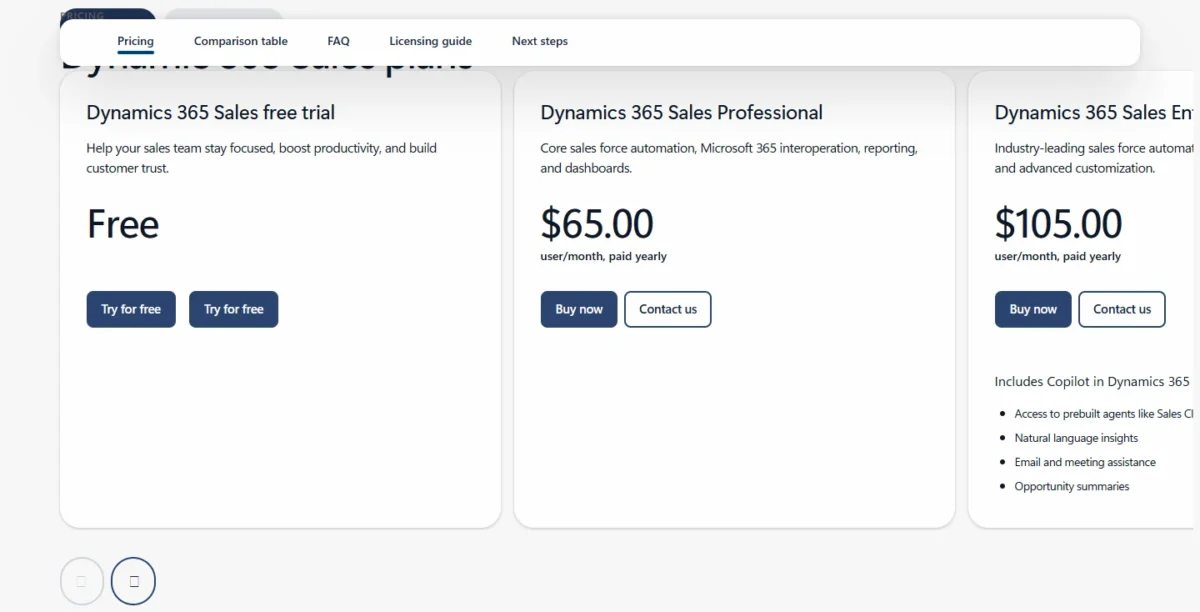
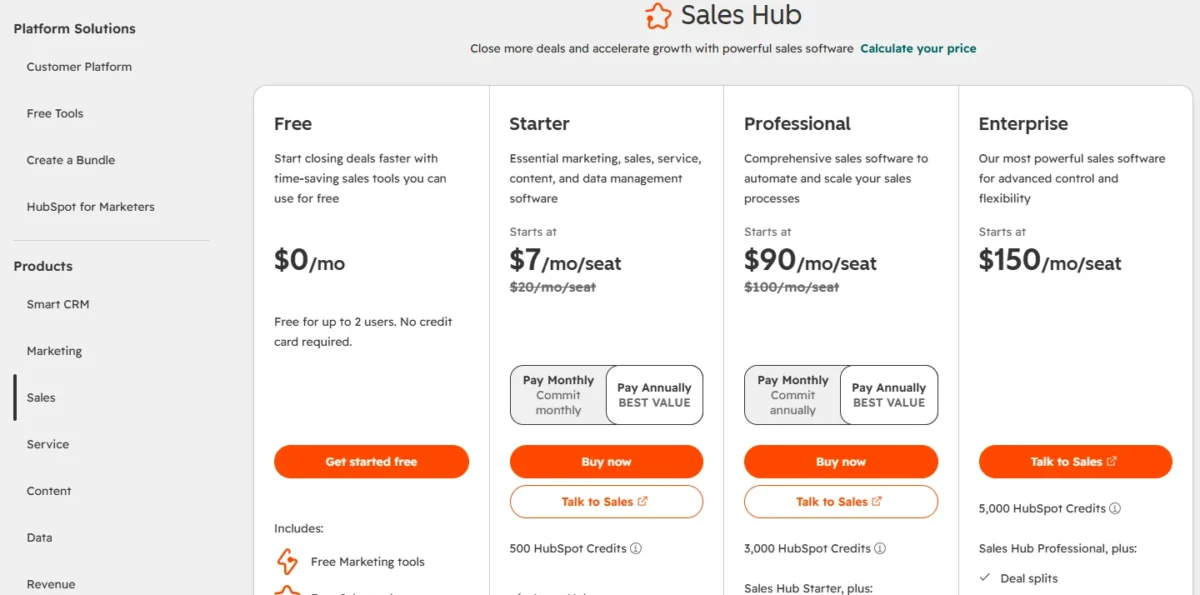
Dynamics 365 Sales Enterprise, the edition I compare, costs $105.00 per user per month, paid yearly. HubSpot Sales Hub Professional, its closest match, costs $100/month per seat on a Sales Seat. For ten sellers, that is $105 x 10 x 12 = $12,600 against $100 x 10 x 12 = $12,000 a year, so the seat barely separates them. Add-on licenses, onboarding and admin work do.
Quick verdict
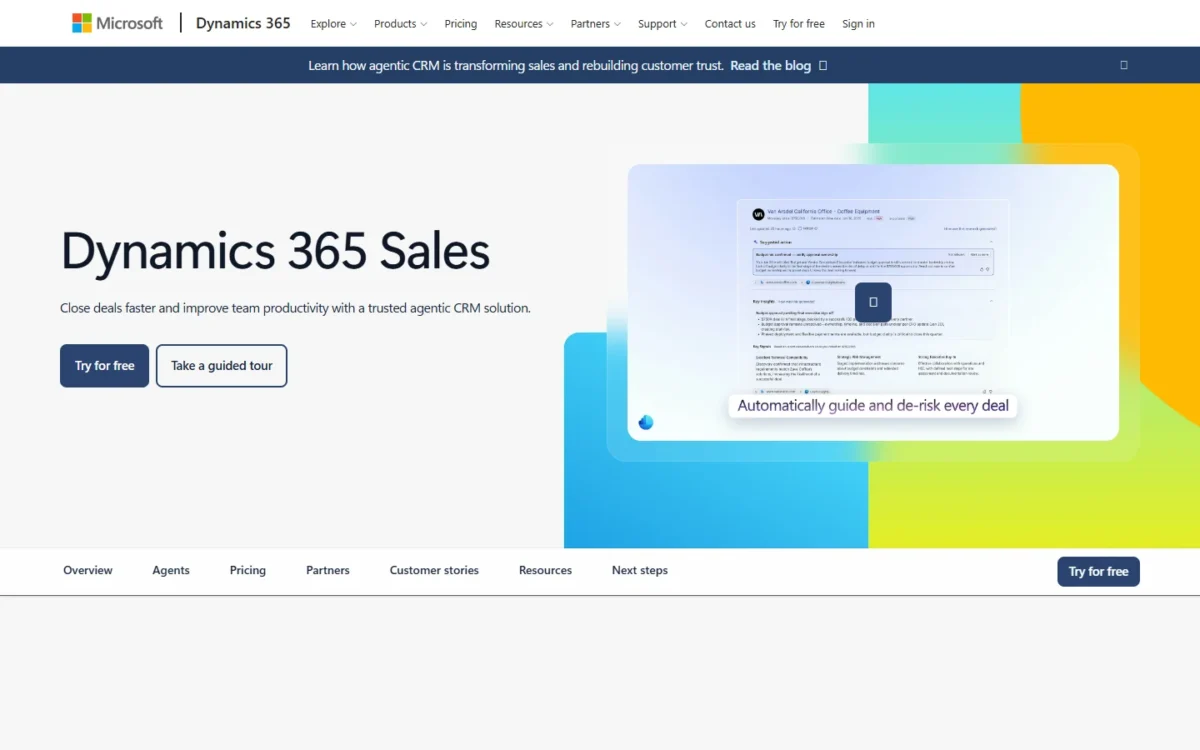
Pick Dynamics 365 Sales if your sellers live in Outlook and Teams and an admin or partner can shape Dataverse. Sales Enterprise puts quota forecasting and Copilot into the seat.
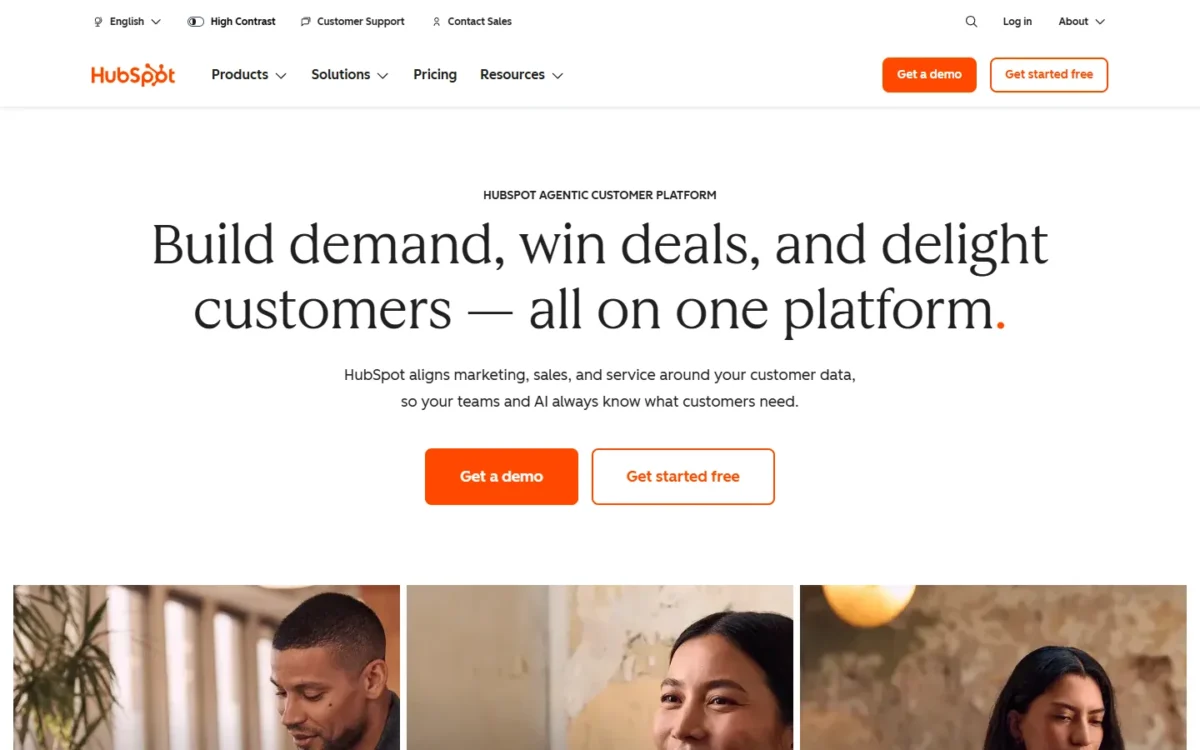
Pick HubSpot if marketing runs on HubSpot, or will, and nobody on staff administers a CRM. Free tools, a 14-day trial and vendor onboarding get a team started without a project.
The trade-off: Dynamics leaves Power Platform extensions, Copilot in Teams and agents to extra licenses, while HubSpot steps up sharply from a Starter seat to a Sales Seat and keeps custom objects for Enterprise.
In This Article (11 sections)
Dynamics 365 Sales vs HubSpot at a Glance
The fair pair is Dynamics 365 Sales Enterprise against HubSpot Sales Hub Professional. Sales Enterprise is where Copilot comes into the Dynamics seat, and Sales Hub Professional is where HubSpot adds custom workflows and sequences and 3,000 included credits.
| Attribute | Dynamics 365 Sales | HubSpot |
|---|---|---|
| Best for | Microsoft 365 sales orgs with an admin or partner | Marketing-led teams that want one CRM |
| Entry paid edition | Sales Professional: $65.00 user/ | Sales Hub Starter: normally $20/ |
| Mid-tier seller seat | Sales Enterprise: $105.00 user/ | Sales Hub Professional: $100/ |
| Top-tier seller seat | Sales Premium: $150.00 user/ | Sales Hub Enterprise: $150/ |
| Free option | 30-day trial | Free tools for up to 2 users; 14-day Sales Hub trial |
| Main limitation | Power Automate and Power Apps extensions need additional licenses | Custom objects come with Sales Hub Enterprise |
Sources: Dynamics 365 Sales pricing, Dynamics 365 Sales overview, HubSpot product and services catalog, HubSpot Sales Hub, HubSpot free tools pricing, checked Nov 2026.
The mid-tier seats sit a few dollars apart and the top-tier seats match, so what separates the two products is how each one is built.
Key Differences Between Dynamics 365 Sales and HubSpot
Four differences decide most shortlists: licensing, platform, AI metering and implementation.
- Licensing: Microsoft prices each Dynamics 365 Sales edition per user, paid yearly. HubSpot uses seat types: Core Seats for Starter and non-sellers, Sales Seats for Professional and Enterprise sellers, and free View-Only Seats.
- Platform: Dynamics 365 Sales runs on Microsoft Dataverse with Power Apps model-driven design. HubSpot builds Sales Hub on Smart CRM, the record Marketing Hub and Service Hub share.
- AI metering: Dynamics 365 Sales includes Copilot from Sales Enterprise, but agents run on Copilot Credits with an Azure subscription. HubSpot puts Breeze Assistant in every Core Seat and meters agents with HubSpot Credits.
- Implementation: Microsoft’s guide sets out a five-stage project for medium-sized and larger organizations. HubSpot sells remote Sales Hub Onboarding for Professional and Enterprise, which suits a team without an admin.
Those differences show up most in the tools a seller and a sales manager open every day.
Dynamics 365 Sales vs HubSpot: Features Compared
Dynamics 365 Sales fits better on Microsoft 365 depth, customization with an admin and quota forecasting. HubSpot fits better when marketing and service share the CRM. AI cost and integrations depend on how your team works.
| Feature | Dynamics 365 Sales | HubSpot |
|---|---|---|
| Outlook add-in | Dynamics 365 App for Outlook | Sales extension for Gmail or Outlook |
| Microsoft Teams | Teams dialer and embedded Teams chats | All products and plans |
| Forecasting | Sales Enterprise | Edition not listed on Sales Hub page |
| Custom data model | Dataverse; Limited: entity subset on Sales Professional | Custom objects on Sales Hub Enterprise |
| AI assistant in the seat | Copilot from Sales Enterprise | Breeze Assistant in every Core Seat |
| Included agent credits | 1,000 Copilot Credits per Sales Premium user/ | 500 / 3,000 / 5,000 HubSpot Credits a month with the Sales Hub purchase, by edition |
| Marketing on the same CRM | In-app campaigns in Sales Enterprise | Marketing Hub on the same Smart CRM |
Sources: Dynamics 365 Sales pricing, Dynamics 365 Sales overview, HubSpot Sales Hub, HubSpot Sales Hub pricing FAQ, checked Nov 2026.
Microsoft 365, Outlook and Teams
Dynamics 365 Sales builds more of the seller’s day into Microsoft 365, while HubSpot connects to it. The Dynamics 365 App for Outlook links emails and meetings to an opportunity or account and syncs contacts with Exchange. Dynamics 365 Sales also ships a Teams dialer and embedded Teams chats.
HubSpot’s sales extension works inside Gmail or Outlook. Its Teams integration runs on all products and plans, with HubSpot notifications, Teams meeting links, and tasks and tickets created from Teams. Only the admin-level install, which makes all features available, needs a Teams Global Admin, so a marketing-run HubSpot account still needs IT for the admin-level install.
On the Dynamics side, the Copilot capabilities in Teams, such as deal rooms and real-time call tips, require additional licenses.
Verdict: Microsoft 365 fit
Dynamics 365 Sales fits better for sellers who live in Outlook and Teams, because those tools sit inside the CRM. HubSpot’s links cover notifications, meetings and email for a team that works mostly in HubSpot.
Customization and admin load
With that Dataverse base, an admin builds and manages Dynamics 365 Sales apps in Power Apps and extends them with Power Automate. Microsoft marks both extensions “Requires additional licenses.” Sales Professional holds a subset of Sales Enterprise’s entities, so a team that plans to customize should price Enterprise.
HubSpot keeps its data model simpler until the top edition. Custom objects and complex pipelines come with Sales Hub Enterprise, and custom workflows and sequences need Sales Hub Professional or higher.
Verdict: Customization
Depends on who maintains it. With an admin or partner, Dynamics 365 Sales fits better. Without one, HubSpot fits better until the team needs custom objects.
AI: Copilot vs Breeze
Both Dynamics 365 Sales and HubSpot put an assistant in the seat and meter agents with credits, so neither seat price covers heavy agent use.
On Dynamics 365 Sales, the Sales Enterprise card includes Copilot with prebuilt agents such as Sales Close Agent (in preview), email and meeting assistance and opportunity summaries. Sales Premium adds 1,000 Copilot Credits per user each month. Agents need Copilot Credits and an Azure subscription, and the full Sales agent in Outlook and Teams also needs Microsoft 365 Copilot.
On HubSpot, the Core Seat includes Breeze Assistant, and Agent Hub comes with every Starter, Professional and Enterprise edition. HubSpot grants included credits with the Sales Hub purchase, and they do not add up across products: 500 on Sales Hub Starter, 3,000 on Professional and 5,000 on Enterprise, reset monthly. Microsoft’s 1,000 Copilot Credits come with each Sales Premium license instead, so the two allowances are not the same unit. Extra HubSpot Credits cost $0.010 each.
HubSpot’s catalog charges 100 credits for one prospecting-agent outreach recommendation, so 3,000 credits cover 3,000 / 100 = 30 recommended leads a month. A team that wants an agent working a full lead list is buying credits, not seats.
Verdict: AI cost
Depends on use. Dynamics suits AI inside Outlook and Teams, with Microsoft 365 Copilot budgeted on top. HubSpot prints a per-action credit rate sheet, so an agent-heavy team can model the cost before it buys.
Reporting and forecasting
Dynamics 365 Sales names forecasting in Sales Enterprise, while HubSpot lists forecasting without tying it to an edition. Sales Enterprise predicts revenue for a period and tracks each seller against quota, and Dynamics reporting includes export to Excel and Power BI analytics. Sales Premium adds predictive forecasting.
HubSpot’s Sales Hub page describes forecasting as AI-powered pipeline projections, with outcome reports on Starter and advanced analytics on Enterprise. A manager who reports forecast against quota should confirm in the 14-day trial which edition carries that view.
Verdict: Forecasting
Dynamics 365 Sales fits better for a forecast-driven org, with quota forecasting named in Sales Enterprise and Power BI beside it.
Marketing and service beyond the sale
HubSpot runs marketing, sales and service on one platform, while Dynamics 365 Sales Enterprise covers sales-led campaigns. Marketing Hub, Service Hub, Content Hub and Sales Hub sit on HubSpot’s Smart CRM, so campaigns, deals and tickets share one record. Sales Enterprise lets sellers run and track marketing campaigns with response and cost per campaign, and Microsoft lists Customer Insights as a separate Dynamics 365 product.
HubSpot’s single platform has a pricing catch. All Core Seats are priced at the highest edition you own, so adding Sales Hub Enterprise lifts every marketer’s Core Seat to the Enterprise rate. Buying Marketing Hub Professional or Enterprise also triggers an automatic onboarding charge.
Verdict: Marketing and service
HubSpot fits better for a marketing-led team that wants one record across marketing, sales and service.
Integrations
Integration fit depends on your stack more than on a count. Dynamics 365 Sales extends through Power Platform and Microsoft 365 and documents integrations with LinkedIn Sales Navigator, ZoomInfo and softphones; Microsoft Relationship Sales bundles Sales Enterprise with LinkedIn Sales Navigator Advanced Plus. HubSpot lists 2,000+ integrations, including a Microsoft Dynamics 365 app in the HubSpot Marketplace. Check the three to five tools your sellers open daily on both vendors’ integration pages.
Features set the fit. The next question is what that fit costs at your seat count.
Dynamics 365 vs HubSpot Pricing
Dynamics 365 Sales is priced per user, paid yearly, and HubSpot Sales Hub per seat per month, and the comparable editions sit within a few dollars of each other.
| Tier | Dynamics 365 Sales | HubSpot Sales Hub |
|---|---|---|
| Entry | Sales Professional: $65.00 user/ | Starter: normally $20/ |
| Mid tier | Sales Enterprise: $105.00 user/ | Professional: $100/ |
| Top tier | Sales Premium: $150.00 user/ | Enterprise: $150/ |
| LinkedIn bundle | Microsoft Relationship Sales: Variable, 10-seat minimum | Not listed on the catalog |
| Read-only users | Not listed on the Sales pricing page | View-Only Seat at no additional cost |
Sources: Dynamics 365 Sales pricing, HubSpot product and services catalog, HubSpot free tools pricing, checked Nov 2026.
Microsoft prints each listed Sales price as user/month, paid yearly, and notes that the actual price appears at checkout. A team that might stop at Sales Professional should weigh it against Enterprise in my guide to Dynamics 365 Sales plans and add-ons.
HubSpot’s catalog and Sales Hub page print Sales Seat prices per month without saying whether they assume annual or monthly billing, so ask for the term on your quote. For new customers, HubSpot’s free-tools page cuts Starter to $7/month per seat when paid annually upfront, or $10/month per seat month-to-month, for a limited time.
If you also buy Marketing Hub or Service Hub, how HubSpot prices each hub matters more than the Sales Seat alone.
Cost for 5, 10 and 25 sellers
At 25 sellers, the mid-tier pair costs $105 x 25 x 12 = $31,500 a year on Dynamics and $100 x 25 x 12 = $30,000 on HubSpot, and the top-tier pair costs $150 x 25 x 12 = $45,000 on both.
| Sellers | Dynamics Sales Enterprise | HubSpot Sales Hub Professional | Dynamics Sales Premium | HubSpot Sales Hub Enterprise |
|---|---|---|---|---|
| 5 | $105 x 5 x 12 = $6,300 | $100 x 5 x 12 = $6,000 | $150 x 5 x 12 = $9,000 | $150 x 5 x 12 = $9,000 |
| 10 | $105 x 10 x 12 = $12,600 | $100 x 10 x 12 = $12,000 | $150 x 10 x 12 = $18,000 | $150 x 10 x 12 = $18,000 |
| 25 | $105 x 25 x 12 = $31,500 | $100 x 25 x 12 = $30,000 | $150 x 25 x 12 = $45,000 | $150 x 25 x 12 = $45,000 |
Sources: Dynamics 365 Sales pricing, HubSpot product and services catalog, checked Nov 2026.
Assumptions: US list prices, seller seats only, Dynamics paid yearly, HubSpot at the catalog’s monthly seat price with no new-customer discount. Excluded: tax, onboarding or partner fees, add-on licenses, extra credits and non-seller seats.
The mid-tier gap is $12,600 – $12,000 = $600 a year at ten sellers, so one line item from the next section can erase it.
The bigger jump sits inside each lineup. On HubSpot, custom workflows and sequences are the upgrade trigger. Moving a seller from the $20 seat to the $100 seat adds $80 x 10 x 12 = $9,600 a year for ten sellers.
On Dynamics, quota forecasting and Copilot are the trigger, since Sales Enterprise is the edition where Microsoft lists them. Moving from $65 to $105 adds $40 x 10 x 12 = $4,800 a year for ten sellers. A team likely to outgrow the entry edition within a year should price the mid tier from day one.
HubSpot also pools calling per account, not per seller. Its catalog explains that limits do not add up across hubs: with Sales Hub Professional and Service Hub Professional together, the account still gets 3,000 calling minutes a month. On that Sales Hub Professional account, 25 sellers get 3,000 / 25 = 120 minutes each, which is thin for a phone-first team.
What the seat price leaves out
Neither seat price covers the line items below, so ask each vendor to quote them.
Dynamics 365 Sales:
- Power Automate and Power Apps licenses for custom workflows and apps
- Licenses for the Copilot capabilities in Microsoft Teams
- Copilot Credits and an Azure subscription to run agents
- Microsoft 365 Copilot for the full Sales agent
- A partner implementation, which the Sales pricing page does not price
HubSpot:
- Sales Hub Onboarding for Professional or Enterprise, whose page shows no price
- An automatic onboarding charge if you add Marketing Hub Professional or Enterprise
- Core Seats for managers or marketers who edit records
- HubSpot Credits beyond the monthly allowance, at $0.010 each
- Data Hub, if the Dynamics 365 sync needs custom field mappings
A Core Seat at the Professional level costs $50/month per seat. At the Enterprise level, a Core Seat costs $75/month per seat. Two managers who edit records add $50 x 2 x 12 = $1,200 a year, while a manager who only reads dashboards can use a free View-Only Seat.
Implementation, Onboarding and Admin Load
Microsoft frames Dynamics 365 as a staged project for medium-sized and larger organizations, while HubSpot sells a remote onboarding service for Sales Hub Professional and Enterprise.
The Dynamics 365 implementation guide follows Success by Design in five stages: Strategize, Initiate, Implement, Prepare and Operate. It draws on the FastTrack for Dynamics 365 team, is used with partners, and points startups and small businesses to Dynamics 365 Business Central. Microsoft Learn adds free training by implementation role, and Microsoft partners offer consulting services for architecture planning, implementation and support.
Sales Hub Onboarding covers CRM customization, reporting setup, standard automation, native integrations and consulting on migrating data from your current CRM. For highly customized setups, HubSpot points to Advanced Onboarding or a Solutions Partner. Sales Hub Starter gets email support, and Professional and Enterprise add phone support. Every Sales Hub user, free users included, can learn the tools in HubSpot Academy.
Neither vendor prints an implementation price. Get a partner quote for Dynamics and an onboarding quote for HubSpot before you compare year-one cost.
Dynamics 365 Sales vs HubSpot: Pros and Cons
The Dynamics 365 Sales panel speaks to a Microsoft 365 sales org, and the HubSpot panel to a marketing-led team.
For the full verdict on Microsoft’s side, including its drawbacks, see my Dynamics 365 Sales review.
Pros
- Outlook app, Teams dialer and embedded Teams chats suit sellers who live in Microsoft 365
- Sales Enterprise names quota forecasting and adds Power BI analytics
- Dataverse and Power Apps let an admin reshape the data model
Cons
- Power Automate and Power Apps extensions need additional licenses
- Copilot in Teams needs added licenses, and agents need Copilot Credits plus Azure
- No free tier on the Sales pricing page, only a 30-day trial
- The implementation guide targets medium-sized and larger organizations
My HubSpot CRM review covers the platform beyond Sales Hub.
Pros
- Free tools for up to 2 users and 1,000 contacts, with no time limit
- Marketing, Sales, Service and Content Hubs share one Smart CRM record
- Teams integration and the Dynamics 365 app work on all products and plans
Cons
- Custom workflows and sequences need a Sales Seat on Sales Hub Professional
- Custom objects and complex pipelines come with Sales Hub Enterprise
- Sales Hub Onboarding is a separate purchase with no price on its page
- Calling minutes are pooled per account and do not add up across hubs
Which Is Better for Your Needs?
Your top priority decides it, and the matrix gives the better fit for each common one.
| Your priority | Better fit | Reason | Trade-off |
|---|---|---|---|
| Sellers work in Outlook and Teams | Dynamics 365 Sales | App for Outlook, Teams dialer, embedded chats | Copilot in Teams needs added licenses |
| Marketing, sales and service on one record | HubSpot | All hubs share Smart CRM | Core Seats price at your highest edition |
| No CRM admin on staff | HubSpot | Free tools, a 14-day trial, vendor onboarding | Custom objects wait for Enterprise |
| A custom data model below the top tier | Dynamics 365 Sales | Dataverse with Power Apps | Extensions need added licenses |
| Forecasting against quota | Dynamics 365 Sales | Named in Sales Enterprise, with Power BI | Predictive forecasting is Premium |
| Mid-tier seat cost | Tie | Seats sit a few dollars apart | Add-ons decide the real gap |
| Marketing on HubSpot, sales on Dynamics | Depends | HubSpot’s Dynamics 365 app syncs both ways | Custom field mappings need Data Hub |
A Microsoft 365 org with an admin and a forecast to defend should pick Dynamics 365 Sales; if marketing already runs on HubSpot, run both through HubSpot’s Dynamics 365 app rather than move either team. A marketing-led team should pick HubSpot, unless sellers need Copilot inside Outlook and Teams.
A larger org that also has Salesforce on the list can weigh how Dynamics 365 compares with Salesforce on the same Microsoft-centered criteria.
For a team that likes HubSpot’s single platform, HubSpot against Salesforce covers the same third option.
Who should skip each one
Skip Dynamics 365 Sales if the team has no admin or partner budget, works outside Microsoft 365, or wants a free start. Microsoft’s implementation guide points small businesses to Business Central, and Dynamics 365 Sales offers a 30-day trial rather than a free tier.
A team that wants a third name on the shortlist can also read SugarCRM versus Dynamics.
Skip HubSpot if sales needs a custom data model below Sales Hub Enterprise, forecasting tied to Power BI, or Copilot inside Teams and Outlook.
A small team that only needs a pipeline may be better served by a lighter pipeline CRM than HubSpot.
Running Both or Switching Between Dynamics 365 Sales and HubSpot
Yes, you can run HubSpot for marketing and Dynamics 365 Sales for selling: HubSpot’s Microsoft Dynamics 365 app syncs records one way or both ways, on all products and plans.
What syncs, HubSpot to Dynamics:
- Companies to accounts, contacts to contacts and leads, deals to opportunities
- Products, custom objects, invoices and orders to their Dynamics records
- Meetings, notes, tasks, emails and calls to Dynamics activities
A HubSpot Super Admin, or a user with App Marketplace Access, installs the app. The Dynamics environment must be cloud-hosted on an official dynamics.com domain, and a two-way sync needs Read and Write permissions for each record type. Custom field mappings need Data Hub, and up to two Dynamics instances can connect.
The sync list holds records and activities, not automations, so in either direction plan to rebuild workflows, sequences and reports. A phased move keeps both systems in sync while that work happens. A task tied to a Dynamics lead syncs only from Dynamics to HubSpot, so a team running both should create those tasks in Dynamics when they need to appear in both systems.
How I Compared Dynamics 365 Sales and HubSpot
The comparison rests on official documentation and pricing pages: both vendors’ pricing, product, help and legal pages, read on November 4, 2026, in US dollars, with every price as each page prints it. The editions compared are Sales Enterprise against Sales Hub Professional and Sales Premium against Sales Hub Enterprise, on Microsoft 365 fit, customization, AI metering, forecasting, marketing, integrations, cost at 5, 10 and 25 sellers, and implementation.
Microsoft notes that its prices may vary by currency, country and region. HubSpot’s catalog prints no billing term for Sales Seats, and its Sales Hub Onboarding page shows no amount. Ease of use and AI output depend on your own data, so run your pipeline through both trials before you sign.
FAQ
Why are people leaving HubSpot?
For a growing sales team, the pressure points sit in HubSpot’s own price list. Workflows and sequences move each seller onto a Sales Seat, custom objects wait for Enterprise, extra credits cost $0.010 each, and onboarding is a separate purchase on Professional and Enterprise. A team that hits all four pays well above the Starter seat.
Is Dynamics 365 Sales worth it for a small team?
Usually not, unless the team already runs Microsoft 365 and has an admin. Microsoft’s implementation guide calls itself relevant for medium-sized and larger organizations and suggests that a startup or small business explore Dynamics 365 Business Central. A small team without IT support can start on HubSpot’s free tools at no cost.
Do I need a Microsoft admin to connect HubSpot and Teams?
Only for the admin-level install, which makes all features available and needs a Teams Global Admin. The user-level install skips that requirement and covers HubSpot notifications, tasks and tickets created in Teams, and Teams meeting links.
Final Verdict: Dynamics 365 Sales or HubSpot?
Dynamics 365 Sales is the pick for a Microsoft 365 sales org with an admin and a forecast to defend. HubSpot is the pick for a marketing-led team that wants one platform and a free start. When marketing already sits on HubSpot and sales on Dynamics, run both through HubSpot’s Dynamics 365 app instead of forcing a move.
Choose Dynamics 365 Sales if
- Outlook and Teams are where your sellers spend the day
- An admin or partner will maintain Dataverse and Power Apps
- Forecasting against quota, with Power BI, is a must on the mid tier
- You want Copilot in the CRM and will license it in Teams too
Choose HubSpot if
- Marketing runs on HubSpot now, or will
- Nobody in-house administers a CRM
- You want free tools or a month-to-month Starter seat before committing
- Service and sales should share one Smart CRM record
The main trade-offs are add-on licenses and partner work on the Dynamics side, against a steep step to a Sales Seat and paid onboarding on HubSpot’s upper tiers. If neither fits, my B2B CRM shortlist widens the options.