

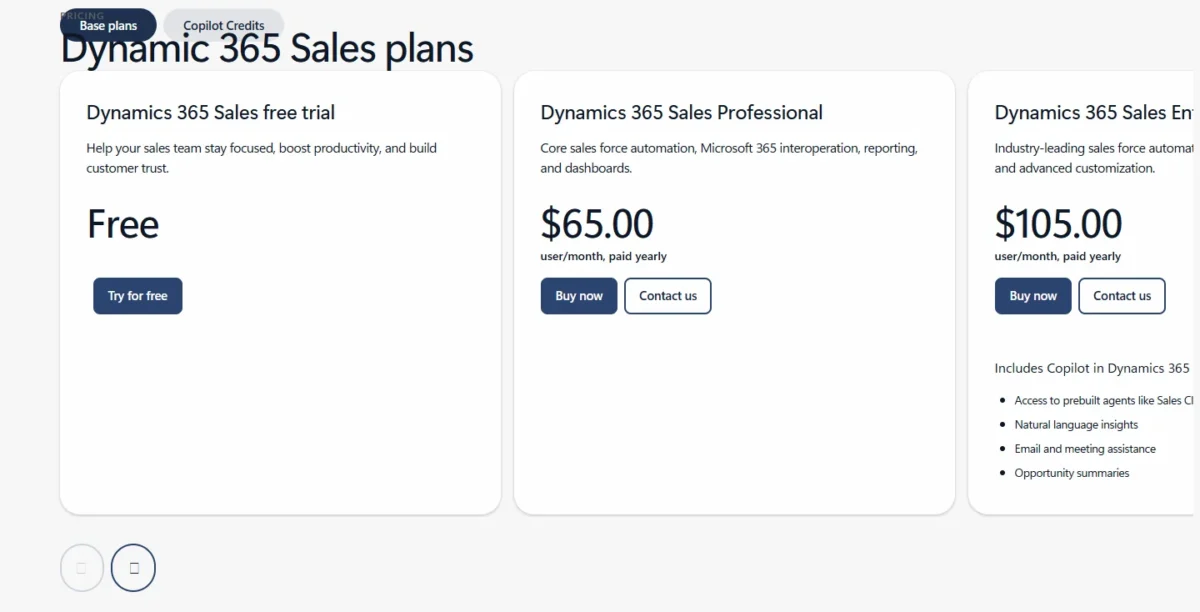
Salesforce vs Dynamics 365 is decided by where your sellers work and how you want to pay for AI. Dynamics 365 Sales fits an org standardized on Microsoft 365, because its Enterprise plan includes Copilot in a $105 seat, paid yearly.
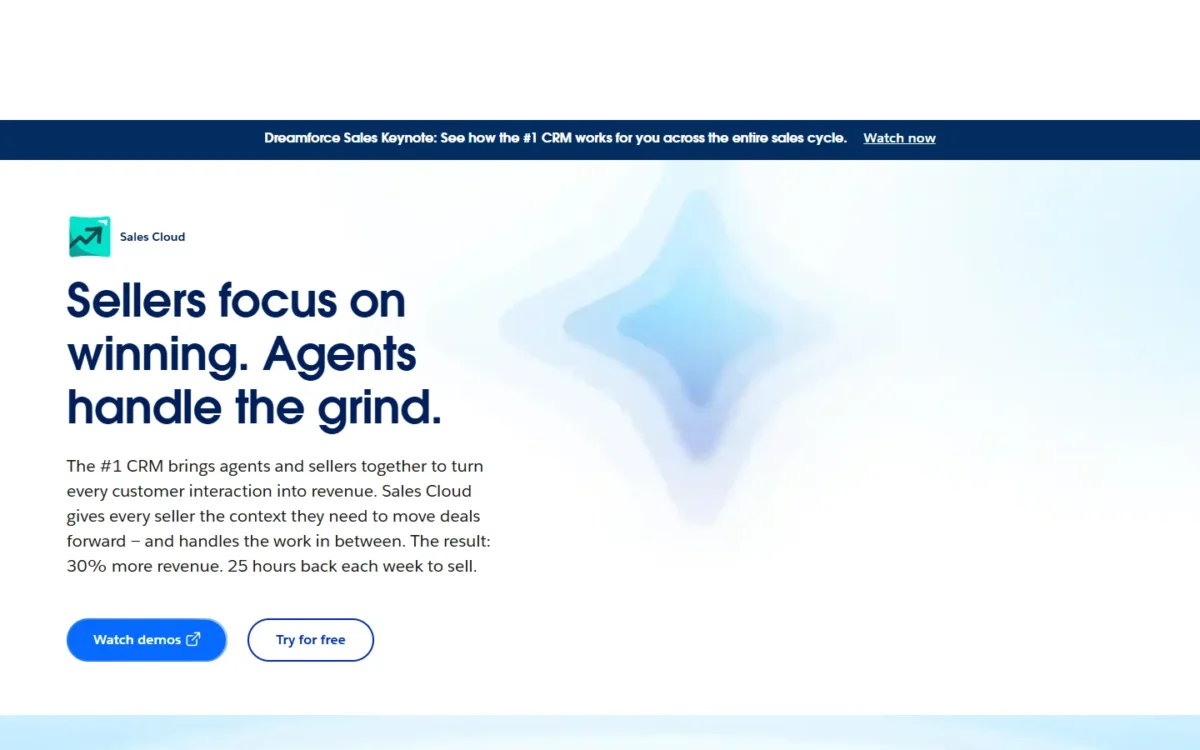
Salesforce Sales Cloud fits a Slack-run org, a team that wants a $25 Starter Suite seat billed monthly, or a buyer of its Max edition. Its Agentforce AI is an add-on from Core. At the mid tier the seats are close: $100 for Pro Suite against $105 for Sales Enterprise.
Quick verdict
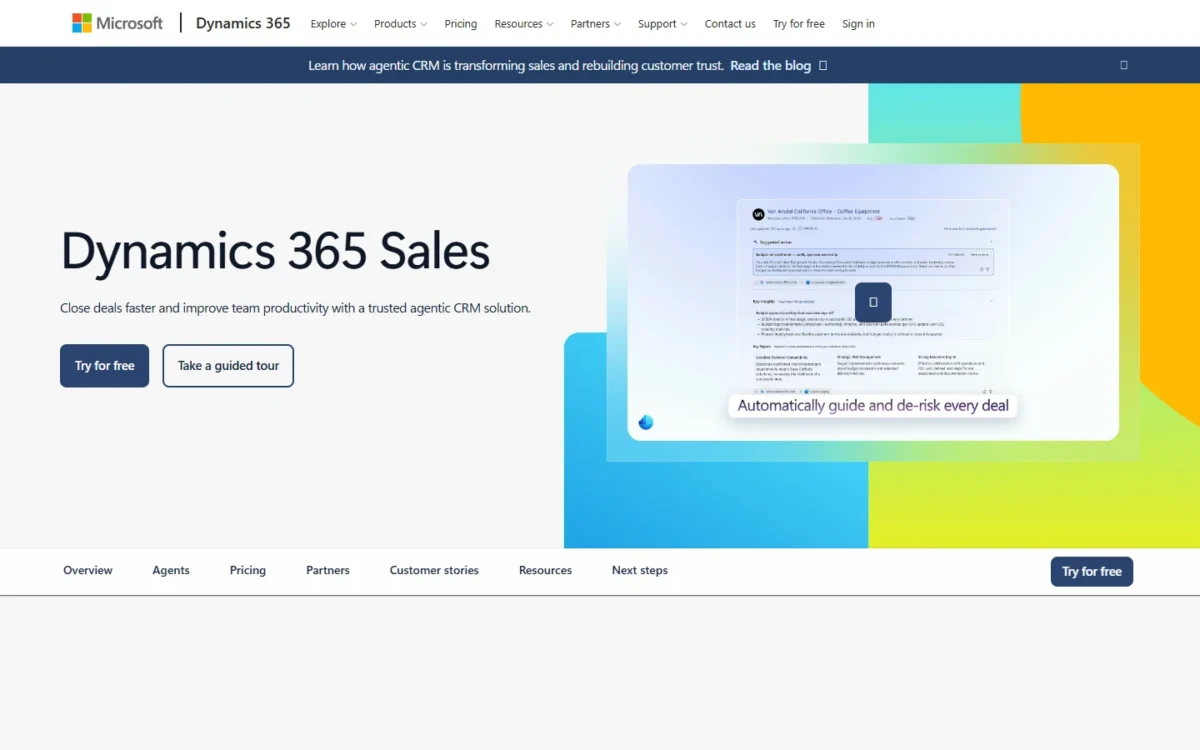
The deciding difference is AI in the seat price. Dynamics 365 Sales Enterprise includes Copilot; Salesforce adds AI to Core and above, with Agentforce for Sales from $125 per user per month.
Pick Dynamics 365 for a fresh CRM choice if your sellers live in Outlook and Teams. Microsoft’s Sales agent connects Dynamics 365 Sales or Salesforce CRM data to Outlook and Teams, so Outlook favors Dynamics for a new pick, not as a reason to leave Salesforce.
Pick Salesforce if you need monthly-billed entry seats, Slack and Tableau in the bundle, or Max’s Salesforce Spiff, Sales Planning and Salesforce Maps.
The trade-off: Salesforce’s AI and Premier support sit on top of the seat price, while Dynamics needs extra Power Platform licenses for deeper automation and Copilot Credits plus Azure to run agents.
Choose Salesforce if
- You want to start at $25 per seat, billed monthly or annually
- Your sellers already work in Slack, which Core bundles at the Business+ tier
Choose Dynamics 365 if
- Your company runs on Microsoft 365, Outlook and Teams, and you are choosing a CRM fresh
- You want Copilot inside the seat rather than a $125 add-on
In This Article (10 sections)
Salesforce vs Dynamics 365 at a Glance
Salesforce Pro Suite and Dynamics 365 Sales Enterprise are the comparable mid-tier seats on their listed contents: Greater Customization and Automation on Pro Suite, advanced customization on Sales Enterprise. The entry and AI tiers differ in scope, so read those rows as context.
| Attribute | Salesforce Sales Cloud | Dynamics 365 Sales |
|---|---|---|
| Entry paid seat | Starter Suite, $25 per user per month, billed monthly or annually | Sales Professional, $65 per user per month, paid yearly |
| Mid tier | Pro Suite, $100 per user per month, billed annually | Sales Enterprise, $105 per user per month, paid yearly |
| AI in the seat | Add-on: Agentforce for Sales from $125 per user per month, Core and above; included in Max | Copilot in Dynamics 365 included in Sales Enterprise |
| Top list price | Max, $550 per user per month, billed annually | Sales Premium, $150 per user per month, paid yearly; Relationship Sales on quote |
| Free trial | 30 days, no credit card | Free trial offered |
Sources: Salesforce Sales Cloud pricing and Dynamics 365 Sales pricing, checked October 2026.
The entry row is not like for like: Starter Suite is a multi-cloud suite, and Sales Professional is Microsoft’s core sales force automation seat.
Key Differences Between Salesforce and Dynamics 365
Four differences decide this choice: how AI is priced, which collaboration suite each product is built around, how each bills, and what each needs from the rest of its vendor’s stack.
- AI pricing: Dynamics 365 puts Copilot in the Enterprise seat; Salesforce sells Agentforce for Sales as an add-on on Core and above.
- Collaboration suite: Sales Professional lists Microsoft 365 interoperation; Salesforce bundles Slack (Free up to Pro Suite, Business+ on Core) and Tableau Next from Core.
- Billing: Salesforce Starter Suite is billed monthly or annually; Microsoft’s three listed Sales plans are paid yearly.
- Stack dependencies: Dynamics 365 automation and custom apps run on Power Automate and Power Apps, which require additional licenses; Salesforce Pro Suite adds Greater Customization and Automation to the seat.
Microsoft also sells ERP apps such as Finance and Business Central under the Dynamics 365 name. That matters only to a buyer who plans to run finance on Dynamics too.
Day one differs as well. Salesforce’s trial runs 30 days with no credit card and no installations, and the Dynamics 365 App for Outlook works in Outlook on desktop, web and mobile.
Salesforce vs Dynamics 365: Features Compared
Forecasting, AI, Microsoft 365 work and customization change the decision, and each sits at a different plan on the two sides.
| Feature | Salesforce Sales Cloud | Dynamics 365 Sales |
|---|---|---|
| Quoting and forecasting | Pro Suite and up: Sales Quoting and Forecasting | Plan-dependent: listed under advanced sales force automation |
| AI assistant | Add-on from Core: Agentforce for Sales; included in Max | Sales Enterprise: Copilot in Dynamics 365 included |
| Agent usage | Flex Credits at $500 per 100k; Max includes 2.75M per org per year | Copilot Credits; Sales Premium includes 1,000 per user/ |
| Outlook and Teams | Not listed on the pricing page; Microsoft’s Sales agent connects Salesforce CRM data to Outlook and Teams | App for Outlook; Copilot in Teams requires additional licenses |
| Slack | Slack Free to Pro Suite, Business+ on Core and Advanced, Enterprise+ on Max | Not listed on the pricing page |
| Analytics | Tableau Next from Core | Power BI analytics and export to Excel |
| Customization | Pro Suite: Greater Customization and Automation | Add-on: Power Automate and Power Apps need additional licenses |
Sources: Salesforce Sales Cloud pricing, Agentforce pricing (Internet Archive copy of Oct 10, 2026) and Dynamics 365 Sales pricing, checked October 2026.
Sales Force Automation and Forecasting
Salesforce puts quoting and forecasting in Pro Suite, while Dynamics 365 lists forecasting, sales goals and territory management under advanced sales force automation. A Salesforce team that forecasts therefore pays $100, not $25: forecasting is the upgrade trigger out of Starter Suite.
Dynamics 365’s plan cards call Professional “core sales force automation” and Enterprise sales force automation with “advanced customization”. Microsoft’s pricing page does not name in words the plan that holds advanced sales force automation. I therefore pair Pro Suite with Sales Enterprise on their listed customization contents, not on forecasting.
Before you put a forecasting team on Sales Professional at $65, have Microsoft name the plan that holds forecasting in your quote.
One Dynamics 365 detail matters to forecast owners: snapshots and forecast grid history left the product in June 2024, and Microsoft points to the Forecast API for daily data sync instead.
AI: Copilot vs Agentforce
Copilot comes with the Dynamics 365 Sales Enterprise seat, while Agentforce is a separate purchase on Salesforce until Max. Enterprise’s Copilot covers natural language insights, email and meeting assistance and opportunity summaries.
Salesforce Max includes Agentforce for Sales and Agentforce Coworker plus 2.75M Flex Credits per org per year. At 20 credits per standard Agentforce action, that is 2.75M ÷ 20 = 137,500 actions a year.
Agents meter differently on each side, and that decides heavy-use budgets. Salesforce’s Agentforce add-ons give licensed employees unmetered use, while customer-facing agents draw Flex Credits at $500 per 100k.
Microsoft requires Copilot Credits plus an Azure subscription to run agents. Extra credits bill pay-as-you-go, or as prepaid Commit Units that save up to 20% on the Dynamics 365 Sales pricing page.
One timing trap: the Enterprise card still lists Sales Close Agent, but Microsoft’s deprecation notice removes existing instances on October 30, 2026 and points to Sales Development agent.
Verdict: AI
Dynamics 365 fits better for an org that wants an AI assistant for every seller at the lowest list cost, since Salesforce needs Core at $195 plus Agentforce for Sales from $125. The caveat: Microsoft meters agents on credits, while Salesforce’s add-on is unmetered for employees, so heavy agent use narrows the gap.
Microsoft 365, Teams and Integrations
A Microsoft 365 shop gets the closer fit on Dynamics 365, but it does not need Dynamics 365 to use Microsoft’s Sales agent in Outlook and Teams. The App for Outlook links emails, meetings and appointments to records and syncs contacts with Exchange.
Copilot capabilities in Outlook create, edit and read Dynamics 365 records and summarize email threads. Copilot in Teams adds conversation intelligence, deal rooms and real-time call tips, and it requires additional licenses.
Microsoft has also trimmed the Teams link. The Sales Hub Dialer was removed in July 2026 in favor of the Teams dialer, and linking Dynamics 365 records to Teams channels was deprecated in May 2026.
The bigger shift is Microsoft’s Sales agent. It connects CRM data from Dynamics 365 Sales or Salesforce to Outlook for email drafting and follow-ups, and to Teams meetings for insights and action items.
A Microsoft 365 admin role is required to install and set it up, and it is not supported in Government Community Cloud (GCC), including USG, or Department of Defense (DoD).
Microsoft’s Copilot overview calls the Sales agent the preferred way to reach Copilot in Dynamics 365 Sales. In my reading, that makes “we use Microsoft 365” a weaker reason to switch CRMs on its own.
Salesforce answers with Slack. Core includes Slack Business+ and Tableau Next, Max moves to Slack Enterprise+, and Sales Cloud in Slack brings agents and CRM data into Slack. Pro Suite adds access to AgentExchange.
Verdict: Microsoft 365 and collaboration
Depends on your collaboration stack. Dynamics 365 fits a Teams-first org that wants records inside Outlook; Salesforce fits a Slack-first org, since Core includes Slack Business+. Microsoft’s Sales agent also connects to Salesforce, so Outlook alone is no reason to switch.
Customization, Data and Storage
Both products tie storage to the license count. Microsoft adds more Dataverse capacity for every user license purchased, and Salesforce adds 20 MB of data storage per user license on Professional and Enterprise Editions.
Dataverse storage for Dynamics 365 splits into database, file and log capacity, built from base capacity and per-user license accruals. A tenant that stays over its entitlement enters progressively more restrictive states.
Salesforce’s storage page uses edition names (Starter, Professional, Enterprise), not the Suite names on its pricing page, so confirm which allocation your suite gets.
Its storage allocations give Professional and Enterprise Editions 10 GB of data storage per org plus 20 MB per user license. A 100-user org gets 10 GB + 100 x 20 MB = 12 GB; Starter Edition gets 1 GB of file storage per org.
Salesforce’s Archive app costs extra, and the Advanced edition card lists Archive with Backup & Recover, Data Detect and Security Center.
Verdict: Storage
Not enough evidence for a storage cost comparison: Microsoft’s capacity page explains per-license accruals but not the figure each Sales license adds. Ask both vendors for the entitlement at your seat count.
Salesforce vs Dynamics 365 Pricing
The comparable plans cost nearly the same at the mid tier and split widely at the AI tier, where Salesforce Core plus Agentforce for Sales lists at $195 + $125 = $320 per user per month against $150 for Sales Premium.
| Plan tier | Salesforce Sales Cloud | Dynamics 365 Sales |
|---|---|---|
| Entry seat | Starter Suite: $25 per user per month, billed monthly or annually | Sales Professional: $65 per user per month, paid yearly |
| Mid tier | Pro Suite: $100 per user per month, billed annually | Sales Enterprise: $105 per user per month, paid yearly |
| AI tier | Core: $195 per user per month, billed annually, plus Agentforce for Sales from $125 per user per month | Sales Premium: $150 per user per month, paid yearly, with 1,000 Copilot Credits per user/ |
| Top tier | Max: $550 per user per month, billed annually | Relationship Sales: Sales Enterprise plus LinkedIn Sales Navigator; Variable, contact sales, 10-seat minimum |
| Free option | Free Suite at $0; 30-day trial, no credit card | Free trial |
| Paid support | Premier Success: 30% of net license fees; included in Core | Professional Direct and Unified: Not listed on the Dynamics 365 Sales pricing page |
Sources: Salesforce Sales Cloud pricing, Dynamics 365 Sales pricing and Microsoft support plans, checked October 2026.
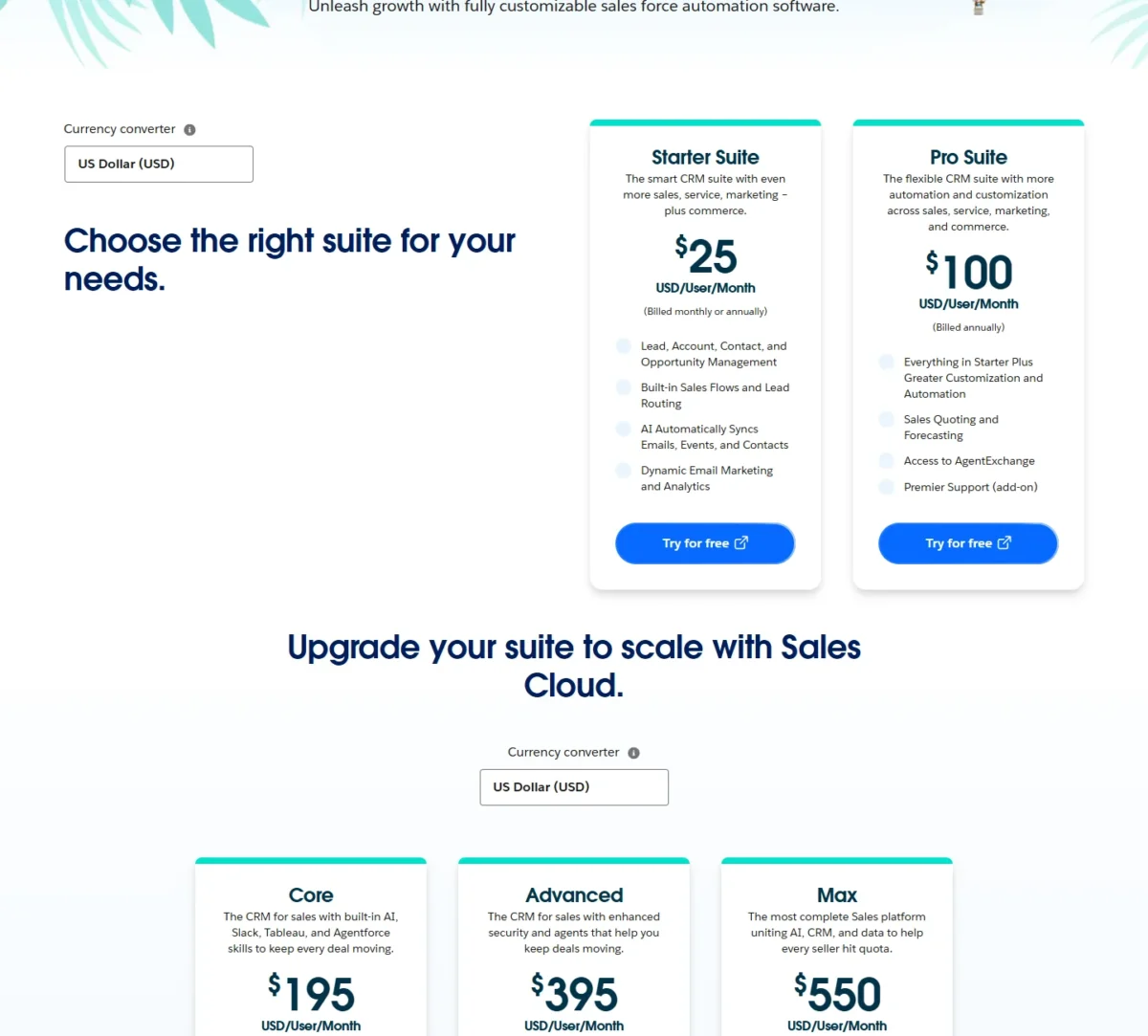
The entry row favors Salesforce: a seat billed monthly lets a team pilot without a year’s commitment. That edge ends at forecasting, because Pro Suite and the editions above it bill annually, as Microsoft’s three listed plans do.
The top tiers buy different things. For $550 a seat, Max adds Spiff, Sales Planning and Maps to two Agentforce products (for Sales and Coworker). It also carries 2.75M Flex Credits per org per year, Tableau Next and Slack Enterprise+.
Microsoft Relationship Sales is Sales Enterprise plus LinkedIn Sales Navigator, priced through a sales specialist with a 10-seat minimum.
What 25 and 100 Sellers Cost per Year
On list prices, 25 sellers cost $100 x 25 x 12 = $30,000 a year on Pro Suite and $105 x 25 x 12 = $31,500 on Sales Enterprise. The table runs the same math for each pair.
| Comparable pair | Salesforce, 25 sellers | Dynamics 365, 25 sellers | Salesforce, 100 sellers | Dynamics 365, 100 sellers |
|---|---|---|---|---|
| Entry: Starter Suite vs Sales Professional | $25 x 25 x 12 = $7,500 | $65 x 25 x 12 = $19,500 | $25 x 100 x 12 = $30,000 | $65 x 100 x 12 = $78,000 |
| Mid tier: Pro Suite vs Sales Enterprise | $100 x 25 x 12 = $30,000 | $105 x 25 x 12 = $31,500 | $100 x 100 x 12 = $120,000 | $105 x 100 x 12 = $126,000 |
| Premier Success on Pro Suite (0.3 of net license fees) | $100 x 0.3 x 25 x 12 = $9,000 | Not listed on the Dynamics 365 Sales pricing page | $100 x 0.3 x 100 x 12 = $36,000 | Not listed on the Dynamics 365 Sales pricing page |
| AI tier: Core plus Agentforce for Sales vs Sales Premium | $195 x 25 x 12 + $125 x 25 x 12 = $96,000 | $150 x 25 x 12 = $45,000 | $195 x 100 x 12 + $125 x 100 x 12 = $384,000 | $150 x 100 x 12 = $180,000 |
| Top tier: Max vs Relationship Sales | $550 x 25 x 12 = $165,000 | Contact sales, 10-seat minimum | $550 x 100 x 12 = $660,000 | Contact sales |
Sources: Salesforce Sales Cloud pricing and Dynamics 365 Sales pricing, checked October 2026.
Assumptions: US list prices per user per month, annual billing, every seller on the same plan, Agentforce for Sales at its “from” price. Excluded: tax, Microsoft 365 or Slack licenses bought separately, extra credits, Microsoft support plans, Power Platform licenses, storage and partner services.
At the mid tier, Microsoft’s extra $5 per seat buys Copilot, which Salesforce sells only from Core. At the AI tier the order flips: Core plus Agentforce for Sales costs more than twice Sales Premium at both seat counts, though Salesforce’s add-on carries unmetered employee use.
Premier Success changes the Pro Suite math. Core includes Premier Success, yet Pro Suite with Premier still lists below Core’s $195 seat. Core earns its price when your team wants Agentforce for Sales, since AI can be added to Core and above, or when Slack Business+, Tableau Next or Momentum replace something you would buy anyway.
Add-ons, Support Plans and Implementation
Above the seat, the extra costs are Salesforce’s Premier Success at 30% of net license fees, AI consumption on either side, and Microsoft’s Power Platform licenses. Neither vendor’s pricing page prints a price for partner services.
Salesforce includes Standard support in all licenses. Premier promises a response within 1 hour for business-impacting issues, and Signature, priced through your account executive, promises 15-minute responses for critical business-stopping issues.
Microsoft keeps advisory, escalation and account management for Professional Direct and Unified. Severity A gets an initial response in under one hour at every level, while Severity B drops to under two hours on ProDirect from under four on Standard.
Other Salesforce add-ons include Revenue Intelligence from $220 per user per month; my full Salesforce pricing breakdown lists the rest. For implementation, Salesforce points to Certified Partners and Microsoft to consulting partners and FastTrack for Dynamics 365.
Salesforce vs Dynamics 365: Pros and Cons
Salesforce’s strengths are flexible entry billing and bundled collaboration; Dynamics 365’s are AI in the seat and Outlook depth. Each weakness names the buyer it hurts.
Salesforce Sales Cloud
Cheap, flexible seats until AI and support enter the quote. My Salesforce CRM review judges Sales Cloud on its own.
Pros
- Starter Suite billed monthly or annually suits a short pilot
- Pro Suite adds quoting and forecasting at $100
- Core bundles Slack Business+, Tableau Next and Premier Success
- Unmetered Agentforce use for licensed employees on the add-on
- 30-day trial with no credit card
Cons
- AI add-ons start at Core, a cost an AI-first team pays on every seat
- Premier Success costs 30% of net license fees below Core
- Max lists at $550 per user per month, billed annually
- Starter Edition holds 1 GB of file storage per org
Dynamics 365 Sales
AI and Outlook depth in the seat, with Power Platform and credits as the meters. My Dynamics 365 Sales review covers the product alone.
Pros
- Copilot summaries and email assistance come with Sales Enterprise
- App for Outlook links emails and meetings to records on desktop, web and mobile
- Sales Premium adds 1,000 Copilot Credits per user per month
- Teams dialer handles calls inside Dynamics 365 Sales
Cons
- Listed Sales plans are paid yearly, which hurts a short pilot
- Power Automate and Power Apps need additional licenses
- Agents need Copilot Credits and an Azure subscription
- Sales Close Agent goes away on October 30, 2026, though the pricing page still lists it
- Support plan prices are not listed on the Sales pricing page
Which Is Better for Your Needs?
Dynamics 365 is the better fit for a Microsoft 365 org that wants AI in every seat, and Salesforce for a Slack-run org or one that needs monthly-billed entry seats.
| Your priority | Better fit | Reason | Trade-off |
|---|---|---|---|
| Sellers live in Outlook and Teams | Dynamics 365 | App for Outlook and Copilot in Outlook work against Dynamics records | Copilot in Teams needs additional licenses; Microsoft’s Sales agent connects Salesforce CRM data to Outlook and Teams too, so this favors a fresh pick, not leaving Salesforce |
| AI assistant inside the seat price | Dynamics 365 | Sales Enterprise at $105 includes Copilot | Agents still need Copilot Credits and Azure |
| Monthly billing or a small pilot | Salesforce | Starter Suite at $25 is billed monthly or annually | Quoting and forecasting start at Pro Suite |
| Slack and Tableau users | Salesforce | Core includes Slack Business+ and Tableau Next | Core lists at $195 per user per month |
| Forecasting at the lowest list seat | Insufficient evidence | Pro Suite at $100 lists Sales Quoting and Forecasting; Microsoft’s pricing page does not name in words the plan that holds forecasting | The mid-tier pairing rests on the listed plan contents; ask Microsoft which plan holds forecasting |
| Predictable support cost | Insufficient evidence | Salesforce prints Premier at 30%; the Dynamics 365 Sales pricing page lists no support plan | Ask Microsoft for a support quote |
| Heavy agent automation | Depends | Agentforce add-ons are unmetered for employees; Microsoft meters Copilot Credits | The answer turns on agent volume |
Sources: Salesforce Sales Cloud pricing and Dynamics 365 Sales pricing, checked October 2026.
A Microsoft 365 org should pick Dynamics 365 unless it already runs sales conversations in Slack; then Core’s bundled Slack Business+ tips it back. A team that wants a pilot first should start on Starter Suite and move to Pro Suite the month forecasting becomes a requirement.
If Salesforce is on your list mainly against HubSpot rather than Microsoft, my HubSpot vs Salesforce comparison prices that pair.
If Microsoft Dynamics stays on your list but Salesforce does not, open SugarCRM vs Microsoft Dynamics.
Switching Between Salesforce and Dynamics 365
Both vendors’ import wizards take files, and automations and AI agents are rebuilt in the other product.
Into Dynamics 365, Microsoft’s import wizard takes an Excel template, .xlsx, .csv or .xml, at 8 MB per file or 32 MB per .zip, one file at a time. Excel import ignores fields from related tables, so lookups need their own mapping.
Into Salesforce, the Data Import Wizard reads CSV files for accounts, contacts, leads, solutions, person accounts, articles and custom objects. Opportunities are not on the wizard’s standard-object list, so check how your deal history will be imported.
What gets rebuilt in either direction:
- Salesforce flows become Power Automate flows, or the reverse, with Power Automate licensed separately on Dynamics 365
- Agentforce agents become Copilot Studio agents running on Copilot Credits, or the reverse
- Slack channels and Teams workflows change with the CRM
Both vendors bill their mid tiers annually, so time the cutover to your renewal rather than paying two contracts at once. My CRM migration guide covers mapping, test imports and cutover.
A team that is leaving Salesforce, or still choosing between CRMs, can compare Bitrix vs Salesforce first.
How I Compared Salesforce and Dynamics 365
I compared Sales Cloud and Dynamics 365 Sales from both vendors’ US pricing pages and help documentation, read on October 21, 2026. Salesforce’s Agentforce prices come from the Internet Archive’s copy of its pricing page dated October 10, 2026.
I paired the editions by the job they do (entry, mid tier, AI tier, top tier) and compared forecasting, AI, Microsoft 365 and Slack work, customization, storage, support, billing and switching. Cost figures are my own math from list prices.
This article states no partner or implementation fee, no Microsoft support plan price and no Dataverse capacity per Sales license. Microsoft does not publish a Relationship Sales price; its page lists it as Variable. Those gaps, plus the unnamed Dynamics forecasting plan, are why the decision matrix marks support and forecasting as insufficient evidence.
FAQ
Is Microsoft Dynamics being discontinued?
No. Microsoft still lists Dynamics 365 Sales Professional, Enterprise and Premium at $65, $105 and $150 per user per month, paid yearly, checked in October 2026. Microsoft retires features instead, such as the Sales Hub Dialer in July 2026.
Is there a free version of Salesforce or Dynamics 365?
Salesforce lists a Free Suite at $0 per user per month in its Sales Cloud edition comparison, plus a 30-day trial with no credit card. Microsoft’s Dynamics 365 Sales pricing page offers a free trial and lists no $0 plan, so the cheapest paid Dynamics seat is Sales Professional.
Can I use Microsoft’s Sales agent in Outlook with Salesforce?
Yes. Microsoft’s Sales agent connects CRM data from Dynamics 365 Sales or Salesforce, and its setup lists separate permissions for Salesforce administrators. Specific license requirements apply, so check Microsoft’s Product Terms before you roll it out.
Final Verdict: Salesforce or Dynamics 365?
Pick Dynamics 365 Sales if Microsoft 365 is your sellers’ workspace and AI should come with every seat; pick Salesforce Sales Cloud if Slack, monthly entry billing or Max’s planning tools matter more.
Choose Salesforce if
- You want a pilot on Starter Suite, billed monthly or annually
- Your sellers work in Slack, and Core’s Slack Business+ and Tableau Next replace tools you pay for
- You need Salesforce Spiff, Sales Planning and Salesforce Maps, which Max includes
- Your AI plan is heavy employee use, where the Agentforce add-on is unmetered
Choose Dynamics 365 if
- Your company runs on Microsoft 365, and sellers should link emails to records from Outlook
- You want Copilot summaries and email help without an AI add-on
- Your AI tier budget points to Sales Premium at $150 rather than Core plus Agentforce
- You need LinkedIn Sales Navigator through Relationship Sales and have 10 or more seats
Who should skip which: on a fresh pick, skip Salesforce if your sellers live in Outlook and you will not pay an AI add-on on every seat. A current Salesforce org can connect Microsoft’s Sales agent to Outlook and Teams instead of switching.
Skip Dynamics 365 if you need a seat billed monthly: Microsoft lists its Sales seats as paid yearly, while Salesforce bills Starter Suite monthly or annually.
The main trade-off: Salesforce costs less to start and more to add AI, while Dynamics 365 costs more to start and less to add AI, but meters agents and licenses Power Platform separately. If both miss your needs, my list of Salesforce alternatives covers its main rivals.
For a wider shortlist across the category, my ranking of the best CRM software sets both against other platforms.
If Salesforce stays on your shortlist but Microsoft does not, see Salesforce vs SugarCRM.






Pingback: 10 Best Salesforce Alternatives: Pricing & Migration 2026