Christmas photo prompts are a type of AI image prompt: ready-to-paste instructions that turn an uploaded photo into a festive portrait or holiday card in a tool such as Google’s Gemini or OpenAI’s ChatGPT.
Unlike a text-only image prompt, each one has to change the scene, outfit and light while leaving the faces alone, so every prompt here carries an identity line. Google’s Gemini and OpenAI’s ChatGPT both accept a photo on their free tiers, with limits.
In Gemini, editing an upload takes a personal account aged 18 or over, and merging several photos takes the model set to Flash or Pro. The 48 prompts below cover families, couples, kids and babies, solo portraits, funny shots and holiday cards. Skip them for any photo that must stay an exact record of the person.
Gemini adds a visible watermark, so judge the first image before you plan a card around it. Pick your group in the table, or read the three steps first.
| Who is in the picture | Prompts | Photos to upload | Setting to check in Gemini |
|---|---|---|---|
| Family | 1-10 | One group photo; one per person for prompts 5 and 7 | 18 or over; Flash or Pro for several photos |
| Couples | 11-18 | One shared photo, or two separate photos | 18 or over; Flash or Pro for two photos |
| Kids and baby | 19-26 | One photo, from a parent’s account | An account aged 18 or over |
| Solo | 27-34 | One photo | 18 or over; not Flash-Lite for follow-up edits |
| Funny | 35-41 | One photo, plus a pet photo if needed | 18 or over; Flash or Pro for two photos |
| Holiday cards | 42-48 | One photo, or several for a collage | 18 or over; Flash or Pro for several photos; Redo with Pro on a paid plan for lettering |
Sources: Gemini Apps Help on generating and editing images, checked November 2026.
In This Article (13 sections)
How to Use These Christmas Photo Prompts
Three steps run any prompt on this page: upload a clear photo, paste the whole prompt, then change one thing at a time.
- Upload a clear, front-lit photo. In Google’s Gemini, select Create images from the tools menu, or on a computer click Images in the sidebar, and upload your image. In OpenAI’s ChatGPT, tap the + icon and select Add photos & files, or drag or paste the image in. ChatGPT takes PNG, JPEG and non-animated GIF files of up to 20MB per image.
- Paste the whole prompt. Change any bracketed detail first, such as [four] for your headcount, and leave the identity line in place.
- Change one thing per follow-up message. You can tell Gemini to change the background, replace an object or add an element, and ChatGPT lets you refine images through natural conversation. In Gemini, keep those follow-ups on Flash or Pro, because Google says Flash-Lite isn’t designed for multiple edits.
For repeat solo use, a Gemini avatar lets you create images of yourself without uploading a photo each time, and you can share it with family.
My Gemini photo prompts to copy start the same way for the rest of the year. The first group is the harder case: a whole family in one frame.
Family Christmas Photo Prompts (1-10)
Prompts 5 and 7 merge separate photos, one per person, and the other eight start from one group photo; each one states the headcount. Naming the number gives you a line to correct if a person appears or vanishes.
1. Cozy fireplace family portrait
A warm living-room shot from one group photo.
Start in: Google’s Gemini or OpenAI’s ChatGPT.
Create a photorealistic Christmas family portrait from the uploaded photo of [four] people. Keep every face and skin tone unchanged, with nobody added or removed. Seat them beside a stone fireplace hung with stockings, in cream knit sweaters. Firelight on their faces, lit tree behind. 3:2 ratio.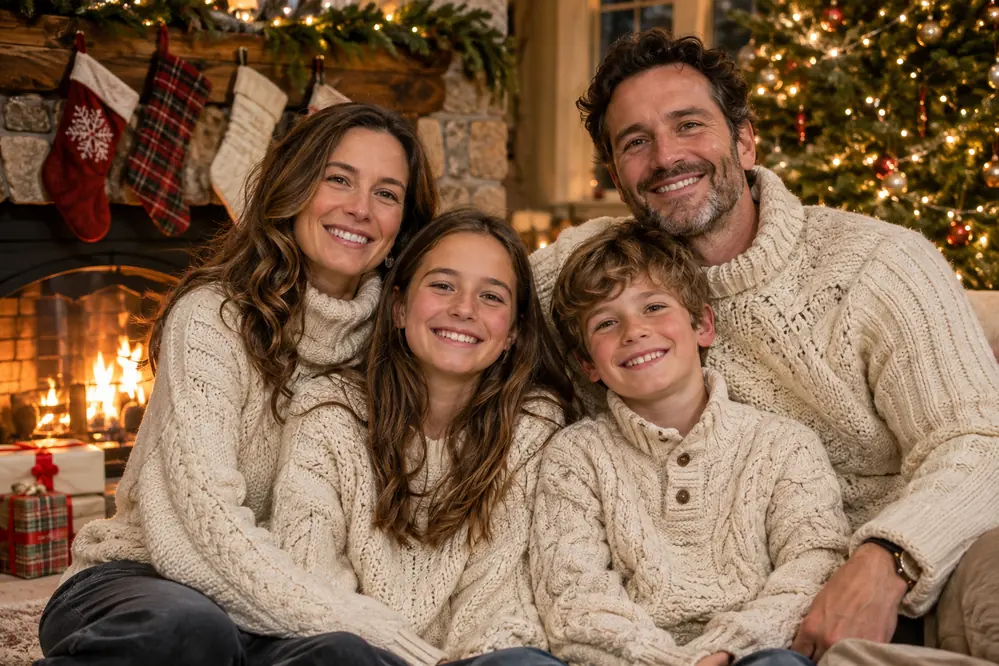
2. Snowy backyard family scene
Everyone outdoors, in coats the photo lacks.
Start in: OpenAI’s ChatGPT or Google’s Gemini.
Create a photorealistic snowy family scene from the uploaded photo of [four] people. Keep every face and skin tone unchanged, with nobody added or removed. They stand close in a backyard under falling snow, in wool coats and red scarves, pines behind. Soft overcast daylight. 3:2 ratio.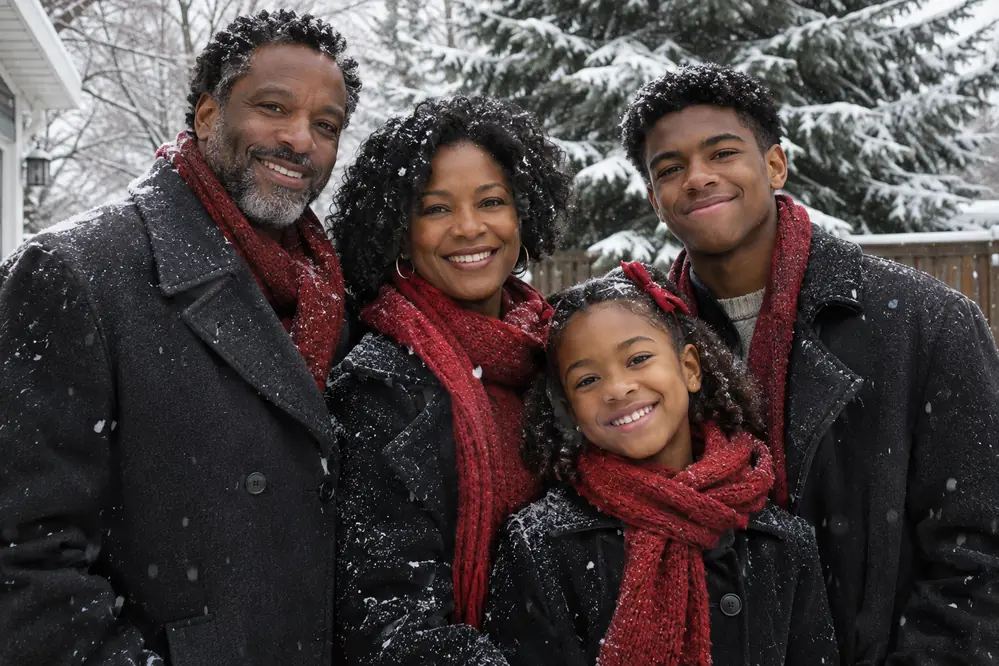
3. Matching pajamas on the stairs
The Christmas-morning staircase pose, no face hidden.
Start in: Google’s Gemini or OpenAI’s ChatGPT.
Create a photorealistic Christmas morning photo from the uploaded photo of [four] people. Keep every face and skin tone unchanged, with nobody added or removed. Seat them on a wooden staircase, one per step, in matching red plaid pajamas, garland on the banister. Soft window light. 4:5 ratio.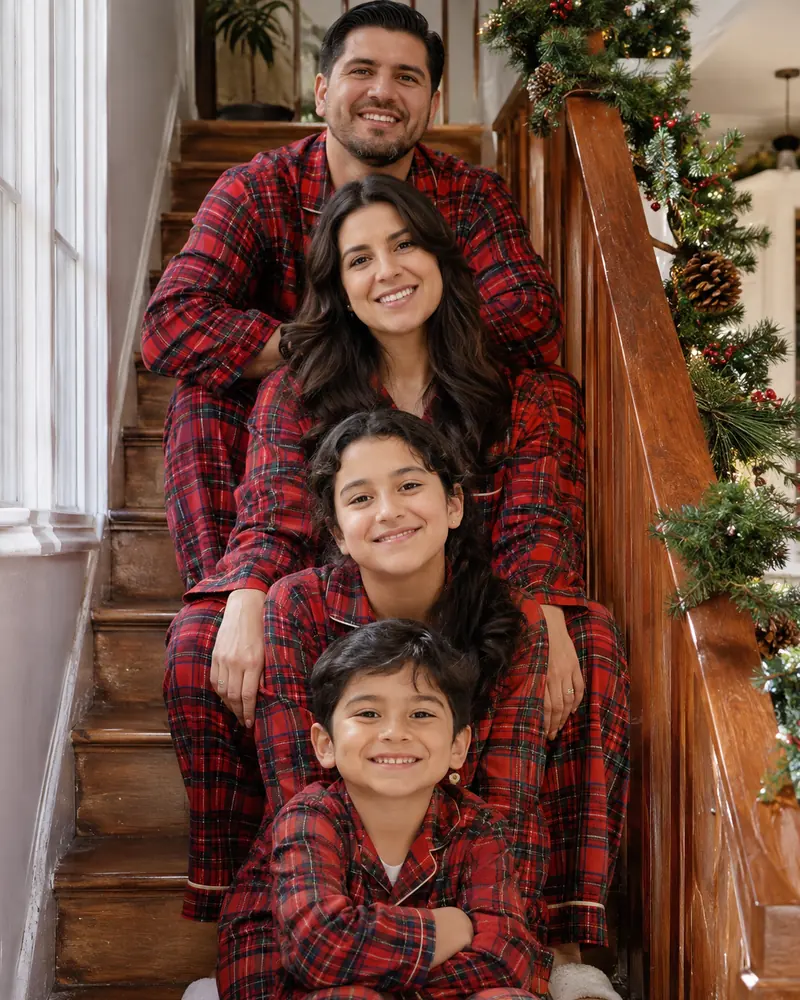
4. Classic sweater family portrait
The plainest group portrait, easy to crop for a card.
Start in: OpenAI’s ChatGPT or Google’s Gemini.
Create a classic studio family portrait from the uploaded photo of [four] people. Keep every face and skin tone unchanged, with nobody added or removed. Dress them in forest green and cream sweaters, shoulder to shoulder against a dark green backdrop. Even studio light. Photorealistic, 3:2 ratio.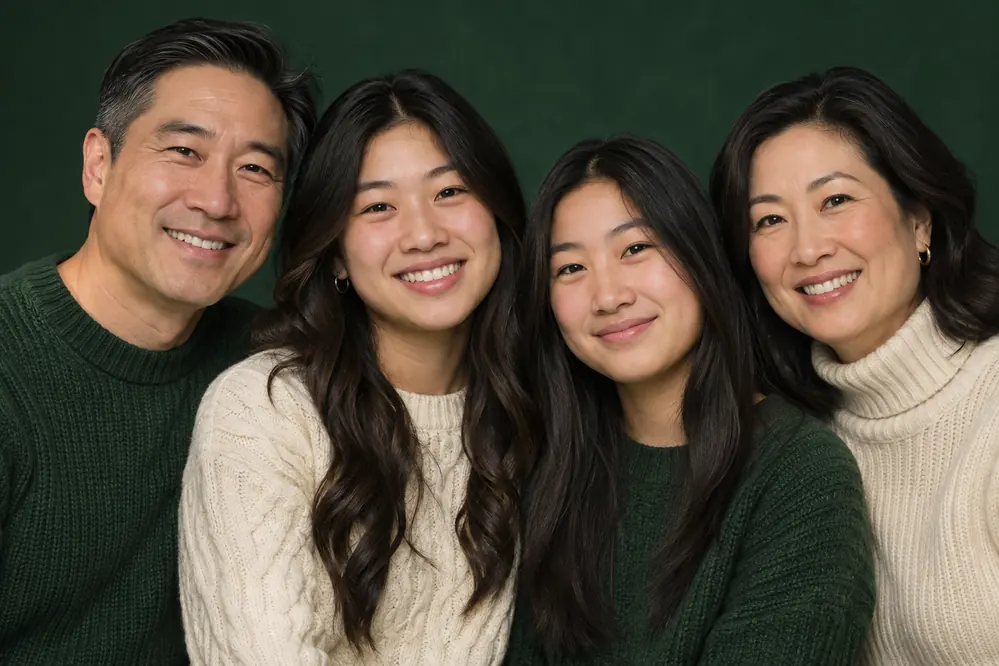
5. Grandparents at the head of the table
Three generations at dinner, from separate photos.
Start in: Google’s Gemini on Flash or Pro, or OpenAI’s ChatGPT.
Create a photorealistic Christmas dinner scene combining the uploaded photos into one room with [six] relatives. Keep every face and skin tone unchanged, with nobody added or removed. Grandparents sit at the head of a long candlelit table, family along both sides in festive clothes. Warm candlelight, wide shot, 3:2 ratio.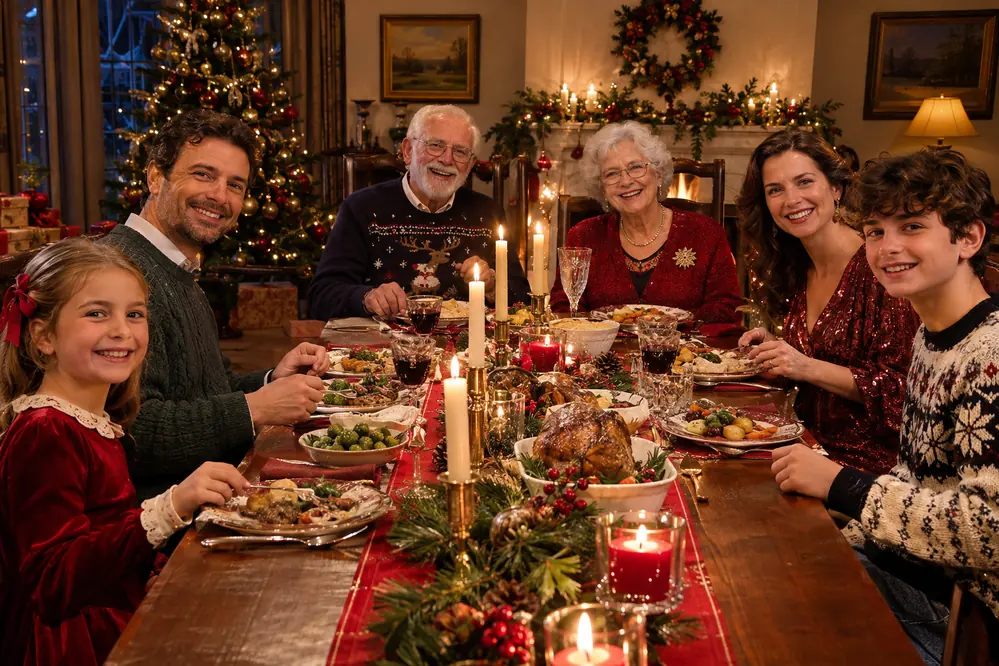
6. Trimming the tree together
A candid scene, less posed than a lineup.
Start in: Google’s Gemini or OpenAI’s ChatGPT.
Create a photorealistic candid Christmas photo from the uploaded photo of [four] people. Keep every face and skin tone unchanged, with nobody added or removed. They hang ornaments on a tall fir in casual holiday sweaters, one person reaching for the star. Soft fairy-light glow, ornament boxes on the floor. 4:5 ratio.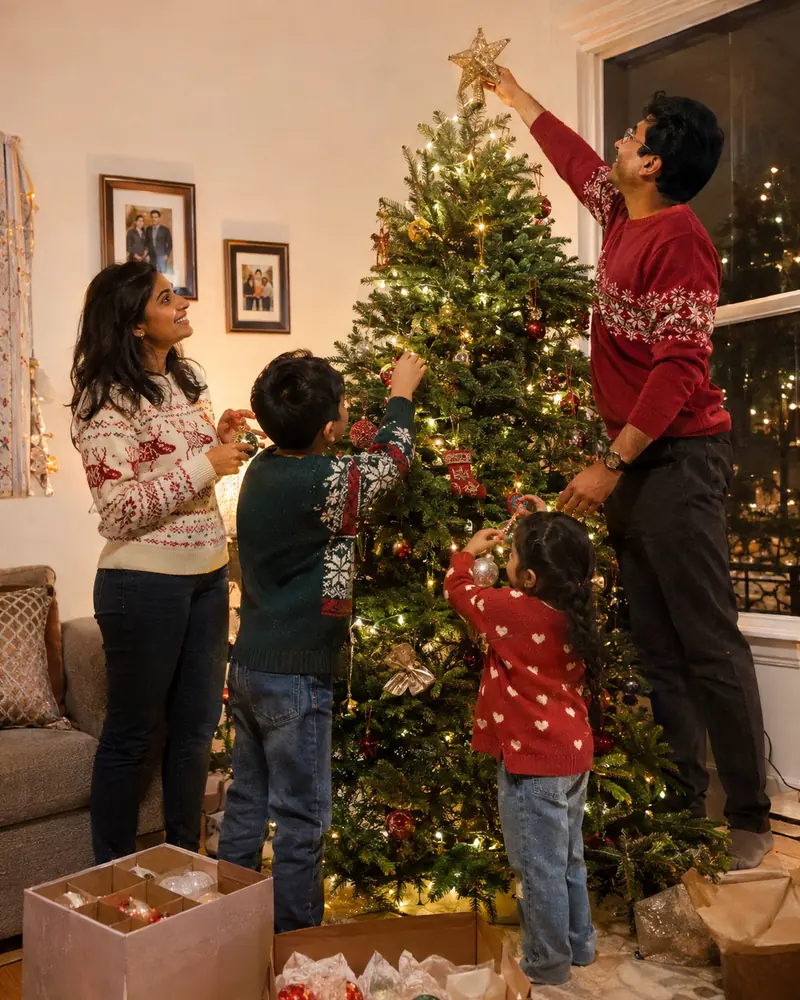
7. Family and pet on the front porch
Family and pet photos joined on one porch.
Start in: Google’s Gemini on Flash or Pro, or OpenAI’s ChatGPT.
Create a photorealistic holiday photo combining the uploaded photos of [three] people and their pet. Keep every face, skin tone and hairstyle, and the pet's markings, unchanged, with nobody added or removed. They sit on a front porch step with a wreath and lanterns, in parkas and scarves. Dusk light. 3:2 ratio.
8. Family stroll at a Christmas market
A walking shot, so stiff poses matter less.
Start in: OpenAI’s ChatGPT or Google’s Gemini.
Create a photorealistic Christmas market scene from the uploaded photo of [four] people. Keep every face and skin tone unchanged, with nobody added or removed. They walk down a lane of wooden stalls in winter coats and knit hats, paper stars overhead. Evening string-light glow, shallow depth of field. 3:2 ratio.9. Minimalist studio family portrait
Neutral clothes, with room for a greeting above.
Start in: Google’s Gemini or OpenAI’s ChatGPT.
Create a minimalist studio family portrait from the uploaded photo of [four] people. Keep every face and skin tone unchanged, with nobody added or removed. Dress them in white and soft gray knits against an off-white backdrop, one bare pine branch at the edge. Even light, empty space above. 4:5 ratio.
10. Vintage film family snapshot
An old album look with faded color.
Start in: OpenAI’s ChatGPT or Google’s Gemini.
Create a vintage film family snapshot from the uploaded photo of [four] people. Keep every face and skin tone unchanged, with nobody added or removed. Seat them on a plaid sofa beside a tinsel tree, in retro patterned sweaters. On-camera flash, warm faded color, soft film grain. 4:3 ratio.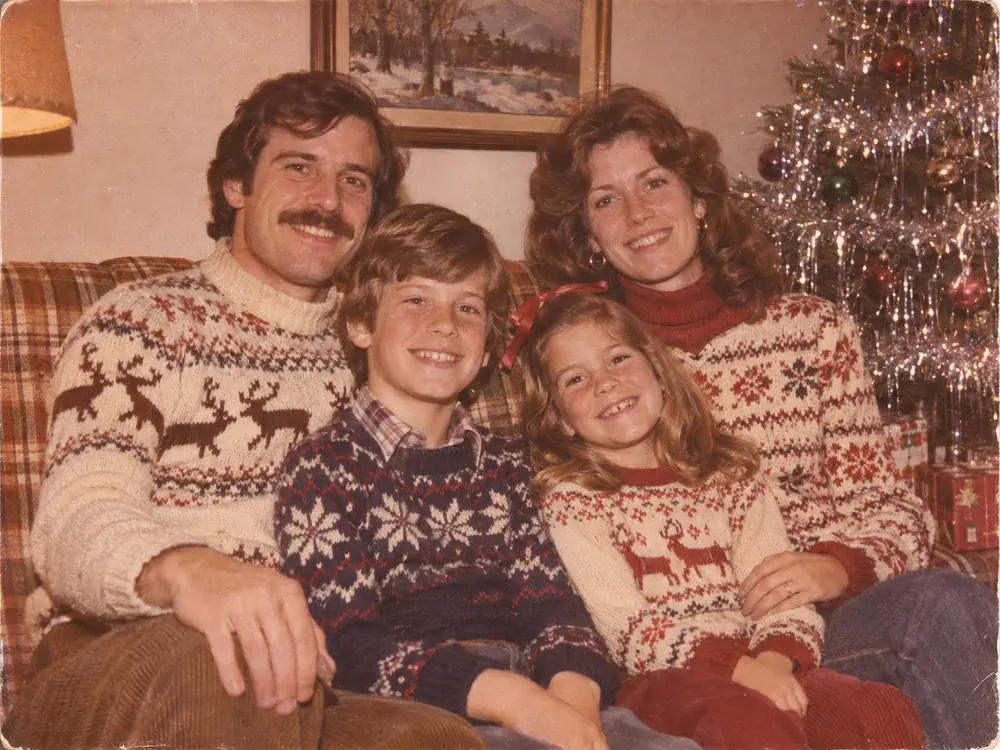
With only two people, perhaps in two photos, the job gets simpler.
Couples Christmas Photo Prompts (11-18)
Seven of these prompts start from one shared photo of the two of you, and the last one merges two separate photos for a long-distance couple. For couple shots beyond the holidays, see my Gemini couple photo prompts.
11. Hot cocoa at a frosted window
A close portrait with mugs and falling snow.
Start in: Google’s Gemini or OpenAI’s ChatGPT.
Create a photorealistic Christmas portrait of the two people in the uploaded photo. Keep both faces and skin tones unchanged. They sit side by side at a frosted window, holding mugs of hot cocoa, in oversized cream sweaters. Snow outside, warm lamp light on their faces. 4:5 ratio.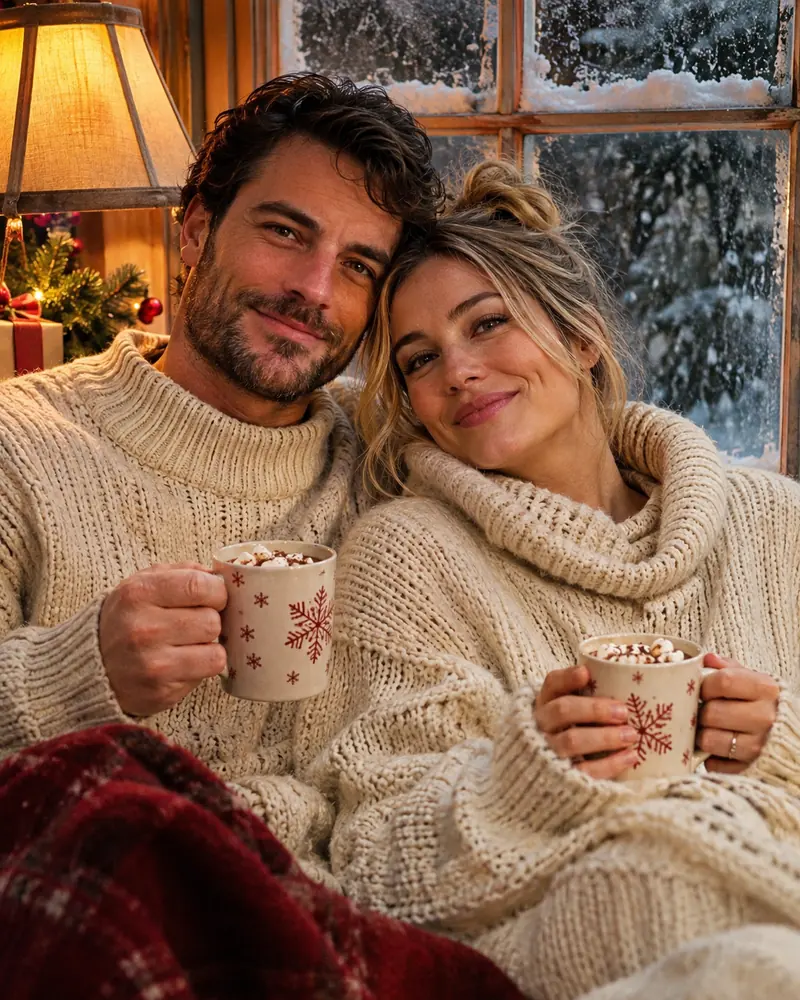
12. Ice skating under string lights
An outdoor rink at night, faces sharp.
Start in: OpenAI’s ChatGPT or Google’s Gemini.
Create a photorealistic winter photo of the two people in the uploaded photo. Keep both faces and skin tones unchanged. They ice skate hand in hand on an outdoor rink under warm string lights, in wool coats and matching scarves. Night sky above, skaters blurred behind. 3:2 ratio.
13. Mistletoe in the doorway
A close pose, best from a close photo.
Start in: Google’s Gemini or OpenAI’s ChatGPT.
Create a photorealistic Christmas portrait of the two people in the uploaded photo. Keep both faces and skin tones unchanged. They stand close in a garland-trimmed doorway under a sprig of mistletoe, smiling at each other, in smart winter clothes. Warm hallway light behind. 4:5 ratio.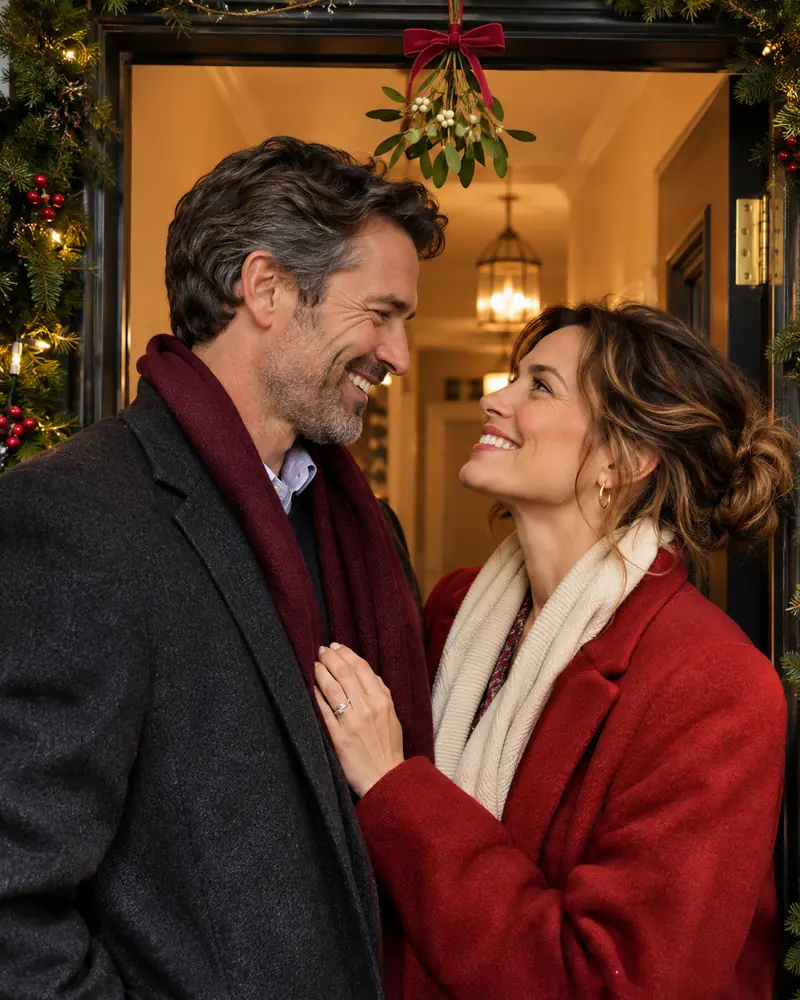
14. Evening walk through a Christmas market
A shared snack, framed wider than a portrait.
Start in: OpenAI’s ChatGPT or Google’s Gemini.
Create a photorealistic evening photo of the two people in the uploaded photo. Keep both faces and skin tones unchanged. They share a paper cone of roasted chestnuts at a Christmas market stall, in long coats and knit hats. Golden stall light on their faces, crowd blurred behind. 3:2 ratio.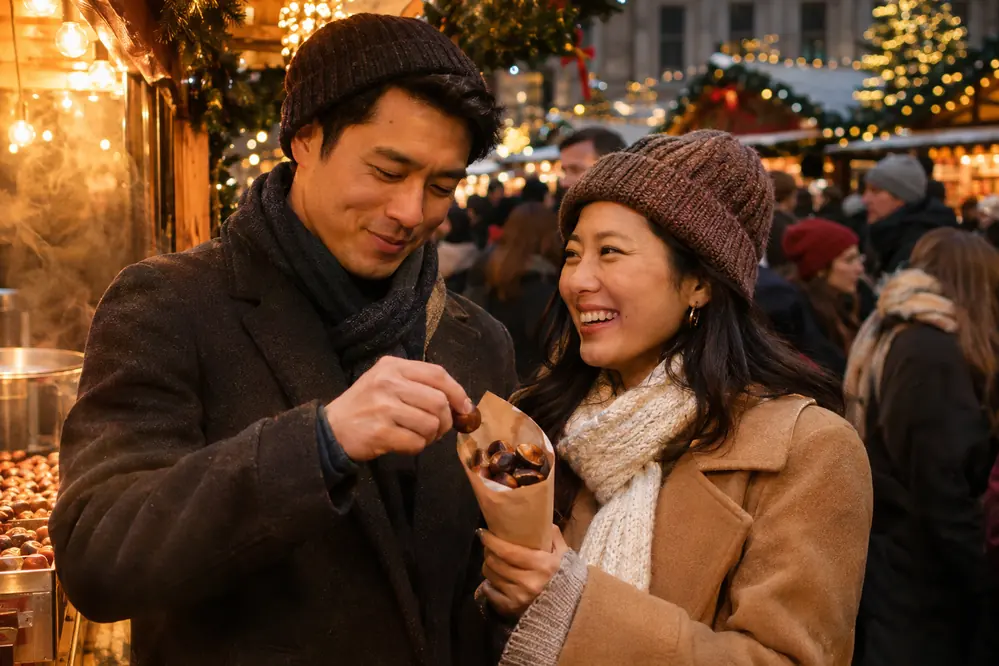
15. Black-tie holiday party portrait
Formal clothes, even from a casual photo.
Start in: Google’s Gemini or OpenAI’s ChatGPT.
Create a photorealistic holiday party portrait of the two people in the uploaded photo. Keep both faces and skin tones unchanged. Dress them in a black tuxedo and a long emerald velvet gown, beside a tall tree in a ballroom. Soft chandelier light. 4:5 ratio.
16. Matching ugly sweaters on the sofa
A shared joke that suits a group text.
Start in: OpenAI’s ChatGPT or Google’s Gemini.
Create a photorealistic Christmas photo of the two people in the uploaded photo. Keep both faces and skin tones unchanged. They laugh on a sofa in matching loud sweaters covered with reindeer and pom-poms, tinsel across the cushions, small tree behind. Warm lamp light, candid mood. 4:5 ratio.
17. Snow-covered cabin porch
A blanket, a lantern and deep snow.
Start in: Google’s Gemini or OpenAI’s ChatGPT.
Create a photorealistic winter portrait of the two people in the uploaded photo. Keep both faces and skin tones unchanged. They sit on a snow-covered cabin porch under one plaid blanket, in knit hats and heavy sweaters, a lit lantern beside them. Blue dusk, warm glow on their faces. 3:2 ratio.
18. Long-distance couple from two photos
Two selfies taken apart become one scene.
Start in: Google’s Gemini on Flash or Pro, or OpenAI’s ChatGPT.
Create a photorealistic Christmas portrait combining the two uploaded photos, one person from each, into one scene. Keep both faces, skin tones and hairstyles exactly as in their own photos. They stand beside a lit tree in a cozy living room, in matching navy sweaters. One warm light on both. 4:5 ratio.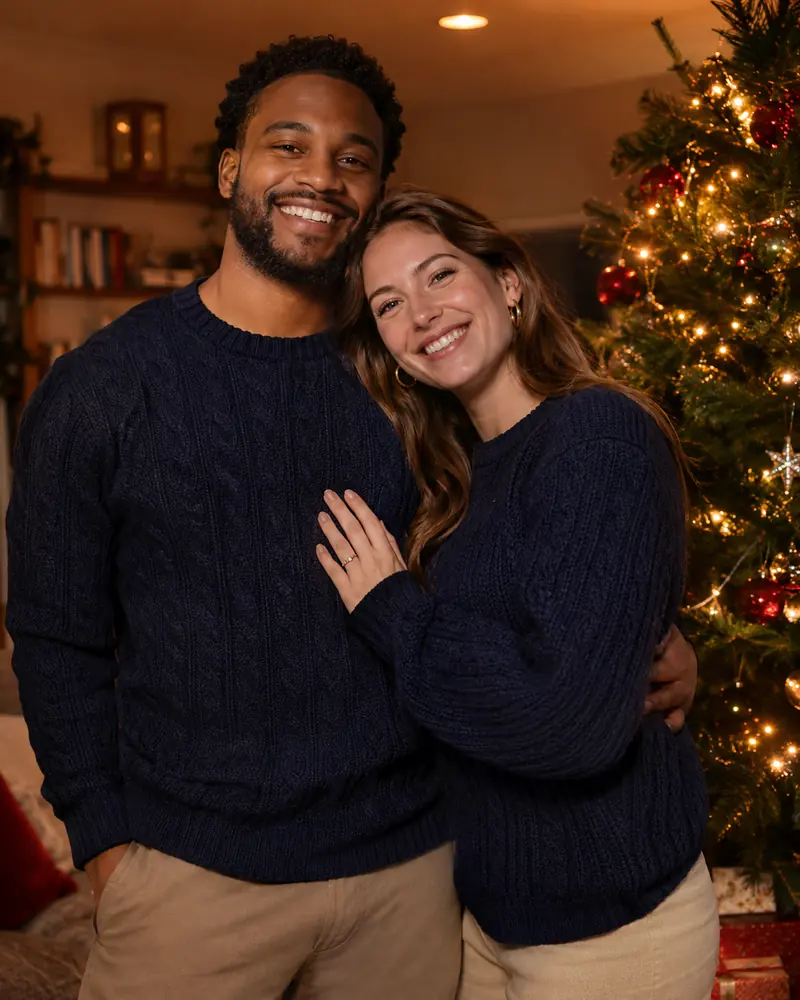
A child’s picture adds a question: whose account runs the prompt?
Kids and Baby Christmas Photo Prompts (19-26)
These eight fully dressed, family-friendly prompts should run from a parent’s adult account, because Google makes editing images unavailable to users under 18.

Keep every outfit modest and every prop age-appropriate, and show a baby only in a safe resting scene. The safety section near the end lists the upload settings to change first.
19. Letter to Santa at the kitchen table
A child writing with crayons, cookies nearby.
Start in: a parent’s account on Google’s Gemini or OpenAI’s ChatGPT.
Create a family-friendly Christmas photo of the child in the uploaded photo. Keep the child's face, skin tone and hair unchanged. The child sits at a kitchen table in a long-sleeved red sweater, writing a letter to Santa with crayons, cookies and milk nearby. Soft morning light, photorealistic, 4:5 ratio.20. Little helper in Santa’s workshop
A storybook setting with big wooden toys.
Start in: a parent’s account on OpenAI’s ChatGPT or Google’s Gemini.
Create a family-friendly Christmas photo of the child in the uploaded photo. Keep the child's face, skin tone and hair unchanged. The child stands at a low workbench in a long-sleeved green felt helper's outfit, painting a large wooden train, shelves of toys behind. Warm lantern light, 4:5 ratio.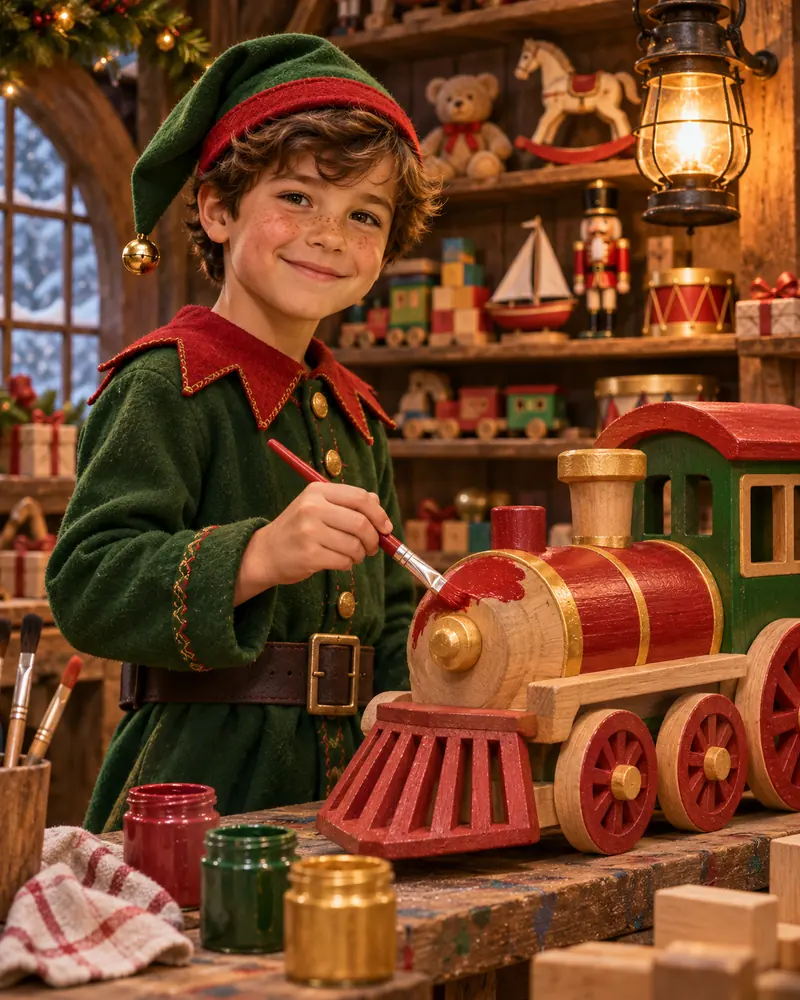
21. Baby’s first Christmas in a knit blanket
A calm overhead shot, baby resting on their back.
Start in: a parent’s account on Google’s Gemini or OpenAI’s ChatGPT.
Create a family-friendly portrait of the baby in the uploaded photo. Keep the baby's face, skin tone and hair unchanged. The baby rests on their back, awake and calm, on a flat cream knit blanket, in a long-sleeved knit outfit and soft hat. Soft daylight, overhead shot, 1:1 ratio.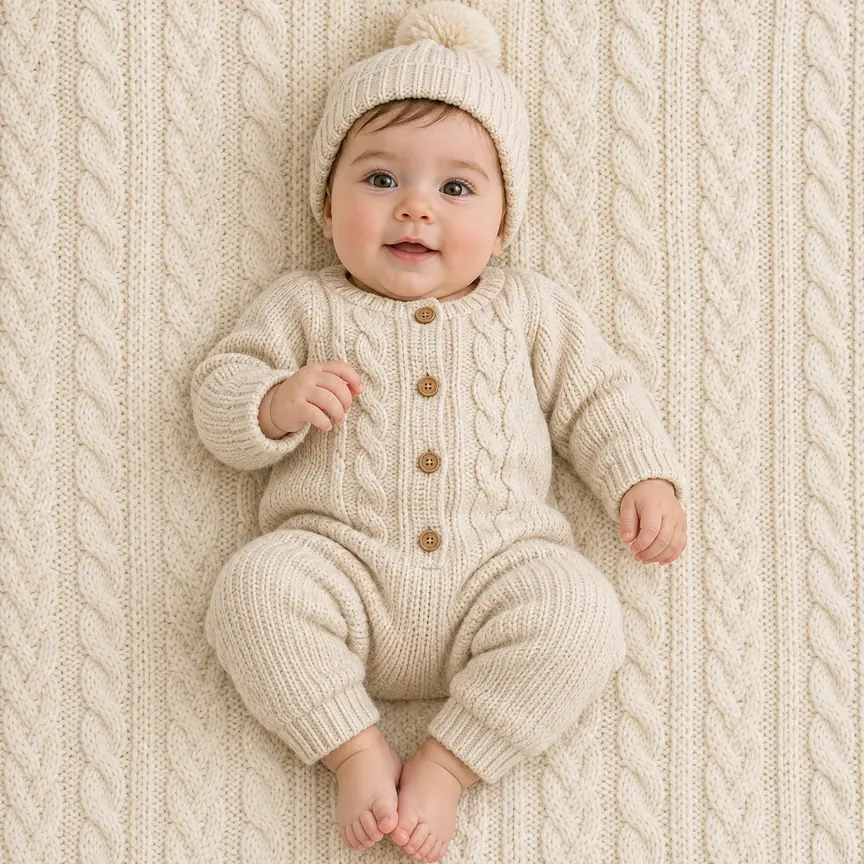
22. Toddler peeking around the tree
A playful pose at the child’s eye level.
Start in: a parent’s account on OpenAI’s ChatGPT or Google’s Gemini.
Create a family-friendly Christmas photo of the toddler in the uploaded photo. Keep the toddler's face, skin tone and hair unchanged. The toddler peeks around a decorated tree, smiling, in a long-sleeved cream sweater and corduroy pants, wrapped gifts on the floor. Warm fairy-light glow, photorealistic, 4:5 ratio.
23. Siblings in matching pajamas on Christmas morning
Gift opening, with a headcount so nobody goes missing.
Start in: a parent’s account on Google’s Gemini on Flash or Pro, or OpenAI’s ChatGPT.
Create a family-friendly Christmas morning photo of the [two] siblings in the uploaded photo. Keep each child's face, skin tone and hair unchanged, with nobody added or removed. They sit by the tree in long-sleeved flannel pajamas, opening a large gift together. Soft window light, photorealistic, 3:2 ratio.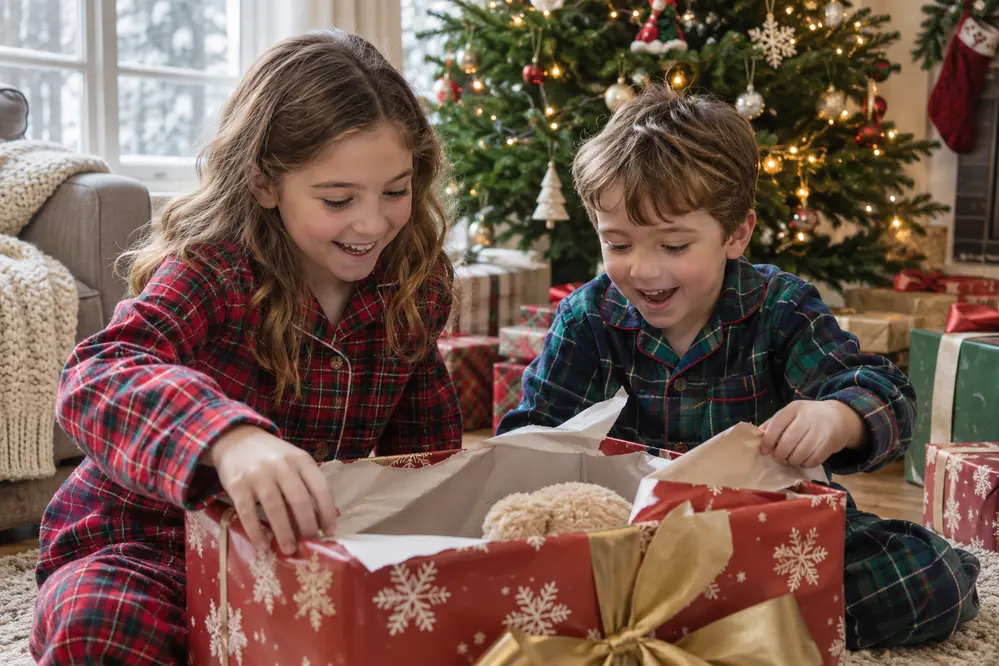
24. Building a snowman in the front yard
An outdoor scene in a full snowsuit.
Start in: a parent’s account on OpenAI’s ChatGPT or Google’s Gemini.
Create a family-friendly winter photo of the child in the uploaded photo. Keep the child's face, skin tone and hair unchanged. The child builds a snowman in a front yard, in a full red snowsuit, knit hat and mittens, adding a carrot nose. Bright overcast daylight, photorealistic, 3:2 ratio.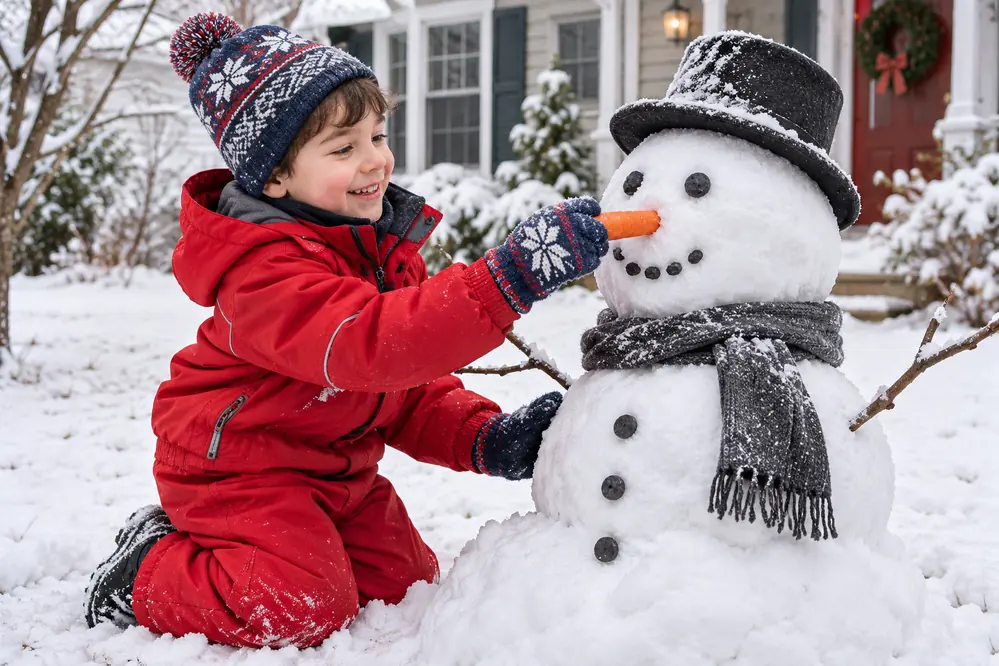
25. Cookie decorating with flour on their nose
A messy kitchen moment, funny without a costume.
Start in: a parent’s account on Google’s Gemini or OpenAI’s ChatGPT.
Create a family-friendly Christmas photo of the child in the uploaded photo. Keep the child's face, skin tone and hair unchanged. The child stands at a kitchen counter in a long-sleeved shirt and apron, icing star cookies, a smudge of flour on their nose. Soft pendant light, photorealistic, 4:5 ratio.
26. Storybook elf portrait
An illustrated look nobody mistakes for a photograph.
Start in: a parent’s account on OpenAI’s ChatGPT or Google’s Gemini.
Create a family-friendly watercolor storybook illustration of the child in the uploaded photo. Keep the child recognizable, with the same face shape, skin tone and hair. The child wears a long-sleeved green elf tunic and striped hat, carrying a wrapped gift through a snowy pine forest. Gentle colors, 4:5 ratio.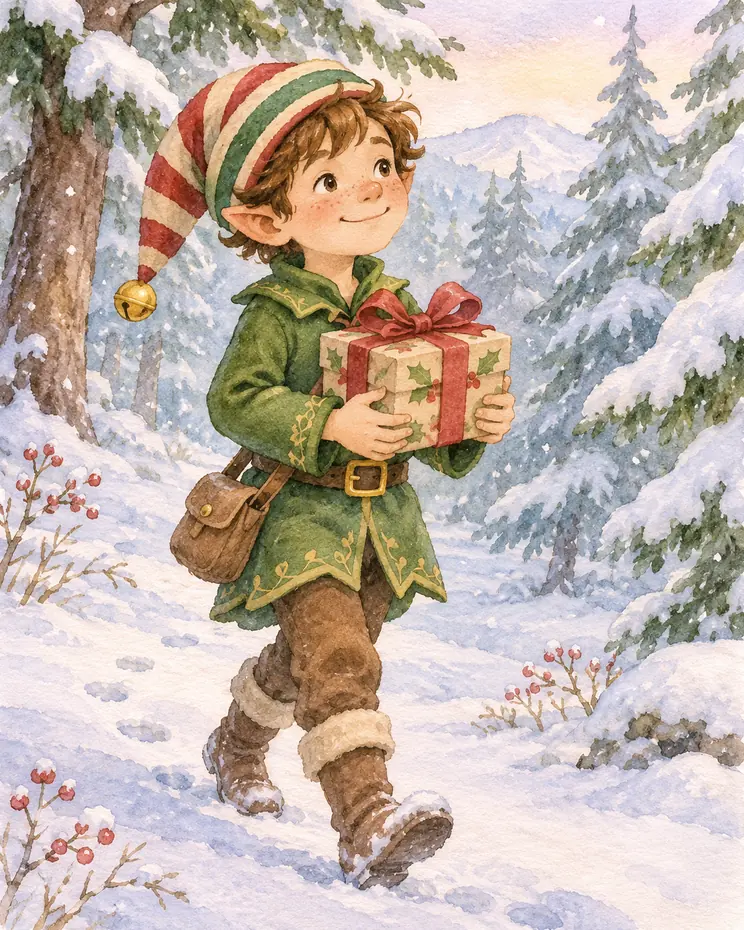
One adult who wants a new portrait has fewer decisions to make.
Solo Christmas Portrait Prompts (27-34)
Eight one-photo prompts handle the simplest case, a single face, and end in a formal portrait, a profile picture or a call image.
27. Classic red sweater portrait
The safe first try: little competes with your face.
Start in: Google’s Gemini or OpenAI’s ChatGPT.
Create a photorealistic Christmas portrait of the person in the uploaded photo. Keep their face, skin tone and hair unchanged. Dress them in a classic red cable-knit sweater, seated beside a decorated tree with white lights blurred behind. Warm window light, gentle smile. Chest-up, 4:5 ratio.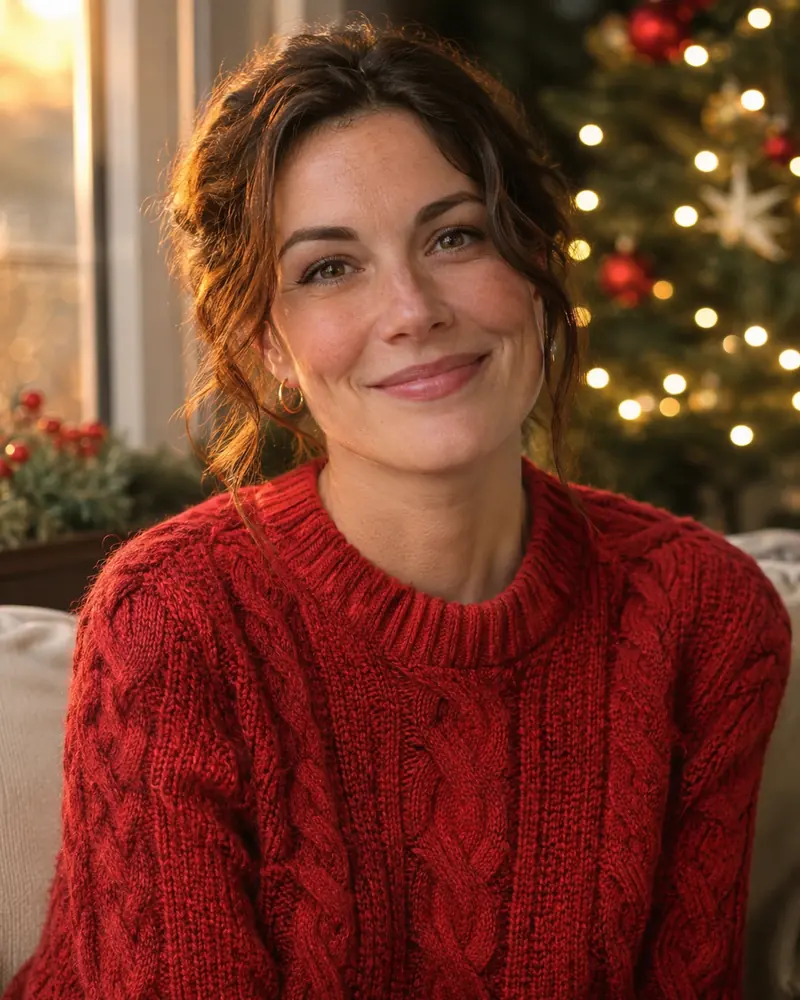
28. Velvet and gold evening portrait
A dressed-up look for a party invite.
Start in: OpenAI’s ChatGPT or Google’s Gemini.
Create a photorealistic evening portrait of the person in the uploaded photo. Keep their face, skin tone and hair unchanged. Dress them in deep green velvet with fine gold details, against a dark backdrop of out-of-focus gold lights. One soft front light, calm expression. 4:5 ratio.
29. Snowfall city street portrait
A long coat and lit shop windows.
Start in: Google’s Gemini or OpenAI’s ChatGPT.
Create a photorealistic winter street portrait of the person in the uploaded photo. Keep their face, skin tone and hair unchanged. They walk toward the camera on a city street at dusk in a long camel coat and scarf, snow falling, shop windows lit. Street-lamp glow on the face. 4:5 ratio.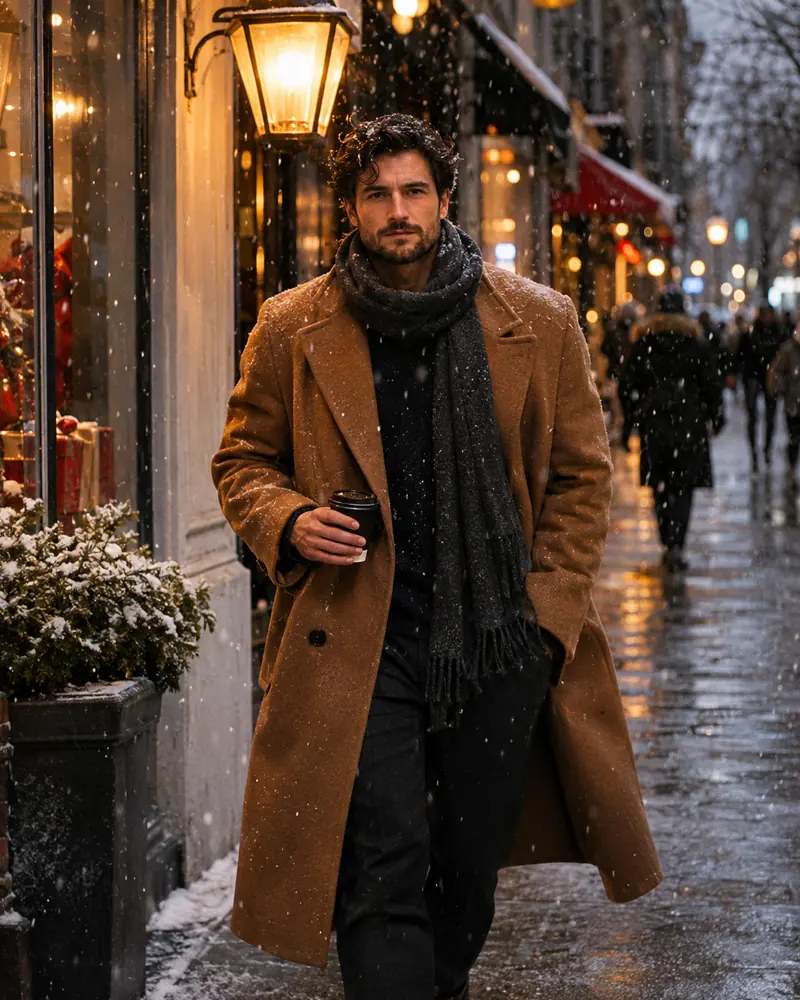
30. Fireplace reading portrait
A quiet scene with a book, for the camera-shy.
Start in: OpenAI’s ChatGPT or Google’s Gemini.
Create a photorealistic Christmas portrait of the person in the uploaded photo. Keep their face, skin tone and hair unchanged. They sit in a leather armchair by a fireplace, reading under a plaid blanket, a mug on the side table, small tree nearby. Firelight on one side of the face. 4:5 ratio.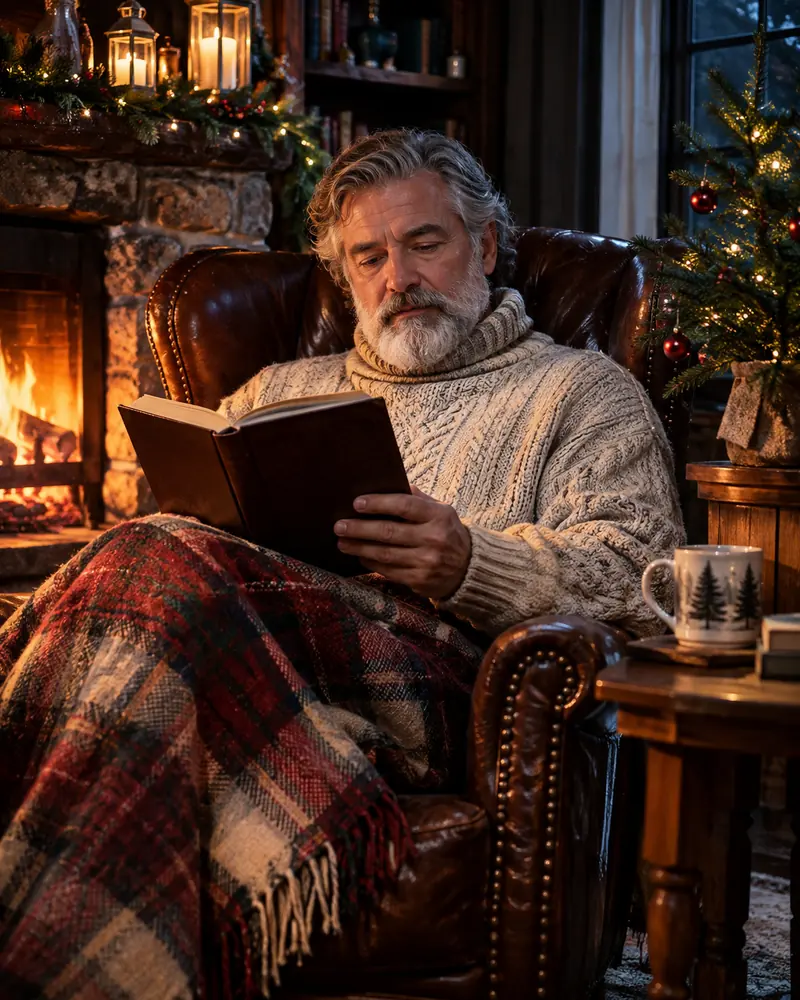
31. Festive profile picture headshot
A square crop that reads at small sizes.
Start in: Google’s Gemini or OpenAI’s ChatGPT.
Create a photorealistic festive headshot of the person in the uploaded photo. Keep their face, skin tone and hair unchanged. Head and shoulders centered, in a forest green sweater with a small holly pin, against blurred gold lights. Even front light, friendly expression, sharp eyes. 1:1 ratio.
32. Christmas video call portrait
A wide still for a call tile, not an animation.
Start in: OpenAI’s ChatGPT or Google’s Gemini.
Create a photorealistic wide portrait of the person in the uploaded photo. Keep their face, skin tone and hair unchanged. They sit at a home desk in a cream sweater, looking at the camera, a decorated shelf and small lit tree blurred behind. Even window light. 16:9 ratio.
33. Retro film-style portrait
Faded color and a tinsel curtain; my ChatGPT 80s photo prompts keep the retro look going all year.
Start in: OpenAI’s ChatGPT or Google’s Gemini.
Create a retro film-style Christmas portrait of the person in the uploaded photo. Keep their face, skin tone and hair unchanged. Dress them in a patterned holiday sweater before a silver tinsel curtain, like an old department store portrait. Direct flash, faded color, soft grain. Chest-up, 4:5 ratio.
34. Minimalist snow-white backdrop portrait
White on white, with room for text.
Start in: Google’s Gemini or OpenAI’s ChatGPT.
Create a minimalist Christmas portrait of the person in the uploaded photo. Keep their face, skin tone and hair unchanged. Dress them in a white turtleneck against a plain snow-white backdrop, a few snowflakes drifting past. Bright, shadowless light, empty space above the head. Chest-up, 4:5 ratio.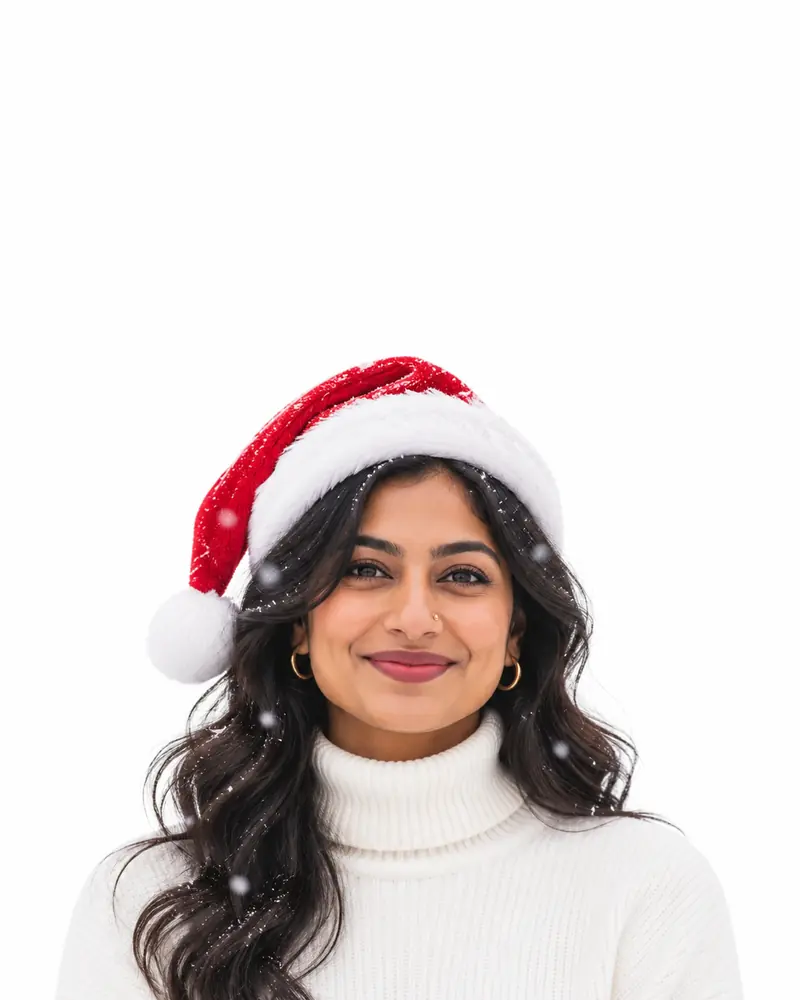
The next group aims for a laugh instead.
Funny Christmas Photo Prompts (35-41)
These seven comic prompts get the laugh from the situation, not from the person, so every face stays recognizable. Use them only with people who agreed to the joke, because Google’s policy bars harassment, bullying and insulting others.
35. Tangled in the Christmas lights
A decorating job gone wrong, plug in hand.
Start in: Google’s Gemini or OpenAI’s ChatGPT.
Create a funny, photorealistic Christmas photo of the person in the uploaded photo. Keep their face, skin tone and hair unchanged. They stand in a living room wrapped head to toe in Christmas lights over a sweater, holding one plug, looking baffled, half-decorated tree behind. Warm room light. 4:5 ratio.
36. Ugly sweater contest winner
A tiny trophy and a sweater that goes too far.
Start in: OpenAI’s ChatGPT or Google’s Gemini.
Create a funny, photorealistic holiday party photo of the person in the uploaded photo. Keep their face, skin tone and hair unchanged. They hold up a tiny gold trophy in an enormous sweater covered with bells and felt reindeer, guests applauding behind. Party lighting, proud grin. 4:5 ratio.
37. Pet in antlers refusing to cooperate
The pet gets the joke; the owner needs patience.
Start in: Google’s Gemini on Flash or Pro, or OpenAI’s ChatGPT.
Create a funny, photorealistic Christmas photo combining the uploaded photos of a person and their pet. Keep this person's face, skin tone and hair, and the pet's markings, unchanged. The pet wears felt antlers and stares away, unimpressed, while the person kneels beside it holding up a treat. 1:1 ratio.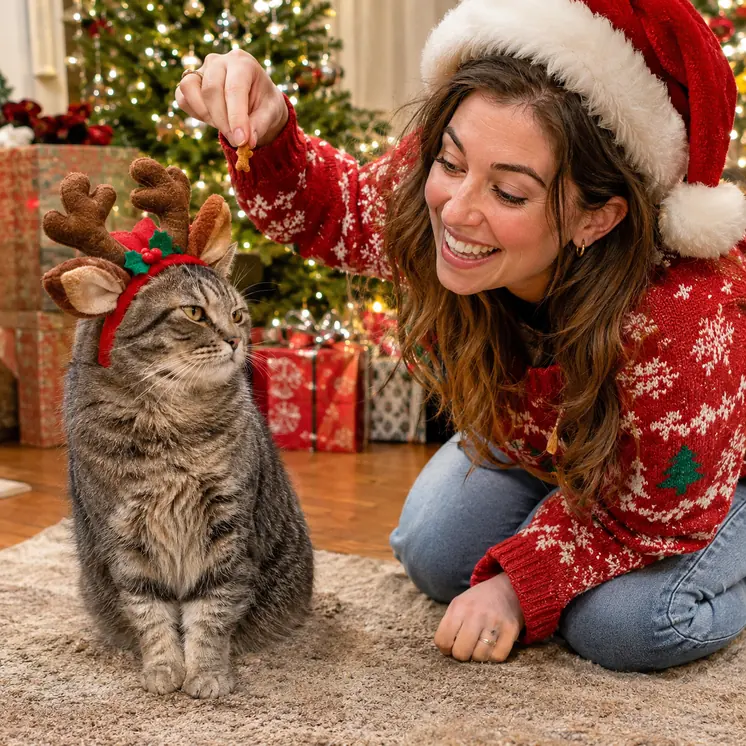
38. Elf on overtime at a desk
A tired elf in an office, for a team chat.
Start in: OpenAI’s ChatGPT or Google’s Gemini.
Create a funny, photorealistic office photo of the person in the uploaded photo. Keep their face, skin tone and hair unchanged. They sit at a cluttered desk in a green felt elf hat and tie, surrounded by towers of wish lists and an oversized coffee mug, exhausted. Cold office light. 3:2 ratio.39. The burnt cookie disaster
Oven mitts, black cookies and a shocked face.
Start in: Google’s Gemini or OpenAI’s ChatGPT.
Create a funny, photorealistic kitchen photo of the person in the uploaded photo. Keep their face, skin tone and hair unchanged. They hold out a tray of burnt black cookies in oven mitts and a holiday apron, looking shocked, a little smoke drifting up. Bright kitchen light. 4:5 ratio.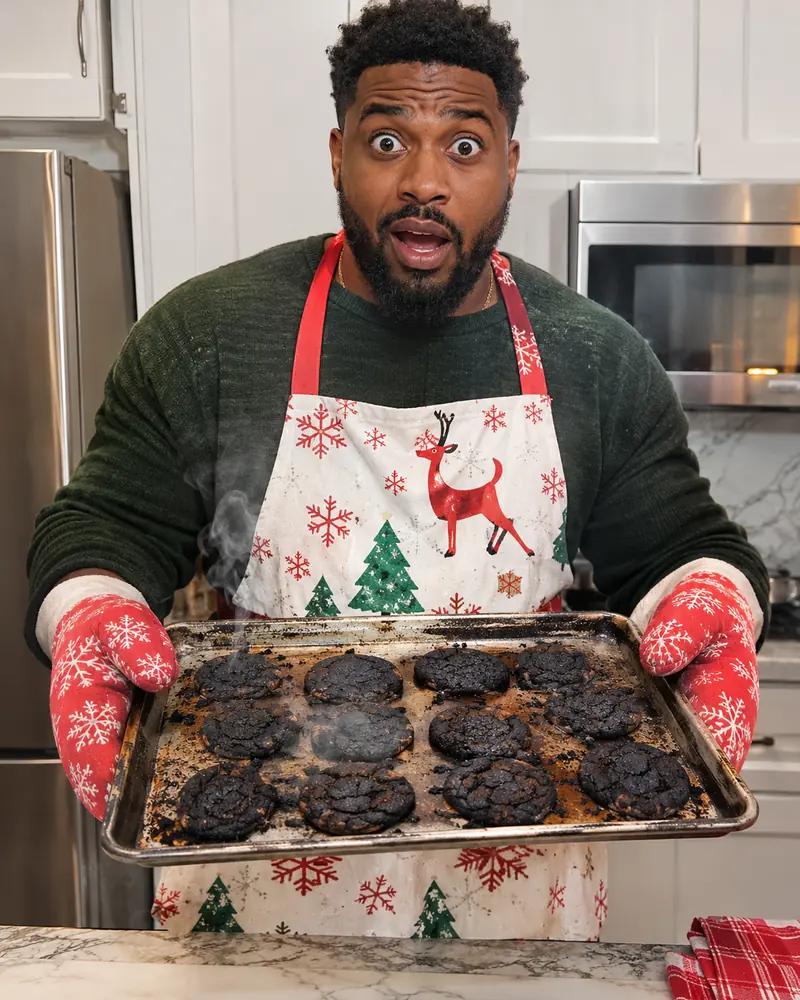
40. Grumpy green holiday villain
An original costume, since a named film character could get refused.
Start in: OpenAI’s ChatGPT or Google’s Gemini.
Create a funny, photorealistic Christmas portrait of the person in the uploaded photo. Keep this person's face and hair recognizable. Dress them in a shaggy green fur suit, scowling with crossed arms beside one sad string of lights. This is an original holiday villain, not based on any existing character. 4:5 ratio.41. Stuck in the chimney selfie
A rooftop selfie in the worst spot, in tall format.
Start in: Google’s Gemini or OpenAI’s ChatGPT.
Create a funny, photorealistic selfie of the person in the uploaded photo. Keep their face, skin tone and hair unchanged. Their upper body is stuck in a brick chimney on a snowy roof at night, in a Santa hat, one arm stretched out holding the phone. Moonlight and phone glow, 9:16 ratio.A printed greeting brings three more checks.
Holiday Card Photo Prompts (42-48)
These seven prompts set a card shape and the greeting’s wording, and you should check spelling, the watermark and the file’s pixels before you order prints; the fix section shows how. Nano Banana 2 lists better text rendering, and paid subscribers can use Redo with Pro, which can add detail on images with text, but read every letter at full size either way. For the next holiday greeting, my New Year photo prompts include card versions to check the same way.
Gemini images carry an invisible SynthID watermark and a visible watermark, so expect the visible mark on a printed Gemini card. Images generated in ChatGPT come with C2PA metadata, which identifies the source in the file.
42. Classic family holiday card
A garland mantel with the family name below.
Start in: Google’s Gemini, with Redo with Pro on a paid plan for lettering, or OpenAI’s ChatGPT.
Create a photorealistic holiday card from the uploaded photo of [four] people. Keep every face and skin tone unchanged, with nobody added or removed. They stand before a garland-draped mantel in red and cream. Add the exact text "Merry Christmas from the [Miller] Family" in gold serif along the bottom. No other words. 5:7 ratio.
43. Minimalist modern card
A small greeting and lots of white space.
Start in: OpenAI’s ChatGPT, or Google’s Gemini with Redo with Pro on a paid plan.
Create a minimalist modern holiday card from the uploaded photo. Keep every face and skin tone unchanged, with nobody added or removed. Place the people small and centered on plain white, in neutral clothes. Add the exact text "Peace and Joy" in thin black sans-serif below them. No other words. 5:7 ratio.
44. Vintage postcard style card
Hand-tinted color and a scalloped border.
Start in: Google’s Gemini or OpenAI’s ChatGPT, then proofread the script.
Create a vintage postcard style holiday card from the uploaded photo. Keep every face and skin tone unchanged, with nobody added or removed. Show the people in a snowy village square, hand-tinted, with a cream scalloped border. Add the exact text "Season's Greetings" in red script across the top. No other words. 7:5 ratio.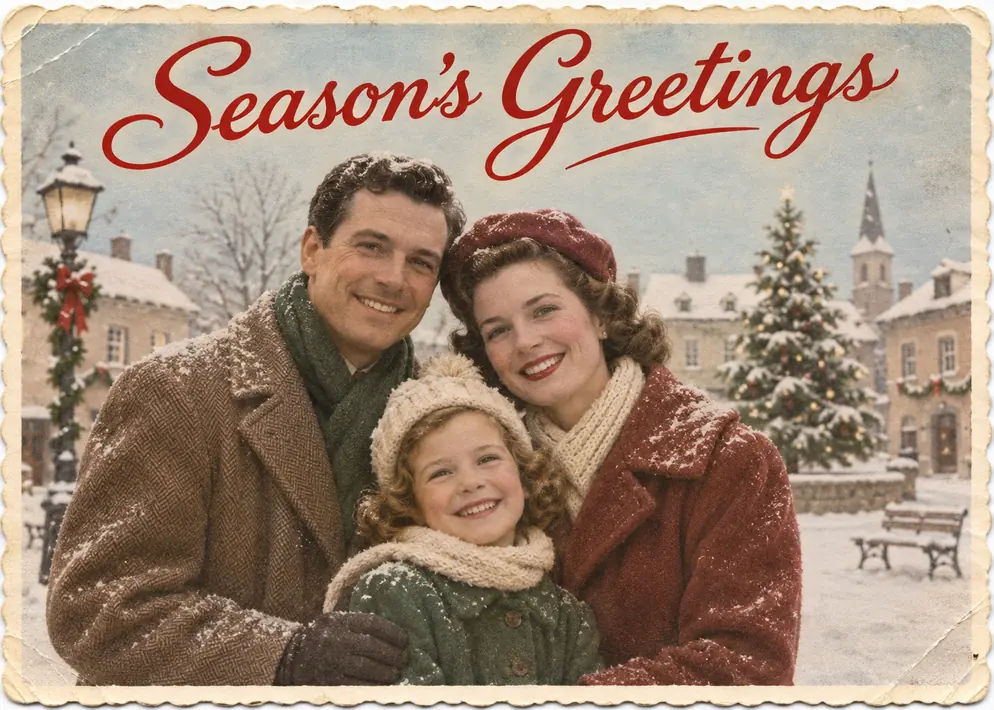
45. Family photo collage card
Several photos in tidy frames, no faces merged.
Start in: Google’s Gemini on Flash or Pro, or OpenAI’s ChatGPT, one upload per frame.
Create a holiday card collage from the [four] uploaded photos. Keep every photo's people, faces and skin tones unchanged, and do not merge them. Arrange them as a grid of rounded frames on a cream background with pine sprigs. Add the exact text "Happy Holidays" in red serif at the center. No other words. 5:7 ratio.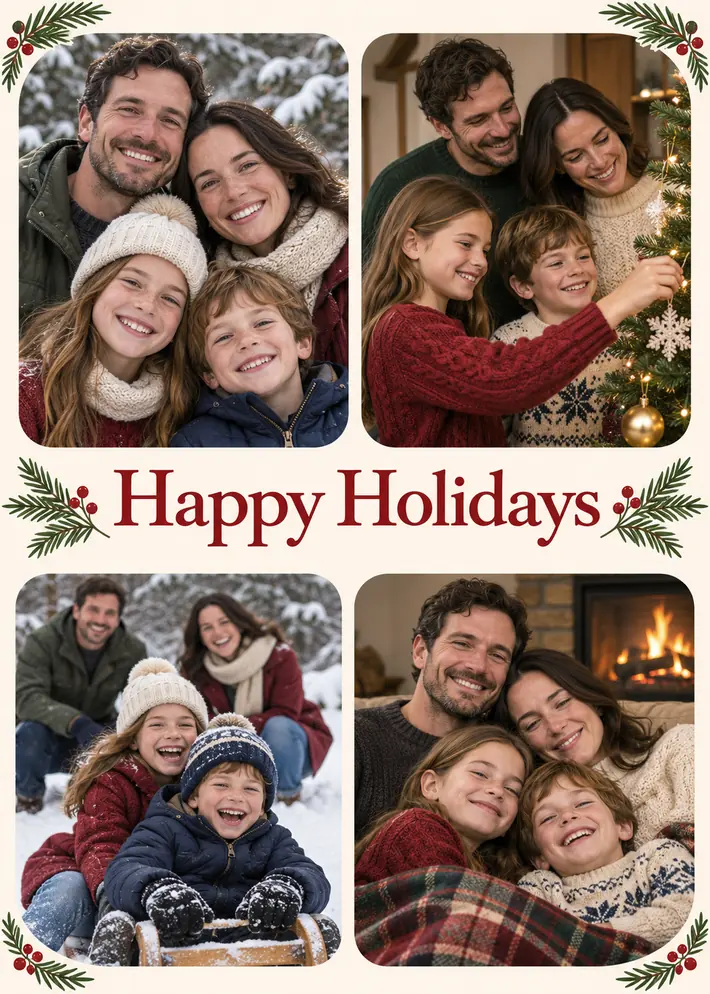
46. Pet holiday card
The pet stars, so no human face gets uploaded.
Start in: OpenAI’s ChatGPT or Google’s Gemini, with one pet photo.
Create a photorealistic holiday card from the uploaded pet photo. Keep the pet's face, markings and color unchanged. The pet sits on a small wooden sled with a red bow, snow falling, pines blurred behind. Add the exact text "Happy Howlidays from [Bailey]" in white hand lettering across the top. No other words. 5:7 ratio.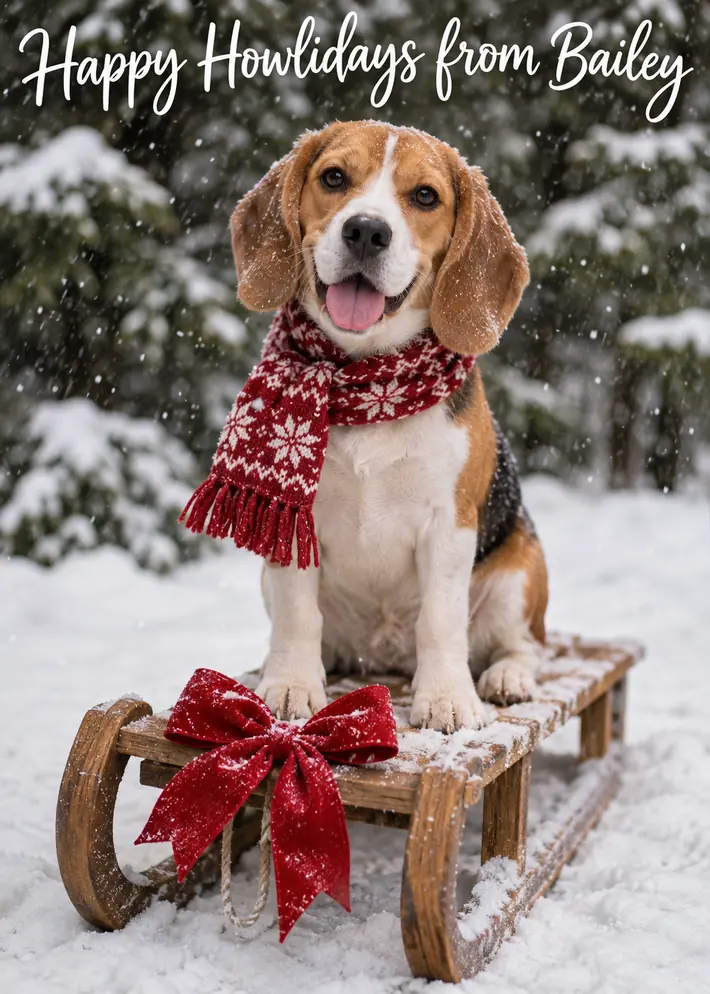
47. Pine branch and kraft paper card
A handmade-looking flat lay with a clipped print.
Start in: Google’s Gemini or OpenAI’s ChatGPT, then proofread the stamped letters.
Create a photorealistic flat lay holiday card using the uploaded photo as a small print clipped to brown kraft paper. Keep every face in the print unchanged. Around it, a pine branch, red twine and dried orange slices. Add the exact text "Warm Wishes" in dark green stamped letters below the print. No other words. 5:7 ratio.
48. Small team holiday card for a business
A staff card, once everyone pictured agrees.
Start in: Google’s Gemini on Flash or Pro, or OpenAI’s ChatGPT.
Create a photorealistic team holiday card from the uploaded photos of [six] coworkers. Keep every face and skin tone unchanged, with nobody added or removed. They stand in a bright office in matching green sweaters. Add the exact text "Season's Greetings from [Acme Studio]" in white sans-serif along the top. No other words. 7:5 ratio.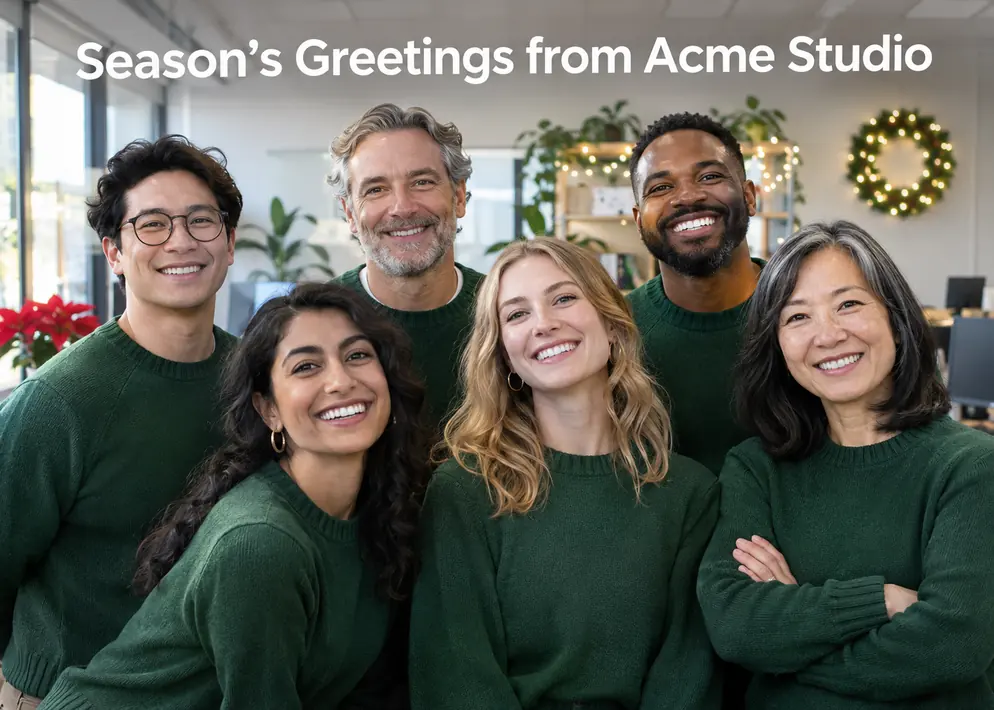
If your photo isn’t covered, write your own.
Build Your Own Christmas Photo Prompt
Fill in these six slots, in this order, for any photo the list misses; no separate prompt generator is needed. They follow Google’s tips for Gemini: start with a word like create, name the style, describe the subject, what it is doing and the setting, then add composition, image quality and aspect ratio, as in Google’s 2:3 example.
| Slot | What to write | Example |
|---|---|---|
| Uploaded photo and headcount | How many people, from how many photos | Two people, from the uploaded photo |
| Identity line | What must not change | Keep both faces, skin tones and hairstyles unchanged |
| Scene | What they are doing, and where | Icing a gingerbread house at a kitchen island |
| Outfit | Clothes, fabric and color | Navy and cream knit sweaters |
| Light and mood | One main light source, and the feeling | Warm pendant light, relaxed and laughing |
| Style and ratio | The look, the framing and the shape | Photorealistic, waist-up, tall portrait aspect ratio |
The blank template, ready to fill:
Create a [style] Christmas image from the uploaded photo of [headcount] people. Keep [every face, skin tone and hairstyle] unchanged, with nobody added or removed. They are [scene]. They wear [outfit]. [Light and mood]. [Framing], [ratio] aspect ratio.For the style slot, try photorealistic, watercolor, vintage film or minimalist. A strong prompt can still fail on the wrong setting, which is the next decision.
Which Tool and Setting Fits Each Prompt Group
Choose by your group: several photos, lettering or an under-18 user change the answer in Gemini, and file size and image count are the limits to watch in ChatGPT.
| Group | Gemini setting or gate | ChatGPT note | Watch for |
|---|---|---|---|
| Family | 18 or over; Flash or Pro for several photos | Image count per conversation varies | A person added or lost |
| Couples | 18 or over; Flash or Pro for two photos | Can add more images in later turns | Both faces changing |
| Kids and baby | Editing not available under 18 | Must not endanger anyone under 18 | Whose account runs it |
| Solo | 18 or over; not Flash-Lite for follow-up edits | 20MB per image | Follow-up edits |
| Funny | 18 or over; Flash or Pro for two photos | Heightened restrictions with real people in context | Consent for the joke |
| Holiday cards | 18 or over; Flash or Pro for several photos; Redo with Pro on a paid plan; visible watermark | C2PA metadata on generated images | Spelling and file size |
Sources: Gemini Apps Help, Google’s Nano Banana overview, ChatGPT Image Inputs FAQ, OpenAI’s image generation launch post, checked November 2026.
In Gemini, switch the model before you make the request. Nano Banana 2 runs on Flash or Pro and can accept multiple reference images, while Nano Banana 2 Lite runs on Flash-Lite and isn’t designed for multiple image references or multiple edits.
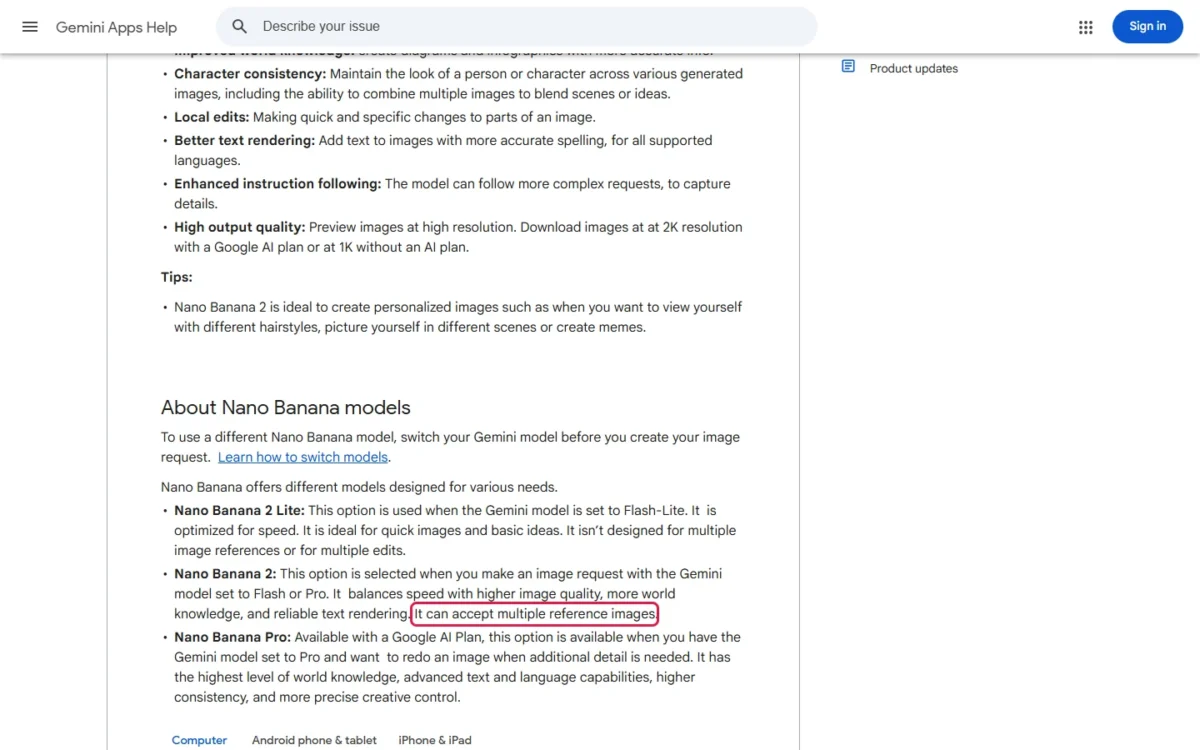
Nano Banana 2 also lists character consistency, meaning it can maintain the look of a person across images; that describes a capability, not a promise for your photo. ChatGPT’s image generation can transform uploaded images and take an aspect ratio stated in the prompt.
Google AI plans add higher limits and Nano Banana 2.1; neither vendor’s page prints a free image count, so run your best prompts first.
My take
My pick by job: Gemini on Flash or Pro when the picture has to merge separate photos, because Google states that setting takes multiple reference images and OpenAI’s upload page gives no fixed count. Skip Gemini for a print card if the visible watermark is a dealbreaker, or if the downloaded file falls short in the pixel check below.
Run the same prompt twice in each tool and compare the faces before you settle on one.
If you hit those limits or want a tool you would pay for, my ranking of the best AI image generators by job and budget compares the wider field. Even with the right setting, a result can come back wrong.
How to Fix a Changed Face, Wrong Headcount or Soft Print
Match what you see to a row, then send that follow-up in the same chat.
| What went wrong | Send this, or do this |
|---|---|
| The face changed | “Keep the scene, but make the face match the uploaded photo exactly.” In Gemini, move from Flash-Lite to Flash or Pro |
| A person was added or lost | “There are exactly [four] people. Remove the extra person and change nothing else.” |
| The greeting is garbled | “Change the text to exactly ‘Merry Christmas’ and leave the rest alone.” On a paid Gemini plan, try Redo with Pro |
| Hands or props look wrong | “Fix only the hand holding the mug. Keep everything else the same.” |
| The tool refused or removed the image | Reword the scene, drop any brand or named character, and keep outfits modest |
| The print looks soft | Check the file’s pixels with the method below |
Sources: Google’s Generative AI Prohibited Use Policy, checked November 2026.
The narrow fixes fit a feature Google lists for Nano Banana 2: local edits, quick and specific changes to parts of an image. For more follow-up instructions in OpenAI’s tool, my ChatGPT photo editing prompts use the same pattern.
A refusal has a stated cause on both sides: Gemini Apps may remove images when its systems detect a possible violation of Google’s terms, and ChatGPT has heightened restrictions when images of real people are in context. For retouching across tools, see my AI photo editing prompts.
Gemini’s help page says images download at 2K with a Google AI plan and at 1K without one, while Google’s Nano Banana overview lists 2K resolution under the free model. Google publishes no pixel counts behind those labels, so measure the file you downloaded.
Take a hypothetical file that measures 1,024 pixels on its long edge, on a card with a 7-inch long side. That is 1,024 / 7 = about 146 pixels per inch. A hypothetical 2,048-pixel file gives 2,048 / 7 = about 293 pixels per inch.
Compare your own figure with what your print shop asks for; if it falls short, keep that card on screens, or move to a Google AI plan, which Gemini’s help page ties to the larger download, and measure again. So whose photos should you upload at all?
Is It Safe to Upload Family and Kids’ Photos?
There is no blanket yes: it depends on your settings and on whose face is in the photo. With Gemini’s Keep Activity setting on, your chats and uploads are saved in your activity, and Google uses that activity to improve its services with the help of human reviewers.
Before you upload, do these:
- Change the Gemini setting. Turn off Keep Activity to stop future chats from being reviewed to improve Google services, or use a temporary chat, which isn’t used to train Google’s AI models. Google still keeps those chats for 72 hours to respond and to protect its users.
- Let an adult run it. On a personal account, Google requires 18 or over to generate and edit images, and 13 or over to generate only, so a teen can make text-only scenes but not edit an upload.
- Ask the adults in the photo first. Google tells users to get permission before using other people’s faces in Gemini. OpenAI’s usage policies bar using someone’s likeness, including a photorealistic image, without consent in ways that could confuse authenticity.
- Keep children’s scenes ordinary. OpenAI says its tools must not be used to endanger anyone under 18 and prohibits shaming the appearance of minors, so leave a child out of the funny group’s jokes.
- Say it’s AI when you share it. Google’s policy bars misrepresenting generated content as made solely by a human in order to deceive.
- Read OpenAI’s data page before a ChatGPT upload. Its image FAQ points to “How your data is used to improve model performance” for how content may be used and the choices users have.
My take
For a child’s photo, I would use a parent’s account and a Gemini temporary chat, because Google says those chats aren’t used to train its AI models. If a co-parent objects, skip the upload and use a pet card instead. These are the vendors’ rules, not legal advice.
Christmas Photo Prompt FAQ
Are these prompts free to run?
Yes, within limits: ChatGPT accepts image inputs on Free plans, subject to usage limits, and Nano Banana is available for free in Gemini, where limits apply.
Do they work without a photo?
Yes: delete the upload wording and the identity line, then describe the people you want. The faces will be invented, so this suits scenes and cards more than family keepsakes.
Do they work in other AI image tools?
They should paste into any tool that accepts a reference photo, but check that tool’s own terms on real faces and on minors before you upload.
Can I turn a Christmas portrait into a video?
Not with these prompts, which ask for still images; a moving clip needs motion and camera lines, and my Google Flow video prompts cover those.
Related Photo Prompt Pages
Two sibling pages take the same copy-and-paste approach for other occasions:
- Diwali photo prompts: festival portraits and cards with diyas and rangoli.
- Birthday photo prompts: a birthday portrait or a fill-in template built around the day.