This is the updated 2026 guide to the best free CRM software for real workflows—sales pipelines, inbound leads, client delivery, nonprofit donor tracking, or outbound prospecting. This guide covers only free-forever and open-source CRMs that can track deals, log activity, and support real usage.
Keep in mind most “free” plans have hidden paywalls (user caps, automation locks, storage limits) and export limitations, so we flag the first realistic upgrade trigger for every tool.
Top picks by category (quick shortlist)
- Best overall: HubSpot CRM — the simplest setup, best UX, and easiest path to scale.
- Best automation (free): Zoho CRM — includes workflows/rules on the free tier
- Best unlimited users: Bitrix24 — unlimited seats plus chat/projects/docs
- Best open-source (self-hosted): SuiteCRM — full data ownership and deep customization with no per-seat fees.
- Best inbox CRM: Streak (Gmail) / eWay-CRM (Outlook) — CRM inside your email client
- Best prospecting: Snov.io — email finding + verification + basic outreach in one
Who this guide is for (and who it’s not)
This guide is for small teams, startups, agencies, freelancers, and nonprofits that need free-forever or open-source CRM software that can run a real workflow: contacts, deals, pipelines, and basic reporting.
It’s not for enterprises that require heavy governance, complex CPQ, strict regulated data residency, or advanced security controls—especially without an IT team to implement and maintain the system.
Features to Look for in a Free CRM (2026 Checklist)
A free CRM only matters if it can support a real workflow—not just store contacts. When evaluating a free plan, prioritize these essentials:
- Pipeline + deal tracking: At least one customizable pipeline with stages, tasks, and deal owners.
- Contact & company management: Custom fields, notes, tags, and a clean activity timeline.
- Email & calendar logging: Practical Gmail/Outlook sync (or a reliable manual logging option) so activity is captured consistently.
- Automation (even basic): Simple rules like lead assignment, reminders, or follow-up triggers can save hours each week.
- Reporting that answers basics: Deal stage breakdown, conversion, and activity reports (even if lightweight).
- Data export you can trust: CSV export for contacts + deals + custom fields is non-negotiable—test it early.
- Integrations (or Zapier/API): You’ll outgrow a CRM fast if it can’t connect to forms, email tools, or your stack.
- Permissions & security basics: Roles/access control (even simple) matters once more than one person uses it.
- Clear upgrade triggers: Know exactly what forces payment—user cap, contact cap, automation, storage, reporting, or branding.
Expert note: On many free tiers, email history and attachments may not export cleanly. Treat export as a first-week test—if your data can’t leave, the “free CRM” becomes lock-in.
The best free CRM software at a glance
Here’s the quick side-by-side view of the top free CRM tools—so you can compare free plan limits and the first real upgrade trigger at a glance.
| Best For | Standout Feature | Free Plan | Upgrade Trigger | |
|---|---|---|---|---|
| HubSpot CRM | Small Teams | Industry-leading UX + 1,000+ native integrations | Unlimited users, 1M contacts | Need automation/sequences |
| Zoho CRM | Small Teams | Only free CRM with workflows included | 3 users, 5,000 records | Adding 4th user |
| Freshsales | Small Teams | Freddy AI scores leads automatically | 3 users, unlimited contacts | Team size beyond 3 |
| Agile CRM | Small Teams | Most users on free (10) among SaaS CRMs | 10 users, 1,000 contacts | Exceeding 1,000 contacts |
| Bitrix24 | Unlimited Users | CRM + projects + chat + video in one | Unlimited users/contacts, 5GB | Storage or automation needs |
| EngageBay | Marketing + Sales | CRM + email marketing + live chat free | 15 users, 500 contacts | Email list beyond 250 |
| Vtiger | Services/Projects | Unified sales + support view | 10 users, 3,000 contacts | Advanced analytics |
| Flowlu | Services/Projects | Deal-to-project conversion | 2 users, 20 contacts | Almost immediately |
| Capsule CRM | Services/Projects | Fastest setup (<15 min) | 2 users, 250 contacts | Contact volume |
| SuiteCRM | Open-Source | Full Salesforce alternative, self-hosted | Unlimited (self-hosted) | Need managed support |
| EspoCRM | Open-Source | Modern UI + no-code Entity Manager | Unlimited (self-hosted) | Cloud hosting option |
| Odoo | Open-Source | 30,000+ community modules | 1 free app or self-hosted | Adding second app |
| CiviCRM | Open-Source | Donor + event + membership management | Unlimited (self-hosted) | Managed hosting |
| Dolibarr | Open-Source | Invoicing + CRM unified | Unlimited (self-hosted) | SaaS convenience |
| YetiForce | Open-Source | GDPR tools + audit logs | Unlimited (self-hosted) | Professional implementation |
| Twenty | Custom CRM | Notion-like UI, TypeScript/React | Unlimited (self-hosted) | Cloud hosting |
| Streak | Email Inbox | CRM lives inside Gmail | 500 contacts, 50 emails/day | Contact volume |
| eWay-CRM | Email Inbox | CRM inside Outlook | Unlimited users/contacts, 200MB | Storage limits |
| Zapier Tables | Custom CRM | 6,000+ app integrations | 5,000 records, 100 automations/mo | Record volume |
| Clarify | AI CRM | Auto-populates contacts from email/calendar | Unlimited seats, AI credits | Advanced AI features |
| Attio | AI CRM | Relationship intelligence + AI insights | 3 users, 50K records | Team growth beyond 3 |
| Snov.io | Niche | Email finder + verification built in | 50 credits/mo, 100 recipients | Credit volume |
| Brevo | Niche | Free daily email marketing + basic CRM | Unlimited contacts, 300 emails/day | Email volume |
| Clay | Niche | Personal CRM + smart reminders | Limited contacts | Contact volume |
What Makes the Best Free CRM Software?
A “free CRM” only matters if it can run a real sales workflow—not just store contacts. The biggest reason free CRMs disappoint isn’t missing features; it’s hidden paywalls (user caps, record limits, automation locks, storage limits, export restrictions) that force an upgrade earlier than teams expect.
In this guide, every pick is either free-forever (not a time-limited trial) or open-source (self-hosted). We focus on practical outcomes: can you track deals, log email activity, follow up consistently, and export your data when you outgrow the tool?
Criteria We Used
To qualify, a CRM had to meet the “free CRM reality check”:
| Criteria | Requirement |
|---|---|
| Free plan must be real | Free-forever or open-source (not “14-day trial” disguised as free) |
| Core CRM must be usable | Contacts + deals + at least one pipeline |
| Limits must support real use | Reasonable caps that fit legitimate use cases |
| Email workflow compatibility | Gmail/Outlook sync or realistic activity logging |
| Automation clarity | If paywalled, we flag it |
| Reporting + export | Basic dashboards + CSV/API export non-negotiable |
| Integrations | Native apps, Zapier, or API access |
| Security basics | Roles, access control, auditability |
| Credible user sentiment | Cross-checked on G2/Capterra/TrustRadius |
| Active development | Updates, security patches, current documentation |
How We Tested (Step-by-Step)
We used the same workflow across tools so comparisons stay fair:
- Sign up + onboarding — Time to first value
- Add realistic sample data — ~20 contacts, ~5 companies, ~10 deals
- Build a pipeline and run it — Create stages, move deals, add tasks
- Test email/calendar workflow — Connect Gmail/Outlook, confirm email logging
- Try one automation (if free) — Lead assignment, follow-up reminder
- Check reporting quality — Filter by stage/owner/date
- Export data early — Export contacts + deals + custom fields
- Assess integration readiness — Native integrations, Zapier, API
- Document the upgrade trigger — First realistic moment you’ll be forced to pay
Pass/fail rule: If a CRM can’t handle pipeline movement, email activity workflow, and data export on the free plan, it’s not “free CRM software”—it’s a funnel to a paid tier.
Editorial note: We’re not paid for placement. We prioritize hands-on testing, verify free-plan limits from official vendor pages, and cross-check user sentiment. Free plans change often—this guide is updated regularly.
Free CRM Reality Check (Before You Commit)
A “free CRM” only helps if it can run a real workflow: track deals, log activity, and export your data. Most free plans fail because of hidden paywalls—user caps, contact limits, automation locks, storage limits, and export restrictions.
What “Free” Usually Means
| Limit type | Typical free cap | What it affects |
|---|---|---|
| User cap | 2–3 users (some offer unlimited) | You pay when the team grows |
| Contact cap | 250–5,000 contacts | Database growth becomes the paywall |
| Automation | 0–1 workflows | More manual follow-up work |
| Reporting | Basic dashboards only | Limited forecasting/insights |
| Storage | 1–5 GB | Attachments fill space fast |
| Support | Community only | Slower troubleshooting |
Hidden Costs to Watch
- Pricing jump per seat: free for a few users → paid tiers often start $15–$30/user/month
- Feature upsells: sequences, dialer, advanced reporting, deeper automation
- Migration friction: vendors may charge for assisted migration
- Open-source reality: license-free ≠ cost-free (hosting + maintenance typically $10–$50/month)
Upgrade Triggers (Standardized)
- User cap: hit the 4th user (or higher seat limit)
- Contact cap: hit 1,000–10,000 contacts depending on the tool
- Automation: need custom workflows/sequences
- Storage: attachments exceed free storage
- Reporting: need custom dashboards/forecasting
- Branding: need to remove vendor branding from emails/forms
Lock-In Risk (Export Reality)
Quick truth: many free CRMs let you export contacts and deals, but email history, activities, and attachments are often limited on free tiers—plan for that.
| Platform | Export coverage | Lock-in risk | Notes |
|---|---|---|---|
| HubSpot CRM | ✅ Contacts + deals (CSV/API) | 🟢 Low | Strong export tools |
| Zoho CRM | ✅ Contacts + deals (CSV/API) | 🟢 Low | Migration tooling is solid |
| Freshsales | ✅ Contacts + deals (CSV) | 🟢 Low | Standard exports |
| Bitrix24 | ⚠️ Partial export | 🟡 Medium | Some data types can be harder to move |
| EngageBay | ⚠️ Basic CSV | 🟡 Medium | Custom fields/exports can be limited |
| Open-source (self-hosted) | ✅ Full database | 🟢 None | You own the data end-to-end |
The 24 Best Free CRM Software — Detailed Reviews
Best free sales CRMs for small teams (core CRM)
1. HubSpot CRM — Best Overall Free CRM
Ideal for: Startups, small businesses, and growing teams who want a free CRM that scales.
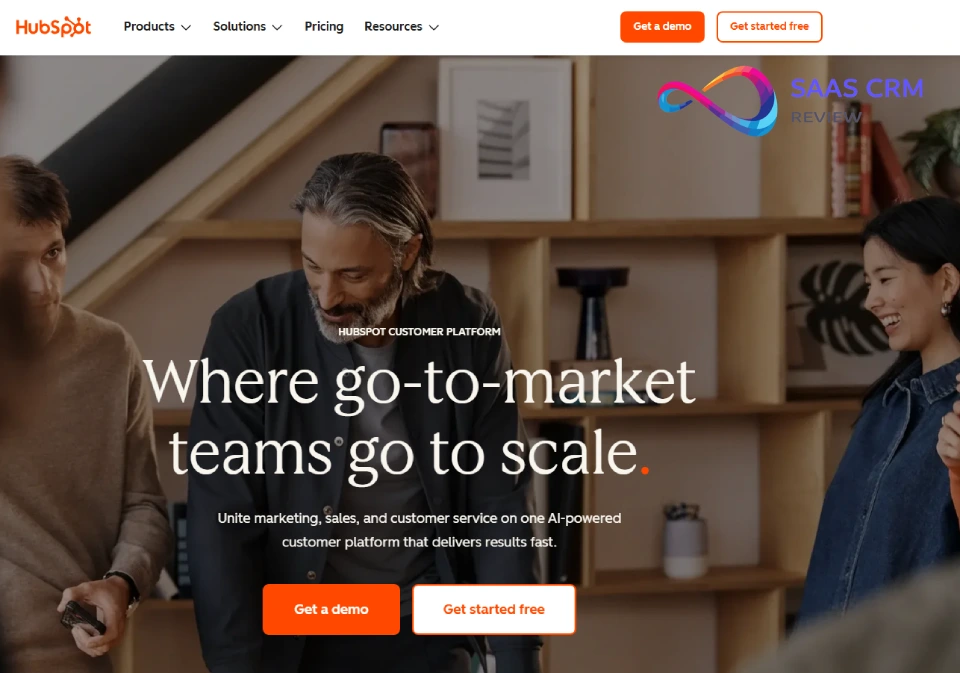
When I used HubSpot CRM for a client’s sales team of 8, onboarding took less than a day. The interface is clean, intuitive, and requires almost no training. HubSpot excels at contact management, deal tracking, and email logging—all free with unlimited users. The drag-and-drop pipeline view lets reps move deals through stages effortlessly, and every contact record shows a complete timeline of interactions.
Email sync with Gmail and Outlook works seamlessly out of the box, automatically logging conversations to the right contact records. The mobile app is genuinely usable for field sales. Where HubSpot’s free tier truly shines is its ecosystem: as your team grows, you can layer on Marketing Hub, Sales Hub, or Service Hub—all while keeping customer data unified.
The free plan includes unlimited users and up to 1 million contacts. However, there’s no custom workflow automation, HubSpot branding appears on forms, and reporting is limited to pre-built dashboards.
Free plan limits: Unlimited users, 1M contacts, no custom workflows, HubSpot branding, canned reports only.
Upgrade trigger: Automation needs—sequences, custom workflows, and sales forecasting require paid plans starting at $15/user/month.
Don’t choose this if: You need workflow automation on free tier—Zoho CRM offers this while HubSpot does not.
Setup time: ~30 minutes for basic setup. Gmail/Outlook sync adds 10 minutes.
| Pros ✅ | Cons ❌ |
|---|---|
| Unlimited free users with full contact and deal management | No custom workflow automation on free tier |
| Seamless Gmail/Outlook integration and solid mobile app | HubSpot branding on forms and emails |
| Industry-leading UX that minimizes onboarding friction | Reporting limited to pre-built dashboards only |
| Strong ecosystem for scaling into marketing, sales, service | Advanced features (sequences) require paid upgrade |
User Ratings: G2: 4.4/5 (12,000+ reviews) • Capterra: 4.5/5 • TrustRadius: 8.5/10
Pricing: ✅ Free plan: Unlimited users, 1M contacts • 💰 Paid: From $15/user/month • HubSpot Pricing • Our HubSpot Pricing Breakdown
Read our full: HubSpot CRM Review 2026: Honest Features, Pricing
2. Zoho CRM — Best Free Automation
Ideal for: Small teams of 1–3 users who want workflow automation without paying for premium tiers.
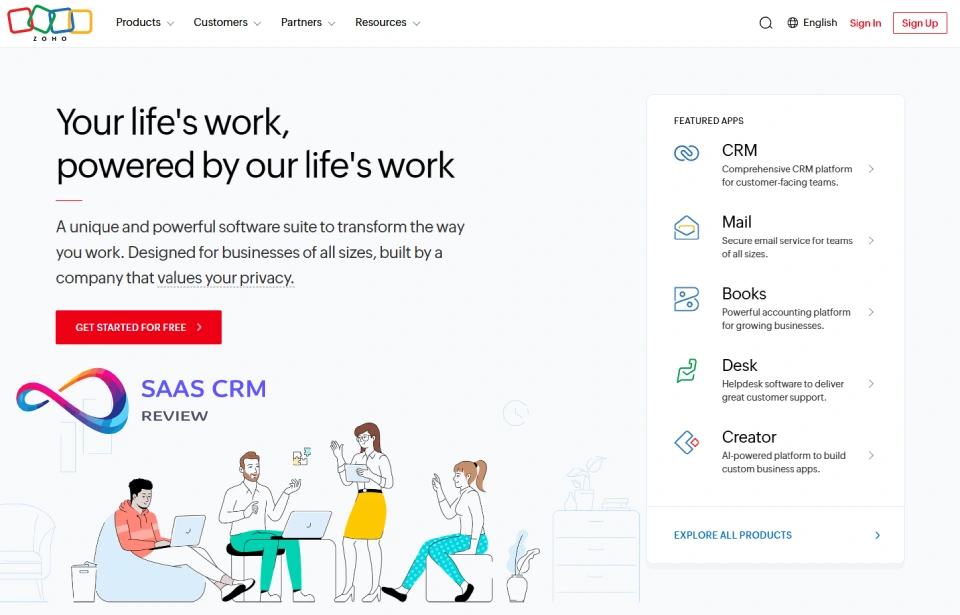
Zoho CRM offers surprising depth on its free plan—something most competitors reserve for paid tiers. When I tested it for a 3-person consulting firm, we set up basic workflow automation including lead assignment rules, follow-up reminders, and email notifications without spending a dollar. This alone sets Zoho apart from HubSpot’s free tier.
Zoho’s free edition supports leads, contacts, accounts, deals, and tasks with a visual, customizable pipeline. Email integration works natively with Zoho Mail and through configuration with Gmail and Outlook. The mobile apps for iOS and Android are full-featured.
Where Zoho excels is ecosystem flexibility. With 50+ other Zoho apps available, teams can expand into accounting, project management, or marketing while maintaining tight data integration.
Free plan limits: 3 users, 5,000 records, basic workflows, no sales forecasting or custom modules.
Upgrade trigger: Adding user #4 or needing blueprints, custom functions, or SalesSignals—all require paid tiers.
Don’t choose this if: You have 4+ team members—the user cap is a hard limit with no flexibility.
Setup time: ~45 minutes for full setup. Email integration adds additional time.
| Pros ✅ | Cons ❌ |
|---|---|
| Workflow automation available on free tier (rare) | Limited to only 3 users maximum |
| Supports contacts, deals, tasks, and visual pipelines | No sales forecasting on free plan |
| Clean UI with solid mobile apps included | Email integration setup can be complex |
| Strong ecosystem with Zoho’s 50+ integrated apps | 5,000 record cap may hit fast for active teams |
User Ratings: G2: 4.1/5 (2,700+ reviews) • Capterra: 4.3/5 • TrustRadius: 8.0/10
Pricing: ✅ Free plan: 3 users, 5,000 records • 💰 Paid: From $14/user/month • Zoho Pricing • Our Zoho CRM Pricing Breakdown
Read our full: Zoho CRM Review 2026: Features, Pricing, Pros & Cons
Compare free plans: Zoho CRM vs Salesforce Free Suite — full comparison
3. Freshsales — Best AI Lead Scoring
Ideal for: Sales teams wanting built-in AI features like lead scoring without enterprise prices.
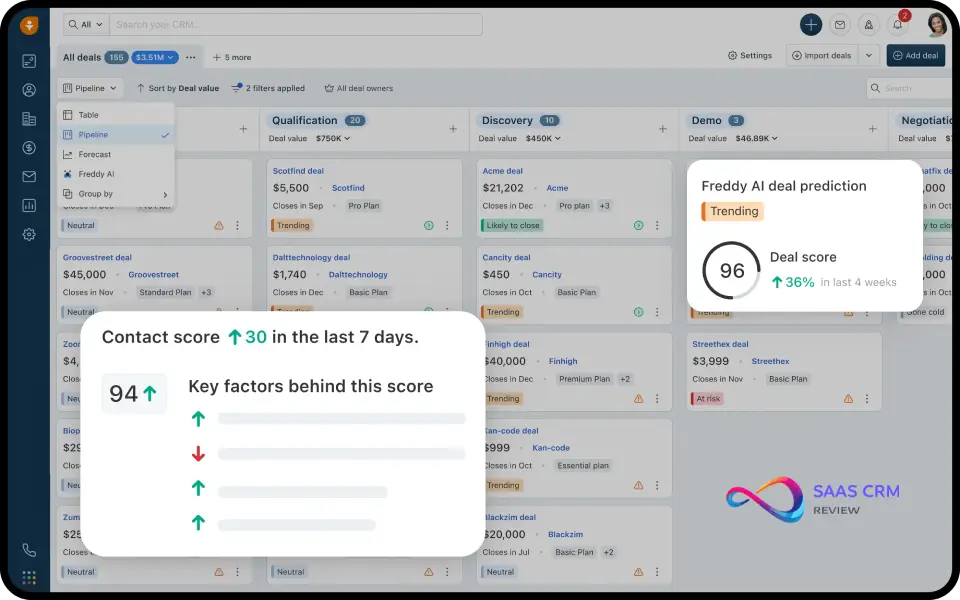
When I used Freshsales for a SaaS startup, the Freddy AI assistant stood out immediately. Even on lower tiers, it scores leads based on engagement signals and fit criteria, helping reps prioritize outreach to prospects most likely to convert. The interface is modern, fast, and less cluttered than legacy CRMs.
Freshsales includes contacts, accounts, deals, and a visual sales pipeline with smooth drag-and-drop functionality. Email and calendar sync work out of the box with Gmail and Outlook. The built-in phone dialer is particularly useful for sales-heavy teams.
The free plan supports 3 users with unlimited contacts—generous compared to competitors who cap contacts.
Free plan limits: 3 users, unlimited contacts, basic AI features, limited sequences and automation.
Upgrade trigger: Team size expansion beyond 3 users, or need for advanced AI (predictive scoring, deal insights).
Don’t choose this if: You need workflow automation on free tier—Zoho CRM offers this while Freshsales does not.
Setup time: ~30 minutes for basic setup. Phone dialer configuration adds 15 minutes.
| Pros ✅ | Cons ❌ |
|---|---|
| AI-powered lead scoring (Freddy AI) on lower tiers | Only 3 users allowed on free plan |
| Built-in phone and email reduces tool sprawl | Advanced AI features require paid upgrade |
| Modern, clean interface with fast performance | Phone sequences not available on free tier |
| Strong mobile app with near-desktop feature parity | Limited automation compared to Zoho free tier |
User Ratings: G2: 4.5/5 (1,200+ reviews) • Capterra: 4.5/5 • TrustRadius: 8.4/10
Pricing: ✅ Free plan: 3 users, unlimited contacts • 💰 Paid: From $9/user/month • Freshsales Pricing
Read our full: Freshsales Review 2026: Pricing, Features & Honest Pros/Cons
4. Agile CRM — Best for 10-User Teams
Ideal for: Sales teams of up to 10 users needing basic automation and email tracking.
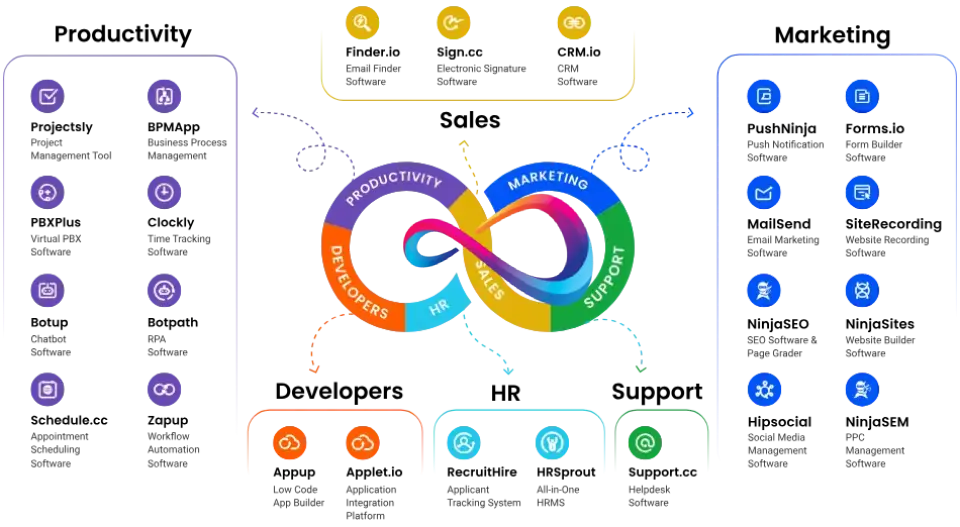
When I used Agile CRM for a small real estate team, the free tier covered our core needs admirably: contact management, deal tracking, appointment scheduling, and email campaigns. The platform combines sales, marketing, and service modules in one unified system.
Agile CRM’s free plan supports up to 10 users—significantly more generous than Zoho (3) or Freshsales (3). This makes it ideal for growing sales teams that need everyone on the same platform without per-seat costs.
Email tracking shows when prospects open emails and click links. The marketing automation allows simple drip campaigns and autoresponders.
Free plan limits: 10 users, 1,000 contacts, 1 automation workflow, basic email tracking.
Upgrade trigger: Exceeding 1,000 contacts—this is almost always the paywall moment for growing teams.
Don’t choose this if: You’ll exceed 1,000 contacts quickly—the cap hits fast and forces upgrade.
Setup time: ~1 hour for complete setup. Interface is dated but functional.
| Pros ✅ | Cons ❌ |
|---|---|
| Generous 10-user free limit (vs 3 at most competitors) | Hard cap at 1,000 contacts—common upgrade trigger |
| Basic marketing automation and email tracking included | Only 1 automation workflow allowed on free tier |
| Lead scoring and appointment scheduling on free tier | Interface feels dated compared to newer CRMs |
| Unified sales + marketing + service in one platform | Limited third-party integrations on free tier |
User Ratings: G2: 4.0/5 (340+ reviews) • Capterra: 4.1/5 • TrustRadius: 7.8/10
Pricing: ✅ Free plan: 10 users, 1,000 contacts • 💰 Paid: From $8.99/user/month
Read our full: Agile CRM Review 2026: Features, Pricing, Pros & Cons (Is It Worth It?)
Best free all-in-one CRMs (CRM + business suite)
5. Bitrix24 — Best Unlimited Everything
Ideal for: Teams of any size looking for a free CRM with no user limits and built-in collaboration.
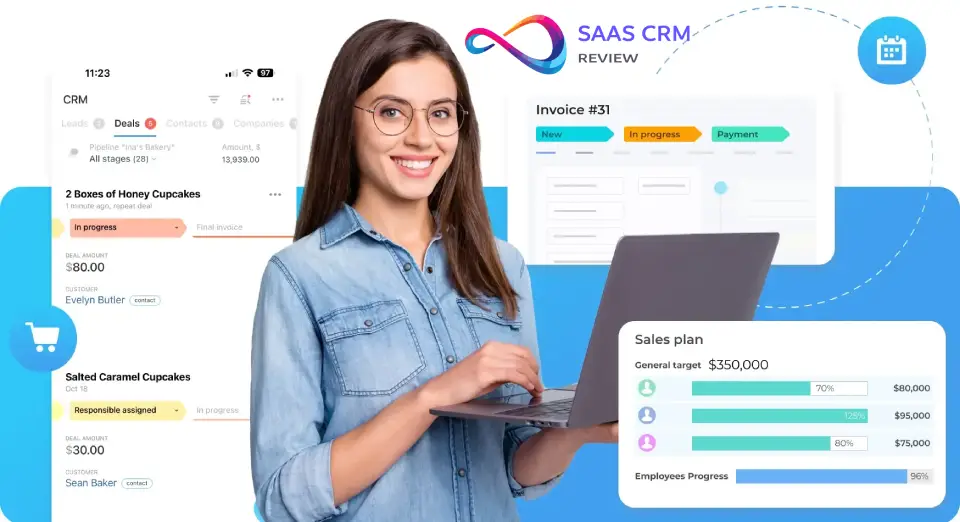
Bitrix24 is one of the rare CRMs offering unlimited users on its free plan. When I evaluated it for a 15-person marketing agency, everyone got full access without paying a cent—a significant advantage over competitors capping at 3–10 users.
Bitrix24 combines CRM with project management, team chat, HD video calls, and document storage. The CRM module includes leads, deals, contacts, and companies with a Kanban-style pipeline.
The all-in-one approach is both a strength and weakness. While integration saves money, the interface can feel overwhelming. The learning curve is steeper than HubSpot or Freshsales.
Free plan limits: Unlimited users, unlimited contacts, 5GB storage total, limited automation.
Upgrade trigger: Automation needs (workflows require paid plans) or storage limits (5GB fills quickly).
Don’t choose this if: You want simple, focused CRM only—Bitrix24’s interface is complex.
Setup time: 2+ hours for proper configuration. The learning curve is real.
| Pros ✅ | Cons ❌ |
|---|---|
| Unlimited free users—no per-seat paywall ever | Interface is complex with steep learning curve |
| All-in-one: CRM + projects + chat + video calls | Advanced workflow automation requires paid tier |
| Kanban pipeline and basic sales automation included | 5GB storage cap fills quickly with attachments |
| Self-hosted on-premise option for enterprise control | Feature overload for teams wanting simple CRM |
User Ratings: G2: 4.1/5 (540+ reviews) • Capterra: 4.2/5 • TrustRadius: 8.0/10
Pricing: ✅ Free plan: Unlimited users/contacts, 5GB storage • 💰 Paid: From $49/month (5 users) • Bitrix24 Pricing
Read our full: Bitrix24 CRM Review 2026: Features, Pricing, Pros & Cons & Best Alternatives
6. EngageBay — Best All-in-One Free Platform
Ideal for: Startups wanting CRM, email marketing, and basic automation in one free platform.
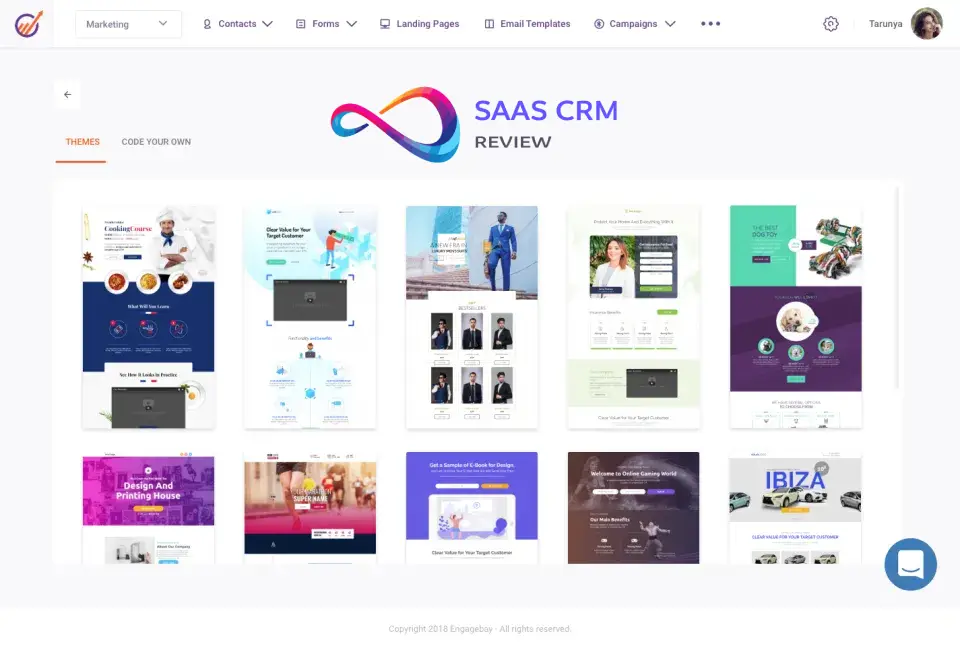
EngageBay is a hidden gem for teams wanting HubSpot-like functionality at zero cost. When I tested it for an e-commerce brand, we ran email campaigns, tracked deals, managed contacts, and used live chat—all within the free tier.
EngageBay’s free plan includes CRM with contact and deal management, email marketing with templates, landing page builder, and live chat widget. The deal pipeline is visual and customizable.
The free plan supports up to 15 users—the most generous on user seats among SaaS CRMs. However, email marketing is capped at 250 contacts.
Free plan limits: 15 users, 500 CRM contacts, 250 email marketing contacts, basic automation.
Upgrade trigger: Email list growth—marketing features gate quickly at the 250-email-contact cap.
Don’t choose this if: You’re already over 250 email contacts—the marketing gate hits immediately.
Setup time: ~45 minutes for complete setup including email marketing configuration.
| Pros ✅ | Cons ❌ |
|---|---|
| All-in-one: CRM + email marketing + landing pages + chat | Email marketing capped at only 250 contacts |
| Free tier includes basic automation workflows | 500 CRM contact limit fills quickly |
| Generous 15-user limit (highest among SaaS CRMs) | Reporting and analytics are basic on free tier |
| Modern interface with low learning curve | Less established ecosystem than HubSpot/Zoho |
User Ratings: G2: 4.6/5 (320+ reviews) • Capterra: 4.7/5 • TrustRadius: 9.1/10
Pricing: ✅ Free plan: 15 users, 500 CRM contacts, 250 email contacts • 💰 Paid: From $12.74/user/month
7. Vtiger — Best for Customer Support Integration
Ideal for: SMBs needing CRM with built-in helpdesk and customer support features.
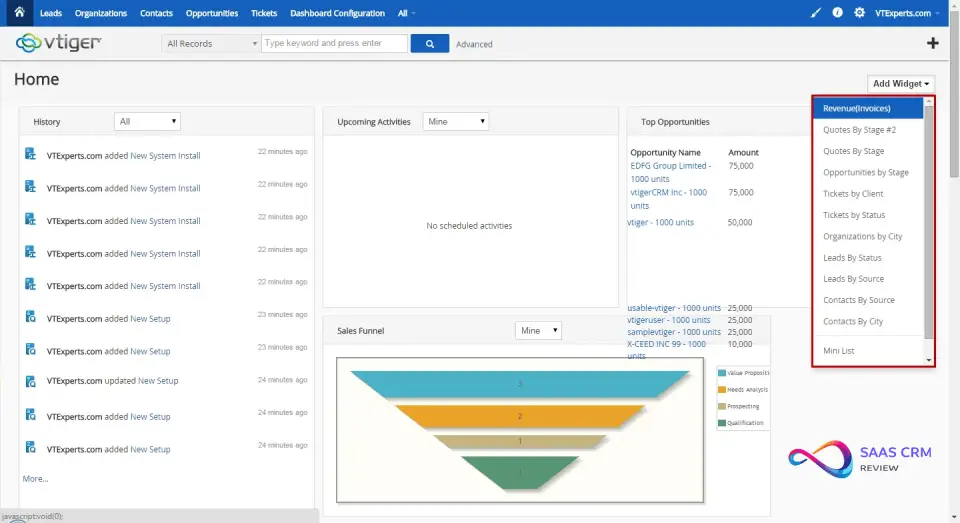
When I used Vtiger for a B2B services company, the standout feature was its unified view: sales, marketing, and support in one system. Sales reps could see open support tickets alongside deal history, providing context that improved both selling and service.
Vtiger’s CRM includes leads, contacts, accounts, opportunities, and a visual pipeline. The helpdesk module adds support tickets, SLAs, and customer portal access.
The free Pilot plan supports up to 10 users and 3,000 contacts—generous limits that allow real team usage.
Free plan limits: 10 users (Pilot plan), 3,000 contacts, basic support ticketing.
Upgrade trigger: Advanced analytics needs, deeper marketing automation, or extended support features.
Don’t choose this if: You want modern, sleek UI—Vtiger’s interface is dated.
Setup time: 1–2 hours for complete configuration.
| Pros ✅ | Cons ❌ |
|---|---|
| Unified CRM + helpdesk + support ticketing system | Interface feels dated compared to modern CRMs |
| Up to 10 free users on Pilot plan—generous limit | Advanced analytics locked behind paid tiers |
| Visual pipeline with comprehensive activity tracking | Marketing automation is basic only on free plan |
| Strong mobile apps for iOS and Android devices | Steeper learning curve than simpler alternatives |
User Ratings: G2: 4.3/5 (450+ reviews) • Capterra: 4.3/5 • TrustRadius: 7.9/10
Pricing: ✅ Free Pilot plan: 10 users, 3,000 contacts • 💰 Paid: From $12/user/month
Best free CRMs for services & delivery workflows
8. Flowlu — Best for Project + CRM Integration
Ideal for: Agencies needing CRM tightly integrated with project management and invoicing.
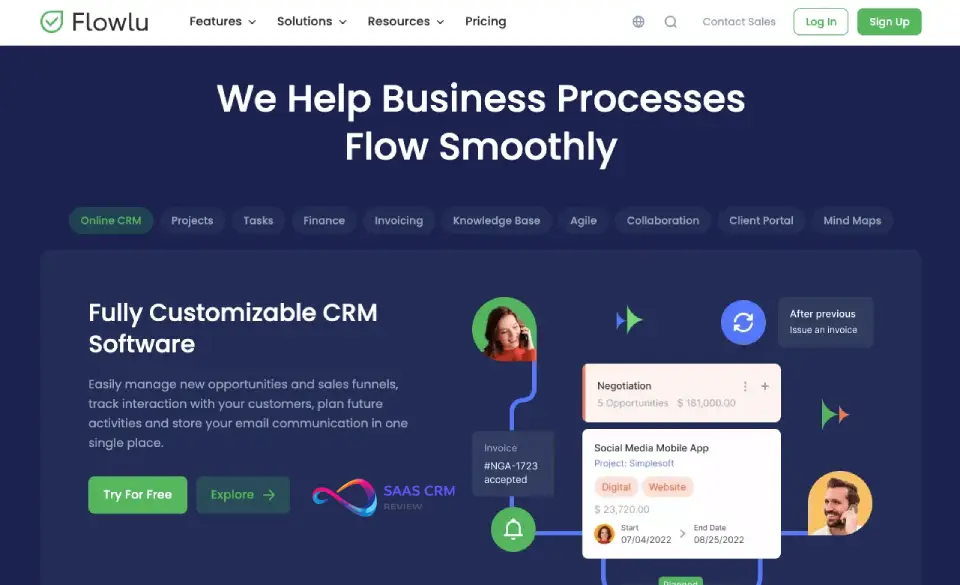
Flowlu shines when your workflow extends beyond sales—into project delivery, time tracking, and billing. When I tested it for a digital marketing agency, we managed leads, converted won deals to projects, tracked billable hours, and invoiced clients—all in one platform.
Flowlu’s CRM module includes contacts, opportunities, and a visual pipeline. What sets it apart is seamless integration with project management: when a deal closes, you can instantly create a project with tasks and milestones.
The major limitation is the extremely tight free plan: only 2 users and 20 contacts. This is among the most restrictive free tiers on this list.
Free plan limits: 2 users, 20 contacts only—significantly tighter than all competitors.
Upgrade trigger: Contact volume or team size—almost immediately for any real business use.
Don’t choose this if: You need a real free tier—Flowlu’s limits function more as trial than usable option.
Setup time: 1–2 hours for full configuration.
| Pros ✅ | Cons ❌ |
|---|---|
| CRM + project management + invoicing unified | Extremely tight limit: 2 users and only 20 contacts |
| Workflow automation included (limited on free) | Functions more as trial than truly usable free tier |
| Visual pipeline with deal-to-project conversion | Learning curve for understanding all-in-one platform |
| Knowledge base and client portal features included | Less CRM depth compared to dedicated CRM tools |
User Ratings: G2: 4.5/5 (65+ reviews) • Capterra: 4.7/5 • TrustRadius: 8.6/10
Pricing: ✅ Free plan: 2 users, 20 contacts • 💰 Paid: From $29/month (8 users)
9. Capsule CRM — Best for Simplicity
Ideal for: Solopreneurs and micro-teams who want a clean, no-nonsense CRM.
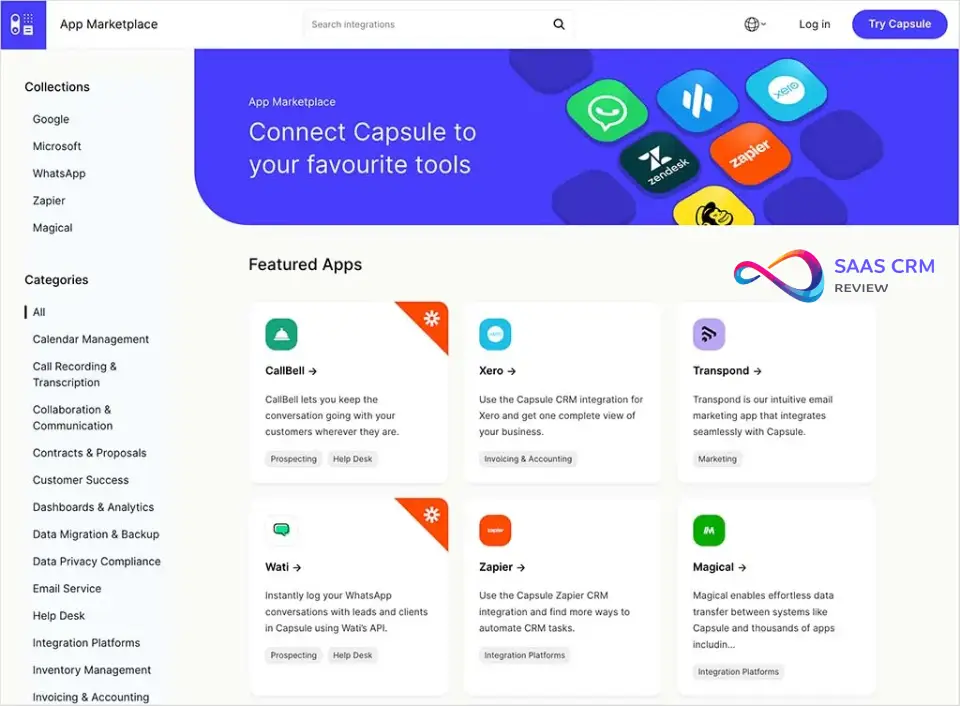
When I used Capsule CRM for a freelance consultant, the appeal was immediate: it’s simple, fast, and stays out of your way. Unlike Bitrix24 or even HubSpot, Capsule focuses on doing the basics extremely well. Contacts, companies, deals, and tasks—that’s the core functionality, executed cleanly.
The minimalist interface loads quickly and works exactly as expected. Gmail and Outlook integration works seamlessly, logging emails automatically to contact records.
The trade-off for simplicity is limited functionality. There’s no automation whatsoever, and reporting is basic at best.
Free plan limits: 2 users, 250 contacts only, no automation features, basic pipeline.
Upgrade trigger: Contact volume (250 cap hits fast) or need for sales analytics.
Don’t choose this if: You need automation, advanced reporting, or scale—Capsule’s limits are tight by design.
Setup time: Less than 15 minutes. Fastest onboarding of any CRM on this list.
| Pros ✅ | Cons ❌ |
|---|---|
| Extremely clean, minimalist interface—no clutter | Very tight limit: only 2 users and 250 contacts |
| Fast setup with minimal configuration required | No automation features whatsoever included |
| Solid Gmail/Outlook integration logs emails auto | Basic reporting with no forecasting capabilities |
| Good mobile app experience on iOS and Android | Limited features compared to full-featured CRMs |
User Ratings: G2: 4.7/5 (180+ reviews) • Capterra: 4.5/5 • TrustRadius: 8.2/10
Pricing: ✅ Free plan: 2 users, 250 contacts • 💰 Paid: From $18/user/month
Read our full: Capsule CRM Review 2026: Features, Pricing, Pros & Cons for Small Businesses
Best free open-source / self-hosted CRMs
10. SuiteCRM — Best Enterprise Open-Source
Ideal for: Organizations wanting full CRM control, no licensing fees, and self-hosted data ownership.
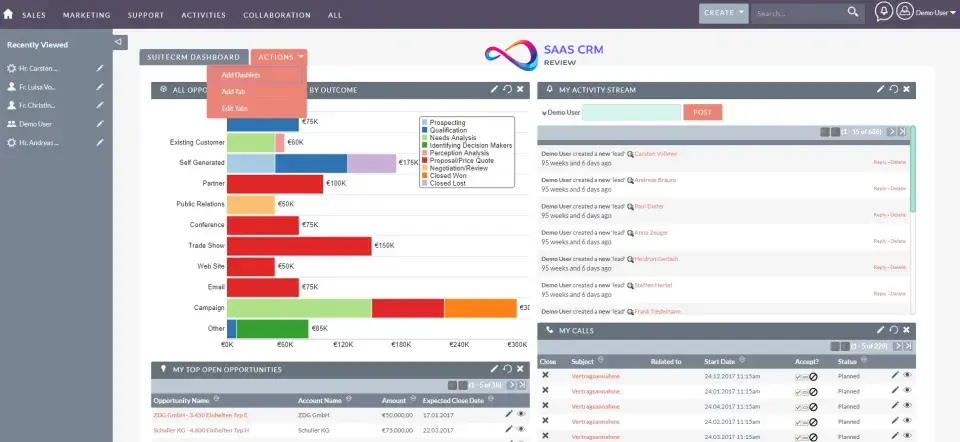
SuiteCRM is the leading open-source CRM—a fork of SugarCRM Community Edition that’s actively maintained. When I deployed it for a mid-sized B2B company, we had complete control: custom modules, unlimited users, and zero per-seat licensing fees.
SuiteCRM includes contacts, accounts, leads, opportunities, quotes, invoices, and campaign management—full enterprise capabilities. Workflow automation is fully available—no feature gating behind paid tiers.
The trade-off is setup complexity. SuiteCRM requires self-hosting on your own servers, PHP/MySQL configuration, and ongoing maintenance.
Free plan limits: None—the entire feature set is available. You pay for hosting ($10–50/month) and IT resources.
Upgrade trigger: Support needs—SuiteCRM offers paid support and managed hosting.
Don’t choose this if: You can’t manage servers—SuiteCRM requires PHP/MySQL skills.
Setup time: 4–8 hours with technical skills.
| Pros ✅ | Cons ❌ |
|---|---|
| 100% open-source with zero licensing fees ever | Requires self-hosting with server management |
| Full feature set: pipelines, automation, campaigns | Setup complexity—needs PHP/MySQL expertise |
| Unlimited users with complete data ownership | No vendor support without paid support plans |
| Active community and regular security updates | Hosting costs $10–50+/month depending on scale |
User Ratings: G2: 4.2/5 (100+ reviews) • Capterra: 4.1/5 • TrustRadius: 8.0/10
Pricing: ✅ Free: Open-source, self-hosted • 💰 Hosting: ~$10–50/month
11. EspoCRM — Best Lightweight Open-Source
Ideal for: Small teams or developers wanting a modern, lightweight open-source CRM.
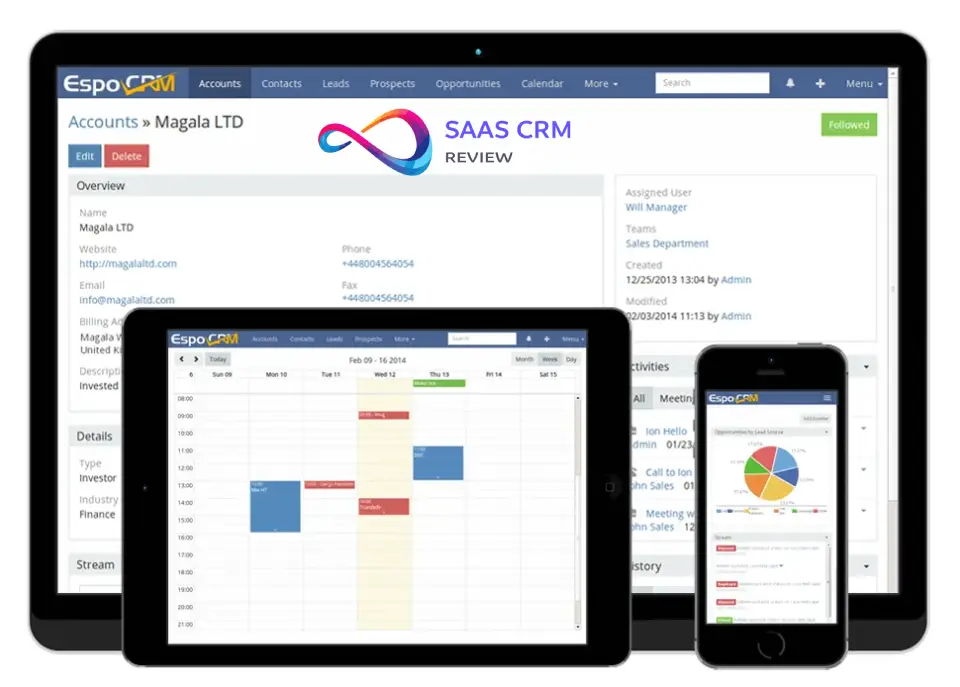
When I evaluated EspoCRM for a lean startup, it stood out for its clean, modern interface—uncommon in open-source CRMs. It’s easier to deploy and customize than SuiteCRM, with a smaller server footprint and faster performance.
EspoCRM includes contacts, leads, accounts, opportunities, tasks, calendar, and email integration. The Entity Manager allows non-developers to create custom entities without coding.
Installation is simpler than SuiteCRM, with a guided installer that works on most shared hosting environments.
Free plan limits: None—full open-source with all features. Costs are hosting only (~$10–30/month).
Upgrade trigger: Cloud hosting option or priority support for enterprise deployments.
Don’t choose this if: You want turnkey SaaS experience—EspoCRM requires self-hosting.
Setup time: 2–4 hours for complete deployment.
| Pros ✅ | Cons ❌ |
|---|---|
| Modern, clean interface—not dated enterprise UI | Smaller community than SuiteCRM for support |
| Easy customization with no-code Entity Manager | Fewer extensions and plugins available |
| Workflow automation and email integration included | Still requires self-hosting and maintenance |
| Smaller footprint, faster deployment than SuiteCRM | Less documentation compared to larger projects |
User Ratings: G2: 4.6/5 (40+ reviews) • Capterra: 4.6/5 • TrustRadius: 8.5/10
Pricing: ✅ Free: Open-source, self-hosted • 💰 Hosting: ~$10–30/month
12. Odoo CRM — Best Modular Platform
Ideal for: Businesses wanting CRM as part of a broader ERP ecosystem—sales, invoicing, inventory, HR.
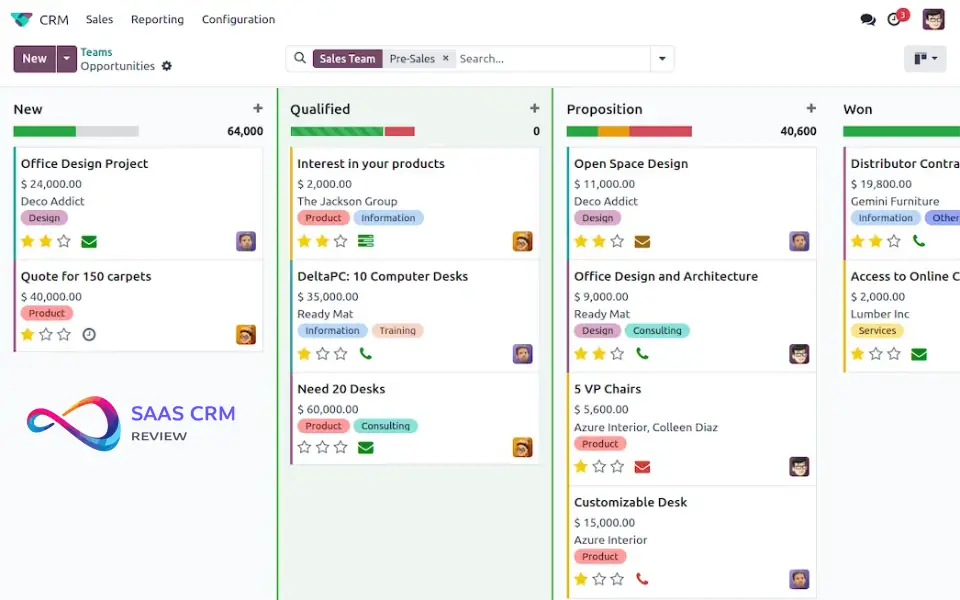
Odoo’s strength is modularity. When I used it for a small manufacturer, we started with CRM, then added invoicing, inventory management, and HR modules—all within one unified platform.
Odoo CRM includes leads, opportunities, quotations, and a visual pipeline with forecasting. The open-source Community Edition includes full CRM functionality with unlimited users when self-hosted.
The trade-off is complexity. Odoo’s full suite is powerful but overwhelming for teams wanting just simple CRM.
Free plan limits: 1 app free (unlimited users) on Odoo Online; Community Edition self-hosted is fully free.
Upgrade trigger: Needing more than one application module (e.g., CRM + invoicing together requires paid plan).
Don’t choose this if: You want simple CRM only—Odoo is overwhelming for basic CRM needs.
Setup time: 4–8 hours for proper configuration.
| Pros ✅ | Cons ❌ |
|---|---|
| Modular: add invoicing, inventory, HR as you grow | Complexity—overwhelming for simple CRM needs |
| Open-source Community Edition with full features | Steep learning curve for new users |
| Visual pipeline with forecasting and quotations | Adding apps beyond 1 requires paid subscription |
| Large ecosystem with 30,000+ community modules | Self-hosting Community Edition requires IT resources |
User Ratings: G2: 4.2/5 (250+ reviews) • Capterra: 4.2/5 • TrustRadius: 8.1/10
Pricing: ✅ Free: 1 app free or Community Edition • 💰 Paid: From $24.90/user/month
13. CiviCRM — Best for Nonprofits
Ideal for: Nonprofits needing donor management, event registration, and constituent tracking.
CiviCRM is purpose-built for organizations that don’t fit the “sales pipeline” model—think donor journeys, grant tracking, membership renewals, and event management.
CiviCRM integrates natively with WordPress, Drupal, Joomla. Features include constituent management, contribution tracking, membership management, event registration, email campaigns, and grant tracking.
The software is 100% free and open-source, with no licensing fees regardless of organization size.
Free plan limits: None—fully open-source. Costs include hosting and CMS infrastructure.
Upgrade trigger: Need for managed hosting, premium extensions, or professional implementation.
Don’t choose this if: You’re a for-profit business—CiviCRM is designed for nonprofit workflows only.
Setup time: 4–8 hours with CMS expertise.
| Pros ✅ | Cons ❌ |
|---|---|
| Purpose-built for nonprofits and membership orgs | Requires CMS integration (WordPress, Drupal) |
| Donor, event, membership, and campaign management | Technical setup complexity—not turnkey at all |
| Integrates with WordPress, Drupal, Joomla, Backdrop | Steeper learning curve than SaaS alternatives |
| 100% free and open-source with active community | Support is community-based without paid plans |
User Ratings: G2: 3.8/5 (25+ reviews) • Capterra: 4.2/5 • TrustRadius: 7.5/10
Pricing: ✅ Free: Open-source • 💰 Hosting/support costs vary
14. Dolibarr — Best for ERP + CRM
Ideal for: Small businesses and freelancers wanting CRM, invoicing, and ERP in one simple system.
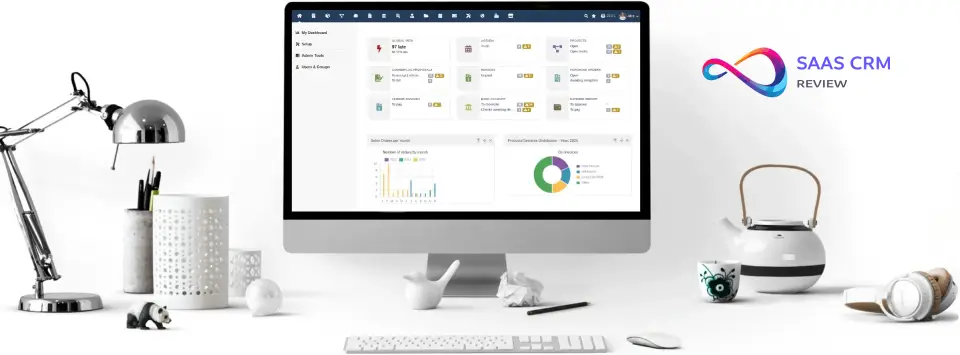
Dolibarr is modular and lightweight—easier to deploy than Odoo. When I tested it for a freelance accountant managing client relationships and invoicing, we had both functions in one interface.
Dolibarr includes CRM (leads, contacts, companies, opportunities), proposals, sales orders, invoicing, product catalog, project management, and inventory tracking. Modules can be enabled/disabled based on need.
Installation is straightforward on shared hosting environments.
Free plan limits: None—fully open-source. Costs are hosting only ($5–20/month).
Upgrade trigger: Need for cloud hosting, SaaS convenience, or professional support.
Don’t choose this if: You need sophisticated sales automation—Dolibarr focuses on operations.
Setup time: 1–2 hours for basic installation.
| Pros ✅ | Cons ❌ |
|---|---|
| CRM + ERP (invoicing, inventory, projects) unified | Interface is dated and utilitarian in design |
| Modular: enable only the features you actually need | Limited workflow automation capabilities |
| Easy to install on shared hosting environments | Less sophisticated CRM features than dedicated tools |
| Active community with regular updates and modules | Smaller ecosystem than Odoo or SuiteCRM |
User Ratings: G2: 4.2/5 (25+ reviews) • Capterra: 4.3/5 • TrustRadius: 7.8/10
Pricing: ✅ Free: Open-source • 💰 Hosting: ~$5–20/month
15. YetiForce — Best Enterprise Open-Source
Ideal for: Larger organizations wanting enterprise-grade open-source CRM with compliance focus.
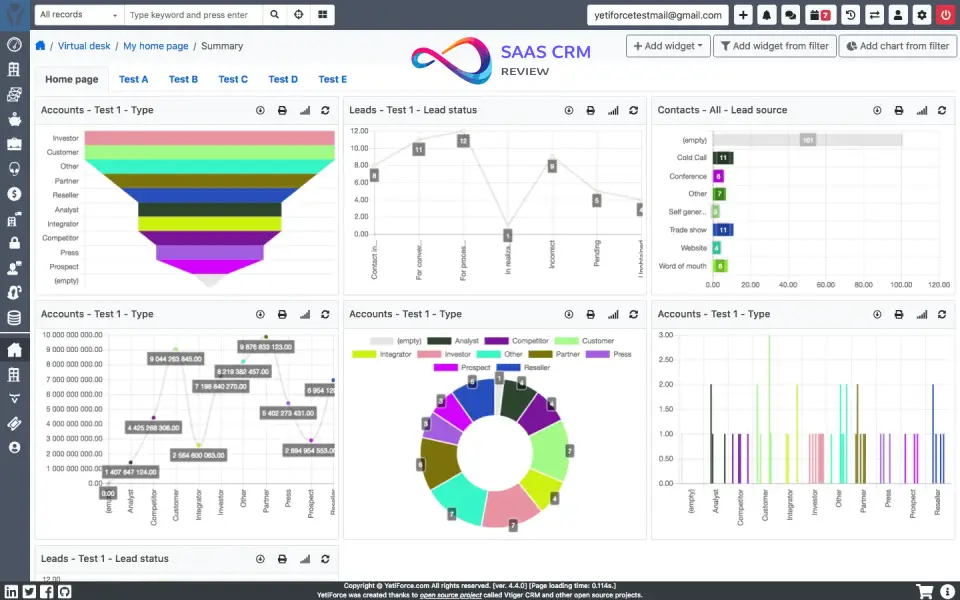
When I evaluated YetiForce for a regulated healthcare-adjacent business, the depth was impressive: custom modules, advanced user permissions, GDPR compliance tools, detailed audit trails—all without licensing fees.
YetiForce includes contacts, companies, leads, opportunities, projects, products, services, calendar, knowledge base, and multi-company support. The permission system is granular, controlling access at field level.
The trade-off is resource intensity. YetiForce is heavier than EspoCRM or SuiteCRM.
Free plan limits: None—fully open-source. Costs include hosting (higher resource requirements).
Upgrade trigger: Need for professional implementation, training, or commercial support.
Don’t choose this if: You lack technical resources—YetiForce setup is complex.
Setup time: 6–10 hours for proper deployment.
| Pros ✅ | Cons ❌ |
|---|---|
| Enterprise-grade: GDPR compliance, audit logs, permissions | Resource-intensive—needs capable server infrastructure |
| Extensive module library covering many industries | Setup complexity—often requires developer involvement |
| Multi-company and multi-currency support for global use | Smaller community than SuiteCRM for support |
| Active development with frequent feature updates | Steep learning curve due to extensive feature depth |
User Ratings: G2: 4.3/5 (15+ reviews) • Capterra: 4.4/5
Pricing: ✅ Free: Open-source • 💰 Paid support plans available
16. Twenty — Best Modern Open-Source CRM
Ideal for: Developers and startups wanting a modern, open-source CRM alternative to Salesforce with clean UI.
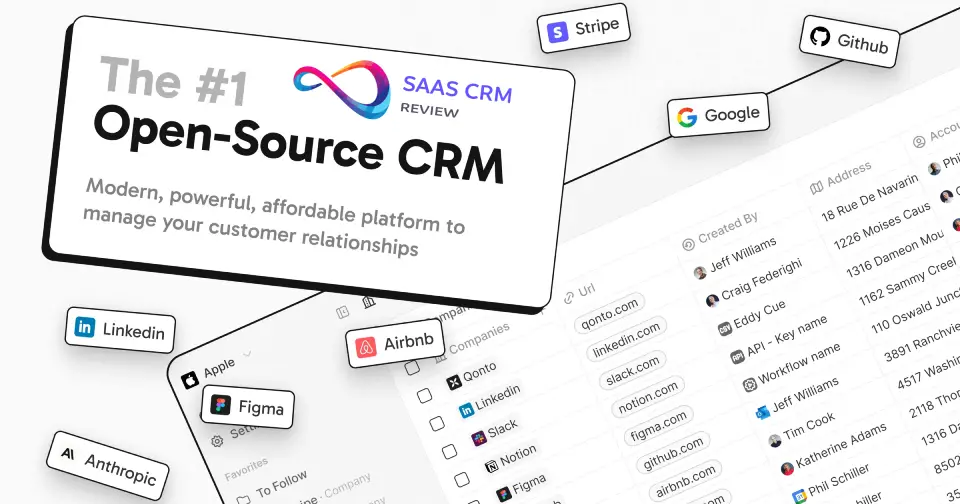
Twenty is positioned as the open-source alternative to Salesforce—built for modern teams who want full control over their CRM data. Unlike SuiteCRM’s enterprise-era interface, Twenty has a genuinely modern UI that feels like a product from 2024.
When I tested Twenty’s self-hosted version, the interface impressed immediately. It’s clean, fast, and familiar—borrowing UX patterns from Notion and Linear. Contacts, companies, and opportunities are well-organized.
Twenty is built on modern tech stack (TypeScript, React, PostgreSQL) making it developer-friendly. The community is active and growing rapidly.
Free plan limits: None for self-hosted—full features, unlimited users, unlimited data.
Upgrade trigger: Need for managed cloud hosting or enterprise support when available.
Don’t choose this if: You need mature, battle-tested CRM today—Twenty is still early-stage.
Setup time: 1–2 hours with Docker.
| Pros ✅ | Cons ❌ |
|---|---|
| Modern, clean UI unlike legacy open-source CRMs | Relatively new—less mature than SuiteCRM |
| Developer-friendly: TypeScript, GraphQL API | Fewer features currently than established CRMs |
| Self-hosted with complete data ownership | Smaller community and ecosystem currently |
| Actively developed with frequent updates | Cloud-hosted option not yet fully available |
User Ratings: GitHub: 12,000+ stars • Product Hunt: Featured (top 5 of the day)
Pricing: ✅ Free: Self-hosted, unlimited everything • 💰 Cloud: Pricing TBA • Twenty CRM
Best free CRMs for your email inbox
17. Streak CRM — Best for Gmail Users
Ideal for: Gmail power users who live in their inbox and want CRM without switching applications.
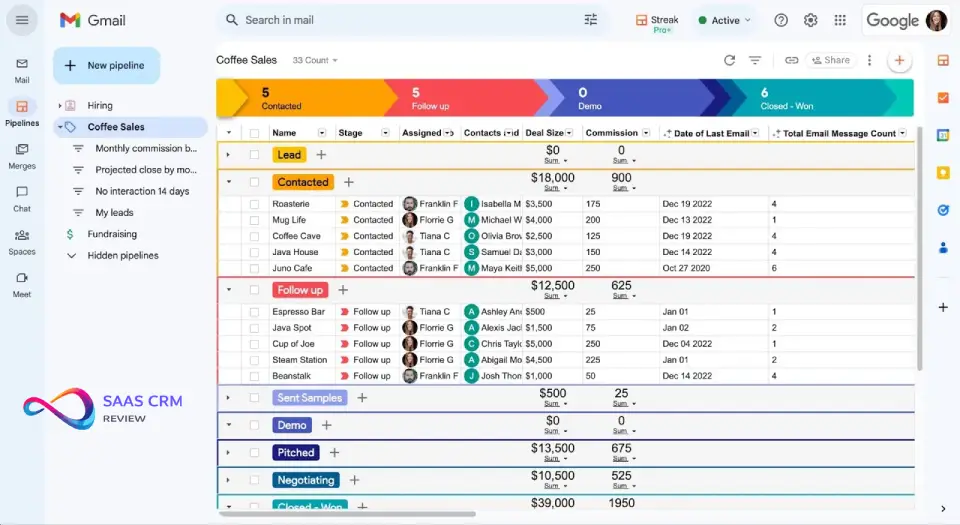
When I tested Streak for a sales consultant, the integration was seamless—CRM lives entirely inside Gmail. No separate app to open, no context switching. You see pipeline stages, contact history, and deal notes directly in your inbox.
Streak embeds CRM functionality inside Gmail using a Chrome extension. Pipelines appear as a sidebar. Mail merge lets you send personalized bulk emails. Email tracking shows opens and clicks.
The free plan is usable for solo professionals and small pipelines—popular with recruiters, real estate agents, and consultants.
Free plan limits: 500 contacts, 50 emails/day for mail merge, basic pipelines, limited reporting.
Upgrade trigger: Contact volume beyond 500, higher email volume, or advanced reporting.
Don’t choose this if: You don’t use Gmail primarily—Streak is specifically designed for Gmail only.
Setup time: Less than 15 minutes.
| Pros ✅ | Cons ❌ |
|---|---|
| CRM lives entirely inside Gmail—no separate app | Gmail-only—no support for Outlook or other email |
| Email tracking and mail merge included free | 500 contact limit on free tier |
| Visual pipeline with automatic email logging | 50 emails/day cap for mail merge |
| Very fast setup—under 15 minutes | Limited features compared to standalone CRMs |
User Ratings: G2: 4.5/5 (450+ reviews) • Capterra: 4.5/5 • TrustRadius: 8.4/10
Pricing: ✅ Free plan: 500 contacts, 50 emails/day • 💰 Paid: From $15/user/month
Read our full: Streak CRM Review 2026: Is Gmail-Based CRM the Right Choice for Small Teams?
18. eWay-CRM — Best for Outlook Users
Ideal for: Outlook users wanting CRM without leaving their familiar email environment.
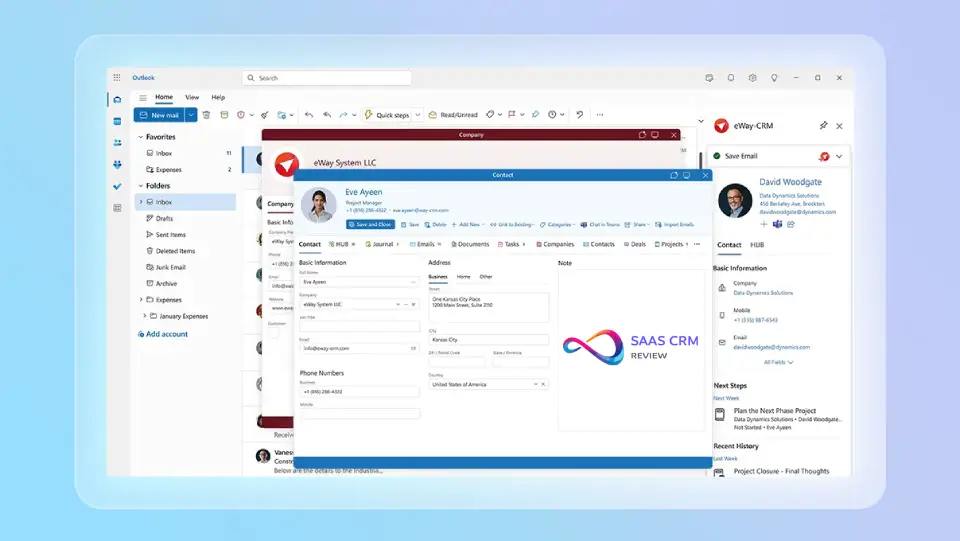
eWay-CRM integrates directly into Microsoft Outlook, bringing CRM functionality into the application you already use daily. When I tested it for a B2B sales team using Outlook, deals, contacts, and projects appeared as native Outlook modules.
eWay-CRM adds tabs to Outlook for contacts, companies, deals, projects, and tasks. Email conversations are automatically linked to contact records.
The free plan includes unlimited users and unlimited contacts—generous limits uncommon among free CRMs. Cloud storage is capped at 200MB.
Free plan limits: Unlimited users, unlimited contacts, 200MB cloud storage.
Upgrade trigger: Storage limits (200MB fills fast) or need for advanced features like import/export.
Don’t choose this if: You don’t use Outlook—eWay-CRM is specifically designed for Microsoft Outlook only.
Setup time: 30–45 minutes including Outlook add-in installation.
| Pros ✅ | Cons ❌ |
|---|---|
| CRM inside Outlook—no separate application | Outlook-only—no support for Gmail or other clients |
| Unlimited users and unlimited contacts on free | 200MB storage cap fills quickly with attachments |
| Automatic email linking to contact records | Advanced features like import/export require paid |
| Low learning curve for existing Outlook users | Less feature-rich than standalone CRM platforms |
User Ratings: G2: 4.6/5 (65+ reviews) • Capterra: 4.6/5 • TrustRadius: 8.3/10
Pricing: ✅ Free plan: Unlimited users/contacts, 200MB storage • 💰 Paid: From $24/user/month
Best for building your own CRM (DIY / CRM builder)
19. Zapier Tables — Best for Custom Automation-Driven CRM
Ideal for: Power users and automation enthusiasts who want to build a custom CRM tailored to their exact workflow.
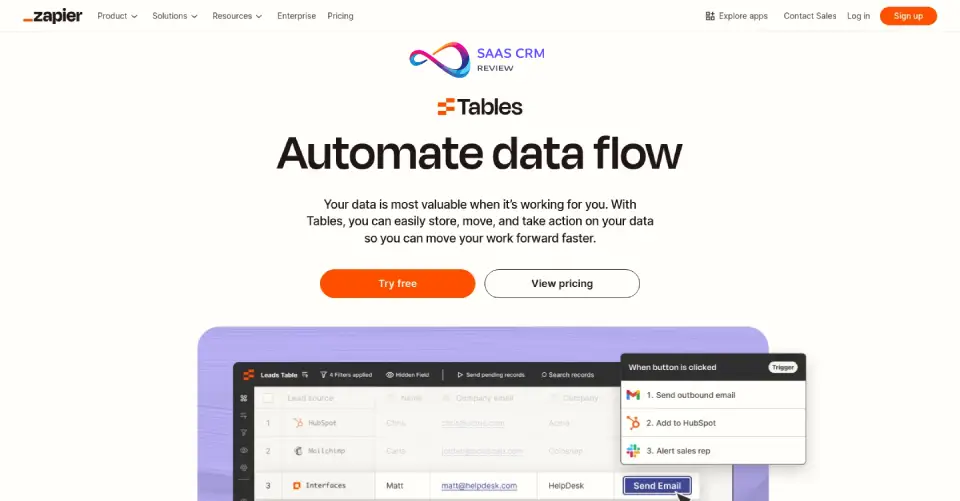
When I tested Zapier Tables for a solopreneur with unique sales processes, the flexibility was unmatched. Unlike traditional CRMs with fixed structures, you design your own database schema—custom fields, relationships, and automation triggers from scratch.
Zapier Tables functions as a database that connects to 6,000+ apps through Zapier’s automation platform. Create a contacts table, link it to deals, trigger automated sequences when status changes—all without coding.
Zapier Interfaces adds a frontend layer for custom forms, dashboards, and portals. Together, they create a no-code CRM builder.
Free plan limits: 5,000 records, 100 automations/month, 2-week edit history, Zapier branding.
Upgrade trigger: Record volume beyond 5,000 or automation volume exceeding 100/month.
Don’t choose this if: You want plug-and-play CRM—Zapier Tables requires building from ground up.
Setup time: 2–4 hours minimum for basic CRM structure.
| Pros ✅ | Cons ❌ |
|---|---|
| Completely customizable database structure | Requires building from scratch—no templates |
| 6,000+ app integrations through Zapier | No dedicated mobile app available |
| No-code automation with conditional logic | 5,000 record limit on free tier |
| Familiar spreadsheet-like interface | No traditional pipeline view out of box |
User Ratings: G2: 4.5/5 (1,200+ reviews) • Capterra: 4.7/5 • TrustRadius: 8.6/10
Pricing: ✅ Free plan: 5,000 records, 100 automations/month • 💰 Paid: From $19.99/month • Zapier Tables
CRM-lite tools (niche use cases)
20. Clarify — Best AI-Native Free CRM
Ideal for: Teams wanting AI-first CRM that automates data entry and surfaces insights automatically.
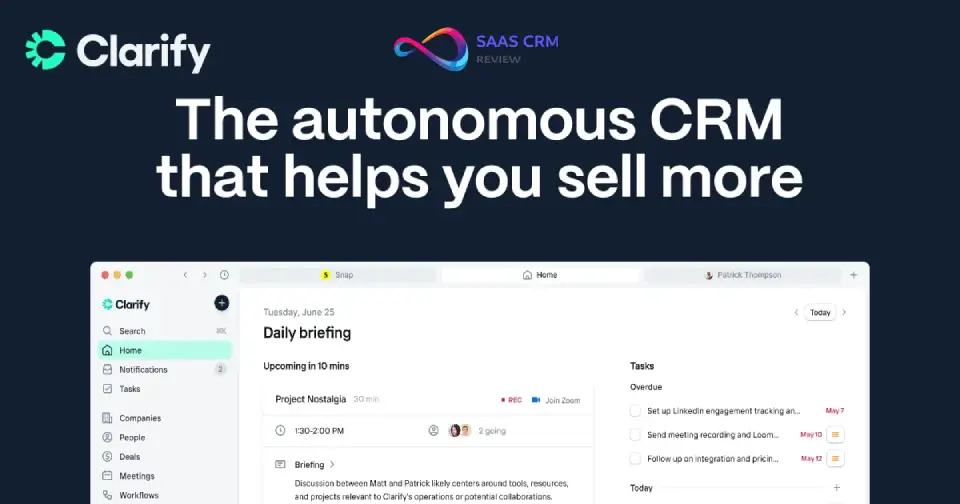
Clarify is built from the ground up as an AI-native CRM—not a traditional CRM with AI bolted on. When I tested it for a startup sales team, the AI automatically enriched contact profiles, suggested next actions, and drafted follow-up emails.
The core premise: CRM data should populate itself. Clarify syncs with your email, calendar, and meeting tools, then uses AI to extract contacts, companies, and relationship context automatically. No more manually logging calls.
Contact enrichment pulls company data, social profiles, and recent news. The interface is modern and minimal, designed for focus rather than feature overwhelm.
Free plan limits: Contact and feature limits vary (Free limits change often — check the vendor page linked below)
Upgrade trigger: Team size growth or need for advanced AI features and integrations.
Don’t choose this if: You need extensive customization—Clarify prioritizes simplicity.
Setup time: ~30 minutes. Connect email/calendar and AI starts populating data automatically.
| Pros ✅ | Cons ❌ |
|---|---|
| AI automates data entry—contacts populate themselves | Newer platform with smaller ecosystem |
| Automatic enrichment and relationship insights | Less customizable than traditional CRMs |
| Modern, minimal interface reduces overwhelm | Integration library still expanding |
| Email/calendar sync creates timeline automatically | Advanced features require paid tier |
User Ratings: G2: 4.6/5 (early reviews) • Product Hunt: Featured product
Pricing: ✅ Free plan: Available for small teams • 💰 Paid: Contact sales • Clarify CRM
21. Attio — Best AI CRM for GTM Strategy
Ideal for: B2B startups and sales teams wanting modern CRM with AI-powered relationship intelligence.
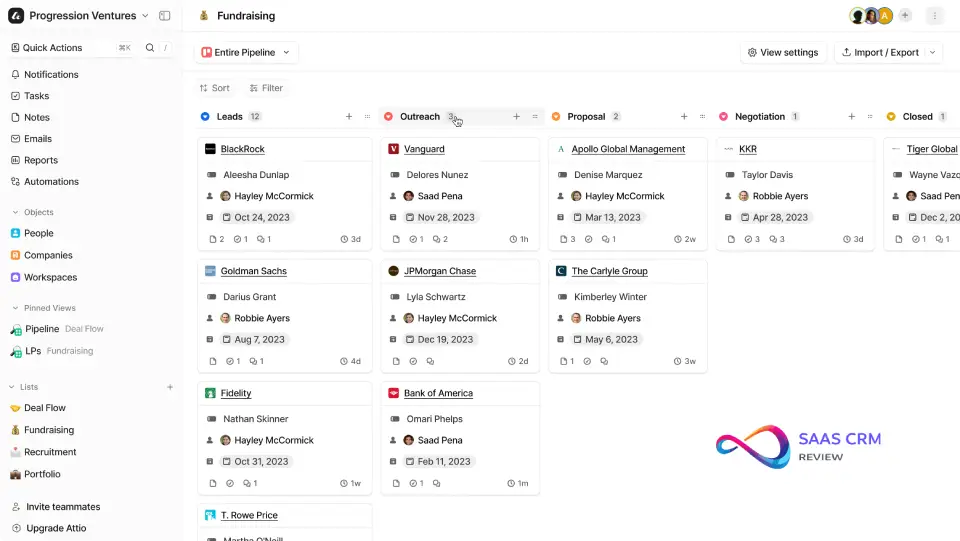
Attio positions itself as the CRM for the next generation of B2B companies—built for modern go-to-market teams who think in terms of relationships, not just contacts.
Unlike traditional CRMs organized around contacts and companies, Attio maps your full relationship network. It syncs email, calendar, and enrichment data to show connection strength, interaction frequency, and best paths to reach prospects.
The interface is beautiful and modern—clearly designed by people who care about UX. Workspaces are highly customizable with different views (list, board, timeline).
Free plan limits: Up to 3 users, core CRM features, basic enrichment, limited AI capabilities.
Upgrade trigger: Team growth beyond 3 users or need for advanced AI (deal prediction, relationship scoring).
Don’t choose this if: You prefer traditional pipeline-focused CRM—Attio’s relationship model is different.
Setup time: ~45 minutes including email sync and workspace setup.
| Pros ✅ | Cons ❌ |
|---|---|
| Beautiful, modern interface with great UX | Advanced AI features require paid plans |
| Relationship-centric approach vs contact-centric | Only 3 users on free tier |
| Automatic enrichment and email sync | Newer platform, smaller ecosystem |
| Highly customizable workspaces and views | Different mental model than traditional CRMs |
User Ratings: G2: 4.8/5 (100+ reviews) • Product Hunt: #1 Product of the Day • Capterra: 4.7/5
Pricing: ✅ Free plan: 3 users, core features • 💰 Paid: From $29/user/month • Attio CRM
22. Snov.io — Best for Prospecting and Cold Outreach
Ideal for: Sales teams focused on outbound prospecting, email finding, and cold email campaigns.
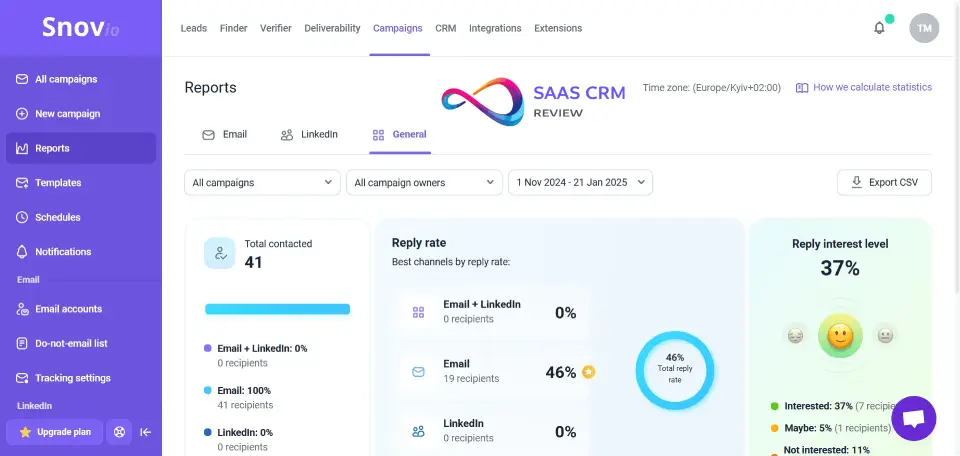
Snov.io isn’t a traditional CRM—it’s a sales prospecting platform with CRM functionality built in. When I used it for a B2B agency’s outbound campaigns, the email finder and verification tools were the star.
The Email Finder searches for contacts by company domain and job title. The Email Verifier checks deliverability before you send. Drip Campaigns automate multi-step outreach sequences with conditional logic.
CRM features include a visual pipeline, contact management, and deal tracking. Chrome extension works on LinkedIn for capturing prospects while browsing.
Free plan limits: 50 credits/month (1 credit = 1 email find/verify), 100 email recipients, 1 drip campaign.
Upgrade trigger: Credit volume—50/month is tight for active prospecting teams.
Don’t choose this if: You’re primarily inbound—Snov.io is designed for outbound prospecting.
Setup time: ~30 minutes for basic setup.
| Pros ✅ | Cons ❌ |
|---|---|
| Email finder and verification built in | Only 50 credits/month on free tier |
| Drip campaign automation included | Designed for outbound, not inbound teams |
| Chrome extension for LinkedIn prospecting | CRM features less deep than dedicated CRMs |
| Visual pipeline with deal tracking | Email reputation requires careful management |
User Ratings: G2: 4.6/5 (400+ reviews) • Capterra: 4.5/5 • TrustRadius: 8.4/10
Pricing: ✅ Free plan: 50 credits/month, 100 recipients • 💰 Paid: From $30/month • Snov.io
23. Brevo — Best for Free Daily Email Marketing
Ideal for: Small businesses wanting email marketing + basic CRM without paying for separate tools.
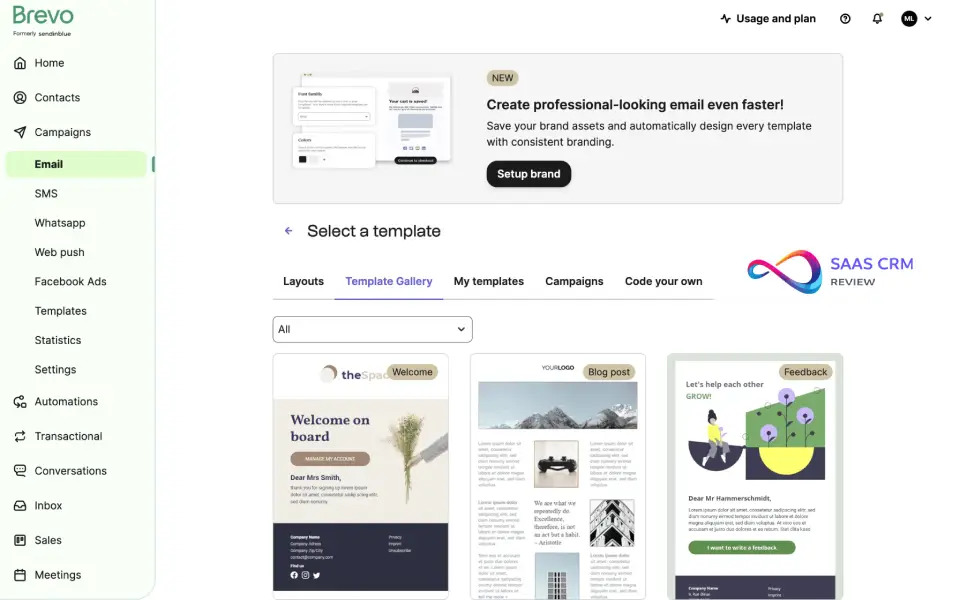
Brevo (formerly Sendinblue) is primarily an email marketing platform with CRM features included free. When I tested it for an e-commerce brand, we sent email campaigns, tracked deals, and managed contacts in one system.
Email marketing is the star—unlimited contacts with 300 emails/day free. Create campaigns with drag-and-drop editor. Automation workflows trigger emails based on behavior. Transactional emails are included.
CRM features include contacts, companies, deals, and tasks. The pipeline is visual with customizable stages—basic compared to dedicated CRMs but covers essentials.
Free plan limits: Unlimited contacts, 300 emails/day, basic CRM, 1 automation workflow.
Upgrade trigger: Email volume beyond 300/day or need for advanced automation.
Don’t choose this if: You need deep CRM functionality—Brevo is email-first with CRM as secondary.
Setup time: ~30 minutes including email setup.
| Pros ✅ | Cons ❌ |
|---|---|
| Unlimited contacts with 300 emails/day free | 300 emails/day caps larger operations |
| Email marketing + CRM in one platform | CRM features are basic, not comprehensive |
| Automation workflows on free tier | Brevo branding on free tier emails |
| Chat widget and landing pages included | Less CRM depth than dedicated platforms |
User Ratings: G2: 4.5/5 (700+ reviews) • Capterra: 4.5/5 • TrustRadius: 8.3/10
Pricing: ✅ Free plan: Unlimited contacts, 300 emails/day • 💰 Paid: From $25/month • Brevo
Read our full: Brevo Review 2026: Pricing, Features, Deliverability & Alternatives
24. Clay — Best Personal CRM
Ideal for: Professionals wanting to maintain personal and professional relationships with intelligent reminders.
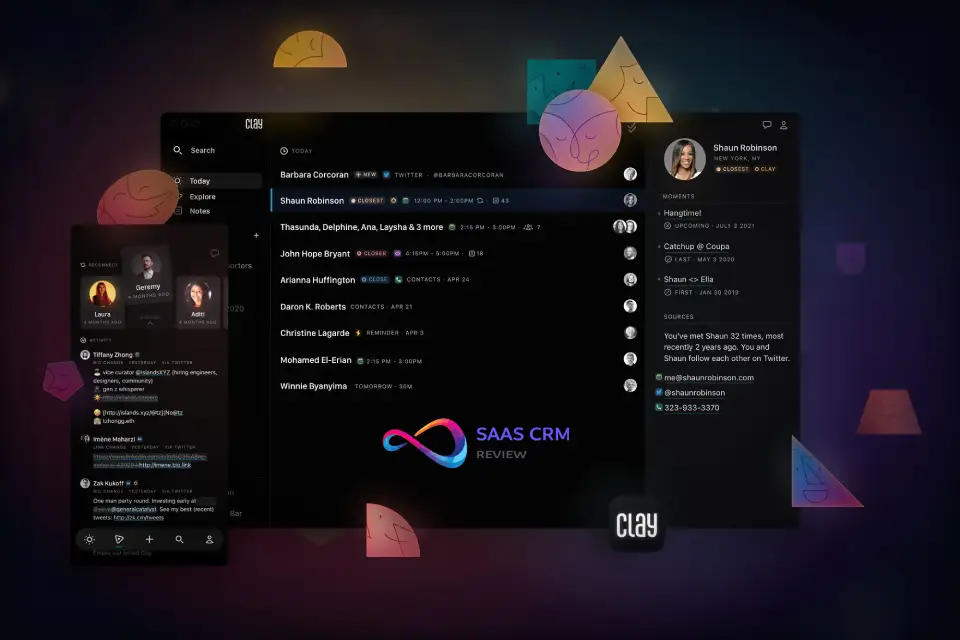
Clay is a personal CRM—designed for individuals managing networks, not sales teams managing pipelines. When I tested it for a consultant with 500+ professional contacts, the approach was refreshing. Instead of deals and funnels, Clay focuses on relationships and staying in touch.
Clay syncs contacts from email, LinkedIn, Twitter, and other sources into one unified view. AI enriches profiles with context—job changes, company news, mutual connections.
The killer feature is smart reminders. Clay notices when you haven’t connected with important contacts and prompts you to reach out. Birthday and work anniversary reminders are automatic.
Free plan limits: Limited contacts (Free limits change often — check the vendor page linked below.), basic features and enrichment.
Upgrade trigger: Contact volume or need for advanced enrichment and team features.
Don’t choose this if: You need sales CRM with pipelines and deals—Clay is personal relationship management.
Setup time: ~20 minutes for initial sync.
| Pros ✅ | Cons ❌ |
|---|---|
| Smart reminders to stay in touch systematically | Not designed for sales pipeline management |
| Syncs contacts from multiple sources automatically | Contact limits on free tier |
| AI enrichment with job changes and news | More personal CRM than business CRM |
| Beautiful, consumer-grade mobile app | Limited team/collaboration features |
User Ratings: App Store: 4.7/5 • Product Hunt: Featured product
Pricing: ✅ Free plan: Limited contacts • 💰 Paid: From $10/month (Personal) • Clay
How to Choose the Right Free CRM
Step 1: Define Your Core Use Case
| Primary Need | Best Free CRM |
|---|---|
| Sales pipeline tracking | HubSpot, Zoho, Freshsales |
| Unlimited team access | Bitrix24 |
| Marketing + sales in one | EngageBay |
| Data ownership (self-host) | SuiteCRM, EspoCRM |
| Nonprofit/donor management | CiviCRM |
Step 2: Match Team Size
| Team Size | Best Options |
|---|---|
| Solo/1–2 | Capsule, HubSpot, Flowlu |
| 3–5 | Zoho CRM, Freshsales |
| 6–10 | Agile CRM, Vtiger |
| 10+ | Bitrix24, SuiteCRM |
Step 3: Test Data Export First
Within your first week:
- Add 10–20 sample contacts
- Create 2–3 deals with custom fields
- Export everything to CSV
- Review what exported and what didn’t
If your data can’t get out easily, reconsider the platform.
Step 4: Evaluate Upgrade Pricing
| Question | Why It Matters |
|---|---|
| What’s the first paid tier cost? | Some jump from $0 to $50+/user |
| Which features are paywalled? | Automation often locked |
| Is there annual-only billing? | Less flexibility |
Best free CRM software FAQs
1) What is the best free CRM software in 2026?
HubSpot CRM is the best free CRM for most teams.
It’s easy to set up, supports unlimited users, and scales without forcing a platform switch. The main limitation is automation—custom workflows and sequences are paywalled. If you’ll need automation immediately, consider Zoho CRM. For a full breakdown of CRM features, pricing models, and ROI calculations, see our CRM software guide.
2) Is HubSpot CRM really free?
Yes—HubSpot offers a free-forever plan with core CRM features.
You get contacts, deals, pipelines, email logging, and basic reporting on the free tier. You’ll typically pay when you need automation, sequences, advanced reporting, or forecasting. Always test export early to confirm what data you can move out.
3) Which free CRM has unlimited users?
Bitrix24 and HubSpot CRM both allow unlimited users on free plans.
HubSpot is simpler and more user-friendly, while Bitrix24 adds chat, projects, and docs. Bitrix24’s tradeoff is complexity and storage/automation constraints. Choose based on whether you want “pure CRM” or an all-in-one workspace.
4) What’s the best free CRM for automation?
Zoho CRM is the best free CRM for basic workflows.
It’s rare to get workflow rules on a free plan, and Zoho’s free tier includes them (within limits). The biggest constraint is the hard user cap (typically 3). If your team will grow soon, plan a migration or budget for paid tiers.
5) What’s the best free open-source CRM?
SuiteCRM is the top open-source CRM for full control.
You own the database, can customize deeply, and avoid per-seat fees forever. The tradeoff is self-hosting: setup, updates, security, and backups are on you. If you want a lighter modern UI, EspoCRM is often easier.
6) Should I choose a free SaaS CRM or open-source CRM?
Choose SaaS for speed; choose open-source for control.
SaaS CRMs (HubSpot, Zoho) are fast to deploy and require no maintenance. Open-source CRMs (SuiteCRM, EspoCRM) give full ownership and customization but require technical resources. If you don’t have IT support, SaaS is usually safer.
7) What’s the best free CRM for Gmail or Outlook?
Streak is best for Gmail, and eWay-CRM is best for Outlook.
These tools keep CRM inside your inbox, so adoption is fast and friction is low. The tradeoff is limits and narrower CRM depth compared to full platforms. Use them if you live in email and your pipelines are simple.
8) How do I avoid getting locked into a “free” CRM?
Test export in week one before committing.
Create sample contacts, deals, and custom fields, then export everything to CSV. Many free tiers export contacts but limit activities, email history, or attachments. If key data can’t leave cleanly, treat the tool as lock-in, not “free.”
9) When will a free CRM force me to upgrade?
You’ll pay when you hit user, automation, or reporting limits.
Most teams upgrade after adding the 4th user, needing workflows/sequences, or wanting better dashboards. Storage caps (attachments) also trigger upgrades faster than expected. Your “upgrade moment” should match your growth plan.
10) What’s the best free CRM for outbound prospecting?
Snov.io is best when you need email finding plus outreach.
It combines email discovery, verification, and basic drip campaigns in one place. The free plan is usually credit-limited, so it fits light prospecting more than high-volume outreach. If you need a full CRM first, pair a core CRM with a prospecting tool.
Conclusion — Your Best Free CRM in 2026
The best free CRM software depends on team size, growth plans, and technical comfort:
| Situation | Recommendation |
|---|---|
| Most users | HubSpot CRM — easiest, most scalable |
| Unlimited users needed | Bitrix24 — no user limits |
| Free automation | Zoho CRM — workflows on free tier |
| Full data control | SuiteCRM or EspoCRM — open-source, self-hosted |
Before committing: test data export, evaluate upgrade pricing, and give your shortlist a real trial period. The right free CRM should feel like an asset—not a limitation you’ll hit in six months.
Sources & Citations
Official Pricing Pages (Verified January 2026)
Review Platforms
Third-Party Research
- G2 — “Best CRM Software Grid” (2026). Independent software ratings based on user reviews.
- Capterra — “Free CRM Software” Category (2026). User reviews and feature comparisons.
- TrustRadius — “CRM Software Buyer’s Guide” (2026). In-depth buyer research and TrustMaps.
About the author

I’m Macedona, an independent reviewer covering SaaS platforms, CRM systems, and AI tools. My work focuses on hands-on testing, structured feature analysis, pricing evaluation, and real-world business use cases.
All reviews are created using transparent comparison criteria and are updated regularly to reflect changes in features, pricing, and performance.