The best Attio alternatives depend on the Attio limit you hit. Pick folk or Twenty for custom objects without paying for Attio Pro at $79 per user per month (billed annually), Close for phone-led reps, HubSpot if marketing shares the CRM, and Affinity for VC or PE deal teams.
I ranked ten alternatives against Attio’s plan gates from vendor pages read on November 1, 2026, and priced each for a five-person team.
Quick verdict
For founders and small B2B sales teams who use Attio or have it on a shortlist:
- Custom objects below Attio Pro’s price: folk Premium or Twenty Pro
- Calling and SMS from the CRM: Close
- Marketing and sales in one CRM: HubSpot
- VC or PE dealflow: Affinity
- Stay with Attio if 1-3 users fit its Free plan, or you need custom objects, enrichment and sequences on one plan
- Any move costs re-enrichment, because Attio exports enriched fields blank
In This Article (20 sections)
Best Attio Alternatives at a Glance

HubSpot
Best for: marketing and sales on one platform
HubSpot’s Free plan bundles free marketing tools with the CRM for up to 2 users, a job Attio’s plan list does not cover.
Limit: Sales Hub Professional, the plan with sequences, adds a required $1,500 onboarding fee

folk
Best for: relationship-led small teams
folk Premium includes custom objects and email sequences, two features Attio keeps for Pro.
Limit: folk Standard is $24 per member per month, billed yearly; Attio Free covers 3 seats

Twenty
Best for: an open-source, self-hosted data model
Twenty’s open-source core is free to self-host, and its Organization plan adds the SAML SSO that Attio keeps for Enterprise.
Limit: Twenty Pro has no SSO, and Attio enriches records on every plan

Close
Best for: calling-heavy outbound teams
Close Essentials builds calling, email and SMS into the CRM, while Attio records calls only on Pro.
Limit: Close Essentials includes no workflows, which Attio runs on every plan
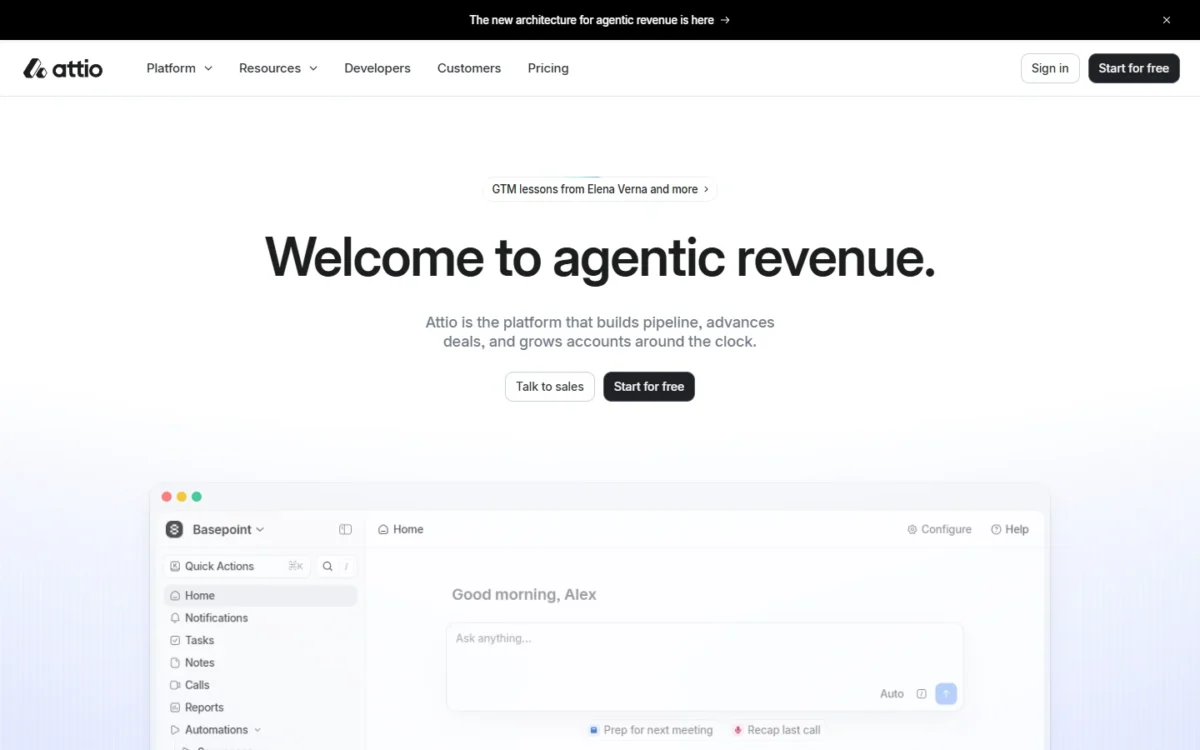
Every pick is judged against Attio, which its homepage calls “The CRM for agentic revenue.”
Attio vs Alternatives: Quick Comparison
Attio runs from a Free plan for up to 3 seats to Pro at $79 per user per month on annual billing.
| Software | Best for | Starting price (unit, billing) | Main advantage | What you give up | Switching note |
|---|---|---|---|---|---|
| Attio | A flexible data model | Free plan for up to 3 seats | Enrichment on every plan | Benchmark | Benchmark |
| HubSpot | Marketing and sales together | Free for up to 2 users | Free marketing tools | $1,500 onboarding on Professional | CRM import |
| folk | Relationship-led small teams | $24 per member per month, billed yearly | Custom objects on Premium | Attio’s free seats | CSV import |
| Twenty | Self-hosted data model | $9 per user per month, billed yearly | Unlimited custom objects | SSO starts on Organization | CSV import or API |
| Close | Calling-heavy outbound | $9 per user per month on Solo (1 user), billed annually; teams start on Essentials at $35 | Calling, email and SMS | Workflows start on Growth | Spreadsheet import |
| Affinity | VC and PE dealflow | $2,000 per user per year, billed annually | Relationship scoring | A higher per-user price | Onboarding covers import |
| Salesflare | Automatic capture | $29 per user per month, billed annually | Capture from email signatures | Email workflows need Pro | Migration on Enterprise |
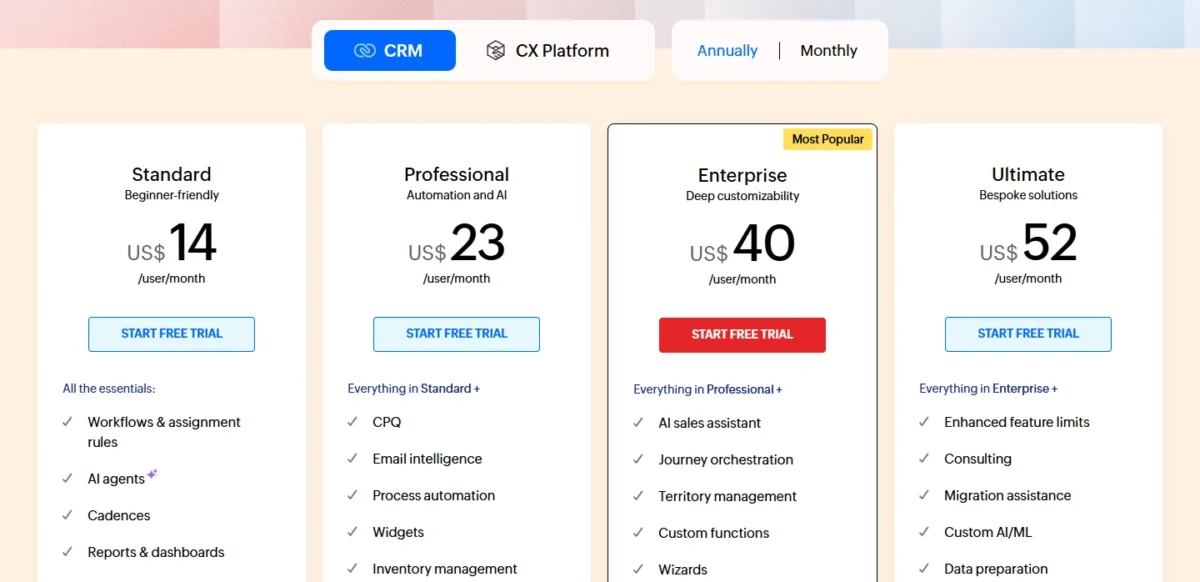
| Zoho CRM | Low per-seat cost | US$14 per user per month, annual view | Cadences on Standard | Process automation on Professional | Spreadsheet import |
| Day.ai | An agent-run CRM | $60 per agent per month (Professional), billed annually | Free colleagues | Agents set the cost | Gmail and Calendar ingestion |
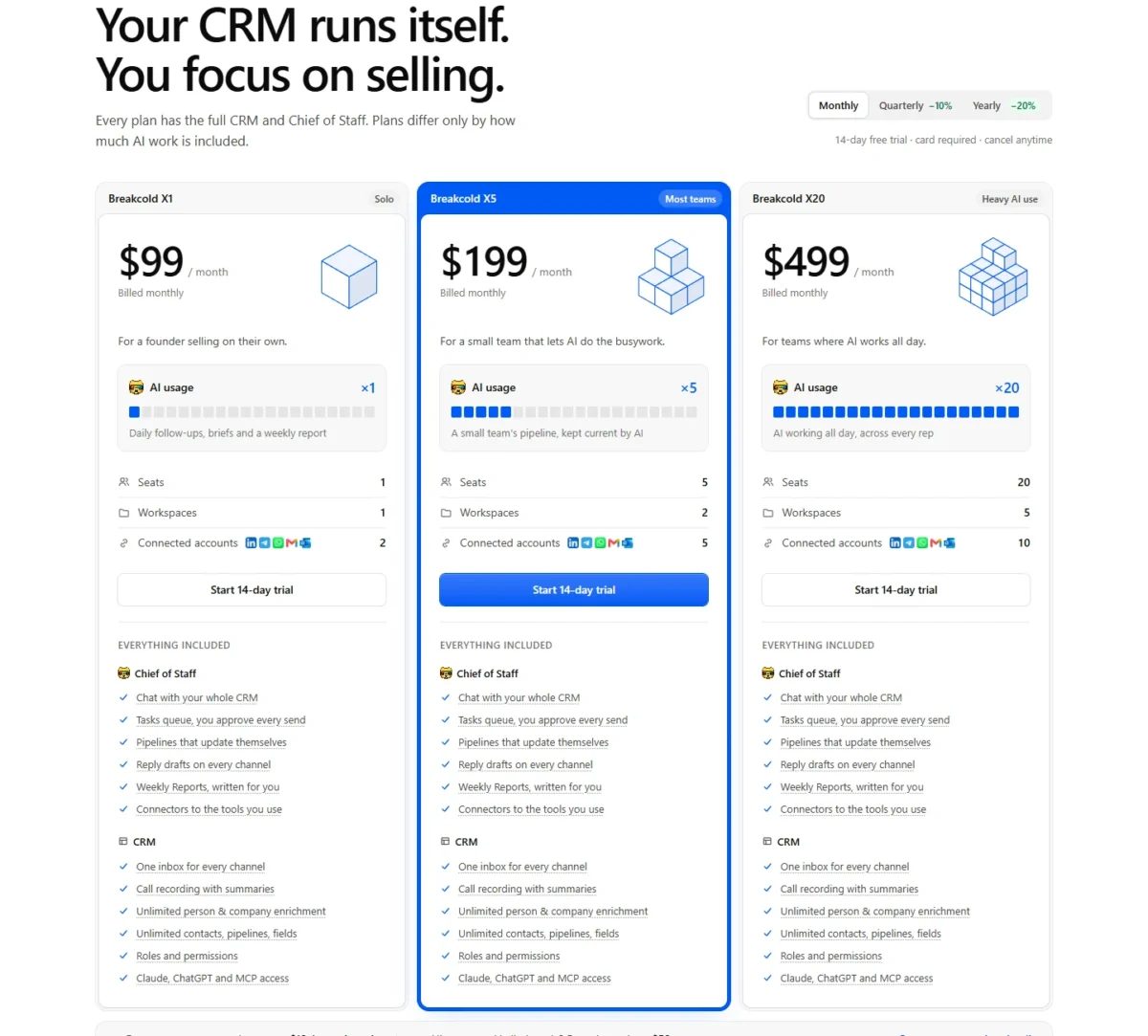
| Breakcold | A flat-priced small team | $99 a month for 1 seat (X1); X5 $199 for 5 seats, billed monthly | Call recording on every plan | A card for the trial | Test CSV mapping in trial |
| Salesforce | Enterprise roadmap | $25 per user per month (October 10, 2026) | Quoting and forecasting | Pro Suite billed annually | Confirm import path |
Sources: Attio pricing, HubSpot Sales pricing, folk pricing, Twenty pricing, Close pricing, Affinity pricing, Salesflare pricing, Zoho CRM pricing, Day.ai pricing, Breakcold pricing, Salesforce Sales pricing (Internet Archive copy of October 10, 2026), checked November 2026.
Why Look for an Attio Alternative?
In my reading, Attio’s plan gates matter more than missing features. My Attio review judges it plan by plan.
Custom objects cost Pro money. Your own custom objects and formula attributes start on Attio Pro, which costs $79 per user per month on annual billing. folk Premium, Twenty Pro and Zoho CRM Standard offer custom objects for less.
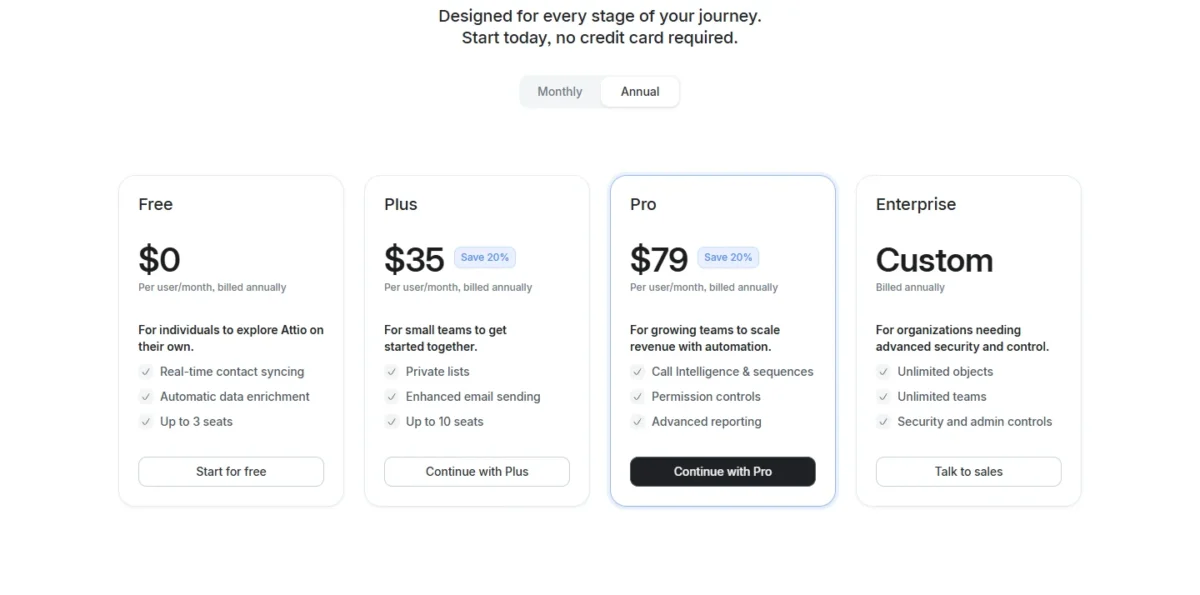
Plus stops at 10 seats. Attio Plus ($35 per user per month, billed annually) is built for teams up to 10 seats, and every workspace member must be on the same plan. The 11th seller moves the whole team to Pro: $79 x 11 x 12 = $10,428 a year.
Sequences and call recording need Pro. Plus logs phone calls, but email sequences and call recording start on Pro.
SSO waits for Enterprise. SAML SSO and SCIM sit on Enterprise, a custom quote billed annually. Twenty Organization adds SAML/OIDC SSO for $39 per user per month, billed yearly.
Enriched data stays behind. Attio’s CSV and Excel exports leave enriched cells blank.
Automation runs on credits. Each workflow run consumes workspace credits: 250 a month on Free with no top-up, 1,500 on Plus and 10,000 on Pro. My Attio pricing and credits breakdown prices the extra credits a heavy automator needs.
1. HubSpot: Best Attio Alternative for Marketing and Sales on One Platform
- Comparable plan: Sales Hub Professional, $90 per seat per month with an annual commitment
- Free plan: free for up to 2 users, no credit card required
- Import from Attio: HubSpot’s CRM import for data from another tool
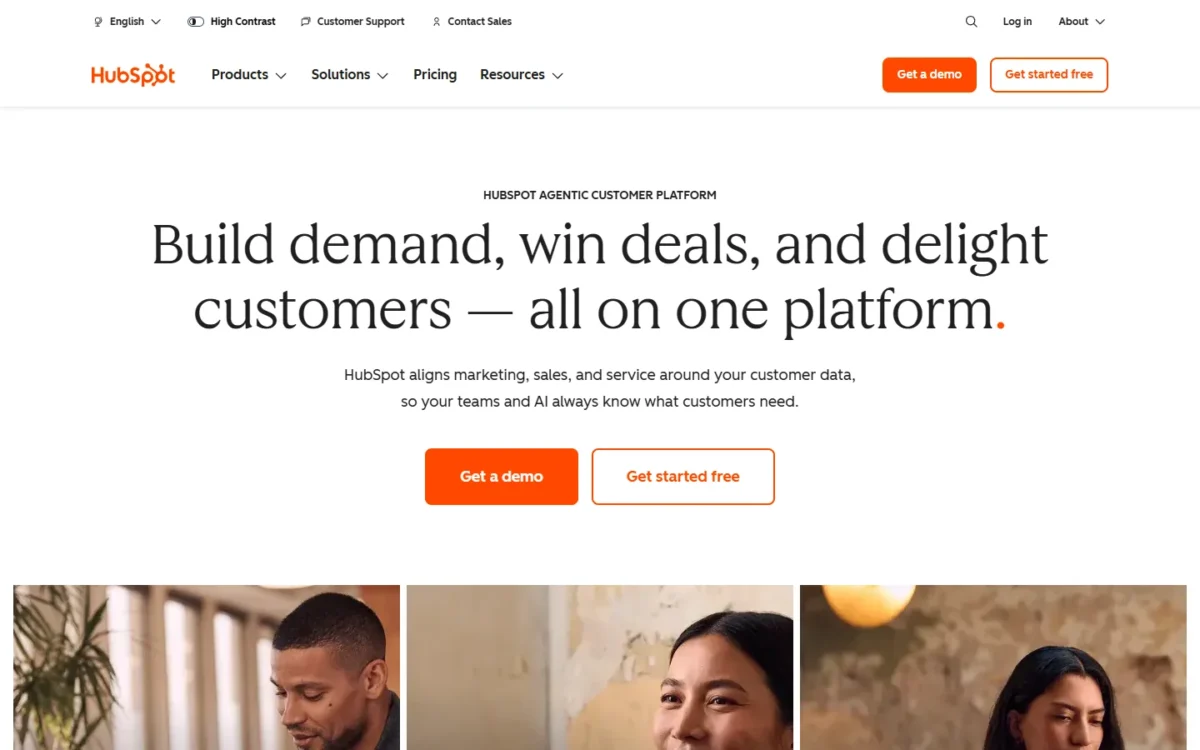
Choose HubSpot when the CRM also has to run marketing: its Free plan bundles free marketing, sales and service tools. It is a poor trade for a team that only wants Attio’s sequences for less, because Sales Hub Professional, where sequences live, adds a required onboarding fee.
Professional pairs sequences with forecasting, but HubSpot’s CRM page lists custom objects under Enterprise. My Attio vs HubSpot comparison settles the head-to-head.
Where HubSpot may be better
- Free marketing tools come with the CRM
- 3,000 calling minutes on Sales Hub Professional
Where Attio may be better
- Three free seats against HubSpot Free’s two users
- Custom objects on Attio Pro rather than an Enterprise tier
Sales Hub Professional starts at $90 per seat per month with an annual commitment, and five seats cost $90 x 5 x 12 = $5,400 plus the $1,500 onboarding fee, which is $6,900 in year one.
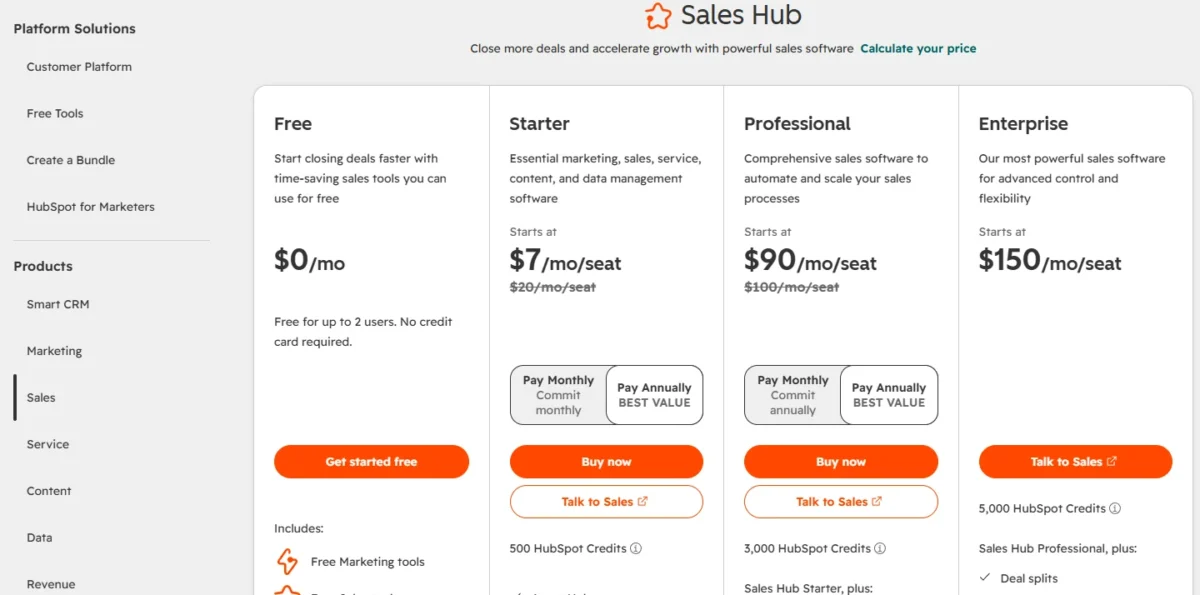
| Plan | Price | Billing | Note |
|---|---|---|---|
| Sales Hub Starter | $20 per seat per month | List price | Lower price for new customers only |
| Sales Hub Professional | $100 per seat per month | Pay Monthly view | Sequences, forecasting |
Sources: HubSpot Sales pricing, checked November 2026.
HubSpot’s required one-time Professional Onboarding of $1,500 comes on top for Sales Hub Professional.
Pros
- Free marketing tools sit beside the CRM
- Sequences, forecasting and conversation intelligence on Professional
- Over 2,000 apps in HubSpot’s integration list
Cons
- A required $1,500 onboarding fee on Professional
- The Free plan stops at 2 users
- Custom objects sit on an Enterprise tier
HubSpot’s Smart Transfer importer covers only listed apps such as Pipedrive and Salesforce, not Attio.
- Skip it if:
- sequences are the only reason you are looking; folk Premium lists email sequences at $48 per member per month, billed yearly.
My HubSpot CRM review has the full verdict.
The HubSpot pricing breakdown has the seat math.
2. folk: Best Attio Alternative for Relationship-Led Small Teams
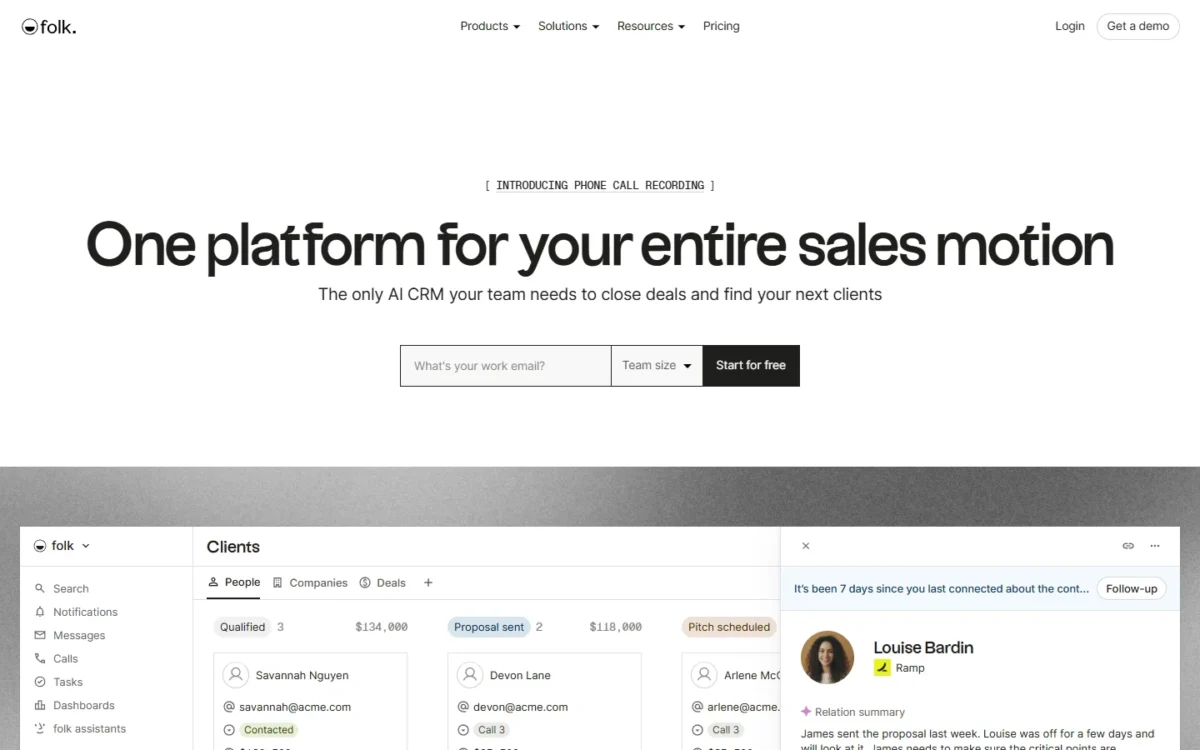
- Comparable plan: Premium, $48 per member per month, billed yearly
- Import from Attio: CSV import, listed among folk’s key features
For a small team that hit Attio’s Pro gate for custom objects or sequences, folk Premium is the closest like-for-like swap: it includes both at a lower per-member price than Attio Pro.
folk Standard syncs email, calendar and WhatsApp for founders whose deals start in messages. Premium raises synced accounts from 1 to 5 per member, so a rep with two inboxes needs Premium anyway.
Where folk may be better
- Custom objects, deals and email sequences on Premium
- WhatsApp sync and a LinkedIn extension on Standard
Where Attio may be better
- API access on every Attio plan; folk lists it on Premium
- Enrichment and connection strength on Attio Free
Five members on folk Premium cost $48 x 5 x 12 = $2,880 a year, under two-thirds of the $79 x 5 x 12 = $4,740 that Attio Pro costs.
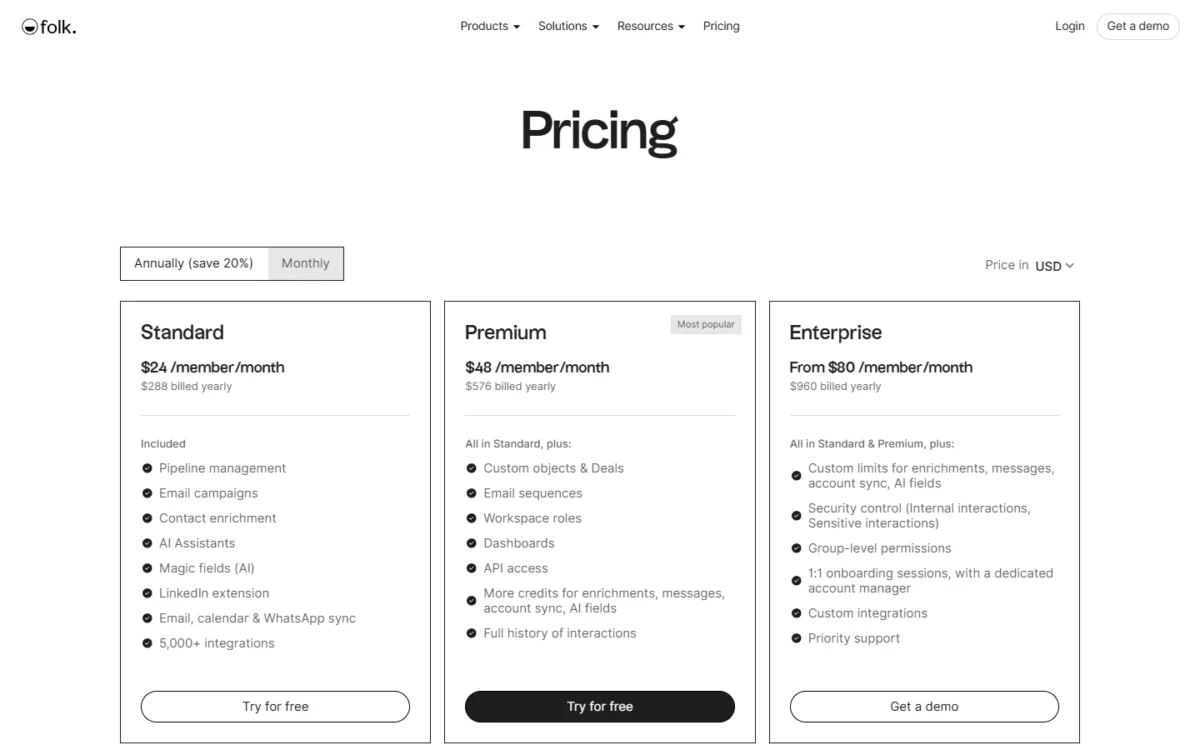
| Plan | Price | Billing | Note |
|---|---|---|---|
| folk Standard | $24 per member per month | Billed yearly | No custom objects |
| folk Premium | $60 per member per month | Billed monthly | 1,000 email finds a month |
Sources: folk pricing, checked November 2026.
Pros
- Custom objects and sequences cost less than on Attio Pro
- WhatsApp, email and calendar sync on Standard
- 5,000+ integrations listed on Standard
Cons
- API access starts on Premium
- Email finds cap at 1,000 a month on Premium
- Credit cards are the only payment method
Bring Attio’s CSV files in through folk’s CSV import, then rebuild workflows by hand.
- Skip it if:
- your security review needs SAML SSO or self-hosting; Twenty Organization adds SAML/OIDC SSO and audit logs.
3. Twenty: Best Attio Alternative for an Open-Source, Self-Hosted Data Model
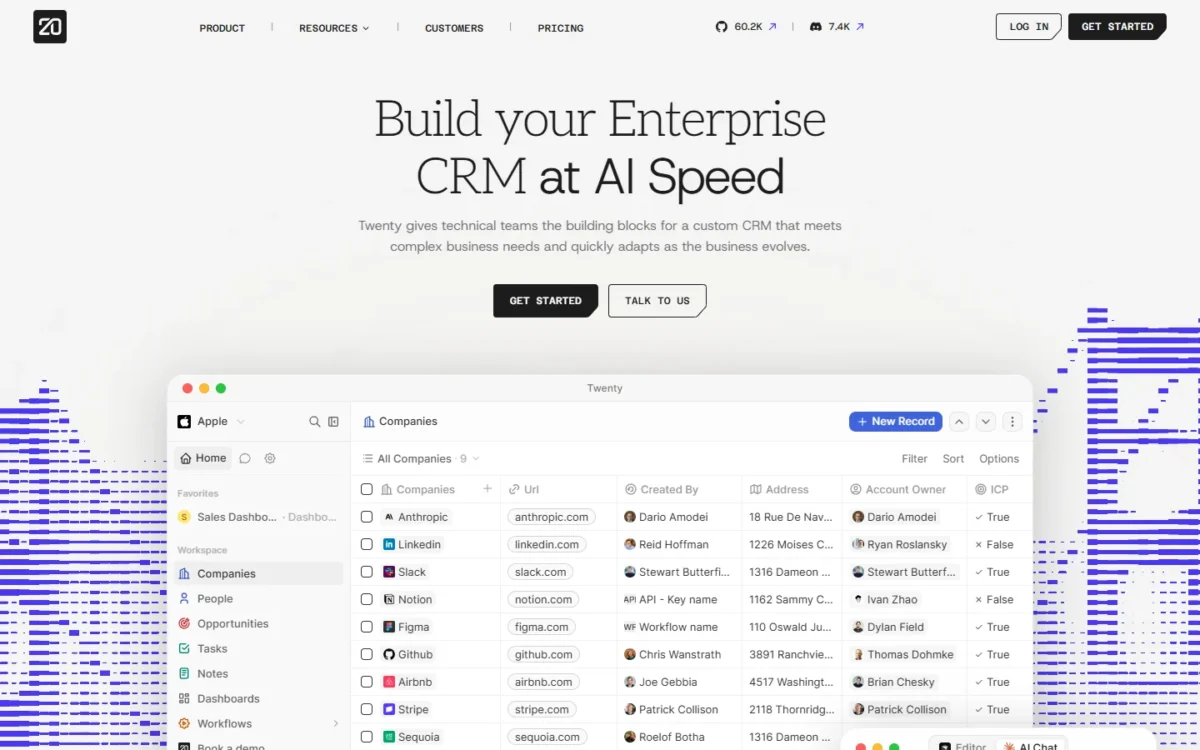
- Comparable plan: Pro, $9 per user per month, billed yearly
- Import from Attio: CSV import, or the API for 50,000+ records
Ownership is the reason to pick Twenty. Its open-source core is free to self-host, and cloud Pro includes unlimited custom objects and records. The trade-off is enrichment: Twenty’s pricing page lists “leads enriched” among apps from its marketplace, while Attio enriches records on every plan.
Pro caps personal AI usage at about 100 AI tasks a week per member, a limit heavy AI users meet first.
Where Twenty may be better
- Unlimited custom objects, records and seats on Pro
- Free self-hosting of the open-source core
Where Attio may be better
- Automatic enrichment on every Attio plan
- Email and calendar sync on Attio Free
Cloud Pro is $9 per user per month and Organization is $39 per user per month, billed yearly, so five users on Pro pay $9 x 5 x 12 = $540 a year.
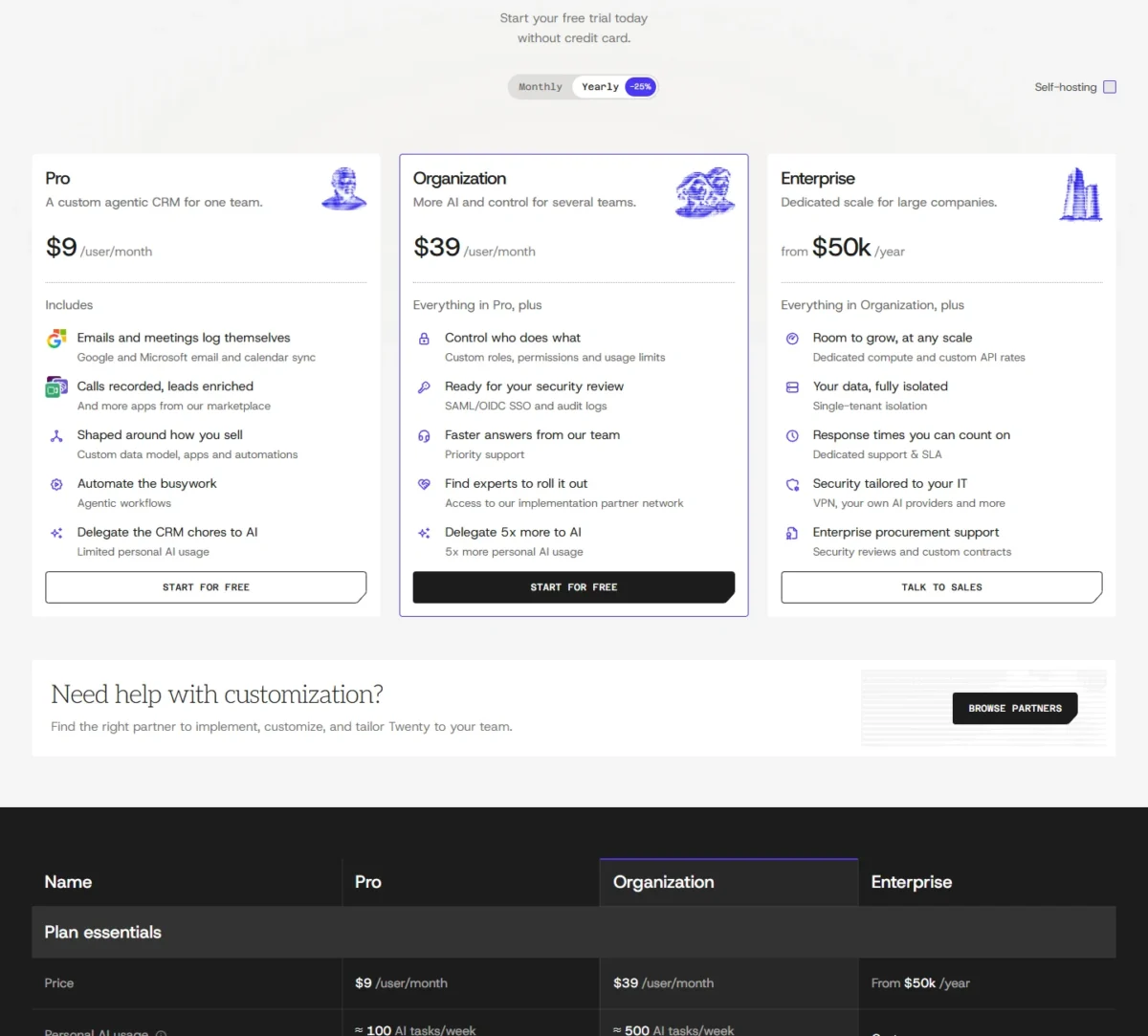
| Plan | Price | Billing | Note |
|---|---|---|---|
| Twenty Organization | $39 per user per month | Billed yearly | SAML/ |
| Twenty Enterprise | From $50k per year | Yearly | SCIM, single-tenant isolation |
Sources: Twenty pricing, checked November 2026.
Pros
- Unlimited custom objects and records on Pro
- SSO and field-level roles on Organization
- REST and GraphQL API, webhooks and an MCP server
Cons
- No SSO on Pro
- Limited personal AI usage on Pro
- SCIM provisioning only on Enterprise
Build Twenty’s objects first, then import Attio’s view exports into them; partners can run a full migration.
- Skip it if:
- nobody will own the data model or the hosting; folk Premium lists custom objects at $48 per member per month, billed yearly.
4. Close: Best Attio Alternative for Calling-Heavy Outbound Teams
- Comparable plan: Essentials, $35 per user per month, billed annually
- Import from Attio: spreadsheet import of Attio’s CSV exports
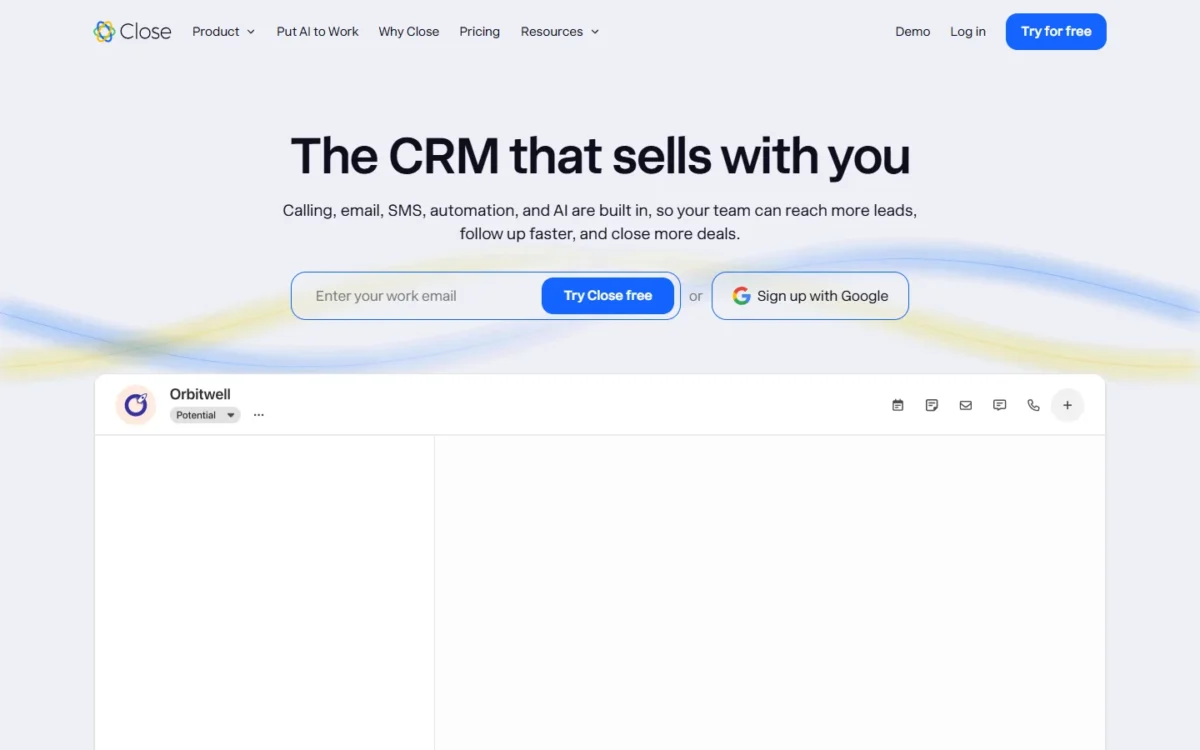
If your reps spend the day on the phone, Close beats Attio: calling, email and SMS are built in from Essentials, while Attio Plus only logs calls and Attio Pro records them. Close is weaker on the data model.
Recordings are kept 30 days on Essentials and 90 days on Growth, which adds workflows and a power dialer, so a manager who reviews calls each quarter needs Growth. Calling usage is passed through at cost, most outbound calls around $0.02 a minute.
Where Close may be better
- Calling, email and SMS built into Essentials
- A power dialer on Growth and a predictive dialer on Scale
Where Attio may be better
- Workflows on every Attio plan; Close starts them on Growth
- Email and calendar sync with enrichment on Attio Free
A five-rep team on Close Essentials pays $35 x 5 x 12 = $2,100 a year on annual billing, before calling usage.
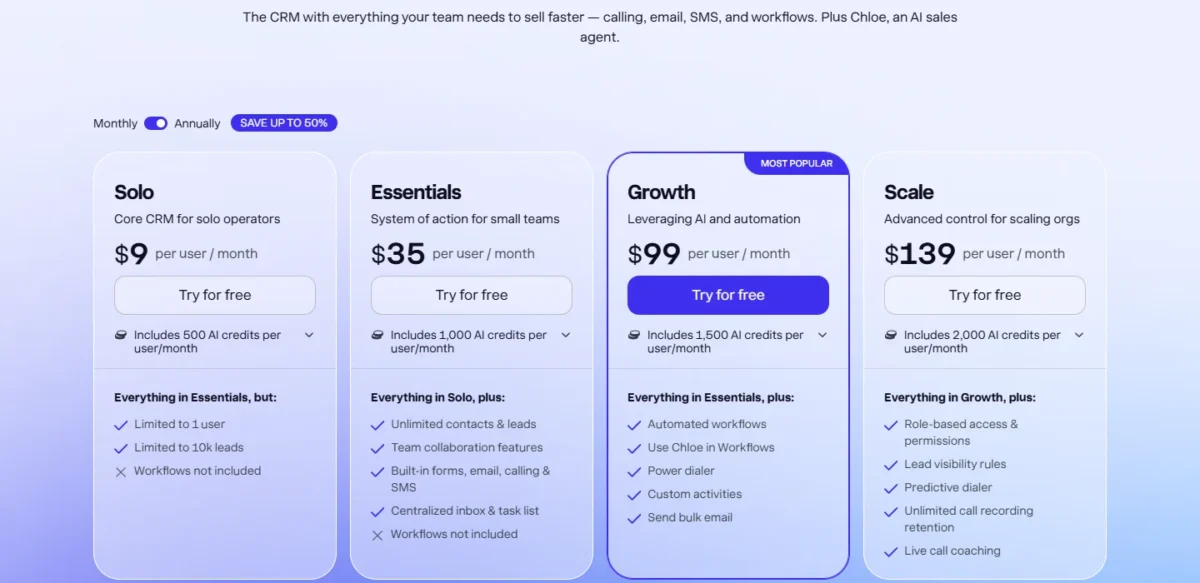
| Plan | Price | Billing | Note |
|---|---|---|---|
| Close Growth | $99 per user per month | Billed annually | Workflows, power dialer |
| Close Essentials | $49 per user per month | Billed monthly | Calling, email, SMS |
Sources: Close pricing, checked November 2026.
Pros
- Calling, email and SMS built in from Essentials
- A power dialer on Growth
- Over 100 integrations, plus Zapier
Cons
- No workflows on Solo or Essentials
- Calling and SMS usage on top of seats
- 30-day call recording retention below Growth
Close ships built-in importers for other CRMs and takes spreadsheet imports too.
- Skip it if:
- your deals move by email and meetings rather than calls; folk Premium covers sequences and custom objects for that motion.
My Close CRM review has the full verdict.
My Close pricing guide prices the calling add-ons.
5. Affinity: Best Attio Alternative for VC and Private Equity Dealflow
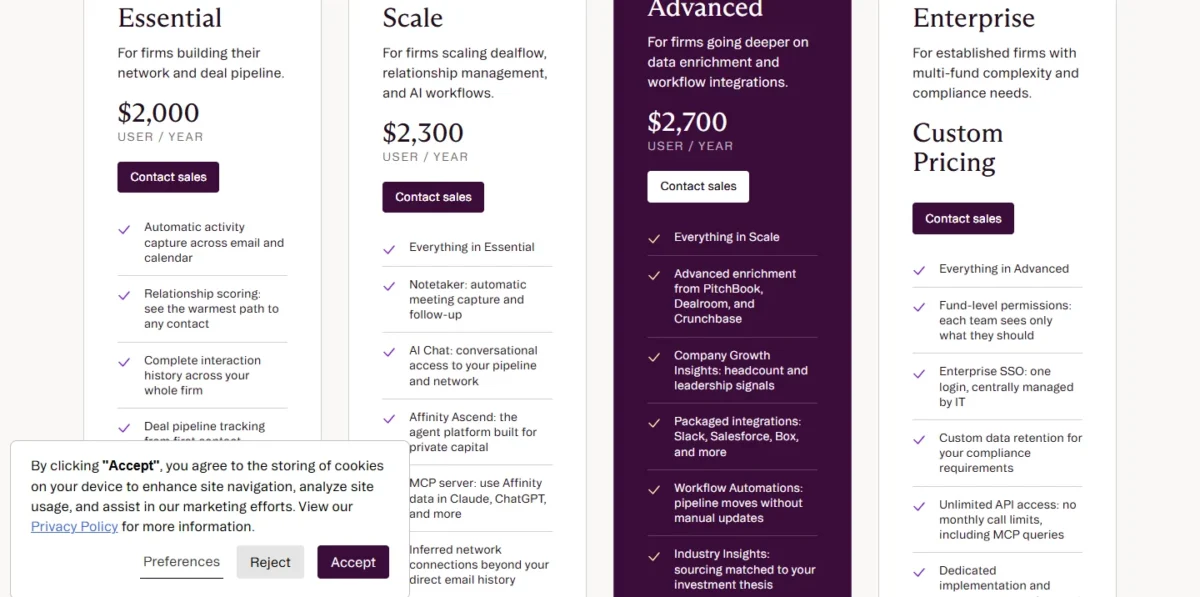
- Comparable plan: Essential, $2,000 per user per year, billed annually
- Built for: VC, PE and other private-capital firms
Only private-capital firms should pay Affinity’s price: it offers firm-wide relationship scoring, warm intro paths and automatic banker and adviser coverage. Attio scores connection strength too, so the case for Affinity is the private-capital model around it, at about twice Attio Pro’s yearly cost per user.
Affinity Advanced adds PitchBook, Dealroom and Crunchbase enrichment and Workflow Automations, the gate to watch, since Attio runs workflows on every plan.
Where Affinity may be better
- Banker coverage, LP relationships and warm intro paths
- Data import and field mapping included in onboarding
Where Attio may be better
- Attio Pro costs $79 x 12 = $948 per user a year, billed annually
- Workflows on every Attio plan
Affinity bills each tier per user per year, annually: $2,000 for Essential, $2,300 for Scale and $2,700 for Advanced. A five-person deal team on Essential pays $2,000 x 5 = $10,000 a year.
| Plan | Price | Billing | Note |
|---|---|---|---|
| Affinity Scale | $2,300 per user per year | Billed annually | Notetaker, AI Chat |
| Affinity Advanced | $2,700 per user per year | Billed annually | Workflow Automations |
Sources: Affinity pricing, checked November 2026.
Pros
- Built for private-capital dealflow
- Onboarding with data import included
- Relationship scoring on every tier
Cons
- $2,000 per user per year at the entry tier
- Workflow Automations need Advanced
- Enterprise SSO needs the custom-priced Enterprise tier
Affinity says most firms are fully live within 60 days, with its team handling data import and field mapping, so Attio’s exports become onboarding input.
- Skip it if:
- you sell rather than invest; Salesflare Growth captures relationships from email for $29 per user per month, billed annually.
6. Salesflare: Best Attio Alternative for Automatic Data Capture on a Small Budget
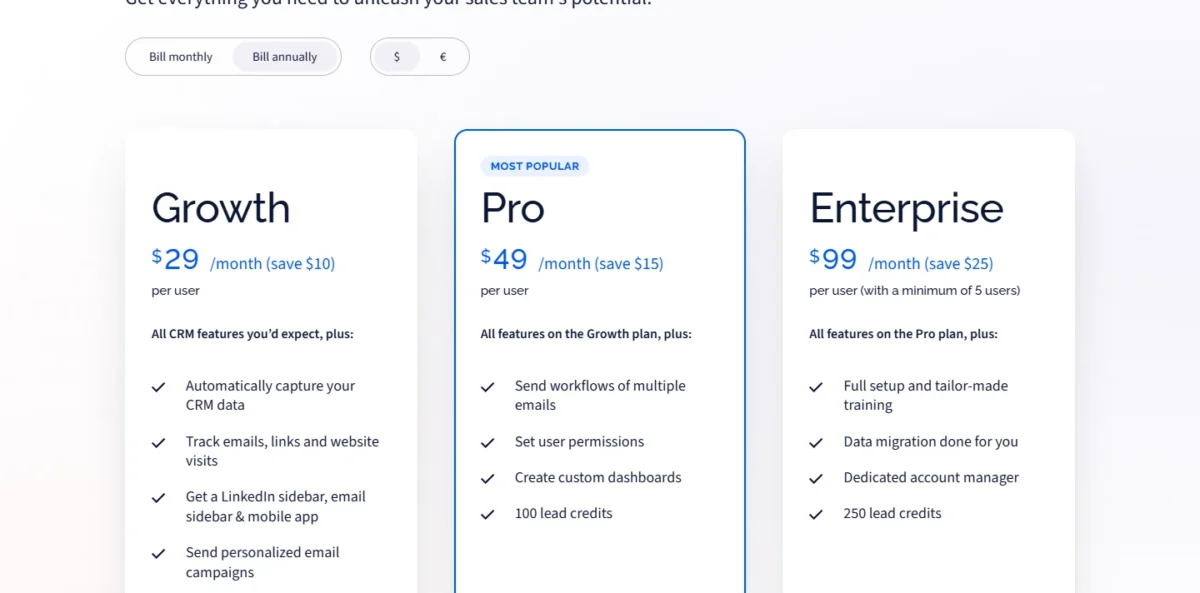
- Comparable plan: Pro, $49 per user per month, billed annually
- Import from Attio: data migration done for you on Enterprise
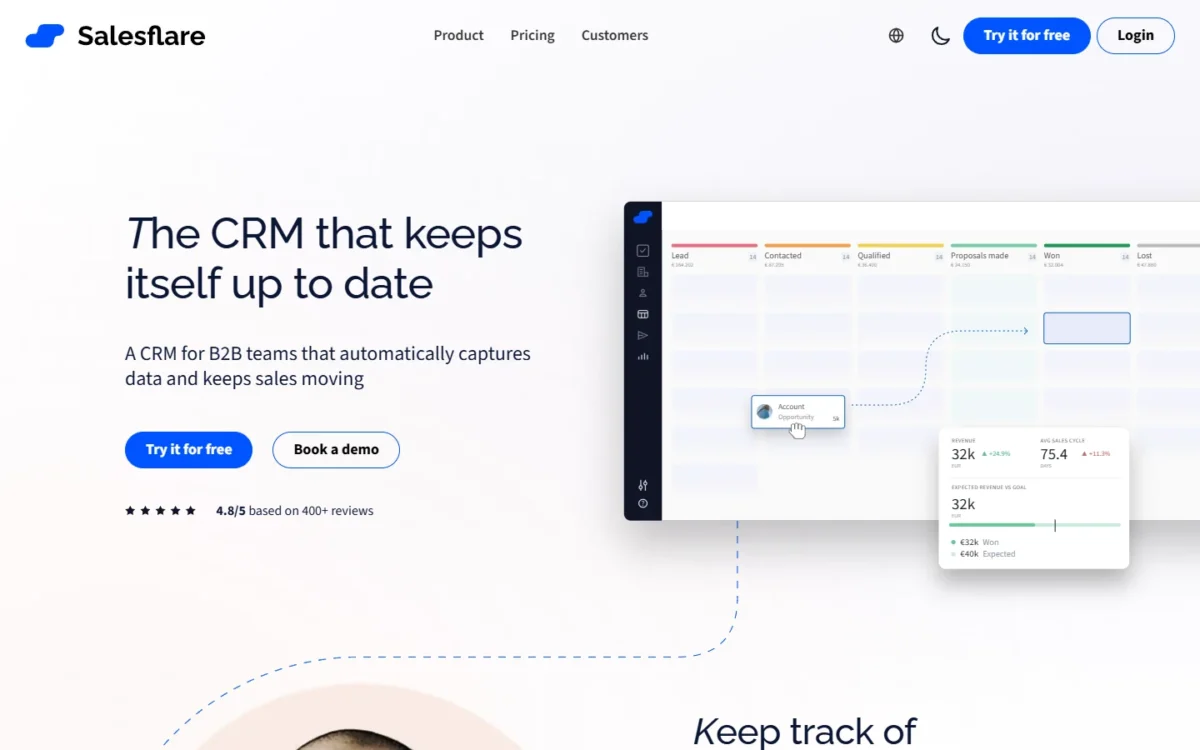
Salesflare gives a small team Attio’s best habit, automatic capture: Growth pulls contact details from emails and signatures and logs meetings and calls. I would pick it for less data entry, not for a custom data model: its plan lists name capture, tracking, campaigns and email workflows, not custom objects.
Where Salesflare may be better
- Capture from email signatures and social profiles on Growth
- Website-visit tracking from Growth
Where Attio may be better
- Custom objects on Attio Pro
- Up to 100 reports on Attio Pro
Past Attio’s 3 free seats, Salesflare Growth costs less than Attio Plus: $29 per user per month against $35, both billed annually. Five users on Salesflare Pro pay $49 x 5 x 12 = $2,940 a year.
| Plan | Price | Billing | Note |
|---|---|---|---|
| Salesflare Pro | $49 per user per month | Billed annually | Email workflows, permissions |
| Salesflare Enterprise | $99 per user per month | Billed annually | Minimum 5 users |
Sources: Salesflare pricing, checked November 2026.
Pros
- Capture from emails and signatures on Growth
- Free onboarding on every plan
- No stated limits on contacts, users or pipelines
Cons
- Growth includes 5 lead credits
- Enterprise requires 5 users
- Custom objects absent from the plan list
Enterprise includes data migration done for you; on Growth or Pro, test an Attio CSV export during the trial.
- Skip it if:
- your records go beyond people, companies and deals; Twenty Pro or folk Premium models custom objects.
7. Zoho CRM: Best Attio Alternative for Low Per-Seat Cost With Broad Features
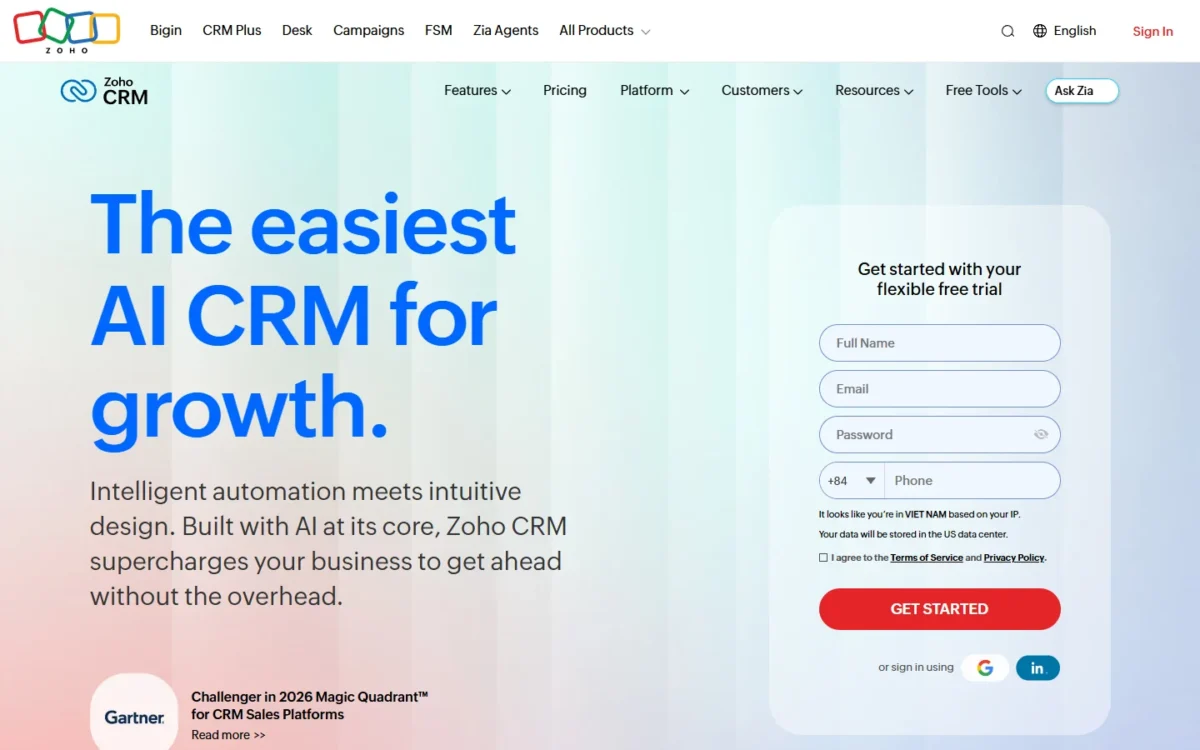
- Comparable plan: Standard, US$14 per user per month (annual view)
- Import from Attio: spreadsheet import; migration assistance on Ultimate
Once a team outgrows Attio Plus’s 10 seats, Zoho CRM’s per-seat price starts to matter. Standard lists workflows, Cadences and sales forecasting, while Attio keeps sequences for Pro. Twenty Pro costs less per seat, so pick Zoho over it when your reps run Cadences and forecasting on the same plan. Attio Free and Plus sync one email and calendar mailbox per member; Zoho CRM Standard lists email integration, mass emails.
Where Zoho CRM may be better
- Workflows, Cadences and forecasting on Standard
- Custom modules under Standard
Where Attio may be better
- First and last interaction and connection strength filled from synced email
- Four plans rather than Zoho’s separate editions and suites
Zoho CRM Standard costs US$14 per user per month on the annual view, so the 11-seat team that Attio Pro bills $10,428 a year pays $14 x 11 x 12 = $1,848 a year on Standard.
| Plan | Price | Billing | Note |
|---|---|---|---|
| Zoho CRM Professional | US$23 per user per month | Annual view | Process automation, CPQ |
| Zoho CRM Ultimate | US$52 per user per month | Annual view | Migration assistance |
Sources: Zoho CRM pricing, checked November 2026.
Pros
- Cadences and workflows on Standard
- A Free edition for 3 users
- Custom modules and data enrichment under Standard
Cons
- Process automation needs Professional
- Migration assistance only on Ultimate
- Features spread across four paid editions
Recreate Attio’s custom objects as custom modules, import the spreadsheets, then rebuild workflows and Cadences.
- Skip it if:
- Attio’s inbox-driven relationship data matters more than the seat price; stay on Attio, or try Salesflare for automatic capture.
My Zoho CRM review has the edition-by-edition verdict.
My Zoho CRM pricing guide covers the full edition list.
8. Day.ai: Best Attio Alternative for an Agent-Run CRM
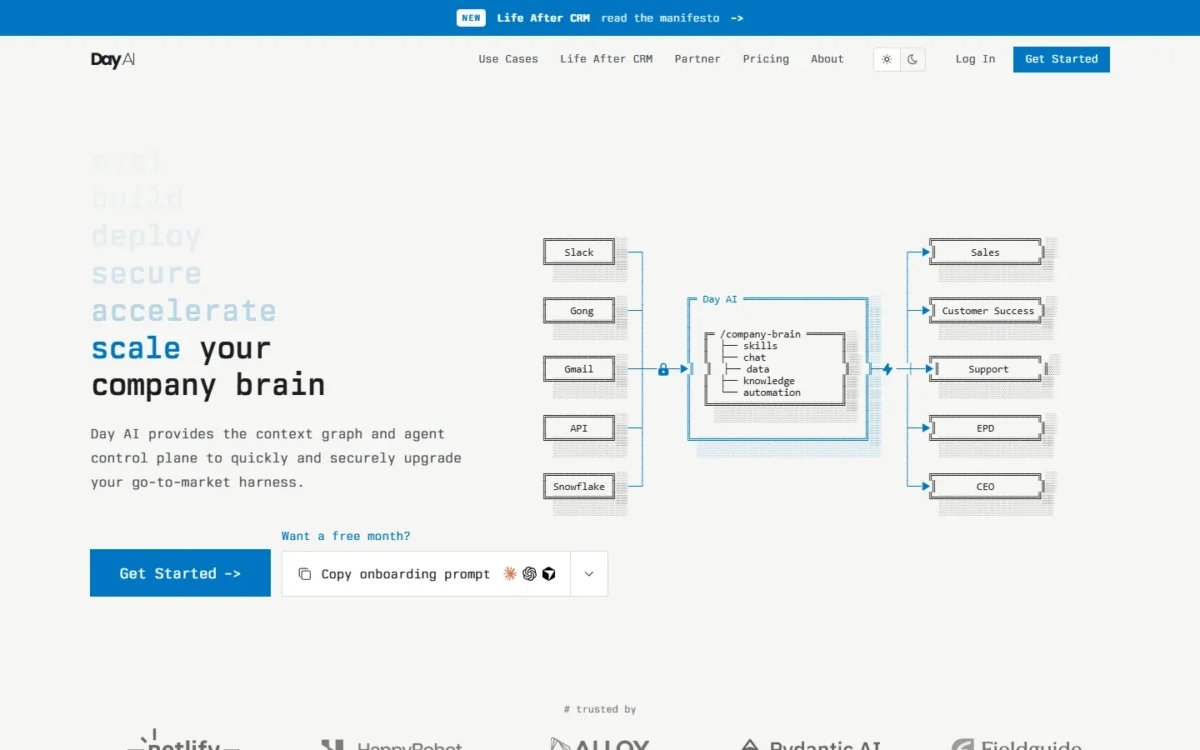
- Comparable plan: one Professional agent, $60 per month, billed annually
- Colleagues: free in a workspace with a Professional agent
Day.ai changes the unit of cost rather than the CRM: you pay per AI agent, and colleagues join free once one Professional agent runs. For a founder-led team where one person owns the pipeline, a team of five can cost less than five Attio Pro seats. It is a partial replacement for teams that plan around record and report allowances, since Day.ai prices agent skills.
Where Day.ai may be better
- Colleagues free once one Professional agent runs
- Meeting recording on every tier
Where Attio may be better
- Published record limits and report counts per plan
- The App Store and API on every plan
Day.ai’s prices reflect annual billing, paid upfront, and a team with one Professional agent and four free colleagues pays $60 x 12 = $720 a year.
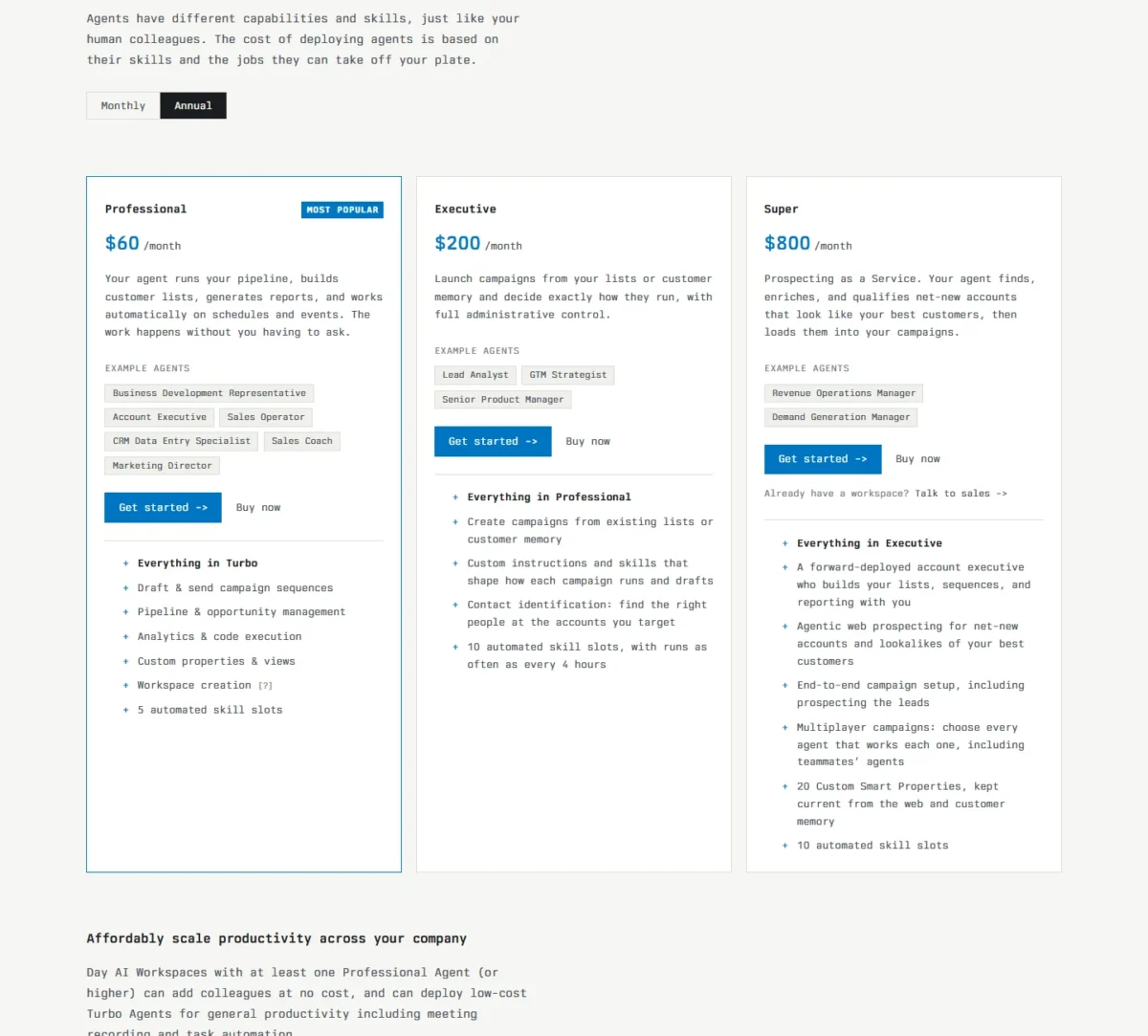
| Agent | Price | Billing | Note |
|---|---|---|---|
| Day.ai Turbo | $24 per agent per month | Annual, paid upfront | Cannot create a workspace |
| Day.ai Executive | $200 per agent per month | Annual, paid upfront | 10 skill slots |
Sources: Day.ai pricing, checked November 2026.
Pros
- Free colleagues alongside one Professional agent
- Meeting recording on every tier
- Billing adjusts immediately on upgrades
Cons
- Every workspace needs a Professional or Executive agent
- 5 automated skill slots on Professional
- No per-plan record allowance to plan around
Day.ai’s pricing page centers on Gmail and Calendar ingestion, so confirm how it loads an Attio CSV export before you cancel anything.
- Skip it if:
- your team plans around reports; Zoho CRM Professional lists unlimited reports.
9. Breakcold: Best Attio Alternative for a Flat-Priced Small Team With One Inbox
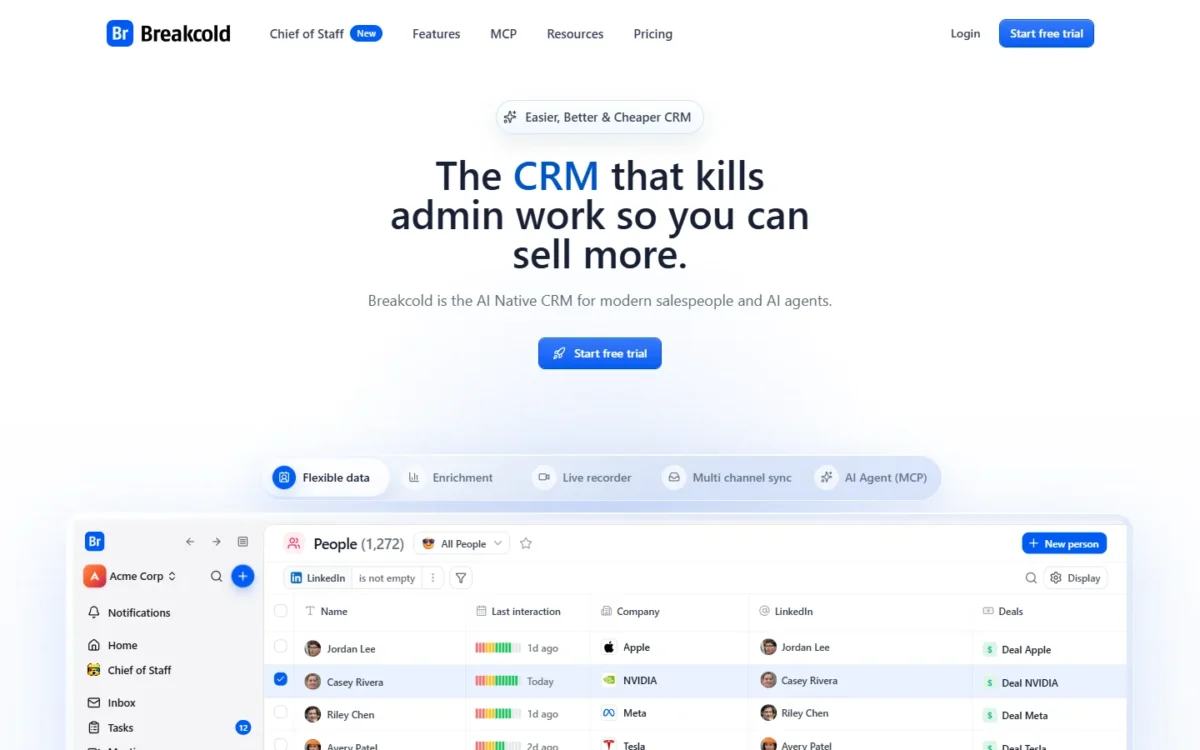
- Comparable plan: X5, $199 a month for 5 seats, billed monthly
- Included on every plan: call recording and unlimited enrichment
A five-person team that wants call recording, enrichment and an AI assistant from day one gets them on Breakcold’s bundle without per-seat pricing. Plans differ by seat count (1, 5 or 20 seats) and by AI allowance. The trade-offs are a trial that needs a card and an AI allowance that resets weekly.
Chief of Staff, Breakcold’s AI layer, updates deals and drafts replies while you approve every send.
Where Breakcold may be better
- Call recording and unlimited enrichment on every plan
- One inbox for every channel
Where Attio may be better
- Attio’s 14-day Pro trial needs no credit card
- Attio Free costs nothing for up to 3 seats
Breakcold X5 costs $199 a month on the monthly view for 5 seats, or $199 x 12 = $2,388 a year, while five Attio Pro seats on monthly billing cost $99 x 5 x 12 = $5,940.
| Plan | Price | Billing | Note |
|---|---|---|---|
| Breakcold X20 | $499 per month | Billed monthly | 20 seats |
| Extra seat | $10 per month | Billed monthly | Per seat or connected account |
Sources: Breakcold pricing, checked November 2026.
The comparison table’s starting price is X1, the 1-seat entry plan; X5 is the plan that includes five seats.
Pros
- Five seats in one monthly bundle
- Call recording and enrichment on every plan
- AI asks before anything is sent
Cons
- A card is required for the trial
- AI usage is capped weekly
- Seats past the bundle cost extra
Confirm during the trial how Breakcold maps an Attio CSV export.
- Skip it if:
- you want to evaluate without a card; Close and Salesflare trials need none.
10. Salesforce: Best Attio Alternative for Teams Heading to Enterprise Scale
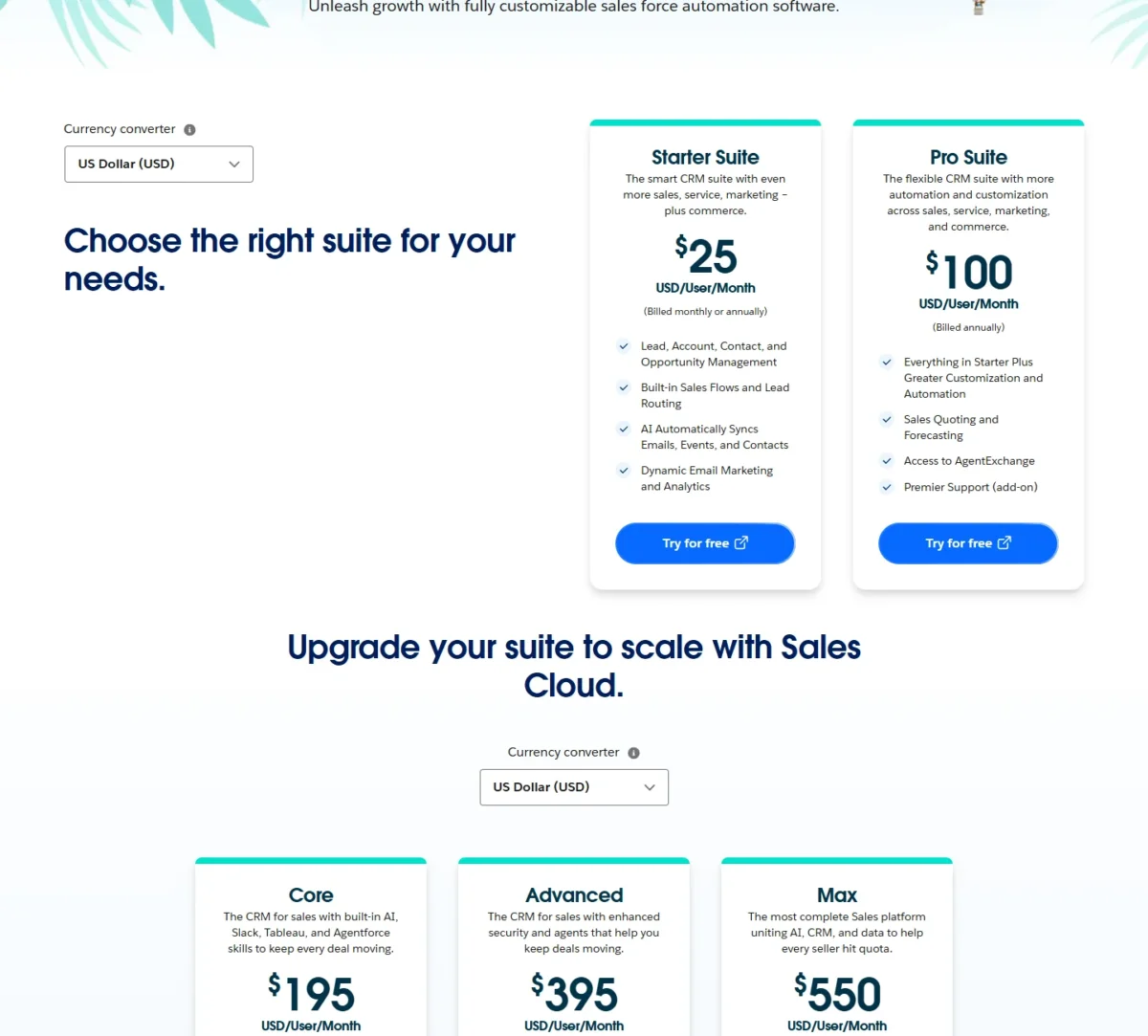
- Comparable plan: Pro Suite, $100 per user per month, billed annually (as of October 10, 2026)
- Setup help: Professional Services and certified partners
Salesforce earns its place when a startup expects to need an enterprise CRM and would rather migrate once. Pro Suite adds quoting and forecasting, and higher Sales Cloud editions extend the platform.
Where Salesforce may be better
- Quoting and forecasting on Pro Suite
- Higher Sales Cloud editions on one platform
Where Attio may be better
- Monthly billing on Attio Pro
- Enrichment on every Attio plan
As of October 10, 2026, Pro Suite cost $100 per user per month, billed annually, which is $100 – $79 = $21 more per seat each month than Attio Pro’s annual price.
| Plan | Price | Billing | Note |
|---|---|---|---|
| Salesforce Starter Suite | $25 per user per month | Monthly or annually | Sales flows, lead routing |
| Salesforce Pro Suite | $100 per user per month | Billed annually | Quoting, forecasting |
Sources: Salesforce Sales pricing (Internet Archive copy of October 10, 2026), checked November 2026.
Pros
- Quoting and forecasting on Pro Suite
- A Free Suite and a 30-day trial
- AgentExchange access on Pro Suite
Cons
- Pro Suite is billed annually only
- A higher seat price than Attio Pro
- Premier support costs 30% of net license fees
Plan the Attio CSV import with a partner or admin, and expect to rebuild objects, flows and reports.
- Skip it if:
- nobody will own the admin work; Zoho CRM Standard lists workflows and Cadences at US$14 per user per month, annual view.
My Salesforce CRM review judges it on its own.
My Salesforce pricing guide covers the full plan list.
When Should You Stick With Attio?
Stay with Attio if you are a founding team of 1-3 users, or if you would buy Pro anyway for custom objects and sequences.
Attio Free gives up to 3 seats, 50,000 records, automatic enrichment and email and calendar sync at $0. Pro bundles custom objects, sequences, call recording and up to 100 reports, and every plan keeps the API.
Consider switching if
- You need custom objects but not the rest of Pro: folk Premium or Twenty Pro
- Your reps call all day: Close
- A security review needs SSO without an Enterprise contract: Twenty Organization
- Marketing has to live in the CRM: HubSpot
Consider staying with Attio if
- You are 1-3 users and 50,000 records are enough
- You need custom objects, enrichment and sequences on one plan
- You build on the API, which every Attio plan includes
How to Choose the Right Attio Alternative
Match the pick to the Attio limit you hit, then price it at your seat count. If none of these limits is yours, my ranking of the best CRM for B2B teams starts wider.
| Your priority | Alternative to consider | Reason | Trade-off |
|---|---|---|---|
| Custom objects below Attio Pro’s price | folk or Twenty | folk lists custom objects on Premium, Twenty on Pro | folk needs Premium for them; Twenty Pro has no SSO |
| Calling and SMS | Close | Built into Essentials | Workflows start on Growth |
| Marketing plus sales | HubSpot | Free marketing tools | Onboarding fee on Professional |
| Low seat price with workflows and Cadences past ten seats | Zoho CRM | Standard lists workflows, Cadences and forecasting | Twenty Pro costs less per seat; process automation on Professional |
| VC or PE dealflow | Affinity | Banker coverage and relationship scoring | A high per-user price |
| SSO without an Enterprise contract | Twenty | Organization adds SAML/ | SCIM needs Enterprise |
| An enterprise roadmap | Salesforce | Pro Suite adds quoting and forecasting | Billed annually |
| A founding team, free | Attio (stay) | Free covers up to three seats | Workspace credits cannot be topped up |
For free plans across the category, start from my list of the best CRM for startups.
What a 5-person team pays in year one
Five seats on Attio Pro cost $79 x 5 x 12 = $4,740 a year on annual billing; the table prices each comparable plan the same way.
| Product and plan | Unit and billing | 5 seats, year one |
|---|---|---|
| Attio Plus (benchmark) | Per user, billed annually | $35 x 5 x 12 = $2,100 |
| Attio Pro (benchmark) | Per user, billed annually | $79 x 5 x 12 = $4,740 |
| HubSpot Sales Hub Starter | Per seat, list price in the Pay Monthly and Pay Annually views | $20 x 5 x 12 = $1,200 |
| HubSpot Sales Hub Professional | Per seat, annual commitment | $90 x 5 x 12 = $5,400 plus $1,500 onboarding, which is $6,900 |
| folk Premium | Per member, billed yearly | $48 x 5 x 12 = $2,880 |
| Twenty Pro | Per user, billed yearly | $9 x 5 x 12 = $540 |
| Close Essentials | Per user, billed annually | $35 x 5 x 12 = $2,100 |
| Affinity Essential | Per user per year | $2,000 x 5 = $10,000 |
| Salesflare Pro | Per user, billed annually | $49 x 5 x 12 = $2,940 |
| Zoho CRM Standard | Per user, annual view | $14 x 5 x 12 = $840 |
| Day.ai Professional | 1 agent and 4 free colleagues, annual | $60 x 12 = $720 |
| Breakcold X5 | 5-seat bundle, billed monthly | $199 x 12 = $2,388 |
| Salesforce Pro Suite | Per user, billed annually (October 10, 2026) | $100 x 5 x 12 = $6,000 |
Sources: Attio, HubSpot, folk, Twenty, Close, Affinity, Salesflare, Zoho CRM, Day.ai, Breakcold, Salesforce, checked November 2026.
Twenty Pro and Zoho CRM Standard clear Attio’s custom-object gate for under a fifth of Attio Pro’s year-one cost, so trial them first on price. HubSpot’s sequence tier and Salesforce Pro Suite cost more than Attio Pro.
Migrating From Attio: What to Consider
Attio exports any table or kanban view as a CSV or Excel file on every plan, but enriched data comes out blank, so plan the move around what your team entered by hand.
- Export each view. Only visible columns export, so add every attribute first.
- Mark the enriched fields. A company’s description, employee count, ARR or funding raised arrive blank; plan re-enrichment in the new CRM.
- Check the import path. folk and Twenty list CSV import and Affinity’s onboarding handles it for you; for the others, confirm the import path in the trial.
- Rebuild what files cannot carry. Custom objects, workflows and reports are rebuilt by hand.
- Trial with your own data. Twenty and Salesflare offer 30 days, folk 2 weeks, Close 14 days, and Breakcold 14 days with a card.
- Reconnect your stack. Reconnect Gmail or Outlook sync and Slack on the new plan.
- Set a cutover date. Freeze Attio and keep the final export as your rollback.
- Cancel Attio last. A cancelled workspace loses access when the billing period ends, so finish every export before then.
How I Evaluated the Alternatives
I considered the tools ranked above and those named under Also Considered. A tool had to replace Attio’s core job of keeping contact, company and deal records, and publish a price on its official pricing page.
| Criterion | What I checked |
|---|---|
| Custom data model below Attio Pro’s price | The cheapest plan that lists custom objects or modules |
| Comparable-plan cost for a five-person team | The plan that does the job, per seat, agent or bundle |
| Built-in sales execution | Calling, SMS, sequences and the plan that holds them |
| Relationship capture | Email and calendar capture, enrichment, relationship scoring |
| Migration path | The importer or CSV path, and what Attio’s export leaves behind |
| Security gates | The plan that adds SSO and audit logs |
Every price, limit and feature comes from the vendor’s own pricing, plan or help pages, read on November 1, 2026. Salesforce’s prices come from the Internet Archive copy of its pricing page dated October 10, 2026.
This ranking does not measure enrichment accuracy or AI agent output quality, so run a week of your own email and deals through the trials of your top two before you pay.
Also Considered
These tools appear on top-ranking lists but did not make the ten:
- Pipedrive: Pipedrive’s US pricing page starts at US$14 per seat per month, billed annually. Pipedrive’s pricing page says its plans are “built to help you close more deals, faster”; my Pipedrive pricing breakdown covers its plans.
- Lightfield: Lightfield Starter costs $89 per user per month, billed monthly, for up to 3 seats per workspace, a cap a growing team hits early.
- monday CRM: monday CRM plans start from 3 users.
- Copper: Copper’s Basic plan has a 2,500-contact limit, tight for a team leaving Attio Plus’s 250,000 records.
- Apollo, Airtable, Notion and GoHighLevel: I treat these as a prospecting tool, two build-your-own databases and an agency marketing platform, not CRM replacements.
Attio Alternatives FAQ
What is the best free Attio alternative?
By team size: HubSpot’s Free plan covers up to 2 users and adds free marketing tools, Zoho CRM’s Free edition covers 3 users with workflows, and Twenty’s open-source core is free if you host it. Attio’s own Free plan already covers up to 3 seats and 50,000 records, so a founding team may not need to leave at all.
Can I keep Attio’s enriched data when I switch?
No. Enriched cells come out blank in every Attio export, so budget for enrichment in the new CRM: Breakcold includes unlimited person and company enrichment on every plan, and Affinity adds PitchBook, Dealroom and Crunchbase data on Advanced.
Final Verdict
Leave Attio only for a limit you have actually hit. For custom objects below Pro’s price, pick folk Premium if your team works from email and messaging, or Twenty Pro if you want to own and host the data model.
Pick Close for phone-led outbound, HubSpot when marketing must share the CRM, Affinity for VC and PE dealflow, and Zoho CRM for a low seat price past 10 seats.
Stay on Attio if Free covers your 1-3 users, or if you would buy Pro anyway for custom objects, enrichment and sequences together. The biggest cost of moving is rarely the seat price: it is re-enriching records and rebuilding workflows by hand.