Of the 12 Canva alternatives I ranked, Adobe Express is the best one for a full switch: it covers Canva’s template job, and its Teams plan adds brand kits, controls and template locking. For a team, the bigger reason to leave is the bill, since Canva Business charges US$250 a year per person; when cost decides, my pick is VistaCreate Pro. US prices on yearly billing, checked November 11, 2026.
Quick verdict
Five people pay US$1,250 a year on Canva Business (US$250 x 5), US$479.40 on Adobe Express Teams (US$7.99 x 5 x 12) and US$240 on Snappa Team (US$20 x 12); up to ten share one VistaCreate Pro subscription for US$120.
Stay on Canva Pro if you work alone: at US$144 a year, moving gains little unless a Free-plan gate or a specialized job (data visuals, UI design, photos, video) is the problem.
The trade-off of the cheaper tools is library size: Snappa lists 6,000+ templates against Canva Pro’s 3.6M+.

Adobe Express
Best for: Adobe users and teams that lock brand templates
Teams costs US$7.99 per license a month, annual, under two fifths of a Canva Business seat.
Limit: no yearly solo plan; background removal needs Premium

Snappa
Best for: small social media teams
Team covers 5 users for US$20 a month billed yearly, where Canva Business bills each of the five.
Limit: 6,000+ templates against Canva Pro’s 3.6M+; Team stops at 5 users

Visme
Best for: interactive and data-heavy content
Business adds HTML5, video and GIF downloads and forms with 5,000 responses a month.
Limit: US$297 a year per person, more than a Canva Business seat

Photopea
Best for: free photo editing
One-click background removal and PSD layers at no cost; Canva keeps Background Remover for Pro.
Limit: a layered photo editor whose files never leave your device, so teammates share exports
| Your reason to switch | Pick | Who it is for |
|---|---|---|
| You want a full switch with locked brand templates | Adobe Express | Adobe users and teams that lock brand templates |
| Your social posts run through Buffer | Snappa | small social media teams |
| Your content collects responses or needs tracking | Visme | trainers and sales teams sending interactive content |
| Background Remover sits behind Pro | Photopea | Free users who edit photos |
| Business bills every editor | VistaCreate | small teams sharing one subscription |
| Reports need chart data from a sheet | Piktochart | teams that publish infographics and reports |
| Decks take most of your time | Gamma | anyone who builds decks from a prompt |
| A designer owns the brand | Figma | brand teams with a designer |
| You must own or self-host the tool | Penpot | open-source and self-hosting teams |
| You only need cheap AI photo edits | Pixlr | solo users who lay out designs elsewhere |
| You need free video exports | Clipchamp | creators who only edit video |
| A small team will not pay for seats | automo designer | small teams that want a free shared editor |
In This Article (18 sections)
Canva Alternatives Compared
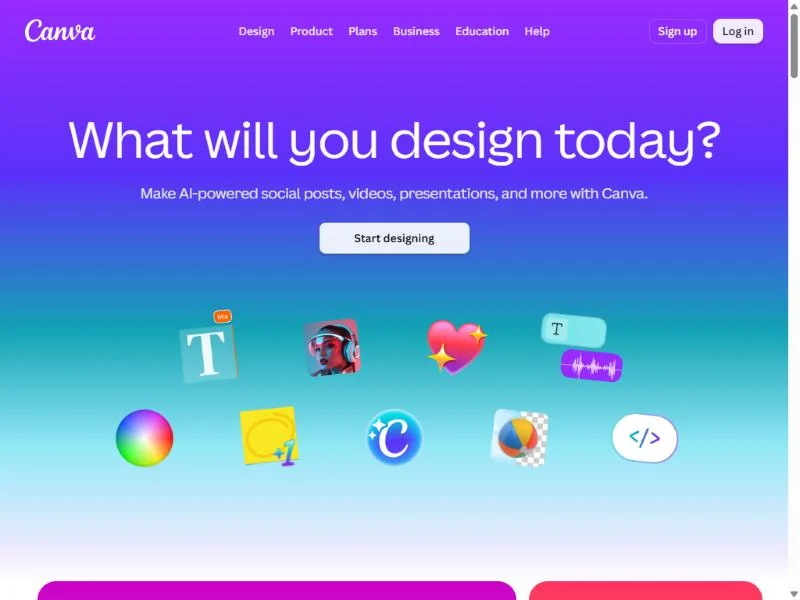
Canva is the benchmark row: Adobe Express, VistaCreate and automo designer replace its template editor in full, Figma does for a team with a designer, and the other eight replace one job each. The starting price is the entry paid plan; each section prices the plan a team needs.
| Software | Best for | Starting price (unit, billing) | Main advantage | What you give up | Switching note |
|---|---|---|---|---|---|
| Canva | solo creators and small teams | US$144 a year for one person (Pro); Business US$250 a year per person | 3.6M+ templates and 141M+ elements on Pro; Affinity included | Benchmark | Benchmark |
| Adobe Express | Adobe users and teams that lock brand templates | US$9.99 a month, billed monthly (Premium); Teams US$7.99 per license a month, annual | Firefly on licensed content; PSD and AI file sync | no yearly solo price; Teams needs 2 seats | imports PDF free |
| Snappa | small social media teams | US$10 a month, billed yearly (Pro); Team US$20 a month for 5 users | flat 5-user Team plan; Buffer integration | 6,000+ templates; 5-user ceiling | templates rebuilt |
| Visme | interactive and data-heavy content | US$12.25 a month per person, billed US$147 a year (Starter) | forms; analytics and HTML5 on Business; SCORM/ | US$297 a year per person on Business | imports PowerPoint files |
| Photopea | free layered photo editing | free | one-click background removal; PSD, RAW; files stay local | a shared workspace; files stay on one device | opens PNG, JPG and PDF exports |
| VistaCreate | teams sharing one subscription | US$120 a year, billed upfront, up to 10 seats (Pro) | ten seats on one plan; unlimited storage and Brand Kits | 200K+ templates against 3.6M+ | no import listed |
| Piktochart | infographics and reports | US$10 per member a month, billed annually (Pro, US$120 a year); Business US$17 for PDF, PPT and brand kit | free workspace for 4; CSV and Google Sheets charts | two PNG downloads on Free | Business plan for PDF and PPT |
| Gamma | AI presentations | US$9 a month, US$108 billed annually (Plus) | prompt-to-deck; PDF and PPTX in and out on Free | 400 free credits never refill | imports PDF and PPTX |
| Figma | brand teams with a designer | US$3 a month per Collab seat; US$16 per Full seat (Professional) | design systems, dev handoff, Buzz on every seat | a US$16 Full seat for anyone who edits Figma Design files | rebuilt by a designer |
| Penpot | open source and self-hosting | free (Professional); Unlimited US$7 per editor a month, capped at US$175 | open source, self-host option, price cap | marketing templates | everything rebuilt |
| Pixlr | low-cost AI photo edits | US$1.99 a month on the yearly plan (Plus) | 80 to 1,000 AI credits a month | no team plan listed; no refunds | no import listed |
| Microsoft Clipchamp | free video editing | free; 4K with Microsoft 365 Personal at US$99.99 a year | 1080p exports with no watermark on Free | static design; 4K needs Microsoft 365 | video rebuilt |
| automo designer | free small teams | free for 3 users; Business US$19 per user a month | free 3-user workspace; Team 100 flat at US$333 a month | Business billing basis not stated | vendor says Canva PDFs import |
Sources: Canva pricing, Adobe Express pricing, Snappa pricing, Visme pricing, Photopea, VistaCreate plans, Piktochart pricing, Gamma pricing, Figma pricing, Penpot pricing, Pixlr pricing, Clipchamp pricing, Microsoft 365 plans, automo designer pricing, checked Nov 2026.
How I Evaluated the Alternatives
I weighed the 12 picks and the 2 tools under Also Considered on one question: which Canva job does each replace? I ranked them on that job, the yearly totals below, brand control, data portability and ownership.
The ranking rests on each tool’s official pricing, plan and help pages, read on November 11, 2026, and my analysis of them. The site’s October 2026 Canva Free check kept no screenshots, so this page takes the Free-plan limits from Canva’s own plan and upgrade pages, checked November 2026. Template fit depends on your own designs, so each section names a way to try the tool first. The wider stack is in my ranking of AI tools for content creation.
Why Teams Look Beyond Canva
Two reasons lead: Canva Free keeps the photo tools people reach for most on Pro, and Canva Business bills each person, with seats that stay billable after the person leaves. The rest are jobs Canva was not built for: data visuals, UI design, layered photo work and video.
The Free-plan reason is a gate on photo and AI tools. Canva names Background Remover, Magic Resize, the full AI tool suite and one-click exports as SVG or with a transparent background among what the Pro upgrade buys over Free, and its plan card says Pro unlocks AI tools for resizing, translating and removing backgrounds. These Free-plan limits come from Canva’s own upgrade page; the site’s October 2026 Canva Free check kept no screenshots, so it is not used here.
AI use is metered on every plan. Canva Free gets up to 20 Standard or Premium AI uses a month; Pro includes about 10x more than Free, and Business about 20x more, with an AI Pass add-on on both.
A Free user who only needs the cut-out can get it from Photopea for nothing. For the photo step alone, my list of the best AI photo editors compares more options.
The money reason is per-person billing. Only one person can hold a Canva Pro subscription, so a second editor means Business, priced per person.
On a plan billed by seats, removing a member does not remove the seat: it stays billable until you remove it under Settings, People, Manage seats. The pricing guide covers what each Canva plan costs.
My take
The photo gate alone is not worth a move: Photopea fixes it for nothing while Canva Free keeps the layouts. Per-person billing is. From the second editor up, price each pick’s team plan against your Canva Business bill before Canva’s next renewal.
What a team pays instead of Canva
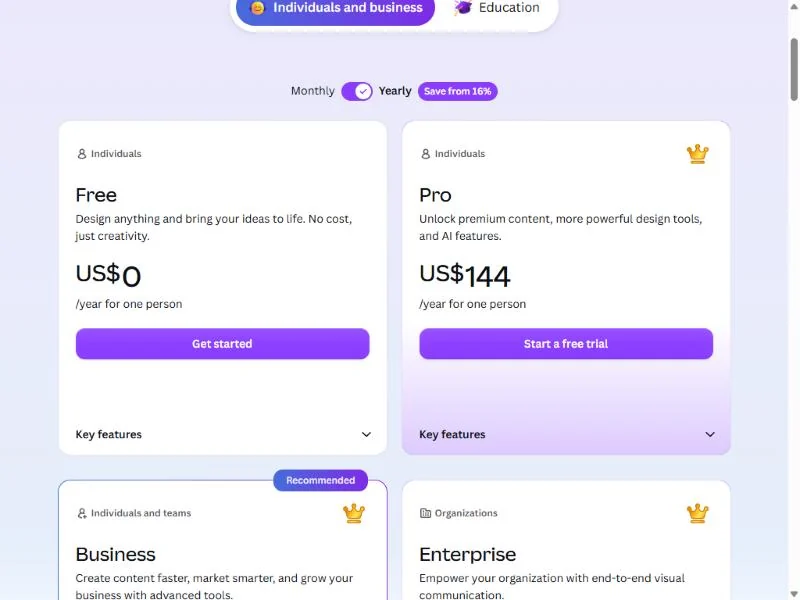
Against US$1,250 a year for 5 people on Canva Business, four picks come in under US$500 at the same headcount. Each total is the plan price times the seats times the months in a year, on the plan that does a team’s job, on yearly billing where the vendor sells one.
| Tool and plan | 1 person | 5 people | 10 people | Basis |
|---|---|---|---|---|
| Canva Pro / Business | US$144 (Pro) | US$1,250 (US$250 x 5, Business) | US$2,500 (US$250 x 10) | yearly, per person |
| Adobe Express Premium / Teams | US$119.88 (US$9.99 x 12, Premium) | US$479.40 (US$7.99 x 5 x 12, Teams) | US$958.80 (US$7.99 x 10 x 12) | Premium billed monthly; Teams annual, 2-seat minimum |
| Snappa Pro / Team | US$120 (US$10 x 12, Pro) | US$240 (US$20 x 12, Team) | contact Snappa above 5 users | billed yearly |
| Visme Starter / Business | US$147 (Starter) | US$1,485 (US$297 x 5, Business) | Enterprise, custom from 10 users | yearly, per person |
| VistaCreate Pro | US$120 | US$120 | US$120 | billed upfront, up to 10 seats |
| Piktochart Pro | US$120 | US$600 (US$120 x 5) | US$1,200 (US$120 x 10) | billed annually, per member |
| Penpot Unlimited | US$84 (US$7 x 12) | US$420 (US$7 x 5 x 12) | US$840 (US$7 x 10 x 12) | per editor per month, capped at US$175 a month |
| automo designer Free / Team 100 | US$0 (Free, up to 3 users) | US$3,996 (US$333 x 12, Team 100) | US$3,996 (Team 100) | Team 100 flat, up to 100 users; Business’s US$19 per user has no stated billing basis |
Sources: Canva pricing, Adobe Express pricing, Snappa pricing, Visme pricing, VistaCreate plans, Piktochart pricing, Penpot pricing, automo designer pricing, checked Nov 2026.
Of the per-person plans in this cost table, only Visme Business, at US$297 a year per person, costs more than a Canva Business seat. automo designer’s Team 100 is US$333 a month, one flat price for up to 100 users; its pricing page does not say which billing period that price is for, and it adds “Save 20% with annual billing”.
1. Adobe Express: Best Canva Alternative for Adobe Users and Teams That Lock Templates
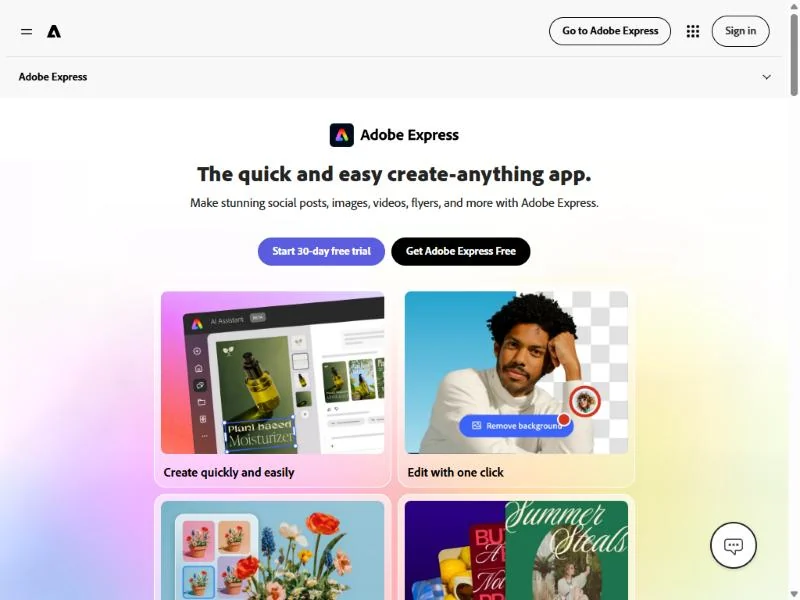
Adobe Express is the pick when the team is the problem, not the tool: five people on Teams pay US$479.40 a year where Canva Business takes US$1,250, and the brand kits, template locking and admin console that justify Business sit on that plan. For one person it is the weaker buy, because Premium only sells month to month.
File sync is the feature that changes an Adobe shop’s workflow: a .psd or .ai file added to a design keeps syncing edits from Photoshop or Illustrator (a membership for those apps is required). For image generation alone, my list of Adobe Firefly alternatives is the better page.
Where Adobe Express may be better
- Five Teams seats cost less a year than two Canva Business seats
- .psd and .ai files sync from Photoshop and Illustrator; PDF import is free
Where Canva may be better
- Pro is US$144 a year with yearly billing; Express Premium has no yearly price
- A larger template library on Pro than Express Premium’s 730,000+, and Affinity on every plan
Premium costs US$9.99 a month, billed monthly with a 30-day trial; Teams is US$7.99 per license a month on an annual subscription billed monthly, with a 2-seat minimum.
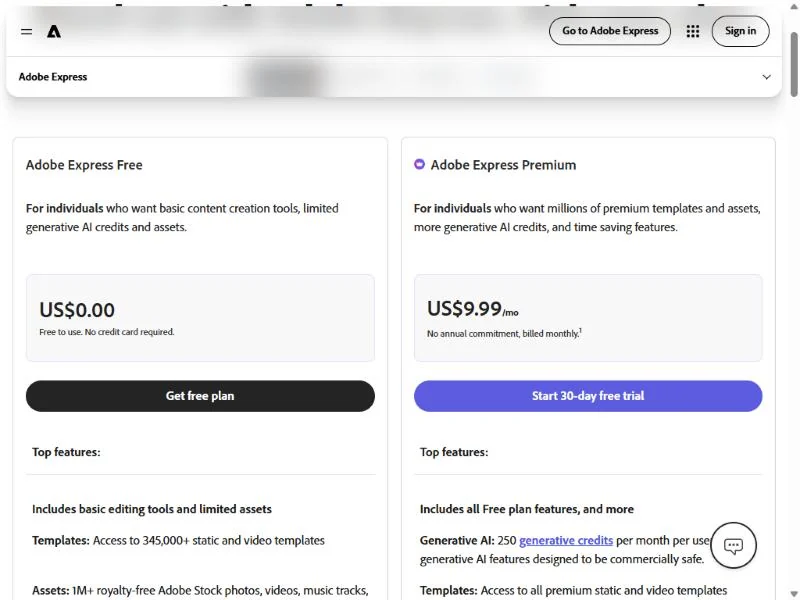
- Free: US$0; remove background and other premium editing tools need an upgrade
Sources: Adobe Express pricing, checked Nov 2026.
Pros
- Teams is US$7.99 x 12 = US$95.88 a year per license, under two fifths of a Canva Business seat
- Brand kits, controls and template locking sit on Teams
- Firefly’s training on licensed content is documented by Adobe
Cons
- Premium has no yearly price: US$9.99 x 12 = US$119.88 a year for a smaller library
- Remove background is premium-only, the same gate as Canva Free
- Teams needs two seats even for one person
Switching: export Canva designs as PDF, import them on the free plan, rebuild brand kits and templates by hand, and reconnect scheduling (1 account per network on Free, 3 on Premium and Teams).
Switch if your team needs locked brand templates or a designer already works in Adobe apps. Skip it if: you are one person who lives in Canva’s library; Canva Pro buys more templates on yearly billing, and for social images alone Snappa Pro costs less than Canva Pro’s US$144 a year (US$10 a month billed yearly, US$10 x 12 = US$120).
2. Snappa: Best Canva Alternative for Small Social Media Teams
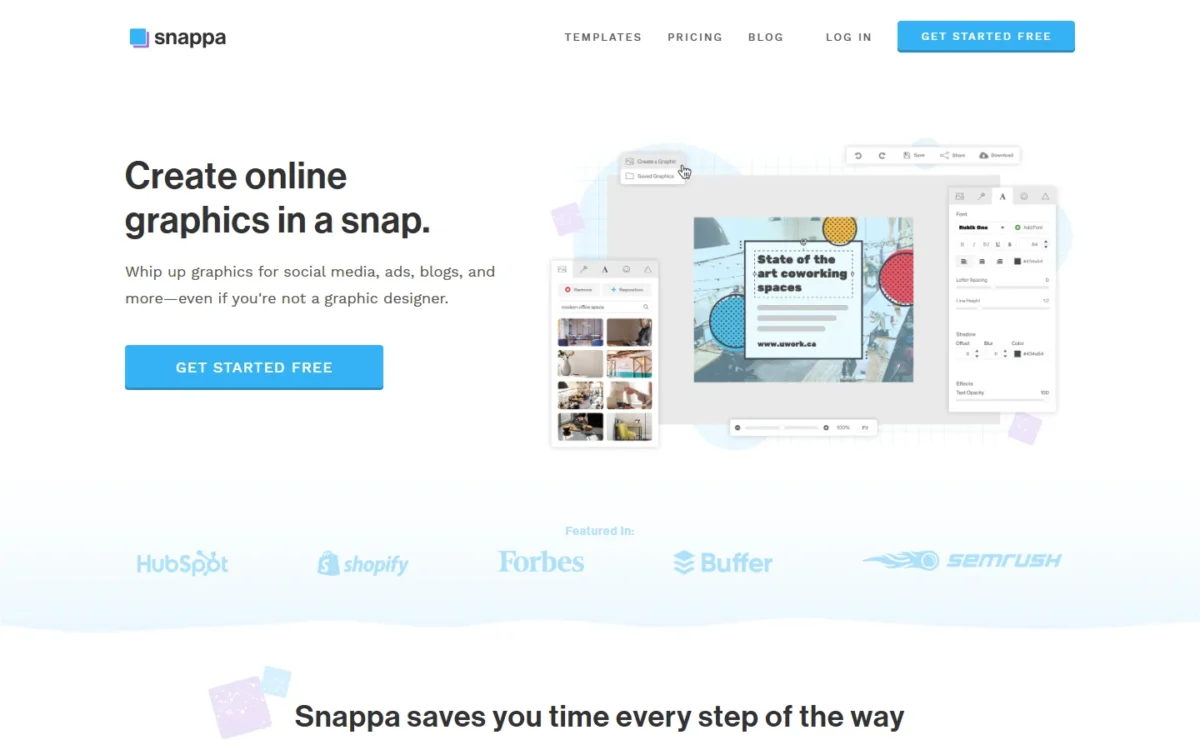
A five-person team that makes social images and schedules them through Buffer saves US$1,250 – US$240 = US$1,010 a year on Snappa Team, a flat 5-user plan with the Buffer integration built in. VistaCreate Pro is cheaper still for up to 10 seats with its own scheduler, so Snappa earns its place when Buffer is where your posts already run.
Pro, at US$10 a month billed yearly for one user, answers the background-removal gate on Canva Free: it includes remove image backgrounds, custom font uploads and unlimited downloads, where the free Starter plan allows 3 downloads a month.
Where Snappa may be better
- Team covers 5 users for US$20 a month billed yearly, a flat price, against Canva’s per-person Business
- Buffer integration on Pro and Team, for posts already scheduled there
Where Canva may be better
- A far larger template catalog than Snappa’s 6,000+
- Brand Kits (5 on Pro, 100 on Business) and a published price above 5 users; Snappa lists neither
Snappa prices Pro at US$10 a month billed yearly (US$120 a year) for one user and Team at US$20 a month billed yearly (US$240 a year) for five; Starter is free with 3 downloads a month.
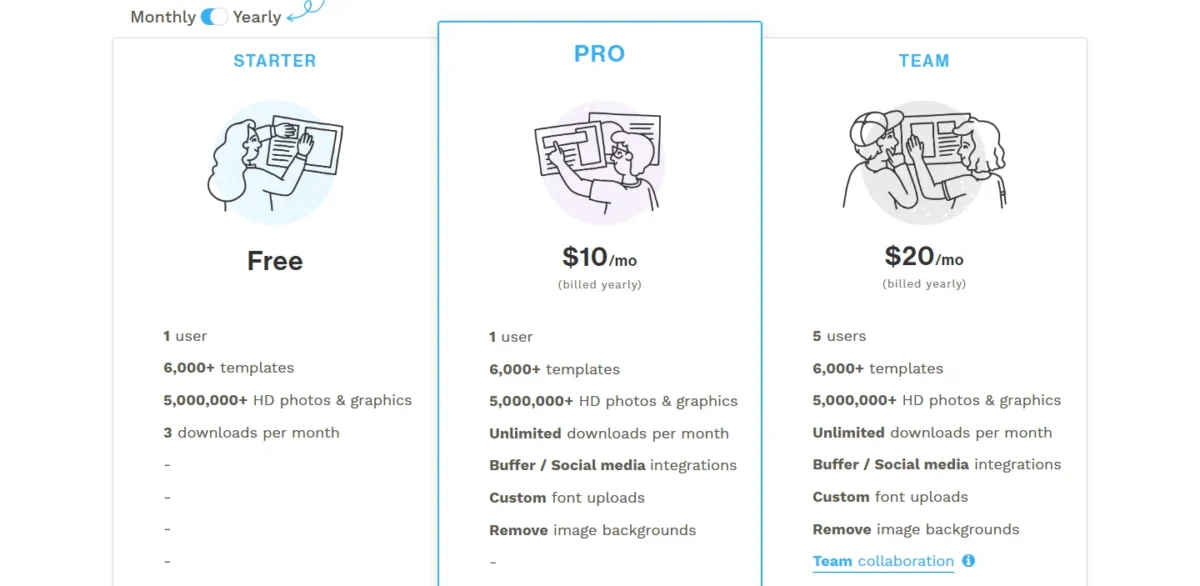
- Above five users: contact Snappa
Sources: Snappa pricing, checked Nov 2026.
Pros
- Team is a flat US$240 a year for five users
- Background removal and custom fonts on the US$10 Pro plan
- 5,000,000+ royalty-free photos and graphics
Cons
- 6,000+ templates, a fraction of Canva’s catalog
- No brand kit, so a multi-brand agency manages colors by hand
- Team stops at five users
Switching: no importer is listed, so Canva designs arrive as PNG or JPG exports and templates are rebuilt from Snappa’s own; reconnect Buffer.
Switch if two to five people post to social daily through Buffer and nobody makes decks or video. Skip it if: you have more than five editors or need brand kits; Adobe Express Teams prices the sixth seat and VistaCreate Pro carries ten.
3. Visme: Best Canva Alternative for Interactive and Data-Heavy Content
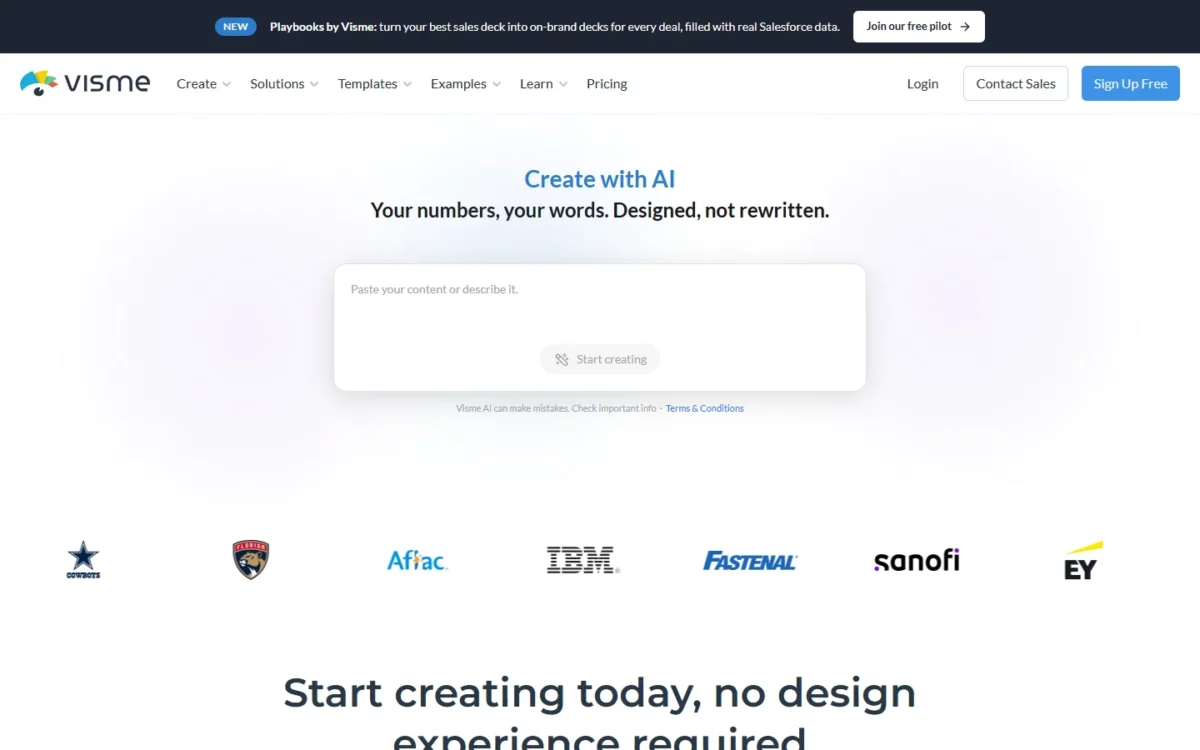
Visme costs more than Canva for a team and is still the right move for a team whose content people interact with. Business adds forms with 5,000 responses a month, analytics, and HTML5, video and GIF downloads; HTML5 is the export Canva’s plan table does not list. A trainer or a sales team sending interactive proposals pays US$297 – US$250 = US$47 more per person a year for that.
Where Visme may be better
- Forms (1,000 responses a month on Starter, 5,000 on Business), analytics and lead collection
- HTML5, video and GIF downloads on Business; SCORM and xAPI on Enterprise
Where Canva may be better
- Canva Business costs less per person than Visme Business
- Social scheduling and 1000+ design types on Pro and Business
Two paid tiers matter here: Starter at US$12.25 a month per person, billed US$147 a year, and Business at US$24.75 a month per person, billed US$297 a year; Basic is free.
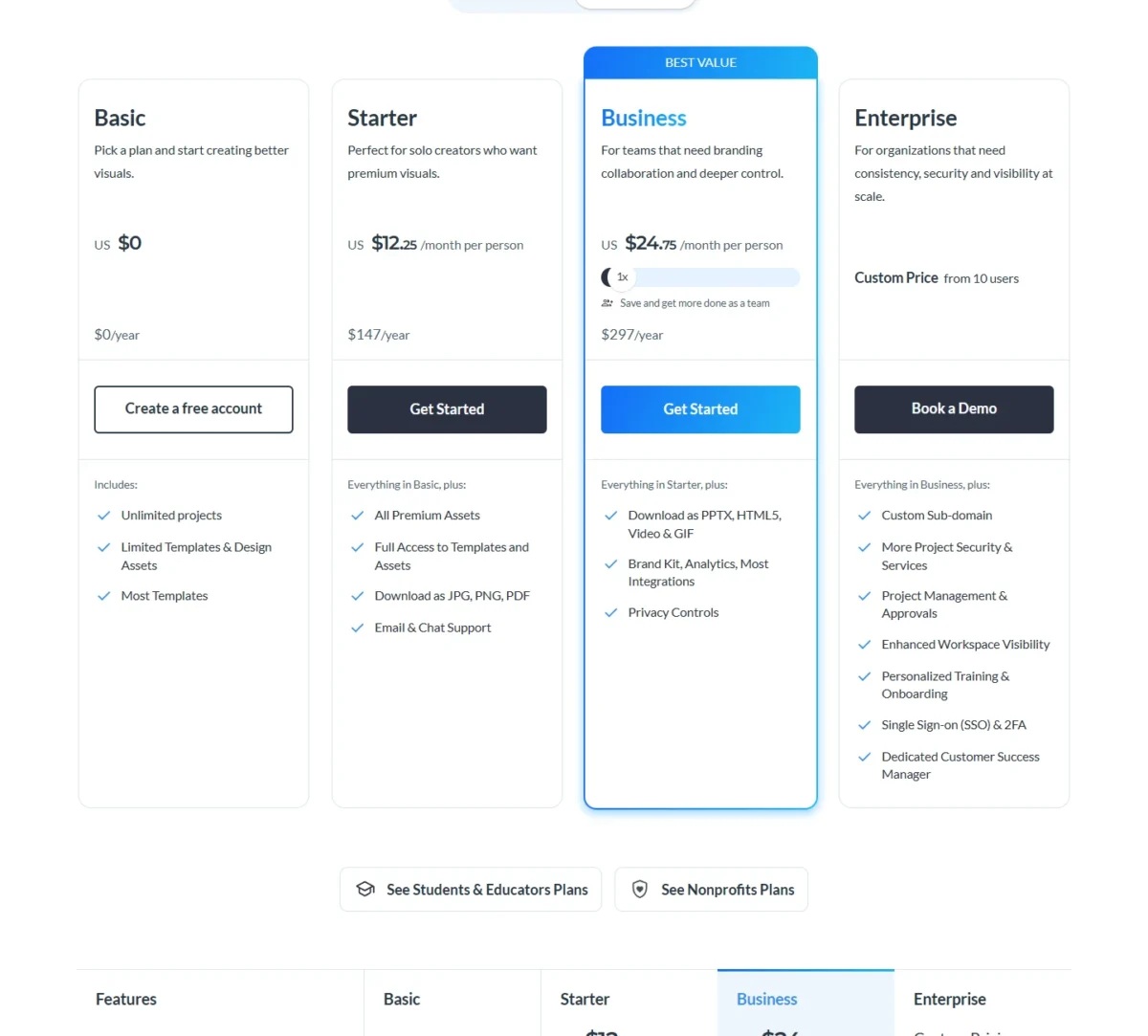
- Business: PPTX, HTML5, video and GIF downloads, Brand Kit, analytics, 10GB
- AI credits a month: 10 on Basic, 200 on Starter, 500 on Business
Sources: Visme pricing, checked Nov 2026.
Pros
- Forms, analytics and HTML5 downloads on Business; HTML5 is not on Canva’s plan table
- SCORM and xAPI output on Enterprise for training teams
- A Salesforce or HubSpot CRM integration row on the plan table
Cons
- US$297 a year per person on Business, above Canva Business
- PPTX, video and GIF downloads start on Business, not Starter
- Storage is 1GB on Starter and 10GB on Business
Switching: Visme’s importer takes PowerPoint files; rebuild your key templates and the Brand Kit on Business, and run one real report through Basic before paying.
Switch if your content collects responses, needs tracking or must land in an LMS as SCORM. Skip it if: social posts are most of your Canva use; Canva Business costs less and schedules them, and Snappa costs far less.
4. Photopea: Best Free Canva Alternative for Photo Editing
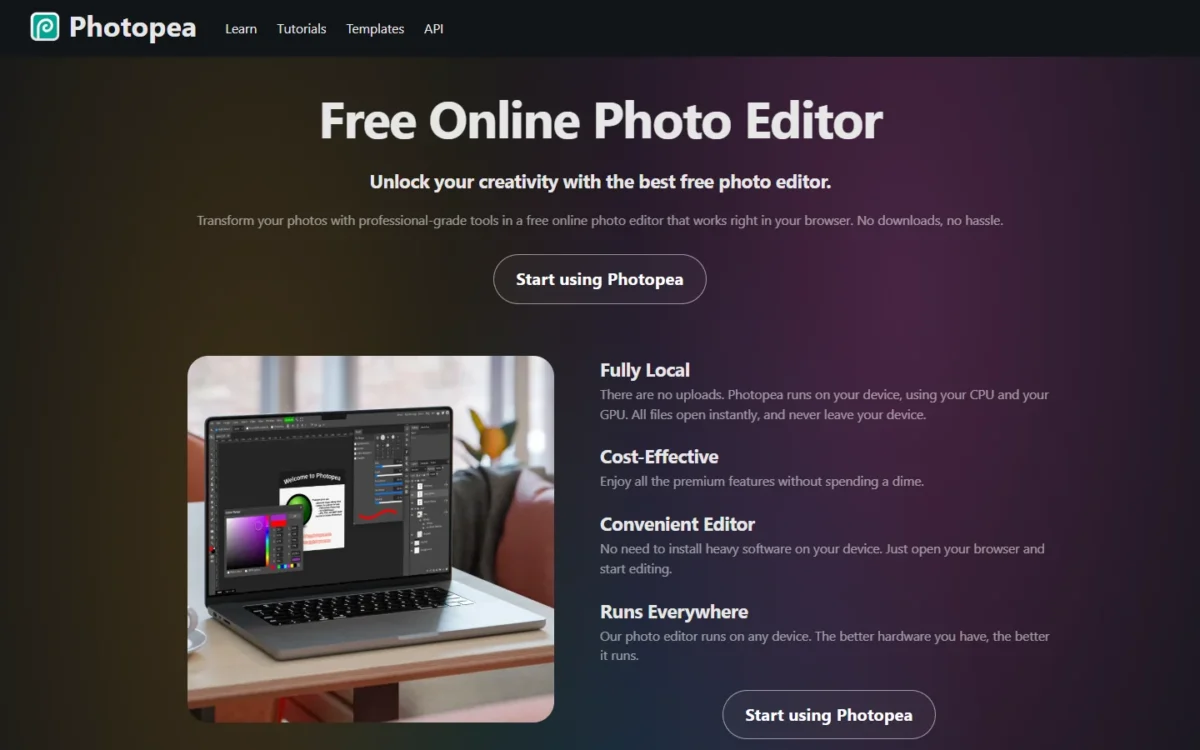
Photopea answers the gate Canva puts on its background remover: it removes a background with one click, for free. It is a layered photo editor that opens and saves PSD files, handles RAW formats and runs on your own device with no uploads. It is a photo editor first, so most readers use it beside a template editor rather than instead of Canva.
The local-only model matters to an e-commerce seller editing unreleased product shots.
Where Photopea may be better
- Background removal without a paid plan
- Opens and saves PSD, opens PDF, SVG, AI and RAW files, with no uploads
Where Canva may be better
- Templates (1.6M+ on Free), Brand Kits and scheduling
- Team seats and approvals on Business, and cloud storage shared across devices
Photopea’s homepage calls the editor free, so its background remover costs nothing where Canva keeps one for Pro.
- Photopea: free, in the browser, no paid plan listed
Sources: Photopea, Canva pricing, checked Nov 2026.
Pros
- Free background removal, a Pro tool on Canva
- Full PSD support and RAW files, which Canva’s plan table does not list
- Runs locally; no file leaves the device
Cons
- Teammates share exported files, not a shared workspace
- Nothing syncs between people or devices by design
- Speed depends on your own CPU and GPU, since everything runs locally
Switching: there is no account to migrate; export the photo from Canva as PNG or JPG, open it in Photopea and save the result back to your Canva uploads. For bulk or API background removal, my Remove.bg review covers that tool.
Switch if Background Remover is the only thing pushing you to pay for Canva Pro. Skip it if: you need templates, scheduling or a shared workspace; keep Canva Free for layouts and Photopea for the cut-out, or move the team to VistaCreate.
5. VistaCreate: Best Canva Alternative for Teams Sharing One Subscription
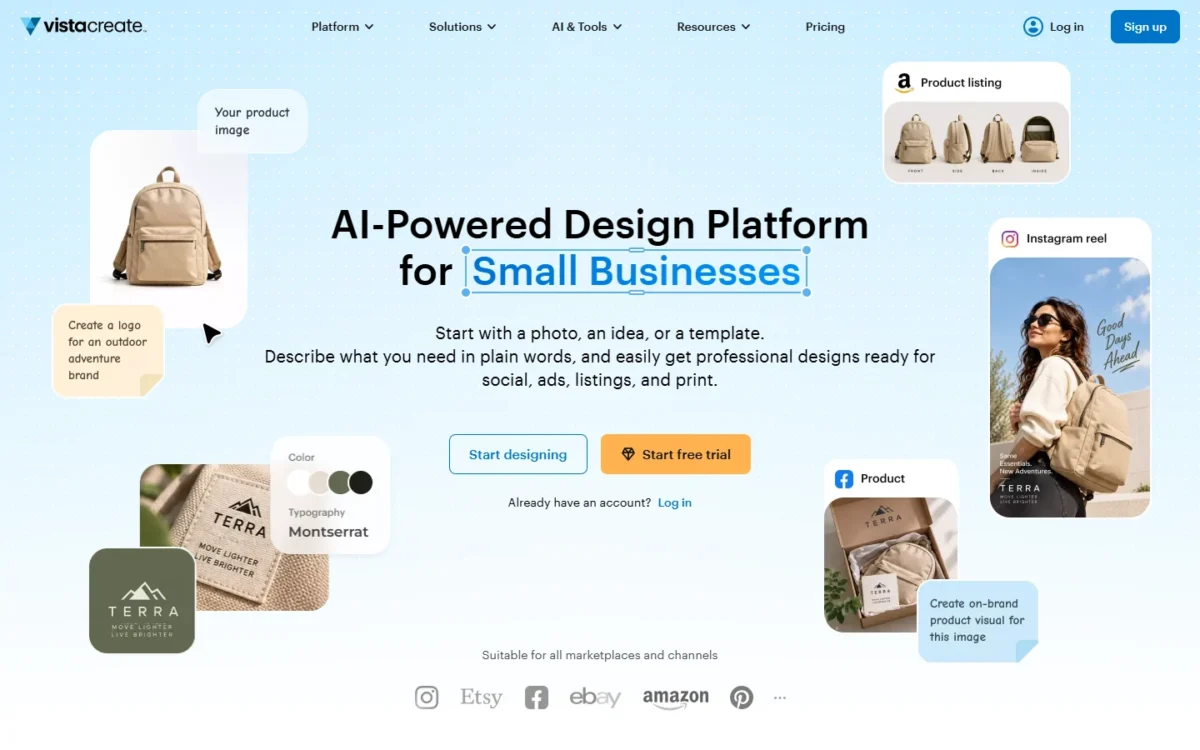
VistaCreate is the pick for a small team that wants Canva’s template job without Canva’s per-person bill, because one Pro subscription covers up to 10 seats. The trade-off is depth: its 200K+ templates are far fewer than Canva’s, and VistaCreate’s Pro feature list names no importer.
An agency should notice the Brand Kits: VistaCreate Pro puts no cap on them, so a growing client list never forces a higher tier, while Canva Pro stops at five.
Where VistaCreate may be better
- Pro covers up to 10 seats on one flat bill, where Canva Business charges per person
- Unlimited Brand Kits and unlimited storage on Pro, against 5 Brand Kits and 100GB on Canva Pro
Where Canva may be better
- A larger template catalog than VistaCreate’s 200K+, though VistaCreate lists more stock (170M+ photos, videos and vectors)
- Approvals and team admin tools on Business, and Affinity on every plan
One paid plan does the job, and a team of three pays what a team of ten pays; use the free trial to check that the catalog covers your formats.

- Pro: US$120 a year, billed upfront after a 14-day free trial (shown as US$10 USD a month), up to 10 seats; Starter: US$0, one seat
Sources: VistaCreate plans, VistaCreate Pro help page, checked Nov 2026.
Pros
- One subscription for up to 10 seats, the lowest ten-person bill here with a template editor
- Several client brands fit in one workspace
- Background Remover, Resizer and scheduling included
Cons
- A far smaller template catalog than Canva Pro’s
- No Canva import listed on the plans or help pages
- No approvals or admin controls listed for the 10 seats
Switching: export designs from Canva as PDF, PNG or JPG, rebuild Brand Kits and templates in VistaCreate, starting with one brand during the trial.
Switch if up to 10 people share one budget and one brand, or several brands. Skip it if: your work depends on Canva’s niche templates or on Business approvals; Adobe Express Teams has brand controls and template locking.
6. Piktochart: Best Canva Alternative for Infographics and Reports
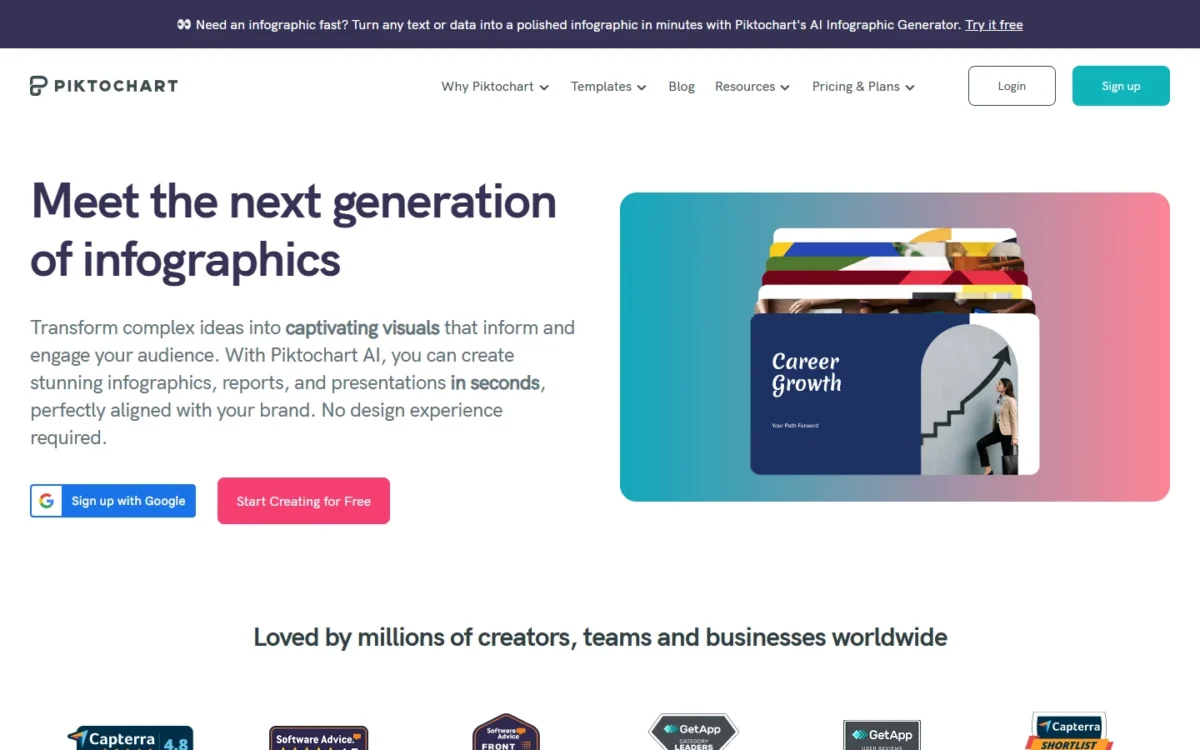
Piktochart’s free workspace holds up to four members, while Canva Free is one person and a second editor on Canva usually means Business. The catch is two PNG downloads on Free, so the free workspace is for drafting together, and the first real export puts a team on Pro at US$10 per member a month billed annually.
Charts fed by CSV or live Google Sheets data are the reason to pick Piktochart over Canva for a monthly report; a Canva Business team already has Flourish for that, a Canva Pro user does not.
Where Piktochart may be better
- A free workspace for up to 4 members; Canva Free is one person
- Charts from CSV and live Google Sheets data
Where Canva may be better
- Formats: Canva’s editor lists 1000+ design types
- Canva Pro includes 5 Brand Kits and scheduling; Piktochart’s brand kit sits on Business at US$204
Per member, Pro is US$10 a month billed annually (US$120 a year) and Business US$17 a month billed annually (US$204 a year); Piktochart generally does not refund payments.
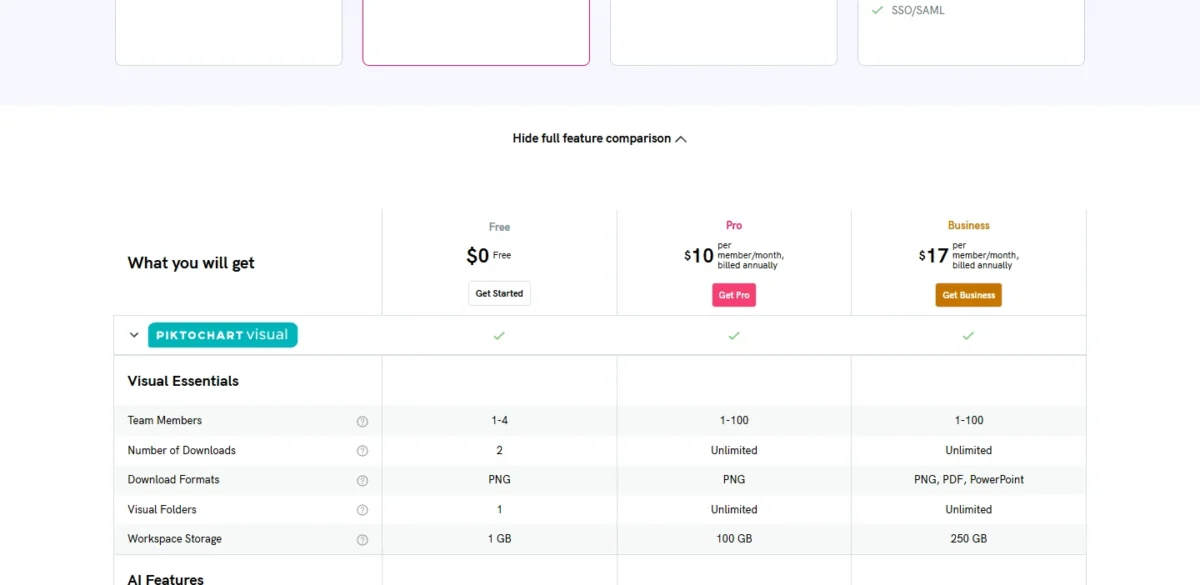
- Pro: PNG downloads only; Business: PDF and PPT downloads, Brand Kit
- AI credits: 60 on Free, 500 on Pro, 1,000 on Business
Sources: Piktochart pricing, checked Nov 2026.
Pros
- Four people can draft together on Free
- Pro at US$120 per member a year is US$250 – US$120 = US$130 under a Canva Business seat
- Live Google Sheets data in charts
Cons
- Two PNG downloads on Free, so any real use is paid
- PDF and PPT downloads and the brand kit start on Business at US$204 per member a year
- Free uses only free templates; premium templates start on Pro
Switching: no importer is listed, so infographics are rebuilt from Piktochart templates with the data brought in as CSV or a Google Sheet.
Switch if reports and infographics are the job and a small team wants a shared workspace. Skip it if: social posts are most of your work; VistaCreate Pro schedules them for up to 10 seats on one subscription, where Piktochart Pro bills each member.
7. Gamma: Best Canva Alternative for AI Presentations
Gamma starts from a prompt and ends in a PPTX, a different workflow from Canva’s template-first editor and the reason a consultant who makes decks weekly should try it. Free imports PDF and PPTX and exports PDF, PPTX, PNG and Google Slides, so a Canva deck exported as PDF can go in on Free and come back out as PPTX. The limit is the credit model: Free gives 400 credits at signup and they never refill.
Gamma also makes docs, websites, social posts and images; more free deck tools are in my list of free AI presentation makers.
Where Gamma may be better
- Generates a deck from a prompt and exports PPTX, on Free; imports PDF and PPTX
- Plus at US$108 a year costs US$36 less than Canva Pro
Where Canva may be better
- Design control at template level and one plan for social, print, video and decks
- A renewing monthly AI allowance on Free and 5 Brand Kits on Pro; Gamma’s 400 free credits do not refill
On annual billing Plus is US$9 a month (US$108 a year) and Pro US$18 a month (US$216 a year); on these individual plans each member you add becomes a charged seat.
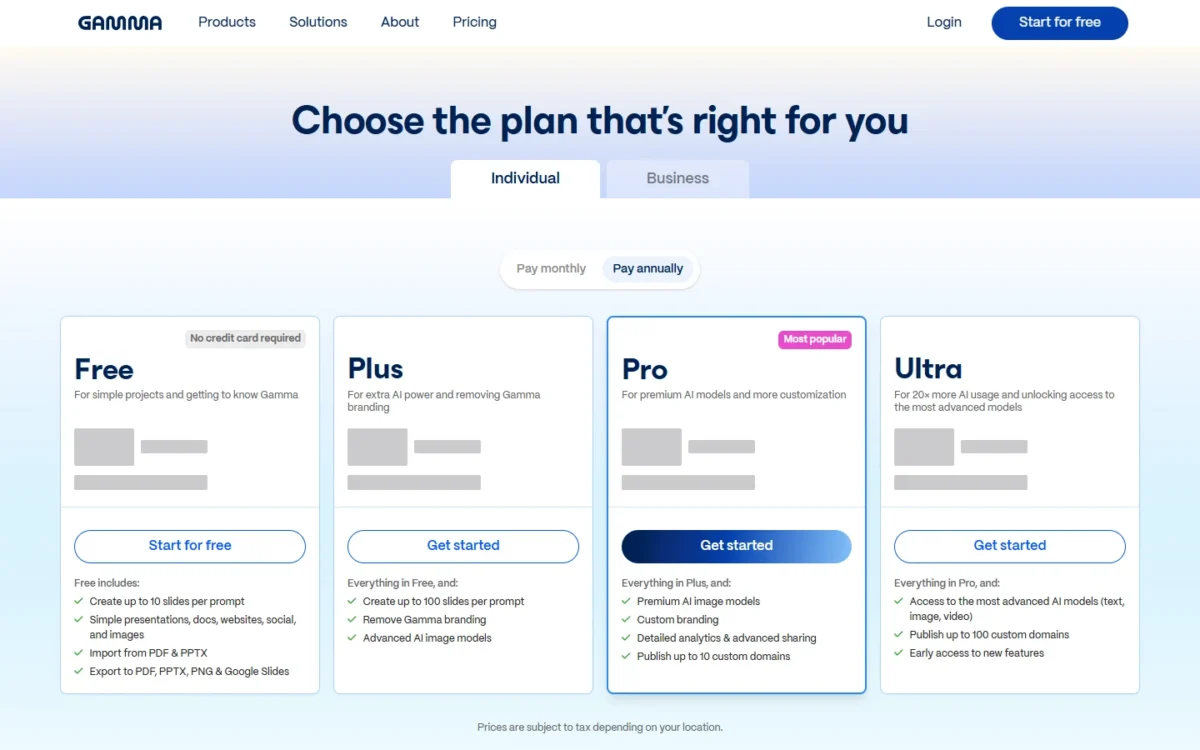
- Plus: 1,500 credits a month; Pro: 4,000 credits a month
Sources: Gamma pricing, checked Nov 2026.
Pros
- PPTX export on Free
- Plus at US$108 a year costs less than Canva Pro for a deck-only user
- Unused credits roll over to twice the monthly amount
Cons
- 400 free credits never refill, so Free is a trial in practice
- Credit cost per deck varies by model and length and is not a published number
- Each added member on Plus, Pro or Ultra is a charged seat
Switching: export the Canva deck as PDF, import it on Gamma Free, and see how many of the 400 credits one real deck uses before choosing Plus or Pro; brand themes are built in Gamma’s theme builder.
Switch if decks are most of what you made in Canva and you want AI to draft the structure. Skip it if: most of your work is social posts and print rather than decks; Canva Pro covers those with its 1000+ design types and scheduling.
8. Figma: Best Canva Alternative for Brand Teams With a Designer

Figma replaces Canva only when the team has a designer, and then it can cost less than Canva Business: one Full seat at US$16 a month holds the designer, and every marketer who fills templates in Figma Buzz sits on a Collab seat at US$3 a month.
Four Collab seats cost 4 x US$3 = US$12 a month, so a designer plus four marketers pay US$16 + US$12 = US$28 a month, which is US$28 x 12 = US$336 a year at the printed per-month prices against US$250 x 5 = US$1,250 on Canva Business. My Figma review covers the product itself.
Where Figma may be better
- Collab seats at US$3 a month for people who only fill templates in Buzz, Slides and FigJam
- Team-wide design libraries and Dev Mode for a team that also ships product UI; free viewers need no seat
Where Canva may be better
- A ready template catalog for a team with no designer
- Scheduling, Brand Kits and approvals in one plan on Business, with one price per person
Figma prints the Professional seat prices per month with no billing label on that plan (Organization and Enterprise are marked “Billed annually”): a Full seat is US$16, a Dev seat US$12 and a Collab seat US$3. Organization and Enterprise are in my Figma pricing guide.
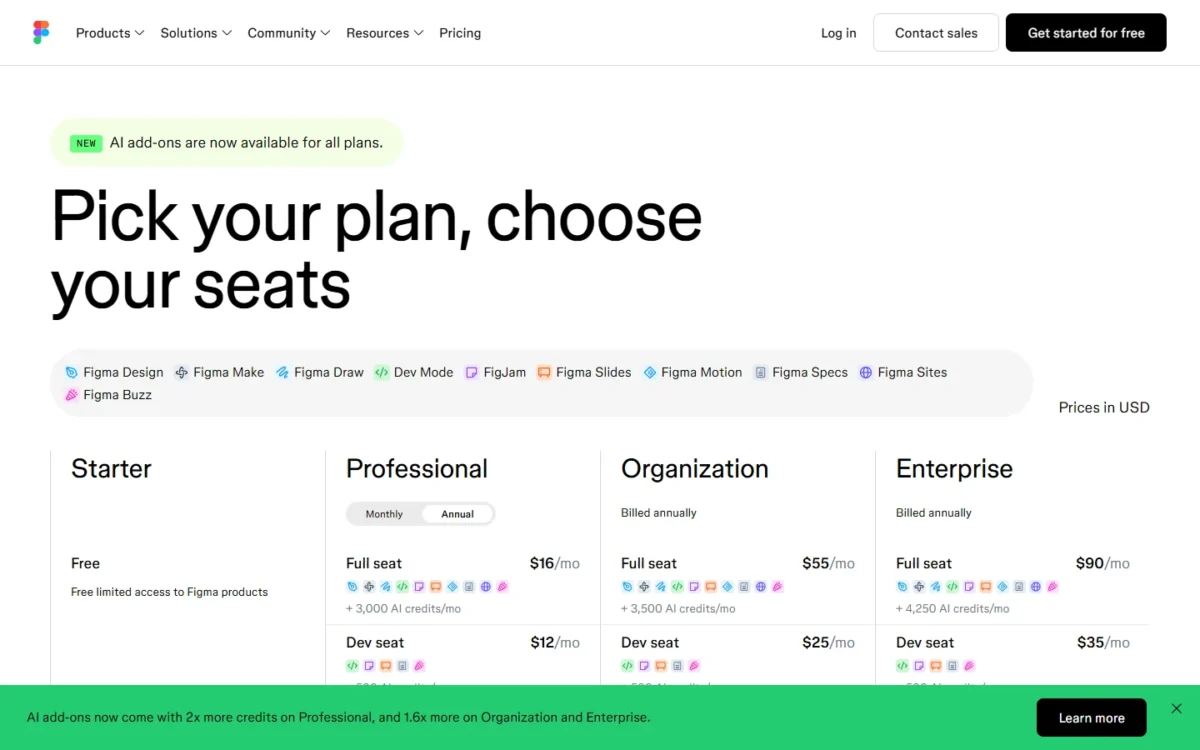
- Professional Full seat: 3,000 AI credits; Starter is free
Sources: Figma pricing, checked Nov 2026.
Pros
- US$3 Collab seats make a five-person brand team cheaper than Canva Business
- Buzz beta on every seat type
- Design libraries and dev handoff for teams that also build product
Cons
- Needs a designer on a US$16 Full seat to build what Collab seats fill
- No template catalog comparable to Canva’s for non-designers
- Professional’s billing basis is not labelled on the pricing page
Switching: no Canva import is listed; brand assets and templates are rebuilt by the designer in Figma, and Starter is free to start on.
Switch if a designer owns the brand and marketers only fill approved templates. Skip it if: nobody on the team designs from scratch; VistaCreate or Adobe Express Teams give non-designers a catalog to start from.
9. Penpot: Best Open-Source Canva Alternative
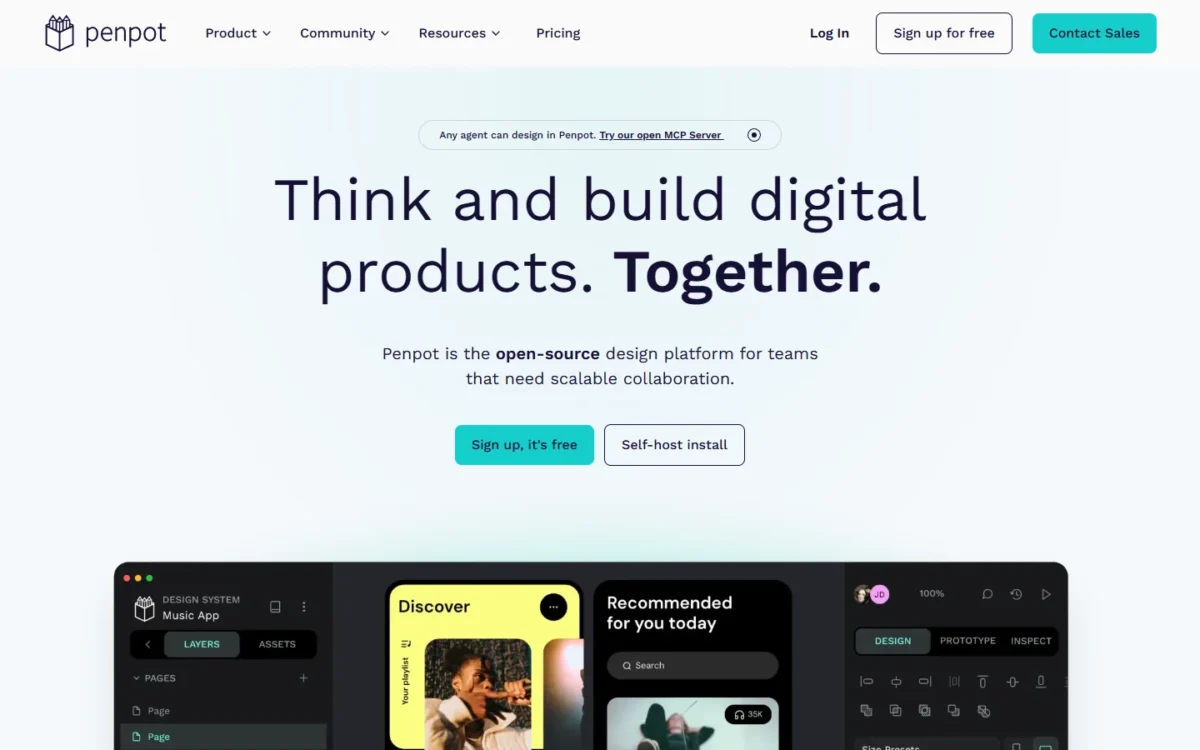
Penpot is a pick you can own: it is open source (“No vendor lock-in. You own your designs and code.”), and you can run it on your own server. The Unlimited plan tops out at US$175 a month from 25 editors (US$7 x 25), or US$175 x 12 = US$2,100 a year; the same 25 people on Canva Business pay US$250 x 25 = US$6,250.
Its pricing page lists no template catalog, scheduler or brand kit, so a marketing team would rebuild those; I would weigh it for a team with a designer.
Where Penpot may be better
- Open source with a self-host option; Canva is cloud-only
- Unlimited caps at US$175 a month for any team size; Canva Business has no cap
Where Canva may be better
- Marketing work: templates, 1000+ design types, scheduling and Brand Kits
- A free nonprofit team of up to 50 with Pro features, and approvals on Business
Three cloud tiers, all in USD: Professional at US$0 per user a month, Unlimited at US$7 per editor a month capped at US$175 a month with a 14-day free trial, and Enterprise at US$25 per member a month.
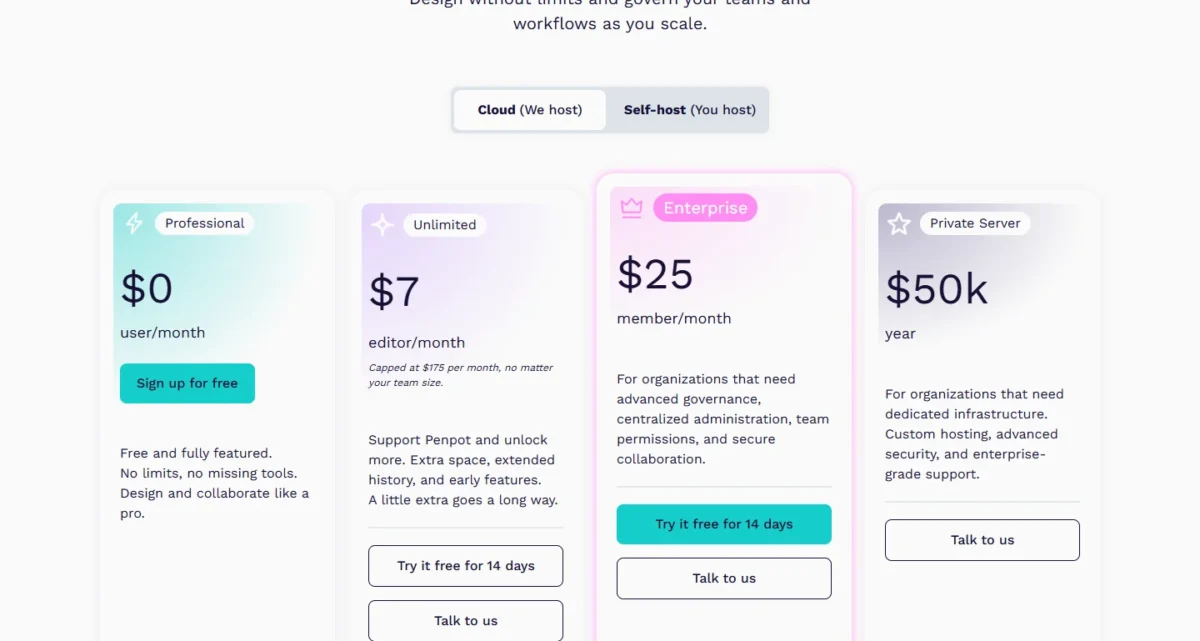
- Unlimited: extra space and extended history
Sources: Penpot pricing, checked Nov 2026.
Pros
- Open source and self-hostable, so the vendor can be taken out of the picture
- A US$175 a month cap that any team past 25 editors benefits from
- Professional is free with no file limits
Cons
- No templates, scheduling or brand kits; marketing teams rebuild everything
- Self-hosting is your own infrastructure and updates
- Import from Canva is not listed; the FAQ covers Figma and Adobe XD
Switching: a move to Penpot is a rebuild, done by a designer, with Canva’s exports as reference; try Professional free before deciding cloud or self-host.
Switch if ownership, self-hosting or open source is a requirement and a designer builds your assets. Skip it if: you need a template catalog for non-designers; Figma Buzz is the closest paid route, VistaCreate the cheaper one.
10. Pixlr: Best Low-Cost Canva Alternative for AI Photo Edits
Pixlr has the lowest paid entry price on this page. Plus buys an ad-free editor, unlimited saves and 80 AI credits a month for US$1.99 a month on the yearly plan; Premium buys 1,000 credits and a library of fonts, templates and elements for US$7.99 a month on the yearly plan, which is US$7.99 x 12 = US$95.88 a year against Canva Pro’s US$144.
Pixlr cannot refund a subscription once the payment is processed, so start on one month before committing to a year.
Where Pixlr may be better
- Plus at US$1.99 a month on the yearly plan for ad-free editing and 80 AI credits
- Premium at US$95.88 a year with 1,000 credits a month, under Canva Pro’s yearly price
Where Canva may be better
- A design editor for layouts, decks and print, with templates and scheduling on Pro
- A free plan with a renewing AI allowance and team plans on Business; Pixlr lists neither
On the yearly plan, where the toggle shows “Save 20%”, Ultra starts at US$19.99 a month; subscription credits reset at each renewal.
- Premium: 1,000 AI credits a month and the templates library
Sources: Pixlr pricing, checked Nov 2026.
Pros
- US$1.99 a month on the yearly plan is the lowest paid entry on this page
- Premium’s 1,000 monthly credits, with Pixlr’s own estimate of about 1,000 fast edits
- Credit packs never expire and are used after subscription credits
Cons
- No refunds once a payment is processed
- Subscription credits reset at renewal; cancel and they drop to zero
- No team plan or brand kit on the pricing page
Switching: no importer is listed; export photos from Canva as PNG or JPG, edit them in Pixlr, and keep layouts in Canva Free or another template editor.
Switch if you want cheap AI photo edits and already have somewhere to lay out designs. Skip it if: you need a team, a brand kit or scheduling; VistaCreate Pro gives ten people all three on one subscription.
11. Microsoft Clipchamp: Best Free Canva Alternative for Video
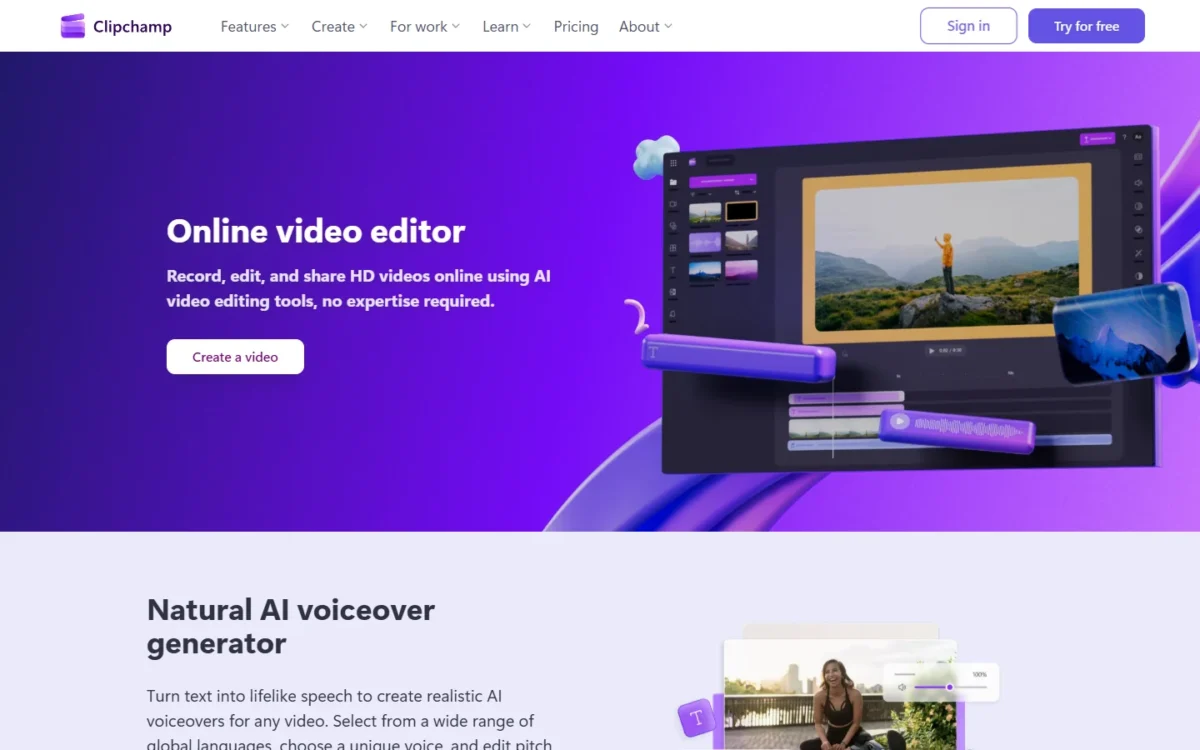
Clipchamp’s free plan exports as many videos as you like at up to 1080p with no watermark, the single fact that puts it here: a creator who used Canva only for video pays nothing on Clipchamp. Premium, which adds 4K exports, premium stock and a single-brand kit, is now included with Microsoft 365 Personal and Family rather than sold on its own.
Where Microsoft Clipchamp may be better
- Free 1080p exports with no watermark and no export cap
- 4K UHD exports, premium stock and a brand kit included in Microsoft 365 Personal or Family
Where Canva may be better
- Video next to social, print and decks in one editor
- Brand Kits (5 on Pro) against Clipchamp Premium’s single brand, and team seats on Business
Clipchamp Free costs nothing with a personal Microsoft account; the premium features come with Microsoft 365 Personal at US$99.99 a year or US$9.99 a month, or Family at US$129.99 a year or US$12.99 a month for 1 to 6 people.
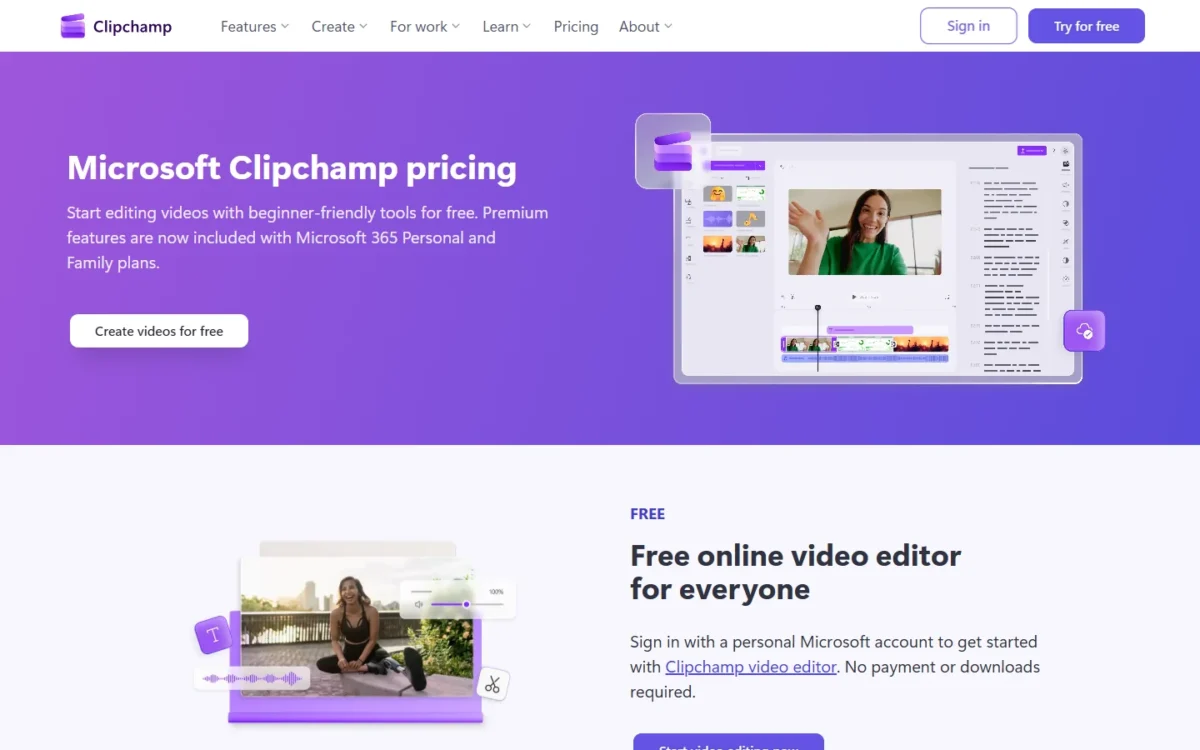
- Free: 1080p exports with no watermark
Sources: Clipchamp pricing, Microsoft 365 plans, checked Nov 2026.
Pros
- Unlimited watermark-free 1080p exports on Free
- 4K and a brand kit come with a Microsoft 365 Personal or Family subscription
- Family covers up to 6 people for US$129.99 a year
Cons
- No static design at all
- 4K needs Microsoft 365; there is no Clipchamp-only paid plan
- The brand kit on Premium is a single brand
Switching: export finished videos and raw clips from Canva, re-cut in Clipchamp, and keep static work elsewhere; there is nothing to import besides media files.
Switch if video is the job and 1080p is enough, or you already pay for Microsoft 365. Skip it if: you need video and social graphics in one tool; Canva Pro keeps both in one subscription.
12. automo designer: Best Free Canva Alternative for Small Teams
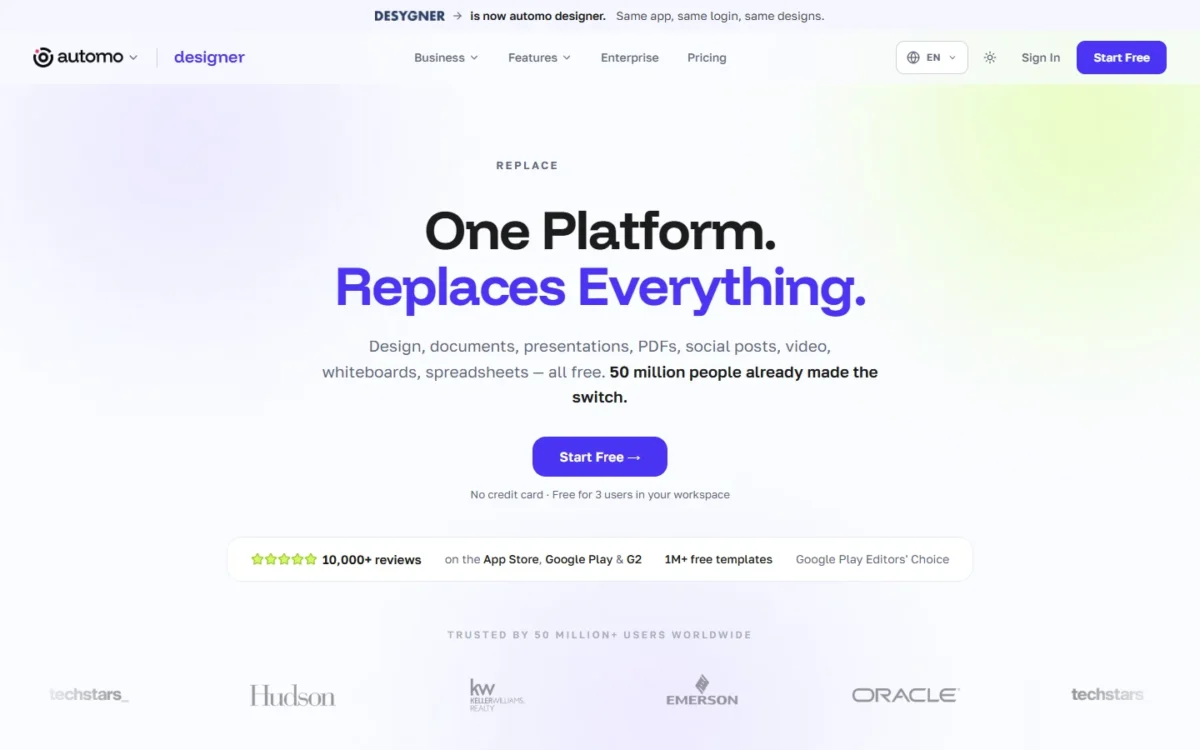
automo designer, at desygner.com, is the pick when three people want one shared template editor without paying for it; the trade-off is a pricing FAQ that leaves the Business plan’s billing basis open. Free holds 3 users, 100 projects, 20 AI credits a month and 5GB, with 1M+ templates, where three people on Canva need Business at US$250 x 3 = US$750 a year.
The Canva claim is the vendor’s: export Canva designs as PDF and import them. Test it on one of your own designs on Free before the team moves.
Where automo designer may be better
- Free covers 3 users and 100 projects; Canva Free is one person
- Team 100 is US$333 a month flat for up to 100 users, and the vendor says Canva designs import via PDF
Where Canva may be better
- A larger template library on Pro than automo’s 1M+
- A published billing basis on every price, plus approvals, 100 Brand Kits and Flourish on Business
Free holds 3 users; Business is US$19 per user a month with its billing basis not stated next to the price; Team 100 is US$333 a month flat for up to 100 users, which is US$333 x 12 = US$3,996 a year.
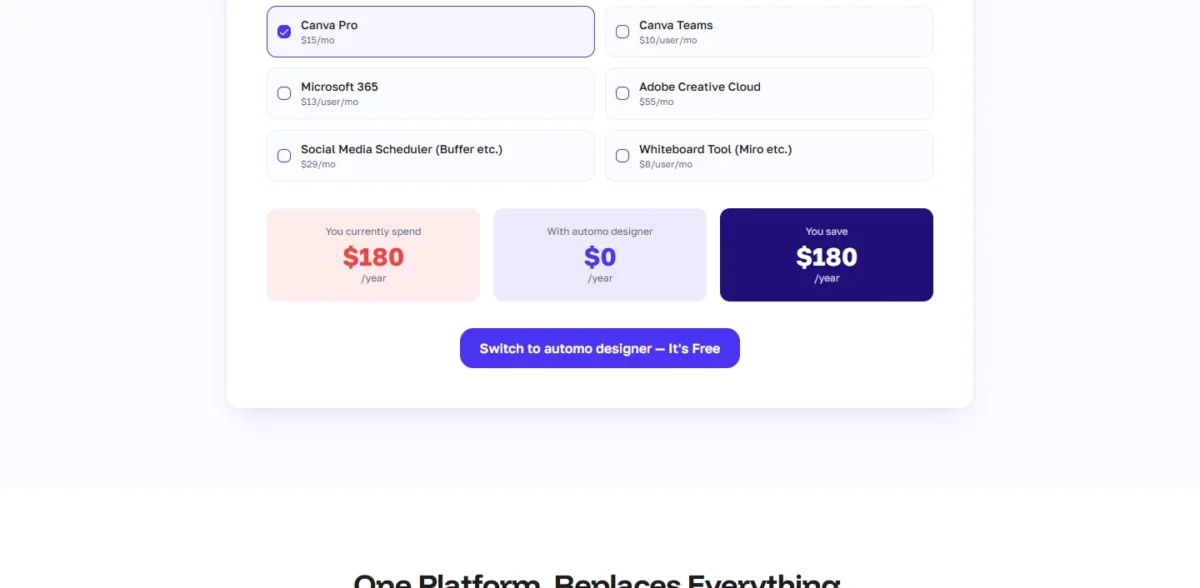
- Business: 100 AI credits per user, 100GB; Team 100: up to 100 users, 1TB
Sources: automo designer pricing, checked Nov 2026.
Pros
- Three users free, with 1M+ templates and 100 projects
- Flat US$333 a month for up to 100 users
- Canva PDF import and a 14-day refund stated by the vendor
Cons
- Business’s US$19 per user has no stated billing basis
- 20 AI credits a month on Free is a thin allowance for three users
- SSO sits on Enterprise only, and no approval workflow is listed on any plan
Switching: export each Canva design as PDF and import it, then check what the import kept and rebuild what it did not.
Switch if three people want a shared free workspace, or a very large team wants one flat bill. Skip it if: you need a stated billing basis before you buy; Adobe Express Teams prints one (an annual subscription, billed monthly) and adds brand controls.
Should You Stay With Canva or Switch?
Stay if you are one person on Canva Pro, a nonprofit team of up to 50, or a team that lives on Canva’s 3.6M+ templates; switch when a reason above names you. Canva Pro is US$144 a year with 5 Brand Kits, social scheduling, 100GB of storage and Affinity. Its 3.6M+ templates outnumber Adobe Express Premium’s 730,000+, automo designer’s 1M+ and VistaCreate’s 200K+.
Whether Canva’s own AI is good enough to keep you is what my Canva AI review answers.
My guide on how to use Canva covers getting more from your plan.
Consider switching if
- Three or more people each hold a Business seat for social images (Snappa Team, VistaCreate Pro)
- A Free user needs only Background Remover, a Pro tool on Canva (Photopea)
- Your content collects form responses or needs analytics (Visme Business)
- A designer builds your brand (Figma Collab seats), or you must self-host (Penpot)
Consider staying with Canva if
- You are one person on Pro
- You are a nonprofit with up to 50 users on Canva’s free Pro-level team
- Your work depends on the 3.6M+ templates, on Affinity, or on Business approvals and Flourish
| Your priority | Alternative to consider | Reason | Trade-off |
|---|---|---|---|
| Social images scheduled through Buffer | Snappa Team | Buffer integration on a flat US$240 a year for 5 users | 6,000+ templates; stops at 5 users |
| The lowest team bill with a template editor | VistaCreate Pro | US$120 a year for up to 10 seats | 200K+ templates; no approvals listed |
| Interactive content and analytics | Visme Business | forms, HTML5, analytics | US$297 a year per person |
| Free photo fixes only | Photopea | one-click background removal, PSD, local files | files stay on one device |
| Open source and self-hosting | Penpot | free Professional; Unlimited capped at US$175 a month | UI tool, not a template editor |
| One person who uses the library | Canva Pro | US$144 a year, 3.6M+ templates, 5 Brand Kits | per-person Business if a second editor joins |
Sources: the vendor pricing pages linked in each section and Canva pricing, checked Nov 2026.
My take
From five Business seats up, I would price VistaCreate Pro, or Adobe Express Teams when templates must be locked, before Canva renews; the switching table above covers the single-job moves.
Migrating From Canva
Designs leave Canva as PDF, JPG or PNG; templates and Brand Kits are rebuilt by hand on every pick.
- Export every design you still need from Canva as PDF, JPG or PNG.
- Import where the pick lists an importer (Adobe Express, Gamma and automo designer take PDF; Photopea opens PDF, PNG and JPG); elsewhere designs arrive as images.
- Rebuild Brand Kits, fonts and the templates your team reuses by hand.
- Try one real design in the new tool before moving everyone.
- Reconnect scheduling (Buffer on Snappa, Adobe Express, VistaCreate Pro) and keep the Canva exports as your rollback through the first billing cycle.
- Remove unused seats on Canva Business before the next billing date; a removed member does not remove the seat.
Also Considered
- Affinity: Canva includes access to Affinity on every plan, Free included, so it is part of staying with Canva rather than a way out.
- Kittl: its pricing page pitches the Free, Pro, Expert and Max plans at selling designs and working with clients, a different job from Canva’s template-and-schedule workflow.
FAQ
Is there a 100% free alternative to Canva?
Yes, for one job at a time: Photopea edits photos and removes backgrounds free, Microsoft Clipchamp exports 1080p video free with no watermark, and Penpot’s Professional plan is free for UI design. For a free template editor with a team, automo designer’s Free plan holds 3 users and 100 projects.
Who is Canva’s biggest competitor?
By feature overlap on the pages I read, Adobe Express: it covers templates, brand kits, social scheduling and AI generation, the same list as Canva Pro, and prices a team at US$7.99 per license a month.
Why don’t professional designers use Canva?
The tools designers choose solve different problems: Figma and Penpot publish design libraries, prototyping and developer handoff (Dev Mode, code inspection), and Photopea opens and saves layered PSD files. Canva’s plan table lists templates, Brand Kits and scheduling instead. Designers who need handoff or layers pick the first group; marketers pick Canva.
My take
For a free start, I would pair Canva Free’s layouts with Photopea for photos, or move three people to automo designer’s Free plan.
Is there a free AI alternative to Canva?
Yes, with a cap on each: Adobe Express Free includes free daily generations for images, text effects and templates, Gamma Free gives 400 credits at signup that do not refill, and Piktochart Free includes 60 AI credits. Canva Free allows up to 20 Standard or Premium AI uses a month, so weigh each cap against how often you generate.
Final Verdict
Pick by the reason you are leaving, and price the plan your team needs rather than the entry plan.
My take
For a team, I would start with Adobe Express Teams if a designer works in Adobe apps or templates must be locked, and VistaCreate Pro (up to 10 seats on one subscription) if not. Two to five social posters who schedule through Buffer should take Snappa Team at US$240 a year. Visme earns its higher price only for interactive content, and Photopea covers the Free user who only misses Background Remover.
One person on Canva Pro who uses its library should stay: US$144 a year buys 3.6M+ templates, 5 Brand Kits and scheduling for one person.
Deck-makers try Gamma Free, teams with a designer price Figma Collab seats, owners who must self-host run Penpot, and video-only creators export free from Clipchamp.