Google Flow vs Higgsfield is price per clip against range: Flow makes Google’s Veo 3.1 clips for less, and Higgsfield adds models, longer shots and team pooling. Google AI Pro costs $19.99 a month for 1,000 Flow credits plus 50 a day.
Higgsfield Plus costs $49 billed monthly, or $39 a month billed annually, for the same 1,000 credits.
Quick verdict
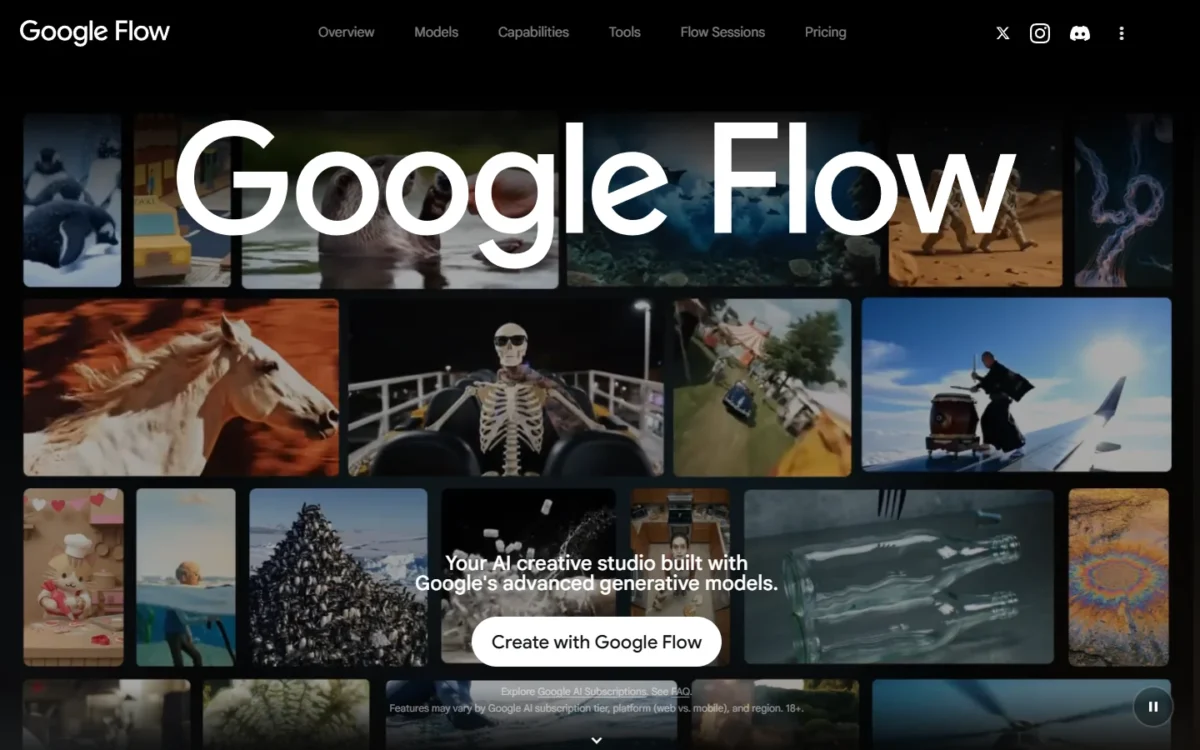
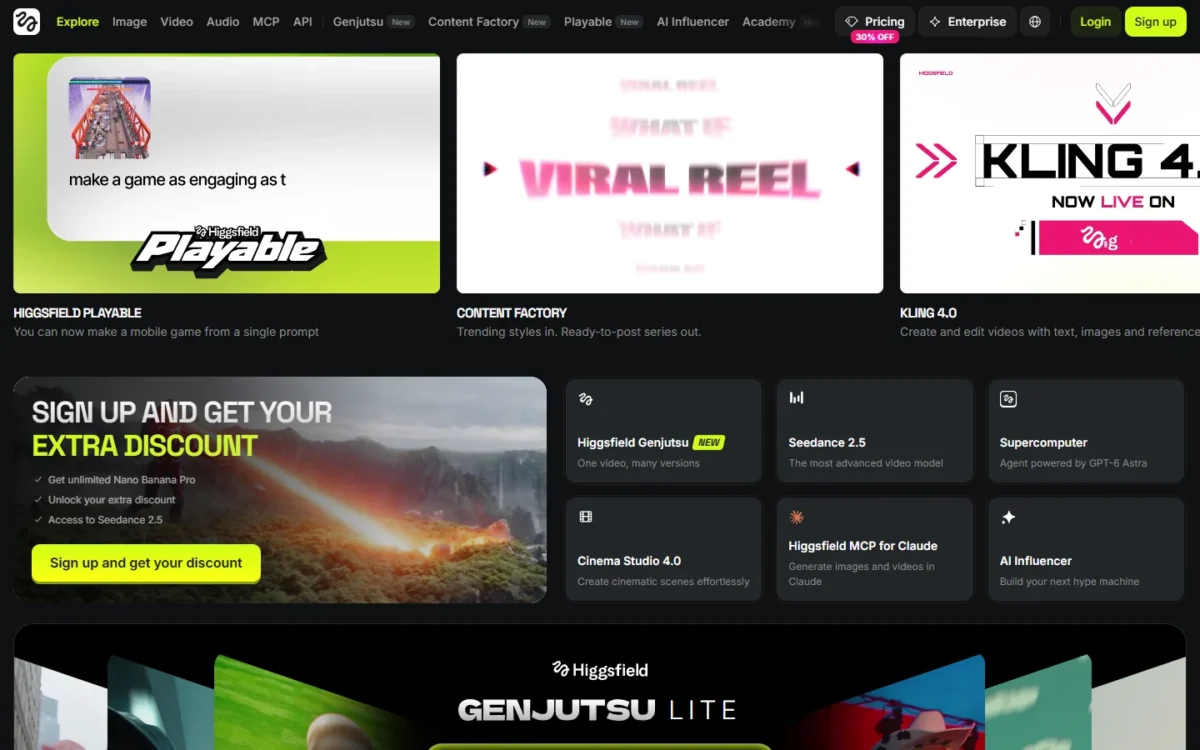
Google Flow and Higgsfield both sell Veo 3.1; the difference is what surrounds it. Flow wraps Google’s models in a Google AI plan at a lower price per clip; Higgsfield adds Kling, Seedance, Sora 2 and Cinema Studio.
Flow fits solo creators who want Veo 3.1 and Gemini Omni. Higgsfield fits creators and small agencies who switch models per shot, need 30-second shots or 4K on a mid plan, or share credits.
The trade-off: Flow keeps 4K upscaling for its Ultra plan, while Higgsfield charges more per Veo clip.
In This Article (10 sections)
Google Flow vs Higgsfield at a Glance
Google Flow is Google’s AI filmmaking studio, paid for through a Google AI plan; Higgsfield is a multi-model creative suite with its own credits.
| Attribute | Google Flow | Higgsfield |
|---|---|---|
| Best for | Veo 3.1 and Gemini Omni at a low price per clip | Many model families, long shots, small teams |
| Comparable plan | Google AI Pro, $19.99 a month | Plus, $49 billed monthly |
| Credits on that plan | 1,000 a month plus 50 a day | 1,000 a month |
| Video models | Veo 3.1, Gemini Omni Flash 1.1 | Kling, Seedance, Veo 3.1, Sora 2, Wan, Minimax Hailuo |
| Longest single clip | 10 s (Omni Flash) | 30 s (Cinema Studio 4.0) |
| Main limitation | Google’s models only | Free tier has no credits |
Sources: Google Flow plans, Higgsfield pricing, checked October 2026.
Key Differences Between Google Flow and Higgsfield
- Model source: Flow runs Google’s own models; Higgsfield sells Kling, Seedance and Sora 2 beside Veo 3.1 on one bill.
- What else the fee buys: Google AI Pro adds the Gemini app, 5 TB of storage and YouTube Premium Lite; Higgsfield Plus buys credits and every model.
- Shot length and control: Flow joins short clips in Scenebuilder; Higgsfield’s Cinema Studio 4.0 renders 30 seconds in one shot, with lens settings.
- Who holds the credits: Flow credits sit in one Google account; Higgsfield Team pools them for 2 to 9 people.
My Google Flow review judges Flow on its own.
Google Flow vs Higgsfield: Features Compared
Higgsfield leads on models, shot length, 4K and camera control; Flow leads on free use.
| Criterion | Google Flow | Higgsfield |
|---|---|---|
| Video models | Veo 3.1, Gemini Omni Flash 1.1 | Plan-dependent: all models from Plus |
| Max resolution | Limited: 4K upscaling on Ultra | 4K (Kling 3.0) |
| Native audio | Veo 3.1 | Cinema Studio, Kling 3.0 |
| Character consistency | Characters from 1-2 images | Soul ID from 20-80 photos |
| Camera control | Camera edit mode | Director’s Panel (4.0) |
| Free use | 50 credits a day | Limited models, no credits |
Sources: Flow models, Kling on Higgsfield, checked October 2026.
Models: Google’s own lineup vs a multi-model library
Higgsfield gives the wider choice: Kling 3.0, Seedance 2.0 and 2.5, Veo 3.1, Sora 2, Wan and Minimax Hailuo. Google Flow runs Veo 3.1 Lite, Fast and Quality, Gemini Omni Flash 1.1 and Nano Banana.
The plan gate moves Higgsfield’s real entry price: its $15 Starter gives “selected models only”, so a multi-model buyer starts on Plus. My Higgsfield AI review judges the suite on its own.
Verdict: Models
Higgsfield fits a buyer who picks a model per shot, such as Kling 3.0 for multi-shot scenes. Flow fits a buyer who wants only Google’s models and would pay Higgsfield for choices they skip.
Clip length, resolution and editing
Higgsfield’s Cinema Studio 4.0, which loads by default, renders clips up to 30 seconds; Google Flow’s Veo 3.1 stops at 8 and Gemini Omni Flash at 10. Google Flow builds length instead, with Extend for Veo clips and Scenebuilder to join clips. My beginner Google Flow tutorial walks through both.
For 4K, Google Flow upscales only on Google AI Ultra, at 50 credits a clip. Higgsfield’s Kling 3.0 renders up to 4K on Plus, at about 30 credits per 5 seconds.
For uploads, Google Flow’s Omni Flash edits a 10-second window of a clip trimmed to 30 seconds. Higgsfield’s Cinema Studio 4.0 extends an upload of up to 30 seconds or edits one region, and Kling 3.0 Omni Edit edits existing footage.
Verdict: Clip length and resolution
Higgsfield fits single shots past 10 seconds and 4K below the Ultra tier. Flow fits sequences stitched from short clips.
Audio and voices
Yes, both generate sound: Veo 3.1 has native audio in Google Flow, and every Cinema Studio version from 2.5 to 4.0 makes effects, speech and music on Higgsfield. Google Flow’s Gemini Omni offers preset voices you restyle by prompt; Higgsfield Audio adds voice cloning and translation.
Verdict: Audio
Comparable for generated sound. Higgsfield fits a creator who needs a cloned voice; Flow fits one who is content with preset voices.
Character consistency and camera control
A Google Flow Character bundles face, clothing and voice from 1 or 2 images. A Higgsfield Soul ID trains one person’s face on 20 to 80 photos and cannot be exported; Elements cover scenes with several characters.
Camera control is the widest gap. Higgsfield’s Director’s Panel sets camera, lens, aperture and moves such as Robot Arm, with up to 50 references. Google Flow Help names a camera edit mode and first and last frames, but no comparable panel.
Verdict: Camera control
Higgsfield fits a director who sets lens and movement per shot. Characters depend on use: an invented character with a voice suits Flow; one real face across many assets suits Soul ID.
Google Flow vs Higgsfield Pricing
Google AI Pro costs $19.99 a month and Higgsfield Plus $49 billed monthly, each for 1,000 credits a month.
| Plan tier | Google Flow | Higgsfield |
|---|---|---|
| Free | 50 credits a day | Limited models, no credits, watermark |
| Entry | Google AI Plus, $4.99 a month, 200 credits | Starter, $15 a month, 200 credits |
| Comparable | Google AI Pro, $19.99 a month, 1,000 credits | Plus, $49 billed monthly, 1,000 credits |
| Comparable, annual billing | Google AI Pro, $199.99 a year, 1,000 credits a month | Plus, $39 a month billed annually, 1,000 credits |
| Top individual | Google AI Ultra, $99.99 a month, 10,000 credits | Ultra, $129 billed monthly or $99 a month billed annually, 3,000 credits |
| Team | No team tier listed; family-group sharing | Team, $79 per seat billed monthly or $65 billed annually, 1,000 credits per seat |
Sources: Google Flow plans, Higgsfield pricing, Higgsfield Team plan, checked October 2026.
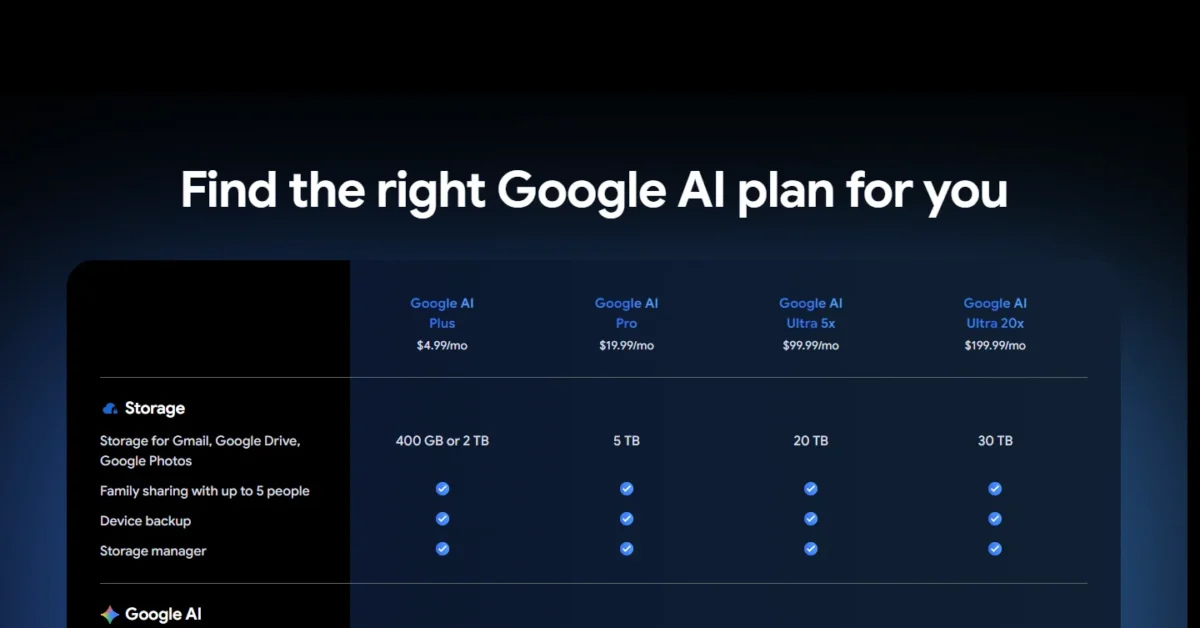
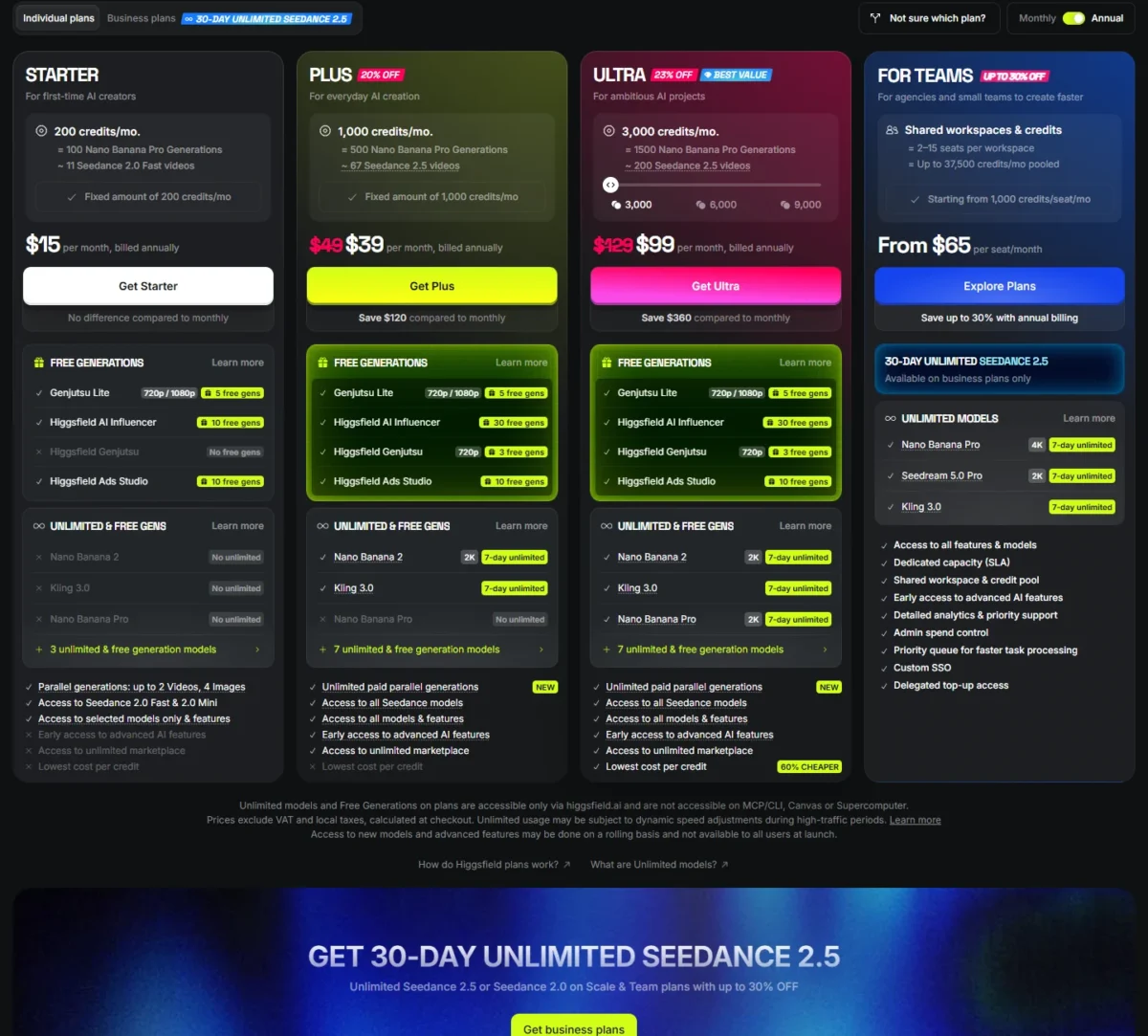
Google says prices may vary by market. Higgsfield’s prices exclude VAT and local taxes.
The upgrade triggers differ. On Flow, 4K or more than 1,000 monthly credits means Ultra; on Higgsfield, Starter’s model limit means Plus and more than 1,000 credits means Ultra, with 3,000.
Higgsfield Plus also gives 7 days of Unlimited Kling 3.0 and Nano Banana 2, which deduct no credits on higgsfield.ai.
Google’s 25,000-credit Ultra is in my Google Flow pricing guide.
Higgsfield’s larger Ultra sizes, Scale and Enterprise are in my full Higgsfield plan breakdown.
What 1,000 credits buy on each
Google AI Pro makes a Veo 3.1 Fast clip for less than Higgsfield Plus.
| Plan and model | Credits per clip | Cost per clip | Clips a month |
|---|---|---|---|
| Google AI Pro monthly, Veo 3.1 Fast, up to 8 s | 20 | $19.99 x 20 / 1,000 = $0.40 | 1,000 / 20 = 50 |
| Higgsfield Plus monthly, Veo 3.1 Fast, 4 s | About 16 | $49 x 16 / 1,000 = $0.78 | 1,000 / 16 = about 62 |
| Google AI Pro monthly, Veo 3.1 Quality, 8 s | 100 | $19.99 x 100 / 1,000 = $2.00 | 1,000 / 100 = 10 |
| Higgsfield Plus monthly, Veo 3.1, 4 s | About 40 | $49 x 40 / 1,000 = $1.96 | 1,000 / 40 = 25 |
| Higgsfield Plus monthly, Kling 3.0, 8 s, 720p | About 14 | $49 x 14 / 1,000 = $0.69 | 1,000 / 14 = about 71 |
| Google AI Ultra, Veo 3.1 Fast, up to 8 s | 10 | $99.99 x 10 / 10,000 = $0.10 | 10,000 / 10 = 1,000 |
Sources: Flow credit costs, Higgsfield pricing, checked October 2026.
The clips column counts the 1,000 monthly credits only; Flow’s 50 daily credits add two Fast clips a day on top.
Flow charges 20 credits for a 4, 6 or 8-second Fast clip on Pro, and 10 on Ultra; Higgsfield prices Veo per 4 seconds. Kling 3.0 costs $0.69 a clip, less than Higgsfield’s Veo 3.1 Fast but more than Flow’s $0.40, and nothing during Plus’s 7 days of Unlimited.
The same math across more tools is in my AI video generators compared by cost per clip.
Cost for a three-person team
Three people pay $59.97 a month for three Google AI Pro accounts, or $237 for three Higgsfield Team seats billed monthly.
| Setup | Monthly cost | Credits a month | Sharing |
|---|---|---|---|
| 3 x Google AI Pro, monthly | $19.99 x 3 = $59.97 | 1,000 each, plus 50 a day each | Per account |
| 3 x Google AI Pro, annual | $199.99 x 3 / 12 = $50.00 | 1,000 each, plus 50 a day each | Per account |
| Higgsfield Team, 3 seats, monthly | $79 x 3 = $237 | 1,000 x 3 = 3,000 | One pool |
| Higgsfield Team, 3 seats, annual | $65 x 3 = $195 | 1,000 x 3 = 3,000 | One pool |
Sources: Google AI plans, US, Higgsfield Team plan, checked October 2026.
Assumptions: US list prices, Higgsfield before VAT and local taxes, no top-ups or promotions.
Members of a Google One family group can draw on the same AI credits, yet buying extra credits or changing the subscription is left to the plan manager. Higgsfield Team charges for one shared workspace and pool, with up to 16 parallel video generations.
A qualifying Google Workspace business plan includes Flow with 50 daily credits at no extra charge.
Google Flow vs Higgsfield: Pros and Cons
Google Flow wins on price and the free tier, and loses on 4K and teamwork.
Pros
- A Veo 3.1 Fast clip uses 20 of Pro’s 1,000 credits
- 50 free credits a day, Veo 3.1 included
- Omni Flash edits a 10-second segment of an upload
- Pro bundles Gemini and 5 TB of storage
Cons
- 4K upscaling needs the Ultra plan
- No Kling, Seedance or Sora 2
- No team tier; monthly credits stay per account
- Free video may pause from roughly 2 PM to 5 PM UTC
Higgsfield wins on range and control, and loses on price per Veo clip and the free tier.
Pros
- Kling, Seedance, Veo and Sora 2 on one plan
- 30-second Cinema Studio 4.0 shots
- 4K from Kling 3.0 on Plus
- Team pools credits for 2 to 9 people
Cons
- A Veo 3.1 Fast clip costs more than on Flow
- Free tier has no credits and a visible watermark
- No trial; refunds need unused credits and a request within 7 days of the first purchase, or as local law allows
- Unlimited runs in the standard queue
Which Is Better for Your Needs?
Google Flow fits cheap Veo clips and free use; Higgsfield fits model range, long shots, 4K and pooled credits.
| Your priority | Better fit | Reason | Trade-off |
|---|---|---|---|
| Lowest cost per Veo 3.1 clip | Google Flow | 20 credits per Fast clip on Pro | Google’s models only |
| Many model families | Higgsfield | Plus opens every model | Higher price per Veo clip |
| Shots longer than 10 seconds | Higgsfield | Cinema Studio 4.0 runs 30 seconds | Plan gate not on the help page |
| 4K on a mid plan | Higgsfield | Kling 3.0 renders 4K on Plus | About 30 credits per 5 seconds |
| A usable free tier | Google Flow | 50 credits a day | Video may pause at peak hours |
| Shared team credits | Higgsfield | Team pools 1,000 credits per seat | $79 per seat billed monthly |
Sources: Google Flow plans, Higgsfield pricing, checked October 2026.
A solo creator making Veo shots should start on Flow’s free credits, then Google AI Pro. Move to Higgsfield when a shot needs Kling, Seedance or more than 10 seconds.
If Kling alone is the reason, how Google Flow compares with Kling goes deeper.
For Seedance alone, see my Seedance pricing guide.
A three-person agency should price Higgsfield Team first when it needs one pooled balance or Kling, Seedance or Sora 2; otherwise three Google AI Pro accounts cost about a quarter as much.
Switching Between Google Flow and Higgsfield
Finished videos download and upload on both; a Higgsfield Soul ID stays inside Higgsfield, and unused subscription credits expire at renewal.
Moving from Google Flow to Higgsfield:
- Download clips, or a Scenebuilder sequence as one file.
- Rebuild Flow Characters as Elements or a Soul ID.
- Switch near renewal: unused monthly credits do not roll over.
Moving from Higgsfield to Google Flow:
- Files made with a Soul ID download as usual; the Soul ID does not export.
- Refunds: ask within 7 days of your first purchase, or as local law allows, before using credits; a fee of up to 6% applies, and renewals are not refunded.
How I Compared Google Flow and Higgsfield
I compared the two from their own plan, pricing and help pages, read on October 29, 2026, with Higgsfield’s pricing page in both billing views.
I matched Google AI Plus with Higgsfield Starter, Google AI Pro with Higgsfield Plus, Ultra with Ultra, and three Pro accounts with three Team seats. Google calls Pro “the full Google Flow experience”, and Plus is Higgsfield’s first plan with all models.
Higgsfield does not say which plans include Cinema Studio 4.0. Output depends on your prompts, so test one brief on Flow’s free credits and a $49 Higgsfield Plus month, since Starter’s selected models may not include yours. My Google Flow prompts are a place to start that brief.
FAQ
Is Google Flow free to use?
Yes. Flow gives 50 credits a day with or without a Google AI plan, enough for two Veo 3.1 Fast clips at 20 credits each. Unused daily credits do not roll over.
The detail of what Flow’s free daily credits cover shows when you need Google AI Plus.
Do unused credits roll over on either?
No. Flow’s monthly credits refresh each billing cycle without rolling over. Higgsfield’s subscription credits reset at renewal, every 30 days on annual billing; only Enterprise gets rollover credits.
Can I use the videos commercially?
Higgsfield says yes: section 4.4 of its Terms of Use claims no ownership of outputs and does not restrict commercial use. Google says it won’t claim ownership of content made in Flow and points to its Terms of Service, and every Flow output carries an invisible SynthID watermark.
Final Verdict: Google Flow or Higgsfield?
Pay for Google Flow if Google’s models cover your shots; pay for Higgsfield if you need the models, shot length, 4K or team pooling Flow lacks.
Choose Google Flow if
- Veo 3.1 and Gemini Omni cover the shots you make
- You want the lower cost per Veo clip on a $19.99 plan
- You already pay Google for Gemini or storage
Choose Higgsfield if
- You want Kling, Seedance or Sora 2 next to Veo
- Single shots need 30 seconds and camera direction
- Two to nine people need one credit balance
Avoid Higgsfield if every shot you make is a Veo clip under 8 seconds. Avoid Google Flow if you deliver 4K and will not pay for Ultra.
If neither tool fits, my list of other Google Flow alternatives covers more options by job.
For another head-to-head on 4K and budget, see how Flow compares with Runway.
For one more pairing, see the Google Flow vs Adobe Firefly comparison.