

For most small US sales teams comparing Pipedrive vs Copper, Pipedrive Growth is the better buy: automated follow-ups, sequences and reports cost $24 per seat per month, billed annually. Copper is the pick for a team that sells from Gmail all day, because its CRM works inside Gmail and Google Calendar on every plan.
Copper’s catch is workflow automation, which starts on Copper Professional at $59 per seat per month, billed annually. For 10 seats, that is $24 x 10 seats x 12 months = $2,880 a year on Pipedrive Growth against $59 x 10 seats x 12 months = $7,080 on Copper Professional.
Quick verdict
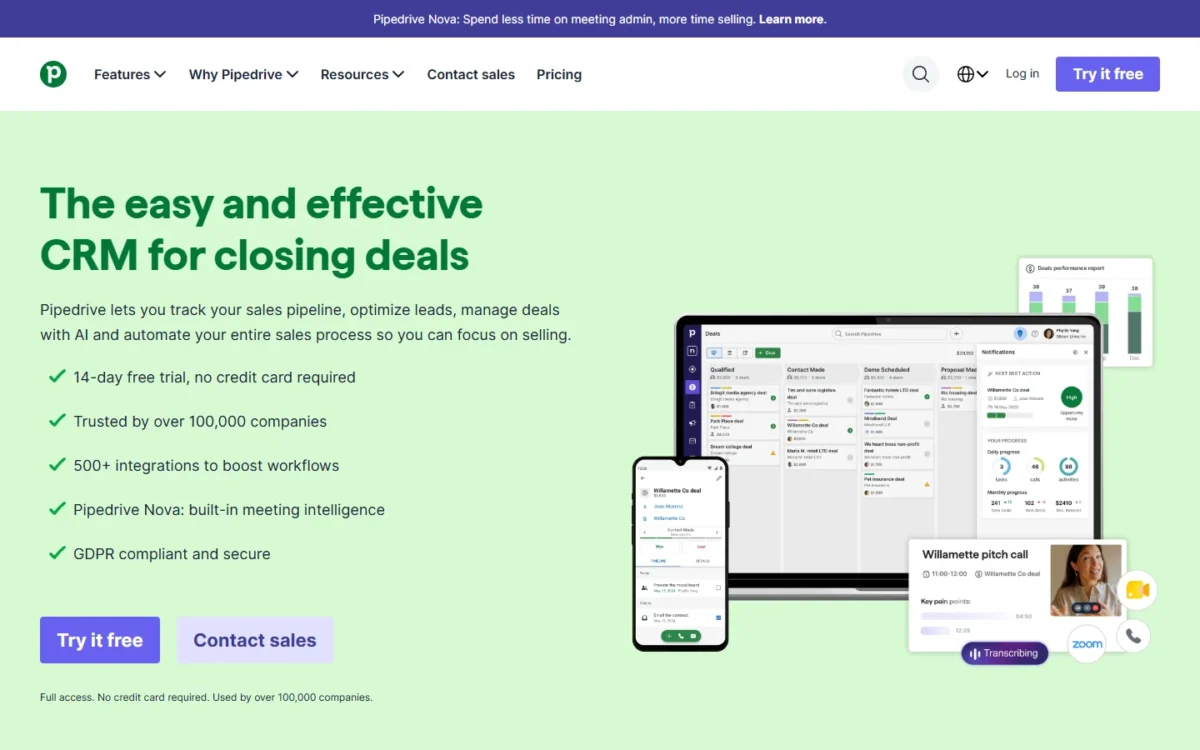
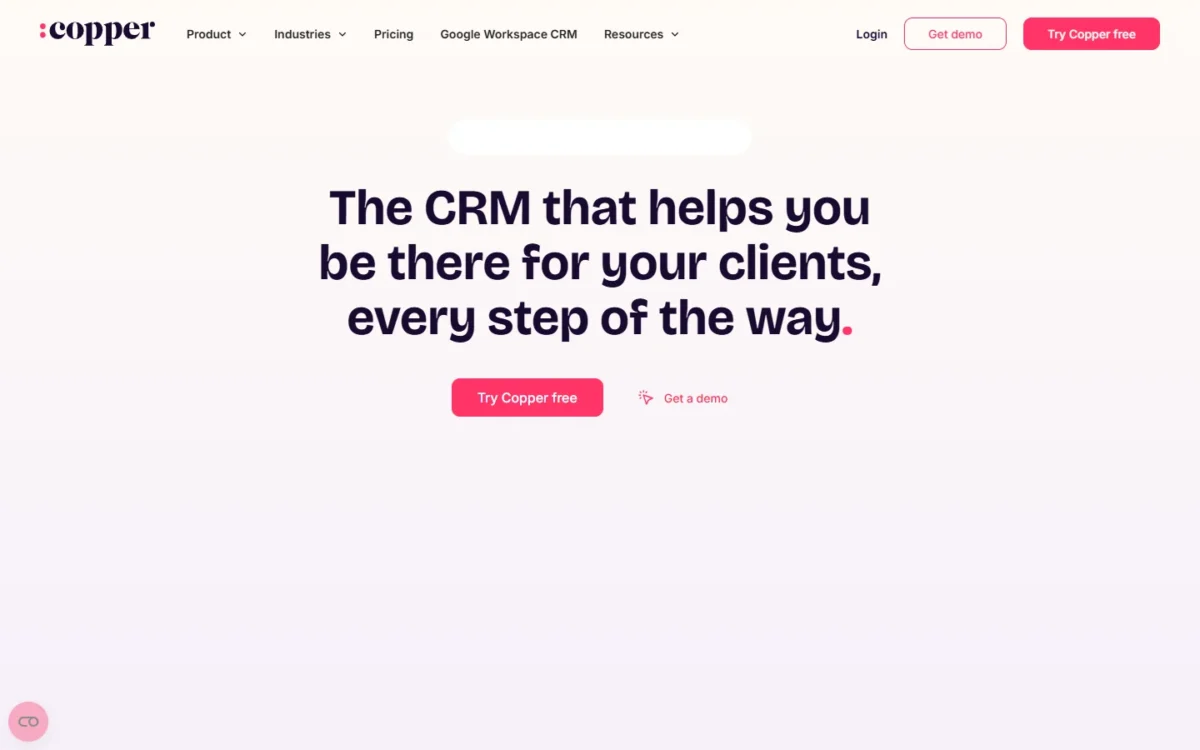
Copper puts the CRM inside Gmail and Google Calendar on every plan. Pipedrive puts workflow automation and sequences on its second plan for far less per seat.
Pick Pipedrive Growth for automated follow-ups and pipeline reports on a budget. Pick Copper if the team lives in Gmail and task automation on Basic is enough.
The trade-off: once you need workflow automation, Copper’s seat costs more than twice Pipedrive’s.
In This Article (11 sections)
Pipedrive vs Copper at a Glance
Pipedrive is a pipeline-first CRM with automation from its second plan, Growth. Copper is a Google Workspace CRM with Gmail on every plan, and its workflow automation starts on Professional at more than twice Pipedrive’s seat price.
| Attribute | Pipedrive | Copper |
|---|---|---|
| Best for | Teams that want automation and reports on a mid plan | Teams that sell from Gmail and Google Calendar |
| Starting price | Lite: $14 | Basic: $23 |
| First plan with workflow automation | Growth: $24 | Professional: $59 |
| Gmail email sync | Growth and higher | Every plan |
| CRM inside Gmail | Gmail add-on, a Marketplace app | Chrome extension, every plan |
| Contact limits | Not listed on the pricing page | 2,500 on Basic, 15,000 on Professional |
| Free trial | 14 days, no credit card | Free start, no credit card, runs on Business |
| Mobile apps | iOS and Android | iOS and Android |
| Main limitation | Lite has no email sync or automations | Reports start on Professional |
Sources: Pipedrive pricing, Pipedrive plan features, Copper pricing, Copper plan comparison, checked October 2026.
The row that moves most budgets is the plan where workflow automation begins.
Key Differences Between Pipedrive and Copper
Four differences decide this choice, and each one has a plan gate behind it.
- Where the CRM lives: Pipedrive is its own web app that syncs Gmail from Growth. Copper’s Chrome extension puts the CRM in Gmail and Google Calendar on every plan, which suits reps who work from the inbox.
- Where automation starts: Pipedrive automates on Growth at $24. Copper Basic automates tasks only, and workflows begin on Professional at $59, both per seat per month, billed annually.
- How reports are gated: Pipedrive includes Insights reporting on every plan. Copper’s pipeline reports start on Professional, so a manager who needs them cannot stay on Basic.
- How growth is priced: a Pipedrive bill grows with add-ons below Premium. A Copper bill grows when the database passes 2,500 contacts on Basic or 15,000 on Professional.
Pipedrive vs Copper: Features Compared
Copper leads on Gmail depth, Pipedrive leads on automation, sequences and reports per dollar, and pipelines depend on how you sell.
| Feature | Pipedrive | Copper |
|---|---|---|
| Google contact and calendar sync | Lite and higher | Every plan |
| Gmail email sync | Growth and higher | Every plan |
| CRM inside Gmail | Marketplace app | Every plan |
| Workflow automation | Growth and higher | Professional and higher |
| Sequences or email series | Growth and higher | Business |
| Pipeline reports | Lite and higher | Professional and higher |
| Pipeline-specific fields | Premium and higher | Basic and higher |
| Team permissions | Permission sets: Premium | Professional and higher |
| JustCall and RingCentral integrations | JustCall: Marketplace app | Professional and higher |
| API | Lite and higher | Professional and higher |
Sources: Pipedrive plan features, Copper plan comparison, checked October 2026.
Google Workspace and Gmail integration
Pipedrive works with Google Workspace for syncing, but Copper is the one built into Gmail on its entry plan. Pipedrive syncs Google contacts and calendars on every plan, while email sync starts on Growth.
Inside Gmail, Pipedrive relies on its Gmail add-on, a Marketplace app that shows deal and contact context in the inbox. Gmail users can also send from a verified alias.
Copper’s Chrome extension brings the CRM into Gmail and Google Calendar on desktop. Every Copper plan syncs Gmail email, contacts, files and Calendar, and links Google Drive files to records. Pipedrive’s Smart Docs, its Google Drive sync, is a paid add-on until Premium.
Verdict: Google Workspace
Copper fits better for a team that sells from Gmail all day: the inbox integration comes with Basic at $23 per seat per month, paid annually. Pipedrive closes part of the gap from Growth, but its Gmail view depends on a separate app.
Pipeline management
Both CRMs give customizable sales pipelines on the entry plan, and they differ in what each adds around them.
Pipedrive includes deal rotting on every plan and adds a forecast view on Growth. Pipeline-specific fields wait for Premium at $49 per seat per month, billed annually.
Copper Basic includes opportunity pipelines, project pipelines and fields customized by pipeline. Its pricing page allows 25 custom fields on Basic, 50 on Professional and Unlimited on Business. Pipedrive’s Projects is a paid add-on on Lite and Growth.
Verdict: Pipeline management
Depends on how you sell. Onboarding projects and per-pipeline fields come cheaper on Copper Basic. A team that watches stalled deals gets deal rotting on every Pipedrive plan and a forecast view from Growth.
Automation and email follow-up
Pipedrive automates follow-ups from Growth at $24 per seat per month, billed annually, while Copper needs Professional at $59 for workflow automation and Business at $99 for email series.
Pipedrive’s automations pair a trigger with actions, with delay and if/else steps on Growth. An automation sends email only from the address connected through email sync. Sequences also start on Growth.
Copper Basic’s task automation creates a new task after an action takes place in Copper. Professional adds workflow automation, single-email automation and bulk email.
Pipedrive allows up to 40 email actions per minute within a company account, and additional emails may fail to send. Stagger large follow-up batches.
Verdict: Automation
Pipedrive fits better on automation per dollar. Five reps get Sequences for $24 x 5 seats x 12 months = $1,440 a year on Growth, against $99 x 5 seats x 12 months = $5,940 on Copper Business, its first plan with email series.
Reporting, forecasting and permissions
Pipedrive gives Insights reports, a dashboard and visibility options on every plan, plus a forecast view from Growth. Copper’s pipeline and activity reports start on Professional and its custom report builder on Business.
Pipedrive Premium adds multiple dashboards, custom field reports, and custom visibility groups and permission sets. Copper adds team permissions and visibility on Professional.
Copper’s pricing page lists Okta single sign-on on Business only. Its help-center plan comparison lists SAML single sign-on (Okta) under Basic, so confirm the plan with Copper before buying for SSO.
Verdict: Reporting
Pipedrive fits better at the lower tiers: a manager can report on a Lite or Growth pipeline. Copper requires Professional at $59 per seat, paid annually, before pipeline reports appear.
Calling and integrations
Pipedrive has no built-in calling integration and uses Marketplace apps such as Aircall, CloudTalk and JustCall for calls, while Copper lists JustCall and RingCentral integrations from Professional.
Pipedrive adds web-to-mobile calls on every plan; those calls are charged on the rep’s usual phone bill.
Pipedrive’s Marketplace lists 500+ integrations, with API access and webhooks, on every plan. Copper includes its Google integrations on all plans, keeps most other integrations on Professional and above, and links to 5,000+ apps through Zapier.
Verdict: Calling and integrations
Depends on plan. Pipedrive’s Marketplace is open on every plan, while Copper’s JustCall and RingCentral integrations need Professional at $59 per seat, paid annually.
Pipedrive vs Copper Pricing
Copper Basic ($23) and Pipedrive Growth ($24) cost about the same per seat per month on annual billing, but workflow automation costs $59 on Copper Professional against $24 on Pipedrive Growth.
Pipedrive’s plan names are new: its plan-feature article, updated September 3, 2026, says it recently launched new plan tiers, names and limits. Comparisons that still price Essential or Advanced describe old plans.
| Plan | What it covers for this job | Billed annually | Billed monthly |
|---|---|---|---|
| Pipedrive Lite | Entry seat, no email sync | $14 | $19 |
| Copper Basic | Gmail sync, task automation | $23 | $29 |
| Pipedrive Growth | Email sync, workflows, Sequences | $24 | $34 |
| Copper Professional | Workflows, pipeline reports | $59 | $69 |
| Pipedrive Premium | Projects, LeadBooster, Smart Docs included | $49 | $64 |
| Copper Business | Email series, custom reports | $99 | $134 |
Sources: Pipedrive pricing, Copper pricing, checked October 2026.
Pipedrive’s annual plan is one payment per seat per year (Growth: $288), and its prices are VAT exclusive. Copper’s prices are in USD and don’t include taxes and fees where applicable.
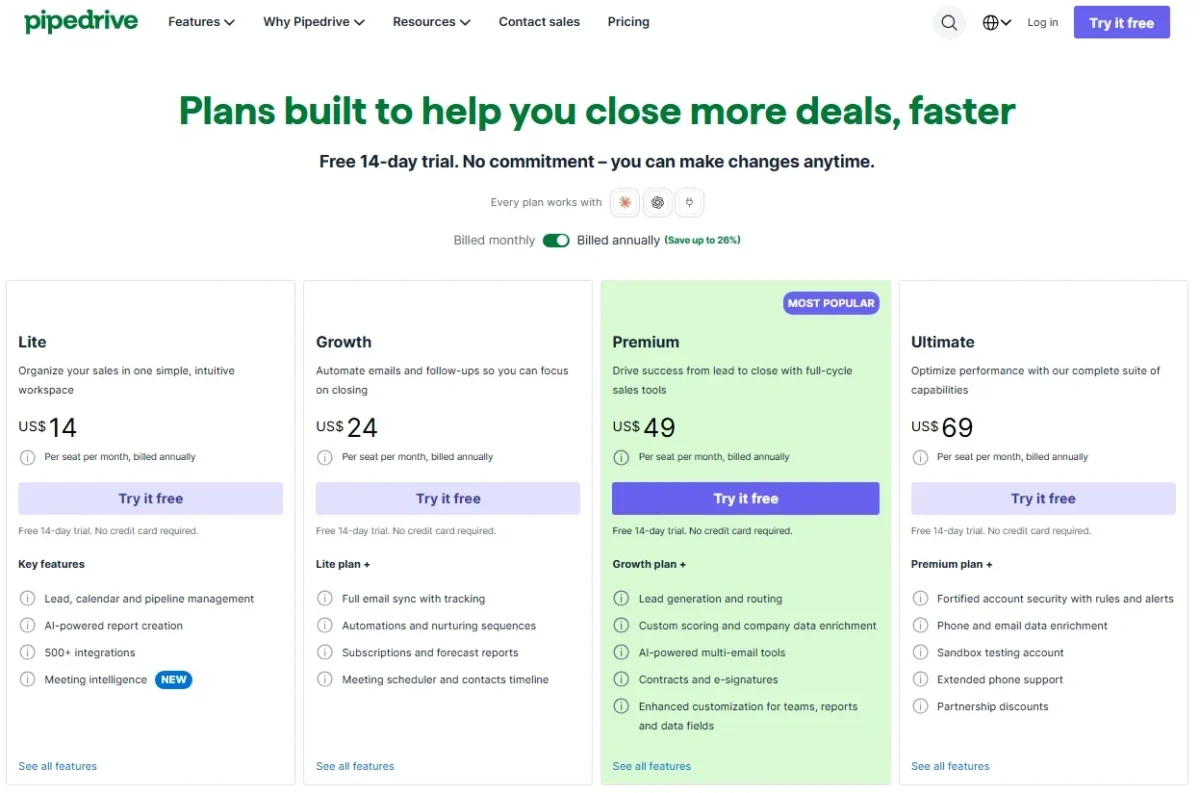
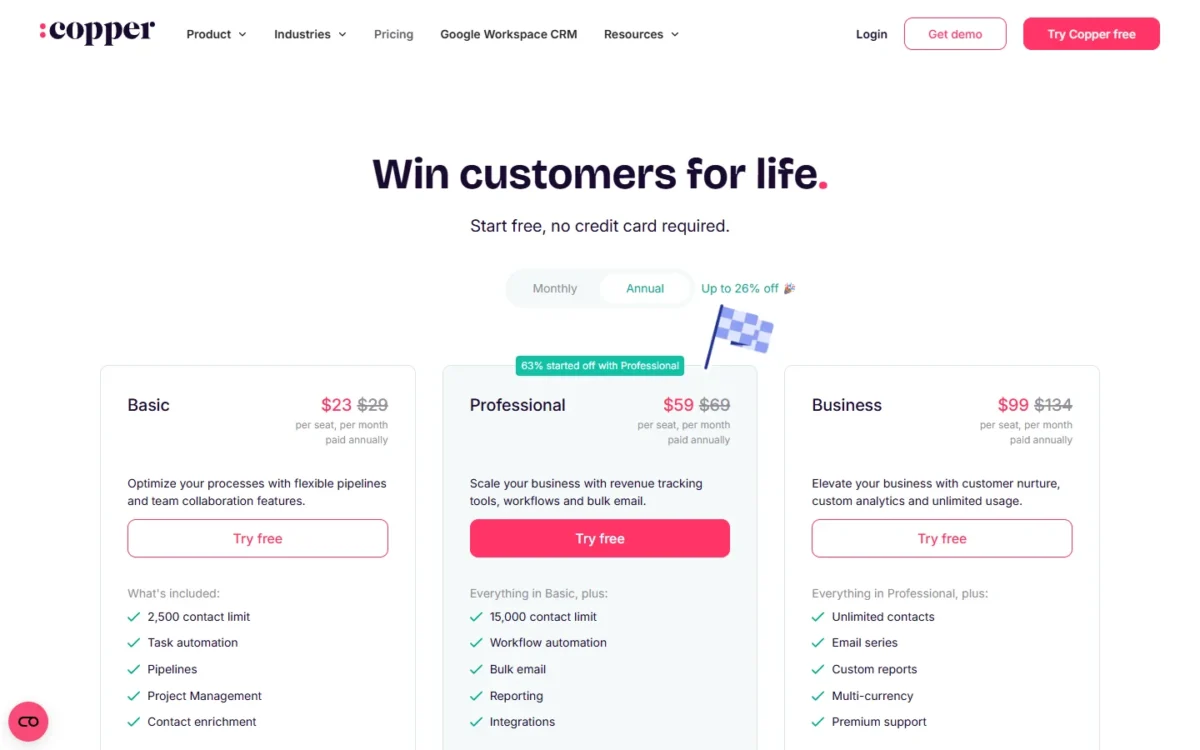
The upgrade triggers differ. Copper pushes a team up at 2,500 contacts, at 15,000 contacts, or when a manager needs pipeline reports. Pipedrive pushes a team to Premium for LeadBooster, Projects, Smart Docs, custom permission sets or phone support.
Pipedrive makes implementation free on a pricing plan over $400 a year. Copper offers personal onboarding to eligible Professional and Business annual accounts, and Copper pricing in detail covers each plan.
Cost for a 5- and 10-seat team
On annual billing, workflow automation for 5 seats costs $24 x 5 seats x 12 months = $1,440 a year on Pipedrive Growth and $59 x 5 seats x 12 months = $3,540 on Copper Professional.
| Team | Plan | Billed annually, per year | Monthly billing, 12 months |
|---|---|---|---|
| 5 seats | Pipedrive Growth | $24 x 5 seats x 12 months = $1,440 | $34 x 5 seats x 12 months = $2,040 |
| 5 seats | Copper Basic | $23 x 5 seats x 12 months = $1,380 | $29 x 5 seats x 12 months = $1,740 |
| 5 seats | Copper Professional | $59 x 5 seats x 12 months = $3,540 | $69 x 5 seats x 12 months = $4,140 |
| 10 seats | Pipedrive Growth | $24 x 10 seats x 12 months = $2,880 | $34 x 10 seats x 12 months = $4,080 |
| 10 seats | Copper Basic | $23 x 10 seats x 12 months = $2,760 | $29 x 10 seats x 12 months = $3,480 |
| 10 seats | Copper Professional | $59 x 10 seats x 12 months = $7,080 | $69 x 10 seats x 12 months = $8,280 |
| 10 seats | Copper Business | $99 x 10 seats x 12 months = $11,880 | $134 x 10 seats x 12 months = $16,080 |
Sources: Pipedrive pricing, Copper pricing, checked October 2026.
Assumptions: US list prices read on October 21, 2026, per seat, before tax, with no add-ons, calling app fees or onboarding.
The gap is what a Copper team pays for workflow automation. For 10 seats that need workflows, Copper Professional costs $7,080 – $2,880 = $4,200 a year more than Pipedrive Growth on annual billing.
If task automation is enough, the math flips: Copper Basic is $1 per seat per month cheaper than Pipedrive Growth ($24 – $23) and keeps the CRM in Gmail.
Monthly billing adds $10 per seat per month on both Pipedrive Growth ($34 – $24) and Copper Professional ($69 – $59), so a team that will stay a year should commit annually.
Pipedrive add-ons and what Copper includes
Pipedrive prices five add-ons: LeadBooster from $32.50, Projects from $16, Campaigns from $13.33, Web Visitors from $41 and Smart Docs from $32.50.
Premium includes LeadBooster, Projects and Smart Docs. The pricing page prints no billing unit next to these figures, so the cost table leaves them out. My breakdown of Pipedrive’s plans and add-ons goes plan by plan.
Copper bundles instead: project pipelines from Basic, bulk email from Professional, and email series and custom reports on Business.
Ease of Setup for a Gmail Team
Copper’s setup starts from Google Workspace: you connect the team’s Google Workspace accounts first, and Copper pulls in contact information and email conversations. An admin or account owner sets up integrations.
Pipedrive syncs Google contacts and calendars on every plan, but Gmail conversations need Growth and each mailbox connected through email sync.
The trials show different things. Pipedrive’s 14-day trial needs no credit card, and you can invite as many co-workers as you want. Copper’s trial also needs no card but runs on Business, so it shows email series and custom reports that Basic and Professional lack.
Run a week of real deals through both trials, and judge Copper only on the plan you will buy.
Pipedrive vs Copper: Pros and Cons
The downsides of Pipedrive for a Gmail team are its plan gates: no email sync on Lite and paid add-ons below Premium. The verdict on Pipedrive alone is in my full Pipedrive review.
Pros
- Automations and Sequences start on Growth at $24 per seat, billed annually
- Insights reporting comes with every plan, Lite included
- A Lite team can connect apps and the API without upgrading
- Implementation is free once the plan is over $400 a year
Cons
- Lite has no email sync, so a Gmail team starts on Growth
- Calls need a Marketplace app such as Aircall or CloudTalk
- Projects, LeadBooster and Smart Docs cost extra on Lite and Growth
- A team that wants fields per pipeline pays the Premium seat
Copper’s downsides show up as a team grows, and the full Copper CRM review judges it on its own terms.
Pros
- The Chrome extension works in Gmail and Google Calendar on every plan
- Project pipelines and per-pipeline fields start on Basic
- The free trial runs on Business with no credit card
- Google Drive files link to records on every plan
Cons
- Workflow automation starts at $59 per seat, paid annually
- Pipeline reports need Professional, custom reports need Business
- Contacts cap at 2,500 on Basic and 15,000 on Professional
- JustCall, RingCentral and most other integrations beyond Google start on Professional
Which Is Better for Your Needs?
Pick by your team’s main priority: the matrix gives the better fit for six common ones.
| Your priority | Better fit | Reason | Trade-off |
|---|---|---|---|
| Selling from Gmail all day | Copper | Chrome extension in Gmail on every plan | Workflows need Professional |
| Automated follow-ups on a budget | Pipedrive | Automations and Sequences on Growth | Lite has neither |
| Manager reports on the entry plan | Pipedrive | Insights reporting on every plan | Multiple dashboards need Premium |
| Projects after the sale | Depends | Copper: project pipelines on Basic; Pipedrive: Projects on Premium | Pipedrive Growth pays for the add-on |
| Calling apps and integrations | Depends | Pipedrive: Marketplace calling apps on every plan; Copper: JustCall and RingCentral integrations on Professional | Copper Basic includes neither integration |
| More than 15,000 contacts | Insufficient evidence | Copper needs Business; Pipedrive’s pricing page lists no contact limit | Copper Business costs $99 paid annually |
Sources: Pipedrive plan features, Copper pricing, checked October 2026.
A Gmail team under 2,500 contacts that only needs task automation gets the most from Copper Basic. Once rule-based follow-up matters more than inbox fit, Pipedrive Growth is the better seat.
If neither fits, start with other CRMs to consider instead of Pipedrive.
Teams set on Gmail can compare Copper alternatives that keep a Google-first workflow.
A team also weighing HubSpot can see how Pipedrive compares with HubSpot.
If Zoho is the other CRM on your shortlist next to Copper, open Zoho CRM vs Copper.
Switching Between Pipedrive and Copper
A move works in both directions through spreadsheet export and import. Records move; automations, sequences and reports are rebuilt by hand, because neither import guide covers them.
From Pipedrive to Copper
- A global admin exports each data type as Excel or CSV. Activities, notes and files export separately, and Google Drive files are not exported.
- Set up Copper’s custom fields, then pick Pipedrive as the file type in Copper’s importer.
- Split files over 3MB, and import companies, then people, then opportunities. Connect fields cannot be imported, and an import can be reverted.
From Copper to Pipedrive
- A Copper admin exports people, companies, opportunities, projects, tasks and leads to an .xlsx file. Activities need a one-time export from Copper Support.
- Import XLS, XLSX or CSV files of up to 200,000 rows and under 50 MB.
- Fix the rows in Pipedrive’s skip file and re-import them. A global admin can revert an import within 48 hours.
Imports can activate Pipedrive automations based on date triggers, so switch those on after the import.
Before you move anything, read Pipedrive vs Nutshell if Nutshell is the CRM you are weighing against Pipedrive.
How I Compared Pipedrive and Copper
I read both US pricing pages on both billing toggles, Pipedrive’s plan-feature list and help center, and Copper’s plan comparison and help center on October 21, 2026.
I matched plans by job rather than list price: Gmail sync with automation, workflows with reports, and multi-step email. Costs use list prices at 5 and 10 seats, with the math shown.
Some figures are not on the pages I read: Copper’s trial length, the billing unit of Pipedrive’s add-ons, and Pipedrive’s record limits per plan.
FAQ
Does Pipedrive or Copper have a free plan?
Neither US pricing page lists a free plan. Pipedrive offers a free 14-day trial with no credit card. Copper lets you start free without a card, on its Business plan, and you can set up integrations during the trial.
How much is Copper CRM per month?
Copper costs $23, $59 or $99 per seat per month paid annually for Basic, Professional and Business, or $29, $69 or $134 on monthly billing. A 3-person team on Basic pays $23 x 3 seats x 12 months = $828 a year.
Can you make calls from Pipedrive?
Yes, through a Marketplace calling app such as Aircall or CloudTalk, or from the iOS and Android apps, which make and log calls. Web-to-mobile starts a call on the rep’s phone from the web app.
Final Verdict: Pipedrive or Copper?
Choose Pipedrive Growth if your small sales team needs automated follow-ups and reports, because it delivers both at $24 per seat per month, billed annually, where Copper needs Professional at $59. Choose Copper when the team sells from Gmail all day: Basic when task automation is enough, Professional when the team needs workflows.
Choose Pipedrive if
- You need workflow automation on a budget: it starts on Growth
- Reps run multi-step email follow-ups: Sequences start on Growth, Copper’s email series on Business
- Managers want reports on every seat: Insights reporting comes with every plan
Choose Copper if
- The team works in Gmail and Google Calendar all day: the Chrome extension is on every plan
- You run projects after the sale: project pipelines start on Basic
- Your database stays under 2,500 contacts on Basic or 15,000 on Professional
Who should skip Copper: a team that wants to stay on the entry plan but needs pipeline reports or more than 2,500 contacts, because both start on Professional. Who should skip Pipedrive: a team that will not leave Gmail, since Pipedrive offers a Gmail add-on in its Marketplace, while Copper’s Chrome extension comes with every plan.
Buyers still choosing Pipedrive against Salesflare can compare Pipedrive vs Salesflare before deciding.
If neither fits your team, my ranked list of CRM software widens the shortlist.






Pingback: Pipedrive vs Close 2026: Calling, Pipelines and Real Cost
Pingback: Salesforce vs Copper (2026): Price, Gmail Fit & Verdict