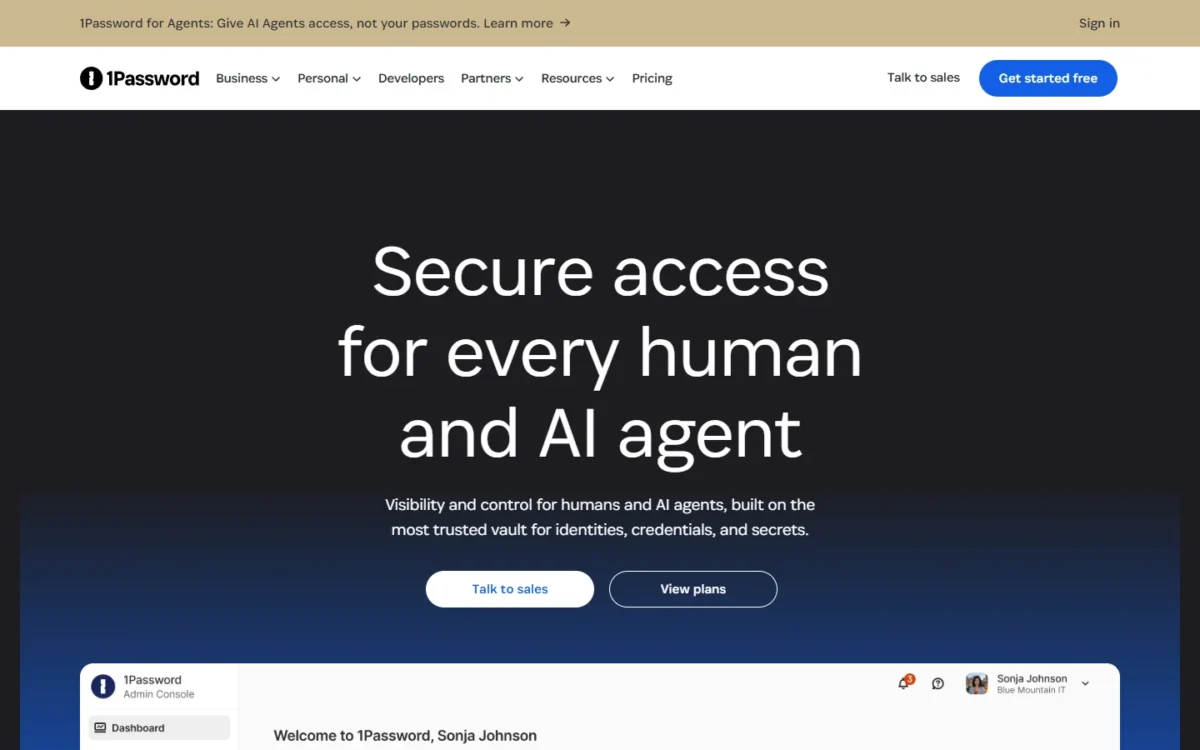
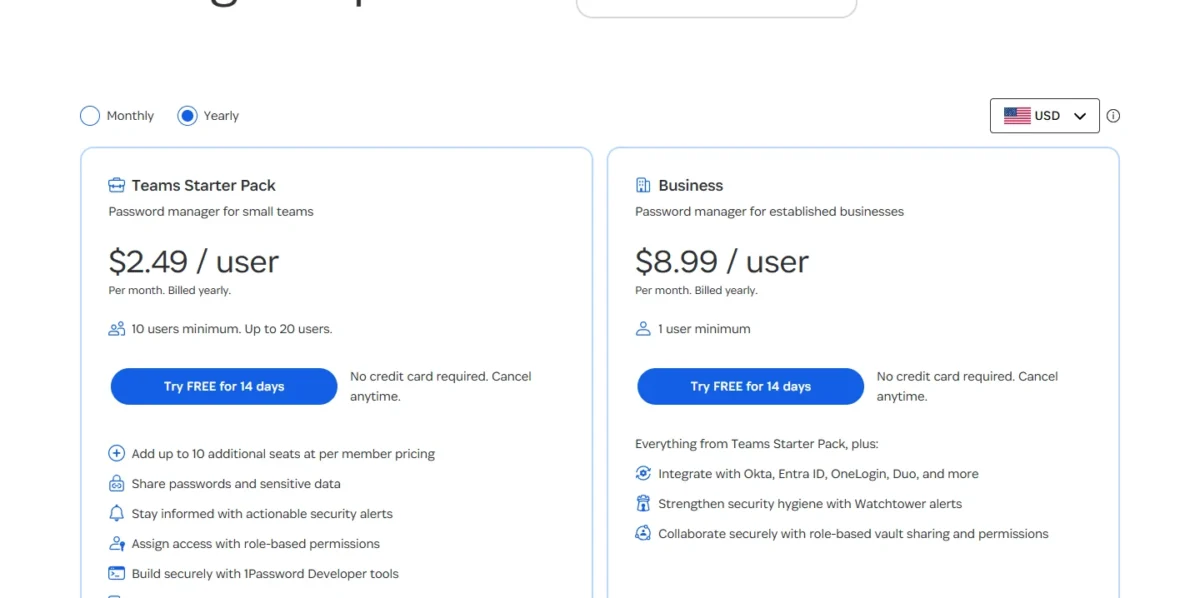
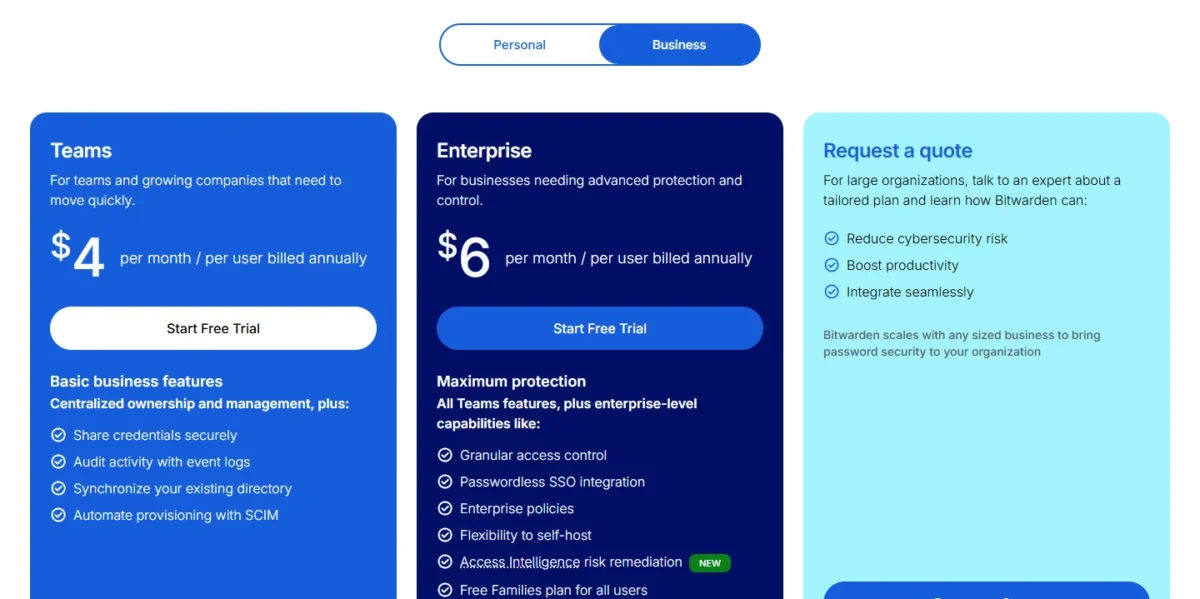
The best 1Password alternatives for a team depend on why you are leaving. Bitwarden is the closest full replacement: SCIM on its $4 Teams plan, SSO and self-hosting on $6 Enterprise, per user per month, billed annually. 1Password documents both SSO and provisioning for Business at $8.99 on the same basis, and its Teams Starter Pack stops at 20 members.
Quick verdict
US prices on annual billing, read on the vendors’ pages in November 2026. The comparable plan is each vendor’s lowest-priced plan with SSO and SCIM.
At 25 seats, 1Password Business costs $8.99 x 25 x 12 = $2,697 a year, Bitwarden Enterprise $6 x 25 x 12 = $1,800 and RoboForm Business $3.33 x 25 x 12 = $999.
Switch if an identity provider onboards more than 20 people or you must self-host. Stay if you are 10 or fewer with no identity provider, or developers rely on 1Password’s SSH and Git signing.
The trade-off: 1Password’s CSV export holds only Login and Password items, so favor tools that import its 1PUX file.

Bitwarden
Best for: SCIM and self-hosting
Bitwarden Teams includes SCIM at $4 per user per month, which 1Password documents for Business at $8.99.
Limit: SSO sign-in needs Bitwarden Enterprise at $6, as it needs Business at 1Password

RoboForm
Best for: SSO and SCIM on a small budget
RoboForm Business lists SSO and SCIM at $3.33 per user per month, well under 1Password Business.
Limit: its 1Password import guide uses the CSV export, which holds logins and passwords only

Keeper
Best for: delegated admin and SAML SSO
Keeper Enterprise adds SAML 2.0 single sign-on, where 1Password’s SSO uses OpenID Connect only.
Limit: SSO and SCIM sit on Keeper’s top plan at $6.00, as they sit on Business at 1Password

Passbolt
Best for: self-hosting on open source
Community Edition is free for unlimited users on your own server, a deployment 1Password’s business pricing page does not list.
Limit: imports csv or kdbx files, so the custom fields in 1Password’s 1PUX export stay behind
In This Article (16 sections)
1Password Alternatives Compared
1Password Business is the benchmark row; each alternative shows its lowest-priced team plan, except LastPass, whose row shows Business.
| Software | Best for | Starting price | Main advantage | What you give up | Switching note |
|---|---|---|---|---|---|
| 1Password | Developer teams and teams of 10 or fewer | $8.99 per user per month, billed annually (Business); Teams Starter Pack $24.95 per month for 10 members, billed annually | Developer tools and 20 guests | Benchmark | Benchmark |
| Bitwarden | SCIM and self-hosting | $4 per user per month, billed annually | SCIM on Teams; SSO and self-hosting on Enterprise at $6 | Guest accounts: not listed on its pricing page | Imports .1pux, .1pif, .csv |
| RoboForm | SSO and SCIM on a small budget | $3.33 per user per month, billed annually | SSO and SCIM on one plan | No identity providers named | CSV: logins and passwords only |
| Keeper | Delegated admin and SAML SSO | $2.00 per user per month, billed annually, 5 to 10 users | Delegated admin at $4.00; SAML SSO at $6.00 | Developer APIs need Enterprise | Imports 1PUX or CSV |
| Passbolt | Self-hosting on open source | Free Community Edition; Pro $4.90 per user per month, billed annually | Runs on your own server | You run the server | csv or kdbx import |
| Proton Pass | Privacy-first teams | $1.99 per user per month, billed at $23.88 a year | SSO and SCIM on Pass Professional at $4.99 | Discount-tagged prices with no renewal price shown | Imports 1PUX and 1PIF |
| Zoho Vault | Zoho and low-cost sharing | Free plan; Standard $0.90 per user per month, billed annually | Team sharing on Standard | Okta integration needs Enterprise at $7.20 | Imports CSV, TXT or PUX |
| Dashlane | Credential risk detection | $8 per user per month, billed annually | A risk-detection package at $4 | Import brings logins only | Each member imports a CSV |
| NordPass | Google Workspace teams | $1.99 per user per month, 1-year plan, 10-user pack | Google Workspace SSO in the pack | Entra ID and Okta SSO need Enterprise at $5.99 | Imports CSV or 1PUX |
| Enpass | Keeping vaults in your own Microsoft 365 or Google Workspace | $1.99 per user per month, billed yearly | Vaults stay in your tenant | No MFA at the master-password layer yet | Imports .1pux on desktop |
| LastPass | Bundling app SSO | $7 per user per month, billed annually (Business) | SSO for 3 apps included | More SSO apps need an add-on | Confirm the import in a trial |
Sources: 1Password business pricing, Bitwarden pricing, RoboForm pricing, Keeper pricing, Passbolt pricing, Proton Pass for business, Zoho Vault pricing, Dashlane pricing, NordPass plans, Enpass business pricing and LastPass Business, checked Nov 2026.
How I Evaluated the Alternatives
I weighed the 10 picks below against the tools under Also Considered. A pick had to publish a business plan with an admin console and shared vaults or folders. I ranked the picks on the plan that holds SSO and SCIM and its price, the annual cost at 10 to 50 seats, the import path from 1Password, deployment control, and what a team gives up.
The evidence is each vendor’s official pricing, plan and help pages, read on November 20, 2026, plus my analysis of those facts. Import fidelity depends on your own vault, so export one 1Password vault into your top pick’s trial before moving the team.
Why Teams Look Beyond 1Password
The downsides of 1Password for a team of 5 to 50 are four plan limits: identity features that start on Business, the 20-member cap of the Teams Starter Pack, the per-seat bill past that cap, and SSO that is OIDC only, with no self-hosted option on the pricing page.
SSO and SCIM start on Business. 1Password documents Unlock with SSO and automated provisioning for 1Password Business, and its pricing page says Business “adds identity-provider integrations”. A 15-person team on Okta pays the per-user price, not the pack price. Bitwarden Teams includes SCIM at $4.
The 20-member cap. The Teams Starter Pack costs $24.95 per month, billed annually, or $299.40 a year for 10 members, and up to 10 more seats cost $4.99 per seat per month. Twenty members pay $299.40 + 10 x $4.99 x 12 = $898.20 a year. The 21st hire moves everyone to Business at $8.99 x 21 x 12 = $2,265.48, which is the per-seat cost trap in one invoice.
OIDC only, no self-hosting. 1Password’s SSO works over the OpenID Connect protocol only, so a team that standardizes on SAML should look at Bitwarden Enterprise or Keeper Enterprise, which both list SAML 2.0. A self-hosted deployment is not listed on 1Password’s business pricing page; Passbolt runs on your own server.
What 10, 20, 25 and 50 users pay per year for SSO and SCIM
The table prices 1Password’s two team plans, then each alternative’s lowest-priced plan with SSO and provisioning.
| Plan | Per user per month | 10 users x 12 months | 20 users x 12 months | 25 users x 12 months | 50 users x 12 months |
|---|---|---|---|---|---|
| 1Password Teams Starter Pack | $24.95 for 10 members; $4.99 per extra seat | $299.40 | $898.20 | Over the 20-member cap | Over the 20-member cap |
| 1Password Business | $8.99 | $1,078.80 | $2,157.60 | $2,697 | $5,394 |
| Enpass Business Plan, price for the first 12 months; renewal not shown | $1.99 | $238.80 | $477.60 | $597 | $1,194 |
| RoboForm Business | $3.33 | $399.60 | $799.20 | $999 | $1,998 |
| Passbolt Pro, self-hosted | $4.90 | $588 | $1,176 | $1,470 | $2,940 |
| Proton Pass Professional, 29% off discount price; renewal not shown | $4.99 | $598.80 | $1,197.60 | $1,497 | $2,994 |
| NordPass Enterprise, 1-year plan | $5.99 | $718.80 | $1,437.60 | $1,797 | $3,594 |
| Bitwarden Enterprise | $6 | $720 | $1,440 | $1,800 | $3,600 |
| Keeper Enterprise | $6.00 | $720 | $1,440 | $1,800 | $3,600 |
| LastPass Business | $7 | $840 | $1,680 | $2,100 | $4,200 |
| Zoho Vault Enterprise | $7.20 | $864 | $1,728 | $2,160 | $4,320 |
| Dashlane Omnix Password Management | $8 | $960 | $1,920 | $2,400 | $4,800 |
Sources: 1Password business pricing and the vendor pricing pages linked under the first table, checked Nov 2026.
My take
Every alternative in the table undercuts 1Password Business at every size, but the pack flips the result for small teams: at 10 users, only Enpass beats it with SSO and provisioning included, and only on its first-12-months price. So I would not switch a 10-person team for price alone. Past 20 people on an identity provider, the gap is large enough to pay for a migration.
1. Bitwarden: Best 1Password Alternative for SCIM and Self-Hosting
- Best for: teams that provision from an identity provider or must self-host
- Comparable plan: Enterprise at $6 per user per month, billed annually; 14-day trial
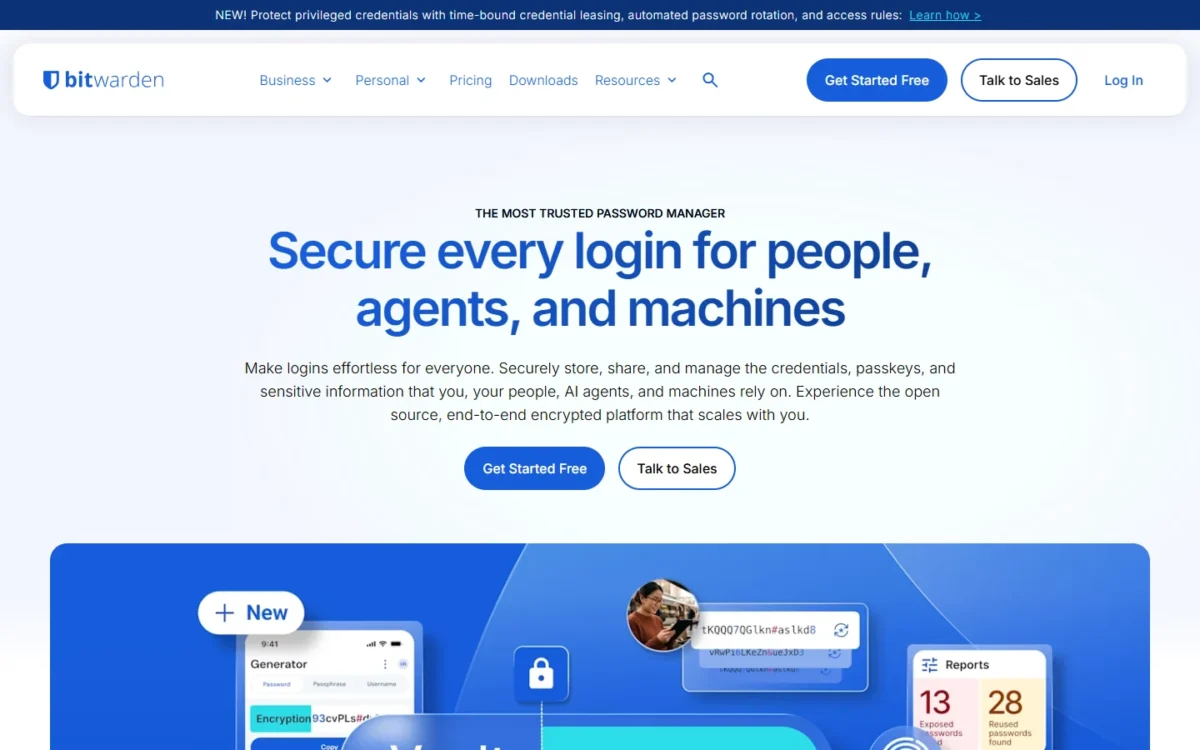
Bitwarden splits what 1Password bundles into Business, the plan my 1Password review covers for small teams. SCIM and directory sync sit on the Teams plan, so a 15-person team automates joiners and leavers at less than half the 1Password Business seat price. Signing in through your identity provider waits for Enterprise, which adds SAML 2.0 beside OIDC and a self-host option. The trade-off: Bitwarden’s business pricing page lists no guest accounts, which 1Password includes.
With SCIM, Okta, Microsoft Entra ID, JumpCloud or OneLogin creates and removes members. Self-hosting runs in Docker on your own Linux or Windows server; Bitwarden says it takes technical resources and expertise, so name an owner first. My Bitwarden review goes through the admin console plan by plan.
Where Bitwarden may be better
- SCIM and Directory Connector on Teams; 1Password documents automated provisioning for Business
- SSO over SAML 2.0 or OIDC, and a self-host option, on Enterprise
Where 1Password may be better
- Guest accounts are included: 20 with Business, 5 with the Teams Starter Pack
- SSH key signing, Git commit signing, a CLI and SDKs come with both team plans
Buy Teams at $4 if provisioning is the goal and a master password is acceptable; buy Enterprise at $6 when sign-in must go through the identity provider. Enterprise also gives every user a free Families plan, the perk 1Password attaches to Business.
Bitwarden’s 1Password import guide reads .1pux, .1pif and .csv files into an organization collection. Its direct importer signs in with a 1Password account password only, so a team that uses SSO at 1Password should export a file instead. Attachments are uploaded one by one. The full head-to-head is in my Bitwarden vs 1Password comparison for teams.
- Skip it if:
- clients work in 1Password guest accounts or developers sign Git commits with it. Stay on 1Password Business; if price is the only issue, compare 1Password’s plans and prices first, though RoboForm lists SSO and SCIM for less.
2. RoboForm: Best 1Password Alternative for SSO and SCIM on a Small Budget
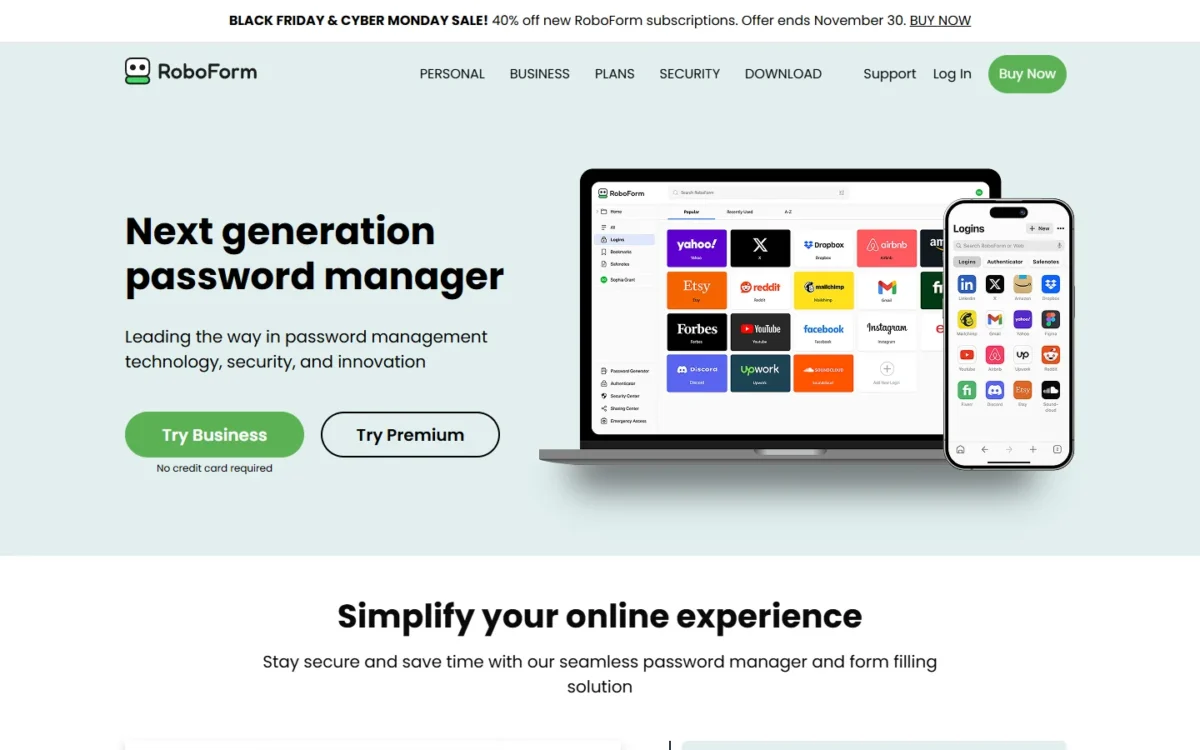
- Best for: price-led teams that already run an identity provider
- Comparable plan: Business at $3.33 per user per month, billed annually; free trial, no credit card
RoboForm removes the plan-gate question. There is one Business plan, and it lists single sign-on integration, SCIM provisioning, role-based access control and activity logs at well under half of 1Password’s per-user price. That suits a team of 25 to 50 whose reason for leaving is the bill. The catch is documentation: the pricing page names no identity providers or SSO protocols, so prove yours in the trial.
Where RoboForm may be better
- SSO integration and SCIM provisioning on the one Business plan
- 50 seats cost $3.33 x 50 x 12 = $1,998 a year, against $5,394 on 1Password Business
Where 1Password may be better
- Its pricing page names Okta, Entra ID, OneLogin and Duo; RoboForm’s names no identity provider
- Its 1PUX export keeps custom fields, and RoboForm’s import guide uses the CSV export
Budget on the renewal figure: RoboForm shows a first-year offer for new users and says the plan then renews at $39.95 per user per year.
That printed renewal is why RoboForm ranks above Enpass for a price-led team, even though the Enpass Business Plan lists SSO and SCIM at $1.99. Enpass ties its price to the first 12 months, has no MFA at the master-password layer yet, and its Business Plan lists Microsoft 365/Google Workspace as the data location.
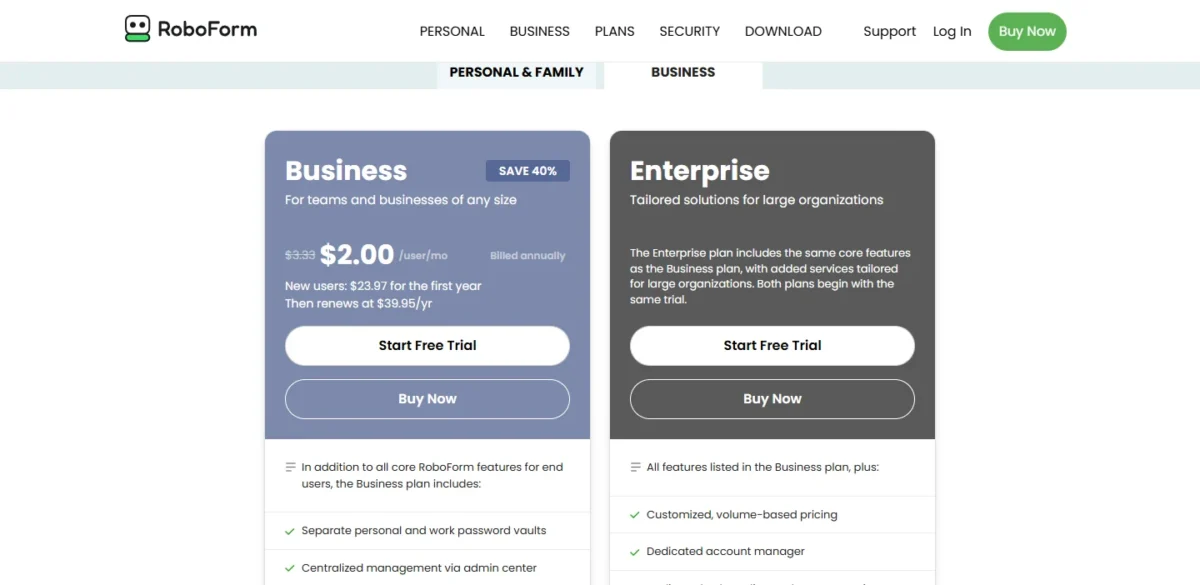
RoboForm’s 1Password import guide has you export “CSV (Logins and Passwords only)” and import it in the browser extension or the desktop app. Custom fields and other item types are re-entered by hand.
- Skip it if:
- your vault leans on custom fields, or you need SAML or OIDC confirmed in writing first. Bitwarden documents both protocols and imports the 1PUX file.
3. Keeper: Best 1Password Alternative for Delegated Admin and SAML SSO
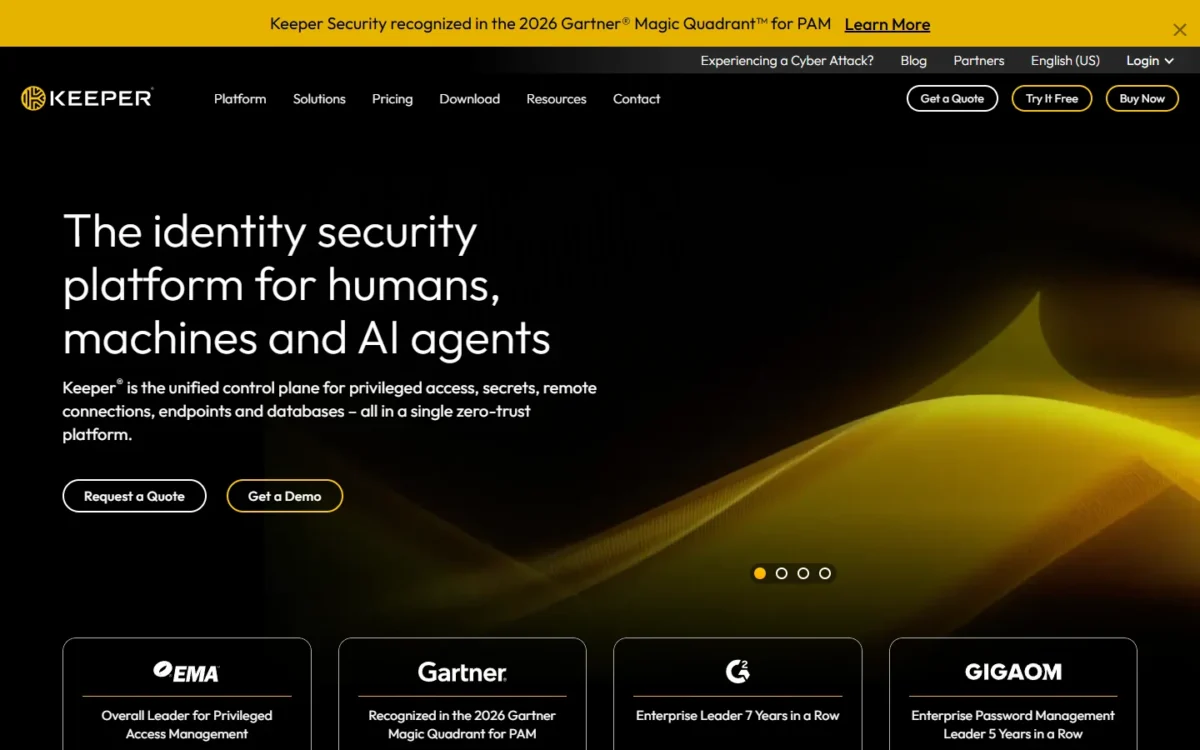
- Best for: teams that split administration by department and standardize on SAML
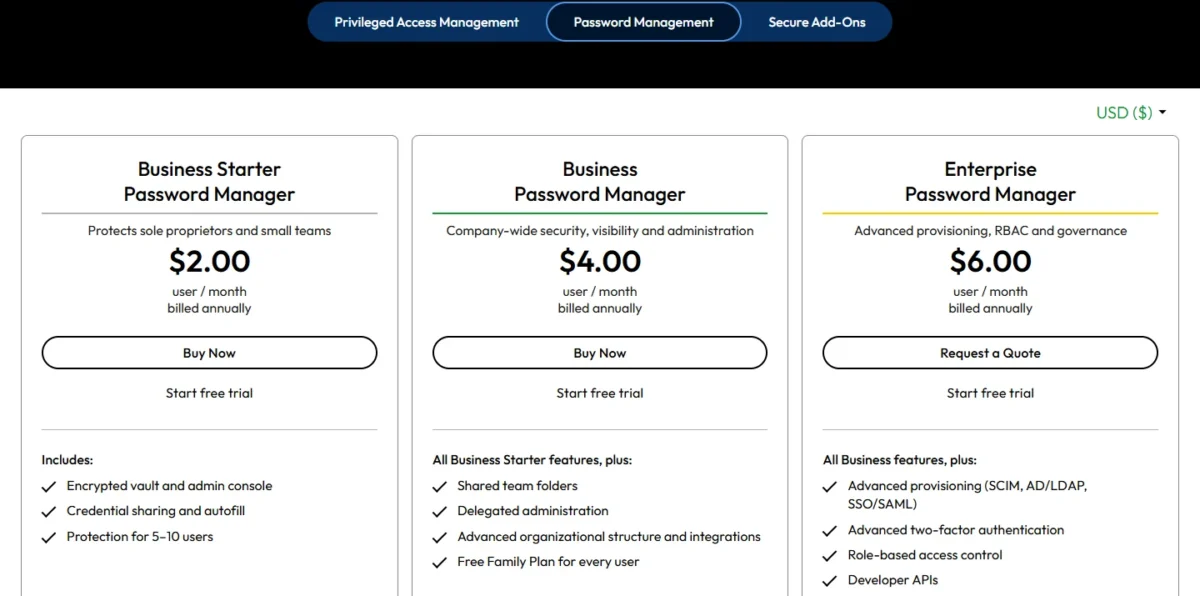
- Comparable plan: Enterprise at $6.00 per user per month, billed annually
Keeper gives a growing team three rungs where 1Password gives two. Business Starter covers 5 to 10 users, Business adds shared team folders and delegated administration so a department lead can manage their own people, and Enterprise adds SCIM, Active Directory sync and SAML 2.0 single sign-on. It is my pick when the identity team asks for SAML and audit certificates. As at 1Password, SSO waits for the top plan.
Bitwarden Enterprise also lists SAML 2.0 at $6, so Keeper’s case against it rests on delegated administration on the $4.00 Business plan, a rung below SSO, and its certificates. For a security questionnaire, Keeper’s pricing page states SOC 2 Type 2, SOC 3 and ISO 27001, 27017 and 27018, where 1Password’s states SOC 2 Type II.
Where Keeper may be better
- Business Starter costs $2.00 x 10 x 12 = $240 a year for 10 users, less than the Teams Starter Pack
- SAML 2.0 single sign-on on Enterprise
Where 1Password may be better
- Developer tools on both team plans; Keeper lists developer APIs on Enterprise
- 1Password Business includes 20 guest accounts for clients and contractors
Choose by identity need, not headcount: Business at $4.00 if delegated administration and team folders are the gap, Enterprise if SSO is. Enterprise shows its price beside a “Request a Quote” button, so expect a sales conversation. If you feed a SIEM, add Advanced Reporting & Alerts to that quote: Keeper marks its SIEM integration “ARAM required”.
Keeper’s 1Password import guide prefers the 1PUX file “since it contains all data”, then shows a field-mapping screen and a folder preview before you confirm. Its command-line tool, Keeper Commander, can set default folder permissions during the import.
- Skip it if:
- you are 10 or fewer with no identity provider and use 1Password’s developer tools; the pack already covers you. For SCIM below the top plan, take Bitwarden Teams.
4. Passbolt: Best 1Password Alternative for Self-Hosting on Open Source
- Best for: teams that must run the password server themselves
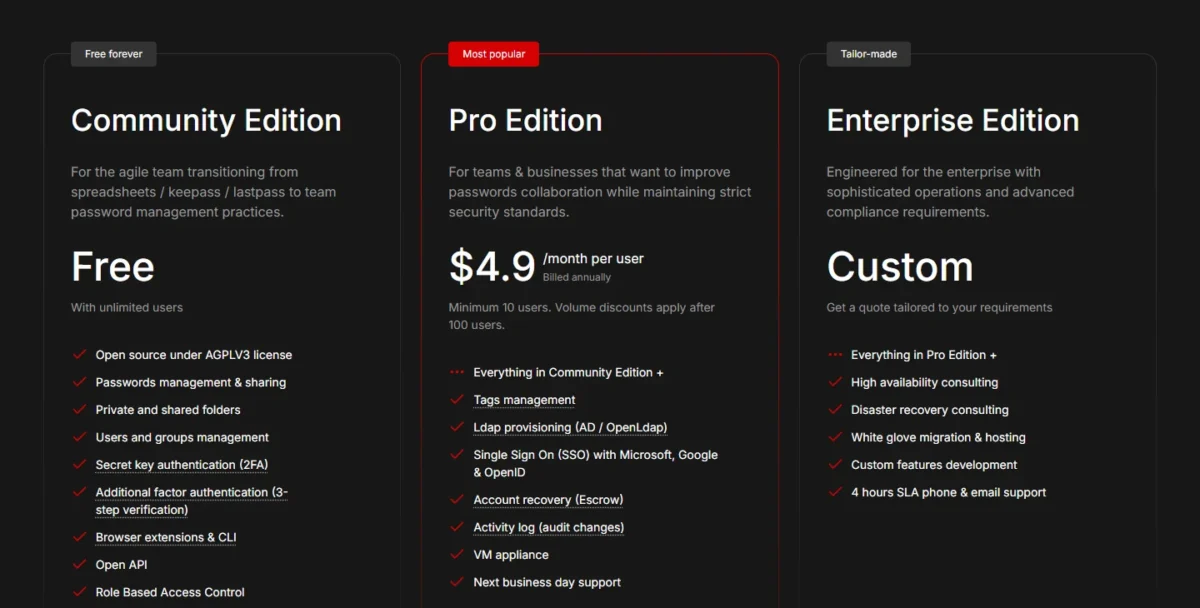
- Comparable plan: Pro at $4.90 per user per month, billed annually, 10-user minimum; Community Edition is free
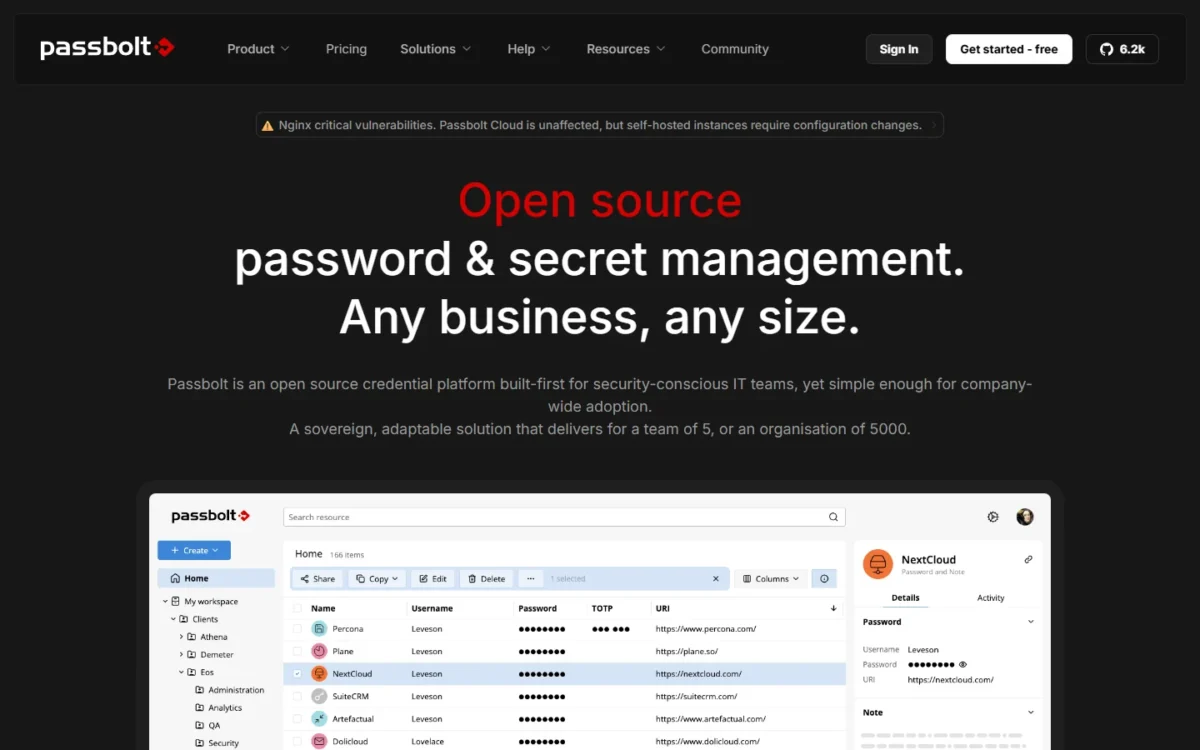
Yes, a team can run its own password server, and Passbolt makes that free. Community Edition is open source under AGPLv3, has no user limit and installs on your own server, with shared folders, groups and mobile apps. Pro adds the identity layer: SSO with Microsoft, Google, OpenID and AD FS, plus SCIM and LDAP provisioning. You trade 1Password’s hosted service for a server someone on your team owns.
A lapsed license does not lock the vault: Passbolt says an expired Pro subscription keeps working without new releases or support.
Where Passbolt may be better
- Self-hosted Community Edition is free with unlimited users; self-hosting is not listed on 1Password’s business pricing page
- The source code is open under AGPLv3
Where 1Password may be better
- 1Password runs the service and offers 24/7 support; Community Edition has community support
- Business has a 1-user minimum; Passbolt Pro starts at 10 users
Ten Pro users cost $4.90 x 10 x 12 = $588 a year, about twice the Teams Starter Pack, so a small team self-hosts for control, not savings. These are the Self-hosted prices; the page also has a Cloud-managed view.
Passbolt’s 1Password import page accepts a csv or kdbx file with six columns: Title, Username, URL, Password, Notes and Type. 1Password’s CSV export leaves out custom fields, so anything beyond logins is re-entered by hand.
- Skip it if:
- nobody on the team will patch and back up a server. Bitwarden is hosted today with a self-host option on Enterprise, and Enpass keeps vaults in your own tenant with no server to run.
5. Proton Pass: Best 1Password Alternative for Privacy-First Teams
- Best for: privacy-led teams of 3 or more with an identity provider
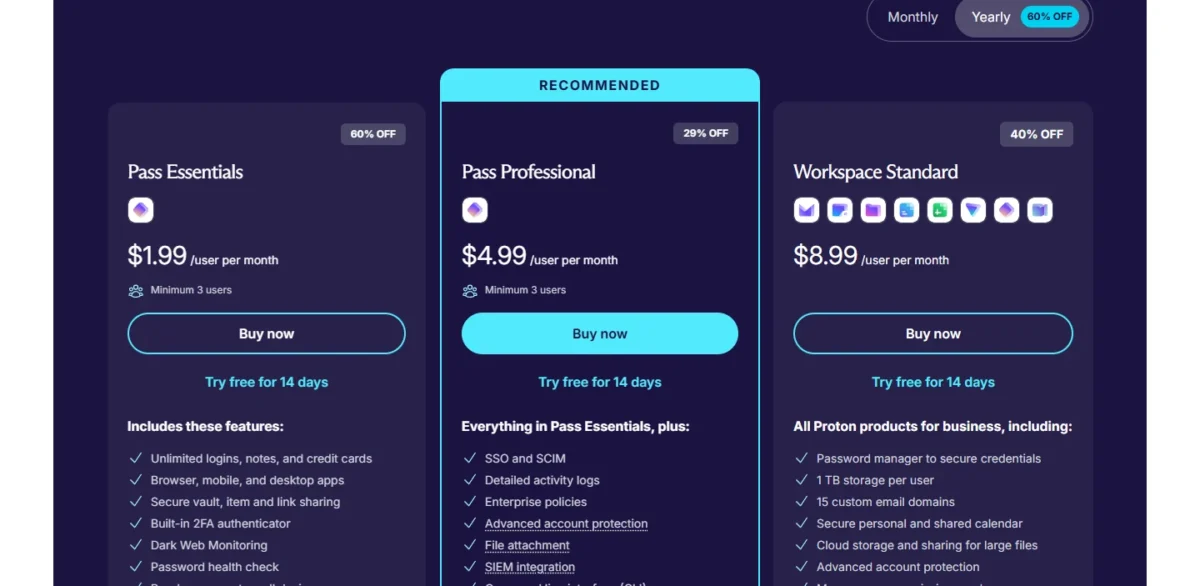
- Comparable plan: Pass Professional at $4.99 per user per month, billed at $59.88 a year; 14-day trial
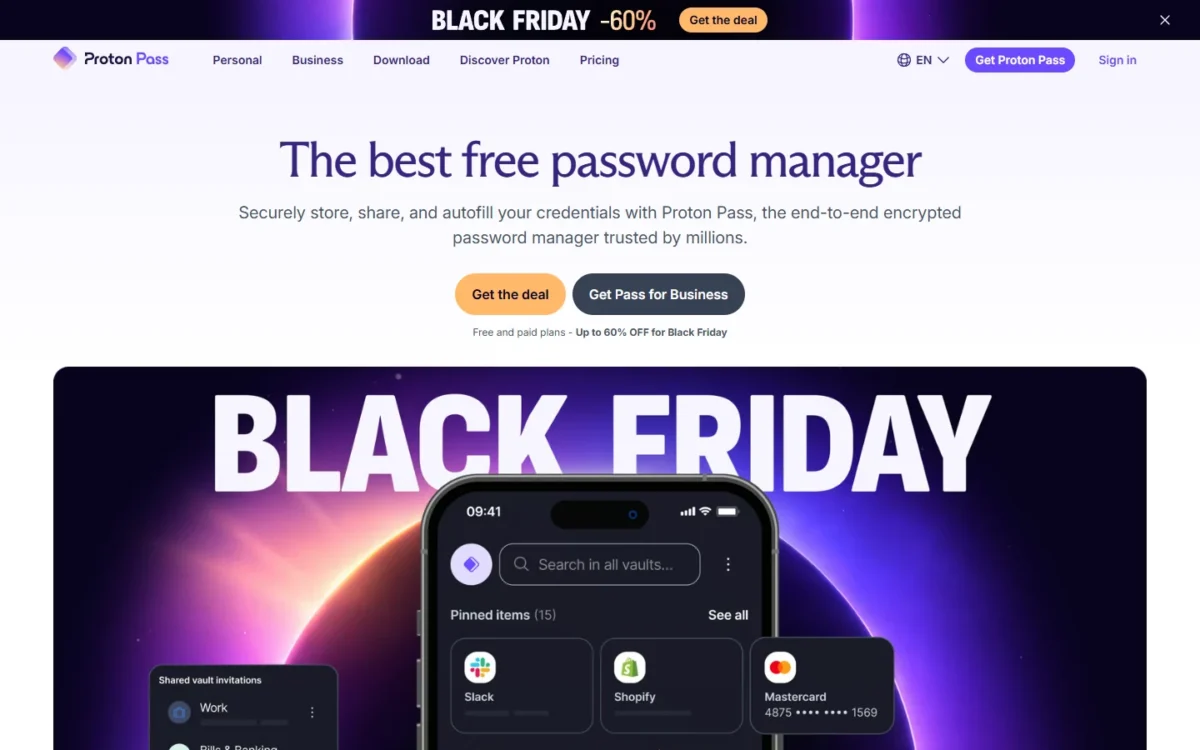
Proton Pass is the pick when privacy is part of the reason you are leaving. Proton is Swiss-based and encrypts vault data end to end, and Pass Professional includes SSO and SCIM, detailed activity logs and group sharing for $4 a seat less than 1Password Business ($8.99 minus $4.99). The limit to watch is the entry plan: Pass Essentials has no SSO or SCIM, so most teams leaving 1Password Business need Professional.
Both business plans include unlimited hide-my-email aliases, so staff can sign up for vendor trials without handing over a work address. Pass Essentials also lists passkey support on all devices, so recreated passkeys have a home on the entry plan.
Where Proton Pass may be better
- SSO and SCIM on Pass Professional; 25 users pay $4.99 x 25 x 12 = $1,497 a year
- A 3-user minimum, where the Teams Starter Pack bills for 10 members
Where 1Password may be better
- Git commit signing and SDKs sit beside its CLI
- A free Families membership for each Business team member
Both Proton prices carry a discount tag (60% off on Essentials, 29% off on Professional) and are billed for the year up front, so ask what the plan renews at before a 50-seat order.
Proton’s 1Password import guide takes the 1PUX file, or a 1PIF, through the Proton Pass browser extension. It also covers the iOS export, the route 1Password says carries passkeys.
- Skip it if:
- finance needs a fixed renewal price today, or developers depend on Git commit signing. RoboForm prints its renewal price, and 1Password prints its annual price per user.
6. Zoho Vault: Best 1Password Alternative for Zoho and Low-Cost Sharing
- Best for: Zoho shops and small teams that mainly share passwords
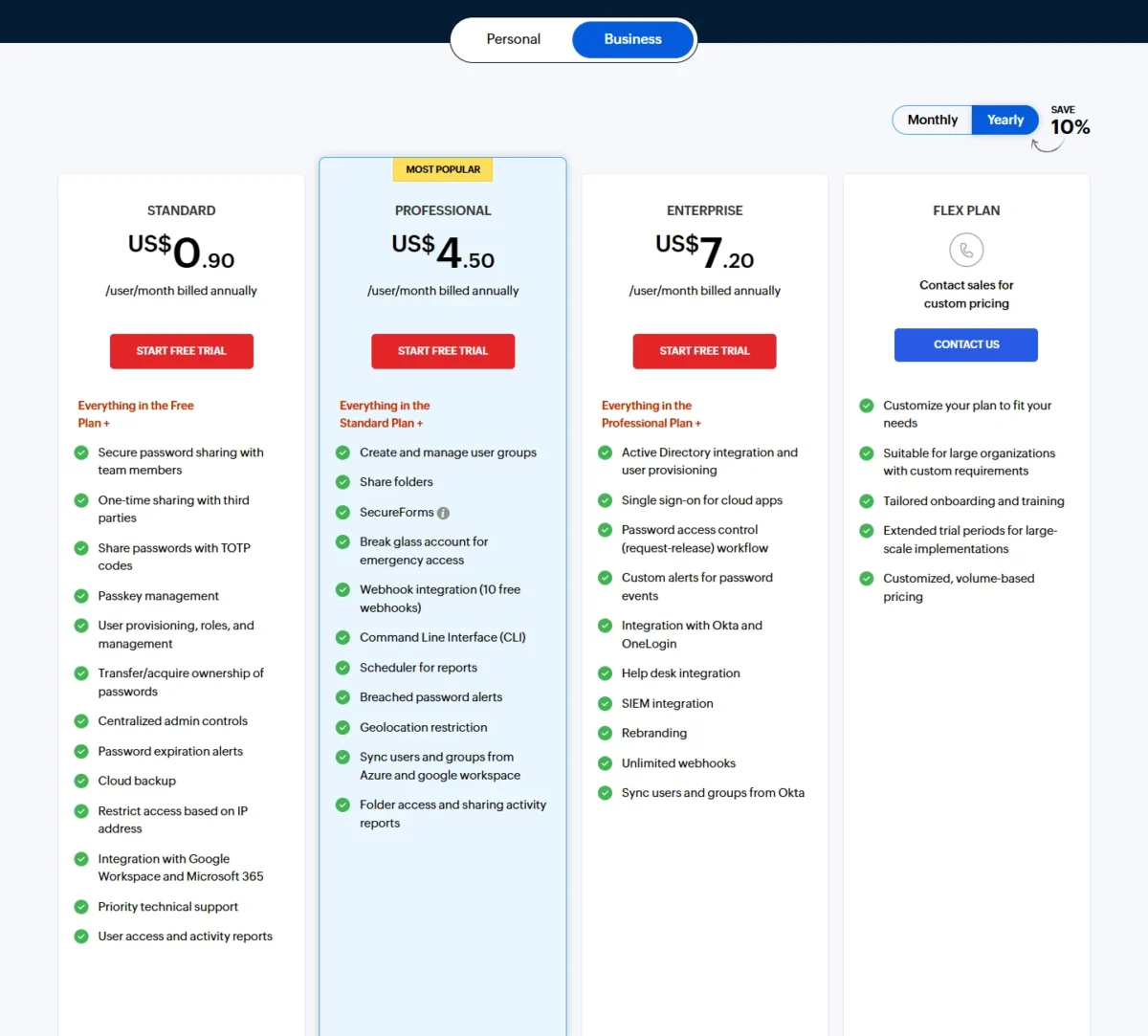
- Comparable plan: Enterprise at $7.20 per user per month, billed annually, 5-user minimum; 15-day trial
For sharing passwords inside a small team, Zoho Vault’s Standard plan is enough, and that is its case against 1Password. Ten people get team sharing, user provisioning and roles, and Google Workspace and Microsoft 365 integration for $0.90 x 10 x 12 = $108 a year, about a third of the Teams Starter Pack. The ladder steepens fast, though: user groups and folder sharing need Professional, and Okta or OneLogin integration needs Enterprise, a gap my steps to share passwords with your team plan around.
The Free plan stores unlimited passwords and connects to Zoho Mail, Desk, Projects and Flow, so a Zoho customer can pilot it at no cost.
Where Zoho Vault may be better
- A Free plan that Zoho says is valid forever, and team sharing on Standard
- Okta and OneLogin integration on Enterprise for $1.79 a seat less than 1Password Business ($8.99 minus $7.20)
Where 1Password may be better
- One Business price covers SSO and automated provisioning; Zoho spreads directory features over three paid plans
- Its SSO guide lists Microsoft Entra ID, Google, Okta, OneLogin, JumpCloud, Duo, Auth0 and Ping
Price the rung your directory needs, not the headline. At 25 users the three paid plans cost $0.90 x 25 x 12 = $270, $4.50 x 25 x 12 = $1,350 and $7.20 x 25 x 12 = $2,160 a year.
Zoho’s 1Password import article accepts a CSV, TXT or PUX export. Watch one checkbox: passwords marked personal at import cannot be shared, because only passwords classified as Enterprise can be shared in Zoho Vault.
- Skip it if:
- Okta or OneLogin sign-in is the only thing you are missing. Bitwarden and Keeper Enterprise cost less per seat, and RoboForm Business less again.
7. Dashlane: Best 1Password Alternative for Credential Risk Detection

- Best for: security leads worried about logins outside SSO and phishing
- Comparable plan: Omnix Password Management at $8 per user per month, billed annually; 14-day trial
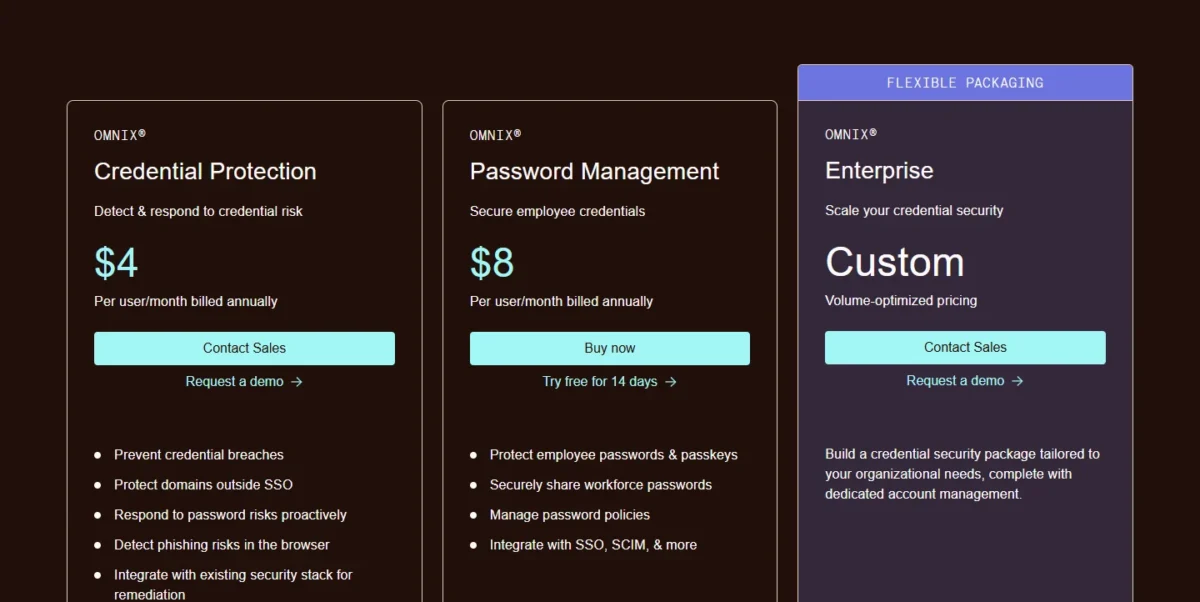
Nobody moves from 1Password to Dashlane to save money. Omnix Password Management, the package with the vault, SSO and SCIM, saves 25 seats $0.99 x 25 x 12 = $297 a year. The reason to move is Credential Protection, a separate package that monitors employee logins across all web domains, including those outside SSO, and detects phishing domains in the browser. The price of that focus is a member-by-member CSV migration.
Credential Protection has no vault of its own, and Dashlane sells it through sales at $4 per user per month.
Where Dashlane may be better
- Credential Risk Detection monitors logins on all web domains, including those outside SSO
- AI Phishing Detection warns employees before they submit credentials to a phishing domain
Where 1Password may be better
- Watchtower alerts come with Business, with no second package to buy
- Its 1PUX export goes unused in Dashlane’s migration, which imports CSV
Treat the two packages as two purchases with two prices. Password Management alone replaces 1Password; Credential Protection alone does not. Omnix Enterprise bundles both for organizations with more than 50 users.
Dashlane’s migration guide for 1Password organizations works member by member. Everyone exports a CSV and imports it in the Dashlane web app or Android app, not the iOS or macOS app. The import brings logins only, and an admin recreates sharing groups afterward.
- Skip it if:
- the budget line is why you are leaving. Bitwarden Enterprise costs $6 per user per month with SSO.
8. NordPass: Best 1Password Alternative for Google Workspace Teams
- Best for: Google Workspace teams of about 10
- Comparable plan: Enterprise at $5.99 per user per month on the 1-year plan, 5-user minimum; 14-day trial
NordPass is my pick for a 10-person Google Workspace team. Its Teams plan has the same shape as 1Password’s Teams Starter Pack, a 10-user pack, and it includes SSO login with Google Workspace, which 1Password documents for Business. Past the pack it loses its edge: Teams is “10 users pack only”, and SSO login plus automatic user access management via Entra ID and Okta sit on Enterprise. That step up is what my NordPass vs 1Password SSO comparison prices per seat.
Business adds group-based credential sharing and data breach monitoring from 5 users. My NordPass review judges the product beyond this one job.
Where NordPass may be better
- Google Workspace SSO in a 10-user pack that costs $1.99 x 10 x 12 = $238.80 a year on the 1-year plan
- Enterprise costs $3 a seat less than 1Password Business ($8.99 minus $5.99)
Where 1Password may be better
- The Teams Starter Pack grows to 20 members
- 1Password provisions users and groups from Google Workspace, OneLogin, Rippling and JumpCloud as well as Azure AD and Okta; NordPass Enterprise names Entra ID and Okta
An 11th person forces the move from the pack to Business, and an Okta or Entra ID requirement forces Enterprise. Billing term moves the price too, and the term-by-term math is in what NordPass Teams and Business cost.
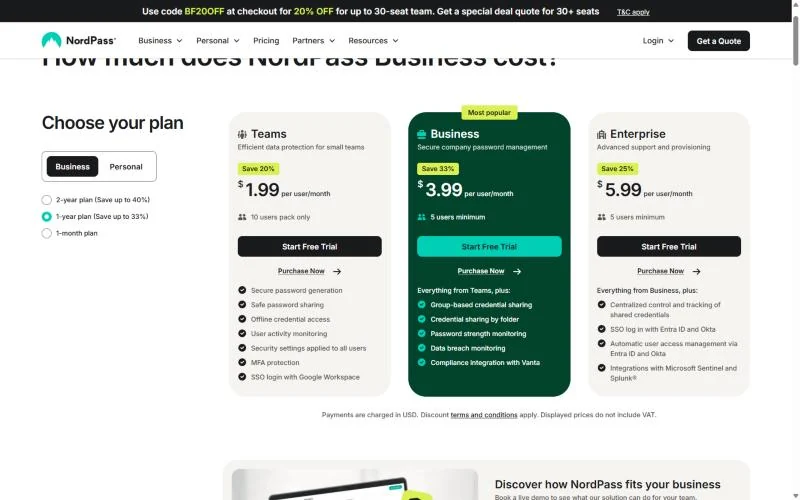
NordPass’s import article lists CSV and 1PUX for 1Password on desktop, and says passkeys cannot be imported for now. A team that outgrows the pack has other options if NordPass falls short.
- Skip it if:
- you are heading past 10 people on Okta or Entra ID. Bitwarden Teams includes SCIM, and Proton Pass Professional includes SSO and SCIM, each for less per seat than NordPass Enterprise.
9. Enpass: Best 1Password Alternative for Keeping Vaults in Your Own Microsoft 365 or Google Workspace
- Best for: teams with a data-sovereignty requirement and no server admin
- Comparable plan: Business Plan at $1.99 per user per month, billed yearly; 30-day trial
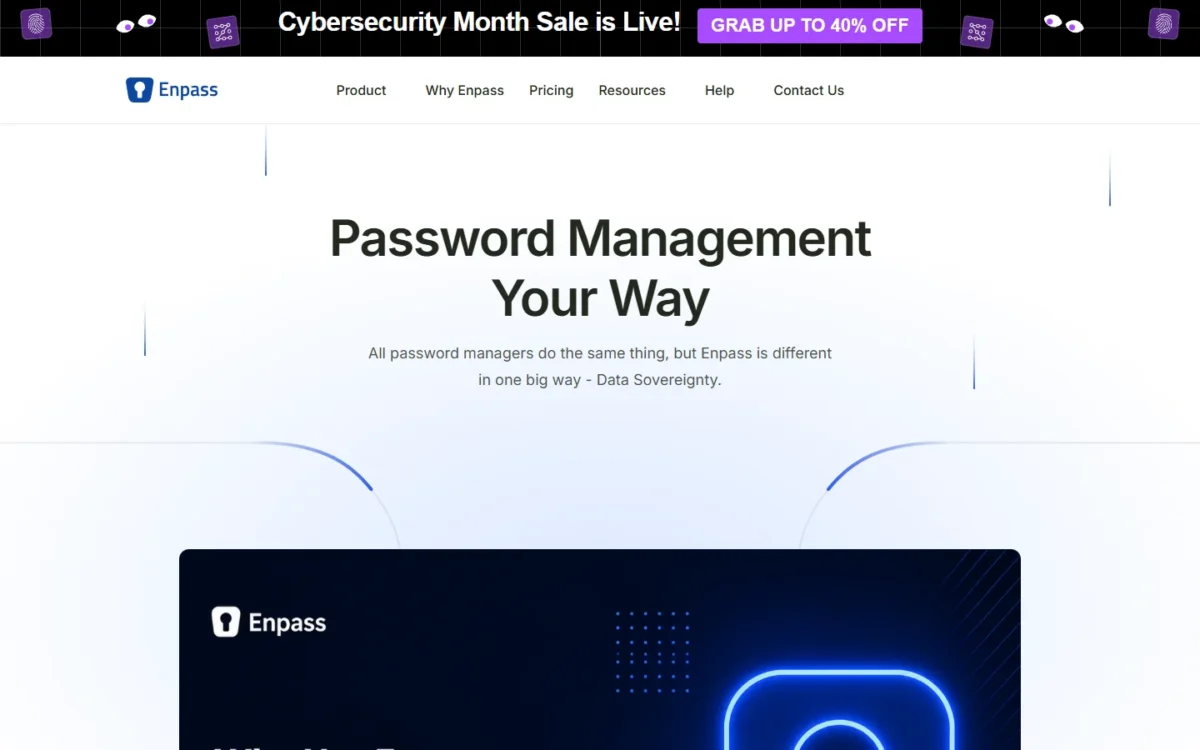
Enpass answers a question the other picks split in two: where does the vault live? Not on the vendor’s cloud, as with 1Password, and not on a server you build, as with Passbolt. Enpass stores encrypted vaults inside your organization’s own Microsoft 365 or Google Workspace and still provides SCIM provisioning, SSO and SIEM integration through an admin console. The gap: Enpass does not yet support MFA to unlock the app at the master-password layer.
That gap is narrower than it sounds, because every vault inherits the MFA your Microsoft 365 or Google Workspace already enforces.
Where Enpass may be better
- Vaults sit in your own Microsoft 365 or Google Workspace, never on Enpass’s servers
- SCIM, SSO and SIEM integration come in the one Business Plan
Where 1Password may be better
- Two-factor authentication, biometrics or passkeys protect the 1Password account itself
- Guest accounts for outside collaborators are included
Enpass lists one Business Plan, so there is no upper tier to price for identity features: 25 users cost $1.99 x 25 x 12 = $597 a year. Its pricing page also mentions a price “for first 12 months”, so ask Enpass what year two costs.
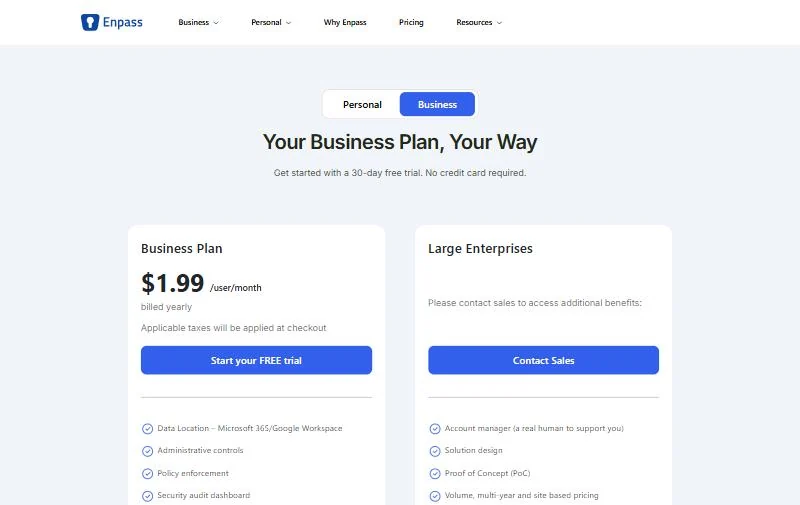
Enpass’s 1Password import page works in the Enpass desktop app with a .1pux file. Items Enpass cannot categorize land under Uncategorized, and passkeys do not transfer.
- Skip it if:
- your security policy requires MFA on the password manager’s own unlock, or you run neither Microsoft 365 nor Google Workspace. Bitwarden and Keeper both list two-factor options.
10. LastPass: Best 1Password Alternative for Bundling App SSO

- Best for: small firms with no identity provider that want a few SSO apps with the vault
- Comparable plan: Business at $7 per user per month, billed annually; 14-day trial, no credit card
LastPass earns its place for one extra job: it can act as the single sign-on provider for your other apps. LastPass Business includes SSO for three apps, alongside directory integrations and federated login. For a 20-person firm with no identity provider, that is a small SSO portal and a password manager on one bill. Go past three apps and you need the Unlimited SSO add-on, so get that price before you count on it, or compare LastPass alternatives for business first.
If LastPass’s security record is your first question, weigh it in how LastPass and 1Password compare before you start a trial.
Where LastPass may be better
- SSO for three apps is included in Business, and LastPass can be the SSO provider itself
- The 14-day trial has no limit on the number of seats
Where 1Password may be better
- Guest accounts and developer tools are part of Business
- A 10-person team pays less on the Teams Starter Pack than the $7 x 10 x 12 = $840 that ten LastPass Business seats cost
At 25 seats LastPass Business costs $7 x 25 x 12 = $2,100 a year, against $1,800 on Bitwarden or Keeper Enterprise. Pay that premium only if the three bundled SSO apps replace something you would otherwise buy.
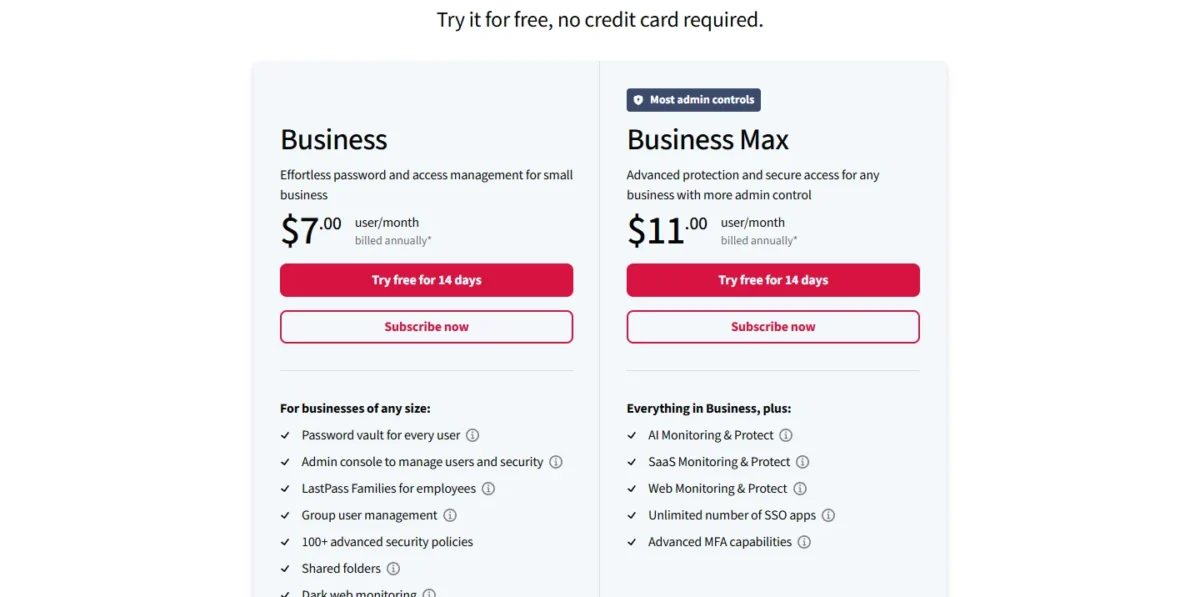
Confirm the 1Password import path before you commit. The trial includes every feature and keeps what you configure, so import one exported vault there and check what arrives.
- Skip it if:
- you already run Okta or Entra ID. The three-app bundle duplicates it, and RoboForm Business or Bitwarden Enterprise costs less per seat.
Should You Stay With 1Password or Switch?
Stay with 1Password if you are 10 people or fewer with no identity provider, if developers rely on its signing tools, or if clients work in guest accounts. Switch when an identity provider runs onboarding past 20 seats, or the vault must sit on infrastructure you control.
The stay case rests on what the 1Password pack already includes: a flat yearly price for 10 members, developer tools, and guest accounts (5 with the pack, 20 with Business, per 1Password’s billing guide).
The switch case rests on provisioning. If account creation is still a manual line on your employee onboarding checklist, SCIM moves it into the identity provider, which means Business on 1Password and Teams on Bitwarden.
Consider switching if
- An identity provider runs your onboarding and you have more than 20 people
- Your identity policy requires SAML: 1Password’s SSO is OIDC only
- The vault must run on your server or in your own tenant: Passbolt, Bitwarden Enterprise or Enpass
Consider staying with 1Password if
- You are 10 people or fewer with no identity provider
- Developers sign Git commits and SSH sessions with 1Password
- Your vault is full of custom fields and your shortlist imports CSV only
My take
Stay on 1Password if you are under 11 people with no identity provider and do not need self-hosting. Pick Bitwarden, RoboForm or Enpass if you are past 20 people on an identity provider, because the per-seat gap grows with every hire. Between 11 and 20, price the pack against Bitwarden Teams. Fifteen people pay $24.95 + 5 x $4.99 = $49.90 a month on the pack and $4 x 15 = $60 on Bitwarden Teams, which adds SCIM.
| Your priority | Alternative to consider | Reason | Trade-off |
|---|---|---|---|
| SCIM at a low per-seat price | Bitwarden Teams | SCIM and directory sync at $4 per user per month | SSO needs Enterprise at $6 |
| SSO and SCIM on one low-priced plan | RoboForm Business | Both listed at $3.33 per user per month | CSV import; no identity providers named |
| SAML SSO and compliance certificates | Keeper Enterprise | SAML 2.0 on Enterprise, delegated admin on the $4.00 Business plan, SOC 3 and ISO 27017 and 27018 | The top plan, bought through a quote request |
| Self-hosting for free | Passbolt Community Edition | AGPLv3, unlimited users | You run the server |
| Vault data in your own tenant | Enpass | Vaults in your Microsoft 365 or Google Workspace | No MFA at the master-password layer yet |
| 10 people or fewer, no identity provider | Stay on 1Password Teams Starter Pack | $299.40 a year for 10 members | 20-member cap |
Sources: 1Password business pricing and the vendor pricing pages linked under the comparison table, checked Nov 2026.
Migrating From 1Password
Move in this order, and keep 1Password active until the last step.
- Check export rights. In a team account, some vaults may lack the “Export items” permission. Ask an administrator to grant it first.
- Export 1PUX from a desktop app. 1Password’s export guide says the CSV holds only Login and Password items and leaves out custom fields.
- Import one vault in a trial. Trials run 14 days at Bitwarden, Proton Pass, Dashlane, NordPass and LastPass, 15 at Zoho Vault and 30 at Enpass.
- Rebuild sharing by hand. Dashlane’s guide tells admins to recreate data sharing and group sharing after the import. Plan the same for permissions in any other tool.
- Recreate passkeys. Only 1Password for iOS and Android export passkeys. After a desktop export, create a new passkey on each site; the reason they do not travel in a file is part of how passkeys differ from passwords.
- Delete the export file. It is unencrypted plaintext, and 1Password, Bitwarden, Keeper and RoboForm all tell you to delete it.
- Cancel 1Password last. A cancelled, frozen account can still be opened to view and export data as long as you do not delete it. Amounts already charged are nonrefundable, so time the cutover to your renewal date.
Also Considered
Five more tools stayed off the list, each for one sourced reason. If you are buying a first team password manager rather than leaving 1Password, my business password manager buying guide starts from the team’s job instead.
- TeamPassword: Standard includes Google Sign-In, but Microsoft Entra ID single sign-on needs the Enterprise plan, and its import tool takes CSV or XLSX files.
- KeePassXC: free and open source, but it keeps passwords in an offline, encrypted file with no cloud, and the project describes it as built for personal data management.
- Vaultwarden: an unofficial Bitwarden-compatible server. The project says it is not associated with Bitwarden, which leaves a business without vendor support.
- ManageEngine Password Manager Pro: a fully on-premises tool for privileged identities, sold by quote.
- Sticky Password: Premium for teams costs $29.99 per user per year with an admin console, but its pricing page names no SSO or SCIM.
FAQ
Is there a free 1Password alternative for a team?
Yes. Pick Passbolt Community Edition if you can host it yourself: it is free for unlimited users. Zoho Vault’s Free plan is valid forever, with team sharing starting on Standard at $0.90 per user per month, billed annually. Bitwarden’s free account is basic password management that is always free, with sharing to one other user; shared credentials for a team start on Teams at $4 per user per month, billed annually.
What is the lowest-priced 1Password alternative with SSO?
Among the plans priced here, Enpass lists SSO and SCIM at $1.99 per user per month, billed yearly, a price tied to the first 12 months, and RoboForm Business lists both at $3.33, billed annually. Pick either only after your identity provider connects in a trial, since RoboForm’s pricing page names none.
Is an open-source password manager safe for a business?
Open source means the code can be inspected, not that someone has secured your deployment. Passbolt publishes its code under AGPLv3, and Bitwarden lists open source security beside SOC 2 Type II and ISO 27001 certification. Self-host either one only if your team will own patching and backups.
Final Verdict
Pick by the reason you are leaving. If provisioning is the gap, move to Bitwarden: Teams for SCIM, Enterprise for SSO or self-hosting. If the bill is the gap and you run an identity provider, RoboForm Business is my pick, provided your identity provider connects in the trial and a logins-only import is acceptable. Enpass costs less in its first 12 months if your vaults can live in Microsoft 365 or Google Workspace.
Keeper Enterprise is the choice when the identity team asks for SAML and ISO certificates, and Passbolt when the server has to be yours.
Stay on 1Password if you are 10 or fewer on the Teams Starter Pack, or if guest accounts and developer signing are part of daily work. The biggest cost of any move is the sharing structure you rebuild by hand, so export one vault as 1PUX into a trial before you decide.