The LastPass alternatives worth switching to are Bitwarden Teams, which includes SCIM at $4 per user per month, billed annually, and 1Password or Keeper, which move shared folders with their permissions. Three features decide the move: SCIM provisioning, SSO and the LastPass import. LastPass Teams, at $4.25, leaves out directory integrations and stops at 50 users, and Business costs $7.00.
Quick verdict
Prices are per user per month, billed annually, checked November 2026.
Ten users pay $4.25 x 10 users x 12 months = $510 a year on LastPass Teams and $7.00 x 10 x 12 = $840 on Business. Bitwarden Teams, with SCIM, comes to $4 x 10 x 12 = $480, and Proton Pass Professional lists SSO and SCIM at $4.99.
Stay with LastPass if you use the app SSO bundled into Business or its 100+ security policies.
The trade-off of leaving: outside 1Password and Keeper, whose importers carry shared-folder permissions, you rebuild sharing by hand.

Bitwarden
Best for: SCIM at the LastPass Teams price
Its Teams plan includes SCIM and directory sync, which LastPass Teams marks Not included.
Limit: SSO login needs Enterprise

1Password
Best for: keeping LastPass shared-folder permissions
Its importer carries LastPass shared-folder permissions into the new vaults.
Limit: Business costs more per user than LastPass Business

Keeper
Best for: attachment-heavy LastPass vaults
Its LastPass import tool brings over passwords, folders, TOTP codes and file attachments.
Limit: SCIM and SSO sit on Enterprise, its top listed plan

Proton Pass
Best for: SSO and SCIM at $4.99
Pass Professional lists SSO and SCIM for less per user than LastPass Business.
Limit: its LastPass import is a CSV file, with no shared-folder step
In This Article (16 sections)
LastPass Alternatives Compared
Two plans priced under LastPass Teams list SCIM provisioning, RoboForm Business and Bitwarden Teams, and two import guides, 1Password’s and Keeper’s, carry shared-folder permissions.
| Software | Best for | Starting price | SSO / SCIM plan | LastPass import | What you give up |
|---|---|---|---|---|---|
| LastPass | Teams under 50 users; Business for directory sync and app SSO | Teams $4.25; Business $7.00; Business Max $11.00 | Business | Benchmark | Benchmark |
| Bitwarden | SCIM at the LastPass Teams price | Teams $4 | SCIM on Teams; SSO on Enterprise at $6 | Direct import | Attachments uploaded by hand |
| 1Password | Keeping shared-folder permissions | Business $8.99 | Business | Folders become vaults with permissions | A higher price than LastPass Business |
| Keeper | Attachment-heavy vaults | Business Starter $2.00 | Enterprise at $6.00 | Folders, TOTP codes, attachments | A command-line tool for the admin move |
| Proton Pass | SSO and SCIM at $4.99 | Pass Essentials $1.99 | Pass Professional at $4.99 | CSV file | No shared-folder step |
| NordPass | Folder sharing on a 2-year budget | Teams $1.99, 1-year plan, 10-user pack | Enterprise at $5.99 | CSV file; shared folders keep a Shared- prefix | Okta and Entra ID wait for Enterprise |
| Dashlane | SSO and SCIM in one package | Omnix Password Management $8 | Same package | Each member imports their own vault | No admin-run migration |
| RoboForm | Low-cost SCIM | Business $3.33 | Business | CSV file | No shared-folder step |
| Zoho Vault | Zoho workplaces | Standard US$0.90 | Enterprise at US$7.20 | LastPass importer | 5-user minimum above Standard |
| Passbolt | Self-hosting | Community Edition free; Pro $4.9 | Pro | CSV file | Partial: you supply the hosting |
| TeamPassword | Small shared-login teams on LastPass Teams | Standard $2.41 | Entra ID SSO on Enterprise at $5.25 | CSV template | Partial: no SCIM on the plan page |
Sources: LastPass plans and pricing, plus each alternative’s pricing page and LastPass import guide, linked in its section below, checked Nov 2026.

How I Evaluated the Alternatives
I built this list from official pages only: each vendor’s pricing page, plan list and LastPass import guide, plus LastPass’s pricing, export and incident pages, read on November 20, 2026. A tool needed a published per-user business price and a documented LastPass or CSV import.
The first four picks each answer one main reason for leaving; picks 5 to 10 serve narrower cases, ordered by how much of a company move their guides cover.
Why Teams Look Beyond LastPass
Four documented reasons push teams out of LastPass: Teams leaves out directory sync, Business costs $7.00 a seat, the 2022 security incidents, and a need to host the vault yourself.
Teams stops at 50 users and leaves out directory sync
LastPass Teams holds up to 50 users, and its plan table marks Groups, Directory integrations and Federated login as Not included, so automating onboarding means Business at $7.00 instead of $4.25 per user per month.
Business costs $7.00 a seat, and unlimited app SSO costs $11.00
LastPass Business includes single sign-on for three apps. Unlimited SSO apps sit on Business Max at $11.00 per user per month, billed annually.
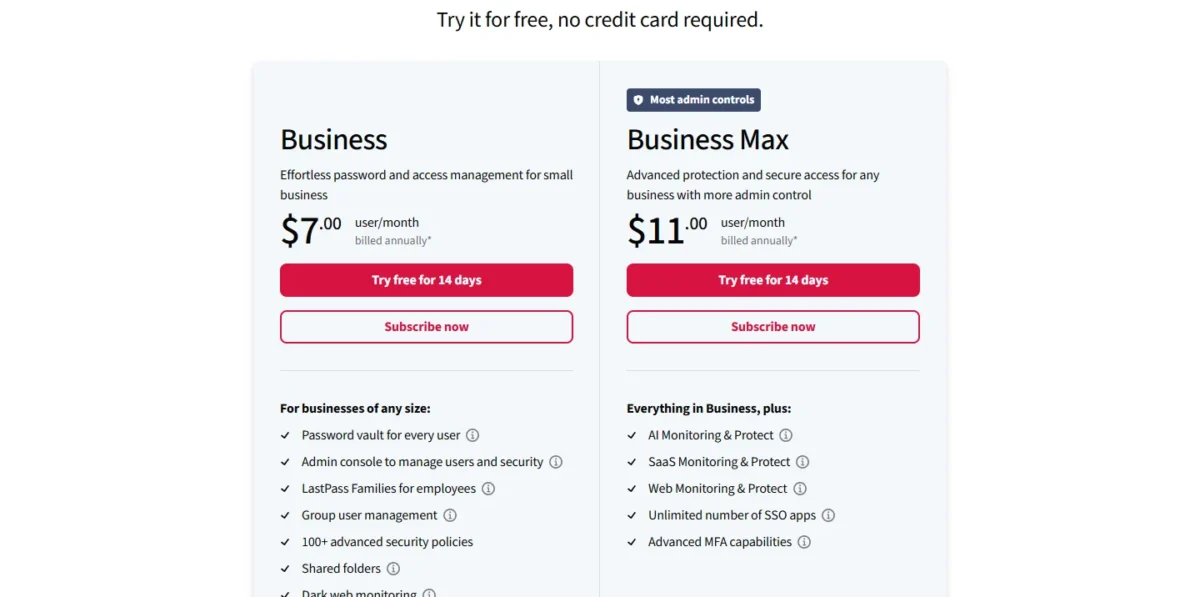
Keeper Enterprise, Proton Pass Professional and RoboForm Business all list SCIM provisioning for less per seat.
The 2022 security incidents: can you still trust LastPass?
Whether LastPass should no longer be trusted is your security policy’s call, judged on two linked incidents LastPass disclosed in 2022. LastPass’s notice first posted on August 25, 2022 described unauthorized access to its development environment. LastPass’s December 22, 2022 update said a threat actor had copied a backup of customer vault data, with website URLs unencrypted and usernames, passwords and secure notes encrypted.
LastPass’s March 1, 2023 update reported no threat-actor activity since October 26, 2022.
A vault you must host yourself
A team whose policy keeps the vault on its own servers should look first at Passbolt and Bitwarden: Passbolt’s Community Edition is self-hosted and free for unlimited users, and Bitwarden Enterprise lists a self-host option.
My take
Leaving LastPass Teams is worth it when you need SCIM, not for the 25-cent gap with Bitwarden Teams ($4 against $4.25). Leave Business for price only if you never use its app SSO, and pick 1Password or Keeper if a vendor-change policy forces the move.
1. Bitwarden: Best LastPass Alternative for SCIM at the Teams Price
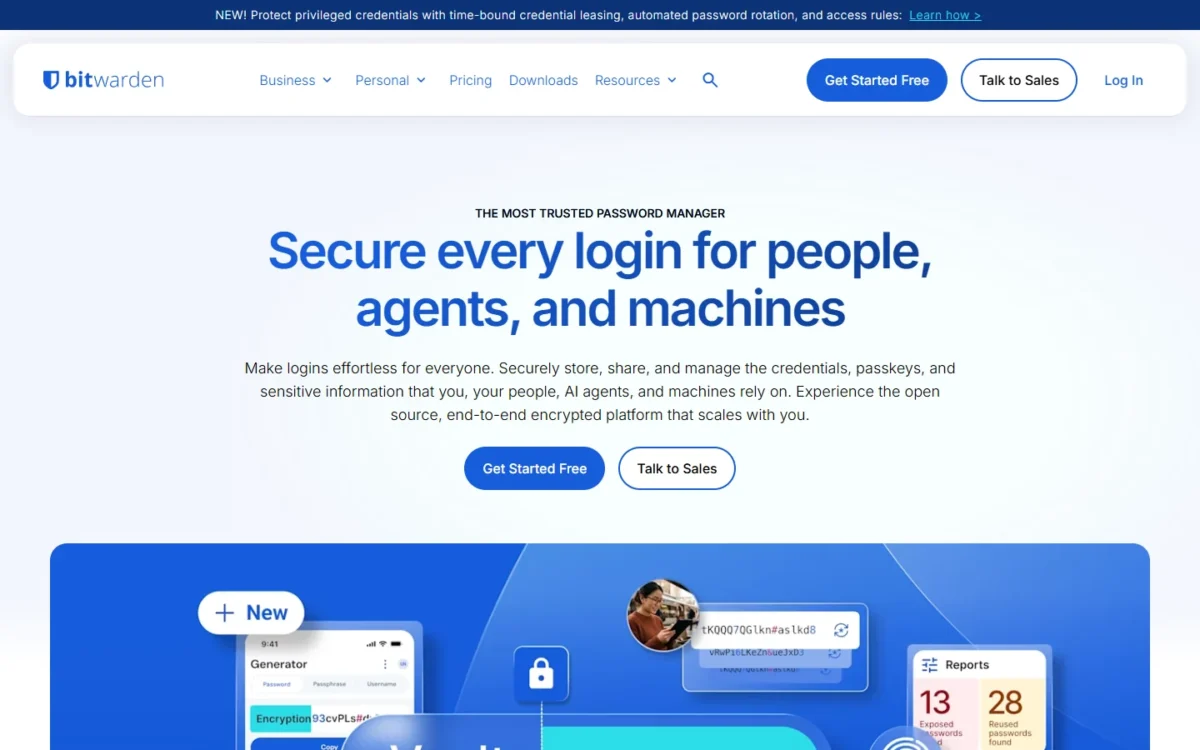
- Best for: LastPass Teams accounts that want automated offboarding
- Comparable plan: Teams
- Import from LastPass: direct, from the browser extension or desktop app
Pick Bitwarden if the problem with LastPass Teams is manual onboarding and offboarding. Its Teams plan includes SCIM and Directory Connector, features LastPass holds for Business, so a team with an identity provider gets provisioning without a second tier. The trade-off is SSO, which needs Bitwarden Enterprise.
Bitwarden documents SCIM for Microsoft Entra ID, Okta, OneLogin, JumpCloud and Ping Identity; a user suspended there loses organization access. The LastPass import is direct, and grouping values arrive as collections. Plan detail is in my Bitwarden review.
Where Bitwarden may be better
- SCIM and directory sync on Teams; LastPass lists directory integrations from Business
- A self-host option on Enterprise
Where LastPass may be better
- Business includes SSO for three other apps; Bitwarden’s SSO line covers signing in to Bitwarden
- Teams includes 25 security policies; Bitwarden’s Policies row starts on Enterprise
For 25 users who need provisioning, Bitwarden Teams costs $4 x 25 users x 12 months = $1,200 a year, $900 under LastPass Business ($2,100).
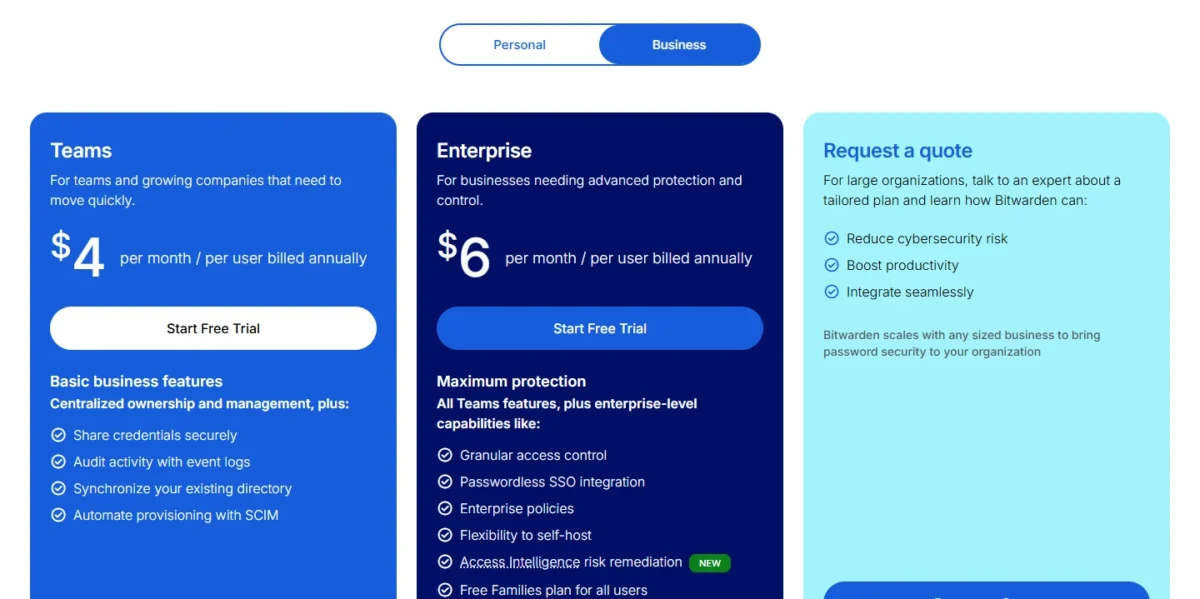
| Plan | Price | Billing | Key limit |
|---|---|---|---|
| Teams | $4 per user per month | Billed annually | Passwordless SSO integration needs Enterprise |
| Enterprise | $6 per user per month | Billed annually | Self-hosting puts server upkeep on your staff |
Sources: Bitwarden business pricing, checked Nov 2026.
Pros
- SCIM and Directory Connector on Teams
- Direct LastPass import with no file to upload
- Unlimited collections, plus user groups, on both business plans
Cons
- File attachments are uploaded one by one
- LastPass SSO teams need an admin setup first; Google Workspace and ADFS are not supported
- SSO, policies and account recovery start on Enterprise
If the shortlist is down to the top two picks, Bitwarden or 1Password is its own comparison.
- Skip it if:
- your shared folders carry finely tuned permissions; 1Password’s importer applies them to vaults for you.
2. 1Password: Best LastPass Alternative for Keeping Shared-Folder Permissions
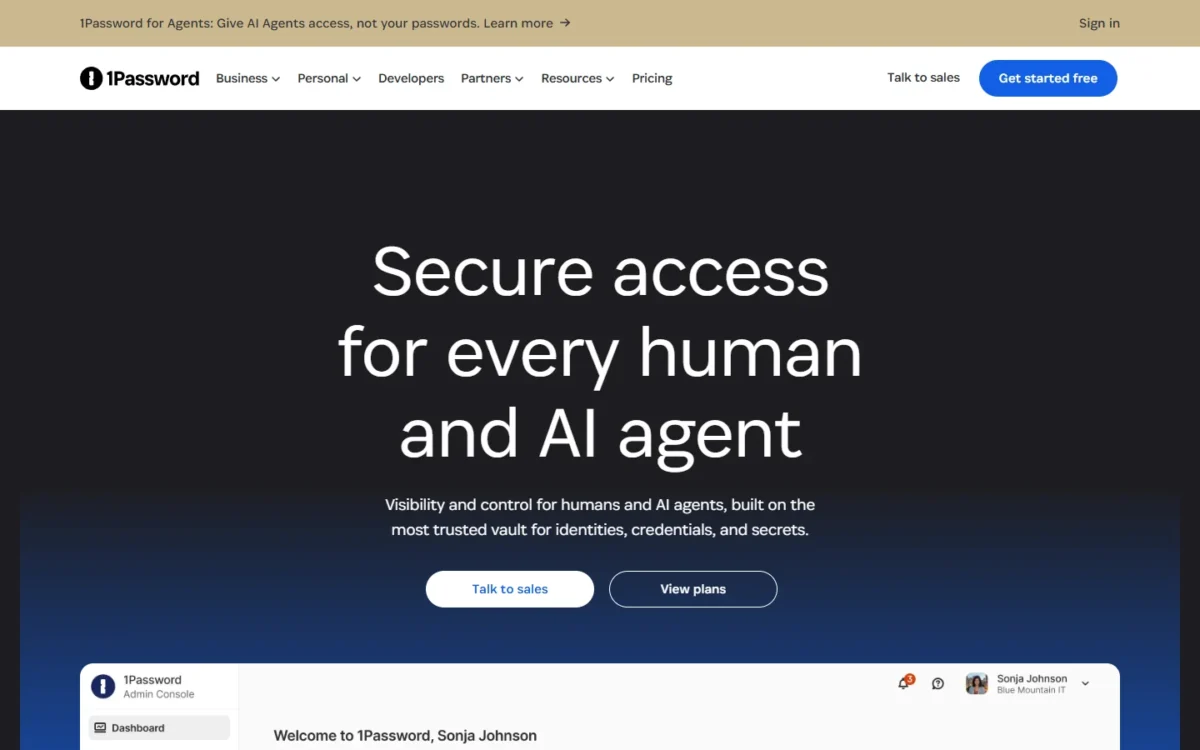
- Best for: admins with many LastPass shared folders
- Comparable plan: Business
- Import from LastPass: desktop importer with admin tools for permissions
I would pay for this importer when a company has dozens of shared folders and a deadline. The desktop importer converts each LastPass shared folder into a vault and applies the folder’s permissions. The trade-off is price: $1.99 more per user per month than LastPass Business ($8.99 against $7.00).
The import guide maps LastPass’s administer permission to Manage Vault and read-only to View Items. Only an administrator of a shared folder can import it, and permissions for people missing from your 1Password account are not imported, so invite everyone first.
Where 1Password may be better
- Its importer applies LastPass shared-folder permissions to the new vaults
- Teams Starter Pack covers 10 members for $299.40 a year, with up to 10 more seats at $4.99 per seat per month
Where LastPass may be better
- Business costs less per user per month
- Teams grows to 50 users; the Teams Starter Pack stops at 20 members
Ten users on 1Password Business pay $8.99 x 10 users x 12 months = $1,078.80 a year. Automated provisioning and SSO sign-in belong to Business.
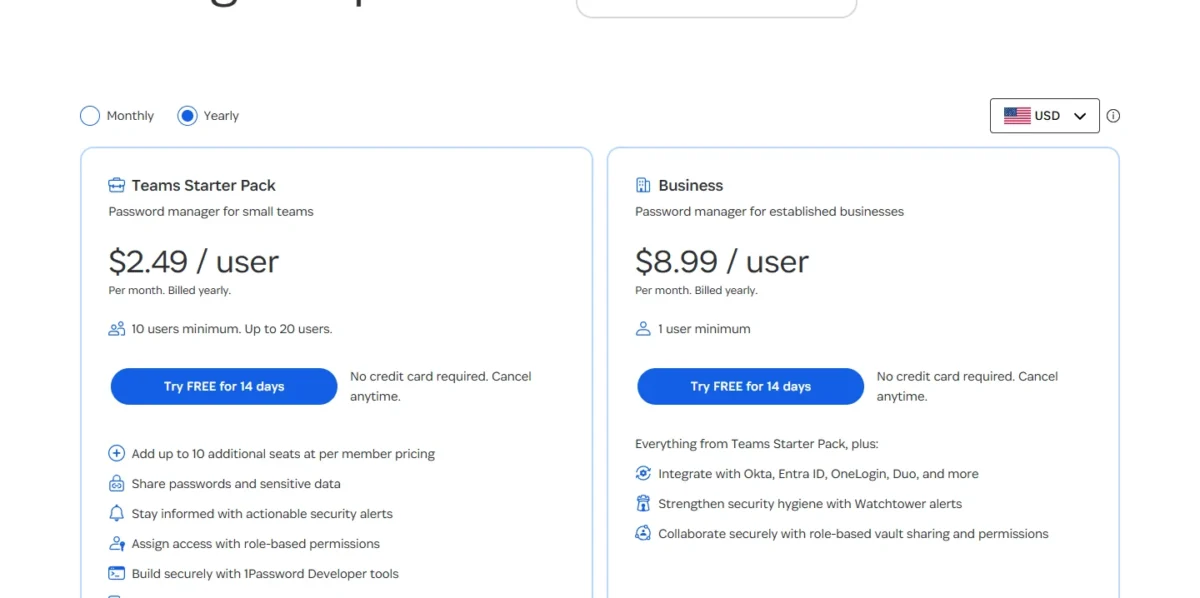
| Plan | Price | Billing | Key limit |
|---|---|---|---|
| Teams Starter Pack | $299.40 a year for 10 members | Billed annually | Extra seats $4.99 per seat per month, 20 members total |
| Business | $8.99 per user per month | Billed yearly | People in the Owners group cannot sign in with SSO |
Sources: 1Password business pricing, checked Nov 2026.
Pros
- Shared folders become vaults with their permissions mapped
- An email-mapping tool for staff whose addresses differ between the two products
- SSO import steps for Google Workspace, Microsoft Entra ID, Okta and OneLogin
Cons
- The highest per-user price among the ten picks
- People in the Owners group cannot sign in with SSO
- Passkeys are not imported
The incumbent and this pick go plan by plan in LastPass vs 1Password for teams.
- Skip it if:
- $7.00 a user is your ceiling and you have few shared folders; Bitwarden Enterprise lists SSO and SCIM at $6.
3. Keeper: Best LastPass Alternative for Attachment-Heavy Vaults
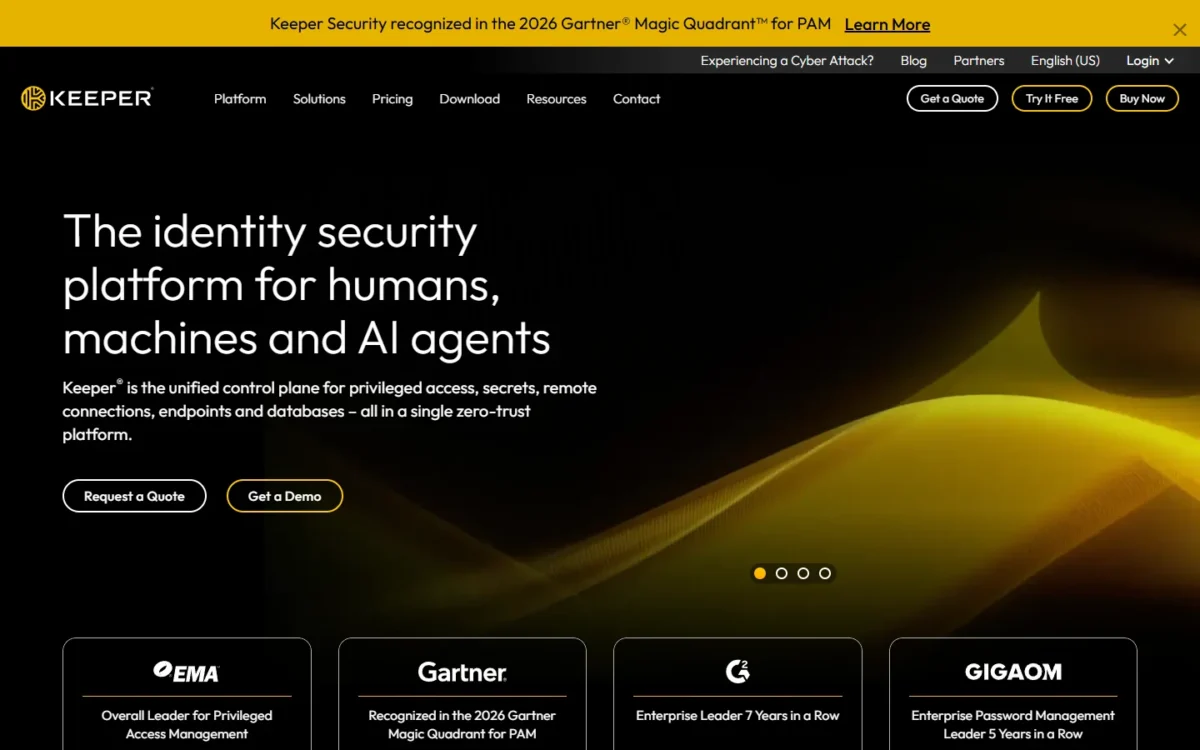
- Best for: teams whose LastPass items carry files and TOTP codes
- Comparable plan: Enterprise
- Import from LastPass: desktop import tool; Keeper Commander for the admin
Choose Keeper when attachments matter. Bitwarden’s and NordPass’s guides both send you to move LastPass file attachments by hand, while Keeper’s import tool brings them over with passwords, folders and TOTP codes. 1Password also attaches LastPass files, so Keeper’s edge here is cost: Enterprise, with SCIM, is $6.00 per user per month against $8.99 for 1Password Business. The trade-off sits in the plan ladder: SCIM and SSO are Enterprise features.
Keeper splits a large move in two: the LastPass administrator migrates shared folders and their permissions with Keeper Commander, a command-line tool, then each user imports private items from Keeper Desktop. The importer recognizes a LastPass SSO login.
Where Keeper may be better
- The import tool carries file attachments and TOTP codes from LastPass
- Enterprise adds SCIM, AD/LDAP sync and SAML SSO for less than LastPass Business
Where LastPass may be better
- LastPass Business includes SIEM integrations; Keeper streams events to a SIEM through ARAM, its Advanced Reporting & Alerts add-on
- An SSO portal for other apps comes with Business; Keeper’s SSO line federates login to Keeper
A 25-person team that wants SCIM pays Enterprise: $6.00 x 25 users x 12 months = $1,800 a year.
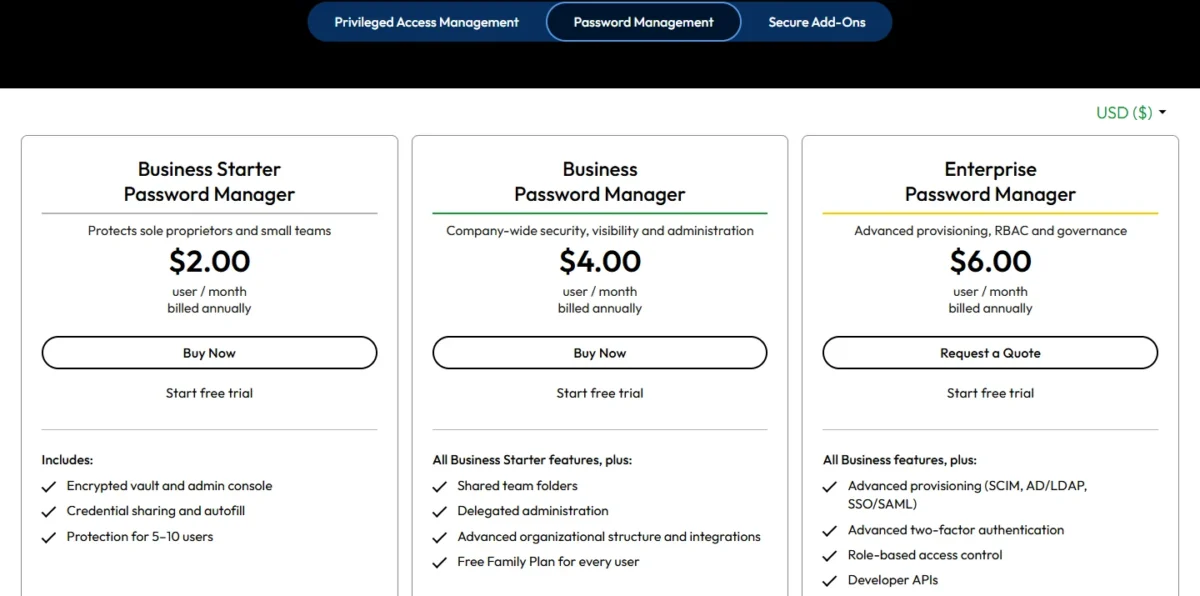
| Plan | Price | Billing | Key limit |
|---|---|---|---|
| Business Starter | $2.00 per user per month | Billed annually | Protection for 5-10 users; shared team folders start on Business |
| Business | $4.00 per user per month | Billed annually | SCIM and SSO need Enterprise |
| Enterprise | $6.00 per user per month | Billed annually | SIEM needs the Advanced Reporting & Alerts add-on |
Sources: Keeper business and enterprise pricing, checked Nov 2026.
Pros
- Passwords, folders, TOTP codes and file attachments all import
- Commander transfers shared-folder permissions for users and teams
- Vault transfer moves a departing employee’s vault
Cons
- The admin-led folder migration runs in a command-line tool
- SCIM and SSO need Enterprise
- A LastPass account that uses a security key must switch MFA method first
- Skip it if:
- nobody will run a command-line tool; 1Password moves shared-folder permissions from its desktop app.
4. Proton Pass: Best LastPass Alternative for SSO and SCIM at $4.99
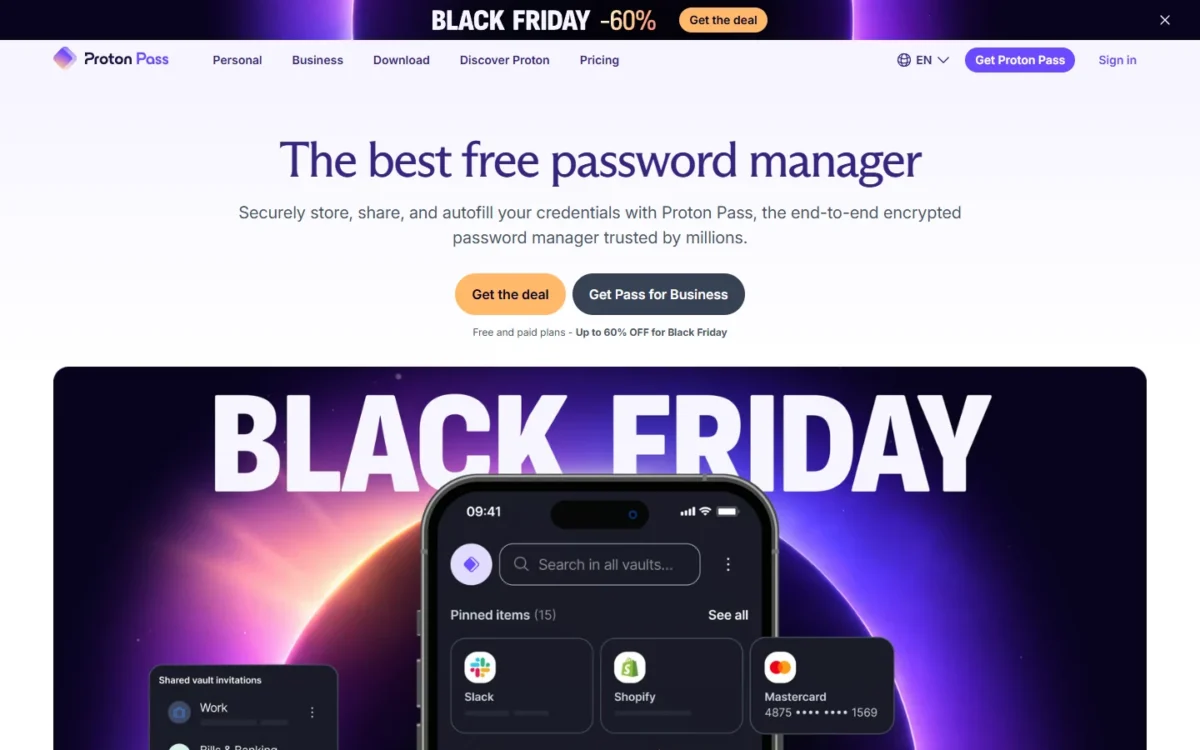
- Best for: teams that pay for LastPass Business mainly to get SSO and provisioning
- Comparable plan: Pass Professional
- Import from LastPass: CSV file through the Import tab
Proton Pass makes sense when directory-driven sign-in and provisioning were your reason to pay for LastPass Business. Pass Professional lists SSO and SCIM for $2.01 less per user per month ($7.00 – $4.99). The trade-off is the migration: Proton’s guide is a CSV import with no step for shared folders or their permissions.
Proton ranks above RoboForm, which lists SSO and SCIM for $3.33, because Pass Professional adds SIEM integration; RoboForm’s Business list names activity logs and reports, not SIEM.
Pass Essentials covers unlimited logins, notes and credit cards with vault, item and link sharing; group sharing, file attachments and enterprise policies arrive with Professional. The LastPass export has to come from the LastPass browser extension.
Where Proton Pass may be better
- SSO and SCIM on a mid-priced plan; LastPass lists directory integrations and federated login from Business
- Pass Essentials starts at $1.99 per user per month for teams of 3 or more
Where LastPass may be better
- 100+ security policies on Business
- Shared folders with customizable permissions on Teams; Proton lists group sharing on Professional
For 25 users, Pass Professional comes to $4.99 x 25 users x 12 months = $1,497 a year. Proton shows its prices with 29% off and 60% off labels, so check the renewal rate at checkout.
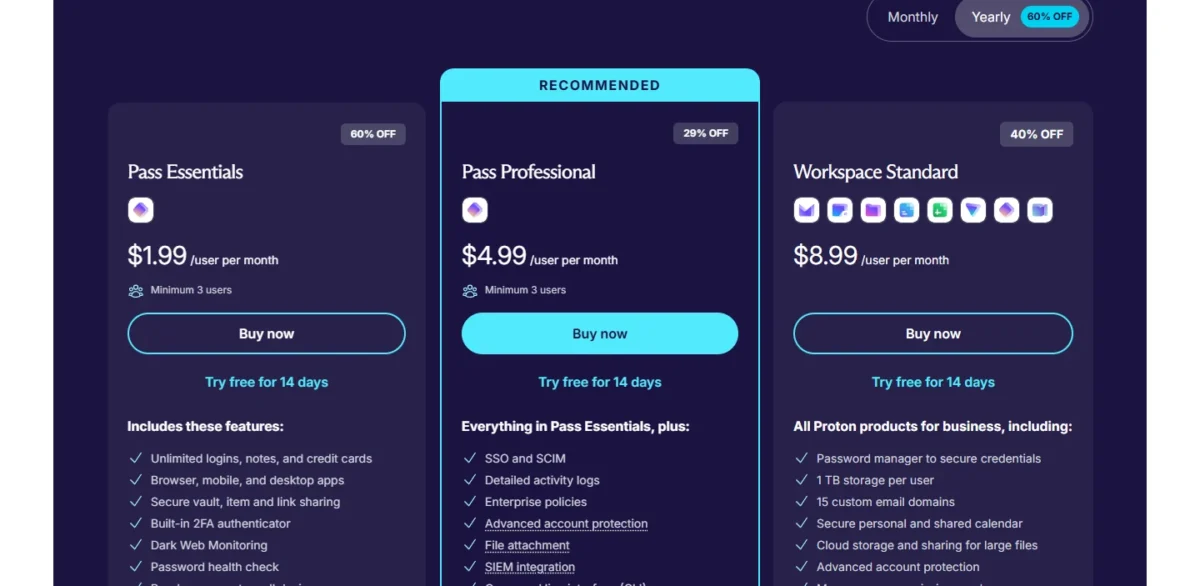
| Plan | Price | Billing | Key limit |
|---|---|---|---|
| Pass Essentials | $1.99 per user per month | Billed at $23.88 per user | Minimum 3 users; SSO and SCIM start on Professional |
| Pass Professional | $4.99 per user per month | Billed at $59.88 per user | Minimum 3 users |
Sources: Proton Pass for Business, checked Nov 2026.
Pros
- SSO, SCIM and SIEM integration on Professional
- Unlimited hide-my-email aliases from Essentials up
- 14-day free trial
Cons
- CSV import with no shared-folder or permission step
- Group sharing and file attachments need Professional
- Minimum of 3 users
- Skip it if:
- your shared folders must arrive with permissions intact; 1Password and Keeper document that.
5. NordPass: Best LastPass Alternative for Folder Sharing on a 2-Year Budget
- Best for: teams that share by folder and can commit to a 1-year or 2-year plan
- Comparable plan: Business, 1-year plan
- Import from LastPass: CSV export; shared folders get a Shared- prefix
NordPass suits a team that shares by folder and group, signs in with Google Workspace and will commit to a term. Its Business plan undercuts LastPass Business: $3.59 per user per month on the 2-year plan or $3.99 on the 1-year plan, against $7.00. The trade-off is identity: SSO and provisioning with Entra ID and Okta sit on Enterprise.

The company-move guide imports LastPass shared folders with a Shared- prefix and is silent on permissions, so plan to reassign who opens each folder. My NordPass review covers the product beyond the migration.
Where NordPass may be better
- SSO login with Google Workspace is listed on Teams; LastPass Teams marks federated login Not included
- Group-based and folder-based credential sharing on Business, for less per user than LastPass Business
Where LastPass may be better
- Entra ID and Okta directory integrations come on Business, the middle plan; NordPass lists them on Enterprise, its top tier
- Teams is sold per user up to 50 users; NordPass Teams is a 10 users pack only
On the 1-year plan, 10 users on NordPass Business pay $3.99 x 10 users x 12 months = $478.80 a year; billed every month, Business rises to $5.99 per user. The ladder by billing term is in my guide to NordPass plan prices.
| Plan | Price | Billing | Key limit |
|---|---|---|---|
| Teams | $1.99 per user per month | 1-year plan | 10 users pack only |
| Business | $3.99 per user per month | 1-year plan; $3.59 on the 2-year plan | 5 users minimum |
| Enterprise | $5.99 per user per month | 1-year plan | 5 users minimum |
Sources: NordPass Business plans, checked Nov 2026.
Pros
- A LastPass company-move guide that keeps shared folders as Shared- folders
- Data breach monitoring on Business
- A refund can be requested within 14 calendar days of the first purchase
Cons
- Entra ID and Okta SSO and provisioning are Enterprise-only
- Teams is sold only as a 10-user pack
- The lowest prices need a 1-year or 2-year plan
If the Enterprise step rules NordPass out, my alternatives to NordPass page judges the field against its plans.
- Skip it if:
- you provision from Okta or Entra ID and will not pay for a top tier; Bitwarden Teams includes SCIM at $4.
6. Dashlane: Best LastPass Alternative for SSO and SCIM in One Package
- Best for: teams that want SSO and SCIM in one password-management package, Omnix Password Management at $8
- Comparable plan: Omnix Password Management
- Import from LastPass: each member imports their own vault
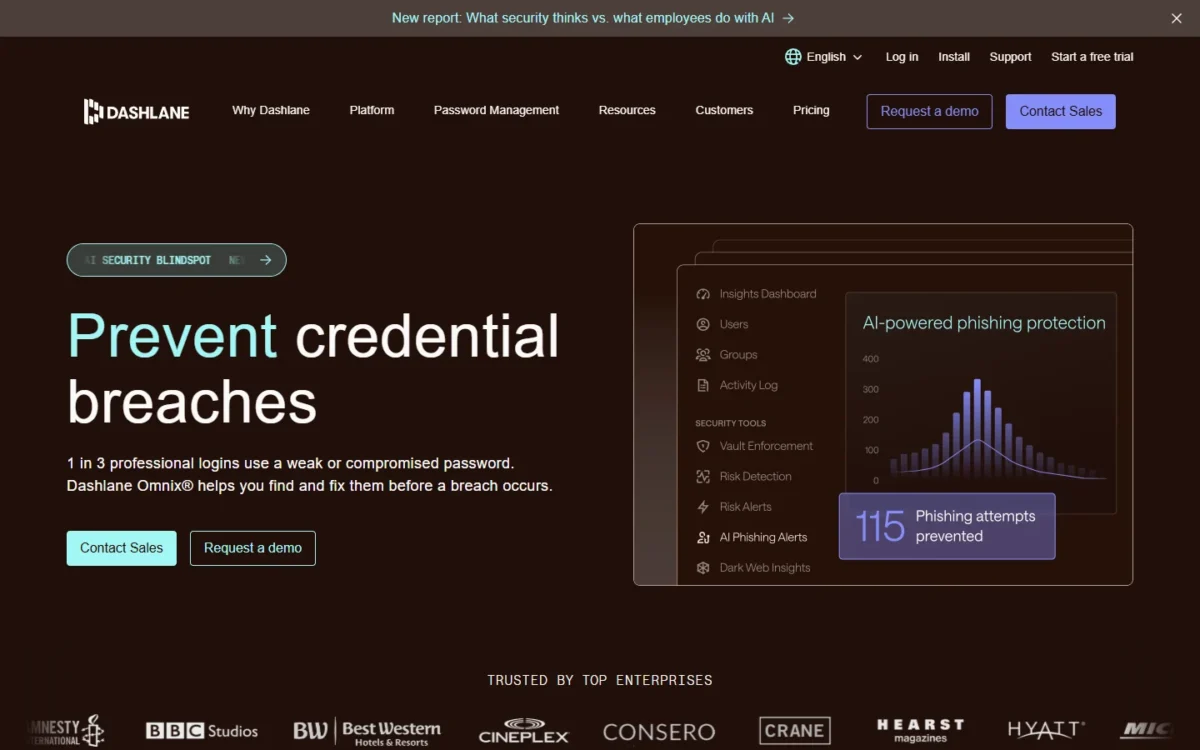
I would pick Dashlane only when leaving LastPass is already decided and price is not the reason, as my Dashlane review explains. Its Omnix Password Management package lists SSO and SCIM integrations, admin policies and unlimited collections. The trade-offs are $1 more per user than LastPass Business ($8 against $7.00) and a migration with no central path.
Dashlane’s migration guide has everyone move their own data: direct import in the web app, or a CSV file for anyone who signs in to LastPass with SSO. LastPass folders become collections, and the admin re-creates group sharing afterward.
RoboForm Business also pairs SSO and SCIM, for $3.33. Dashlane’s higher price buys folders that import as collections and direct import for password users.
Where Dashlane may be better
- SSO and SCIM integrations come with the one password-management package
- Collections are unlimited, and LastPass folders import as collections
Where LastPass may be better
- Its Entra ID integration syncs groups to shared folders; Dashlane’s admins re-create sharing after the import
- Business is $7.00 per user per month billed annually, $1 less than Dashlane’s Omnix Password Management at $8 per user per month billed annually
For 25 users, Dashlane costs $8 x 25 users x 12 months = $2,400 a year, with a 14-day free trial.
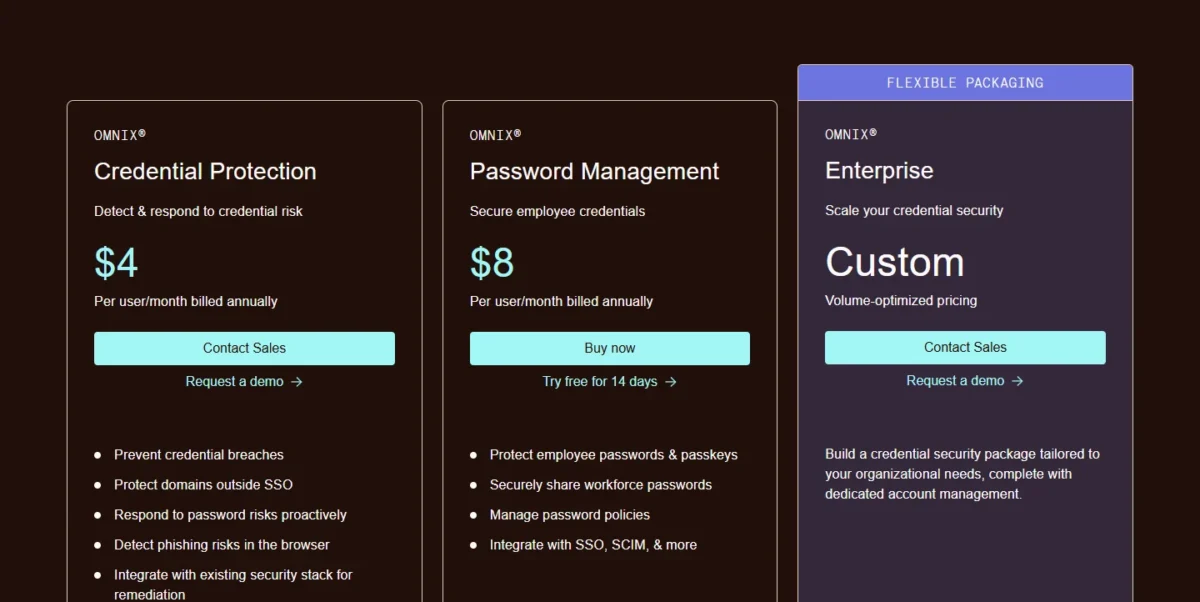
| Plan | Price | Billing | Key limit |
|---|---|---|---|
| Omnix Password Management | $8 per user per month | Billed annually | Each member imports their own vault |
| Omnix Enterprise | Custom quote from Dashlane Sales | Custom | Built for organizations with more than 50 users |
Sources: Dashlane business pricing, checked Nov 2026.
Pros
- SSO and SCIM integrations in one package
- LastPass folders arrive as collections
- Direct import for members who log in to LastPass with a password
Cons
- Omnix Enterprise pricing is a custom quote
- Every member imports their own vault
- No CSV import in the iOS or macOS app
- Skip it if:
- the admin must move everyone’s data centrally; Keeper and 1Password give the LastPass admin a migration tool.
7. RoboForm: Best LastPass Alternative for Low-Cost SCIM
- Best for: price-led teams that still want SSO and SCIM
- Comparable plan: Business
- Import from LastPass: CSV file
RoboForm is my budget pick for provisioning, worth it when you already know how you will re-create shared access. Its Business plan lists SSO integration and SCIM provisioning at $3.33, the lowest per-user price for SSO and SCIM in my table and under half of LastPass Business. The trade-off is how little RoboForm documents about a company move.
The LastPass guide covers one CSV file per vault with no shared-folder step, and form-fill entries arrive as Safenotes.
Where RoboForm may be better
- SSO integration and SCIM provisioning for under half the per-user price of LastPass Business
- One Business plan holds the admin features, so no upgrade is needed to reach provisioning
Where LastPass may be better
- 100+ security policies on Business; RoboForm lists custom security policies without a count
- Directory integrations are named for Entra ID, Google Workspace, OneLogin and Okta; RoboForm lists SCIM without naming providers
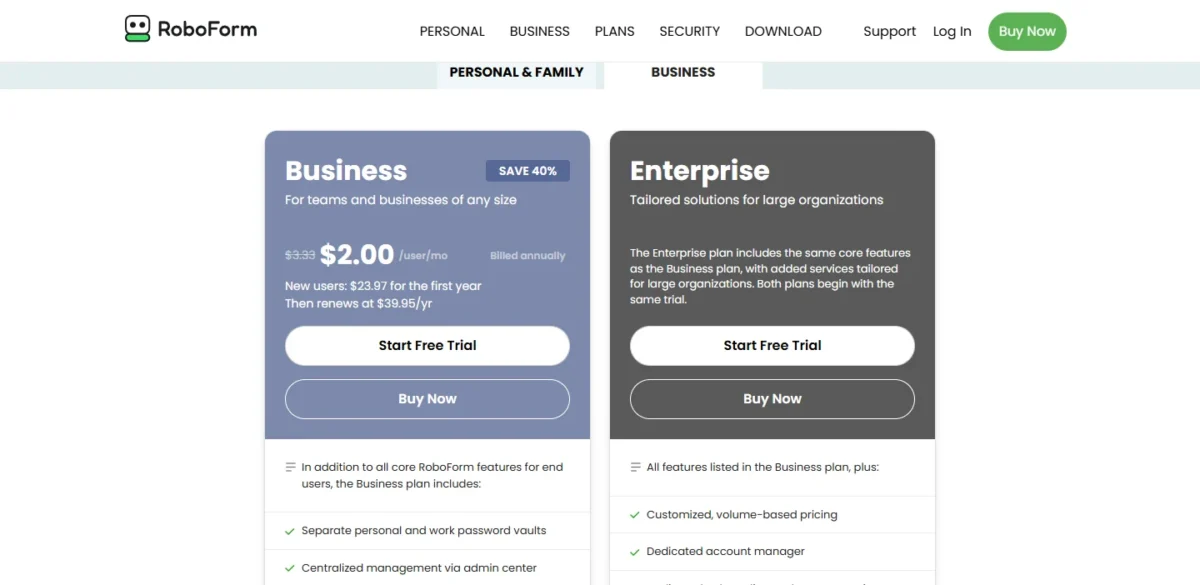
At the regular rate, ten users pay $3.33 x 10 users x 12 months = $399.60 a year, in line with the stated renewal of $39.95 per user per year.
| Plan | Price | Billing | Key limit |
|---|---|---|---|
| Business | $3.33 per user per month | Billed annually; renews at $39.95 per user per year | Import runs through an unprotected CSV file |
| Business, new users | $2.00 per user per month | $23.97 for the first year | Offer ends November 30 |
Sources: RoboForm business pricing, checked Nov 2026.
Pros
- SSO, SCIM, custom security policies and role-based access control on one plan
- Separate personal and work password vaults
- Free trial with no credit card required
Cons
- One CSV file per vault, with no shared-folder step
- Form-fill entries arrive as Safenotes and are added to an Identity by hand
- The included RoboForm Family plan needs 10 or more paid licenses
- Skip it if:
- you need the vendor to document where shared folders and permissions land; 1Password does.
8. Zoho Vault: Best LastPass Alternative for Zoho Workplaces
- Best for: companies already running Zoho apps
- Comparable plan: Professional
- Import from LastPass: LastPass importer under Settings > Import Passwords
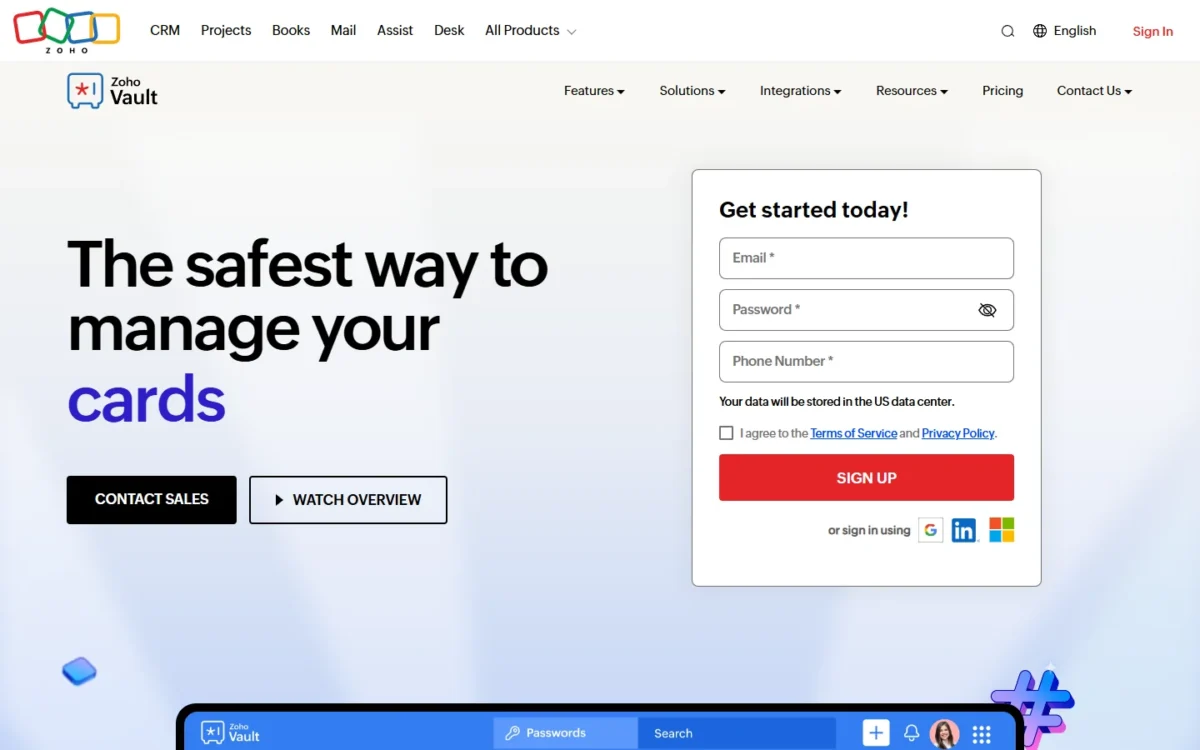
Pick Zoho Vault when the company already works in Zoho Mail, Desk or Projects, which Vault integrates with from its free plan up. Professional adds folder sharing and user groups. Outside a Zoho shop, single sign-on for cloud apps gives no price reason to switch: Vault puts it on Enterprise at US$7.20, while LastPass Business includes SSO for three apps at $7.00.
Active Directory provisioning and the Okta and OneLogin integrations wait for Enterprise. Zoho names a LastPass importer without describing how shared folders map, so test that during the trial.
Where Zoho Vault may be better
- Professional syncs users and groups from Azure and Google Workspace; LastPass Teams marks directory integrations Not included
- A free plan remains after the trial, and Standard at US$0.90 per user per month adds password sharing with team members
Where LastPass may be better
- Business at $7.00 sits under Zoho Vault Enterprise, the Zoho plan with single sign-on for cloud apps
- Shared folders come with Teams; Zoho Vault lists folder sharing from Professional
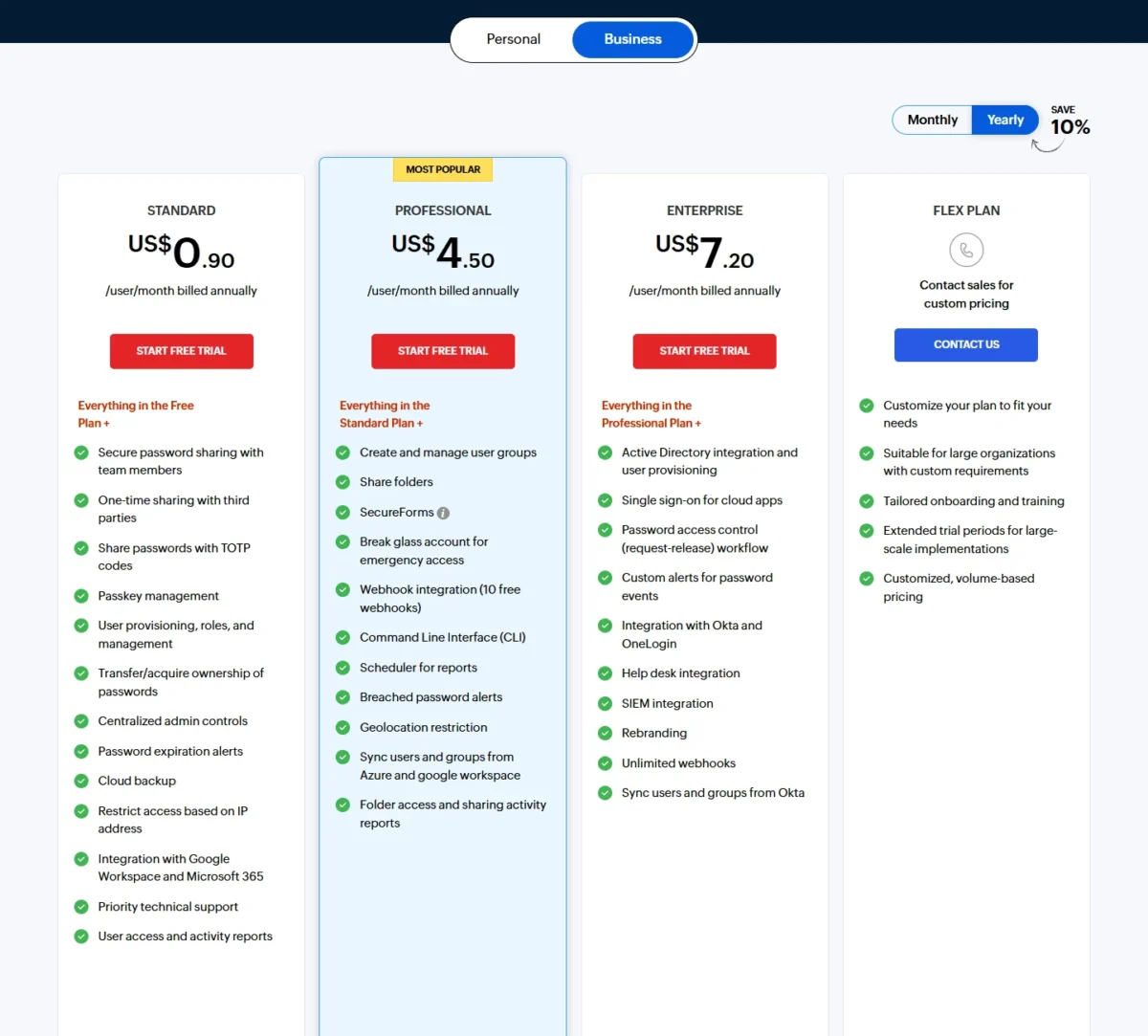
Ten users on Professional pay US$4.50 x 10 users x 12 months = $540 a year, and Zoho lets you upgrade, downgrade or cancel at any time.
| Plan | Price | Billing | Key limit |
|---|---|---|---|
| Standard | US$0.90 per user per month | Billed annually | Folder sharing and user groups start on Professional |
| Professional | US$4.50 per user per month | Billed annually | Minimum 5 users |
| Enterprise | US$7.20 per user per month | Billed annually | Minimum 5 users |
Sources: Zoho Vault pricing, checked Nov 2026.
Pros
- Integration with Zoho Mail, Desk, Projects and Flow from the free plan up
- User and group sync from Azure and Google Workspace on Professional
- A free plan Zoho describes as valid forever
Cons
- Single sign-on for cloud apps and Okta sync need Enterprise
- Five-user minimum on Professional and Enterprise
- The 15-day Enterprise trial allows at most five users
- Skip it if:
- you have fewer than five users and no Zoho apps; TeamPassword starts at three users.
9. Passbolt: Best LastPass Alternative for Self-Hosting
- Best for: teams that must keep the vault on their own servers
- Comparable plan: Pro
- Replaces: the vault and sharing; you supply the hosting
- Import from LastPass: CSV file
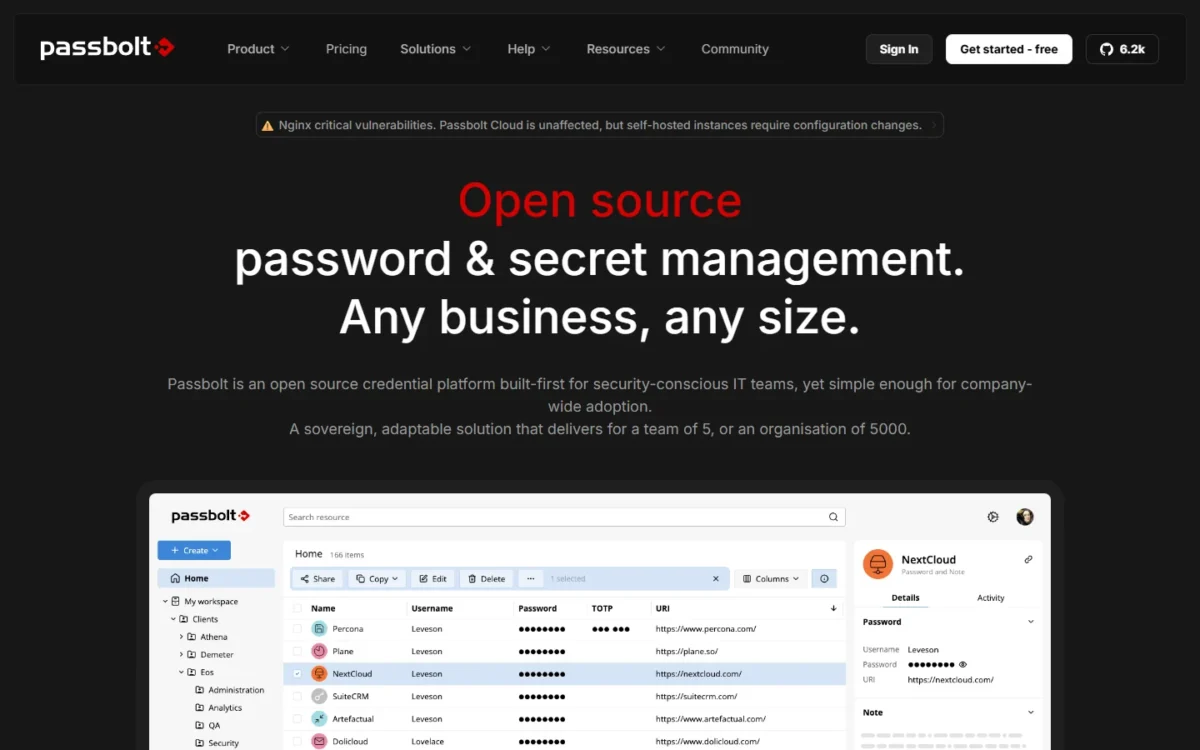
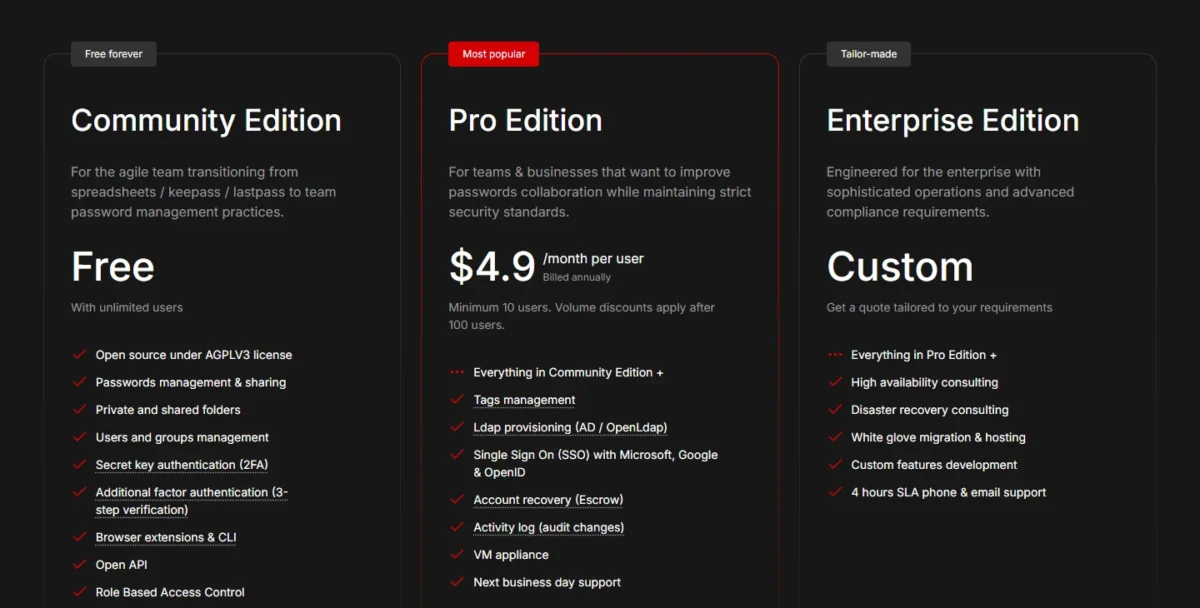
Passbolt is the pick for the one requirement no price comparison settles: the vault has to run on your own servers. Its self-hosted Community Edition is free for unlimited users, with shared folders, users and groups. Self-host only if someone owns the server for the long run; that hosting work makes it a partial replacement for LastPass.
Pro is the edition to compare with LastPass Business: it adds LDAP provisioning, SSO with Microsoft, Google and OpenID, SCIM and an activity log. The LastPass import takes the CSV file as exported, including its grouping and totp columns.
Where Passbolt may be better
- Self-hosted on your own servers, with a free Community Edition for unlimited users
- Pro lists SSO, SCIM and LDAP provisioning under the per-user price of LastPass Business
Where LastPass may be better
- Personal support is included from Teams up; Passbolt Community Edition lists community support only
- 100+ security policies on Business; Passbolt lists password, passphrase and MFA policies on Pro
Pro for 10 users costs $4.9 x 10 users x 12 months = $588 a year, and 10 users is the smallest order that edition accepts.
| Plan | Price | Billing | Key limit |
|---|---|---|---|
| Community Edition | Free, unlimited users | Self-hosted | Community support only |
| Pro | $4.9 per user per month | Billed annually | Minimum 10 users |
Sources: Passbolt pricing, checked Nov 2026.
Pros
- SSO with Microsoft, Google and OpenID on Pro
- Open source under the AGPL v3 license on every edition
- Import supports CSV and kdbx files
Cons
- You install, host and update it
- SSO, SCIM, LDAP provisioning and the activity log need Pro
- Pro has a 10-user minimum
- Skip it if:
- nobody on staff can run a server; Bitwarden Teams is hosted for $4 per user per month.
10. TeamPassword: Best LastPass Teams Alternative for Small Shared-Login Teams
- Best for: small teams that share internal and client logins by group
- Comparable plan: Standard
- Replaces: LastPass Teams’ shared folders, not Business’s policies or directory sync
- Import from LastPass: CSV file fitted to TeamPassword’s template
TeamPassword replaces one job, LastPass Teams’ shared folders, and it is enough tool when a handful of people share client logins. Both plans include unlimited shared groups.
The CSV import rewards preparation: only admins can create groups during an import, and a shared record cannot be made private later. Map each LastPass shared folder to a group in the spreadsheet first.
Where TeamPassword may be better
- Standard costs $2.41 per user per month on annual billing against LastPass Teams at $4.25
- Google Sign-In can be required for the whole team on Standard
Where LastPass may be better
- Business adds directory integrations and 100+ policies; TeamPassword’s top plan adds Entra ID SSO, set up by its team
- 1 GB of secure notes file storage on Teams; TeamPassword lists 10MB of team attachment storage on Standard
Ten users pay $2.41 x 10 users x 12 months = $289.20 a year on Standard.

| Plan | Price | Billing | Key limit |
|---|---|---|---|
| Standard | $2.41 per user per month | Bill annually | 3 users minimum; 10MB team attachment storage |
| Enterprise | $5.25 per user per month | Bill annually | 3 users minimum |
Sources: TeamPassword pricing, checked Nov 2026.
Pros
- Unlimited shared groups, records and devices on both plans
- Required 2FA and session timeouts as team policies
- Activity log with CSV export
Cons
- No SCIM or directory sync on the plan page
- Entra ID single sign-on is Enterprise-only
- 10MB of team attachment storage on Standard
- Skip it if:
- you need SCIM offboarding; RoboForm Business and Bitwarden Teams both list it.
Should You Stay With LastPass or Switch?
Stay with LastPass if you use the SSO portal bundled into Business, rely on its 100+ security policies, or run a shared-folder tree nobody has time to rebuild. Switch for SCIM on a lower-priced plan, cheaper SSO, or a vault on your own servers.
Consider switching if
- You are on Teams and want SCIM offboarding, which Bitwarden Teams includes
- You pay for Business mainly for SSO and provisioning, which Proton Pass Professional lists for less
- A policy requires a new vendor or a self-hosted vault: 1Password and Keeper import folder permissions, and Passbolt runs on your servers
Consider staying with LastPass if
- Staff reach other apps through LastPass SSO: three apps on Business, unlimited on Business Max
- You enforce a large share of the 100+ security policies on Business
- Onboarding already runs through its Microsoft Entra ID integration, with real-time provisioning and group sync to shared folders
Most of these plans bill by the seat, and per-seat pricing is why a small monthly gap grows each time you hire.
What 10 and 25 users pay per year
| Plan | Per user per month | 10 users x 12 months | 25 users x 12 months |
|---|---|---|---|
| LastPass Teams | $4.25 | $510 | $1,275 |
| LastPass Business | $7.00 | $840 | $2,100 |
| LastPass Business Max | $11.00 | $1,320 | $3,300 |
| Bitwarden Teams | $4 | $480 | $1,200 |
| Bitwarden Enterprise | $6 | $720 | $1,800 |
| 1Password Business | $8.99 | $1,078.80 | $2,697 |
| Keeper Enterprise | $6.00 | $720 | $1,800 |
| Proton Pass Professional | $4.99 | $598.80 | $1,497 |
| NordPass Business, 1-year plan | $3.99 | $478.80 | $1,197 |
| Dashlane Omnix Password Management | $8 | $960 | $2,400 |
| RoboForm Business | $3.33 | $399.60 | $999 |
| Zoho Vault Professional | US$4.50 | $540 | $1,350 |
| Passbolt Pro | $4.9 | $588 | $1,470 |
| TeamPassword Standard | $2.41 | $289.20 | $723 |
Sources: LastPass pricing and each alternative’s pricing page, linked in its section above, checked Nov 2026.
For directory-driven offboarding at 25 users, the alternatives run from $999 a year on RoboForm Business to $2,697 on 1Password Business.
Which alternative fits which priority
| Your priority | Alternative to consider | Reason | Trade-off |
|---|---|---|---|
| SCIM on the entry business plan | Bitwarden Teams | SCIM and directory sync are part of Teams | SSO login needs Enterprise |
| Keep shared-folder permissions | 1Password Business | The importer applies them to the new vaults | Costs more than LastPass Business |
| Move attachments and TOTP codes | Keeper | Carries both; Enterprise costs less than 1Password Business | SCIM and SSO need Enterprise |
| SSO and SCIM on a mid-priced plan | Proton Pass Professional | Both are listed on Professional | CSV import; sharing is set up again |
| Host the vault yourself | Passbolt | Community Edition is free and self-hosted | You run and patch the server |
| App SSO and deep policies | LastPass (stay) | Business bundles both | The price you already pay |
Migrating From LastPass
- List every shared folder and its admin. 1Password imports a shared folder only for an administrator of that folder.
- Download file attachments. NordPass’s guide says LastPass exports do not include them; Keeper and 1Password import attached files.
- Prepare SSO accounts. For staff who sign in to LastPass through an identity provider, 1Password needs a redirect URI, Bitwarden an admin setup, and Dashlane a CSV file.
- Export from the LastPass browser extension. Proton’s and Dashlane’s steps both start there; the mobile app cannot export the CSV file.
- Trial the import on one shared folder. Bitwarden Enterprise, 1Password, Proton Pass and Dashlane list 14-day trials, Zoho Vault 15 days.
- Rebuild sharing and groups. Dashlane has admins re-create group sharing after members import.
- Connect provisioning. Turn on SCIM or directory sync, then add vault access to your employee onboarding checklist.
- Delete the CSV file. It is not encrypted; Dashlane, RoboForm and Keeper all tell you to delete it.
- Rotate key passwords where LastPass’s advice applies. LastPass’s December 22, 2022 notice told Business customers not using Federated Login, whose master password did not meet its defaults, to consider changing stored website passwords.
- Cancel LastPass last. Check every folder on the new tool first, then your own renewal terms.
Before you export
The CSV export is plain text, so keep it off shared drives and out of email. LastPass’s encrypted export is no substitute: its support page describes it as a way to move vault data into a new LastPass account.
Also Considered
- KeePassXC: free and open source, but it keeps passwords in an offline encrypted file with no data on remote servers, so team sharing is yours to build.
- Enpass: each vault lives in the user’s own iCloud, Google Drive, OneDrive, Dropbox or Box, never on Enpass’s servers, which does not fit a centrally managed company vault.
A team buying its first shared vault rather than leaving LastPass has a wider field in my team password manager guide.
FAQ
Is there anything better than LastPass?
Yes, for specific jobs: Bitwarden Teams for automated offboarding, since SCIM is part of its entry business plan, and 1Password when shared folders must keep their permissions. For a vault with an SSO portal for other apps in the same plan, LastPass Business remains the stronger choice.
Is there a free LastPass alternative for teams?
Passbolt Community Edition is free for unlimited users, with shared folders and groups, but you host it yourself. Zoho Vault has a free plan, though password sharing with team members starts on Standard at US$0.90 per user per month, billed annually. A free Bitwarden organization is limited to two collections, a limit worth knowing before you plan how to share passwords with a team.
Do these LastPass alternatives support passkeys?
Most list passkeys on their plan pages, including Bitwarden, Proton Pass, Keeper, Dashlane, Zoho Vault and TeamPassword. The catch is the move: 1Password does not import passkeys from LastPass, so expect to create them again. My explainer on passkeys vs passwords covers how the two differ.
My take
Pick Passbolt Community Edition if someone on staff will run its server; otherwise a paid tier is worth it, because two free Bitwarden collections will not hold a company’s shared folders.
Final Verdict
For manual offboarding on LastPass Teams, go to Bitwarden Teams. With many shared folders and a deadline, pay for 1Password Business, or choose Keeper if attachments matter and someone can run Commander. If you bought LastPass Business for SSO and provisioning alone, Proton Pass Professional lists both for less, and Passbolt Community Edition is the start if the vault must sit on your servers.
Stay with LastPass when its app SSO, its 100+ policies or a working Entra ID integration are in daily use.
My take
Switching is worth it when the gain outweighs rebuilding shared access by hand, which is the real cost outside 1Password and Keeper. Count your shared folders before you compare seat prices, and pick nothing until its free trial has imported one folder.