The best NordPass alternatives for a small business team depend on the NordPass limit you hit: Bitwarden for provisioning below Enterprise pricing, 1Password for 11 to 20 people, Keeper for delegated admin, and Proton Pass for SSO at $4.99 per user per month on yearly billing. I compared each alternative to NordPass on sharing, SSO and provisioning features and per-user price; NordPass sells Teams only as a 10-user pack and keeps Entra ID and Okta SSO and user provisioning on Enterprise.
Quick verdict
Prices are per user per month in US dollars on annual billing, checked November 2026.
Ten users on NordPass Enterprise pay $5.99 x 10 x 12 = $718.80 a year on the 1-year plan; on Bitwarden Teams, with SCIM provisioning, $4 x 10 x 12 = $480.
Stay on NordPass if you are about 10 people on Google Workspace: Teams costs $1.99 per user per month with Google Workspace SSO.
The trade-off: NordPass exports a CSV file, so logins travel, but plan to rebuild shared folders, groups and the SSO connection.

Bitwarden
Best for: SCIM provisioning below Enterprise pricing
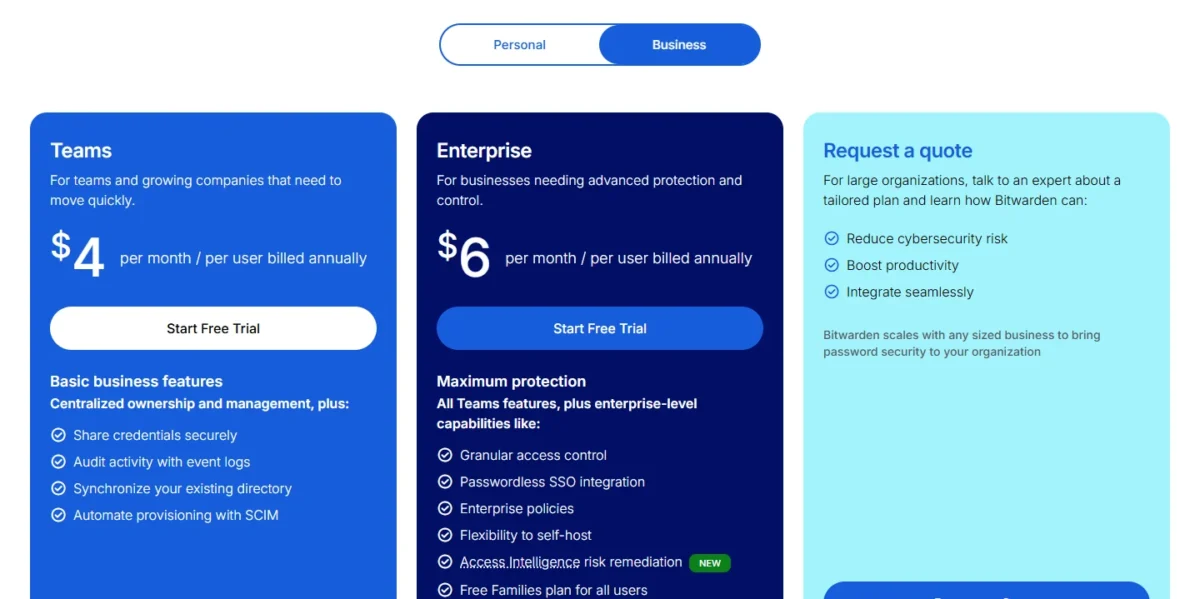
Bitwarden Teams includes directory sync and SCIM, which NordPass holds for Enterprise.
Limit: SSO login needs Bitwarden Enterprise, a cent above NordPass Enterprise per user
1Password
Best for: teams of 11 to 20
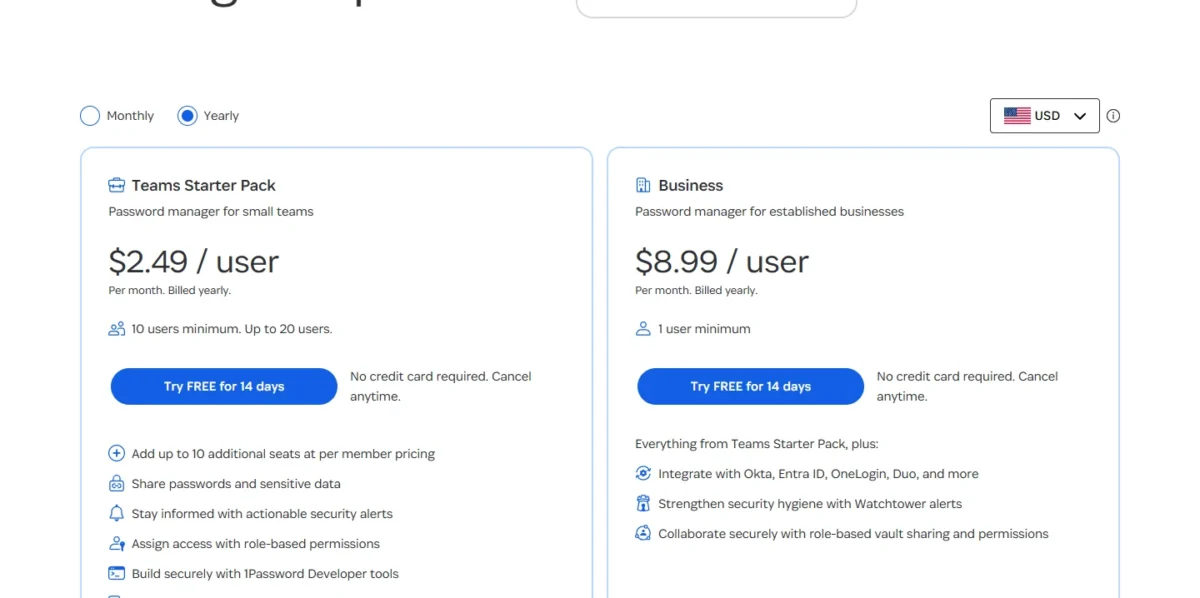
The Teams Starter Pack covers 10 members and adds up to 10 more seats, where NordPass Teams stops at a 10-user pack.
Limit: SSO needs 1Password Business, which costs more per user than NordPass Enterprise

Keeper
Best for: delegated admin across departments
Keeper Business adds delegated administration by department, at nearly the same price as NordPass Business.
Limit: SCIM and SAML SSO need Keeper Enterprise, a cent above NordPass Enterprise per user

Proton Pass
Best for: privacy-first teams that need SSO
Pass Professional includes SSO and SCIM for a dollar less per user per month than NordPass Enterprise.
Limit: Pass Essentials has no SSO, while NordPass Teams includes Google Workspace SSO
In This Article (16 sections)
NordPass Alternatives Compared
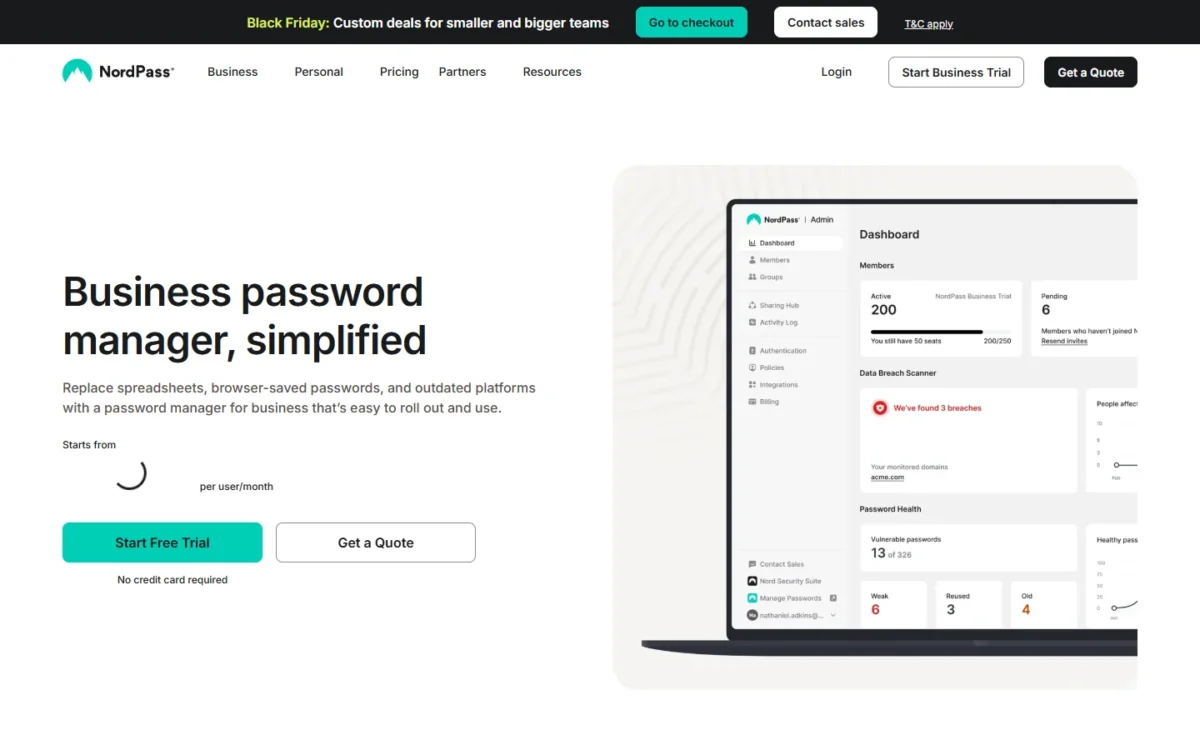
NordPass is the benchmark row; each alternative shows its lowest team plan, with the unit and billing its pricing page prints, except LastPass, whose row shows Business.
| Software | Best for | Starting price | Main advantage | What you give up | Switching note |
|---|---|---|---|---|---|
| NordPass | Google Workspace teams of about 10 | $1.99 per user per month, 1-year plan, 10-user pack | Google Workspace SSO on Teams | Benchmark | Benchmark |
| Bitwarden | SCIM provisioning below Enterprise pricing | $4 per user per month, billed annually | Directory sync and SCIM on Teams | SSO needs Enterprise at $6 | Edit the CSV to a supported format |
| 1Password | Teams of 11 to 20 | $24.95 per month for 10 members, billed annually | A pack that grows to 20 seats | SSO needs Business at $8.99 per user | CSV import |
| Keeper | Delegated admin across departments | $2.00 per user per month, billed annually, 5 to 10 users | Delegated administration on Business at $4.00 | SCIM and SSO need Enterprise at $6.00 | Text-file import |
| Proton Pass | Privacy-first teams that need SSO | $1.99 per user per month, billed yearly | SSO and SCIM on Pass Professional at $4.99 | Pass Essentials has no SSO | NordPass importer |
| RoboForm | SSO and SCIM on one Business plan | $3.33 per user per month, billed annually | SSO and SCIM in one plan | Self-hosting only for 1,000+ users | NordPass import option |
| Zoho Vault | Zoho, Google Workspace and Microsoft 365 teams on a budget | $0.90 per user per month, billed annually | User provisioning on the entry plan | Groups need Professional at $4.50, Okta needs Enterprise at $7.20 | Import tool; confirm the columns |
| LastPass | SSO into other business apps | $7 per user per month (Business) | SSO for 3 apps on Business | A higher per-user price | Generic CSV import |
| Dashlane | Credential-risk monitoring beyond the vault | $8 per user per month for Password Management (the vault), billed annually | A separate risk-detection package at $4 | A higher per-user price; Credential Protection alone has no vault | CSV import |
| TeamPassword | Teams under 10 people | $2.41 per user per month, billed annually | 3-user minimum | No SCIM; Entra ID SSO needs Enterprise at $5.25 | CSV or XLSX import |
| Passbolt | Self-hosted, open-source sharing | Free Community edition; Pro $4.90 per user per month, billed annually | The vault runs on your servers | You run the server; Pro needs 10 users | csv or kdbx import |
Sources: NordPass plans, Bitwarden pricing, 1Password pricing, Keeper pricing, Proton Pass pricing, RoboForm pricing, Zoho Vault pricing, LastPass Business, Dashlane pricing, TeamPassword pricing and Passbolt pricing, checked Nov 2026.
The entry plan rarely buys the feature that pushes a team off NordPass, so the next table prices each tool’s plan with identity-provider SSO at two team sizes.
| Software | Plan with SSO | Per user per month | 10 users x 12 months | 25 users x 12 months |
|---|---|---|---|---|
| NordPass | Enterprise (Entra ID, Okta) | $5.99, 1-year plan | $718.80 | $1,797 |
| RoboForm | Business (identity providers not named) | $3.33 | $399.60 | $999 |
| Passbolt | Pro, self-hosted | $4.90 | $588 | $1,470 |
| Proton Pass | Pass Professional | $4.99 | $598.80 | $1,497 |
| TeamPassword | Enterprise (Entra ID) | $5.25 | $630 | $1,575 |
| Bitwarden | Enterprise | $6 | $720 | $1,800 |
| Keeper | Enterprise | $6.00 | $720 | $1,800 |
| LastPass | Business | $7 | $840 | $2,100 |
| Zoho Vault | Enterprise (Okta, OneLogin) | $7.20 | $864 | $2,160 |
| Dashlane | Omnix Password Management | $8 | $960 | $2,400 |
| 1Password | Business | $8.99 | $1,078.80 | $2,697 |
Sources: NordPass plans and the vendor pricing pages linked under the first table, checked Nov 2026.
Four alternatives undercut NordPass Enterprise at both sizes: RoboForm, whose pricing page does not name the identity providers it supports, Passbolt Pro, Proton Pass and, for Entra ID only, TeamPassword. Bitwarden and Keeper Enterprise cost a cent more per user, so the reason to pick either is what their cheaper plans include.
How I Evaluated the Alternatives
Every tool had to offer a team plan with an admin console, team sharing and a published per-user price. Each pick is matched to one NordPass limit or need, named in its heading, and judged on the same seven criteria: the SSO plan, automated provisioning, per-user price at 10 and 25 seats, sharing model, admin controls, migration from NordPass’s CSV export, and self-hosting.
The evidence is each vendor’s official pricing, plan and help pages, read on November 19, 2026, plus my analysis of those facts.
Why Teams Look Beyond NordPass
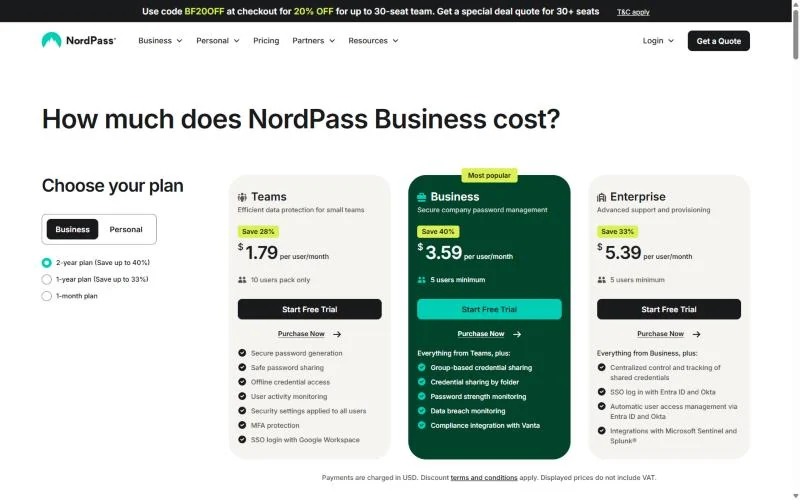
The downsides of NordPass for a team are four plan limits: the 10-user Teams pack, Entra ID and Okta SSO held for Enterprise, group sharing that starts on Business, and the cost of paying monthly.
The 10-user pack. Teams is sold as a “10 users pack only”. A four-person team pays the whole pack, $1.99 x 10 x 12 = $238.80 a year on the 1-year plan, and an 11th hire forces a move to Business, where 12 people cost $3.99 x 12 x 12 = $574.56.
The pack is a seat block, and seat minimums and seat blocks raise the real per-user price for any team smaller than the block. TeamPassword and Proton Pass start at 3 users instead.
SSO and provisioning. Teams and Business include SSO login with Google Workspace. SSO with Entra ID and Okta, and automatic user access management through them, sit on Enterprise with a 5-user minimum. Bitwarden Teams, RoboForm Business and Proton Pass Professional all include SCIM below that price.
Group sharing. Group-based credential sharing and credential sharing by folder start on Business, so a 10-person Teams customer with departments has to upgrade. Business costs $3.99 per user per month on the 1-year plan, about the same as Bitwarden Teams at $4 or Keeper Business at $4.00, which share by group or team folder, so this limit alone does not pay for a move. A small team that wants groups for less can look at TeamPassword Standard, which lists unlimited shared groups at $2.41 per user per month, billed annually.
Monthly billing. Business costs $5.99 per user per month billed monthly, against $3.99 on the 1-year plan and $3.59 on the 2-year plan, and Enterprise costs $7.99 billed monthly. That premium hits a team that will not prepay a year. Billed monthly, TeamPassword Standard costs $2.88 per user per month, and Proton Pass Professional, with SSO and SCIM, costs $6.99.
The Enterprise gate is the limit I would switch over. The pack hurts only small teams and the monthly premium disappears if you prepay, but a 25-person Okta or Entra ID team pays $5.99 x 25 x 12 = $1,797 a year for provisioning that Bitwarden Teams includes at $4 x 25 x 12 = $1,200.
1. Bitwarden: Best NordPass Alternative for SCIM Provisioning Below Enterprise Pricing
- Best for: automating onboarding and offboarding without an enterprise plan
- Free trial: 14-day Enterprise trial for testing SSO
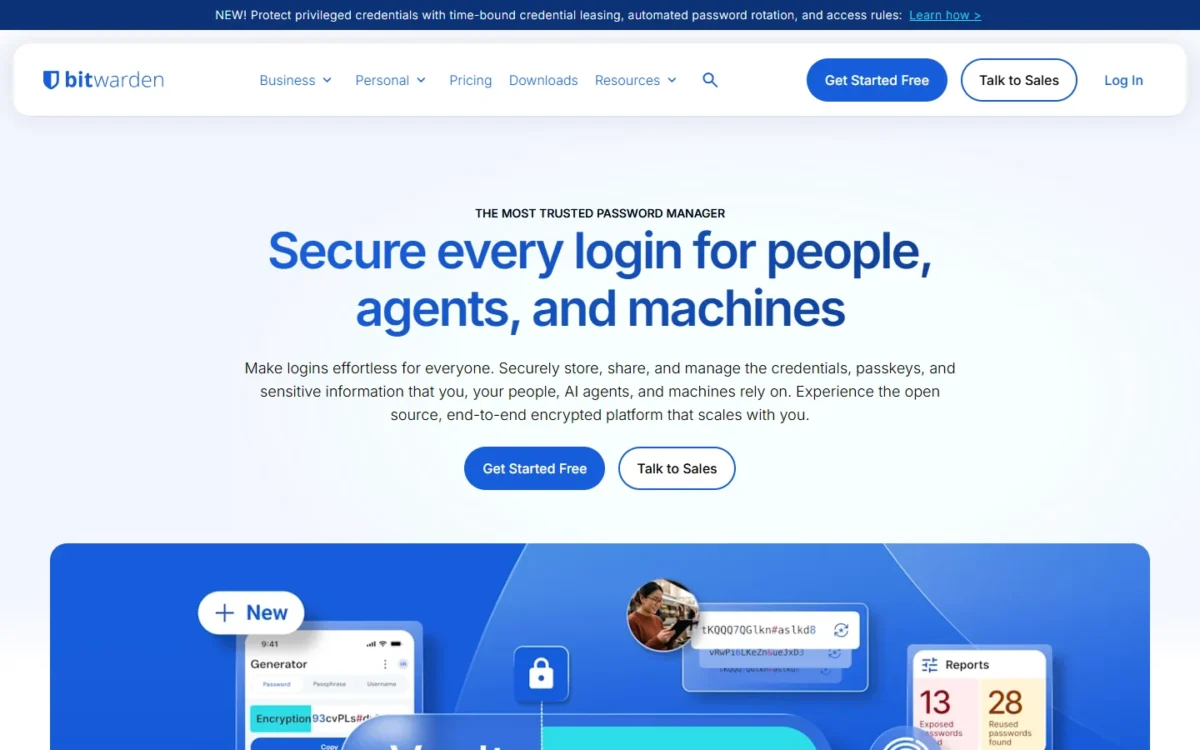
Bitwarden moves automated provisioning down a tier. Its Teams plan includes directory sync and SCIM, the two features NordPass holds for Enterprise, so it fits a team with regular joiners and leavers. The trade-off: logging in through your identity provider still needs Bitwarden Enterprise, a limit my Bitwarden review covers.
With SCIM, your identity provider creates and manages Bitwarden users. Enterprise adds SSO over SAML 2.0 or OpenID Connect and a self-host option.
Where Bitwarden may be better
- SCIM and directory sync on Teams; NordPass puts user provisioning on Enterprise
- Enterprise can run on your own server
- Open source security in every account
Where NordPass may be better
- Teams at $1.99 per user on the 1-year plan costs about half of Bitwarden Teams
- NordPass Business includes a Vanta integration
Ten users on Bitwarden Teams pay $4 x 10 x 12 = $480 a year. The saving against NordPass Enterprise holds only if SCIM without SSO is enough.
| Plan | Price | Billing | Key limit |
|---|---|---|---|
| Teams | $4 per user per month | Annual | No SSO or enterprise policies |
| Enterprise | $6 per user per month | Annual | Self-hosting is optional |
Sources: Bitwarden pricing, checked Nov 2026.
Bitwarden’s import tool takes any export you edit to a supported format, so reshape the NordPass CSV.
- Skip it if:
- your team already pays NordPass Enterprise for Okta or Entra ID SSO. Bitwarden Enterprise costs a cent more per user; Proton Pass is the cheaper route to SSO, and my NordPass vs Bitwarden comparison puts Bitwarden beside NordPass.
2. 1Password: Best NordPass Alternative for Teams of 11 to 20
- Best for: growing teams that would otherwise move to NordPass Business
- Free trial: 14 days, no credit card required
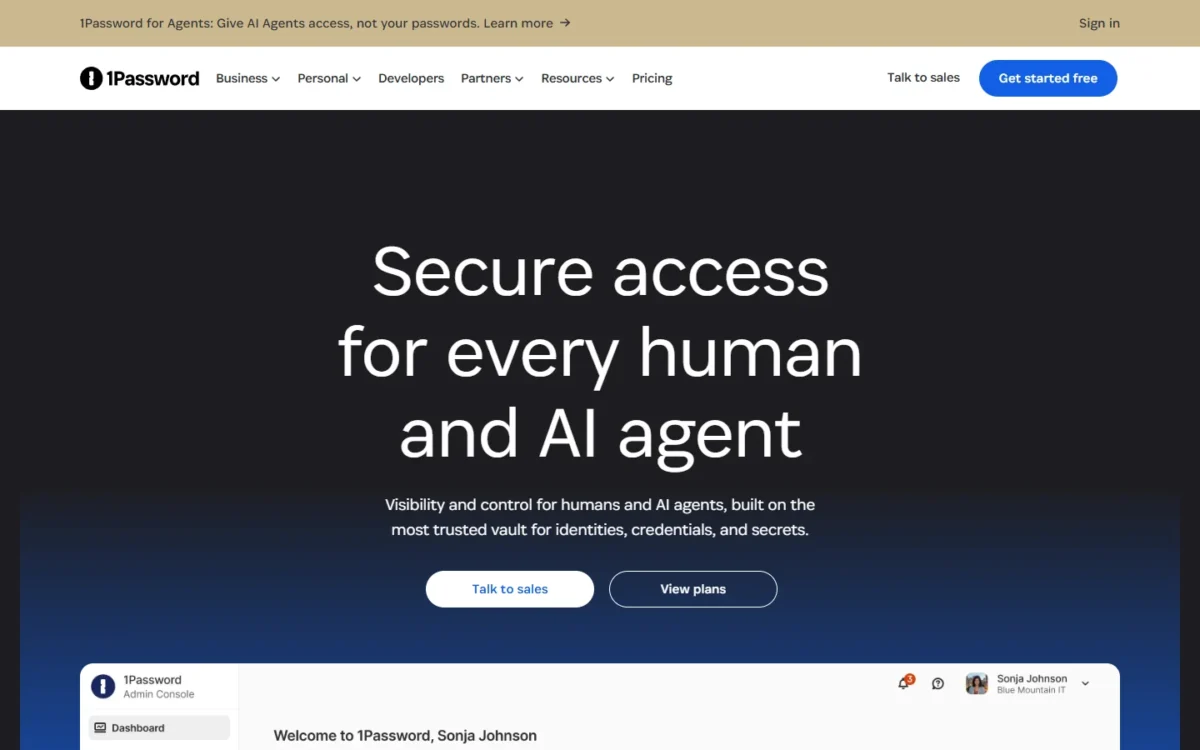
NordPass’s pack stops at 10 seats; 1Password’s keeps going to 20. The Teams Starter Pack covers its members for a flat monthly price and lets you add seats, where NordPass sends a growing team to Business. The trade-off comes when you outgrow the pack or need SSO: Business is priced per user, which my NordPass vs 1Password comparison works out by team size.
Fifteen people pay $24.95 + 5 x $4.99 = $49.90 a month on the pack, billed annually; on NordPass Business they pay $3.99 x 15 = $59.85 on the 1-year plan.
Where 1Password may be better
- Seats can be added to the pack; NordPass Teams cannot grow
- Guest accounts restricted to specific vaults
- On Business, at $8.99 per user per month, provisioning from Google Workspace, Rippling and JumpCloud as well as Okta
Where NordPass may be better
- Okta or Entra ID SSO costs less per user on NordPass Enterprise than on 1Password Business
- For exactly ten users, NordPass Teams costs less than the Starter Pack
On NordPass’s 1-year plan, NordPass Teams is cheaper for exactly ten people and the annually billed Starter Pack for 11 to 20. On the 2-year plan, NordPass Business undercuts the pack at 20 users: $3.59 x 20 = $71.80 a month against $74.85.
| Plan | Price | Billing | Key limit |
|---|---|---|---|
| Teams Starter Pack | $24.95 per month for 10 members | Annual | Up to 20 users; extra seats $4.99 each per month |
| Business | $8.99 per user per month | Annual | 1 user minimum |
Sources: 1Password pricing, checked Nov 2026.
1Password’s import guide moves logins, credit cards and secure notes from a CSV file on 1Password.com.
- Skip it if:
- you need Okta or Entra ID SSO and price leads. 1Password Business costs more per user than NordPass Enterprise, and Proton Pass costs less than both.
3. Keeper: Best NordPass Alternative for Delegated Admin Across Departments
- Best for: companies where department heads manage their own users
- Certifications: SOC 2 Type 2, SOC 3 and ISO 27001
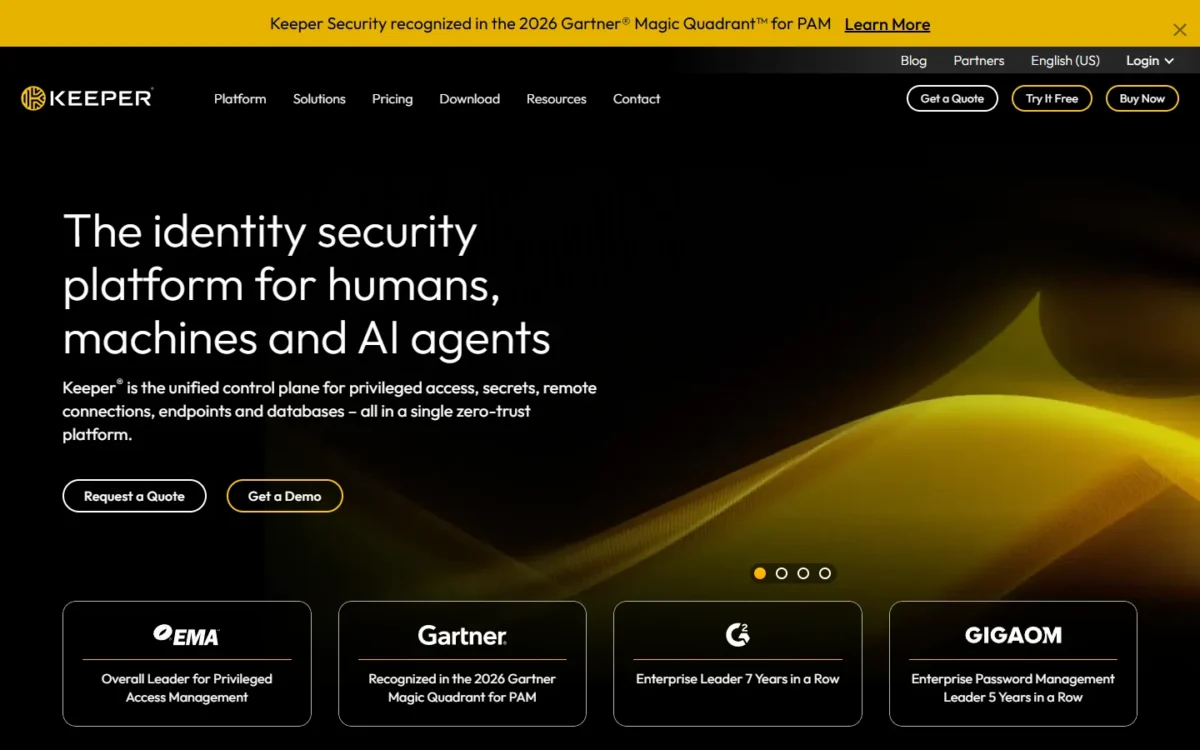
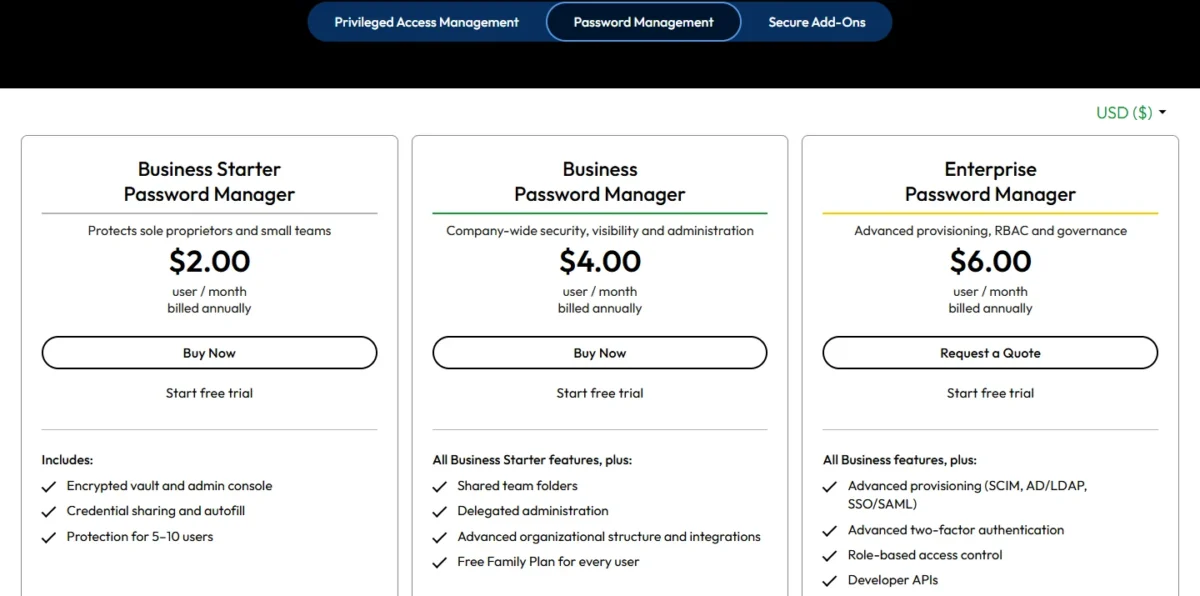
One admin for everything stops working once finance, sales and engineering each have their own joiners. Keeper Business adds delegated administration: sub-administrators handle user onboarding and policy enforcement for a department or subsidiary. For a company split into departments, that feature is the reason to pick Keeper Business, at $4.00 per user per month, billed annually. The trade-off: SCIM, AD/LDAP sync and SAML SSO are Enterprise features.
Vault transfer moves an employee’s vault when they leave, and One-Time Share sends a credential to a contractor without a Keeper account.
Where Keeper may be better
- Delegated administration by department or subsidiary on Business
- Business Starter bills 5 to 10 actual users; NordPass Teams bills a 10-user pack
- Enterprise integrates with Entra ID, Okta, Ping and other identity providers
Where NordPass may be better
- For ten users with one admin, NordPass Teams costs about half of Keeper Business
- A 2-year plan lowers NordPass Business to $3.59 per user
Business Starter covers 5 to 10 users; delegated administration starts on Business.
| Plan | Price | Billing | Key limit |
|---|---|---|---|
| Business Starter | $2.00 per user per month | Annual | 5 to 10 users |
| Business | $4.00 per user per month | Annual | No SCIM or SAML SSO |
| Enterprise | $6.00 per user per month | Annual | Advanced reporting is an add-on |
Sources: Keeper pricing, checked Nov 2026.
Keeper’s import guide offers a text-file route (.csv, .xls, .tsv); use it for the NordPass CSV.
- Skip it if:
- one person administers about 10 users. You would pay for delegation nobody uses; stay on NordPass Teams, or take TeamPassword below nine people.
4. Proton Pass: Best NordPass Alternative for Privacy-First Teams That Need SSO
- Best for: small teams that want SSO and SCIM below NordPass Enterprise’s price
- Minimum and trial: 3 users; 14-day free trial
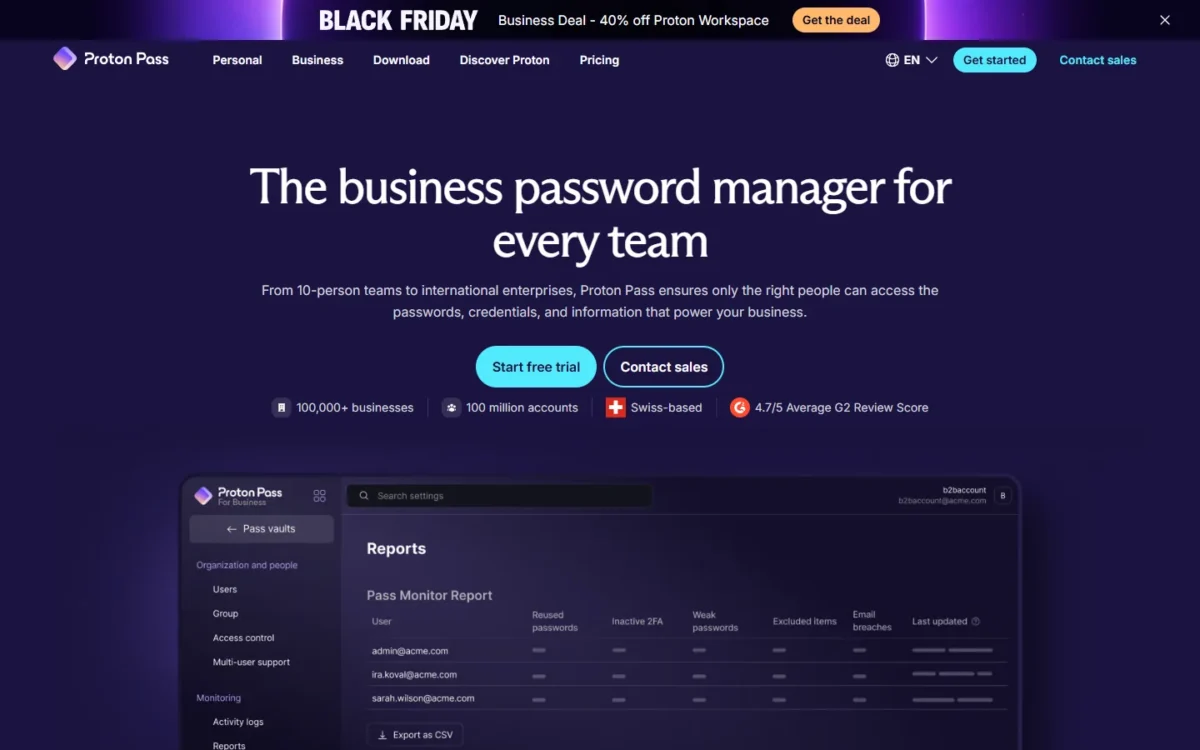
Proton Pass is the direct answer to NordPass’s Enterprise gate on price, a gate described in my NordPass review. Its Professional plan puts SSO and SCIM below NordPass Enterprise’s 1-year price, with a 3-user minimum instead of 5. Proton positions it as a privacy-first business password manager with end-to-end encryption. The trade-off sits one tier down: Pass Essentials has no SSO.
Professional also carries group sharing, detailed activity logs and enterprise policies, which my password manager for business ranking weighs by team job. Essentials covers a team that only shares vaults, with dark web monitoring, a password health check and passkey support.
Where Proton Pass may be better
- SSO and SCIM at $4.99 per user on yearly billing against $5.99 on NordPass Enterprise’s 1-year plan
- Group sharing and SIEM integration on the same Professional plan
Where NordPass may be better
- ISO 27001 and SOC 2 Type 2 certification and a Vanta integration
- Google Workspace SSO on Teams; Proton Pass starts SSO on Professional
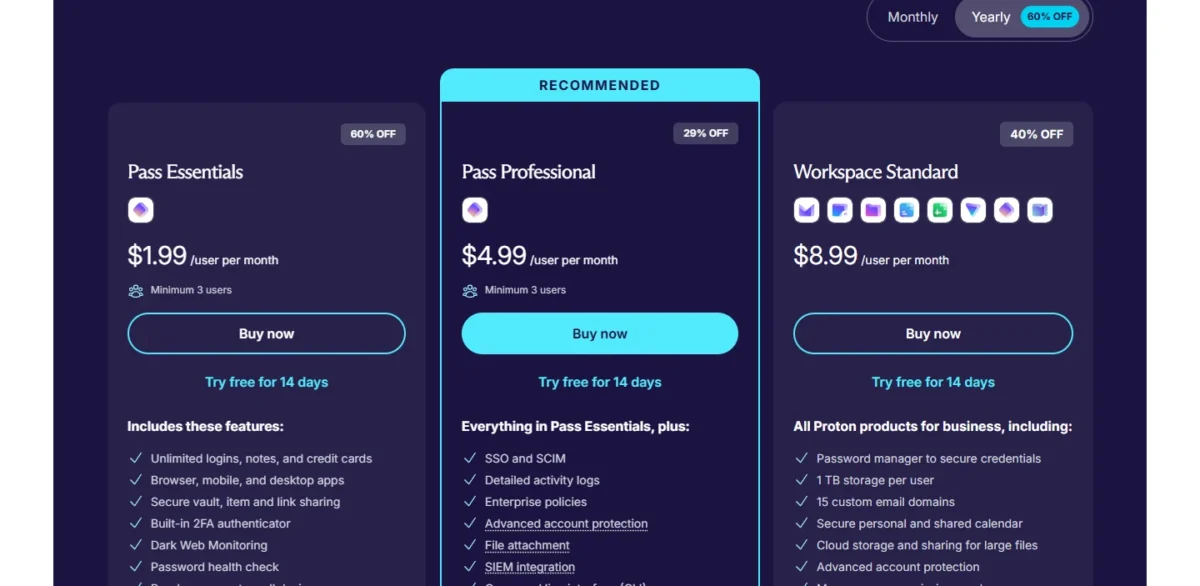
Ten users on Pass Professional pay $4.99 x 10 x 12 = $598.80 a year; paying monthly raises the price to $6.99, so the saving depends on a one-year commitment.
| Plan | Price | Billing | Key limit |
|---|---|---|---|
| Pass Essentials | $1.99 per user per month | Yearly; $4.99 billed monthly | No SSO or SCIM |
| Pass Professional | $4.99 per user per month | Yearly; $6.99 billed monthly | 3 users minimum |
Sources: Proton Pass pricing, checked Nov 2026.
Proton publishes a NordPass import guide: export the .csv from NordPass, then choose Import in the Proton Pass browser extension’s settings and pick NordPass. You select the destination vault during the import, so create shared vaults first, once my NordPass vs Proton Pass comparison has settled the switch.
- Skip it if:
- your audit preparation depends on NordPass’s Vanta integration. Stay on NordPass Business; for self-hosting, go to Passbolt.
5. RoboForm: Best NordPass Alternative for SSO and SCIM on One Business Plan
- Best for: cost-led teams that want SSO and SCIM without choosing a tier
- Import from NordPass: a dedicated NordPass import option
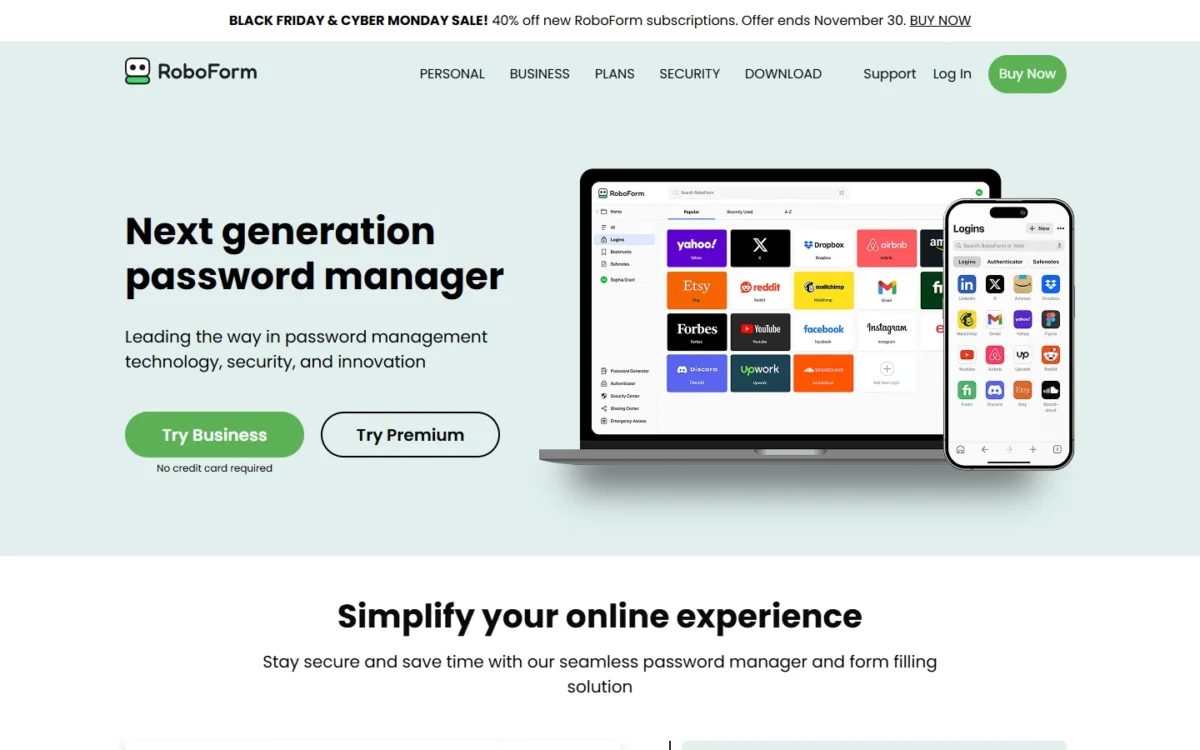
RoboForm removes the tier decision. Its single Business plan includes SSO integration, SCIM provisioning, role-based access control and detailed activity logs, while NordPass keeps SSO with Entra ID and Okta and automatic user access management for Enterprise. RoboForm Business, at $3.33 per user per month billed annually, is the lowest line in the cost table above. The trade-off is detail: RoboForm’s pricing page does not name the identity providers it supports, so confirm yours in the free trial.
Each user gets separate personal and work vaults, which keeps private logins out of company data when someone leaves.
Where RoboForm may be better
- SSO integration and SCIM provisioning at $3.33 per user against $5.99 on NordPass Enterprise
- Sold “for teams and businesses of any size”, with no pack
Where NordPass may be better
- NordPass Teams is cheaper when Google Workspace SSO is all you need
- Its identity providers are named: Google Workspace, Entra ID and Okta
At the regular price, 10 users pay $3.33 x 10 x 12 = $399.60 a year. In November 2026 a Black Friday sale for new subscriptions cut the first year to $23.97, ending November 30; budget on the $39.95 renewal.
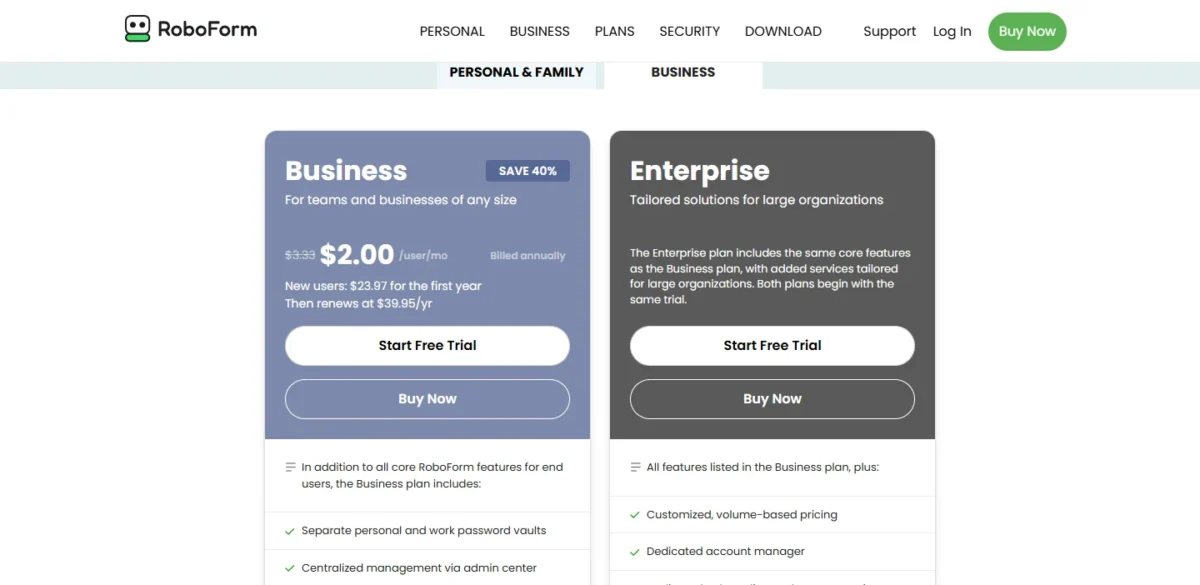
- Business: $3.33 per user per month, billed annually; renews at $39.95 a year
- Enterprise: customized, volume-based pricing
Sources: RoboForm pricing, checked Nov 2026.
RoboForm’s NordPass import article gives the route: export the CSV from the NordPass Web Vault, then choose Import on the RoboForm Start Page and select NordPass.
- Skip it if:
- you want SSO protocols documented before a trial. Bitwarden names SAML 2.0 and OpenID Connect, and Keeper names Entra ID, Okta and Ping.
6. Zoho Vault: Best NordPass Alternative for Zoho, Google Workspace and Microsoft 365 Teams on a Budget
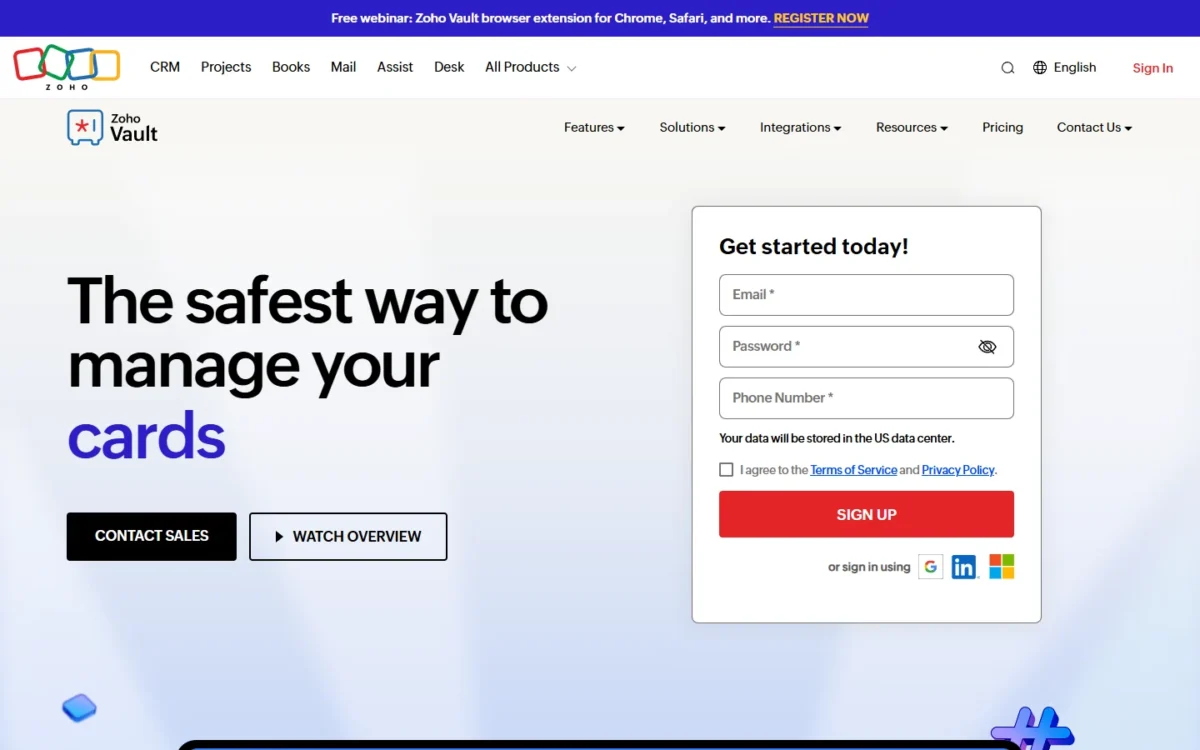
- Best for: budget teams on Google Workspace, Microsoft 365 or Zoho apps
- Free trial: 15 days of Enterprise, up to five users
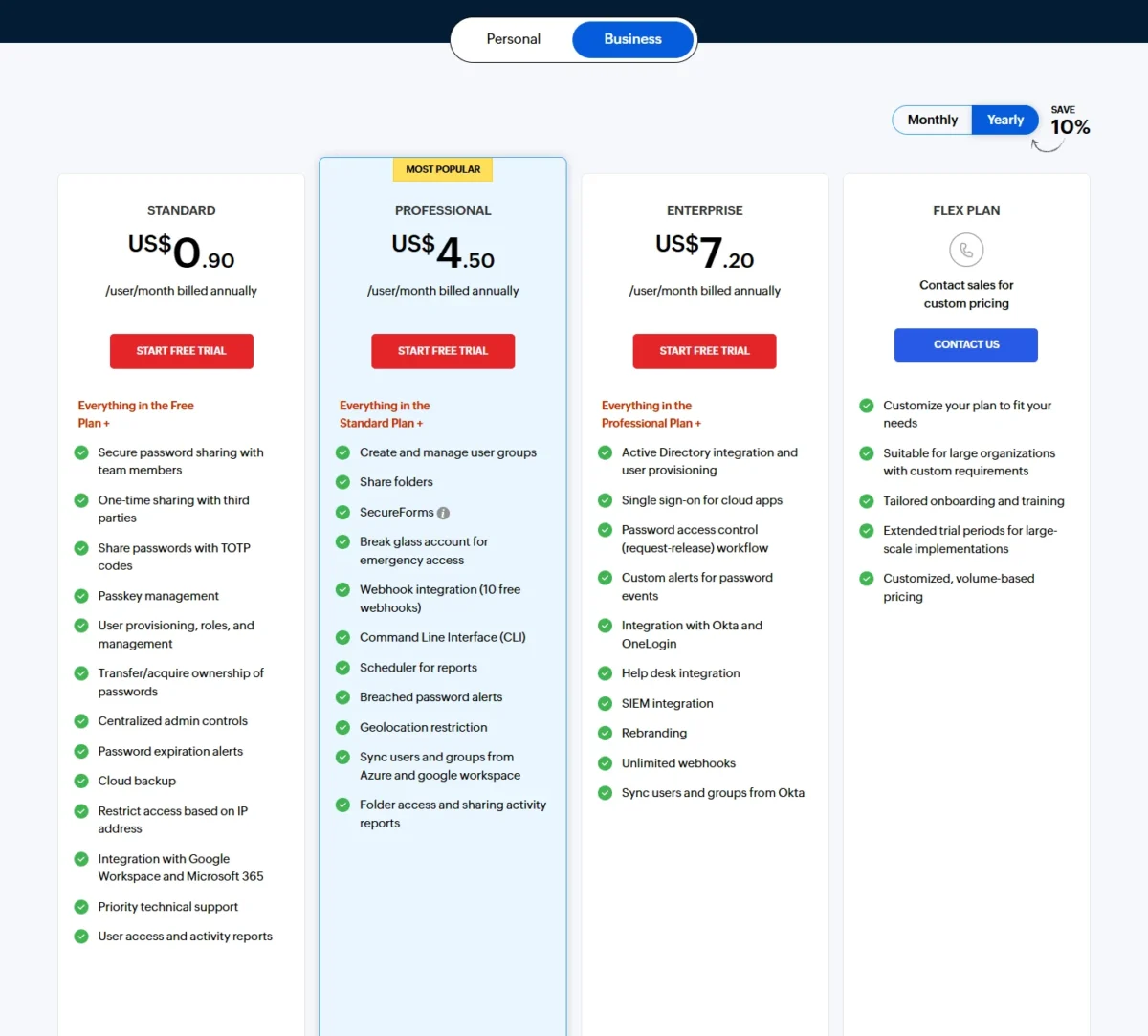
Ninety cents a user buys more admin than you would expect, and less sharing structure. Zoho Vault Standard includes password sharing with team members, user provisioning, ownership transfer and integration with Google Workspace and Microsoft 365. The trade-off arrives with departments: user groups and folder sharing start on Professional, which costs more than NordPass Business.
Enterprise adds Okta and OneLogin integration, single sign-on for cloud apps and a password request-release workflow with help desk integration. That combination matters to IT teams that already handle access requests in ITSM software.
Where Zoho Vault may be better
- Standard includes user provisioning at $0.90 per user; NordPass Teams is $1.99 in a 10-user pack
- A request-release workflow for password access on Enterprise
Where NordPass may be better
- Group and folder sharing cost less on NordPass Business than on Zoho Vault Professional
- Okta SSO costs less on NordPass Enterprise than on Zoho Vault Enterprise
Ten users on Enterprise pay $7.20 x 10 x 12 = $864 a year, so Zoho Vault beats NordPass on price only below the SSO tier.
| Plan | Price | Billing | Key limit |
|---|---|---|---|
| Standard | $0.90 per user per month | Annual | No user groups or folder sharing |
| Professional | $4.50 per user per month | Annual | 5 users minimum |
| Enterprise | $7.20 per user per month | Annual | 5 users minimum |
Sources: Zoho Vault pricing, checked Nov 2026.
Zoho Vault includes an “Import passwords” tool. Use the trial to confirm which columns of the NordPass CSV it maps.
- Skip it if:
- Okta SSO is all you need. NordPass Enterprise costs less per user for that, and Proton Pass costs less than both.
7. LastPass: Best NordPass Alternative for SSO Into Other Business Apps
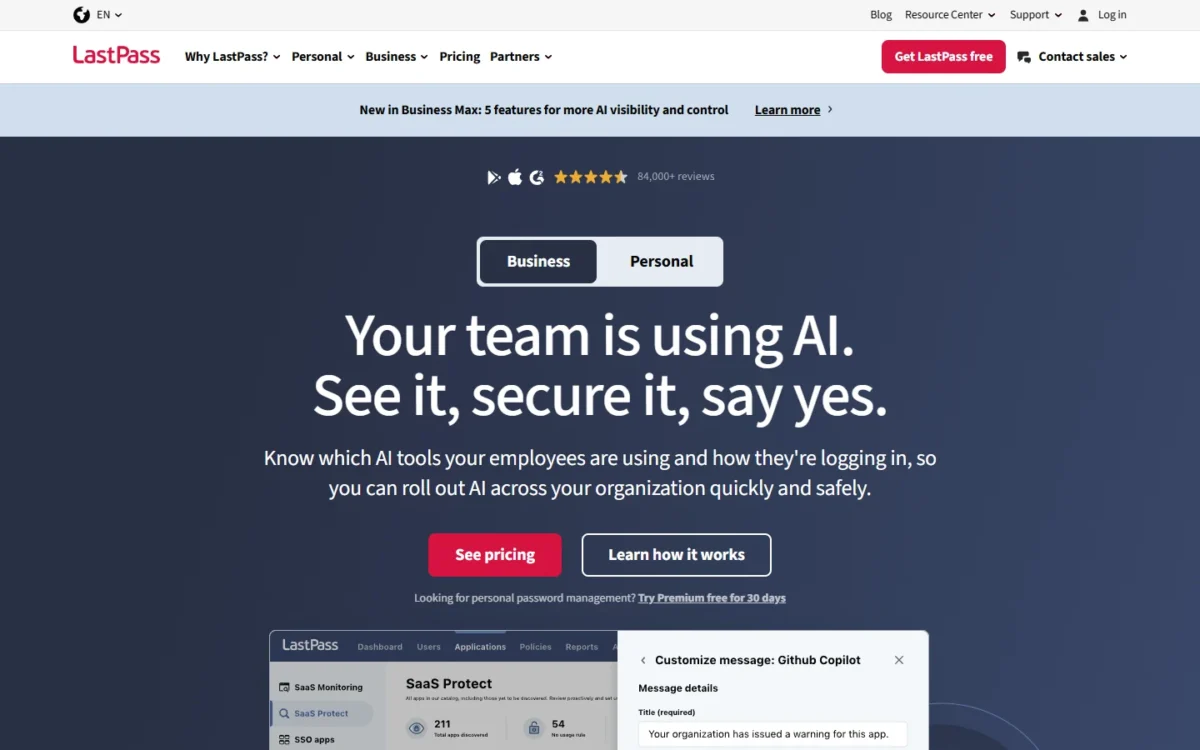
- Best for: teams that want the password manager to double as SSO for a few apps
- Free trial: 14 days of Business, no credit card required
LastPass is the pick when the password manager should also sign people in to other apps. Its Business plan includes directory integrations, federated login and SSO for three apps, and Business Max makes the number of SSO apps unlimited. NordPass’s SSO, by contrast, is a way to log in to NordPass. The trade-off is price: LastPass Business costs more per user than NordPass Enterprise.
Directory integrations cover Microsoft Active Directory, Microsoft Entra ID, Google Workspace, OneLogin and Okta, and they automate account provisioning, group management and policies.
Where LastPass may be better
- SSO for three apps on Business, unlimited on Business Max
- Five named directories for provisioning; NordPass names Entra ID and Okta
Where NordPass may be better
- Entra ID and Okta SSO with provisioning cost less per user on NordPass Enterprise
- Group and folder sharing on the lower-priced Business plan
LastPass’s Business page gives $7 per user per month after the 14-day trial, on a plan card marked “billed annually”; 10 users pay $7 x 10 x 12 = $840 a year.
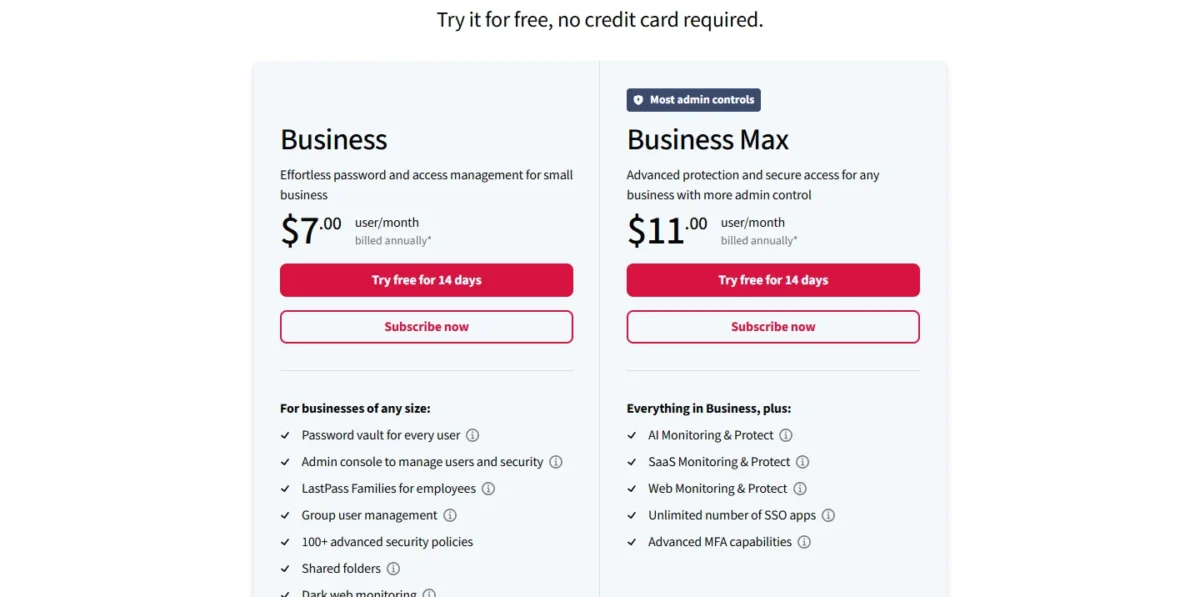
- Teams: up to 50 users; no directory integrations
- Business: $7 per user per month; SSO for 3 apps
- Business Max: unlimited SSO apps and advanced MFA
Sources: LastPass Business and LastPass pricing, checked Nov 2026.
LastPass’s generic CSV import takes passwords and notes from any password manager if the file follows its format, so reshape the NordPass export. Custom item types and custom fields do not import.
- Skip it if:
- people only need to log in to the vault with Okta or Entra ID. NordPass Enterprise does that for less, and Proton Pass Professional for less again.
8. Dashlane: Best NordPass Alternative for Credential-Risk Monitoring Beyond the Vault
- Best for: security-led teams that want risky logins flagged outside SSO
- Replaces: the vault, with Omnix Password Management; Credential Protection is a partial replacement with no vault
- Free trial: 14 days
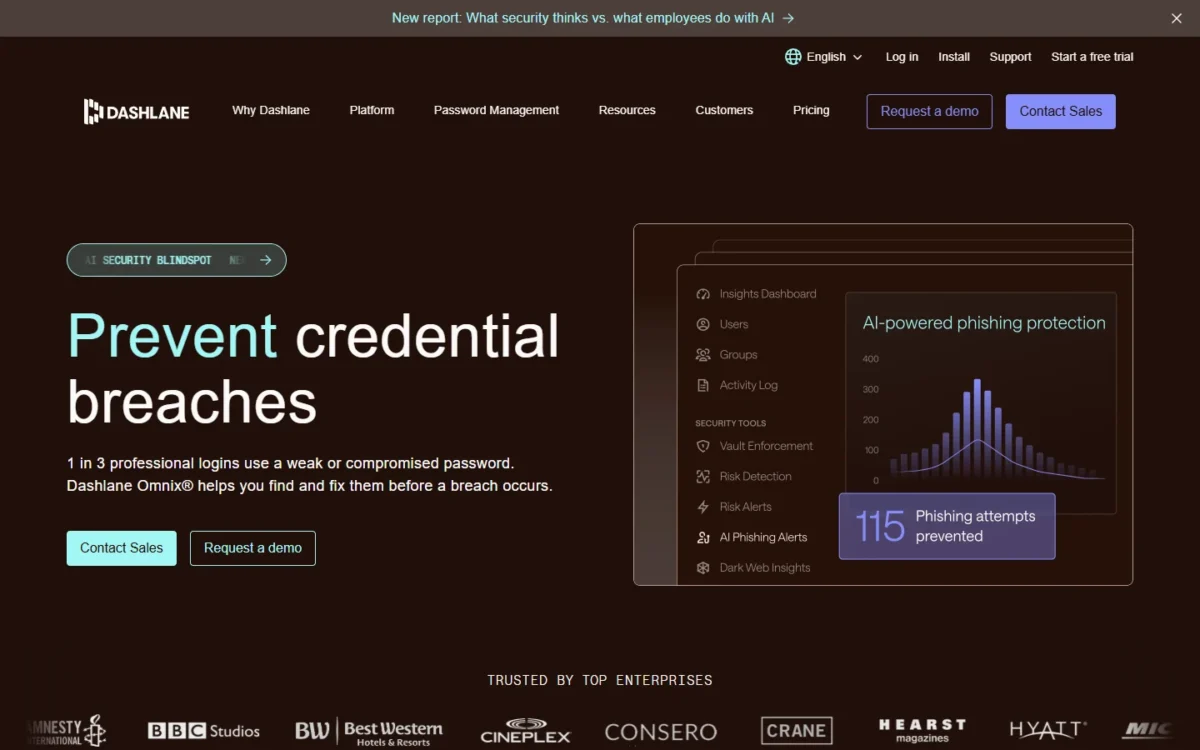
Dashlane makes sense over NordPass only if credential risk, not password storage, is your problem. Omnix Password Management covers the vault, sharing, admin policies and SSO and SCIM integrations, which my Dashlane review for small teams explains. The separate Credential Protection package monitors employee logins across web domains, including those outside SSO, for weak, reused or compromised passwords. It includes no vault, so by itself it replaces only part of NordPass.
Where Dashlane may be better
- Credential Risk Detection watches logins on domains outside SSO
- AI phishing detection in the browser
Where NordPass may be better
- NordPass Enterprise adds Entra ID and Okta SSO at $5.99 per user, below Omnix Password Management’s $8
- NordPass Business has group-based sharing and data breach monitoring
Dashlane bills both packages annually. For 25 users, Omnix Password Management, the package with the vault and SSO and SCIM integrations, costs $8 x 25 x 12 = $2,400 a year. Risk detection is the separate Omnix Credential Protection package at $4 per user per month, and Omnix Enterprise bundles the two for organizations with more than 50 users.
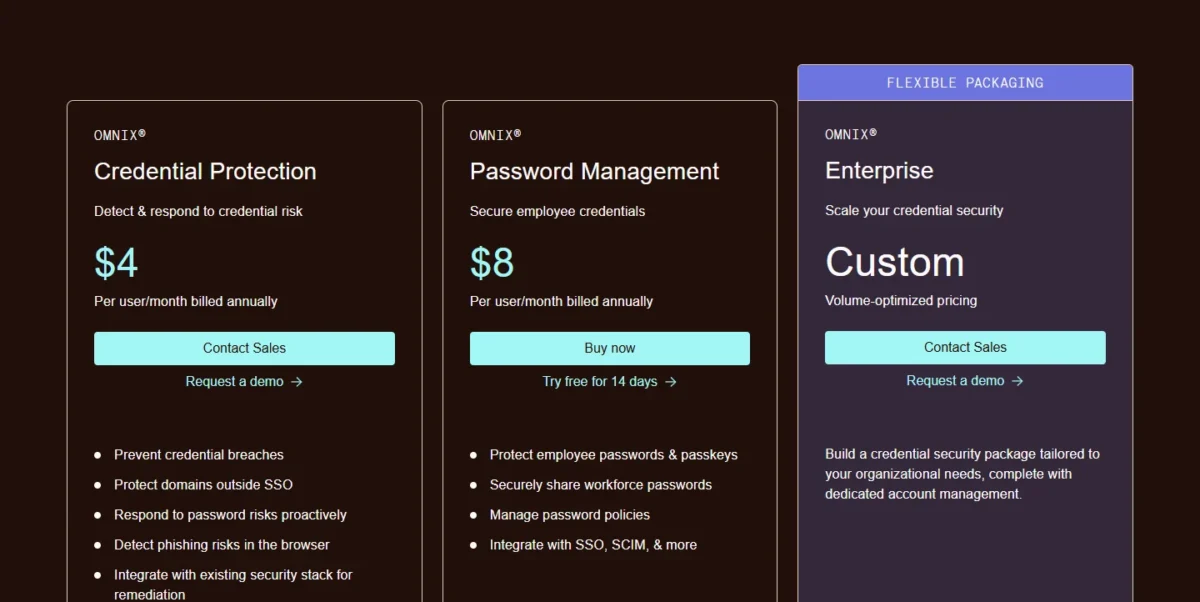
- Dashlane Omnix Password Management: $8 per user per month
- Dashlane Omnix Credential Protection: $4 per user per month; no vault
- Dashlane Omnix Enterprise: custom, volume-optimized pricing
Sources: Dashlane pricing, checked Nov 2026.
Dashlane’s import page allows two routes from another password manager, a CSV file or the Credential Exchange Protocol, and no special export formats, so the NordPass CSV is the path.
- Skip it if:
- you want SSO and SCIM at the lowest price. RoboForm and Proton Pass include both for much less per user.
9. TeamPassword: Best NordPass Alternative for Teams Under 10 People
- Best for: teams of 3 to 8 that would pay for unused seats in NordPass’s 10-user pack
- Sign-in policy: Google Sign-In and 2FA can be required for the whole team
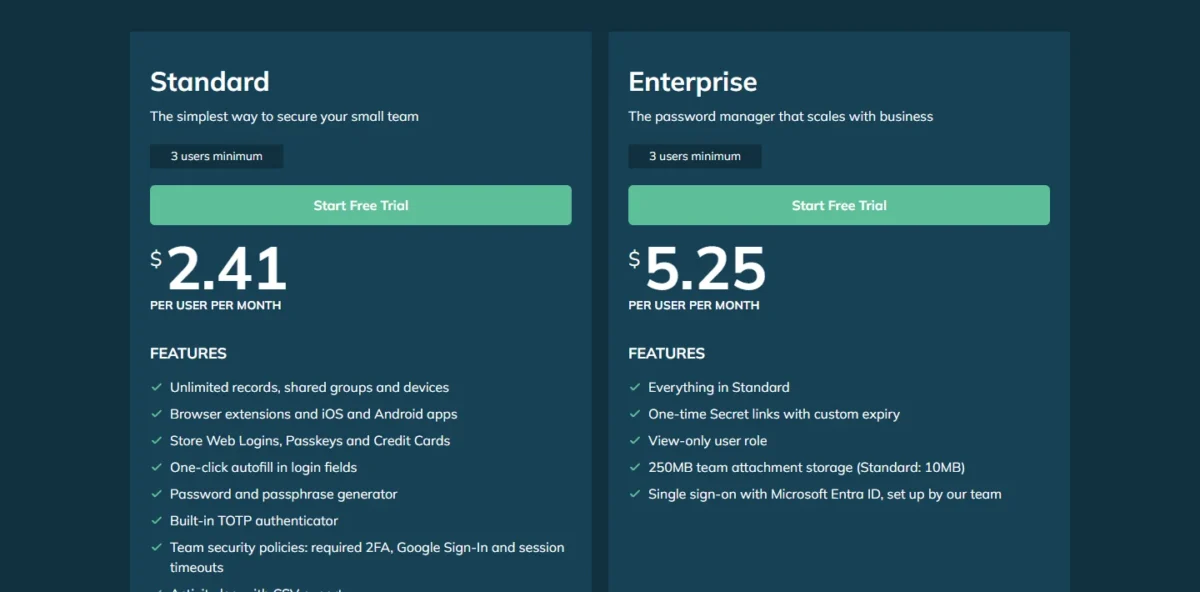
A four-person team overpays on NordPass’s 10-user pack, and TeamPassword is the fix. Standard needs only 3 users, so four people pay $2.41 x 4 x 12 = $115.68 a year, less than half of the NordPass pack. The trade-off is depth: Microsoft Entra ID SSO sits on Enterprise, and TeamPassword’s plans list no SCIM provisioning.
Standard lets an admin require Google Sign-In and two-factor authentication for the whole team, which covers the job NordPass Teams’ Google Workspace SSO does. The price advantage ends at 8 users: with a 3-user minimum, nine seats cost $2.41 x 9 x 12 = $260.28, more than the pack.
Two picks list a lower entry price: Proton Pass Essentials at $1.99 per user per month with a 3-user minimum, and Keeper Business Starter at $2.00 for 5 to 10 users. TeamPassword Standard costs more but lists unlimited shared groups, while Proton puts group sharing on Pass Professional and Keeper adds shared team folders on Business.
Where TeamPassword may be better
- A 3-user minimum; NordPass Teams is a 10-user pack and Business needs 5 users
- Unlimited shared groups on Standard; NordPass group-based sharing starts on Business
Where NordPass may be better
- NordPass Enterprise adds automatic user access management via Entra ID and Okta
- The pack is cheaper once a team reaches nine people
TeamPassword bills the people you have; paying monthly raises Standard to $2.88 and Enterprise to $6.30 per user. Entra ID SSO on Enterprise is set up with TeamPassword’s support team.
| Plan | Price | Billing | Key limit |
|---|---|---|---|
| Standard | $2.41 per user per month | Annual | 3 users minimum; no Entra ID SSO |
| Enterprise | $5.25 per user per month | Annual | 3 users minimum |
Sources: TeamPassword pricing, checked Nov 2026.
TeamPassword imports logins from CSV or XLSX; its Import Accounts page gives the column layout and an example template, so arrange the NordPass export to match.
- Skip it if:
- you are close to ten users, or you need SCIM. The NordPass pack is cheaper from nine seats, and Bitwarden Teams includes SCIM.
10. Passbolt: Best NordPass Alternative for Self-Hosted, Open-Source Sharing
- Best for: teams that must keep the vault on their own servers
- License: open source under AGPL V3
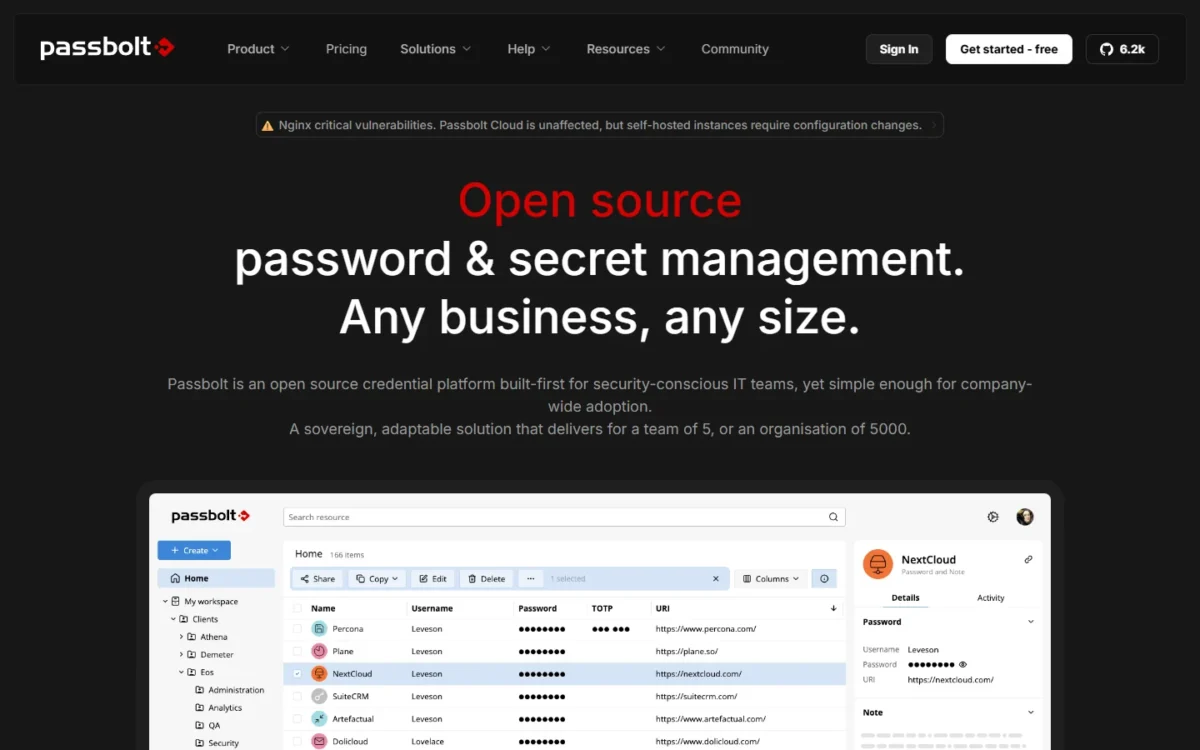
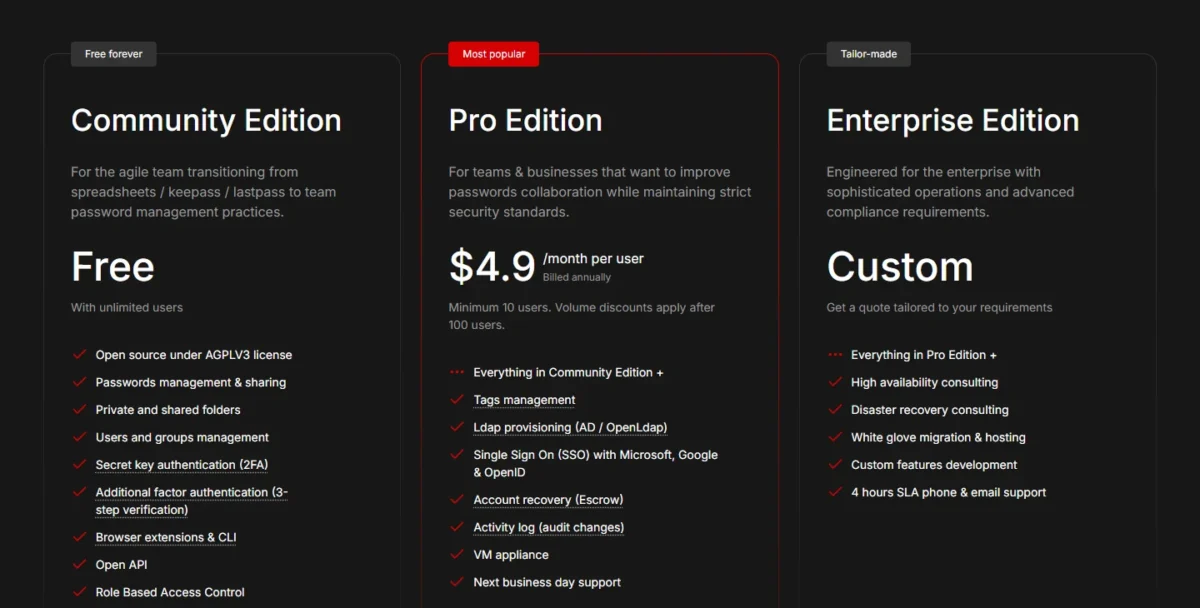
Passbolt answers a question NordPass’s plans never raise: can the vault live on your own server? The Community edition is free, self-hosted and open source, with unlimited users, shared folders, groups and role-based access control. It fits a team with a data-residency rule and someone who can run a server. The trade-off: installing, updating and backing up that server is your job.
Pro adds LDAP provisioning for Active Directory and OpenLDAP, SSO with Microsoft, Google and OpenID, SCIM and an activity log. Against Bitwarden and RoboForm, the other picks with a self-host option, the free edition is the difference: Bitwarden puts self-hosting on its Enterprise plan, and RoboForm Enterprise offers it for 1,000+ user environments.
Where Passbolt may be better
- Installed on-premises, with install scripts or a Docker container
- The Community edition is free for unlimited users
Where NordPass may be better
- SSO with Entra ID and Okta starts at 5 users; Passbolt Pro needs 10
- NordPass is ISO 27001 and SOC 2 Type 2 certified
Community costs nothing in licenses, so the bill is your server and the hours to run it. Ten users on Pro pay $4.90 x 10 x 12 = $588 a year with SSO and SCIM included.
| Plan | Price | Billing | Key limit |
|---|---|---|---|
| Community | Free | None | No LDAP provisioning, SSO or activity log |
| Pro | $4.90 per user per month | Annual | 10 users minimum |
Sources: Passbolt pricing, checked Nov 2026.
Passbolt imports csv and kdbx files in every edition, so the NordPass CSV is the route; stand up the server first.
- Skip it if:
- nobody on the team can run and patch a server. Take a cloud plan such as Bitwarden Teams instead.
Should You Stay With NordPass or Switch?
Stay on NordPass when your team fits the 10-user pack on Google Workspace, or already pays Enterprise for Okta or Entra ID; switch when the gate you hit costs more each year than the move.
Consider switching if
- You have 3 to 8 people and pay for a 10-user pack
- You have 11 to 20 people and face the move to Business
- You use Okta or Entra ID and want provisioning without Enterprise
- A rule requires the vault on your own servers
Consider staying with NordPass if
- You are about 10 people on Google Workspace, where Teams includes SSO
- You already run Enterprise with Okta or Entra ID, so a move means rebuilding a working SSO setup
- You rely on the Vanta integration for audit evidence
- You will prepay two years: Business drops to $3.59 and Enterprise to $5.39 per user
| Your priority | Alternative to consider | Reason | Trade-off |
|---|---|---|---|
| SSO and SCIM for less | Proton Pass Professional | $4.99 per user per month on yearly billing | $6.99 if you pay monthly |
| Provisioning without an enterprise plan | Bitwarden Teams | SCIM at $4 per user per month | SSO needs Enterprise at $6 |
| 11 to 20 seats | 1Password Teams Starter Pack | A flat pack that grows to 20 seats | Extra seats cost $4.99 each per month |
| 3 to 8 seats | TeamPassword Standard | A 3-user minimum | Entra ID SSO only on Enterprise |
| Department-level admins | Keeper Business | Delegated administration | SCIM and SSO need Enterprise |
| The vault on your own servers | Passbolt | A free self-hosted Community edition | You run the server |
| One admin, 10 users, Google Workspace | NordPass Teams (stay) | Google Workspace SSO at $1.99 per user per month | No group-based sharing |
Sources: NordPass plans and the pricing pages linked in each section above, checked Nov 2026.
My take
Switching is worth it when the gate you hit comes back every year. A 25-person team that needs SSO and SCIM pays ($5.99 – $4.99) x 25 x 12 = $300 a year less on Proton Pass Professional, billed yearly, than on NordPass Enterprise’s 1-year plan, so the case is strongest before that team upgrades, not after SSO already runs on NordPass. Stay if your only complaint is a spare seat in the pack; that rarely covers rebuilding shared folders and retraining people.
Migrating From NordPass
The logins travel in a CSV file; sharing, SSO and provisioning are set up again.
- Allow exports. An admin checks the “Item exporting” setting under Policies in the NordPass Business Admin Panel.
- Export the vault. Per NordPass’s export instructions, open Settings in the desktop app or WebVault, go to Import and Export, select Export, enter the master password and save the .CSV file.
- Check the import on the target. Proton Pass and RoboForm have a NordPass import option; most other picks take a CSV file, which Bitwarden asks you to edit to a supported format.
- Rebuild sharing. Recreate shared folders as vaults, collections or groups, and test whether passkeys, attachments and authenticator codes come across.
- Reconnect SSO and provisioning. Set both up in your identity provider, on the plan that includes them.
- Run a trial with sample data. Import 20 to 30 logins and one shared folder; 1Password, Proton Pass, Dashlane and LastPass give 14 days and Zoho Vault 15.
- Cut over and review access. Import the final CSV, then delete the file: NordPass warns never to send it over email. Review who still needs which login, as an employee onboarding and offboarding checklist does for every system.
- Cancel NordPass last. A Business subscription is cancelled through NordPass’s customer support and ends with the current billing cycle, followed by a 7-day grace period with access to stored data.
Also Considered
Two more products are not ranked here, because their password managers are sold in personal plans.
- Aura: identity theft protection plans for an individual, a couple or a family, with a password manager bundled in; a business buys them as per-person memberships.
- Total Password: with TotalPassword Premium, one master password unlocks a personal encrypted vault; its site offers no team sharing or admin console.
FAQ
Is NordPass still a good password manager in 2026?
Yes, for the teams its plans fit: about 10 people on Google Workspace, or an Okta or Entra ID company that accepts Enterprise pricing. NordPass holds ISO 27001 and SOC 2 Type 2 certification, and its 14-day free Business trial needs no credit card.
What is the safest password manager to use?
No pricing page can rank safety, so compare what each vendor documents. Keeper publishes zero-knowledge encryption with SOC 2 Type 2 and ISO 27001 certification, 1Password AES 256-bit encryption and SOC 2 Type II, and Bitwarden ISO 27001, SOC 2 Type II and open source code.
Is there a free NordPass alternative for teams?
Passbolt Community is the free option built for teams: self-hosted, open source and unlimited in users. Zoho Vault’s Free plan is valid forever, but password sharing with team members starts on Standard. Bitwarden’s free organizations can have up to two collections.
Which NordPass alternatives work on Android?
Most of them. 1Password has apps for macOS, iOS, watchOS, Windows, Android and Linux, and Keeper, TeamPassword and Passbolt have iOS and Android apps. Check autofill on your own phones during the trial.
Final Verdict
Pick by the reason you are leaving. If Okta or Entra ID provisioning is the gate, start a Bitwarden Teams trial for SCIM, or Proton Pass Professional if you also want SSO for less than NordPass Enterprise. If headcount is the problem, TeamPassword fits 3 to 8 people and 1Password’s Teams Starter Pack fits 11 to 20.
Keeper Business is my choice for department-level admins, RoboForm for the lowest SSO-and-SCIM price, and Passbolt for self-hosting. Zoho Vault, LastPass and Dashlane earn a place for one job each: a low entry price, SSO into other apps, and credential-risk detection.
Stay on NordPass if you are about 10 people on Google Workspace or already on Enterprise. The real work of any move is the rebuild, not the export, so run a trial with a sample of your logins and one shared folder before you cancel.