Bitwarden is worth paying for if you run a small team that needs shared, audited password storage: Teams costs $4 per user per month, billed annually, and the free plan is enough for one person. Its features split cleanly: collections, groups, SCIM and event logs on Teams; SSO and enforced policies on Enterprise.
This Bitwarden review uses list prices in USD before tax. Ten users pay $480 a year on Teams ($4 x 10 x 12) or $720 on Enterprise ($6 x 10 x 12), after a 14-day free trial.
Quick verdict
Bitwarden Teams is my pick for a growing team that syncs users from an identity provider; a two-person business can stay on the Free organization.
Skip it if you must enforce master password rules or single sign-on on the Teams budget, or if nobody will administer the vault.
Its strength is an open-source, audited, zero-knowledge vault; its biggest limit is that enterprise policies, SSO, account recovery and self-hosting need Enterprise at $6 per user.
In This Article (11 sections)
What Bitwarden Is and Who It’s For
Bitwarden Password Manager is an open-source password manager with zero-knowledge encryption. Its pricing page sells it two ways: personal plans (Free, Premium and Families) and business organizations priced per user (Teams and Enterprise).
- Category: password manager
- Best for: small teams that share credentials; individuals on the Free plan
- Starting price: $0 on Free; Premium is $19.80 a year; Teams is $4 per user per month, billed annually
- Free plan or trial: a free plan with unlimited passwords on unlimited devices; a 14-day free trial on new paid organizations
- Main limitation: enterprise policies, login with SSO and account recovery are Enterprise-only
- Platforms: browser extensions, desktop apps, web app, iOS, Android and a command line interface
An individual can stay on Bitwarden Free: the free version stores unlimited logins, notes, cards and identities in one vault on any device. Two people can share through a Free organization of two users and up to two collections.
A team of three or more needs a paid organization, and there the plan decides what an admin can enforce, not what employees see.
Bitwarden Features That Matter for Teams
Teams, at $4 per user per month billed annually, covers sharing and provisioning; Enterprise, at $6, adds enforcement, single sign-on (SSO) and account recovery. A Free organization stops much earlier, at two users and two collections, a limit I weigh in my small business password manager ranking.
| Admin job | Teams | Enterprise |
|---|---|---|
| Share logins in unlimited collections | Yes | Yes |
| Grant access in bulk with user groups | Yes | Yes |
| Provision users from an identity provider (SCIM) | Yes | Yes |
| Sync users from a directory (Directory Connector) | Yes | Yes |
| Review activity in event and audit logs | Yes | Yes |
| Script changes through the Public API | Yes | Yes |
| Require a second factor through Duo | Yes | Yes |
| Sign in through an identity provider (login with SSO) | No | Yes |
| Enforce enterprise policies | No | Yes |
| Reset a locked-out member (account recovery) | No | Yes |
| Delegate admin rights with custom roles | No | Yes |
| Self-host the server | No | Yes |
| Report credential risks (Access Intelligence) | No | Yes |
| Give each member a free Families plan | No | Yes |
Sources: Bitwarden business pricing and Password Manager plans, checked Nov 2026.
Teams has the seven sharing and provisioning rows. The seven control rows all cost the same step up: $6 – $4 = $2 more per user per month.
My take
I would settle one thing before comparing prices: the rules your team must enforce. If the list includes master password requirements, sign-in through Okta or Entra ID, or resetting a locked-out employee, you are an Enterprise customer at any headcount. Otherwise Teams does the job.
Organizations, collections and sharing
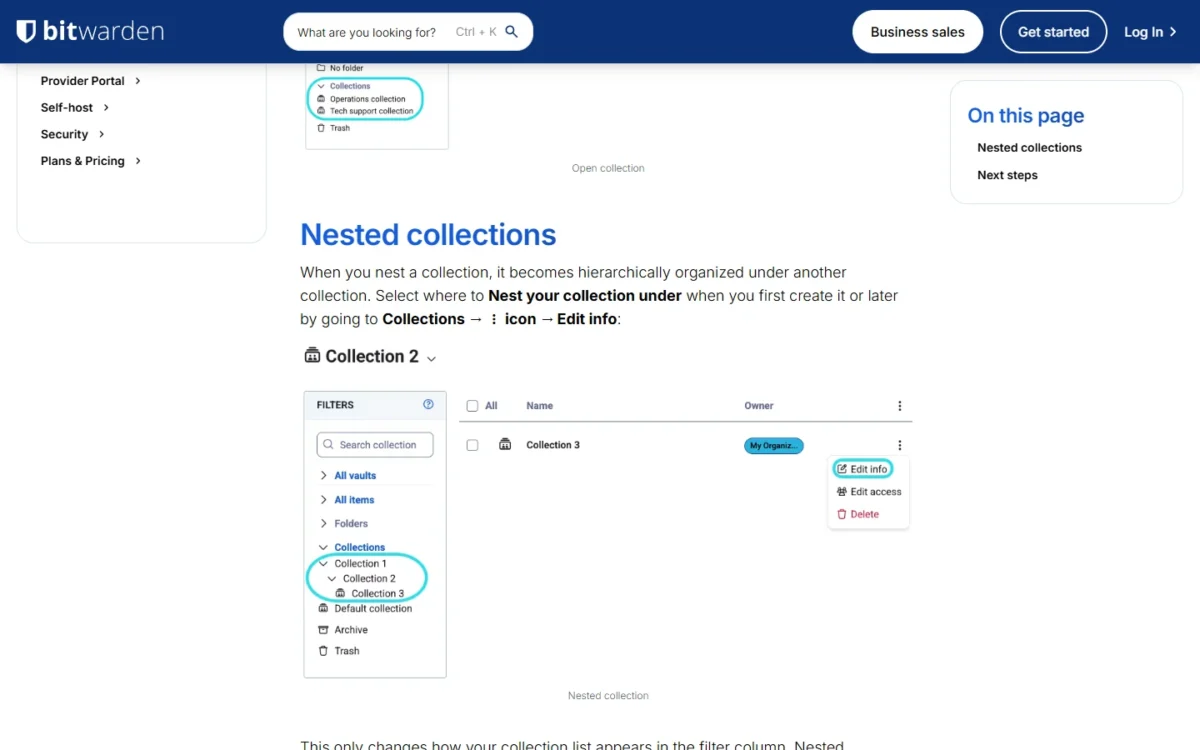
Password sharing runs through the organization: shared items belong to it, not to a person, and sit in collections that you open to specific users or groups. A collection works like a shared folder, usually one per department, and a Free organization gets only two.
Groups grant or revoke collection access in bulk, so a new hire placed in the right group gets the right logins. Invited users and groups start with the View items permission; editing rights are yours to grant.
One trap: a nested collection only changes how the list looks. It does not inherit items, access or permissions from its parent.
Roles, policies and account recovery
Enforcing rules and rescuing a locked-out employee both need Enterprise. Teams gets the three default roles (owner, admin and user) and no policies.
Enterprise policies include Require two-step login, Master password requirements, Require single sign-on, Session timeout and Remove export. Teams’ one enforcement tool is organization two-step login via Duo.
Set policies before you invite anyone: Bitwarden warns that some revoke non-compliant members when turned on and some are not retroactively enforceable.
Account recovery lets an owner or admin reset a member’s master password or two-step login without anyone seeing the old password. Members must be enrolled first.
Only owners can open billing, and only an owner can name another owner, so appoint a second one now. Custom roles are Enterprise-only.
SSO, SCIM and directory sync
System for cross-domain identity management (SCIM) and Directory Connector work on Teams; login with SSO is Enterprise-only. A Teams customer can create and remove accounts from the identity provider (IdP) but cannot make people sign in through it.
Bitwarden documents SCIM v2 setup for JumpCloud, Microsoft Entra ID, Okta, OneLogin and Ping Identity. Directory Connector syncs from Active Directory, any LDAP-based directory, Microsoft Entra ID, Google Workspace, Okta and OneLogin, so a Google shop should plan on Directory Connector.
SSO on Enterprise takes SAML 2.0 or OIDC, and the identity provider never has the key that decrypts the vault. One side effect: members under the Require single sign-on policy cannot log in with passkeys.
Event logs, reports and the API
Teams and Enterprise log more than 50 types of events, keep them indefinitely and show up to 367 days at a time. Records export as .csv from the web app or as JSON through the Public API, which also manages members, collections, groups and policies.
The log shows who viewed or copied a password and who exported the organization vault. Read Bitwarden’s caveat before you promise an auditor anything: most events are reported by client apps, and Bitwarden says such data could be modified or suppressed and may not suffice for legal forensics.
Access Intelligence, which the pricing page labels new, reports credential risks across the organization and is Enterprise-only.
Self-hosting
Among the business plans, only Enterprise can run on your own server; on the personal side, a Families organization can also be imported to a self-hosted server.
The standard deployment runs in Docker. Bitwarden’s minimum is an x64 1.4GHz processor with 2GB of RAM, it recommends a 2GHz dual core with 4GB, and the default MSSQL Express database is capped at 10GB.
Self-host for a reason, such as a data-residency rule. Bitwarden says it takes technical resources and expertise for server maintenance, security and updates.
What every member gets
Every member of a paid organization gets Bitwarden’s premium features in their own vault: the integrated authenticator for time-based one-time passcodes (TOTP), encrypted file attachments (5 GB per user plus 5 GB shared), emergency access, vault health reports and Bitwarden Send with files.
A Send carries text up to 1,000 encrypted characters or a file up to 500 MB and lasts 31 days at most. An emergency access invitation is valid for five days, and the person granting access sets the wait time.
Enterprise adds a free Families plan for every member. Bitwarden Secrets Manager, the product for developer secrets, is a separate add-on outside this review.
Is Bitwarden Safe? Encryption, Security Audits and Compliance
Yes, on the published evidence, with two conditions that are yours to meet: a strong master password and two-step login on every account. Bitwarden encrypts vault data on your device before it reaches its servers, publishes its source code, and lists 2025 audits by Cure53, ETH Zurich, Unit 42 and Fracture Labs.
Encryption. Bitwarden uses AES-CBC with 256-bit keys and HMAC with SHA-256 (its encryption page has the detail) and encrypts locally, so its servers store only encrypted data. Zero-knowledge means you are the only party with the keys.
Audits. The 2025 list is the strongest part of the record. Cure53 assessed the core application, browser extension, desktop app and web vault; Unit 42 by Palo Alto Networks the mobile apps; Fracture Labs the web application and network.
ETH Zurich’s Applied Cryptography Group audited the core cryptography under the assumption of a fully malicious server, the hardest case for a zero-knowledge claim.
Compliance. Bitwarden states that it is ISO 27001 certified, SOC 2 Type II and SOC 3 certified, HIPAA compliant with an annual third-party audit, and GDPR compliant. For a vendor security questionnaire, ask for the SOC 2 report, which Bitwarden supplies on request. That gives a small team named evidence to hand a client who asks how its passwords are stored.
Two-step login. Bitwarden’s name for two-factor authentication (2FA) covers a hardware security key, authenticator apps or email on Free. Premium adds Yubico OTP and Duo, and Teams and Enterprise add Duo for organizations, which enforces two-factor authentication through Duo across the whole organization. So a strong second factor is available to every employee on any plan; only enforcing it depends on the plan.
Vault health reports flag weak, reused or exposed passwords, and every member can open the Data breach report.
My take
I would trust Bitwarden with company credentials on this record. The weak point is the master password each employee picks, because the encryption key is derived from it. Teams cannot set master password requirements, so on Teams that rule lives in your handbook; on Enterprise it lives in a policy.
A safe vault still has to be handed to every employee, and taken back.
Onboarding and Offboarding With Bitwarden
On Teams, SCIM or Directory Connector creates members from your identity provider and revokes them when the provider suspends them. Removal ends access to the organization, but the person keeps everything in their personal My vault, and offline devices may hold a read-only copy for a short time.
Day one. Every new member passes three steps: invite, accept, confirm. An admin confirms each member by hand, and email invitations expire after five days. Members provisioned from a directory can wait in a Staged status that holds no seat.
Vault access works best as a fixed step in the joiner process; an employee onboarding checklist gives it a slot.
Last day. This is the order I would follow:
- If the leaver is an owner, have them give the owner role to someone else first: only a current owner can assign it, and only owners reach billing.
- Suspend the person in your identity provider. With SCIM, a suspended user is revoked automatically: no organization items, no collections, no seat.
- No identity provider? Revoke or remove the member from the Members page.
- Rotate every shared credential the person could open. Offline devices cache a read-only copy of organization items for a short time after removal, and Bitwarden does not say how long.
- Hand over orphaned collections: an owner or admin can grant a current member access.
The gap is the personal vault: a removed member keeps the items in My vault, work logins included. Enterprise closes it with the Centralize organization ownership policy, which replaces My vault with organization-owned My Items.
My take
On Teams I would add one rule to the handbook: work logins go in a collection, never in My vault. Bitwarden cannot take back what an employee saved privately unless you pay for Enterprise.
If access requests reach you as tickets, keep the approval in your IT service management tools and let Bitwarden’s event log record the change.
Bitwarden Apps, Setup and Ease of Use
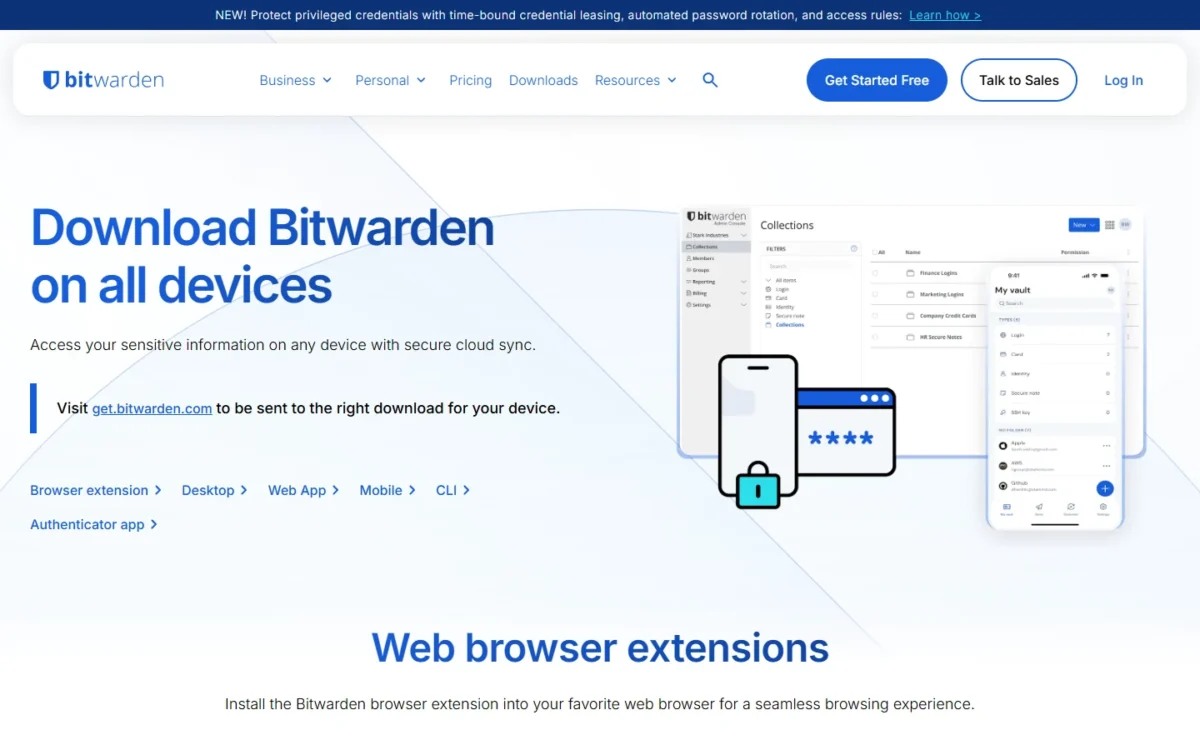
Bitwarden runs as a browser extension, a desktop app for three operating systems (Windows, macOS and Linux), a web vault, a mobile app for iPhone and Android, and a command line interface (CLI). The download page lists Bitwarden browser extensions for Chrome, Edge, Safari, Firefox, Opera, DuckDuckGo, Vivaldi, Brave and Tor.
Setup. An organization is created in the web app: a name and billing email, the plan, the number of seats, and annual or monthly billing. Then you create a collection, invite users and start sharing.
Moving in. Bitwarden imports passwords from many common password managers and browsers. One file can hold up to 40,000 items, 2,000 collections and 80,000 item-collection relationships. Importing does not check for duplicates, so loading the same file twice doubles every entry, and file attachments have to be uploaded one by one.
Daily use. Every account includes passkey management and a username and password generator, and the browser extension autofills login forms.
Mobile. The iPhone and Android apps come from the App Store and Google Play, and Android users who avoid Google Play can install Bitwarden from its F-Droid repository. That build has no push notifications for live vault sync, so a password a colleague changes reaches that phone only after a manual sync. A Send file from a phone is capped at 100 MB, against 500 MB elsewhere.
User experience is the one thing no help page settles. The Free plan has no device limit, so I would have two or three employees use the extension and the mobile app on their own machines before buying a seat.
Customer support
Everyone gets 24/7 email support, and paid users get priority. A dedicated engagement manager and guided onboarding are reserved for qualified Enterprise customers.
Beyond email, the contact page points to the help center, community forums and demos. If your team expects to phone someone during an outage, ask sales which channel your plan includes.
Bitwarden Pricing: Free, Premium, Teams and Enterprise
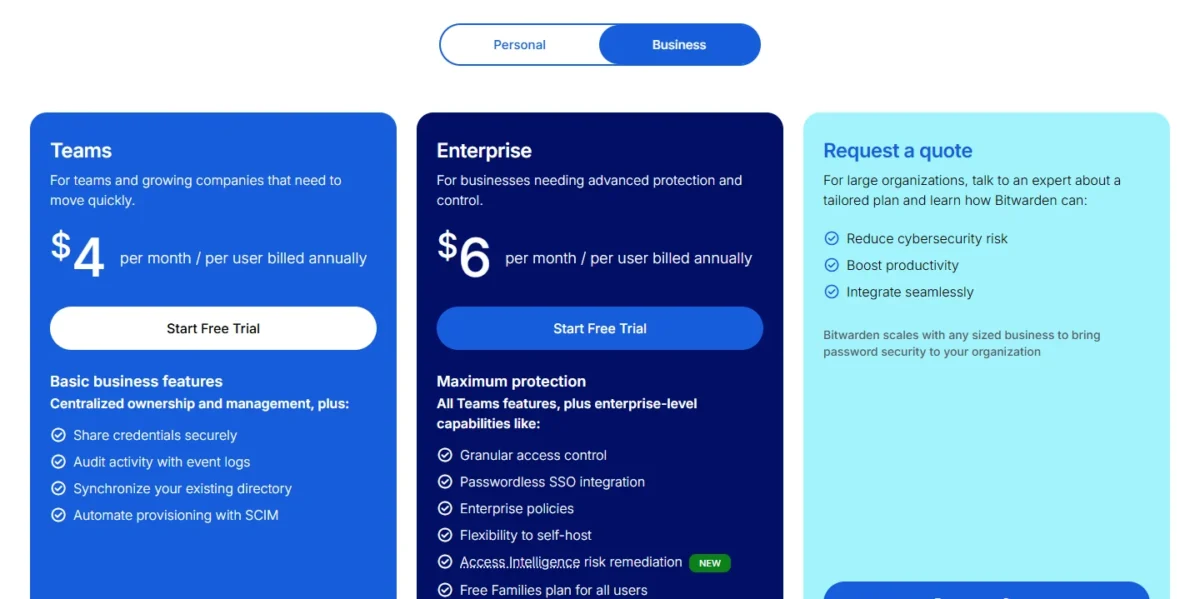
Free costs $0, Bitwarden Premium $19.80 a year, Families $47.88 a year for up to 6 users, and Teams and Enterprise $4 and $6 per user per month, billed annually. A 10-person team pays $4 x 10 x 12 = $480 a year on Teams or $6 x 10 x 12 = $720 on Enterprise.
| Plan | Price | Billing | Key limit |
|---|---|---|---|
| Free | $0 | Always free | 1 user; Send is text only |
| Free organization | $0 | Free | 2 users, up to 2 collections |
| Premium | $1.65 per month | Billed annually at $19.80 | 1 user; no organization sharing |
| Families | $3.99 per month | Billed annually at $47.88 | Up to 6 users |
| Teams | $4 per user per month | Billed annually | No SSO, enterprise policies, account recovery or self-hosting |
| Enterprise | $6 per user per month | Billed annually | Large organizations request a quote |
Sources: Bitwarden pricing and Password Manager plans, checked Nov 2026.
All prices are in USD on an annual subscription and exclude taxes. Teams and Enterprise can also be billed monthly, but the pricing page prints no monthly-billing rate, so get that figure at checkout.
| Users | Teams per year | Enterprise per year | Enterprise premium per year |
|---|---|---|---|
| 5 | $4 x 5 x 12 = $240 | $6 x 5 x 12 = $360 | $360 – $240 = $120 |
| 10 | $4 x 10 x 12 = $480 | $6 x 10 x 12 = $720 | $720 – $480 = $240 |
| 25 | $4 x 25 x 12 = $1,200 | $6 x 25 x 12 = $1,800 | $1,800 – $1,200 = $600 |
| 50 | $4 x 50 x 12 = $2,400 | $6 x 50 x 12 = $3,600 | $3,600 – $2,400 = $1,200 |
Sources: Bitwarden business pricing, checked Nov 2026. Totals are list price x users x 12 months, before tax.
Enterprise costs $6 – $4 = $2 more per user per month, or $2 x 12 = $24 per user per year, for SSO, enterprise policies, account recovery, custom roles and the self-host option. I would pay it the day the team writes down a security rule Bitwarden has to enforce, and not before.
Which plan fits which team. Two people fit the Free organization. A team of three or more that needs shared collections, groups and directory sync should buy Teams. A team with a written security policy, an SSO requirement or a self-hosting rule should buy Enterprise. Bitwarden is the wrong buy when nobody will administer it, when a team fixed at ten users with no directory can pay less for a capped starter plan, or when FedRAMP authorization is required today.
Premium is not a team plan. Five Premium accounts cost $19.80 x 5 = $99 a year against $4 x 5 x 12 = $240 for five Teams seats, but Premium includes no organization sharing beyond one other user in a Free organization. For one person, it buys the integrated authenticator, 5 GB of attachments, emergency access and vault health reports.
What the price leaves out. Storage beyond the included 5 GB costs $0.33 per GB per month, so 10 extra GB is $0.33 x 10 x 12 = $39.60 a year.
The trial. New Teams and Enterprise organizations get 14 days free. Upgrading from Teams to Enterprise later does not start a second trial, so if SSO or policies are even a maybe, trial Enterprise first.
Seats grow unless you cap them
Bitwarden adds seats when you exceed the number you set unless you specify a limit, so set the limit at your budgeted headcount and make the next invite a decision.
Staged and revoked members do not occupy a seat, which makes revoking leavers promptly the cheapest control over how per-seat pricing adds up for a small team.
Bitwarden Pros and Cons
The strengths are the free tier, the audit record and the admin tooling on the $4 plan; the weaknesses are mostly things Teams cannot enforce.
Pros
- Free stores unlimited passwords on unlimited devices, so one person, or two in a Free organization, pays nothing
- SCIM and Directory Connector come with the $4 Teams plan, so a team with an identity provider automates joiners and leavers
- Bitwarden lists 2025 audits by Cure53, ETH Zurich, Unit 42 and Fracture Labs and states SOC 2 Type II and ISO 27001 certification, which helps with vendor security questionnaires
- Every member of a paid organization gets the premium features, so staff gain an authenticator and emergency access for their own vault
- Enterprise can be self-hosted in Docker, which suits a team with a data-residency rule
Cons
- Teams has no enterprise policies: it cannot set master password requirements and can require two-step login only through Duo
- Account recovery is Enterprise-only, so a Teams admin cannot reset a locked-out employee’s master password
- A removed member keeps everything in their personal My vault, which hurts teams that let work logins live there
- Seats are added automatically past the number you set unless you specify a limit, so an unplanned invite raises the bill
- Teams cannot be self-hosted; your own server means Enterprise at $6 per user per month, billed annually
Four of the five cons are one decision: Teams or Enterprise. The $2 step between them is the real price question.
Who Should Use Bitwarden (and Who Should Skip It)
The fit is a team that wants per-user credential sharing with a published audit record and has a directory to sync from. I would skip Bitwarden if you need master password rules or SSO at the Teams price, or if nobody will own the vault.
Best for
- A team on Microsoft Entra ID, Okta, OneLogin, JumpCloud, Ping Identity or Google Workspace that wants joiners and leavers synced on the $4 Teams plan
- A team that answers SOC 2 or ISO 27001 vendor questionnaires
- A two-person business that can share within two collections on the Free organization
- A team with a data-residency rule and someone who can run Docker, on Enterprise
Not ideal for
- A team that must enforce master password rules or SSO but has budgeted $4 per user: both sit on Enterprise at $6
- A team that wants to self-host at the Teams price
- A team with nobody to own collections, invitations and offboarding: an admin confirms every new member
- A buyer who only needs developer secrets: that is Secrets Manager, a separate product
If you are on the wrong side of that list, the useful question is which rival fixes your particular problem.
Bitwarden vs Competitors
Nothing here is better than Bitwarden on every count, so shortlist Bitwarden alternatives by job. 1Password fits a ten-person team shopping on starter price, NordPass a team that wants SSO login with Google Workspace on its 10-user Teams pack, Keeper a public-sector buyer, and LastPass a team that wants essential security policies on its Teams plan. Bitwarden’s own case is provisioning on the $4 plan, the point my Bitwarden vs 1Password comparison turns on.
| Software | Best for | Starting price | Key difference | Main trade-off |
|---|---|---|---|---|
| Bitwarden | Teams that sync users from an identity provider | Teams: $4 per user per month, billed annually | SCIM and Directory Connector on the entry plan | SSO and policies need Enterprise at $6 |
| 1Password | Teams of about ten on a flat starter price | Teams Starter Pack: $24.95 per month, billed annually, for 10 members | Identity-provider integrations on Business at $8.99 per user per month | Seats 11 to 20 cost $4.99 per seat per month, billed annually; 20 members is the cap |
| NordPass | A team that fills a 10-user pack | Teams: $1.99 per user per month on the 1-year plan | SSO login with Google Workspace on Teams | Teams is a 10-user pack only |
| Keeper | Public-sector and compliance-led buyers | Business Starter: $2.00 per user per month, billed annually | SCIM and SSO provisioning on Enterprise at $6.00 | Business Starter covers 5 to 10 users |
| LastPass | Teams of up to 50 that want essential security policies | Teams: $4.25 per user per month, billed annually | 25 security policies on Teams | No groups or directory integrations on Teams |
Sources: Bitwarden business pricing, 1Password business pricing, NordPass pricing, Keeper business pricing and LastPass pricing, checked Nov 2026.
Bitwarden is not the lowest per-seat price here. 1Password’s Teams Starter Pack, NordPass Teams and Keeper Business Starter all list less per user, and each has a size limit. At 10 users, 1Password’s pack costs $299.40 a year against $4 x 10 x 12 = $480 for Bitwarden Teams, so a team that will stay at ten with no directory to sync should price it.
Provisioning changes the picture. Bitwarden includes SCIM at $4. Keeper lists SCIM provisioning under Enterprise at $6.00, LastPass lists directory integrations from Business at $7.00, and 1Password adds identity-provider integrations on Business at $8.99, each per user per month on annual billing.
My take
LastPass Teams is the closest alternative on price, $4.25 against $4, and trades the other way: 25 security policies but no groups or directory integrations, where Bitwarden Teams has groups and SCIM but no policies. I would pick on which your admin will miss more.
For government work, Keeper lists FedRAMP High authorization on its GovCloud, while Bitwarden’s compliance page says it is pursuing FedRAMP certification.
FAQ
Has Bitwarden ever been breached?
Bitwarden’s compliance page says what a breach would expose: vault data is encrypted or hashed on your device before it leaves, and exposed data would stay protected by strong encryption and one-way salted hashing.
Is Bitwarden free for a small business?
Yes, for two people. A Free organization lets two users share logins in up to two collections at no cost. A third person or a third collection needs a paid organization, which for a business means Teams.
Where does Bitwarden store your passwords?
In the Microsoft Azure cloud in the US or the EU, in encrypted form. On your device, decrypted data stays in memory and is never written to persistent storage. Self-hosting on Enterprise moves the storage to your own server.
Is Bitwarden open source?
Yes, Bitwarden is an open-source password manager: the codebase is published on GitHub. Two licenses cover the repositories, the GNU Affero General Public License v3.0 and the Bitwarden License v1.0, so check which applies before you reuse a component.
How I Evaluated Bitwarden
This review rests on Bitwarden’s own pages, read in November 2026: both pricing pages, the plans article, the Admin Console help articles, the self-hosting guide, and the encryption, audit and compliance pages. Rival prices come from each vendor’s pricing page.
Every price, limit and plan gate is quoted from those pages; the cost math and plan calls are my analysis. On its pricing pages, Bitwarden prints the Teams and Enterprise prices billed annually. Autofill depends on your sites and devices, which the Free plan and the 14-day trial let you check.
Bitwarden Review: Final Verdict
Yes: Bitwarden is worth paying for if you run a small team, and Teams at $4 per user per month, billed annually, is the plan for most. Move to Enterprise at $6 when a security policy calls for master password requirements, SSO or account recovery. An individual starts on Free.
The biggest trade-off is administrative: the admin tooling needs an owner who designs collections, confirms members and works through the leaver steps.
Use the 14-day trial on three things: sync one user from your identity provider and suspend them, import your real export file and look for duplicates, and have two employees autofill their most-used sites. If SSO is a maybe, start the trial on Enterprise, because an upgrade does not start a new one.
Pick a rival in two cases: a team fixed at ten users with no directory can pay less for a capped starter plan, and a buyer who needs FedRAMP authorization today should look at Keeper.