My pick among the best cinematic AI video generators is Higgsfield Cinema Studio 4.0 when you set camera, lens and aperture before you generate. Veo 3.1 fits Google AI subscribers, Luma Ray3.2 fits HDR and EXR plates for a grade, and Runway fits reshaping footage you already have.
I ordered ten tools by the shot they serve, from vendor documentation and pricing pages checked November 2026, in US dollars. The entry plan rarely buys the cinematic control: Higgsfield lists all Seedance models from Plus ($49 a month), and Runway’s HDR and ProRes sit on Max ($95 a month).
Quick verdict
Higgsfield Cinema Studio on Plus is my pick for directing the shot: its Director’s Panel sets camera body, lens, aperture and move as settings, and one clip runs up to 30 seconds with speech and sound from the same pass.
Google AI subscribers go to Veo 3.1, existing footage to Runway, grade-ready plates to Luma Ray3.2, action to Kling and script-first projects to LTX Studio.
The trade-off: Higgsfield publishes no maximum resolution.

Higgsfield Cinema Studio
Best for: directing camera, lens and aperture
The Director’s Panel sets body, lens, aperture and move, and clips run up to 30 seconds with native speech and sound.
Limit: no published maximum resolution

Google Veo 3.1
Best for: Google AI subscribers
Dialogue and ambience come out with the picture.
Limit: Flow retires Veo 3.1 Fast and Quality on December 5, 2026

Runway
Best for: reshaping footage you already have
Aleph changes objects, angle and lighting on an input video.
Limit: HDR and ProRes only on Max

Luma Ray3.2
Best for: HDR and EXR plates for a color grade
Native 16-bit HDR and 16-bit EXR frames.
Limit: 5 or 10 seconds for text or image to video
| Software | Best for | Starting price (plan the job needs) | Camera control | Longest clip | Native audio |
|---|---|---|---|---|---|
| Higgsfield Cinema Studio | Lens and aperture | $15 a month; Plus $49 | Body, lens, aperture, moves | 30 seconds | Yes |
| Google Veo 3.1 | Google AI subscribers | Luma Plus $30 a month (1080p); Flow credits from $4.99 | Framing, movement | 8 seconds in Flow | Yes |
| Kling | Action motion | $6.99 first month, then $8.80 | Multi-Shot moves (3.0) | 15 seconds (3.0) | Yes |
| Runway | Editing footage | $15 a month; Max $95 | New angle via Aleph | Not listed | Sound effects |
| Luma Ray3.2 | EXR plates | Plus $30 a month | Motion transfer | 10 seconds new, 20 seconds Modify Video V2 | Not listed |
| Dreamina Seedance 2.5 | 30-second story | Free daily credits | Reference video | 30 seconds | Yes |
| LTX Studio | Script to storyboard | $15 a month; Standard $35 | Camera, keyframes | Not listed | Audio-to-Video |
| Adobe Firefly | Commercial safety | $9.99 a month | Angle and motion | 8 seconds, most models | Some models |
| Moonvalley Marey | Licensed data | Contact sales | 3D moves from one image | Not listed | Not listed |
| Hailuo AI | 21:9 test shots at 2K | From $9.99 a month | Not on H3 panel | 5-second default | Not on H3 panel |
Sources: Higgsfield, Google AI plans, Kling, Runway, Luma, Dreamina, LTX Studio, Adobe, Moonvalley, Hailuo, checked November 2026.
In This Article (16 sections)
How I Chose: Five Things That Make AI Footage Read as Filmed
I judged every pick on five criteria: camera and lens control, repeatable camera movement, light and color, continuity across shots, and output that survives a real edit. The numbers are my editorial order by shot type, not a score.
The must-have: the tool generates new footage, so avatar presenters and AI editors are out; my full list of AI video generators covers those jobs. Output depends on your shot, so run one identical shot through the free tiers of your top two (Dreamina’s daily credits, Runway’s 125 one-time credits, LTX Studio’s 800) before you pay.
My take
Pick Higgsfield if the look depends on the lens, and Luma Ray3.2 or Runway Max if a colorist grades the creation.
1. Higgsfield Cinema Studio: Best for Directing Camera, Lens and Aperture
- Best for: directing camera, lens and aperture before you generate
- Starting price: Starter, $15 a month
- Plan to budget for: Plus, $49 a month, or $39 a month billed yearly
- Clip length and references: up to 30 seconds from up to 50 references (Cinema Studio 4.0)
- Standout feature: the Director’s Panel: camera body, lens, aperture and camera moves in one control surface
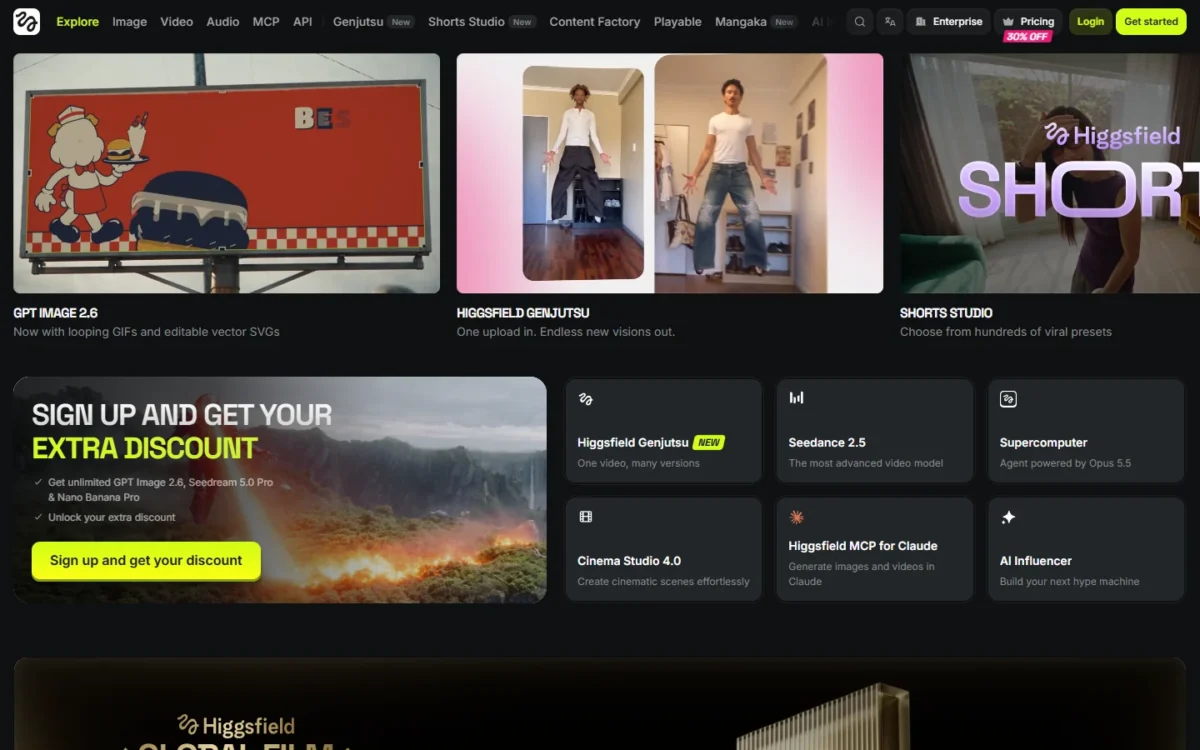
Cinema Studio 4.0 is the closest thing here to choosing a camera package before the shoot: its documentation lists lens and aperture as settings. Pick it if you build sequences around a recurring character. The catch: Higgsfield publishes no maximum resolution, and its generator panel shows 1080p.
Higgsfield is a generative platform for creative production, and Cinema Studio is the part of it built around how a cinematographer thinks. Instead of writing “shot on anamorphic lens” and hoping the model listens, you set the rig: a camera body, a lens, an aperture and a camera move, then describe the scene.
In the Director’s Panel the bodies include 35mm Film, 8mm Film and DV Camcorder, the lenses are anamorphic or vintage, and the moves include Robot Arm (Cinema Studio guide). An 8mm flashback is one setting change.
Higgsfield lists 30+ camera movement presets and 50+ color palettes for Cinema Studio 4.0 (Cinema Studio), and Lighting offers 6 presets or a custom setup.
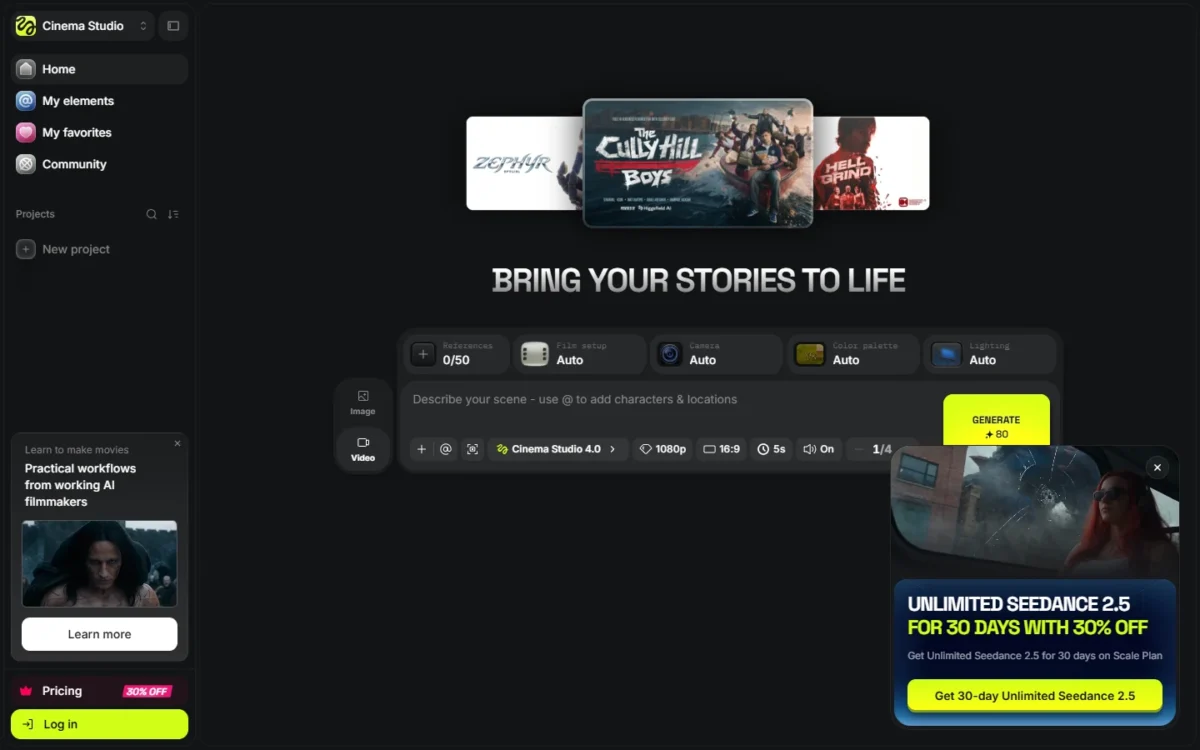
Every version generates speech, sound effects and music in the same pass. Clips run up to 30 seconds from up to 50 references, and Elements reuse a character, location or prop across shots. A Soul ID, trained once on 20 or more photos of one person, carries into Seedance video as an Element.
The model underneath is Seedance 2.5, also offered by Dreamina and Luma; what Higgsfield adds is the panel that directs it.
My take
Higgsfield is my first pick for directed, film-look shots because the look is set before the prompt: lens and aperture are Director’s Panel settings, not words a model may ignore. Soul ID and Elements keep one character across shots, speech and sound come from the same pass, and a 30-second clip holds a whole beat, so a sequence needs fewer stitched takes.
Higgsfield’s pricing page does not name the plan Cinema Studio 4.0 needs. Starter lists “Access to selected models only & features”; Plus is the first plan that lists “All Seedance models”. I would budget for Plus: $39 x 12 = $468 billed annually, with no trial.

- Starter: $15 a month, 200 credits
- Plus: $49 a month, or $39 billed annually, 1,000 credits
Sources: Higgsfield pricing, checked November 2026.
Pros
- Lens, aperture and body settings
- 30-second clips, 50 references
- Soul ID and Elements keep a character across shots
- Speech, sound effects and music in the same pass
Cons
- No published maximum resolution
- Starter: selected models only
- No trial
- Skip it if:
- your colorist needs EXR plates (Luma Ray3.2) or you are reshaping footage (Runway).
My Google Flow vs Higgsfield comparison sets the two subscriptions side by side.
2. Google Veo 3.1: Best for Google AI Subscribers

Pick Veo 3.1 if you already pay for a Google AI plan: its monthly Flow credits run Veo in Google Flow, and Google’s Veo page says Veo generates dialogue natively.
The catch is the December 5, 2026 switch: Flow retires Veo 3.1 Fast and Quality and keeps Veo 3.1 Lite, a “low-cost baseline for standard 720p creation” with 4-, 6- or 8-second clips, no Extend and no video-to-video. Veo Extend was retired on November 5, 2026, so longer Flow takes now run on Omni Flash 1.2.
“Ingredients to Video” still holds characters and style from reference images, at 8 seconds on Lite; my text-to-video ranking compares Veo with prompt-led rivals.
For dialogue at 1080p, I would buy Veo 3.1 on Luma rather than in Flow: Plus runs it at 140 credits a second with audio, at 720p or 1080p.
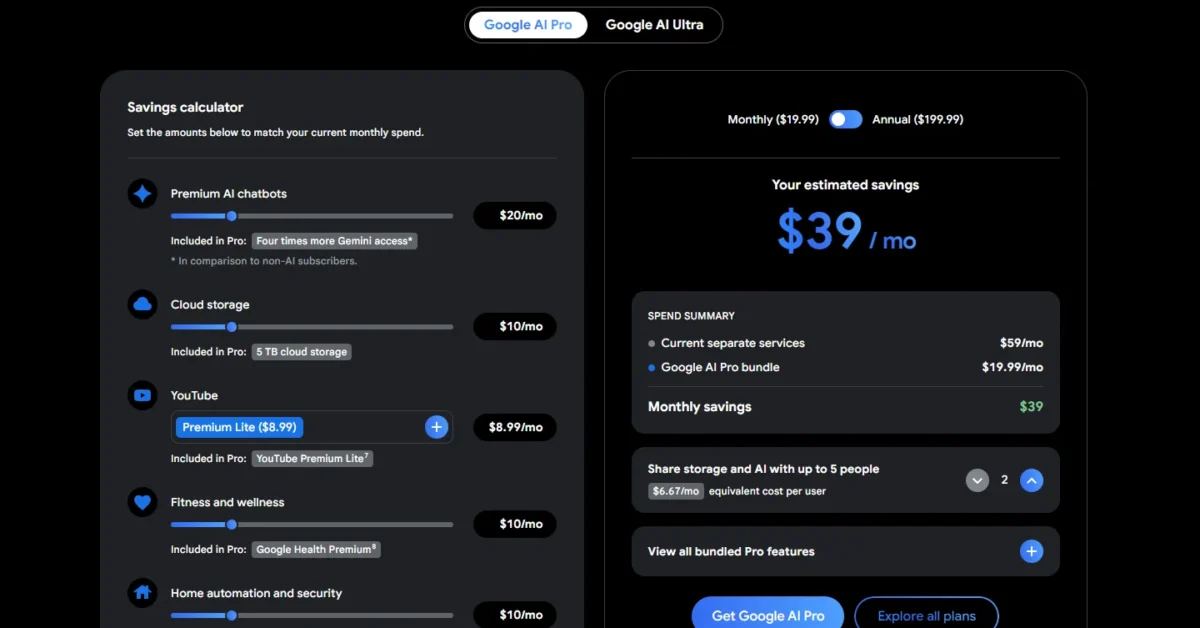
- Google AI Plus: $4.99 a month, 200 Flow credits
- Google AI Pro: $19.99 a month, 1,000 Flow credits
Sources: Google AI plans, Flow models, checked November 2026.
Pros
- Dialogue and sound with the picture
- Veo 3.1 with audio at 1080p on Luma Plus
- Ingredients to Video holds characters
Cons
- Only Lite stays in Flow after December 5: 720p, no Extend
- Google AI plans list Omni Flash as the video model
- Lite clips run 4, 6 or 8 seconds
- Skip it if:
- the scene runs past Lite’s 8 seconds in Flow (Higgsfield and Dreamina run 30) or needs EXR plates (Luma Ray3.2); for Veo-like output outside Google, see my Google Flow alternatives.
3. Kling: Best for Fast, Physical Motion in Action Shots

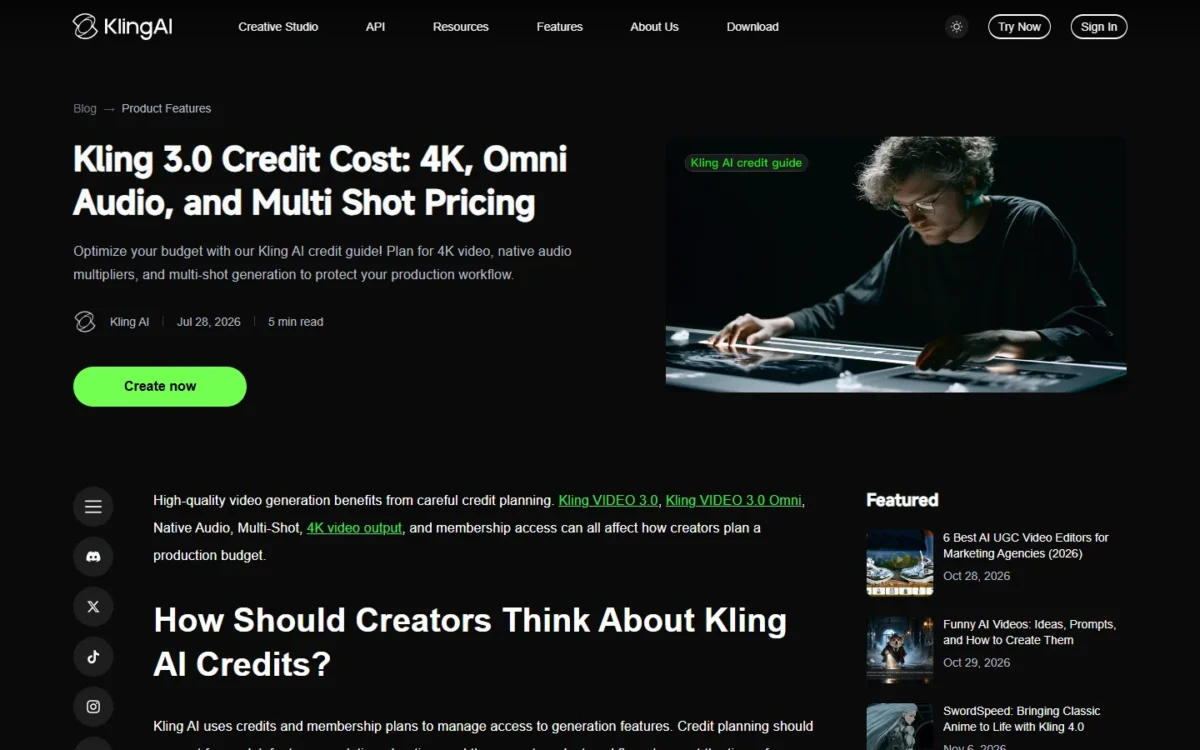
Kling is my pick when movement is the first thing a viewer notices: Kling pitches 4.0 on “Stable Dynamic Motions”, which suits fight, sport and dance coverage. Kling’s credit guide says “Custom Multi-Shot can define duration, framing, viewpoint, narrative content, and camera movement” per shot in 3.0; a lens is not on that list.
Kling’s 3.0 series runs 3 to 15 seconds, adds native audio with lip movement, and renders 4K at 30 credits per second; 3.0 Omni takes video element references for recurring characters. My Kling AI review covers the rest.
Kling Standard renews at $8.80 after its $6.99 first month, so budget the renewal; its 660 credits cover two 10-second 4K shots.
- Kling Basic: $0, not for commercial use
- Kling Standard: $6.99 first month, then $8.80, 660 credits
Sources: Kling credit guide, checked November 2026.
Pros
- Kling 3.0 per-shot camera moves
- Kling 3.0 native 4K video
- Also inside Runway and Luma
Cons
- No lens setting listed
- First-month prices renew higher
- Kling Basic: not for commercial use
- Skip it if:
- client work would sit on Kling’s free Basic plan (not for commercial use) or a take runs past Kling 3.0’s 15 seconds. Higgsfield and Dreamina run 30.
4. Runway: Best for Reshaping Footage You Already Have

Runway is a post-production tool more than a camera: Aleph adds, removes and transforms objects in an input video, generates another angle, and changes style and lighting. Pick it if a plate needs changing, not replacing, and budget for Max if delivery needs HDR or ProRes.
Luma’s Modify Video V2 does similar edits for a plate that must leave as EXR. For cutting and captioning, see my AI video editors.
Standard’s 625 credits equal 52 seconds of Gen-4.5 a month, room to try Aleph on a few plates before you commit. Max is $76 x 12 = $912 a year billed annually.
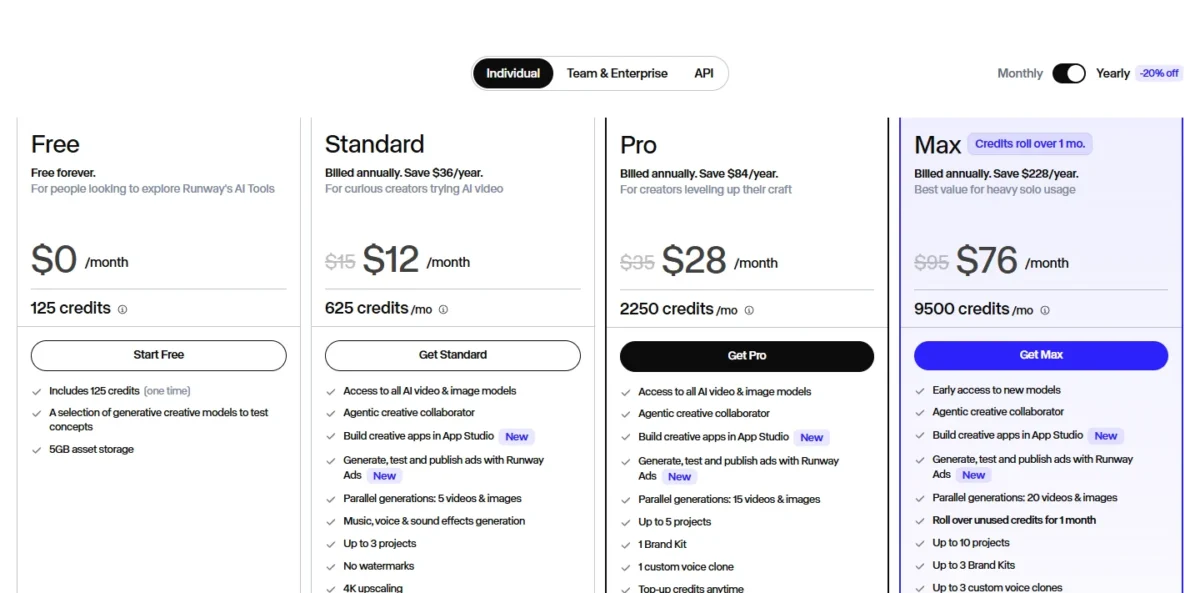
- Standard: $15 a month, or $12 billed annually, 625 credits
- Max: $95 a month, or $76 billed annually, 9,500 credits
Sources: Runway pricing, checked November 2026.
Pros
- Aleph edits objects, angle and lighting
- One plan reaches Gen-4.5, Aleph and Kling 4.0
- Max rolls credits over one month
Cons
- HDR and ProRes need Max
- Standard covers 52 seconds of Gen-4.5
- A 10-second Aleph 2.0 edit uses 140 x 2 = 280 credits
- Skip it if:
- there is no footage to change yet (Higgsfield builds the shot from scratch), or you want HDR without paying for Max (Luma Plus).
5. Luma Ray3.2: Best for HDR and EXR Plates for a Color Grade

Footage a colorist will grade is where Luma Ray3.2 earns its place: Luma’s Ray3.2 page says it generates native 16-bit HDR and exports 16-bit EXR frames in ACES2065-1 (AP0). The cost is length and credits: text- and image-to-video clips run 5 or 10 seconds, and HDR plus EXR costs three times the SDR credits.
Multi-Keyframe sets up to 16 keyframes per clip, Camera Motion Transfer repeats a push-in across locations, Relighting moves a plate to another time of day, and Performance Tracking keeps an actor’s movement and posture across shots. Modify Video V2 reshapes footage up to 20 seconds at 1080p. Luma lists no audio for Ray3.2, but Veo 3.1 on the same Plus plan covers dialogue.
Plus’s 10,000 credits cover two 10-second 1080p plates in HDR plus EXR, at 1,200 x 3 = 3,600 credits each.

- Plus: $30 a month, or $300 billed yearly, 10,000 credits
- Pro: $90 a month, or $900 billed yearly, 40,000 credits
Sources: Luma pricing, checked November 2026.
Pros
- 16-bit EXR frames
- Up to 16 keyframes per clip
- Camera Motion Transfer
Cons
- 5- or 10-second clips
- HDR plus EXR costs 3x credits
- No audio listed
- Skip it if:
- the text- or image-to-video take runs past 10 seconds (Higgsfield or Dreamina).
6. Dreamina Seedance 2.5: Best for a 30-Second Story in One Generation
Dreamina offers Seedance 2.5, the model behind Cinema Studio 4.0, without Higgsfield’s panel: 30-second videos from up to 50 references, long enough for a whole story beat in one generation. Pick it for short narrative and social pieces; camera language comes through prompts and reference video, not lens settings.
Dreamina’s examples steer the camera with a white-model reference video, a plain 3D previz clip used “as the sole guide for camera movement, pacing, framing”, so a move blocked once in 3D repeats without a preset library.
Luma Plus also runs Seedance 2.5, so a Luma subscriber needs no Dreamina plan. Dreamina says commercial use depends on its terms and the models involved, so read them before client work.
Dreamina’s Free, Basic, Standard and Advanced tiers differ by credits and benefits; check current prices on its pricing page.

- Free: daily free credits
- Basic, Standard, Advanced: more credits per tier
Sources: Dreamina pricing, checked November 2026.
Pros
- 30-second videos, 50 references
- Free daily credits
- Previz video can guide the camera
Cons
- No lens settings
- Commercial use depends on terms
- No preset move library
- Skip it if:
- you want preset moves without building a previz clip (Higgsfield’s 30+ presets), or client work needs a licensed-data model (Adobe Firefly).
7. LTX Studio: Best for Script-to-Storyboard Pre-Production
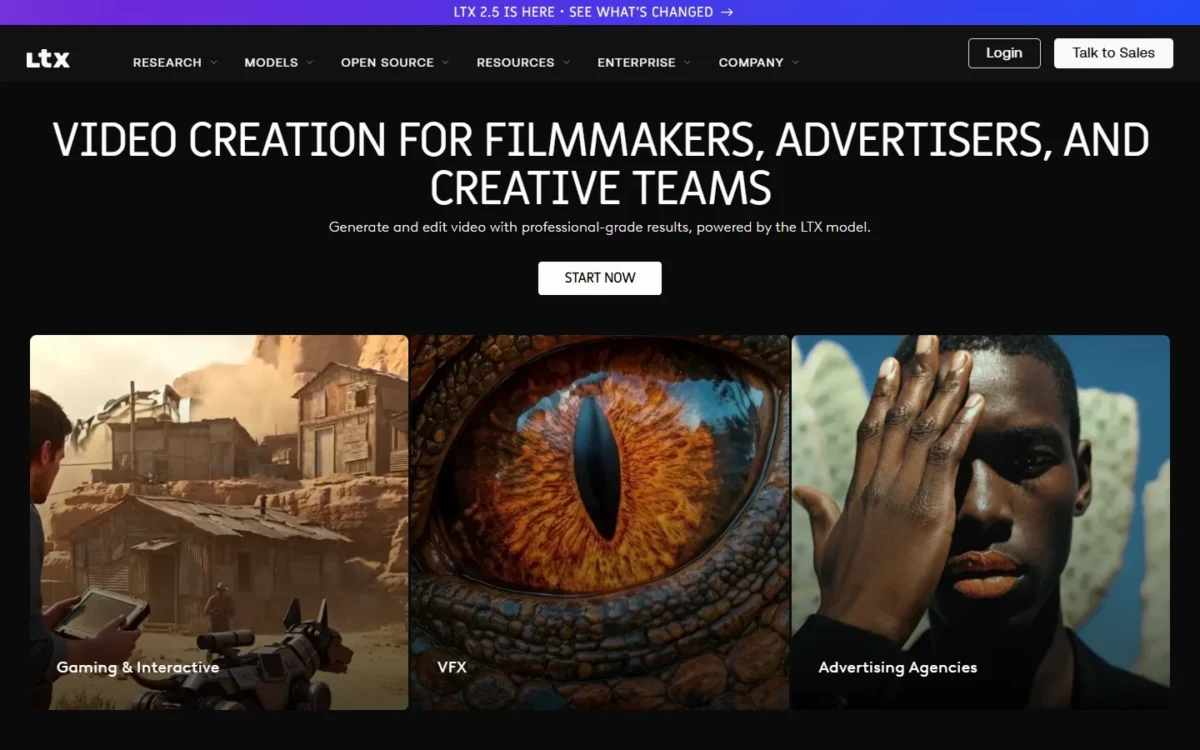
Some projects start as a script, not a shot: upload it and LTX Studio builds scenes and storyboards, with camera controls, keyframes and references in one workspace. Pick it to plan a spot as a storyboard first; the catch is that saved Elements and AI Storyboards start on Standard.
Elements keep characters and locations consistent, a timeline and sound design take the board toward a rough cut, and LTX lists Flows node-based automation on Free. Against Higgsfield, LTX plans the sequence while Cinema Studio directs each frame. My AI video storyboard template lays out each clip before you open either.
Standard is also the first plan that lists a commercial use license; Free’s license covers personal projects only, and Lite adds no watermarking.
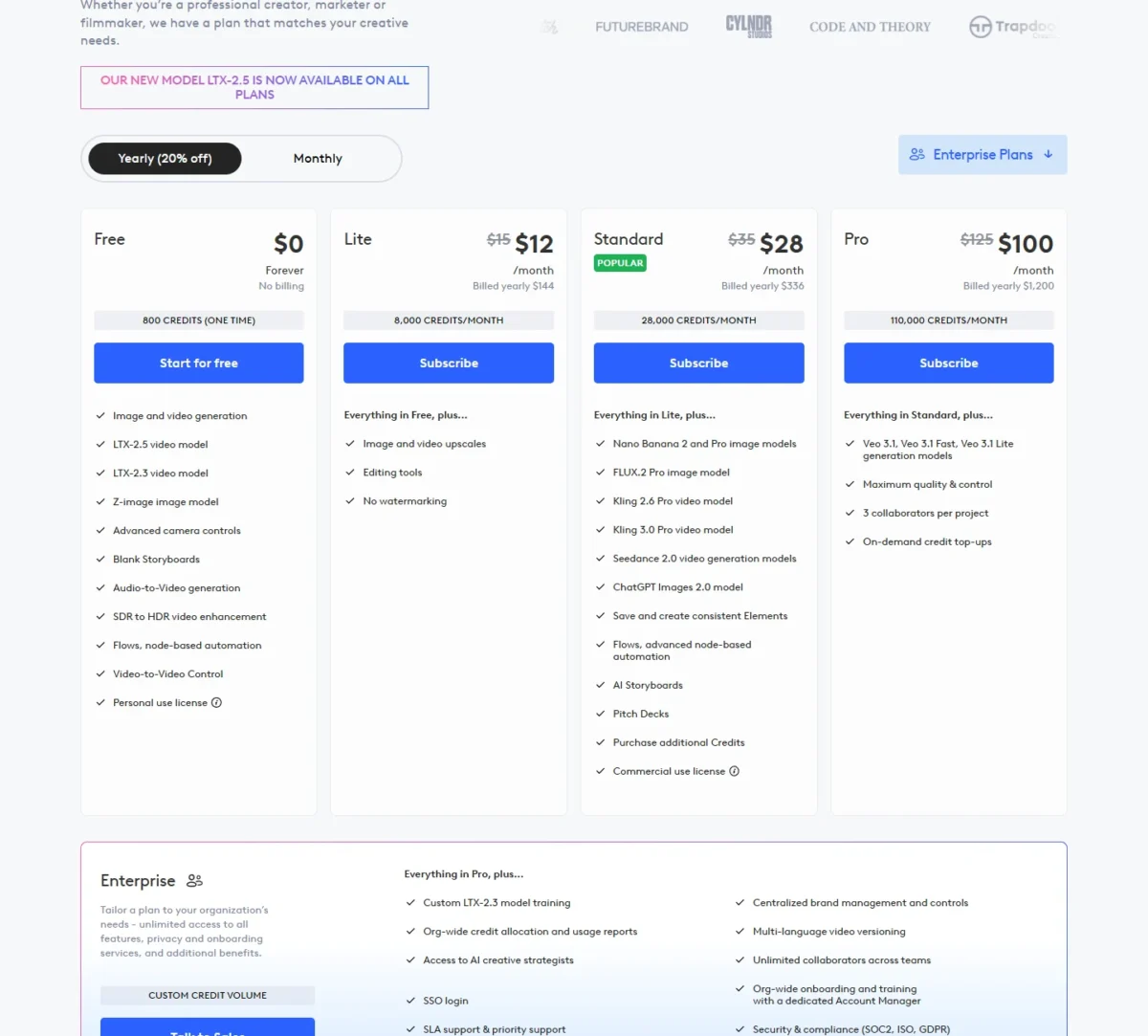
- Lite: $15 a month, or $12 billed yearly, 8,000 credits
- Standard: $35 a month, or $28 billed yearly, 28,000 credits
Sources: LTX Studio pricing, checked November 2026.
Pros
- Script upload builds storyboards
- Camera controls and keyframes in one place
- Free plan includes SDR to HDR
Cons
- Saved Elements start on Standard
- Free is personal use only
- Desktop browser only
- Skip it if:
- you need a single hero shot rather than a boarded sequence (Higgsfield or Veo 3.1).
8. Adobe Firefly: Best for Commercially Safe Footage in an Adobe Pipeline
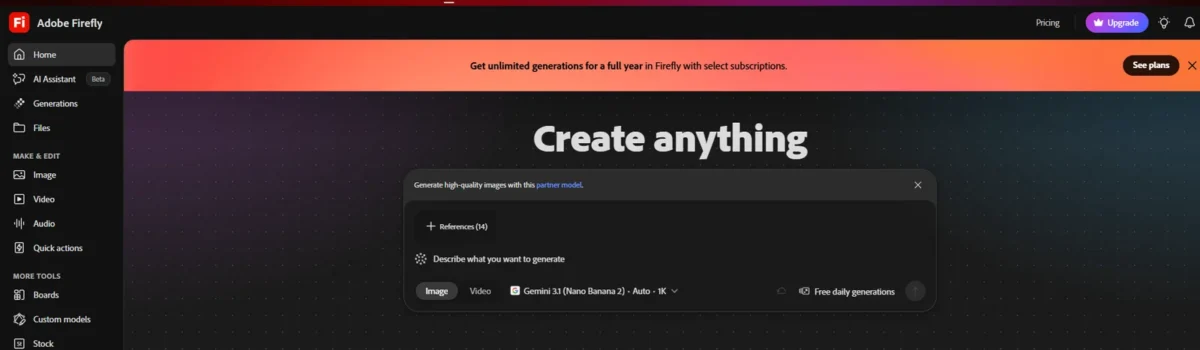
Adobe says the Firefly Video Model is “trained on licensed content, such as Adobe Stock, and public domain content” and that its videos are safe for commercial use. Pick it if a client asks about training data and you finish in Premiere Pro, but partner models may have different usage terms.
Firefly runs Veo 3.1, Luma Ray3, Kling 3.0 and Runway Gen-4.5 beside Adobe’s model, with camera angle and motion settings and MP4 downloads up to 4K; Adobe says several of those partner models generate native audio. My Adobe Firefly review covers the rest.
Video spends generative credits, which do not roll over, so budget retakes before you pick a plan.
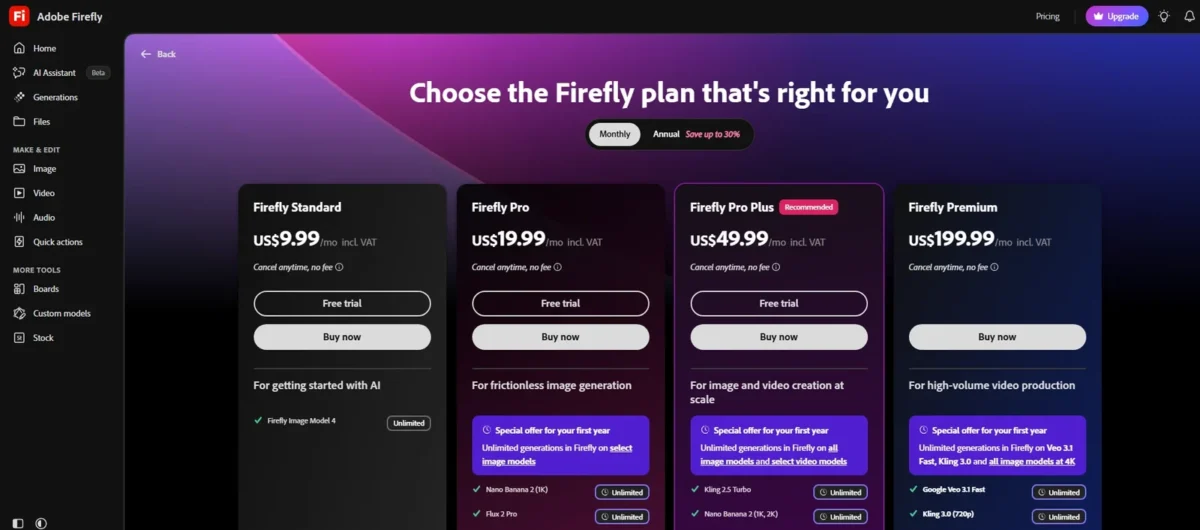
- Firefly Standard: $9.99 a month, 2,000 credits
- Firefly Premium: $199.99 a month, 50,000 credits plus unlimited Firefly Video Model
Sources: Adobe Firefly plans, checked November 2026.
Pros
- Own model trained on licensed content
- Four partner models in one workspace
- Connects to Premiere Pro
Cons
- Partner models carry other terms
- Most models stop at 8 seconds
- Credits do not roll over
- Skip it if:
- the shot runs long (most Firefly models stop at 8 seconds, some at 15; Higgsfield and Dreamina run 30), or every model must be trained on licensed data only (Moonvalley Marey).
9. Moonvalley Marey: Best for Licensed-Data Footage With 3D Camera Moves From One Image
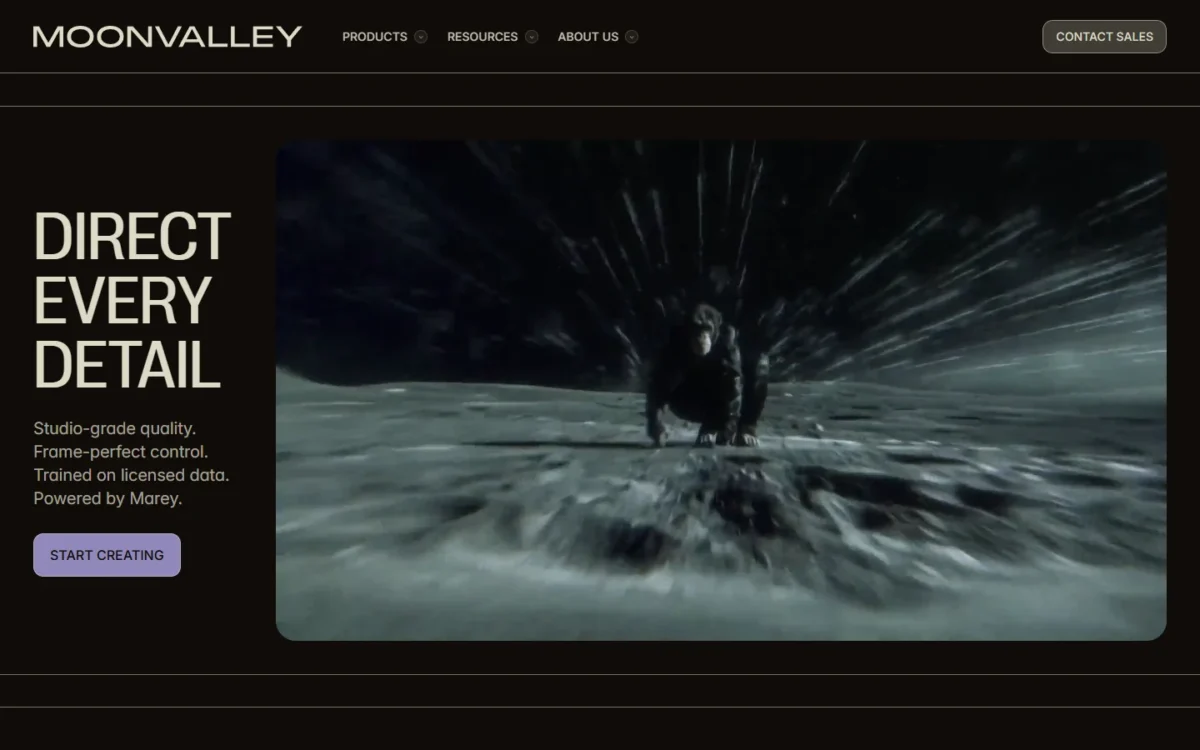
Marey covers both training data and camera direction: Moonvalley says Marey is trained only on licensed, high-resolution footage, and it turns a single image into a 3D scene for camera moves. Pick it if legal reviews every deliverable; the Moonvalley pages I read list no price, only Contact Sales.
Trajectory control draws a path for any element and motion transfer copies movement from a reference video. Per-subject reference images set looks and movement, and Moonvalley says Marey preserves lighting continuity across frames. Against Firefly, Marey is the narrower bet with deeper camera control. If your shots start from stills, my list of image-to-video generators goes wider.
Moonvalley’s Marey page sends buyers to Contact Sales, and its homepage lists fal.ai and Comfy as places to run Marey.
- Moonvalley direct: contact sales
- API: waitlist
Sources: Moonvalley, checked November 2026.
Pros
- Licensed-only training, per Moonvalley
- 3D camera moves from one image
- Trajectory control
Cons
- No plan prices
- API waitlist
- No published clip length
- Skip it if:
- you need a self-serve monthly price today (Adobe Firefly).
10. Hailuo AI: Best for 21:9 Test Shots at 2K From Up to 12 References
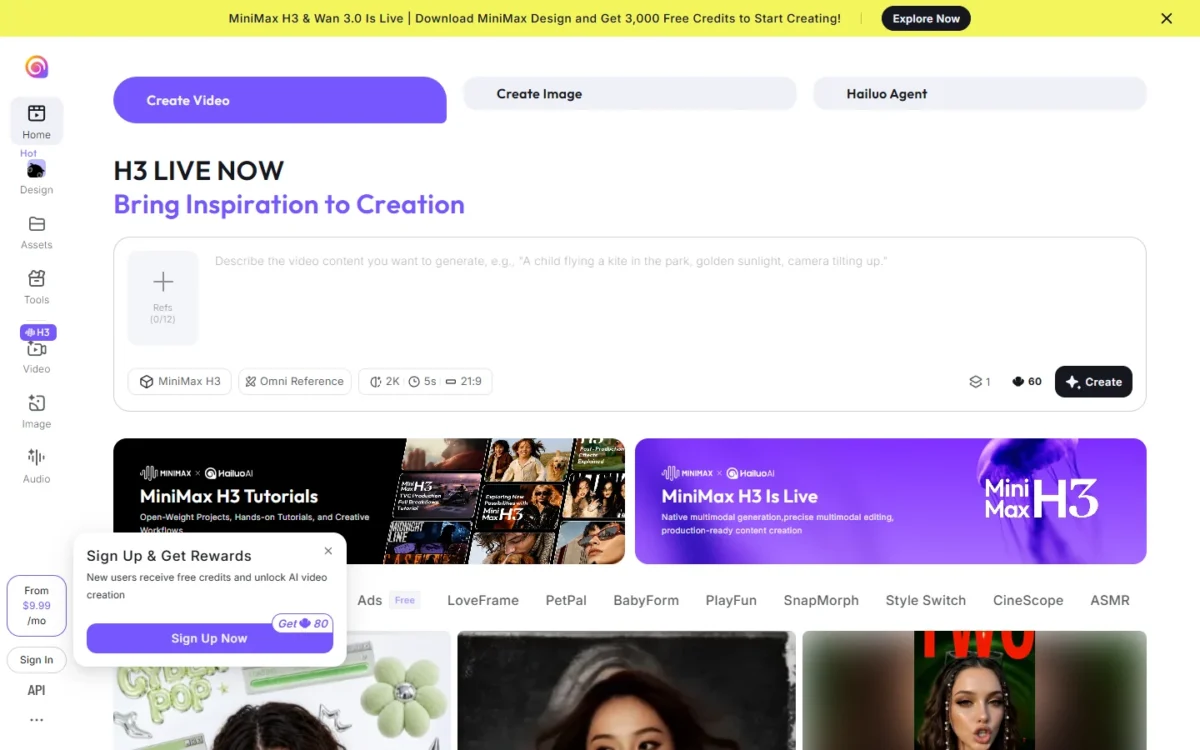
Hailuo runs the MiniMax H3 model, and its job here is narrow: widescreen test shots before the project moves to a heavier tool. The H3 panel offers 2K output, a 21:9 option and an Omni Reference mode with up to 12 references.
Luma carries the same H3 model at 46 credits a second in 2K, but Luma Plus costs $30 a month against Hailuo’s plans from $9.99, so pick Hailuo if H3 is the only model you need. Hailuo earns the test when a frame needs 2K, 21:9 and up to 12 references together.
Hailuo’s homepage lists plans from $9.99 a month without a billing basis; treat it as a test budget.
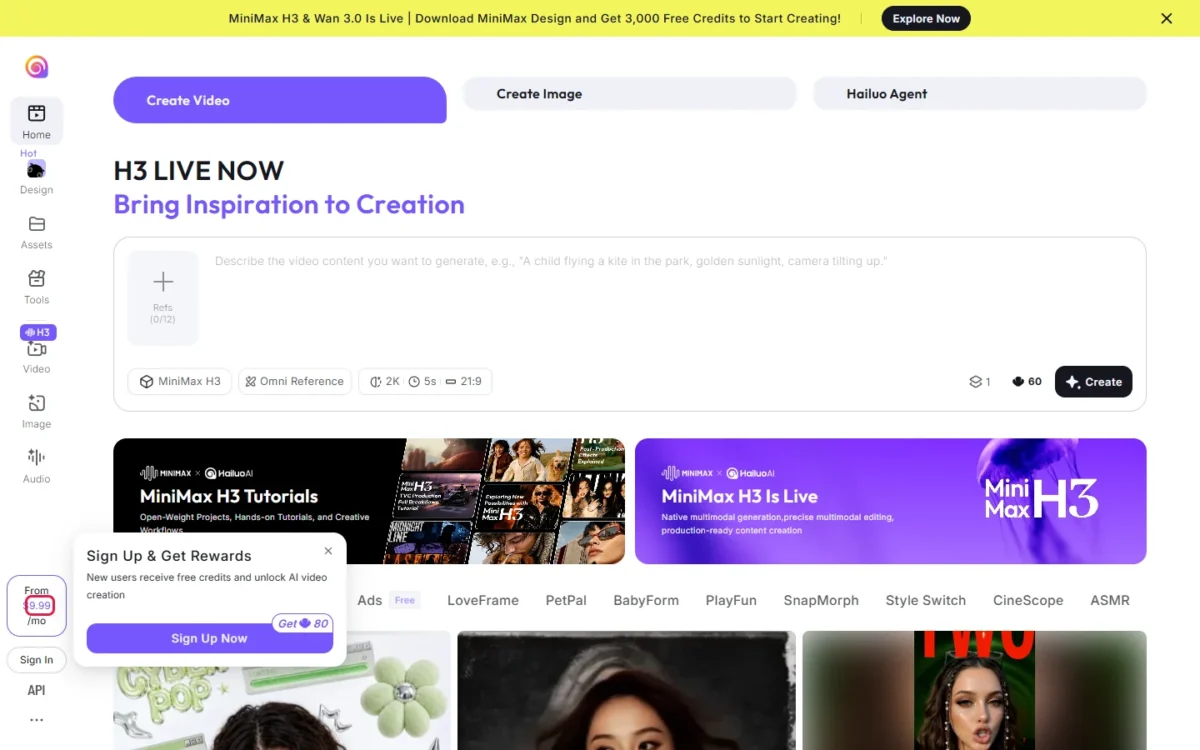
- Entry: from $9.99 a month
- New users: free credits
Sources: Hailuo AI, checked November 2026.
Pros
- 2K output, 21:9 option
- Up to 12 references in Omni Reference
- Free credits for new users
Cons
- No documented camera controls
- Billing basis not stated
- 5-second default clip
- Skip it if:
- you need framing and camera movement set per shot (Kling’s Custom Multi-Shot) or a stated billing basis before you subscribe.
What a 10-Second Shot Costs on Each Plan
Each row prices one take: the plan’s monthly price times the shot’s credits, divided by the plan’s credits.
| Shot (10 seconds) | Bought on | Credits | Cost per shot |
|---|---|---|---|
| Runway Gen-4.5 | Runway Standard: $15, 625 credits | 12 x 10 = 120 | $15 x 120 / 625 = $2.88 |
| Runway Aleph 2.0 | Runway Standard: $15, 625 credits | 140 x 2 = 280 | $15 x 280 / 625 = $6.72 |
| Kling 4.0, 1080p | Runway Standard: $15, 625 credits | 118 x 2 = 236 | $15 x 236 / 625 = $5.66 |
| Luma Ray3.2, SDR | Luma Plus: $30, 10,000 credits | 1,200 | $30 x 1,200 / 10,000 = $3.60 |
| Luma Ray3.2, HDR plus EXR | Luma Plus: $30, 10,000 credits | 1,200 x 3 = 3,600 | $30 x 3,600 / 10,000 = $10.80 |
| Seedance 2.5, 1080p | Luma Plus: $30, 10,000 credits | 191 x 10 = 1,910 | $30 x 1,910 / 10,000 = $5.73 |
| Seedance 2.0, 1080p | Higgsfield Plus: $49, 1,000 credits | 60 x 2 = 120 | $49 x 120 / 1,000 = $5.88 |
| Veo 3.1, 1080p | Luma Plus: $30, 10,000 credits | 140 x 10 = 1,400 | $30 x 1,400 / 10,000 = $4.20 |
| Kling 3.0, 4K | Kling Standard: $8.80, 660 credits | 30 x 10 = 300 | $8.80 x 300 / 660 = $4.00 |
Sources: Runway, Luma Ray3.2, Luma, Higgsfield, Kling, checked November 2026.
The finishing format moves the price more than the brand, so budget retakes in SDR. Higgsfield’s rate table lists Seedance 2.0, not Cinema Studio 4.0; the Veo row uses Luma’s rate because Google sells Flow credits by the month. Dreamina, LTX Studio, Adobe Firefly, Hailuo and Moonvalley show no US-dollar per-clip rate. My cost-per-clip comparison covers more generators.
How to Choose Among the Best Cinematic AI Video Generators
Match the first control your shot needs to its row below: lens and aperture point to Higgsfield, client-safe training data to Adobe Firefly or Moonvalley Marey.
| Software | Lens and aperture | Camera moves | Light and color | Continuity | Finishing output |
|---|---|---|---|---|---|
| Higgsfield Cinema Studio | Yes | Yes | Yes | Yes | 1080p on panel |
| Google Veo 3.1 | Not listed | Yes | Not listed | Yes | 720p (Lite in Flow); 1080p on Luma |
| Kling | Not listed | Yes | Not listed | 3.0 Omni element references | 4K (3.0) |
| Runway | Not listed | New angle via Aleph | Lighting via Aleph | Not listed | Max: HDR, ProRes |
| Luma Ray3.2 | Not listed | Yes | Relighting | Performance Tracking | HDR, EXR |
| Dreamina Seedance 2.5 | Not listed | Via reference video | Relight tool | Reference images | Creative upscale, up to 8K |
| LTX Studio | Not listed | Yes | Not listed | Standard | Free: SDR to HDR |
| Adobe Firefly | Not listed | Yes | Not listed | Not listed | MP4 up to 4K |
| Moonvalley Marey | Not listed | Yes | Lighting continuity | Per-subject references | Not listed |
| Hailuo AI | Not listed | Not listed | Not listed | Up to 12 references | 2K |
Sources: Higgsfield guide, Flow models, Kling credit guide, Luma Ray3.2, Dreamina, LTX Studio, checked November 2026.
For one recurring actor, I would start with Higgsfield’s Soul ID and Elements. For automation, LTX Studio’s Flows run on Free, Runway’s MCP starts on Pro, and Luma Pro adds 4x usage of the Luma Agents. To start free, see my free AI video generators.
Also Considered
- OpenAI Sora: discontinued; web and app on April 26, 2026, API on September 24, 2026.
- Midjourney video: 5-second clips extendable to 21 seconds, Low or High Motion only.
- Pika: from $10 a month on Starter, no camera or lens settings on its pricing page.
Sources: Sora discontinuation, Midjourney video, Pika pricing, checked November 2026.
FAQ
Which AI is best for cinematic videos?
One tool per job: Higgsfield Cinema Studio 4.0 for lens and aperture, Luma Ray3.2 for EXR plates, Veo 3.1 for Google AI subscribers.
What is the best AI for filmmaking?
Pick Higgsfield Cinema Studio if you direct single shots, and LTX Studio if you plan a film from a script.
What is the highest rated AI video generator?
No neutral rating covers all ten. Runway says Gen-4.5 ranked first on the Artificial Analysis Text-to-Video benchmark at its December 2025 launch, but a benchmark does not say which tool controls a lens.
Can AI video generators produce 4K?
Some can. Kling’s 3.0 series generates native 4K. Adobe Firefly downloads MP4 up to 4K, Runway and Luma upscale to 4K, and Google Flow upscales Omni 360p videos to 4K on Google AI Ultra; Higgsfield’s panel shows 1080p. If a 4K master decides the job, pick Kling 3.0.
How do I generate a cinematic AI video?
Set the capture before the prompt: lens and aperture (Higgsfield), reusable characters (Elements or Ingredients), repeatable moves (presets or motion transfer), then an HDR or 4K finish.
Final Verdict
Pick Higgsfield Cinema Studio on Plus if you direct the shot yourself; otherwise, pay for the plan that holds your shot’s first control.
- Directing lens, aperture and moves: Higgsfield Cinema Studio on Plus, $49 a month or $39 billed annually. Visit Higgsfield
- EXR plates: Luma Ray3.2 on Plus at $30 a month.
- Google AI subscribers: Veo 3.1 in Flow on your plan’s credits.
- Editing footage for ProRes or HDR delivery: Runway Max at $95 a month.
- Seedance 2.5 without Higgsfield’s panel: Dreamina, which gives free daily credits for images and videos.
- Script-first projects: LTX Studio Standard at $35 a month.
- Client-safe training data: Adobe Firefly or Moonvalley Marey.