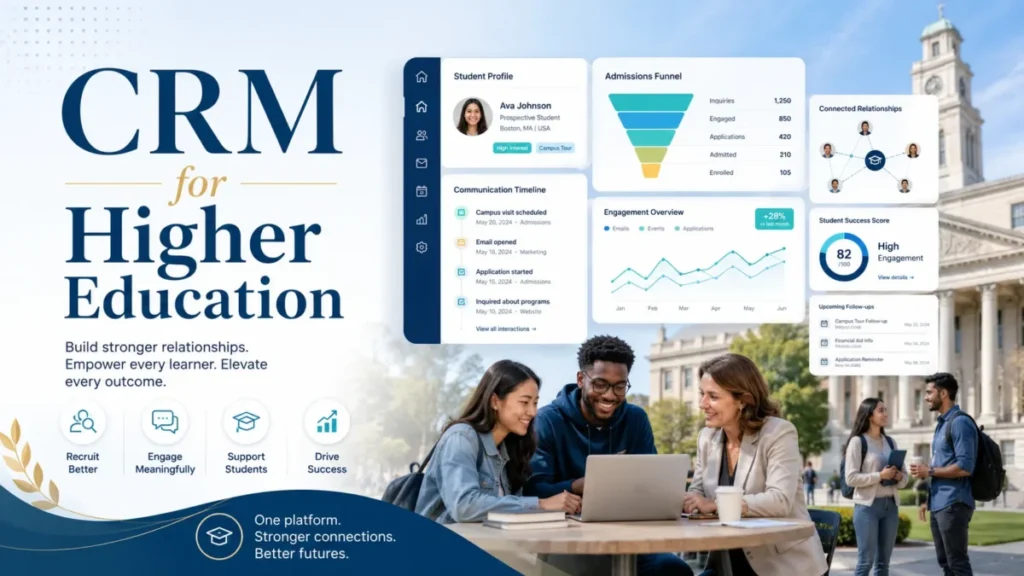
Most CRM for higher education shortlists fall apart the moment finance asks two questions: what does this actually cost at our team size, and does the listed price even apply to our institution. A price like Salesforce Education Cloud’s $87 per user per month reads as settled until you notice it is scoped to nonprofit institutions, and Slate’s public number is an annual institutional license, not a per-seat rate you can multiply.
Disclosure: We may earn a commission if you buy through some links, but our rankings are based on product fit, pricing, limitations, and buyer-use cases.
That pricing confusion is the real buying risk in this category, not feature parity. Ten products can all “centralize student data,” the way most tools on any best CRM software list do, yet only a few will fit your admissions workflow, your SIS, and your budget approval process without a consulting project attached.
I ranked ten platforms for US higher education buyers in 2026, and the winner depends on the job you are hiring the CRM to do. For admissions-led colleges and universities, Slate is the safest overall pick because of its higher-education-native workflow depth and a transparent license baseline.
Salesforce Education Cloud is the enterprise platform choice, Element451 is the AI-native admissions option, LeadSquared has the clearest public pricing, and Blackbaud belongs to advancement teams, not admissions teams.
This guide separates purpose-built higher-education CRMs from configurable general CRMs, then adds the parts competitors skip: public-versus-custom pricing status, cost at realistic team size, admissions-versus-retention-versus-advancement fit, SIS and LMS integration risk, AI agent governance, and honest disqualifiers. All pricing was checked on official pages on July 7, 2026, using US and USD figures where publicly available.
In This Article (22 sections)
Quick Verdict: Best Higher Education CRM by Use Case
Start here if you want a shortlist before reading ten product breakdowns. Each pick is tied to a specific institutional job, not a generic “best” label.
| Use case | Best pick | Why it fits |
|---|---|---|
| Best overall for admissions-led institutions | Slate | Deepest higher-education-native admissions workflow with a transparent institutional license baseline |
| Best enterprise education platform | Salesforce Education Cloud | Full learner lifecycle on one ecosystem with published nonprofit pricing |
| Best AI-native admissions CRM | Element451 | AI agents and engagement automation purpose-built for enrollment |
| Best transparent admissions pricing | LeadSquared | Public annual education plans with clear plan limits |
| Best when your SIS is Ellucian | Ellucian Recruiting & Admissions | Recruiting and admissions workflows aligned to the Ellucian student ecosystem |
| Best for student success and retention | EAB Navigate360 | Advising, retention signals, and full student-journey engagement |
| Best Salesforce-based higher-ed package | TargetX by Liaison | Higher-education recruitment and admissions packaging on Salesforce |
| Best for advancement and fundraising | Blackbaud | Donor and advancement CRM depth, not an admissions system |
| Best free starter for education marketing | HubSpot CRM | Free CRM with no time limit for small, marketing-led teams |
| Best budget customizable CRM | Zoho CRM | Low entry cost and broad customization, free for up to 3 users |
Notice how few of these overlap. An admissions team and an advancement office are not shopping for the same tool, and a 6-person continuing-education team should not start where a 40,000-student university starts.
The rest of this guide exists to keep you out of the wrong category before you burn demo cycles.
How We Chose and Ranked These Higher Education CRMs
We evaluated ten tools based on a detailed analysis of official product documentation, feature specifications, pricing pages, and public customer sentiment. Pricing was verified on July 7, 2026, using US and USD figures where publicly available.
We did not rank tools by brand popularity or affiliate payout.
This was official research only. There was no hands-on account testing, sandbox implementation, vendor demo, or private buyer interview, so I use language like “the official pricing page shows” and “public review patterns suggest,” never “we tested.”
Where a vendor does not publish a US price, I label it custom or not publicly disclosed and I do not estimate a contract value.
Ranking weighed five things: fit to a real higher-education job (admissions, enrollment, student success, or advancement), pricing transparency and total cost at realistic team size, integration and implementation burden, plan gates and feature limits that change the buying decision, and honest disqualifiers where a popular tool is wrong for a given team. A high price did not disqualify a product, and a low price did not promote one.
Two exclusions are worth naming. Anthology and its Reach-style CRM appear on older lists, but current public product, pricing, and ownership evidence was less clean than the ranked alternatives, so I did not rank it here.
That is an evidence call, not a claim that the product is discontinued. Microsoft Dynamics 365 can be configured for education, but like HubSpot and Zoho it is a general CRM, and it did not surface with enough higher-education-native evidence to rank above the ten below.
One review limitation stays visible throughout: public review snippets are paraphrased for sentiment only, with no invented reviewer names, dates, or direct quotes.
CRM vs SIS: What You Are Actually Buying
Before the product breakdowns, settle a definition that derails many requirements documents. A CRM manages relationships, outreach, application funnels, and engagement workflows, which is what CRM software does at its core, while a Student Information System stays the system of record for enrolled-student data such as registration, grades, and transcripts.
Some vendors here blur the line on purpose. Ellucian sits close to the SIS ecosystem, Salesforce Education Cloud offers an education data foundation, and LeadSquared frames itself as the pre-enrollment engine that hands off to your SIS.
If your team keeps saying “we need a CRM” but describes registration and records, you may need SIS work, not a CRM. Buying the wrong system here is the most expensive mistake in the category, because it produces a tool nobody adopts.
Purpose-Built Higher Education CRMs
These eight platforms are built for higher-education jobs out of the box, though they split across admissions, student success, and advancement. Rankings 1 through 8 sit here, in order.
1. Slate by Technolutions: Best Overall for Admissions-Led Institutions
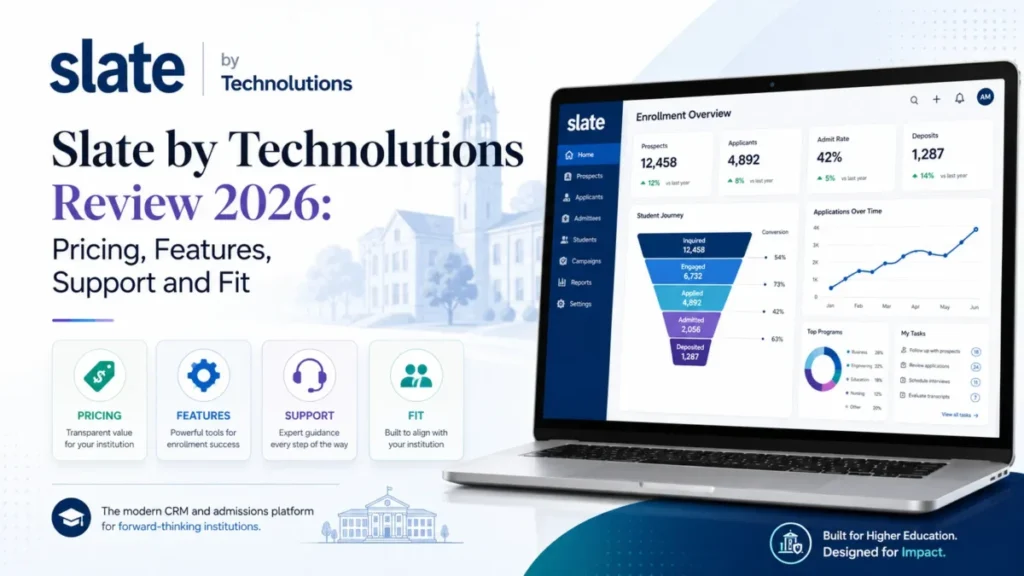
Slate is the best higher-education CRM for US colleges and universities that want a mature admissions-first platform with real application, communication, event, and enrollment workflow depth. If admissions operations are the core job, this is where most institutions should start, and our full Slate review digs deeper into the workflow.
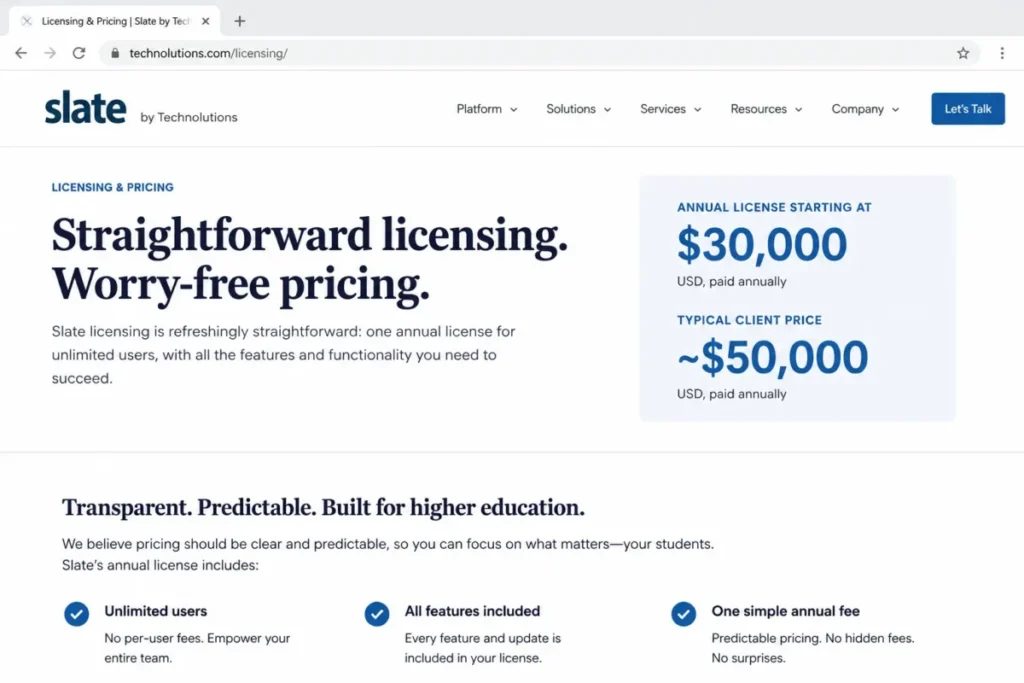
The official licensing page shows Slate starts at a $30,000 per year license, and states most clients pay around $50,000 per year, checked July 7, 2026. This is an annual institutional license, not a per-seat price, so do not budget by multiplying users, since the model covers the institution, which is why small teams sometimes find it heavy.
There is a plan gate worth flagging early. Student success and enrolled-student communications can be a separate license, and the licensing page points to advancement pricing that scales by FTE tier, so a “Slate does everything” assumption can add a second annual line item.
| Pros | Cons |
|---|---|
| Higher-education-native admissions, application processing, and decision release in one workflow | The institutional license model does not suit a lightweight, quick-start team |
| Event, travel, and forms tooling admissions offices run their cycle on | Typically needs a dedicated administrator, a staffing cost on top of software |
| A transparent starting license, rare among enterprise higher-ed platforms | High setup effort, with cycle-based configuration and a dedicated internal owner |
Avoid if: you are a very small program that needs a low-cost CRM without a dedicated Slate admin, or you expected per-seat pricing you can scale down.
Setup difficulty: High. Plan for cycle-based configuration and an internal owner.
Verdict: The default for admissions-led institutions that can staff a dedicated administrator and want a native platform with a public starting price.
2. Salesforce Education Cloud: Best Enterprise Education Platform
Salesforce Education Cloud fits large nonprofit universities that want CRM, analytics, AI, student success, admissions, and advancement workflows on one ecosystem. It is the broadest lifecycle platform on this list, and the most demanding to run, as our Salesforce CRM review explains in more depth.
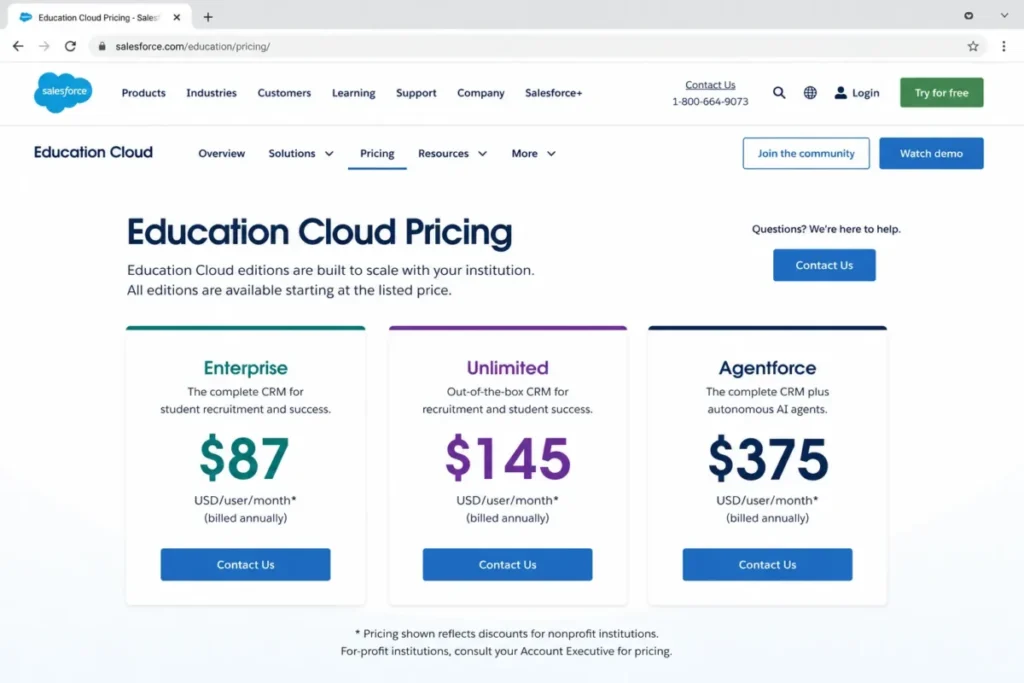
The official pricing page shows Education Cloud Enterprise Edition starting at $87 per user per month, billed annually, for nonprofit institutions, checked July 7, 2026. That scope matters: for-profit institutions are directed to contact Salesforce or use separate guidance, so the listed price is not a universal education rate, and applying it to a for-profit shortlist will distort your budget.
The budget pressure point is above the entry tier. Unlimited runs $145 per user per month and adds Premier Success Support, and Agentforce education tiers are listed at $375 per user per month, so AI and premium support are where costs climb, not the base seat.
| Pros | Cons |
|---|---|
| Full learner lifecycle in one data model: admissions, student success, and advancement | Cost and complexity rise fast once you add AI, support tiers, and add-ons |
| Deep ecosystem of apps, analytics, and AI for institutions that will staff them | Adoption stalls without Salesforce admin capacity in place |
| Published 30-day trial and transparent per-user list pricing for nonprofits | High implementation effort, since this is a platform program not a plug-in tool |
Avoid if: you have no Salesforce administrator, you need a simple fixed-cost admissions CRM, or you are a for-profit institution assuming the nonprofit price.
Setup difficulty: High. This is a platform program, not a plug-in tool.
Verdict: The strongest full-lifecycle platform for large nonprofits with Salesforce admin capacity, but scope a real quote and never assume the nonprofit rate.
3. Element451: Best AI-Native Admissions CRM
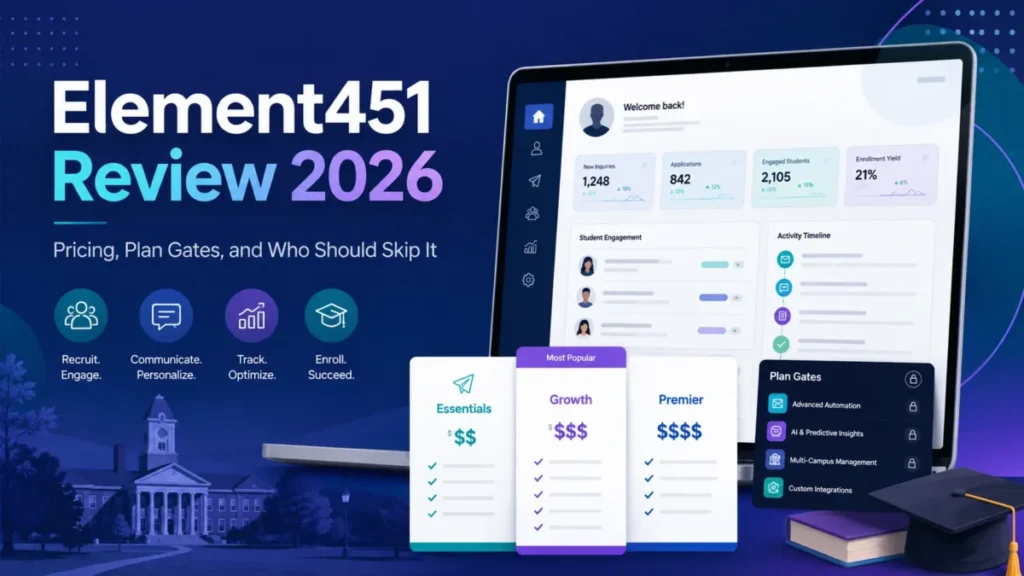
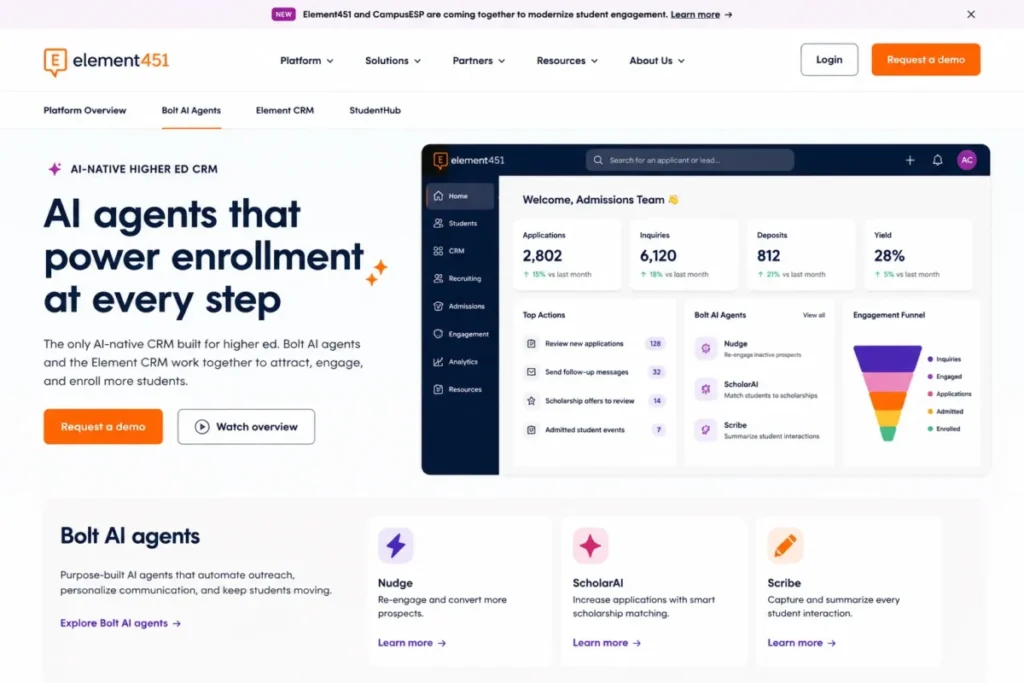
Element451 fits admissions and enrollment teams that want AI-native engagement, student communication, and workflow automation built for higher education rather than bolted on. It is the most AI-forward pick here for the enrollment funnel, and our Element451 review covers the AI engagement layer in detail.
If you are weighing it against Slate, my head-to-head with Slate sets the two side by side.
Pricing is custom. The official pricing page shows annual pricing based on institution size and support tier, with special community-college pricing available by inquiry, checked July 7, 2026, so I will not estimate a contract figure.
Buyers who require public line-item pricing before any sales contact should know that going in.
The platform pairs Bolt AI agents with the Element CRM, marketing and admissions workflows, a StudentHub, and application and engagement automation. The AI positioning is the differentiator, which is also the governance question: agents that message prospects need staff oversight and approved messaging before they touch your funnel.
| Pros | Cons |
|---|---|
| AI agents and engagement automation aimed at enrollment and student communication | Custom pricing, so you cannot compare cost until you engage sales |
| Purpose-built higher-education workflows, so less configuration than a general CRM | AI value must be validated in a demo against your approval and consent rules |
| A stated community-college pricing path, useful for tighter budgets | No public line-item pricing before sales contact |
Avoid if: your institution has no AI governance process, or procurement blocks vendors without public pricing.
Setup difficulty: Medium to High, depending on how much automation you switch on at go-live.
Verdict: The pick when AI-native enrollment engagement is the priority and you already run an AI governance process to match.
4. LeadSquared Education CRM: Best Transparent Admissions Pricing

LeadSquared fits enrollment and admissions teams that need lead capture, counselor routing, application-funnel tracking, and a clear annual entry price. Among enterprise-leaning options, it has one of the cleanest public education pricing pages in the category.
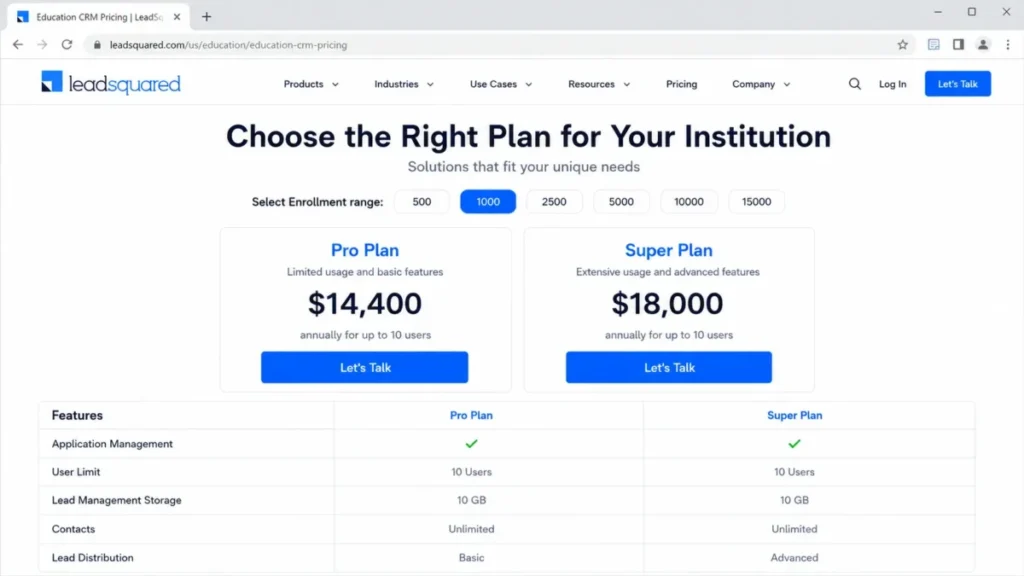
The official education pricing page shows the Pro plan at $14,400 per year and the Super plan at $18,000 per year, checked July 7, 2026. Here is the catch buyers miss: both public plans are for up to 10 users, so the attractive annual price is tied to a 10-user context, and larger admissions teams move into an upgrade or sales conversation.
Implementation is more honestly documented than most. The product page states timelines can range from about 6 to 16 weeks depending on institution size and integrations, and the pricing page describes open and REST APIs, a LAPPS platform, over-usage handling, and security claims including ISO, GDPR, HIPAA, and encryption on distributed data servers.
| Pros | Cons |
|---|---|
| Inquiry capture, counselor workflows, lead scoring, and application-pipeline tracking | Visible plans cap at 10 users, so large teams cannot rely on the public price |
| Published APIs and over-usage handling, so integration limits are less of a surprise | Not built to replace an institutional platform for advancement or student success |
| A transparent annual price you can bring to finance without a discovery call | Implementation runs roughly 6 to 16 weeks depending on scope |
Avoid if: you need unlimited-user institutional licensing, or a wide advancement and student-success ecosystem.
Setup difficulty: Medium. Budget for the 6 to 16 week range the vendor publishes.
Verdict: The most budget-transparent admissions CRM for teams of up to 10 users who want a price they can take to finance today.
5. Ellucian Recruiting & Admissions: Best SIS-Aligned Admissions CRM

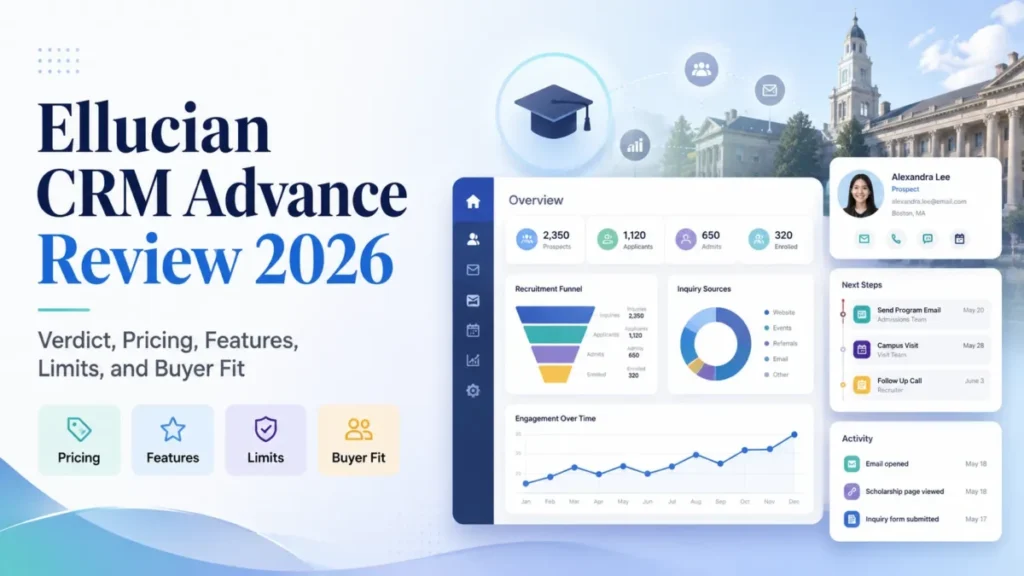
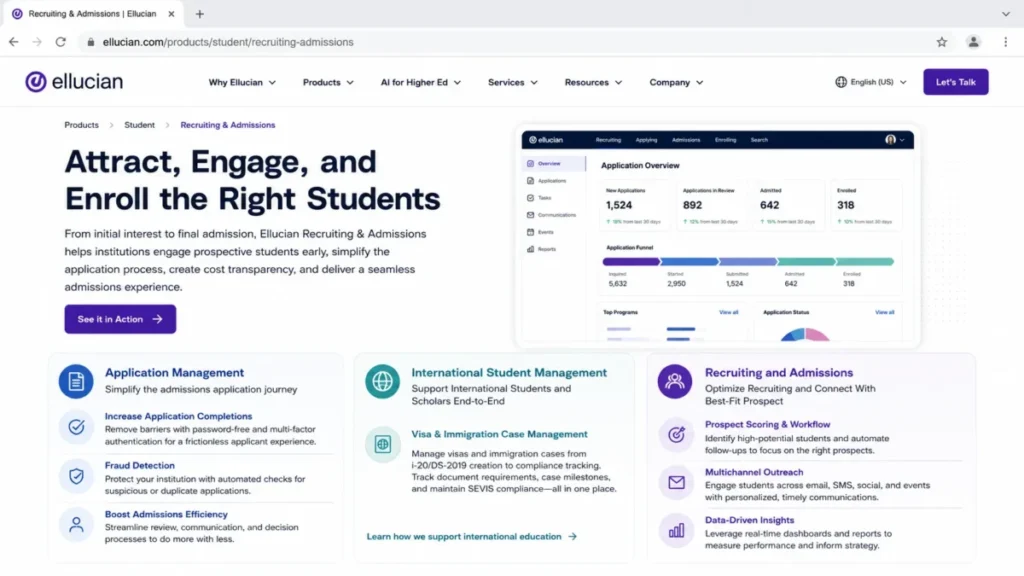
Ellucian Recruiting & Admissions fits institutions already aligned with Ellucian Student, or teams that want recruiting and admissions workflows close to the SIS ecosystem. Its strongest argument is proximity to the system of record, a point our Ellucian CRM review examines further.
Pricing is custom. The public product page does not disclose a standard US price, checked July 7, 2026, and public review-platform data indicates pricing details are not publicly available, so use quote-based wording only.
The product covers recruiting and admissions CRM, application management, MFA and fraud detection, prospect scoring, multichannel outreach, and international applicant workflows. For institutions that live inside Ellucian, that SIS alignment is the point, and the reason to shortlist it over a standalone CRM.
The buyer consequence is lock-in that cuts both ways: Ellucian Student institutions remove integration guesswork, while institutions not on Ellucian inherit ecosystem dependencies for a CRM they could buy more cheaply elsewhere. Confirm in the demo that prospect scoring, outreach, and international applicant handling map to your funnel, since those features justify the quote.
| Pros | Cons |
|---|---|
| Recruiting and admissions workflows built to sit close to the Ellucian ecosystem | Quote-based pricing removes any self-serve budgeting |
| Application management plus MFA and fraud detection for high-volume and international applicants | Ecosystem implementation can be heavier than a standalone admissions CRM |
| International applicant handling that lighter CRMs treat as an afterthought | High setup effort tied to SIS-aligned data work |
Avoid if: you want a lightweight standalone CRM with transparent self-serve pricing, or you are not on Ellucian and do not plan to be.
Setup difficulty: High, especially when paired with SIS-aligned data work.
Verdict: The safest admissions CRM for institutions already committed to the Ellucian ecosystem, and hard to justify for anyone who is not.
6. EAB Navigate360: Best for Student Success and Retention

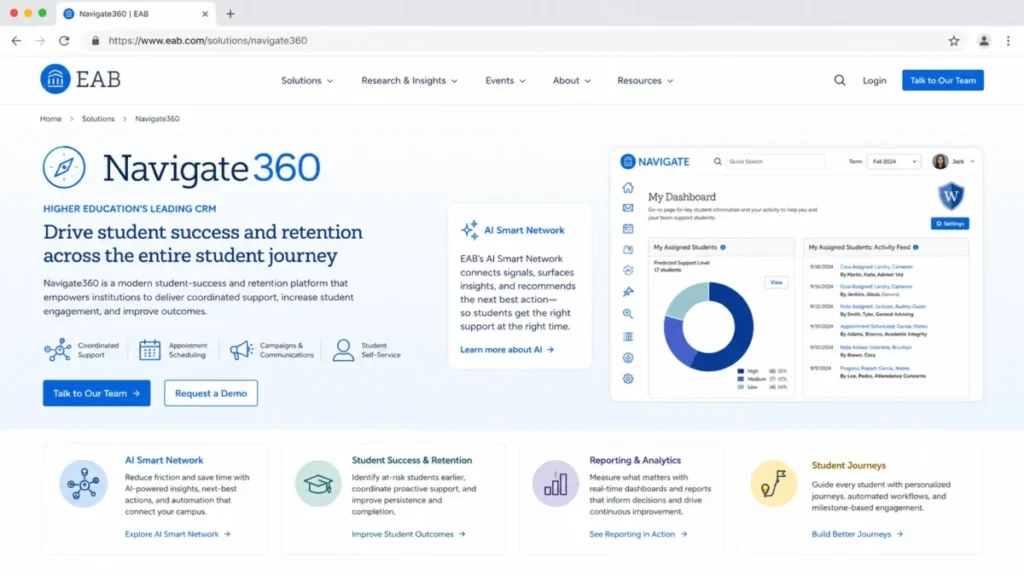
EAB Navigate360 fits institutions prioritizing retention, advising coordination, student-success signals, and full student-journey engagement. This is the pick when the problem is keeping students, not just recruiting them.
Pricing is custom and contact-vendor, and the public price is not disclosed, checked July 7, 2026, and a public listing also indicates no free trial. Confirm whether you are buying the enrollment package, the retention package, or both, because the scope drives the quote.
The platform is positioned around an AI Smart Network, prospect profiles, workflows, appointment and event tools, communications, a Common App-related application builder, and analytics. That breadth is a strength for student success and a mismatch for a team that only needs a simple admissions pipeline.
The buyer consequence is scope creep inside the quote, because a platform spanning recruitment, retention, advising, and analytics is easily sold larger than an admissions-only team needs. Ask EAB to separate the enrollment and retention modules in writing, and pressure-test the AI Smart Network and the Common App-related application builder against your actual advising and intervention workflows before committing.
| Pros | Cons |
|---|---|
| Student-success and retention depth beyond a basic admissions CRM, including advising coordination | Likely too broad and sales-led for admissions-only lead management |
| Application-builder and engagement tooling tied to the wider student journey | No public pricing or trial to self-qualify before a sales conversation |
| Analytics aimed at intervention, not just reporting | High, cross-office rollout that touches advising and faculty |
Avoid if: you are a small admissions-only team that needs a lead pipeline and nothing more.
Setup difficulty: High. Retention platforms touch advising, faculty, and multiple offices.
Verdict: The right platform when retention and student success are the core problem, and the wrong one for admissions-only lead management.
7. TargetX by Liaison: Best Salesforce-Based Higher-Ed Package

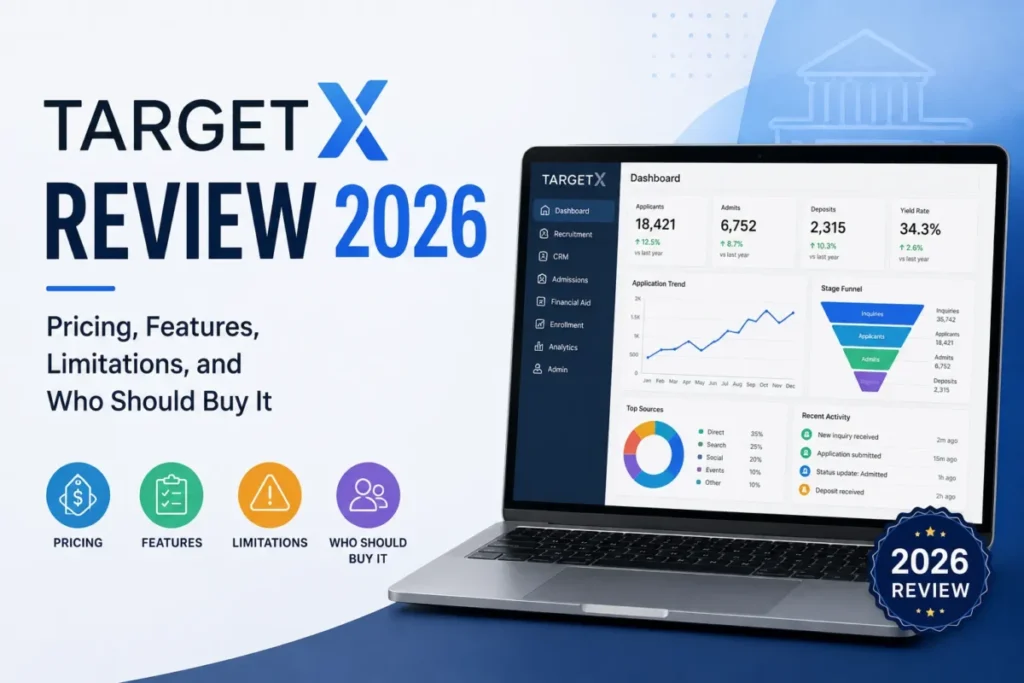
TargetX fits institutions that want Salesforce as the platform but prefer higher-education-specific recruitment, admissions, engagement, and retention packaging. It is Salesforce underneath, with a higher-ed layer on top, and our dedicated TargetX review walks through the module set.
Pricing is not publicly disclosed, and a sales or demo path is required, checked July 7, 2026. The bigger decision is architectural: because TargetX is built on Salesforce, you inherit Salesforce administration, licensing dependencies, and integration patterns, which changes staffing and cost conversations.
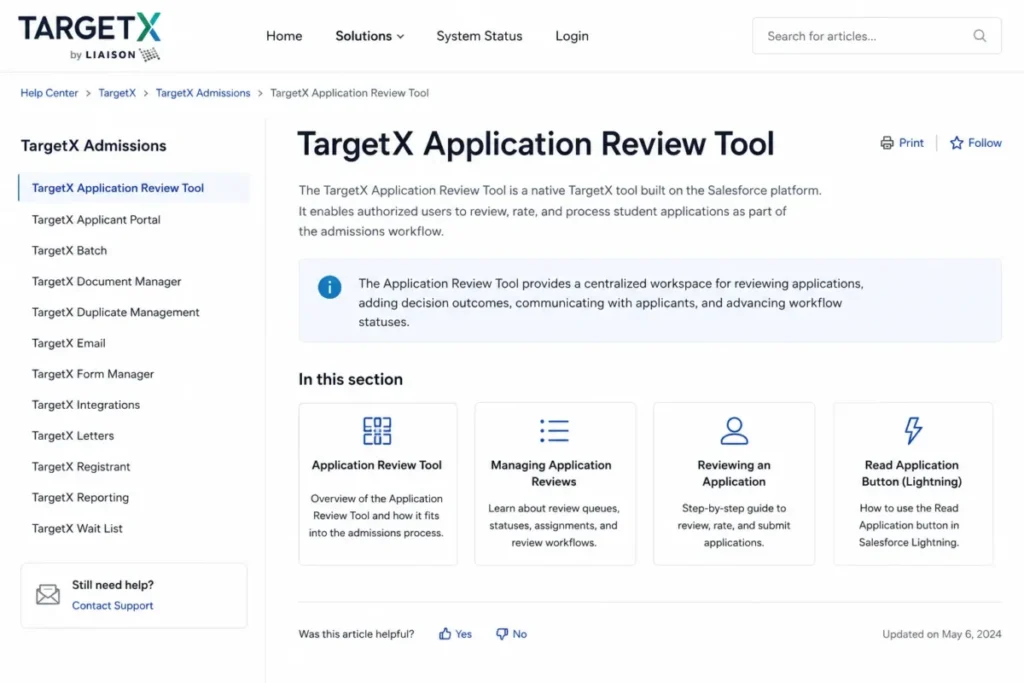
The public site and help center describe a Recruitment Suite with email, online application, SMS, and events management, plus modules such as an Application Review Tool, Communication Planner, Communities, Engage, Events, and Insights, alongside Salesforce Basics. That module list signals real admissions depth, and real Salesforce dependency.
The buyer consequence is a two-layer cost and admin model, because you fund the TargetX package and the Salesforce licensing and administration underneath it. Confirm in the demo how the module set maps to your cycle, and name who will own the Salesforce configuration once the higher-ed layer is live.
| Pros | Cons |
|---|---|
| Higher-education recruitment and admissions workflows on a familiar Salesforce foundation | Salesforce-based setup adds administrative and integration complexity |
| A full admissions module set, including application review and communication planning | No public pricing, and license dependencies you must confirm in a demo |
| A sensible choice for institutions committed to the Salesforce ecosystem | High setup driven by Salesforce configuration as much as TargetX itself |
Avoid if: you do not want to run Salesforce administration, or you need quote-free procurement.
Setup difficulty: High, driven by Salesforce configuration as much as TargetX itself.
Verdict: A strong admissions package for institutions already committed to Salesforce and willing to own the administration it brings.
8. Blackbaud (Raiser’s Edge NXT / Blackbaud CRM): Best for Advancement and Fundraising

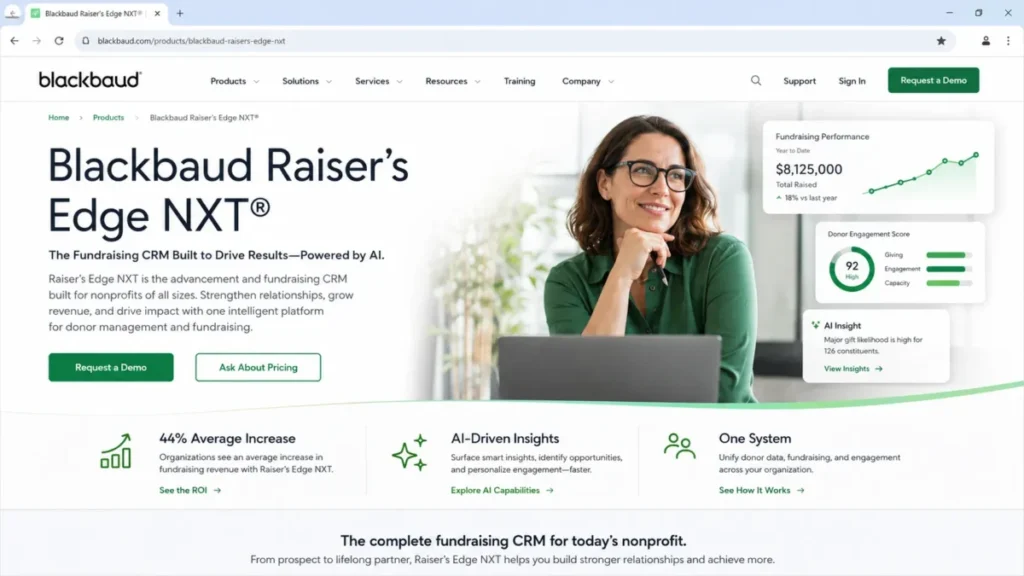
Blackbaud fits higher-education advancement, alumni relations, donor management, and fundraising teams. This is the clearest disqualifier on the list, and naming it protects your demo calendar: Blackbaud is an advancement CRM, not an admissions CRM.
Pricing is a customized quote based on organization size, goals, selected solutions, modules, users, support, and services, checked July 7, 2026, so I will not estimate a fundraising CRM contract value. The Raiser’s Edge NXT product is positioned as an AI-powered fundraising and donor CRM, and Blackbaud’s higher-education focus centers on advancement, scholarship, and fund accounting.
Admissions-first teams should not treat Blackbaud as their primary admissions CRM, and advancement teams should not expect a general admissions platform to run their donor pipeline. Public review sentiment also points to complexity and usability that are worth pressure-testing in a demo.
The buyer consequence is a hard scope boundary, because a gift-officer platform will not run an application funnel, and forcing it to is how advancement and admissions fight over one mismatched system. If both offices need software, budget for two, and test the donor pipeline, scholarship, and fund-accounting workflows against your advancement processes.
| Pros | Cons |
|---|---|
| Advancement, donor management, and fundraising depth built for higher education | Not an admissions or enrollment operations system |
| Scholarship and fund-accounting adjacency that pure CRMs lack | Public sentiment suggests complexity and a usability curve to validate |
| A mature ecosystem for gift officers and alumni teams | Custom-quote pricing that scales by modules, users, support, and services |
Avoid if: your primary job is admissions or enrollment. Shortlist it only for advancement.
Setup difficulty: High, and scoped to advancement processes.
Verdict: The advancement and fundraising system for gift and alumni teams, and never the answer for admissions or enrollment operations.
Configurable General CRMs Adapted for Education
These two are not higher-education-native admissions systems. They fit budget-conscious or marketing-led teams that will configure a general CRM, and they should not be treated as direct Slate or Element451 substitutes.
9. HubSpot CRM: Best Free Starter CRM for Education Marketing

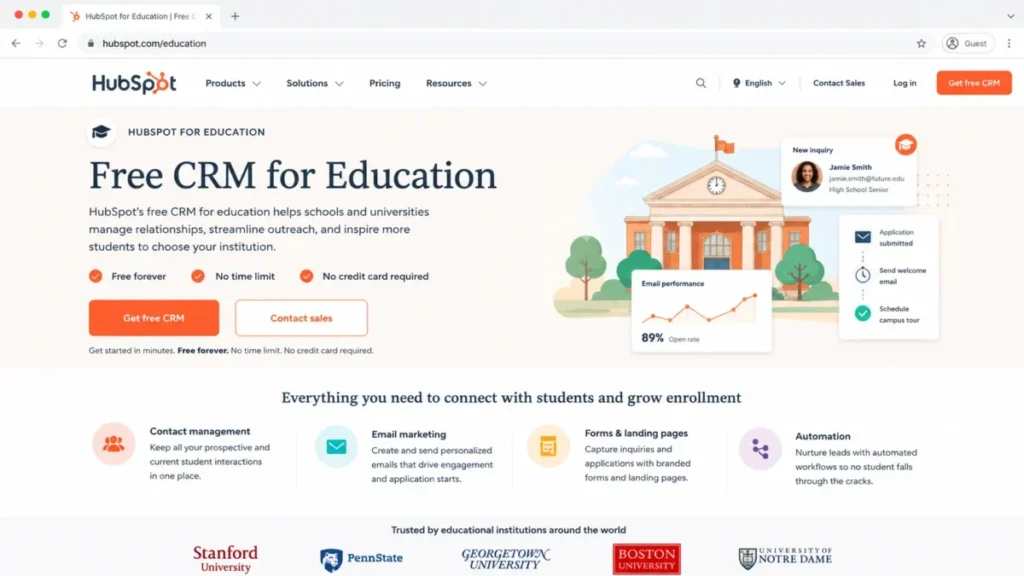
HubSpot fits small schools, continuing-education teams, and marketing-led education teams that need a free or low-cost CRM with email, pipeline, and campaign tools. Its education page states the CRM can be used by schools and universities, and the free CRM is available with no time limit and no credit card, as our HubSpot CRM review details.
Pricing is mixed. The free CRM is genuinely free, but paid HubSpot pricing varies by hub and bundle and can display dynamically, so an editor should recheck paid bundle figures against our HubSpot pricing guide before publication rather than trust a single snapshot.
Public review sentiment praises the free tier while noting pricing complexity and a learning curve as you scale.
The honest framing: a free CRM is not free admissions operations. HubSpot gives you contacts, pipelines, email, and reporting, but it does not ship native application management, application review, or SIS-native student operations.
| Pros | Cons |
|---|---|
| A genuinely free CRM with no expiration, ideal for small or marketing-led teams | Not higher-education-native, with no native admissions application workflow |
| Strong email, pipeline, and campaign tooling for recruitment marketing | Costs rise as hubs, contacts, seats, and automation needs expand |
| Fast, low-cost starting path with a large integration ecosystem | Paid tiers get more complex and costlier as you scale |
Avoid if: you need native application management, student-success workflows, or SIS-native operations.
Setup difficulty: Low to Medium for marketing use, higher if you try to force admissions operations onto it.
Verdict: The best free starting point for small, marketing-led education teams, provided you do not expect native admissions operations.
10. Zoho CRM: Best Budget Customizable CRM

Zoho CRM fits budget-conscious schools or departments that can customize a general CRM for admissions outreach, communication, and reporting. Its education page positions Zoho as a customizable CRM for schools rather than a fixed out-of-the-box vertical product, and our Zoho CRM review covers that customization tradeoff.
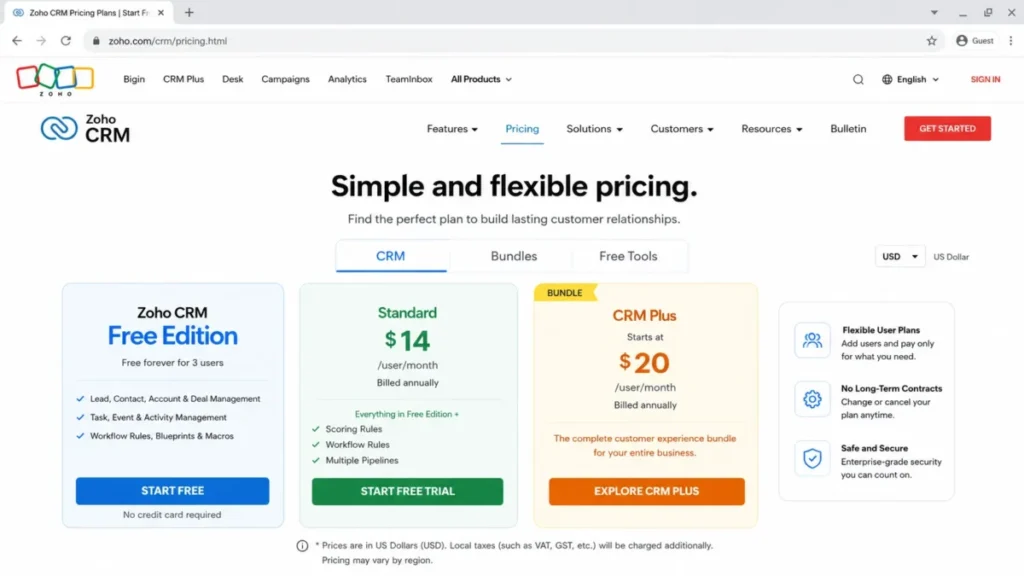
The official pricing page shows a free edition for up to 3 users and Zoho CRM Plus displayed at $20 per user per month, checked July 7, 2026. Other USD tier prices can display regionally or dynamically, so treat non-CRM-Plus figures as secondary until an editor reverifies them against our Zoho CRM pricing breakdown and a US page.
Zoho covers leads, deals, workflows, reports, a mobile app, APIs, and Zia AI on higher tiers, with a CRM Plus suite option. Advanced AI, journey orchestration, and deeper automation sit in higher tiers, and the free plan’s 3-user ceiling makes it a pilot, not a department rollout.
| Pros | Cons |
|---|---|
| Low entry cost and broad customization flexibility for tight budgets | Not an out-of-the-box higher-education CRM, so setup and process design are on you |
| A usable free edition for a 3-user pilot before committing | Advanced AI and automation are gated to higher tiers |
| APIs and a mobile app for teams that will own their own configuration | Real configuration effort despite the low entry cost |
Avoid if: you need a ready-made higher-education admissions platform with native application review and SIS-specific packaging.
Setup difficulty: Medium. The cost is low, but the configuration effort is real.
Verdict: The budget pick for teams that will configure their own CRM, trading out-of-the-box admissions depth for a low entry cost.
Higher Education CRM Pricing: Public vs Custom Status
The first filter most procurement teams actually need is not price, it is pricing status: which vendors publish a number, and which require a sales quote. Shortlisting only vendors with visible pricing can save weeks.
| Product | Pricing status | Public entry price | Checked |
|---|---|---|---|
| Slate | Public | $30,000/ | Jul 7, 2026 |
| Salesforce Education Cloud | Public (nonprofit) | $87/ | Jul 7, 2026 |
| Element451 | Custom | Not published | Jul 7, 2026 |
| LeadSquared | Public | $14,400/ | Jul 7, 2026 |
| Ellucian Recruiting & Admissions | Custom | Not published | Jul 7, 2026 |
| EAB Navigate360 | Custom | Not published | Jul 7, 2026 |
| TargetX by Liaison | Not publicly disclosed | Not published | Jul 7, 2026 |
| Blackbaud | Custom | Not published | Jul 7, 2026 |
| HubSpot CRM | Mixed | Free CRM; paid varies | Jul 7, 2026 |
| Zoho CRM | Mixed | Free (3 users); CRM Plus $20/ | Jul 7, 2026 |
Half the list is custom or undisclosed, which is normal for enterprise higher-ed platforms and not a red flag by itself. If your procurement process cannot start without a number, begin with Slate, Salesforce, LeadSquared, HubSpot, and Zoho, and treat the custom-priced five as demo-first conversations.
What to Bring When You Talk to Sales
Before any sales call, write one brief and bring the same one to every vendor you talk to: your institution size, the departments in scope, the support level you expect, and your SIS. Quotes built from the same brief are easier to compare, because each vendor then prices the same job.
Cost at Realistic Team Size
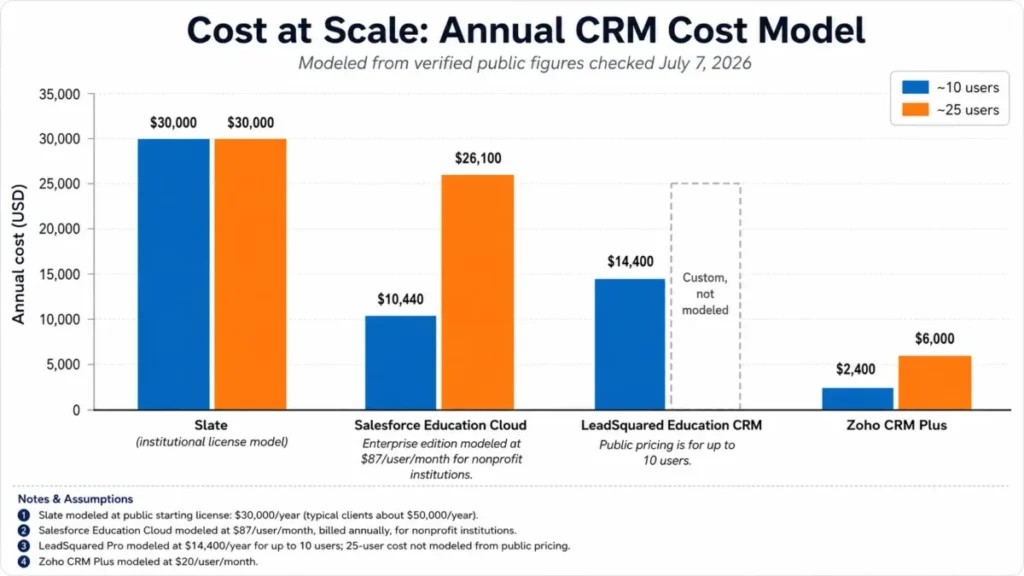
Starting prices hide the real budget question, which is what an enrollment team of 10 or 25 actually pays per year. Institutional-license and per-seat models behave very differently as you add people, and this is where the shortlist reorders itself.
| Product | Pricing model | Cost at ~10 users | Cost at ~25 users | Notes |
|---|---|---|---|---|
| Slate | Annual institutional license | $30,000+/ | Same license baseline | Most clients ~$50,000/ |
| Salesforce Education Cloud | Per user/ | ~$10,440/ | ~$26,100/ | For-profit pricing differs; Unlimited $145/ |
| Element451 | Custom annual | Custom | Custom | Based on institution size and support tier |
| LeadSquared | Annual, up to 10 users | $14,400–$18,000/ | Custom (over 10 users) | Public plans cap at 10 users |
| Ellucian | Custom | Custom | Custom | Sales-led quote |
| EAB Navigate360 | Custom | Custom | Custom | Contact vendor; no free trial listed |
| TargetX by Liaison | Not disclosed | Custom | Custom | Plus Salesforce license dependencies |
| Blackbaud | Custom quote | Custom | Custom | Scales by modules, users, support, services |
| HubSpot CRM | Free plus paid bundles | $0 free; paid varies | Paid varies | Recheck bundle pricing before publication |
| Zoho CRM | Per user/ | ~$2,400/ | ~$6,000/ | Free for 3 users; verify regional price |
The math flips expectations. At 25 users, Salesforce Education Cloud on the Enterprise tier lands near $26,100 per year for nonprofits, close to Slate’s starting license, while Zoho CRM Plus stays near $6,000 per year, which is why budget-led departments drift toward general CRMs even when the native fit is weaker.
The five custom-priced platforms genuinely cannot be modeled from public data, and estimating their contracts would be a guess, so I do not.
Which CRM Fits Your Team, Not Just Your Institution
One CRM rarely serves admissions, student success, and advancement equally, and buying by institution name instead of by department is how offices end up fighting over a mismatched tool. Map the product to the job first.
| Product | Admissions | Enrollment marketing | Student success / advising | Advancement / alumni |
|---|---|---|---|---|
| Slate | Strong | Strong | Add-on license | Add-on tier |
| Salesforce Education Cloud | Strong | Strong | Strong | Strong |
| Element451 | Strong | Strong | Available | Not the focus |
| LeadSquared | Strong | Strong | Limited | Not the focus |
| Ellucian | Strong | Moderate | Via ecosystem | Not the focus |
| EAB Navigate360 | Moderate | Moderate | Strong | Limited |
| TargetX | Strong | Strong | Moderate | Not the focus |
| Blackbaud | Not the focus | Limited | Limited | Strong |
| HubSpot CRM | Via config | Strong | Via config | Via config |
| Zoho CRM | Via config | Moderate | Via config | Via config |
Read this grid before you read pricing. If your buying committee spans admissions and advancement, you are likely looking at two systems (something like Slate or Salesforce for the funnel and Blackbaud for donors), and pretending one tool covers both is the fastest route to a stalled rollout.
Admissions Workflow Depth Compared
“Admissions CRM” is not one capability, and the products differ most on application operations: capture, build, review, decision, and yield. This is where feature-checklist competitors go quiet.
| Product | Inquiry capture | Application builder | Application review | Decision release | Events / yield |
|---|---|---|---|---|---|
| Slate | Native | Native | Native | Native | Native |
| Salesforce Education Cloud | Via apps | Via apps | Via apps | Via apps | Via apps |
| Element451 | Native | Native | Available | Available | Native |
| LeadSquared | Native | Partial | Partial | Partial | Partial |
| Ellucian | Native | Native | Native | Native | Moderate |
| EAB Navigate360 | Native | Common App-related | Moderate | Moderate | Native |
| TargetX | Native | Native (online application) | Application Review Tool | Available | Native (events) |
| Blackbaud | Not the focus | Not the focus | Not the focus | Not the focus | Not the focus |
| HubSpot CRM | Via pipelines | No native builder | No native review | No native release | Marketing events |
| Zoho CRM | Via config | No native builder | No native review | No native release | Via config |
If application review and decision release are core to your cycle, the native systems (Slate, Ellucian, TargetX, and Element451) do less configuration work than a general CRM you would have to bend into an application system. LeadSquared handles the funnel well but leans lighter on native application-building, which is fine for lead-heavy recruitment and a gap for heavy application review.
SIS and LMS Integration Risk
Integration logos on a vendor page are not implementation proof, and the buyer question is who owns the SIS sync, the LMS signals, and the data cleanup. Integration risk is what turns a 6-week rollout into a 6-month one.
| Product | Integration approach | SIS alignment | Buyer risk to test |
|---|---|---|---|
| Slate | Integrations plus APIs | Admissions-native, sync configured | Confirm SIS sync scope and ownership |
| Salesforce Education Cloud | Education data foundation plus ecosystem | Platform-based | Admin effort to model and maintain data |
| Element451 | APIs and integrations | Not SIS-native | Confirm connector availability in demo |
| LeadSquared | Open and REST APIs, LAPPS | Pre-enrollment, hands off to SIS | Over-usage handling and API limits |
| Ellucian | SIS-aligned | Closest to Ellucian Student | Ecosystem lock-in and data work |
| EAB Navigate360 | Platform integrations | Success-oriented | Confirm package and integration scope |
| TargetX | Salesforce data integration | Via Salesforce | Salesforce integration and admin load |
| Blackbaud | Advancement ecosystem | Fund accounting adjacency | Not built for SIS admissions sync |
| HubSpot CRM | Broad integrations | Not SIS-native | No native SIS connector to assume |
| Zoho CRM | APIs, customizable | Not SIS-native | Integration and config are on your team |
Do not assume a native SIS connector for any product on this list, and confirm it with the vendor before you sign. The safest SIS story here is Ellucian for Ellucian shops, and the most transparent integration documentation is LeadSquared’s published API and over-usage detail.
AI Agents in Admissions: Governance Before Hype
AI is the loudest claim in this category and the least governed, and admissions teams carry consent, messaging-approval, and data-handling obligations that generic AI copy ignores. Treat AI as a buyer-risk area, not a feature bullet.
Salesforce lists Agentforce education tiers at $375 per user per month, so its AI is a distinct, premium line item, not an included extra. Element451 leads with Bolt AI agents, Blackbaud markets Raiser’s Edge NXT as AI-powered, and Zoho gates Zia AI to higher tiers, so “has AI” means very different things across the shortlist.
Before you let an AI agent touch prospects, get answers to five governance questions:
- Who approves the messages an agent sends to applicants, and can staff review before send.
- Where does applicant data go, and does the vendor train models on it.
- What is the AI priced as: included, add-on, per-user, or usage-based.
- Can you turn agents off per workflow without breaking the CRM.
- What audit trail exists for automated outreach and decisions.
If a vendor cannot answer these cleanly, the AI is a risk line, not a selling point. The budget version of the same warning: an AI tier that doubles or triples per-seat cost has to earn it in yield or advising outcomes, not demos.
Implementation and Migration Checklist
CRM failure in higher education usually comes from migration and adoption, not a missing feature, and the work that decides success happens after you sign. LeadSquared’s own 6 to 16 week range is a fair planning baseline, while enterprise and Salesforce-based platforms often run longer.
Before go-live, plan for:
- SIS data mapping and a clean import, not a copy of a messy legacy CRM.
- Application forms, review stages, and decision-release logic.
- Communication templates, consent capture, and compliance rules.
- Territory rules and counselor or advisor assignment.
- Reporting definitions agreed with leadership before launch.
- Staff training and a named internal administrator.
My 30 and 90 day adoption test: by day 30, counselors should be working inquiries inside the CRM, not in spreadsheets, and by day 90, application review and reporting should run natively. If either milestone slips, the risk is adoption, and no feature list fixes an adoption problem.
Setup Difficulty at a Glance
| Product | Setup difficulty | Main reason |
|---|---|---|
| Slate | High | Cycle-based configuration, dedicated admin |
| Salesforce Education Cloud | High | Platform program, admin capacity required |
| Element451 | Medium–High | AI and automation configuration |
| LeadSquared | Medium | Published 6–16 week implementation |
| Ellucian | High | SIS-aligned data work |
| EAB Navigate360 | High | Cross-office retention rollout |
| TargetX | High | Salesforce configuration plus modules |
| Blackbaud | High | Advancement process scoping |
| HubSpot CRM | Low–Medium | Simple for marketing, hard for admissions |
| Zoho CRM | Medium | Low cost, real configuration effort |
The pattern is consistent: native depth and low setup effort rarely come together. The two “Low to Medium” options are general CRMs precisely because they are not doing native admissions work, which is the tradeoff you accept for a fast, cheap start.
Support, Training, and Security to Confirm
Support and security rarely appear in higher-ed CRM roundups, yet they are common procurement blockers. Two examples set the pattern: Slate publishes support, community, and training inclusions, while Salesforce gates Premier Success Support into the Unlimited tier, so “support” is not a flat feature across vendors.
On security, LeadSquared publicly lists ISO, GDPR, HIPAA, encryption, and distributed data-server claims, which is more than most competitors expose. For the other enterprise tools, do not assume certifications you cannot see, and ask IT to run a trust review.
A short security and compliance checklist for the demo stage:
- Data residency, encryption, and access controls for student data.
- Role-based permissions and audit logging.
- Consent capture and records-retention handling.
- Published certifications versus claims you would need to verify.
- Support tier included versus support you pay extra for.
Treat any unverified certification as unconfirmed until the vendor shows documentation. Naming this early keeps IT and security from blocking a purchase your enrollment team already committed to.
By Institution Type: Community College vs Four-Year vs Enterprise
Budget, learner mix, and staffing change the right answer, and a community college is not a scaled-down flagship university. Match the tool to the institution, not to the brand names on a generic list.
For community colleges balancing adult learners, dual enrollment, and tight budgets, Element451’s community-college pricing path, EAB Navigate360 for retention, LeadSquared for transparent cost, and HubSpot or Zoho for lean, marketing-led teams are the realistic shortlist.
For admissions-led four-year institutions, Slate is the default, with TargetX or Salesforce Education Cloud when a Salesforce commitment already exists. For large enterprise universities running the full lifecycle, Salesforce Education Cloud and Slate anchor the decision, with Blackbaud added for advancement.
Advancement offices at any institution type should shortlist Blackbaud first, and should not let an admissions CRM define their donor pipeline. This is the switch-or-stay judgment I would make: if your current admissions tool works and only advancement is broken, buy Blackbaud and keep admissions where it is, rather than replatforming the whole institution at once.
Hidden Costs and Budget Pressure Points
The advertised price is almost never the budget. In higher-education CRM buying, cost climbs through add-on licenses, AI tiers, support upgrades, seat expansion, and implementation, and finance usually finds these after the demo, not before.
| Product | Where the advertised price stops being the budget |
|---|---|
| Slate | Separate student-success license (~$30,000/ |
| Salesforce Education Cloud | Unlimited support tier at $145/ |
| Element451 | Custom package priced by institution size and support tier; AI packaging to confirm |
| LeadSquared | Public plans cap at 10 users; growth past that moves to a sales quote |
| Ellucian | Modules, services, and implementation scope, all quote-based |
| EAB Navigate360 | Package scope across recruitment, retention, and success drives the quote |
| TargetX | Salesforce license dependencies on top of the TargetX package |
| Blackbaud | Modules, users, support, and services bundled into a tailored quote |
| HubSpot CRM | Paid hubs, contact tiers, and seats as you scale past the free CRM |
| Zoho CRM | Higher tiers for advanced AI, journey orchestration, and automation |
The single biggest budget surprise on this list is treating AI and support as included when they are premium tiers, especially on Salesforce. My rule for this category: build the budget from the tier that unlocks what you actually need, add one line for implementation and training, and only then compare vendors, because the entry price is the least useful number in the room.
The Buyer Risk Ledger for Higher Education CRM
Before a final decision, I would write down the risks that decide whether this purchase works, tie each to a consequence, and assign a mitigation. This is the ledger I would bring to a buying committee.
- Category risk: buying a CRM to solve an SIS problem. Consequence: a tool nobody adopts. Mitigation: confirm CRM versus SIS scope in step one.
- Pricing risk: budgeting from the starting price. Consequence: a contract that doubles at real team size or on AI tiers. Mitigation: model cost at 10 and 25 users and price AI separately.
- Scope risk: for-profit institutions assuming nonprofit Salesforce pricing. Consequence: a broken budget line. Mitigation: request a scoped for-profit quote.
- Integration risk: assuming a native SIS connector. Consequence: a consulting project attached to go-live. Mitigation: get SIS sync ownership in writing.
- Adoption risk: underfunding migration and training. Consequence: staff drift back to spreadsheets by month three. Mitigation: fund a named admin and a 90-day plan.
- Fit risk: shortlisting Blackbaud for admissions or Slate for a tiny team. Consequence: wasted demo cycles and a mismatched rollout. Mitigation: match product to department using the fit grid above.
A ledger like this does more than any feature comparison, because it forces the committee to name what breaks first. In this category, the thing that breaks first is almost always adoption, not features.
Which Higher Education CRM Should You Avoid?
The most useful part of any shortlist is knowing when a popular tool is the wrong buy for you. None of these are bad products, but they are frequently bought for the wrong job.
- Avoid Blackbaud as your admissions CRM. It is an advancement and fundraising system, and admissions teams should not run application operations on it.
- Avoid Slate if you are a very small program with no dedicated administrator. The institutional license and setup depth will outrun your capacity.
- Avoid Salesforce Education Cloud without Salesforce admin capacity, and never assume the nonprofit price if you are a for-profit institution.
- Avoid custom-priced platforms (Element451, Ellucian, EAB, TargetX) if procurement cannot start without a public number, unless you accept a demo-first process.
- Avoid HubSpot or Zoho as a full admissions platform. They are strong marketing and budget CRMs, not native application-management systems.
Each “avoid” has a “choose instead.” Small admissions teams that want structure without Slate’s weight should look at LeadSquared or Element451, for-profit institutions should get a scoped Salesforce quote rather than trusting the list price, and advancement teams should start and end with Blackbaud.
How to Choose the Right Higher Education CRM
Work through these steps in order, because getting step one wrong makes the rest of the evaluation meaningless.
- Name the primary job. Admissions, enrollment marketing, student success, or advancement. Buy for the job that owns the budget, not for every job at once.
- Confirm CRM versus SIS. If you are describing records and registration, you may need SIS work, not a CRM.
- Filter by pricing status. Decide whether you can run a demo-first process for custom-priced vendors or need public pricing to start.
- Model cost at your real team size, not the starting price. Institutional-license and per-seat models diverge fast at 10 to 25 users.
- Test integration and SIS ownership. Ask who builds and maintains the SIS sync, and get it in writing.
- Set AI governance rules. Decide message approval, data handling, and off-switches before enabling agents.
- Plan the first 90 days. Data migration, training, and a named admin decide adoption more than any feature.
Run these seven in sequence and most shortlists collapse to two or three real candidates. That is the point: a good process disqualifies faster than it recommends.
Common Mistakes When Choosing Higher Education CRM Software
These are the recurring errors that show up in public review sentiment and stalled implementations across the category.
- Budgeting from the starting price. Slate’s license baseline and Salesforce’s per-user math produce very different totals at scale.
- Applying nonprofit pricing to a for-profit institution. Salesforce’s listed education price is scoped to nonprofits.
- Confusing CRM with SIS. Buying a CRM to solve a records problem produces a tool nobody adopts.
- Shortlisting by brand instead of by department. An advancement tool is wrong for admissions, and vice versa.
- Treating AI as a free feature. Agentforce education tiers alone run $375 per user per month.
- Assuming a native SIS connector. Confirm integration ownership before signing.
- Underestimating adoption. Migration and training, not features, decide whether the CRM survives month three.
Most of these trace back to one habit: evaluating the price tag instead of the total cost and the fit. Fix that habit and the category gets much easier to work through.
Final Verdict: The Best CRM for Higher Education in 2026
For most admissions-led US colleges and universities, Slate is the best overall CRM for higher education in 2026, because its higher-education-native admissions depth and a transparent $30,000-per-year license baseline give buyers something rare in this category: a native platform with a starting number you can bring to finance.
The rest of the decision is job-specific. Choose Salesforce Education Cloud if you are a large nonprofit that will staff a platform and wants the full lifecycle in one ecosystem, but scope a real quote if you are for-profit.
Choose Element451 if AI-native enrollment engagement is the priority and you have AI governance in place. Choose LeadSquared if a team of up to 10 users wants transparent public pricing and a documented implementation window.
Choose Ellucian if you already live in the Ellucian ecosystem, EAB Navigate360 if retention and student success are the core problem, and TargetX if you are committed to Salesforce and want higher-ed packaging on top.
Choose Blackbaud only for advancement and fundraising, not admissions. And choose HubSpot or Zoho if you are a small, budget-led, or marketing-first team that will configure a general CRM rather than run native application operations.
The renewal question that should guide all of it: twelve months from now, can the office that owns this CRM prove staff work inside it and that reporting is trusted. If yes, you bought the right tool for the job.
If no, the problem was fit or adoption, and this guide’s whole point is to catch that before you sign.
Frequently Asked Questions
What is a CRM for higher education?
A higher-education CRM manages prospective and current student relationships across recruitment, admissions, enrollment, student success, and sometimes advancement. It handles outreach, application funnels, communications, and engagement workflows, while a Student Information System stays the system of record for enrolled-student data.
Which CRM is best for college admissions?
For admissions-led institutions, Slate is the strongest overall pick because of its higher-education-native application, communication, and decision-release workflows. Element451, LeadSquared, Ellucian, and TargetX are also purpose-built admissions options depending on your AI needs, budget transparency, SIS, and platform preference, so match the pick to the admissions job that owns your budget.
Is Slate a CRM?
Yes. Slate by Technolutions is a higher-education CRM focused on admissions, communications, application processing, events, and enrollment workflows, licensed as an annual institutional platform rather than per seat, with a public license that starts at $30,000 per year and typically lands near $50,000.
How much does higher education CRM software cost?
It ranges widely. Public examples checked July 7, 2026 include Slate from $30,000 per year (typically around $50,000), Salesforce Education Cloud from $87 per user per month for nonprofits, and LeadSquared from $14,400 per year for up to 10 users, while Element451, Ellucian, EAB Navigate360, TargetX, and Blackbaud use custom pricing.
What is the difference between an admissions CRM and a student success CRM?
An admissions CRM manages recruitment, applications, and enrollment decisions, while a student success CRM focuses on retention, advising coordination, and intervention after students enroll. Slate and Element451 lead on admissions, while EAB Navigate360 is built for student success and retention.
Does Salesforce have a CRM for higher education?
Yes. Salesforce Education Cloud covers recruitment, admissions, advising, student success, and advancement, with Enterprise Edition listed at $87 per user per month for nonprofit institutions, checked July 7, 2026. For-profit institutions are directed to separate pricing guidance, so do not assume the listed nonprofit rate applies to your institution.
What CRM do universities use for alumni fundraising?
Advancement and alumni teams commonly use Blackbaud, including Raiser’s Edge NXT, which is built for donor management, fundraising, and advancement rather than admissions. Salesforce Education Cloud also covers advancement for institutions already on that platform, though it is a broader lifecycle system rather than a dedicated fundraising CRM. Our nonprofit CRM rankings name Raiser’s Edge NXT the pick for large advancement teams and weigh it against Bloomerang, DonorPerfect and other donor management tools.
Can HubSpot be used by universities?
Yes, especially by small schools, continuing-education programs, and marketing-led teams. HubSpot’s education page confirms schools and universities can use its CRM, and the free CRM has no time limit, but it is not a native admissions application-management system, so treat it as a marketing-led starting point rather than an admissions platform.
How long does a higher education CRM implementation take?
LeadSquared publicly states roughly 6 to 16 weeks depending on institution size and integrations, checked July 7, 2026. Enterprise and Salesforce-based platforms such as Salesforce Education Cloud and TargetX often run longer, so budget for data mapping, training, and a named administrator on top of the vendor’s stated window.
What should colleges look for in a CRM?
Fit to the primary job (admissions, student success, or advancement), total cost at real team size rather than the starting price, SIS and LMS integration ownership, plan gates and feature limits, AI governance, and a realistic implementation and adoption plan.