The best password manager for business depends on the job: Bitwarden for SCIM provisioning on a budget, 1Password for a 10-person flat bundle, Keeper for regulated teams and RoboForm for SSO and SCIM in one low-cost plan. A business password manager adds an admin console that grants and revokes employee access, ideally from your identity provider. Prices are US list prices on annual billing, checked November 2026.
Quick verdict
For teams that share logins and see staff turnover, not for personal vaults.
The plan that automates onboarding sets the price, not the vault. SCIM provisioning starts at $3.33 per user per month on RoboForm Business, $4 on Bitwarden Teams, $6 on Keeper Enterprise and $8.99 on 1Password Business, all billed annually. At 25 users that is $4 x 25 x 12 = $1,200 a year for Bitwarden against $2,697 for 1Password.
The trade-off: the cheapest entry plans cap seats. Keeper Business Starter covers 5 to 10 users, and 1Password Teams Starter Pack stops at 20.

Bitwarden
Best for: SCIM provisioning on a budget
SCIM and Directory Connector come with Teams, the entry business plan.
Limit: SSO and admin account recovery wait for Enterprise

1Password
Best for: a 10-person team on a flat bundle
One flat monthly price covers the first 10 members.
Limit: identity-provider integrations are on Business, priced per user

Keeper
Best for: regulated teams that need audit reporting
SOC 2 Type 2, SOC 3 and ISO 27001 certified, with Compliance Reporting sold as an add-on.
Limit: SCIM and SSO start at the Enterprise tier

RoboForm
Best for: a low-cost plan with SSO and SCIM included
One Business plan lists SSO, SCIM and activity logs, so neither SSO nor SCIM needs an upgrade.
Limit: self-hosting only for 1,000+ user environments
In This Article (16 sections)
Quick Comparison: Best Password Managers for Business Side by Side
SCIM (System for Cross-domain Identity Management) lets your identity provider create and remove accounts; SSO (single sign-on) lets employees sign in with the company login.
| Software | Best for | Starting price | Plan with SCIM or directory sync | Free plan or trial | Key limitation |
|---|---|---|---|---|---|
| Bitwarden | SCIM provisioning on a budget | $4 (Teams) | Teams, $4 | Free trial | SSO needs Enterprise ($6) |
| 1Password | A 10-person team on a flat bundle | $24.95 a month for 10 members | Business, $8.99 | 14-day trial | Starter Pack stops at 20 members |
| Keeper | Regulated teams that need audit reporting | $2 (Business Starter) | Enterprise, $6 | Free trial | Compliance reports are add-ons |
| RoboForm | A low-cost plan with SSO and SCIM included | $3.33 (Business) | Business, $3.33 | Free trial | One plan, no entry tier |
| NordPass | Teams that sign in with Google Workspace SSO | $1.99 (Teams, 1-year plan) | Enterprise, $5.99 | 14-day trial | Teams is a 10-user pack only |
| Dashlane | Catching risky logins outside SSO | $4 (Credential Protection) | Password Management, $8 | 14-day trial | The $4 package has no vault |
| JumpCloud | Directory, SSO and passwords in one bill | $3 (Password Management); SSO package $11 | Not listed on the pricing page | 30-day trial | Suspended users still bill |
| Zoho Vault | The lowest per-user price with team sharing | $0.90 (Standard) | Professional, $4.50 | Free plan | Professional needs 5 users |
| Passbolt | Self-hosting on your own servers | Free (Community Edition) | Pro, $4.90 | Free edition | You run the server |
| LastPass | Adding app SSO to the password manager | $4.25 (Teams) | Business, $7.00 | 14-day trial | Teams stops at 50 users |
Sources: Bitwarden, 1Password, Keeper, RoboForm, NordPass, Dashlane, JumpCloud, Zoho Vault, Passbolt and LastPass pricing pages, checked November 2026.
How I Chose These Tools
To qualify, a tool needed an admin console that can revoke a user and a business plan on a published plan page.
I ranked by job, in this order: automated onboarding and offboarding, the price of the plan that does it, sign-in, sharing and permissions, account recovery, reporting, hosting and the trial. The ranking rests on each vendor’s pricing page and help docs, read in November 2026.
Autofill on your own apps and identity-provider setup time vary, so connect yours during the trial of your top two before you buy.
1. Bitwarden: Best for SCIM Provisioning on a Budget
- Starting price: Teams, $4 per user per month, billed annually
- Standout feature: SCIM provisioning without an enterprise tier
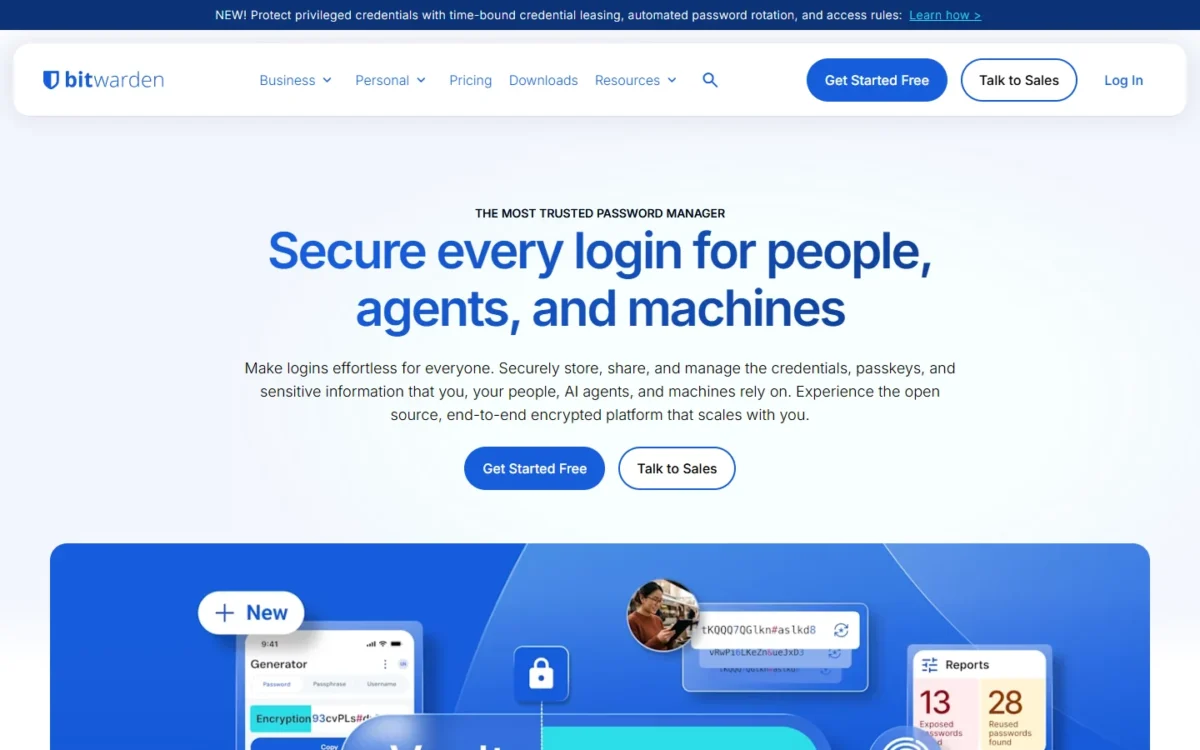
Bitwarden is my pick when the identity provider should create and remove accounts without an enterprise tier. Teams includes SCIM and the Directory Connector app, with setup documented for JumpCloud, Microsoft Entra ID, Okta, OneLogin and Ping Identity. The trade-off sits one tier up: SSO, policies, custom roles and admin account recovery are Enterprise features.
RoboForm Business lists SCIM for less per user ($3.33 against $4) and adds SSO, but its pricing page names no identity providers. Bitwarden ranks first for this job because its SCIM setup is documented for five, and Bitwarden holds ISO 27001, SOC 2 Type II and SOC 3 certifications.
Offboarding is the detail to notice. A user suspended or deactivated in the identity provider loses access to the organization’s vault items and collections, and revoked users do not occupy a license seat.
My take
Pick Teams if SCIM is all you need from the identity provider. Pay for Enterprise only when employees must sign in through SSO or an admin must be able to restore a locked-out account.
Enterprise costs $2 more per user per month than Teams ($6 minus $4, both billed annually), and that $2 buys SSO, policies and account recovery.
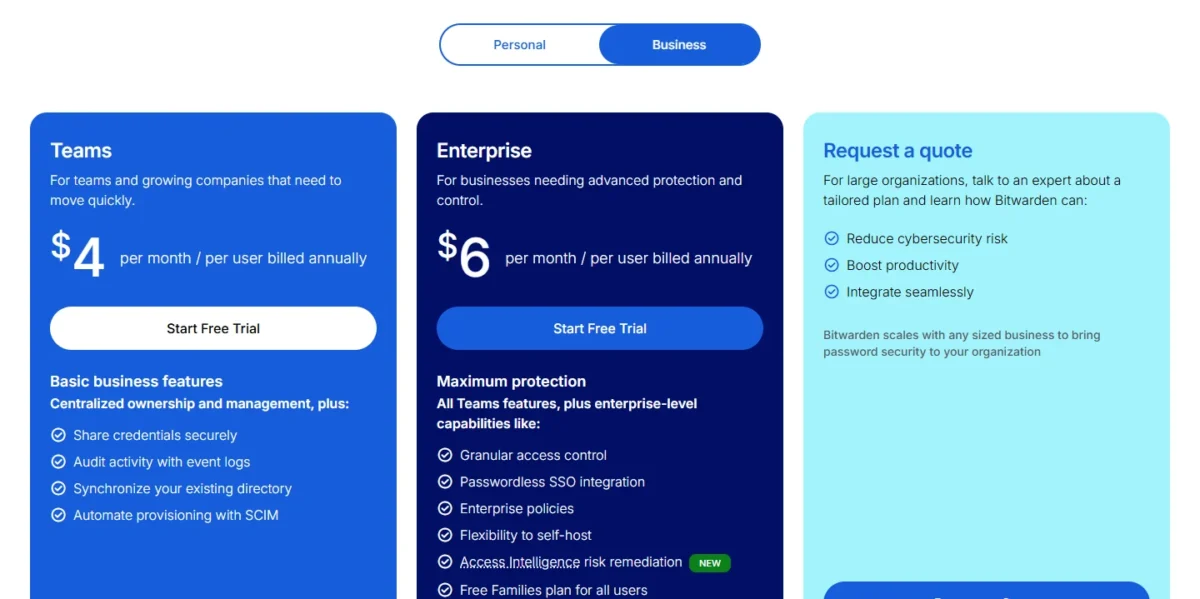
- Teams: $4, with unlimited users
- Enterprise: $6, adds SSO, policies and a self-host option
Sources: Bitwarden business pricing, checked November 2026.
Pros
- SCIM and Directory Connector on Teams
- Revoked and staged users take no license seat
- Self-host option on Enterprise
- ISO 27001, SOC 2 Type II and SOC 3 certified
Cons
- SSO starts at Enterprise
- Admin account recovery is Enterprise-only
- No policies or custom roles on Teams
- Skip it if:
- you want SSO and SCIM in one plan below Enterprise’s price. RoboForm Business includes both.
My full Bitwarden review gives the complete verdict.
2. 1Password: Best for a 10-Person Team on a Flat Bundle
- Starting price: $24.95 a month, billed annually, for the 10-member Teams Starter Pack
- Standout feature: limited-access guest accounts, 5 on Teams Starter Pack and 20 on Business
For a team of ten that wants one predictable bill and no identity-provider project, 1Password’s Teams Starter Pack is the pick. The catch comes when you connect an identity provider: the Okta, Entra ID and OneLogin integrations belong to Business, which is priced per user.
1Password Business integrates with identity providers such as Azure AD, Okta, OneLogin and Rippling to provision users and groups. Once connected, 1Password’s automated provisioning creates users and groups, grants and revokes group access, and suspends users (1Password’s provisioning guide, published October 14, 2026). It “doesn’t include single sign-on (SSO)”, so Unlock with SSO is a second setup.
My 1Password review weighs the whole product, not only these two plans.
My take
Buy the Starter Pack if you will stay at or under 20 people and add users by hand. If an identity provider is on this year’s roadmap, price Business from the start: at 20 users it costs more than twice as much.
Ten extra seats cost $4.99 x 10 x 12 = $598.80 a year, so 20 members on the Starter Pack pay $299.40 + $598.80 = $898.20. Twenty users on Business pay $8.99 x 20 x 12 = $2,157.60. My breakdown of 1Password’s plans and prices walks through each one.
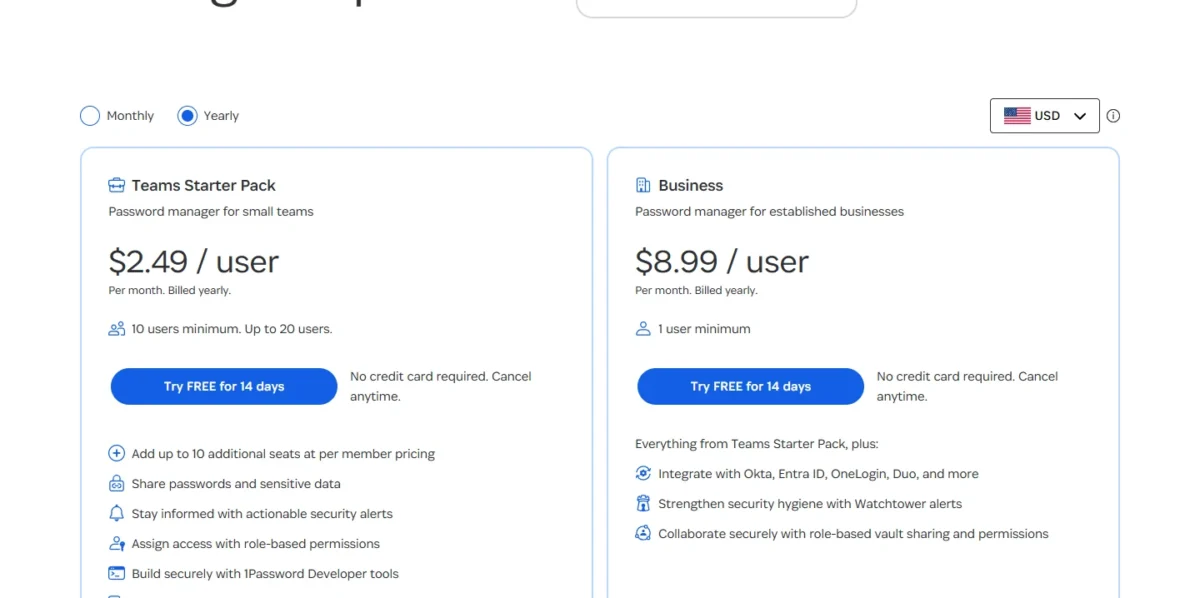
- Teams Starter Pack: $24.95 a month for 10 members ($299.40 a year); up to 10 more seats at $4.99 each per month
- Business: $107.88 per user per year, which is $8.99 a month on annual billing; 1 user minimum
Sources: 1Password business pricing, checked November 2026.
Pros
- One flat bill instead of per-user pricing on the Starter Pack
- Guest accounts for contractors on both plans
- Business provisions from six identity providers named on the pricing page
- Watchtower alerts on Business
Cons
- Teams Starter Pack stops at 20 members
- Okta, Entra ID and OneLogin integrations are Business-only
- SSO is a separate setup from provisioning
- Skip it if:
- SCIM for a growing team has to stay cheap. Bitwarden Teams provisions from the identity provider at $4 per user per month.
Before you choose between the two, read my Bitwarden vs 1Password comparison.
Teams ruling it out can start from my roundup of alternatives to 1Password.
3. Keeper: Best for Regulated Teams That Need Audit Reporting
- Starting price: Business Starter, $2 per user per month, billed annually (5 to 10 users)
- Standout feature: Compliance Reporting and Advanced Reporting & Alerts as add-ons
An auditor, not a budget, is the reason to buy Keeper. Its certifications reach past SOC 2 and ISO 27001 to ISO 27017 and 27018, plus FedRAMP High and GovRAMP authorization on GovCloud, and it sells Compliance Reporting as a dedicated add-on. The catch is the tiering: SCIM, Active Directory sync and SSO start at Enterprise.
Business adds shared team folders and delegated administration, so a sub-administrator can manage onboarding for one department. Vault transfer moves an employee’s vault when they leave the organization.
Before any add-on, Keeper includes a Risk Management Dashboard, a Security Audit that monitors password strength and reuse across the organization, and activity reporting.
My take
For a regulated team I would budget Enterprise plus the Compliance Reporting add-on from the start. Bitwarden Enterprise costs the same $6 and also holds ISO 27001, SOC 2 and SOC 3, so choose Keeper for the certifications and reporting add-ons beyond those, not for the price.
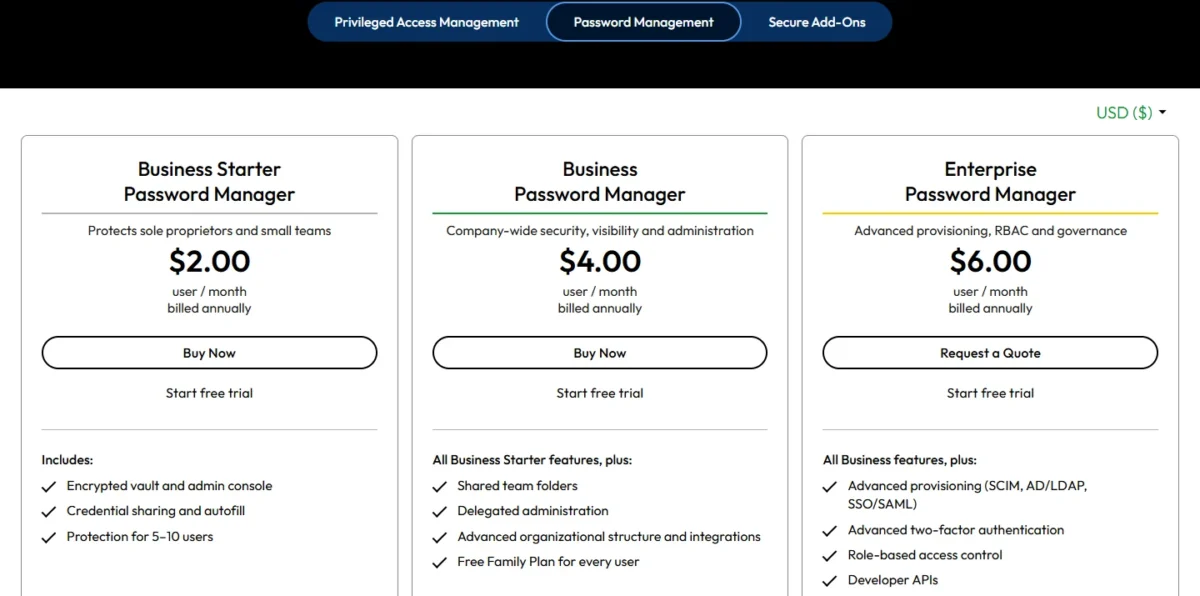
All three tiers bill per user per month, annually. Compliance Reporting and Advanced Reporting & Alerts (ARAM) are add-ons on every tier, and SIEM integration requires ARAM, so get the add-on quote before you compare totals.
- Business Starter: $2
- Business: $4, adds shared team folders
- Enterprise: $6, adds SCIM, Active Directory sync and SSO
Sources: Keeper business pricing, checked November 2026.
Pros
- SOC 2 Type 2, SOC 3 and ISO 27001, 27017 and 27018 certified
- FedRAMP High and GovRAMP authorization on GovCloud
- Free Family Plan for every user from Business up
Cons
- No SCIM or SSO below Enterprise
- Compliance Reporting and ARAM cost extra on every tier
- Business Starter has no shared team folders
- Skip it if:
- no auditor asks you for reports. Then the add-ons buy nothing, and RoboForm Business lists SCIM provisioning and SSO integration at $39.95 per user per year, against $6 x 12 = $72 for Keeper Enterprise.
My Keeper review judges it as a whole, not only on audit reporting.
4. RoboForm: Best Low-Cost Plan With SSO and SCIM Included
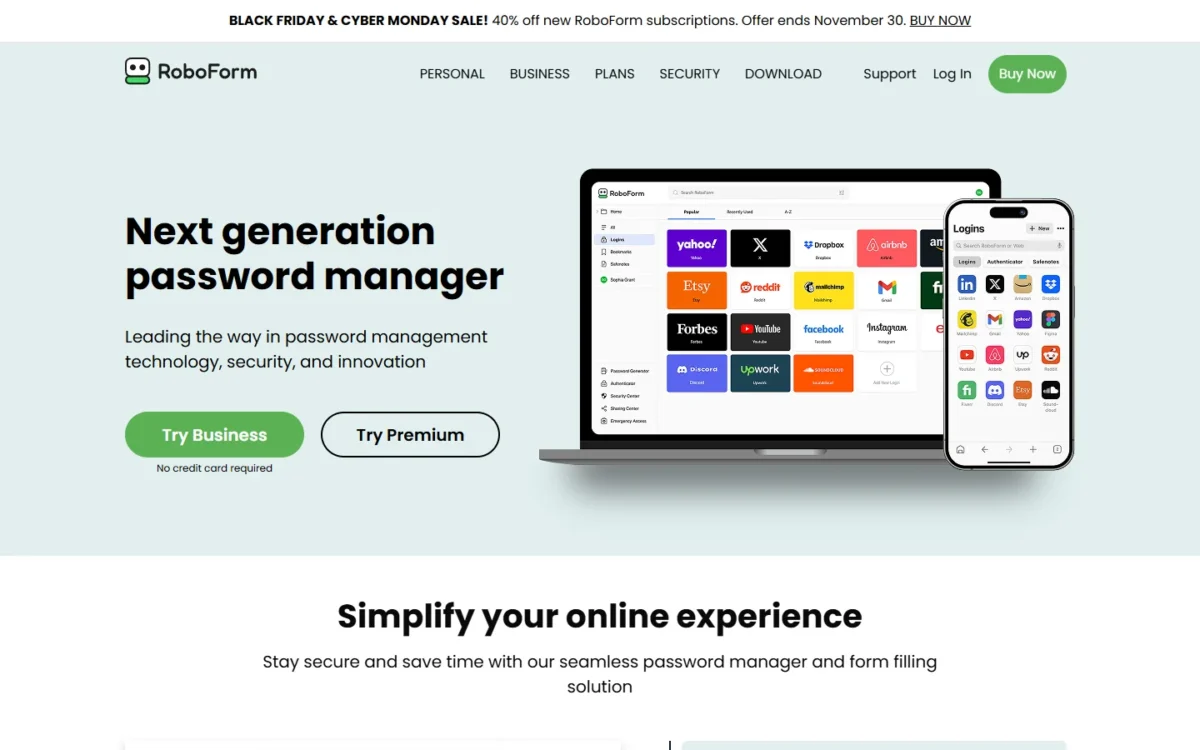
- Starting price: Business, $3.33 a user monthly when paid annually
- Standout feature: SSO, SCIM, role-based access control and activity logs in one plan
RoboForm removes the usual tier decision: its single Business plan lists SSO integration, SCIM provisioning, role-based access control and detailed activity logs, so connecting an identity provider triggers no upgrade. That makes it the lowest-priced plan in this comparison with both SSO and SCIM. The flip side of one plan: no cheaper entry tier, and self-hosting only for 1,000+ user environments.
My take
I would pick RoboForm when SSO has to be in the plan and the budget is fixed. At 25 users it renews at $998.75 a year, against $1,800 for Bitwarden Enterprise, where Bitwarden’s SSO starts.
Budget the renewal price, not the sale. Until November 30, a Black Friday offer cuts new subscriptions by 40%, to $2.00 per user per month or $23.97 for the first year; the plan then renews at $39.95 per user per year.
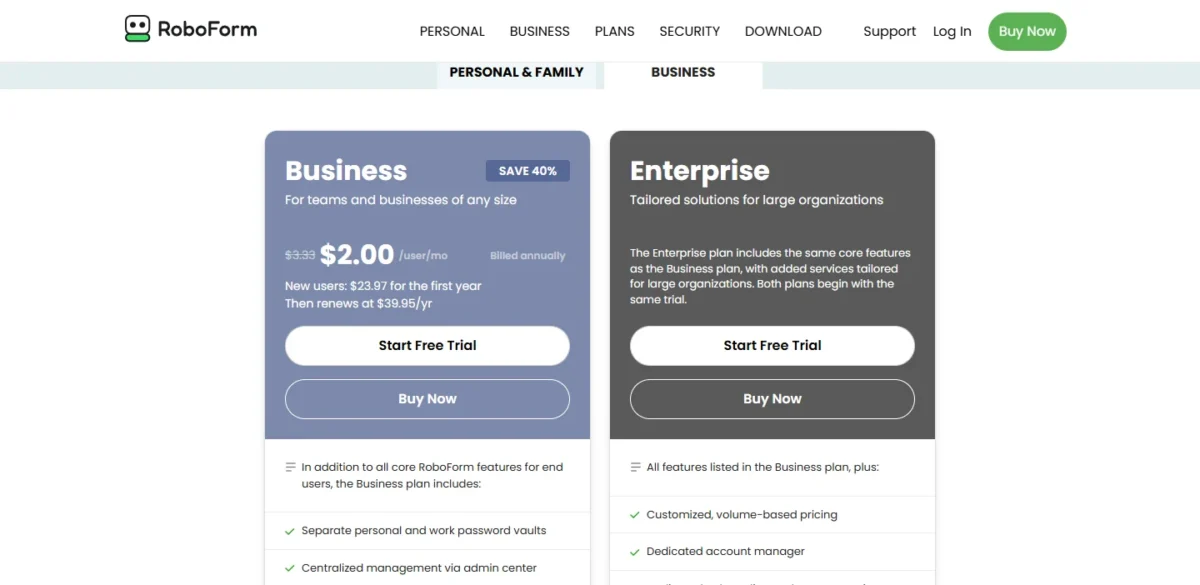
- Business: renews at $39.95 per user per year
- Enterprise: customized, volume-based pricing
Sources: RoboForm business pricing, checked November 2026.
Pros
- SSO and SCIM in the same plan
- Dark web monitoring and alerts included
- Free trial with no credit card
Cons
- No identity providers named on the pricing page
- Family plan only with 10 or more paid licenses
- Self-hosting is reserved for Enterprise
- Skip it if:
- you run Okta or Entra ID and want written setup guides before you buy. Bitwarden documents SCIM for both.
5. NordPass: Best for Google Workspace Teams
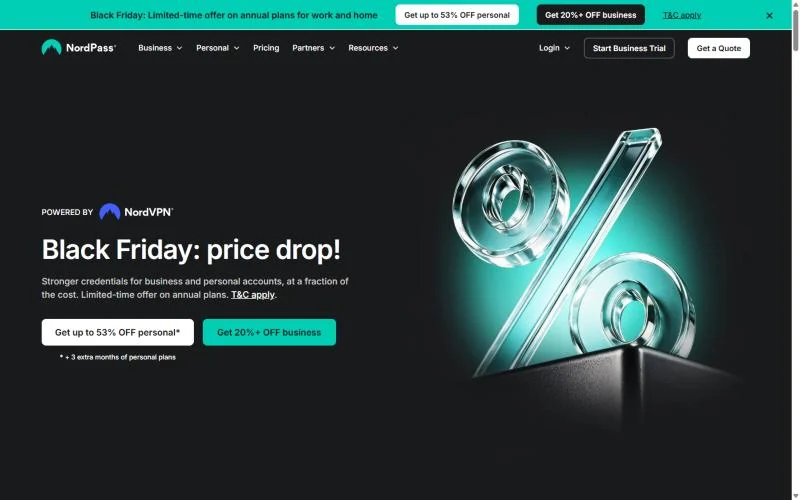
- Starting price: Teams, $1.99 per user per month on the 1-year plan
- Standout feature: SSO login with Google Workspace on the entry plan
NordPass Teams, the entry plan, includes SSO login with Google Workspace, so NordPass fits an office of about ten whose staff already sign in with those accounts. NordPass’s plans page lists user and group provisioning with Entra ID and Okta on Enterprise and names no other directory. So I would not count on Google Workspace to create or remove NordPass accounts.
NordPass Business is the plan a Google Workspace team buys past ten users: it includes everything from Teams, so the SSO login carries over, starts at 5 users and adds group and folder sharing, data breach monitoring and a Vanta compliance integration. My NordPass review gives the full verdict.
My take
Choose Teams for a Google Workspace office of ten, and Business once it grows past that. On Okta or Entra ID you are buying Enterprise, one cent less per user than Bitwarden Enterprise, so compare those two plans on features.
The two vendors meet head to head in my NordPass vs Bitwarden comparison.
NordPass sells 2-year, 1-year and 1-month plans, and the term changes the price; the figures here are the 1-year plan’s. My guide to NordPass plans and prices covers each term.
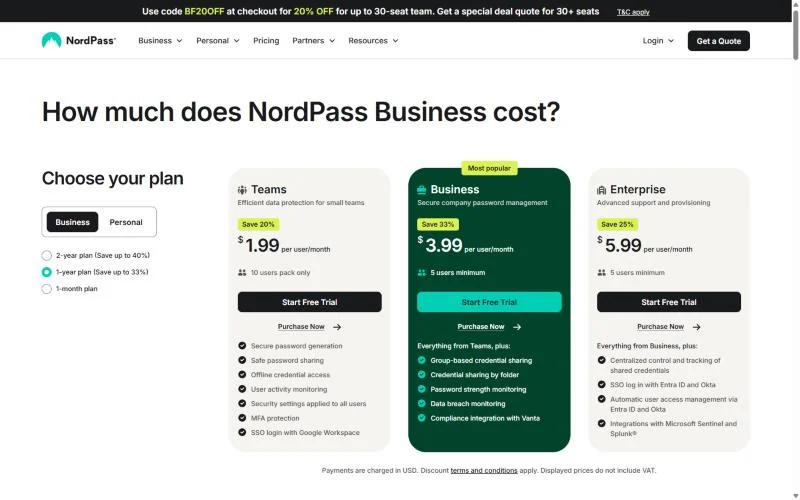
- Per user per month on the 1-year plan: Teams $1.99, Business $3.99, Enterprise $5.99
Sources: NordPass business plans, checked November 2026.
Pros
- Google Workspace SSO on the entry plan
- Data breach monitoring and a Vanta integration on Business
- ISO 27001 and SOC 2 Type 2 certified
Cons
- Teams cannot grow past its 10-user pack
- Okta and Entra ID sign-in and provisioning need Enterprise
- Splunk and Microsoft Sentinel integrations are Enterprise-only
- Skip it if:
- you want Google Workspace to create and remove vault accounts. 1Password Business, Zoho Vault Professional and LastPass Business each provision or sync users from it.
For the first of those, my NordPass vs 1Password page sets the pair side by side for a team.
My ranking of alternatives to NordPass lists the replacements.
6. Dashlane: Best for Catching Risky Logins Outside SSO
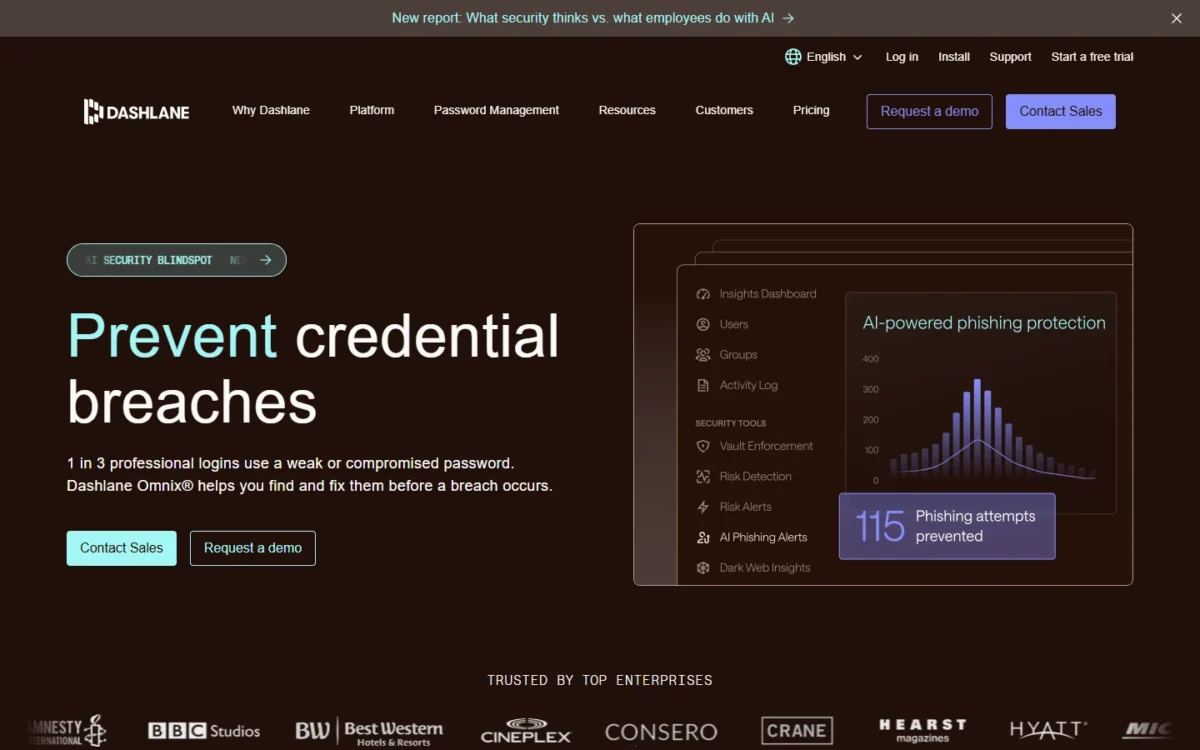
- Starting price: Omnix Credential Protection, $4 per user per month, billed annually (no vault)
- Standout feature: Credential Risk Detection on domains outside SSO
Dashlane is on this list for what it sells apart from the vault. Its Omnix Credential Protection package monitors employee logins across web domains, including those outside SSO, for weak, reused or compromised passwords, and it flags phishing domains in the browser. The trade-off is price: the vault, with SSO and SCIM, is the separate Password Management package, which my Dashlane review breaks down.
My take
Buy Password Management if you want Dashlane as the vault and accept its price. Credential Protection alone makes sense beside an SSO setup you already run, when the worry is the logins that SSO does not reach. Password Management does not include Credential Risk Detection, so getting both in one agreement means Omnix Enterprise, which is quote-only.
Password Management costs twice Bitwarden Teams’ price ($8 against $4 per user per month, billed annually).
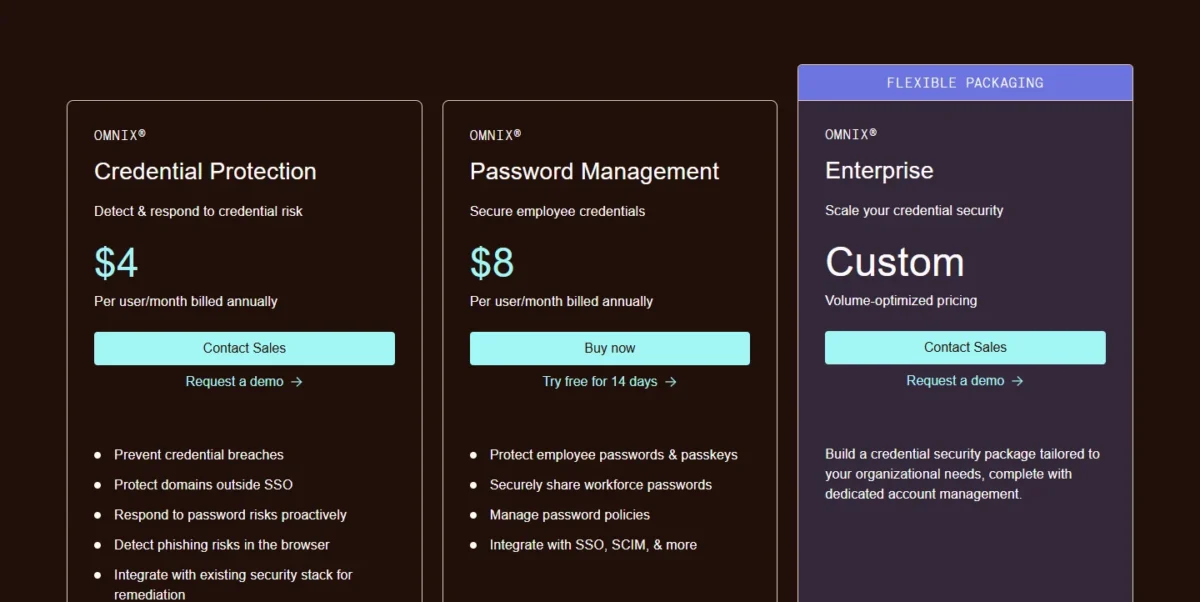
- Omnix Credential Protection: $4
- Omnix Password Management: $8, with SSO and SCIM
Sources: Dashlane business pricing, checked November 2026.
Pros
- Credential risk detection covers staff who never open a vault
- SIEM integration on both packages
- SSO and SCIM included in Password Management
Cons
- The vault costs twice Bitwarden Teams’ price
- Credential Protection includes no vault
- Omnix Enterprise is quote-only
- Skip it if:
- your risky logins already sit behind SSO and you just want a vault synced from your directory. Zoho Vault Professional syncs users and groups from Azure and Google Workspace at $4.50 per user per month.
7. JumpCloud: Best for IT Teams That Want Directory, SSO and Passwords in One Bill
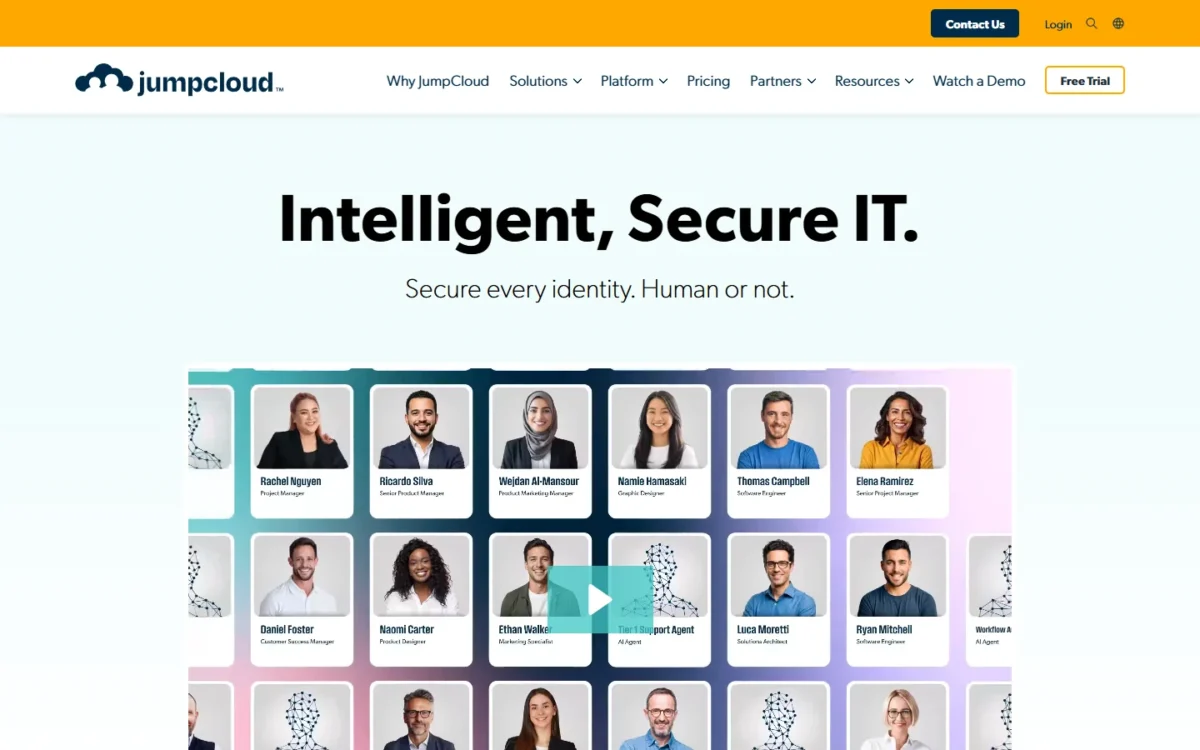
- Starting price: Password Management a la carte, $3 per user per month, billed annually
- Standout feature: SSO, MFA and the password manager in one package
JumpCloud makes sense when the password manager is one part of a bigger identity cleanup, and a team edition of a password manager is the baseline to compare. Its SSO package bundles SSO and MFA access to company resources with the password manager. For a team that only needs shared logins this is the costly route: the SSO package is the priciest plan in the cost table below.
Offboarding has a billing trap. JumpCloud bills suspended users “as normal users”, so a leaver you suspend keeps costing a seat until you remove the account.
My take
I would buy JumpCloud for the directory and take the password manager as part of it, not the other way round.
The SSO package is the one to price for this job: 25 users cost $11 x 25 x 12 = $3,300 a year on annual billing.
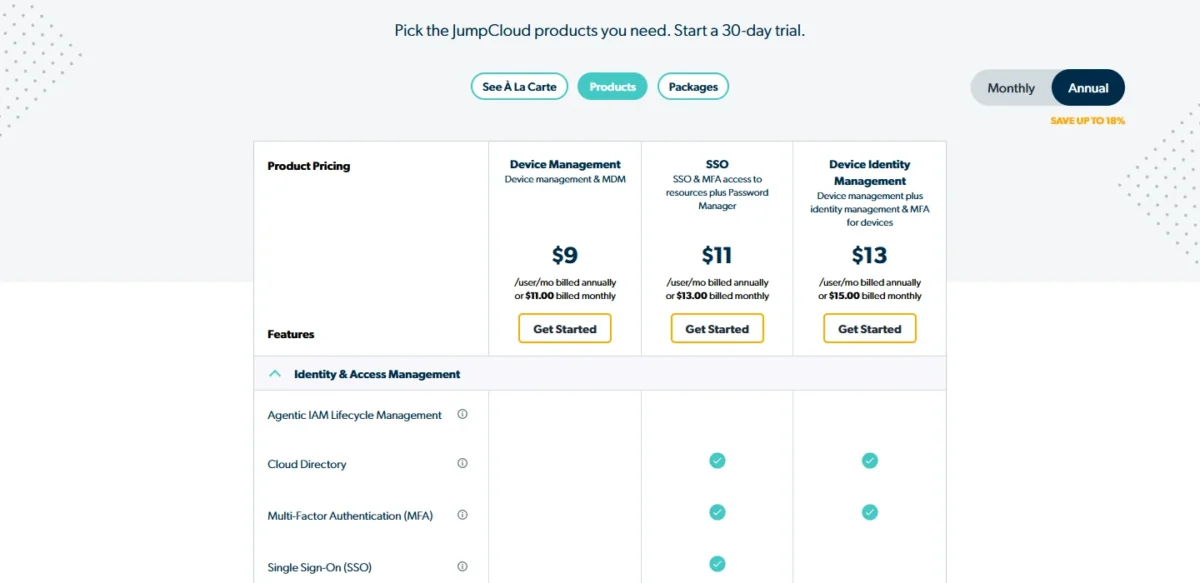
- Password Management, a la carte: $3
- SSO package: $11
Sources: JumpCloud pricing, checked November 2026.
Pros
- One bill for SSO, MFA and the vault
- Password Management can be bought alone
- The trial covers the full platform
Cons
- Suspended users are billed as normal users
- The SSO package costs more per user than any other plan in the cost table
- The bundle is more than a team needs for shared logins alone
- Skip it if:
- an identity provider already runs your sign-ins and you only need a vault. Bitwarden Teams provisions users from it through SCIM at $4 per user per month.
8. Zoho Vault: Best for the Lowest Per-User Price With Team Sharing
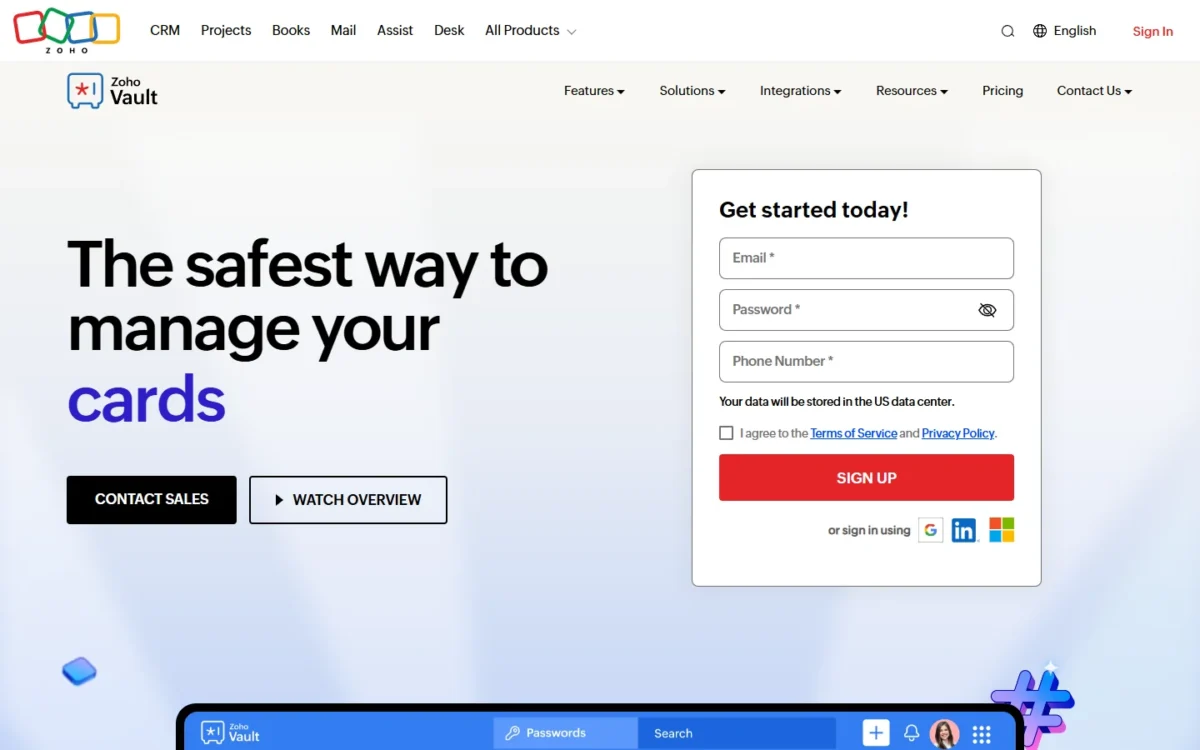
- Starting price: Standard, $0.90 per user per month, billed annually
- Standout feature: team password sharing and user provisioning on Standard
Zoho Vault is the pick when the price per seat matters more than automation. Its Standard plan includes secure password sharing with team members, user provisioning with roles, passkey management and integration with Google Workspace and Microsoft 365, at the lowest paid price in this comparison. The trade-off sits one tier up: Zoho Vault’s Professional plan adds the sync of users and groups from Azure and Google Workspace, plus shared folders. My steps for sharing passwords with a team show where groups and shared folders fit in. Okta sync, Active Directory integration and single sign-on for cloud apps need Enterprise.
My take
Standard is my pick for a small office that shares individual passwords and manages users without a directory. Shared folders or directory sync mean Professional at $4.50, and once you need Okta, Zoho’s Enterprise at $7.20 costs more than Bitwarden Enterprise at $6.
Yearly billing saves 10% over monthly. Professional, at $4.50 per user per month billed annually, costs five times Standard at $0.90, so decide whether you need its user and group sync before you count seats.
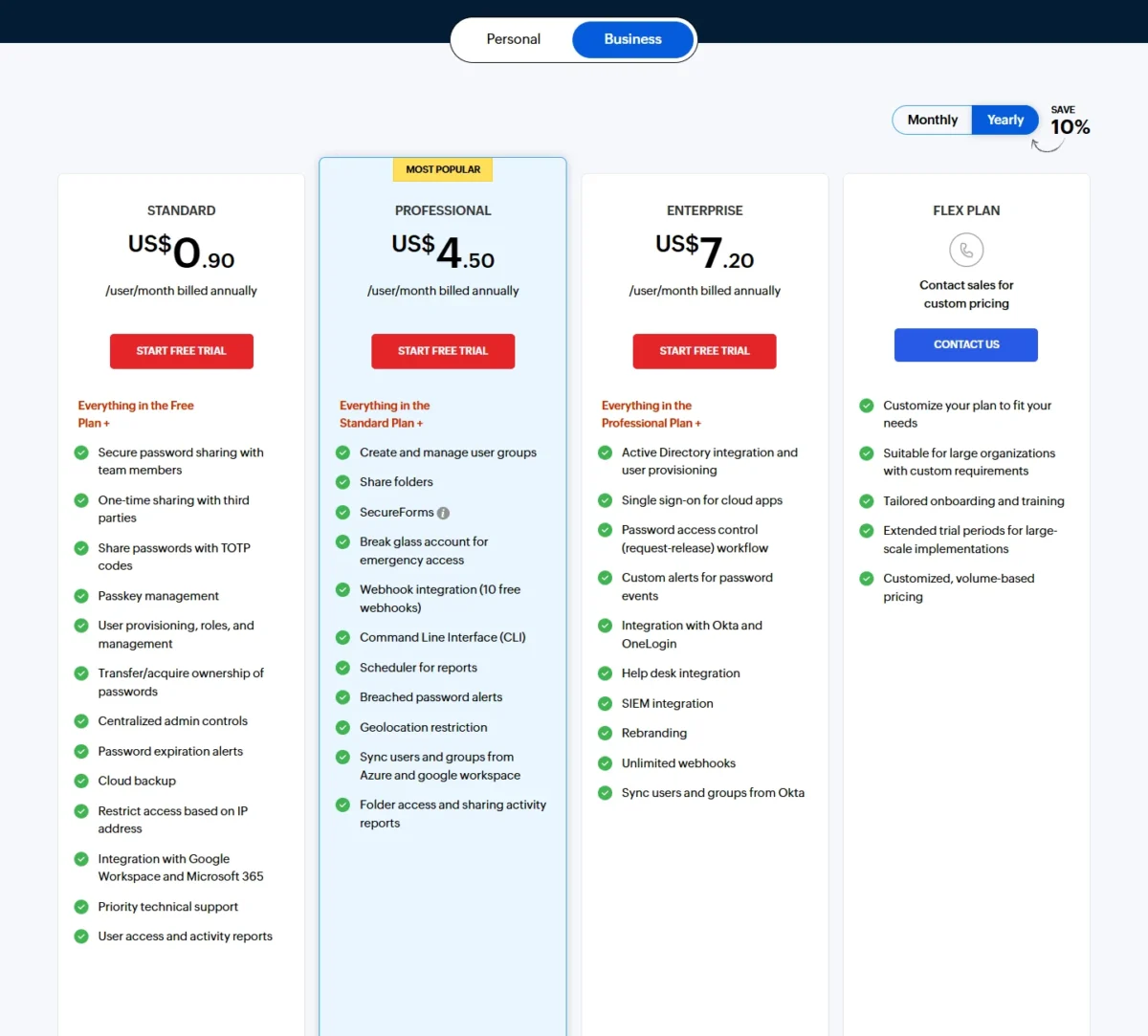
- Standard: $0.90
- Professional: $4.50, minimum 5 users
- Enterprise: $7.20, minimum 5 users
Sources: Zoho Vault pricing, checked November 2026.
Pros
- Team sharing and user provisioning on the cheapest paid plan
- Break-glass account for emergency access on Professional
- A free plan to fall back on after the trial
Cons
- Directory sync and shared folders need Professional
- Okta sync and SSO for cloud apps only on Enterprise
- No password sharing on the Free plan
- Skip it if:
- you run Okta. Syncing users and groups from Okta is an Enterprise feature here, and Bitwarden documents SCIM with Okta on its Teams plan.
9. Passbolt: Best for Self-Hosting on Your Own Servers
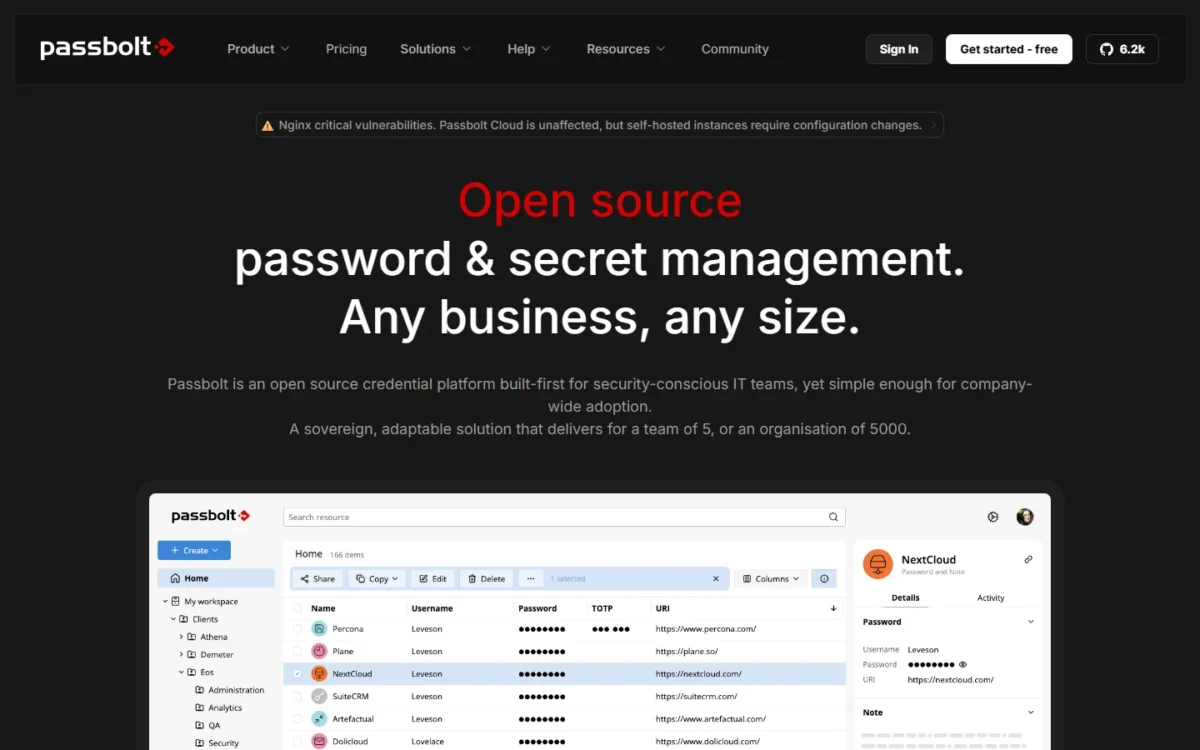
- Starting price: Community Edition, free with unlimited users; Pro, $4.90 per user per month, billed annually
- Standout feature: open source under the AGPL v3 license in every edition
If the vault has to live on your own servers, Passbolt has the lowest entry cost on this list: the Community Edition is free with unlimited users. It already covers password sharing, private and shared folders, users and groups, and role-based access control. Pro adds what an IT department expects: LDAP provisioning, SSO, SCIM, account recovery and an activity log.
My take
Choose the Community Edition if a small technical team can live without SSO and an activity log, and move to Pro when a directory or an auditor enters the picture.
Pro bills at least 10 users, so its floor is $4.90 x 10 x 12 = $588 a year, plus the server you run it on.
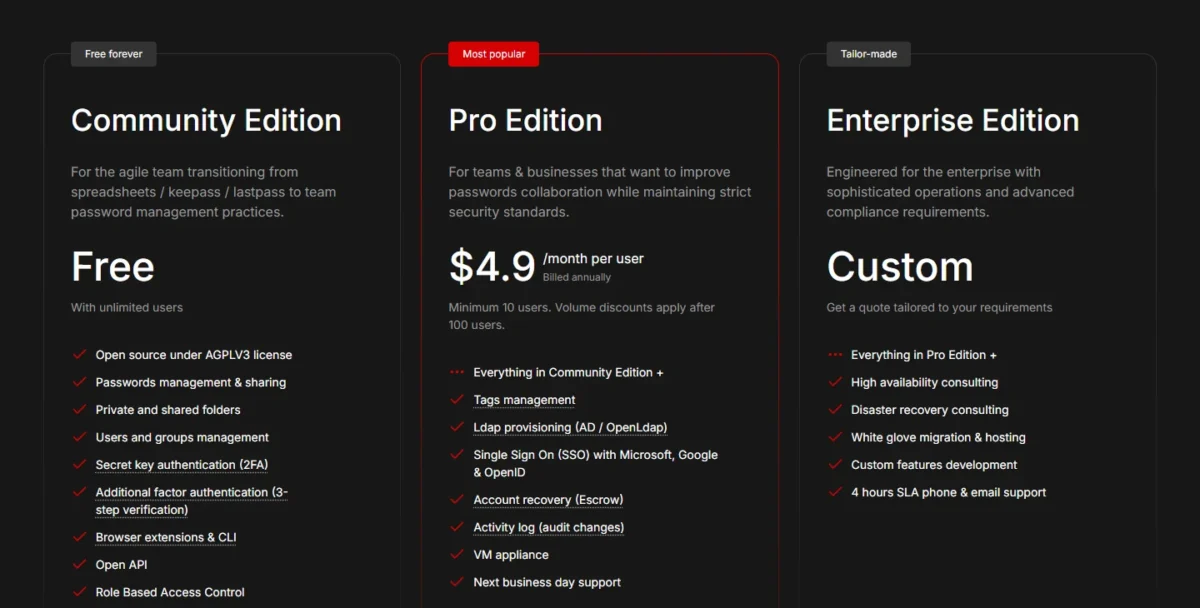
- Community Edition: free
- Pro: $4.90 per user per month, billed annually, on one instance
- Enterprise: custom quote
Sources: Passbolt pricing, checked November 2026.
Pros
- Free Community Edition with unlimited users
- AGPL v3 source code in every edition
- Pro keeps running after the subscription expires
Cons
- LDAP, SSO, SCIM and account recovery need Pro
- Pro is limited to one instance
- You host and maintain the server
- Skip it if:
- nobody on the team can run and patch a server. A cloud plan such as Zoho Vault Standard, at $0.90 per user per month, removes that job.
10. LastPass: Best for Adding App SSO to the Password Manager
- Starting price: Teams costs $4.25 a seat each month on yearly billing
- Standout feature: SSO for 3 apps on Business, unlimited apps on Business Max
LastPass earns its place for one bundle: Business includes single sign-on to three apps on top of the vault, and Business Max lifts that to unlimited apps and adds Advanced MFA, which extends passwordless authentication to workstations, VPNs and identity providers. The limit to watch is the entry tier: Teams stops at 50 users and leaves out groups, directory integrations and federated login.
On Business, directory integrations automate account provisioning from Microsoft Active Directory, Microsoft Entra ID, Google Workspace, OneLogin and Okta, and it adds SIEM integrations with Splunk and Microsoft Sentinel.
Business Max costs the same $11 per user per month as JumpCloud’s SSO package, so compare what else each bundles: unlimited SSO apps and Advanced MFA at LastPass, SSO and MFA access to resources at JumpCloud.
For LastPass’s security history, which no pricing page covers, read my page on how LastPass and 1Password compare.
My take
Pick Business if a small company with no SSO product wants its passwords and three core apps in one bill. Move to Business Max only when more apps need SSO.
The step from Teams to Business is $7.00 minus $4.25, or $2.75 per user per month on annual billing, and it buys provisioning, groups and the three SSO apps.
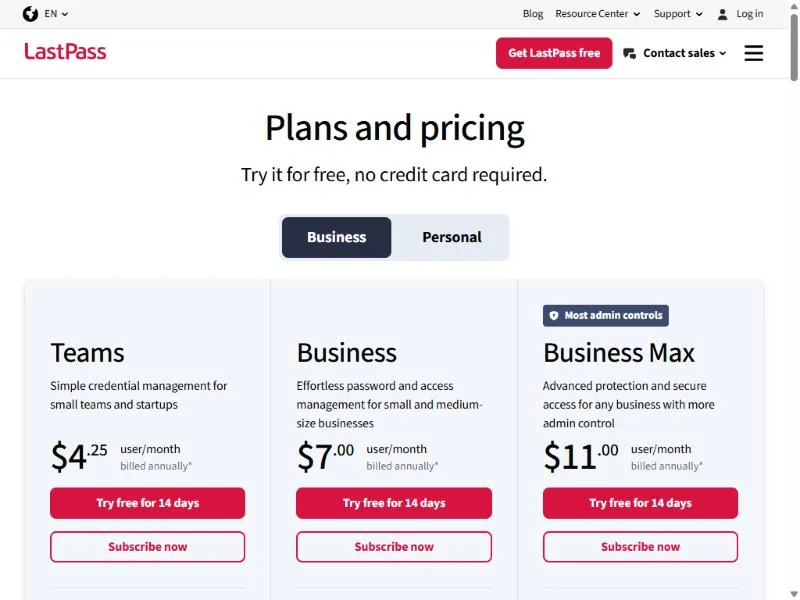
- Teams: $4.25
- Business: $7.00
- Business Max: $11.00, with unlimited SSO apps and Advanced MFA capabilities
Sources: LastPass pricing, checked November 2026.
Pros
- SSO for three apps included in Business
- Directory integrations with five directories on Business
- LastPass Families for employees from Business up
Cons
- Teams has no groups, directory integrations or federated login
- Unlimited SSO apps need Business Max
- Business costs more per user than Bitwarden Teams with SCIM
- Skip it if:
- your company already pays for an SSO product. The three SSO apps in Business would duplicate it, and Bitwarden Teams covers the vault and SCIM at $4 per user per month.
If its security history rules LastPass out for you, my list of alternatives to LastPass is the next stop.
Cost at 10, 25 and 50 Users: The Plan That Unlocks SCIM
At 25 users, the first plan with SCIM or directory provisioning ranges from $998.75 a year at RoboForm Business to $2,697 at 1Password Business, and JumpCloud’s SSO package comes to $3,300. Each total is the monthly per-user price x users x 12 on annual billing (RoboForm: its $39.95 yearly price x users), at US list prices with no promotion, tax or add-on.
| Software and plan | Price per user | 10 users, per year | 25 users, per year | 50 users, per year |
|---|---|---|---|---|
| RoboForm Business | $39.95 a year | $399.50 | $998.75 | $1,997.50 |
| Bitwarden Teams | $4 a month | $480 | $1,200 | $2,400 |
| Zoho Vault Professional | $4.50 a month | $540 | $1,350 | $2,700 |
| Passbolt Pro | $4.90 a month | $588 | $1,470 | $2,940 |
| NordPass Enterprise | $5.99 a month | $718.80 | $1,797 | $3,594 |
| Bitwarden Enterprise (adds SSO) | $6 a month | $720 | $1,800 | $3,600 |
| Keeper Enterprise | $6 a month | $720 | $1,800 | $3,600 |
| LastPass Business | $7.00 a month | $840 | $2,100 | $4,200 |
| Zoho Vault Enterprise (adds Okta) | $7.20 a month | $864 | $2,160 | $4,320 |
| Dashlane Password Management | $8 a month | $960 | $2,400 | $4,800 |
| 1Password Business | $8.99 a month | $1,078.80 | $2,697 | $5,394 |
| JumpCloud SSO package (bundles SSO and MFA) | $11 a month | $1,320 | $3,300 | $6,600 |
Sources: Bitwarden, 1Password, Keeper, RoboForm, NordPass, Dashlane, JumpCloud, Zoho Vault, Passbolt and LastPass pricing pages, checked November 2026.
A team of 10 with no identity provider pays far less. Keeper Business Starter is $2 x 10 x 12 = $240 a year, NordPass Teams is $1.99 x 10 x 12 = $238.80, and 1Password’s Teams Starter Pack is $299.40. The Starter Pack’s higher price buys room to grow to 20 users, where the other two stop at 10.
Seat rules change the bill at the edges. Minimum seats are one form of the per-seat pricing trap: Passbolt Pro bills at least 10 users, and Zoho Vault Professional and NordPass Business at least 5.
How to Choose a Business Password Manager
Weigh automated onboarding and offboarding first, then the price of the plan that delivers it, as the ranking does. The matrix names the plan that carries each feature; “Yes” means the vendor’s plan page lists it without tying it to one plan.
| Software | SCIM or directory sync | SSO sign-in | Admin account recovery | Event logs or SIEM | Self-hosting |
|---|---|---|---|---|---|
| Bitwarden | Teams | Enterprise | Enterprise | Teams | Enterprise |
| 1Password | Business | Business | Yes | Yes | Not listed |
| Keeper | Enterprise | Enterprise | Not listed | ARAM add-on | Not listed |
| RoboForm | Business | Business | Not listed | Business | Enterprise (1,000+ users) |
| NordPass | Enterprise | Teams (Google); Enterprise (Okta, Entra ID) | Yes | Business (audit logs); Enterprise (SIEM) | Not listed |
| Dashlane | Password Management | Password Management | Not listed | Both packages | Not listed |
| JumpCloud | Not listed on the pricing page | SSO package | Not listed | Not listed | Not listed |
| Zoho Vault | Professional | Enterprise | Professional (break-glass) | Free (audit trails); Enterprise (SIEM) | Not listed |
| Passbolt | Pro | Pro | Pro (escrow) | Pro | Every edition |
| LastPass | Business | Business | Not listed | Teams (basic audit trails); Business (advanced reporting, SIEM) | Not listed |
Sources: the vendor pricing pages listed under the comparison table, plus Bitwarden’s account recovery documentation, checked November 2026.
Onboarding and offboarding: SCIM, directory sync and SSO
SCIM and directory sync create, suspend and remove accounts from your identity provider; SSO only changes how people sign in. Removing a leaver’s access the day the account is disabled is the reason to buy this category.
Granting vault access on day one belongs in the same runbook as the rest of your employee onboarding checklist.
My take
With an identity provider in place, I would make SCIM the first filter, since SCIM lets the identity provider provision and de-provision users automatically, and SSO the second.
Shared vaults, permissions and admin recovery
Sharing works through collections (Bitwarden, Dashlane), vaults (1Password) or shared folders (Keeper, NordPass, Zoho Vault, LastPass), and the tier matters. Keeper’s shared team folders and NordPass’s group-based sharing start at Business, and Zoho Vault’s shared folders at Professional.
Passkeys are a sign-in option in several picks: Bitwarden, Keeper, 1Password and Zoho Vault all list passkey support, and my comparison of passkeys versus passwords for a team covers whether to switch.
Cloud or self-hosted
Host the vault yourself only when a data-residency rule calls for it and someone on staff can run the server. Passbolt self-hosts in every edition, Bitwarden lists a self-host option on Enterprise, and RoboForm keeps its self-hosting model for 1,000+ user environments.
Also Considered
Two more tools came up and stayed off the ranking:
- Proton Pass. Proton sells its password manager to businesses inside Proton Workspace: Workspace Standard lists a “password manager with team vaults” next to mail, storage and a VPN at a regular price of $14.99 per user per month, which makes it a suite purchase. My NordPass vs Proton Pass comparison puts it beside NordPass, the fifth pick above.
- Google Password Manager. It is a Google Account feature that creates, saves and autofills passwords and passkeys and flags compromised passwords. Google’s help page describes no shared team vault and no admin console.
FAQ
Is there a free password manager for businesses?
Yes. Bitwarden, Zoho Vault and Passbolt each offer a free tier, each with a limit, and my free password manager comparison covers more options. Bitwarden’s free account allows sharing with one other user. Zoho Vault’s Free plan is valid forever, but password sharing with team members starts at Standard. Passbolt’s Community Edition is free for unlimited users if you host it yourself.
Is there a Google password manager specifically for business purposes?
No. Google Password Manager works inside one person’s Google Account, and a shared vault, an admin console and a way to revoke a leaver’s access are not among its listed features. My guide on whether Google Password Manager is safe covers what a small team gives up.
What happens if an employee forgets their master password?
It depends on the plan. On Bitwarden Enterprise, an admin resets the member’s master password through account recovery and never sees the old one. Passbolt Pro has account recovery by escrow, and 1Password lists recovering other people’s accounts when they are locked out. Without admin recovery, a lost master password can lock the employee out of the vault.
Final Verdict: My Pick for Each Situation
Pick by situation:
- A budget team with an identity provider: Bitwarden Teams. SSO waits for Enterprise.
- Ten people and one bill: 1Password Teams Starter Pack. It ends at 20 members.
- An auditor to satisfy: Keeper Enterprise with the Compliance Reporting add-on. Budget the add-ons.
- SSO and SCIM in one low-cost plan: RoboForm Business. Confirm your identity provider first.
- A Google Workspace office of ten: NordPass Teams. It is a fixed 10-user pack.
- Risky logins outside SSO: Dashlane Credential Protection. The vault is a second package.
- Several identity tools to replace: JumpCloud’s SSO package. Suspended users still bill.
- The lowest price with team sharing: Zoho Vault Standard. Shared folders and directory sync are one tier up.
- Credentials on your own servers: Passbolt. You run the server.
- Passwords plus SSO for three apps: LastPass Business. Unlimited apps need Business Max.
My take
For a 25-person company on Okta or Entra ID with no auditor, I would trial Bitwarden Teams first, because its SCIM setup is documented for both, and RoboForm Business second if SSO has to sit in the same plan.