The right CapCut alternative depends on why you are leaving: DaVinci Resolve for desktop color and audio, Adobe Premiere on mobile for a free phone editor, Canva for templates, VEED for team subtitles. CapCut’s terms, updated April 15, 2026, grant it a perpetual, sub-licensable license to your content. The benchmark is CapCut Pro at $19.99 a month or $179.99 a year; the CapCut pricing guide covers every plan.
Quick verdict
For creators and small teams leaving CapCut over its terms, its price, export gates or missing desktop tools.
InShot Pro at $19.99 a year is the lowest yearly price among the picks with a printed yearly plan ($179.99 – $19.99 = $160 less); Adobe Premiere on mobile exports unlimited 4K free with no watermark.
Stay if CapCut’s auto-captions and AI tools across phone and desktop are why you use it. Any move means exporting finished videos and rebuilding edits: no vendor page opens a CapCut project.

DaVinci Resolve
Best for: desktop color, audio and long edits
Its free version edits up to Ultra HD 3840 x 2160 at 60 fps on Mac, Windows and Linux, with dedicated color and Fairlight audio pages.
Limit: no CapCut-style templates or phone app on Blackmagic’s pages

Adobe Premiere on mobile
Best for: free phone editing on iPhone and Android
A free app that exports 4K with no watermark and adds auto-captions at no cost.
Limit: generative AI is iOS-only and uses paid credits, where CapCut Pro bundles 1,200 monthly AI credits

Canva
Best for: template-led marketing video
Pro at US$144 a year for one person unlocks 141M+ premium assets and 5 Brand Kits, under CapCut Pro’s $179.99.
Limit: a partial replacement for CapCut, built for template-led clips rather than long timeline edits

VEED
Best for: team subtitles
Creator at $10 per user a month billed yearly carries no watermark and unlimited auto subtitles, under CapCut Pro’s yearly price; brand kits and translation need Pro at $21 per user a month billed yearly.
Limit: monthly billing doubles it to $20 per user, and VEED’s pricing page offers nothing for CapCut’s phone users
In This Article (17 sections)
CapCut Alternatives Compared
CapCut is the benchmark row; every row under it says what the pick does better and what it gives up.
| Software | Best for | Starting price (unit, billing) | Main advantage over CapCut | What you give up | Switching note |
|---|---|---|---|---|---|
| CapCut | Short-form social video on phone, desktop and web | Free; Pro $19.99 a month or $179.99 a year | Benchmark: premium templates, 1,200 monthly AI credits, 1 TB storage on Pro | Benchmark | Benchmark |
| DaVinci Resolve | Desktop color, audio and long edits | Free; Studio $295 list price ($236 in Nov 2026) | Free version edits up to Ultra HD 3840 x 2160 at 60 fps on Mac, Windows, Linux | Phone editing | Import exported videos; rebuild edits |
| Adobe Premiere on mobile | Free phone editing | Free | Unlimited 4K exports, no watermark, unlimited free auto-captions | Generative AI is iOS-only, paid by credits | Projects move to Premiere on desktop with a paid plan |
| VN Video Editor | Free multi-track phone editing | Free; VN Pro in-app items $7.99 and $69.99 | No watermark, multi-track timeline, AutoCut beat-synced templates | CapCut Pro’s AI credit bundle | Import via AirDrop, Wi-Fi, WhatsApp, Telegram or Zip |
| Canva | Template-led marketing video | Free; Pro US$144 a year for one person | 141M+ premium assets, 5 Brand Kits on Pro | A full timeline; partial replacement | Upload exported videos; rebuild templates |
| Clipchamp | Free 1080p browser editing | Free; premium with Microsoft 365 Personal, $99.99 a year | Unlimited free 1080p exports, no watermark, AI subtitles | 4K needs Microsoft 365 | Upload exported clips; rebuild edits |
| InShot | Low-cost phone edits | Pro $4.99 a month, $19.99 a year or $49.99 lifetime | $179.99 – $19.99 = $160 a year under CapCut Pro | AI credits, desktop editing | Re-import exported clips; rebuild edits |
| iMovie | Apple users who want no subscription | Free | 4K at 60 fps on supported iPhones and iPads | Android, Windows, a CapCut template library | Re-import exported clips; rebuild edits |
| VEED | Team subtitles | Creator $10 per user a month, billed yearly; brand kits on Pro, $21 | No watermark, unlimited auto subtitles from Creator | $20 per user monthly; no phone app on VEED’s pricing page | Upload exported clips; rebuild the brand kit |
| Kapwing | Shared team workspaces | Free; Pro $16, billed per member | Shared workspace, 4K and 2-hour exports on Pro | Free tier: watermark, 4-minute 720p exports | Upload files up to 6 GB on Pro |
| Descript | Transcription-first talking-head editing | Hobbyist $16 per person a month, annual billing; Creator $24 for 4K and a team of 3 | Plans sized in media hours; 1080p watermark-free on Hobbyist | Partial: no CapCut-style template library | Upload exported clips; rebuild captions |
| Filmora | One-time desktop license | Basic US$49.99 a year; Perpetual US$79.99 one-time | Perpetual license under half a year of CapCut Pro | Phone and web; AI credits sold separately | Re-import exported clips; rebuild templates |
Sources: CapCut pricing, DaVinci Resolve Studio, Adobe Premiere on mobile, VN on the App Store, Canva pricing, Clipchamp pricing, Microsoft 365 plans, InShot on the App Store, iMovie on the App Store, VEED pricing, Kapwing pricing, Descript pricing, Filmora pricing, checked Nov 2026.
How I Evaluated the Alternatives
I judged the 11 picks above and the editors under Also Considered against CapCut Pro. Each needed a current official US page with a free or priced plan and a documented job taken over from CapCut. Ranking criteria: the reason for leaving it fixes, device, free-tier export limits, yearly cost against CapCut Pro, captions and AI, templates, team seats, migration effort.
The evidence is each vendor’s pricing, help and product pages and US App Store listings, read on November 11, 2026, plus Zebracat’s published CapCut caption test. I did not measure caption accuracy, output quality or export speed. My ranking of video editing software covers editors that are not CapCut replacements.
Why Teams Look Beyond CapCut
Creators leave CapCut for five documented reasons: the content license in the April 2026 terms, the Pro price, template outros that get into exports, auto-renewal with refunds generally not supported, and a move to desktop work that needs dedicated color and audio pages. Each points to a different pick.
The license bothers client editors most. Moving the edit to another editor (DaVinci Resolve, iMovie, Filmora) takes the footage out of CapCut’s terms, though each vendor’s own terms then need the same read.
The price reason is simpler. CapCut Pro costs $19.99 a month or $179.99 a year, Ultra $79 a month or $900 a year. A solo creator who uses trims, text and captions is paying for 1,200 monthly AI credits and 1 TB of storage they may not touch; InShot Pro at $19.99 a year, Adobe Premiere on mobile and VN at $0 cover that job.
The US App Store lists other in-app items too, among them a Standard Monthly Subscription at $9.99 a month. It also lists a Yearly Subscription at $89.99, so check the tier offered before you compare.
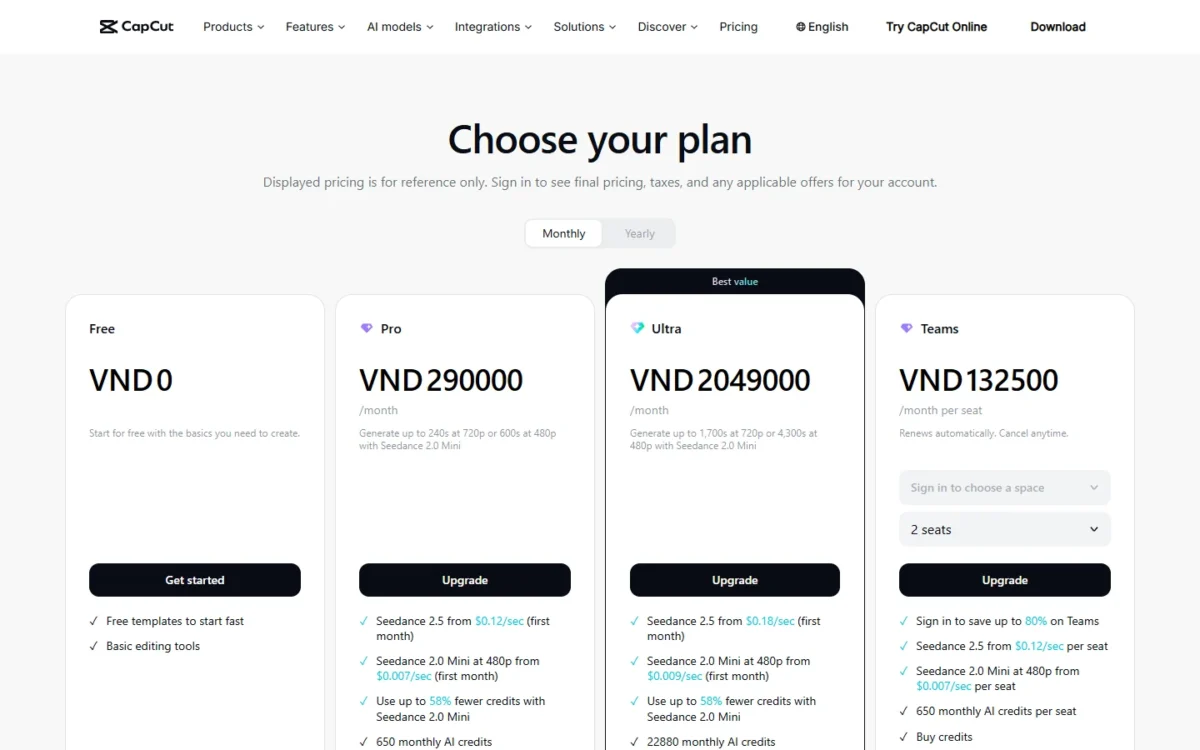
Watermarks are the third reason, and CapCut’s help center is plain about them: the mark usually comes from a template’s default ending clip or a built-in template element, and deleting that clip gives a clean file. Adobe Premiere on mobile (4K), VN and Clipchamp (1080p) export clean by default.
Refunds are the fourth: Pro and Teams auto-renew and purchases generally do not support refunds, so buyers who want to stop paying have Filmora Perpetual (US$79.99 one-time) on a computer, InShot Pro Lifetime ($49.99) on a phone, or iMovie (free). The fifth is the job itself: for color grading and audio post, DaVinci Resolve has dedicated color and Fairlight pages.
What CapCut’s terms say about your videos
CapCut’s Terms of Service, last updated April 15, 2026, state “We don’t own your User Content” and then grant the company and its affiliates “a non-exclusive, royalty-free, transferable, sub-licensable, perpetual and worldwide license to use your User Content”. A second clause licenses your username, image and likeness to identify you as the source, including in sponsored content.
For an agency editing client footage under a contract that limits where it may be used, it is a security and compliance question for the client, and it decides whether a cloud-connected editor is on the table. The App Store privacy label adds that the app may use data to track you across other companies’ apps and websites.
What a year costs next to CapCut Pro
One person on CapCut Pro pays $179.99 billed yearly or 12 x $19.99 = $239.88 paid monthly; here is the same year on each priced pick.
| Plan | One person, a year | Against CapCut Pro yearly |
|---|---|---|
| CapCut Pro, billed yearly | $179.99 | Benchmark |
| CapCut Pro, paid monthly | 12 x $19.99 = $239.88 | $59.89 more |
| Adobe Premiere on mobile, VN, iMovie, DaVinci Resolve free, Clipchamp free | $0 | $179.99 less |
| InShot Pro, yearly | $19.99 | $160.00 less |
| Filmora Basic, billed yearly | US$49.99 | $130.00 less |
| Filmora Perpetual, one-time | US$79.99 | $100.00 less in year one |
| Microsoft 365 Personal (Clipchamp premium), yearly | $99.99 | $80.00 less |
| VEED Creator, billed yearly | 12 x $10 = $120 | $59.99 less |
| Canva Pro, yearly | US$144 | $35.99 less |
| Descript Hobbyist, annual billing | 12 x $16 = $192 | $12.01 more |
| DaVinci Resolve Studio, list price | $295 ($236 in Nov 2026) | $115.01 more; about 1.6 years of CapCut Pro yearly |
Sources: CapCut pricing, InShot on the App Store, Filmora pricing, Microsoft 365 plans, VEED pricing, yearly view, Canva pricing, Descript pricing, DaVinci Resolve Studio, checked Nov 2026.
Per seat, a year for two and three people looks like this.
| Plan | Two people, a year | Three people, a year |
|---|---|---|
| CapCut Teams, $107.5 per seat a year at 2 seats | 2 x $107.5 = $215 | No 3-seat price printed |
| CapCut Pro, one account each | 2 x $179.99 = $359.98 | 3 x $179.99 = $539.97 |
| VEED Creator | 2 x $120 = $240 | 3 x $120 = $360 |
| Canva Business | 2 x US$250 = US$500 | 3 x US$250 = US$750 |
| Descript Creator | 2 x 12 x $24 = $576 | 3 x 12 x $24 = $864 |
Sources: CapCut pricing, VEED pricing, yearly view, Canva pricing, Descript pricing, checked Nov 2026.
At two seats, CapCut Teams costs $215 a year against $359.98 for two Pro accounts. With no 3-seat Teams price printed, compare VEED, Canva and Descript with that two-seat row, not with Pro.
My take
Pick InShot or a free editor if you can live without CapCut’s AI credits. Canva Pro, Microsoft 365 Personal and VEED Creator are worth it when one job (templates, 4K Clipchamp exports, subtitles) is the whole reason. Descript and DaVinci Studio cost more than CapCut Pro, so buy them only for transcript editing or color work.
1. DaVinci Resolve: Best CapCut Alternative for Desktop Color, Audio and Long Edits

- Best for: YouTube and client editors who need real color and audio tools on a desktop
- Comparable plan: free version (vs CapCut Free); Studio $295 list price, $236 in Nov 2026 (vs CapCut Pro $179.99 a year)
- Replaces: CapCut fully on Mac, Windows and Linux; no phone app on Blackmagic’s pages
The editor to move to when CapCut’s timeline stops being enough is DaVinci Resolve, and the move costs nothing until you want Studio. The free version edits and finishes 8-bit footage at up to 60 fps in resolutions as high as Ultra HD 3840 x 2160, with HDR grading and multi-user collaboration. The trade-off: no social templates or phone app, and a page-based workspace to learn.
Those pages are the feature that matters: editing on the cut and edit pages, effects on Fusion, color on the color page, audio on Fairlight. Blackmagic pitches it as one application for editing, color, VFX, motion graphics and audio, which suits a creator grading client footage or mixing a podcast video; for a 30-second Reel, it is more editor than the job needs. Studio adds the DaVinci Neural Engine for AI region tracking, extra Resolve FX and Fairlight FX.
Where DaVinci Resolve may be better
- Free editing and finishing up to Ultra HD 3840 x 2160 at 60 fps, with color and Fairlight audio pages
- Runs on Linux as well as Mac and Windows
Where CapCut may be better
- Premium templates, 1,200 monthly AI credits and 1 TB of storage on Pro
- One editor across phone, desktop and web
DaVinci Resolve’s free version costs nothing, and Studio lists at $295 (Blackmagic showed “Was $295 Now $236” in November 2026), the price of about 1.6 years of CapCut Pro yearly.
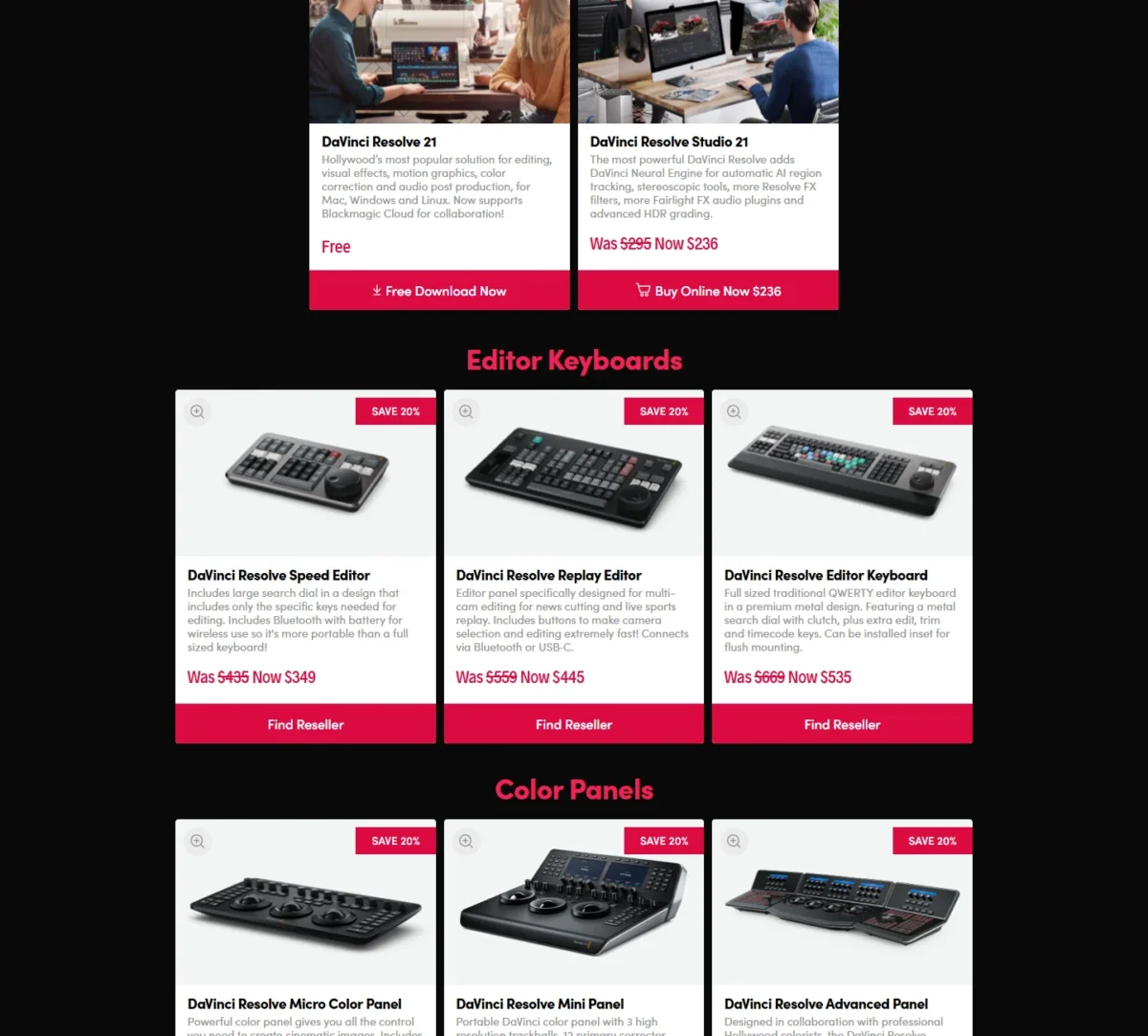
- DaVinci Resolve: free (CapCut Free)
- DaVinci Resolve Studio: $295 list price, shown at $236 in Nov 2026 (CapCut Pro, $179.99 a year)
Sources: DaVinci Resolve, DaVinci Resolve Studio, checked Nov 2026.
Pros
- Free version finishes up to Ultra HD 3840 x 2160 at 60 fps
- Dedicated color and Fairlight audio pages replace separate grading and audio apps
- Studio adds the DaVinci Neural Engine for AI region tracking
Cons
- No social templates or phone app on Blackmagic’s pages, so Reels start from an empty timeline
- The workspace is divided into pages, a layout to learn before the first edit
- Studio’s AI tools cost $295 at list price
Switching means exporting finished videos from CapCut and bringing the original media to the new project; edits, captions and effects are rebuilt. Switch if your next year is longer-form desktop work with color and audio decisions in it.
- Skip it if:
- you edit mainly on a phone or live in templates; Adobe Premiere on mobile or VN keeps the free price with a social workflow.
2. Adobe Premiere on mobile: Best Free CapCut Alternative on iPhone and Android
- Best for: creators who want a free phone editor with clean 4K exports and captions
- Comparable plan: free (vs CapCut Free and Pro)
- Replaces: CapCut on iOS and Android; projects move to Premiere on desktop with a paid plan
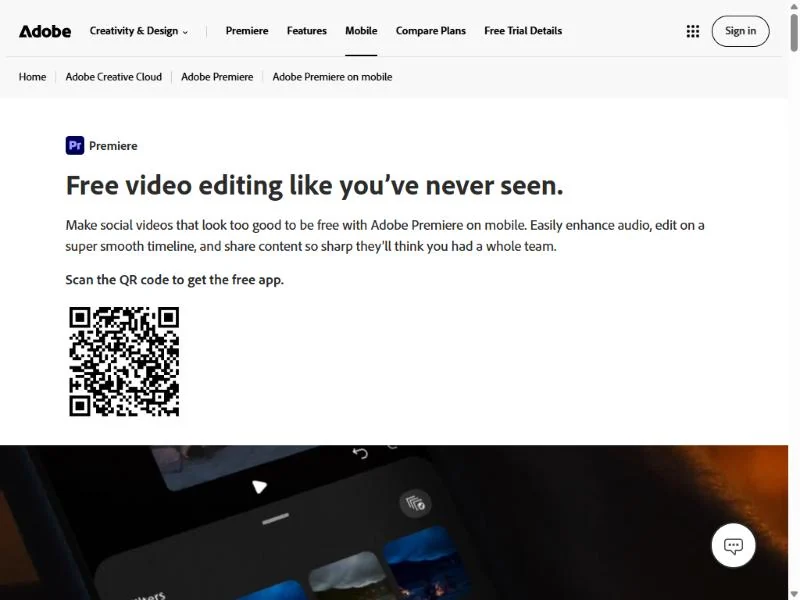
The strongest free answer to a CapCut export gate is Adobe Premiere on mobile: a standalone app whose free version exports an unlimited number of videos in 4K with no watermarks and gives unlimited free auto-captions. It suits the creator who left over a template outro or the Pro price and still wants captions on every clip. The limit is generative AI, which runs on iOS only and uses paid credits.
Adobe describes a multi-track, resizable timeline with frame-accurate control. Adobe’s hand-off goes to Premiere on desktop: with a paid subscription to Premiere on desktop, you can import projects and media from the mobile app.
Where Adobe Premiere on mobile may be better
- Unlimited 4K exports with no watermark and unlimited free auto-captions in the free version
- Projects move to Premiere on desktop with a paid desktop plan
Where CapCut may be better
- All premium templates on Pro, plus a web editor
- CapCut Pro’s 1,200 monthly AI credits
Adobe Premiere on mobile is free, including 4K exports and auto-captions; the only spending is generative credits, bought with a subscription or included in most Creative Cloud plans, and only on iOS.
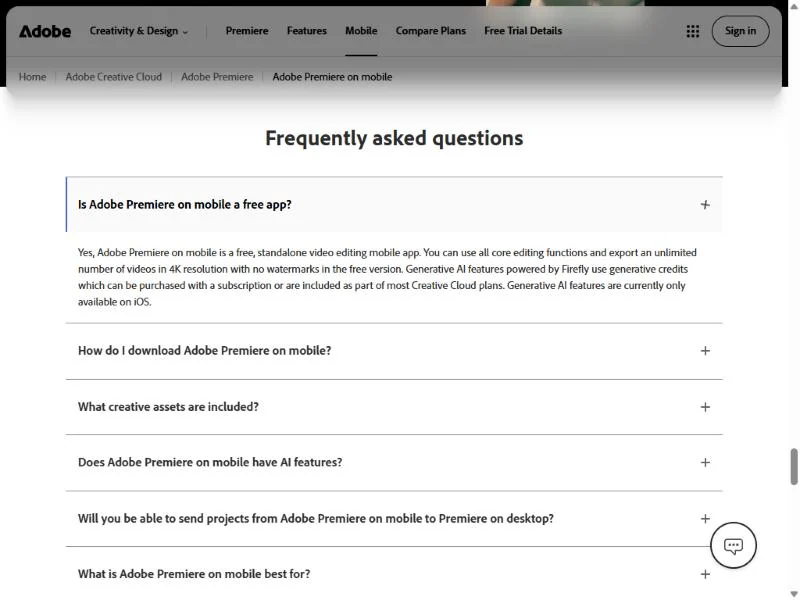
- Adobe Premiere on mobile: free (CapCut Free; CapCut Pro for the AI credits)
- Generative AI, iOS only: generative credits with a subscription or a Creative Cloud plan (CapCut Pro’s 1,200 monthly AI credits)
Sources: Adobe Premiere on mobile, checked Nov 2026.
Pros
- Clean 4K exports with no watermark at $0
- Unlimited free auto-captions keep the captioned-Reel workflow free
- A paid Premiere desktop plan can open the mobile projects
Cons
- Generative AI is iOS-only, so Android users get the editor without the Firefly tools
- Generative features cost credits, bought separately
- No template library on the scale of CapCut’s
Switching is export-and-rebuild: export the video from CapCut and redo the edit on Premiere’s timeline. Templates are the loss; captions are not. This is the free pick I would try first on a phone.
- Skip it if:
- your clips start from a template library or you need generative AI on Android; VN keeps a free template workflow, and CapCut Pro keeps the credits.
3. VN Video Editor: Best CapCut Alternative for Free Multi-Track Phone Editing
- Best for: phone editors who want a CapCut-style multi-track timeline and templates at no cost
- Comparable plan: free (vs CapCut Free); VN Pro in-app items $7.99 and $69.99
- Replaces: CapCut on iPhone and Android for timeline edits and beat-synced templates
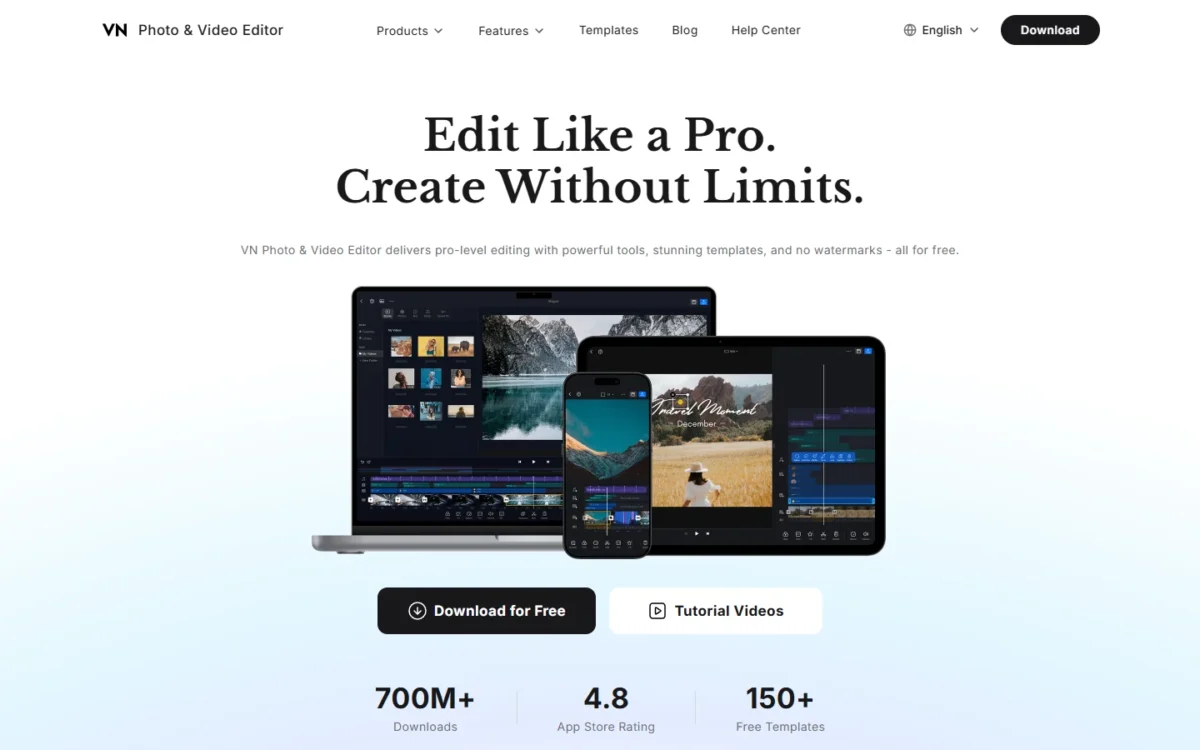
Of the phone editors here, VN sits closest to the CapCut workflow: a multi-track timeline, beat-synced templates and auto captions, free and with no watermark on the export. It is the pick for someone who wants to keep editing the way CapCut taught them without the Pro bill. The catch is VN Pro, listed on the US App Store without a billing period.
AutoCut replaces the template habit: pick a BeatsClip template and VN syncs your clips to the beat, or generates a template from your own footage. Auto Captions generate subtitles and remove filler words and silent segments, the talking-head trim CapCut users do by hand. The timeline adds keyframes, masks, speed ramps and LUT import.
Where VN Video Editor may be better
- Free with no watermark on export, up to 4K at 60 fps
- AutoCut builds a beat-synced edit; media imports via AirDrop, Wi-Fi, WhatsApp, Telegram or Zip
Where CapCut may be better
- A premium template library and an AI credit bundle on Pro
- Desktop and web editions, with billing periods printed beside its prices
VN’s editor is free with no watermark; VN Pro appears at $7.99 and $69.99 on the US App Store with no period printed next to either item.
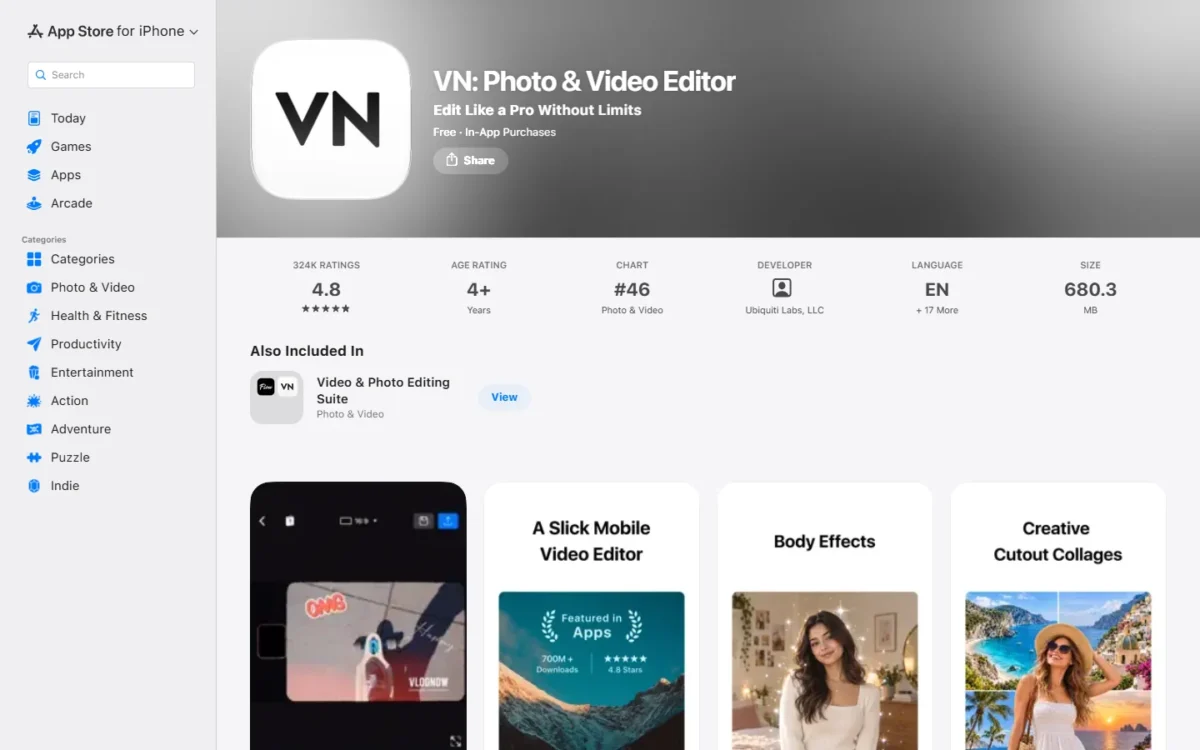
- VN: free, no watermark (CapCut Free)
- VN Pro: $7.99 and $69.99 as listed, period not printed (CapCut Pro, $19.99 a month or $179.99 a year)
Sources: VN on the App Store, VN website, checked Nov 2026.
Pros
- No watermark on free exports, up to 4K at 60 fps
- Auto Captions with filler-word and silence removal for talking-head clips
- Custom templates you can reuse across projects
Cons
- VN Pro is priced without a billing period, so the yearly cost is unclear until checkout
- No desktop or web edition on the pages read
- Templates are VN’s and BeatsClip’s, not CapCut’s library
Switching is lighter than most: media moves over AirDrop, Wi-Fi, WhatsApp, Telegram or Zip, but CapCut projects do not open, so edits and template choices are rebuilt.
- Skip it if:
- you need a desktop or web editor, or a published yearly price before you commit; Clipchamp and VEED print theirs.
4. Canva: Best CapCut Alternative for Template-Led Marketing Videos

- Best for: marketers whose CapCut job is branded social video from templates
- Comparable plan: Pro US$144 a year for one person (vs CapCut Pro $179.99 a year); Business US$250 a year per person
- Replaces: CapCut partially: template-led clips, not long timeline edits
Marketers who use CapCut mostly for its templates are buying a video editor to get a design library; Canva sells the library on its own. Pro gives one person 3.6M+ templates including premium ones, 141M+ premium photos, videos, graphics and audio. It is a partial replacement: the video editor trims, splits, splices and layers clips and resizes a video for every channel, but it is a canvas built around templates, not a timeline for long edits.
Brand Kits decide it for a team: Pro holds 5, Business 100 with approvals. A two-brand agency keeping logos, fonts and colors consistent across every clip gets that governance here, where CapCut’s brand kit sits on Teams. The AI allowance is the limit to read first: it varies by plan, so count your real monthly AI edits before you switch.
Where Canva may be better
- 141M+ premium photos, videos, graphics and audio on Pro
- Brand Kits scale from 5 on Pro to 100 with approvals on Business
Where CapCut may be better
- A full editing timeline on phone, desktop and web for filmed footage
- A fixed 1,200 monthly AI credits on Pro, where Canva’s AI allowance varies by plan
Canva Pro costs US$144 a year for one person and Business US$250 a year per person on the yearly view, so Pro is the plan to set against CapCut Pro’s $179.99; Canva’s plans are priced in detail in their own guide.
- Pro: US$144 a year for one person (CapCut Pro, $179.99 a year)
- Business: US$250 a year per person (CapCut Teams, $107.5 per seat a year at 2 seats)
Sources: Canva pricing, checked Nov 2026.
Pros
- Premium stock and templates on Pro
- Brand Kits with approvals on Business
- A free trial on Pro and Business before the yearly charge
Cons
- A template canvas, not a long-form timeline
- The AI allowance varies by plan, not a fixed credit count
- Business is priced per person, so each added marketer is another US$250 a year
Switching means uploading exported CapCut videos as assets and rebuilding each template in Canva. My Canva AI review weighs how far the AI allowance stretches on each plan.
- Skip it if:
- your work is cutting filmed footage rather than filling templates; DaVinci Resolve or Filmora gives you the timeline.
5. Clipchamp: Best CapCut Alternative for Free 1080p Browser Editing
- Best for: creators who want clean 1080p exports at no cost, in a browser
- Comparable plan: free (vs CapCut Free); premium with Microsoft 365 Personal (vs CapCut Pro)
- Replaces: CapCut Online and desktop for 1080p edits; 4K needs Microsoft 365
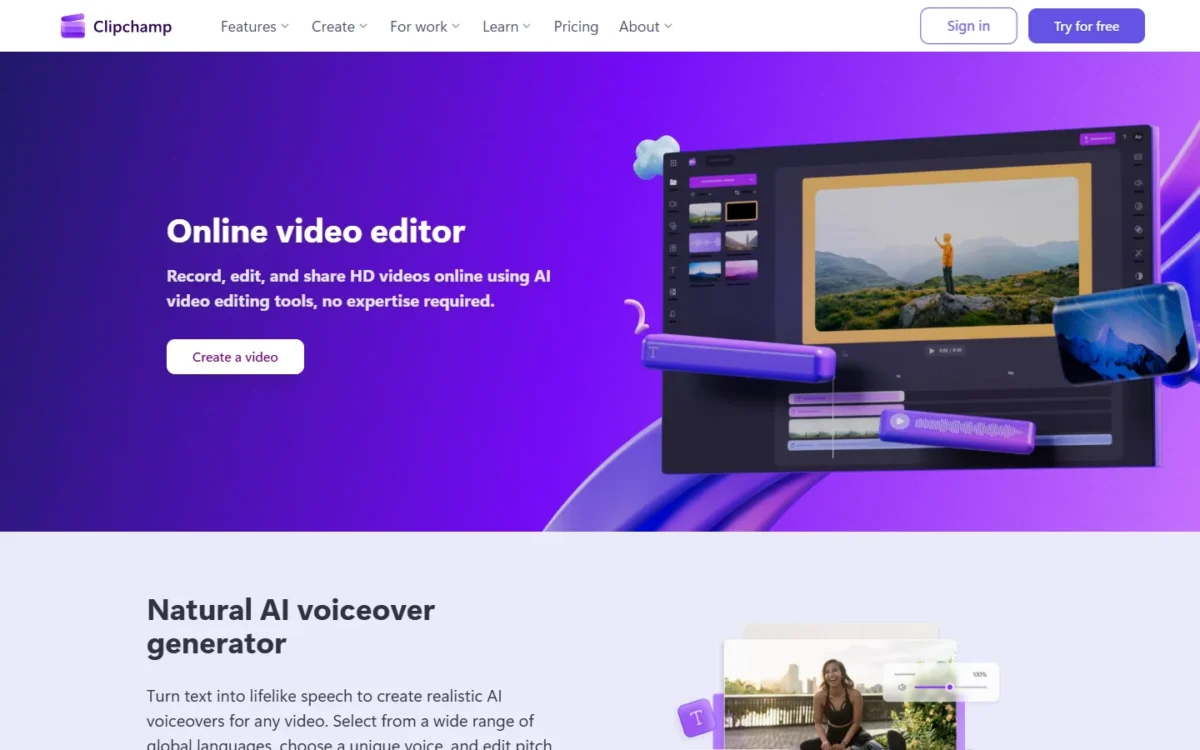
Clipchamp’s free plan answers the clean-export question directly: export as many videos as you like, at up to 1080p, with no watermark, with AI subtitles, voiceovers and silence removal included. It is the browser pick for a creator who edits on a laptop and does not need 4K. The ceiling is exactly there: 4K UHD exports, premium stock and the brand kit tool arrive only with Microsoft 365 Personal or Family.
That Microsoft 365 route changes the economics: a household already paying for Personal or Family gets 4K editing at no extra cost, and one that buys Personal for Clipchamp alone pays $179.99 – $99.99 = $80 a year less than CapCut Pro yearly. The free editor covers trim, crop, rotate and resize plus a royalty-free stock library.
Where Clipchamp may be better
- Free exports of unlimited videos at up to 1080p with no watermark, with AI subtitles
- Premium 4K and brand kit come inside a Microsoft 365 Personal or Family subscription
Where CapCut may be better
- A phone app alongside desktop and web
- AI credits and 1 TB of storage on Pro
Clipchamp’s free plan costs nothing; premium comes with a Microsoft 365 subscription, so its real price is a Personal or Family plan you may already pay for.
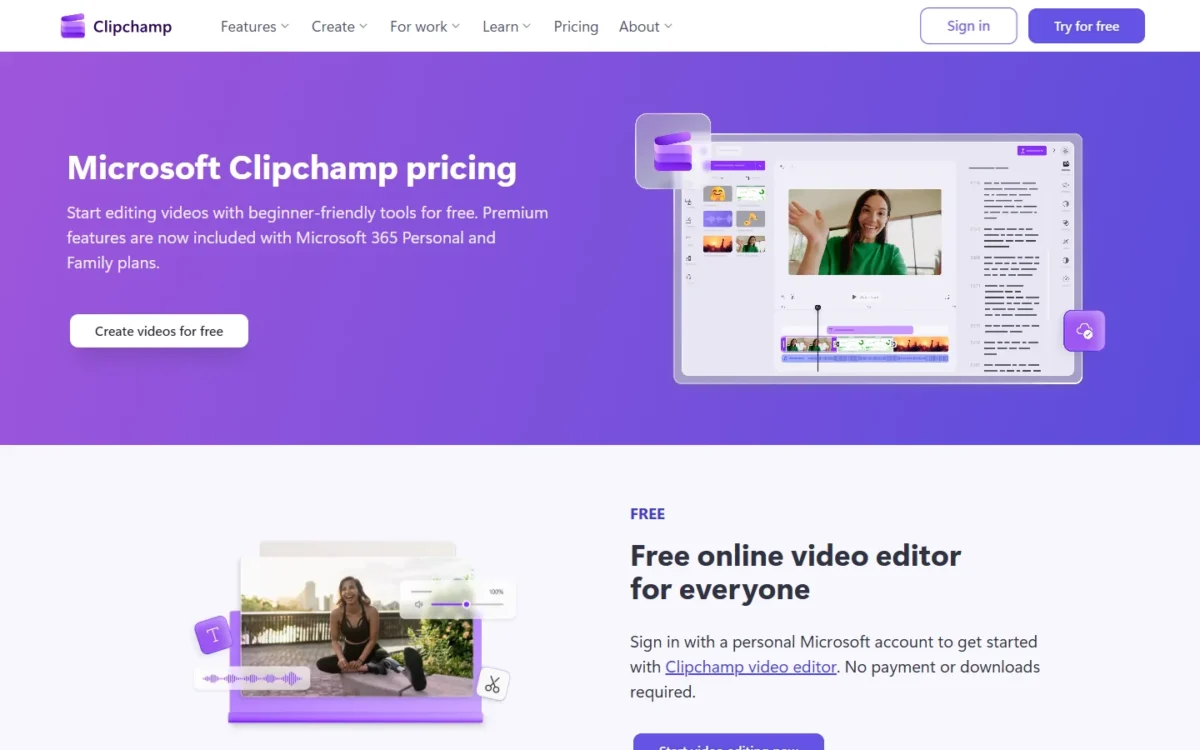
- Clipchamp Free: free, up to 1080p, no watermark (CapCut Free)
- Clipchamp premium with Microsoft 365: Personal $99.99 a year or $9.99 a month; Family $129.99 a year or $12.99 a month (CapCut Pro, $179.99 a year)
Sources: Clipchamp pricing, Microsoft 365 plans, checked Nov 2026.
Pros
- Unlimited 1080p exports with no watermark at $0
- AI subtitles, voiceovers and silence removal in the free plan
- Premium 4K and brand kit ride along with a Microsoft 365 subscription
Cons
- 4K exports need Microsoft 365 Personal or Family, not a Clipchamp plan of its own
- No phone app
- Premium stock and filters sit behind the same Microsoft 365 subscription
Switching is upload-and-rebuild: exported CapCut clips go in as media and captions are regenerated with AI subtitles.
- Skip it if:
- you edit on a phone or need 4K without a Microsoft 365 subscription; Adobe Premiere on mobile exports 4K free.
6. InShot: Best Low-Cost CapCut Alternative for Quick Phone Edits

- Best for: solo creators who pay CapCut Pro for trims, text and captions
- Comparable plan: InShot Pro $19.99 a year or $49.99 lifetime (vs CapCut Pro $179.99 a year)
- Replaces: CapCut on iOS and Android for quick edits with auto captions
For a creator whose reason for leaving is the bill and whose edits are trims, text and captions, InShot is the phone replacement to price first: Pro is $19.99 a year, on the App Store and Google Play. What you lose is CapCut’s AI credit bundle and desktop edition; what you keep is a phone editor with auto captions in multiple languages.
The lifetime option is the second feature. At $49.99 once, InShot Pro costs less than four months of CapCut Pro paid monthly (4 x $19.99 = $79.96) and never renews, which answers the no-refund worry without leaving the phone.
Where InShot may be better
- Pro at $19.99 a year ($179.99 – $19.99 = $160 under CapCut Pro yearly) or $49.99 lifetime
- Auto captions in multiple languages on a low-cost plan
Where CapCut may be better
- An AI credit bundle, premium templates and cloud storage on Pro
- Desktop and web editions on one account
InShot Pro is $4.99 a month, $19.99 a year or $49.99 lifetime on the US App Store; the yearly plan is one ninth of CapCut Pro’s yearly price.
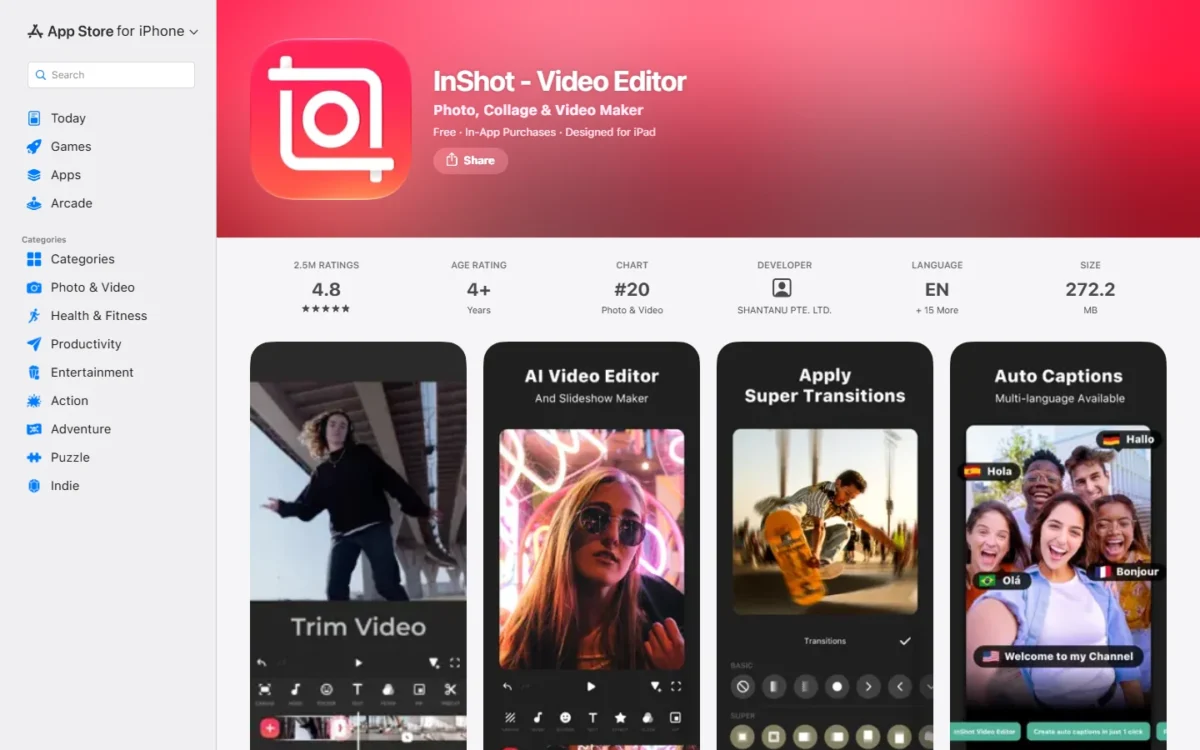
- InShot Pro: $4.99 a month (Monthly item), $19.99 a year (Yearly item) (CapCut Pro, $179.99 a year)
- InShot Pro, lifetime: $49.99 one-time (no CapCut equivalent)
Sources: InShot on the App Store, InShot website, checked Nov 2026.
Pros
- Pro at $19.99 a year, or $49.99 once for the Lifetime item
- Auto captions in multiple languages keep short-form clips captioned
- On both the App Store and Google Play, so a mixed-phone team can standardize
Cons
- No desktop or web edition on InShot’s pages
- No AI credit bundle comparable to CapCut Pro’s
- Transition, effect and filter packs cost $1.99 to $3.99 each on top of Pro
Switching is phone to phone: exported CapCut clips re-import from the camera roll and edits are rebuilt. Take the lifetime plan once you know you will use it past three months.
- Skip it if:
- you need AI generation or a desktop editor; CapCut Pro or DaVinci Resolve covers those.
7. iMovie: Best CapCut Alternative for Apple Users Who Want No Subscription
- Best for: iPhone, iPad and Mac owners who want a free editor with no renewal
- Comparable plan: free (vs CapCut Free and Pro)
- Replaces: CapCut on Apple devices for simple edits; no Android or Windows edition
An iPhone or Mac owner who leaves CapCut over its subscription may not need to buy anything: iMovie is free on the US App Store and edits 4K at 60 frames per second on supported devices. It suits someone whose edits are cuts, titles and music and whose devices are all Apple. The limits come with that: no Android, no Windows, and no CapCut template library or AI credits.
The Final Cut Pro hand-off is the feature worth knowing: Apple’s release notes say an iMovie project opens in Final Cut Pro for iPad for advanced editing and effects, so a creator who outgrows iMovie has an upgrade path inside Apple’s ecosystem.
Where iMovie may be better
- Free with no subscription and no renewal date
- Projects open in Final Cut Pro for iPad when you need more
Where CapCut may be better
- Android, Windows and web editions
- Premium templates and AI credits on Pro
iMovie is free on the US App Store, with no paid tier; the comparison with CapCut Pro is $0 against $179.99 a year.
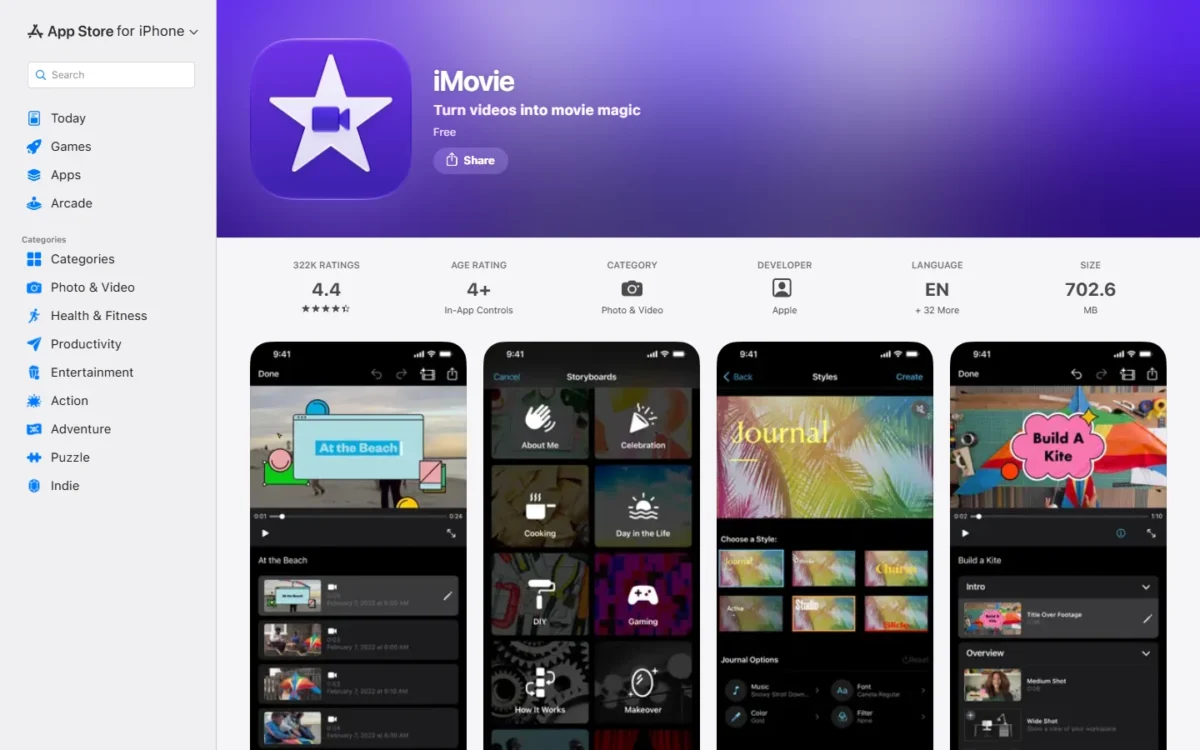
- iMovie: free (CapCut Free; CapCut Pro at $179.99 a year for the AI and template bundle)
Sources: iMovie on the App Store, checked Nov 2026.
Pros
- Free, with 4K at 60 frames per second on supported devices
- No subscription, so the auto-renewal and refund questions disappear
- An upgrade path into Final Cut Pro for iPad
Cons
- Apple only: no Android, Windows or web edition
- Templates are 14 trailer templates and Storyboards, and there are no AI credits
- 4K at 60 fps depends on the device model
Switching from CapCut on an iPhone means exporting finished videos and re-importing clips from Photos; edits and captions are rebuilt by hand.
- Skip it if:
- anyone on your team uses Android or Windows, or captions are the job; VN or Adobe Premiere on mobile covers both platforms free.
8. VEED: Best CapCut Alternative for Team Subtitles
- Best for: small teams whose main CapCut job is subtitled, on-brand social video
- Comparable plan: Creator $10 per user a month billed yearly (vs CapCut Pro $179.99 a year); Pro $21 per user a month billed yearly for brand kits and translation
- Replaces: CapCut Online and desktop for subtitled team clips; no phone app on VEED’s pricing page
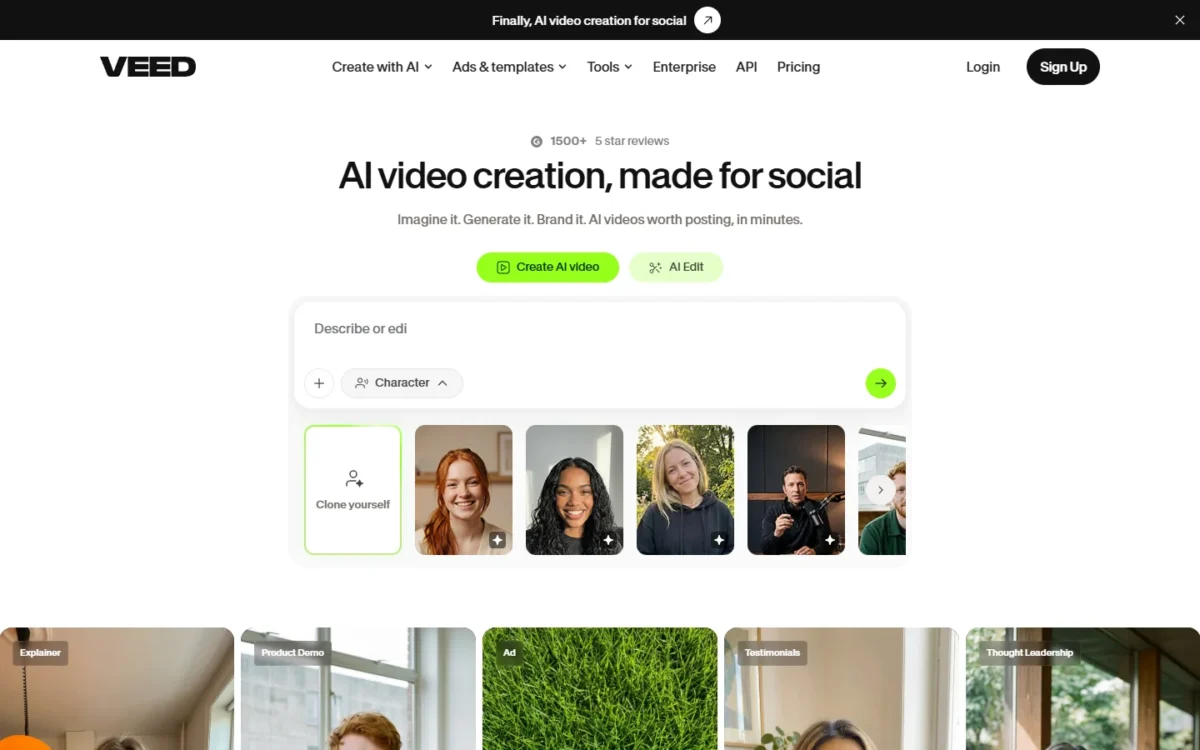
VEED is the editor for a team whose CapCut output is captioned, branded clips: Creator carries no watermark and unlimited auto subtitles, and Pro adds multiple brand kits and translation to 50+ languages. A two-to-five-person marketing team is the fit; a phone-first creator is not, because the pricing page offers nothing for the phone.
Translation on Pro gives a brand posting the same clip in three markets subtitles in each from one editor. Multiple brand kits keep each client’s fonts and colors apart; CapCut puts its brand kit on Teams, so the like-for-like comparison is VEED Pro at $44 per user against CapCut Teams at $12.49 per seat a month, both billed monthly.
Where VEED may be better
- Unlimited auto subtitles and no watermark from Creator at $10 per user a month, billed yearly
- Multiple brand kits and translation to 50+ languages on Pro
Where CapCut may be better
- A phone app alongside desktop and web
- Teams seats at $12.49 per seat a month, under VEED Pro’s $44 per user a month, both billed monthly
One person on VEED Creator billed yearly pays 12 x $10 = $120 a year, $59.99 under CapCut Pro.
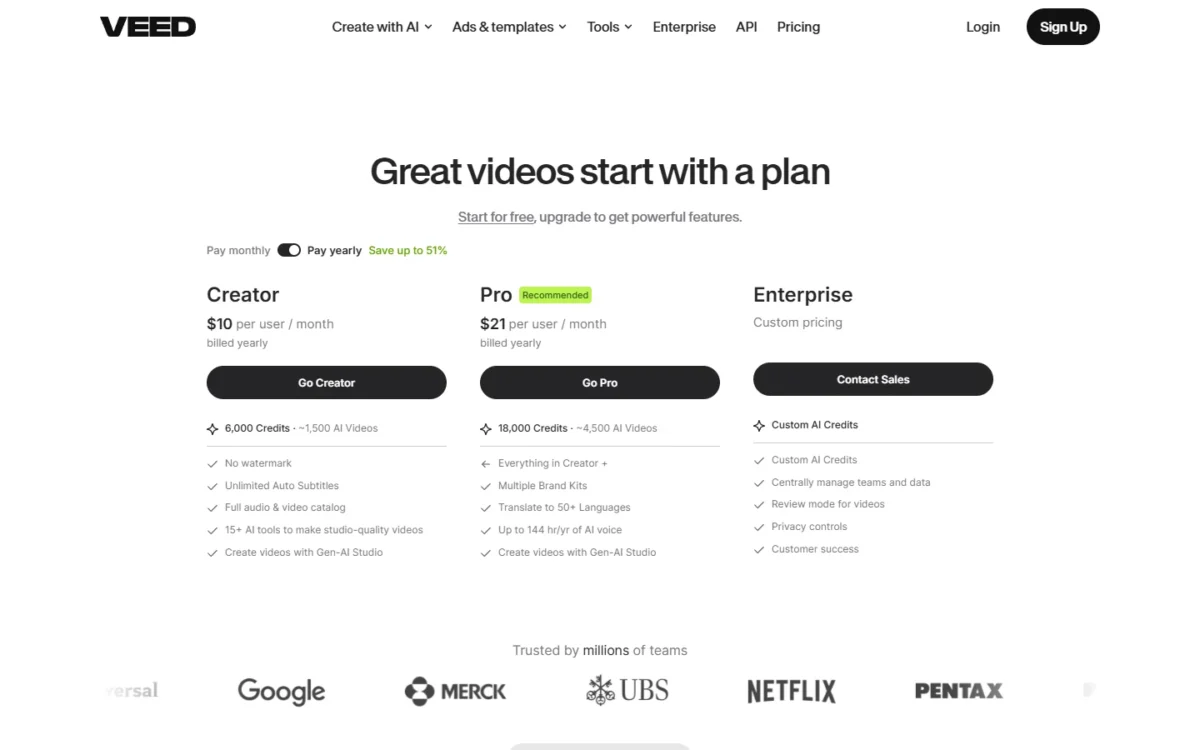
- Creator: $10 per user a month billed yearly, $20 billed monthly (CapCut Pro, $179.99 a year)
- Pro: $21 per user a month billed yearly, $44 billed monthly (CapCut Teams, $107.5 per seat a year or $12.49 per seat a month)
- Studio: $35 per user a month billed yearly, $70 billed monthly (CapCut Ultra, $79 a month)
Sources: VEED pricing, yearly view, VEED pricing, monthly view, checked Nov 2026.
Pros
- Unlimited auto subtitles with no watermark from the entry plan
- Translation to 50+ languages and multiple brand kits on Pro
- Creator at $120 a year per person, under one CapCut Pro account at $179.99
Cons
- Monthly billing is about double the yearly rate ($20, $44, $70 per user)
- No phone app on the pricing page, so phone-first creators lose their editor
- Pro’s $44 per user billed monthly is above CapCut Teams’ $12.49 per seat billed monthly
Switching is upload-and-rebuild: exported CapCut clips are uploaded, subtitles regenerated and the brand kit recreated in VEED.
- Skip it if:
- you edit on a phone or pay month to month; Kapwing or CapCut Teams fits a team that cannot commit to a year.
9. Kapwing: Best CapCut Alternative for Shared Team Workspaces
- Best for: teams of 2-10 that edit together and want one shared workspace billed per member
- Comparable plan: Pro, $16 as listed, billed per member (vs CapCut Teams)
- Replaces: CapCut Online for team editing in the browser; uploads up to 6 GB on Pro
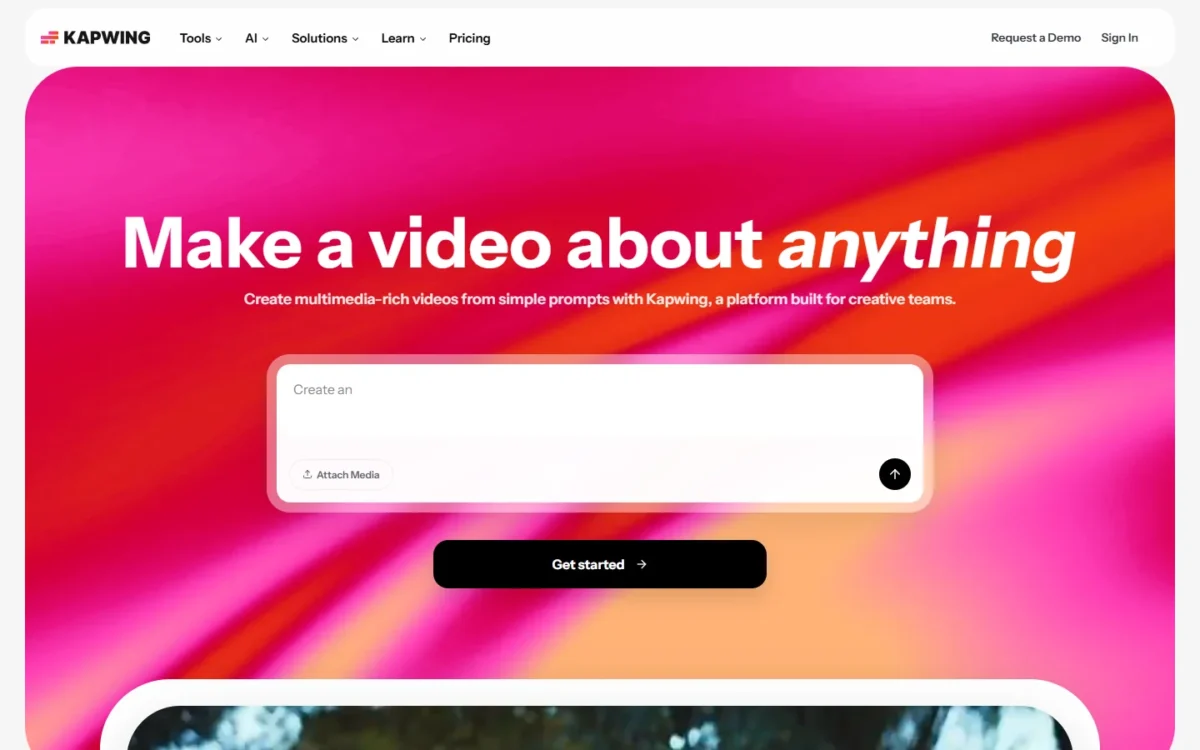
Kapwing replaces CapCut for a team that edits together: members work in one collaborative workspace where they create videos, give and get feedback, use brand assets and edit in real time together. A marketing team passing clips between a writer and an editor is the fit; a solo creator is not. The free tier is the trade-off, because it adds a watermark to every export.
Pro is where CapCut habits carry over: no Kapwing watermark, 4K exports, projects up to 2 hours long and 6 GB uploads. Team Workspaces are billed per member added, so count the people who edit, not everyone who reviews, before you set Kapwing against CapCut’s 2-seat Teams block.
Credits are counted in minutes: Pro covers up to 1,000 minutes of auto-subtitling or 50 minutes of dubbing a month. Those units do not line up with CapCut’s AI credits, so compare the subtitled minutes you need.
Where Kapwing may be better
- A collaborative shared workspace with brand kit and real-time editing
- Exports up to 2 hours long in 4K on Pro, with 6 GB uploads
Where CapCut may be better
- A free plan whose exports carry no mark of their own (the watermark comes from template outros)
- Phone and desktop apps, with AI credits per Teams seat
Kapwing lists Pro at $16 and Business at $50, billed per member on a monthly or annual cycle with no period printed beside either figure, so confirm the cycle at checkout before you set it against CapCut Teams.
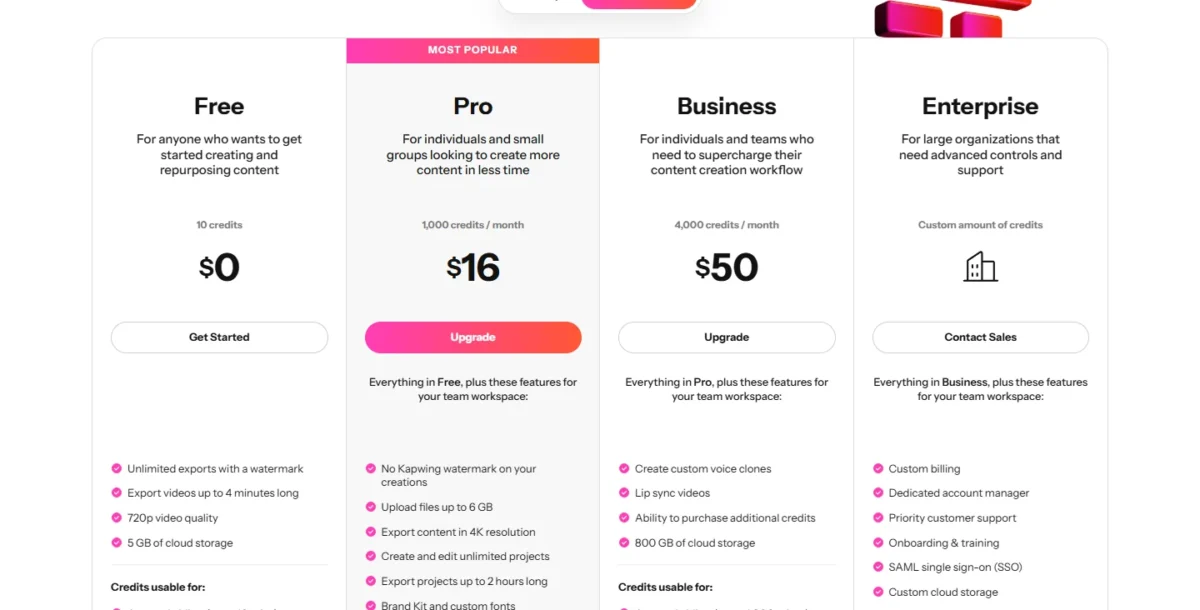
- Free: $0, watermark, 4-minute 720p exports (CapCut Free)
- Pro: $16 as listed, per member (CapCut Teams, $12.49 per seat a month at 2 seats)
- Business: $50 as listed, per member (CapCut Ultra, $79 a month)
Sources: Kapwing pricing, Kapwing subscription FAQ, checked Nov 2026.
Pros
- One shared workspace with feedback and real-time editing
- 4K exports up to 2 hours long on Pro
- Business adds voice clones and lip sync
Cons
- The free tier watermarks every export and caps videos at 4 minutes and 720p
- Built for groups, so a solo creator pays for collaboration they will not use
- Every member added to a Pro or Business workspace is billed, so a casual reviewer costs a seat
Switching is an upload job: exported CapCut videos and raw files go into the workspace, content can also come in from a pasted link, and the team rebuilds edits there.
- Skip it if:
- you work alone or need a free tier without a watermark; Clipchamp’s free plan exports clean 1080p.
10. Descript: Best CapCut Alternative for Transcription-First Talking-Head Editing
- Best for: podcasters and course creators who cut talking-head video by its words
- Comparable plan: Hobbyist $16 per person a month on annual billing (vs CapCut Pro $179.99 a year); Creator $24 for 4K and a team of 3
- Replaces: CapCut partially: long talking-head edits, not template-led short-form clips
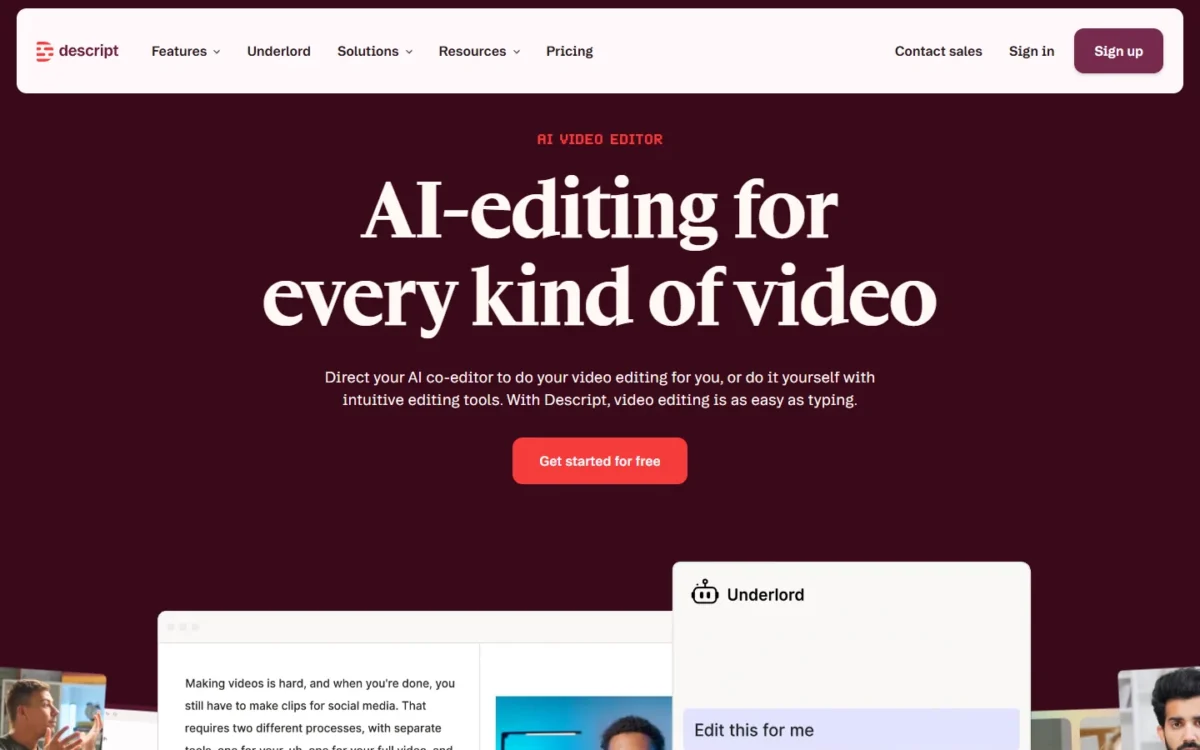
Descript is a different kind of editor, and that is the point for podcasters and course creators. Every plan is sized in media hours, its feature table lists transcription right after media minutes, and the editing job it suits is the hour-long talking head. It is a partial replacement for anyone whose CapCut output is template-driven Reels.
Media hours are the feature and the limit together. Hobbyist includes 10 media hours a month and exports 1080p watermark-free; Creator includes 30 media hours, exports 4K watermark-free and scales to a team of 3, billed separately. A weekly one-hour podcast fits Hobbyist; a daily show does not, and top-ups for more media hours and AI credits start on Creator.
Where Descript may be better
- Plans built around transcription, with media hours and watermark-free 1080p or 4K export
- Creator scales to a team of 3 and Business to 5, each billed separately
Where CapCut may be better
- Premium templates and a short-form social workflow on phone, desktop and web
- Pro at $179.99 a year costs less than Descript Hobbyist on annual billing
A year on Descript Hobbyist is 12 x $16 = $192 on annual billing, $12.01 more than CapCut Pro, so Descript earns its price only when transcript editing is the job.
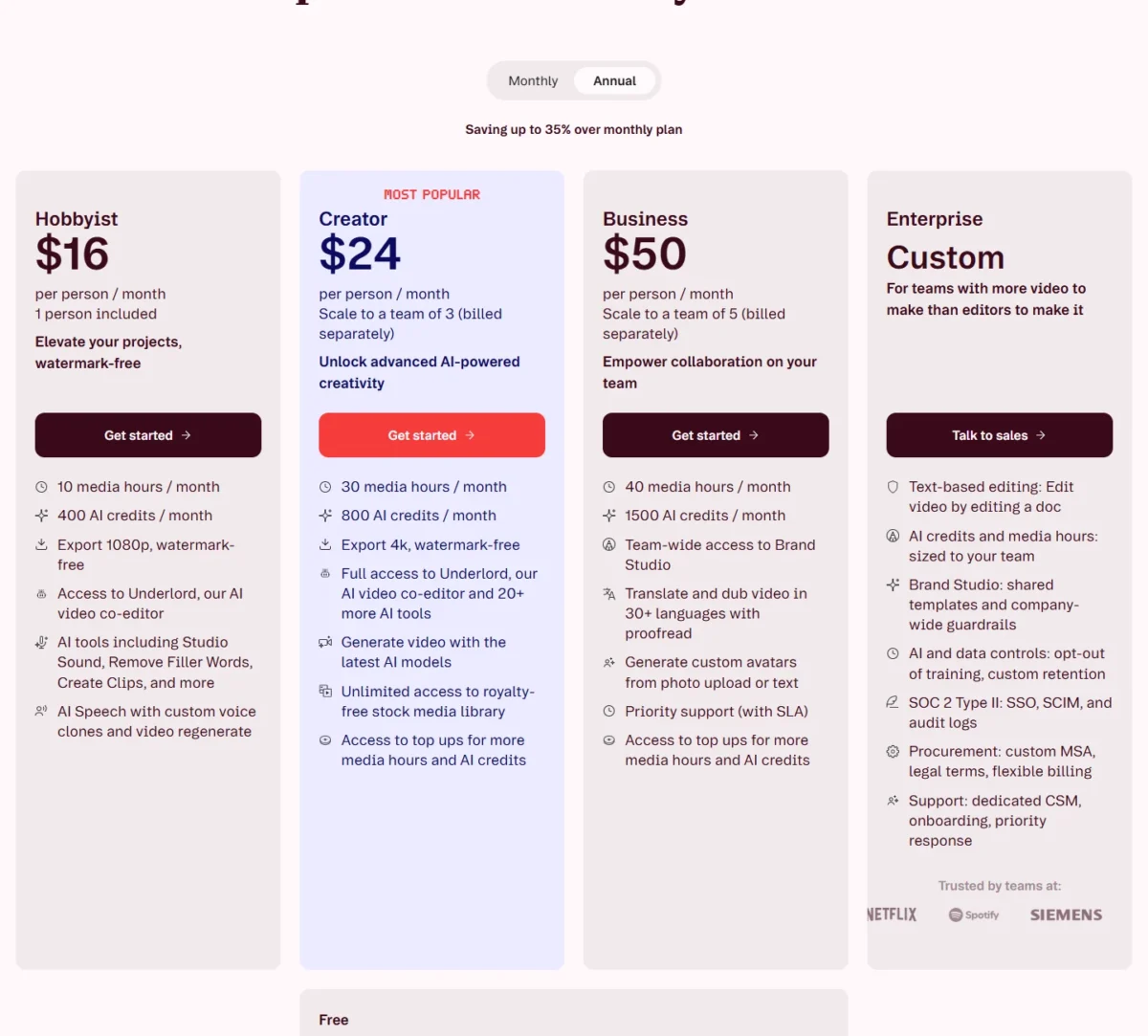
- Hobbyist: $16 per person a month on annual billing, $24 monthly; 10 media hours, 1080p (CapCut Pro, $179.99 a year)
- Creator: $24 per person a month on annual billing, $35 monthly; 30 media hours, 4K, team of 3 (CapCut Pro or Teams)
Sources: Descript pricing, annual view, Descript pricing, monthly view, checked Nov 2026.
Pros
- Media hours and transcription sized per plan, so a podcaster can budget by show length
- Watermark-free 1080p on Hobbyist and 4K on Creator
- Team scaling to 3 on Creator and 5 on Business
Cons
- Hobbyist costs $12.01 more a year than CapCut Pro on annual billing
- No CapCut-style template library on the pricing page
- Media hours cap the month: 10 on Hobbyist, 30 on Creator, 40 on Business
Switching means uploading exported CapCut videos and rebuilding captions from Descript’s transcript; my Descript review weighs the recording and transcription side.
- Skip it if:
- you make template-driven Reels or want to pay less than CapCut Pro; InShot or VEED Creator costs less and keeps captions.
11. Filmora: Best CapCut Alternative With a One-Time Desktop License
- Best for: desktop editors who want to pay once and stop watching renewal dates
- Comparable plan: Perpetual US$79.99 one-time or Basic US$49.99 a year (vs CapCut Pro $179.99 a year)
- Replaces: CapCut Desktop on Windows or Mac; no phone or web edition on the pricing page
Filmora suits a desktop editor who wants to pay once. The Perpetual license is a one-time US$79.99 with export without watermark, 100+ advanced editing features and 1,000 Filmora AI credits as a one-time grant. A creator cutting on a Windows PC or a Mac who left CapCut over auto-renewal is the buyer; anyone who edits on a phone or needs cloud sync between devices is not.
The license split is the thing to read before you buy: a Windows license works only on Windows and a Mac license only on Mac, so a two-platform setup is two licenses. The yearly plans answer the AI question: Advanced carries 1,000 AI credits a month and Premium 2,000, so a creator who generates with AI weekly should price Premium, not Perpetual, whose 1,000 credits come once.
Where Filmora may be better
- Perpetual license at US$79.99 one-time, under half a year of CapCut Pro
- Export without watermark on every paid plan, from Basic at US$49.99 a year
Where CapCut may be better
- Phone, desktop and web editions on one account, with no Windows-or-Mac license question
- AI credits inside the Pro subscription every month
Filmora Perpetual is US$79.99 one-time and Basic US$49.99 billed yearly; Premium at US$99.99 a year bundles Advanced (US$59.99 a year alone), AI Credits (US$9.99 a month alone) and Creative Assets (US$99.99 a year alone).
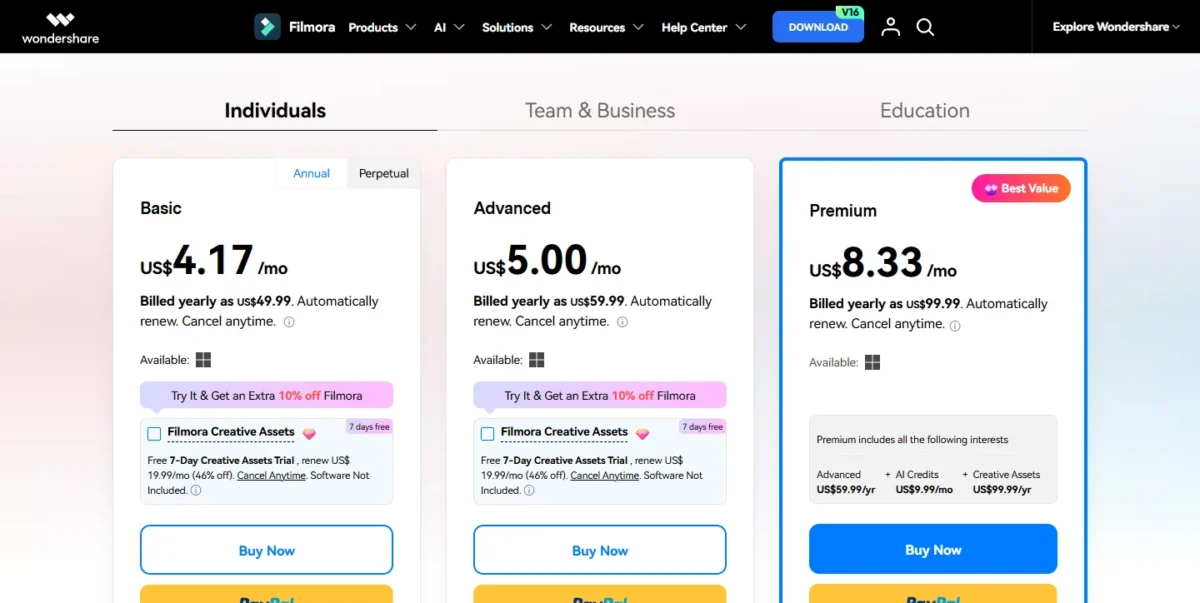
- Basic: US$49.99 billed yearly; Advanced: US$59.99 billed yearly, 1,000 AI credits a month (CapCut Pro, $179.99 a year)
- Perpetual: US$79.99 one-time, 1,000 AI credits once; Premium: US$99.99 billed yearly, 2,000 AI credits a month (CapCut Pro)
Sources: Filmora pricing, checked Nov 2026.
Pros
- A one-time license at US$79.99 ends the renewal and refund worry
- Every paid plan exports without a watermark
- Premium bundles AI credits and Creative Assets at US$99.99 a year, under CapCut Pro
Cons
- Windows and Mac licenses are sold separately and do not transfer between platforms
- Perpetual’s 1,000 AI credits are a one-time grant; ongoing credits need a yearly plan or the add-on
- No phone or web edition on the pricing page, where CapCut has both
Switching is export-and-rebuild on a computer: finished CapCut videos and raw clips import as media, and templates, edits and captions are recreated.
- Skip it if:
- you edit on a phone, or on both Windows and Mac; DaVinci Resolve’s free version runs on both and Linux.
Should You Stay With CapCut or Switch?
Stay with CapCut if auto-captions, the 1,200 monthly AI credits and one editor across phone, desktop and web are why you use it; switch if your reason is one of the five above. Zebracat‘s CapCut review, published September 2026 and checked Nov 2026, put caption accuracy at about 95% for clear speech in quiet environments after a week on a paid Pro subscription on desktop and mobile, with strong regional accents, technical terms and background noise pulling it down.
That is one reviewer’s week, published by an AI video company, and it measures nothing about any alternative here. So the captions question is yours to settle: export one clip with your own voice and room noise, run it through CapCut Free and the free tiers of your two finalists, and compare the caption files.
Consider switching if
- The content license in the April 15, 2026 terms is a problem for client or branded footage
- You pay for Pro only for trims, text and captions
- Template outros keep getting into your exports
- You want to stop renewing: Filmora Perpetual, InShot Pro Lifetime or iMovie
- Your work needs desktop color and audio pages
Consider staying with CapCut if
- Auto-captions are the job and you have not run your own clip through an alternative yet
- You use the 1,200 monthly AI credits and 1 TB of storage on Pro
- You start edits on a phone and finish them on desktop or the web
- You are a two-person team on Teams at $107.5 per seat a year
| Your priority | Alternative to consider | Reason | Trade-off |
|---|---|---|---|
| Free phone editing without a watermark | Adobe Premiere on mobile or VN Video Editor | Free 4K exports with captions, or a free multi-track timeline | Fewer templates; AI is iOS-only on Premiere |
| Low-cost paid phone editing | InShot | Pro at $19.99 a year or $49.99 lifetime | No AI credit bundle or desktop edition |
| Desktop color and audio | DaVinci Resolve | Free up to Ultra HD 3840 x 2160 at 60 fps | A page-based workflow, no templates |
| Branded marketing video from templates | Canva | Pro at US$144 a year with 141M+ premium assets | Partial replacement for timeline edits |
| Team subtitles | VEED | Unlimited auto subtitles from Creator; brand kits on Pro at $21 per user a month billed yearly | Monthly billing about doubles; no phone app on VEED’s pricing page |
| Shared team editing | Kapwing | One workspace billed per member | Free tier watermarks every export |
| Pay once | Filmora on a computer, InShot on a phone | Filmora Perpetual US$79.99 one-time; InShot Pro Lifetime $49.99 | Filmora’s ongoing AI credits cost extra; InShot has no desktop edition |
| AI credits and templates across phone, desktop and web | Stay with CapCut | Pro bundles 1,200 monthly AI credits, all premium templates and 1 TB storage | Auto-renews, and purchases generally do not support refunds |
Sources: CapCut pricing and the vendor pages linked under each pick, checked Nov 2026.
Migrating from CapCut
Move your work out in this order, and you lose no footage and pay no extra cycle:
- Open each project, delete the template’s default ending clip or branded element, then export the finished video at the highest resolution your device allows.
- Keep the original media files in a folder of your own; the new editor rebuilds from them, not from CapCut’s project.
- Check the import route in your pick’s switching note above.
- Rebuild edits, templates and captions by hand; no vendor page shows a CapCut project opening in another editor.
- Run one sample clip with speech through the new editor’s free tier before moving everything.
- Cancel CapCut at least 24 hours before the renewal date, after the new editor has your work.
No refund after renewal
CapCut Pro and Teams auto-renew, and CapCut’s help center says purchases generally do not support refunds, with an appeal for cases such as accidental double billing. A cancellation that lands after the renewal date means another full cycle paid.
Also Considered
Six editors the top pages name did not make the list, each for one documented reason:
- KineMaster: its developer says the watermark and ads go only with KineMaster Premium, whose monthly items run $8.49 to $11.99 on the US App Store, so KineMaster without Premium does not answer the clean-export reason.
- Camtasia: a screen-recording and editing suite with Essentials at $179.88 per year billed yearly; its job is tutorials, and my Loom alternatives cover that market.
- Movavi Video Editor: its free version may add a watermark and cap videos at 60 seconds, so it is not a free CapCut replacement.
- Final Cut Pro: $299.99 and Mac only on the US App Store, above DaVinci Resolve Studio’s $295 list price.
- Adobe Premiere Rush: Adobe’s Premiere Rush page now presents Adobe Premiere on mobile, which is pick 2.
- Slate: a team platform at $75 per seat a month, a different budget from a CapCut Teams seat at $12.49 a month.
FAQ
Is CapCut banned in the US?
No, not as of November 11, 2026: the US App Store listed CapCut, sold by Bytedance Pte. Ltd., with in-app subscriptions on sale.
Which app is most like CapCut?
VN Video Editor is the closest free match on a phone: a multi-track timeline, beat-synced templates, auto captions with filler-word removal and no watermark, on iOS and Android. Pick Adobe Premiere on mobile instead if clean 4K exports and unlimited free captions matter more to you than templates. Neither opens a CapCut project.
Is there a free CapCut alternative without a watermark?
Yes, three on this page: Adobe Premiere on mobile (unlimited 4K exports), VN Video Editor (up to 4K at 60 fps) and Clipchamp’s free plan (up to 1080p). A ranked list built around free tiers rather than around CapCut is my guide to free video editing software.
Is CapCut safe to use for client videos?
CapCut’s terms say it does not own your content but grant it a perpetual, sub-licensable, worldwide license to use what you upload, plus a license to your username, image and likeness. Whether that is acceptable is a question for the client’s contract; editors who cannot accept it move the edit to a desktop editor such as DaVinci Resolve or Filmora and read that vendor’s terms too.
Final Verdict
Pick by the reason you are leaving. If the content license or desktop color and audio is the reason, move to DaVinci Resolve and pay nothing until Studio’s $295 earns its place. If a free phone editor is the reason, Adobe Premiere on mobile gives you clean 4K and unlimited captions at $0, and VN gives you the closest timeline.
If templates are the reason, Canva Pro at US$144 a year is the honest purchase. If a team’s subtitles are the reason, VEED Creator at $10 per user a month billed yearly is $59.99 under CapCut Pro per person. For AI-first editing beyond this switch, my ranking of AI video editors sorts the field by job.
My take
Stay with CapCut if captions, the AI credits and one editor from phone to web are what you pay for. Whatever you pick, CapCut projects do not come with you, so the rebuild of edits and captions is part of the price; run the captions test before you cancel.