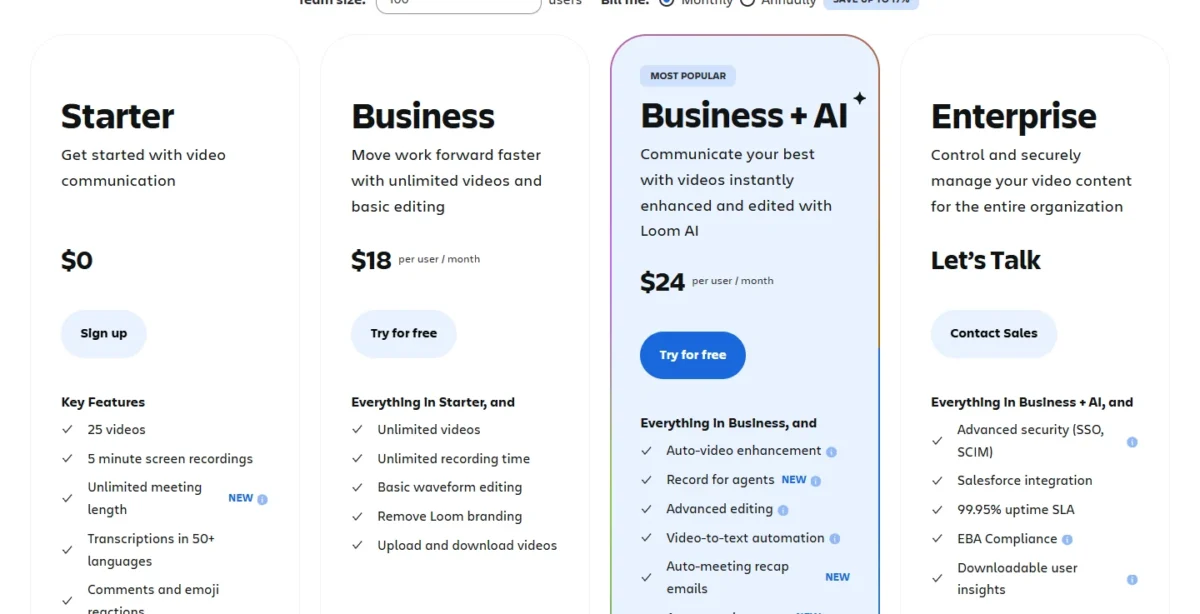
Teams leave Loom over one of three limits: Starter’s 5-minute recordings, AI editing reserved for Business + AI, or a $1,800 yearly bill for 10 users on Business. The right Loom alternative depends on which limit you hit.
I ranked 11 tools from each vendor’s pricing, plan and help pages, read on October 27 and 28, 2026, and priced each against Loom at 10 seats.
Quick verdict
This page is for Loom users who hit a plan limit and want the tool that removes it, priced at the same team size.
- Own your files for less per seat: Cap Pro, with a Loom video importer.
- Edit before you send: Tella Pro.
- Sales video tied to a CRM: Vidyard Teams.
- Customer recordings for support: Zight Collaborate.
- Stay with Loom if your videos live in Jira and Confluence, you use its meeting notes, or your library depends on CTAs, chapters and captions that a download drops.
In This Article (21 sections)
Best Loom Alternatives at a Glance
Pick the card that matches the job you are leaving Loom for.

Cap
Best for: owning your recordings
Cap Pro costs less per seat than Loom Business, stores files in your own S3 bucket or Google Drive, and imports Loom videos.
Limit: the importer and own storage need Pro

Tella
Best for: polished presentation videos
Tella lists transcript editing and filler word removal in its plans, the polish Loom keeps on Business + AI.
Limit: no free plan on its pricing page, unlike Loom Starter

Vidyard
Best for: sales teams
Vidyard Teams syncs video engagement to CRMs, where Loom lists Salesforce only on Enterprise.
Limit: Starter costs more per seat than Loom Business, and Teams is quote-only

Zight
Best for: support and documentation teams
Zight’s Video Requests let a customer record their screen and send it back without an account, which Loom’s pricing page does not list.
Limit: Jira and Confluence are add-ons below Scale, while Loom includes them
Cards hide the price basis, so the table puts Loom’s benchmark next to every pick.
Loom vs Alternatives: Quick Comparison
Loom Business at $18 per user per month on the Monthly view is the benchmark. Five picks replace Loom’s whole record-and-share job; six replace one part of it.
| Software | Best for | Starting price (unit, billing) | Main advantage | What you give up | Switching note |
|---|---|---|---|---|---|
| Loom | Teams on Jira and Confluence | Starter free; Business $18 per user/ | Jira and Confluence on every plan | Benchmark | Benchmark |
| Cap | Owning recordings | Free (personal use); Pro $8.16 per user/ | Own S3 or Google Drive storage | No Jira integration listed | Loom importer on Pro |
| Tella | Presentation videos | Pro $13 per user/ | 6-hour recordings, transcript editing | No free plan listed | Loom migration tool listed |
| Vidyard | Sales teams | Free; Starter $59 per seat/ | CRM/ | Higher seat price | Upload MP4 files |
| Zight | Support teams | Free; Collaborate $12 per user/ | Video Requests from customers | Requests capped per plan | Upload MP4 files |
| ScreenPal | Budgets, educators | Free; Team Business $8 per user/ | Quizzes, 15-minute free recordings | 3-creator minimum | Import Videos listed |
| Descript | Editing (partial) | Free; Hobbyist $16, Creator $24 per person/ | Edit video as a doc | Media hours capped | Editor only |
| Camtasia | Training (partial) | Starter $39.00, Essentials $179.88 per year, billed yearly (Sept 29, 2026 archive) | Quizzes and SCORM export | No monthly billing | Production tool |
| Screen Studio | Mac demos (partial) | $9/mo. on the Yearly plan | Automatic zooms, smoothed cursor | macOS only | Mac recording and links |
| Supademo | Interactive demos (partial) | Free; Scale $38 per creator/ | Click-through demos | Per-creator pricing | Demos built new |
| Microsoft Clipchamp | Microsoft 365 teams (partial) | Free; in some Microsoft 365 licenses | Free 1080p exports | No viewer comments listed | Recorder and editor |
| OBS Studio | Local recording (partial) | Free, open source | Windows, macOS, Linux | No hosting listed | Local capture only |
Sources: Loom pricing, Cap pricing, Tella pricing, Vidyard pricing, Zight pricing, ScreenPal plans, Descript pricing, Camtasia store (Internet Archive copy of September 29, 2026), Screen Studio, Supademo pricing, Clipchamp pricing, OBS Studio, checked October 2026.
The table shows what each pick gives up, but not why a team leaves Loom in the first place.
Why Look for a Loom Alternative?
Three Loom limits push teams to look elsewhere. Confirm the limit applies to your plan first; my full Loom review covers what Loom still does well.
Starter’s caps. Loom Starter allows 25 videos per person, 5 minutes per screen recording and video up to 720p, and Starter admins and creators cannot download videos. ScreenPal Free records 15 minutes, and Cap Free has no time limit on local recordings (personal use only).
The AI gate. Auto summaries, auto chapters, filler word and silence removal, and edit by transcript sit on Business + AI and Enterprise. On the Monthly view that costs $24 – $18 = $6 more per user per month than Business. Descript and Screen Studio include transcript editing in their plans, and Tella lists it too.
The seat bill. Loom’s Annually view prints $1,800 a year for 10 users on Business and $2,400 on Business + AI. Paying monthly for the same 10 Business users costs $18 x 10 users x 12 months = $2,160 a year. ScreenPal, Cap, Zight and Tella Pro cost less at that size.
Narrower gaps send specific teams elsewhere: Loom lists Salesforce on Enterprise only (Vidyard), and its pricing page lists no way to collect a customer’s recording (Zight).
Where you buy Loom changes two terms. Loom.com lists Starter at up to 50 members and bills annual plans by distinct paid users; atlassian.com lists up to 10 users on Starter and bills at the user tier closest to your count.
Once the limit is named, the question is which tool removes it for your job.
1. Cap: Best Loom Alternative for Owning Your Recordings
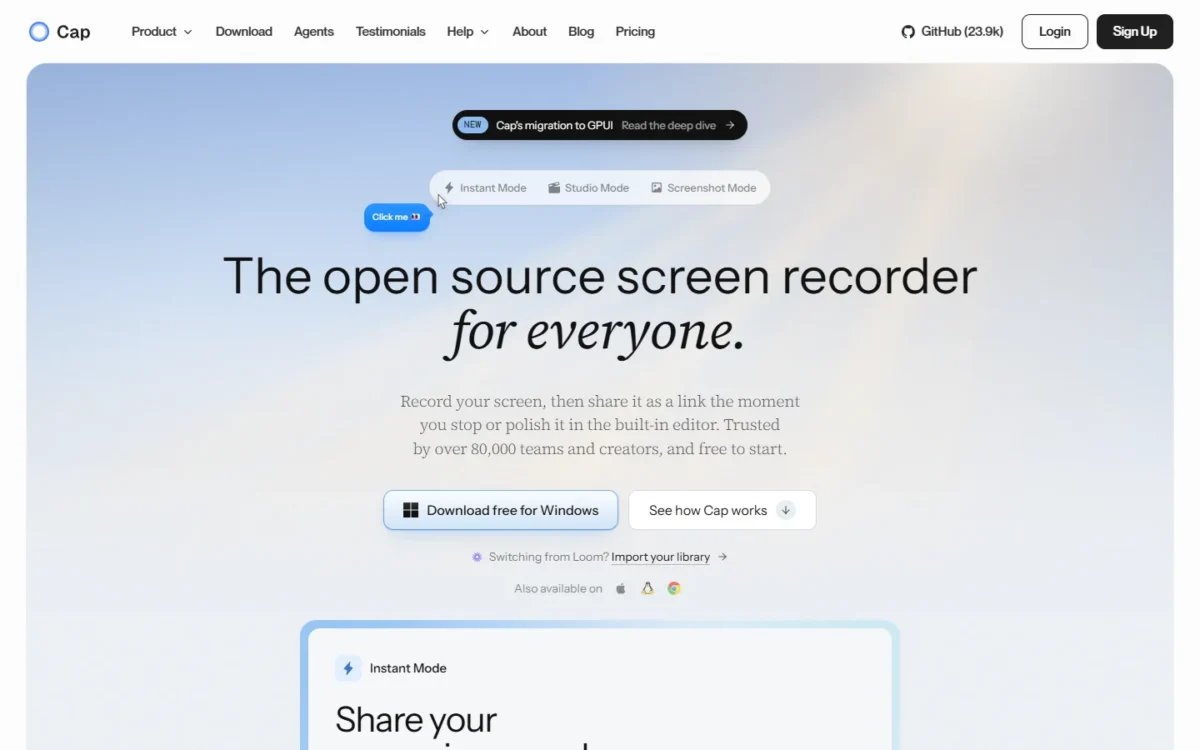
- Comparable plan: Cap Pro, $8.16 per user a month, billed annually
- Import from Loom: Loom video importer, on Pro
- Platforms: macOS, Windows (beta) and Linux
For a team that cares where its videos live, Cap is the closest like-for-like Loom replacement. Pro adds unlimited cloud sharing, AI titles, summaries and chapters, and a Loom video importer. The catch: all of it sits on Pro, and the free app is licensed for personal use, so a business pays from day one.
Own storage is what changes the decision. Cap Pro writes to a custom S3 bucket in any region or your own Google Drive, and Cap offers a self-hosted option. Cap states SOC 2 Type II, ISO 27001 and HIPAA compliance, with signed BAAs available, which matters to health and legal teams.
Cap ranks above ScreenPal, whose 10-seat total is slightly lower, because Pro adds the Loom video importer and own storage that a team moving a Loom library needs first.
Where Cap may be better
- Own S3 bucket or Google Drive on Pro; a self-hosted option
- A Linux app beside macOS and Windows (beta)
Where Loom may be better
- Loom’s Jira and Confluence integration on every plan
- Free Starter for teams: up to 50 Creator Lite members on loom.com
Cap Pro costs $8.16 per user a month, billed annually. Ten users pay $8.16 x 12 months x 10 users = $979.20 a year, about half of Loom Business at that size.
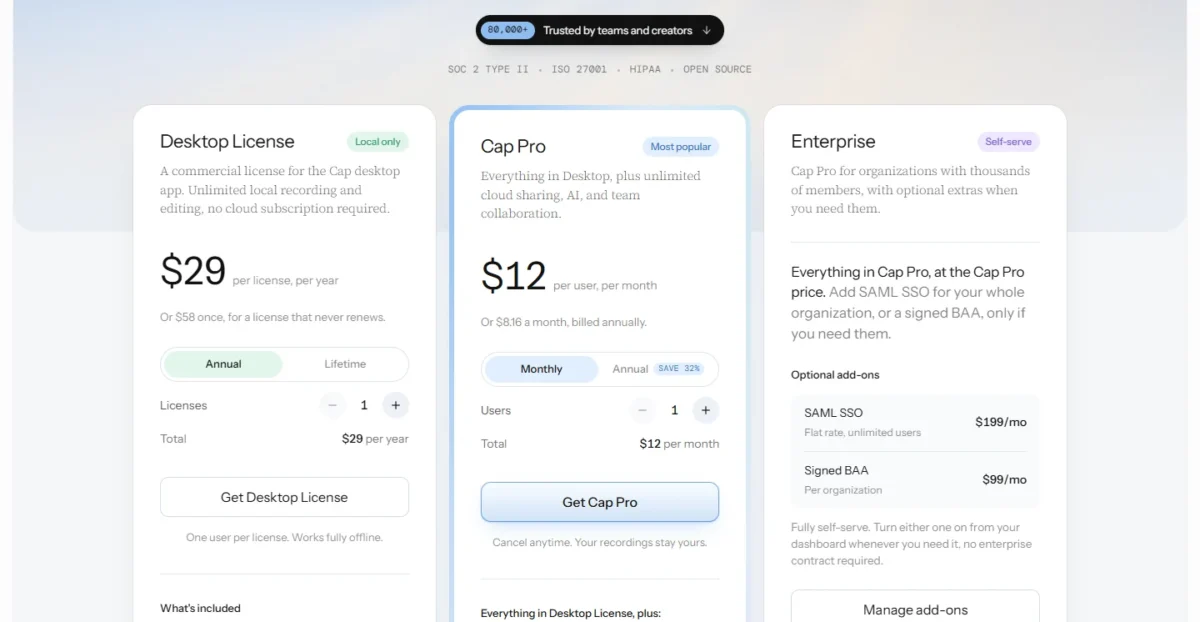
- Free: personal use, share links up to 5 minutes
- Desktop License: $29 per license per year, or $58 once; 20 cloud links a month of up to 5 minutes
- Cap Pro: Loom importer, own storage, AI summaries
Sources: Cap pricing and Cap download page, checked October 2026.
Pros
- Loom video importer shortens the move
- AI titles, summaries and chapters on Pro with no usage limits
- SAML SSO is a $199 a month flat add-on, no enterprise contract
Cons
- The free plan is for personal use only
- Free and Desktop share links stop at 5 minutes
- No Jira or Confluence integration listed
Switching means buying Pro first for the importer. If you cancel Pro later, Cap says existing shares stay active.
- Skip it if:
- your team files Loom videos into Jira tickets and Confluence pages every day; staying with Loom keeps that native integration.
Teams that edit every video before it goes out need transcript editing up front, and that is Tella’s job.
2. Tella: Best Loom Alternative for Polished Presentation Videos
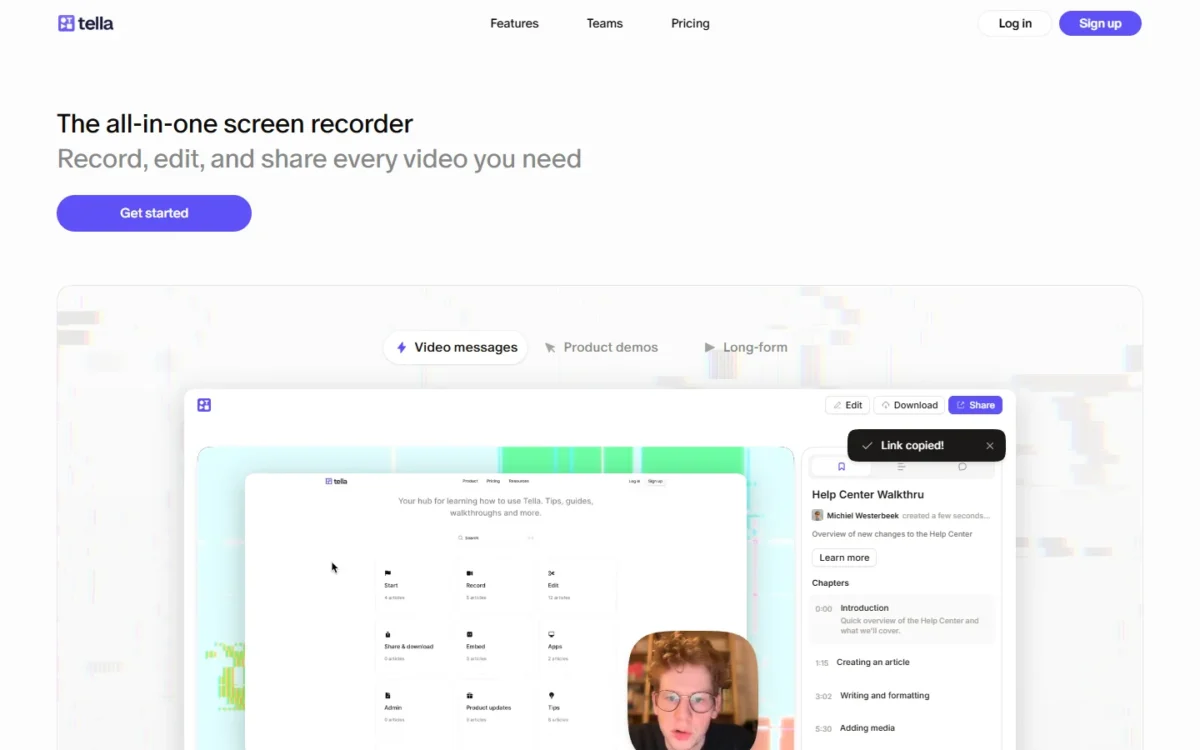
- Comparable plan: Pro, $13 per user a month, billed annually
- Import from Loom: “Loom migration tool” and “Batch import tool” in its plan comparison
- Recording length: 6 hours on every plan
Tella makes the most sense when videos get edited before they go out: product updates, customer walkthroughs, lessons. Its plan comparison lists transcript editing, filler word and silence removal, the polish Loom reserves for Business + AI. The trade-off: no free plan or meeting recorder listed, so it replaces Loom’s async videos, not its meeting notes.
Six-hour recordings and 106 transcription languages suit training teams. Tella Agent, the chat-driven AI editor, runs on credits that do not roll over. Its plan comparison also lists video hosting, comments and reactions, so the edit goes out as a link.
Where Tella may be better
- Transcript editing, filler word and silence removal listed in its plans
- Native macOS and Windows recorders, plus Slack, Notion and Linear integrations
Where Loom may be better
- A free Starter plan; Tella’s pricing page lists none
- Jira and Confluence integration on every Loom plan
Tella Pro costs $13 per user a month and Premium $19, both billed annually. Ten users on Pro pay $13 x 12 months x 10 users = $1,560 a year, which is $2,400 – $1,560 = $840 under Loom Business + AI.
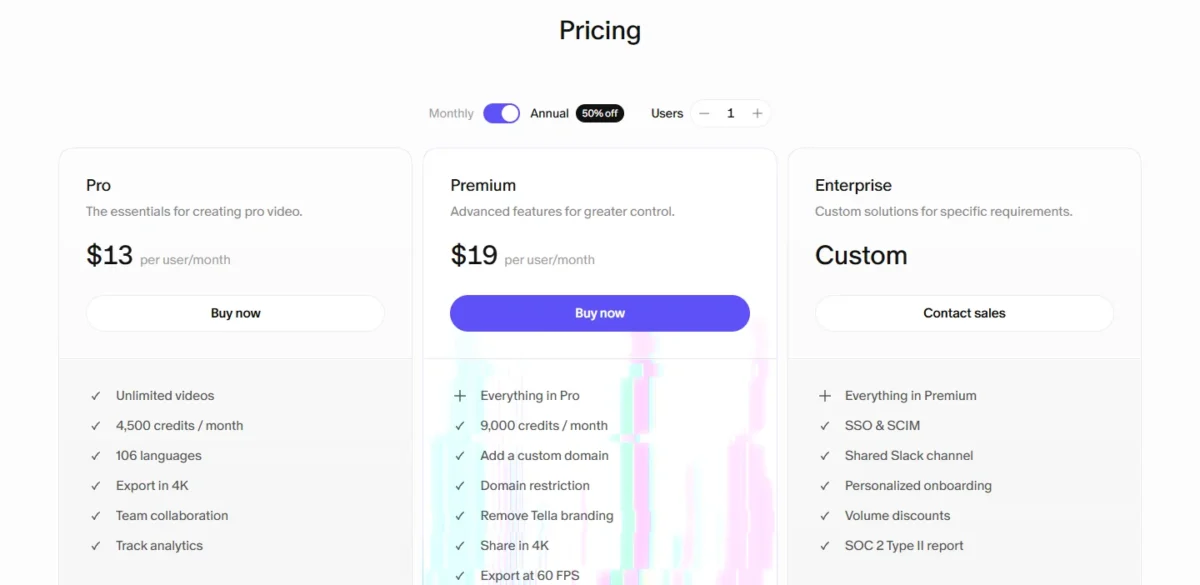
- Pro: 4,500 AI credits per user a month
- Premium: adds a custom domain and Tella branding removal
- Enterprise: custom pricing, SSO and SCIM included
Sources: Tella pricing, checked October 2026.
Pros
- 6-hour recordings on every plan
- A Loom migration tool listed in the plan comparison
- SSO and SCIM as add-ons on any paid plan
Cons
- No free plan listed, and trials include no AI credits
- Agent credits reset monthly
- Custom domain and branding removal need Premium
Confirm on a trial that your plan includes the Loom migration tool before buying annual seats.
- Skip it if:
- occasional recorders need a free tier, or you record meetings in Loom; ScreenPal Free covers the first, and staying on Loom the second.
Polish suits internal and customer videos; sales teams also need the video’s data in the CRM.
3. Vidyard: Best Loom Alternative for Sales Teams
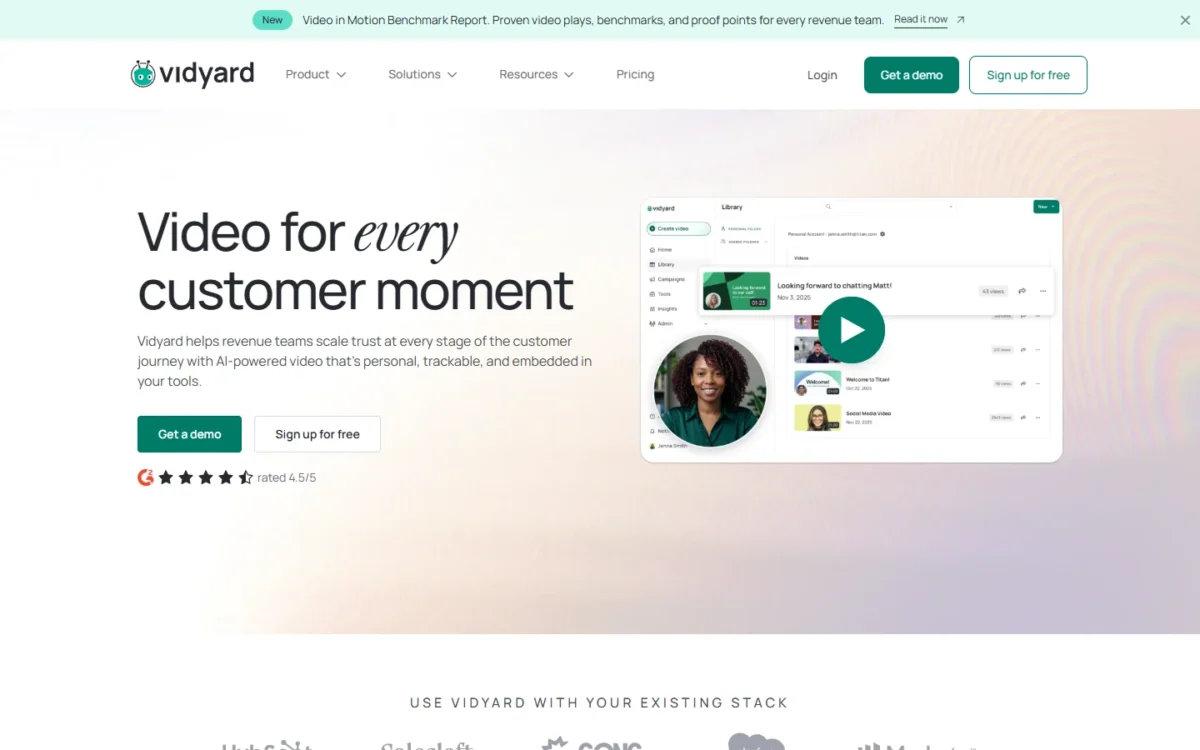
- Comparable plan: Teams (custom pricing) for CRM/MAP integrations
- Free plan: 5 videos a month, recordings up to 30 minutes
- Trial: 14-day Starter trial
When a video’s job is to move a deal rather than explain a ticket, Vidyard is the pick. Starter adds full video analytics and team performance analytics, and Teams syncs video engagement to CRMs and marketing automation platforms. The trade-off is cost: Starter runs well above Loom Business per seat, and CRM sync sits on quote-only Teams.
Data Integrations sync engagement with Salesforce, HubSpot, Marketo, Eloqua and Pardot; Teams includes 2 and Enterprise unlimited. That syncs video engagement data to the CRM, where Loom lists Salesforce only on Enterprise.
Where Vidyard may be better
- CRM and marketing automation data integrations on Teams
- Free recordings up to 30 minutes, against 5 on Loom Starter
Where Loom may be better
- A lower seat bill: 10 Business users pay $1,800 a year on the Annually view, against $7,080 on Vidyard Starter
- Starter allows 25 videos per person; Vidyard Free allows 5 a month
Vidyard Starter is $59 per seat a month, billed annually, which the page marks “Now 10% off”. Ten seats cost $59 x 12 months x 10 seats = $7,080 a year, still without CRM sync.
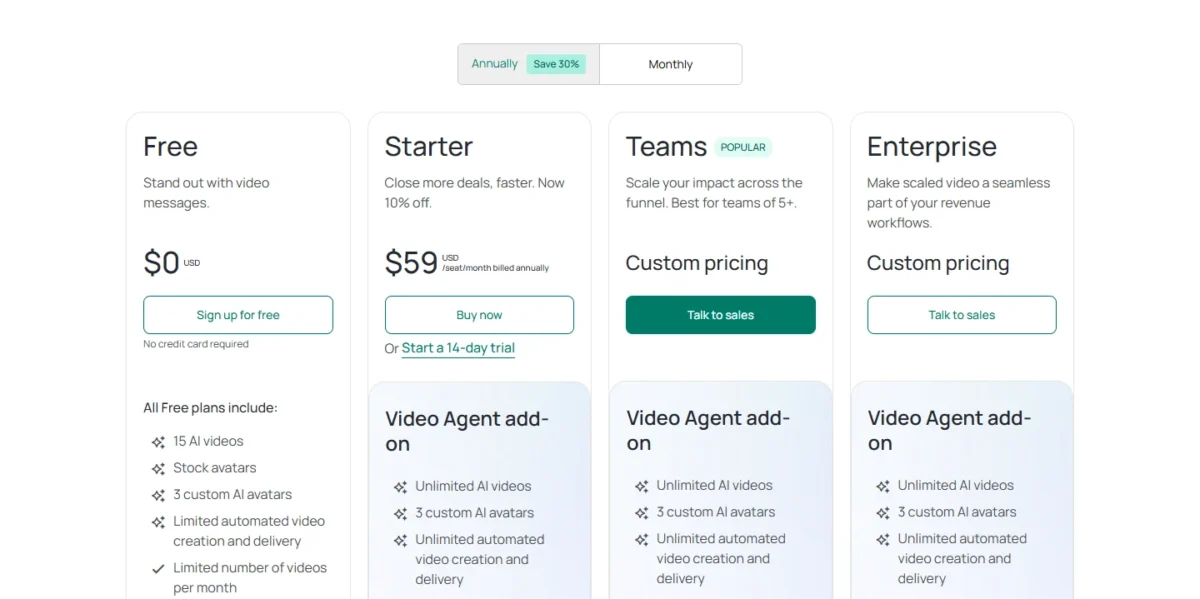
- Video Agent add-on: $24 per seat a month, billed annually
- Teams: custom pricing, 2 data integrations, best for teams of 5+
Sources: Vidyard pricing, checked October 2026.
Pros
- CRM and marketing automation sync on Teams
- 30-minute recordings on the free plan
- Captions and customizable CTAs on Teams
Cons
- Starter costs $59 per seat a month, billed annually
- Teams and Enterprise are quote-only
- The API is Enterprise-only
With no Loom importer named, the move is an MP4 download and upload; Vidyard Free lists video hosting as not included.
- Skip it if:
- your videos are internal (bug reports, design reviews, standups); Cap or ScreenPal cover that for a fraction of the seat price.
Sales teams send video out; support teams need video coming in.
4. Zight: Best Loom Alternative for Support and Documentation Teams
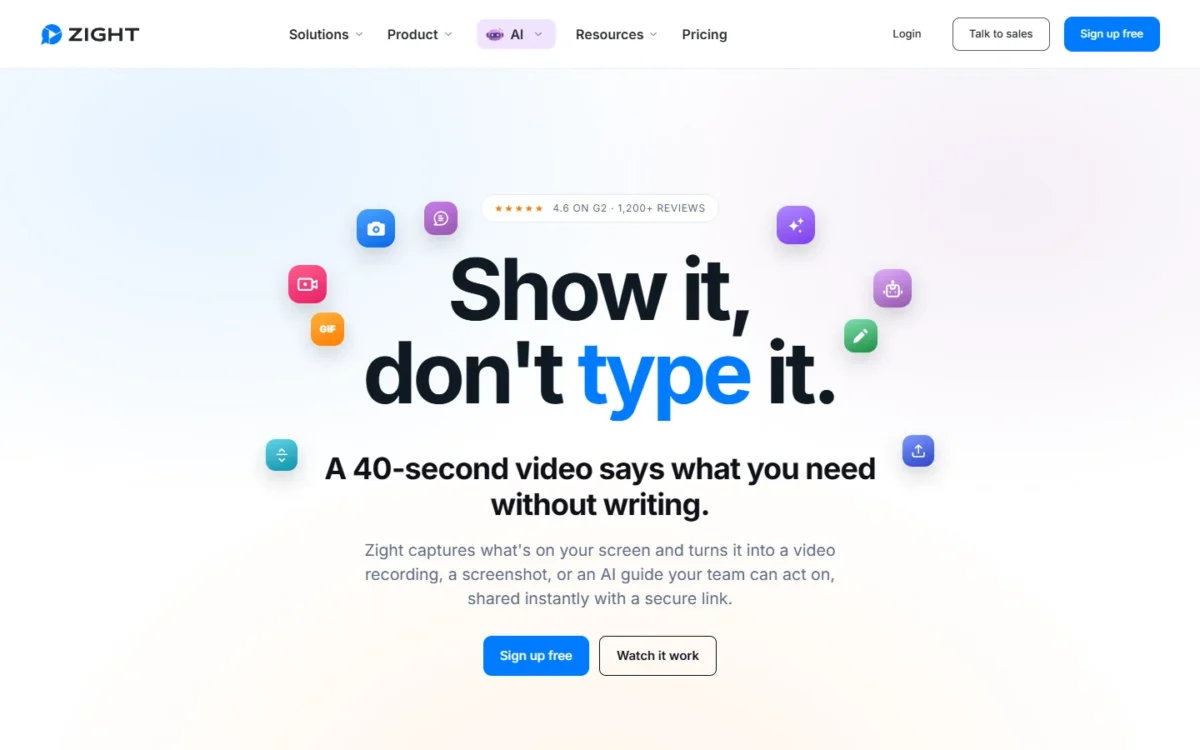
- Comparable plan: Collaborate, $12 per user a month, billed annually
- Free plan: Share, with 5-minute recordings, 1 GB and up to 720p
- Import from Loom: none named; upload MP4 files
Video flows both ways in support, and that is where Zight beats Loom. A Video Request is a link a customer opens to record their screen and send it back, with no account and no install, and the same app captures annotated screenshots and GIFs. The trade-off: requests are capped per plan, and Jira and Confluence are add-ons below Scale.
Request volume decides the plan: Share includes 5 a month, Create 10, Collaborate 50 and Scale a custom volume. A team that asks customers for more than 50 recordings a month outgrows Collaborate and needs Scale.
Collaborate makes AI summaries and Smart Actions unlimited; Create allows 5 a month.
Where Zight may be better
- Video Requests from customers with no account, 50 a month on Collaborate
- 60-second GIFs and scrolling screenshots on paid plans
Where Loom may be better
- Jira and Confluence on every plan; Zight sells them as add-ons below Scale
- Unlimited members on paid plans; Collaborate stops at 100 users
Zight Collaborate costs $12 per user a month, billed annually, and the page totals $288 a year for 2 users. Ten users pay $12 x 12 months x 10 users = $1,440 a year.
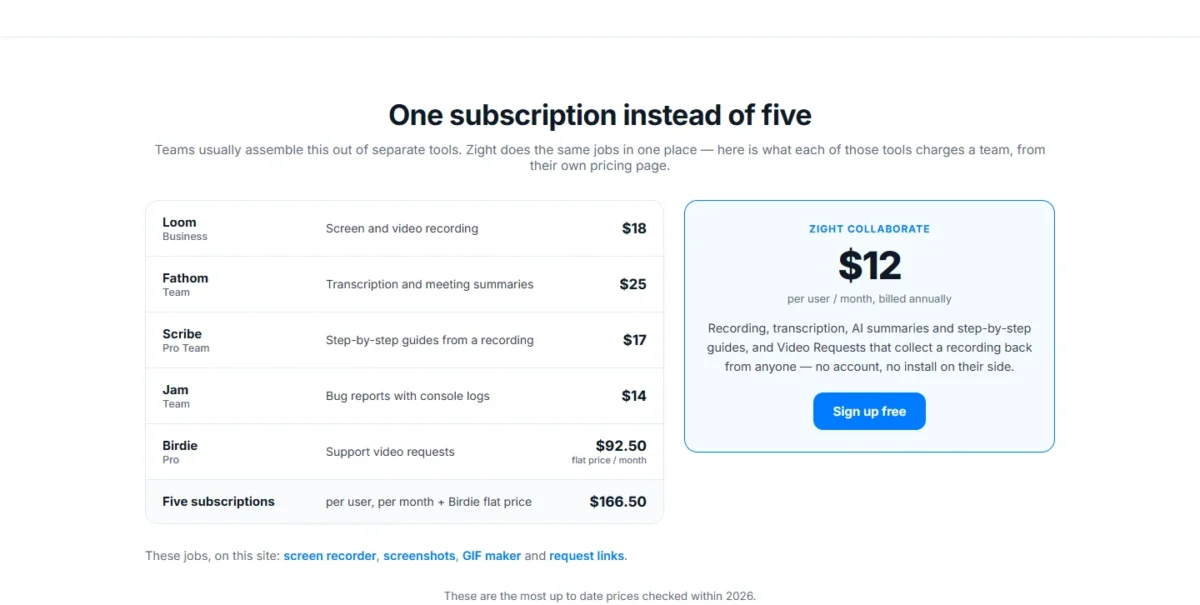
- Create: $9.95 per user a month, billed annually; 10 requests
- Scale: talk to sales; premium integrations and HIPAA
Sources: Zight pricing, checked October 2026.
Pros
- Customers record back without an account or install
- Screenshots, scrolling captures and GIFs in one app
- Slack, Microsoft Teams and Gmail from Create
Cons
- Jira, Confluence, Zendesk and Intercom cost extra below Scale
- Create’s AI stops at 5 actions a month
- SSO, SCIM and HIPAA need Scale
Create and up include unlimited uploads, so Loom MP4 files come across one by one.
- Skip it if:
- your support team runs on Jira and Confluence at no extra cost in Loom today; those are add-ons on Zight Create and Collaborate.
ScreenPal Team Business, next, costs $8 per user a month, paid annually, against Zight Collaborate’s $12, billed annually.
5. ScreenPal: Best Loom Alternative for Tight Budgets and Educators

- Comparable plan: Team Business, $8 per user a month, paid annually (3 creators minimum)
- Free plan: 15-minute recordings, 10 hosted videos
For budgets and classrooms, ScreenPal goes furthest per dollar. Its free plan records 15 minutes per video, three times Loom Starter’s limit, and Team Business costs less per seat than any other full replacement here. The trade-off is a 3-creator minimum, and ScreenPal AI (filler word removal, text-based editing, auto titles) starts on Max and Team Business.
Quizzes are what Loom does not list. ScreenPal includes quizzes, polls and ratings (5 on the lower plans, unlimited on Max and Team Business) plus LMS integration, so a teacher gets graded checks inside the video.
Where ScreenPal may be better
- Video quizzes, polls and LMS integration
- SSO including SAML on Team Business
Where Loom may be better
- No seat minimum; Team Business starts at 3 creators
- Starter keeps 25 videos per person; ScreenPal Free hosts 10
Team Business costs $8 per user a month, paid annually, for at least 3 creators. Ten users pay $8 x 12 months x 10 users = $960 a year, the lowest 10-seat total in my cost table.
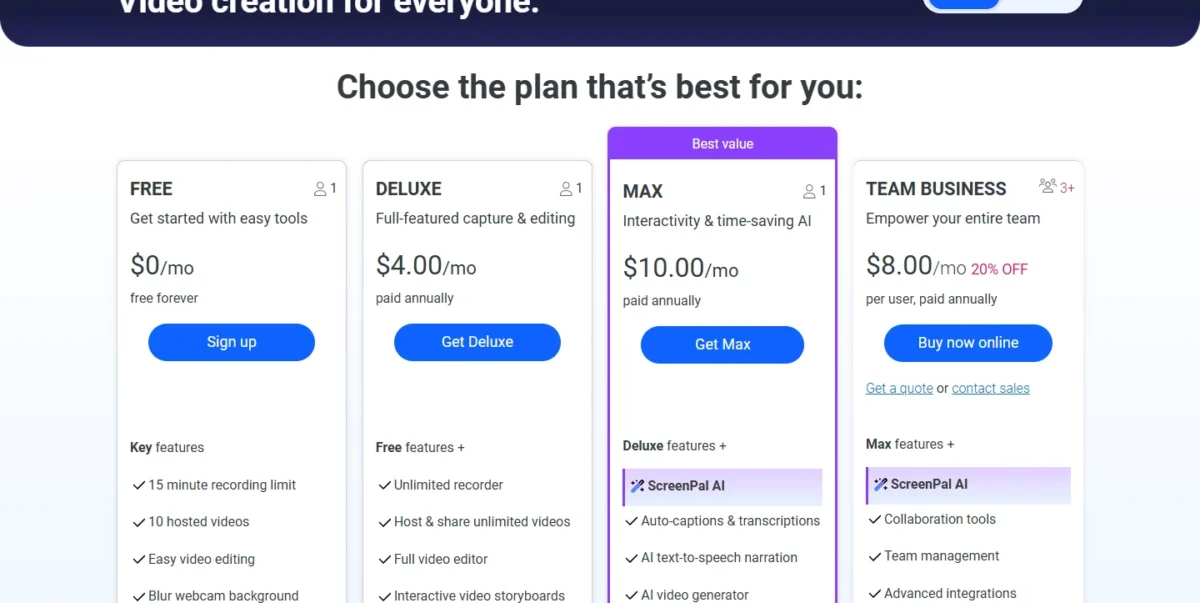
- Deluxe: $4.00 a month, paid annually; no ScreenPal AI
- Max: $10.00 a month, paid annually; ScreenPal AI included
Sources: ScreenPal plans, checked October 2026.
Pros
- Free recordings run 15 minutes
- Quizzes, polls and LMS integration
- No limit on viewers
Cons
- Team Business needs at least 3 creators
- ScreenPal AI starts on Max
- The free plan hosts 10 videos
ScreenPal’s editor imports videos, so Loom MP4 files come across; quizzes are built new.
- Skip it if:
- your team’s AI need is meeting notes and recaps; ScreenPal AI covers titles, captions and quizzes, so stay with Loom Business + AI.
Cheap recording works until editing becomes the bottleneck.
6. Descript: Best Loom Alternative for Editing Recordings Like a Document
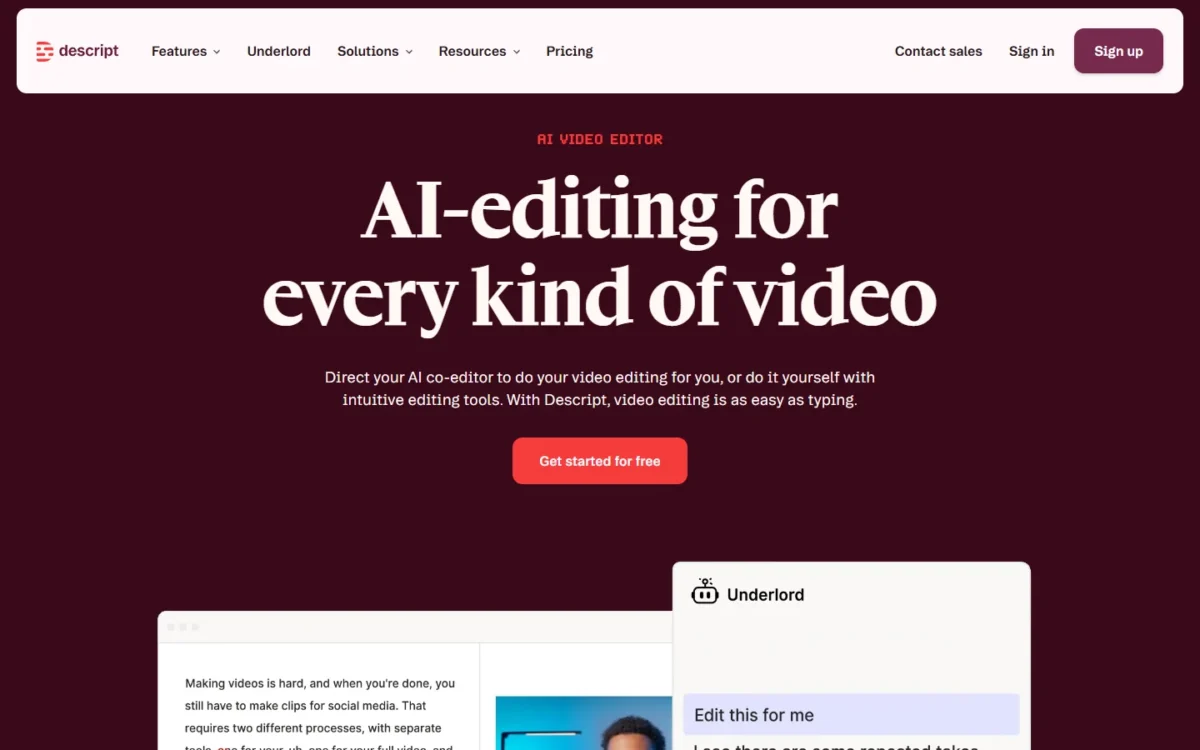
- Replaces: Loom’s editing, not its messaging workspace (partial)
- Comparable plan: Creator, $24 per person a month, billed annually
Descript replaces Loom’s editor, not Loom. It edits video by editing the transcript like a doc, which suits teams that turn raw walkthroughs into tutorials or clips, and Hobbyist already includes Remove Filler Words and Studio Sound. The trade-off: monthly media hours cap recording and uploads.
Media hours count uploads and recordings alike: Hobbyist 10, Creator 30, Business 40 a month. A person who records 2 hours a day uses Creator’s 30 in 15 working days (2 hours x 15 days = 30 hours). Creator also scales only to a team of 3, and Business to 5.
Where Descript may be better
- Edit video by editing a doc, Free plan included
- Translate and dub video in 30+ languages on Business
Where Loom may be better
- Loom integrates Jira and Confluence on every plan
- Unlimited recording on Business, with no media-hour cap
Descript’s Annual view prints Hobbyist at $16, Creator at $24 and Business at $50 per person a month. The Monthly view prints $24, $35 and $65 for the same plans.
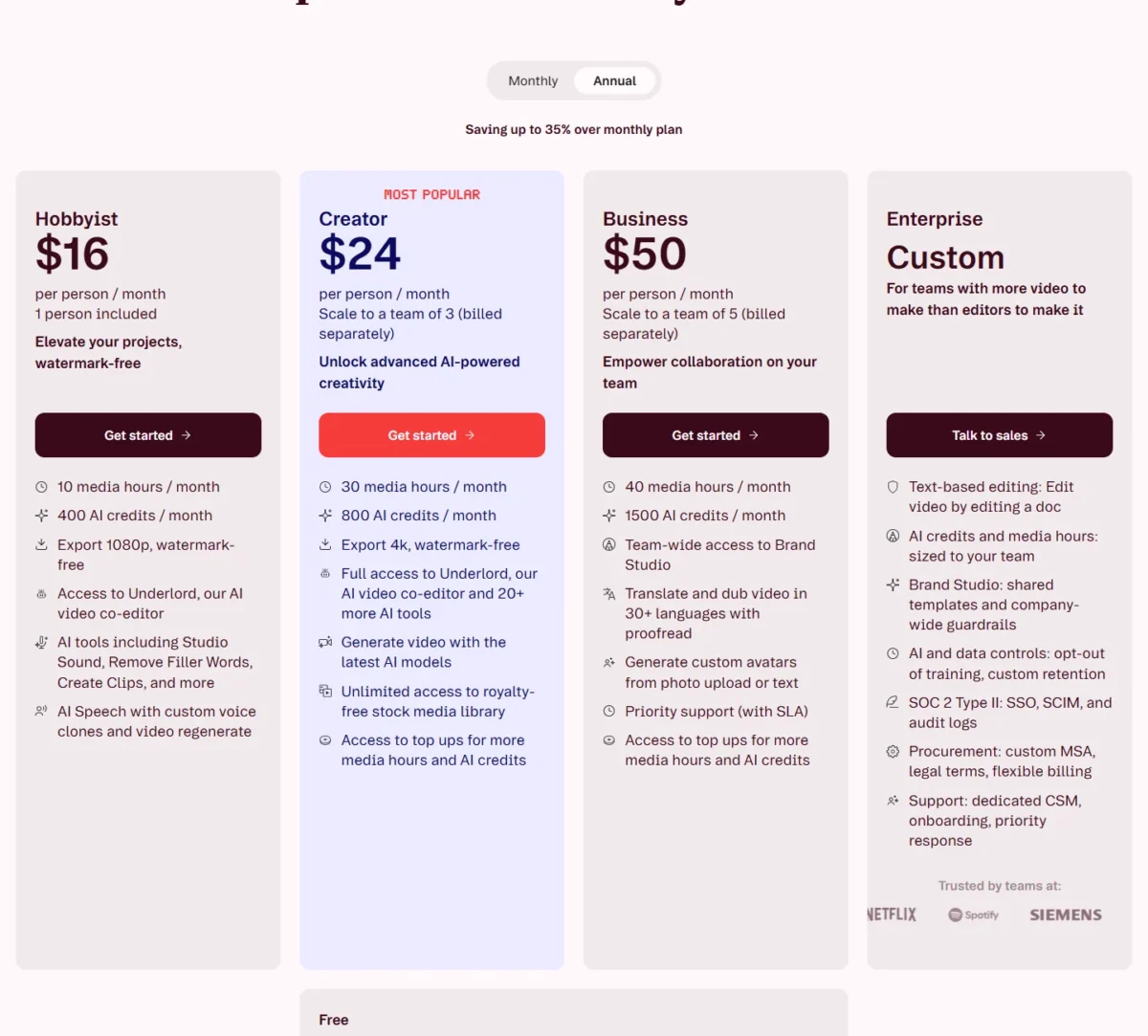
- Creator: 30 media hours and 4K export
- Business: 40 media hours, dubbing in 30+ languages
Sources: Descript pricing, Monthly and Annual views read on October 28, 2026.
Pros
- Text-based editing on the Free plan
- Filler word removal from Hobbyist
- Dubbing on Business
Cons
- Media hours cap each month
- Creator costs $35 a month on monthly billing, against $24 annually
- Team plans stop at 3 or 5 people
Descript counts uploaded media files against media hours, so a moved Loom library uses them up; try one Loom MP4 on the Free plan first. If you prefer to edit by transcript, see my Descript pricing guide.
- Skip it if:
- most of your videos are one-take updates watched once; Cap sends them without a media-hour cap.
Doc-style editing polishes a recording; turning it into a graded course takes a different tool.
7. Camtasia: Best Loom Alternative for Training and E-Learning
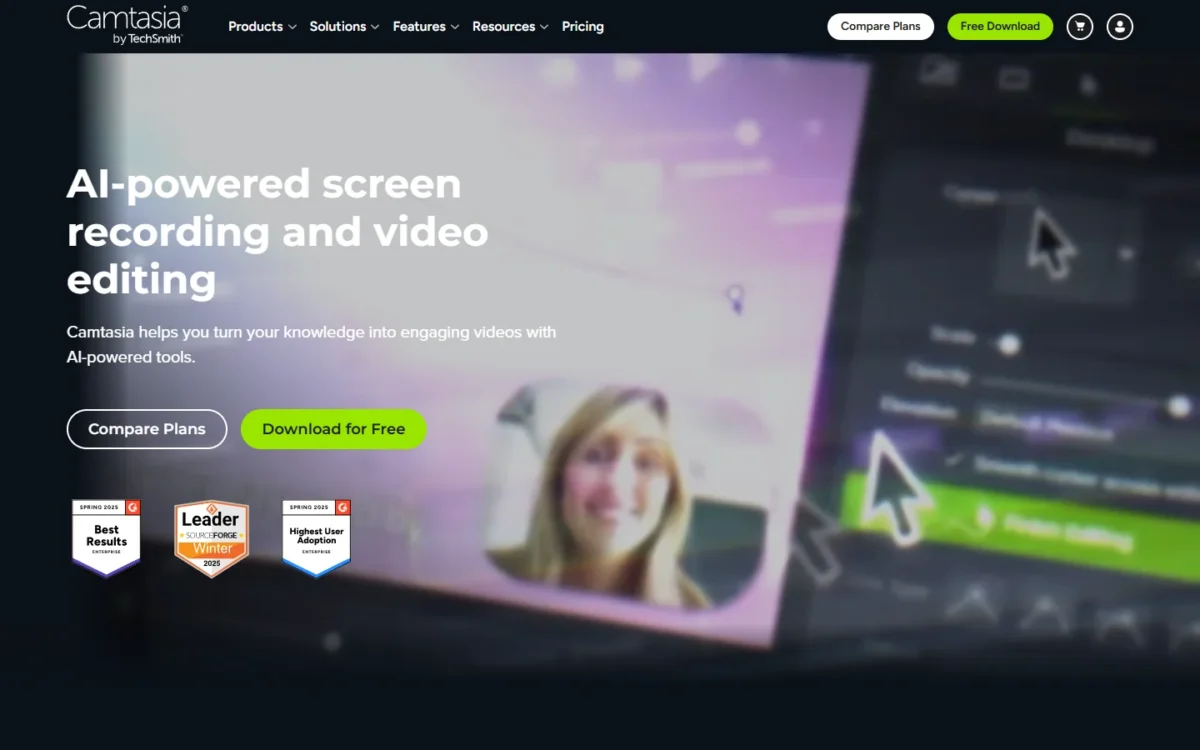
- Replaces: Loom’s recording for training production (partial)
- Comparable plan: Essentials, $179.88 per year, billed yearly
- Platforms: macOS 14+, Windows 10 and 11
When a recording has to become a graded module in an LMS, Camtasia is the tool. Essentials holds quizzes and SCORM export, text-based editing, automatic filler word removal, multitrack recording and cursor effects. The trade-off: every plan bills yearly, and below Pro, Screencast hosts up to 25 videos, so it does not replace Loom’s share-link library.
Every plan includes Camtasia Snagit for screenshots and step-by-step guides. ScreenPal also offers quizzes and LMS integration, so Camtasia earns its place when you need SCORM packages and multitrack editing.
Where Camtasia may be better
- Quizzes and SCORM export on Essentials
- Multitrack editing, cursor smoothing and Snagit in every plan
Where Loom may be better
- Share links with comments for every video on paid plans
- Monthly billing and a free Starter plan
TechSmith’s Camtasia store, in its Internet Archive copy of September 29, 2026, lists Starter at $39.00, Essentials at $179.88, Create at $249.00 and Pro at $599.00, each per year billed yearly, with a 14-day money-back guarantee. The live store shows your region’s price, so confirm Essentials there.
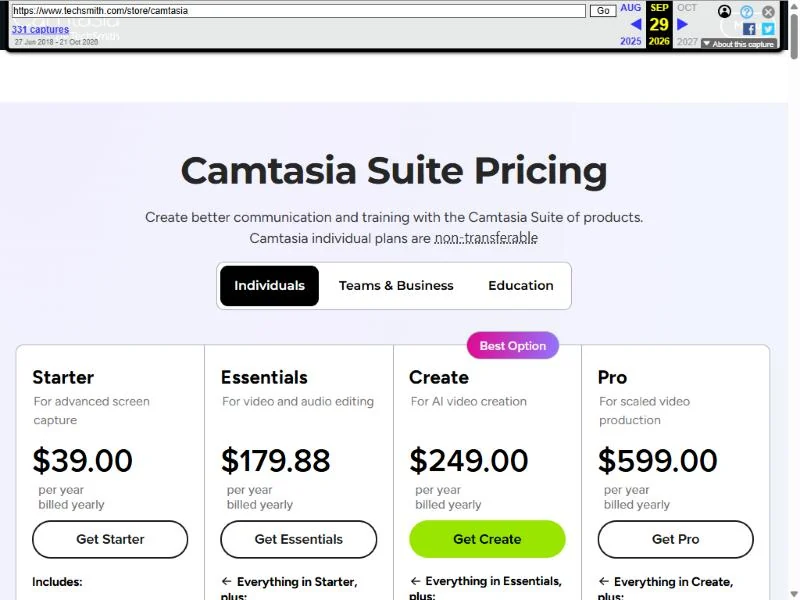
- Starter: watermarked Editor and Snagit
- Essentials: quizzes, SCORM export, text-based editing
- Pro: unlimited sharing on Screencast, avatars
Sources: Camtasia store, Internet Archive copy of September 29, 2026, read on October 28, 2026.
Pros
- SCORM packages and quizzes
- Multitrack editing and cursor effects
- Snagit included
Cons
- Yearly billing only
- Starter exports carry a watermark
- 25 Screencast videos below Pro
Camtasia’s Editor places recorded and imported media on tracks; a Loom download has already dropped its CTAs, chapters and closed captions. For the editing side, read my Camtasia review.
- Skip it if:
- your videos are quick async updates; Cap Pro shares them by link with unlimited cloud sharing.
Training videos teach; product demos have to sell.
8. Screen Studio: Best Loom Alternative for Mac Product Demos
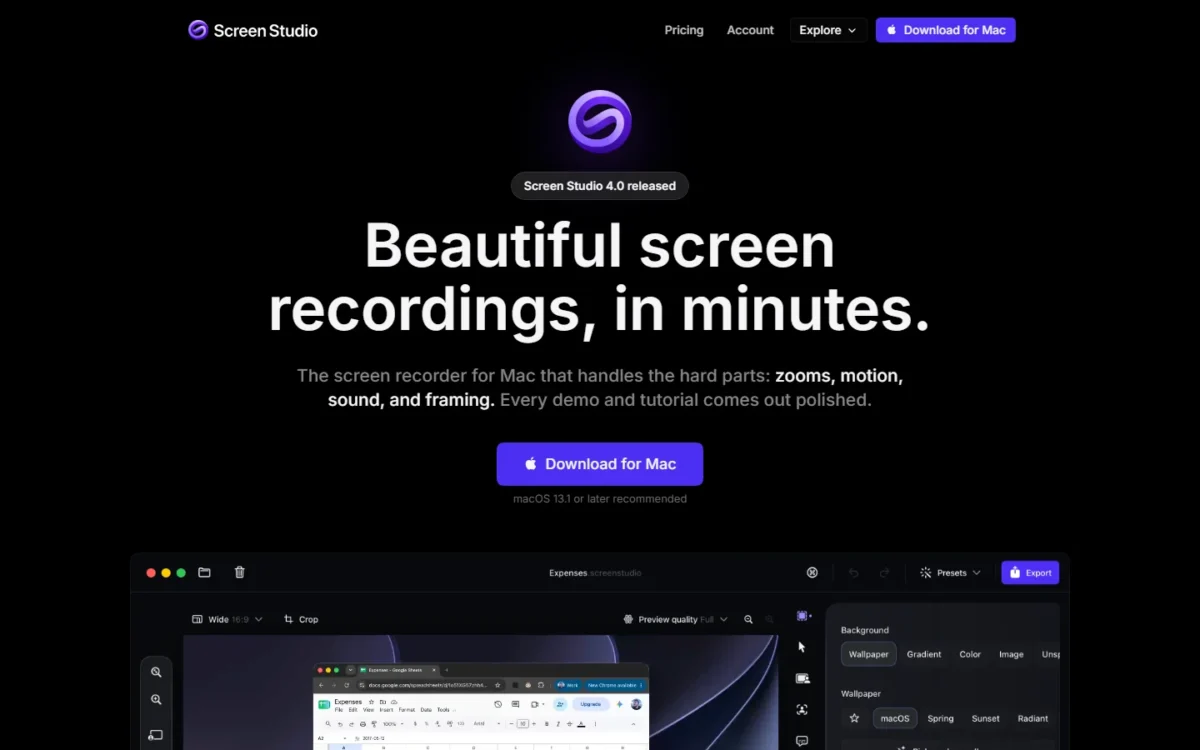
- Replaces: Loom’s recording for polished demos, with links for videos up to 30 minutes (partial)
- Platform: macOS only
Product demos, launch clips and tutorials made on a Mac look produced in Screen Studio. It records mouse movement separately, so it smooths the cursor, adds automatic zooms and resizes the cursor after recording. The trade-off is hard: macOS only, with no near-term Windows plans, and share links cover videos up to 30 minutes.
Processing stays on your Mac, including transcripts and voice enhancement, and every plan includes edit by transcript and filler word removal.
Where Screen Studio may be better
- Automatic zooms and cursor smoothing after recording
- Recordings and transcripts processed on your Mac
Where Loom may be better
- Apps for Mac, Windows, iOS and Android
- Unlimited recording length on Business
Screen Studio’s Yearly plan costs $9/mo.; the Monthly plan costs $29/mo. Every feature is in both, students and educators get 40% off, and no team price is published.
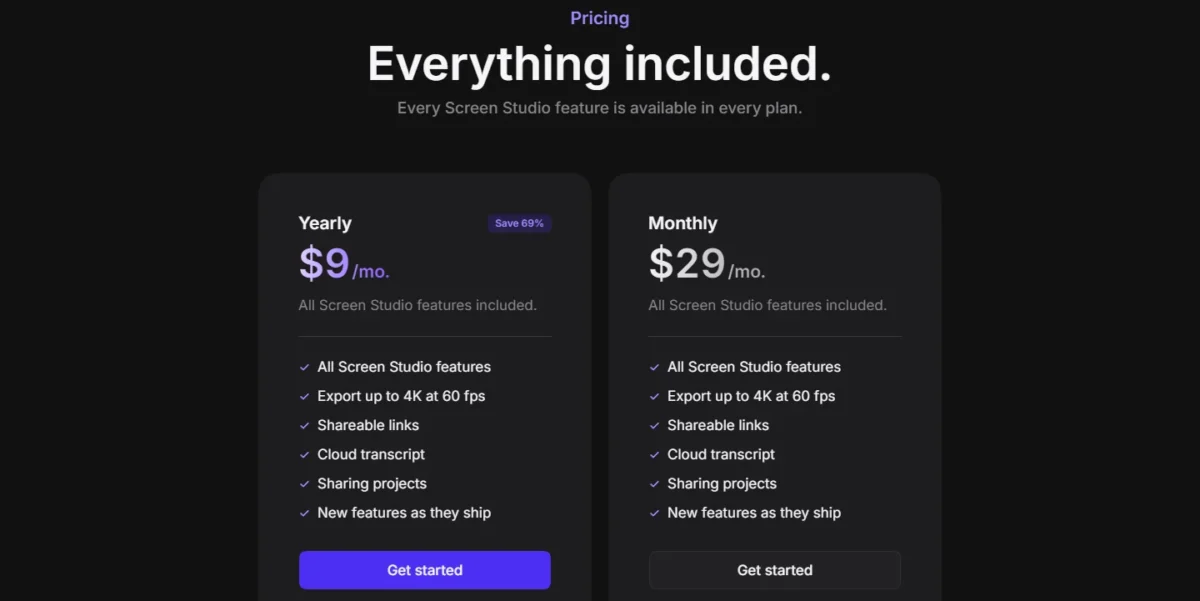
- Both plans: 4K export at 60 fps, shareable links, cloud transcript
Sources: Screen Studio, checked October 2026.
Pros
- Cursor effects and zooms added after recording
- Every feature in every plan
- Local processing
Cons
- macOS only
- Links cover videos up to 30 minutes
- No team plan published
Screen Studio imports any video for editing, so a Loom MP4 can become a demo; the download drops CTAs, chapters and closed captions.
- Skip it if:
- anyone on your team records on Windows; Cap records on macOS, Windows and Linux.
A polished video still plays the same for every viewer; a clickable tour lets the prospect drive.
9. Supademo: Best Loom Alternative for Interactive Product Demos
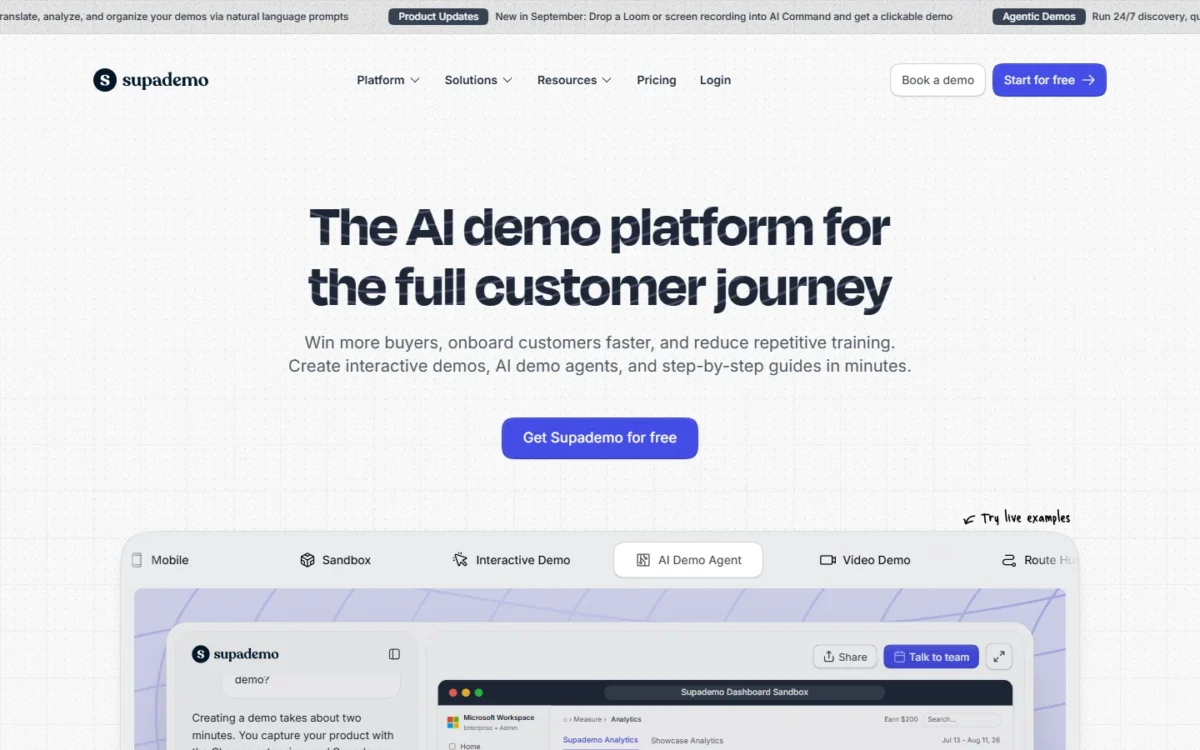
- Replaces: Loom’s product walkthroughs, with interactive demos (partial)
- Free plan: 1 creator, 5 guided demos, unlimited demo views
Prospects who would watch a Loom walkthrough passively click through a Supademo demo instead. That suits product marketing, onboarding and sales engineering, and the free plan for one creator includes unlimited demo views. The trade-off: pricing is per creator, and it is the wrong tool for a quick talking-head update.
A demo shares as a link, an embed, a video or a PDF, and Scale adds branching, variables and tracking links.
Where Supademo may be better
- Click-through demos with unlimited views on Free
- Branching and tracking links on Scale
Where Loom may be better
- Quick updates with comments and reactions
- Unlimited members on paid plans; Scale includes 5 view-only collaborators
Supademo Scale lists $38 per creator a month, marked “Save 24%” against $50, and paid plans bill per creator, monthly or annually. Business is $199 a month with 1 creator.
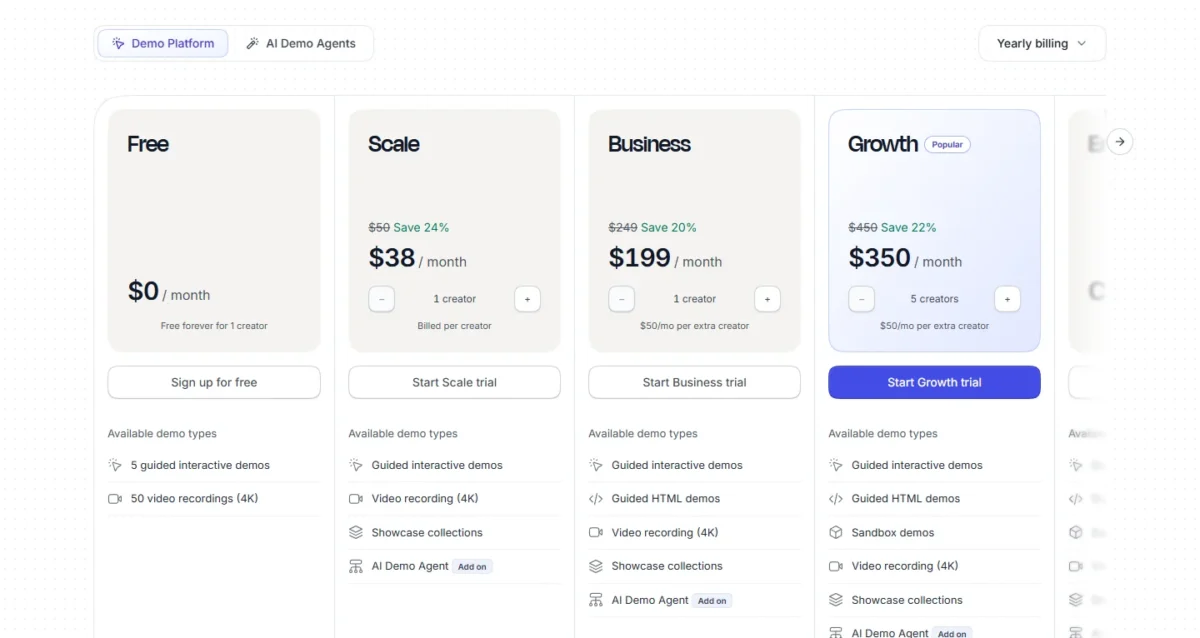
- Growth: $350 a month with 5 creators; extra creators $50 a month
Sources: Supademo pricing, checked October 2026.
Pros
- Unlimited demo views free
- Link, embed, video or PDF output
- Branching on Scale
Cons
- Per-creator pricing
- Free stops at 5 guided demos
- Not built for async messages
Supademo’s pricing page names no Loom importer; demos are built new from screenshots and video.
- Skip it if:
- your videos are status updates or bug reports; Zight handles those per user, not per creator.
Some teams want nothing new to buy, and Microsoft 365 may already include a recorder.
10. Microsoft Clipchamp: Best Loom Alternative for Microsoft 365 Teams
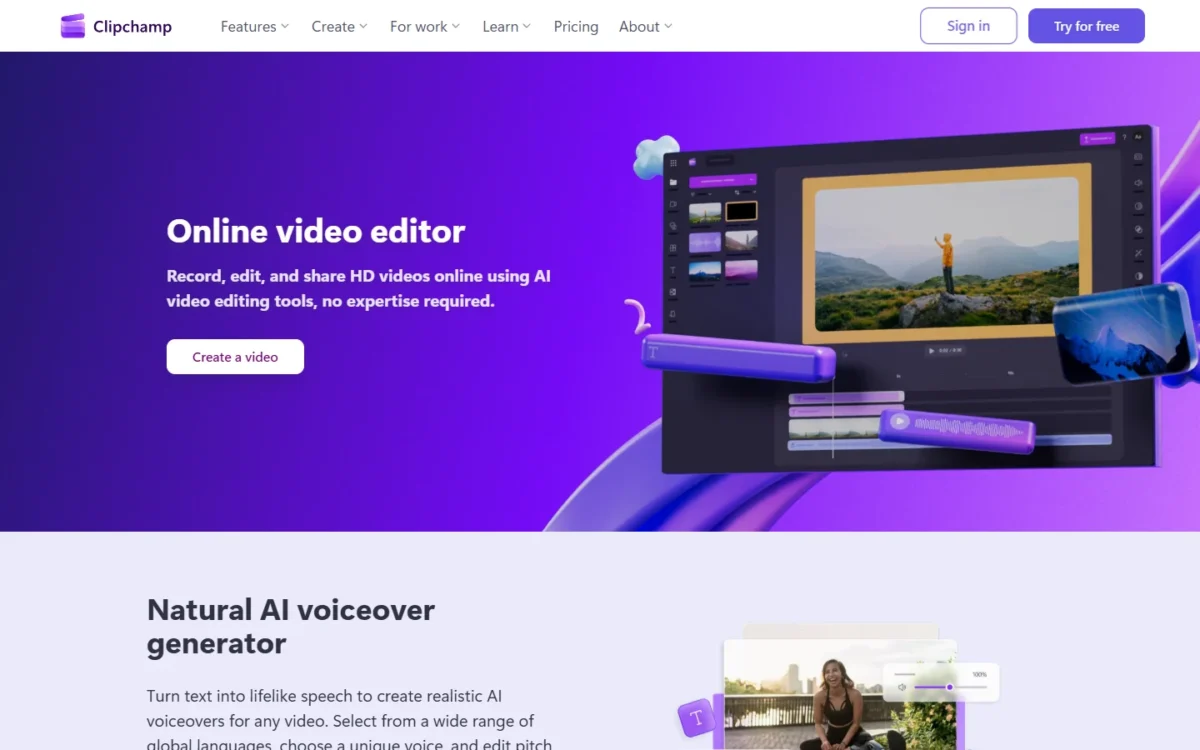
- Replaces: Loom’s recorder and editor (partial; no share-link workspace listed)
- Free exports: up to 1080p, watermark-free
If your company already pays for Microsoft 365, check Clipchamp before buying anything. Its free plan includes a screen, camera and voice recorder with watermark-free 1080p exports, and some Microsoft 365 business and education licenses include its work version. The trade-off: it is an editor, and its pricing page lists no viewer comments or insights.
If the bigger decision is the Microsoft 365 stack itself, start with my Microsoft Teams review.
Where Microsoft Clipchamp may be better
- Free recorder with watermark-free 1080p exports
- Included in some Microsoft 365 business and education licenses
Where Loom may be better
- Comments, reactions and viewer insights on every plan
- Jira, Confluence and Slack integrations
Clipchamp’s free plan needs a personal Microsoft account, and Premium comes with Microsoft 365 Personal and Family. For business, the work version’s standard plan is in some Microsoft 365 business and education licenses, and premium features need a Copilot license.
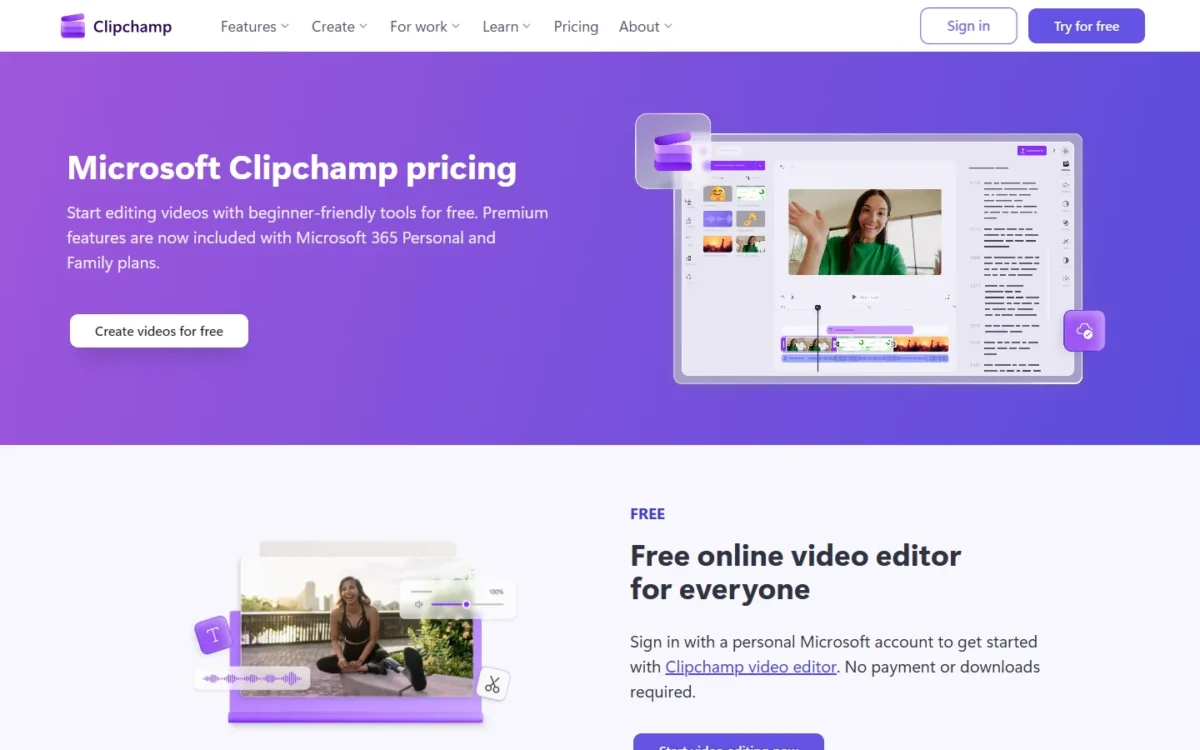
- Free: exports up to 1080p
- Premium: 4K exports and a brand kit
Sources: Clipchamp pricing, checked October 2026.
Pros
- Free 1080p exports, no watermark
- May already be in your license
- AI subtitles on the free plan
Cons
- No viewer comments listed
- 4K needs Premium
- Business premium features need Copilot
Clipchamp’s pricing page names no Loom importer; Loom MP4 files come in as your own video assets, and projects back up to OneDrive.
- Skip it if:
- viewers comment on videos or you track who watched; staying with Loom keeps comments, reactions and viewer insights on every plan.
Some readers want no account at all, and OBS is the free local option.
11. OBS Studio: Best Free Loom Alternative for Unlimited Local Recording
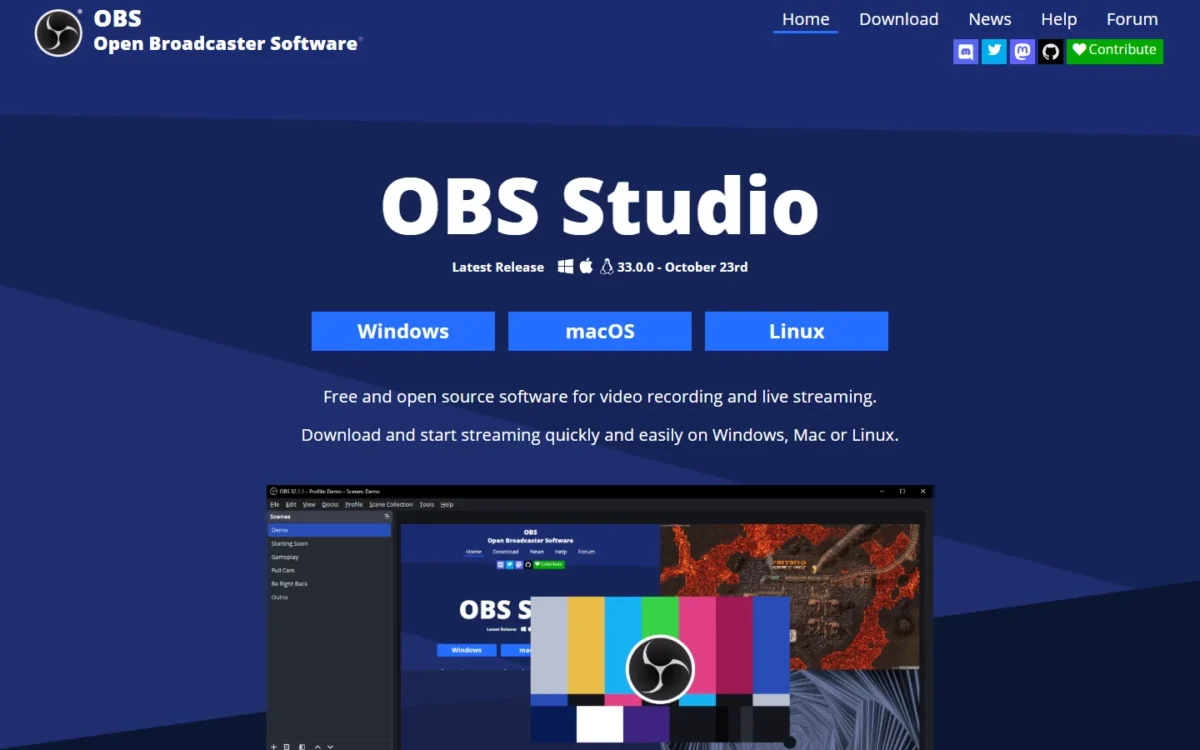
- Replaces: Loom’s recording only (partial; no hosting listed)
- Platforms: Windows 10 and 11, macOS 13.0 or newer, Linux
Hate Loom’s 5-minute cap and never need its link? OBS Studio is free and open source software for video recording and live streaming on Windows, macOS and Linux, with unlimited scenes. The trade-off is everything after recording: obsproject.com lists no hosting, links, comments or AI, so each file goes to Drive or Slack by hand.
Where OBS Studio may be better
- Free and open source, with no paid tier
- Unlimited scenes, plugins and Lua or Python scripts
Where Loom may be better
- A share link and comments as soon as recording stops
- Transcriptions in 50+ languages on Starter
OBS Studio costs $0 for any team size, funded by sponsors and backers, but each recording still needs a place to live.
- Hosting and share links: not listed on obsproject.com
Sources: OBS Studio, checked October 2026.
Pros
- No cost, open source
- Windows, macOS and Linux
- Scenes and plugins
Cons
- No hosting or links listed
- No transcripts listed
- Sharing needs another tool
Nothing migrates into OBS: keep Loom’s MP4 downloads in your team’s storage and record new videos locally.
- Skip it if:
- viewers need to find a video later by link; ScreenPal Free hosts 10 videos.
With every pick seen, the remaining question is who should not move at all.
When Should You Stick With Loom?
Stay with Loom if your team lives in Jira and Confluence, relies on Loom’s meeting notes, runs Loom under Enterprise controls, or has a large library.
Jira, Jira Service Desk and Confluence integration comes on every Loom plan; Cap, ScreenPal and Tella list none, and Zight sells it as an add-on.
Every Loom plan records meetings with no length limit, and Business + AI adds auto-meeting notes and recaps. Enterprise adds SSO, SCIM, a download restriction and a 99.95% uptime SLA, with Atlassian Guard Standard included.
The library is the last reason: a download keeps trims but drops CTAs, chapters and closed captions, and videos with Variables cannot be downloaded. If you are staying with Loom, see my Loom pricing guide.
Consider switching if
- Your Starter walkthroughs run past 5 minutes or 25 videos
- You pay for Business + AI mainly for transcript editing
- Your job is sales video in a CRM or customer video requests
Consider staying with Loom if
- Videos land in Jira tickets and Confluence pages daily
- You use auto-meeting notes and recaps
- Your library relies on CTAs, chapters and captions
For readers who are leaving, the next step is matching the pick to the priority.
How to Choose the Right Loom Alternative
Match the pick to the limit that drives the move; the cost table then prices the full replacements at 10 seats.
| Your priority | Alternative to consider | Reason | Trade-off |
|---|---|---|---|
| Free recording past 5 minutes | ScreenPal Free or Cap Free | 15-minute recordings; no time limit locally | 10 hosted videos; personal use only |
| Lowest team cost | ScreenPal or Cap Pro | Lowest 10-seat totals below | 3-creator minimum; Pro for business use |
| Edit before sending | Tella | Transcript editing in its plans | No free plan listed |
| Sales video in the CRM | Vidyard | CRM/ | Quote-only Teams |
| Customer recordings for support | Zight | Video Requests, no account needed | Capped per plan |
| LMS course modules | Camtasia | Quizzes and SCORM export | Yearly billing |
| Polished Mac demos | Screen Studio | Automatic zooms | macOS only |
| Clickable product tours | Supademo | Interactive demos | Per-creator pricing |
| Already on Microsoft 365 | Microsoft Clipchamp | In some business licenses | No viewer comments listed |
| Jira and Confluence at the center | Stay with Loom | Integration on every plan | AI editing needs Business + AI |
Sources: ScreenPal plans, Cap pricing and the pages under the comparison table, checked October 2026.
What 10 Seats Cost a Year
On annual billing, 10 users pay $960 on ScreenPal Team Business and $979.20 on Cap Pro, against Loom Business’s printed $1,800.
| Software | Comparable plan | 10 users, billed annually | Not included in the total |
|---|---|---|---|
| Loom | Business | $1,800, printed on the Annually view | AI editing ($2,400 on Business + AI) |
| ScreenPal | Team Business | $8 x 12 months x 10 users = $960 | Minimum 3 creators |
| Cap | Pro | $8.16 x 12 months x 10 users = $979.20 | SAML SSO add-on |
| Zight | Collaborate | $12 x 12 months x 10 users = $1,440 | Jira and help desk add-ons |
| Tella | Pro | $13 x 12 months x 10 users = $1,560 | AI credit top-ups |
| Vidyard | Starter | $59 x 12 months x 10 seats = $7,080 | CRM sync (Teams, quote-only) |
Sources: Loom pricing (Annually view, 10 users), ScreenPal plans, Cap pricing, Zight pricing, Tella pricing, Vidyard pricing, checked October 2026. Totals exclude tax.
ScreenPal saves $1,800 – $960 = $840 a year at this size, and Cap saves $1,800 – $979.20 = $820.80. That saving is real only if rebuilding folders, CTAs and integrations costs your team less.
Descript (team plans stop at 5 people), Screen Studio (no team price) and Supademo (priced per creator) are left out.
Picking is half the move; getting the library out of Loom is the other half.
Migrating From Loom: What to Consider
Moving out of Loom is a download-and-upload job for most picks: Loom exports each video as an MP4 from a paid seat, and Cap (on Pro) and Tella list a Loom importer.
Starter cannot export
Admins and creators on Loom Starter cannot download videos, and Creator Lite members cannot download on any plan. To export a free library, the workspace needs a paid plan for the month you move.
- Download from a paid seat. Business admins and creators, and Enterprise admins and members, download each video as an .MP4 file.
- List what the file loses. Trims stay; CTAs, filler word and silence removal, chapters and closed captions do not. Videos over 20GB need Loom support.
- Import. Use Cap’s Loom video importer (Pro) or Tella’s migration tool; elsewhere, upload the MP4 files.
- Reconnect integrations. Check each plan gate: Zight’s Jira add-on, Vidyard’s CRM sync on Teams.
- Run one sample on both. Record the same short walkthrough on Loom’s 14-day Business + AI trial and on your pick’s free plan or trial, then compare quality and transcripts.
- Cut over. Replace old Loom links in docs and tickets, and keep the MP4 archive as your rollback.
- Cancel inside Atlassian’s refund terms. Monthly plans are refundable within the first paid month, annual ones within 30 days of payment.
Loom’s Transfer Content tool will not help you leave: it moves only a Personal Library between Loom workspaces.
How I Evaluated the Loom Alternatives
The ranking rests on each vendor’s pricing, plan and help pages, checked October 2026, with Loom’s and Descript’s monthly and annual views read separately.
A tool had to record the screen and publish a price or a free plan. The card picks come first, in card order; ScreenPal follows as the fifth full replacement, then the six partial replacements.
Within that order I weighed the same criteria for every tool: free-plan limits, team spend, migration path, the plan that holds AI editing, job integrations, and platform and data control.
The evidence is facts quoted from vendor pages plus my judgment, worded as such. I considered 12 tools: the 11 picks and Snagit under Also Considered.
If video is one part of a wider stack, see my picks for team collaboration tools.
Also Considered
- Snagit: TechSmith’s capture and guide tool records the screen and webcam, but it leads with screenshots and step-by-step guides, and every Camtasia plan includes it.
FAQ
What is the best free alternative to Loom?
By job: ScreenPal Free records 15 minutes and hosts 10 videos, and Cap Free has no time limit on local recordings for personal use. Vidyard Free records 30-minute videos, 5 a month, and OBS Studio records locally on Windows, macOS and Linux. For free chat and docs tools, see my list of free collaboration tools.
Is there a Microsoft equivalent to Loom?
Microsoft Clipchamp comes closest. Its free plan includes a screen, camera and voice recorder with 1080p exports. Some Microsoft 365 business and education licenses include its work version, so check your license first; premium features for business need a Copilot license.
What is comparable to Loom?
Cap, Tella, Zight and ScreenPal replace Loom’s whole record, host and share-link job, and Vidyard does it for sales teams. The other six picks replace one part, such as editing or local recording.
Final Verdict
Switch when one of Loom’s limits costs you more than the move does. Cap is my pick for a lower seat price with files in your own storage, and Tella for editing before sending. Vidyard fits sales teams that need video data in the CRM; Zight fits support teams that need customers to record back.
On budget alone, ScreenPal Team Business is the cheapest full replacement at 10 seats. Stay with Loom if your videos live in Jira and Confluence, you rely on its meeting notes, or your library depends on CTAs, chapters and captions. For my overall ranking, see the best screen recording software.
Whatever you choose, download the library from a paid Loom seat before you cancel.