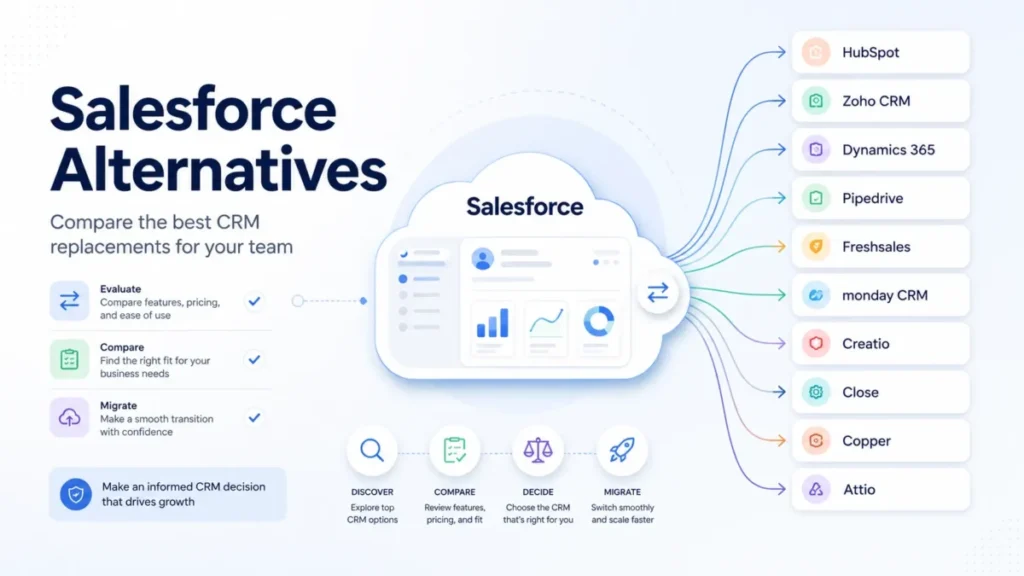
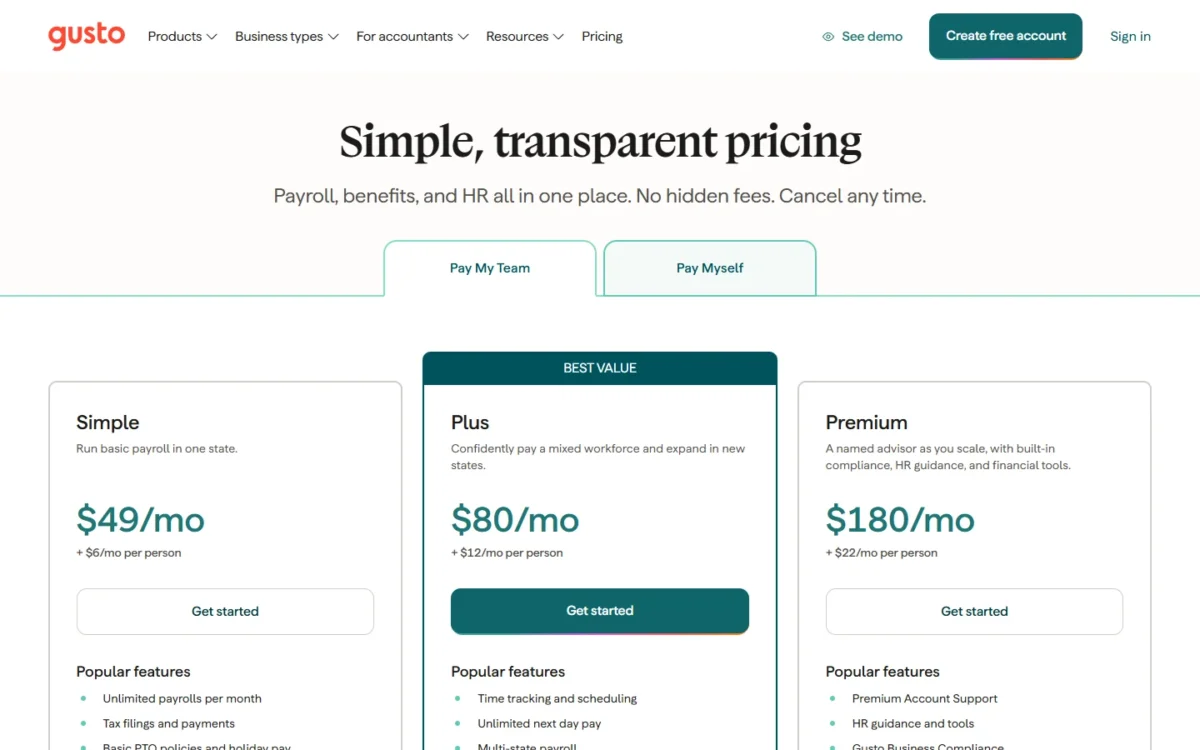
The right Gusto alternative depends on why you are leaving: OnPay for a second state at the price of Gusto’s entry plan, Patriot Payroll for a lower bill than Gusto Simple, Justworks for a PEO, and Rippling for HR, IT and payroll in one system. Gusto Simple costs $49 a month + $6 per person and runs payroll in one state.
Multi-state payroll starts on Gusto Plus, at $80 a month + $12 per person, so a second state doubles your per-person fee. I worked out each pick’s monthly bill at three team sizes from vendor pages read on November 1, 2026.
Quick verdict
Pick the alternative that fixes your reason for leaving Gusto, and stay with Gusto if you pay contractors abroad or would save less than switching costs. The biggest trade-off: a PEO or an employer of record costs several times Gusto’s per-person fee.
- Payroll in two or more states: OnPay
- A lower one-state bill than Gusto Simple: Patriot Payroll
- Pooled benefits through a PEO: Justworks
- HR, IT and payroll in one system: Rippling
- QuickBooks or Wave books, Square POS, shifts, staff abroad, round-the-clock help or HR tiers: the other picks below
In This Article (21 sections)
Best Gusto Alternatives at a Glance

OnPay
Best for: multi-state payroll on one plan
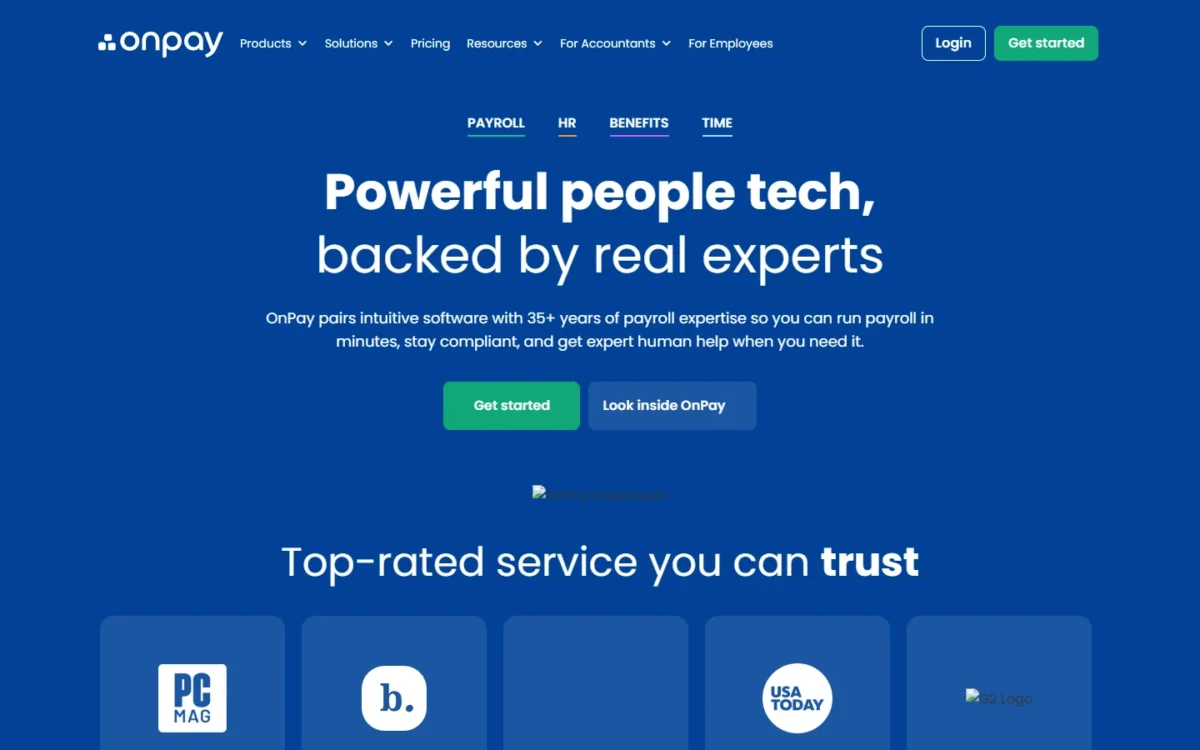
OnPay charges $49 a month + $6 per person and files taxes in all 50 states, so a second state needs no Gusto Plus.
Limit: one plan, with no tier like Gusto Premium’s named advisor

Patriot Payroll
Best for: a lower monthly bill than Gusto Simple
Patriot’s Full Service Payroll costs $37 a month + $5 per worker paid, two fees under Gusto Simple’s.
Limit: a monthly fee for each additional state, which Gusto Plus does not charge

Justworks
Best for: a PEO with published prices
Justworks PEO Basic costs $79 per employee per month with no base fee, a PEO plan Gusto’s pricing page does not list.
Limit: at 10 employees, PEO Basic alone is $79 x 10 = $790 a month

Rippling
Best for: HR, IT and payroll in one system
Rippling manages apps and devices next to payroll and HR, past Gusto’s scope.
Limit: Rippling quotes everything past its starting price, while Gusto prints full plan prices
Gusto vs Alternatives: Quick Comparison
Gusto Simple is the benchmark: Patriot undercuts both of its fees, Square and Wave undercut its base fee, and OnPay matches it exactly.
| Software | Best for | Starting price (plan, unit, billing) | Main advantage | What you give up | Switching note |
|---|---|---|---|---|---|
| Gusto | One-state teams | Simple: $49/mo + $6/mo per person, month-to-month | Unlimited payroll runs on every Gusto plan | Benchmark | Benchmark |
| OnPay | Multi-state payroll | $49 base fee + $6 per person, monthly | All 50 states, no multi-state charge | No advisor tier | Confirm wage import |
| Patriot Payroll | A lower bill than Gusto Simple | Full Service: $37/mo + $5 per worker paid | Two fees under Gusto Simple’s | A fee per extra state | Setup help |
| QuickBooks Payroll | QuickBooks Online users | Workforce Payroll: $50 + $7/employee | Payroll with your QuickBooks books | Costs more than Gusto Simple | Transfer help |
| Justworks | PEO with published prices | Payroll: $8/month/ | PEO plans with 24/7 support | PEO fees far above Gusto’s | No implementation fee |
| Rippling | HR, IT and payroll | From $8 per user/ | App and device management | A quote past the starting price | Guided data import |
| Deel | Employees abroad | EOR from $599 per employee per month | EOR in 130+ countries | A per-contractor fee | Month-to-month terms |
| Square Payroll | Square POS shops | Full-service: $35/mo + $6 per person paid | POS timecards, tips, multistate | Weekday support only | Payroll specialists help |
| Homebase | Hourly shift teams | Payroll add-on: $49 base fee/ | Scheduling feeds payroll | Plans priced per location | Confirm wage import |
| RUN Powered by ADP | 24/7 support | Quote only (“Get Pricing”) | 24/7 payroll and HR support | A published price | ADP experts set up payroll |
| Wave Payroll | Wave accounting users | $40 base fee + $6 per active employee, monthly | Entries post to Wave’s books | No 1099 filing | Import your data |
| Paycor | Growing toward 50 | Basic: $99/ | HR tiers for under 50 employees | Costs more than Gusto Simple | One-time setup fee |
Sources: Gusto pricing, OnPay pricing, Patriot pricing, QuickBooks Payroll pricing, Justworks pricing, Rippling small business, Deel pricing, Square Payroll pricing, Homebase pricing, ADP small business payroll, Wave Payroll, Paycor pricing, checked November 2026.
Why Look for a Gusto Alternative?
Five Gusto plan limits push small businesses to switch.
- One state on Simple. Gusto Simple runs payroll in one state; Plus and above cover multiple states, per the Gusto Help Center. OnPay and Square Payroll include multiple states.
- Contractor-only closed. Gusto closed its Contractor-only plan to new customers on October 1, 2026; Square and QuickBooks sell contractor-only options.
- New-account packaging. Under Gusto’s October 2026 changes, new Simple accounts get 1 custom earning type, and HR Resources is offered only on Premium to new customers. Gusto Premium costs $180 a month + $22 per person. Gusto Business Compliance costs $85 per month, per state, on an annual contract for Simple and Plus. Rippling and Paycor add HR without Gusto Premium.
- No PEO on the pricing page. Gusto’s pricing page lists health insurance with no Gusto administration fees, but no PEO plan. Justworks, Rippling and Deel sell one.
- Business-hours support. Every Gusto plan includes a 24/7 Help Center plus phone and chat during business hours. ADP lists 24/7 support from payroll and HR professionals.
If only your plan is the problem, my Gusto review weighs the whole product first.
What a 1-, 5- or 10-Person Team Pays Each Month
A 10-person, one-state team pays $49 + $6 x 10 = $109 a month on Gusto Simple.
| Plan | 1 person | 5 people | 10 people |
|---|---|---|---|
| Gusto Simple | $49 + $6 x 1 = $55 | $49 + $6 x 5 = $79 | $49 + $6 x 10 = $109 |
| Gusto Plus | $80 + $12 x 1 = $92 | $80 + $12 x 5 = $140 | $80 + $12 x 10 = $200 |
| Gusto Premium | $180 + $22 x 1 = $202 | $180 + $22 x 5 = $290 | $180 + $22 x 10 = $400 |
| OnPay | $49 + $6 x 1 = $55 | $49 + $6 x 5 = $79 | $49 + $6 x 10 = $109 |
| Patriot Full Service | $37 + $5 x 1 = $42 | $37 + $5 x 5 = $62 | $37 + $5 x 10 = $87 |
| QuickBooks Workforce Payroll | $50 + $7 x 1 = $57 | $50 + $7 x 5 = $85 | $50 + $7 x 10 = $120 |
| Square Payroll full-service | $35 + $6 x 1 = $41 | $35 + $6 x 5 = $65 | $35 + $6 x 10 = $95 |
| Wave Payroll | $40 + $6 x 1 = $46 | $40 + $6 x 5 = $70 | $40 + $6 x 10 = $100 |
| Justworks PEO Basic | $79 x 1 = $79 | $79 x 5 = $395 | $79 x 10 = $790 |
| Paycor Basic | $99 + $5 x 1 = $104 | $99 + $5 x 5 = $124 | $99 + $5 x 10 = $149 |
Sources: Gusto, OnPay, Patriot, QuickBooks Payroll, Square, Wave, Justworks, Paycor, checked November 2026.
The multi-state gap is where a switch pays fastest: a two-state team of 10 pays Gusto Plus $80 + $12 x 10 = $200 a month. For Gusto’s own plan math, see what each Gusto plan costs.
1. OnPay: Best Gusto Alternative for Multi-State Payroll on One Plan
- Best for: small teams with staff in two or more states
- Import from Gusto: confirm prior-wage import with OnPay
If a hire in a second state is the only reason your Gusto bill would jump, OnPay fixes it. Its single plan files taxes in all 50 states and never charges extra for multiple states, so you get Gusto Plus’s state coverage at Gusto Simple’s list price. The trade-off is that single plan: no OnPay tier offers a named advisor like Gusto Premium.
Square Payroll costs less at 10 people with multistate payroll too, but it is built around Square POS, so OnPay is the general-purpose pick.
Where OnPay may be better
- OnPay files taxes in all 50 states on one plan, where Gusto needs Plus for a second state
- OnPay charges no fee for cancelling a pay run
Where Gusto may be better
- Gusto Premium adds a named advisor and Gusto Business Compliance
- Gusto pays contractors abroad with no monthly per-contractor fee
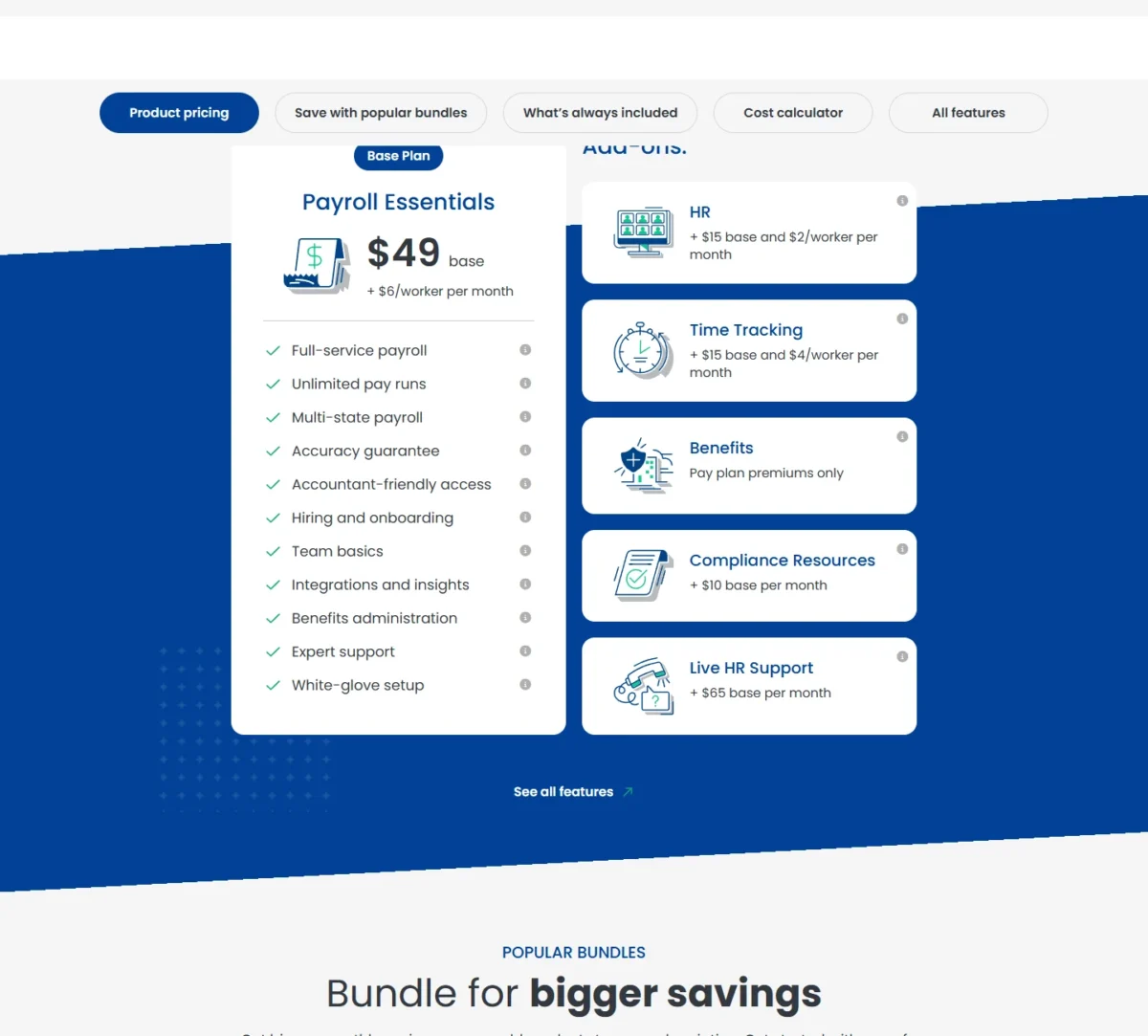
OnPay costs $49 a month + $6 per person, so 10 people cost $49 + $6 x 10 = $109 in any mix of states. Sales tax applies in many states.
| Plan | Price | Billing | Comparable Gusto plan |
|---|---|---|---|
| OnPay | $49 base fee + $6 per person | Monthly | Plus |
Sources: OnPay pricing, checked November 2026.
Pros
- OnPay’s one price covers tax filings in all 50 states
- OnPay never charges for off-cycle runs
- OnPay pays by direct deposit, debit card or check
Cons
- OnPay offers no student or other discounts
- OnPay bills the per-person fee for anyone included in a run, even at $0
- OnPay mails year-end forms at $10 each
To switch, get OnPay’s answer in writing on importing this year’s Gusto pay history.
- Skip it if:
- you want a named advisor and state compliance tracking; Gusto Premium covers both, and Paycor’s Complete plan adds 1-on-1 HR guidance.
2. Patriot Payroll: Best Gusto Alternative for a Lower Bill Than Gusto Simple
- Best for: one-state owners who want full-service filing for less
- Trial: 30 days on all Patriot software
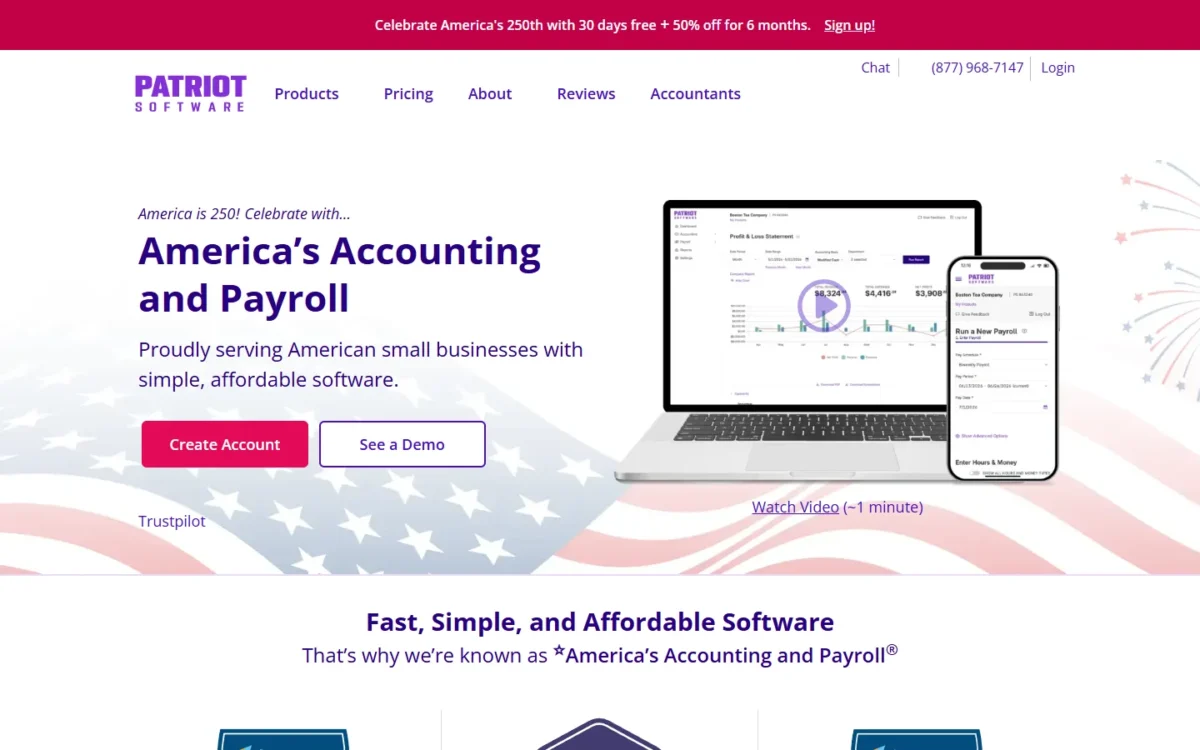
When the Gusto invoice, not a missing feature, is the problem, Patriot Payroll gives a lower bill than Gusto Simple from the first worker. Its Full Service plan files federal, state and local payroll taxes, and both of its fees sit under Gusto Simple’s, so the saving holds at every headcount. The catch: each additional state adds a fee.
Patriot’s free setup help enters year-to-date payroll for you. The state fee is the number to model: a 10-worker team in two states pays $37 + $5 x 10 + $12 x 1 = $99 a month, and a third state brings it to $37 + $5 x 10 + $12 x 2 = $111, above OnPay at that size.
Where Patriot Payroll may be better
- Patriot Full Service’s base and per-worker fees are both under Gusto Simple’s
- Patriot’s team enters your year-to-date payroll during setup
Where Gusto may be better
- Gusto Plus covers multiple states without a per-state Patriot-style fee
- Gusto Plus includes time tracking and scheduling, which Patriot sells as an add-on
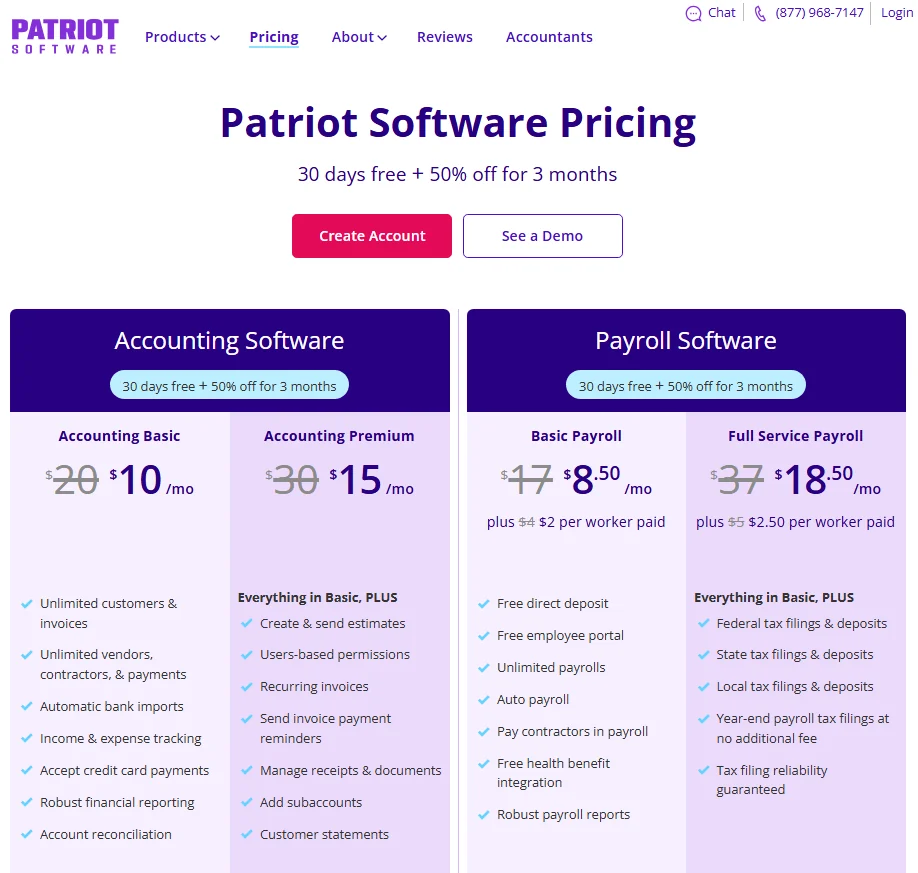
Patriot bills in arrears. Basic Payroll leaves tax filing to you, so anyone used to Gusto’s filing should compare Full Service. Patriot’s pricing page was showing a 30-day free trial followed by 50% off for 3 months; the table lists the regular prices Patriot strikes through.
| Plan | Price | Billing | Comparable Gusto plan |
|---|---|---|---|
| Basic Payroll | $17/mo + $4 per worker paid | Monthly, in arrears | None |
| Full Service Payroll | $37/mo + $5 per worker paid | Monthly, in arrears | Simple |
Sources: Patriot pricing, checked November 2026.
Pros
- Patriot charges only the base fee in months with no payroll
- Patriot allows up to 25 pay rates per employee
- Patriot integrates payroll with QuickBooks Online
Cons
- Patriot adds $12 a month per additional state
- Patriot support runs weekdays, 9 a.m. to 7 p.m. ET
- Patriot’s Time & Attendance and HR add-ons cost extra
Benefits move separately when you switch, since Patriot sources health plans through SimplyInsured.
- Skip it if:
- your team spans three or more states or needs help after 7 p.m. ET; OnPay costs less from the third state at 10 workers, and RUN Powered by ADP lists 24/7 support.
3. QuickBooks Payroll: Best Gusto Alternative for QuickBooks Online Users
- Best for: businesses whose books live in QuickBooks Online
- Contractor-only route: QuickBooks Contractor Payments
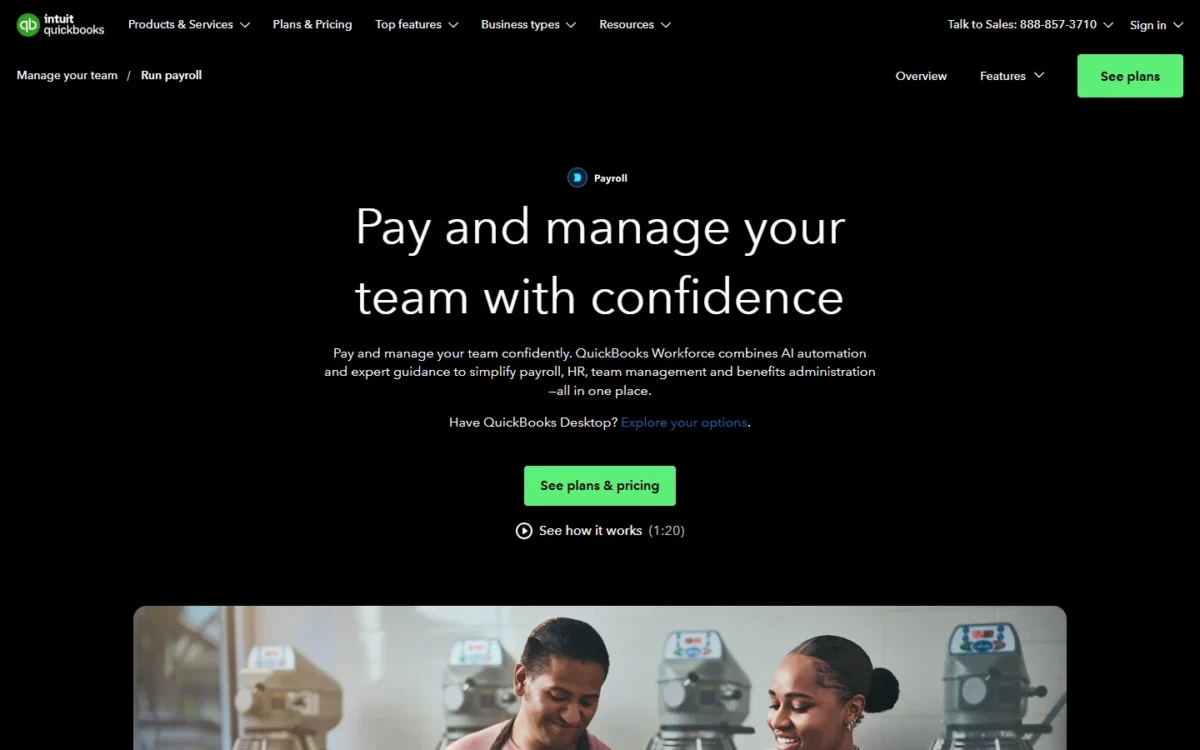
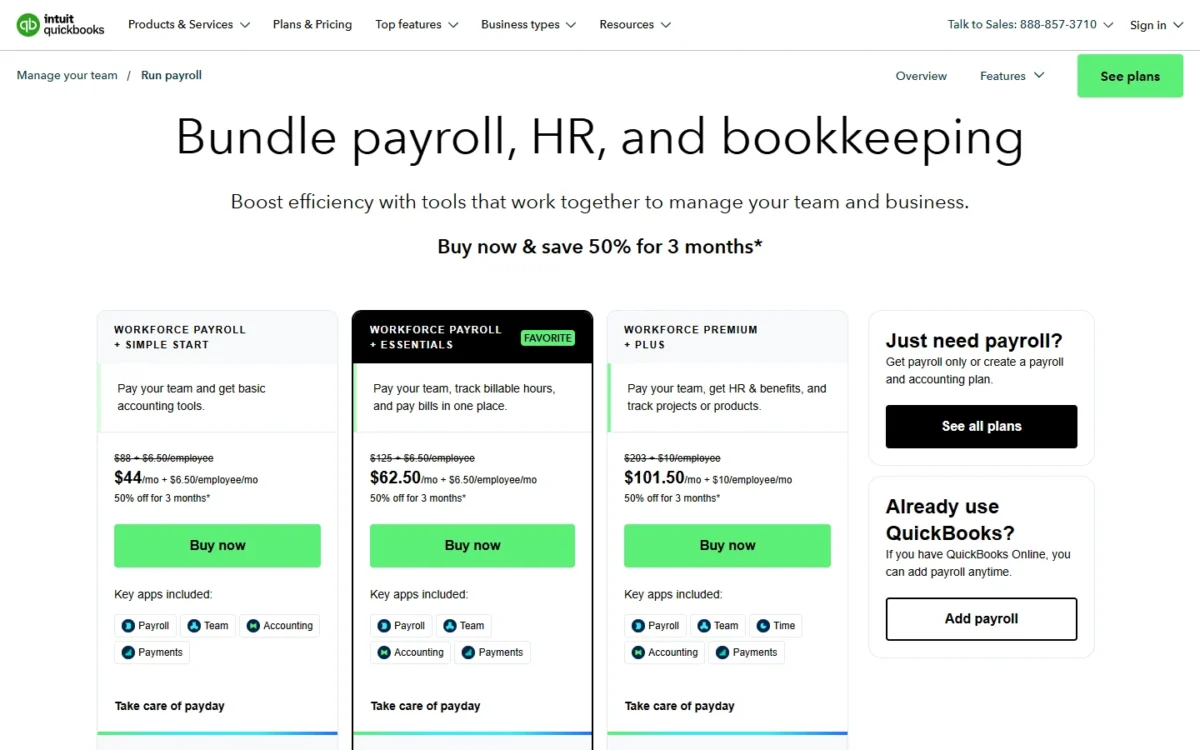
Price is not the reason to choose QuickBooks Payroll: Intuit’s entry plan costs a dollar more than Gusto Simple on both the base fee and each employee, and Gusto already syncs with QuickBooks. The reason is one vendor for books and pay, plus depth at the top, where Workforce Elite includes expert setup and tax penalty protection.
QuickBooks Workforce Premium, at $88 + $13/employee, adds time tracking, schedules and an HR handbook creator; set it against Gusto’s middle tier. For a new contractor-only business, QuickBooks Contractor Payments lists $25, which includes 20 contractors, and $2 per additional contractor, with unlimited 1099 e-filing.
Where QuickBooks Payroll may be better
- QuickBooks Workforce Elite includes expert setup and tax penalty protection
- QuickBooks Workforce puts payroll and books under one vendor
Where Gusto may be better
- Gusto Simple’s fees are each $1 under QuickBooks Workforce Payroll’s
- Gusto already connects with QuickBooks so data stays in sync
At 10 employees, Workforce Payroll costs $50 + $7 x 10 = $120 a month at list price. Intuit showed a three-month discount on November 1, 2026; the table uses regular prices.
| Plan | Price | Billing | Comparable Gusto plan |
|---|---|---|---|
| Workforce Payroll | $50 + $7/employee | Per month | Simple |
| Workforce Premium | $88 + $13/ | Per month | Plus |
| Workforce Elite | $134 + $17/ | Per month | Premium |
Sources: QuickBooks Payroll pricing, QuickBooks Contractor Payments, checked November 2026.
Pros
- QuickBooks Workforce Elite sets payroll up for you
- QuickBooks Contractor Payments e-files unlimited 1099s
- QuickBooks Workforce Premium adds time tracking
Cons
- QuickBooks Workforce Payroll costs more than Gusto Simple
- QuickBooks time tracking starts on Premium
- QuickBooks Payroll’s gain is one vendor, not the sync
Intuit says it will help transfer existing payroll information to QuickBooks. My QuickBooks Payroll pricing breakdown runs the plans at more headcounts.
If QuickBooks Online is not yet your ledger, my QuickBooks Online review covers that choice first.
- Skip it if:
- Gusto’s QuickBooks sync already works for your accountant; Gusto Simple or Patriot Payroll costs less every month.
4. Justworks: Best Gusto Alternative for a PEO With Published Prices
- Best for: owners who want pooled benefits through a PEO
- Setup: no implementation fee
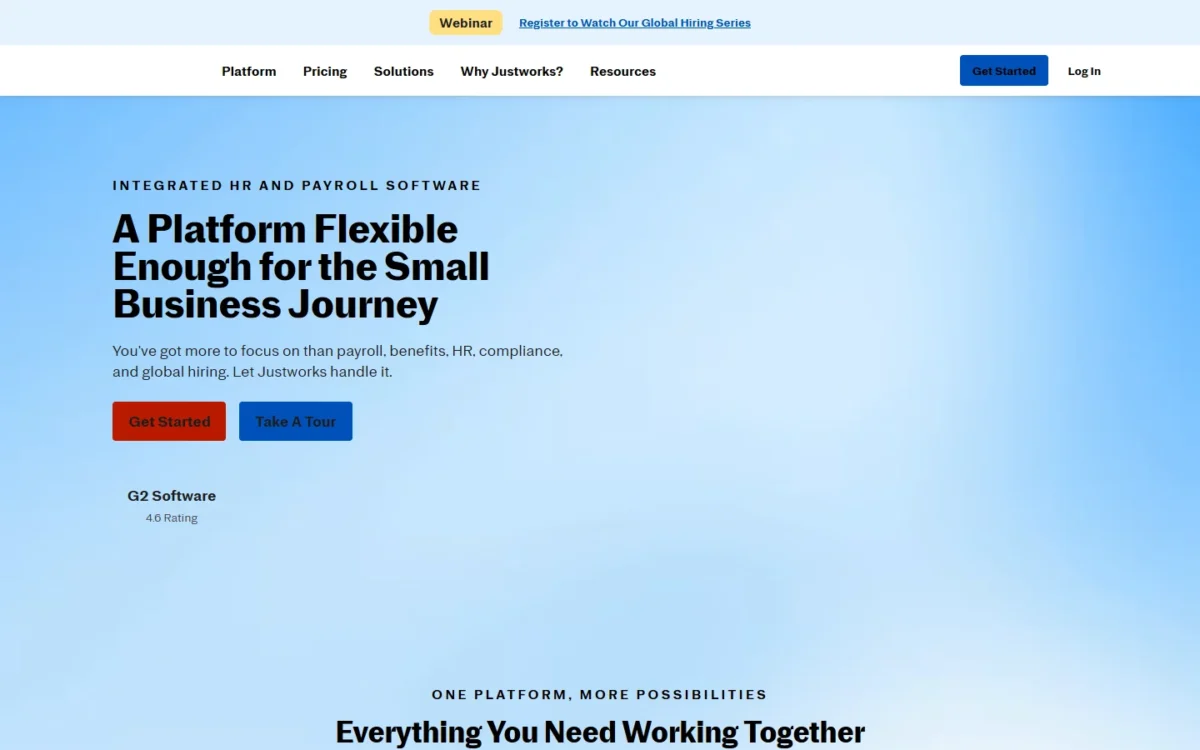
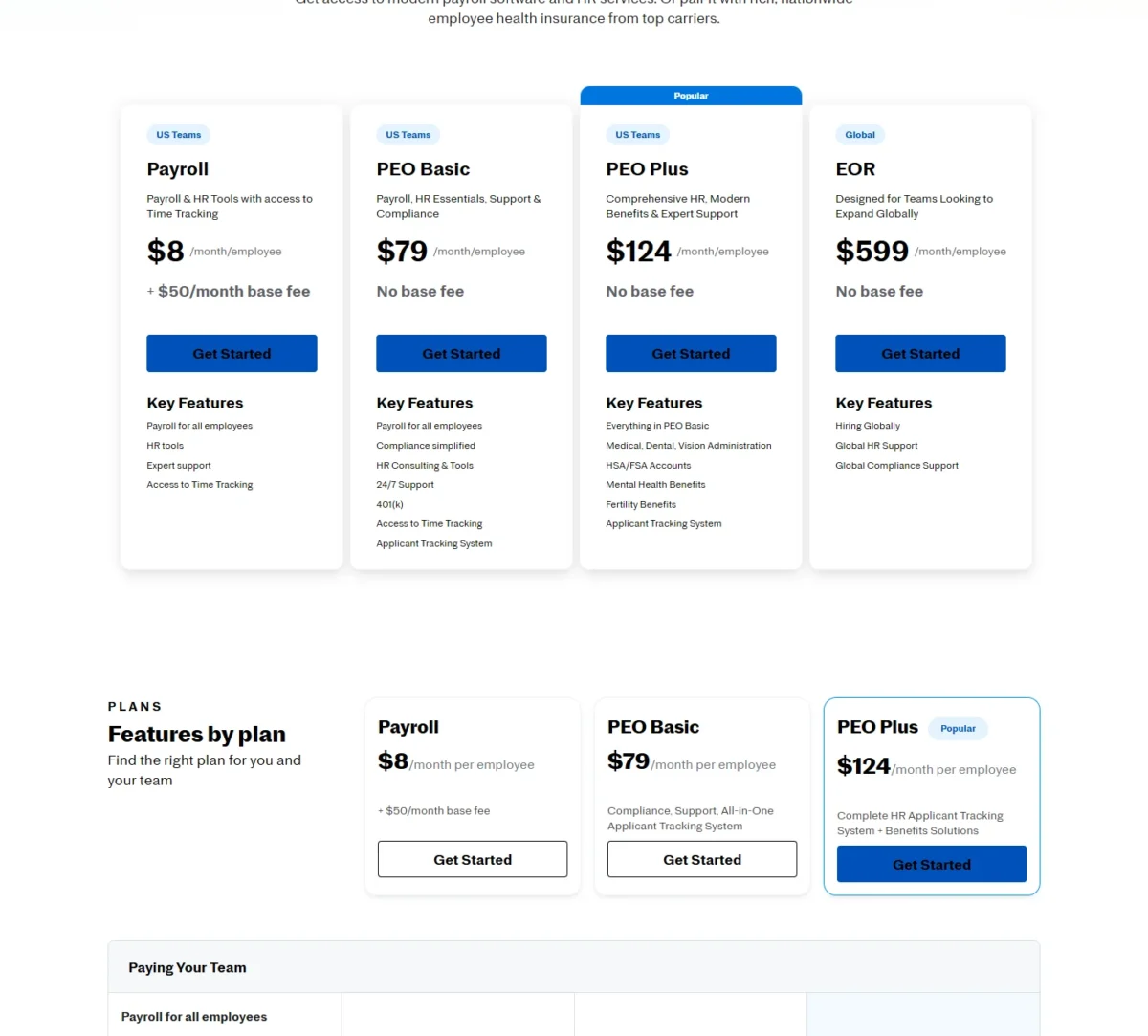
Benefits, not payroll, are the reason to move from Gusto to Justworks. Justworks PEO gives “access to a wide variety of health insurance plans, including small group, large group, and individual plans via CHOICE,” and prints PEO prices per employee with 24/7 support on PEO plans. The trade-off is cost: per employee, PEO Basic runs several times what Gusto charges per person.
PEO Basic covers payroll, compliance, HR consulting and a 401(k). PEO Plus, at $124 per employee per month, adds medical, dental and vision administration and HSA and FSA accounts. At 10 employees PEO Plus costs $124 x 10 = $1,240 a month, and Justworks prints no premiums, so ask for premium quotes before you compare.
Where Justworks may be better
- Justworks PEO plans include 24/7 support, where Gusto’s phone and chat run in business hours
- Justworks PEO Plus administers medical, dental and vision benefits
Where Gusto may be better
- Gusto Simple costs $49 + $6 x 10 = $109 a month for 10 people
- Gusto charges no monthly per-contractor fee abroad, while Justworks charges $39 per paid international contractor
Justworks prices its PEO per employee per month with no base fee; its Payroll plan suits a team that wants to leave Gusto without a PEO.
| Plan | Price | Billing | Comparable Gusto plan |
|---|---|---|---|
| Payroll | $8/month/ | Monthly | Simple |
| PEO Basic | $79/ | Monthly | None listed |
| PEO Plus | $124/ | Monthly | None listed |
Sources: Justworks pricing, checked November 2026.
Pros
- Justworks prints PEO prices instead of quoting them
- Justworks PEO plans include 24/7 support
- Justworks adds an EOR at $599 per employee per month
Cons
- Justworks PEO fees run far above Gusto’s per-person fees
- Justworks prints no health premiums
- Justworks requires workers’ comp access for PEO plans
Switching to a PEO moves benefits enrollment to Justworks plans; ask Justworks how it imports year-to-date wages. My Justworks review covers the PEO in depth.
- Skip it if:
- you only need payroll; OnPay or Patriot Payroll covers it for a fraction of the PEO fee.
5. Rippling: Best Gusto Alternative for Running HR, IT and Payroll in One System
- Best for: teams that hand out laptops and app access as they hire
- Setup: 1-3 weeks with an Implementation Manager
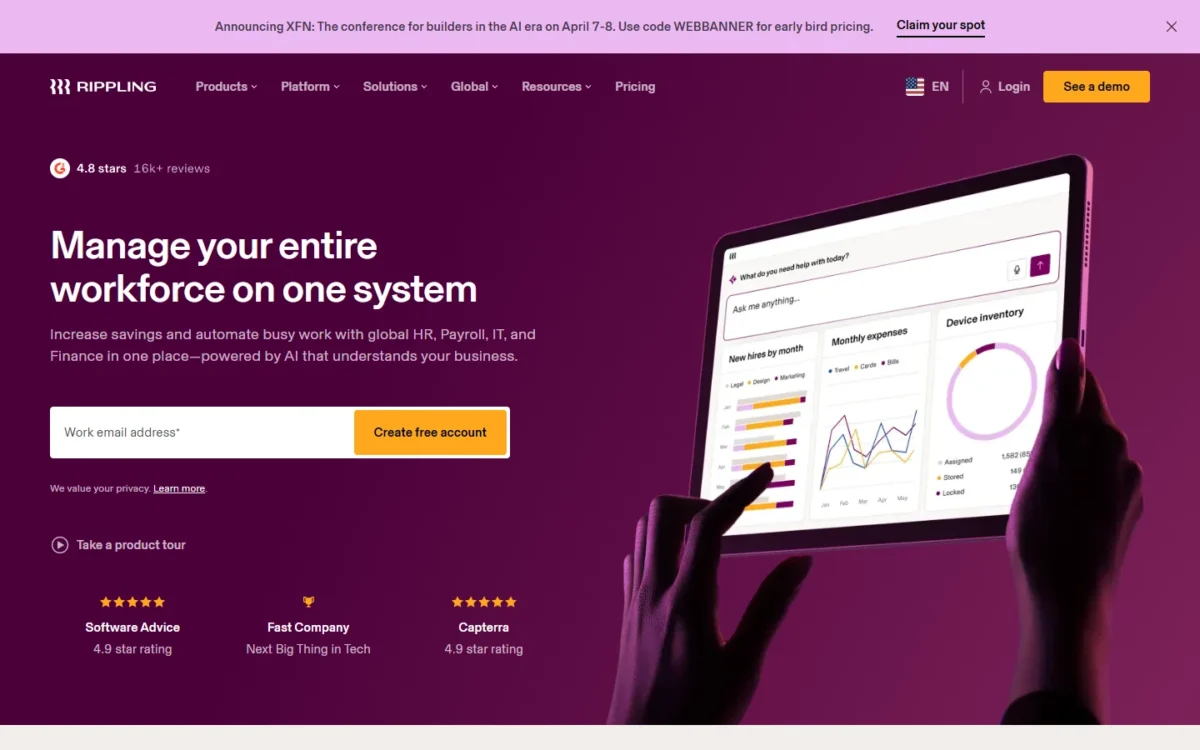
Once payroll is only one part of onboarding, with laptops, app accounts and benefits due on day one, Rippling is the alternative to price. It runs payroll, HR and IT in one system. The trade-off is price visibility, because Rippling publishes only a starting price and quotes the rest.
Rippling can ship laptops automatically or control app access by role, and it lists 650+ integrations. Its Implementation Manager guides the employee data import and first payroll free of charge.
Where Rippling may be better
- Rippling manages apps and devices in the same system as payroll
- Rippling’s implementation is guided and free of charge
Where Gusto may be better
- Gusto prints every plan price; Rippling quotes everything beyond its starting price
- Gusto Plus includes time tracking at a printed price
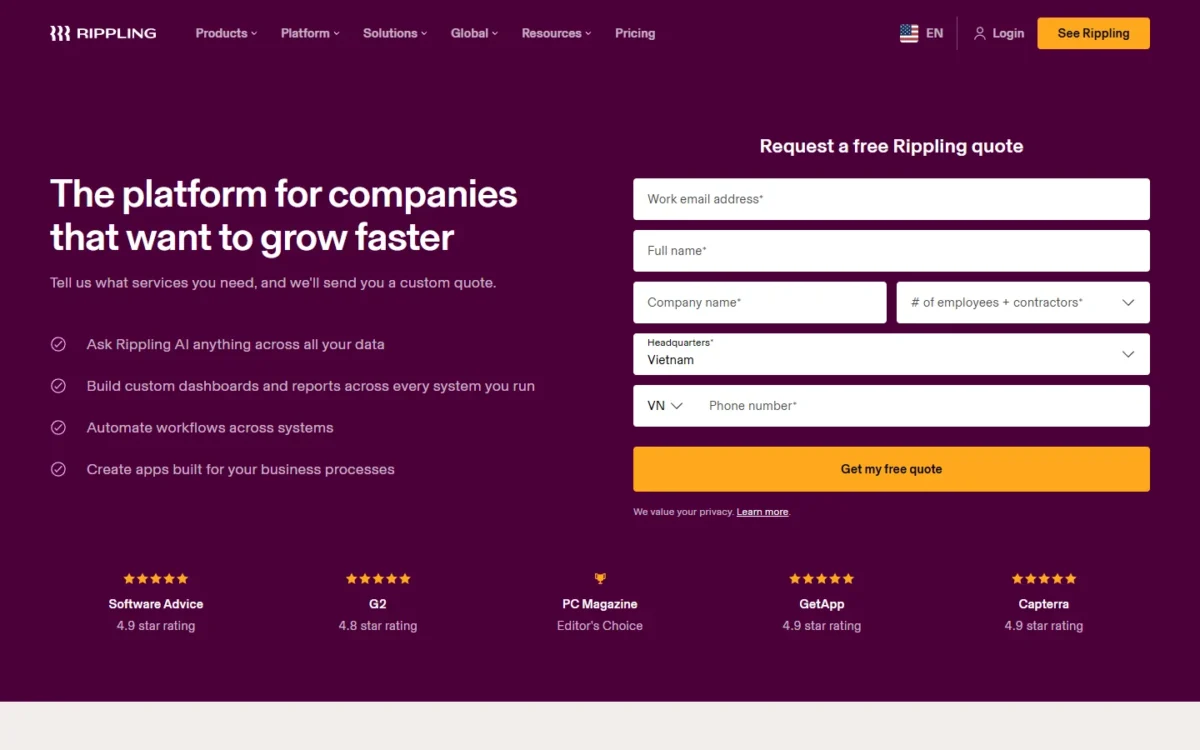
Rippling starts at $8 per user per month and a $40 monthly base fee, so 10 users start at $40 + $8 x 10 = $120 a month. Benefits administration, time tracking and device management each add to the quote.
| Plan | Price | Billing | Comparable Gusto plan |
|---|---|---|---|
| Starting price | $8 per user/ | Monthly | Plus |
Sources: Rippling small business, checked November 2026.
Pros
- Rippling runs apps, devices, payroll and HR together
- Rippling lists 650+ integrations
- Rippling’s PEO can be dropped without changing systems
Cons
- Rippling publishes only its starting price
- Rippling’s cost grows with each product you add
- Rippling’s IT tools are idle for a payroll-only team
Get the quote itemized by module, and ask Rippling to confirm that this year’s Gusto history loads during implementation. My Rippling review covers the platform beyond payroll.
My Rippling pricing guide runs more team sizes.
- Skip it if:
- payroll is the whole job; OnPay or Gusto Simple does it at a printed price.
6. Deel: Best Gusto Alternative for Hiring Employees Abroad
- Best for: companies hiring full-time employees outside the US
- Terms: month-to-month
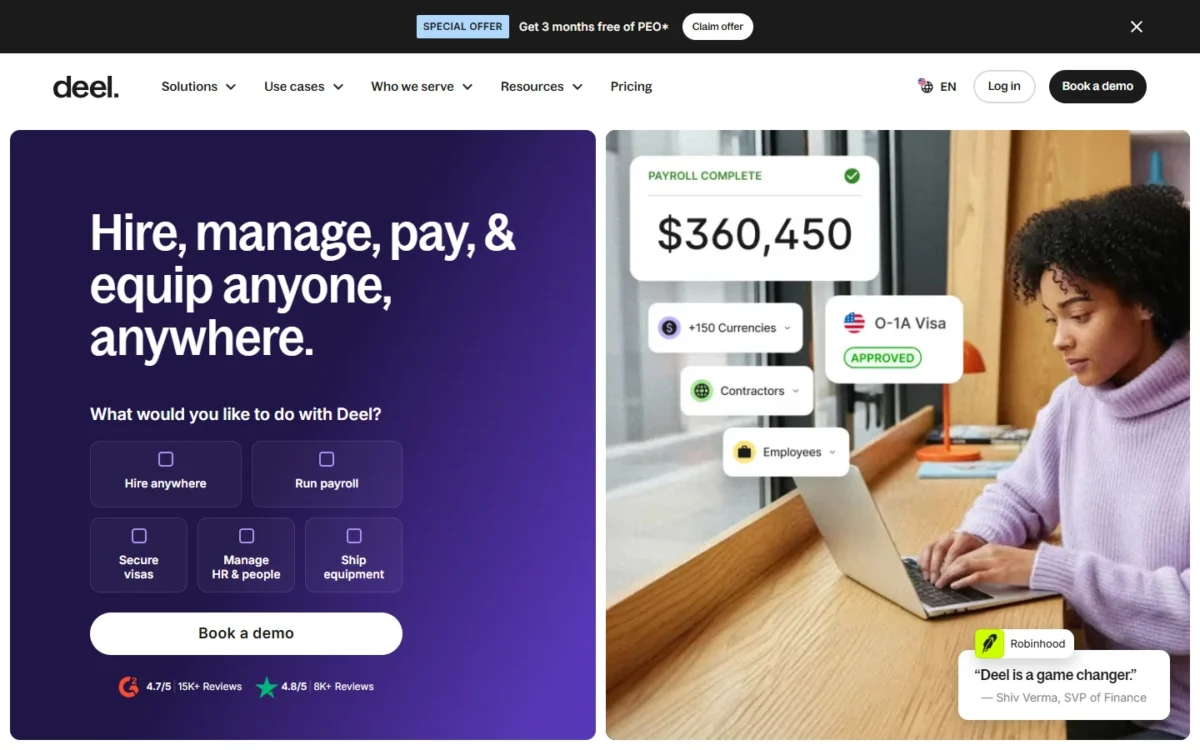
Employing someone full time in another country is a job Gusto’s pricing page does not list, and it is Deel’s core product. Deel’s employer of record is the legal employer in 130+ countries and handles contracts, payroll, benefits and compliance without a local entity. For smaller payments to contractors abroad, though, Gusto is cheaper, so the lean setup is often Gusto for US payroll plus Deel only for the hire abroad.
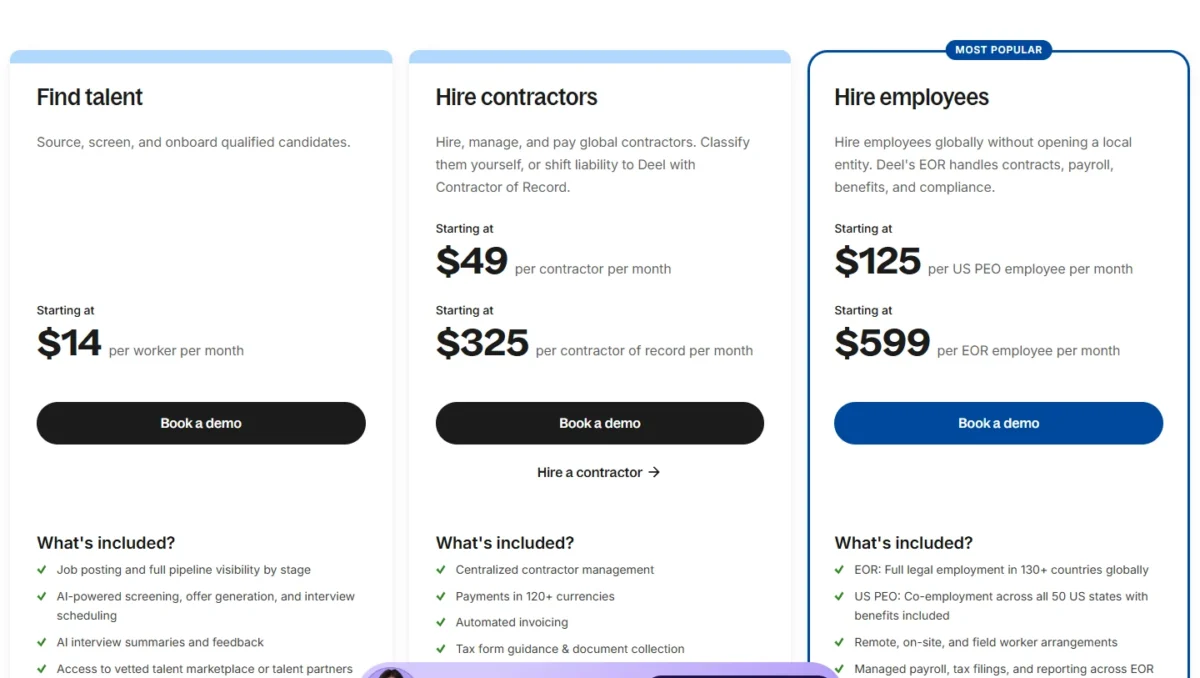
The contractor math shows why: Deel starts at $49 per contractor per month, so five contractors cost $49 x 5 = $245 a month in Deel fees. Gusto charges no monthly per-contractor fee and bills $5 per payment to US-based bank accounts. A payment in USD to a bank account in the contractor’s country costs 0.75%-1.5% of the payment, with a $15 minimum and a $100 maximum. A large payment can therefore cost more than Deel’s $49.
Where Deel may be better
- Deel’s EOR employs staff in 130+ countries without a local entity
- Deel lists 24/7 support across email, phone, chat, Slack and Teams
Where Gusto may be better
- Gusto charges no monthly per-contractor fee for global contractors
- Gusto Simple runs one-state US payroll at a printed price
Deel’s EOR starts at $599 per employee per month, so one hire abroad costs $599 x 12 = $7,188 a year in Deel fees before salary.
| Plan | Price | Billing | Comparable Gusto plan |
|---|---|---|---|
| Contractors | From $49 per contractor per month | Month-to-month | Global contractor payments |
| EOR | From $599 per employee per month | Month-to-month | None listed |
| US PEO | From $125 per employee per month | Month-to-month | None listed |
Sources: Deel pricing, Gusto international contractors, checked November 2026.
Pros
- Deel employs staff abroad without a local entity
- Deel runs month to month
- Deel pays workers in 120+ currencies
Cons
- Deel charges a monthly fee per contractor
- Deel’s EOR fee comes before salary
- Deel EOR staff fall under local notice and severance laws
You can split the switch instead of moving everything: keep Gusto for US payroll and contractors, and add Deel for each employee abroad, with contracts rebuilt per country.
- Skip it if:
- everyone outside the US is a contractor paid smaller sums; Gusto’s per-payment fees then cost less than Deel’s monthly fee.
7. Square Payroll: Best Gusto Alternative for Square POS Shops
- Best for: Square POS sellers with hourly staff and tips
- Support: weekdays, 6 a.m. to 6 p.m. PT
A shop that already rings sales on Square gets the most from Square Payroll: hours come in from Square POS timecards, tips are tracked and imported, and multistate payroll sits in the full-service plan. It also gives a new contractor-only business a place to go now that Gusto has closed that plan.
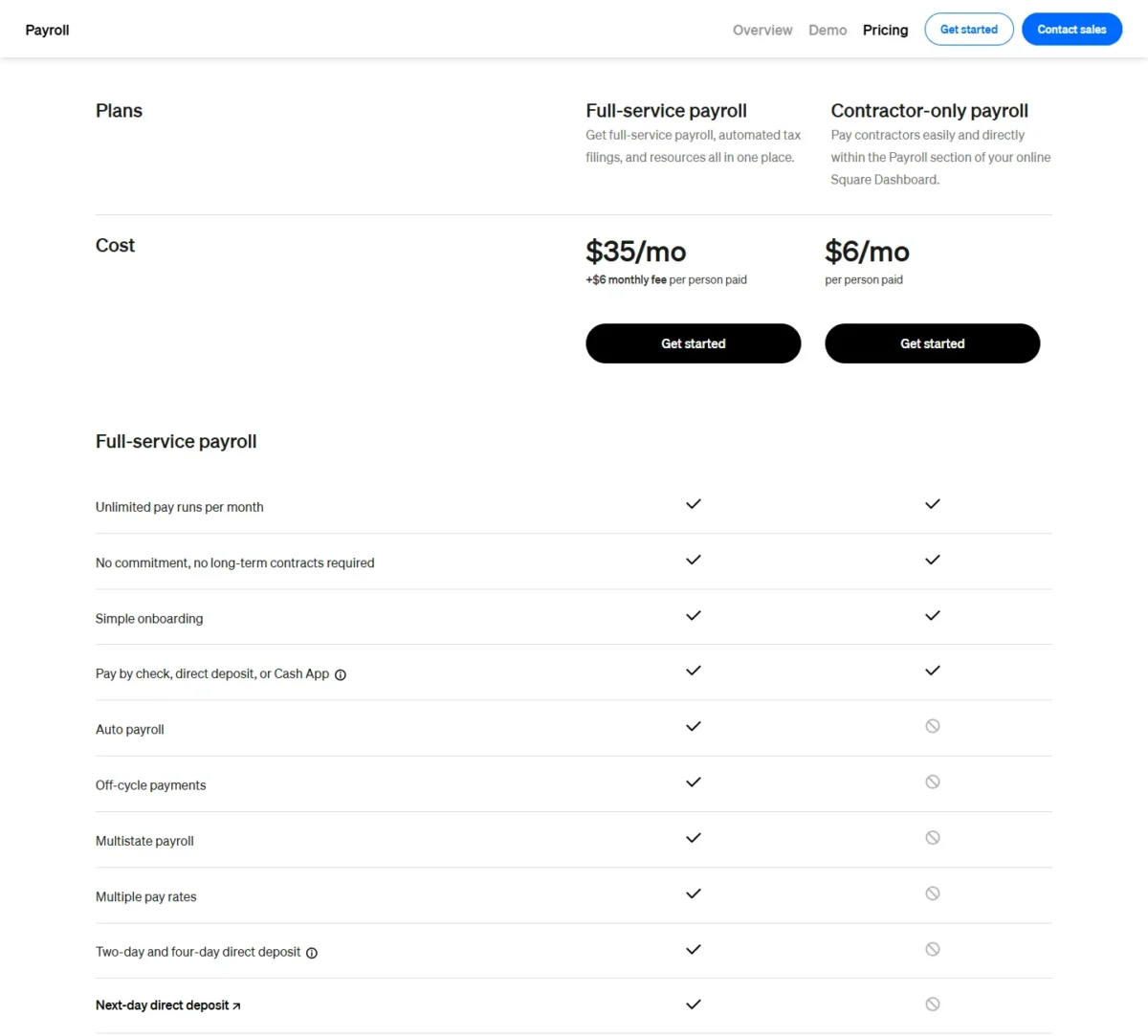
The contractor-only plan is narrower than full-service: it skips auto payroll, off-cycle payments, multistate payroll and automated federal and state tax filings.
Where Square Payroll may be better
- Square Payroll imports timecards from Square POS and tracks direct tips
- Square’s contractor-only plan is open to new customers, unlike Gusto’s
Where Gusto may be better
- Gusto, as your broker, runs health insurance with no Gusto administration fee
- Gusto Plus adds contractor invoice management
Square’s full-service plan costs $35 a month + $6 per person paid, so 10 people cost $35 + $6 x 10 = $95 a month with multistate payroll included. OnPay’s bill for the same 10 people is $49 + $6 x 10 = $109 a month.
| Plan | Price | Billing | Comparable Gusto plan |
|---|---|---|---|
| Full-service payroll | $35/mo + $6 per person paid | Monthly | Plus |
| Contractor-only payroll | $6/mo per person paid | Monthly | Closed to new Gusto customers |
Sources: Square Payroll pricing, checked November 2026.
Pros
- Square Payroll pulls hours from Square POS
- Square full-service tracks direct tips
- Square full-service includes multistate payroll
Cons
- Square’s contractor-only plan has no auto payroll
- Square support runs weekdays only
- Square charges $3 a year per mailed W-2 or 1099
Square says dedicated payroll specialists help with a switch from another provider; confirm with them how this year’s Gusto wages load.
- Skip it if:
- you do not run Square POS; Homebase links its time clock to payroll on other systems.
8. Homebase: Best Gusto Alternative for Hourly Shift Teams
- Best for: single-location shift teams
- Trial: 14 days of All-in-One
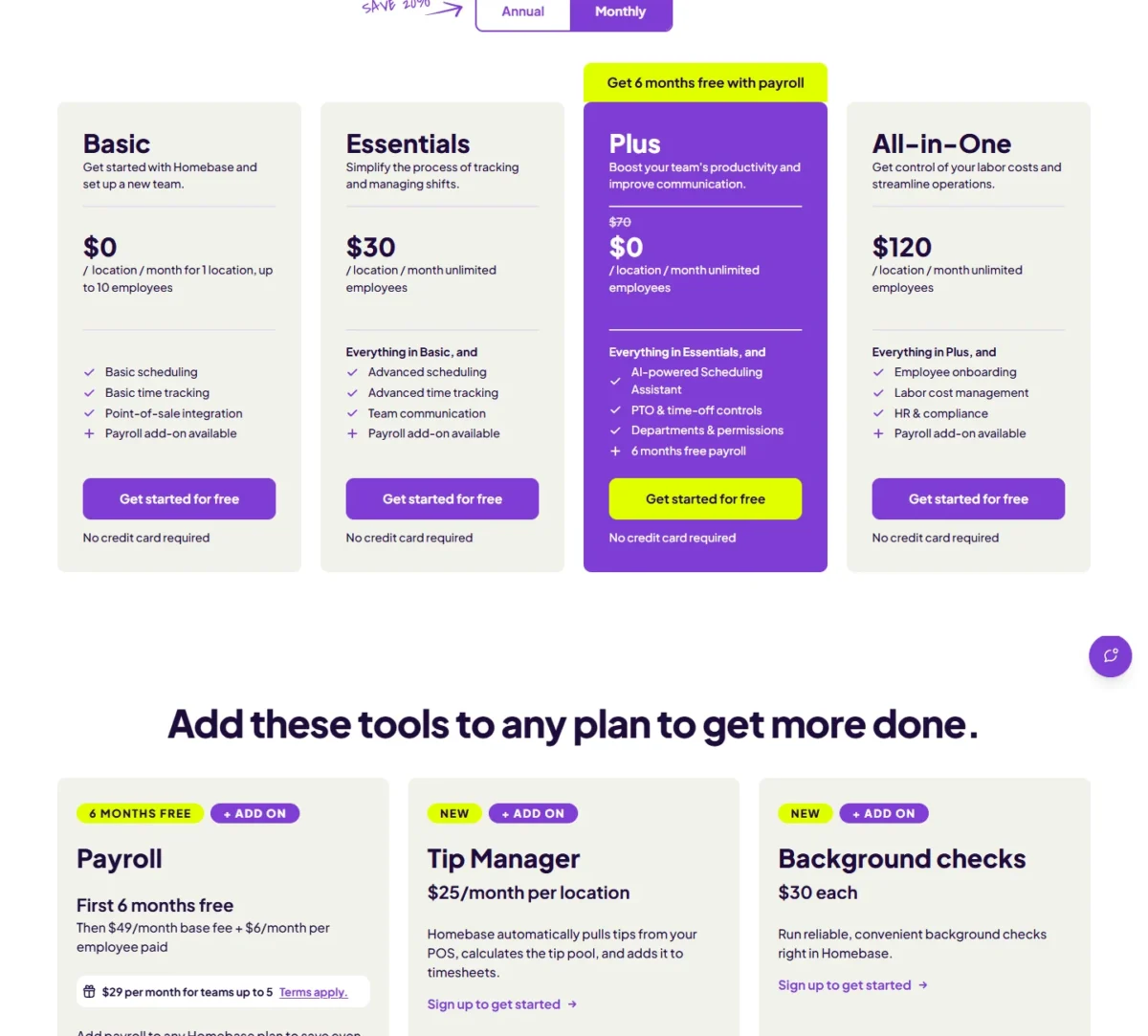
At a café or salon, shifts come first and payroll second, which is the order Homebase is built in. Its Basic plan schedules and tracks time at no cost for one location with up to 10 employees, and payroll plugs in at the same fees as Gusto Simple, so the time clock feeds wages directly. The model breaks at the second location, because every Homebase plan is priced per location.
A team past 10 employees or a second site must move to Essentials, Plus or All-in-One, and two locations on Essentials cost $30 x 2 = $60 a month before payroll.
Where Homebase may be better
- Homebase Basic schedules and tracks time at $0 for 1 location, up to 10 employees
- Homebase lists POS integration on every plan
Where Gusto may be better
- Gusto prices by the person, so a second site adds no location fee
- Gusto Plus bundles time tracking, scheduling and multi-state payroll
Homebase payroll costs a $49 base fee a month and $6 per employee paid on any Homebase plan, so a one-site team of 10 on Basic pays only the payroll fees.
| Plan | Price | Limit | Comparable Gusto plan |
|---|---|---|---|
| Basic | $0 per location per month | 1 location, up to 10 employees | Simple |
| Essentials | $30 per location per month | Unlimited employees | Plus |
| Payroll add-on | $49/ | Any Homebase plan | Simple |
Sources: Homebase pricing, checked November 2026.
Pros
- Homebase Basic covers one site’s scheduling at $0
- Homebase payroll costs the same on every plan
- Homebase payroll files taxes automatically
Cons
- Homebase prices every paid plan per location
- Homebase Basic stops at 10 employees
- Homebase payroll is an add-on
Before the switch, ask Homebase how it imports this year’s Gusto wages.
- Skip it if:
- you run several locations or a salaried office team; Gusto Plus or OnPay prices by the person.
9. RUN Powered by ADP: Best Gusto Alternative for 24/7 Payroll Support
- Best for: owners who run payroll outside business hours
- Coverage: payroll in all 50 states
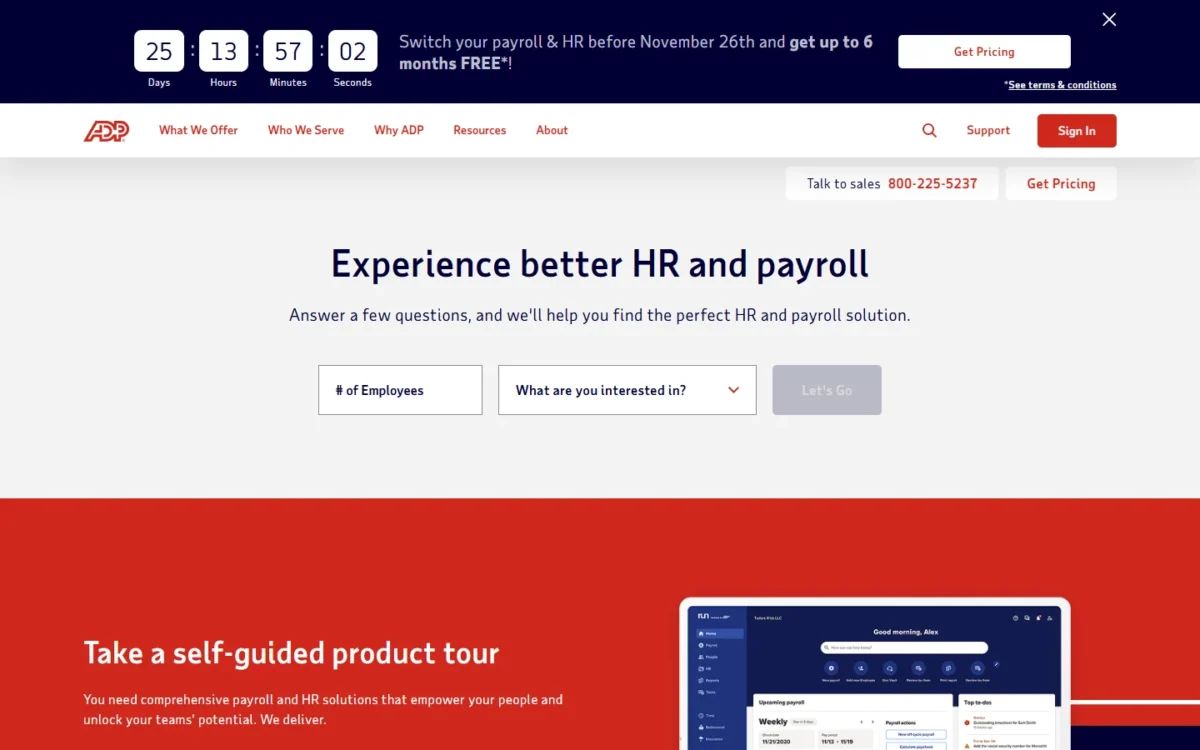
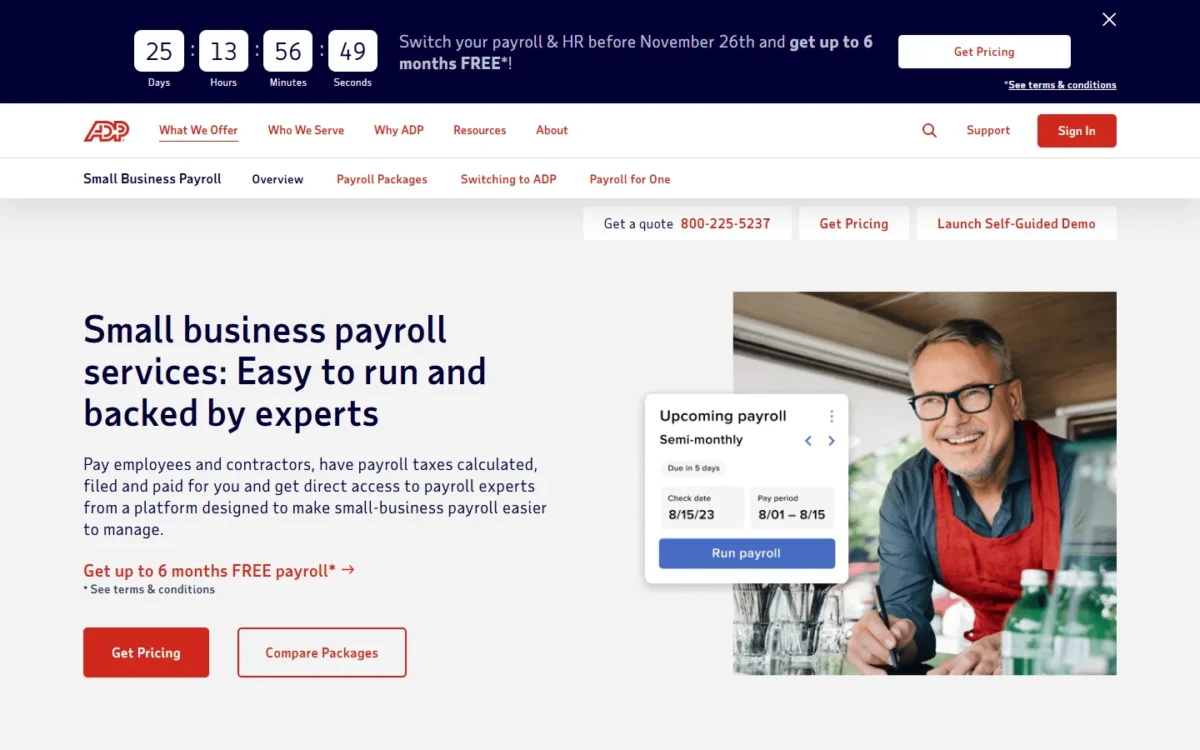
Round-the-clock help is the one reason RUN Powered by ADP makes this list: ADP lists 24/7 support from payroll and HR professionals, while Gusto’s phone and chat run during business hours. For an owner who approves payroll at night or on weekends, that can matter more than the fee. The cost is opacity: ADP prints no RUN package price.
ADP’s page also advertises up to 6 months of free payroll under ADP’s terms and conditions; get those terms in writing with the quote.
Where RUN Powered by ADP may be better
- ADP lists 24/7 support from payroll and HR professionals
- ADP flags potential payroll errors before you submit
Where Gusto may be better
- Gusto prints its plan prices, while ADP shows “Get Pricing”
- Gusto includes unlimited payroll runs on every plan
ADP publishes no RUN package price and says the most common pricing is a per-payroll processing fee, so ask whether your quote is per run or per month. My ADP payroll pricing guide explains what ADP prints and quotes.
| Plan | Price | Billing | Comparable Gusto plan |
|---|---|---|---|
| RUN Powered by ADP packages | Quote (“Get Pricing”) | Per ADP quote | Simple or Plus |
Sources: ADP small business payroll, checked November 2026.
Pros
- ADP lists 24/7 payroll and HR support
- ADP’s experts help set up payroll
- ADP integrates with Clover
Cons
- ADP prints no RUN package price
- ADP’s switch offer comes with terms
- ADP’s common pricing is per payroll run
ADP’s experts help set up payroll and benefits for the switch. My ADP RUN review covers the packages.
For the full head-to-head, see my Gusto vs ADP comparison.
- Skip it if:
- you want a price before a sales call; OnPay and Patriot Payroll print theirs.
10. Wave Payroll: Best Gusto Alternative for Wave Accounting Users
- Best for: owners who keep their books in Wave
- Trial: 30 days from your first payroll
For books that already live in Wave, Wave Payroll saves the reconciliation step a separate provider adds, because each payroll posts its own journal entries there. Its base fee undercuts Gusto Simple’s, and Wave runs its tax service in all 50 US states. The gap is contractor paperwork: Wave’s tax service excludes 1099 filings, which every Gusto plan files for you.
Where Wave Payroll may be better
- Wave Payroll posts payroll entries to Wave accounting automatically
- Wave Payroll’s base fee is lower than Gusto Simple’s
Where Gusto may be better
- Gusto files 1099s on every plan; Wave’s tax service excludes them
- Gusto adds HR tools, benefits and phone support
Wave charges a $40 base fee + $6 per active employee and $6 per contractor paid each month, so 10 employees cost $40 + $6 x 10 = $100.
| Plan | Price | Billing | Comparable Gusto plan |
|---|---|---|---|
| Wave Payroll (US) | $40 base fee + $6 per active employee + $6 per contractor paid | Monthly | Simple |
Sources: Wave Payroll, checked November 2026.
Pros
- Wave Payroll keeps your Wave books updated
- Wave files state and IRS payroll taxes in all 50 states
- Wave Payroll runs a 30-day trial
Cons
- Wave’s tax service excludes 1099 filings
- Wave Payroll charges $6 per contractor paid
- Wave support is weekday chat and email
Wave says migrating your data is simple when you switch from another payroll provider. Plan to file 1099s outside Wave if you pay contractors.
- Skip it if:
- you pay several 1099 contractors and want payroll to file their forms; Gusto or Patriot Full Service handles that, and OnPay’s 1099-NECs can be downloaded, self-printed or mailed at $10 per form.
11. Paycor: Best Gusto Alternative for Teams Growing Toward 50 Employees
- Best for: companies under 50 employees adding HR tools as they hire
- Higher tiers: Essential, Complete and HCM
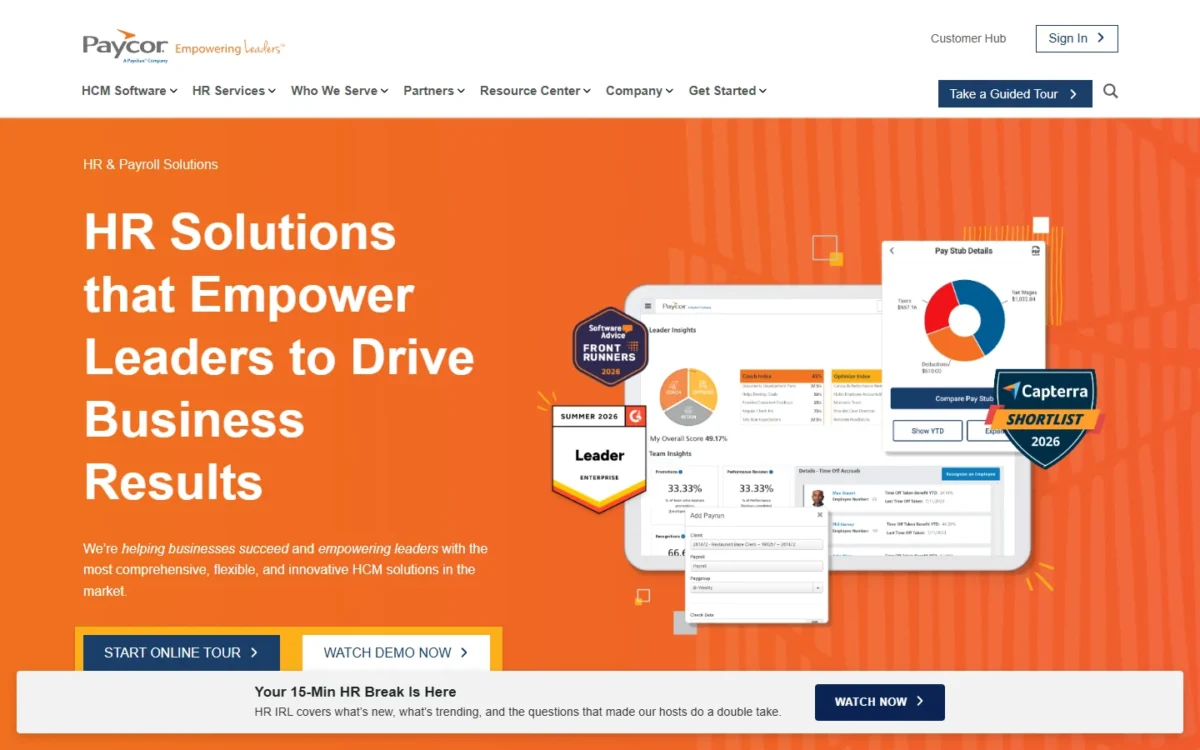
Growth toward 50 employees, not price, is the case for Paycor. Its plans are built for businesses under 50 employees and step from Basic payroll into onboarding, an HR support center and analytics, so HR grows inside the payroll system instead of through Gusto’s Premium tier.
The list-price math is close but never in Paycor’s favor at that size. At 49 employees, Paycor Basic costs $99 + $5 x 49 = $344 a month. Gusto Simple costs $49 + $6 x 49 = $343 for the same team.
Where Paycor may be better
- Paycor steps from payroll into HR tiers with handbook templates and HR guidance
- Paycor Basic’s per-employee fee is under Gusto Simple’s
Where Gusto may be better
- Gusto Simple costs less than Paycor Basic under 50 employees
- Gusto Plus adds multi-state payroll and time tracking at a printed price
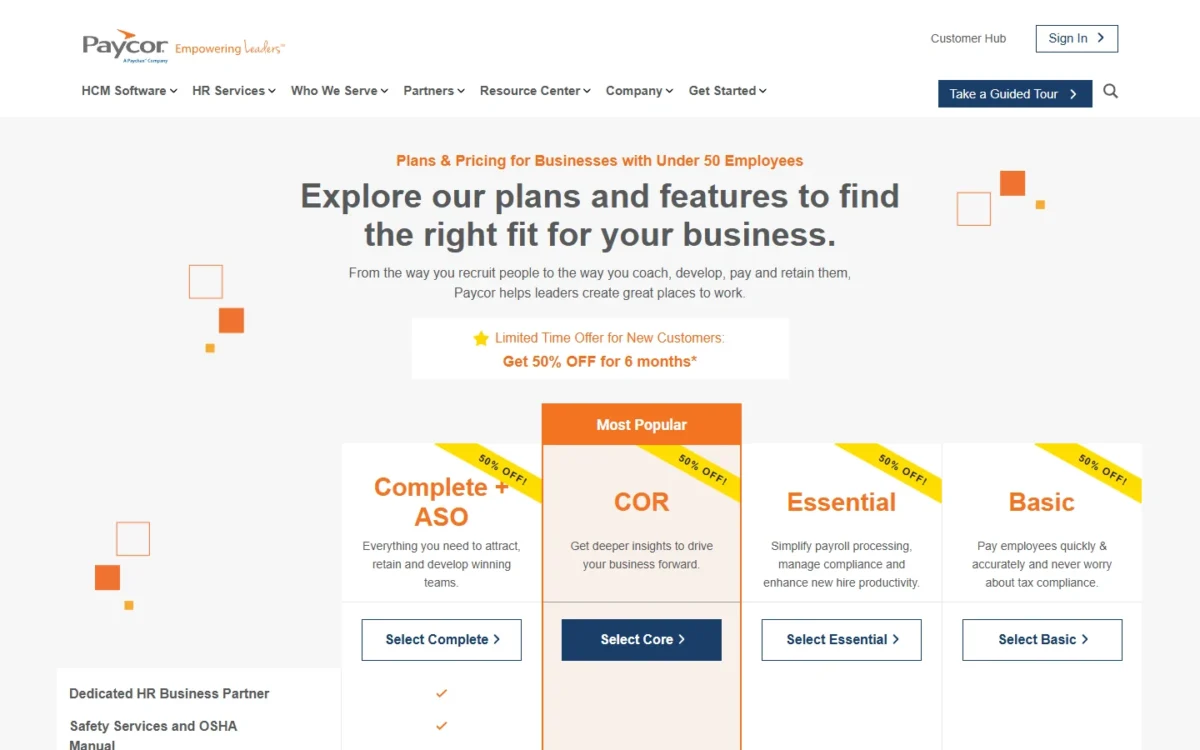
Paycor Basic costs $99 a month + $5 per employee per month, with a $59 setup fee. The HR Support Center starts on Essential, a higher tier with a higher setup fee. These are regular prices, not the new-customer discount Paycor showed on November 1, 2026.
| Plan | Price | Billing | Comparable Gusto plan |
|---|---|---|---|
| Basic | $99/ | Monthly | Simple |
Sources: Paycor pricing, checked November 2026.
Pros
- Paycor plans are built for businesses under 50 employees
- Paycor sets no limit on payrolls per month
- Paycor Complete adds 1-on-1 HR guidance
Cons
- Paycor’s HR Support Center starts on Essential, not Basic
- Paycor charges a setup fee on Basic
- Paycor’s higher tiers carry higher setup fees
Paycor lists employee import among its plan features; ask which tier’s setup fee applies and how Gusto’s year-to-date wages load before you sign.
- Skip it if:
- you have no HR plans; Gusto Simple or Patriot Payroll costs less every month.
When Should You Stick With Gusto?
Stay with Gusto in four situations where the switch is not worth it.
- One state on Simple. Gusto Simple’s fees match OnPay’s, and Patriot saves 10 people $49 + $6 x 10 – $37 – $5 x 10 = $22 a month, so a full month billed for a late cancellation takes about five months to earn back.
- Contractors abroad. Gusto pays contractors in more than 120 countries with no monthly per-contractor fee.
- Benefits without a PEO. With Gusto as your broker, you pay only premiums and no Gusto administration fees.
- Legacy terms. Gusto says existing Simple and Plus customers keep their legacy plan capabilities under the new limits.
Consider switching if
- You pay people in two or more states and want to avoid Gusto Plus
- You are a new business that pays only 1099 contractors
- You need payroll help outside business hours
Consider staying with Gusto if
- Your one-state saving is smaller than switching costs
- You pay contractors abroad and want no per-contractor fee
- You buy benefits through Gusto as your broker
How to Choose the Right Gusto Alternative
Pick the alternative that fixes your first reason for leaving, then check its trade-off.
| Your priority | Alternative to consider | Reason | Trade-off |
|---|---|---|---|
| Two or more states on a budget | OnPay | Multiple states at no extra charge | One plan only |
| A lower one-state bill than Gusto Simple | Patriot Payroll | Both fees under Gusto Simple’s | A fee per extra state |
| Books in QuickBooks Online | QuickBooks Payroll | One vendor for payroll and books | Costs more than Gusto Simple |
| Pooled benefits | Justworks | PEO prices printed per employee | Several times Gusto’s fees |
| HR, IT and payroll together | Rippling | Apps and devices with payroll | Quotes beyond the starting price |
| Employees abroad | Deel | EOR in 130+ countries | A per-employee monthly fee |
| A Square POS shop | Square Payroll | POS timecards and tips | Fits Square shops best |
| Shifts at one site | Homebase | Basic schedules up to 10 people | Priced per location |
| Help after hours | RUN Powered by ADP | 24/7 support | Quote only |
| Books in Wave | Wave Payroll | Entries post to Wave | No 1099 filing |
| HR tiers before 50 people | Paycor | Onboarding and HR support tiers | A setup fee |
| One state, happy on Simple | Stay with Gusto | Same fees as OnPay | None for this reader |
If your question is wider than leaving Gusto, my ranking of the best payroll software for small business compares the whole category.
When the gap is HR rather than payroll, my list of HR software for small business starts from HR instead.
If payroll software itself is new to you, read my explainer on what payroll software is before you pick a vendor.
Migrating From Gusto: What to Consider
Move from Gusto in this order, built from its cancellation and pricing pages.
- Keep your records. Gusto admins keep view access to forms, reports and past payrolls after cancelling; save your own copy anyway.
- Gather setup data. Gusto’s own list for moving a payroll names your EIN, addresses, salaries and, mid-year, the payroll taxes already filed.
- Confirm the year-to-date import. Get the new provider’s answer in writing.
- Reconnect benefits. Tell Gusto before you cancel if it manages your benefits.
- Run a parallel payroll. Use a trial, such as Patriot’s or Wave’s 30 days.
- Turn off AutoPilot. Switch off Gusto’s Payroll on AutoPilot before you cancel.
- Time the cancellation. Cancel by the fifth of a month in which no Gusto payroll runs.
- Decide who files the rest. If Gusto files after you cancel, it charges $100 for federal forms, $100 per state and $5 per W-2 or 1099.
Billing note
Gusto bills one month behind, so its last invoice comes a month after you leave, and a cancellation later than the fifth, or in a month with a Gusto payroll, costs a full month. For a ten-person, one-state team, Gusto charges $100 + $100 + $5 x 10 = $250 in filing fees if it files afterward.
How I Evaluated the Alternatives
I considered the picks above and the tools under Also Considered, and ranked the picks by how directly each fixes a stated Gusto limit. Each pick had to run US payroll or replace it and publish a price or a quote route.
The ranking criteria, in order: state coverage on the affordable plan, the monthly bill at three team sizes, benefits and PEO, worker mix, accounting or POS stack, support hours, HR depth and switching effort.
The evidence is each vendor’s own pricing, plan and help pages, read on November 1, 2026; the cost tables, fit calls and rankings are my analysis of them.
Also Considered
- TriNet: TriNet sells a PEO and HR Plus, but its homepage prints no price; Justworks covers the PEO job with published prices.
- SurePayroll: pricing starts at $29/month; Patriot covers the same low-bill job with a full per-worker price list.
- Paychex, Paylocity, Netchex, Thera and Deelo: vendors whose own pages compete for this search; none of their pricing pages is part of this comparison.
- Papaya Global: another global-employment option; Deel covers the hire-abroad job with a published EOR price.
Gusto Alternatives FAQ
What are some good alternatives to Gusto?
The strongest Gusto alternatives depend on the job: OnPay for multi-state payroll, Patriot Payroll for a lower one-state bill than Gusto Simple, Justworks for a PEO, Rippling for HR and IT, and Deel for employees abroad.
Is there a free alternative to Gusto?
Not for full payroll. Patriot has no free payroll tier but offers a 30-day free trial, and Homebase’s Basic plan schedules one location at no cost, with payroll as a paid add-on.
Final Verdict
Pick by the reason you are leaving. For a second state at Gusto Simple’s price, choose OnPay; for a lower one-state bill than Gusto Simple, Patriot Payroll; for pooled benefits, Justworks; for HR and IT on one system, Rippling. Owners tied to QuickBooks, Wave or Square should take that system’s payroll; Homebase suits one-site shift teams, Deel a hire abroad, RUN Powered by ADP after-hours support, and Paycor HR growth.
Stay with Gusto for contractors abroad or a one-state saving smaller than switching costs, and if you move, cancel Gusto by the fifth of a month.