Rippling pricing comes down to one printed price: $8 per user per month plus a $40 per month base fee, with no billing term published (checked October 2026). Every other Rippling product goes to a custom quote.
So a 10-employee payroll setup starts at $40 + $8 x 10 = $120 a month before any module is added. The figure covers payroll; benefits, time tracking, IT and spend tools each change the quote, not this math.
Quick pricing answer
Rippling prints one price: Payroll starts at $8 per user per month plus a $40 per month base fee. HR, benefits, time tracking, IT, Spend, global contractors, EOR and PEO are each a custom quote.
No free plan is listed on the pricing page. Eligible US VC-backed startups get free access for 6 months.
For a US team of 5 to 50, price payroll first: 25 employees start at $40 + $8 x 25 = $240 a month.
The caveat: Rippling publishes no billing term, contract length or module price, so the quote sets the real budget. Prices checked October 2026.
In This Article (11 sections)
Rippling Pricing at a Glance
One Rippling product has a printed price: Payroll, at $8 per user per month plus a $40 per month base fee. The other six rows are priced by custom quote.
| Plan | Monthly price | Unit | Best for | Main limitation |
|---|---|---|---|---|
| Payroll | Starting at $8 per user, plus a $40 base fee | Per user per month, plus a monthly base fee | US teams that need payroll and tax filing | Covers payroll; each added product is quoted |
| HR, benefits and time tracking | Custom quote | Most products: per employee per month | Teams enrolling benefits or tracking hours | No price printed |
| IT | Custom quote | Most products: per employee per month | Teams that ship laptops or manage app access | Trial button with no published terms |
| Spend | Custom quote | Most products: per employee per month | Teams with corporate cards, expenses and bills | No price printed |
| Global payroll and contractor payments | Custom quote | Per month per user | Teams paying people outside the US | No base fee named; final price quoted |
| Employer of Record (EOR) | Custom quote | Not published | Hiring abroad without a local entity | No price on the EOR page |
| PEO | Custom quote | Not published | Employers that want co-employment benefits | No premium or fee printed |
Sources: Rippling pricing page, Rippling small-business page and Rippling global payroll page, checked October 2026.
Prices checked on Rippling’s US pages on October 29, 2026, in US dollars. The pages print figures per month and state no billing term, and the quote sets the final price for every row.
Pricing note
The $8 figure is a payroll starting price, not a platform price. Each product you add, from benefits to IT, is priced in the quote, so the first row is a floor, not a budget.
How Rippling Pricing Works by Product
Rippling’s price has two inputs, the products you turn on and your headcount: most products cost a set amount per employee per month, and some add a monthly base fee.
Only the payroll starting price is printed, so every product past payroll moves the budget into the quote.
Payroll: the published starting price
Rippling Payroll starts at $8 per user per month plus a $40 per month base fee, the figure Rippling’s small-business page ties to payroll.
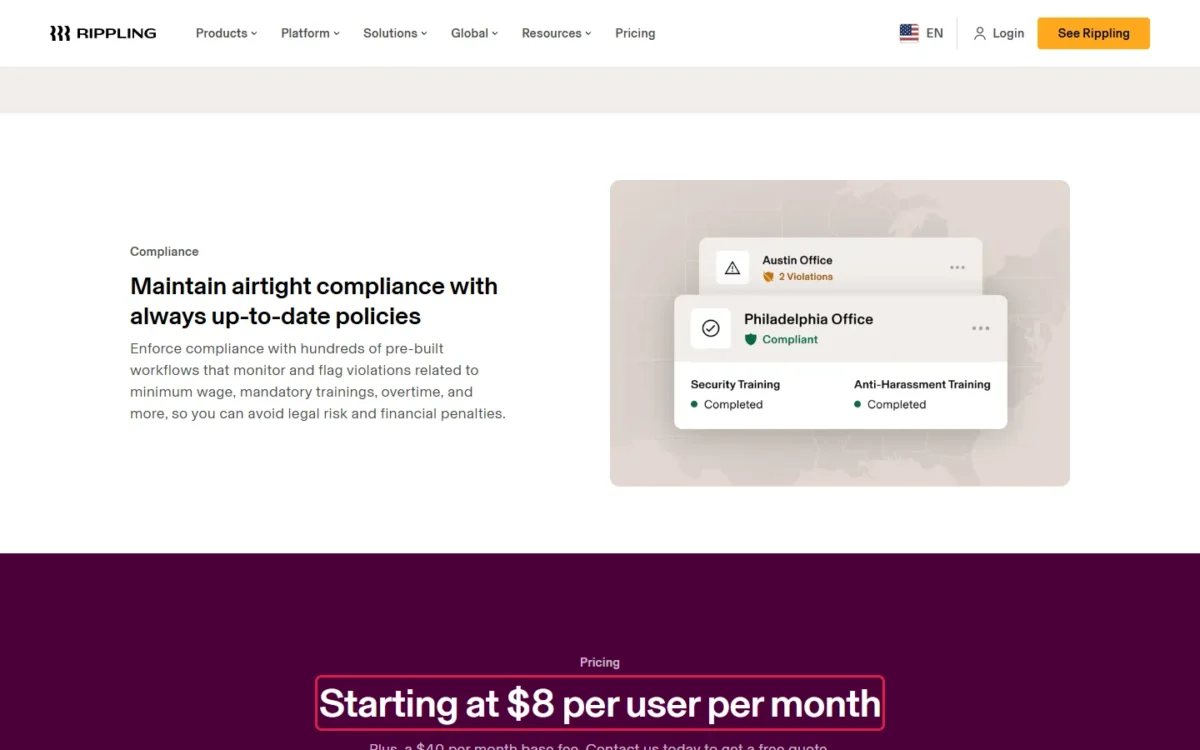
The final payroll price still depends on your employee count and the products you select, and Rippling’s pricing page sends it to a custom quote.
Two published terms make that floor more useful than it looks. Extra pay runs carry no extra cost, and Rippling files payroll taxes and delivers W-2s and 1099s digitally.
Small-business payroll is the setup with a printed starting price: $8 per user per month plus a $40 per month base fee. The first benefits enrollment, hourly timesheet or company laptop is where the budget leaves the printed price.
HR, benefits and time tracking
HR, benefits administration and time tracking are priced by custom quote. Rippling’s small-business page names benefits administration and time and attendance as products added on top of the payroll starting price.
Benefits administration syncs with payroll, so a change such as a new marital status updates deductions without manual entry. That sync is the main reason to buy the two together rather than run benefits elsewhere.
IT management
Rippling IT is priced by custom quote, and the IT page shows a “Start free trial” button without a published trial length. IT covers identity and access management, device management, inventory management, helpdesk and automated compliance.
The trigger is concrete: once you ship laptops to new hires or control app access by role, IT enters the quote. A team on its own laptops with a handful of apps can leave it out.
Spend management
Rippling Spend is priced by custom quote; the Spend page carries a “Get started for free” button but no published terms. Spend covers corporate cards, bill pay, expense management, travel and procurement.
Add it when Spend would replace a separate expense or card tool you already pay for, since what you stop paying there is the clearest yardstick for its quoted price.
Global payroll and contractor payments
Rippling’s global payroll page repeats “Starting at $8 per month per user” but names no base fee, and the final price is a custom quote. The contractor page prints no price at all.
Contractors can be onboarded in 185+ countries, and funds typically reach a contractor’s balance 2-4 days after a pay run is approved.
The $8 here matches the starting figure the small-business page ties to payroll, so I read it as that same payroll floor, not a separate global price list.
Employer of Record (EOR)
Rippling EOR is priced by custom quote: the EOR page prints no amount, and the pricing page sends every product to a quote.
An EOR hires employees abroad without a local entity, which Rippling says can take 6-12 months to set up. If you later open that entity, Rippling can convert EOR employees to direct hires without re-onboarding them.
PEO
Rippling PEO is priced by custom quote; the PEO page promises “competitive plans and pricing” without a figure. PEO adds co-employment benefits plans, EPLI and workers’ comp coverage, and access to PHR and SHRM certified experts.
Rippling prints no premium or PEO fee, so the quote is the only way to see what co-employment costs your team.
Does Rippling Offer a Free Plan or Trial?
No free plan is listed on Rippling’s pricing page; the standard route is a free quote. The IT page shows a “Start free trial” button, but Rippling publishes no trial length or terms.
The free program the pricing page states terms for is the startup program: eligible US VC-backed startups get free access to Rippling for 6 months. Eligibility depends on funding status and stage, so a startup should ask about it before signing.
Any other team should budget from the first month, starting at the $40 base fee and the per-user price.
Additional Rippling Costs to Consider
Beyond the per-user price, Rippling publishes one fee with an amount, two services without a published price and three terms at no extra cost.
| Cost type | When it applies | Pricing basis | Notes |
|---|---|---|---|
| Base fee | Small-business starting price | $40 per month | Added to the per-user starting price |
| Standard implementation | Setup and first payroll run | Free of charge | Implementation Manager, 3 calls of 30 minutes to an hour |
| Consultative implementation | Complex or custom setups | Not published | Offered on request |
| W-2 and 1099 print and mail | Year-end forms, optional | “A small fee”, amount not published | Digital forms come with payroll |
| Multi-state payroll | Employees in several states | No extra charge | All 50 states |
| Extra pay runs | Each run beyond the regular schedule | No extra cost | As many runs as needed |
| PEO and EOR | Co-employment or hires abroad | Custom quote | No amount published |
Sources: Rippling small-business page, checked October 2026.
The free standard implementation matters most for a small team: the one setup cost you can see is zero, and only a complex rollout moves to the consultative service.
Setup takes most small businesses 1-3 weeks, guided by a Rippling Implementation Manager through data import, benefits configuration and the first payroll run.
With the fees known, the cost for your headcount is short arithmetic.
How Much Does Rippling Cost for Your Team?
Rippling’s starting cost for a month is the $40 base fee plus $8 for each employee, so on that starting price the bill grows by $8 with every hire and never drops below $40.
Rippling cost calculator
This calculator needs JavaScript. The scenario table below gives the same estimate for typical workloads.
Enter what you need. The calculator prices it on Payroll at list prices.
- List prices in USD from Rippling’s official pricing pages, checked Oct 29, 2026. Tax and regional prices are not included.
- 12-month figures are 12 times the monthly cost at the billing you choose.
- A planning estimate at list prices, not a quote.
The table below applies that formula at four team sizes, using the starting price of Payroll, the one plan Rippling prices on its page.
| Team size | Plan | Billing | Monthly cost | Cost over a year | Base fee share | Assumptions |
|---|---|---|---|---|---|---|
| 5 employees | Payroll | Per month; billing term not published | $40 + $8 x 5 = $80 | $80 x 12 = $960 | $40 of $80, half | Base fee and starting price only |
| 10 employees | Payroll | Per month; billing term not published | $40 + $8 x 10 = $120 | $120 x 12 = $1,440 | $40 of $120, a third | Base fee and starting price only |
| 25 employees | Payroll | Per month; billing term not published | $40 + $8 x 25 = $240 | $240 x 12 = $2,880 | $40 of $240, a sixth | Base fee and starting price only |
| 50 employees | Payroll | Per month; billing term not published | $40 + $8 x 50 = $440 | $440 x 12 = $5,280 | $40 of $440, an eleventh | Base fee and starting price only |
Sources: Rippling small-business page, checked October 2026.
These totals are estimates from the printed starting price, not quotes. They leave out every other product, PEO or EOR, consultative implementation, print-and-mail fees, benefits premiums and tax.
The base fee weighs most on small teams. At 5 employees the per-user charge is $8 x 5 = $40, so the base fee is half the bill. At 50 employees the per-user charge is $8 x 50 = $400, ten times the base fee.
Above 5 employees, the per-user charge passes the base fee. From there the per-user price drives the bill, and so does every product the quote prices per employee on top of it.
That floor only holds while you buy payroll alone, so the next step is deciding which products your situation adds.
Which Rippling Products Should You Choose First?
A team that only needs pay and tax filing should price payroll alone, then add one product per need in the matrix. Rippling states there is no minimum headcount requirement, so this holds from the first hire.
If HR and benefits are the main need, check HR software for small business by headcount cost before the quote call, so you know what a priced HR suite charges.
| Your needs | Plan to consider | Why | Main limitation |
|---|---|---|---|
| Payroll only, 1-10 employees | Payroll | The one printed price, with payroll in all 50 states | Rippling’s own FAQ says a simpler standalone tool may be enough |
| Payroll plus benefits and time tracking | Payroll plus HR, benefits and time tracking | Benefits deductions sync with payroll | Custom quote; ask for each product’s price |
| Laptops and app access to manage | Add IT | Identity, device and inventory management | Custom quote; trial terms not published |
| Corporate cards and expenses | Add Spend | Cards, expenses and bills next to payroll | Custom quote |
| Hiring abroad without an entity | EOR | Hires without a local entity | Custom quote; no EOR price published |
| Paying foreign contractors | Global payroll and contractor payments | Contractors in 185+ countries | Custom quote beyond the starting figure |
| Co-employment benefits | PEO | Benefits plans, EPLI and workers’ comp coverage | Custom quote; no premium printed |
| Eligible US VC-backed startup | Startup program | Free access for 6 months | Depends on funding status and stage |
Sources: Rippling pricing page and Rippling small-business page, checked October 2026.
The first row is the only one you can budget today; every other row is a line to ask the quote to price separately.
Is Rippling Worth the Price for a Small Business?
Rippling is worth pricing when payroll, benefits and devices or apps would otherwise run in separate tools. In one system, new hires, pay changes and terminations sync instead of being entered twice.
The quote call pays off when your team needs payroll plus at least one of these:
- benefits enrollment, with deductions synced to payroll
- laptops to ship or app access to control by role
- corporate cards, expenses and bills run next to payroll
- contractors to pay abroad, in 185+ countries
Employees in more than one state add nothing to that decision, since Rippling runs multi-state payroll at no extra charge.
It is a weaker buy for a team that needs payroll only and wants a plan price it can read before a call. Rippling’s own FAQ concedes that “a simpler standalone tool may be enough” for a business running payroll with no other HR needs.
- Skip it if:
- your budget must be fixed before any sales conversation, because no Rippling product beyond payroll has a public price.
To weigh another vendor before your quote call, read my Justworks review.
Among Rippling alternatives, my Gusto pricing guide is the one I would read before the quote call.
A payroll-only buyer can also start from my list of payroll software for small business compared by cost.
An HR-first team that wants another vendor’s published plans can weigh Rippling’s quote against BambooHR pricing.
If you do request a quote, the billing terms are what to pin down first.
Monthly vs Annual Billing, Discounts and Contract Terms
Rippling’s pages print prices per month and state no billing term, contract length or renewal term; the quote sets them. No annual price is published, so no annual saving can be computed.
The pricing page names a startup program and partner programs. The startup program gives eligible US VC-backed startups free access for 6 months; partner programs for brokers and accountants are priced through a call with Rippling’s team, with no amount published.
You can switch to Rippling at any time, including mid-year, and Rippling imports year-to-date payroll data from your previous provider.
Ask the quote to state:
- the per-employee price of each product, line by line
- the base fee amount for your setup, against the $40 per month starting figure
- the billing term and the contract length
- which implementation option is included
- how the price changes as your headcount grows
How I Verified Rippling Pricing
I read Rippling’s pricing, small-business, payroll, global payroll, HRIS, IT, Spend, EOR, PEO, contractor and startup pages as a US visitor on October 29, 2026, with prices in US dollars.
The two printed figures, $8 per user per month and the $40 per month base fee, come from the small-business page. The pricing page confirms that plans start at $8 per employee per month with a monthly base fee, without the fee’s amount.
Every total here is a calculated estimate: the $40 base fee plus $8 times your employees per month, multiplied by 12 for a year. It is a list-price floor, not a quote, and no figure comes from a reseller or review site.
Rippling does not publish module prices for HR, benefits, time tracking, IT, Spend, contractors, EOR or PEO. It also does not publish a billing term, an annual price, the print-and-mail fee or the IT trial length.
Frequently Asked Questions
Does Rippling integrate with QuickBooks?
Yes. Rippling’s payroll page names Xero, QuickBooks and NetSuite among the accounting systems it integrates with, and the small-business page lists 650+ integrations. Rippling prints no separate integration price, so ask the quote whether each connector you rely on is included.
Is there a minimum number of employees?
No. Rippling states there is no minimum headcount requirement and that it works for teams under 10 employees. A two-person team still pays the full base fee, so the fee is most of the bill: $40 + $8 x 2 = $56 a month.
Do I pay more for employees in several states?
No. Rippling runs payroll in all 50 states and says it does not charge more when you run payroll in multiple states. A remote hire in a new state therefore changes only the headcount in the formula, not the per-user price.
Final Pricing Verdict
A US team of about 5 to 50 that wants payroll plus at least one more product in one system should request a Rippling quote. Add products one at a time: benefits at the first enrollment, IT when laptops ship, Spend when cards replace reimbursements.
For what the platform does beyond its price, read my Rippling review.
Final recommendation
Request a quote if you need payroll plus benefits, IT, Spend or contractor payments in one system; budget from the $40 per month base fee plus $8 per user per month.
Compare a priced plan table first if you need payroll only, since Rippling’s floor is the one number you can check before a call.
Eligible US VC-backed startups should ask about the 6 months of free access first.