

The best payroll software for small business files your federal, state and local payroll taxes, pays W-2 employees and 1099 contractors, and bills a price you can predict. Seven of the ten services below publish that price: a base fee of $29 to $50 a month plus $5 to $8 per person.
ADP and Paychex quote every package, and Rippling publishes only a per-employee floor. I built the ranking from each vendor’s pricing and plan pages, read in October 2026. For most owners the deciding factor is the second state: OnPay’s base plan includes it, Patriot charges $12 a month per state, and Gusto moves the team from Simple to Plus.
Quick verdict
Pick by the job payroll has to do for you:
- One state and the lowest bill at 10 employees: Patriot Full Service, $37 a month plus $5 per worker paid.
- Two or more states plus benefits administration on an entry plan: OnPay, whose $49 base plus $6 per worker includes multi-state payroll and benefits administration.
- A team adding states, time tracking and benefits: Gusto Plus, $80 a month plus $12 per person.
- Books kept in QuickBooks Online: QuickBooks Workforce Payroll, $50 plus $7 per employee a month.
- The trade-off: the cheapest one-state plans charge extra for a second state or for time tracking, and ADP and Rippling give no full price before a sales call.

Gusto
Best for: teams adding states and benefits
Plus adds multi-state payroll, time tracking and scheduling for $80 a month plus $12 per person.
Limit: the Simple plan runs payroll in one state

OnPay
Best for: multi-state payroll on the entry price
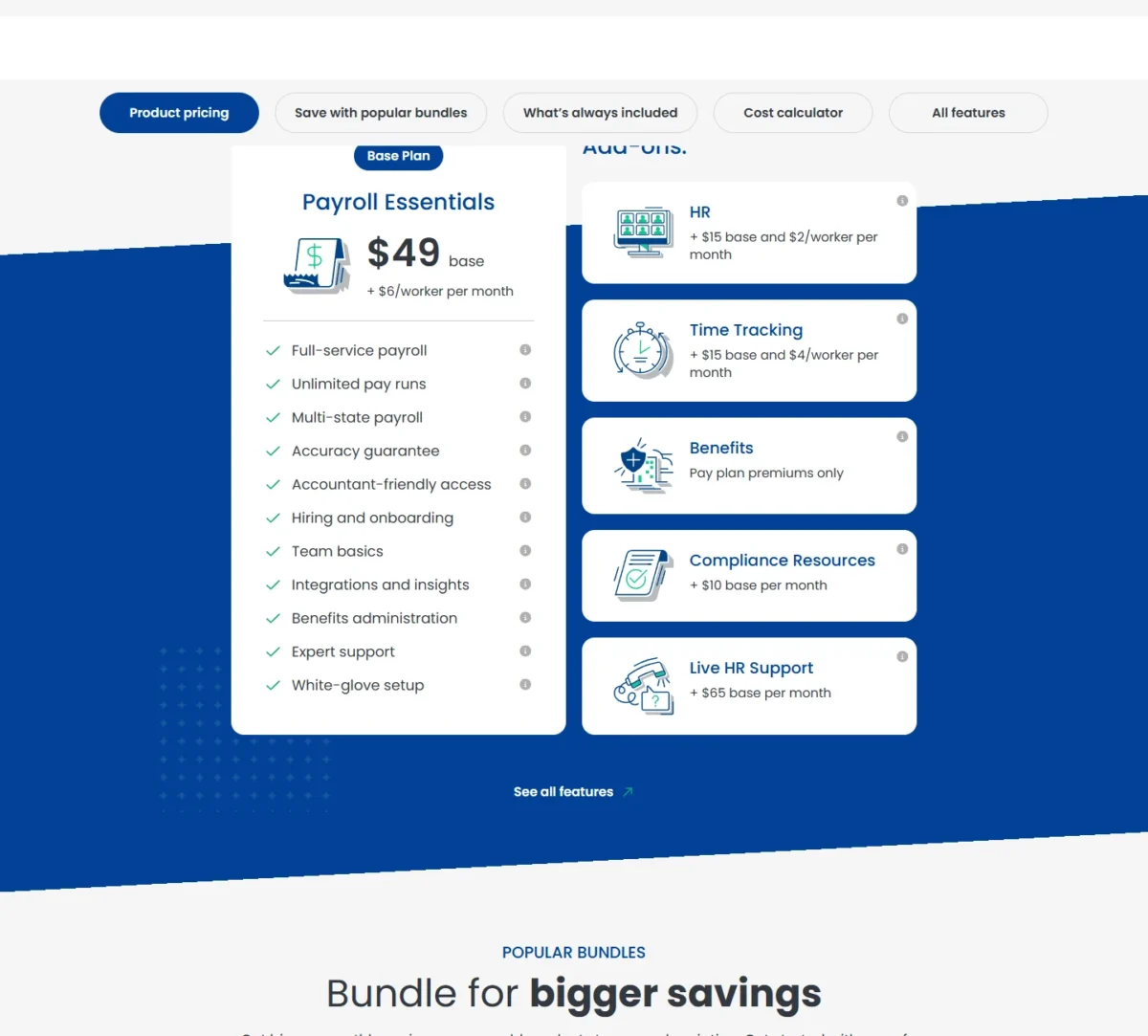
Payroll Essentials includes multi-state payroll, W-2 and 1099 workers and year-end filings for $49 base plus $6 per worker a month.
Limit: time tracking and HR are paid add-ons

QuickBooks Payroll
Best for: QuickBooks Online users
Payroll is included with all QuickBooks Workforce plans, from $50 plus $7 per employee a month.
Limit: time tracking needs Workforce Premium

Patriot Payroll
Best for: the lowest one-state bill at 10 employees
Full Service files federal, state and local payroll taxes for $37 a month plus $5 per worker paid.
Limit: each additional state adds $12 a month
| Software | Best for | Starting price | Recommended plan (price) | Multi-state | Key limitation |
|---|---|---|---|---|---|
| Gusto | Teams adding states and benefits | Simple: $49/mo + $6/mo per person | Plus: $80/mo + $12/mo per person | Plus | Simple covers one state |
| OnPay | Multi-state payroll on the entry price | $49 base + $6/worker per month | Payroll Essentials | Included | Time tracking is an add-on |
| QuickBooks Payroll | QuickBooks Online users | Workforce Payroll: $50 + $7/employee per month | Workforce Payroll: $50 + $7/employee per month | Not listed on the pricing page | Time tracking starts on Premium |
| Patriot Payroll | Lowest one-state bill at 10 employees | Full Service: $37/mo + $5 per worker paid | Full Service | $12/mo per additional state | Time & Attendance is an add-on |
| Square Payroll | Square POS shops with hourly and tipped staff | $35/mo + $6 per person paid | Full-service payroll | Included | Built around Square POS |
| SurePayroll | One-worker payrolls and household employers | $29/ | Small Business plan | $9.99/ | Year-end forms billed yearly |
| Justworks | Small teams that want PEO health benefits | Payroll: $8/month per employee + $50/ | PEO Plus: $124/ | Payroll plan | PEO priced per employee |
| Rippling | Payroll tied to HR, IT and global workers | $8 per employee per month + monthly base fee | Custom quote | Not listed on the pricing page | Base fee only in a quote |
| ADP RUN | Phone support and room to add HR | Get pricing | Essential (quote) | Not listed on the packages page | No published price |
| Paychex Flex | Assisted or managed setup | Request Pricing | Basic (quote) | Not listed on the packages page | No published price |
Sources: Gusto pricing, OnPay pricing, QuickBooks payroll plans, Patriot pricing, Square Payroll pricing, SurePayroll pricing, Justworks pricing, Rippling pricing, RUN Powered by ADP packages, Paychex packages, checked Oct 2026.
In This Article (16 sections)
How I Chose These Payroll Services
I compared the cloud payroll services sold to US small businesses: the picks below and those under Also Considered.
I ranked them on tax filing scope first, then on how many of a growing team’s jobs one account covers: a second state, contractors, time tracking, workers’ comp and health benefits.
Monthly total at 10 employees came third in my ranking. Accounting sync and a published price decided the rest. If the books side is new to you, my guide to how accounting software works covers the ledger that sync feeds.
The facts come from each vendor’s own pricing, plan and product pages, read on October 27, 2026. OnPay’s live site refused the request, so its pricing page was read from an Internet Archive copy saved on October 6, 2026.
The Paychex packages page was read the same way, from a copy saved on October 12, 2026. The cost math and the fit calls are my analysis.
Some numbers no vendor publishes: ADP’s and Paychex’s package prices, Rippling’s base fee, Gusto’s state registration fee and workers’ comp premiums. Ask ADP, Paychex and Rippling to quote the same headcount and states, and run one real payroll inside Patriot’s 30-day trial or OnPay’s first month before you commit.
1. Gusto: Best for Teams Adding States and Benefits
- Best for: teams that will add a state, contractors or a health plan
- Plan for a second state: Plus
Choose Gusto when the team will not stay the shape it is today. Its plans, covered in my Gusto pricing guide, work as steps: Simple runs basic payroll in one state, and Plus adds multi-state payroll, time tracking and scheduling. The trade-off is that the second state moves every employee onto a higher per-person rate.
Contractor billing is the detail seasonal businesses should notice. Gusto bills US contractors at the plan’s per-person rate, but only in months you pay them, so 1099 workers paid a few months a year cost nothing in the quiet months.
Health insurance carries no administration fee when Gusto is your broker, and pay-as-you-go workers’ comp through NEXT Insurance starts at $14 a month. OnPay’s pricing page lists no workers’ comp option.
On the second state alone, OnPay wins: my cost table puts its two-state bill well under Gusto Plus at 10 employees. Gusto still ranks first for a growing team, because one Plus upgrade covers a new state, hours and shifts at once, and the same account adds workers’ comp and broker-placed health insurance.
Simple costs $49 a month plus $6 per person, month to month. Plus doubles the per-person rate to $12 and lifts the base to $80, so a one-state team that only needs hours tracked can add Time & Attendance Plus to Simple instead, at $6 a month per person.
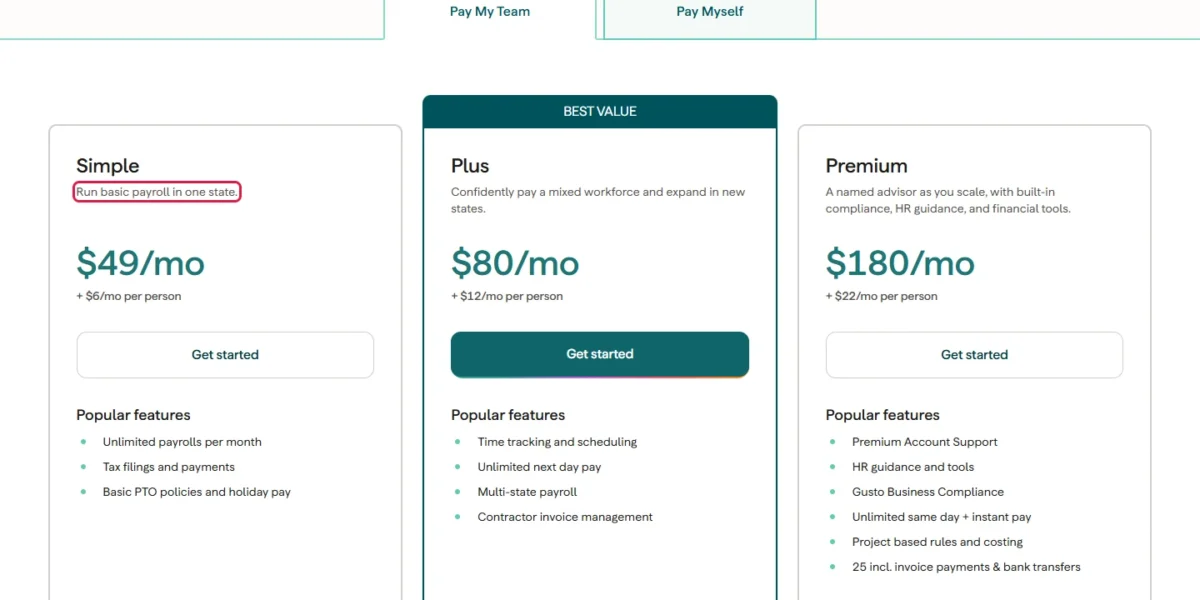
| Plan | Price | What it adds |
|---|---|---|
| Simple | $49/mo + $6/mo per person | Payroll in one state, tax filings |
| Plus | $80/mo + $12/mo per person | Multi-state payroll, time tracking, scheduling |
| Premium | $180/mo + $22/mo per person | Premium Account Support, HR guidance, same-day pay |
Sources: Gusto pricing, checked Oct 2026.
Pros
- Contractors billed only in months you pay them
- Plus bundles a second state, time tracking and scheduling in one step
- No Gusto administration fee on health insurance placed through its brokers
Cons
- A second state forces the move from Simple to Plus
- State tax registration in a new state is an add-on priced by state
- Priority Support is an extra charge on Simple and Plus
- Skip it if:
- you already pay in two states and want to stay near the entry price: OnPay keeps multi-state payroll on its base plan.
Plan limits and support tiers get a closer look in my Gusto review.
2. OnPay: Best for Multi-State Payroll on the Entry Price
- Best for: employers whose workers already sit in more than one state
- Trial: first month free
A second state costs nothing extra on OnPay, my first call when a second state and a health plan arrive together. Payroll Essentials keeps multi-state payroll, W-2 and 1099 workers and all tax filings at one rate. The catch sits in the add-on list: time tracking and HR each carry their own fees.
W-2s, 1099s and year-end filings are part of the plan, unlike SurePayroll’s annual form bill, and the base plan adds a custom report designer with 50+ fields.
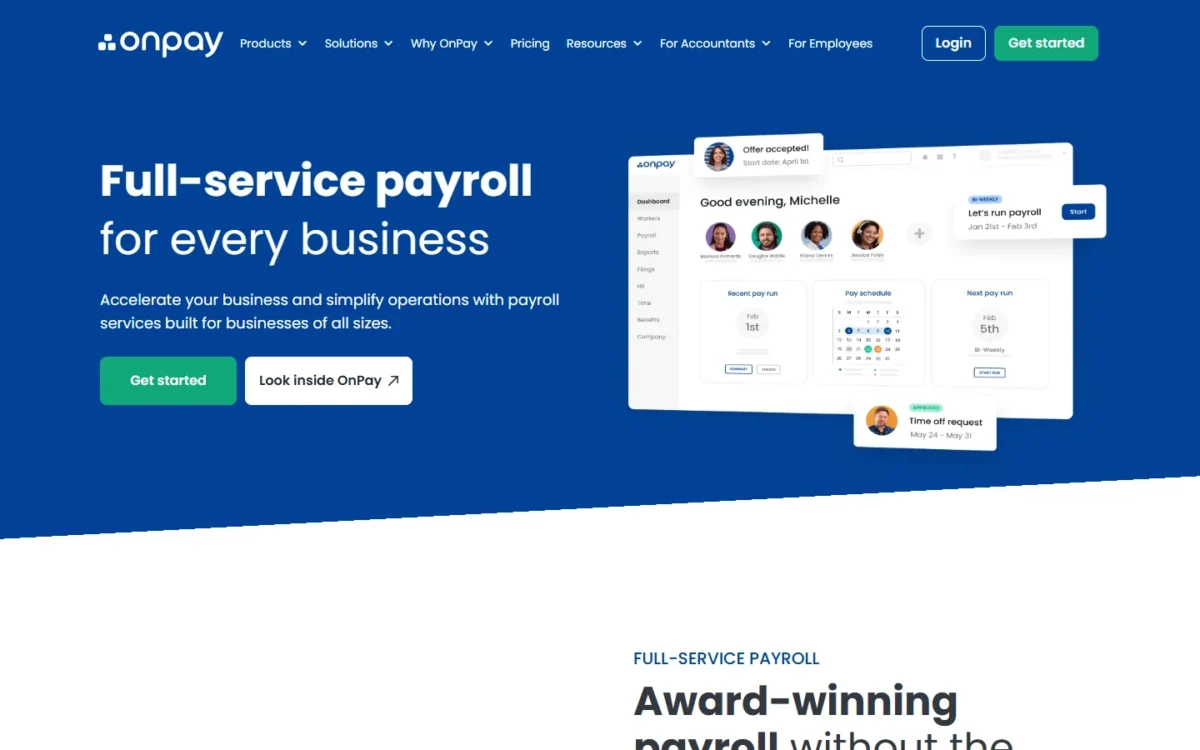
Hourly teams should look at the bundles. Payroll Essentials, Time Tracking and HR bought separately come to $49 + $15 + $15 = $79 base and $6 + $4 + $2 = $12 per worker, which the hourly bundle discounts.
Square Payroll also includes multistate payroll and costs less at 10 employees in my cost table, so a two-state team that only needs paychecks should price Square too. OnPay’s case is benefits: Payroll Essentials lists benefits administration, and its benefits add-on charges only the plan premiums, while Square sells health insurance and 401(k) as add-ons.
Payroll Essentials costs $49 base plus $6 per worker a month, and the first month is free.
| Plan or add-on | Price | What it adds |
|---|---|---|
| Payroll Essentials | $49 base + $6/worker per month | Full-service payroll, multi-state |
| Time Tracking | + $15 base and $4/worker per month | Time tracking |
| HR | + $15 base and $2/worker per month | HR tools, PTO dashboard |
| Hourly bundle | $70 base + $10/ | Payroll, Time Tracking and HR |
Sources: OnPay pricing, Internet Archive copy saved Oct 6, 2026, checked Oct 2026.
Pros
- Multi-state payroll on the base plan
- Year-end W-2s and 1099s with no separate form fee
- Discounted bundles for hourly and salaried teams
Cons
- Time tracking is a paid add-on with its own base fee
- The PTO dashboard needs the HR add-on
- Workers’ comp is not listed on the pricing page
- Skip it if:
- you want time tracking without a second fee: Gusto Plus and QuickBooks Workforce Premium include it.
3. QuickBooks Payroll: Best for QuickBooks Online Users
- Best for: businesses that keep their books in QuickBooks Online
- Time tracking: Workforce Premium and Elite
- Workers’ comp: administration on all three plans, policy by Next
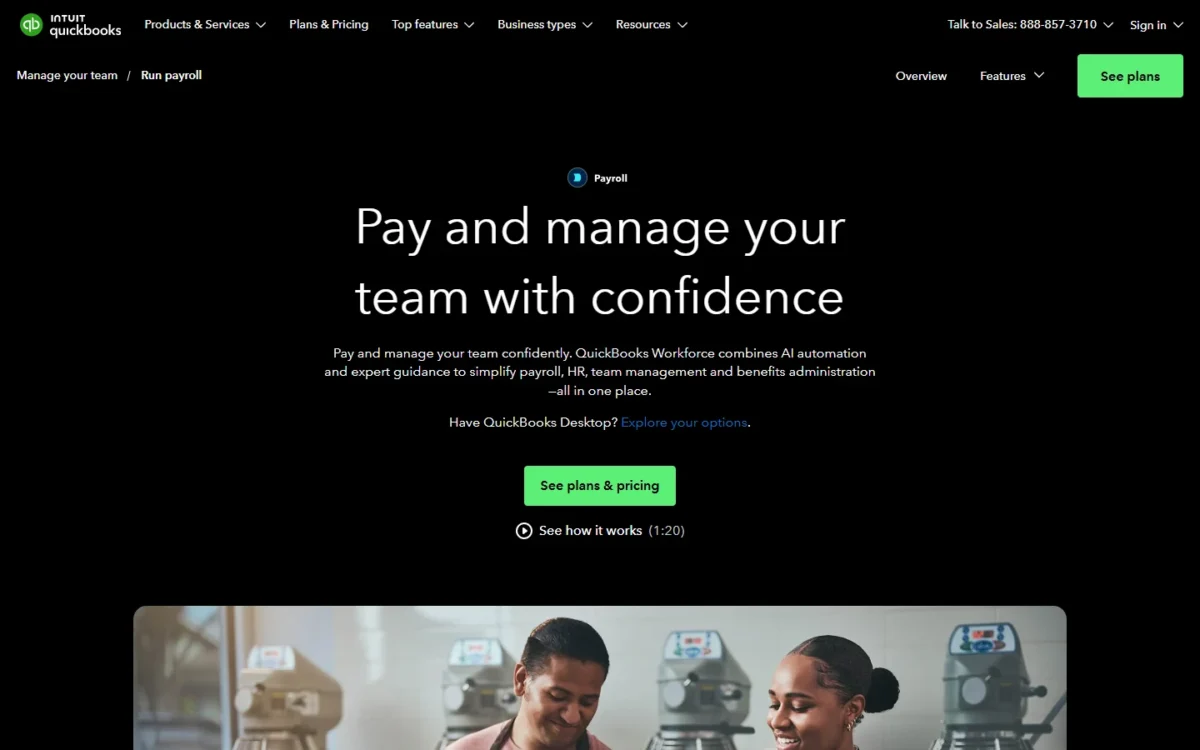
Intuit’s payroll earns its place for one reader: the owner whose ledger already lives in QuickBooks Online. As of October 2026, Intuit sells payroll as three QuickBooks Workforce plans, added from inside the QuickBooks account. The trade-off is the rate, which runs higher per employee than OnPay’s or Patriot’s, and time tracking waits for Workforce Premium.
The sync is the reason to pay more. Intuit keeps employee data, payroll, time tracking and accounting data synced in one account, which spares a bookkeeper the monthly journal import. Whether QuickBooks Online itself is the right ledger is a separate call, covered in my QuickBooks Online review.
Compare full accounting suites in my guide to the best accounting software for small business.
Multi-state payroll is not listed on Intuit’s pricing page, so ask Intuit before you buy if you pay in two states.
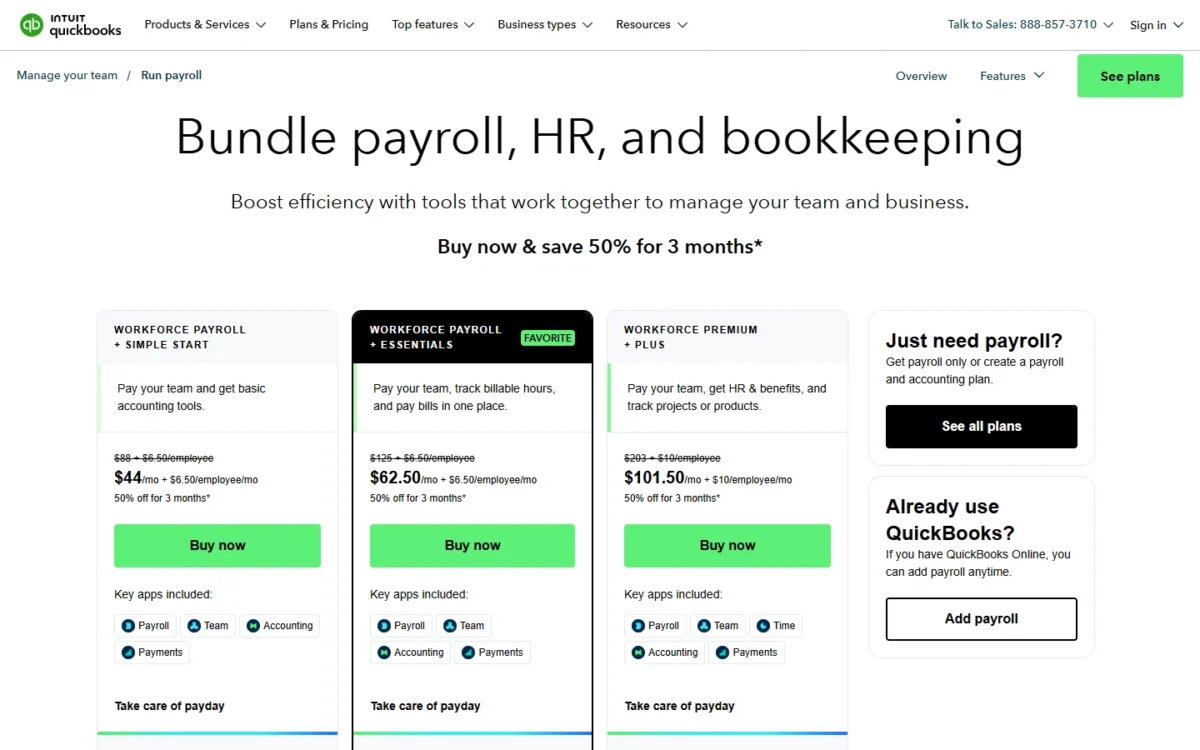
Workforce Payroll costs $50 plus $7 per employee a month at list price, with 50% off the base for the first 3 months. A new QuickBooks user can buy payroll with accounting, and what each QuickBooks Online plan costs decides which bundle fits.
| Plan | Price | What it adds |
|---|---|---|
| Workforce Payroll | $50 + $7/employee per month | Full-service payroll, 1099 e-file |
| Workforce Premium | $88 + $13/ | Time tracking, same-day direct deposit |
| Workforce Elite | $134 + $17/ | Tax penalty protection, expert setup |
| Workforce Payroll + Simple Start | $88 + $7/employee per month | Payroll plus accounting |
Sources: QuickBooks payroll plans, QuickBooks payroll pricing and bundles, checked Oct 2026.
Pros
- Payroll sits in the same QuickBooks account as the books
- Workers’ comp administration on all three plans
- Elite adds tax penalty protection
Cons
- Time tracking needs Workforce Premium
- Multi-state payroll is not listed on the pricing page
- The discount covers the base for the first 3 months only
- Skip it if:
- your books live in Xero or in no accounting software: Patriot and OnPay charge less per employee, and Patriot still syncs with QuickBooks Online if you move later.
4. Patriot Payroll: Best for the Lowest One-State Bill at 10 Employees
- Best for: budget-led employers paying in one state
- Do-it-yourself option: Basic Payroll, where you file the taxes
- Trial: 30-day free trial, then 50% off for 3 months
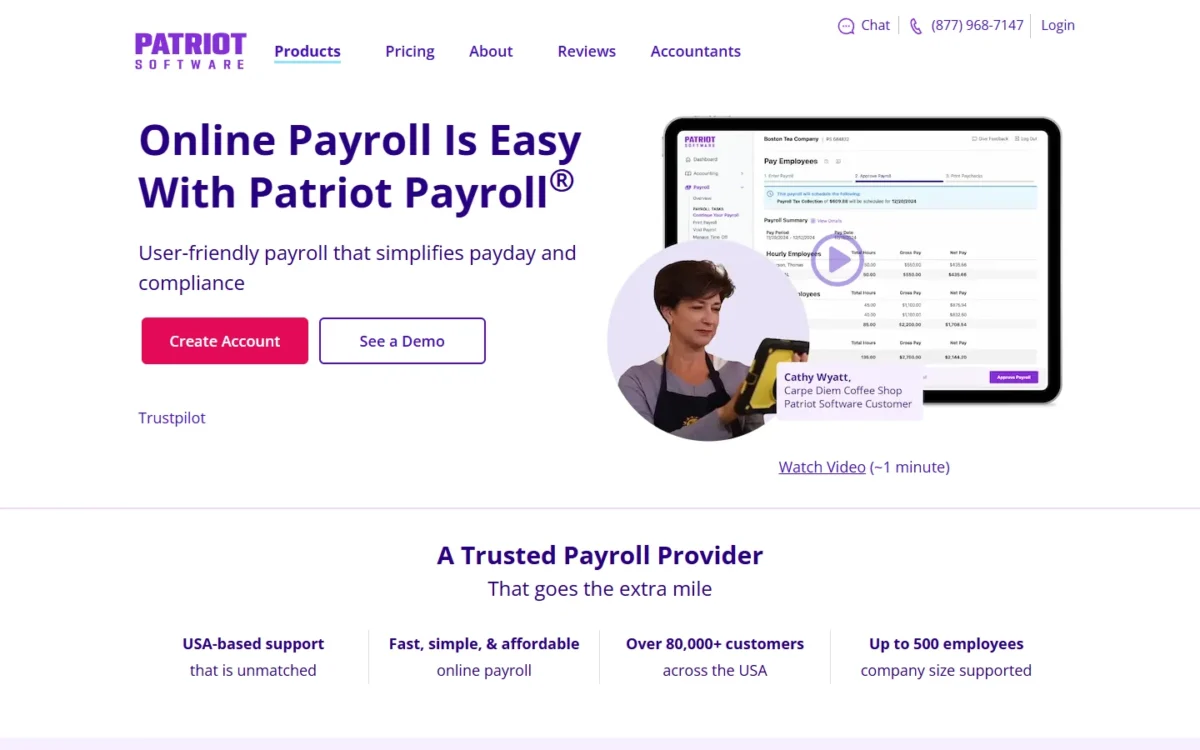
A one-state employer on a tight budget should start with Patriot. Full Service files federal, state and local payroll taxes plus Forms 940, 941, W-2 and W-3 at no additional fee. The catch is that nothing is bundled: a second state, time tracking and HR each add a fee.
Basic Payroll pays employees and contractors, but you file and deposit the payroll taxes yourself. That fits an owner whose accountant already handles quarterly filings; anyone else should take Full Service.
Billing follows the people you pay: Patriot charges per worker paid that month and only the base in a month with no payroll. Its list price gives the smallest one-state, 10-employee bill in my cost table.
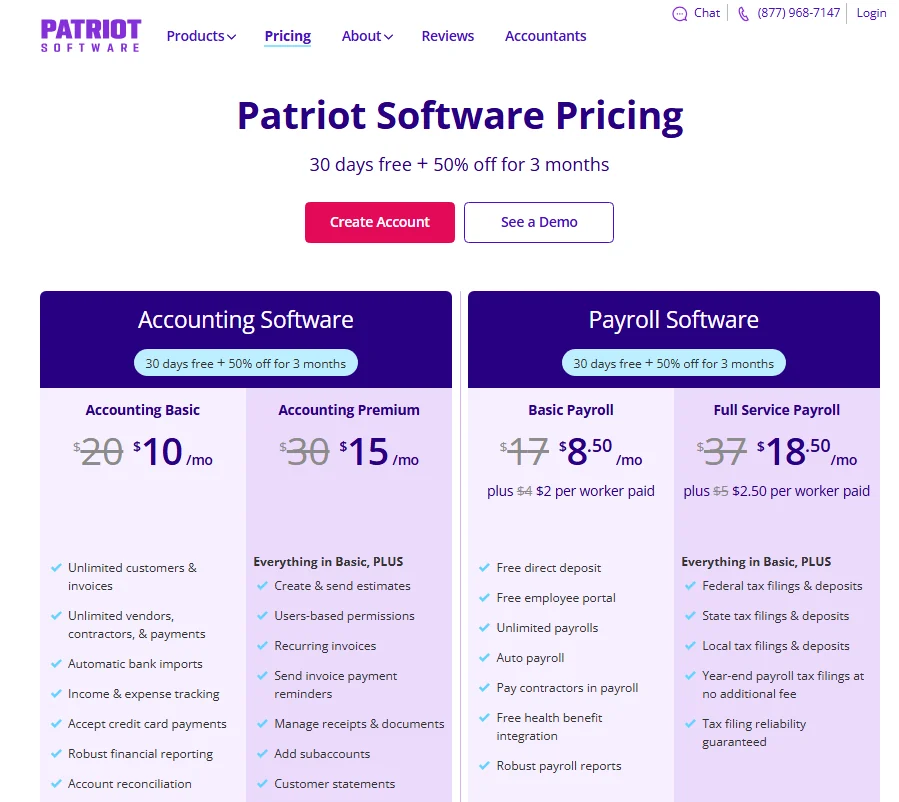
Full Service costs $37 a month plus $5 per worker paid, billed in arrears. Each additional state adds $12 a month, so Patriot loses its price lead as a team spreads across states.
| Plan or add-on | Price | What it covers |
|---|---|---|
| Basic Payroll | $17/mo + $4 per worker paid | Payroll; you file taxes |
| Full Service Payroll | $37/mo + $5 per worker paid | Federal, state and local filings |
| Additional state | $12 per month, per state | Full Service multi-state filing |
| Time & Attendance | $6/month + $2 per employee | Hours imported to payroll |
Sources: Patriot Software pricing, checked Oct 2026.
Pros
- Full Service files Forms 940, 941, W-2 and W-3 at no additional fee
- The per-worker fee applies only to workers paid that month
- Syncs with QuickBooks Online or Desktop
Cons
- Every additional state is a monthly fee
- Time & Attendance and HR are separate add-ons
- Phone, chat and email support runs 9 a.m. to 7 p.m. ET, weekdays
- Skip it if:
- your staff already clock hours in Square POS or the Square Team App, where Square Payroll imports them, or you need group health benefits through a PEO, which Justworks prices per employee.
5. Square Payroll: Best for Square POS Shops With Hourly and Tipped Staff
- Best for: Square sellers with hourly and tipped staff
- Multi-state: included on full-service
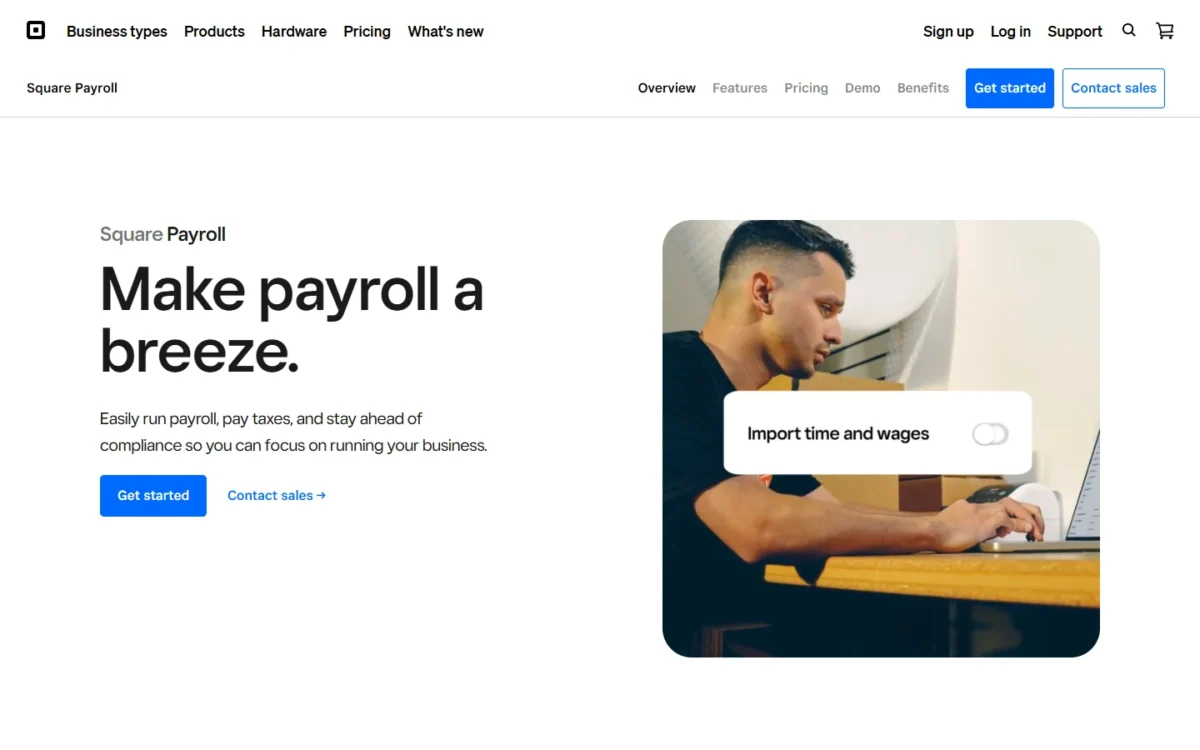
Square Payroll makes sense for one kind of business: a shop or café that already rings sales on Square POS, where hours reach payroll without retyped timecards. Outside the Square system that advantage disappears, and in one state Patriot’s lower per-person fee wins on price.
Full-service payroll imports hours from Square POS or the Square Team App, tracks direct tips, calculates overtime and reports labor cost including wages and tips. A manager can schedule shifts up to 10 days out, and a seasonal business gets free seasonal inactivity.
Patriot’s $37 base is $2 above Square’s $35, but its $5 per-person fee is $1 below Square’s $6. The two tie at two people, and Patriot pulls ahead from the third.
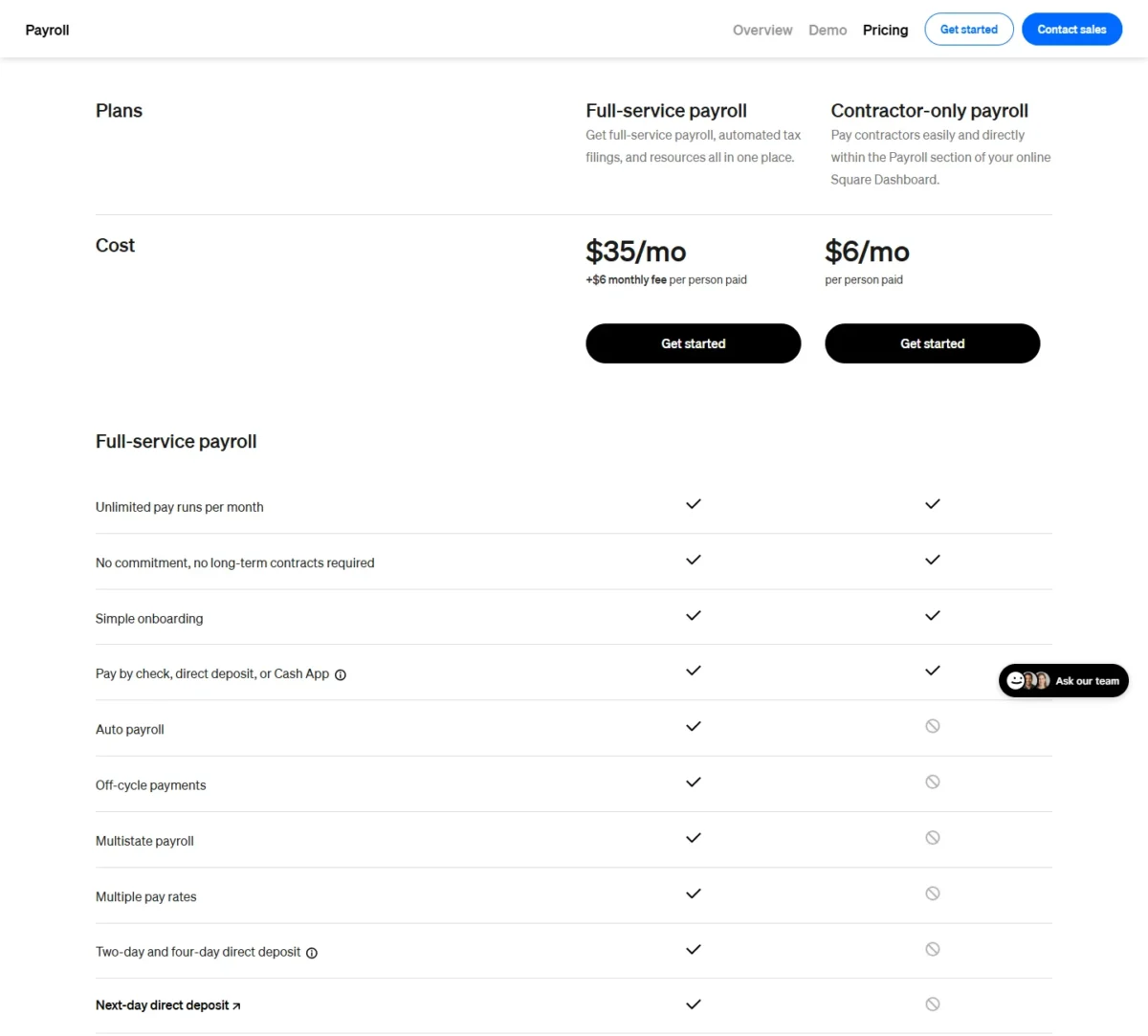
Full-service payroll costs $35 a month plus $6 per person paid.
| Plan or fee | Price | What it covers |
|---|---|---|
| Full-service payroll | $35/mo + $6 per person paid | Federal and state filings, multistate, timecard and tip import |
| Contractor-only payroll | $6/mo per person paid | Contractor payments; no tax filings |
| Mailed W-2s and 1099s | $3 per mailed form, yearly | Optional paper copies |
Sources: Square Payroll pricing, checked Oct 2026.
Pros
- Imports hours from Square POS or the Team App and tracks direct tips
- Multistate payroll included on full-service
- QuickBooks Online integration on both plans
Cons
- Workers’ comp, health insurance and 401(k) are add-ons
- Scheduling reaches only 10 days out
- The contractor-only plan files no payroll taxes
- Skip it if:
- you pay in one state and do not use Square POS: Patriot Full Service files the same taxes at a lower per-worker fee. In two states, Patriot’s $12 monthly state fee ends that lead.
6. SurePayroll: Best for One-Worker Payrolls and Household Employers
- Best for: the smallest payrolls and household employers
- Household plan: Nanny & Household, one employee included
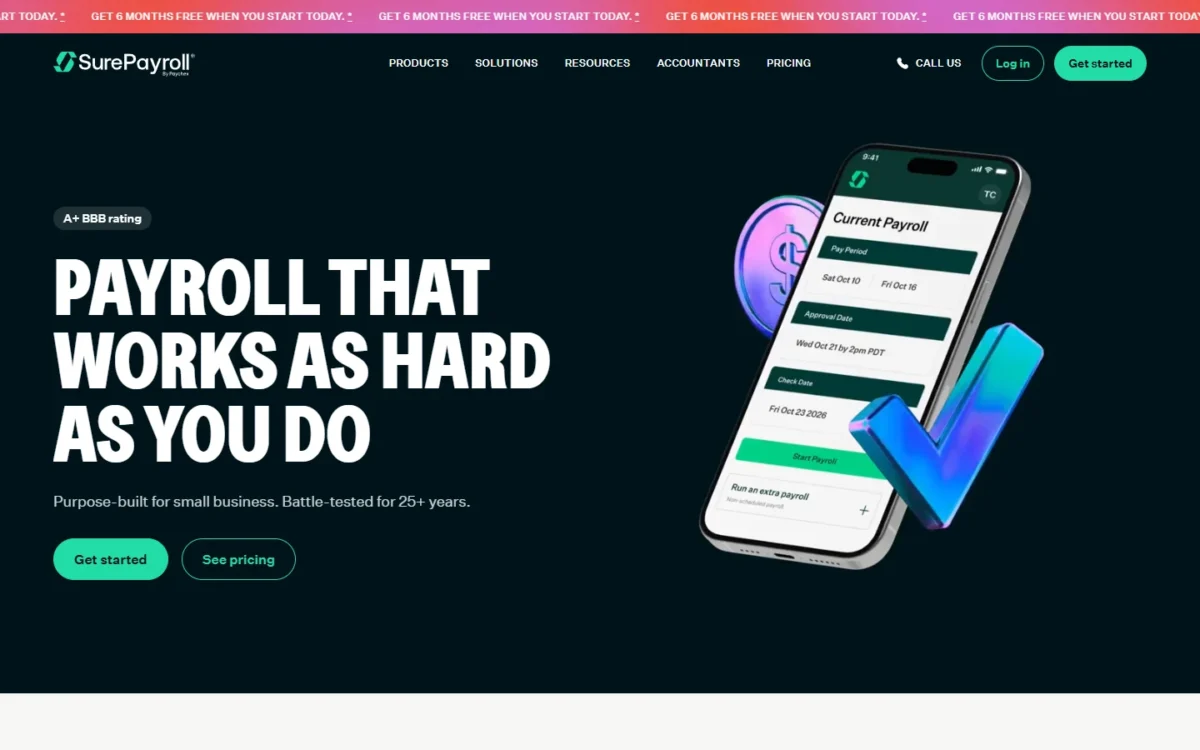
The smallest payrolls are SurePayroll’s home ground. Its base fee sits under Square’s and Patriot’s, and its Nanny & Household plan covers a family that employs a nanny, with W-2 and Schedule H forms. The trade-off is a higher per-worker rate and a separate yearly bill for year-end forms.
The household plan is the distinct reason to pick it. It files and deposits federal and state taxes and helps with state tax ID registration, so a family paying one caregiver gets payroll built for that case.
For a business, SurePayroll’s $29 base is $8 below Patriot’s $37, but its $7 per-worker fee is $2 above Patriot’s $5. From five workers on, Patriot costs less every month.
At two to four workers, the yearly form bill outweighs the monthly saving: for two workers it is $5 x 2 + $50 = $60. With one worker, the lower base saves more over 12 months than the $5 x 1 + $50 = $55 form bill costs, so SurePayroll stays the cheaper of the two.
SurePayroll starts at $29 a month plus $7 per worker, with the first state included, and advertises 6 months free under its terms. Year-end forms arrive as one bill a year.

| Plan or fee | Price | Billing |
|---|---|---|
| Small Business | from $29/ | Monthly |
| Nanny & Household | from $39/ | Monthly |
| Multi-state payroll | $9.99/ | Monthly |
| Timeclock software integration | from $5/month + $3 per employee | Monthly |
| Year-end W-2 and 1099-NEC | $50 base + $5 per form | Annually |
Sources: SurePayroll pricing, checked Oct 2026.
Pros
- A household plan with W-2 and Schedule H forms
- First state included in the base price
- Free onboarding help and live phone and chat support
Cons
- Year-end forms are billed separately every year
- Accounting software sync is a paid add-on
- The per-worker rate overtakes Patriot’s as headcount grows
- Skip it if:
- you pay two or more workers in one state: once the year-end form bill is counted, Patriot Full Service costs less over a year and files W-2s at no additional fee.
7. Justworks: Best for Small Teams That Want PEO Health Benefits
- Best for: small teams whose main problem is group health benefits
- Plans: Payroll, PEO Basic and PEO Plus
- Contractors: US-based and international, in 60+ countries
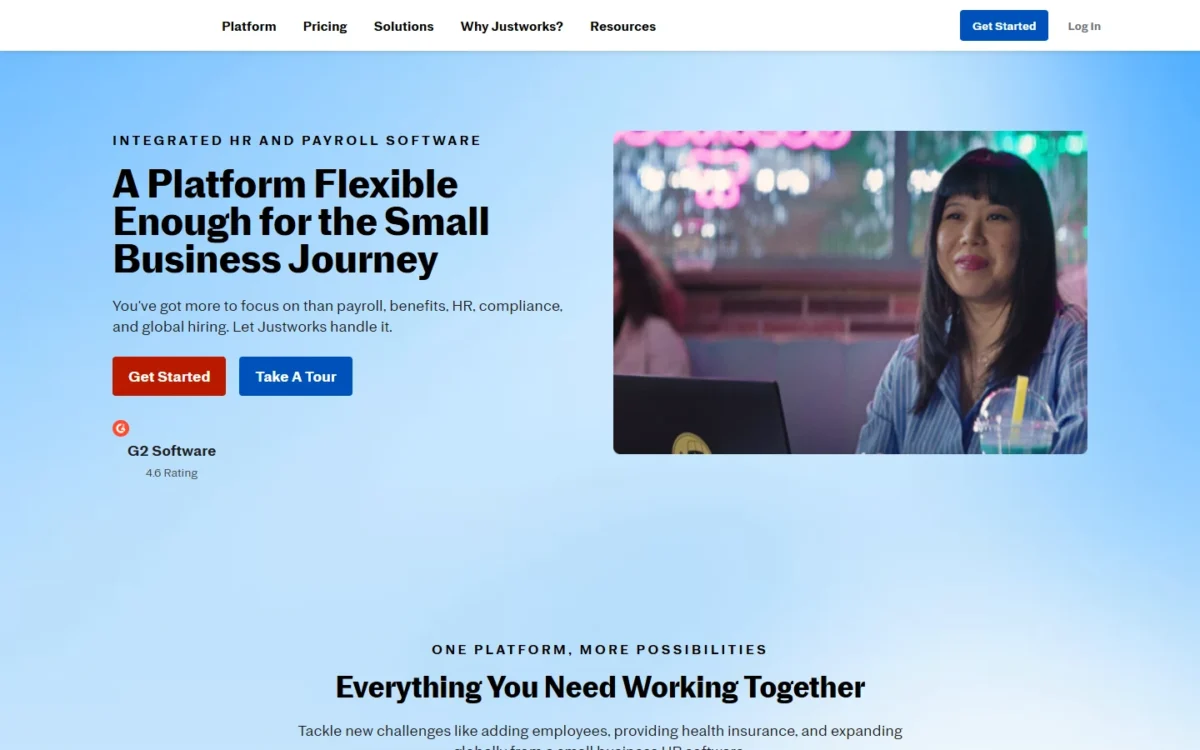
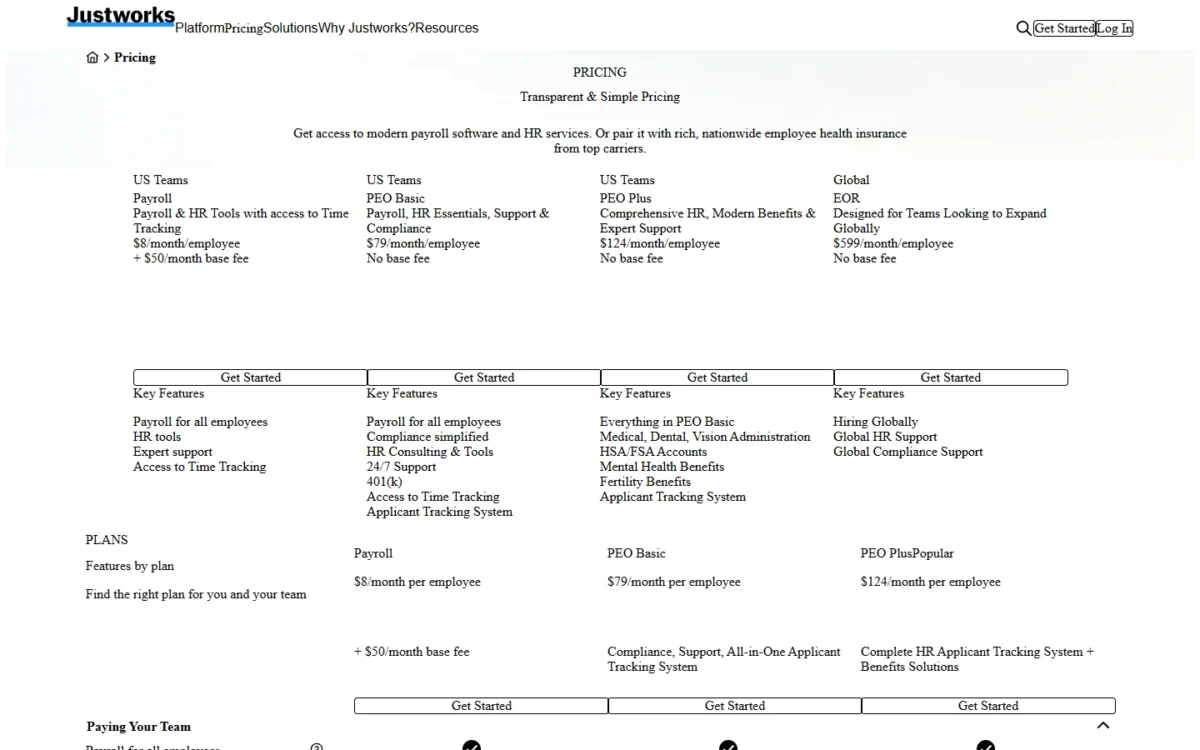
When the hard part is benefits rather than paychecks, Justworks earns the call. It publishes prices for a payroll plan and two PEO plans, and PEO Plus adds medical, dental and vision administration, HSA and FSA accounts and mental health benefits. The trade-off is that PEO pricing applies to every employee, with no low-cost base.
The Payroll plan is the middle route many buyers miss. Its customers can add access to medical, dental and vision insurance plus COBRA administration per benefits-eligible employee, without moving to a PEO. Multi-state payroll, W-2 and 1099 filings and tips processing sit on the Payroll plan.
The two models differ sharply: for five employees, PEO Plus costs $124 x 5 = $620 a month, while the Payroll plan charges $8 x 5 = $40 plus the $50 base. Gusto places health insurance with no administration fee; Justworks wins when the employer wants PEO HR consulting and 24/7 support bundled in.
The Payroll plan costs $8 a month per employee plus a $50 monthly base fee. The PEO plans drop the base fee and charge per employee, which a team that only needs payroll should not pay.
| Plan or add-on | Price | What it adds |
|---|---|---|
| Payroll | $8/month per employee + $50/ | Payroll, HR tools, multi-state |
| PEO Basic | $79/ | 24/7 support, HR consulting, 401(k) |
| PEO Plus | $124/ | Medical, dental and vision administration |
| Time Tracking | $8/month per employee | Available in Payroll, Basic and Plus plans |
| US-Based Contractors | $8/month per paid contractor | Available in Payroll, Basic and Plus plans |
| International Contractors | $39/ | Available in Payroll, Basic and Plus plans |
Sources: Justworks pricing, checked Oct 2026.
Pros
- Published prices for both payroll and PEO plans
- Health insurance access on the Payroll plan, without a PEO
- International contractors in 60+ countries on every plan
Cons
- PEO plans charge every employee the full per-head price
- Workers’ comp through Justworks is required for the PEO
- Time tracking is an add-on on every plan
- Skip it if:
- you only need payroll for a few hourly workers: Square Payroll or Patriot Full Service costs less each month.
8. Rippling: Best for Payroll Tied to HR, IT and Global Workers
- Best for: companies that want payroll on one employee record with HR and global hiring
- Integrations: 650+, including Xero, QuickBooks and NetSuite
- Switching: possible mid-year, with year-to-date payroll import
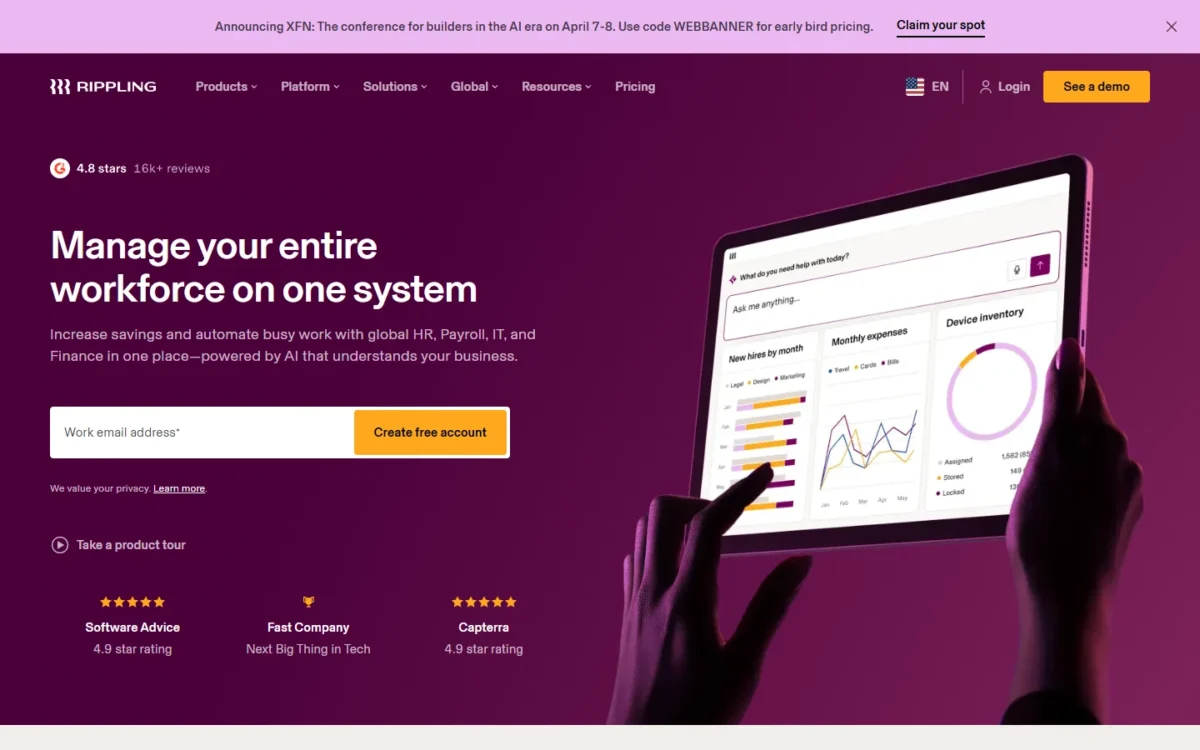
Rippling suits a company that wants payroll as one module of a larger employee system. New hires, salary changes and benefits deductions flow from its HR data into payroll, and the same platform sells Time & Attendance, benefits administration, a PEO and global payroll. A shop that only needs paychecks would sit through a sales process it does not need.
Rippling also compares each pay run with earlier ones before approval, and files with federal, state and local agencies.
Workers outside the US are the other reason to call. Rippling pays employees and contractors “no matter where they work”. It also syncs with Xero, QuickBooks and NetSuite, so a business that chose Xero after reading my Xero review keeps that ledger.
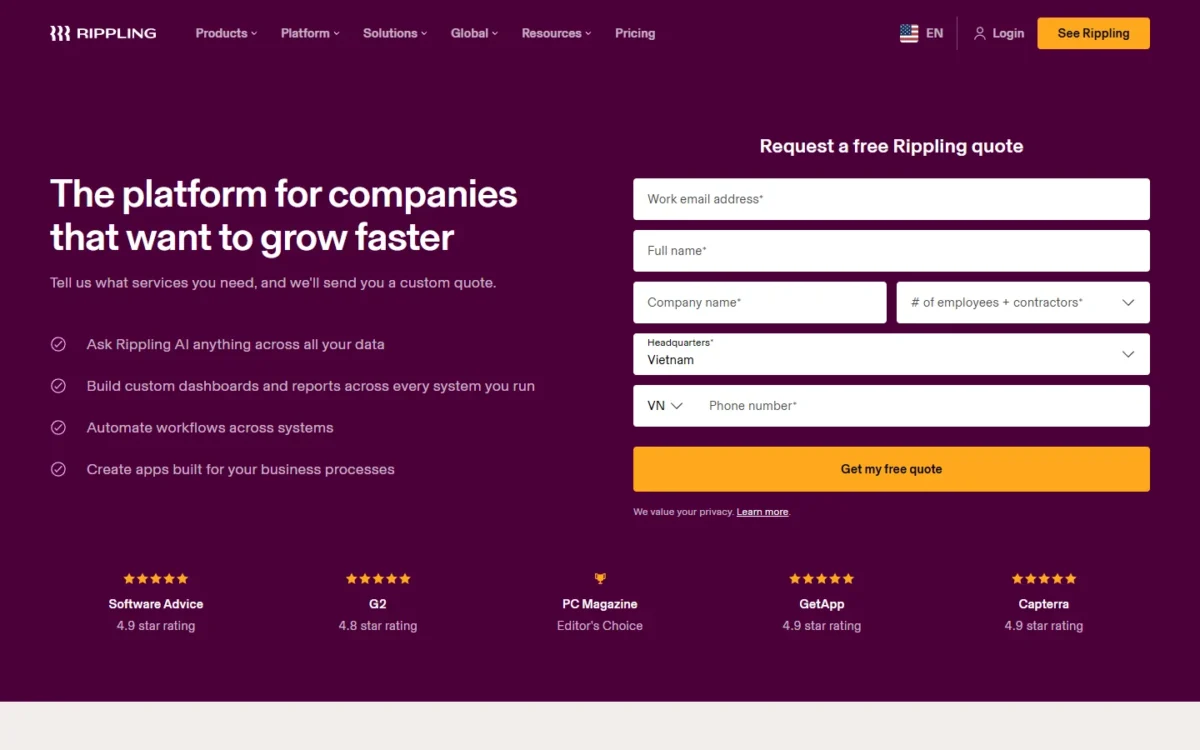
Rippling’s plans start at $8 per employee per month with a monthly base fee, and the payroll price comes only as a custom quote built from the products you pick. Eligible US VC-backed startups can get 6 months of free access.
- Starting price: $8 per employee per month, plus a monthly base fee
- Payroll price: custom quote
Sources: Rippling pricing, checked Oct 2026.
Pros
- HR changes flow into payroll without re-keying
- Pays employees and contractors abroad
- Mid-year switching with year-to-date import
Cons
- The base fee appears only in a quote
- Payroll pricing depends on which other products you buy
- Time & Attendance is a separate product
- Skip it if:
- you want a full price before a sales call: Gusto and OnPay publish theirs.
9. ADP RUN: Best for Owners Who Want Phone Support and Room to Add HR
- Best for: owners who want round-the-clock payroll support and a path into HR
- Contractors: 1099 payments even without W-2 employees
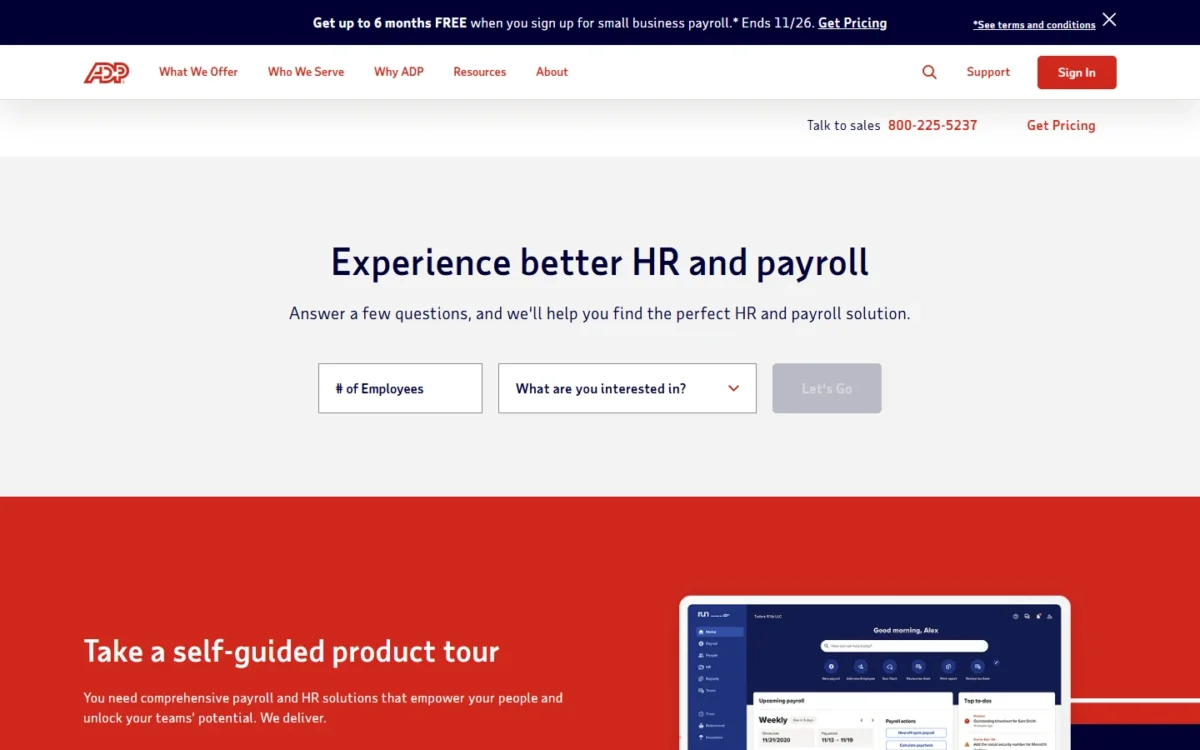
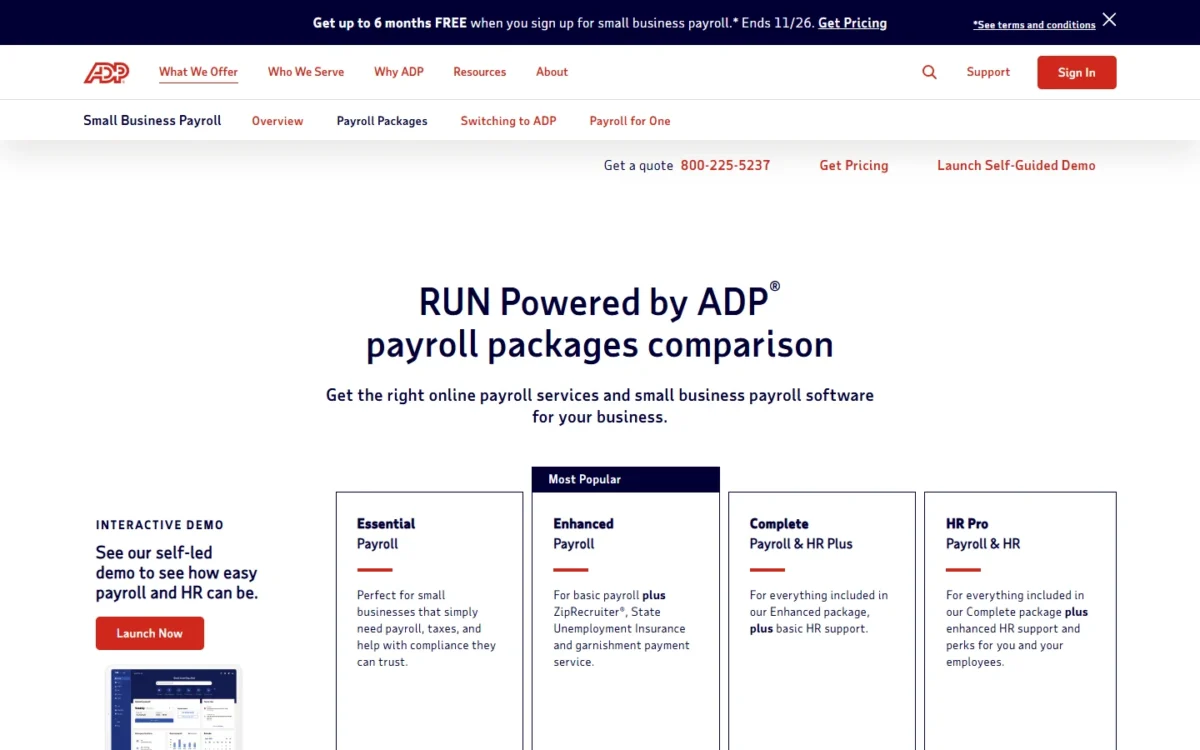
RUN Powered by ADP fits the owner who values a large provider’s support line over a list price. ADP advertises 24/7 payroll support from experienced payroll professionals, and a business can climb from payroll-only Essential to HR Pro without changing platform.
RUN deducts and files federal, state and local payroll taxes and e-files W-2 and 1099 forms with the IRS. Enhanced adds State Unemployment Insurance service and garnishment payment service.
ADP’s General Ledger Interface exports journal entries to QuickBooks, Xero and Wave, and RUN integrates with Clover POS.
ADP publishes no price for any RUN package, and the page routes buyers to a quote. Retirement plans and workers’ compensation are add-ons.
| Package | Price | What it adds |
|---|---|---|
| Essential | Get pricing | Payroll, taxes and compliance help |
| Enhanced | Get pricing | State Unemployment Insurance, garnishment payment service |
| Complete | Get pricing | Enhanced plus basic HR support |
| HR Pro | Get pricing | Complete plus enhanced HR support |
Sources: RUN Powered by ADP packages, RUN Powered by ADP, checked Oct 2026.
Pros
- 24/7 payroll support advertised on the packages page
- Tax service covers agency inquiries and fines if errors occur
- Journal entries export to QuickBooks, Xero and Wave
Cons
- No published price on any package
- State Unemployment Insurance service starts at Enhanced
- Retirement and workers’ compensation are add-ons
- Skip it if:
- you want to compare list prices before talking to sales: Patriot, OnPay and Gusto publish theirs.
10. Paychex Flex: Best for Businesses That Want Assisted or Managed Setup
- Best for: owners who want Paychex to help set payroll up
- Setup: Paychex includes Self Set Up and sells Assisted and Managed Set Up as add-ons
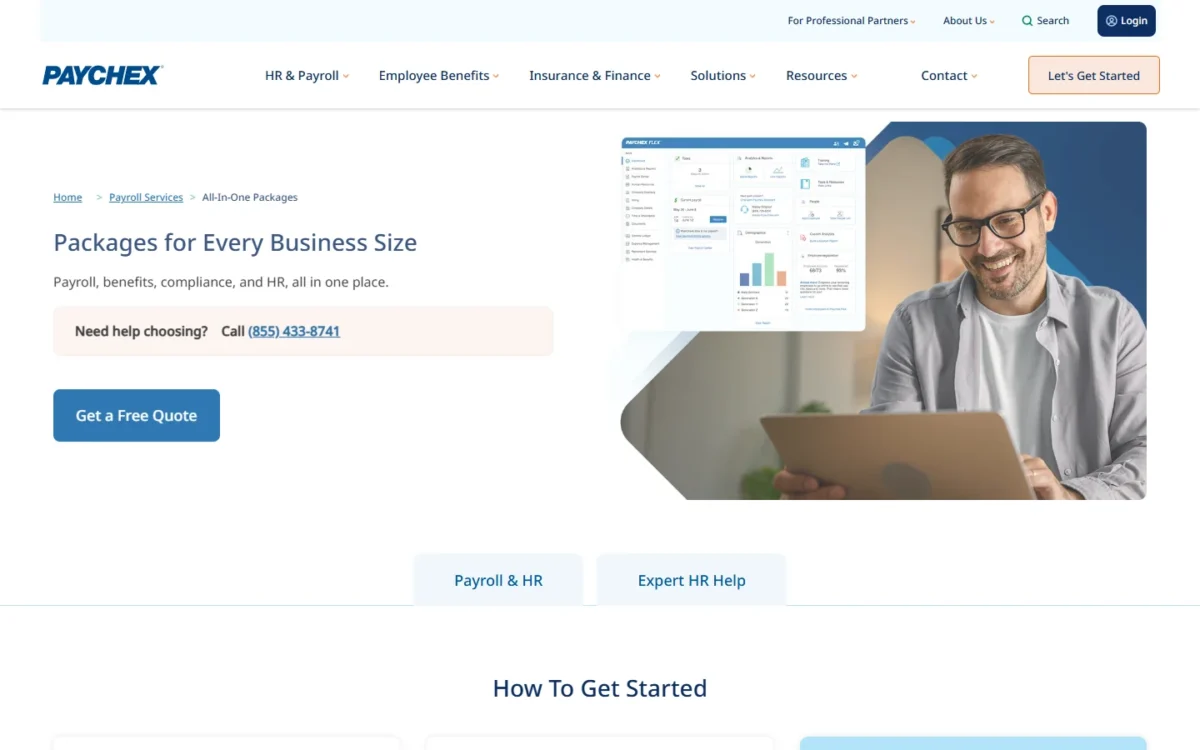
Request a Paychex Flex quote when you would rather not configure payroll yourself. The trade-off matches ADP’s: no package shows a price.
The four Paychex payroll packages share unlimited payroll processing, W-2 and 1099 year-end processing and tax filing. Paychex sells SUI service, Time & Attendance and workers’ comp as add-ons, and lists garnishment payment service as an add-on on its Basic package.
Two HR tiers sit above them, HR Pro and HR PEO, on the same Paychex Flex platform.
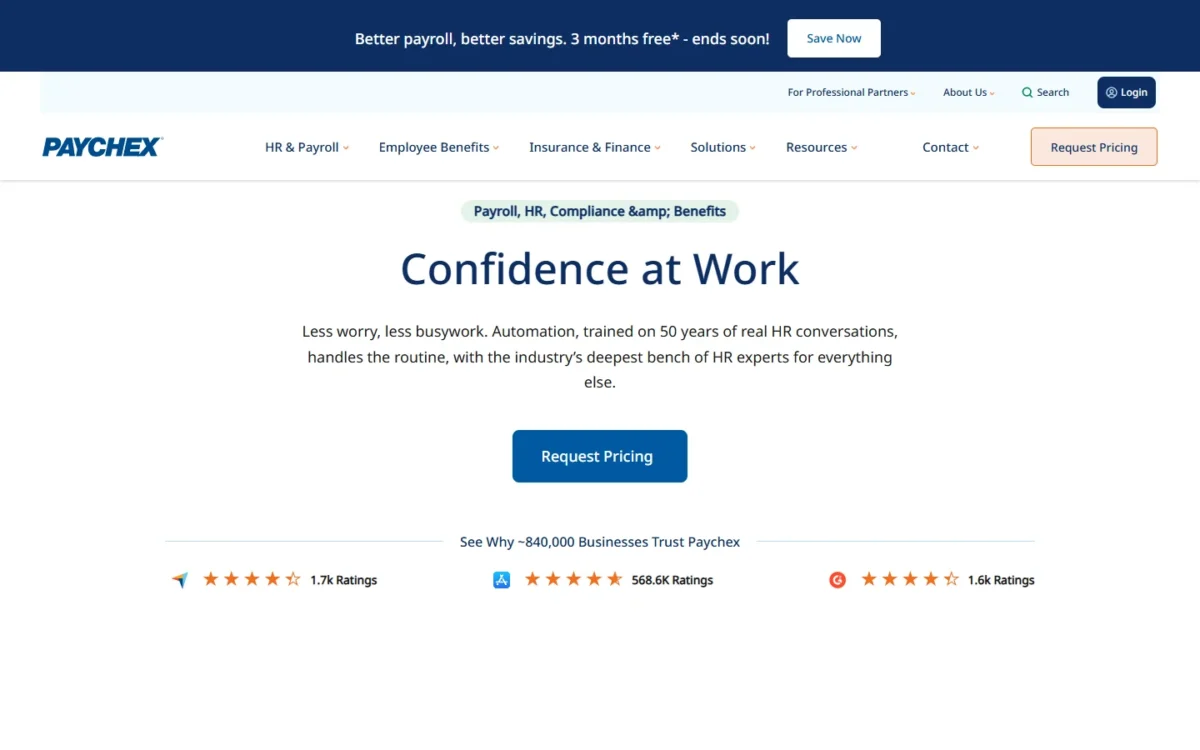
Paychex publishes no package price: every package says “Request Pricing”. Ask for the quote with your headcount, states and the setup level you want.
| Paychex package | Price | Focus |
|---|---|---|
| Paychex Basic | Request Pricing | Essential payroll and HR |
| Paychex Foundations | Request Pricing | AI and HR features |
| Paychex Advanced | Request Pricing | Enhanced service needs |
| Paychex Complete | Request Pricing | Premium services |
Sources: Paychex payroll packages, Internet Archive copy saved Oct 12, 2026, checked Oct 2026.
Pros
- Paychex sells Assisted and Managed Set Up as package add-ons
- Unlimited payroll processing on every Paychex package
- Paychex sells an HR PEO tier above its payroll packages
Cons
- No published price on any package
- Paychex sells Time & Attendance and workers’ comp as add-ons
- Garnishment payment service is a Paychex add-on on Basic
- Skip it if:
- you will set up payroll yourself and want a list price: SurePayroll, sold by Paychex, publishes one.
What 10 Employees Cost on Each Published Price
This is a worked example with stated inputs: 10 W-2 employees in one state, list prices, no promotions. On those inputs Patriot Full Service gives the lowest monthly bill and Justworks Payroll the highest.
| Software and plan | One state | Two states | Time tracking adds |
|---|---|---|---|
| Patriot Full Service | $5 x 10 = $50, plus the $37 base | Adds $12 a month | $2 x 10 = $20, plus $6 a month |
| Square Payroll | $6 x 10 = $60, plus the $35 base | Included | Included (timecard import) |
| SurePayroll | $7 x 10 = $70, plus the $29 base | Adds $9.99 a month | From $3 x 10 + $5 = $35 |
| Gusto | Simple: $6 x 10 + $49 = $109 | Plus: $12 x 10 + $80 = $200 | On Simple: $6 x 10 = $60; included in Plus |
| OnPay | Same as Gusto Simple | Included | $4 x 10 + $15 = $55 |
| QuickBooks Payroll | $7 x 10 + $50 = $120 | Not listed on the pricing page | Premium: $13 x 10 = $130, plus the $88 base |
| Justworks Payroll | $8 x 10 + $50 = $130 | Included | $8 x 10 = $80 |
Sources: Patriot pricing, Square Payroll pricing, SurePayroll pricing, Gusto pricing, OnPay pricing, QuickBooks payroll plans, Justworks pricing, checked Oct 2026.
A second state reorders the table: Gusto Plus raises both the base and the per-person rate, while OnPay, Square and Justworks keep their one-state price. A team with remote hires should compare those three first.
Time tracking costs nothing extra on Square, where hours come from the POS. A team that needs a second state and time tracking gets both in one plan on Gusto Plus, at $12 x 10 + $80 = $200 a month.
Patriot charges for each separately, yet its total stays lower than Gusto Plus’s $200: $5 x 10 + $37 + $12 + $2 x 10 + $6 = $125.
Gusto Plus adds time tracking and scheduling; workers’ comp and health insurance are Gusto add-ons.
SurePayroll also bills year-end forms outside the monthly fee: $5 x 10 + $50 = $100 a year for 10 W-2s. ADP, Paychex and Rippling are left out because none publishes a full price.
How to Choose the Best Payroll Software for Your Small Business
Three questions settle most choices: how many states you pay in, whether time tracking or benefits must come bundled, and whether you want a list price or will accept a quote.
| Your need | Included on the entry plan | Extra fee or higher plan | Quote or not listed |
|---|---|---|---|
| Multi-state payroll | OnPay, Square, Justworks Payroll | Gusto Plus; Patriot $12 per state; SurePayroll $9.99 a month | QuickBooks, ADP, Rippling |
| Time tracking | Square timecard import | Gusto, OnPay, Patriot, SurePayroll and Justworks add-ons; QuickBooks Premium | ADP add-ons, Rippling Time & Attendance |
| Workers’ comp | QuickBooks administration on all plans | Gusto from $14 a month; Square and ADP add-ons; required for Justworks PEO | SurePayroll, no price shown; not listed for OnPay, Patriot, Rippling |
| Health benefits | Gusto with no admin fee; OnPay benefits administration, plan premiums only; QuickBooks benefits access | Justworks per eligible employee or PEO Plus; Square add-on | ADP add-ons |
| QuickBooks Online or Xero sync | QuickBooks Payroll, Gusto, Square, Patriot | SurePayroll $4.99 a month | Rippling by quote; ADP ledger export |
| A price before a sales call | Seven published picks | Rippling floor only | ADP |
Sources: Gusto pricing, Patriot pricing, SurePayroll pricing, Paychex packages, checked Oct 2026. Scheduling inside payroll stays basic: Gusto Plus lists scheduling, and Square schedules up to 10 days out. A crew with rotating shifts may need one of the free employee scheduling tools I ranked, with payroll importing the hours.
If the real purchase is an HR system with payroll attached, judge the HR side first. This list rates HR suites such as Rippling and Paychex only on payroll; my BambooHR review covers an HR-first platform that adds payroll.
To compare full HR suites, read my best HR software for small business guide.
Also Considered
Three more payroll services made the long list but not the ten:
- Deel: built for hiring and paying in 130+ countries. Its US PEO costs $125 per employee per month, above Justworks’ $79 PEO Basic for a US-only team.
- Wave Payroll: $40 USD base plus $6 per active employee and $6 per contractor paid. Its tax service excludes 1099 filings, a gap for a contractor-heavy business.
- Paycor: pricing comes only through sales, and Paychex has entered a definitive agreement to acquire Paycor, so Paychex Flex covers that quote route here.
FAQ
Is Paychex or QuickBooks better for payroll?
QuickBooks is the better fit if your books already sit in QuickBooks Online and you want a list price: Workforce Payroll costs $50 plus $7 per employee a month. Paychex fits an owner who wants Assisted or Managed Set Up and will accept a quote, since every Paychex package says Request Pricing.
Who is better than ADP for a small business?
For a published price, Patriot, OnPay and Gusto list theirs, and Justworks lists PEO plans at $79 or $124 per employee a month. ADP keeps the edge for owners who want its advertised 24/7 payroll support and HR tiers on one platform.
Is there free payroll software for small businesses?
Not among the seven picks with a published price: each charges a monthly base fee, a per-person fee or both, and Patriot lists no free payroll tier. You can still run payroll before paying: Patriot lists a 30-day free trial, OnPay advertises the first month free, and SurePayroll advertises 6 months free under its terms.
Final Verdict
Match your situation to the pick:
- One state, and price decides: Patriot Full Service
- Payroll across states with benefits administration on the base plan: OnPay (Square costs less for two states but sells health insurance as an add-on)
- New states, hourly staff and a health plan ahead: Gusto Plus
- Books in QuickBooks Online: QuickBooks Workforce Payroll
- Square POS with tipped staff: Square Payroll
- One worker, or a nanny: SurePayroll
- Group health benefits at a listed price: Justworks PEO Plus
Rippling and ADP RUN are the quotes to request for global HR and 24/7 support. Paychex Flex is the quote to request when you want Paychex’s Assisted or Managed Set Up.





