

For a daily count you can plan around, the best free AI image generator is Bing Image Creator, with 15 fast creations a day and no paid plan. Google Gemini is my pick for editing your own photos, Stable Diffusion 3.5 for unlimited private use on your own GPU, and Ideogram for lettering.
To make an image right now, open Bing Image Creator or Gemini: both are free with a sign-in. I ranked 10 tools on free allowance, output rights and upgrade cost, from vendor pages read in October 2026.
Ready to pay instead? My ranking of AI image generators to pay for covers the paid plans.
Quick verdict
Start with Bing Image Creator for a known daily count: it prints a daily count and has no paid plan.
For ads or products, pick a tier that licenses free outputs: Ideogram, Leonardo.Ai, Playground or Adobe Firefly (non-beta features). Krea lists its commercial license for paid plans only.

Microsoft Bing Image Creator
Best for: a printed daily free count with no paid plan
15 fast creations a day, then up to 200 prompts per 24 hours at standard speed.
Limit: no work or school (Entra ID) accounts
Google Gemini
Best for: editing your own photos for free
Upload a photo and ask for changes in plain words on the free tier.
Limit: free downloads stop at 1K resolution

Stable Diffusion 3.5
Best for: unlimited, private generation on your own GPU
The Community License is free under $1M annual revenue, and you own the outputs.
Limit: Stable Diffusion 3.5 Medium needs 9.9 GB of VRAM, excluding text encoders

Ideogram
Best for: text, logos and lettering on a weekly free budget
Logo, transparent-PNG and text-layer workflows, with commercial use allowed.
Limit: every free image is public
| Software | Best for | Starting price (plan, billing) | Free plan allowance | Commercial use on Free | Key limitation |
|---|---|---|---|---|---|
| Bing Image Creator | A known daily count | No paid plan; Rewards points buy boosts | 15 fast creations a day | Not stated; “entertainment purposes” terms | No work or school accounts |
| Google Gemini | Photo edits | Google AI Plus, $4.99 a month | Daily quota, no number stated | Not stated; Google claims no ownership | 1K downloads |
| Stable Diffusion 3.5 | Private volume | Enterprise license, custom pricing | No vendor cap | Yes, under $1M revenue | Runs on your own GPU |
| Ideogram | Text and logos | Plus, $180 a year billed yearly | 30 credits a week | Yes | Free images public |
| Leonardo.Ai | Daily tokens with a commercial licence | Free, $0; Essential, $12 a month (Pay Monthly) | 150 Fast Tokens a day | Yes, by licence | Leonardo holds rights |
| Adobe Firefly | Adobe app users | Firefly Standard, $9.99 a month (Monthly) | Daily generations, no number stated | Yes, non-beta features | Curated models |
| ChatGPT | Refining in chat | Plus, $20 a month, monthly only | No image number stated | Not stated; you own Output | Ads in some countries |
| Canva | Designs and layouts | Pro, $144 a year billed yearly | 20 AI uses a month | Any lawful purpose | Shared with all AI tools |
| Playground | Social templates | Pro, $144 a year billed annually | 5-10 images every 3 hours | Yes | 2 downloads a day |
| Krea | Real-time ideation | Basic, $5.25 a month billed annually | 100 compute units a day | Paid plans only | About 5 Krea 3 images a day |
Sources: Bing, Google, Stability AI, Ideogram, Leonardo.Ai, Adobe, OpenAI, Canva, Playground, Krea, checked October 2026.
In This Article (17 sections)
How I Chose These Free AI Image Generators
A tool made the list only if you can generate images without paying and the vendor publishes the limits or the output terms. I considered 14 tools: the 10 picks below and the 4 under Also Considered.
I ranked them on six criteria, in order: free allowance and reset, rights to free outputs, account and age gates, output limits, job fit and upgrade price.
The ranking rests on official help, pricing and terms pages read on October 27, 2026, and on my reading of what each rule means for a buyer.
Output quality depends on your prompts, so run the same prompt through the free tiers of your top two before you rely on one.
1. Microsoft Bing Image Creator: Best for a Printed Daily Free Count With No Paid Plan
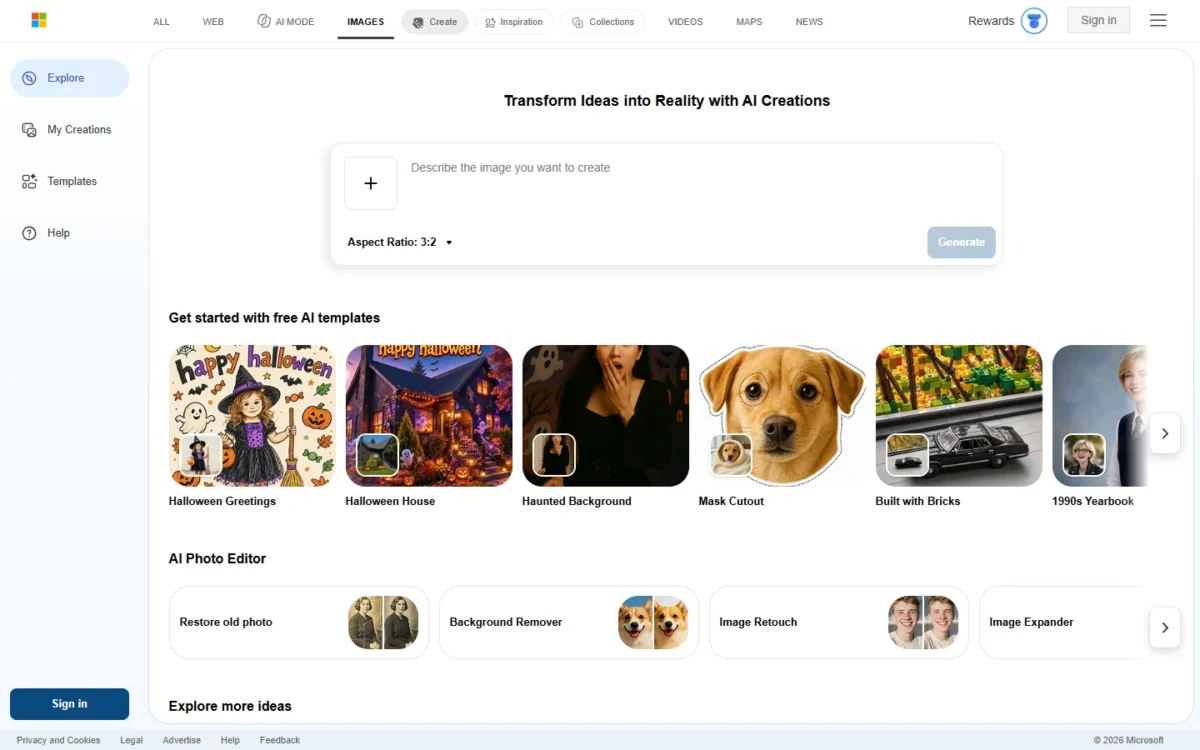
- Free allowance: 15 fast creations a day, then standard speed
- Account: personal Microsoft Account only
- Integrations: Bing mobile app, Copilot Search and Bing Search
Bing Image Creator is the free tier you can plan a week around. It prints a daily number, 15 fast creations, and has no paid plan. The trade-off sits in the terms: Bing’s terms call the service “for entertainment purposes”, and work or school (Entra ID) accounts cannot sign in.
The 15 fast creations are not a hard stop: standard speed then allows up to 200 prompts per 24 hours, edits included. One Create may return several images, so your image count can run higher than 15.
You can upload a photo and edit it on Free, but uploads and edits run on MAI-Image-2.5-Flash only. An optional visible watermark marks your images as AI-made, which helps when a client asks for disclosure.
Against Google Gemini, Bing gives you a number to plan around, while Gemini gives you photo editing without one.
Bing Image Creator has no paid plan, so the free tier is the whole product.

- Fast boosts: paid with Microsoft Rewards points, not money
Sources: Bing Image Creator help, checked October 2026.
Pros
- A published count of 15 fast creations a day
- No paid plan to upsell
- Upload-and-edit on Free
Cons
- No Entra ID work or school accounts
- Terms give no warranty against infringement
- Generated images are stored for up to 90 days
- Skip it if:
- you sign in with a company Entra ID account or need a stated commercial license; go to Ideogram or Adobe Firefly.
2. Google Gemini: Best for Editing Your Own Photos for Free
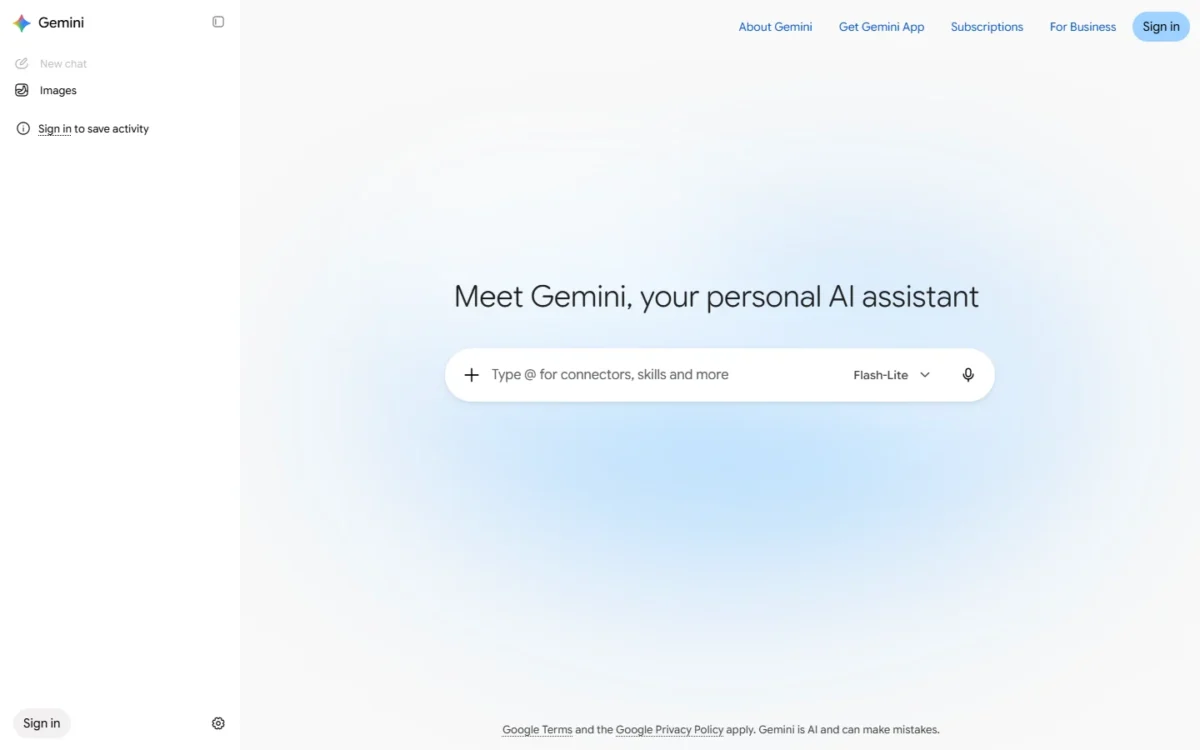
- Free image model: Nano Banana 2 Lite (Free runs Flash-Lite)
- Free download: 1K; 2K with a Google AI plan
- Limits: usage refreshes every 5 hours until a weekly limit
- Age: 13+ to generate, 18+ to edit
When the image already exists, Gemini’s free tier does the editing: upload a photo, describe the change, and Nano Banana 2 Lite applies it. Character consistency across images needs Nano Banana 2, which Google AI Plus unlocks with its Flash model. The catch is no published daily number, 1K downloads on Free and no image editing under 18.

Google’s US plan page lists Flash-Lite as the Free model. Its help page says Flash-Lite requests use Nano Banana 2 Lite, which is not designed for multiple image references or multiple edits. So treat Gemini Free as a one-photo editor: a new background, a changed outfit, a fixed detail.
Users without a plan may be limited first when capacity drops. Against Bing Image Creator, Gemini edits photos but prints no daily count. My Gemini review covers the rest of the app.
Gemini’s image tools are free with a signed-in Google Account, and Google AI Plus is the cheapest route to 2K downloads.

| Plan | Price | Billing | Key limit |
|---|---|---|---|
| Free | Free | None | 1K downloads |
| Google AI Plus | $4.99 a month | Monthly | 2K downloads, twice the Free usage |
| Google AI Pro | $19.99 a month | Monthly | 4x the Free usage |
Sources: Google AI plans (US), Gemini image help, Gemini limits, checked October 2026.
Pros
- Photo edits by prompt on Free
- Free with a Google Account
- Google won’t claim ownership of generated content
Cons
- No published daily count
- 1K downloads on Free
- No image editing under 18
Choose Gemini to restyle or fix photos you own. For retouching rather than generating, my list of free AI photo editors compares the editing-first tools.
- Skip it if:
- you need a known daily count; Bing prints one. For 2K files, Google AI Plus lifts Gemini’s downloads to 2K.
3. Stable Diffusion 3.5: Best for Unlimited, Private Generation on Your Own GPU
- License: Stability AI Community License
- Ownership: you own outputs of the Core Models and fine-tunes
- Models: Stable Diffusion 3.5 Medium (2.5 billion parameters), Large (8.1 billion), Large Turbo (4 steps)
- Integrations: Stable Diffusion 3.5 weights on Hugging Face, code on GitHub, access via ComfyUI
Stable Diffusion 3.5 removes the vendor quota, the public gallery and the hosted account. It runs on your own GPU, so the free allowance is whatever your hardware produces. The cost moves to a graphics card, since Stable Diffusion 3.5 Medium needs 9.9 GB of VRAM, excluding text encoders.
The Community License covers commercial use for organizations under USD $1M in annual revenue, and as between you and Stability, you own the outputs.
Stable Diffusion 3.5 Medium generates images between 0.25 and 2 megapixels.
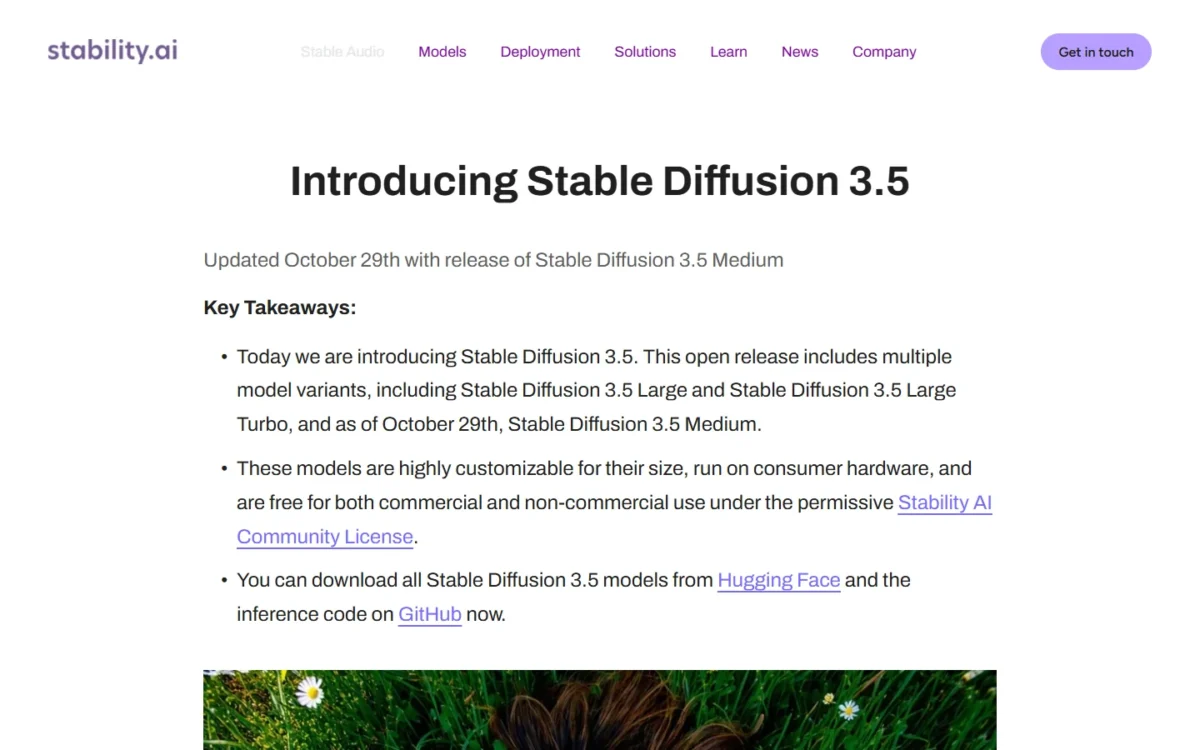
Against Bing Image Creator, the trade is setup for freedom: no 200-prompt ceiling, but no web page to open. My Z-Image Turbo review covers another model you can run locally.
What Stable Diffusion 3.5 costs depends on your organization’s annual revenue.
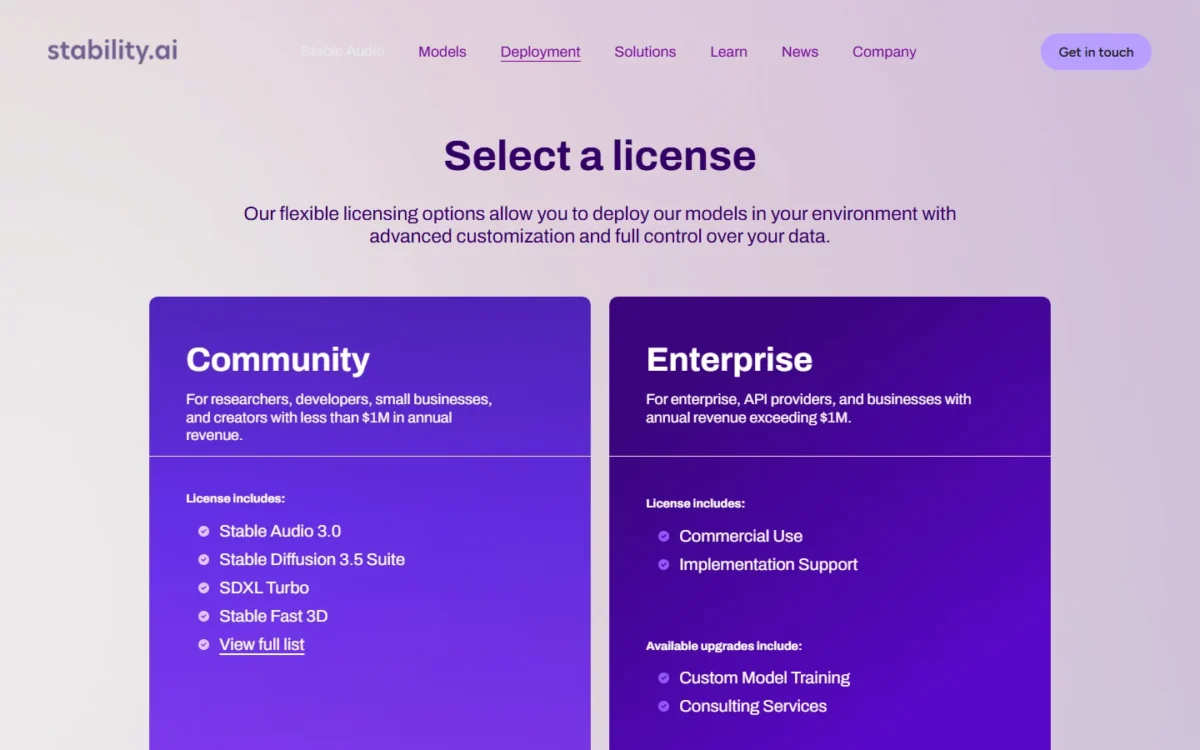
- Community License: free for organizations under USD $1M in annual revenue, commercial use included
- Enterprise license: custom pricing above that line
Sources: Stability AI license, Stable Diffusion 3.5 announcement, checked October 2026.
Pros
- No vendor cap on volume
- Commercial use free under the revenue line
- Runs locally, with no hosted gallery
Cons
- Medium needs a capable local GPU
- You install and run it yourself
- Larger organizations need an Enterprise license
- Skip it if:
- you have no suitable GPU or no time for setup; Bing gives 200 prompts a day in a browser.
4. Ideogram: Best for Text, Logos and Lettering on a Weekly Free Budget
- Free allowance: 30 credits a week; email-and-password accounts get none
- Credit cost: 4.5 Low 3 credits per image, High 10
- Visibility: everything made on Free is public
- Integrations: MCP clients such as Claude and Cursor
When the words in an image matter, Ideogram’s free tier is where I would start: a logo, a sale banner, a poster headline. Its docs cover a Make a Logo workflow, transparent PNGs and editable text layers. The trade-off is a small weekly budget, a public gallery and no free credits for email-and-password accounts.
Thirty credits a week buys 10 images at the 4.5 model’s Low setting, or 3 at High. That covers a few finished graphics, not dozens of drafts. At zero, Free waits for next week’s credits or buys more at 1 cent each.
Ideogram claims no ownership and allows any use, including commercial. Every free image is published, though, so an unreleased client campaign does not belong on Free. AI-powered editing needs priority credits, which come only with paid plans and top-ups.
Against Leonardo.Ai, Ideogram keeps no rights over your images but budgets weekly rather than daily.
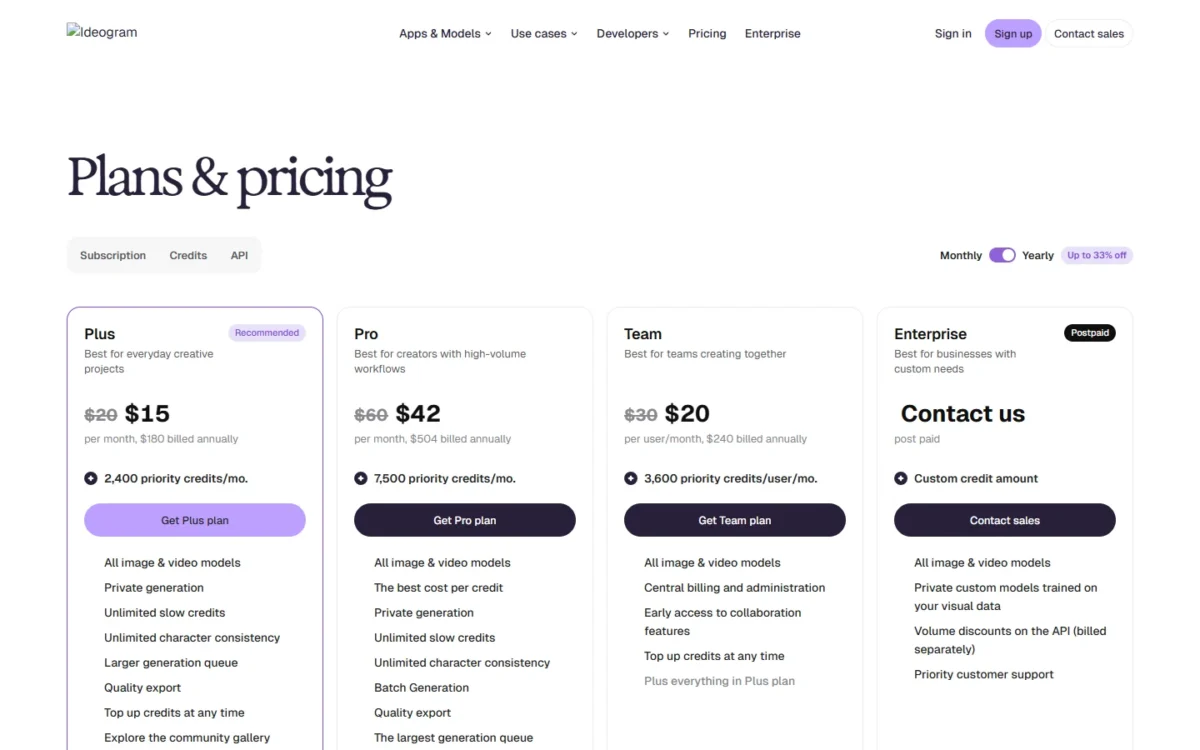
Ideogram Plus is the upgrade that makes generation private.
| Plan | Price | Billing | Key limit |
|---|---|---|---|
| Free | Free | None | 30 credits a week; images public |
| Plus | $15 a month | $180 billed yearly | 2,400 priority credits a month |
| Team | $240 per user a year | Yearly | 2-user minimum |
Sources: Ideogram plans and credits, checked October 2026.
Pros
- Commercial use allowed on Free
- Logo and text-layer workflows documented
- Pay as you go at 1 cent a credit
Cons
- 30 credits a week, 10 Low images at most
- Every free image is public
- No free credits for email-and-password accounts
- Skip it if:
- client work must stay private; run Stable Diffusion 3.5 locally or pay for Ideogram Plus.
5. Leonardo.Ai: Best for a Daily Free Token Budget With a Commercial License
- Free allowance: 150 Fast Tokens a day, reset daily
- Model access on Free: Auto only
- Free rights: a non-exclusive, royalty-free licence for commercial use
Leonardo.Ai gives a free account 150 Fast Tokens a day and licenses free outputs for commercial use. The trade-off is ownership: on Free, Leonardo holds rights to use and distribute your images, and other users can access public ones. For a T-shirt concept that works; for a brand mark you want to own outright, it does not.
Free is Auto only for model access; Essential lists 80+ models. Tokens pay for generating images, creating videos, background removal and upscale conversions, so the 150 daily tokens shrink faster once you post-process.
To animate a generated still, my list of AI image-to-video generators compares the tools for that step. Unlike Ideogram, Leonardo keeps rights over free images.
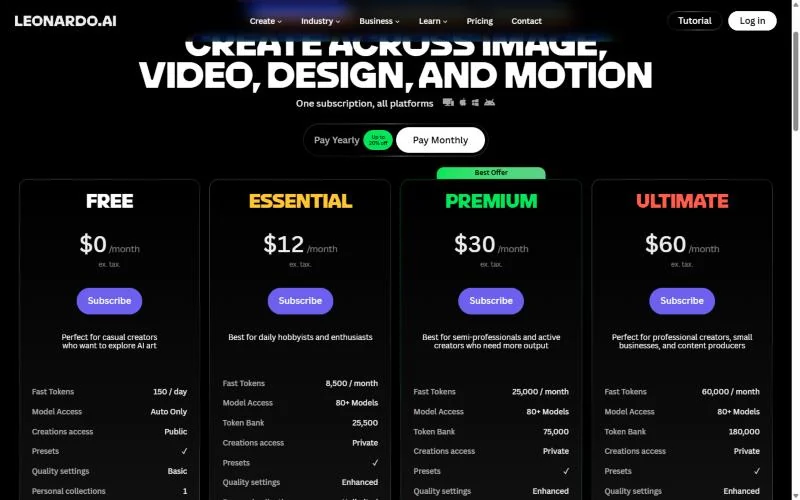
Full ownership of your images is the main reason to upgrade Leonardo.Ai; Essential is the entry paid plan on the Pay Monthly view.
| Plan | Price | Billing | Key limit |
|---|---|---|---|
| Free | $0 | None | 150 Fast Tokens a day; creations public |
| Essential | $12 a month | Monthly | 8,500 Fast Tokens a month; private creations |
| Premium | $30 a month | Monthly | 25,000 Fast Tokens a month |
Sources: Leonardo.Ai pricing, checked October 2026.
Pros
- Royalty-free commercial licence on Free
- 150 Fast Tokens a day, printed on the pricing page
- Daily token reset
Cons
- Leonardo holds rights to free images
- Free creations are public
- Auto model access only on Free
My Leonardo.Ai review covers the paid tiers in depth.
- Skip it if:
- you need exclusive rights to a design such as a logo; use Stable Diffusion 3.5 locally or a paid Leonardo plan.
6. Adobe Firefly: Best for Free Images Inside Adobe Apps With Commercial Use

- Free allowance: free daily generations, no number stated
- Where it works: Firefly, Express, Adobe Stock, Photoshop on the web, Acrobat, mobile apps
- Models on Free: a curated set, including Nano Banana
Adobe Firefly makes sense for someone already building graphics in Adobe Express or Photoshop on the web. One free daily allowance covers generative features across those apps, and the limits refresh every day. The trade-off is that Adobe does not publish the daily number, and Free runs on a curated set of models.
Adobe answers the commercial-use question directly. Outputs from features without the beta label may be used in commercial projects. Beta outputs can be too, unless the product says otherwise, but they are not indemnified for eligible teams.
Against Bing Image Creator, Firefly has the business-friendly terms and Bing the countable allowance. My Adobe Firefly review covers the paid plans.
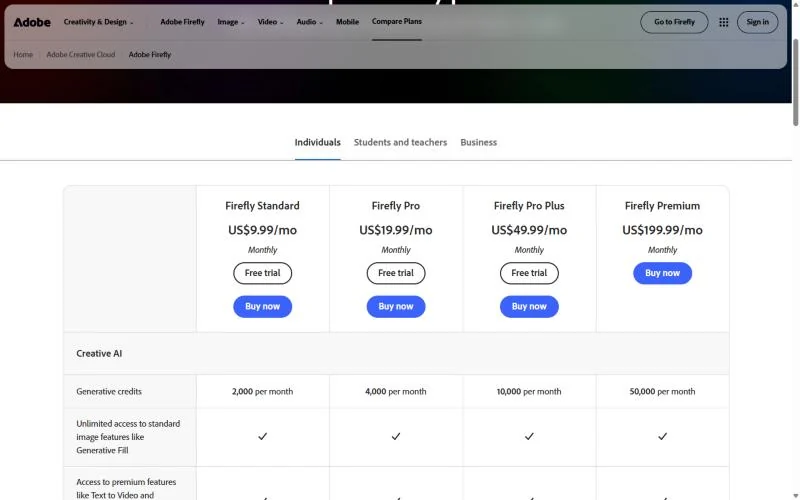
Firefly Standard is the entry paid plan; the prices below are Adobe’s Monthly option.
| Plan | Price | Billing | Key limit |
|---|---|---|---|
| Free | Free | None | Daily generations, no number stated |
| Firefly Standard | $9.99 a month | Monthly | 2,000 generative credits a month |
| Firefly Pro | $19.99 a month | Monthly | 4,000 generative credits a month |
Sources: Adobe Firefly plans, Adobe generative credits FAQ, checked October 2026.
Pros
- Commercial use for non-beta features
- One allowance across Adobe apps
- Limits refresh every day
Cons
- No published daily count
- Curated model set on Free
- Beta outputs not indemnified for teams
- Skip it if:
- you need a known count to plan a campaign; Bing and Ideogram print theirs.
7. ChatGPT: Best for Refining an Image in Conversation

- Free images: yes, with a separate usage limit
- Free model: GPT-5.6 Luna; ads may appear in some countries
- Provenance: C2PA metadata and SynthID watermarks on images
If you refine images by talking about them (“warmer light”, “square version”), ChatGPT keeps the job in one chat. Free users can create images in the thread where they plan the post. The trade-off is an image limit OpenAI does not number; ChatGPT tells you when you reach it.
OpenAI’s terms state ownership outright: you own the Output, and OpenAI assigns you its rights in it. Images generated with ChatGPT include Content Credentials and a SynthID watermark, so the watermark may still flag it as AI-made after metadata is stripped.
Against Gemini, the chat workflow matches, but Google publishes a 1K download size and OpenAI’s free-tier FAQ names no resolution. My ChatGPT review covers the rest of the app.
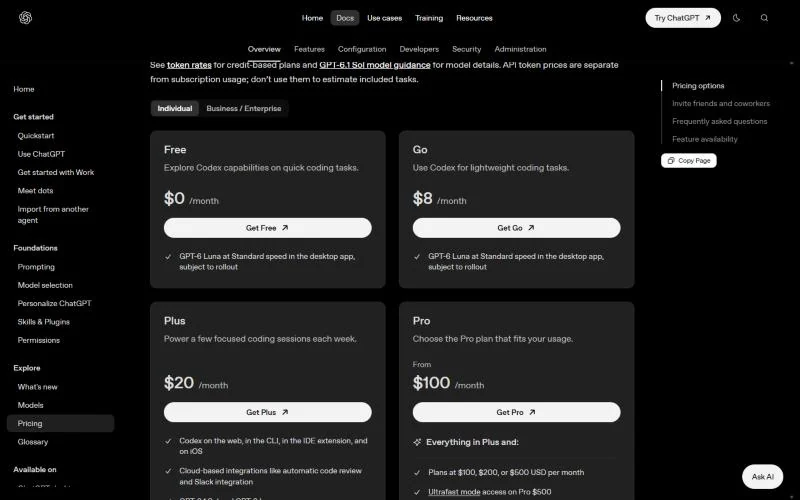
Upgrading to ChatGPT Plus resets a Free rate limit you have already reached. OpenAI also sells a Go plan, billed monthly like Plus.
| Plan | Price | Billing | Key limit |
|---|---|---|---|
| Free | Free | None | No image number stated |
| Plus | $20 a month | Monthly only | No annual billing |
Sources: ChatGPT pricing, ChatGPT Plus help, ChatGPT Free tier FAQ, checked October 2026.
Pros
- OpenAI assigns Output rights to you
- C2PA and SynthID marks on ChatGPT images
- Upgrading resets a limit you reached
Cons
- No free image number stated
- No resolution in the free-tier FAQ
- Ads may appear on Free in some countries
For OpenAI’s image model on its own, see my DALL·E review.
- Skip it if:
- you want a stated free count before you start; Leonardo.Ai prints its daily tokens.
8. Canva: Best for Putting a Generated Image Straight Into a Design

- Free AI allowance: up to 20 Standard or Premium AI uses a month
- Image tool: Create an image with Canva AI, a Standard AI tool
- Free library: 1.6M+ templates and 1,000+ design types
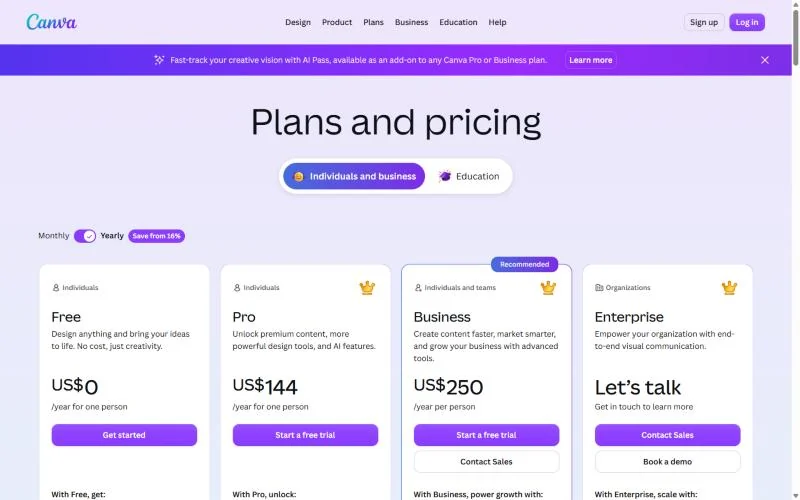
Canva earns its place when the image is one layer of a finished post, flyer or slide. Canva Free pairs Create an image with Canva AI with a drag-and-drop editor and 1,000+ design types. The trade-off is a small AI allowance: 20 uses a month, shared with every other AI tool in Canva.
You own your Output and may use it for any lawful purpose, except that an AI edit of a Canva library photo is licensed, not owned.
Against Playground, Canva gives fewer AI generations but a full editor around each one. My Canva AI review covers its AI tools in depth.
Canva Pro gives 10x more AI than Canva Free, at the US prices below from the Yearly view. A 30-day Canva Business trial keeps Free’s AI allowance until you pay.
| Plan | Price | Billing | Key limit |
|---|---|---|---|
| Free | US$0 | None | Up to 20 Standard or Premium AI uses |
| Pro | US$144 a year for one person | Yearly | One person per subscription |
| Business | US$250 a year per person | Yearly | Priced per person |
Sources: Canva pricing, Canva Pro vs Business, Canva AI Product Terms, checked October 2026.
Pros
- Image tool beside 1,000+ design types
- You own Output outside library edits
- 1.6M+ templates on Free
Cons
- 20 AI uses a month on Free
- Canva’s Business trial keeps Free’s AI allowance
- No Ultra AI on Free
- Skip it if:
- you need more than 20 AI uses a month; Bing gives 15 fast creations a day.
9. Playground: Best for Template-Based Social Graphics With a Commercial License

- Free quota: up to 10 images every 3 hours
- Downloads: 2 a day on Free
- Premium models: 3 generations a month on models such as Nano Banana and Seedream
- Rights: you own the images, with a royalty-free commercial licence
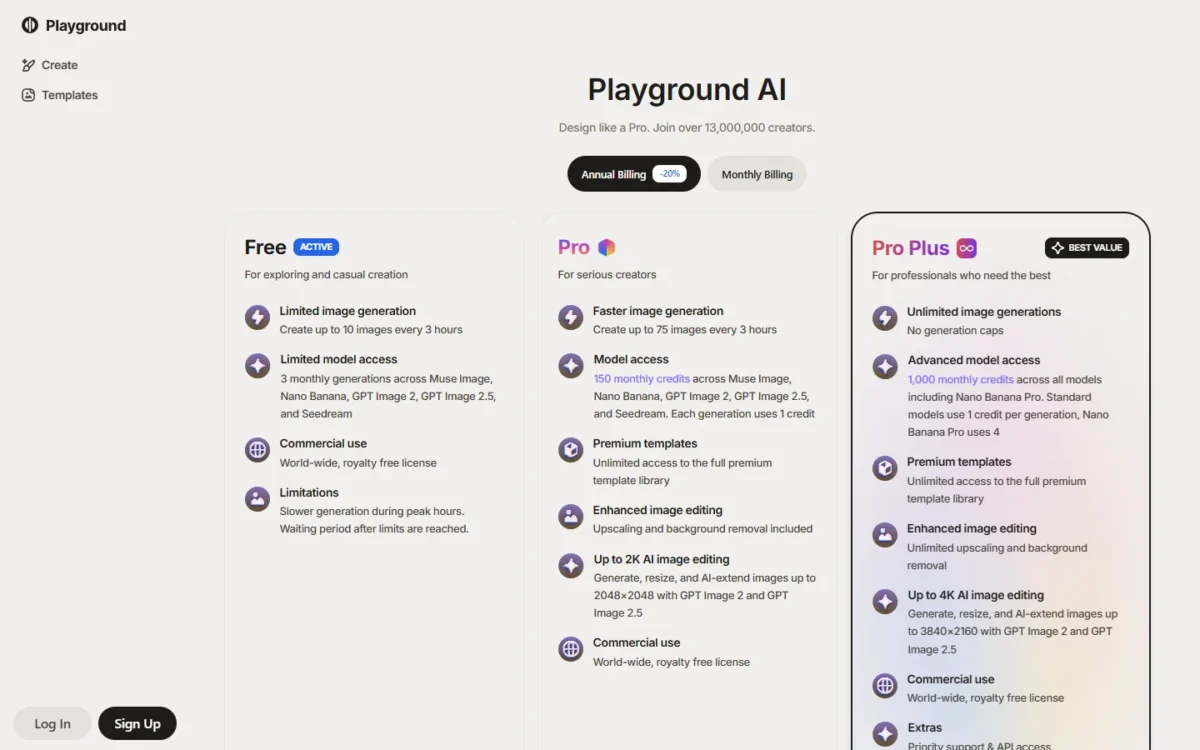
Playground pairs a commercial licence on Free with a template library, which suits Etsy listings, YouTube thumbnails and Instagram posts. The quota refills on a rolling 3-hour window. The catch is 2 downloads a day, so you can generate far more than you can keep.
Playground’s own comparison table lists 5 PGv3 images per 3-hour window, against 10 on the plan card, so plan on the lower figure. Generation also slows at peak hours.
Against Canva, Playground adds a stated commercial licence.
Playground Pro removes the download cap and adds AI editing up to 2048×2048.
| Plan | Price | Billing | Key limit |
|---|---|---|---|
| Free | Free | None | 5-10 images every 3 hours, 2 downloads a day |
| Pro | $144 a year | Annual | 75 images every 3 hours |
Sources: Playground pricing, checked October 2026.
Pros
- Commercial licence on Free
- You own the images you create
- Rolling 3-hour refill
Cons
- 2 downloads a day on Free
- Slower generation at peak hours
- 5 PGv3 images per window in the table
- Skip it if:
- you need more than 2 downloads a day; Bing gives 15 fast creations a day, though its terms state no commercial clause, and Playground Pro removes the cap.
10. Krea: Best for Real-Time Sketch-to-Image Ideation
- Free allowance: 100 compute units a day, refilled daily
- Per day: about 5 Krea 3 images, 50 Krea 2 Turbo images, 900 Realtime images, 33 edits
- Free extras: LoRA training on up to 50 images, upscaling to 2K
For exploring ideas fast, Krea’s Realtime models redraw the image as you type or sketch, and Free allows 900 Realtime images a day. Krea 3, its own model for generating and editing, is on Free too. The trade-off is the license: Krea lists its commercial license for paid plans, so free outputs suit exploration, not ads.
The 100 daily units buy very different amounts by model, so Krea suits comparing models on one idea before you finish the image elsewhere.
Against Leonardo.Ai, Krea prints per-model daily counts but no free commercial license.
Krea Basic adds the commercial license; its price below is from the pricing page’s Annual view.
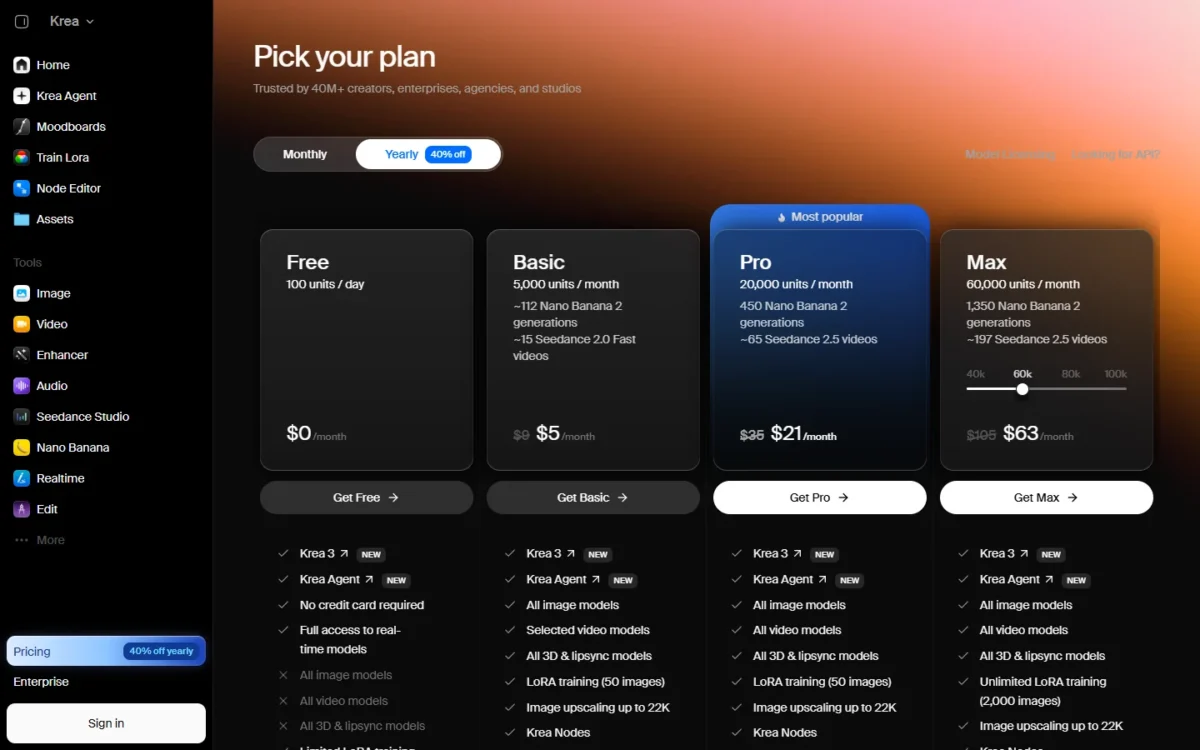
| Plan | Price | Billing | Key limit |
|---|---|---|---|
| Free | Free | None | 100 compute units a day; no commercial license |
| Basic | $5.25 a month | Billed annually | 5,000 compute units a month |
Sources: Krea pricing, checked October 2026.
Pros
- 900 Realtime images a day
- Per-model daily counts printed
- No credit card required
Cons
- Commercial license on paid plans only
- About 5 Krea 3 images a day
- Community-only support on Free, via Discord
- Skip it if:
- the image goes into an ad or product; Ideogram, Leonardo.Ai and Playground license free outputs commercially.
Who Owns Free AI Images and Can You Use Them Commercially?
Five picks state commercial use on Free: Ideogram, Leonardo.Ai, Adobe Firefly (non-beta features), Playground and Stable Diffusion 3.5. Canva allows any lawful purpose. ChatGPT assigns ownership to you, Gemini and Bing claim none (Bing takes a license), and none of the three states a commercial clause.
| Software | Owner of free output | Commercial use on Free | Public by default | AI mark |
|---|---|---|---|---|
| Bing Image Creator | No ownership claimed; takes a license | Not stated | Not listed | Optional visible watermark |
| Google Gemini | Google won’t claim ownership | Not stated | Not listed | SynthID |
| Stable Diffusion 3.5 | You | Yes, under $1M revenue | Local files only | Not listed |
| Ideogram | No Ideogram claim | Yes | Yes | Not listed |
| Leonardo.Ai | Leonardo holds rights | Yes, by licence | Yes | Not listed |
| Adobe Firefly | Not listed | Yes, non-beta features | Not listed | Content Credentials |
| ChatGPT | You; OpenAI assigns Output | Not stated | Not listed | C2PA and SynthID |
| Canva | You, except library edits | Any lawful purpose | Not listed | C2PA metadata (per the AI Product Terms) |
| Playground | You | Yes | Not listed | Not listed |
| Krea | Not listed | Paid plans only | Not listed | Not listed |
Sources: Bing terms, Google terms, SynthID, OpenAI terms, OpenAI provenance, Ideogram, Adobe guidelines, Canva AI Product Terms, checked October 2026.
On resolution, Gemini Free downloads at 1K (2K with Google AI Plus) and Krea Free upscales to 2K. Stable Diffusion 3.5 Medium outputs 0.25 to 2 megapixels.
Ideogram Free suits logo drafts. For the final logo, I would use a tier where you own the output and it stays private: Ideogram Plus or Stable Diffusion 3.5 locally.
Not legal advice
Whether an AI image can be protected by copyright is a separate legal question these vendor terms do not settle.
When Is It Worth Upgrading From a Free Tier?
Upgrade when one limit blocks the job: privacy (Ideogram and Leonardo.Ai publish free images), volume (Playground), resolution (Gemini’s 1K) or rights (Krea).
| Plan | Billing | Limit it lifts | 1 user per year | 3 users per year |
|---|---|---|---|---|
| Google AI Plus | $4.99 a month | 1K downloads become 2K | $4.99 x 12 = $59.88 | $4.99 x 12 x 3 = $179.64 |
| Krea Basic | $5.25 a month, billed annually | Commercial license | $5.25 x 12 = $63 | $5.25 x 12 x 3 = $189 |
| Firefly Standard | $9.99 a month (Monthly) | 2,000 credits a month | $9.99 x 12 = $119.88 | $9.99 x 12 x 3 = $359.64 |
| Leonardo.Ai Essential | $12 a month (Pay Monthly) | Private creations | $12 x 12 = $144 | $12 x 12 x 3 = $432 |
| Canva Pro | $144 a year, billed yearly | About 10x Free’s AI | $144 | $144 x 3 = $432 |
| Playground Pro | $144 a year, billed annually | Unlimited downloads | $144 | $144 x 3 = $432 |
| Ideogram Plus | $180 a year, billed yearly | Private generation | $180 | $180 x 3 = $540 |
| ChatGPT Plus | $20 a month, monthly only | Higher limits | $20 x 12 = $240 | $20 x 12 x 3 = $720 |
Sources: the pricing pages of Google, Krea, Adobe, Leonardo.Ai, Canva, Playground, Ideogram and OpenAI, checked October 2026.
Each 3-user figure is three one-person plans, since Canva Pro allows one person per subscription. ChatGPT Plus is the costliest one-user line at $20 x 12 = $240, and OpenAI sells no annual Plus plan to lower it.
Bing Image Creator and Stable Diffusion 3.5 need no upgrade.
How to Choose the Best Free AI Image Generator for Your Job
Start from the job: photo edits go to Gemini, lettering to Ideogram, a known daily count to Bing and private volume to Stable Diffusion 3.5. Layouts go to Canva, ideation to Krea and commercial work in Adobe apps to Firefly.
| Your job | Free tier to start with | Why | Trade-off |
|---|---|---|---|
| Edit a photo you own | Google Gemini | Photo edits by prompt on Free | 1K downloads; editing at 18+ |
| Text, logos and lettering | Ideogram | Logo and text-layer workflows | 30 credits a week; public images |
| A finished social post or flyer | Canva | Image tool plus 1.6M+ templates | 20 AI uses a month |
| A daily count to plan around | Bing Image Creator | 15 fast creations a day, no paid plan | No work accounts |
| Private outputs | Stable Diffusion 3.5 | Runs locally, no gallery | Needs your own GPU |
| Commercial work in Adobe apps | Adobe Firefly | Commercial use for non-beta features | No daily number stated |
| Fast idea exploration | Krea | 900 Realtime images a day | Commercial license on paid plans only |
Sources: Gemini image help, Canva pricing, Adobe generative credits FAQ, Krea pricing, checked October 2026.
If the same post also needs a short clip, my list of free AI video generators applies the same free-tier test to video.
Free allowance per week, side by side
Converted to a week, the printed allowances differ in size and unit; three vendors state no number to convert.
| Tool | Published allowance | Per week |
|---|---|---|
| Bing Image Creator | 15 fast creations a day | 15 x 7 = 105 fast creations |
| Krea | 50 Krea 2 Turbo images a day | 50 x 7 = 350 images |
| Leonardo.Ai | 150 Fast Tokens a day | 150 x 7 = 1,050 tokens |
| Ideogram | 30 credits a week | 30 / 3 = 10 images at 4.5 Low |
| Playground | 2 downloads a day | 2 x 7 = 14 downloads |
| Canva | 20 AI uses a month | Monthly, not weekly |
| Google Gemini, ChatGPT, Adobe Firefly | No number stated | No number stated |
Sources: Bing Image Creator help, Krea pricing, Leonardo.Ai pricing, Ideogram pricing, Playground pricing, checked October 2026.
Sign-in and account rules
Stable Diffusion 3.5 runs locally; Bing, Gemini and Ideogram state a sign-in rule. Bing needs a personal account (MSA) and refuses Entra ID work or school accounts. Gemini needs you signed in to Gemini Apps, and Ideogram’s email-and-password accounts get no free credits.
Which free options come closest to unlimited?
No hosted free tier is unlimited: Bing allows 200 prompts per 24 hours, Krea 900 Realtime images a day. Only Stable Diffusion 3.5 has no vendor cap.
Spend a small free quota well
A three-part prompt saves retries: the subject and its action, the setting, then the style and lighting. Bing’s help suggests adding lighting, camera angles and styles such as “photorealistic”, and Gemini’s tips say to start with a verb such as “create”. In Gemini, a new chat for each topic saves usage.
If the post also needs a caption, my list of free AI content generators covers the free writing tiers.
Also Considered
- Grok (xAI): Grok Imagine creates images up to 2K in chat, but xAI publishes no free image quota.
- Meta AI: it generates and edits images in chat, but Meta publishes neither a free image allowance nor an ownership clause for outputs on its AIs terms page.
- Recraft: its Free plan is personal use only, with no commercial use and all images public, and its terms assign Free Tier Assets to Recraft.
- Midjourney: it has no free plan; Basic is $10 a month or $96 a year.
FAQ
Which free AI has the best image generator?
None wins every job: Bing Image Creator prints a daily count, Gemini edits your photos, and Ideogram handles lettering. Stable Diffusion 3.5 runs on your own GPU under the Community License.
Which AI image generator is 100% free?
Bing Image Creator has no paid plan at all: its fast-creation boosts are paid with Rewards points. Stable Diffusion 3.5 is free for any organization under USD $1M in annual revenue, including commercial use. Every other pick here sells a paid plan that lifts its free limits.
Which free AI image generator is best for realistic photos?
No vendor page measures realism, so test it: run the same photo prompt through two free tiers, such as Bing and Gemini, and compare. For a realistic portrait of yourself, my list of AI headshot generators covers the specialist tools.
Final Verdict
By job: use Bing Image Creator for a known daily count, Gemini for photo edits, Stable Diffusion 3.5 for private work, Ideogram for lettering, Canva for layouts and Krea for ideation. If the image earns money, start with Ideogram, Leonardo.Ai, Playground or Adobe Firefly.
Stay free until one limit blocks a real job, then buy the plan in the upgrade table that lifts that limit.






Pingback: 10 Best Free AI Video Generators (2026): Free Plans Compared