


Topaz Gigapixel is my pick for print-bound photos processed on your own computer, and Let’s Enhance for large print files from a browser. Upscayl is the free option for your own GPU, and Pixelcut handles catalog batches at a flat price.
The best AI upscaler or best AI photo enhancer for a job turns on two facts: the output size you need and whether faces are in the frame. I ranked ten tools on each vendor’s published output ceiling, face model, free-plan cap, batch gate and price, read on October 26, 2026.
Quick verdict
Photographers who print: Topaz Gigapixel, with local rendering and a Face Recovery model. Posters from a browser: Let’s Enhance Max, up to 512 megapixels.
No budget: Upscayl on your own GPU; catalogs: Pixelcut Pro; AI art: Krea; upscale plus cleanup for one credit: Deep-Image.ai; artwork at 16x on a small budget: Bigjpg.
The trade-off: generative upscalers invent detail, so check faces on a free tier before you pay.

Topaz Gigapixel
Best for: print-bound photos processed on your own computer
Unlimited local rendering keeps files on your machine, and the models include Face Recovery.
Limit: Personal covers organizations under $1M in annual revenue

Let’s Enhance
Best for: large print files from a browser
Plan ceilings climb to 512 megapixels on Max, with Prime, Gentle and Old Photo modes.
Limit: free output stops at 8 megapixels with a watermark

Upscayl
Best for: free, open-source upscaling on your own GPU
Up to 16x, Batch Upscayl and custom models, with an AGPLv3 backend.
Limit: needs a Vulkan-compatible GPU and cannot de-blur

Pixelcut
Best for: batch-upscaling product catalogs
Pro includes unlimited upscales and 1,000 batch exports a month at one flat price.
Limit: uploads stop at 6000 x 6000 px and 50MB
| Software | Best for | Starting price | Free plan limit | Max output | Batch |
|---|---|---|---|---|---|
| Topaz Gigapixel | Print photos on your own computer | $149 a year, billed annually | No trial listed | 6x | Not listed |
| Let’s Enhance | Print files from a browser | $9 a month billed annually; Max $34 | 10 credits, 8 MP, watermark | 16x; 512 MP on Max | 20 images at once |
| Upscayl | Free upscaling on your own GPU | Free desktop app | Free | 16x | Batch Upscayl |
| Deep-Image.ai | Upscaling and cleanup in one credit | $7.99 for 15 credits; $7.50 a month for 100 credits on Pay Yearly | Free test credits, watermarked | 16x; 1024 MP on large plans | 50 images at once |
| Adobe Firefly | Teams already on Adobe | $9.99 a month | Free daily generations | 4x | One file per upload |
| Krea | Past 16K in a generative suite | $5 a month billed yearly | 4 images a day, up to 2K | 22K | Not listed |
| Pixelcut | Product catalogs | $8 a month billed yearly | 3 downloads a day | 16K | 1,000 exports a month |
| VanceAI | Paying once on Windows | $180 a year, or $129.90 once on PC | 10 credits | 8x online, 40x on PC | PC app |
| Bigjpg | Artwork at 16x on a small budget | $6 USD for 2 months (Basic) | 20 images a month, 5MB, 4x | 16x | Batch mode on paid plans |
| Cutout.Pro | Pay-as-you-go portraits | $4.99 for 30 credits | 5 credits, free previews | 2x | Not listed |
Sources: pricing pages of Topaz, Let’s Enhance, Upscayl, Deep-Image.ai, Adobe Firefly, Krea, Pixelcut, VanceAI, Bigjpg and Cutout.Pro, checked October 2026.
In This Article (16 sections)
How I Chose These AI Upscalers
I included tools whose official page describes an AI upscaler and shows a US-dollar price or free access. I ranked them on output ceiling, face handling, free-plan limits, batch, cost at volume and where the tool runs, in that order.
Your own source image decides output quality, and the faces section below gives the two-tool check that settles it.
Upscaler Limits Side by Side
| Software | Face model or mode | Limit the vendor documents | Runs on | API, plugin or CLI |
|---|---|---|---|---|
| Topaz Gigapixel | Face Recovery | 32 MP cap on Web products only | Mac, Windows, cloud | Photoshop, Lightroom Classic |
| Let’s Enhance | Prime; Old Photo | Paid input up to 64 MP | Browser | Not listed |
| Upscayl | None in the desktop app | Cannot de-blur | Linux, macOS, Windows | CLI |
| Deep-Image.ai | Sharpening that recovers facial details | Images deleted after 40 days | Website | API on all plans; Zapier, Make |
| Adobe Firefly | Not listed | Minimum 512 x 512 px | Firefly web and mobile | Not listed |
| Krea | None in the Enhancer settings | Upload max 75MB | Not shown on the Enhancer page | API link on the pricing page |
| Pixelcut | Portraits use case | 6000 x 6000 px input | Browser, iPhone, Android | API |
| VanceAI | Portrait model | Inputs over 34 MP resized online | Browser, Windows | API, ComfyUI |
| Bigjpg | Not listed | Paid uploads up to 50MB; free 5MB | Browser, iOS and Android apps | Not in the plan table |
| Cutout.Pro | Portrait Enhancer | Poor images may not fully deblur | Browser, apps | API, Shopify |
Sources: Topaz, Let’s Enhance, Upscayl, Deep-Image.ai, Adobe, Krea, Pixelcut, VanceAI, Bigjpg, Cutout.Pro, checked October 2026.
1. Topaz Gigapixel: Best for Print-Bound Photos Processed on Your Own Computer
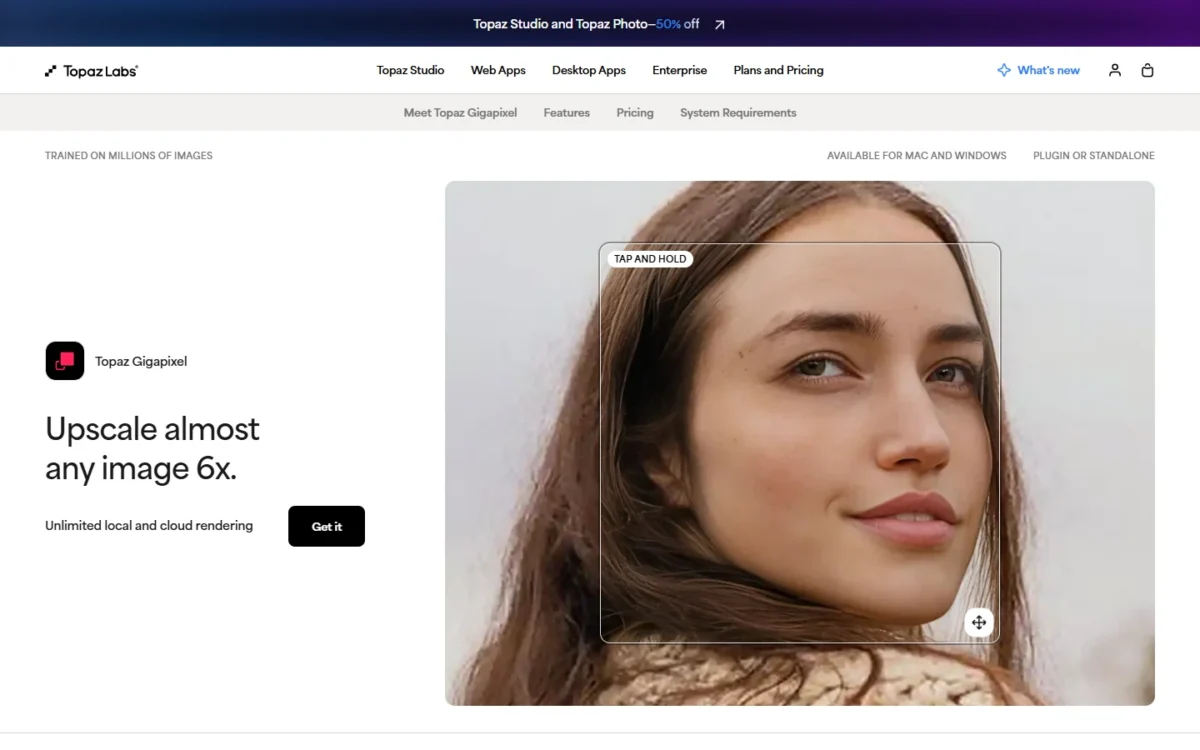
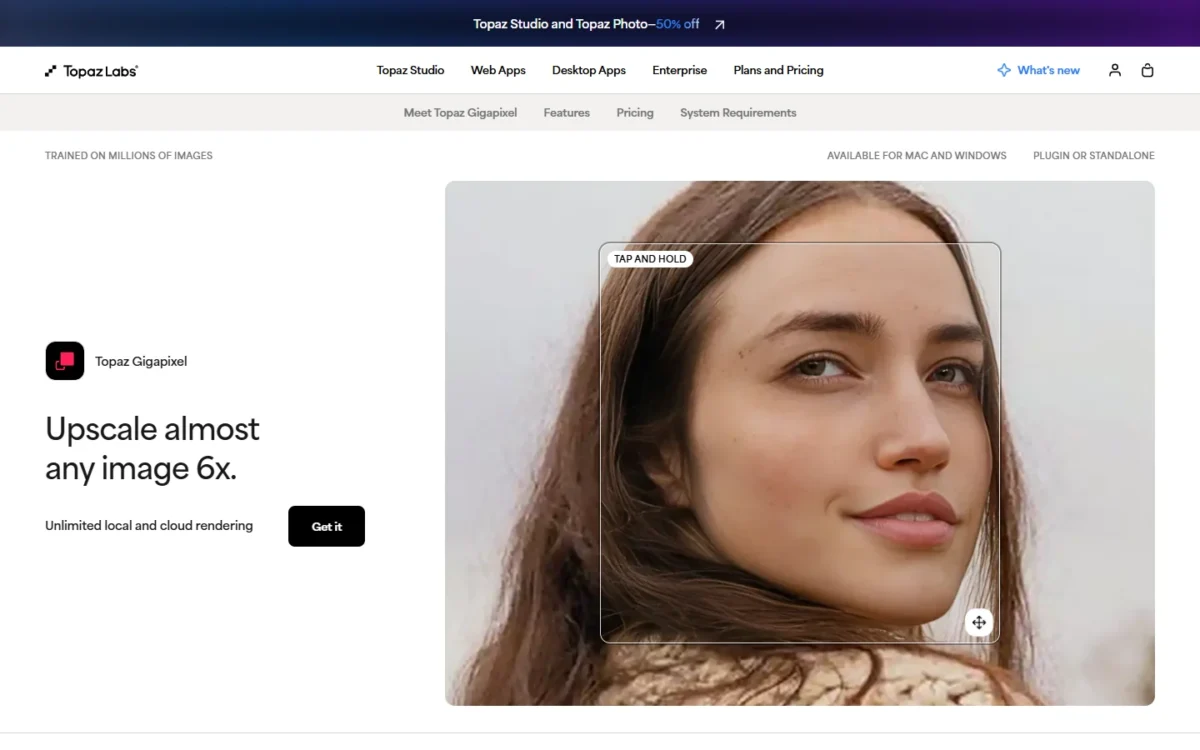
- Starting price: $149 a year for Personal, billed annually
- Max output: 6x, plus 6x lossless zoom for crops
- Face handling: a dedicated Face Recovery model
- Runs on: Mac and Windows, standalone or as a Photoshop and Lightroom Classic plugin
I would hand Topaz Gigapixel to a working photographer who prints. It renders without limits on your own machine, ships a separate Face Recovery model, and plugs into Photoshop and Lightroom Classic. The catch: Personal covers businesses under $1M in annual revenue, and Topaz lists no trial, so you commit before testing your own files.
Topaz says files never leave your computer with local rendering, which suits client work under a confidentiality agreement. The models include Standard, High Fidelity, Text & Shapes, Art & CG and Face Recovery, so a portrait and a shop sign each get their own.
Personal costs $149 a year and Pro $499 a year, both billed annually, with unlimited local and cloud rendering. Pro adds full commercial use and seat management, so a studio above $1M in revenue budgets for Pro.
| Plan | Price | Billing | Key limit |
|---|---|---|---|
| Personal | $149 a year | Billed annually | Orgs under $1M revenue |
| Pro | $499 a year | Billed annually | Full commercial use |
Sources: Topaz Gigapixel plans, checked October 2026.
Pros
- Unlimited local rendering keeps client files on your computer
- Face Recovery is its own model, not a generic sharpen
- Plugin for Photoshop and Lightroom Classic
Cons
- No trial listed before the first paid year
- Personal limited to orgs under $1M in revenue
- Larger studios need Pro at $499 a year
- Skip it if:
- you want large files without installing software or paying a year up front; Let’s Enhance reaches 512 MP in a browser, and Upscayl is free on a Vulkan GPU.
2. Let’s Enhance: Best for Large Print Files From a Browser

- Starting price: $9 a month billed annually (Starter, 100 credits)
- Free plan: 10 credits, 8 MP output, watermark
- Max output: up to 16x, and 512 MP on Max
- Batch: edit 20 images at once
When the file has to reach poster size and you work in a browser, pick Let’s Enhance. Its plans raise the output ceiling step by step, and its modes separate portraits from fine text. The trade-off: you pay for the ceiling as much as the count, so a seller who needs 512 MP buys Max even for a few images.
Prime is the default for portraits and products, Gentle preserves small text, and Old Photo repairs damage first. Pixelcut prices for volume; Let’s Enhance prices for size, at one credit per image.
Against Deep-Image.ai, Let’s Enhance is the cheaper route to a 512 MP file: Max reaches 512 MP at $34 a month billed annually.
Deep-Image.ai’s subscriptions stop at 303MP below 1,000 credits a month, and its 1024MP tier starts at $57.50 a month on Pay Yearly.
Unused credits roll over up to six times the monthly amount, but cancelling forfeits them at the end of the paid period.
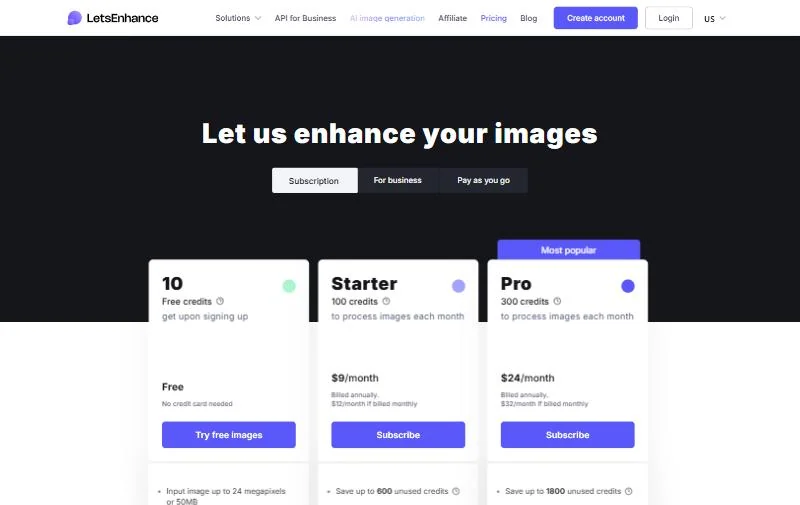
| Plan | Price | Billing | Key limit |
|---|---|---|---|
| Starter | $9 a month ($12 monthly) | Billed annually | 100 credits, 256 MP |
| Pro | $24 a month ($32 monthly) | Billed annually | 300 credits, 350 MP |
| Max | $34 a month ($45 monthly) | Billed annually | 500 credits, 512 MP |
Sources: Let’s Enhance pricing, checked October 2026.
Pros
- Output ceilings published per plan: 256, 350 and 512 MP
- Prime, Gentle and Old Photo modes match the image type
- Unused credits roll over up to 6x the monthly amount
Cons
- Free output stops at 8 MP with a watermark
- Every image costs a credit, so volume pushes the plan up
- Cancelling forfeits banked credits
- Skip it if:
- you upscale hundreds of catalog images at web size; Pixelcut Pro’s unlimited upscales cost less at that volume, as the cost table below shows.
3. Upscayl: Best Free, Open-Source Upscaler for Your Own GPU
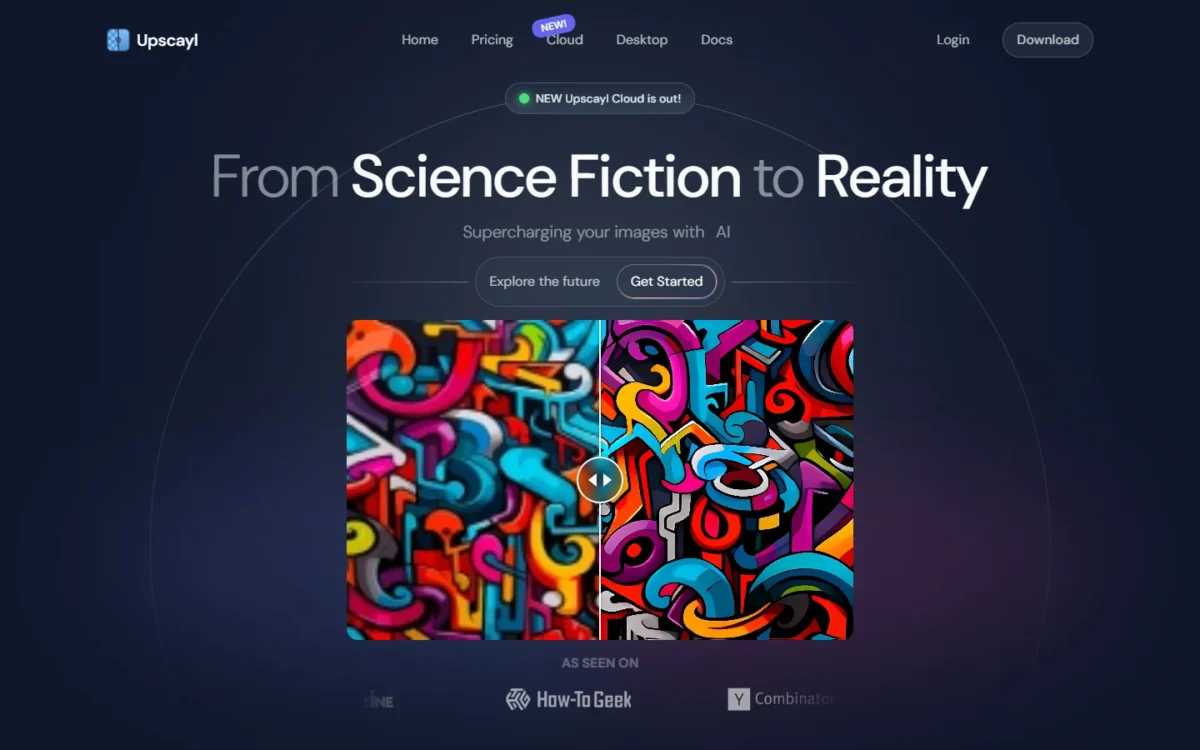
- Price: free desktop app, AGPLv3 backend
- Max output: up to 16x, with Double Upscayl for a second pass
- Runs on: Linux, macOS 12+ and Windows 10+, with a Vulkan-compatible GPU
A zero budget and a capable graphics card point to Upscayl. It runs Real-ESRGAN models on your own GPU, upscales up to 16x and upscales several images in one go, with no subscription. Its limits are hard: it needs a Vulkan-compatible GPU, most integrated graphics will not work, and the project says it cannot de-blur.
Upscayl ships community models such as High Fidelity, Remacri and Ultrasharp, and loads more from its custom-models repository. A CLI called upscayl-ncnn exists. Upscayl charges nothing per image, where Let’s Enhance bills one credit per image.
Upscayl Desktop is free: download it once and keep it. A separate subscription service, Upscayl Cloud, offers a free trial with 10 credits. That trial detail comes from the Internet Archive’s October 21, 2026 copy of the pricing page.

| Plan | Price | Billing | Key limit |
|---|---|---|---|
| Upscayl Desktop | Free | One download | Needs a Vulkan GPU |
| Upscayl Cloud Free Trial | $0 | Trial application | 10 credits included |
Sources: Upscayl, Upscayl Cloud pricing, Upscayl docs, checked October 2026.
Pros
- Free and open source, with no subscription
- Batch Upscayl for several images at once, plus the upscayl-ncnn CLI
- Runs locally on Linux, macOS and Windows
Cons
- Needs a Vulkan-compatible GPU; most integrated GPUs fail
- Cannot de-blur or fix focus
- No face model in the desktop feature list
- Skip it if:
- your computer relies on integrated graphics, or your photos are blurry rather than small; Bigjpg reaches 16x on its own servers, and Cutout.Pro’s enhancer sharpens portraits.
4. Deep-Image.ai: Best for Upscaling and Cleaning Up a Photo in One Credit
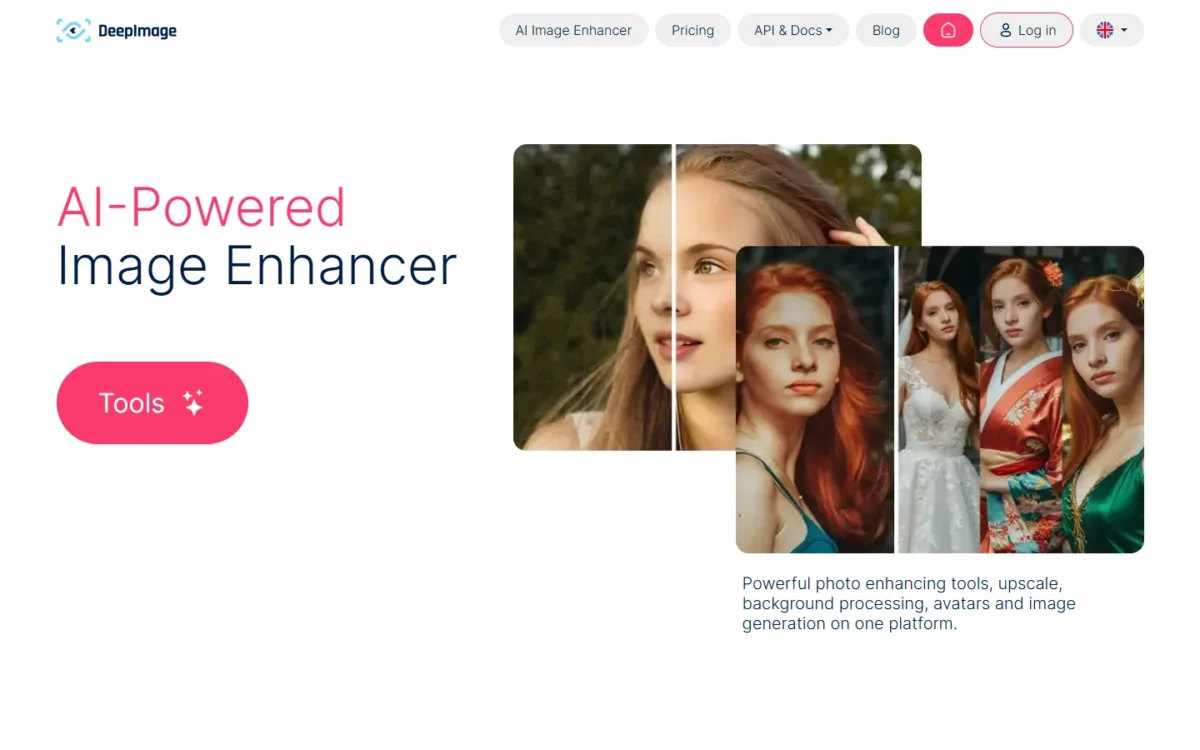
- Starting price: $7.99 for 15 credits (pay as you go), or $7.50 a month for 100 credits on Pay Yearly
- Max output: up to 16 times; subscriptions upscale up to 303MP, or up to 1024MP from 1,000 credits a month
- Credit cost: 1 credit per image, even with several enhancements selected
- Batch: up to 50 images at once
Deep-Image.ai fits an online shop, real estate team or print shop whose photos need cleanup as well as size. One credit covers an image even when you select upscale, denoise and background removal together.
The trade-off sits in its generative upscaling, which restores degraded images by creating new details that fit the context, something a product label cannot afford.
Every feature on the website is also available through the API, on every plan, so a shop can automate catalog uploads. Images are deleted after 40 days, so download each batch when it finishes.
Pay-as-you-go packs run from $7.99 for 15 credits to $169.99 for 1,000, and those credits have no expiration date. Subscriptions start at $7.50 a month for 100 credits with Pay Yearly selected, and cancelling forfeits the remaining credits.
Per image, that is $0.17 on the 1,000-credit pack and under 8 cents on the 100-credit subscription ($7.50 for 100 credits), so a steady monthly volume belongs on a subscription.
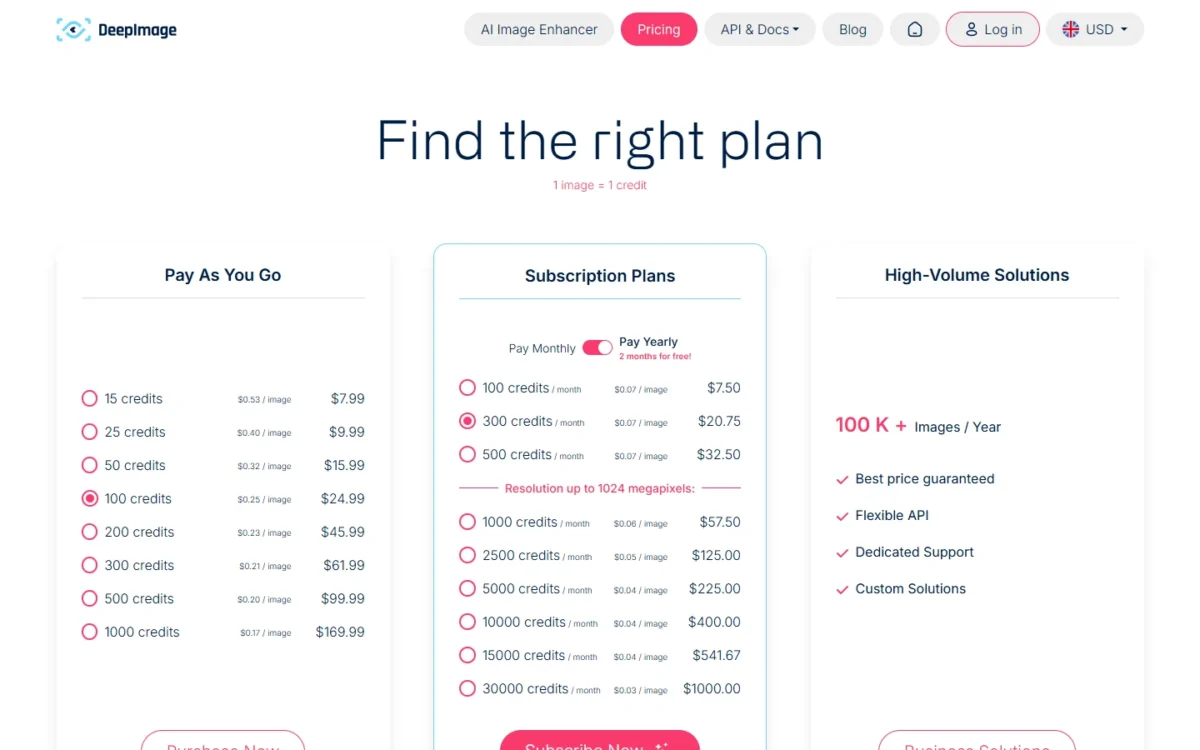
| Plan | Price | Billing | Key limit |
|---|---|---|---|
| Pay as you go, 15 credits | $7.99 | One-time | Credits do not expire |
| Subscription, 500 credits a month | $32.50 a month | Pay Yearly | Output up to 303MP |
| Subscription, 1,000 credits a month | $57.50 a month | Pay Yearly | Output up to 1024MP |
Sources: Deep-Image.ai pricing, Deep-Image.ai, checked October 2026.
Pros
- One credit per image, even with upscale, denoise and background removal selected together
- Up to 1024MP on subscriptions of 1,000 credits a month or more
- API on every plan, plus Zapier and Make connectors
Cons
- Generative upscaling creates new details by design
- Subscription credits are lost when you cancel
- Processed images are deleted from the gallery after 40 days
Choose it when each photo needs several fixes before it is listed or printed, and you want the API on the plan you already pay for.
- Skip it if:
- your files must stay on your own computer; Topaz Gigapixel renders locally. For an occasional 2x or 4x inside Adobe, Firefly’s free daily generations cost nothing.
5. Adobe Firefly: Best for Teams Already on Adobe

- Starting price: Firefly Standard $9.99 a month; free daily generations without a plan
- Max output: 2x or 4x
- Inputs: one file per upload, at least 512 x 512 px
For a team already working in Adobe, the Firefly image editor puts its upscaler in the Quick Actions menu, and free users upscale on free daily generations. It is the modest option here: 2x or 4x and one file per upload, so a poster from a phone photo needs Let’s Enhance or Krea.
You pick an AI model, then 2x or 4x, and Firefly saves the result as a separate image, so a client logo stays on file as delivered.
Firefly Standard costs $9.99 a month with 2,000 generative credits, and Photoshop $22.99 a month on an annual plan billed monthly with 25 credits. The plans page does not list how many credits one upscale uses, so watch the counter in your first week.
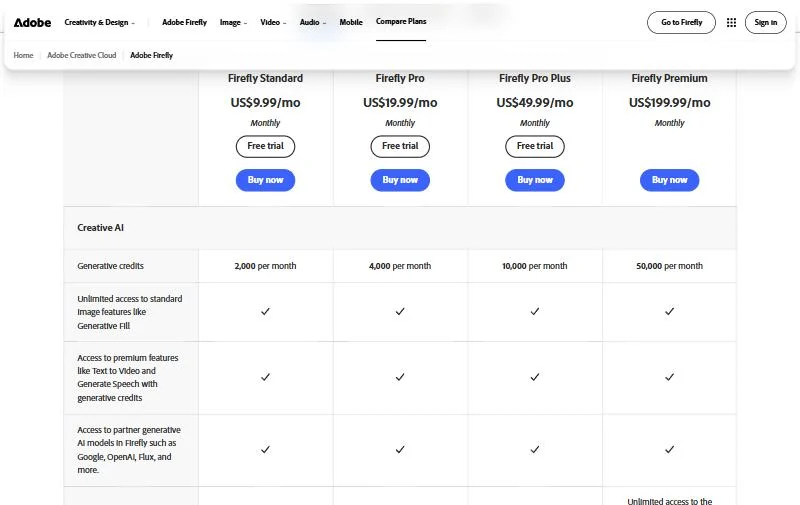
| Plan | Price | Billing | Key limit |
|---|---|---|---|
| Free | Free daily generations | No plan needed | Limits refresh every day |
| Firefly Standard | $9.99 a month | Monthly | 2,000 credits a month |
| Photoshop | $22.99 a month | Annual, billed monthly | 25 credits a month |
Sources: Adobe Firefly plans, Photoshop plans, checked October 2026.
Pros
- Free daily generations cover occasional upscales
- A choice of AI model before each upscale
- Output saved as a separate file, original untouched
Cons
- 2x or 4x is the ceiling
- One file per upload in the web upscaler
- Credit cost per upscale not stated on the plans page
- Skip it if:
- you need poster-size output or a folder at once; Let’s Enhance covers the size and Pixelcut the folder.
My Adobe Firefly review covers the generator side.
My Adobe Firefly pricing breakdown lists credits per plan.
6. Krea: Best for Pushing Past 16K Inside a Generative Suite

- Starting price: $5 a month billed yearly (Basic), $9 billed monthly
- Max output: up to 22K with paid upscalers, Topaz Standard included
- Controls: AI Strength, Resemblance, Clarity and Sharpness sliders
For AI art that must go past 16K, start with Krea, whose paid upscalers reach 22K. The trade-off is in Krea’s own words: the Enhancer adds new details, which suits AI art and is a risk for a label that must stay exact.
The sliders let a creator trade invented detail against fidelity image by image, where Let’s Enhance offers fixed modes.
Basic is $5 a month billed yearly or $9 billed monthly, with 625 Enhancer images a month.
Start monthly; once Krea’s added detail suits your work, yearly billing saves ($9 – $5) x 12 months = $48 a year on Basic.
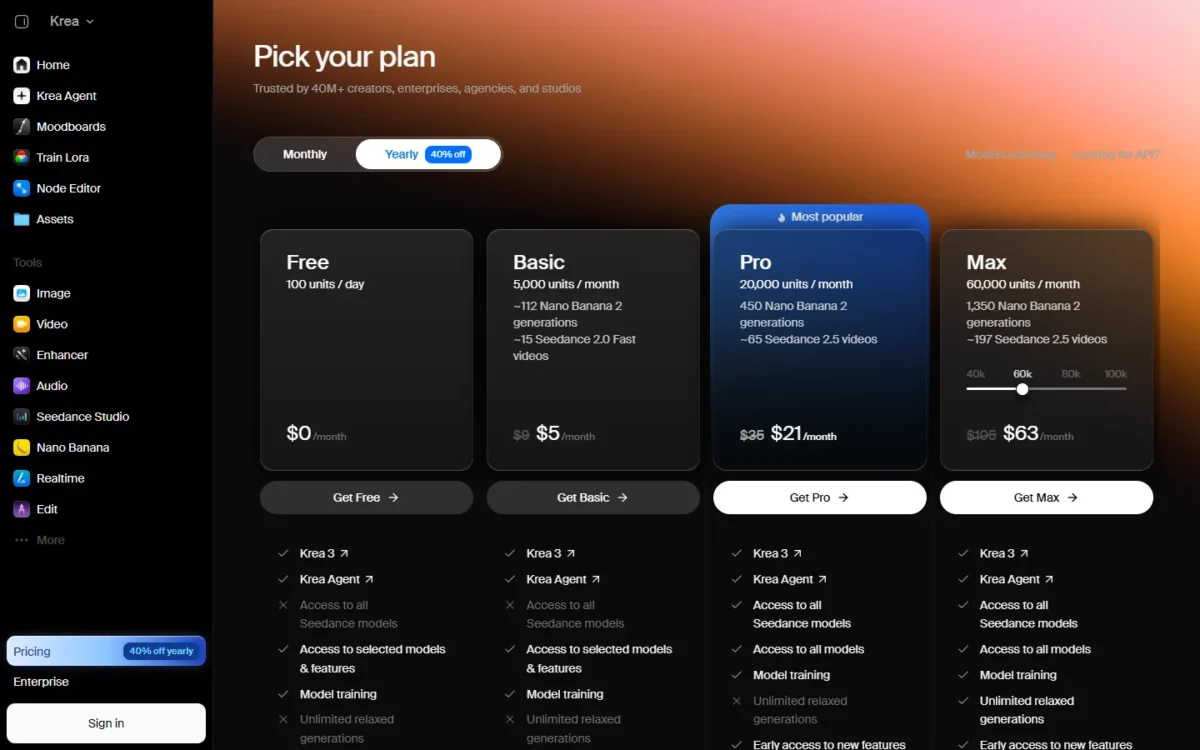
| Plan | Price | Billing | Key limit |
|---|---|---|---|
| Free | $0 a month | No credit card | 4 Enhancer images a day, 2K |
| Basic | $5 a month ($9 monthly) | Yearly | 625 Enhancer images a month |
| Pro | $21 a month ($35 monthly) | Yearly | 2,500 Enhancer images a month |
Sources: Krea pricing, Yearly and Monthly views, Krea Enhancer, checked October 2026.
Pros
- Topaz Standard among the paid upscalers
- Sliders for AI Strength, Resemblance, Clarity and Sharpness
- Commercial license on every paid plan (Basic, Pro, Max, Business, Enterprise)
Cons
- The Enhancer adds new details by design
- Free upscaling stops at 2K with basic models
- One pool of compute units also pays for generation
- Skip it if:
- the image is a product shot, document or archive scan that must stay true to the original; Topaz Gigapixel states accuracy to the original as its goal.
7. Pixelcut: Best for Batch-Upscaling Product Catalogs

- Starting price: $8 a month billed yearly (Pro)
- Free plan: 3 downloads a day, no watermark, no sign-up
- Max output: 16K through a Topaz Labs model
- Input: up to 50MB and 6000 x 6000 px
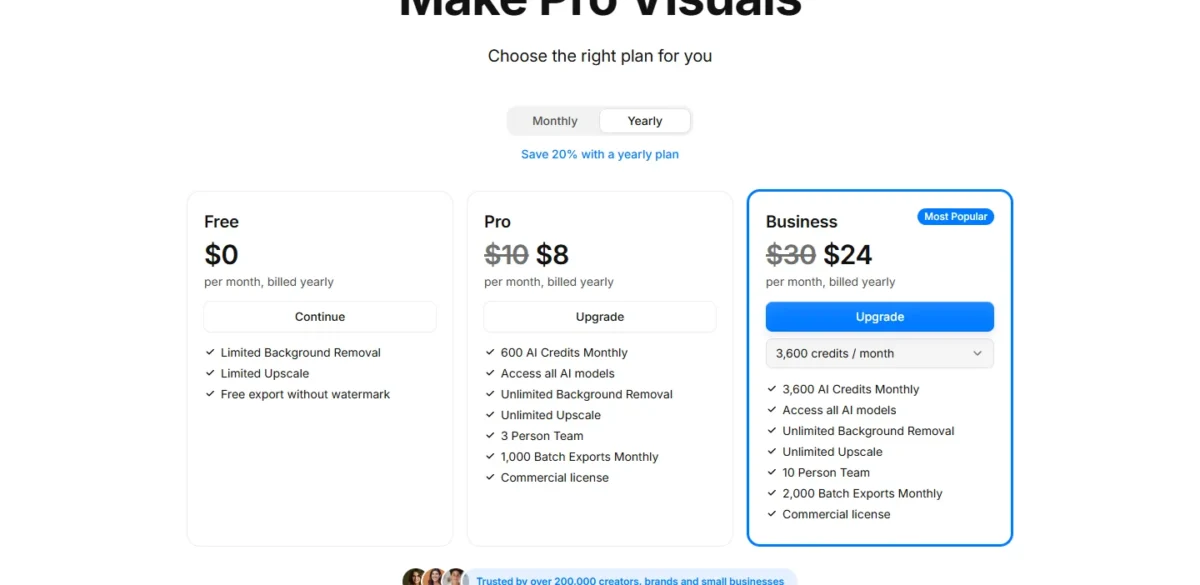
A seller refreshing hundreds of listings needs a predictable bill, and Pixelcut Pro’s flat price covers unlimited upscales and 1,000 batch exports a month for a three-person team. The limit is on the way in: uploads stop at 6000 x 6000 pixels and 50MB.
The upscaler page says Pro processes up to 10,000 images at a time as a ZIP. The pricing page caps Pro at 1,000 batch exports a month, so plan around the monthly figure.
Pro costs $8 a month billed yearly; Business costs $24 a month billed yearly for 10 people and 2,000 batch exports.
| Plan | Price | Billing | Key limit |
|---|---|---|---|
| Free | $0 | No sign-up | 3 downloads a day |
| Pro | $8 a month | Billed yearly | 1,000 batch exports, 3 people |
| Business | $24 a month | Billed yearly | 2,000 batch exports, 10 people |
Sources: Pixelcut pricing, Pixelcut image upscaler, checked October 2026.
Pros
- Unlimited upscales on Pro at one flat price
- 1,000 batch exports a month, downloaded as a ZIP
- Free tier with no watermark and no sign-up
Cons
- Inputs capped at 6000 x 6000 px and 50MB
- Credit use of the 16K Topaz model not on the pricing page
- Batch figures differ between the upscaler and pricing pages
- Skip it if:
- you print posters from a few files rather than many web images; Let’s Enhance Max reaches 512 MP.
8. VanceAI: Best for a One-Time Windows License and 40x Enlargement
- Starting price: $180 a year (Starter), or $129.90 once for VanceAI for PC Lifetime
- Max output: 8x online; up to 40x in VanceAI for PC
- Credit cost: 1 credit at 2x, 2 at 4x, 3 at 8x
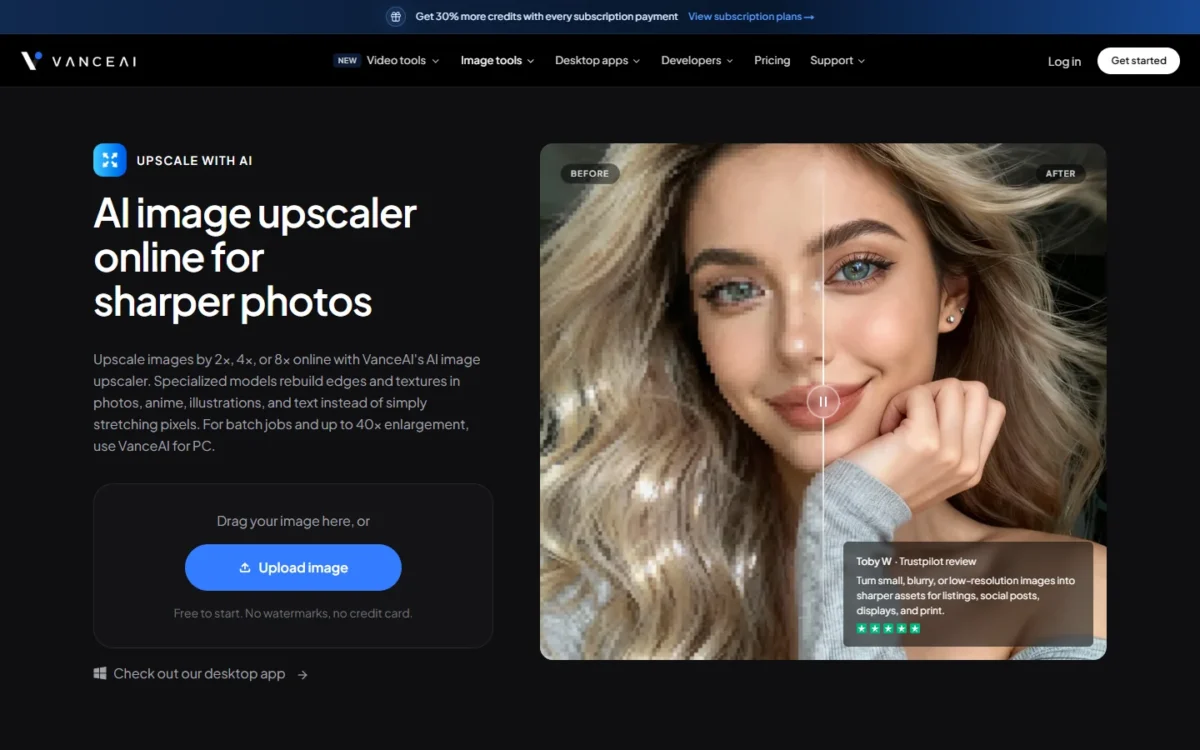
Buyers who want to stop renting software should look at VanceAI for PC. The Windows app sells a Lifetime license for one PC, with local processing, batch jobs and up to 40x enlargement. The web app is weaker for big files: online inputs over 34 MP, 10MB or 8,000 px get resized or compressed automatically.
VanceAI for PC uses no credits and accepts images of any size, which removes the web cap on Windows.
Against Topaz Gigapixel, also local, the Lifetime license is paid once instead of every year. The trade-off is Windows only, with an API and a ComfyUI node rather than a Photoshop plugin.
Starter costs $180 a year and Creator $540 a year, both billed annually. VanceAI for PC costs $99.90 a year or $129.90 for Lifetime, each for one PC.

| Plan | Price | Billing | Key limit |
|---|---|---|---|
| Starter (web) | $180 a year | Billed annually | 260 credits a month |
| Creator (web) | $540 a year | Billed annually | 1,300 credits a month |
| VanceAI for PC, Lifetime | $129.90 | Pay once | One Windows PC |
Sources: VanceAI pricing, VanceAI image upscaler, checked October 2026.
Pros
- Lifetime license for one Windows PC, with no credits locally
- Up to 40x and batch jobs in VanceAI for PC
- Models for portraits, products, anime, text and low light
Cons
- Online inputs above 34 MP, 10MB or 8,000 px are resized
- The desktop app is Windows only
- 8x online costs 3 credits per image
- Skip it if:
- you edit on a Mac; Topaz Gigapixel runs on Mac and Windows, and Upscayl runs on macOS 12 and later.
9. Bigjpg: Best for Low-Cost 16x Enlargement of Artwork and Photos
- Starting price: Basic, $6 USD for 2 months
- Runs on: Bigjpg’s servers, plus iOS and Android apps
- Max output: 16x on every paid plan, with 50MB uploads
- Batch: batch mode and parallel enlarging on paid plans
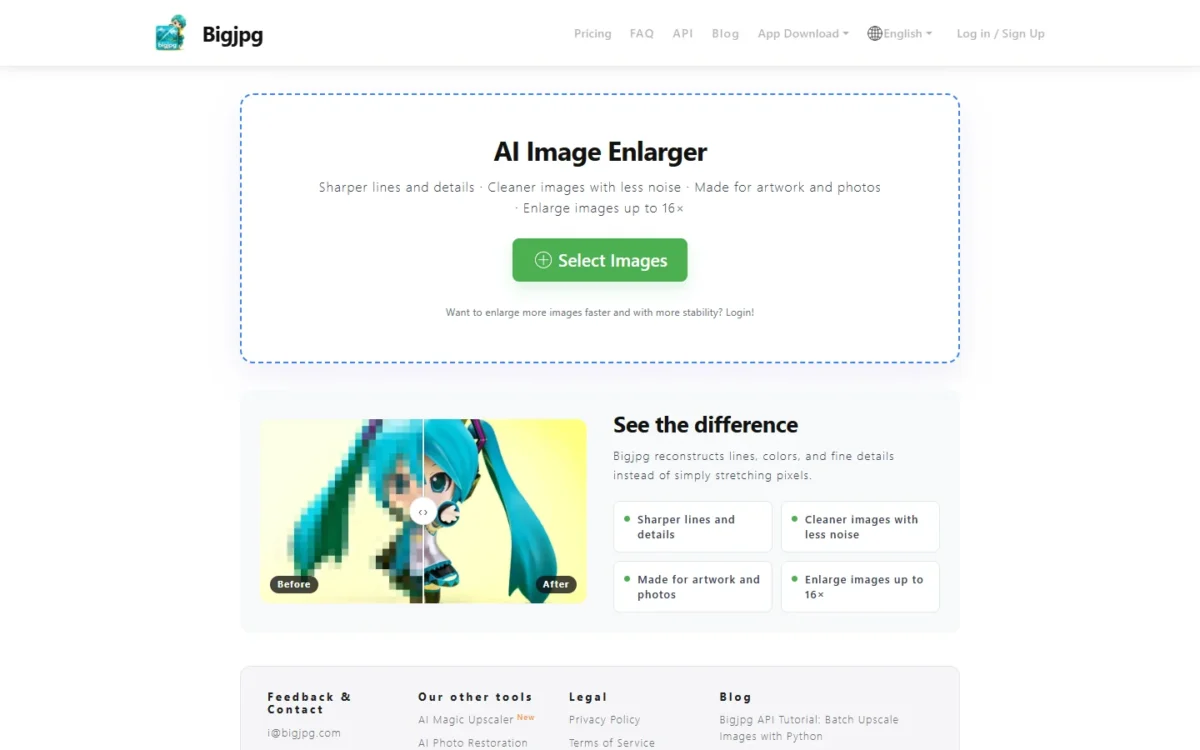
Bigjpg suits an illustrator or hobbyist who wants 16x enlargement in a browser, with no graphics card and no per-image credits. It says it is made for artwork and photos, and each paid plan buys a monthly image quota for a set number of months. The trade-off: it lists no face model.
Basic, Standard and Premium all list 16x and batch mode, so buy the tier that covers your monthly count.
Against Upscayl, also 16x and free, Bigjpg swaps the Vulkan GPU requirement for a monthly quota on its own servers.
Premium costs less than six Basic plans at $6 x 6 = $36, so Basic suits only a short paid trial.

| Plan | Price | Billing | Key limit |
|---|---|---|---|
| Free | $0 | No payment | 20 images a month, 5MB, 4x |
| Basic | $6 USD | 2 months | 500 images a month, 16x |
| Standard | $12 USD | 6 months | 1,000 images a month, 16x |
| Premium | $22 USD | 12 months | 2,000 images a month, 16x |
Sources: Bigjpg pricing, checked October 2026.
Pros
- The cheapest paid tier already gets the top 16x ratio
- Plans bought by the month block, with no per-image credit math
- No local GPU needed, unlike Upscayl
Cons
- No face model or portrait mode listed
- Free plan stops at 4x and 5MB, with no batch mode
- Paid plans run for a fixed 2, 6 or 12 months
- Skip it if:
- your images are portraits or old family photos; Topaz Gigapixel’s Face Recovery or Let’s Enhance’s Old Photo mode fits that job.
10. Cutout.Pro: Best for Pay-as-You-Go Portrait Enhancement

- Starting price: $4.99 for 30 credits, or $5.00 a month for 80 credits
- Free plan: free previews, 5 free credits
- Max output: 2x, up to 4K for anime and 3D frames
Ten portraits and no wish to subscribe: that buyer belongs on Cutout.Pro. Pay-as-you-go credits stay available forever, previews are free, and the enhancer is tuned for human faces. Cutout.Pro states its own limits: output is 2x, results are best on portraits rather than text or scenery, and very poor images may not deblur fully.
The enhancer does not change color, light, contrast or saturation, which suits product shots and leaves dull old prints to Remini’s Color Fixer. My Cutout.Pro review covers the background tools and the full plan list.
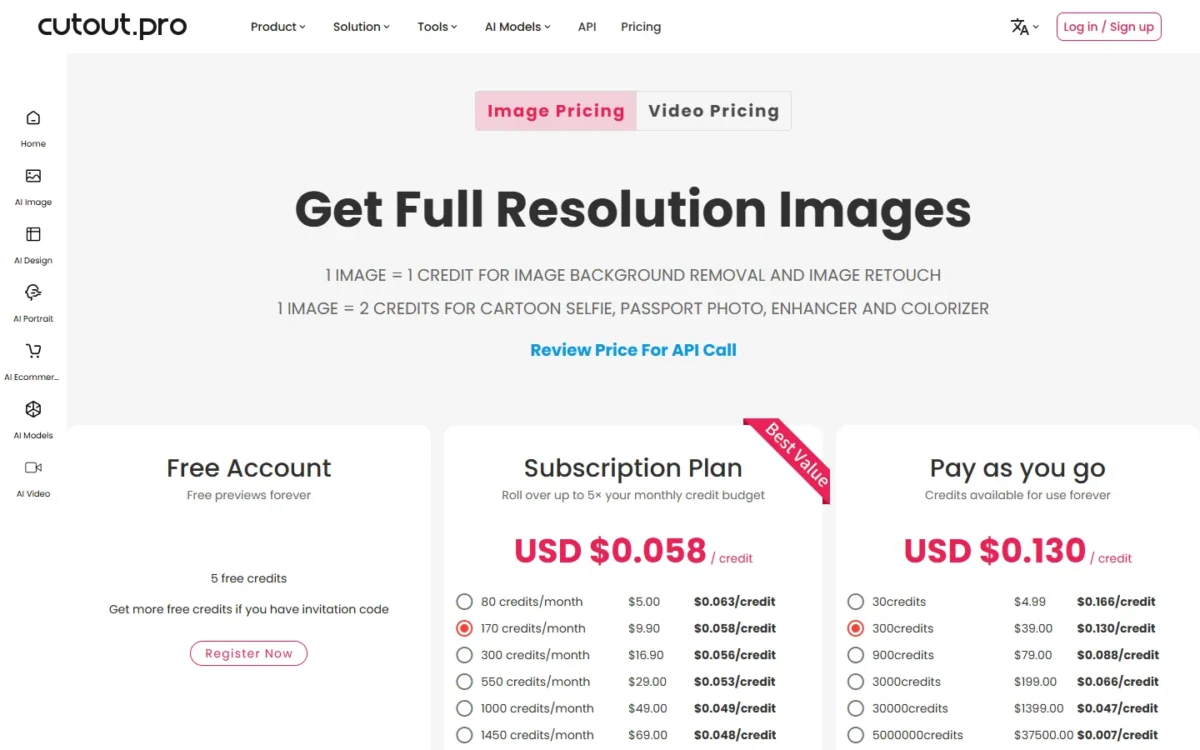
Pay-as-you-go packs run from $4.99 for 30 credits to $39.00 for 300. Subscriptions start at $5.00 a month for 80 credits, with rollover up to five times the monthly budget.
| Plan | Price | Billing | Key limit |
|---|---|---|---|
| Pay as you go | $4.99 for 30 credits | One-time | 15 enhancements |
| Pay as you go | $39.00 for 300 credits | One-time | 150 enhancements |
| Subscription | $49.00 a month for 1,000 credits | Monthly | 500 enhancements a month |
Sources: Cutout.Pro image pricing, Cutout.Pro photo enhancer, checked October 2026.
Pros
- Pay-as-you-go credits stay available forever
- Free previews before you spend a credit
- API, Shopify plugin and desktop app
Cons
- Output stops at 2x
- Weaker on text and scenery, by Cutout.Pro’s own account
- No color or light correction in the enhancer
- Skip it if:
- you need more than 2x or large prints; Let’s Enhance or Krea go much further.
What Upscaling at Volume Costs on Each Tool
At high volume, the yearly bill runs from nothing on Upscayl to $588 on Cutout.Pro. The table lists each tool’s plan that clears the worked example below.
Assumption: 500 upscales a month, an illustrative volume for a busy shop or studio. A plan covers that volume when its monthly image count, or its monthly credits divided by the credits one image uses, comes to 500 or more.
The rows buy different output sizes: the VanceAI row is costed at 4x and the Cutout.Pro row at its 2x enhancement.
| Tool | Plan | Allowance on that plan | Price as billed | Yearly cost |
|---|---|---|---|---|
| Upscayl | Desktop app | Free download; needs a Vulkan GPU | Free | Free |
| Bigjpg | Premium | 2,000 images a month | $22 USD for 12 months | $22 |
| Krea | Basic | 625 Enhancer images a month | $5 a month, billed yearly | $5 x 12 months = $60 |
| Pixelcut | Pro | Unlimited upscales; 1,000 batch exports a month | $8 a month, billed yearly | $8 x 12 months = $96 |
| VanceAI | VanceAI for PC, 1 year (Windows only) | Unlimited local processing, no credits | $99.90 a year | $99.90 |
| Topaz Gigapixel | Personal | Unlimited local and cloud rendering | $149 a year, billed annually | $149 |
| Deep-Image.ai | 500-credit subscription | 500 credits a month, 1 credit per image | $32.50 a month on Pay Yearly | $32.50 x 12 months = $390 |
| Let’s Enhance | Max | 500 credits a month, 1 credit per image | $34 a month, billed annually | $34 x 12 months = $408 |
| VanceAI | Creator (web app) | 1,300 credits a month / 2 credits at 4x = 650 images at 4x | $45 a month, $540 billed annually | $540 |
| Cutout.Pro | 1,000-credit subscription | 1,000 credits a month / 2 credits per enhancement = 500 enhancements | $49.00 a month | $49.00 x 12 months = $588 |
Sources: pricing pages of Upscayl, Bigjpg, Krea, Pixelcut, Topaz, Deep-Image.ai, Let’s Enhance, VanceAI and Cutout.Pro, checked October 2026.
Flat-price tools win on count: Pixelcut Pro includes unlimited upscales, while Let’s Enhance Max is really buying the 512 MP ceiling. Over three years, VanceAI’s $129.90 Lifetime license costs less than Topaz Personal at $149 x 3 = $447. Firefly is left out because Adobe does not list credits per upscale.
How to Choose the Best AI Upscaler for Your Images
Decide by output size first, faces second and volume third; the matrix maps each priority to its pick.
| Your priority | Pick to consider | Reason | Trade-off |
|---|---|---|---|
| Posters from 256 MP up to 512 MP | Let’s Enhance Pro or Max | 350 MP on Pro, 512 MP on Max | Every image costs a credit |
| Output past 16K for AI art | Krea | Paid upscalers up to 22K | Adds new details |
| Faces in old or damaged photos | Let’s Enhance | Old Photo repairs damage first; Prime for portraits | Every image costs a credit |
| Many images at 16x on a small budget | Bigjpg Premium | 2,000 images a month for 12 months at $22 USD | No face model listed |
| Files that stay on your computer | Topaz Gigapixel, or VanceAI for PC on Windows | Topaz says files never leave your computer with local rendering; VanceAI says every file stays on your Windows PC | Topaz’s lowest price needs an annual commitment; VanceAI for PC is Windows only |
| No budget and a capable GPU | Upscayl | Free desktop app, up to 16x | Needs a Vulkan GPU; cannot de-blur |
| A product catalog | Pixelcut Pro | 1,000 batch exports a month | 6000 x 6000 px input cap |
| Upscaling plus denoise or background removal in one step | Deep-Image.ai | One credit per image, however many enhancements you select | Generative upscaling creates new details |
| Output beyond 512 MP | Deep-Image.ai 1,000-credit subscription | Up to 1024MP from 1,000 credits a month | $57.50 a month on Pay Yearly |
| Pay once | VanceAI for PC Lifetime | $129.90 for one PC | Windows only |
Sources: Let’s Enhance pricing, Topaz Gigapixel, VanceAI pricing, Bigjpg pricing, Upscayl, Deep-Image.ai pricing, checked October 2026.
If Your Photos Have Faces
Topaz Gigapixel (Face Recovery), VanceAI (a portrait model) and Cutout.Pro (Portrait Enhancer) each name a face model or mode. Let’s Enhance makes Prime the default for most images, portraits included.
Deep-Image.ai says its sharpening recovers facial details, and Pixelcut says it enhances portraits and headshots with sharper facial detail. Upscayl’s site lists AI face enhancement under Edit Image, though its desktop feature list names no face model.
Face fidelity depends on your photo, so run one face-heavy image through the free tiers of your top two. Compare eyes, teeth and hair edges at full size before you pay.
Faithful or Generative
A faithful upscaler enlarges what is in the photo; a generative one invents plausible new detail. Krea says its Enhancer adds new details, and Pixelcut says its creative upscaling mode lets the AI add new details.
Adobe says its generative upscaling adds realistic detail, and Deep-Image.ai’s creates new details that fit the image context. Topaz, by contrast, stresses accuracy to your original.
Use generative modes for AI art and renders, and faithful ones for products, documents and archive scans, where an invented letter is a defect.
Also Considered
Six more tools fit a real job but missed a ranked spot:
- Magnific (formerly Freepik): suits artists who generate, upscale and edit in one suite, with Topaz upscalers from Premium+. Its pricing page publishes no upscale factor or output size. My list of AI image generators covers the generator side.
- Picsart AI Image Enhancer: suits mobile creators in Picsart; the enhancer page publishes no upscale factor or output ceiling.
- Canva AI Image Upscaler: suits designers already in Canva; the page states no factor, ceiling or free cap. My Canva AI review covers its other AI tools.
- Topaz Photo: Topaz’s all-round editor for sharpening, denoising and face recovery; Gigapixel is Topaz’s dedicated upscaler.
- Upscale.media: suits quick free upscales at 2x, 4x or 8x, but its input limit shrinks to 2,500 x 2,500 px at 8x for a logged-in user.
- Remini: suits faces in old or blurry photos, with a Face Enhancer, Unblur & Sharpener and Old Photos Restorer, but its Image Enlarger stops at 2x. For new portraits, see my AI headshot generators roundup.
For free editing tools beyond upscaling, my guide to free AI photo editors and their quotas compares the caps each one hits first.
FAQ
Can an AI upscaler fix a blurry photo?
Not reliably. Upscayl says it cannot de-blur or fix focus, and Cutout.Pro says very poor images may not deblur fully, even with a second pass. For motion blur or camera shake, start with a tool that lists unblur, such as Remini’s Unblur & Sharpener, then upscale the sharpened file.
Is there a free AI upscaler with no watermark?
Yes: Upscayl is free and open source and runs on your own computer if it has a Vulkan-compatible GPU. Pixelcut’s free tier gives 3 downloads a day with no watermark and no sign-up. Let’s Enhance’s free output carries a watermark until you buy a plan or bundle.
Which of these tools also upscale video?
Several do, through separate products or modes: Topaz sells Topaz Video, Krea’s Enhancer upscales video up to 8K, VanceAI lists a Video Upscaler AI, and Pixelcut runs video upscaling on Pro with credits.
Final Verdict
Buy Topaz Gigapixel if you print your own photographs and want files local, and Let’s Enhance if you need poster-size files from a browser. The rest map to narrower jobs:
- Free and local: Upscayl, with a Vulkan GPU
- Upscaling and cleanup in one credit: Deep-Image.ai
- Already on Adobe: Adobe Firefly
- AI art: Krea for 22K
- Catalogs: Pixelcut Pro
- Pay once on Windows: VanceAI for PC Lifetime
- Artwork at 16x on a small budget: Bigjpg Premium
- A few portraits: Cutout.Pro pay-as-you-go credits
If you also need retouching, my list of the best AI photo editors covers full editors.






Pingback: Best AI Photo Editor 2026: 13 Picks, 5 of 13 Tested
Pingback: 10 Best Free AI Photo Editors (2026): Limits & Watermarks