


Google Flow’s 50 daily free credits with Veo 3.1 make it the best free AI video generator for text-to-video. Adobe Firefly is the safer free pick for commercial clips, and HeyGen the free pick for talking-avatar videos.
I ranked these AI video generators from their vendors’ own pricing and help pages, then priced each first paid upgrade from the same pages.
Quick verdict
- Daily text-to-video: Google Flow, 50 credits a day with Veo 3.1.
- Clips for ads: Adobe Firefly and its commercially safe video model.
- A talking presenter: HeyGen for 3 short videos, or Synthesia for 10 minutes on a watermarked share link.
- Animating a design: Canva Free, with up to 20 AI uses.
- The trade-off: no free plan here is unlimited, and four list watermark-free output on paid plans only.

Google Flow
Best for: daily free text-to-video
50 credits a day with Veo 3.1 at $0.
Limit: 1080p video upscaling starts on Google AI Plus at $4.99 a month

Adobe Firefly
Best for: commercially safe free clips
Adobe trains the Firefly Video Model on licensed and public-domain content.
Limit: partner models may carry different usage terms

HeyGen
Best for: free talking-avatar videos
3 free videos a month, up to 1 minute each.
Limit: watermark removal starts on Creator at $29 a month

Canva
Best for: animating images inside your designs
Image to Video counts toward 20 free AI uses.
Limit: the Veo-powered Create a Video Clip is for Pro and higher plans
| Software | Best for | Free allowance | Free-tier catch | Starting price and billing |
|---|---|---|---|---|
| Google Flow | Daily text-to-video | 50 credits a day | 1080p upscaling is paid | $4.99 per month |
| Adobe Firefly | Commercially safe clips | Daily allotment | Most clips 8 seconds | US$9.99 per month |
| Synthesia | Training minutes | 10 minutes a month | Watermark, share link only | $29 per month, billed monthly |
| HeyGen | Talking avatars | 3 videos a month | 1 minute per video | $24 per month, billed annually |
| Leonardo.Ai | Free commercial license | 150 tokens a day | Creations are public | $12 per month, ex. tax |
| PixVerse | Daily credits, $96 upgrade | 30 credits a day | Watermark-free is paid | $8 per month, billed yearly as $96 |
| Canva | Animating designs | 20 AI uses | Veo clips need Pro | US$144 per year for one person |
| Vidu | Reference-to-video | Bonus credits | 540P | $8.25 per month, billed yearly as $99 |
| Runway | One-time test | 125 credits, once | Free models not named | $12 per month, billed annually |
| Hailuo AI | Testing MiniMax H3 | New-user credits | Sign-up box reads “Get 80”, no unit | From $9.99 per month |
Sources: Google Flow, Adobe Firefly plans, HeyGen pricing, Synthesia pricing, PixVerse pricing, Leonardo.Ai pricing, Canva pricing, Vidu pricing, Runway pricing, Hailuo AI, checked October 2026.
In This Article (15 sections)
How I Chose These Free AI Video Generators
A tool qualified only if its vendor’s own page names a free allowance for generating AI video. That filter keeps Kling AI out and Hailuo AI in.
Kling’s membership page shows a dash for daily free credits and monthly credits on Basic, its $0 plan, so I had no allowance to rank. Hailuo AI’s sign-up box promises new users free credits, so it ranks last.
I ranked the rest in this order: a renewing allowance, a named free video model or output size, then watermark and commercial use.
A daily refill on a named free video model ranks first: Veo 3.1 on Flow, the Firefly Video Model on Adobe’s free tier. Flow leads because it states 50 credits a day; Adobe does not size Firefly’s.
A monthly allowance counted in minutes or videos (Synthesia, HeyGen) comes next, because it tells you the output before you sign up. Daily credits or tokens with no stated output follow, Leonardo.Ai first: its pricing FAQ gives free users a commercial license.
I considered seventeen tools; nothing here rates output quality. Self-hosted open-source video models are left out because there is no vendor page to check.
| Software | Refills | Clip length on free | Resolution on free | Watermark-free from | Commercial use from |
|---|---|---|---|---|---|
| Google Flow | Daily | Not listed | 1080p upscaling paid | Not listed | Not listed |
| Adobe Firefly | Daily | 8 seconds, some 15 | The page does not say | The page does not say | Free (own model) |
| Synthesia | Monthly | 10 minutes a month; Syren agent videos up to 3 minutes | Not listed | Starter | Not listed |
| HeyGen | Monthly | 1 minute | Not listed | Creator | Not listed |
| Leonardo.Ai | Daily | Not listed | Not listed | Not listed | Free |
| PixVerse | Daily | Not listed | Not listed (720P on Standard) | Standard | Not listed |
| Canva | Monthly, footnote only | Not listed | Not listed | Not listed | FAQ allows it, no plan named |
| Vidu | Not listed | Not listed | 540P | Not stated per plan | Standard |
| Runway | One-time | Not listed | Not listed | Standard | Not listed |
| Hailuo AI | New users, no refill stated | Not listed | Not listed | Not listed | Not listed |
Sources: the pricing pages linked above and Adobe’s Firefly video page, checked October 2026.
Once a tool is picked, my guide on how to make AI videos step by step covers the production side.
1. Google Flow: Best for Daily Free Text-to-Video with Veo 3.1
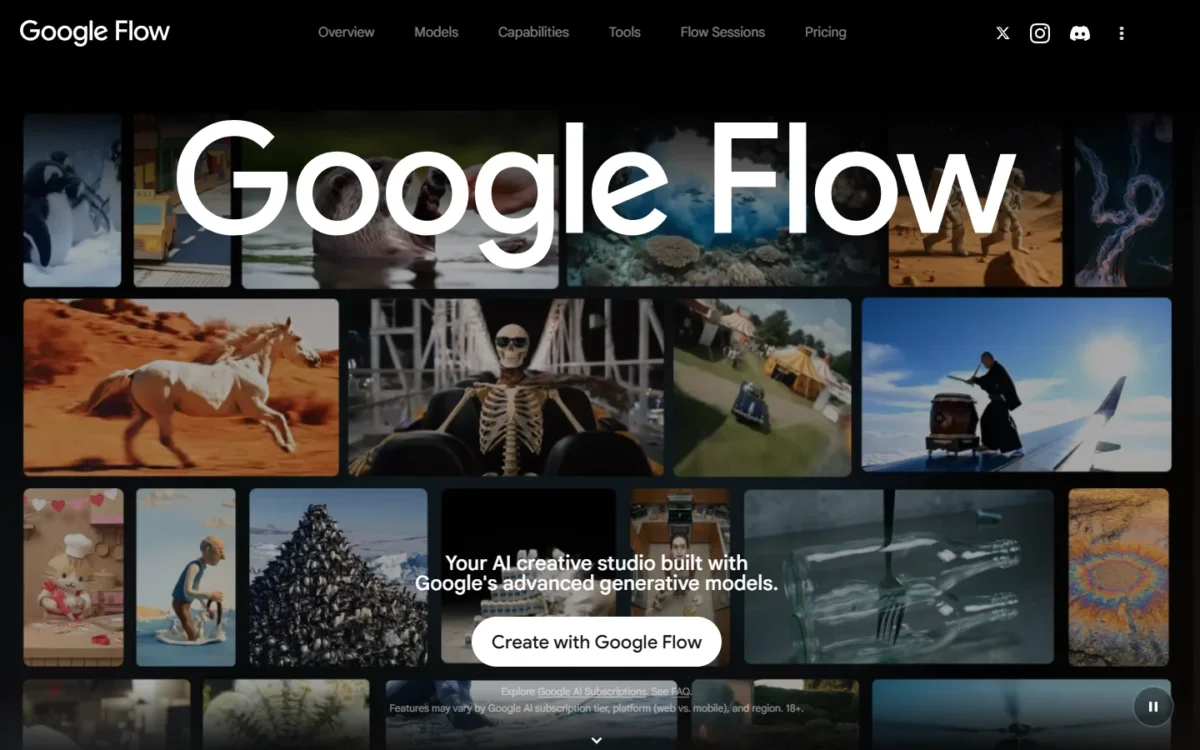
- Free allowance: 50 Google Flow credits a day, with a Google Account
- Free models: Veo 3.1, Gemini Omni Flash, Nano Banana Pro
Google Flow is where I would start a text-to-video habit at $0. The free tier also includes Frames to Video, Ingredients to Video and Video Extension, plus Video-to-video editing for reworking a clip you already have.
The catch is the exchange rate: Google’s FAQ says costs vary across image, video and model selection, so 50 credits are not a fixed clip count.
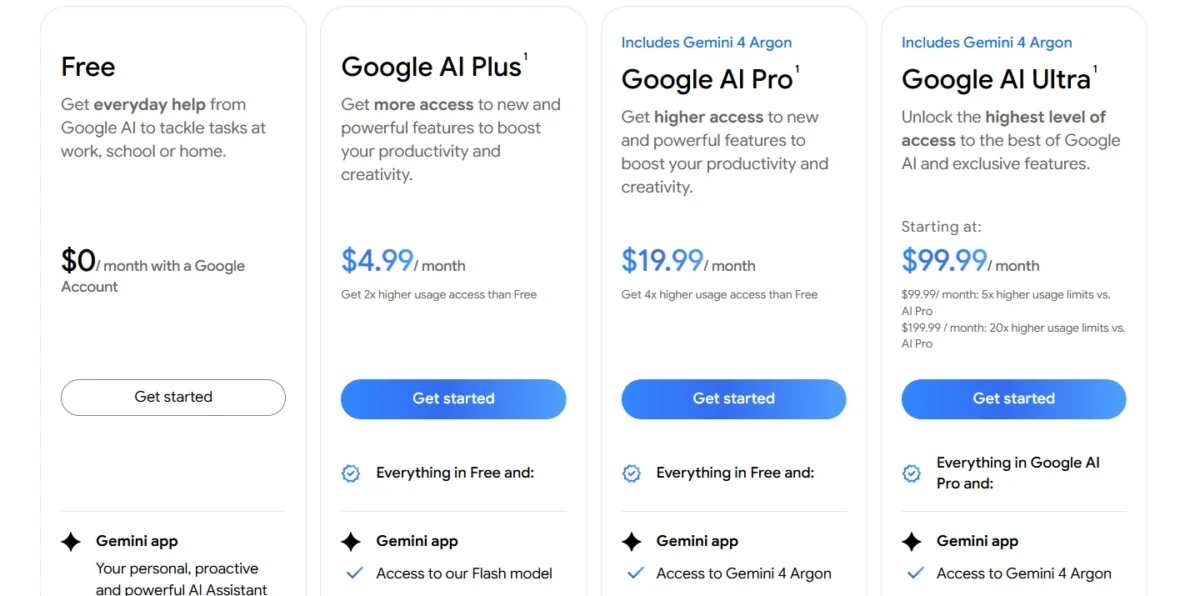
Google AI Plus adds 200 monthly credits to the 50 daily ones, plus 1080p video upscaling. Google notes prices may vary by market.
| Plan | Price | Flow credits | What it adds |
|---|---|---|---|
| Free | $0 | 50 a day | Veo 3.1, Text to Video |
| Google AI Plus | $4.99 per month | 50 a day + 200 a month | 1080p video upscaling |
Sources: Google Flow for free credits, Google AI plans for paid prices, checked October 2026.
Pros
- The 50 credits refill every day
- Veo 3.1 is on the free list
- Video Extension is free
Cons
- Credits per Veo clip vary by model
- 1080p video upscaling is paid
- The pricing section states no usage rights
- Skip it if:
- the clip will run in a paid ad and you need commercial-use terms in writing first.
My Google Flow review covers the paid plans.
2. Adobe Firefly: Best for Commercially Safe Free Clips
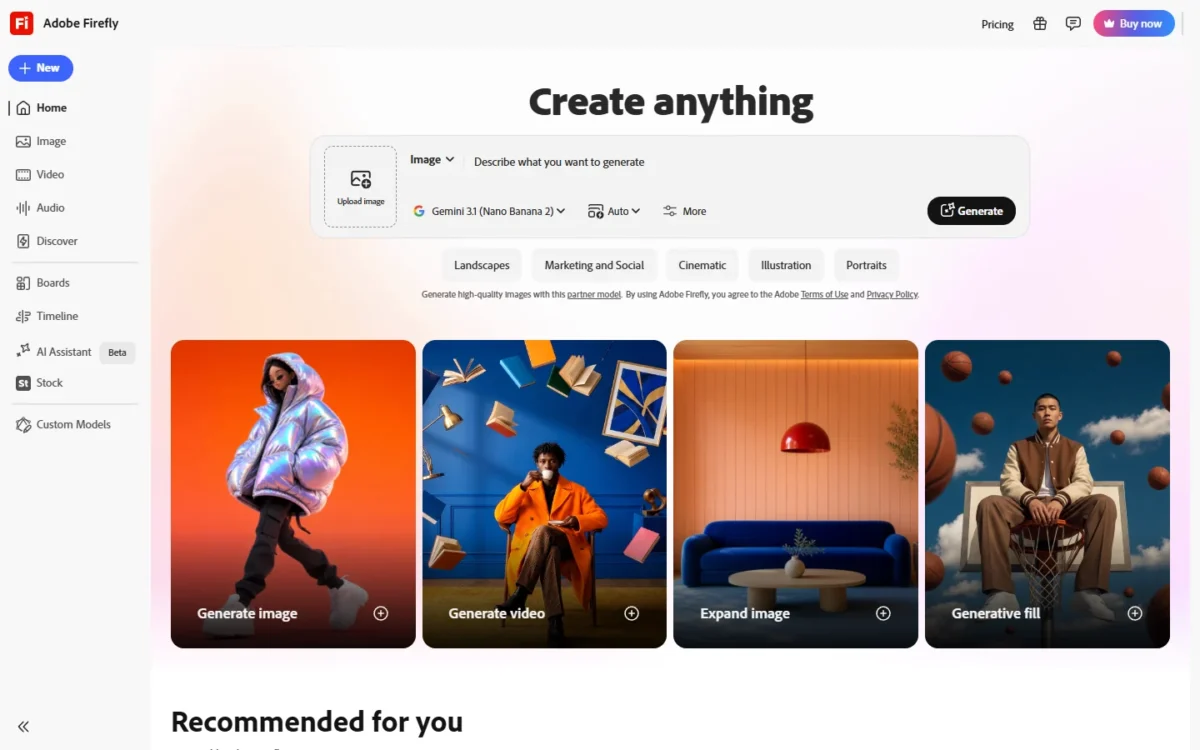
- Free allowance: a daily allotment of generations that resets every day
- Clip length: up to 8 seconds on most models, up to 15 on some
Firefly’s free tier is the one I would trust with a client deliverable. Adobe says its own video model learns from licensed and public-domain material and is built to be commercially safe.
Adobe gives free users the Firefly Video Model and select partner models for both Text to Video and Image to Video, which adds motion or camera movement to a still.
Clip length makes Firefly a B-roll tool, and my AI video prompts help make each free generation count.
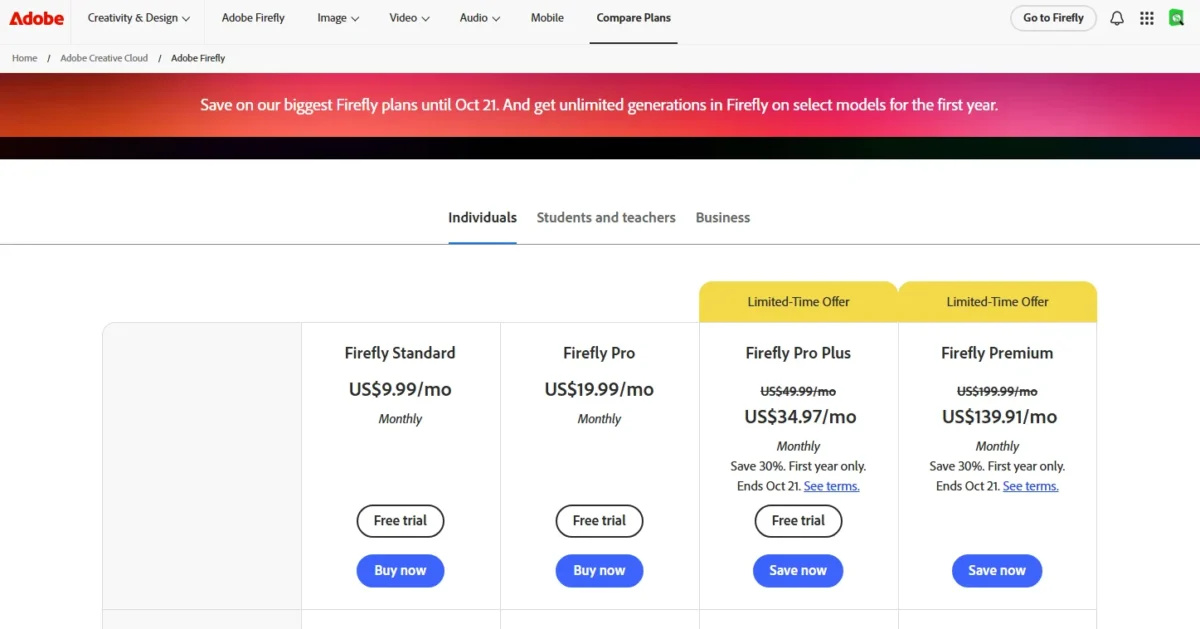
Adobe sizes Firefly Standard’s 2,000 monthly credits at up to 20 five-second videos. That is roughly 50 cents a clip ($9.99 divided by 20).
| Plan | Price | Generative credits | Five-second videos |
|---|---|---|---|
| Free | $0 | Daily allotment, resets daily | Not published |
| Firefly Standard | US$9.99 per month | 2,000 per month | Up to 20 |
Sources: Adobe Firefly plans and Firefly AI video generator page, checked October 2026.
Pros
- The Firefly Video Model is designed to be safe for commercial use
- The free allotment resets every day
- Free users get Text to Video and Image to Video
Cons
- Adobe does not publish the daily free count
- Most models stop at 8 seconds
- Partner-model clips need their own terms check
- Skip it if:
- you need one clip longer than 15 seconds, or you plan to use partner models without checking their terms.
My Adobe Firefly review covers the paid plans and image tools.
3. Synthesia: Best for Free Training and Explainer Minutes
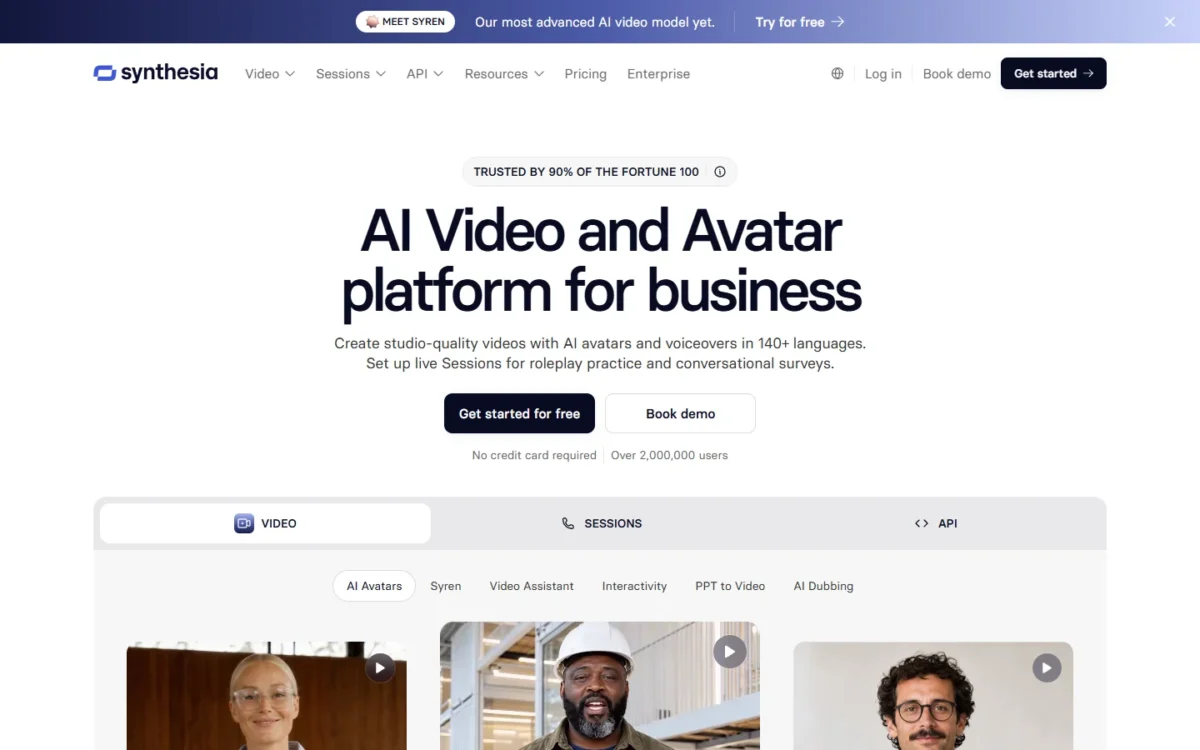
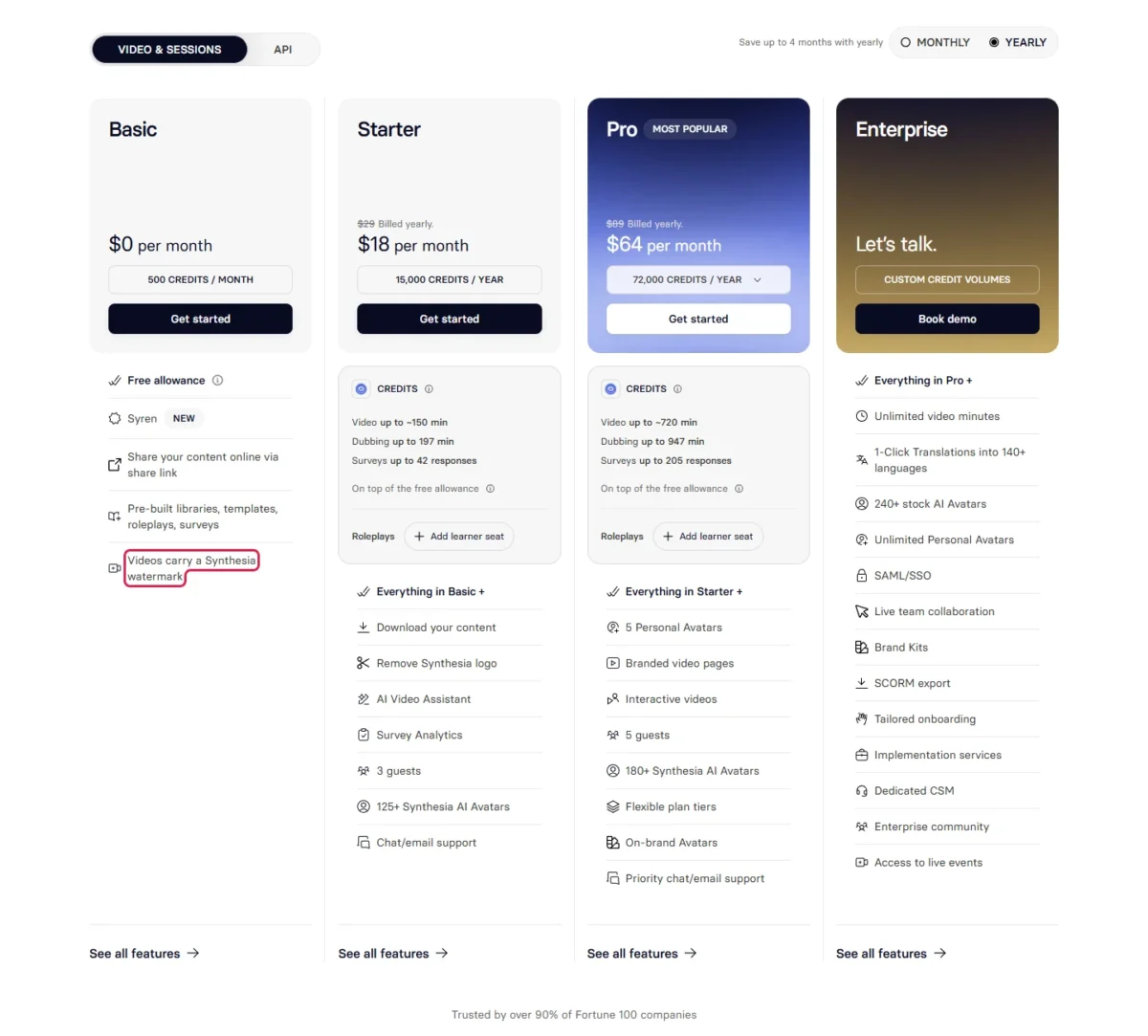
- Free allowance: 10 minutes of video creation or dubbing a month, plus 500 credits
- Avatars and languages: 9 AI avatars, 140+ languages and voices
Synthesia’s Basic plan gives 10 minutes a month against HeyGen’s 3 one-minute videos, which makes it the free plan for a support or L&D team.
The 500 credits add about 5 more minutes, at 100 credits a minute by Synthesia’s estimate.
Basic also lists Syren, Synthesia’s AI video agent, for videos up to 3 minutes long.
Downloading and logo removal start on Starter, so a free explainer stays a watermarked share link.
Starter keeps the free 10 minutes and adds 1,250 monthly credits, up to about 12 more minutes by Synthesia’s estimate.
| Plan | Price | Allowance | Watermark |
|---|---|---|---|
| Basic | $0 per month | 10 minutes + 500 credits a month | Synthesia watermark |
| Starter | $29 per month, billed monthly | 1,250 credits a month on top | No watermark |
Sources: Synthesia pricing, checked October 2026.
Pros
- 10 free minutes of video or dubbing a month
- 140+ languages and voices
- Sharing by link works on Basic
Cons
- Free videos carry a Synthesia watermark
- Downloading is listed from Starter
- 9 avatars on Basic
- Skip it if:
- the video must be downloaded, edited or published without a watermark at $0.
4. HeyGen: Best for Free Talking-Avatar Videos
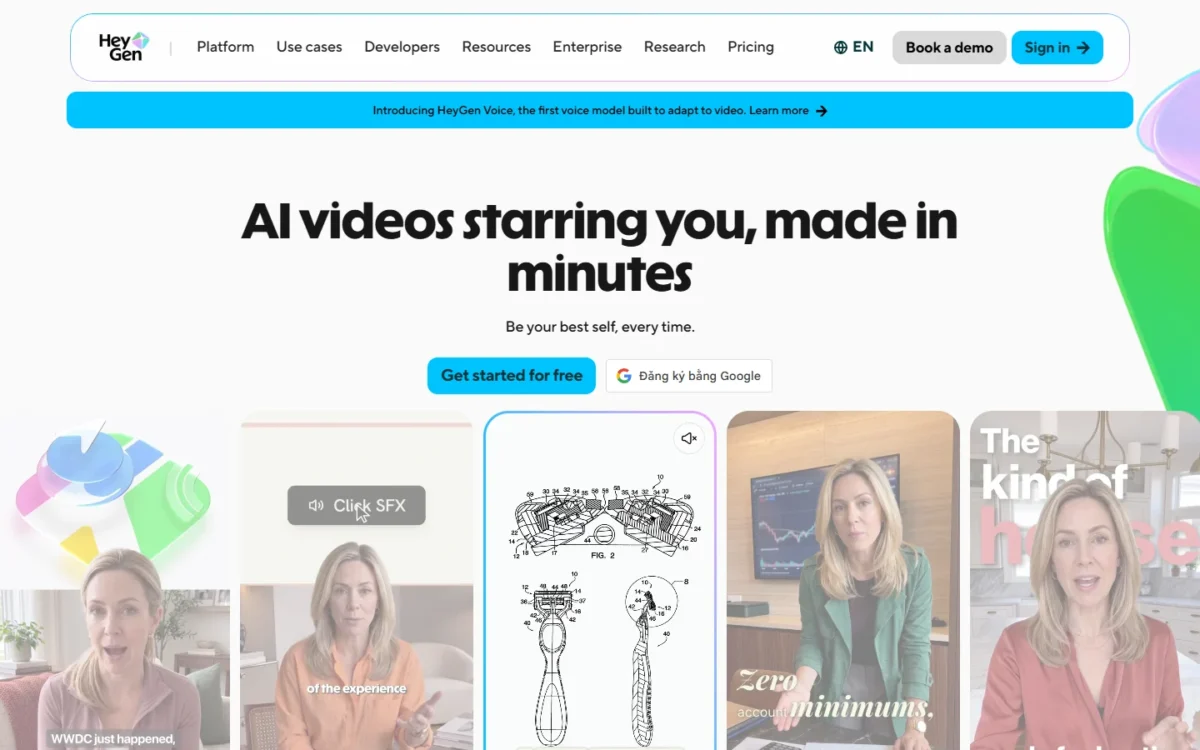
- Free allowance: 3 videos a month, no credit card required
- Length: up to 1 minute per video
- Languages: 30+ on Free
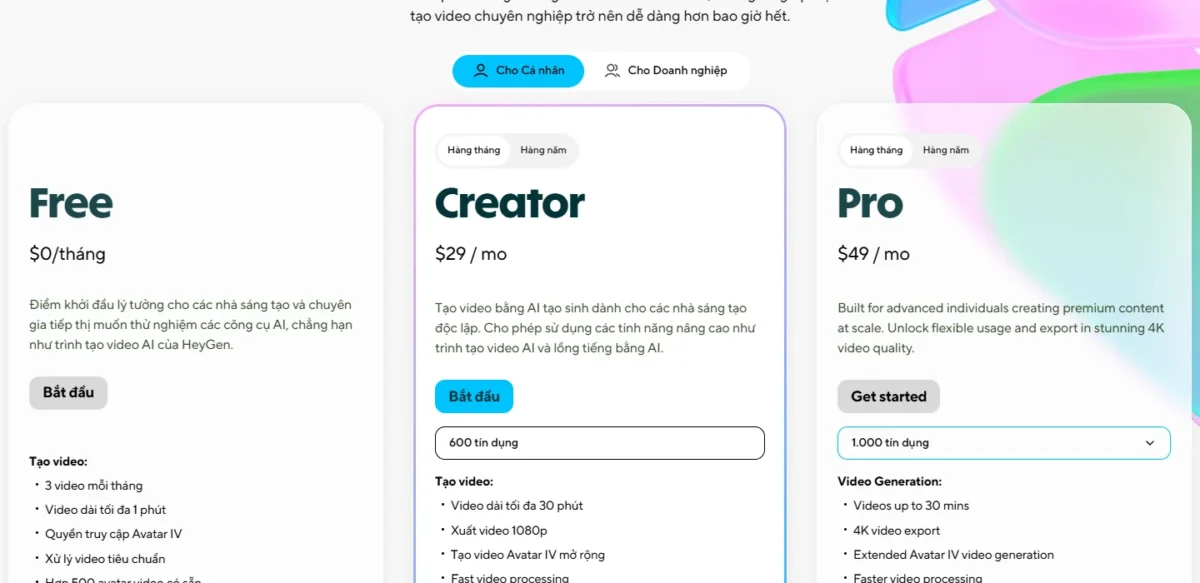
HeyGen puts an AI avatar where a human presenter would stand. Free gives 3 videos a month of up to 1 minute each, enough for a short product update.
HeyGen still gets my talking-avatar pick over Synthesia, which ranks higher on minutes: its Free plan offers 500+ stock video avatars against 9 on Synthesia’s Basic.
Creator removes the watermark and allows videos of up to 30 minutes.
| Plan | Price | Videos | What it adds |
|---|---|---|---|
| Free | $0 per month | 3 a month, up to 1 minute each | 500+ stock video avatars |
| Creator | $29 per month, or $24 billed annually | Up to 30 minutes, 1080p export | Watermark removal |
Sources: HeyGen pricing, checked October 2026.
Pros
- 3 free videos a month with no credit card
- 500+ stock video avatars and 1 custom video avatar
- Trial access to Avatar IV
Cons
- Each free video stops at 1 minute
- Watermark removal starts on Creator
- Integrations start on Business
- Skip it if:
- you need more than 3 minutes of presenter video a month, or one video longer than 1 minute.
5. Leonardo.Ai: Best for Daily Free Tokens with a Commercial License
- Free allowance: 150 fast tokens a day, resetting daily
- Visibility on free: creations are public
Leonardo.Ai writes its free-tier rights into its pricing FAQ: free users get a non-exclusive, royalty-free license to use generated content for commercial purposes.
Leonardo.Ai also holds rights to use, reproduce, modify and distribute what free users create. For a client’s unreleased product, that is a reason to pay.
Top-ups are paid-only, so a free user who runs out waits for the reset.
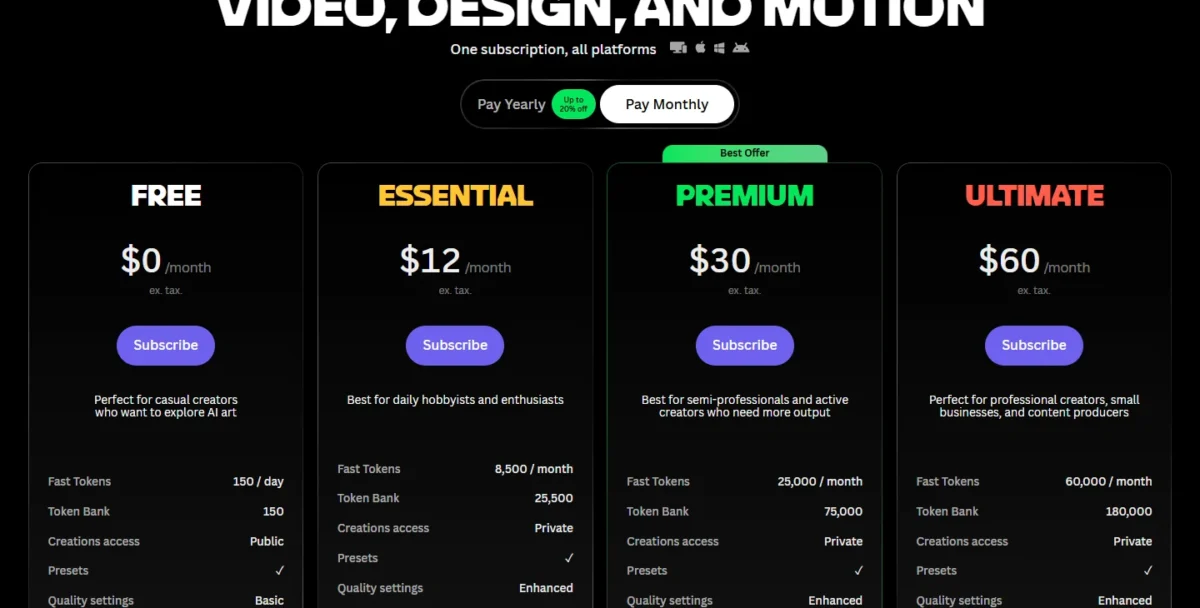
Essential adds private creations and full ownership of what you generate.
| Plan | Price | Tokens | Rights and access |
|---|---|---|---|
| Free | $0 per month | 150 fast tokens a day | Commercial license, public creations |
| Essential | $12 per month, ex. tax | 8,500 fast tokens a month | Full ownership, private creations |
Sources: Leonardo.Ai pricing, checked October 2026.
Pros
- A written commercial license on Free
- 150 fast tokens refill daily
- Paid plans add full ownership
Cons
- Leonardo.Ai holds rights to free users’ creations
- Free creations are public
- Video uses more tokens than images
- Skip it if:
- the footage is confidential or the client needs you to own it outright.
My Leonardo.Ai review covers its image models and paid tiers.
6. PixVerse: Best for Daily Free Credits With a $96 Watermark-Free Upgrade
- Free allowance: 60 initial credits, then 30 daily credits that reset daily
- Paid output: up to 720P on Standard
PixVerse starts a free account with 60 credits, then adds 30 a day that reset daily, so a skipped day banks nothing.
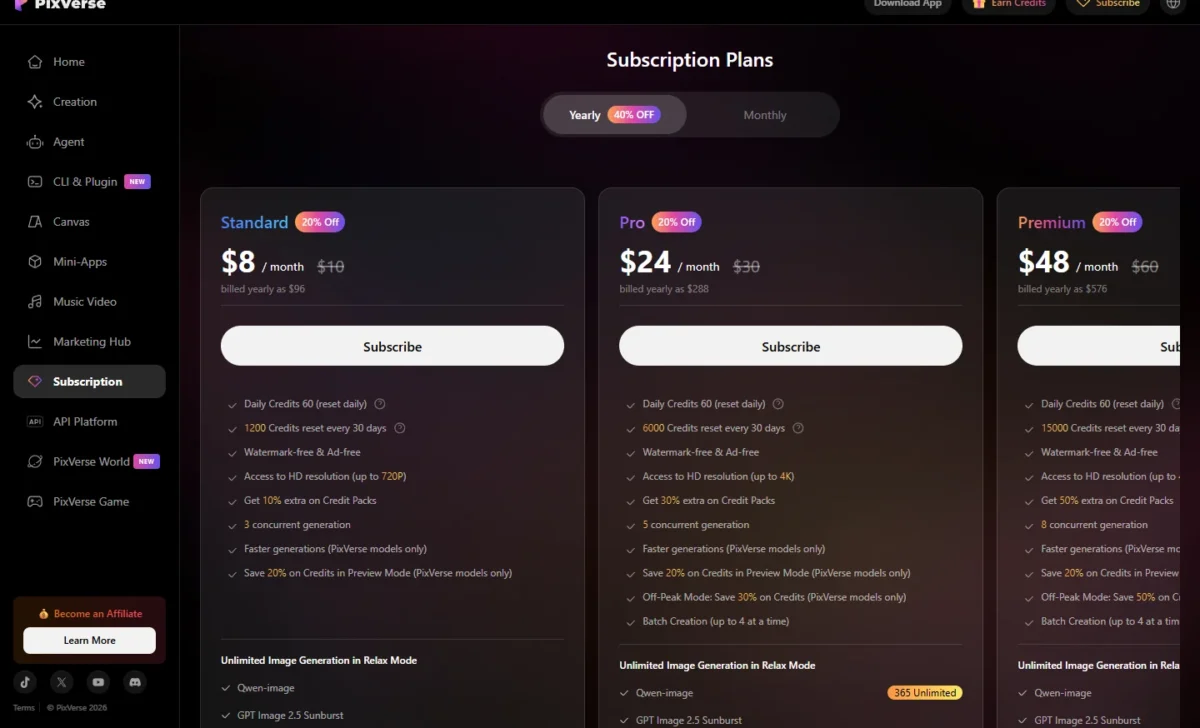
“Watermark-free & Ad-free” sits on Standard and every plan above it, so free clips suit drafts and tests.
Standard, billed yearly as $96, adds 1,200 credits every 30 days and doubles the daily refill to 60 credits.
| Plan | Price | Credits | Output |
|---|---|---|---|
| Basic | $0 per month | 60 initial + 30 daily | Not listed |
| Standard | $8 per month, billed yearly as $96 | 60 daily + 1,200 every 30 days | Watermark-free, up to 720P |
Sources: PixVerse pricing, checked October 2026.
Pros
- 30 credits arrive every day
- 60 starter credits on sign-up
- Standard is $96 a year
Cons
- Daily credits reset, so they never accumulate
- No published credit cost per clip
- Watermark-free output is listed only on paid plans
- Skip it if:
- you need to bank credits for a batch of clips.
7. Canva: Best for Animating Images Inside Your Designs
- Free AI allowance: up to 20 Standard or Premium AI uses
- Video tool on Free: Image to Video, a Premium AI tool
Canva is the pick when the video is part of a design, not the whole deliverable. Its pricing table lists Image to Video among the Premium AI tools that Free’s 20 AI uses cover.
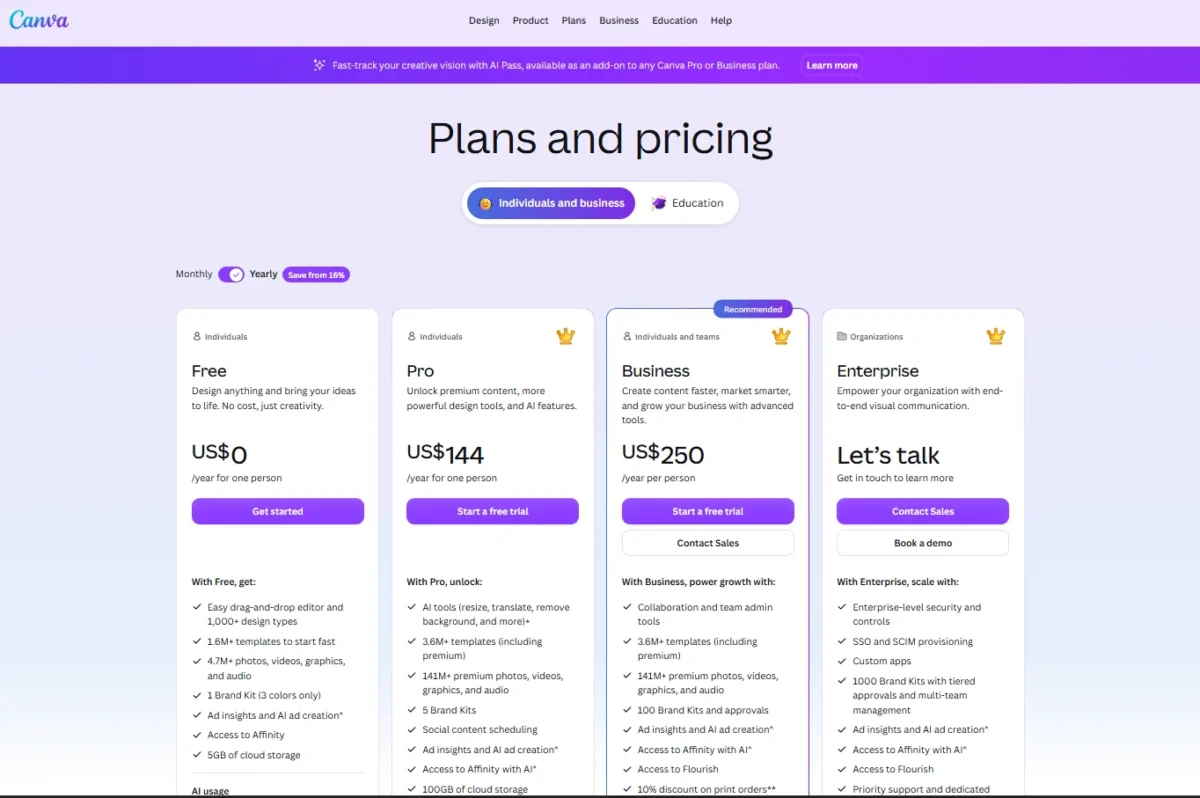
Complex tasks use more of that shared allowance, Canva says, so the real count of animations can be lower than 20.
Text-to-video is the gap: Create a Video Clip, powered by Google’s Veo-3, is listed for Pro, Business, Enterprise and Nonprofit users.
Canva Pro gives 10x more AI than Canva Free, plus a limited number of cinematic video clips per month.
| Plan | Price | AI allowance | Video clip tool |
|---|---|---|---|
| Free | US$0 | Up to 20 Standard or Premium AI uses | Image to Video |
| Pro | US$144 per year for one person | 10x more AI than Free | Create a Video Clip |
Sources: Canva pricing (US) and Canva AI video generator page, checked October 2026.
Pros
- Free accounts can use Image to Video
- Commercial use is allowed
- Pro adds Veo-powered text-to-video
Cons
- 20 AI uses are a shared pool
- Create a Video Clip is not on Free
- No exclusive rights to AI output
- Skip it if:
- you need text-to-video from a prompt without paying, or exclusive rights to the result.
My Canva AI review covers the rest of its AI tools.
8. Vidu: Best for Reference Control Over Characters on a Free Plan
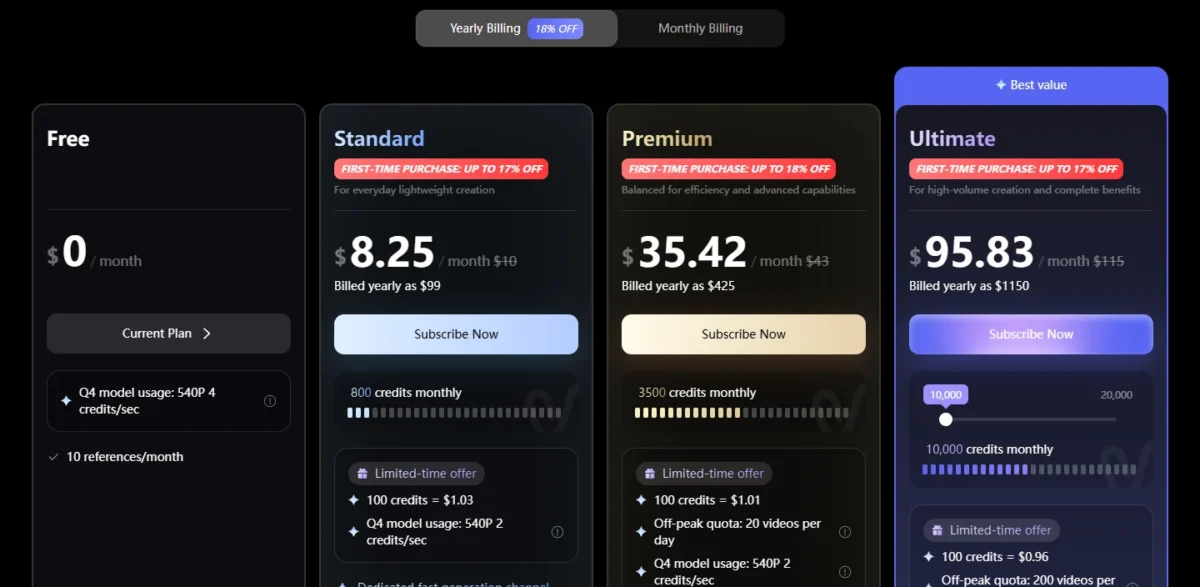
- Free model: Q4 at 540P, 4 credits per second
- Free credits: bonus credits on login, amount not published
Vidu earns its place for one job: keeping a character or product consistent across clips, with 10 references a month for Reference to Video on Free.
The catch is the free rate: Q4 costs 4 credits a second on Free, twice Standard’s 2.
Commercial use appears on the Standard, Premium and Ultimate cards, not on Free.
At 2 credits a second, Standard’s 800 monthly credits make 800 / 2 = 400 seconds of Q4 video, in clips of 3 to 16 seconds.
| Plan | Price | Credits | Q4 rate |
|---|---|---|---|
| Free | $0 per month | Bonus credits on login | 540P, 4 credits per second |
| Standard | $8.25 per month, billed yearly as $99 | 800 a month | 540P, 2 credits per second |
Sources: Vidu pricing, checked October 2026.
Pros
- 10 references a month on Free
- Standard halves the Q4 rate to 2 credits per second
- Paid clips run 3 to 16 seconds
Cons
- Free bonus credits are not published
- Free output runs at 540P
- Commercial use is listed on paid plans only
- Skip it if:
- you need commercial rights on day one without paying.
9. Runway: Best for a One-Time Test of a Pro Toolset
- Free allowance: 125 one-time credits that do not expire
- Free models: a selection, not named
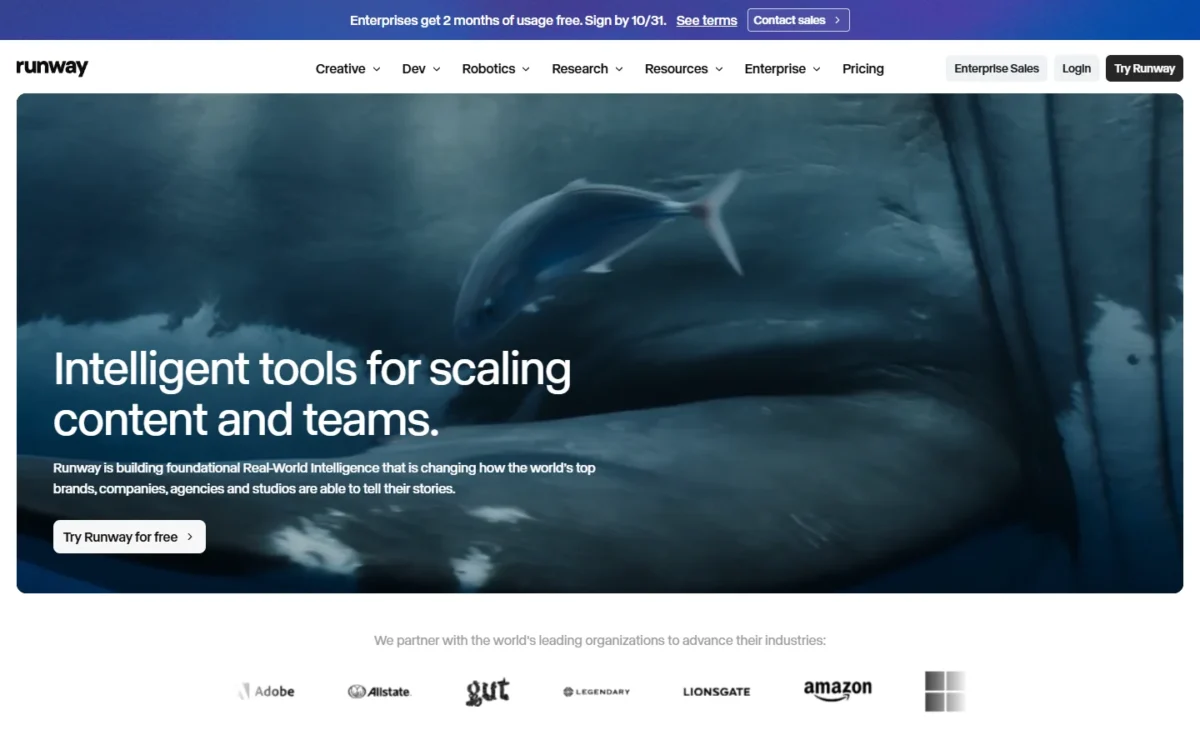
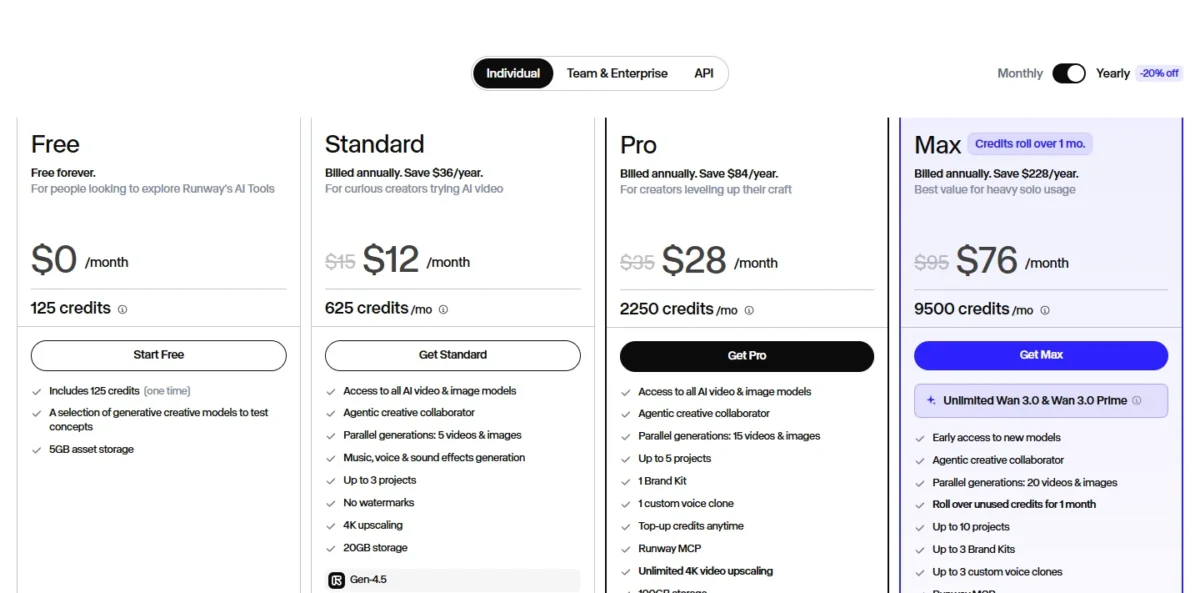
Runway’s free plan is a quick test drive: 125 credits arrive once and never refill.
The footage those credits buy depends on the model, and the Free card does not name its models; Gen-4.5 alone costs 12 credits per second.
Standard opens all AI video and image models. My Google Flow vs Runway comparison weighs the two by budget.
Standard’s 625 monthly credits equal 52 seconds of Gen-4.5 or 104 seconds of Gen-4 Turbo.
| Plan | Price | Credits | Gen-4.5 video |
|---|---|---|---|
| Free | $0 per month | 125 one-time | Free models not named |
| Standard | $12 per month billed annually, $15 monthly | 625 a month | 52 seconds a month |
Sources: Runway pricing, checked October 2026.
Pros
- 125 free credits never expire
- Per-second costs are published
- Standard removes watermarks
Cons
- The credits never refill
- The Free card does not name its models
- Gen-4.5 costs 12 credits per second
- Skip it if:
- you want weekly videos without paying.
10. Hailuo AI: Best for Trying MiniMax H3 With New-User Credits
- Free allowance: new-user credits, no refill stated
- Model on the page: MiniMax H3, with Omni Reference
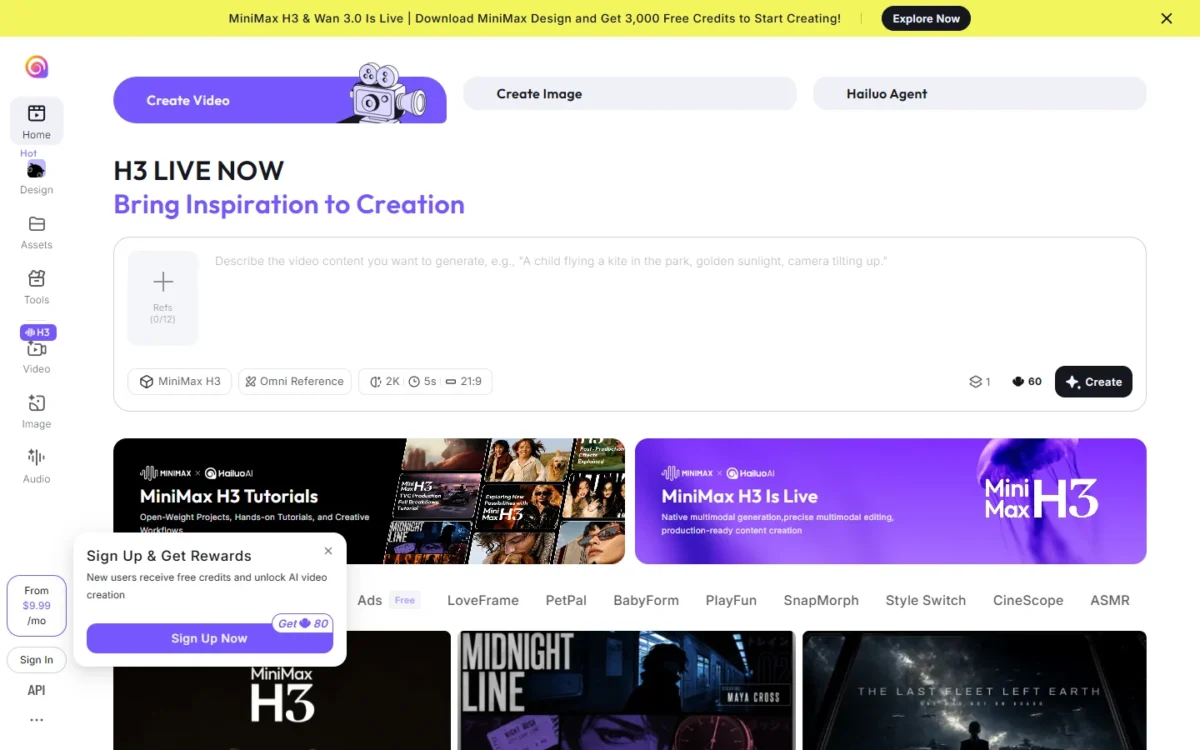
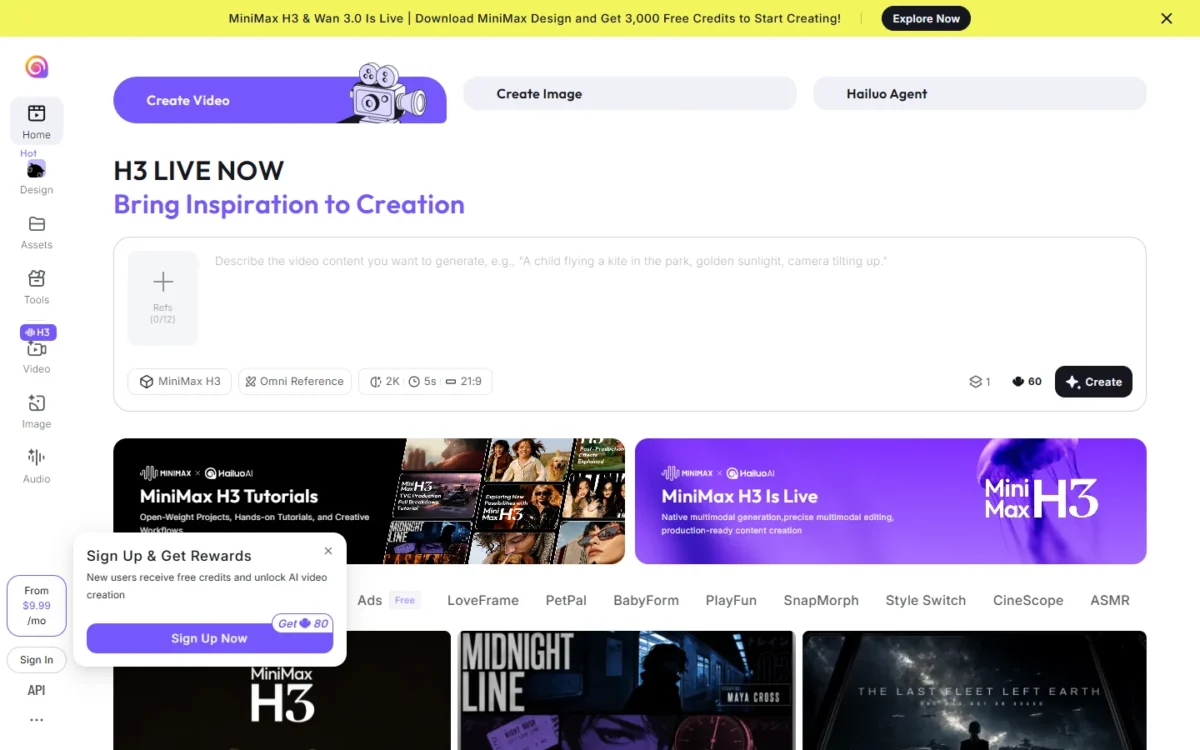
Hailuo AI ranks last: its sign-up box promises new users free credits and shows “Get 80” beside the button, with no unit and no refill stated.
The top banner’s 3,000 free credits are for downloading MiniMax Design, not for signing up.
The draw is MiniMax H3, which the page leads with, and an Omni Reference box that takes up to 12 references.
Paid plans start from $9.99 a month, the only price the page prints.
| Plan | Price | Credits |
|---|---|---|
| New user | Free sign-up credits | “Get 80”, no unit stated |
| Paid plans | From $9.99 per month | Not listed |
Sources: Hailuo AI, checked October 2026.
Pros
- New users get free credits for AI video
- MiniMax H3 is live on the page
- Omni Reference takes up to 12 references
Cons
- No refill period listed
- “Get 80” carries no unit word
- The saved pages state no watermark or commercial-use terms
- Skip it if:
- you need free credits that refill; the page does not say whether these do.
How to Choose the Best Free AI Video Generator for Your Job
| Your priority | Pick | Reason | Trade-off |
|---|---|---|---|
| Text-to-video most days | Google Flow | 50 credits a day, Veo 3.1 | No fixed cost per clip |
| A clip for a paid ad | Adobe Firefly | Designed for commercial use | Most clips 8 seconds |
| A short YouTube intro with a presenter | HeyGen | 3 one-minute videos a month | Watermark removal is paid |
| A training video over a minute | Synthesia | 10 minutes a month | Watermark, share link only |
| Animating a post you designed | Canva | Image to Video in 20 AI uses | Veo clips need Pro |
| One character across clips | Vidu | 10 references a month | 540P on Free |
Sources: Firefly video page and the pricing pages above, checked October 2026.
Can You Generate Free AI Video Without a Watermark?
Not on any of the ten picks whose pricing page answers it. HeyGen, Synthesia, PixVerse and Runway list watermark-free output on paid plans.
Vidu’s plan comparison has a “Download without watermark” row with no per-plan value, so check your first export.
“No watermark” alone misleads: Pika’s Free plan lists no watermark but 0 credits a month.
Which Free AI Video Maker Can You Use Commercially?
Leonardo.Ai gives free users a non-exclusive commercial license, and Adobe designs the Firefly Video Model to be safe for commercial use. Canva’s FAQ allows commercial use of Canva AI designs under its AI Product Terms, without exclusive rights or a named plan.
Vidu lists commercial use on paid plans only, and Kling AI’s Basic column shows a dash for “Generated content is for commercial use”.
What the First Paid Plan Costs per Year
The first paid plan costs one creator $59.88 to $348 a year, and a team of three $179.64 to $1,044.
Billing is mixed: the PixVerse, Vidu, Canva, Runway and HeyGen rows use annual prices. Billed monthly, HeyGen Creator is $29 x 12 = $348, like Synthesia Starter, and Runway Standard $15 x 12 = $180.
| Software | First paid plan and billing | 12 months, one creator | 12 months, team of three |
|---|---|---|---|
| Google Flow | Google AI Plus, $4.99 per month | $59.88 | $179.64 |
| PixVerse | Standard, billed yearly | $96 | $288 |
| Vidu | Standard, billed yearly | $99 | $297 |
| Adobe Firefly | Firefly Standard, US$9.99 per month | $119.88 | $359.64 |
| Hailuo AI | From $9.99 per month, billing period not stated | $119.88 | $359.64 |
| Leonardo.Ai | Essential, $12 per month | $144 | $432 |
| Canva | Pro, billed yearly | $144 | $432 |
| Runway | Standard, $12 per month billed annually | $144 | $432 |
| HeyGen | Creator, $24 per month billed annually | $288 | $864 |
| Synthesia | Starter, $29 per month billed monthly | $348 | $1,044 |
Sources: Google Flow, PixVerse, Vidu, Adobe Firefly, Hailuo AI, Leonardo.Ai, Canva, Runway, HeyGen and Synthesia pricing pages, checked October 2026. Monthly prices x 12; the team column assumes three people buying one plan each (one-creator figure x 3).
A HeyGen team that needs integrations moves to Business at $149 a month plus $20 a seat.
Also Considered: Pika, Luma, invideo AI and Others
Seven more tools were kept out by a fact on their own pricing pages:
- Pika: Free lists 0 credits a month, packs only, and no commercial license.
- Luma: plans start at Plus, $30 a month; no free plan.
- invideo AI: Basic, Pro and Ultra, priced per seat; no free plan.
- CapCut: Seedance generation and AI credits start on Pro.
- Clipchamp: AI video creation needs a Copilot license.
- Kling AI: the free Basic plan shows a dash for daily free credits, monthly credits, commercial use and watermark removal.
- Gemini app: video generation is listed from Google AI Plus, not on Free.
My guide to free AI content generators covers free tools beyond video.
FAQ
Is There a Free Online AI Video Generator That Doesn’t Require Login?
Not among the three I checked: Google Flow runs on a Google Account and Firefly asks for an Adobe ID or a free account. HeyGen promises only that no credit card is required.
Can ChatGPT Make Videos Free?
I did not check OpenAI’s terms, so I cannot say whether ChatGPT makes video on a free account.
Is There a Completely Free, Unlimited AI Video Generator?
No AI video generator on this list is completely free and unlimited. The free tiers here come in three shapes: a daily allotment (Google Flow, Leonardo.Ai), a one-time credit grant (Runway) or a monthly count of minutes or videos (Synthesia, HeyGen).
Final Verdict
The best free AI video generator is Google Flow for short text-to-video clips: 50 credits with Veo 3.1 refill daily.
Move to Adobe Firefly for anything sold or advertised.
For a presenter, take Synthesia’s 10 minutes if a watermarked share link is enough, or HeyGen’s 3 one-minute videos.
Canva fits the business animating its own designs, and Leonardo.Ai the creator who wants a written commercial license at $0.
My ranking of the best AI video generators overall compares the paid tools.
For scripts, images and voice, the AI tools for content creation hub widens the kit.





