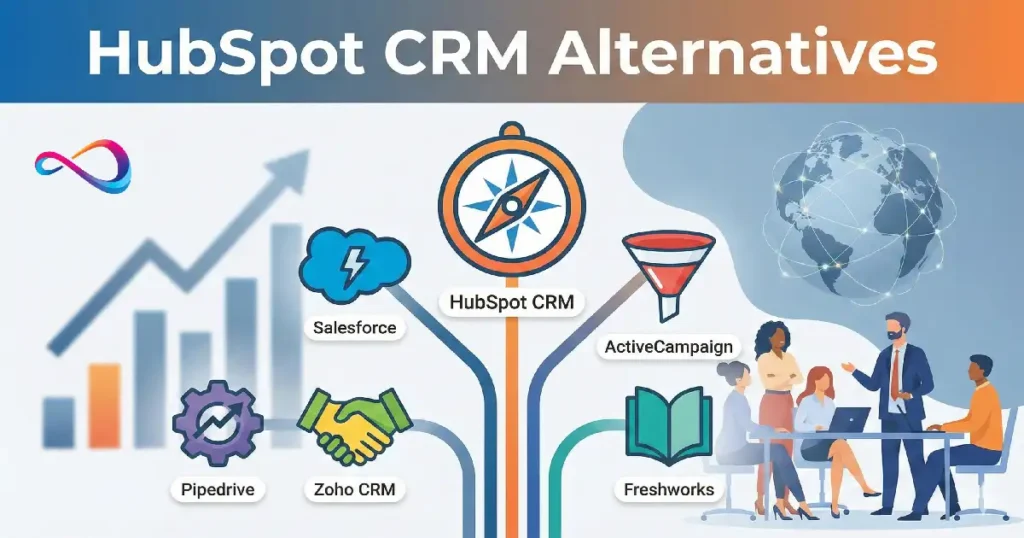
The best Salesforce CRM alternatives in 2026 depend on your size and needs: HubSpot CRM offers the easiest adoption for SMBs with strong marketing automation; Microsoft Dynamics 365 matches Salesforce’s enterprise capabilities with better Microsoft ecosystem integration; Zoho CRM delivers comprehensive features at a fraction of the cost; and Pipedrive excels for sales-first teams who need pipeline visibility without complexity. Each solves the core Salesforce pain points—cost, complexity, or implementation time—but with different trade-offs.
Comparison Table: Best Salesforce CRM Alternatives
| CRM Platform | Best For | Starting Price Point | Implementation Time | Customization Level | Integration Ecosystem | Enterprise Grade |
|---|---|---|---|---|---|---|
| HubSpot CRM | SMB with marketing needs | Free tier; paid starts ~$50/user/mo | 2-4 weeks | Moderate (low-code) | Excellent (1,000+ apps) | Moderate |
| Microsoft Dynamics 365 | Enterprise + Microsoft ecosystem | Typically ~$65-125/user/mo | 3-6 months | High (requires expertise) | Excellent (Microsoft-native) | Excellent |
| Zoho CRM | Budget-conscious SMBs | ~$14-52/user/mo | 2-6 weeks | High (steep learning curve) | Good (800+ apps) | Moderate |
| Pipedrive | Sales pipeline teams | ~$14-99/user/mo | 1-3 weeks | Low (intentionally simple) | Good (350+ apps) | Low-Moderate |
| Freshsales | Service + sales combo | ~$9-69/user/mo | 2-4 weeks | Moderate | Good (Freshworks suite) | Moderate |
| Monday Sales CRM | Visual workflow teams | ~$10-24/user/mo (CRM add-on) | 1-2 weeks | Moderate (no-code) | Excellent (via Monday.com) | Low-Moderate |
| Zendesk Sell | Support-first orgs | ~$19-99/user/mo | 2-4 weeks | Moderate | Excellent (Zendesk native) | Moderate |
| Insightly | Project-driven sales | ~$29-99/user/mo | 3-5 weeks | Moderate | Good (limited vs leaders) | Moderate |
| SugarCRM | On-premise + customization | Varies (self-hosted option) | 2-4 months | Very High | Moderate | Moderate-High |
| Creatio | Low-code enterprise | Custom pricing | 1-3 months | Very High (low-code) | Good | High |
| Oracle CX Sales | Large enterprise + Oracle stack | Custom pricing (high) | 4-8 months | High | Excellent (Oracle ecosystem) | Excellent |
| SAP Sales Cloud | SAP ERP users | Custom pricing (high) | 4-8 months | High | Excellent (SAP ecosystem) | Excellent |
If you’re a small-to-midsize team (under 100 users) and want fast deployment with minimal admin overhead → HubSpot CRM or Pipedrive
If you’re enterprise-scale and need governance, compliance, and deep ERP integration → Microsoft Dynamics 365 or Oracle CX Sales
If budget is your primary constraint but you still need full-featured CRM → Zoho CRM or Freshsales
If you’re service-heavy (support tickets, case management) → Zendesk Sell or Freshsales
If you need rapid customization without hiring consultants → Monday Sales CRM or Creatio (low-code platforms)
If you’re already locked into specific ecosystems → Microsoft 365 users pick Dynamics; Google Workspace users consider HubSpot or Pipedrive
Why People Look for Salesforce CRM Alternatives
After helping dozens of companies through CRM selection and migration projects, I’ve seen the same Salesforce friction points emerge repeatedly:
Cost escalation beyond the sticker price. Salesforce’s per-user licensing looks manageable until you add Sales Cloud, Service Cloud, Marketing Cloud, CPQ, and the inevitable consultant fees. A 50-person implementation budgeted at $75K often balloons to $200K+ in year one when you factor in customization, data migration, integrations, and admin staffing. (See our Salesforce pricing guide for a full cost breakdown with real-world scenarios.)
Complexity that requires dedicated administration. Salesforce is extraordinarily powerful, but that power demands expertise. Most companies underestimate the ongoing admin burden—workflow maintenance, user management, report building, and troubleshooting integrations become a full-time role even for mid-sized teams.
Implementation timelines that drag. I’ve rarely seen a Salesforce implementation complete in under three months, even for “simple” deployments. Six to twelve months is typical for organizations with any customization needs. That’s revenue-impacting delay.
Customization debt. Salesforce’s flexibility is a double-edged sword. Teams build elaborate custom objects, workflows, and integrations that become fragile and expensive to maintain. Every Salesforce org I’ve audited has “technical debt” from past customizations that nobody fully understands anymore.
User adoption struggles. Salesforce’s UI, while improved, still feels like enterprise software. Sales reps often resist using it because data entry feels burdensome and navigation is non-intuitive. Low adoption = dirty data = leadership loses trust in reports.
The question isn’t whether Salesforce is powerful—it absolutely is. The question is whether that power matches your actual needs, or if you’re paying for a commercial airliner when you need a reliable sedan.
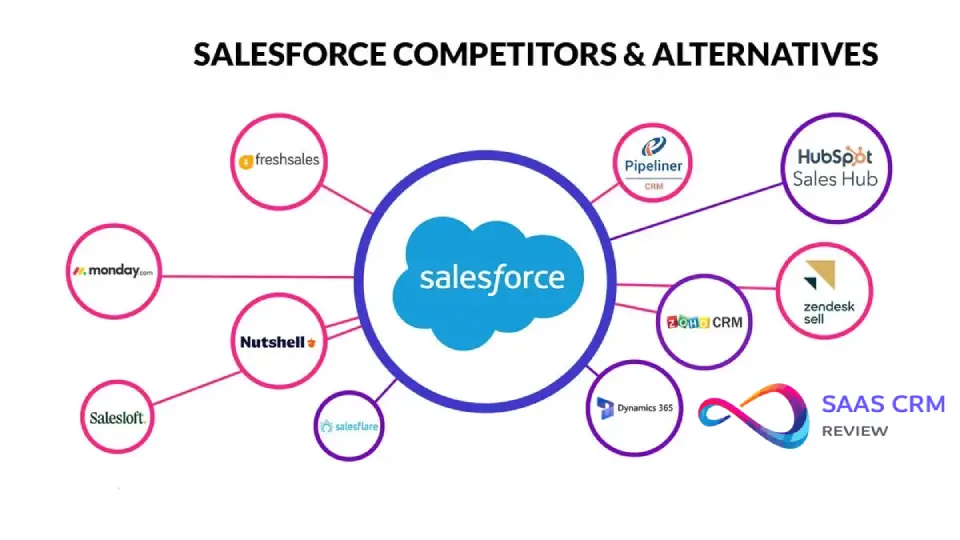
How We Evaluated Salesforce Competitors
These criteria reflect what actually matters in CRM selection, based on real-world implementations:
Total cost of ownership (TCO): Not just seat licenses, but implementation, customization, integrations, admin staffing, training, and consultant fees over three years.
Time-to-value: How quickly can your team start using core features productively? Days, weeks, or months?
Usability & adoption rate: Will your sales team actually use it? Interface intuitiveness, mobile experience, data entry friction.
Reporting & analytics: Out-of-the-box dashboards, custom report building, forecast accuracy, pipeline visibility.
Automation capabilities: Workflow automation, lead routing, email sequences, task creation—without needing a developer.
Ecosystem & integrations: Pre-built connectors to your marketing, support, accounting, and communication tools.
Scalability: Can it grow from 10 users to 500 without a platform migration?
Security & governance: Role-based permissions, audit trails, compliance certifications (SOC 2, GDPR, HIPAA).
I weighted these criteria based on typical buyer priorities, not vendor marketing claims.
The Best Salesforce CRM Alternatives (2026)
1. HubSpot CRM

Best for: Small-to-midsize B2B teams who need marketing automation and CRM tightly integrated, with minimal IT involvement.
Where It Beats Salesforce
HubSpot wins on speed to value and user adoption. I’ve seen teams fully onboarded in under two weeks. The interface is genuinely intuitive—sales reps don’t need training to log calls, update deals, or check their pipeline. The free tier is surprisingly robust (unlimited users, basic pipeline management, contact records), making it ideal for startups testing product-market fit before committing budget.
Marketing and sales alignment is HubSpot’s killer feature. Email campaigns, landing pages, lead scoring, and CRM activity flow into one unified database. You’re not fighting integration headaches between separate marketing and sales platforms.
The workflow automation builder is visual and accessible. Non-technical users can create lead routing rules, follow-up sequences, and task assignments without developer help.
Where Salesforce Still Wins
Enterprise-grade reporting and complex customization. HubSpot’s reporting is improving but still lacks Salesforce’s depth for multi-dimensional analysis, forecasting models, and territory management. Large teams with intricate commission structures or multi-currency, multi-entity reporting will hit HubSpot’s limitations.
Third-party app ecosystem. While HubSpot has over 1,000 integrations, Salesforce’s AppExchange dwarfs it. If you need specialized industry apps (financial services compliance, pharmaceutical sample tracking), Salesforce has options HubSpot doesn’t.
Implementation Reality Check
Typical rollout: 2-4 weeks for basic sales pipeline; 6-8 weeks if migrating significant historical data and building custom properties.
Common pitfalls: Teams underestimate the effort required to clean and map legacy data. HubSpot’s contact/company/deal model is less flexible than Salesforce’s custom objects, so complex data structures need rethinking. Also, the free tier’s limitations (no custom reporting, limited automation) push most growing teams to paid tiers faster than expected.
Admin needs: One part-time “HubSpot champion” for teams under 50; one full-time for 100+ users.
Integrations & Ecosystem
Native integrations with Gmail, Outlook, Slack, Zoom, Stripe, QuickBooks, and major marketing tools. The API is well-documented. However, complex two-way syncs (especially with ERP systems) often require middleware like Zapier or custom development.
Pricing Positioning
The free tier is genuinely useful. Paid plans (Starter, Professional, Enterprise) scale with features rather than just user count, which can be cost-effective or expensive depending on which features you need. A 25-person team using Professional tier might pay $1,500-2,000/month, roughly half of equivalent Salesforce seats.
Pros:
- Fastest time-to-value of any full-featured CRM
- Marketing + sales in one platform eliminates integration headaches
- Strong mobile app
- Excellent onboarding resources and UI design
- Free tier perfect for early-stage startups
Cons:
- Reporting lacks depth for complex enterprise needs
- Customization hits walls faster than Salesforce
- Pricing jumps significantly at Professional tier and above
- Less suitable for pure sales teams who don’t need marketing features
- Contact-based pricing (vs. user-based) can get expensive with large databases
Final Verdict
Choose HubSpot if your priority is getting your team using CRM productively within weeks, not months, and if marketing-sales alignment matters. Skip it if you need heavy customization, complex reporting, or if you’re a pure sales org with no marketing function.
2. Microsoft Dynamics 365 Sales

Best for: Enterprise organizations already invested in the Microsoft ecosystem (Azure, Office 365, Power Platform) who need Salesforce-level capabilities with better Microsoft integration.
Where It Beats Salesforce
Native Microsoft integration is the obvious win. Dynamics 365 lives inside your Microsoft tenant—single sign-on, embedded Outlook, Teams integration, Excel-native reporting. For organizations where “it has to work seamlessly with Microsoft 365” is a hard requirement, Dynamics delivers what Salesforce’s integrations approximate.
Power Platform synergy is underrated. Power BI for reporting, Power Automate for workflows, and Power Apps for custom solutions integrate natively. If you already have Power Platform licensing, you’re not paying twice for automation and BI tools.
Pricing flexibility at enterprise scale. Microsoft’s enterprise licensing (especially for existing Azure customers) often yields better effective pricing than Salesforce when bundled properly.
Where Salesforce Still Wins
Maturity and polish. Salesforce has been iterating on Sales Cloud for over two decades; Dynamics feels slightly less refined in places. The learning curve is steeper—the UI isn’t as intuitive, and administrators need real training.
AppExchange vs. AppSource. Salesforce’s third-party app ecosystem is broader and more specialized. For niche industry solutions, Salesforce usually has options Dynamics lacks.
Community and talent pool. It’s easier to find Salesforce consultants and experienced admins than Dynamics experts, especially outside major metro areas.
Implementation Reality Check
Typical rollout: 3-6 months for mid-market; 6-12 months for enterprise with customization.
Common pitfalls: Underestimating the need for specialized Dynamics expertise. Microsoft partners vary wildly in quality—choose carefully. Organizations also struggle with deciding which Dynamics apps to license (Sales, Customer Service, Field Service, Marketing) and how they interconnect.
Admin needs: Requires dedicated admin or Microsoft partner support. Not a part-time role for teams over 50 users.
Integrations & Ecosystem
Excellent within Microsoft stack; variable elsewhere. Dynamics connects beautifully to SharePoint, Teams, Outlook, Azure services. Third-party integrations exist but often require more configuration than Salesforce equivalents.
Pricing Positioning
Licensing is complex. Professional tier typically starts around $65/user/month; Enterprise around $95-125/user/month. Total cost depends heavily on which additional Dynamics apps and Power Platform features you need. Enterprise agreements can reduce effective cost significantly.
Pros:
- Best-in-class Microsoft ecosystem integration
- Power Platform included creates strong automation/BI capabilities
- Enterprise-grade security and compliance (inherits Azure capabilities)
- Strong for organizations with complex ERP needs (integrates with Dynamics 365 Finance)
- Good mobile experience
Cons:
- Steeper learning curve than HubSpot or Pipedrive
- Requires specialized expertise; not DIY-friendly
- UI feels less modern than competitors
- Smaller third-party app ecosystem than Salesforce
- Can be overkill (and overly complex) for SMBs
Final Verdict
Choose Dynamics 365 if you’re enterprise-scale, already committed to Microsoft infrastructure, and need deep ERP/CRM integration. Skip it if you’re under 50 users, lack Microsoft expertise, or prioritize fast deployment and ease of use.
3. Zoho CRM

Best for: Cost-conscious small-to-midsize businesses who need comprehensive CRM features but can tolerate a steeper learning curve.
Where It Beats Salesforce
Price. Zoho’s pricing is dramatically lower—often one-third to one-fifth of Salesforce’s cost. A 30-person team might pay $600-1,500/month versus $3,000-6,000 with Salesforce. For bootstrapped startups or cost-sensitive SMBs, this is transformative.
Feature breadth. Zoho punches above its price point. You get sales automation, marketing automation, customer support ticketing, inventory management, and analytics in one platform. The Zoho One bundle (entire Zoho suite) offers absurd value if you can adopt multiple Zoho apps.
Customization depth. Zoho’s customization capabilities rival Salesforce—custom modules, fields, workflows, scripting (Deluge language). You can build sophisticated automations without external consultants.
Where Salesforce Still Wins
User experience. Zoho’s UI feels dated and cluttered. Navigation is unintuitive; finding features requires hunting through menus. New users struggle, which impacts adoption. Salesforce’s Lightning Experience, despite its flaws, is significantly more polished.
Implementation complexity. Zoho’s power comes with configuration burden. Setting up Zoho CRM properly takes longer than expected because you’re making hundreds of decisions about layouts, modules, automation rules, and integrations. The “affordable” platform isn’t “simple.”
Enterprise credibility. Zoho is strong in SMB but lacks the enterprise brand recognition and enterprise-specific features (advanced territory management, complex approval chains) that Salesforce and Dynamics offer.
Implementation Reality Check
Typical rollout: 2-6 weeks for basic setup; 8-12 weeks if customizing heavily and migrating complex data.
Common pitfalls: Teams underestimate configuration time and over-customize early, creating maintenance headaches. Zoho’s documentation is comprehensive but scattered. Training users requires more effort due to UI complexity.
Admin needs: Part-time for small teams; full-time for 50+ users or heavy customization.
Integrations & Ecosystem
Good integration library (800+ apps), especially within Zoho’s own ecosystem. Major platforms covered (Google Workspace, Microsoft 365, Slack, Mailchimp). Custom integrations via API or Zapier work fine but require more technical skill than HubSpot or Salesforce equivalents.
Pricing Positioning
Standard plan around $14/user/month; Professional around $23/user/month; Enterprise around $40/user/month; Ultimate around $52/user/month. These prices are for annual billing and sometimes vary by region. The feature jump between tiers is significant—carefully evaluate which tier you actually need.
Pros:
- Exceptional price-to-feature ratio
- Highly customizable without external consultants
- Zoho One bundle creates compelling multi-app value
- Solid mobile app
- Good for international teams (multi-currency, multi-language)
Cons:
- Dated UI hurts user adoption
- Steeper learning curve than modern competitors
- Integration quality varies (not always as seamless as advertised)
- Limited enterprise-grade features
- Customer support can be slow
Final Verdict
Choose Zoho if budget is your primary constraint and you have technical aptitude (or a tech-savvy admin) to handle configuration. Skip it if user adoption is fragile or you need enterprise-level polish and support.
4. Pipedrive

Best for: Sales-focused teams who prioritize pipeline visibility and deal progression over feature breadth.
Where It Beats Salesforce
Simplicity and focus. Pipedrive does one thing exceptionally well: visual pipeline management. Sales reps immediately understand the drag-and-drop deal board. There’s no confusion, no extensive training needed. I’ve seen teams fully adopted within days.
Sales-first design. Every feature serves deal progression—activity reminders, email tracking, goal setting, won/lost analysis. No bloat. This focus means sales teams actually use it consistently, generating clean data that leadership can trust.
Rapid deployment. Pipedrive is the fastest CRM to implement that isn’t oversimplified. Most teams are productive in 1-2 weeks, including data migration and integration setup.
Where Salesforce Still Wins
Feature depth. Pipedrive is intentionally limited. It’s weak on marketing automation, customer service, complex reporting, and customization. If you need workflow automation beyond basic lead routing, you’ll hit walls.
Scalability. Pipedrive works beautifully for teams of 5-100. Beyond that, limitations in territory management, role complexity, and reporting become friction points.
Ecosystem. Pipedrive integrates with major tools but lacks the specialized apps and deep platform capabilities of Salesforce.
Implementation Reality Check
Typical rollout: 1-3 weeks, including data migration and basic integration.
Common pitfalls: Teams outgrow Pipedrive faster than expected if business complexity increases. Starting simple is smart, but plan for potential migration if you expect to add marketing automation, service ticketing, or multi-product sales complexity.
Admin needs: Minimal. One person part-time can manage Pipedrive for teams under 100.
Integrations & Ecosystem
350+ integrations covering essentials (email, calendar, communication tools, marketing platforms, accounting). The API is straightforward. Advanced needs require Zapier or Make (formerly Integromat).
Pricing Positioning
Essential plan around $14/user/month; Advanced around $29/user/month; Professional around $59/user/month; Power around $69/user/month; Enterprise around $99/user/month. Pricing is transparent and predictable—no hidden fees or surprise add-ons. See the Pipedrive pricing breakdown for monthly vs annual savings and add-on costs.
Pros:
- Best-in-class pipeline visualization
- Extremely fast adoption and deployment
- Sales reps actually enjoy using it
- Transparent, affordable pricing
- Excellent mobile app for field sales
- Strong email integration
Cons:
- Limited customization options
- Weak marketing and service features
- Basic reporting compared to enterprise platforms
- Not suitable for complex, multi-product sales
- Limited scalability for large enterprises
Final Verdict
Choose Pipedrive if you’re a sales-first team (under 100 users) who values simplicity, rapid adoption, and pipeline focus over feature breadth. Skip it if you need all-in-one CRM (marketing + sales + service) or complex enterprise capabilities.
5. Freshsales (Freshworks CRM)

Best for: Companies that need both sales CRM and customer support ticketing in one integrated platform.
Where It Beats Salesforce
Sales + service integration. Freshsales is part of the Freshworks suite (Freshdesk for support, Freshmarketer for marketing). If you need sales pipeline management AND customer support ticketing with shared customer context, Freshsales delivers this more affordably and simply than buying Salesforce Sales Cloud + Service Cloud.
AI-powered lead scoring and forecasting. Freshsales’ Freddy AI provides surprisingly good lead prioritization and deal insights at lower pricing tiers than Salesforce Einstein requires.
Phone and email built-in. Native calling and email tracking with no additional integrations needed. For inside sales teams, this reduces friction significantly.
Where Salesforce Still Wins
Enterprise customization and scale. Freshsales is solid for mid-market but lacks the deep customization, advanced analytics, and territory management Salesforce offers at enterprise scale.
Brand recognition. Freshworks is less known in enterprise circles, which can matter for procurement processes and executive buy-in.
Implementation Reality Check
Typical rollout: 2-4 weeks for sales CRM; add 2-3 weeks if implementing Freshdesk alongside for full sales-service integration.
Common pitfalls: The Freshworks suite is modular—you pay separately for Freshsales, Freshdesk, Freshmarketer. Total cost can creep up if you need multiple modules. Also, the AI features work best with clean, consistent data—garbage in, garbage out.
Admin needs: Part-time for small teams; consider one full-time for 50+ users using multiple Freshworks products.
Integrations & Ecosystem
Solid integration library focused on SMB tools. Connects well with Google Workspace, Slack, Mailchimp, Zapier. The ecosystem is smaller than HubSpot or Salesforce but covers essentials.
Pricing Positioning
Growth plan around $9-15/user/month; Pro around $39-47/user/month; Enterprise around $69/user/month. Prices vary by billing cycle and region. The value proposition is strong in the mid-tiers.
Pros:
- Sales and support in one unified platform (with Freshdesk)
- Built-in phone and email reduce integration complexity
- AI features at accessible price points
- Clean, modern UI
- Good for international teams (multi-language support)
Cons:
- Limited customization vs. Salesforce or Zoho
- Reporting could be more robust
- Smaller ecosystem than market leaders
- Module-based pricing can add up
- Less suitable for pure enterprise needs
Final Verdict
Choose Freshsales if you need integrated sales and support capabilities without enterprise complexity or Salesforce pricing. Skip it if you’re pure B2B sales (Pipedrive is simpler) or enterprise-scale (Dynamics or Oracle are stronger).
6. Monday Sales CRM

Best for: Teams already using Monday.com for project management who want visual, no-code CRM workflows.
Where It Beats Salesforce
No-code customization. Monday’s strength is letting non-technical users build custom workflows, boards, and automations visually. If your sales process is unique, you can configure Monday Sales CRM without hiring developers or consultants.
Visual, collaborative interface. The board-based layout feels modern and collaborative. Sales, marketing, and operations teams can work in the same workspace with full visibility.
Unified workspace. If you’re using Monday.com for projects, campaigns, or operations, adding Monday Sales CRM creates one platform for work management and customer management.
Where Salesforce Still Wins
CRM depth and maturity. Monday Sales CRM is newer and less feature-rich. Advanced sales capabilities (territory management, complex forecasting, commission calculations) are limited or absent.
Sales-specific optimizations. Purpose-built CRMs (Pipedrive, Salesforce, HubSpot) have sales-optimized features that Monday lacks—email sequencing, dialer integration, deep analytics.
Enterprise credibility. Monday.com is known for project management, not CRM. Enterprise sales teams may resist adopting a “work management tool” as their system of record.
Implementation Reality Check
Typical rollout: 1-2 weeks if you’re already using Monday.com; 3-4 weeks if new to the platform.
Common pitfalls: Monday’s flexibility can lead to over-customization and inconsistent process across teams. Also, Monday Sales CRM is an add-on—base Monday.com costs apply, so factor total platform pricing.
Admin needs: Low. The no-code interface means team leads can manage their own boards.
Integrations & Ecosystem
Excellent via Monday.com’s integration library (Zapier, Make, native connectors). You’re really buying into the Monday.com ecosystem, which is strong for productivity tools but less mature for specialized sales apps.
Pricing Positioning
Monday Sales CRM is an add-on to Monday.com base pricing. Expect around $10-24/user/month for CRM features on top of Monday.com Work Management costs. Total cost for both can approach $30-50/user/month.
Pros:
- No-code customization empowers users
- Visual, intuitive interface
- Unified platform if already using Monday.com
- Strong for cross-functional visibility
- Fast setup and iteration
Cons:
- Not purpose-built for sales—lacks depth
- Pricing stacks (Work Management + CRM add-on)
- Limited sales-specific features vs. dedicated CRMs
- Newer platform; still maturing
- May confuse teams expecting traditional CRM
Final Verdict
Choose Monday Sales CRM if you’re already a Monday.com customer and want lightweight CRM without platform-switching. Skip it if you need robust, sales-optimized CRM or if you’re not using Monday.com for other functions.
7. Zendesk Sell

Best for: Support-first organizations where service teams need CRM context and sales teams need visibility into support interactions.
Where It Beats Salesforce
Support integration. If you’re using Zendesk Support, Zendesk Sell creates seamless context between sales opportunities and support tickets. Sales reps see customer health, support reps see sales history—critical for account management and renewals.
Purpose-built for inside sales. Zendesk Sell is optimized for high-volume, phone-heavy sales teams. Built-in calling, email tracking, and activity capture feel natural, not bolted-on.
Simpler than Salesforce. Zendesk Sell is easier to deploy and use than Salesforce, with less configuration overhead and admin burden.
Where Salesforce Still Wins
Sales Cloud depth. Salesforce offers more advanced sales features—complex forecasting, territory management, CPQ (configure-price-quote), partner relationship management.
Ecosystem breadth. Zendesk’s integrations focus on support and sales tools; Salesforce’s AppExchange covers virtually every business function.
Implementation Reality Check
Typical rollout: 2-4 weeks for Sell; faster if already using Zendesk Support.
Common pitfalls: Zendesk Sell works best as part of the Zendesk ecosystem. If you’re not using Zendesk Support or messaging, the integration advantage disappears and you’re left with a decent but unremarkable CRM.
Admin needs: Part-time for most teams. Zendesk is generally low-maintenance.
Integrations & Ecosystem
Strong Zendesk-native integrations (Support, Chat, Talk). Connects to major platforms (Slack, Mailchimp, Google, Microsoft). The API enables custom integrations but the ecosystem is smaller than leaders.
Pricing Positioning
Team plan around $19/user/month; Growth around $55/user/month; Professional around $99/user/month. Competitive pricing, especially if bundling with Zendesk Support.
Pros:
- Best-in-class for support + sales integration
- Built-in calling and email features
- Clean, modern UI
- Good for high-velocity inside sales
- Lower learning curve than Salesforce
Cons:
- Limited value outside Zendesk ecosystem
- Fewer enterprise sales features
- Smaller integration ecosystem
- Reporting less robust than leaders
- Not ideal for pure field sales teams
Final Verdict
Choose Zendesk Sell if customer support is core to your business model and you’re using (or planning to use) Zendesk Support. Skip it if you’re pure sales without service needs or if you need advanced enterprise sales capabilities.
8. Insightly

Best for: Organizations where sales is tightly coupled with project delivery (agencies, professional services, manufacturing).
Where It Beats Salesforce
Project management integration. Insightly uniquely combines CRM and project management. When you win a deal, it converts to a project with tasks, milestones, and resource allocation. For services businesses, this eliminates the CRM-to-project-tool handoff.
Relationships mapping. Insightly’s contact relationship features (mapping connections between people and organizations) are stronger than most CRMs, useful for complex B2B sales involving multiple stakeholders.
Mid-market sweet spot. Insightly offers good functionality at reasonable pricing for mid-sized teams (20-200 users) who find Salesforce too complex and expensive but Pipedrive too simple.
Where Salesforce Still Wins
Enterprise scale and features. Salesforce handles larger, more complex organizations better. Insightly’s customization and scalability plateau around 200-300 users.
Marketing automation. Insightly’s marketing features are basic compared to Salesforce Marketing Cloud or even HubSpot.
Implementation Reality Check
Typical rollout: 3-5 weeks for CRM; add time if implementing project management features.
Common pitfalls: The project management features can be overkill if you’re pure sales. Teams sometimes struggle to decide which features to use versus disabling. Also, the UI, while functional, feels dated compared to modern competitors.
Admin needs: Part-time for smaller teams; full-time for 100+ users using both CRM and project features.
Integrations & Ecosystem
Decent integration library (Gmail, Outlook, Mailchimp, QuickBooks, Slack, Zapier). Not as extensive as leaders but covers essentials.
Pricing Positioning
Plus plan around $29/user/month; Professional around $49/user/month; Enterprise around $99/user/month. Pricing is straightforward but not the cheapest option.
Pros:
- Unique CRM + project management combo
- Good relationship mapping
- Reasonable mid-market pricing
- Solid for services and manufacturing
- Workflow automation included
Cons:
- UI feels dated
- Limited marketing features
- Smaller ecosystem than leaders
- Not purpose-built for pure sales or pure projects
- Scalability limits for large enterprises
Final Verdict
Choose Insightly if your sales process leads directly to project delivery and you need visibility across both. Skip it if you’re pure SaaS sales or enterprise-scale.
9. SugarCRM

Best for: Organizations requiring on-premise deployment or extreme customization flexibility, especially in regulated industries.
Where It Beats Salesforce
Deployment flexibility. SugarCRM offers on-premise, private cloud, and public cloud options. For organizations with strict data sovereignty or security requirements, this flexibility is critical.
Customization depth. Sugar is highly customizable, open-source at its core, and doesn’t lock you into vendor-specific architecture. You can modify virtually anything with sufficient development resources.
Total cost at scale. For large deployments, Sugar’s licensing can be more cost-effective than Salesforce, especially with self-hosted options.
Where Salesforce Still Wins
Ease of use and modern UX. Sugar’s interface isn’t as polished. Implementation and ongoing maintenance require more technical expertise.
Ecosystem and innovation. Salesforce’s platform evolves faster with more third-party innovation. Sugar feels more static.
Talent availability. Finding SugarCRM developers and consultants is harder than finding Salesforce resources.
Implementation Reality Check
Typical rollout: 2-4 months, longer for on-premise deployments with customization.
Common pitfalls: Underestimating the technical resources needed. Sugar gives you power but requires expertise to wield effectively. On-premise deployments add infrastructure, security, and maintenance overhead.
Admin needs: Requires technical admin or development resources, not just business users.
Integrations & Ecosystem
Moderate integration ecosystem. Major platforms covered but not as extensive or polished as leaders. Custom integrations are very feasible given the open architecture.
Pricing Positioning
Variable. SugarCRM offers different editions (Professional, Enterprise, Ultimate) with pricing typically negotiated based on deployment model and user count. Cloud plans generally competitive with mid-tier Salesforce pricing; on-premise can be higher or lower depending on infrastructure costs.
Pros:
- Deployment flexibility (on-premise option)
- Deep customization for technical teams
- Strong for regulated industries
- Open-source roots enable modifications
- Good for international deployments
Cons:
- Requires significant technical expertise
- UI less modern than competitors
- Slower innovation cycle
- Smaller talent pool
- On-premise adds infrastructure burden
Final Verdict
Choose SugarCRM if data sovereignty, on-premise deployment, or extreme customization are hard requirements. Skip it if you want modern UX, easy deployment, or lack technical resources.
10. Creatio (formerly bpm’online)

Best for: Enterprise organizations needing low-code platform customization without heavy developer dependency.
Where It Beats Salesforce
Low-code platform approach. Creatio’s studio enables business users to build custom applications, workflows, and processes visually. It’s more accessible than Salesforce’s development tools while being more powerful than no-code alternatives.
Process automation depth. Creatio excels at complex, multi-step business processes (approvals, escalations, integrations) thanks to its BPM (business process management) heritage.
Industry solutions. Creatio offers pre-built industry packages (financial services, insurance, telecom) that provide ready-made processes and objects, accelerating implementation.
Where Salesforce Still Wins
Market recognition and ecosystem. Creatio is less known, which affects vendor selection processes, talent availability, and third-party app options.
Out-of-box simplicity. Creatio’s power comes with complexity. It’s not as immediately usable as Pipedrive or HubSpot.
Implementation Reality Check
Typical rollout: 1-3 months depending on customization depth. Industry solution packages accelerate this.
Common pitfalls: Teams sometimes over-engineer processes early because the platform enables complexity. Start simple, iterate. Also, while “low-code,” Creatio still requires thoughtful design and some technical aptitude.
Admin needs: Requires dedicated admin or business analyst, especially for process design and maintenance.
Integrations & Ecosystem
Good integration framework via API and connectors. Not as extensive as leaders but covers major platforms. The low-code approach makes custom integrations more feasible.
Pricing Positioning
Custom pricing, typically quoted based on user count, edition (CRM or platform), and implementation scope. Generally positioned between mid-market CRMs and Salesforce.
Pros:
- Low-code customization empowers business users
- Excellent for complex process automation
- Industry solutions accelerate deployment
- Unified marketing, sales, service platform
- Strong for unique business processes
Cons:
- Steeper learning curve than simpler CRMs
- Less brand recognition
- Requires thoughtful process design
- Smaller ecosystem and talent pool
- Can be overkill for simple sales needs
Final Verdict
Choose Creatio if you have complex, unique business processes requiring customization but want to avoid heavy developer dependency. Skip it if you need simple, out-of-box CRM or lack process design resources.
11. Oracle CX Sales (formerly Oracle Sales Cloud)
Best for: Large enterprises deeply invested in Oracle infrastructure (ERP, database, applications) requiring tight integration.
Where It Beats Salesforce
Oracle ecosystem integration. If you’re running Oracle ERP (Fusion, E-Business Suite), Oracle Database, or other Oracle applications, Oracle CX Sales integrates natively with enterprise-grade data sharing and security.
Enterprise depth. Oracle CX matches Salesforce’s enterprise capabilities—complex territory management, advanced analytics, partner relationship management, CPQ—while integrating better with Oracle infrastructure.
Data and AI capabilities. Oracle’s data platform and AI (built on Oracle Cloud Infrastructure) provides strong analytics, forecasting, and insights for data-heavy enterprises.
Where Salesforce Still Wins
User experience. Salesforce Lightning is more intuitive than Oracle CX. User adoption is harder with Oracle.
Ecosystem and innovation pace. Salesforce’s AppExchange and platform evolution outpace Oracle’s CX marketplace.
Flexibility for non-Oracle shops. If you’re not an Oracle infrastructure customer, the integration advantage disappears and you’re left with an enterprise platform that’s complex and expensive.
Implementation Reality Check
Typical rollout: 4-8 months minimum for enterprise deployments. Oracle implementations are substantial projects requiring specialized expertise.
Common pitfalls: Underestimating change management. Oracle CX is powerful but not user-friendly—plan significant training and adoption efforts. Also, Oracle licensing can be complex; ensure you understand total costs including infrastructure, integration, and consulting.
Admin needs: Requires dedicated team including technical admin, business analyst, and often ongoing consulting support.
Integrations & Ecosystem
Excellent within Oracle stack; more complex outside it. Oracle provides connectors to major platforms but integration projects tend to be more involved than Salesforce equivalents.
Pricing Positioning
Custom enterprise pricing. Expect pricing comparable to or higher than Salesforce for equivalent functionality. Total cost heavily depends on Oracle relationship, volume discounts, and bundling with other Oracle products.
Pros:
- Best-in-class Oracle ecosystem integration
- Enterprise-grade capabilities and scale
- Strong data and analytics platform
- Good for complex, global deployments
- Comprehensive sales, service, marketing suite
Cons:
- Complex implementation requiring expertise
- User experience lags modern competitors
- Expensive; mainly viable for large enterprises
- Slower innovation than Salesforce
- Limited value outside Oracle infrastructure
Final Verdict
Choose Oracle CX Sales if you’re a large enterprise running Oracle ERP and need tight, native integration. Skip it if you’re not deeply committed to Oracle infrastructure or if user adoption and ease of use are priorities.
12. SAP Sales Cloud (formerly SAP C4C)
Best for: Large enterprises running SAP ERP who need CRM deeply integrated with their financial and operational systems.
Where It Beats Salesforce
SAP ecosystem integration. For SAP S/4HANA or SAP ECC customers, SAP Sales Cloud integrates natively with master data, financials, supply chain, and operations—creating true end-to-end process automation.
Industry expertise. SAP’s strength in manufacturing, distribution, and complex B2B industries translates to CRM features (quote-to-cash, CPQ, account hierarchies) optimized for these sectors.
Data consistency. Single data model across ERP and CRM eliminates synchronization issues and data discrepancies common when integrating disparate systems.
Where Salesforce Still Wins
User experience and adoption. SAP Sales Cloud’s interface is functional but not inspiring. Sales teams generally prefer Salesforce’s UX.
Pure-play CRM innovation. Salesforce innovates faster on CRM-specific features. SAP’s CRM is part of a larger suite, sometimes feeling like a secondary focus.
Ecosystem breadth. While SAP has partnerships and integrations, Salesforce’s AppExchange offers more specialized sales applications.
Implementation Reality Check
Typical rollout: 4-8 months for mid-sized deployments; 12+ months for global enterprises with full ERP integration.
Common pitfalls: SAP implementations are notorious for scope creep and timeline delays. Anchor on clear success criteria. Also, ensure executive alignment—SAP CRM projects often involve multiple departments (sales, IT, finance, operations) with competing priorities.
Admin needs: Requires dedicated team including SAP-certified consultants, business analysts, and technical administrators. Not a DIY platform.
Integrations & Ecosystem
Excellent within SAP ecosystem; more involved outside it. SAP provides standard connectors but complex integrations typically require SAP consultants or middleware.
Pricing Positioning
Custom enterprise pricing negotiated based on user count, SAP relationship, and bundling. Generally premium-priced; viable mainly for large enterprises with existing SAP investments.
Pros:
- Seamless SAP ERP integration
- Strong for manufacturing and distribution
- Enterprise-grade compliance and security
- Unified data model across business functions
- Good for global, complex organizations
Cons:
- Complex, lengthy implementations
- User experience not competitive with modern CRMs
- Expensive; mainly for large SAP customers
- Requires specialized SAP expertise
- Limited value outside SAP ecosystem
Final Verdict
Choose SAP Sales Cloud only if you’re a large enterprise running SAP ERP and need deep, native CRM-ERP integration. Skip it if you’re not an SAP shop or if user adoption and agility are priorities.
Best by Use Case
Best for SMB
Winner: HubSpot CRM (free tier + paid growth path) or Pipedrive (pure sales focus)
Small businesses need fast deployment, intuitive interfaces, and pricing that scales with growth. HubSpot’s free tier is unbeatable for startups; Pipedrive offers the best sales pipeline experience for teams under 50. Both deliver value within weeks, not months.
Runner-up: Zoho CRM (if budget is extremely tight and you have technical aptitude)
Best for Enterprise Governance
Winner: Microsoft Dynamics 365 or Oracle CX Sales (if Oracle shop)
Enterprise needs—role-based access, audit trails, data governance, complex approval chains, compliance certifications—require platforms built for scale. Dynamics 365 offers the best balance of enterprise capabilities and modern architecture. Oracle CX works if you’re Oracle-committed.
Runner-up: Salesforce (if cost isn’t prohibitive, it’s still the standard)
Best for Fast Adoption
Winner: Pipedrive
Nothing beats Pipedrive for speed-to-adoption. Sales reps understand the visual pipeline immediately. Most teams are productive within days. If your primary risk is user resistance and you need a CRM people will actually use, Pipedrive wins.
Runner-up: HubSpot CRM (intuitive with broader features)
Best for Sales Pipeline Teams
Winner: Pipedrive
Purpose-built for sales pipeline management. Every feature serves deal progression. The visual board, activity tracking, and goal management create transparency that sales leaders crave.
Runner-up: HubSpot CRM (if you also need marketing capabilities)
Best for Service + Support Heavy Organizations
Winner: Freshsales + Freshdesk (integrated suite)
Organizations where customer success, support tickets, and sales renewals interconnect need unified context. Freshworks provides this more affordably and simply than Salesforce’s multi-cloud approach.
Runner-up: Zendesk Sell + Zendesk Support (if support is primary function)
Best Budget-Friendly Option
Winner: Zoho CRM
Zoho delivers comprehensive features at one-third to one-fifth of competitors’ cost. If budget is your hard constraint and you can tolerate the dated UI and configuration complexity, Zoho provides extraordinary value.
Runner-up: HubSpot CRM free tier (for very small teams with basic needs)
Best for Customization Without Heavy Dev
Winner: Creatio
Low-code platforms empower business users to build custom workflows and processes without hiring developers. Creatio leads in this space for mid-to-large enterprises. For simpler needs, Monday Sales CRM offers no-code customization.
Runner-up: Monday Sales CRM (for teams wanting visual, no-code approach)

Migration Guide: Switching from Salesforce
I’ve led multiple Salesforce-to-alternative migrations. Here’s the realistic playbook:
1. Data Export & Cleanup (2-4 weeks)
Export strategy:
- Use Salesforce Data Loader or third-party tools (Skyvia, Coefficient) to export objects: Accounts, Contacts, Leads, Opportunities, Activities, Custom Objects
- Export field metadata, picklist values, and relationship mappings
- Capture report definitions (you’ll need to rebuild these)
Data cleanup reality: This is where most projects get bogged down. Salesforce implementations accumulate bad data—duplicate records, incomplete fields, inconsistent picklist usage, orphaned records.
Budget 40-60 hours for a 5-year-old Salesforce org with 50K+ records. Clean before migrating:
- Deduplicate contacts and accounts
- Standardize naming conventions
- Remove obsolete records and fields
- Document business rules buried in custom fields
Advisor note: I’ve never seen a migration where the team didn’t underestimate data cleanup time. Add 50% buffer to your estimate.
2. Field Mapping & Pipeline Redesign (1-2 weeks)
Field mapping challenges:
- Salesforce custom fields won’t map 1:1 to your new CRM
- Decide what’s essential vs. what was over-customization
- Map Salesforce objects to new platform’s data model (Opportunity → Deal, etc.)
Pipeline redesign opportunity: Migrations are the perfect time to simplify. Most Salesforce orgs have evolved into Frankenstein processes. Redesign your sales stages, lead statuses, and workflows for clarity, not historical baggage.
Common mistake: Trying to replicate Salesforce complexity exactly in the new system. Resist this. Start simpler.
3. Integrations & API Considerations (2-6 weeks)
Integration inventory:
- List every system connected to Salesforce (marketing automation, support, accounting, analytics, communication tools)
- Determine which integrations are critical vs. nice-to-have
- Research native connectors for your new CRM vs. requiring middleware (Zapier, Make)
API migration: If you have custom integrations via Salesforce API:
- New CRM’s API will differ—budget development time to rebuild
- Consider whether middleware (Zapier) can replace custom code
- Test integrations with sample data before go-live
Reality check: Integration rewrites are the second-biggest timeline risk after data cleanup. If you have complex custom integrations, add 4-8 weeks to your project.
4. User Training & Adoption (2-4 weeks)
Training approach:
- Start with champions/power users first
- Role-specific training (SDRs need different focus than account managers)
- Hands-on practice with realistic data, not generic demos
- Create quick reference guides and process documentation
Adoption tactics:
- Executive sponsorship matters—leadership must visibly use the new CRM
- Gamification can work for sales teams (leaderboards, contests)
- Make it easy: pre-populate records, minimize data entry
- Celebrate early wins publicly
Common mistake: Assuming that because the new CRM is “easier,” people won’t need training. They do. The workflows and mental models differ.
5. Parallel Run vs. Big-Bang (Critical Decision)
Parallel run (safer, slower):
- Run new CRM alongside Salesforce for 2-4 weeks
- Sales team uses both; compare data quality and process
- Identify issues before full cutover
- Higher effort but lower risk
Big-bang cutover (faster, riskier):
- Pick a cutover weekend
- Migrate data, switch integrations, go live Monday
- Sales team only uses new CRM from day one
- Lower effort but higher adoption risk
My recommendation: Parallel run for teams over 50 users or complex processes. Big-bang for smaller, simpler teams with strong change management.
6. Risk Checklist
Before go-live, verify:
- All critical data migrated and validated (spot-check 10% of records)
- Key integrations tested and working (email, calendar, marketing)
- User permissions and roles configured correctly
- Reports and dashboards built for leadership visibility
- Training completed and users have login credentials
- Escalation plan for day-one issues (support resources, rollback plan)
- Email templates and automations reconfigured
- Historical data access plan (will you keep Salesforce read-only? Export to CSV?)
- Customer-facing integrations tested (web forms, chat, API)
- Executive dashboards validated (revenue, pipeline, forecast)
Reality check: First week post-migration will be chaotic. Plan for admin availability and expect user frustration. This is normal. By week two, things stabilize.

Hidden Costs & Gotchas Buyers Miss
After reviewing hundreds of CRM contracts and implementations, these hidden costs consistently surprise buyers:
License Creep
Most platforms price per user, but defining “user” gets tricky. Do part-time contractors count? Read-only access? API integrations? Salesforce’s licensing tiers (Sales Cloud, Service Cloud, Platform licenses) create confusion. Ask explicitly: “What exactly does one license include, and what triggers needing additional licenses?”
Implementation Consulting
Even “easy” CRMs often need professional help. Budget:
- DIY setup: $0-5K (your team’s time)
- Basic consulting: $10-30K (data migration, initial config)
- Full implementation: $50-200K+ (complex customization, integrations, training)
Salesforce alternatives are cheaper to license but still often need consulting. HubSpot, Pipedrive, and Freshsales have simpler implementations, but Dynamics 365, Oracle, and SAP require serious consulting budgets.
Ongoing Admin Time
CRMs need care and feeding. Budget these hours per week:
- Small team (under 25 users): 5-10 hours/week
- Mid-size (25-100 users): 15-25 hours/week (part-to-full-time)
- Large (100+ users): Full-time admin minimum, often a small team
Tasks include: user management, report building, workflow maintenance, integration monitoring, data cleanup, training new hires.
Data Migration & Cleanup
Professional data migration services cost $5K-50K depending on data volume and complexity. Many teams attempt DIY migration, underestimate the effort, and end up with messy data that undermines CRM adoption.
Customization Debt
Every custom field, workflow, and integration creates maintenance burden. Future upgrades, integrations, or migrations become harder. Before customizing, ask: “Is this truly unique to our business, or are we over-engineering?”
Common mistake: Teams migrate from Salesforce to escape customization debt, then immediately recreate it in the new system. Break the cycle—start simpler.
Integration Costs
Native integrations are great; custom integrations cost money. Budget:
- Middleware subscriptions (Zapier, Make): $20-300/month depending on volume
- Custom API development: $5K-50K+ per integration depending on complexity
- Integration maintenance: Ongoing hours when APIs change or data sync breaks
Training & Change Management
Beyond initial training, budget ongoing:
- New hire onboarding to CRM
- Refresher training as features evolve
- Process documentation maintenance
- Change management when rolling out new workflows
Reporting & Business Intelligence
Most CRMs include basic reporting. Advanced needs often require:
- BI tool subscriptions (Tableau, Power BI, Looker): $15-70/user/month
- Data warehouse for cross-system analytics
- Analyst time to build and maintain dashboards
Storage & Data Limits
Many CRMs charge for:
- File storage beyond included limits
- API call volume
- Email sends
- Record counts
Read the fine print. “Unlimited” often has caveats.
FAQs
What is the best alternative to Salesforce CRM in 2026?
There’s no single “best” alternative—it depends on your size, needs, and priorities. HubSpot CRM is best for SMBs needing fast deployment and marketing integration. Microsoft Dynamics 365 is best for enterprises in the Microsoft ecosystem. Pipedrive is best for sales-focused teams prioritizing pipeline visibility. Zoho CRM is best for budget-conscious buyers willing to handle configuration complexity.
Is HubSpot a Salesforce alternative?
Yes, HubSpot CRM is a strong Salesforce alternative for small-to-midsize businesses (under 200 users). HubSpot offers easier deployment, more intuitive interface, and better marketing-sales integration at lower cost. However, Salesforce still leads for enterprise-scale customization, complex reporting, and specialized industry apps.
Which CRM is best for enterprise organizations?
Microsoft Dynamics 365 and Oracle CX Sales are the strongest enterprise alternatives to Salesforce. Dynamics 365 excels for Microsoft-centric enterprises; Oracle CX for Oracle infrastructure customers. Both offer enterprise governance, security, compliance, and scalability comparable to Salesforce. SAP Sales Cloud works specifically for SAP ERP users needing tight integration.
Which CRM is cheapest compared to Salesforce?
Zoho CRM offers the lowest pricing among full-featured alternatives—typically one-third to one-fifth of Salesforce’s cost. Plans start around $14/user/month. HubSpot CRM’s free tier is also compelling for small teams with basic needs. However, “cheapest” isn’t always best—factor in implementation time, admin overhead, and feature gaps when comparing total cost of ownership.
How hard is it to migrate from Salesforce to another CRM?
Migration difficulty varies by data volume, customization complexity, and integration depth. Typical timeline: 6-12 weeks for SMBs; 3-6 months for enterprises. Key challenges include data cleanup (often 40-60 hours), field mapping to the new platform’s data model, rebuilding integrations, and user adoption. Migrations to simpler CRMs (HubSpot, Pipedrive) are faster than migrations to complex platforms (Dynamics 365, Oracle). Budget for data migration tools or consulting help—DIY migrations usually take longer than expected.
What about security and compliance when switching CRMs?
All major Salesforce alternatives offer enterprise-grade security and compliance certifications. Microsoft Dynamics 365 and Oracle CX match Salesforce’s compliance breadth (SOC 2, ISO 27001, GDPR, HIPAA-eligible). HubSpot, Zoho, and Pipedrive offer strong security for SMB and mid-market but may lack certain niche compliance certifications. Review your specific compliance requirements (HIPAA, FedRAMP, industry-specific regulations) and verify the alternative CRM meets them before migrating.
Can I run Salesforce and another CRM in parallel?
Technically yes, but this is rarely sustainable long-term. Parallel runs are useful during migration (2-4 weeks) to validate data and identify issues before full cutover. Running two CRMs permanently creates data inconsistency, user confusion, and integration complexity. Choose one system of record. If you need different tools for different functions (sales vs. service), ensure they integrate cleanly rather than running duplicate CRMs.
Do Salesforce alternatives integrate with my existing tools?
Most Salesforce alternatives integrate with common business tools (email, calendar, marketing automation, support platforms, accounting software). HubSpot, Dynamics 365, and Pipedrive have strong integration ecosystems. However, Salesforce’s AppExchange remains the most extensive—niche or specialized integrations may not exist for alternatives. Before switching, inventory your critical integrations and verify native connectors or reliable middleware options exist.
What happens to my historical Salesforce data after migrating?
You have several options: (1) Migrate to new CRM (recommended for active accounts and recent history), (2) Export to CSV/Excel for archival access, (3) Keep Salesforce read-only with reduced licensing for historical reference, or (4) Data warehouse for long-term analytics. Most organizations migrate 1-3 years of active data and export the rest. Consider data retention policies, compliance requirements, and how often you’ll need historical access.
How do I convince my team to switch from Salesforce?
Focus on specific pain points the alternative solves: faster adoption, lower admin burden, better user experience, cost savings. Involve sales team champions early—they’ll become advocates. Run a pilot with a small team before full rollout. Demonstrate quick wins: cleaner pipeline visibility, less data entry, faster reporting. Executive sponsorship matters—if leadership visibly supports the change and uses the new CRM, adoption follows. Be honest about transition friction but emphasize long-term benefits.
Are free CRM alternatives viable, or do I need paid plans?
HubSpot CRM’s free tier is genuinely viable for startups and small teams (under 10 users) with basic needs—contact management, deal pipeline, email tracking. However, most growing businesses hit free tier limits and need paid plans for automation, custom reporting, advanced integrations, and team collaboration features. Free CRMs are excellent for testing fit and proving value before budget commitment, but plan to upgrade as you scale.
What’s the ROI of switching from Salesforce to an alternative?
ROI depends on your specific situation, but common savings areas include: License cost reduction (30-70% lower annual spend), reduced implementation and consulting fees (50-80% lower for simpler platforms), lower admin overhead (20-40% time savings with more intuitive systems), and faster sales team adoption leading to better data quality and pipeline visibility. Typical payback period: 6-18 months. Calculate your Salesforce total cost (licenses + consulting + admin time) and compare to alternatives’ total cost including migration investment.
Conclusion: Your Recommendation Framework
Choosing a Salesforce CRM alternative isn’t about finding the “best” platform—it’s about finding the right fit for your organization’s size, complexity, and priorities.
Start here:
- Define your core friction with Salesforce. Is it cost? Complexity? Implementation time? User adoption? Admin burden? Your pain point determines which alternative solves your problem.
- Be honest about your actual needs. Most teams don’t need Salesforce’s power. If your sales process is straightforward, choose simplicity (Pipedrive, HubSpot). If you need enterprise governance and ERP integration, choose depth (Dynamics 365, Oracle).
- Factor in total cost of ownership, not just license fees. Include implementation, consulting, admin time, training, and integrations. A “cheaper” platform that requires heavy customization can cost more long-term than a more expensive platform that works out-of-the-box.
- Prioritize user adoption. The best CRM is the one your team actually uses. Involve sales reps in the selection process. Run demos with real data. Test interfaces with the people who’ll use it daily.
- Plan for realistic implementation timelines. Under-promising and over-delivering builds confidence. Over-promising and missing deadlines damages credibility.
Next steps:
- Shortlist 2-3 platforms based on your use case from this guide
- Run trials with real data and realistic workflows (not vendor demo data)
- Calculate total 3-year cost including all hidden costs mentioned in this guide
- Involve stakeholders early: sales leadership, IT, finance, operations
- Document decision criteria and scoring before demos (prevents being swayed by sales pitches)
- Plan migration thoughtfully using the migration guide in this article
The CRM market has matured significantly. Salesforce is no longer the only serious option. Whether you choose HubSpot’s ease of use, Dynamics 365’s enterprise capabilities, Zoho’s value pricing, or Pipedrive’s sales focus, you can build a successful CRM implementation that serves your business better than the default Salesforce choice.
The key is matching platform capabilities to actual needs, not aspirational complexity.
About the author

I’m Macedona, an independent reviewer covering SaaS platforms, CRM systems, and AI tools. My work focuses on hands-on testing, structured feature analysis, pricing evaluation, and real-world business use cases.
All reviews are created using transparent comparison criteria and are updated regularly to reflect changes in features, pricing, and performance.