

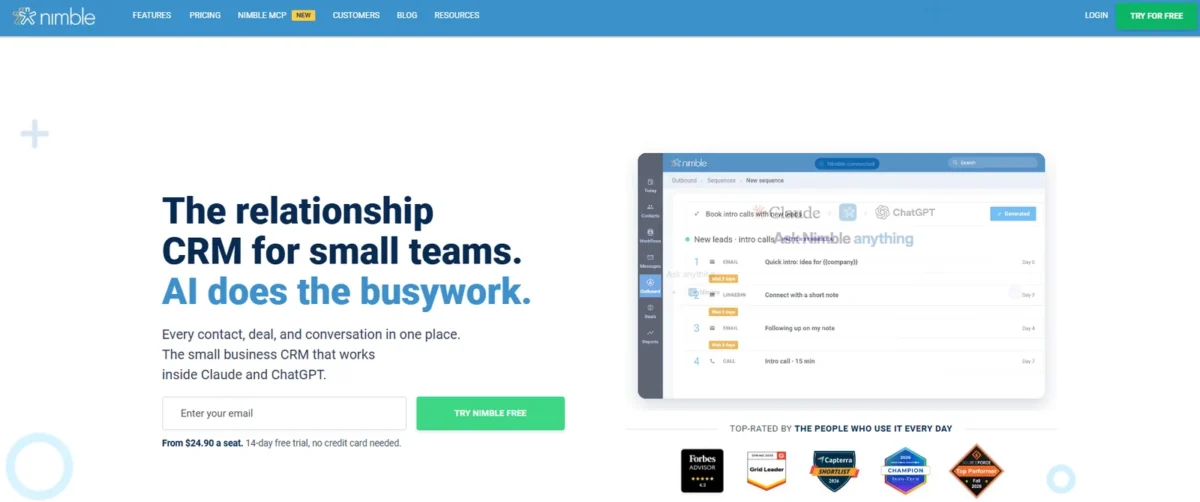
In the HubSpot vs Nimble choice, Nimble is the better pick for a solopreneur or a team of up to five that sells from Gmail or Outlook and wants email sequences. Its Business plan costs $24.90 per seat per month, billed annually.
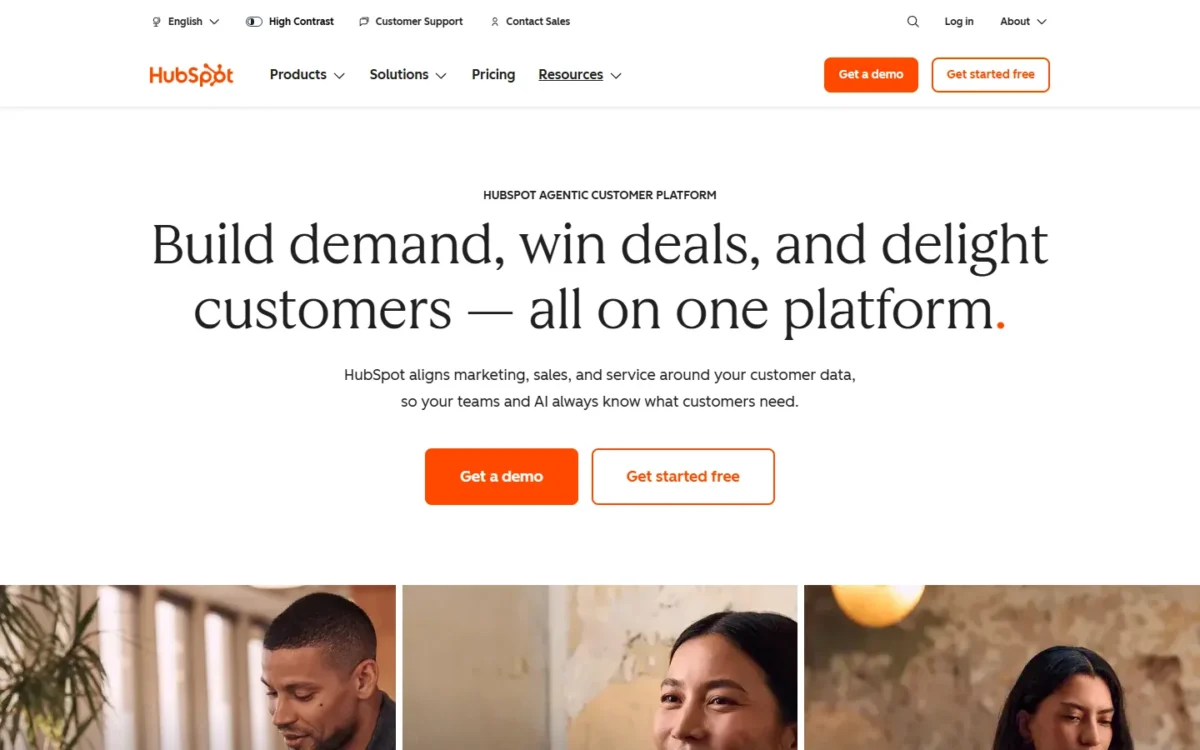
HubSpot is the better pick when you want to start free (up to 2 users), need built-in calling (a paid Starter feature) or forecasting, or plan to add HubSpot’s marketing tools. Its sequences start on Sales Hub Professional at $90 per seat per month, billed annually, plus a required one-time onboarding fee.
Quick verdict
Pick Nimble if you sell alone or in a team of five or fewer from your inbox: sequences, enrichment credits and unlimited pipelines come on one plan.
Pick HubSpot if you want $0 to start, calling minutes from Starter, forecasting on Professional, or over 2,000 Marketplace apps.
The number that decides it: five sellers with sequences pay $90 x 5 x 12 = $5,400 plus $1,500, which is $6,900, on HubSpot Professional in year one. On Nimble Business they pay $24.90 x 5 x 12 = $1,494.
The trade-off: Nimble lists no free plan, caps the account at 25,000 contacts before add-ons, and cannot export notes or email correspondence.
In This Article (11 sections)
HubSpot vs Nimble at a Glance
HubSpot is a free-to-start sales platform whose features climb by seat tier, while Nimble is a one-plan relationship CRM that lives in the inbox and the browser.
| Attribute | HubSpot | Nimble |
|---|---|---|
| Best for | Teams that want a free CRM to start, calling minutes once they pay for Starter, and room to add HubSpot hubs | Solo sellers and teams of five or fewer who sell from Gmail or Outlook |
| Free plan or trial | Free: $0, up to 2 users, 1,000 contacts, no expiration date | 14-day trial, no credit card; free plan not listed |
| Entry paid seat | Starter: $7 per seat per month, billed annually (new-customer offer; $20 shown beside it) | Business: $24.90 per seat per month, billed annually |
| Plan with email sequences | Professional: $90 per seat per month, billed annually | Business |
| One-time onboarding | $1,500 on Professional | Not listed on the pricing page |
| Contacts included | 1,000 on Free; paid cap not listed on the Sales Hub pricing page | 25,000 per account; 10,000 more for $10 a month |
Sources: HubSpot Sales Hub pricing and HubSpot free CRM page, checked October 2026; Nimble pricing details, read October 26, 2026, and the Nimble pricing page and features and plans guide, checked October 2026.
Key Differences Between HubSpot and Nimble
Four differences change what a small team should buy:
- Pricing shape: HubSpot sells four tiers and adds a one-time onboarding fee from Professional up; Nimble lists one Business plan, so growth means add-ons rather than a tier jump.
- Free start: HubSpot Free never expires but stops at 2 users; Nimble’s 14-day trial opens every Business plan feature.
- Where the work happens: Nimble Prospector runs in Chrome, Firefox, Safari and Edge and inside Gmail and Outlook; HubSpot reaches Gmail through a Chrome extension.
- Growth path: HubSpot lists over 2,000 Marketplace apps on Smart CRM, which comes with every paid HubSpot subscription; Nimble lists 100+ integration partners, Zapier and an API.
Nimble calls itself a relationship-focused CRM; if the category is new to you, what a CRM does covers the basics.
HubSpot vs Nimble: Features Compared
Nimble puts its sales features on one plan, while HubSpot spreads them across Starter and Professional, so each HubSpot cell names the plan that holds the feature.
| Criterion | HubSpot | Nimble |
|---|---|---|
| Contact enrichment | Core Seat “enriched data” (Starter and up) | Business: enrichment credits |
| Social profile matching | Not listed on the Sales Hub pricing page | Business |
| Browser extension | Chrome extension for Gmail | Prospector: Chrome, Firefox, Safari, Edge |
| Pipelines | Limited: 15 on Starter, 100 on Professional | Business: unlimited |
| Workflows | Limited: 50 restricted on Starter, 300 on Professional | Business: unlimited |
| Email sequences | Professional | Business |
| Forecasting | Professional | Limited: Revenue Forecast widget |
| Calling | Starter: 500 minutes; Professional: 3,000 | Through the PhoneBurner integration |
| Email marketing | Marketing Hub: 2,000 free sends a month, with HubSpot branding | Add-on: $15 a month per company |
Sources: HubSpot Sales Hub pricing and HubSpot product catalog, checked October 2026; Nimble pricing page, checked October 2026.
Contact enrichment and social profiles
Nimble gives every Business seat enrichment and social profile matching, while HubSpot lists “enriched data” with its Core Seat but no field list. Nimble’s enrichment help article, dated April 7, 2026, names the fields a credit finds: email address, job title, social profiles, phone number and company address.
Nimble’s pricing page, read October 21, 2026, lists 25 credits per user per month.
The enrichment help article says Business Plan accounts include 100 per user per month and trials 50 per user per trial, so confirm the allowance with Nimble before you plan around it.
Verdict: Contact enrichment
Depends on how you prospect: Nimble fits a seller who builds lists from social profiles and websites. HubSpot’s product catalog lists enriched data with the Core Seat, from Starter, without naming fields. Run a sample of your own prospects through Nimble’s trial, and ask HubSpot which fields Starter fills.
Inbox and browser integration
Both work inside Gmail and Outlook, but Nimble reaches more browsers. HubSpot’s install guide pairs Gmail with a Chrome extension and Outlook with an Office 365 add-in for Microsoft 365-hosted accounts on Mac, Windows or the web.
Two HubSpot edge cases hit small businesses: Microsoft 365 from GoDaddy cannot run the Office 365 add-in, and the Outlook desktop add-in for other accounts is in maintenance mode. Nimble’s Outlook add-in covers desktop, browser and the Outlook mobile app.
Verdict: Inbox and browser
Comparable for a Gmail user on Chrome. Nimble fits better for a seller who works in Safari or Firefox, and it adds a Microsoft Teams add-in.
Pipelines, workflows and sequences
Nimble Business includes unlimited pipelines, unlimited workflows with action-based triggers, and email sequences sent through your connected email provider. HubSpot Starter stops at 15 pipelines and 50 workflows with restricted triggers and actions, and lists no sequences.
HubSpot Professional adds sequences (5,000 per account, up to 500 email sends per user per day), 300 workflows, 100 pipelines and forecasting.
Nimble gives each seat 1,000 emails a month, shared by group messages and sequences sent through your email provider; 2,000 more cost $15 a month. Set that against HubSpot Professional’s sequence cap of 500 email sends per user per day.
Verdict: Sequences on a budget
Nimble fits a team of one to five that needs follow-up sequences and several pipelines on one plan. HubSpot Professional fits a sales manager who needs forecasting and high daily send volume and can absorb the onboarding fee.
Calling, integrations and marketing email
HubSpot includes calling minutes on every paid plan: 500 on Starter, 3,000 on Professional and 12,000 on Enterprise. Nimble logs calls and offers a power dialer through the PhoneBurner integration, whose price Nimble’s pricing page does not list.
HubSpot lists over 2,000 apps; Nimble lists 100+ integration partners, 120+ app integrations through Zapier, and API access.
HubSpot’s marketing email lives in Marketing Hub: its free tools include 2,000 email sends a calendar month with HubSpot branding. Nimble sells Email Marketing as a $15 per company per month add-on, on top of the seats.
Verdict: Calling and integrations
HubSpot fits better for a team that sells by phone or depends on a niche app. For a newsletter under 2,000 sends a month, HubSpot’s free marketing email adds no cost if you accept its branding, while Nimble’s add-on adds $15 a month to the account.
HubSpot vs Nimble Pricing
Nimble Business costs $24.90 per seat per month billed annually, or $29.90 billed month-to-month, as Nimble’s pricing details states it; Nimble counts each seat as a license. HubSpot’s price depends on which tier holds the feature you need, as the table shows.
| Plan tier | HubSpot | Nimble |
|---|---|---|
| Free plan or trial | Free: $0, up to 2 users | 14-day trial, no credit card |
| Entry paid seat, billed annually | Starter: $7 per seat per month | Business: $24.90 per seat per month |
| Entry paid seat, billed monthly | Starter: $10 per seat per month | Business: $29.90 per seat per month |
| Sequences plan, billed annually | Professional: $90 per seat per month | Business: $24.90 per seat per month |
| Sequences plan, paid monthly | Professional: $100 per seat per month, annual commitment | Business: $29.90 per seat per month |
| One-time onboarding | Professional: $1,500; Enterprise: $3,500 | Not listed on the pricing page |
Sources: HubSpot Sales Hub pricing, Pay Annually and Pay Monthly views, checked October 2026; Nimble pricing details, read October 26, 2026.
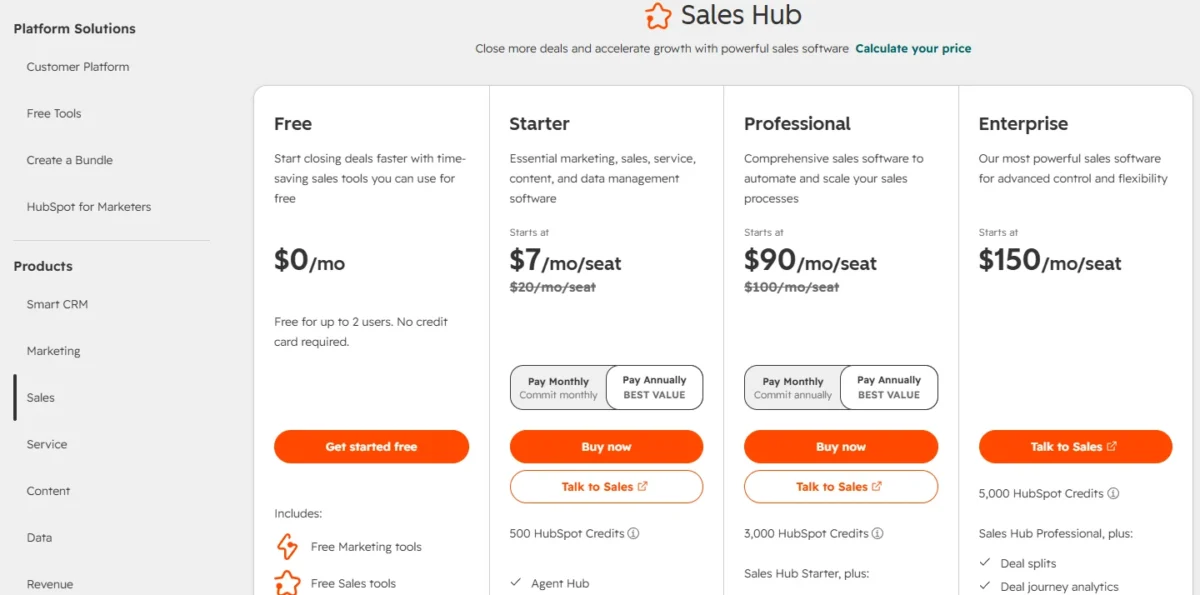
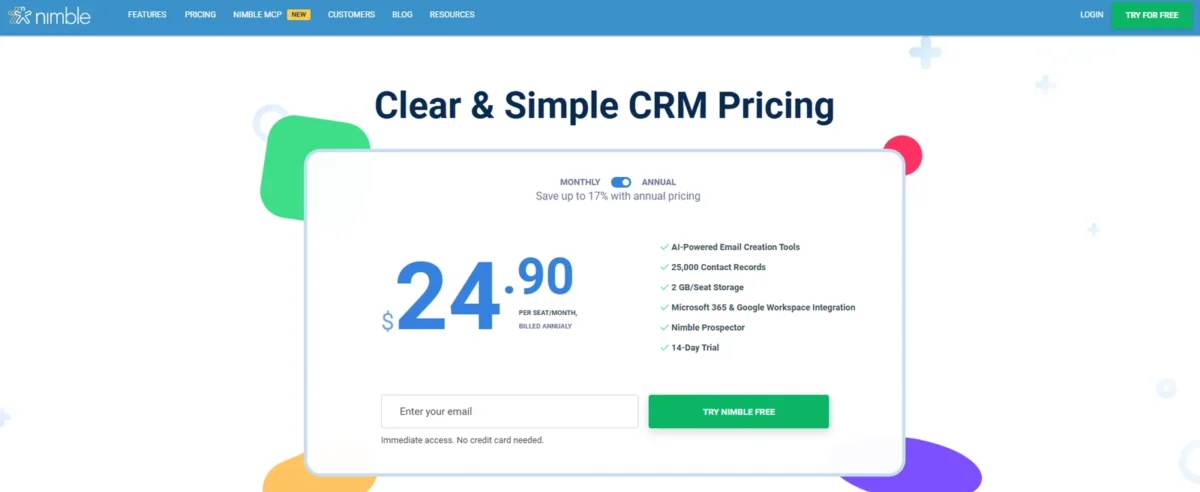
HubSpot prices paid Sales Hub per seat: Starter uses Core Seats, Professional needs Sales Seats, and view-only seats cost nothing. Nimble bills every license on the account, not just active users, and its billing policy gives no refunds, even for a removed license.
Pricing note
HubSpot’s $7 Starter seat is a discount: its CRM pricing page says “New customers only” and “Select offers available for a limited time.” The year-one table below prices Starter at both the $7 offer and the $20 shown beside it.
HubSpot’s full pricing breakdown covers every other hub’s fees.
Year-one cost for 1, 3 and 5 users
Nimble Business costs less than HubSpot Professional at every team size here; HubSpot Starter costs less than both but lacks sequences.
| Team size | HubSpot Starter, $7 new-customer offer | HubSpot Starter, $20 seat | HubSpot Professional | Nimble Business |
|---|---|---|---|---|
| 1 seat | $7 x 1 x 12 = $84 | $20 x 1 x 12 = $240 | $90 x 1 x 12 = $1,080 plus $1,500, which is $2,580 | $24.90 x 1 x 12 = $298.80 |
| 3 seats | $7 x 3 x 12 = $252 | $20 x 3 x 12 = $720 | $90 x 3 x 12 = $3,240 plus $1,500, which is $4,740 | $24.90 x 3 x 12 = $896.40 |
| 5 seats | $7 x 5 x 12 = $420 | $20 x 5 x 12 = $1,200 | $90 x 5 x 12 = $5,400 plus $1,500, which is $6,900 | $24.90 x 5 x 12 = $1,494 |
Sources: HubSpot Sales Hub pricing and HubSpot CRM pricing, read October 21, 2026; Nimble pricing details, read October 26, 2026. Assumptions: annual billing; list prices except the first Starter column, which uses HubSpot’s new-customer offer; US dollars; excludes tax, HubSpot credit overage, Nimble add-ons and upgrade packs, and PhoneBurner.
The Professional column is where the gap opens: HubSpot’s onboarding fee alone costs more than a year of Nimble Business for five seats.
Paying Nimble monthly costs $29.90 x 5 x 12 = $1,794 for five seats, a premium over the annual table. Nimble only lets an annual plan move to monthly in its last month, so commit annually once the trial confirms the fit.
The limits that force an upgrade
HubSpot pushes you up a tier, while Nimble charges add-ons and keeps you on Business.
HubSpot’s triggers:
- Free stops at 2 users, 1,000 contacts and 3 email templates per account.
- Starter has no sequences and 50 restricted workflows, so automated follow-up means Professional and its onboarding fee.
- Starter holds 15 pipelines per account across object types, which a team splitting pipelines by product or region can outgrow.
Nimble’s triggers:
- The account holds 25,000 contacts; each 10,000 more costs $10 a month.
- Each seat gets 2GB of storage; each 10GB more costs $10 a month.
- Group messages and sequences share 1,000 emails per seat a month; each 2,000 more costs $15 a month.
Setup and Support for a Small Team
HubSpot’s free CRM page says “Get Set Up in Minutes, Without IT Support”, which covers the free CRM, not a Professional rollout with its required onboarding.
Nimble’s getting started guide walks through pipelines, email, imports and Prospector, and offers a 1:1 guided screenshare plus onboarding sessions every weekday at 9 AM PT.
HubSpot’s free CRM runs in Chrome, Firefox, Safari or Edge with no download, but Outlook users install the add-in in each email account. Starter includes email support, Professional adds phone support.
HubSpot vs Nimble: Pros and Cons
HubSpot’s strengths are breadth and a free start; Nimble’s are price and inbox-first prospecting. My full HubSpot CRM review covers the platform beyond Sales Hub.
HubSpot pros and cons
Pros
- Free for up to 2 users with no expiration date
- 500 calling minutes from Starter, 3,000 on Professional
- Over 2,000 Marketplace apps for a growing stack
- Default and custom forecasting on Professional
Cons
- Sequences start on Professional, which requires the onboarding fee
- Starter caps workflows at 50 with restricted triggers and actions
- The $7 Starter seat is a new-customer offer, not a fixed price
- AI features draw down credits, billed at $0.010 each beyond the allowance
Nimble pros and cons
The Nimble CRM review goes deeper on Nimble’s own limits.
Pros
- One plan with sequences, unlimited pipelines and unlimited workflows
- Enrichment and social profile matching on every seat
- Prospector in four browsers plus Gmail and Outlook
- Free 1:1 calls and daily live Q&A sessions
Cons
- No free plan listed; the trial lasts 14 days
- 25,000 contacts per account before paid upgrades
- Notes and email correspondence cannot be exported
- No refunds, and email marketing and web forms are paid add-ons
Which Is Better for Your Needs?
Your first priority decides the pick, and each row names the trade-off you accept.
| Your priority | Better fit | Reason | Trade-off |
|---|---|---|---|
| Start at $0 | HubSpot | Free covers 2 users with no expiration date | A third seller needs a paid plan |
| Sequences for five sellers or fewer | Nimble | Business includes them | 1,000 emails per seat a month, shared with group messages |
| Prospect enrichment from LinkedIn and the web | Nimble | Enrichment credits and social matching on every seat | HubSpot’s enrichment fields are not listed |
| Phone-heavy selling | HubSpot | 500 calling minutes from Starter | Nimble needs PhoneBurner for dialing |
| Forecasting for a manager | HubSpot | Default and custom forecasting on Professional | Professional’s seat price and onboarding fee |
| Many pipelines on a small budget | Nimble | Unlimited pipelines on Business | Fewer integrations than HubSpot |
| Growing into marketing automation | HubSpot | Marketing Hub starts with 2,000 free email sends a month in HubSpot’s free tools | Each hub is a separate purchase |
Sources: HubSpot Sales Hub pricing and Nimble pricing page, checked October 2026.
Skip HubSpot if: sequences are the job and Professional’s onboarding fee exceeds your first-year budget; Nimble covers that need on its one plan. If HubSpot stays on your shortlist, open EngageBay vs HubSpot for a second pairing.
Skip Nimble if: you need a CRM that stays free or calling minutes inside the CRM; HubSpot Free or Starter covers those. If Nimble stays on your shortlist, compare it with another option in Nimble vs Copper.
If the pipeline board is the whole job, HubSpot vs Pipedrive covers that pairing.
Switching Between HubSpot and Nimble
Contacts import into Nimble by CSV, and Nimble exports contacts, activities and deals by CSV. HubSpot exports deals by CSV and imports deals from an import file or spreadsheet. For a team new to HubSpot, its import guide also points to a self-service transfer that audits and syncs CRM data.
From HubSpot to Nimble
- Export records with their properties and associations; HubSpot’s export guide allows up to 300 exports in a rolling 24 hours.
- In Nimble, open Settings >> Import Contacts and load the file with the CSV Import Wizard, as Nimble’s import guide describes.
- Connect your Google or Microsoft 365 email and choose “Import contacts”, then rebuild pipelines, workflows and sequences.
From Nimble to HubSpot
- Export contacts, deals and activities; Nimble emails each CSV, but notes and email correspondence cannot be exported.
- Use HubSpot’s multi-object import to associate deals and activities with contacts from one file or several.
- Reconnect each inbox through the Chrome extension or Office 365 add-in, and rebuild automations.
Timing the switch
Nimble gives no refund for the rest of a billing cycle, so leave at the end of a cycle and copy any notes you need first.
How I Compared HubSpot and Nimble
I compared the plans HubSpot Sales Hub Free, Starter and Professional against Nimble Business for teams of one, three and five. Prices are US dollars on both billing views. HubSpot’s facts come from its Sales Hub pricing page, product catalog, free CRM page and knowledge base, read on October 21, 2026.
Nimble’s prices come from its pricing details help article, read on October 26, 2026. Its caps, add-on prices, features and policies come from its pricing page text and help center, read on October 21, 2026.
What the vendors do not publish: HubSpot lists no enrichment fields or paid Sales Hub contact cap on its pricing page. Nimble’s pricing page lists “Calls & Events” without calling minutes, and HubSpot’s setup-in-minutes claim covers the free CRM.
FAQ
Does Nimble have a free plan?
No free plan appears on Nimble’s pricing page; it offers a 14-day free trial with no credit card. The trial includes every Business plan feature; web forms can be tested free, up to 10 for 30 days, and then cost $12 a month per team.
Is HubSpot still worth it for a small team?
Yes, when the team needs calling minutes, forecasting or a wide app marketplace, or fits inside Free’s 2 users. For a sequences-led team, Professional’s seat price plus its onboarding fee is the hurdle.
Which is cheaper for one user?
Without sequences, HubSpot Starter is cheapest: $7 x 1 x 12 = $84 in year one on the new-customer offer. With sequences, Nimble Business is cheaper: $24.90 x 1 x 12 = $298.80, against $90 x 1 x 12 = $1,080 plus $1,500, which is $2,580, on HubSpot Professional.
Final Verdict: HubSpot or Nimble?
Nimble is the pick for a solopreneur or a team of up to five that sells from the inbox and needs sequences and enrichment at one price. HubSpot is the pick for a team that wants a free CRM to start, paid-plan calling minutes for phone-led selling, forecasting or a path into HubSpot’s other hubs.
Anyone still weighing HubSpot against another contender can see Freshsales vs HubSpot.
Choose HubSpot if
- You want $0 to start and have no more than 2 users
- You sell by phone and want 500 calling minutes from Starter
- A manager needs forecasting and Professional’s onboarding fee fits the budget
- You expect to add marketing automation or need one of 2,000+ apps
Choose Nimble if
- You sell alone or in a team of five or fewer, from Gmail or Outlook
- You want sequences at $24.90 per seat per month, billed annually
- You prospect on LinkedIn and the web and want enrichment on every seat
- You want unlimited pipelines on one plan
Neither may be ideal if you need a free plan that includes sequences, since HubSpot Free lacks them and Nimble has only a trial. Other HubSpot alternatives cover tools built around that need.
For a wider shortlist, my best CRM software list compares more options.





