Choosing between Asana vs. monday.com is one of the most common decisions teams face when selecting a work management platform in 2026. Both tools have matured significantly—adding AI capabilities, deeper reporting, and stronger governance—but they still serve different working styles and organizational needs.
This guide compares Asana vs monday.com across pricing, features, integrations, security, AI, and real-world team fit so you can make a confident, evidence-based decision.
Last updated: February 2026. Pricing and features verified against official sources.
In This Article (14 sections)
Asana vs. monday.com at a Glance (2026 Verdict)
Quick Answer
- Choose Asana if your team prioritizes structured project execution, cross-functional portfolio management, native goal tracking (OKRs), and governance at scale.
- Choose monday.com if you need a highly customizable “Work OS” that adapts to non-PM workflows (CRM, IT, HR), offers strong visual board design, and keeps cost predictable for small teams.
- Neither is objectively better. The right choice depends on team size, workflow complexity, governance requirements, and existing tech stack.
Mini Decision Tree
| If you are… | Consider… | Primary reason |
|---|---|---|
| A marketing team running campaigns + content calendars | monday.com | Visual boards, flexible column types, client-facing dashboards |
| A product/ | Asana | Timeline dependencies, goals/ |
| An ops / PMO team with 50–500 users | Asana Advanced or Enterprise | Reporting depth, capacity planning, SAML/ |
| A small business (< 10 people) on a budget | monday.com Basic or Standard | Lower per-seat cost, simpler onboarding, solid free viewer model |
| An agency managing client-facing boards | monday.com | Guest access at Standard tier, visual dashboards clients understand |
| An enterprise needing HIPAA or data residency | Asana Enterprise+ | HIPAA compliance, EKM, data residency, DLP integrations |
Pros and Cons at a Glance
Asana
| Pros | Cons |
|---|---|
| Unlimited automation rules on all paid plans—no metering | No native docs or whiteboards; requires external tools |
| Timeline/ | Higher per-user cost at entry level (~$10.99 vs. $9) |
| Goals/ | Customization is more structured—less flexible than monday’s column types |
| Unlimited free guests on all paid plans | Workload management gated at Advanced ($24.99/ |
| HIPAA, EKM, and data residency at Enterprise+ | Capacity planning only at Enterprise tier |
monday.com
| Pros | Cons |
|---|---|
| Highly flexible: 30+ column types, subitems, formula columns | 3-seat minimum on all paid plans—small teams overpay |
| Built-in docs and whiteboards on all plans | Automation capped at 250 actions/mo on Standard |
| Lower entry price ($9/ | Dashboard reporting limited by board count per tier |
| 200+ templates across PM, CRM, HR, IT use cases | No native OKR/ |
| Polished visual dashboards clients and execs love | HIPAA and EKM not publicly available |
Compact Comparison Table
| Category | Asana | monday.com |
|---|---|---|
| Pricing model | Per user/ | Per seat/ |
| Free plan | 2 users, unlimited tasks/ | 2 seats, up to 3 boards |
| Starter/ | ~$10.99/ | $9/seat/mo (annual) |
| Mid-tier price | Advanced ~$24.99/ | Pro $19/ |
| Customization | Structured: custom fields, rules, forms | Highly flexible: 30+ column types, subitems, formulas |
| Reporting | Universal reporting + dashboards (Starter+) | Dashboard widgets; board-count limits by tier |
| Automations | Unlimited rules (Starter+) | 250 actions/mo (Standard); 25K (Pro); 250K (Enterprise) |
| AI | Asana AI + AI Studio across all paid plans | One AI (Sidekick + AI credits) across paid plans |
| Integrations | 200+ native; Zapier, API | 200+ native; Zapier, API; action limits on Standard |
| Governance | SAML, SCIM, audit logs (Enterprise+) | Multi-level permissions, enterprise security (Enterprise) |
How We Evaluated Asana and monday.com
Evaluation Criteria and Weighting
We assessed both platforms across 11 dimensions, weighted by their impact on day-to-day team productivity and long-term scalability:
| Criterion | Weight | What we measured |
|---|---|---|
| Task & project modeling | 15% | Views (Kanban, timeline, Gantt, calendar), dependencies, milestones, subtask depth |
| Workflow automation | 12% | Rule complexity, action limits, trigger types, multi-step logic |
| Reporting & dashboards | 12% | Widget variety, cross-project data, exec-level rollups |
| Collaboration | 10% | Comments, docs, whiteboards, proofing, approvals |
| Resource / workload management | 10% | Capacity planning, workload views, rebalancing |
| Integrations & ecosystem | 10% | Native connectors, API quality, Zapier/ |
| AI capabilities | 8% | Practical AI use cases, data privacy stance, autonomous agents |
| Security & compliance | 8% | SSO/ |
| Onboarding & ease of use | 5% | Learning curve by persona, template library, documentation |
| Mobile apps | 5% | Feature parity, offline access, push notifications |
| Support & pricing transparency | 5% | Support tiers, pricing clarity, hidden costs |
Testing Approach
- Trial accounts: We used current free and paid trial accounts on both platforms (January–February 2026) to test core workflows.
- Feature documentation: Official help centers, changelogs, and pricing pages served as primary references for feature availability and plan restrictions (Asana Pricing, monday.com Pricing).
- Security and compliance claims: Compliance data in this article is sourced from each vendor’s official trust center—Asana Trust and monday.com Trust Center—not independently audited by us. Always request current certifications and audit reports directly from the vendor before making compliance-dependent decisions.
- Review pattern analysis: We cross-referenced user sentiment and adoption trends from Software Advice to validate common praise and complaints.
- No vendor sponsorship: This comparison is independent. Neither Asana nor monday.com reviewed or approved this content before publication.
Who This Recommendation Is For
This guide targets US-based teams evaluating project management software for the first time or considering a migration. Primary personas: marketing managers, product leads, PMO directors, ops managers, and agency principals. If your primary workflow is software development (sprints, code review, CI/CD), a dedicated tool like Jira may be a better starting point—though both Asana and monday.com can supplement dev workflows.
monday.com vs Asana Pricing (Real-World Cost)
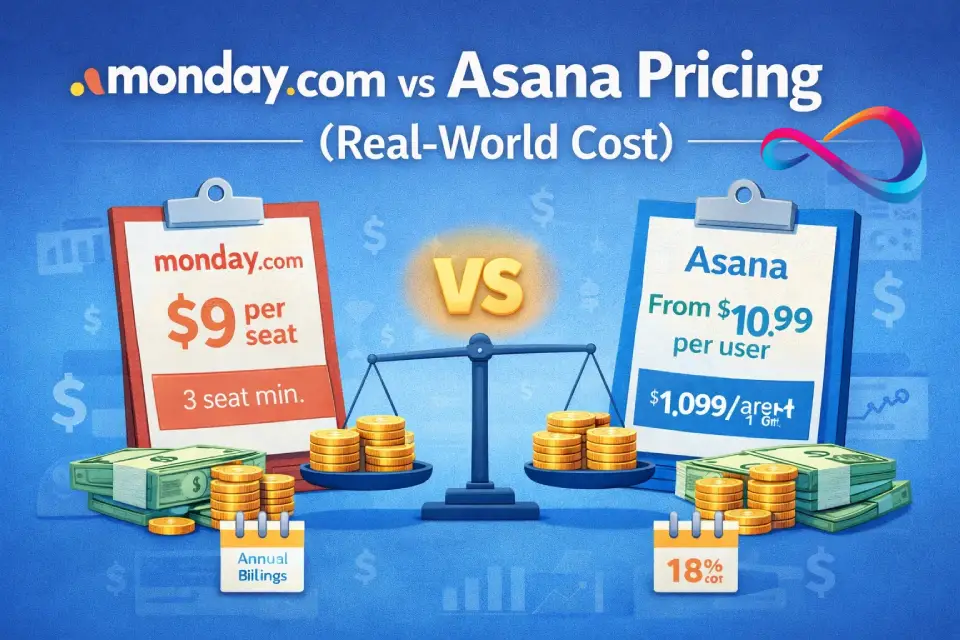
Key takeaway: monday.com wins on sticker price for small teams; Asana delivers better all-in value once you factor in unlimited automations, free guests, and ungated reporting.
Pricing is often the deciding factor, but sticker price alone is misleading. Here’s how Asana pricing vs monday pricing actually breaks down in practice.
Pricing Model Differences
Asana charges per user per month with no seat minimum on paid plans. You can have 1 paid user if needed. Guests are free and unlimited on all paid plans. Billing is annual or monthly (monthly is ~20% higher). For a deeper breakdown of every Asana tier, hidden fees, and cost scenarios, see our full Asana pricing guide.
monday.com charges per seat per month with a minimum of 3 seats on all paid plans. This means a 2-person team pays for 3. Guests (called “viewers”) are free but limited to read-only access on Basic; full guest collaboration requires the Standard plan.
monday.com offers an 18% discount for annual billing. For detailed plan breakdowns and cost traps, read our in-depth monday.com review which covers pricing extensively. If you’re evaluating monday specifically as a CRM, see our dedicated monday CRM pricing guide for CRM-specific tier analysis and seat-bucket cost scenarios.
Cost Scenarios (Annual Billing)
| Team size | Asana Starter | Asana Advanced | monday.com Basic | monday.com Standard | monday.com Pro |
|---|---|---|---|---|---|
| 5 users | ~$55/mo (~$660/ | ~$125/mo (~$1,500/ | $45/mo ($540/ | $60/mo ($720/ | $95/mo ($1,140/ |
| 10 users | ~$110/mo (~$1,320/ | ~$250/mo (~$3,000/ | $90/mo ($1,080/ | $120/mo ($1,440/ | $190/mo ($2,280/ |
| 25 users | ~$275/mo (~$3,300/ | ~$625/mo (~$7,500/ | $225/mo ($2,700/ | $300/mo ($3,600/ | $475/mo ($5,700/ |
| 50 users | ~$550/mo (~$6,600/ | ~$1,250/mo (~$15,000/ | $450/mo ($5,400/ | $600/mo ($7,200/ | $950/mo ($11,400/ |
Note: Asana Starter is ~$10.99/user/mo billed annually; Advanced ~$24.99/user/mo. monday.com prices from monday.com/pricing as of February 2026. Enterprise pricing for both requires a sales conversation.
Hidden-Cost Checklist
Before committing, evaluate these often-overlooked cost drivers:
- Automation action limits (monday.com): Standard gives only 250 actions/month. If your team automates heavily, you’ll need Pro (25,000 actions) fast. Asana offers unlimited rules on all paid plans.
- Integration action limits (monday.com): Same tiered limits apply. Standard allows 250 integration actions/month—easily exhausted by a single Slack + CRM sync.
- Dashboard board limits (monday.com): Free-plan dashboards pull from 1 board. Standard tops out at 5 boards per dashboard. Reporting-heavy teams need Pro (20 boards) or Enterprise (50 boards).
- Guest access: Asana includes unlimited free guests on all paid plans. monday.com requires Standard or higher for full guest collaboration.
- Reporting: Asana includes universal reporting and project dashboards at Starter tier. monday.com’s advanced analytics and chart views are gated at Pro.
- Storage: Asana provides unlimited storage (100MB per file). monday.com Basic offers 5GB total—upgrade if your team shares large files.
- Support tiers: Asana Enterprise includes 24/7 support. monday.com Enterprise includes priority queue 24/7 support. Lower tiers get standard support for both.
- AI credits: Both platforms meter AI usage with credits on paid plans. Additional AI Studio credits (Asana) or AI Sidekick Plus upgrades (monday.com) cost extra.
- Seat minimums: monday.com’s 3-seat minimum on paid plans means small teams (1–2 people) pay for at least one unused seat.
Mini Case: When Hidden Costs Flip the Equation
Consider a 25-person marketing team that runs 15+ automated workflows (Slack notifications, CRM syncs, status updates, approval routing). On monday.com Standard, this team would hit the 250-action automation limit within days.
Upgrading to Pro adds $175/mo ($4,375/mo total vs. $3,600/mo). Meanwhile, Asana Starter gives this same team unlimited rules at $275/mo—78% less than monday.com Pro, with no action caps. The lesson: when evaluating Asana vs monday.com for teams with automation-heavy workflows, calculate total cost after overages, not just base price.
Asana vs monday.com Features That Matter in Daily Work
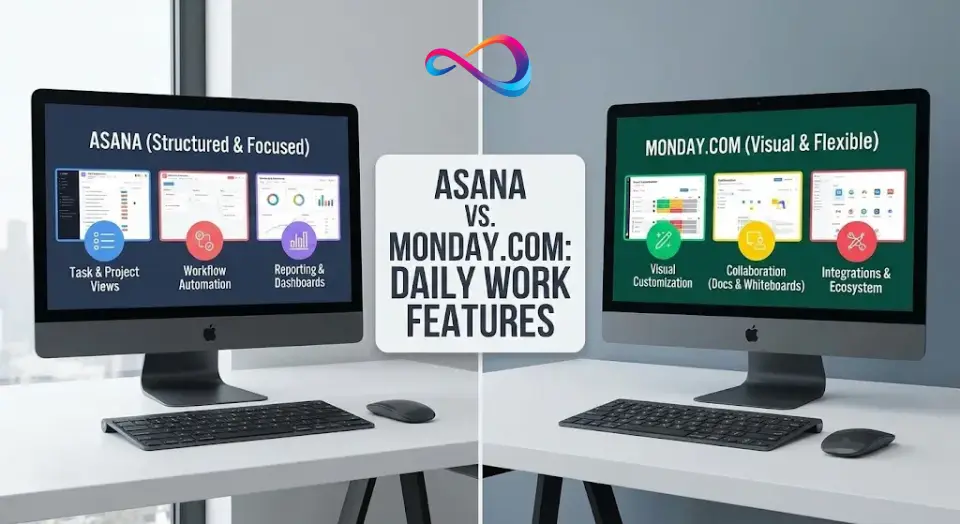
Key takeaway: Asana wins on structured execution (dependencies, goals, reporting). monday.com wins on visual flexibility and built-in collaboration tools (docs, whiteboards).
Feature lists are long. What follows focuses on the capabilities that most influence daily productivity and project success.
Task + Project Views (Kanban, Timeline/Gantt, Calendar, Dependencies)
Both platforms offer list, Kanban board, and calendar views. The differences emerge in advanced views:
Asana provides timeline and Gantt views starting at the Starter plan. Dependencies are native and well-implemented—you can set start-to-finish and finish-to-start relationships with automatic date shifting. Milestones are supported. Multi-homing (one task living in multiple projects) is a unique Asana capability that reduces duplication for cross-functional teams. For full details on these features, see our Asana review.
monday.com offers timeline and Gantt chart views from the Standard plan. Dependencies exist but require a dependency column and feel less integrated than Asana’s. Subitems provide a multi-level task hierarchy that Asana doesn’t match natively. The chart view (for data visualization) is gated at Pro.
Winner: Asana for dependency-driven project planning. monday.com for flexible data modeling with subitems and custom column types.
- Best for:
- Asana → product launches, construction scheduling, cross-functional milestones. monday.com → CRM-style boards, creative project tracking, multi-department intake.
Watch-outs: Asana’s structured approach means less flexibility for non-PM data. monday.com’s flexibility can lead to inconsistency without governance.
Workflow Automation + Rules
Asana offers unlimited automation rules on all paid plans (Starter and above). Rules use a when/then structure with conditions and can trigger across projects. The workflow builder is visual and intuitive. AI Studio (available on all paid plans, with additional credit purchase options) enables no-code complex automation and autonomous agents.
monday.com takes a tiered approach: Standard allows 250 automation actions/month, Pro bumps to 25,000, and Enterprise to 250,000. Automations are powerful and support multi-step recipes, but the action limits can be a genuine constraint. Custom automations via the monday apps framework are possible for advanced needs.
Winner: Asana on value (unlimited rules, no metering). monday.com on recipe variety and pre-built templates if you’re on Pro.
- Best for:
- Asana → teams that automate aggressively without watching quotas. monday.com → teams that want plug-and-play automation recipes.
Watch-outs: Asana’s automations are simpler to configure but less customizable at the recipe level. monday.com gives more power but charges for it.
Reporting + Dashboards (Executive Visibility)
Asana includes universal reporting at the Starter tier, allowing cross-project and cross-team data aggregation. Project dashboards with burnup, burndown, and custom charts are included. Portfolios (Advanced) provide program-level rollups with status, progress, and priority views.
monday.com dashboards are widget-based and visually polished, but limited by how many boards they can pull from (1 on Free, 5 on Standard, 20 on Pro, 50 on Enterprise). This board-count limitation is a real constraint for multi-project reporting. Chart view and formula columns (Pro) add analytical power.
Winner: Asana for reporting breadth and depth without tier restrictions. monday.com for visual dashboard polish if you’re on Pro/Enterprise.
- Best for:
- Asana → PMOs and execs who need cross-portfolio visibility. monday.com → client-facing dashboards and team-level KPIs.
Watch-outs: Asana’s dashboards are functional but less visually dynamic. monday.com’s look great but cost more to unlock full power.
Collaboration (Comments, Docs, Whiteboards, Approvals)
Asana supports task-level comments with @mentions, file attachments, and status updates. Approvals are available on the Advanced plan. Proofing (annotating images and PDFs) is available at Advanced tier. Asana doesn’t have native docs or whiteboards—you’ll pair it with a knowledge management tool like Notion, Google Docs, or Confluence.
monday.com includes monday docs (collaborative documents with live data from boards) and whiteboards on all plans. Comments and updates are threaded per item. Guest access on Standard adds client-facing collaboration. Approvals are supported through status columns and automation recipes.
Winner: monday.com for built-in collaboration breadth (docs + whiteboards + guest access). Asana for structured approval workflows and proofing.
- Best for:
- monday.com → teams that want an all-in-one workspace. Asana → creative teams needing design proofing and formal approval chains.
Watch-outs: Asana needs external tools for docs and whiteboarding. monday.com’s approvals are less formal than Asana’s dedicated workflow.
Resource / Workload Management
Asana offers workload view at the Advanced tier and capacity planning at the Enterprise tier. Workload shows effort distribution across team members with custom effort fields. Portfolio workload rolls this up to program level.
monday.com includes resource management at the Enterprise tier with centralized workforce data and capacity tools. Lower tiers don’t include native workload views, though you can build manual workarounds with formulas and dashboards.
Winner: Asana for workload management accessibility (available at Advanced, not just Enterprise). Both tools gate full capacity planning at Enterprise.
- Best for:
- Asana → ops leads rebalancing work across distributed teams. monday.com Enterprise → large orgs with centralized resource pools.
Watch-outs: True resource management is an enterprise feature on both platforms. Mid-market teams may need a third-party tool regardless.

Integrations, Ecosystem, and Extensibility
Key takeaway: Both integrate with 200+ tools. Asana has the edge on native Jira sync and ungated integration usage. monday.com’s app marketplace is broader for non-PM workflows.
Native Integrations and Automation Connectors
Asana offers 200+ integrations (100+ on the free plan) with deep native connectors for Slack, Microsoft Teams, Google Workspace, Jira, Salesforce, Tableau, Power BI, Zoom, and more. Zapier support is robust with hundreds of triggers and actions.
monday.com offers 200+ integrations but meters usage on Standard (250 actions/month) and Pro (25,000 actions/month). The monday apps marketplace includes third-party extensions that can add CRM, dev, and service management functionality. Zapier and Make (Integromat) both support monday.com extensively.
API and Admin Controls
Asana’s REST API is well-documented with webhooks, custom actions, and service accounts (Enterprise). Admin console is available from Starter tier. monday.com’s GraphQL API is modern and flexible, with a strong app framework for building custom solutions. Admin controls scale up through tiers.
Fit by Tech Stack
| Stack | Better fit |
|---|---|
| Google Workspace (Gmail, Drive, Calendar) | Both integrate well; Asana’s Google Calendar sync is slightly more mature |
| Microsoft 365 (Outlook, Teams, OneDrive) | Both support Teams and Outlook; monday.com’s Teams app is polished |
| Slack | Both have strong integrations; Asana allows creating tasks from Slack messages |
| Jira | Asana has a native Jira sync; monday.com requires third-party or manual setup. See our Jira pricing guide to understand the Atlassian cost stack |
| CRM (Salesforce, HubSpot) | Asana connects to Salesforce at Advanced tier; monday.com has a native CRM product. HubSpot integrates with both |
| BI tools (Tableau, Power BI) | Asana connects natively at Advanced; monday.com dashboards can substitute for lighter BI needs |

AI Capabilities in 2026 (Useful vs. Gimmicky)
Key takeaway: AI features in both tools are genuinely useful for status updates and simple automation building. Asana’s AI Studio has a more ambitious autonomous-agent vision. monday.com’s Sidekick is tighter integrated into daily board work. Neither is a decision-maker by itself.
Asana AI
Available across all paid plans, Asana AI helps with:
- Smart status updates: Auto-generated project status drafts based on recent task activity.
- Task drafting: AI suggests task descriptions, subtasks, and due dates.
- Workflow building: AI Studio (with purchasable credits) enables no-code automation creation, including multi-step workflows and autonomous agents. This is a genuine productivity multiplier for ops teams.
- Risk signals: AI highlights overdue dependencies and capacity bottlenecks.
- Natural language queries: Ask about project status conversationally.
monday.com AI (One AI)
Available across paid plans, monday.com’s AI assistant (“Sidekick”) offers:
- Content generation: Draft emails, documents, and updates within monday docs.
- Formula and automation building: AI can suggest and construct column formulas and automation recipes.
- Summarization: Summarize item updates and board activity.
- Sidekick (lite and plus): Context-aware assistant that can run work, connect data, and answer questions about your boards. The “plus” version (Enterprise) has deeper capabilities.
- AI credits: Both lite and full experiences consume credits.
Data and Privacy Considerations
Both vendors publish AI governance commitments through their respective trust centers. According to Asana’s Trust page, the platform maintains SOC 2 Type II, ISO 27001, and offers Enterprise Key Management (EKM) for encryption-key control on Enterprise+. According to monday.com’s Trust Center, the platform holds SOC 2 Type II, ISO 27001, and publishes a dedicated AI Governance policy. monday.com also offers a Guardian add-on for enhanced data protection.
For teams in regulated industries, request each vendor’s current AI data-processing addendum before committing. Do not assume AI features are automatically compliant with your data governance policies—verify with the vendor’s compliance team directly.
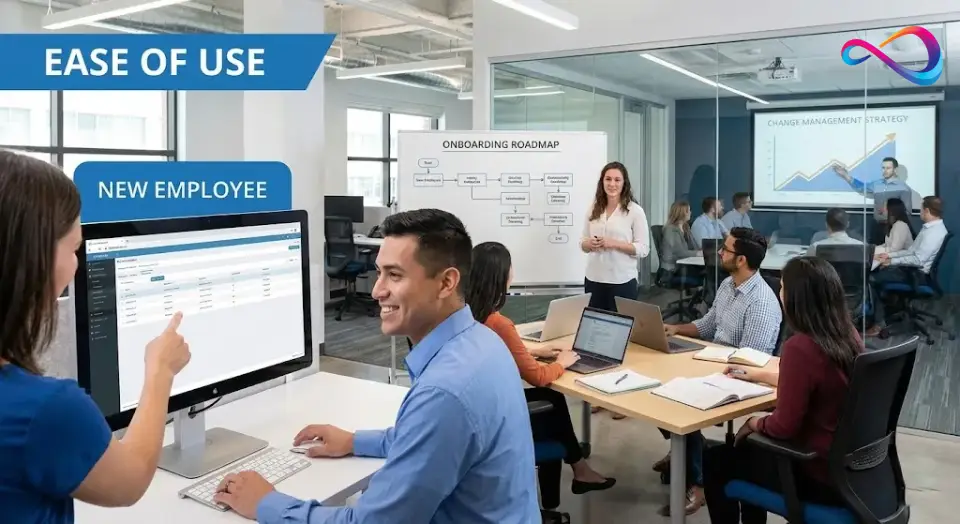
Ease of Use, Onboarding, and Change Management
Key takeaway: Both tools have roughly equal learning curves (1–2 weeks for daily use). monday.com’s visual boards feel more intuitive for non-technical users. Asana’s structured approach rewards project managers who invest in setup.
Learning Curve by Persona
| Persona | Asana | monday.com |
|---|---|---|
| Individual contributor | Low – intuitive task lists, “My Tasks” view | Low – visual boards, drag-and-drop |
| Project manager | Medium – timeline, dependencies, rules take 1–2 weeks | Medium – column design, automations, dashboard setup |
| Executive / stakeholder | Low – portfolios and status updates are clear | Low – dashboards and high-level views |
| IT admin | Medium – admin console, SAML/ | Medium – permissions, user provisioning |
| External collaborator | Low – free guest access is seamless | Medium – guest vs. viewer distinction needs explanation |
Templates and Quick Start
Asana includes custom project templates on all paid plans, plus a library of pre-built templates for marketing, product launches, event planning, and more. monday.com offers 200+ templates covering a broader range of use cases (including CRM, HR, and IT) thanks to its Work OS positioning. For teams evaluating broader team collaboration tools, templates can significantly reduce onboarding time.
Recommended Rollout Plan (Weeks 1–4)
Week 1: Set up workspace structure (teams/spaces, naming conventions, custom fields). Import existing projects. Assign 2–3 pilot projects.
Week 2: Configure automations for your top 3 repetitive workflows. Connect core integrations (Slack/Teams, Google Drive/OneDrive, email).
Week 3: Roll out to full team. Run a 30-minute training session focused on daily workflows (not features). Assign a “tool champion” per department.
Week 4: Review adoption metrics (task completion rates, active users). Refine views, adjust permissions, iterate on automations.
Common Failure Modes + How to Avoid Them
- Over-customization (monday.com): The flexibility of 30+ column types can lead to inconsistent board structures across teams. Fix: Establish board templates and naming standards before rollout.
- Under-using automation (Asana): Teams treat Asana as a static task list. Fix: Build 3–5 rules in Week 2 to show the workforce the power of automation.
- Permission neglect: Both tools default to relatively open access. Fix: Set up private projects/boards and define roles in Week 1.
- Ignoring status updates: Stakeholders disengage if updates are manual and stale. Fix: Use AI-generated status drafts (both tools) and link them to Slack channels.

Security, Permissions, and Compliance (US Buyer Checklist)
Key takeaway: Asana offers a deeper compliance stack (HIPAA, EKM, data residency, DLP) at Enterprise+. monday.com covers the fundamentals (SSO, SCIM, SOC 2) at Enterprise. Both are SOC 2 Type II and ISO 27001 certified. For regulated industries, Asana has stronger out-of-the-box compliance tooling.
All compliance claims below are sourced from each vendor’s official trust center:
- Asana: asana.com/trust — lists SOC 2 Type II, SOC 3, ISO/IEC 27001:2022, ISO 27017, ISO 27018, ISO 27701, HIPAA, GDPR, CSA STAR Level 1, GLBA, and FERPA.
- monday.com: monday.com/trustcenter — lists SOC 1 Type II, SOC 2 Type II, SOC 3, ISO/IEC 27001:2022, ISO 27017, ISO 27018, ISO 27032, ISO 27701, and CSA STAR. monday.com also publishes an AI Governance policy and offers a Guardian add-on for enhanced security.
| Security feature | Asana | monday.com |
|---|---|---|
| SSO / SAML | Enterprise tier | Enterprise tier |
| SCIM provisioning | Enterprise tier | Enterprise tier (via supported identity providers) |
| Audit logs | Enterprise+ (via Audit Log API) | Enterprise tier |
| Role-based permissions | Admin console (Starter+); advanced project/ | Multi-level permissions (Enterprise) |
| Guest access controls | Guest invite permissions (Enterprise); unlimited free guests (all paid plans) | Guest access (Standard+); viewers (Basic+) |
| Data residency | Enterprise+ (select regions, per Asana Trust page) | Not publicly documented for standard tiers; contact sales |
| HIPAA compliance | Enterprise+ (with BAA, subject to eligibility, per Asana Trust page) | Not publicly available |
| SOC 2 Type II | Yes (per Asana Trust) | Yes (per monday.com Trust Center) |
| ISO 27001 | Yes (per Asana Trust) | Yes (per monday.com Trust Center) |
| GDPR compliance | Yes | Yes |
| Enterprise Key Management | Enterprise+ (subject to eligibility, per Asana Trust page) | Not available |
| Mobile app controls | Enterprise (limit downloads, screenshots, copy/ | Enterprise tier |
| DLP integration | Enterprise+ (Netskope integration, per Asana Trust page) | Guardian add-on (per monday.com Trust Center) |
Important: Certifications can change. Request current audit reports directly from each vendor. This table reflects published trust center information as of February 2026.
Team Fit Scorecard
Use this scorecard to weight each category by what matters most for your team type. Scores are on a 1–5 scale (5 = excellent fit).
| Criterion | Asana | monday.com | Weight: Marketing | Weight: PMO | Weight: Agency | Weight: Product |
|---|---|---|---|---|---|---|
| Ease of setup | 4 | 5 | High | Medium | High | Medium |
| Visual customization | 3 | 5 | High | Low | High | Medium |
| Dependency scheduling | 5 | 3 | Low | High | Medium | High |
| Reporting depth | 5 | 4 | Medium | High | Medium | High |
| Automation value | 5 | 3* | Medium | High | High | Medium |
| Collaboration (docs/ | 3 | 5 | High | Medium | High | Medium |
| Goal/ | 5 | 2 | Medium | High | Low | High |
| Guest/ | 5 | 4 | Low | Low | High | Low |
| Governance & compliance | 5 | 3 | Low | High | Low | Medium |
| Price for value (< 25 users) | 3 | 5 | High | Medium | High | Medium |
*monday.com automation scored at Standard tier; score improves to 4 at Pro tier.
How to use: Circle the weight column for your team type. Multiply each tool’s score by the weight (High = 3, Medium = 2, Low = 1). The higher total is your better fit.
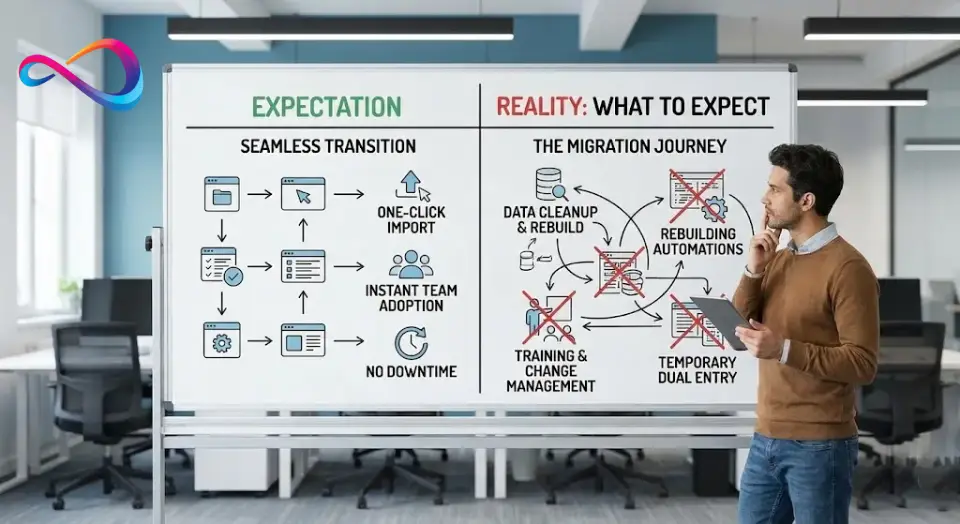
Migration Reality: What to Expect When Switching
If you’re migrating from one tool to the other (or from a legacy tool like spreadsheets, Trello, or Basecamp), plan for these realities:
What Migrates Cleanly
- Tasks and projects: Both tools support CSV import and have built-in importers for each other. Basic task data (name, assignee, due date, status) transfers well.
- Attachments: File links can be migrated. Files themselves may need re-uploading depending on source platform.
What Breaks or Needs Rebuilding
- Automations/rules: These never migrate. Every automation must be rebuilt manually in the new platform.
- Custom fields and column types: Field mapping is imperfect. monday.com’s 30+ column types don’t map 1:1 to Asana’s custom fields, and vice versa.
- Permissions and team structure: Role-based permissions must be reconfigured entirely. Plan 2–4 hours for a 50-person team.
- Integrations: Every third-party connection must be reconnected and tested.
- Historical comments and activity logs: Partial migration at best. Expect to lose threaded discussion context.
Realistic Timeline
| Team size | Migration + rebuild time | Training sessions | Full adoption |
|---|---|---|---|
| 5–10 users | 1 week | 1 session (30 min) | 2–3 weeks |
| 25 users | 2 weeks | 2 sessions | 4–5 weeks |
| 50+ users | 3–4 weeks | 3+ sessions + champions | 6–8 weeks |
Migration Checklist
- Export all active projects from your current tool (CSV + attachments).
- Map custom fields / column types to the new platform’s equivalents.
- Rebuild top 5 automations first; defer the rest to Week 3.
- Set up SSO/SCIM before inviting users (Enterprise).
- Run both tools in parallel for 1 week before sunsetting the old one.
- Assign a migration lead and 1 champion per department.

Best Use Cases (Who Should Pick What)
Marketing Teams
Best fit: monday.com — Visual campaign boards, content calendars with customizable columns, client-friendly dashboards, and built-in docs for briefs and creative feedback. The flexibility to track campaigns, social posts, budgets, and approvals in one board is appealing.
Asana is strong here too, especially for enterprise marketing teams that need portfolio-level visibility across dozens of campaigns and official approval workflows. Use Asana if you need to connect campaign execution to company-wide goals/OKRs.
Product/Dev + Cross-Functional Launches
Best fit: Asana — Timeline dependencies, cross-functional milestones, native Jira integration, and portfolio-level status rollups make Asana the better orchestration layer for product launches. Multi-homing lets a single task live in both the engineering project and the marketing launch plan.
Operations / PMO
Best fit: Asana Advanced or Enterprise — Universal reporting, unlimited portfolios, workload management, and goals/OKRs create a solid program management foundation. SAML/SCIM and audit logs satisfy IT governance.
Agency / Client-Facing Work
Best fit: monday.com — Guest access at the Standard tier, visually polished dashboards, and the Work OS flexibility to build client portals make monday.com a natural agency tool. Clients can log in, see their project progress, and leave feedback without navigating a PM interface designed for internal teams.
Small Business vs. Enterprise Governance
Small business (< 15 people): monday.com’s lower per-seat cost, visual simplicity, and quick onboarding make it the faster path to value.
Enterprise (100+ users): Asana’s governance stack (SAML, SCIM, audit logs, EKM, data residency, HIPAA) and unlimited automation rules scale more predictably. monday.com Enterprise is capable but requires more vendor discussion for regulated environments.
Not a Fit If…
Asana is not ideal if:
- You need a CRM, help desk, or HR process tool—Asana is purpose-built for project/work management.
- Your team is highly visual and wants maximum board customization (30+ column types, subitems, formula columns).
- You’re a solo freelancer who needs more than 2 users without paying.
monday.com is not ideal if:
- You need complex, dependency-heavy project scheduling with automatic date shifting.
- You require HIPAA compliance or Enterprise Key Management.
- You need unlimited automation without per-action metering.
- You want native OKR/goal tracking built into the platform (monday.com’s goals feature is more lightweight than Asana’s).
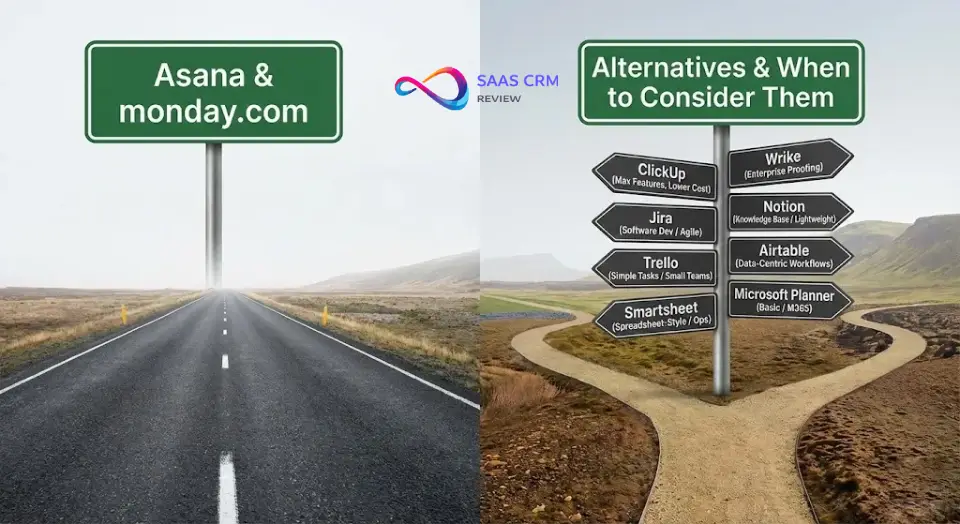
Alternatives to Asana and monday.com (When to Consider Them)
If neither Asana nor monday.com is the right fit, here are the most relevant alternatives:
- ClickUp: Feature-dense all-in-one platform with aggressive pricing. Best for teams that want maximum features at a lower cost and don’t mind a steeper learning curve. Direct competitor to both Asana and monday.com. See our full ClickUp review and ClickUp pricing breakdown for details.
- Jira: The standard for software development teams running Agile/Scrum. If dev workflow is your primary need, start here. Compare costs in our Jira pricing guide. Not ideal for marketing or ops.
- Trello: Simple Kanban boards, great for individuals or small teams with straightforward task tracking. Owned by Atlassian. Limited reporting and automation. See our detailed Trello review.
- Smartsheet: Spreadsheet-style interface with project management features. Strong in construction, manufacturing, and ops teams accustomed to Excel. Better for structured data management than creative workflows.
- Wrike: Enterprise-ready work management with strong proofing and resource management. Competes closely with Asana for large organizations. Worth evaluating if you prioritize proofing workflows.
- Notion: Best for knowledge management and lightweight project tracking. Not a true PM tool—lacks dependencies, Gantt, workload management, and governance. Pairs well with either Asana or monday.com rather than replacing them. Read our Notion review to understand its strengths and limits. For plan costs, see Notion pricing.
- Airtable: Relational database with PM overlays. If your workflow is more data-centric (inventory, product catalogs, content databases), Airtable excels. Less structured for traditional project management.
- Microsoft Planner: Free with Microsoft 365 subscriptions. Basic task management within the Microsoft ecosystem. Good for simple team task boards but lacks the depth of dedicated PM tools.
Asana vs monday.com – FAQ (People Also Ask)
Is Asana better than monday.com?
Neither is universally better. Asana excels at structured project management with native goal tracking, unlimited automations, and HIPAA-level compliance. monday.com excels at visual customization and cross-functional flexibility. Choose based on your team’s workflows, size, and governance needs.
Is monday.com better than Asana?
For visual customization and lower entry pricing, yes. monday.com is better for teams that value built-in docs/whiteboards and a $9/seat starting price. Asana is better when you need complex dependency scheduling, OKR tracking, or advanced compliance tools.
Which is easier to use: Asana or monday.com?
Roughly equal. monday.com’s visual, color-coded boards feel more intuitive to non-technical users. Asana’s “My Tasks” and project list views appeal to structured thinkers. Onboarding takes 1–2 weeks for either platform.
Which is cheaper: Asana or monday.com?
monday.com at entry level ($9/seat/mo vs. ~$10.99/user/mo). However, Asana includes unlimited automations and free guest access on all paid plans, which reduces total cost for automation-heavy teams or those with many external collaborators.
Does Asana have a free plan?
Yes. Asana’s Personal plan is free for up to 2 users with unlimited tasks, projects, and messages. It includes list, board, and calendar views but lacks timeline/Gantt, custom fields, and automations.
Does monday.com have a free plan?
Yes. monday.com’s free plan supports up to 2 seats with up to 3 boards, limited column types, and no automations or integrations. Suitable for individual task tracking but restrictive for team collaboration.
Which tool is better for marketing teams?
monday.com is generally preferred for its visual campaign boards and built-in docs. Enterprise marketing teams that need to connect campaigns to company OKRs may prefer Asana’s portfolio and goals features.
Which is better for Agile projects?
Neither is a dedicated Agile tool. Asana supports sprint-like workflows with board views and custom fields. monday.com offers sprint management via monday dev. For full Scrum, Jira remains the standard. Both work better as orchestration layers for cross-functional teams.
Which has better automation: Asana or monday.com?
Asana offers unlimited rules on all paid plans. monday.com’s automations support richer multi-step recipes but are metered (250–250,000 actions/month by tier). Asana wins on value; monday.com wins on recipe depth at Pro.
Which has better reporting dashboards?
Asana includes universal reporting starting at Starter tier with no board-count limits. monday.com’s dashboards are more visually dynamic but limited by how many boards they aggregate per tier. Asana is better for multi-project environments out of the box.
Can monday.com replace Asana?
For many teams, yes. monday.com covers core task management, project views, and collaboration. Teams relying on Asana’s goal tracking, portfolio rollups, complex dependencies, or HIPAA compliance will find monday.com lacking in those areas.
Which integrates better with Slack and Teams?
Both have strong native integrations. Asana allows task creation from Slack messages. monday.com’s Teams app supports in-Teams board management. Choose based on your primary PM tool, not the integration quality—both are solid.
Conclusion
The Asana vs. monday.com decision in 2026 comes down to what your team values most: structured execution and governance (Asana) or visual flexibility and cross-functional reach (monday.com). Both platforms are mature, well-supported, and capable of handling work management for teams of nearly any size.
If you’re still undecided after reading this Asana vs monday.com comparison, here are your next steps:
Next Steps: How to Decide in 2 Weeks
- Start parallel free trials. Use both platforms for a real project (not a test scenario). Run the same workflow in both. Include 3–5 team members in the evaluation.
- Score each tool using the Team Fit Scorecard above. Weight criteria by your team type. If you’re comparing Asana vs monday.com for small business, weight pricing and ease of use higher. For enterprise, weight governance and reporting.
- Map your hidden costs. Before signing an annual contract, calculate your true cost: seat count × plan price + automation/integration overages + any add-ons (AI credits, support upgrades, training). Request a vendor quote for teams over 25 users.
- Read our dedicated reviews. Dive deeper into the Asana review or the monday.com review for feature-by-feature analysis tailored to each platform.