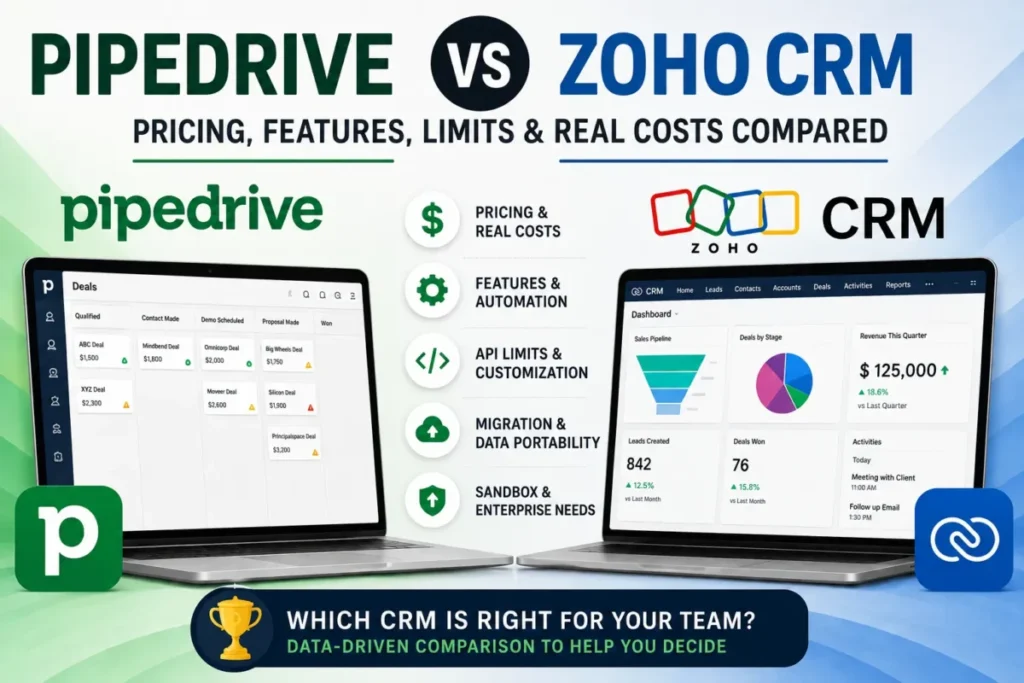
The entry prices in this matchup send buyers in one direction and the capability tiers send them in the other. Freshsales Growth opens at $9 per user/month on annual billing and Pipedrive Lite at $14 per seat/month. That reads like a settled argument until a sales team says the word “sequences” out loud.
At that point Pipedrive Growth and Freshsales Pro both land on exactly $39 per seat or user per month, and the decision stops being about price. It becomes a decision about operating limits, migration effort, and which entity each product is willing to score.
This comparison works through those limits in the order a buyer meets them, and names a winner per decision category rather than a single champion. If you are still building a shortlist, the wider best CRM for sales teams roundup is the better starting point.
In This Article (19 sections)
Quick verdict by sales-team scenario
Here is the short answer by team shape, before any of the detail.
| Team scenario | Recommendation | Deciding factor |
|---|---|---|
| One to three reps, budget is the binding constraint | Freshsales Free | Free covers up to 3 users; Pipedrive has no free plan, only a 14-day trial |
| Five reps running a visual pipeline with an outside dialer | Pipedrive Lite | Pipeline, custom fields, products and import/ |
| Five to ten reps wanting chat, email and phone inside the CRM | Freshsales Growth | Those channels sit on the $9 tier rather than behind a higher plan |
| Outbound team that must run native sequences | Either, on capacity not price | Pipedrive Growth and Freshsales Pro are both $39 per user/ |
| RevOps team modelling long branching processes | Pipedrive Growth or higher | 10 actions per automation against a 5-action ceiling per workflow |
| Team scoring buyer behaviour rather than deal health | Freshsales Pro | Contact scoring reads account, engagement and event signals |
| Team that needs sandbox and audit-grade admin | Freshsales Enterprise | $59 per user/ |
| Integration-heavy team with scheduled sync jobs | Freshsales, for predictability | Published hourly and per-minute caps with a defined 429 response |
Source: Pipedrive plan pricing and Freshsales plan pricing.
The same picture by decision category, with the honest ties left as ties.
| Decision category | Winner | Why |
|---|---|---|
| Entry price and free tier | Freshsales | $0 for up to 3 users, then $9 against $14 |
| Pipeline work from the lowest paid tier | Pipedrive | Pipelines, custom fields and products start on Lite |
| Bundled communications | Freshsales | Chat, email and phone are named on the $9 tier |
| Cost of the first sequence-capable plan | Tie | Both $39 per user/ |
| Single-automation complexity | Pipedrive | 10 actions per automation against 5 per workflow |
| Automation capacity headroom | Pipedrive | 50, 150 and 250 active automations by plan |
| Scoring | Incomparable | Deal scoring against contact and behaviour scoring |
| Spreadsheet import ceiling | Pipedrive | 50,000 rows and under 50 MB against a 5 MB file cap |
| Cross-CRM migration predictability | Depends | Freshsales publishes a record threshold; Pipedrive publishes an ownership rule |
| API throughput documentation | Freshsales | Hourly and per-minute limits with a stated failure code |
| Advanced-admin list price | Freshsales | $59 against $79 per user/ |
| Support escalation | Pipedrive | 24/7 live chat for all users, phone on Premium and Ultimate |
Source: Pipedrive seat prices and Freshsales seat prices.
Pipedrive vs Freshsales at a glance
| Dimension | Pipedrive | Freshsales |
|---|---|---|
| Current plans | Lite, Growth, Premium, Ultimate | Free, Growth, Pro, Enterprise |
| Annual-effective seat price | $14, $39, $59, $79 | $0, $9, $39, $59 |
| Free plan | None | Up to 3 users |
| Trial | 14 days, no card required | 21 days, fully loaded |
| Lowest tier with email sync | Growth | Growth |
| Lowest tier with sequences | Growth | Pro |
| Lowest tier with custom scoring | Premium | Pro |
| Active automations per company | 50, 150, 250 by plan | Not published as a count |
| Steps per automation or workflow | Up to 10 actions | Up to 5 actions, up to 10 conditions |
| Scoring target | Deals | Contacts, using account and event signals |
| Spreadsheet import ceiling | 50,000 rows, under 50 MB | 5 MB per file |
| Published API rate limit | Token budget per seat, per company | 1,000 to 5,000 requests per hour, 400 per minute |
Source: Pipedrive pricing and Freshsales pricing.
Methodology: how this comparison was built
This comparison rests on the official Pipedrive and Freshworks pricing pages, each vendor’s product and help documentation, the published usage and automation limits, the import and migration articles, the API rate-limit documentation, the support policy, and the Freshworks Trust Center. Every volatile figure was checked on 2026-08-18.
Both products were assessed against the same buyer criterion set: plan gates, operating limits, automation and sequence capacity, scoring scope, migration effort, API throughput, admin controls, and support access.
Evidence for the first product and the second product comes from the same class of official page, so no plan difference below rests on stronger proof for one side. Vendor comparison pages were read as positioning, never as evidence about the competing product.
Documented ceilings and feature gates carried more weight than feature counts, because those ceilings decide which product to choose when a team scales. Cost figures come only from published annual-effective list prices, and claims the sources did not support were left off the page rather than softened.
Why teams switch between Pipedrive and Freshsales
Teams leave Pipedrive for Freshsales for two reasons that show up early in a budget review. The first is the entry gap: a 10-seat team pays $140 per month on Lite against $90 on Freshsales Growth, and the Freshsales tier already names chat, email and phone as included channels while Pipedrive Lite carries no email sync at all.
The second is scoring. Contact scoring and deal insights arrive on Freshsales Pro at $39 per user/month, while Pipedrive gates custom scoring to Premium at $59.
Traffic runs the other way for reasons that are structural rather than financial. Pipedrive publishes its ceilings in a single table, so a RevOps lead can work out the upgrade trigger before signing, and the entry tier already carries the pipeline, custom fields, products catalogue and import/export that a deal-stage team lives in.
Freshsales publishes no equivalent record cap, which is comfortable right up until somebody has to plan for it.
Both directions share one trap. Buyers compare $14 against $9, then discover that the plan they actually need costs the same on both sides.
Understanding what CRM software covers at each tier matters more here than the headline number.
Feature and plan-gate comparison
The gates below are where the money actually moves. Read this table as “the cheapest plan that gives you this”, not as a feature inventory.
| Capability | Lowest Pipedrive plan | Lowest Freshsales plan |
|---|---|---|
| Customisable pipelines, custom fields, products | Lite ($14) | Growth ($9) |
| Import and export | Lite ($14) | Growth ($9) |
| Email sync, open and click tracking | Growth ($39) | Growth ($9) |
| Chat and phone as CRM channels | Not on the same gate | Growth ($9) |
| Workflow automation with branching | Growth ($39) | Growth ($9) |
| Sales sequences | Growth ($39) | Pro ($39) |
| Custom scoring | Premium ($59) | Pro ($39) |
| Lead capture and chatbot bundle | Premium ($59), add-on below it | Growth ($9) |
| Territory management and custom sales activities | Not published as a named gate | Pro ($39) |
| Forecasting insights, field-level permissions, custom modules | Not published as a named gate | Enterprise ($59) |
| Sandbox and audit-grade admin | Ultimate ($79) | Enterprise ($59) |
Source: Pipedrive plan features, Pipedrive plan changes and the Freshsales pricing page.
Lowest Qualifying Plan Price by Capability
Annual-effective monthly price per user or seat for the lowest plan that includes each comparable capability. Sales sequences meet at $39, while advanced admin costs $20 more per seat on Pipedrive.
Annual-effective USD pricing. Only capabilities with a published qualifying tier for both products are plotted. Sources: Pipedrive pricing and Freshsales pricing .
Two rows in that table carry most of the decision weight, and a third is a trap.
Email is the cheapest gate Freshsales owns
Pipedrive puts email sync, open tracking and click tracking on Growth, so a team that wants tracked email inside the CRM pays $39 per user/month before it has automated anything. Freshsales names email as a Growth-tier channel at $9.
For a 10-seat team that only wants tracked email and a pipeline, that gap is $300 per month at list price. I would treat that as the single strongest financial argument for Freshsales, and it disappears the moment sequences enter the requirement list.
LeadBooster changes how the communications comparison reads
Pipedrive’s chatbot, live chat, prospector and web forms ship as LeadBooster, which is included on Premium and Ultimate and available as a paid add-on on Lite and Growth. The bundle carries 10 Prospector lead credits per month, and unused credits expire at the end of the allowance period rather than rolling forward.
That gate is why “Pipedrive needs add-ons for chat” is only half true. It is included from $59 per user/month upward, and below that it is a separate line item whose US price the official billing article does not publish, so budget for it as an unknown rather than as zero.
Full plan-by-plan detail sits in the Pipedrive CRM review.
Reporting caps are published on only one side
Pipedrive documents Insights report allowances of 15, 50, 250 and 500 per user across Lite, Growth, Premium and Ultimate, alongside custom field caps of 30, 100, 300 and 500. Freshsales gates forecasting insights and field-level permissions to Enterprise but publishes no equivalent per-user report count.
A reporting-heavy team can therefore forecast its Pipedrive upgrade trigger from a table and has to ask Freshworks directly for the Freshsales equivalent. That asymmetry sits in the evidence rather than in the products, and it is worth one question on a sales call.
The plan-by-plan feature picture is covered further in the Freshsales review.
Pricing and total cost by team size
Every figure below is an annual-effective list price in USD. The totals cover seat licences only and exclude taxes, usage charges, optional add-ons, telephony usage and implementation services.
| Scenario | 5 seats | 10 seats | 25 seats |
|---|---|---|---|
| Pipedrive Lite, $14 per seat | $70/mo | $140/mo | $350/mo |
| Freshsales Growth, $9 per user | $45/mo | $90/mo | $225/mo |
| Pipedrive Growth, $39 per seat | $195/mo | $390/mo | $975/mo |
| Freshsales Pro, $39 per user | $195/mo | $390/mo | $975/mo |
| Pipedrive Ultimate, $79 per seat | $395/mo | $790/mo | $1,975/mo |
| Freshsales Enterprise, $59 per user | $295/mo | $590/mo | $1,475/mo |
Source: the official Pipedrive and Freshworks pricing pages, tracked alongside the Pipedrive pricing plans guide.
Monthly Licence Cost by Team Size
Annual-effective monthly licence cost in USD at 5, 10 and 25 seats. The comparison groups plans by the capability tier a sales team is actually buying, rather than comparing entry prices alone.
Base tier
Pipedrive Lite ($14/seat) vs Freshsales Growth ($9/user)
Sequence-capable tier
Pipedrive Growth ($39/seat) vs Freshsales Pro ($39/user)
Advanced-admin tier
Pipedrive Ultimate ($79/seat) vs Freshsales Enterprise ($59/user)
Annual-effective USD licence pricing. Totals exclude taxes, usage charges, optional add-ons, telephony usage and implementation services. Sources: Pipedrive pricing and Freshsales pricing .
The shape of that table is the whole argument. Freshsales wins the base tier by $50 per month at 10 seats, ties exactly at the sequence tier, and wins the advanced-admin tier by $200 per month at the same headcount.
The base tier: Freshsales, on price and on channels
At 25 seats the base-tier gap reaches $125 per month, or $1,500 a year. Freshsales Growth also carries chat, email and phone, which Pipedrive Lite does not.
I would only pick Pipedrive Lite over Freshsales Growth when the team genuinely lives in deal stages and already pays for email and calling elsewhere. That is a real scenario, and it is narrower than the SERP suggests.
The sequence tier: identical price, different capacity
Pipedrive Growth and Freshsales Pro both cost $39 per user/month on annual billing, so a buyer choosing between them on price is choosing on nothing. The capacity behind that price is not equivalent, and the units are not even the same, which the next section works through.
The advanced-admin tier: Freshsales, by $20 per seat
Pipedrive Ultimate is $79 per seat/month; Freshsales Enterprise is $59 per user/month. Pipedrive’s own plan documentation is candid that Ultimate replaced the previous unlimited Enterprise structure with finite caps: 500 custom fields, 500 reports per user, 25 teams, 25 visibility groups and 25 permission sets per company.
That matters for anyone comparing against an older article. A 2024-era piece describing Pipedrive Enterprise as unlimited is describing a plan that no longer exists under that name, and the legacy mapping runs Essential to Lite, Advanced to Growth, Professional and Power to Premium, and Enterprise to Ultimate.
Hidden costs on both sides
Freshsales prices Freddy AI Agent at $49 per 100 sessions, with a one-time allowance of 500 free sessions on paid plans. That is a usage line rather than a seat line, so a team routing real volume through the agent should model it separately from licences.
The Freshsales pricing detail is tracked in its own guide.
On the Pipedrive side the two variable items are the LeadBooster add-on below Premium and the monthly Prospector credit allowance that expires rather than accumulating. Neither is catastrophic, and both are the kind of thing finance asks about in month four rather than month one.
Automation and sequence limits
This is the section most comparisons skip, and it is where a $39 decision either holds for two years or forces an upgrade in six months.
| Pipedrive automation limit | Growth | Premium | Ultimate |
|---|---|---|---|
| Active automations per company | 50 | 150 | 250 |
| Actions per automation | 10 | 10 | 10 |
| If/else condition steps per automation | 3 | 10 | 20 |
| Wait-for-condition steps per automation | 3 | 10 | 10 |
| Delay steps per automation | 3 | 10 | 10 |
| Sequences per company | 5 | 25 | 50 |
Source: Pipedrive usage limits and Pipedrive automation limits. Lite carries neither automations nor sequences.
Each wait step can run up to seven days, and total delay per automation is capped at 90 days. A nurture cadence longer than a quarter has to be split across automations rather than modelled in one.
What happens when a Pipedrive limit is reached
Pipedrive documents the failure behaviour, which is rarer than it should be. When limits are hit, automations may stop running, fail to complete actions, or ignore new executions, and each state is visible in automation history.
Bulk-edit triggers show as stopped, cascading automations show as ignored, and exceeding 40 emails per minute marks the action as failed. Reaching the active-automation count blocks activating another one while existing automations keep running.
I would treat that as an operations task rather than a footnote. Somebody on the team should own the active-automation count the same way they own seat count, because silent capacity exhaustion looks exactly like a broken process to a rep.
Freshsales workflows have a shape limit, not a count limit
A Freshsales workflow supports a maximum of 10 conditions and a maximum of 5 actions. Editing an existing workflow cannot change its entry point or record type.
| Freshsales limit | Growth | Pro | Enterprise |
|---|---|---|---|
| Sequences per user | 0 | 10 | 25 |
| Sequence emails per user per day | 0 | 1,000 | 2,000 |
| Conditions per workflow | 10 | 10 | 10 |
| Actions per workflow | 5 | 5 | 5 |
Source: Freshsales workflow configuration and Freshsales sequence user limits.
Freshsales also gives sequences more shape than a pure email cadence. Outbound, classic and smart sequences can mix email, email reminders, follow-up tasks, call reminders and SMS, with smart sequences ordering steps by audience behaviour.
The practical consequence is decomposition. A routing process that assigns an owner, sets a lifecycle stage, creates a task, sends a notification, and updates a territory is already at five actions, so the sixth step becomes a second workflow with its own trigger.
That is workable and it is also a maintenance cost, because a five-action ceiling turns one readable process into a chain of small ones. Pipedrive’s 10-action allowance keeps that process in a single object, which is the stronger position for anyone who has to hand the build over to a colleague.
Sequence capacity is measured in different units
Pipedrive counts sequences per company: 5 on Growth, 25 on Premium, 50 on Ultimate. Freshsales counts them per user: 0 on Free and Growth, 10 on Pro, 25 on Enterprise.
Those numbers are not comparable, and treating them as comparable is the most common error in this matchup.
A 10-seat team on Freshsales Pro has 100 sequence slots across the account and a daily account email capacity of 10,000, calculated as user count multiplied by the 1,000 per-user daily limit. The same team on Pipedrive Growth has 5 sequences for the whole company.
For a high-variation outbound motion with a sequence per persona per segment, Freshsales Pro is the more generous side of the $39 tie by a wide margin. For a team running a handful of shared, well-maintained cadences, 5 company sequences is genuinely enough and the extra Freshsales capacity buys nothing.
Two Freshsales behaviours belong in the risk column. Freshsales notifies the account when a user reaches 80% of the daily limit, and every sequence created by a user is disabled when that user is deactivated or removed.
The second one is a live operational risk in any team with rep turnover. The documented remedy is duplicating the sequence and reassigning users, which means somebody has to notice before a cadence goes quiet.
Pipeline and scoring workflows
Pipeline work is where Pipedrive earns its reputation, and the evidence for it is a plan gate rather than an adjective. Customisable pipelines, custom fields, the products catalogue and import/export all sit on Lite at $14 per seat/month, so the deal-stage workflow is fully available on the cheapest paid plan.
Freshsales puts Kanban, lifecycle stages and custom fields on Growth at $9, then adds custom sales activities and territory management at Pro. The difference is not which product has pipelines; it is that Pipedrive’s entire product is organised around the pipeline while Freshsales organises around the contact record.
Deal scoring and contact scoring are not the same feature
Pipedrive Scores target deals only, and the documentation is explicit that deals are the only selectable entity.
They are managed by deal admin users, and regular deal users can view a score without editing it. Only one score can be active at a time in a given pipeline.
Freshsales contact scoring works across four signal categories. Those are contact properties such as country, state, job title and subscription status; primary account properties such as employee count, revenue and industry; engagement covering meetings, calls, emails and custom sales activities; and product or web events captured through tracking.
Both positive and negative signals are supported, and Freddy applies pattern learning on top of the configured signals.
Those are different jobs. Deal scoring answers which open opportunity deserves the next hour, while contact scoring answers which person is warming up.
Anyone new to the distinction will get more out of how lead scoring works before choosing.
Deal Scoring vs Contact Scoring
Pipedrive and Freshsales both offer scoring, but they answer different sales questions. Pipedrive prioritises open deals. Freshsales evaluates contacts using account, engagement and behavioural signals.
Pipedrive Scores
Opportunity-level prioritisation
Freshsales Contact Scoring
Contact and behavioural prioritisation
Editorial reconstruction based on official documentation: Pipedrive Scores and Freshsales Contact Scoring .
The one-score-per-pipeline rule is the constraint most likely to bite. A team running one pipeline for new business and another for renewals can score both, but it cannot run a challenger model alongside a production model inside the same pipeline.
AI cost sits in different places
Freshsales exposes AI as both a plan feature and a metered add-on, with Freddy AI Agent at $49 per 100 sessions after the one-time 500-session allowance on paid plans. Pipedrive’s scoring and enrichment are plan-gated instead, with custom scoring and enrichment credits arriving at Premium.
I would rather budget a plan gate than a session meter, because a gate is a fixed decision and a meter is a monthly negotiation with finance. That is a preference, not a verdict, and a team with genuinely bursty AI usage will prefer the meter.
Migration and import constraints
Switching cost is where this comparison stops being symmetrical. The two products document completely different failure modes, and neither vendor’s comparison page mentions the other’s.
| Constraint | Pipedrive | Freshsales |
|---|---|---|
| Spreadsheet formats | XLS, XLSX, CSV | CSV, XLSX |
| Rows or file ceiling | 50,000 rows, under 50 MB | 5 MB per file |
| Tabs per import | One | Not published as a limit |
| Pre-import validation | Format, rows, headers, empty or misaligned columns | Field creation and mapping done in advance |
| Cross-CRM tool | Import2, with Freshsales as a supported source | Native importer for Pipedrive, Zoho, Insightly, Salesforce |
| Users migrated | Set up in advance, before migration | Not imported, added manually |
Source: Pipedrive spreadsheet import and Freshsales CSV import.
A 5 MB file ceiling and a 50,000-row ceiling are not the same kind of limit and should never be presented as equivalent. File size depends on column count and text length, so a 5 MB CSV might hold 20,000 lean contact rows or a few thousand rows carrying long notes.
Plan Freshsales spreadsheet work in batches, and test one file before committing to a schedule.
Moving from Pipedrive to Freshsales
Freshsales imports contacts, accounts, deals, and activities covering tasks, appointments and notes. Instantaneous migration is capped at 25,000 records.
Above that threshold the process changes character. Freshworks creates a request ticket and imports during off-peak hours, which generally takes one to two business days.
ZIP uploads are limited to 250 MB, and larger exports are shared through Google Drive or Dropbox instead.
Pipedrive to Freshsales Migration Decision Flow
Two thresholds change the migration path: the number of records being moved and the size of the exported file.
Instant migration path
Freshsales can process the migration through the standard instantaneous migration workflow.
Ticketed off-peak migration
Freshworks creates a request ticket and performs the import during off-peak hours rather than through the instantaneous path.
Upload the ZIP directly
The export can be provided through the direct ZIP upload path when it remains within the documented 250 MB limit.
Use cloud-drive handover
Larger exports are shared with Freshworks through Google Drive or Dropbox instead of being uploaded directly as a ZIP.
Editorial reconstruction based on Freshsales migration documentation .
Two preparation steps are not optional. Users are not imported at all, so every rep has to be created manually and then assigned to records, and deals land in the intended pipeline only if that pipeline already exists, otherwise they fall into the default pipeline.
A team with four pipelines that skips this will find every deal in one bucket on Monday morning. Build the pipelines and the user list first, then import.
Moving from Freshsales to Pipedrive
Pipedrive routes cross-CRM migration through Import2, and Freshsales is a supported source among more than 40 platforms. The prerequisite is the same shape and just as easy to miss: users must already be set up in the Pipedrive account before the migration starts.
If users and pipelines are not configured first, the imported data ends up owned by the user who initiated the migration. That is a one-line sentence in the documentation and a two-week cleanup in practice, because every activity, note and deal then has to be reassigned by hand.
Import2 does give back some control through the Settings tab, where mappings can be customised, automatic pipeline and stage creation adjusted, filters added, and specific record types disabled. Anyone planning either direction should read a structured CRM migration planning checklist before exporting anything.
Setup difficulty, by direction
| Direction | Difficulty | The thing that goes wrong |
|---|---|---|
| Spreadsheet into Pipedrive | Low | Multi-tab workbooks and files over 50,000 rows |
| Spreadsheet into Freshsales | Medium | The 5 MB file ceiling and unmapped custom fields |
| Freshsales into Pipedrive | Medium | Record ownership defaults to the migrating admin |
| Pipedrive into Freshsales | Medium to high | Manual user creation, missing pipelines, the 25,000-record threshold |
API, security and support
Freshsales publishes API limits of 1,000 requests per hour on Free and Growth, 2,000 on Pro and 5,000 on Enterprise. A 400-request-per-minute cap applies at account level on every plan, regardless of user count, and exceeding either limit returns HTTP 429.
Pipedrive expresses the same idea as a token budget that scales with seats: 30,000 per seat on Lite, 60,000 on Growth, 150,000 on Premium and 210,000 on Ultimate, each subject to a 100 million per-company ceiling. Those units are not directly comparable, so the honest reading is that Freshsales tells you when a job will be throttled and Pipedrive tells you how much budget the account holds.
For a team running scheduled enrichment or a two-way sync, the Freshsales numbers are the easier ones to design against. A nightly job that costs one request per record will exhaust a Growth account’s hourly allowance somewhere past 1,000 records, and that ceiling is knowable before a line of code is written.
On security evidence, Freshworks operates a public Freshworks Trust Center. It lists SOC 2 Type 2, SOC 1 Type 2, SOC 3, ISO/IEC 27001:2022, ISO/IEC 27701:2019, Cyber Essentials, TX-RAMP, the EU-US Data Privacy Framework and CCPA materials.
Pipedrive’s plan documentation is where its admin controls are stated. Enforced two-factor authentication arrives at Premium, and sandbox and governance capabilities at Ultimate.
Procurement teams should read that difference as a documentation difference rather than a security ranking. One vendor centralises certificates in a portal; the other publishes controls per plan.
Support is the clearest Pipedrive advantage in this section, and it is the one dimension where the evidence is not symmetric.
| Pipedrive support access | What the policy states |
|---|---|
| Live chat | 24/7, available to all users |
| Phone support | Account-settings users on Premium or Ultimate |
| English phone hours | Monday to Friday, 07:00 to 23:00 CET/ |
Freshworks publishes no equivalent plan-by-plan channel policy in the documentation reviewed here, so treat “Freshsales has better support” as an unverified claim rather than a settled one.
That is a documented escalation path tied to a named plan, which is what a buyer needs to answer “what happens when the pipeline breaks on a Friday”.
Freshworks positions onboarding and support as a strength on its own comparison material, and that material is positioning rather than published policy. I would ask for the support terms in writing during the trial.
What you gain and what you lose in each direction
Switching to Freshsales from Pipedrive gains the $9 entry tier, chat, email and phone as CRM channels, contact scoring at $39, per-user sequence capacity, and a $20 per-seat saving at the admin tier. It costs the single-automation action count, the published record and report ceilings, the 50,000-row import path, and a documented phone-support gate.
Switching to Pipedrive from Freshsales gains 10 actions per automation, a fully published limit table for capacity planning, a pipeline-first product organised around deal stages, and support escalation that is written down. It costs the free plan, the $9 entry price, the bundled communication channels, and the broader signal set behind contact scoring.
Neither list is short, which is the point. A team that treats this as a price decision will discover the trade in month three.
Where Pipedrive wins
Pipedrive is the stronger fit in five situations, all of them about how the work is organised rather than what it costs.
Deal-stage workflow as the primary interface. Pipelines, custom fields, the products catalogue and import/export all sit on Lite, so a pipeline-first team gets the full deal workflow for $14 per seat/month.
Complex single automations. Ten actions in one automation, with up to 20 if/else steps on Ultimate, keeps a branching process readable in one object instead of a chain of five-action workflows.
Capacity planning before signing. Leads and deals scale at 2,500, 5,000, 15,000 and 20,000 per seat across the four plans, capped at 300,000 per company. A 10-seat team can calculate its own ceiling and its own upgrade trigger from that table.
Large spreadsheet loads. A 50,000-row, 50 MB import path with pre-upload validation for missing headers and misaligned columns is a materially easier migration than a 5 MB file cap.
A written support escalation. 24/7 live chat for every user, with phone attached to a named plan, gives an operations lead something to point at during an incident.
Deal-level prioritisation. Scores targeting deals, one active model per pipeline, suits a team asking which open opportunity deserves attention rather than which contact is warming.
Where Freshsales wins
Freshsales takes six categories, and the first two are the reason it appears on most shortlists.
Micro-team economics. Free covers up to 3 users, and the paid entry tier is $9 against $14. Pipedrive offers no free plan, only a 14-day trial.
Communications inside the seat price. Chat, email and phone are named Growth-tier channels, so a small team gets tracked email at $9 rather than at $39.
Behavioural scoring at a lower gate. Contact scoring on Pro reads contact properties, account firmographics, engagement and tracked product events, with Freddy pattern learning on top, and it arrives $20 per seat/month cheaper than Pipedrive’s custom scoring gate.
Outbound sequence capacity. Ten sequences and 1,000 daily sequence emails per user on Pro means a 10-seat team carries 100 sequence slots and 10,000 daily sends at the same $39 seat price as 5 company-wide Pipedrive sequences.
Advanced-admin pricing. Enterprise at $59 per user/month against Ultimate at $79 is a $200 monthly difference at 10 seats and $6,000 a year at 25 seats.
API predictability. Published hourly limits, a 400-per-minute account cap and a documented 429 response let an integration engineer design the retry logic in advance.
Who should choose Pipedrive?
Choose Pipedrive if your team’s daily interface is a pipeline and your reps measure their week in deal stages rather than in conversations. Lite gives that team the complete pipeline workflow at $14 per seat/month.
Choose Pipedrive if a RevOps owner has to model automation capacity before the contract is signed, because the published caps for automations, if/else steps, records, reports and API tokens turn plan selection into arithmetic instead of a guess.
Choose Pipedrive if the migration involves large spreadsheets, since a 50,000-row ceiling and structural pre-validation is a different project from batching under a 5 MB file cap.
Choose Pipedrive if a documented support escalation path matters to the person who owns uptime, and budget Premium at $59 per seat/month if phone access is part of that requirement.
Who should choose Freshsales?
Choose Freshsales if the team is three people or fewer and budget is the binding constraint, because Free genuinely covers that shape and Pipedrive has nothing equivalent.
Choose Freshsales if you want chat, email and phone in one CRM surface without stepping up a tier, which is the $9 Growth argument and the strongest cost case in this comparison.
Choose Freshsales if lead qualification is driven by buyer behaviour rather than deal health, since contact scoring reads account firmographics, engagement and tracked events at $39 per user/month.
Choose Freshsales if the outbound motion needs many sequences at once, because per-user allowances scale with headcount while Pipedrive’s sequence count is fixed per company.
Choose Freshsales if the requirement list includes sandbox, audit logs, custom modules and field-level permissions, where Enterprise at $59 undercuts Ultimate at $79 before any add-on is priced.
Who should avoid both?
Skip both if the sales process is genuinely one pipeline, under 200 open deals, and two people who already live in a shared inbox. A CRM at $9 to $14 per seat/month is not expensive, but the adoption cost is real and a spreadsheet plus a calendar will hold that shape for another quarter.
Skip both if the requirement is a marketing automation platform with a CRM attached rather than a sales CRM with marketing features. Neither product is being compared here on campaign management, and choosing on the sales evidence alone would be the wrong basis.
Skip both if the process depends on quote configuration, complex approval routing, or partner and channel hierarchies. Those requirements point toward a larger platform, and HubSpot CRM reviews or a Salesforce evaluation is the more honest next step.
Skip both if a single workflow must carry more than 10 actions without decomposition, because that is the ceiling on the more generous of the two products.
Alternatives to Pipedrive and Freshsales
| Alternative | Consider it when | Verify first |
|---|---|---|
| HubSpot CRM | Marketing and sales must share one contact record and one reporting layer | Contact-tier pricing behaviour as the database grows |
| Zoho CRM | Budget is tight and the requirement list is broad rather than deep | Which modules are gated and what the automation caps are |
| Close CRM | Calling volume is the core workflow rather than a supporting channel | Telephony charges as a separate line from seat cost |
If Pipedrive is close but the ceilings are the problem, the shortlist of Pipedrive alternatives is where to start rather than jumping straight to Freshsales.
If Freshsales is close but the five-action workflow limit is the blocker, the same logic applies in reverse and the Freshsales alternatives comparison covers the products that solve that specific constraint.
Which CRM should you choose?
Freshsales is the better buy for most small US sales teams, and the reason is narrower than “it is cheaper”. It wins the base tier on both price and bundled channels, and it puts behavioural scoring and sequence capacity at the same $39 that Pipedrive charges for its first automation tier. At the advanced-admin tier it undercuts Pipedrive by $20 per seat/month.
Pipedrive is the better buy for pipeline-first teams and for anyone whose RevOps owner has to defend a capacity plan. Ten actions per automation, published per-seat record and report ceilings, a 50,000-row import path, and a written support escalation are not marketing claims; they are numbers a buyer can build a plan around.
The tie at $39 is the finding that should change how this decision gets made. Once sequences are mandatory, price stops discriminating and capacity starts.
A 10-seat team gets 100 sequence slots and 10,000 daily sends on Freshsales Pro, against 5 company sequences and 10-action automations on Pipedrive Growth. Pick the unit that matches your motion.
Before signing either, answer three questions: how many active automations and sequences will exist in month twelve, how many records are moving and in which direction, and who owns the account when a limit is reached.
If those answers are not in the plan, the $39 saving is not the number that decides whether this works. Start the 21-day Freshsales trial or the 14-day Pipedrive trial on the plan you actually intend to buy, load a real slice of your pipeline into it, and run the migration count before the trial clock ends.
Frequently asked questions
These are the questions the body above answers only in passing, and the ones a buyer still raises on a shortlist call.
Is Freshsales better than Pipedrive?
Freshsales is better for cost-first teams, for teams that want chat, email and phone inside the CRM, and for outbound motions that need many sequences. Pipedrive is better for pipeline-first teams, for complex single automations, and for buyers who need published capacity limits to plan against.
Which is cheaper, Pipedrive or Freshsales?
Freshsales is cheaper at the entry tier and at the advanced-admin tier, and identical in the middle. At 10 seats on annual billing that is $90 against $140 at the base tier, $390 on both sides at the sequence tier, and $590 against $790 at the admin tier.
Does Pipedrive have a free plan?
No. Pipedrive offers a 14-day free trial with no credit card required, and its lowest paid plan is Lite at $14 per seat/month on annual billing.
Freshsales is the option if a free plan is a requirement, covering up to 3 users at no cost.
Which plan do I need for sales sequences?
Pipedrive Growth at $39 per seat/month is the lowest plan with sequences, allowing 5 per company. Freshsales Pro at $39 per user/month is its lowest sequence plan, allowing 10 sequences and 1,000 sequence emails per user per day.
Freshsales Free and Growth carry no sequence capability at all.
What happens if my Pipedrive to Freshsales migration exceeds 25,000 records?
The migration stops being instantaneous. Freshworks raises a request ticket and imports during off-peak hours, which generally takes one to two business days, so plan a migration window rather than a migration afternoon.
Can I migrate from Freshsales to Pipedrive?
Yes, through Import2, which lists Freshsales among its supported source CRMs. Invite the users and build the pipelines in Pipedrive before starting, otherwise the imported records are owned by whoever initiated the migration.
Which CRM has better sales automation?
It depends on which constraint binds first. Pipedrive allows 10 actions in one automation and publishes active-automation caps of 50, 150 and 250 by plan; Freshsales caps a workflow at 5 actions and 10 conditions but does not publish an equivalent count limit.
Do Freshsales sequences stop working when a rep leaves?
Yes. Every sequence created by a user is disabled when that user is deactivated or removed, and the documented remedy is duplicating the sequence and reassigning users.
Any team with rep turnover should give someone the job of catching this.
Which CRM handles API-heavy integrations better?
Freshsales is easier to design against because the limits are explicit: 1,000 requests per hour on Free and Growth, 2,000 on Pro, 5,000 on Enterprise, a 400-per-minute account cap, and HTTP 429 when exceeded. Pipedrive publishes a per-seat token budget instead, which is harder to convert into a job schedule.
Are older Pipedrive plan comparisons still accurate?
No, and this is worth checking before trusting any article written before the plan change. The current names are Lite, Growth, Premium and Ultimate, mapped from Essential, Advanced, Professional and Power, and Enterprise, and Ultimate carries finite caps where the old Enterprise plan was described as unlimited.