Mailchimp vs Constant Contact, in short: Mailchimp is the best choice for teams that want seats, automation and testing per dollar, and Constant Contact for phone support and event ticketing. Constant Contact includes live phone and chat support on all three plans; Mailchimp keeps phone support for Premium. Both price by contacts: at up to 500 contacts on monthly billing, Mailchimp Essentials costs $13 and Constant Contact Lite $12, while five users cost $20 a month on Mailchimp Standard against $80 on Constant Contact Premium.
Quick verdict
Pick Mailchimp if two to five people share the account or you sell online: Essentials seats three users and Standard seats five, and Standard adds branching automation flows and multivariate testing.
Pick Constant Contact if you work alone, host events, or want to call someone when a send breaks: Lite includes live phone and chat support, and all three plans include event hosting and payments.
The trade-off: Mailchimp counts unsubscribed and non-subscribed contacts toward your bill until you archive them, and Constant Contact has no free plan, only a 30-day trial.
In This Article (8 sections)
Mailchimp vs Constant Contact at a Glance
The two differ on what a small budget buys: Mailchimp gives more seats and automation per dollar, while Constant Contact puts phone support and event tools on every plan.
| Attribute | Mailchimp | Constant Contact |
|---|---|---|
| Best for | Teams of 2 to 5 users, online stores, or a list of up to 250 contacts on the Free plan | Solo owners, one-login nonprofits that prepay 12 months, and event hosts who want phone support |
| Starting paid price | Essentials: $13 per month at up to 500 contacts, billed monthly | Lite: $12 per month at up to 500 contacts, billed monthly |
| Free plan or trial | Free plan: 250 contacts, 500 sends per month | No free plan; 30-day free trial |
| Users on the mid plan | Standard: 5 seats | Standard: 3 users |
| Support | Phone on Premium; 24/7 email and chat on Essentials and Standard | Live phone and chat on every plan |
| Social media | Posting on every plan | Automatic posts on every plan |
| Main limitation | Unsubscribed and non-subscribed contacts count toward the contact limit until archived | No free plan; Lite has 1 user |
Sources: Mailchimp pricing, Mailchimp plan comparison, Constant Contact pricing, Constant Contact for nonprofits, checked Nov 2026.
The row to read first is users: once a second person needs a login, the two price lists stop matching.
Key Differences: Features Compared
Four differences change the pick: seats, automation depth, support, and events with SMS.
- Seats: Mailchimp Standard has 5 seats; Constant Contact Standard has 3 users
- Automation depth: branching flows on Mailchimp Standard; custom automations on Constant Contact Premium
- Support: phone on every Constant Contact plan; on Mailchimp Premium only
- Events and SMS: event hosting on every Constant Contact plan; SMS in 37 sending countries on Mailchimp, US only on Constant Contact
| Feature | Mailchimp | Constant Contact |
|---|---|---|
| Automation | Essentials (Limited: 4 flow steps); Standard (up to 200 flows) | Lite (1 template); Standard (3 templates); Premium (unlimited custom automations) |
| Email scheduling | Essentials | Standard |
| A/B testing | Essentials | Standard (subject lines) |
| Multivariate testing | Standard | Not listed on the pricing page |
| Segmentation | Basic: Free and Essentials; advanced and predictive: Standard | 1 custom segment: Lite; 10: Standard; unlimited: Premium |
| Reporting | Custom reports: Standard | Opens and clicks: Standard; revenue reporting: Premium |
| Landing pages | Every plan | Plan not listed on the pricing page |
| Product recommendations | Every plan | Not listed on the pricing page |
| AI writing | Generative AI features: Standard | AI copy generator: every plan |
| Events and ticketing | Not listed on the compare-plans page | Every plan |
| SMS | Add-on: Essentials and higher | Premium (500 per month); Add-on: Lite and Standard |
Sources: Mailchimp plan comparison, Mailchimp SMS credits, Constant Contact pricing, checked Nov 2026.
Branching flows, multivariate testing and a fourth and fifth seat arrive on Mailchimp Standard, a $7 step up from Essentials at 500 contacts ($20 – $13). Constant Contact Premium adds unlimited users, unlimited custom automations and unlimited segments. Premium costs $45 more than Standard at their starting prices ($80 – $35).
Automation and workflows
Mailchimp’s branching automation starts on Standard at $20 a month at 500 contacts, while Constant Contact’s unlimited custom automations start on Premium at $80. Essentials limits each automation flow to 4 steps, and Standard allows up to 200 flows with branching points and multiple starting points. Constant Contact works from automation templates: 1 on Lite, 3 on Standard with automatic resends to non-openers, and unlimited custom automations on Premium.
A shop that wants one welcome series for buyers and another for browsers gets that logic on Mailchimp Standard at $20 a month for 500 contacts. On Constant Contact, automations you design yourself start on Premium at $80 a month.
My guide to how marketing automation works explains triggers, branches and templates if those terms are new.
Verdict: automation
Mailchimp fits better for a small team that needs branching automation on a mid plan. Constant Contact offers unlimited custom automations on Premium at $80 a month, so choose it for automation only when you already need Premium for unlimited users or its 500 included SMS messages.
Testing, segmentation and reporting
Testing starts one plan earlier on Mailchimp. A/B testing is on Essentials, and Standard adds multivariate testing, send time optimization, predictive segmentation and custom reports. Constant Contact starts subject line A/B testing, 10 custom segments and reporting on opens and clicks on Standard, then adds unlimited segments and revenue reporting on Premium.
If you A/B test every send, testing starts on Mailchimp Essentials at $13 a month and on Constant Contact Standard at $35, where it covers subject lines, both at up to 500 contacts on monthly billing.
Events, SMS and extra channels
Constant Contact includes event hosting and payments on every plan, and Mailchimp’s compare-plans page lists no event registration or ticketing. Constant Contact’s event tools build invitations, an event page and free or paid tickets, and take payment through Stripe or PayPal, which charge 2.9% + $0.30 and 3.49% + $0.49.
Text messaging splits by country. Constant Contact includes 500 SMS messages a month on Premium and sells Lite and Standard customers an add-on from $10 a month for up to 500 messages, in the US only. Mailchimp sells SMS credits as an add-on from Essentials, with 37 sending countries on its credits page, including the United States, Canada and the United Kingdom.
For a solo US sender the add-on is the cheaper route: Lite at $12 + SMS at $10 = $22 a month, against $80 a month for Premium with its 500 included messages. A sender with Canadian or UK contacts needs Mailchimp’s add-on.
Seats and user roles
Mailchimp seats more people on both plans below Premium: 3 seats on Essentials and 5 on Standard, against 1 user on Constant Contact Lite and 3 on Standard. Both Premium plans allow unlimited users. Mailchimp adds role-based access: 2 roles on Essentials and 4 on Standard. Constant Contact’s pricing page lists a user count per plan but no user roles.
The upgrade triggers follow from those counts. On Constant Contact a second user forces Standard ($35 a month at up to 500 contacts) and a fourth forces Premium ($80). On Mailchimp a fourth seat forces Standard ($20) and a sixth forces Premium, which costs $350 a month because its base price covers 10,000 contacts.
Mailchimp and Constant Contact Pricing Compared
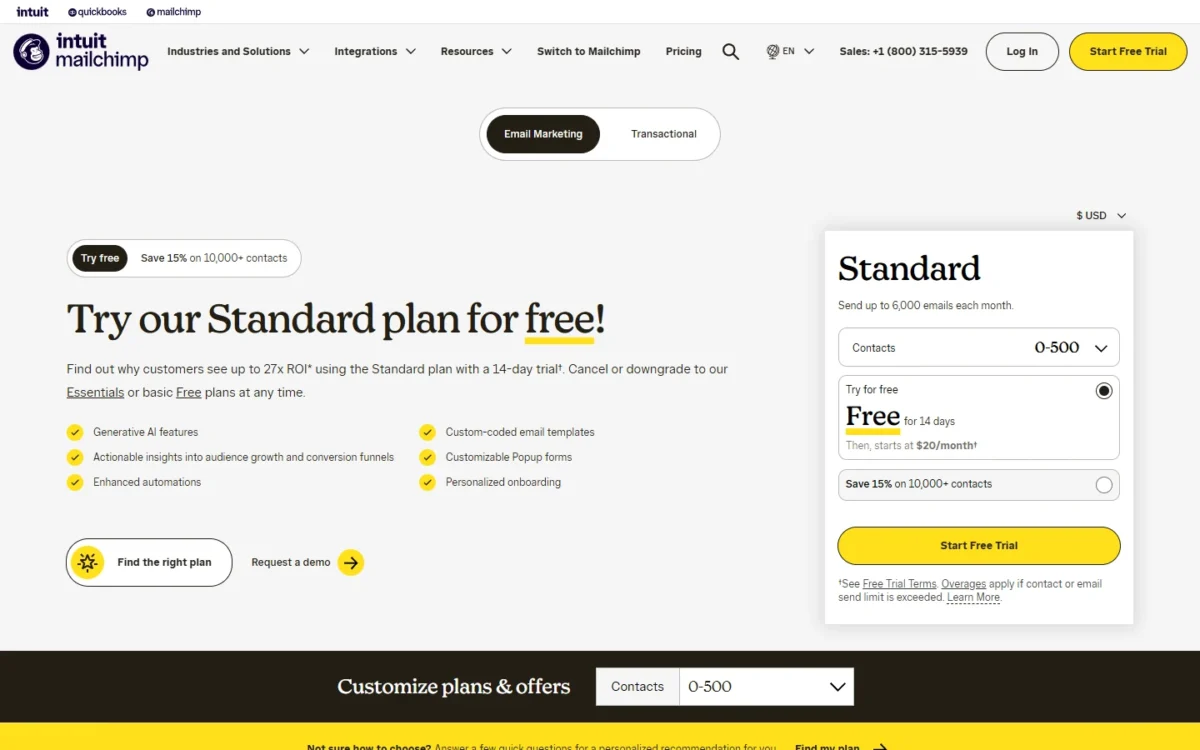
At up to 500 contacts on monthly billing, Mailchimp Essentials costs $13 a month and Standard $20, against $12 for Constant Contact Lite and $35 for Constant Contact Standard. Both vendors set the price by plan and contact tier; every price here is a US-dollar list price read in November 2026.
| Plan | Users and sends | 0-500 contacts | Up to 2,500 contacts | 5,001-10,000 contacts |
|---|---|---|---|---|
| Mailchimp Essentials | 3 seats, sends 10x contacts | $13 | $45 | $110 |
| Mailchimp Standard | 5 seats, sends 12x contacts | $20 | $60 | $135 |
| Mailchimp Premium | Unlimited seats, sends 15x contacts | $350 | $350 | $350 |
| Constant Contact Lite | 1 user, sends 10x contacts | $12 | $50 | $120 |
| Constant Contact Standard | 3 users, sends 12x contacts | $35 | $75 | $160 |
| Constant Contact Premium | Unlimited users, sends 24x contacts | $80 | $150 | $275 |
Sources: Mailchimp pricing, Mailchimp pricing plans explained, Constant Contact pricing and its fee schedule, checked Nov 2026.
The middle column is the 1,501-2,500 tier on Mailchimp and the 1,001-2,500 tier on Constant Contact, so price your exact count on both pages. Mailchimp Premium’s base price covers 10,000 contacts, which is why it does not move across the three columns.
Send limits follow the multiples in the table: at 500 contacts, both entry plans send up to 5,000 emails a month (500 x 10), both Standard plans 6,000 (500 x 12), and Constant Contact Premium 12,000 (500 x 24).
Mailchimp’s bill moves through many more contact tiers than these three, and my guide to what each Mailchimp plan costs follows every tier and add-on.
Cost by team size at starting prices
Headcount opens the widest gap at starting prices: on monthly billing, the same five users cost four times as much on Constant Contact as on Mailchimp.
| Team size | Mailchimp, billed monthly | Constant Contact, billed monthly | Constant Contact, prepaid for 12 months |
|---|---|---|---|
| 1 user | Essentials: $13 x 12 = $156 | Lite: $12 x 12 = $144 | Lite: $10.20 x 12 = $122.40 |
| 3 users | Essentials, 3 seats: $13 x 12 = $156 | Standard, 3 users: $35 x 12 = $420 | Standard: $29.75 x 12 = $357 |
| 5 users | Standard, 5 seats: $20 x 12 = $240 | Premium, unlimited users: $80 x 12 = $960 | Premium: $68 x 12 = $816 |
Sources: Mailchimp pricing, Constant Contact pricing, checked Nov 2026.
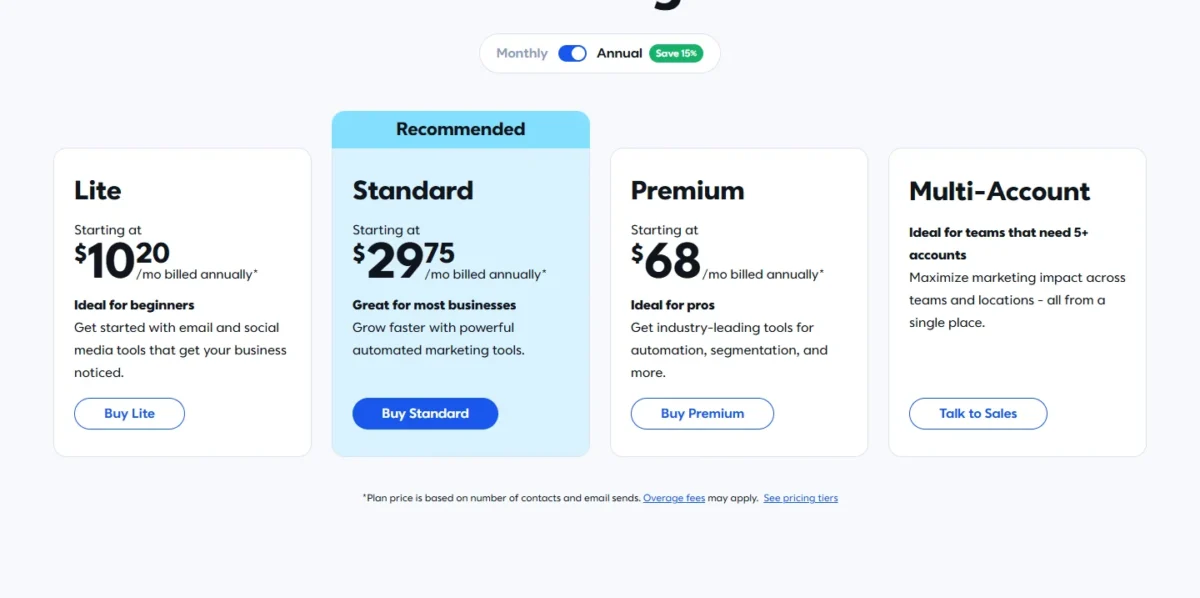
Assumptions: list prices at up to 500 contacts, the cheapest paid plan that seats the team, 12 months, no SMS, no overage, no nonprofit discount and no tax. The prepaid column is Constant Contact’s own price for prepaying 12 months, which its pricing page says saves up to 15%: $10.20, $29.75 and $68 a month for Lite, Standard and Premium. A list of up to 250 contacts can stay on Mailchimp’s Free plan, which has 1 seat.
On Constant Contact’s prepaid prices, one user pays $33.60 a year less on Lite than on Mailchimp Essentials ($156 – $122.40), three users pay $201 less on Mailchimp Essentials than on Standard ($357 – $156), and five users pay $576 less on Mailchimp Standard than on Premium ($816 – $240).
My take
On monthly billing, a solo sender pays $12 a year less on Constant Contact Lite ($156 – $144). Lite also includes live phone and chat support. I would start a one-person account there unless it needs A/B testing or scheduling, which begin on Constant Contact Standard.
From the second login on, I would start on Mailchimp: three users pay $264 a year less on Essentials ($420 – $156), and five pay $720 a year less on Standard ($960 – $240), both on monthly billing.
What happens as your list grows
Both bills rise with contacts. In the two larger tiers of the table Mailchimp’s list prices are lower on the entry and mid plans, while Constant Contact Premium is lower than Mailchimp Premium in all three. A 5,001-10,000 contact list that needs phone support pays $120 a month on Constant Contact Lite against $350 on Mailchimp Premium.
What counts as a contact matters as much as the tier. Mailchimp counts subscribed, unsubscribed and non-subscribed contacts toward the limit and bills on the month’s peak contact total; archived and cleaned contacts do not count. Constant Contact’s pricing page bases the price on plan and contact count and does not say whether unsubscribed contacts count, so ask before you import an old list.
Mailchimp charges for an add-on contact block when you go over your plan’s contact or send limit, and shows the block’s price once you are logged in. Constant Contact’s $0.002 applies to emails over the plan’s monthly send allowance (10x, 12x or 24x your contacts); the emails still go out, so every 1,000 extra sends cost $2 (1,000 x $0.002).
Mailchimp Essentials stops at 50,000 contacts and Standard at 100,000. Constant Contact publishes prices up to 50,000 contacts on each plan, and my breakdown of Constant Contact’s price by list size follows Lite, Standard and Premium tier by tier.
Free plan, trials and nonprofit discounts
Mailchimp is the one with a free plan: up to 250 contacts and 500 sends a month, with 1 seat and email support for the first 30 days. A small list can stay there for as long as it fits, which suits a sender who is still building an audience.
Constant Contact calls itself a paid platform and offers a 30-day free trial with no credit card, plus a 30-day money-back guarantee on new plans. Mailchimp’s paid plans have a 14-day trial of Essentials or Standard.
Nonprofits get 15% off at Mailchimp once verified. Constant Contact gives nonprofits 20% off for prepaying six months and 30% off for prepaying 12, and no discount on monthly payment.
On the mid plans at 500 contacts, that is $17 a month at Mailchimp ($20 x 0.85) and $24.50 at Constant Contact on the 12-month prepay ($35 x 0.70). On the entry plans the order flips: Constant Contact Lite comes to $8.40 a month prepaid ($12 x 0.70) against $11.05 for Mailchimp Essentials ($13 x 0.85). So a one-person nonprofit that can prepay pays less on Constant Contact, and a shared account pays less on Mailchimp.
Prepaying has a cost: Constant Contact’s terms give no refund of prepaid fees when you end a subscription early, so treat the 30-day money-back window as your trial period.
Ease of Use, Integrations and Support
Support is the clearest documented difference, integrations are comparable at 300+ each, and the one editor test I cite, Venture Harbour’s, timed Mailchimp only.
Setup, editor customization and one published test
Venture Harbour reports that in its September 2026 tests it rebuilt a Slack campaign from Really Good Emails in Mailchimp’s editor, reaching about 90% of the original design in eight minutes. That is one reviewer and one campaign.
Venture Harbour calls that the fastest result across the tools it has tested, Constant Contact among them, but it prints no Constant Contact time to set beside it. Rebuild one of your own emails in both trials before you pay.
Customization splits by plan: Mailchimp sends custom-coded templates and adds dynamic content from Standard, while Constant Contact adds dynamic content on Premium.
Setup help does too. Constant Contact Lite includes live 1:1 onboarding, while Mailchimp includes one onboarding session on Standard and four on Premium, so a solo first-time sender gets human help on a cheaper plan with Constant Contact.
Integrations
Both vendors include 300+ integrations on every plan, so the count does not separate them. Mailchimp’s integrations directory shows Shopify, WooCommerce, Wix, Square and Canva. Constant Contact names Google, Microsoft, Canva, Zapier, Shopify and Eventbrite, and its nonprofit page adds the donor tools DonorPerfect, Blackbaud, Neon CRM and Qgiv.
A nonprofit should look for its donor system by name before choosing.
Support by plan
Every Constant Contact plan includes live phone and chat support, and Premium adds a dedicated priority support team. Mailchimp gives Free accounts email support for the first 30 days and Essentials and Standard 24/7 email and chat; phone support comes with Premium, in English only.
That puts the cheapest plan with a phone line at $12 a month on Constant Contact and $350 a month on Mailchimp.
Verdict: support
Constant Contact fits better for an owner who wants to call someone without buying a top plan. Mailchimp’s 24/7 email and chat on Essentials and Standard cover a team that is fine typing its question.
Deliverability: what is published
Mailchimp’s pricing and compare-plans pages state no inbox rate; Constant Contact’s pricing page states 98%. Constant Contact bases that 98% inbox rate on 2025 Validity Everest qualified inbox test results. One vendor’s own figure cannot rank the two, and a vendor’s test average does not show where mail from your own domain and list lands.
Verdict: deliverability
Not enough evidence to prefer either product. Authenticate your sending domain, then send the same campaign from both trials to your own inboxes and see where it lands.
Who Should Pick Mailchimp, Who Should Pick Constant Contact
Mailchimp is the pick for a team of two to five (two or three users fit Essentials at $13) or a store that wants branching flows and multivariate testing on the $20 Standard plan at 500 contacts; Constant Contact is the pick for phone support without a top plan and for event ticketing.
Mailchimp. Its strengths sit in Standard, and its extra costs come from how it counts contacts.
Pros
- Standard seats 5 users for $20 a month at 500 contacts
- A Free plan for lists of up to 250 contacts
- Multivariate testing, send time optimization and branching flows on Standard
Cons
- Phone support only on Premium, at $350 a month
- Unsubscribed and non-subscribed contacts count toward the contact limit until archived
- Automation flows on Essentials stop at 4 steps
- Skip it if:
- you want to call support and cannot justify Premium; Constant Contact Lite includes a phone line.
My Mailchimp review goes through its plan gates in full.
Constant Contact. It gives a solo owner live phone and chat support on a $12 plan. Its price steps up at the second login, which needs Standard (3 users), and again at the fourth, which needs Premium (unlimited users).
Pros
- Live phone and chat support on every plan, including Lite at $12 a month
- Event pages with free or paid tickets through Stripe or PayPal
- Nonprofits get 30% off when they prepay 12 months
- Premium includes 500 SMS messages a month and sends at 24x contacts
Cons
- No free plan, only a 30-day trial
- Lite has 1 user and 1 automation template
- Subject line A/B testing and email scheduling start on Standard at $35 a month
- Skip it if:
- four or five people need logins for less than $80 a month, or you need a free plan; Mailchimp covers both.
| Your priority | Better fit | Reason | Trade-off |
|---|---|---|---|
| Logins for 2 to 5 users | Mailchimp | Essentials seats 3 and Standard seats 5 | Phone support needs Premium |
| Phone support on a small budget | Constant Contact | Live phone and chat are on Lite | Lite has 1 user |
| Event tickets | Constant Contact | Free or paid tickets through Stripe or PayPal | Processor fees on paid tickets |
| Branching flows or multivariate testing | Mailchimp | Both are on Standard at $20 a month at 500 contacts | Essentials flows stop at 4 steps |
| Up to 250 contacts and no budget | Mailchimp | The Free plan covers up to 250 contacts | 1 seat and 500 sends a month |
| Deliverability | Insufficient evidence | Only Constant Contact’s pricing page states an inbox rate (98%); Mailchimp’s pricing and compare-plans pages state none | Run your own send from both trials |
| A nonprofit prepaying a year | Depends | One login pays less on Constant Contact Lite; two or more pay less on Mailchimp | Constant Contact gives no discount on monthly payment |
Sources: Mailchimp plan comparison, Constant Contact pricing, checked Nov 2026.
Switching Between Mailchimp and Constant Contact
Contacts move by file in both directions, and automations are rebuilt by hand. Mailchimp exports a ZIP of your account data once per 24 hours, and Constant Contact exports selected contacts as a CSV or Excel file.
From Mailchimp to Constant Contact
- In Mailchimp, open Account, Settings, then Manage my data, and request the export. The ZIP holds separate files for subscribed, unsubscribed, cleaned and non-subscribed contacts.
- Upload the subscribed file to Constant Contact, which imports CSV, XLS and XLSX spreadsheets, and ask its support how to record the unsubscribed file before your first send.
- Rebuild automations and landing pages: Mailchimp’s export leaves out landing page content.
From Constant Contact to Mailchimp
- If you track consent for CASL or the GDPR, turn on Advanced Email Permissions first; the Constant Contact export leaves permission status out otherwise.
- On the Contacts page, select your contacts, choose Actions, then Export selection, and download the CSV.
- In Mailchimp, import one status at a time, and check your contact tier first: an import that passes the limit brings additional charges, and imported unsubscribes count toward it.
FAQ
What are the downsides of Mailchimp?
The main ones are support and billing. Phone support comes only with Premium, and unsubscribed and non-subscribed contacts count toward the contact limit until you archive them. Archive inactive contacts rather than delete them: archiving keeps their data, while deletion is permanent.
What should I compare if neither fits?
Widen the shortlist by the job that ruled both out. My comparison of other email marketing platforms sorts the wider field by job.
If Brevo is already on your list, my Brevo review covers its plan gates and who should skip it.
Final Verdict: Mailchimp or Constant Contact?
There is no overall winner, only a pick per buyer. Mailchimp is my pick for two to five users (two or three fit Essentials at $13), online stores and anyone who wants branching automation and multivariate testing on the $20 Standard plan at 500 contacts. Constant Contact is my pick for a solo owner, a one-login nonprofit that can prepay 12 months, or an event host who wants a phone number to call; a nonprofit with two or more logins pays less on Mailchimp.
Before you pay, run one real campaign through both free options: rebuild the same email, import a slice of your list and contact support once.
How I Compared Mailchimp and Constant Contact
I compared Mailchimp’s Marketing plans (Free, Essentials, Standard, Premium) with Constant Contact’s Lite, Standard and Premium on seats, automation, testing, events, SMS, support, integrations, price and switching. Plan facts and prices come from each vendor’s pricing and help pages, read in US dollars in November 2026; the cost math and fit calls are my analysis. The one published test I cite, Venture Harbour’s Mailchimp review, is named where it appears.
Mailchimp does not publish add-on contact block prices outside a logged-in account. Deliverability and editor speed are the two criteria I leave to each vendor’s free trial.
Choose Mailchimp if
- Two to five people need logins: Essentials seats 3 and Standard seats 5
- You want branching flows or multivariate testing without a top plan: both are on Standard
- Your list has up to 250 contacts and no budget: the Free plan covers it
Choose Constant Contact if
- You want phone support on a small plan: live phone and chat are on Lite
- You sell event tickets: free or paid tickets run through Stripe or PayPal
- You are a nonprofit with one login that can prepay 12 months: Lite comes to $8.40 a month ($12 x 0.70) against $11.05 on Mailchimp Essentials ($13 x 0.85)