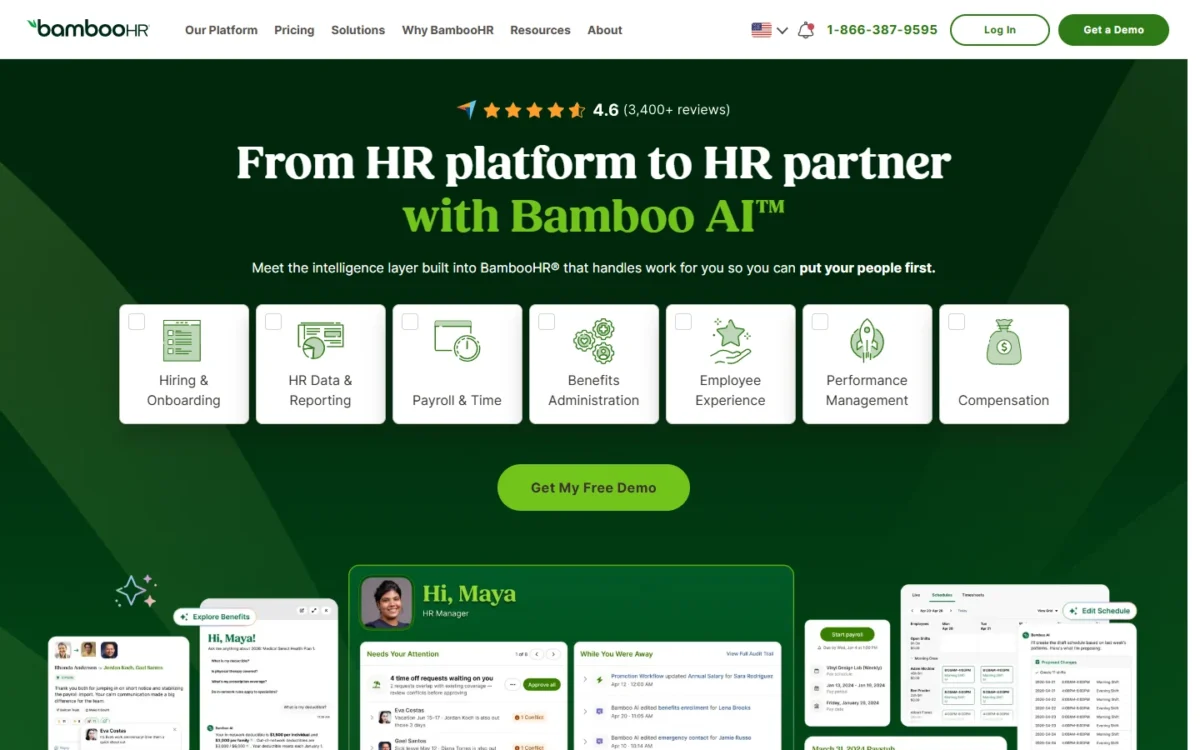
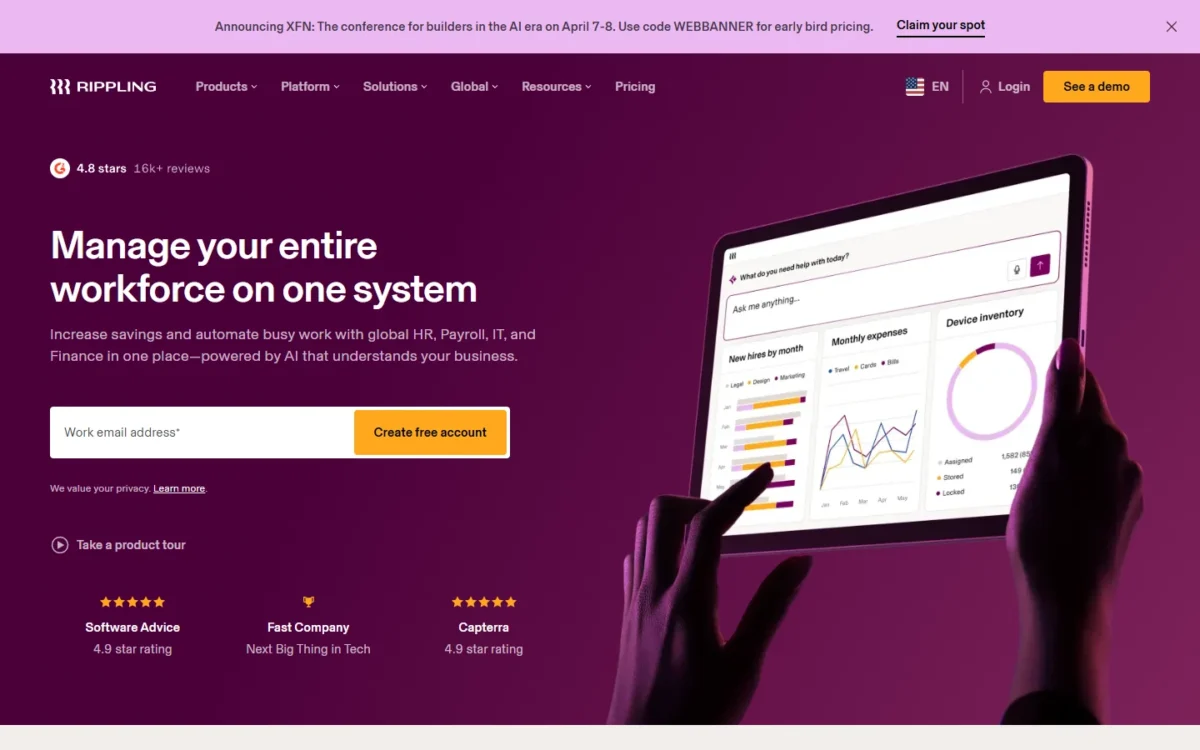
BambooHR fits a company that wants an HR system with every plan priced on the page: Core is a flat $250 a month for 25 employees or fewer. Rippling fits a company that wants payroll, HR and IT on one employee record, starting at $8 per user per month plus a $40 monthly base fee. The deciding question in BambooHR vs Rippling is payroll: BambooHR sells it as a quoted add-on, while Rippling publishes a starting figure for payroll and quotes the final price.
Quick verdict
Pick BambooHR if HR is the job and payroll already runs somewhere else: Core, Pro and Elite all carry a published price, and review cycles start on Pro.
Pick Rippling if you need payroll now and your new hires get laptops and app logins on day one: payroll is the entry product, and IT runs on the same employee record.
The trade-off: BambooHR gives you a budget before any sales call but a $250 monthly floor and a separate payroll quote; Rippling’s entry figure is lower at 10, 25 or 50 employees, but every product past payroll is a custom quote.
In This Article (12 sections)
BambooHR vs Rippling at a Glance
BambooHR prices HR plans by headcount band and sells payroll as an add-on; Rippling prices payroll per user plus a base fee and quotes every other product.
| Attribute | BambooHR | Rippling |
|---|---|---|
| Best for | HR-first companies that want plan prices before a sales call | Companies that want payroll, HR and IT on one employee record |
| Pricing model | Flat monthly rate up to 25 employees, per employee above that | Per user per month plus a monthly base fee; other products by custom quote |
| Entry price | Core: $250 per month flat, 25 employees or fewer | $8 per user per month plus a $40 per month base fee |
| Payroll | Add-on for US employees, price by quote | Published starting figure of $8 per user per month plus the $40 base fee; final price by custom quote |
| IT and devices | Not listed on the BambooHR pricing page | IT product for identity, app access and devices, quoted |
| Integrations | Over 150 integration partners | 650+ integrations |
| Main limitation | Payroll and benefits administration cost extra | Every product past payroll needs a custom quote |
Sources: BambooHR pricing page, Rippling small-business page, Rippling pricing page and Rippling IT page, checked November 2026.
Why each difference matters depends on what the company already runs.
Key Differences Between BambooHR and Rippling
BambooHR is an HR system that adds payroll and benefits on top; Rippling starts from payroll and adds HR, IT and finance products to the same employee record.
- Scope: BambooHR’s plans cover HR data, hiring, onboarding and time off, with performance reviews on Pro and compensation on Elite. Rippling sells HRIS, payroll, IT, PEO and global products as modules. A company with an IT admin to replace gets more from Rippling, and Rippling says its modular pricing means you pay only for what you need.
- Payroll position: BambooHR Payroll is an add-on for US employees with a quote-based price. Rippling’s small-business plans start at $8 per user per month for payroll. If you have no payroll provider today, Rippling gives a published starting figure where BambooHR gives none. The final Rippling Payroll price is still a custom quote, set by your employee count and the products you select.
- Price shape: BambooHR prints a price for all three HR plans. Rippling asks you to choose products and request a custom quote. Owners who must set a budget before a call can do it with BambooHR alone.
- Setup: Rippling publishes a 1-3 week setup for most small businesses; BambooHR publishes a dedicated payroll project manager. A fixed first pay date favors the vendor that commits to a timeline.
- AI: BambooHR’s AI Assistant answers HR data questions on Core and goes deeper on Pro and Elite; Rippling pitches Rippling AI for questions across all your data. Neither decides the choice.
The plan gates show where each difference bites.
BambooHR vs Rippling: Features Compared
BambooHR puts hiring and reviews inside its plans; Rippling sells them as separate products, so most rows below compare a BambooHR plan gate with a Rippling quote line.
| Feature | BambooHR | Rippling |
|---|---|---|
| Employee records and reports | Core | HRIS (quoted) |
| Onboarding | Core | HRIS: offer letters to device shipping |
| Time off | Core | HRIS: custom PTO policies |
| Applicant tracking | Core: 5 job openings; Pro: 25; Elite: 50 | Recruiting product (quoted) |
| Performance reviews | Pro and Elite | Performance Management product (quoted) |
| Compensation planning | Elite | Not listed on rippling.com/ |
| US payroll | Add-on (quoted) | Entry product |
| Benefits administration | Add-on | Add-on product |
| Time tracking | Time & Attendance add-on | Time & Attendance product |
| IT, devices, app access | Not listed on bamboohr.com/ | IT product (quoted) |
| Global hiring | Global Employment add-on, powered by Remote | Global Payroll, EOR and contractor payments |
Sources: BambooHR pricing page, Rippling HRIS page and Rippling global payroll page, checked November 2026.
Core HR, onboarding and time off
The HR basics are comparable and rarely decide this choice. BambooHR Core includes employee records, custom reports, workflows and approvals, and time-off management with unlimited custom policies.
Rippling’s HRIS covers the same weekly work: it automates onboarding “from offer letters to device shipping,” collects signatures and runs custom PTO policies with real-time balances. The difference is the price tag: BambooHR’s basics sit inside a published flat rate, while Rippling’s HRIS is a line in the quote.
Payroll and benefits
Payroll is part of what you buy on Rippling and a separate purchase on BambooHR. Rippling’s small-business plans start at $8 per user per month for payroll. Rippling runs payroll in all 50 states without charging more for multiple states, allows as many pay runs as you need at no extra cost, and files W-2s and 1099s.
BambooHR Payroll is an add-on for US employees, priced through “Get a Free Price Quote.” It includes unlimited and multi-rate payroll, W-2 creation and federal, state and local tax filing. BambooHR takes 15% off when Payroll and Benefits Administration are combined with any plan, for US-based employees.
Benefits follow the same split. BambooHR Core tracks benefit plans, while enrollment and carrier connections sit in the Benefits Administration add-on. Rippling ties Benefits Administration to payroll deductions and adds a PEO route for big-company benefits; Rippling says you can later leave its PEO without replacing the system, which my Rippling review covers with the PEO trade-offs.
Verdict: Payroll
Rippling fits better for a US company with no payroll provider, because it publishes a starting figure for payroll: $8 per user per month plus the $40 base fee. The final Rippling Payroll price is still a custom quote. BambooHR fits a company that keeps its current payroll. Caveat: HR plus payroll is a quote on both, so the quote to request from BambooHR is its Payroll add-on.
Hiring and performance reviews
BambooHR gives you an applicant tracking system in every plan and review cycles from Pro, at a published price. Core holds 5 job openings, Pro 25 and Elite 50. Pro adds 360° review cycles and 1:1s, and Elite adds compensation planning with Mercer salary benchmarks and levels and bands.
Rippling lists Recruiting and Performance Management as separate HR products next to its HRIS, each added to the custom quote. A manager who wants review cycles can price them on BambooHR from the pricing page; on Rippling, the same answer needs a sales call. My BambooHR review weighs Pro’s review tools in more depth.
Verdict: Hiring and reviews
BambooHR fits better for a company of up to 25 people that runs review cycles: Pro includes them at $425 a month flat. Caveat: more than 25 open jobs at once needs Elite’s 50 openings.
IT, devices and app access
Rippling IT manages identity, app access and devices on macOS, Windows, iOS and iPadOS, and it stores, ships and retrieves laptops. When a role changes or someone leaves, Rippling updates app access and permissions from the HR record.
BambooHR’s four add-ons are Payroll, Benefits Administration, Time & Attendance and Global Employment. A company that ships laptops would run BambooHR next to a separate device and identity tool.
Verdict: IT and devices
Rippling fits better when onboarding includes a laptop and app logins, since the IT product works from the same employee record as payroll. Caveat: Rippling IT is priced by quote, so an HR-only company pays nothing extra for skipping it on BambooHR.
Global employees and contractors
It depends on how you hire abroad, because the two use different setups. BambooHR’s Global Employment add-on runs an employer-of-record service powered by Remote in 90+ countries and contractor payments in 200+ countries and jurisdictions. Payroll and benefits for those EOR hires run in Remote’s platform, and other non-US payroll goes through local payroll partners.
Rippling sells native global payroll, EOR and contractor payments as its own products, and its own comparison page puts that coverage at 185+ countries. A company with its first foreign contractor is served by either; a company running payroll through its own foreign entities gets one system on Rippling.
BambooHR vs Rippling Pricing
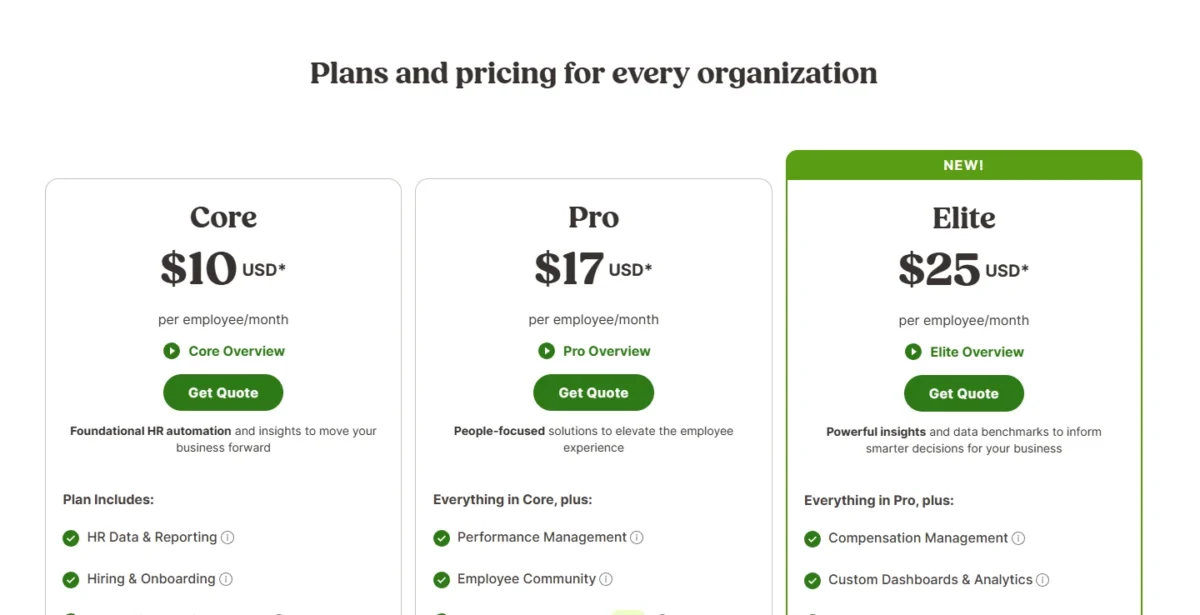
BambooHR publishes flat monthly rates for 25 employees or fewer and per-employee rates above that; Rippling publishes one starting price and quotes the rest. For 25 or fewer employees, Core costs $250 a month flat. Pro costs $425 a month flat. Elite costs $650 a month flat.
Above 25 employees, Core starts at $10.25 per employee per month. Pro starts at $17.50 per employee per month. Elite starts at $25 per employee per month. Volume discounts are applied automatically. Core’s plan card shows $10 USD per employee per month; I use the FAQ figures, which the page ties to the over-25 band.
The flat band suits a 20-person company and weighs on a 5-person one, since both pay the same rate. My guide to BambooHR’s price at every headcount walks through each band and add-on.
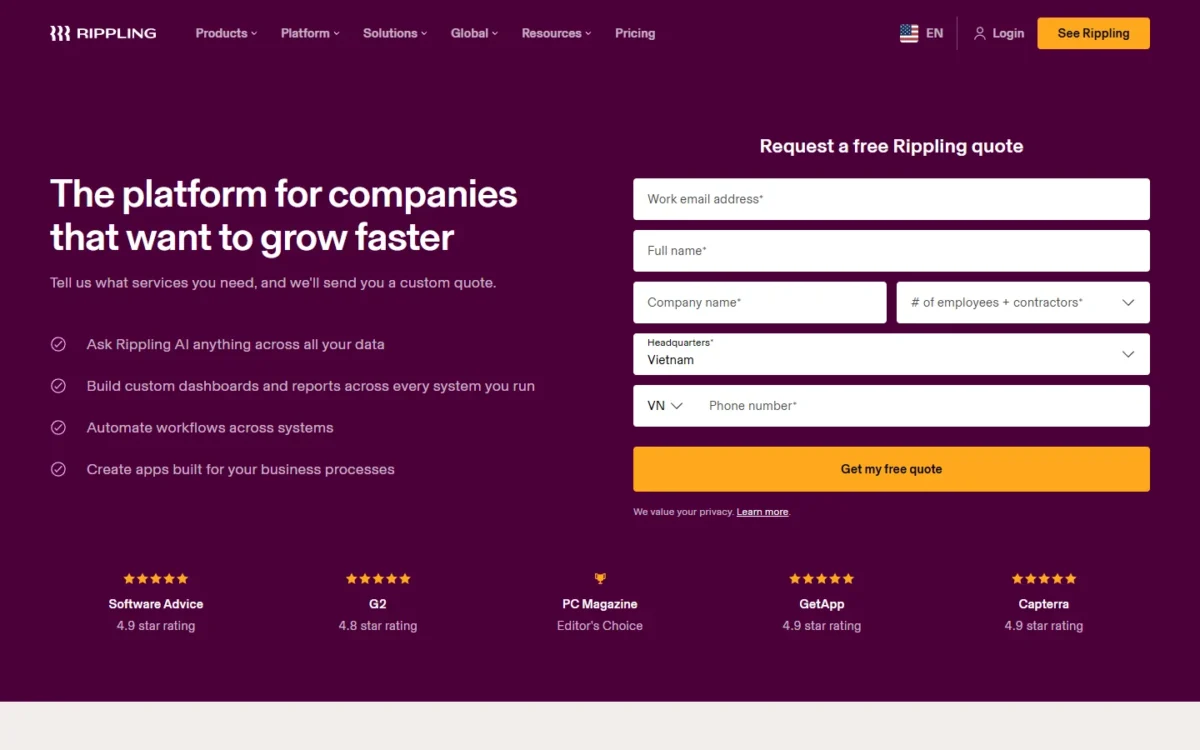
Rippling’s small-business page starts plans at $8 per user per month, plus a $40 per month base fee. That figure is a starting point, not a payroll price: the pricing page FAQ says Rippling Payroll pricing depends on headcount and the products you select, with a custom quote. The pricing page asks you to choose products, get per-employee pricing and request a custom quote, and says some products include a monthly base fee. My breakdown of how Rippling’s base fee and quotes work covers the quoted products.
The two entry figures buy different bundles. BambooHR Core is the HR suite without payroll, while Rippling’s $8 figure is its published starting point for payroll, with benefits administration, time tracking and IT device management added at extra cost. Rippling sets the final payroll price by quote.
| Plan tier | BambooHR | Rippling |
|---|---|---|
| Entry, 25 or fewer employees | Core: $250 per month flat | $8 per user per month plus a $40 per month base fee |
| Entry, more than 25 employees | Core: from $10.25 per employee per month | $8 per user per month plus a $40 per month base fee |
| Mid tier | Pro: $425 per month flat, or from $17.50 per employee per month above 25 | HR products such as Performance Management: custom quote |
| Top tier | Elite: $650 per month flat, or from $25 per employee per month above 25 | IT, PEO and global products: custom quote |
| Payroll | Add-on for US employees, price by quote | Published starting figure of $8 per user per month plus the $40 base fee; final price by custom quote |
| Billing term | Month-to-month or an extended term | Ask Rippling |
Sources: BambooHR pricing page, Rippling small-business page and Rippling pricing page, checked November 2026.
BambooHR lets you choose month-to-month terms or an extended term. Rippling’s term and billing options belong on the list of questions for its quote.
Cost at 10, 25 and 50 employees
Rippling’s published figure is lower than BambooHR Core at all three headcounts, but it prices payroll while Core prices the HR suite. The table applies each vendor’s published formula to the same company.
| Company size | BambooHR Core | BambooHR Pro | Rippling starting price (payroll) |
|---|---|---|---|
| 10 employees | $250 x 12 months = $3,000 a year | $425 x 12 months = $5,100 a year | $8 x 10 + $40 = $120 a month; $120 x 12 = $1,440 a year |
| 25 employees | $250 x 12 months = $3,000 a year | $425 x 12 months = $5,100 a year | $8 x 25 + $40 = $240 a month; $240 x 12 = $2,880 a year |
| 50 employees | $10.25 x 50 x 12 months = $6,150 a year | $17.50 x 50 x 12 months = $10,500 a year | $8 x 50 + $40 = $440 a month; $440 x 12 = $5,280 a year |
Sources: BambooHR pricing page and Rippling small-business page, checked November 2026.
Assumptions: US list prices read in November 2026, every employee counted as a Rippling user, monthly rates before BambooHR’s automatic volume discounts. Excluded: BambooHR Payroll, Benefits Administration, Time & Attendance and Global Employment; Rippling HRIS, benefits, time tracking, IT and PEO; taxes.
At 10 employees, the gap looks large because BambooHR’s flat rate charges a 10-person company the same as a 25-person one. At 25 employees, the gap is $3,000 – $2,880 = $120 a year, so the bundle matters more than the list price. At 50 employees, Pro costs nearly twice Rippling’s payroll figure, yet a Rippling company that adds performance reviews pays a quoted amount on top.
For a company that needs HR and payroll together, neither row is the real bill. Request BambooHR’s Payroll quote and Rippling’s HRIS quote for the same headcount, then compare totals.
What forces an upgrade or a bigger quote
On BambooHR, three growth steps change the price. The 26th employee moves every plan from the flat rate to per-employee pricing. A sixth open job needs Pro’s 25 openings, and review cycles need Pro. Compensation planning needs Elite.
On Rippling, the bill grows with each person and each product. Every new user adds $8 a month at the starting price, and each product added to payroll (benefits administration, time and attendance or IT device management, in Rippling’s own examples) becomes another line in the quote.
Setup and Implementation Compared
Rippling publishes a setup timeline: most small businesses set up in 1-3 weeks, with an Implementation Manager who guides employee data import, benefits configuration and the first payroll run free of charge. Rippling says to expect 3 calls of 30 minutes to an hour, and its implementation page says small businesses can be live for their first scheduled pay run in as little as two weeks.
For setup, BambooHR assigns a dedicated payroll project manager who works one-on-one with you to set everything up and run your first payroll. Elite adds 30 extra days of implementation for Elite features, plus two new-administrator training sessions a year. Ask that project manager for a go-live date that lands before your next pay date.
“Easy” is the vendors’ own word here: BambooHR calls its Payroll “easy to use and easy to implement,” and Rippling says “it’s easy to get set up.” Test your own first task, such as an employee import, in a trial or demo before you sign.
Once the system is live, it has to connect to the apps the company already runs.
Integrations, Support and Security
Rippling lists 650+ integrations and BambooHR over 150, but the count matters less than whether your ATS, single sign-on and accounting apps are on the list.
| Area | BambooHR | Rippling |
|---|---|---|
| Integration count | Over 150 integration partners | 650+ integrations |
| Examples | Slack, Google and Microsoft single sign-on, SAML, Greenhouse, Checkr, Remote | Accounting, single sign-on and communication tools |
| API | RESTful API with per-user API keys | API reference and API tokens with scopes |
| Support | Payroll specialist team; dedicated support on Elite | Chat, email or video support and an account manager |
| Security | Annual third-party SOC I and II audit, native MFA, encryption in transit and at rest | SOC 1 Type 2, SOC 2 Type 2, SOC 3, ISO 27001, ISO 27018 and ISO 42001 |
Sources: BambooHR Marketplace, BambooHR API docs, BambooHR security page, Rippling implementation page, Rippling developer docs and Rippling security page, checked November 2026.
BambooHR’s API permissions follow the user behind each key, so give an integration its own limited user rather than the admin’s key.
Rippling publishes its support metrics on its small-business page: a 91% customer satisfaction score, a 49% first contact resolution rate and a 10-second live chat response time.
BambooHR hosts customer data in the United States, Canada or Ireland, which matters to a company with EU staff. Both state third-party audits, so I treat security as comparable and leave the final read to your own review of each trust page.
BambooHR vs Rippling: Pros and Cons
BambooHR pros and cons
Pros
- Core, Pro and Elite each list a monthly price on the pricing page
- Applicant tracking is in every plan, from 5 job openings on Core
- Review cycles and 1:1s come with Pro
- Month-to-month terms are available
Cons
- Payroll is a quoted add-on, so HR plus payroll still needs a sales conversation
- A 5-person company pays the same flat Core rate as a 25-person one
- Device and app-access management needs a separate tool
Rippling pros and cons
Pros
- The published starting price includes US payroll in all 50 states
- IT, devices and app access run on the same employee record as HR
- Most small businesses set up in 1-3 weeks with a free guided implementation
- No minimum headcount, including teams under 10
Cons
- A $40 monthly base fee applies on top of the per-user price
- HRIS, reviews, recruiting, benefits and IT are all priced by custom quote
- Even Payroll pricing is a custom quote in the pricing page FAQ, beyond the $8 starting figure
Which Is Better for Your Needs?
The better pick follows your top priority: BambooHR for HR with known prices, Rippling for payroll plus IT on one record.
| Your priority | Better fit | Reason | Trade-off |
|---|---|---|---|
| HR software only, payroll stays with your provider | BambooHR | Core covers records, onboarding, time off and hiring at a published flat rate | A 5-person company pays the full flat rate |
| Payroll and HR together, under 25 people | Depends | Rippling’s payroll figure sits below BambooHR Core’s flat $250 a month up to 25 employees; BambooHR’s HR plan price is known | Rippling HRIS and BambooHR Payroll are both quoted |
| Laptops and app access at onboarding | Rippling | IT manages identity, apps and devices from the HR record | IT is another quoted product |
| Review cycles at a known price | BambooHR | Pro includes 360° reviews and 1:1s | Pro is $425 a month flat up to 25 employees |
| Budget fixed before any sales call | BambooHR | All three plans are priced on the page | Payroll is still quoted |
| Hiring abroad | Depends | BambooHR uses Remote for EOR; Rippling runs its own global payroll | Each covers a different country count |
| Lowest total for HR plus payroll | Insufficient evidence | Both vendors quote the combination | Ask Rippling for its HRIS line |
Sources: BambooHR pricing page and Rippling IT page, checked November 2026.
A company that already pays a payroll provider should shortlist BambooHR, and pick Rippling instead only if laptops and app logins become part of onboarding. A company that needs its first payroll system should shortlist Rippling, and pick BambooHR if Rippling’s HR-module quote lands above BambooHR’s flat rate plus its Payroll quote.
Some readers fit neither. If you only need to pay people, a standalone payroll tool may be the simpler start, and my Gusto review looks at one.
If you take the standalone payroll route, see my Gusto vs QuickBooks Payroll comparison before you pick a tool.
Switching Between BambooHR and Rippling
A move either way is a payroll-timing project first and a data project second. Rippling says you can switch at any time, including mid-year, and it imports year-to-date payroll data from the previous provider.
From BambooHR to Rippling:
- Export employee records from BambooHR as reports or through its API.
- Hand the data and your payroll provider’s year-to-date figures to Rippling’s Implementation Manager, who guides the import and benefits setup.
- Rebuild time-off policies, onboarding workflows and review cycles in Rippling’s products, then confirm the first payroll run.
From Rippling to BambooHR:
- Pull employee data through Rippling’s API, which covers workforce data, identity and payroll.
- Load records into BambooHR and rebuild workflows, time-off policies and review cycles.
- If you take BambooHR Payroll, book the first run with the project manager BambooHR assigns, and keep the old provider active until that run clears.
- Ask BambooHR how it imports year-to-date payroll data before a mid-year move, and confirm benefits enrollment and app access with each vendor.
In both directions, plan to re-check every connected tool and login before you turn off the old system. If neither direction fits, my list of other BambooHR replacements covers tools beyond Rippling.
How I Compared BambooHR and Rippling
I read both vendors’ pricing, product, implementation, integration, API and security pages on November 4, 2026, in US dollars. I compared the BambooHR Core and Pro plans with Rippling’s published starting price and its quoted products on seven criteria: scope, payroll, price shape, headcount band, hiring and reviews, implementation and global hiring.
The evidence is official documentation, with no third-party ratings behind any verdict, and the cost table applies each vendor’s published formula to the same headcounts. The vendors do not publish a price for HR and payroll together: BambooHR prices its Payroll, Benefits Administration, Time & Attendance and Global Employment add-ons by quote, and Rippling quotes its HRIS, IT, PEO and other products, so the HR-plus-payroll total is a quote on both sides. Each vendor’s own comparison page was used only for facts about that vendor.
FAQ
How much does BambooHR cost per month?
BambooHR costs $250 a month for Core at 25 employees or fewer. Customers paying monthly use a credit card or ACH, and annual upfront payment works by wire transfer or check. Registered nonprofits get an additional 15% off, and volume discounts apply automatically as headcount grows.
Does Rippling offer a discount for startups?
Yes. Rippling’s startup program gives eligible US VC-backed startups free access to Rippling for 6 months. Eligibility depends on funding status and stage, so a startup has to contact Rippling to confirm it qualifies.
Is there a free trial of BambooHR or Rippling?
BambooHR has a free trial that needs no credit card and ends automatically, with a checklist to follow during the trial. Rippling’s IT page carries a “Start free trial” button, while its pricing page leads with a free quote request. Use the BambooHR trial to judge its interface before you request a Payroll quote.
Who are Rippling’s biggest competitors?
For a small business, BambooHR is the HR-first rival on this page, and Rippling publishes its own comparison page against it. For a company that only needs to pay people, I would add a standalone payroll tool such as Gusto to the shortlist. My ranking of HR software for small businesses, compared by job covers the wider field by headcount cost.
Final Verdict: BambooHR or Rippling?
There is no overall winner: BambooHR fits an HR-first company that wants published plan prices and reviews inside the plan, and Rippling fits a company that wants payroll, HR and IT on one record and accepts a quote for everything past payroll.
Choose BambooHR if
- Payroll stays with your current provider
- You want a monthly price listed for each HR plan
- You need review cycles and an applicant tracking system inside the plan, on Pro
- You want month-to-month terms
Choose Rippling if
- You need your first US payroll system now and will compare Rippling’s HRIS quote
- New hires get laptops and app logins that should follow the HR record
- You want the lowest published payroll figure: $8 per user per month plus a $40 monthly base fee
- You want a published setup timeline of 1-3 weeks
You should skip BambooHR if you need payroll and IT handled in one system from day one, because both sit outside its HR plans. You should skip Rippling if you must know the full HR bill before talking to sales, because Rippling quotes every product past its payroll starting price.
The main trade-off is price certainty against scope: BambooHR tells you what HR costs and quotes payroll, while Rippling tells you what payroll costs and quotes HR and IT. Get the other vendor’s quote for the same headcount before you sign.