Pick QuickBooks Payroll if your books already live in QuickBooks Online, since payroll is added inside the same account; pick Gusto if you want a lower entry bill, local tax filing on every plan and time tracking without moving up a tier. On the entry plans, a 10-person team in one state pays $49 + $6 x 10 = $109 a month on Gusto Simple.
The same team pays $50 + $7 x 10 = $120 a month on Workforce Payroll, the entry QuickBooks Workforce plan. The bigger differences are plan gates: a second state, hourly staff, same-day pay and who sets payroll up.
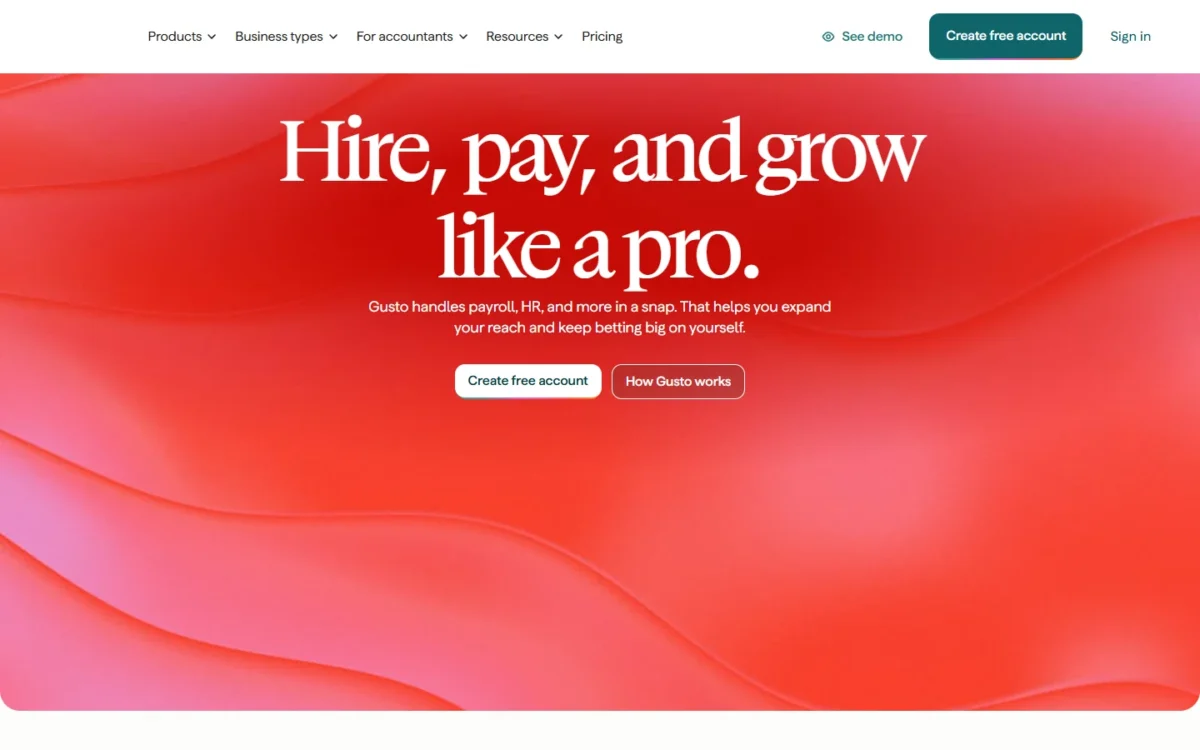
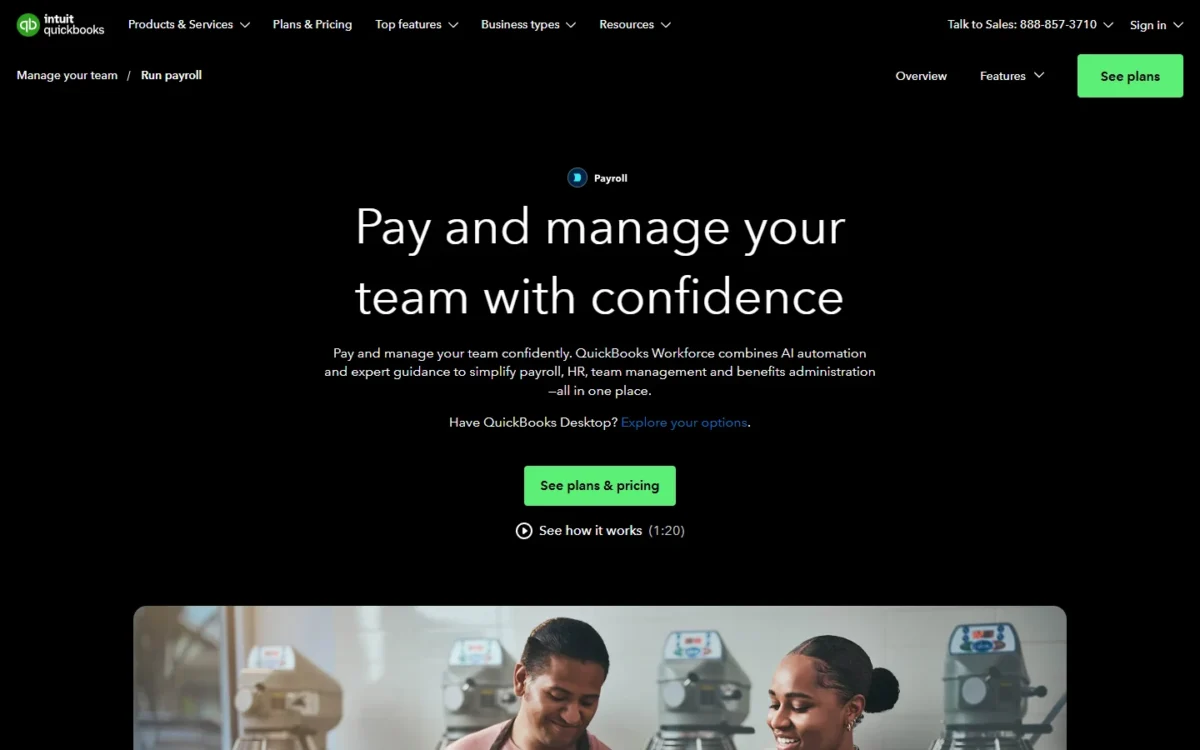
Quick verdict
QuickBooks Payroll lives inside QuickBooks: you add a Workforce plan from your QuickBooks account, so payroll and books share one system. Gusto is a separate payroll and HR app that posts a journal entry to QuickBooks Online after each payroll.
QuickBooks Payroll suits salaried teams on QuickBooks Online, especially across two states or when Workforce Elite’s expert setup and penalty protection matter. Gusto suits owners who want the lower entry bill, local tax filing, time tracking on the cheapest plan or books outside QuickBooks.
The trade-off: Gusto Simple covers one state, and QuickBooks time tracking starts at Workforce Premium.
In This Article (10 sections)
Gusto vs QuickBooks Payroll at a Glance
Where payroll lives decides most picks: inside your QuickBooks account, or in Gusto’s standalone app that syncs to it.
| Attribute | Gusto | QuickBooks Payroll |
|---|---|---|
| Best for | Lower entry bill, hourly teams, books outside QuickBooks | Businesses already on QuickBooks Online |
| Entry plan | Simple: $49/mo + $6/mo per person | Workforce Payroll: $50 + $7/employee per month |
| First plan with time tracking | Plus: $80/mo + $12/mo per person | Workforce Premium: $88 + $13/ |
| States on the entry plan | One state on Simple | 1 state filing included; $12/ |
| Accounting link | Journal entry synced to QuickBooks Online each payroll | Payroll added inside QuickBooks |
| Setup help | Free account setup; migration and setup on Gusto Premium | Setup review on Workforce Premium; expert setup on Workforce Elite |
Sources: Gusto pricing page, Gusto plans help article, QuickBooks Workforce pricing page, Intuit payroll offer terms, checked Nov 2026.
Key Differences Between Gusto and QuickBooks Payroll
Four differences decide most picks.
- Where the books live: QuickBooks Payroll needs no connection; Gusto maps a journal entry to your QuickBooks Online chart of accounts.
- States: Gusto Simple covers one state, so a second state means Gusto Plus; Intuit’s terms add a per-state fee on lower tiers.
- Hourly time: tracking hours inside payroll is an add-on on Gusto Simple, while QuickBooks includes time tracking from Workforce Premium up.
- Setup and penalty risk: Gusto Premium includes migration and setup; Workforce Elite adds expert setup and tax penalty protection.
Gusto vs QuickBooks Payroll: Features Compared
The matrix shows the first plan on each side that holds each feature.
| Feature | Gusto | QuickBooks Payroll |
|---|---|---|
| Multi-state payroll | Plus and Gusto Premium | Limited: 1 state included, fee per extra state below Elite (Intuit’s terms) |
| Local tax filing | Every plan | Limited: no tier files local taxes for you; local tax setup on Workforce Premium and Workforce Elite, forms printed and uploaded by the user |
| Time tracking | Plus and Gusto Premium; Add-on on Simple | Workforce Premium, Workforce Elite |
| Same-day pay | Gusto Premium; Add-on on Simple and Plus | Workforce Premium, Workforce Elite |
| Applicant tracking or recruiting | Plus and Gusto Premium | Workforce Premium, Workforce Elite |
| HR expert or advisor | Gusto Premium (Ask an HR expert) | Workforce Elite (Personal HR advisor) |
| Done-for-you setup | Gusto Premium (payroll migration and account setup) | Workforce Elite (expert setup) |
| Tax penalty protection | Not listed on gusto.com/ | Workforce Elite |
Sources: Gusto pricing page, QuickBooks Workforce pricing page, Intuit payroll offer terms, checked Nov 2026.
Payroll taxes, states and penalty protection
Both services file federal and state payroll taxes, but they split on local taxes, second states and who pays for a filing mistake. Every Gusto plan files federal, state and local payroll tax forms. No QuickBooks Workforce tier files local taxes for you. Intuit’s terms read: “Automated tax payments and filing are available only for state and federal taxes,” and “Local taxes require the user to print the forms and upload them to the necessary local sites.”
The entry tier handles even less: “QuickBooks Online Payroll Core does not offer local tax payments and filings.” Intuit’s new-state tax help article limits local tax setup to “QuickBooks Online Premium or Elite only.” A city or county payroll tax therefore needs Workforce Premium, and you still file the local forms yourself.
A second state is where the cheaper product can flip. Gusto Simple runs payroll in one state, so a remote hire elsewhere moves you to Gusto Plus. Intuit’s payroll offer terms read: “If you file taxes in more than one state, each additional state is $12/month for only Core and Premium.” Those terms use the older plan names and the Workforce pricing card shows no state fee, so confirm it on your order.
Workforce Elite carries tax penalty protection of up to $25,000 in penalties a year, once an Intuit expert has reviewed your setup. Gusto’s pricing page lists no comparable protection.
Verdict: taxes and states
Gusto fits better when local payroll taxes apply. QuickBooks Payroll fits better for a salaried two-state team and for owners who want penalty cover on Workforce Elite.
Accounting sync and other integrations
QuickBooks Payroll needs no connection, because Workforce is added from inside your QuickBooks account; Gusto needs a one-time setup that maps its payroll categories to your QuickBooks Online chart of accounts. An admin in both systems connects the accounts, and Gusto then builds a journal entry each payroll, split by employee, department, job or project if you want.
For a bookkeeper, Gusto means a mapping review at setup and whenever the chart of accounts changes. If QuickBooks Online itself is still an open question, my QuickBooks Online review weighs the ledger first. On another ledger the call is simpler: Gusto integrates with Xero, FreshBooks, Aplos, ZipBooks and Autobooks, while the Intuit pages I read sell Workforce as part of QuickBooks.
If your ledger choice is still between QuickBooks and FreshBooks, see my QuickBooks vs FreshBooks comparison before you pick a payroll tool.
Verdict: accounting sync
QuickBooks Payroll fits better for a business already on QuickBooks Online. Gusto fits better for a Xero or FreshBooks ledger.
Time tracking and pay speed
For hourly teams, the cheapest plan that tracks hours differs: Gusto Simple with an add-on, or Workforce Premium on QuickBooks. Gusto’s add-on for Simple is free to try, then $6/mo per person; Gusto Plus and Gusto Premium include time tracking.
The Workforce Payroll card lists no time tracking add-on. Intuit’s time tracking pricing page sells time tracking on its own for QuickBooks Online users at $20/mo + $10 per user per month, with 1 admin in the base fee.
Pay speed runs the other way. Workforce Premium and Workforce Elite include same-day direct deposit, while Gusto includes it only on Gusto Premium. On Simple or Plus, Gusto charges $90 per payroll for same-day pay, so two same-day runs a month add $90 x 2 = $180.
QuickBooks Auto Payroll also has a condition: every employee must be salaried and on direct deposit, so a team with one hourly worker runs each payroll by hand.
Verdict: time and pay speed
Gusto fits better for hourly staff on the cheapest plan. QuickBooks Payroll fits better for teams that pay same-day often.
HR, hiring and benefits
Gusto puts onboarding tools on every plan and an applicant tracking system on Plus, while QuickBooks Payroll bundles hiring, recruiting with built-in applicant tracking and 5 automated HR workflows into Workforce Premium. Each vendor keeps its HR expert on its top tier: Ask an HR expert on Gusto Premium, a personal HR advisor on Workforce Elite. My full Gusto review covers the rest of the product.
Benefits are billed differently. With Gusto as your health insurance broker, you pay only the premiums, with no Gusto administration fee. Every QuickBooks Workforce plan includes access to Allstate health benefits, Vestwell 401(k) plans and NEXT workers’ comp, and benefits administration starts at Workforce Premium.
Verdict: HR and hiring
Comparable at the mid tier: Gusto Plus and Workforce Premium both include applicant tracking, and Workforce Premium also lists 5 automated HR workflows.
Ease of use and setup
Gusto lists free account setup and does migration and setup on Gusto Premium; Intuit reviews your setup on Workforce Premium and does it on Workforce Elite, where the expert also checks data from a previous provider.
Gusto’s basic support is a 24/7 Help Center with phone and chat during business hours. QuickBooks support includes 24/7 chat and US phone support on weekdays from 6 AM to 6 PM PT. Neither vendor publishes how long setup takes, so check your first pay run against your last payroll register before the first live check date.
Gusto vs QuickBooks Payroll Pricing
Gusto is cheaper on the entry tier and on the first tier with time tracking; QuickBooks Payroll is cheaper on the top tier and for a two-state team that needs no time tracking.
| Plan tier | Gusto | QuickBooks Payroll |
|---|---|---|
| Entry | Simple: $49/mo + $6/mo per person | Workforce Payroll: $50 + $7/employee per month |
| First with time tracking | Plus: $80/mo + $12/mo per person | Workforce Premium: $88 + $13/ |
| Top tier | Gusto Premium: $180/mo + $22/mo per person | Workforce Elite: $134 + $17/ |
| Contract | Month-to-month, cancel anytime | Monthly, charged until you cancel |
Sources: Gusto pricing page, QuickBooks Workforce pricing page, Intuit payroll offer terms, checked Nov 2026.
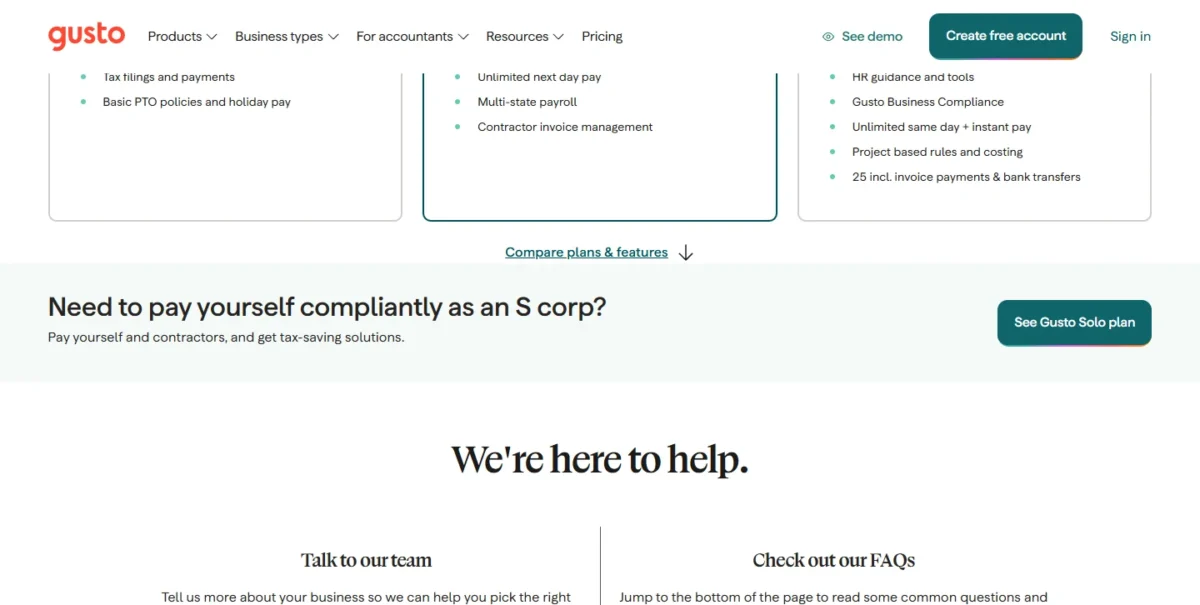
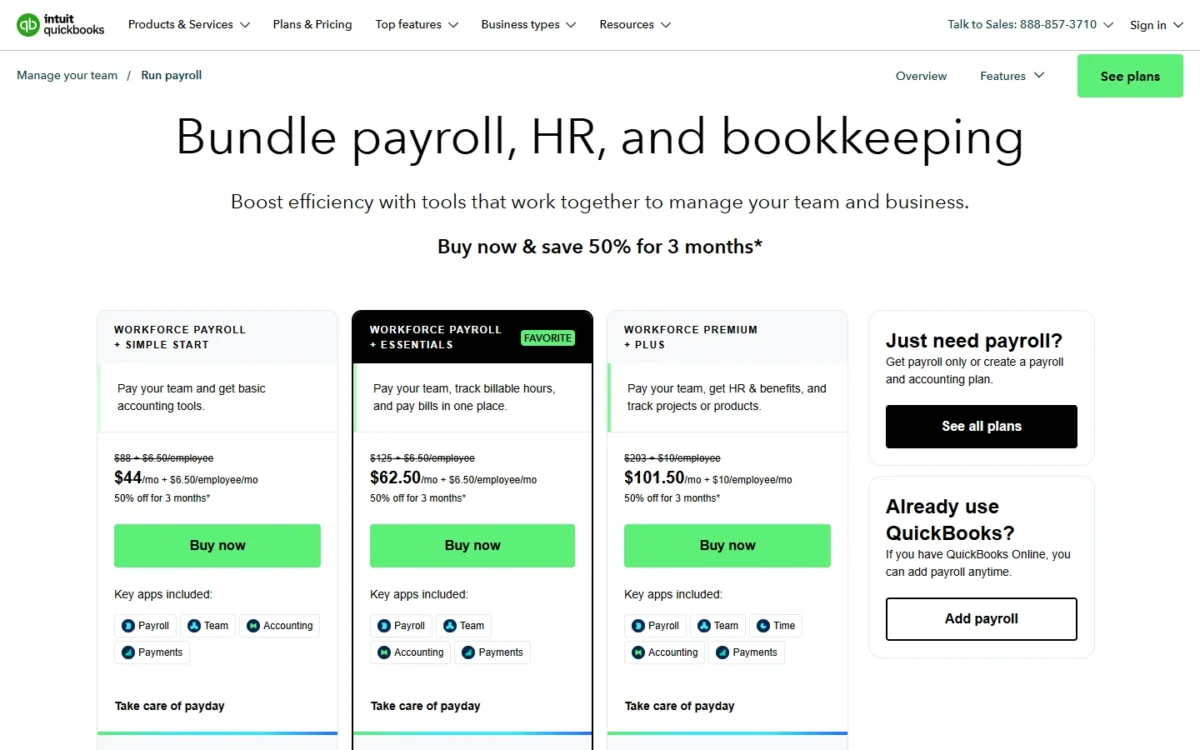
The archived QuickBooks capture shows October’s bundle cards; the prices on this page come from the plan cards read on November 4, 2026.
Gusto charges only for active employees and bills US contractors only in months you pay them. Intuit takes 50% off the base fee for the first 3 months for new monthly customers, which the totals below ignore.
Intuit’s pricing page also lets you add accounting at checkout; my QuickBooks Workforce cost breakdown by headcount covers Workforce costs at your team size.
What 5 and 10 employees pay each month
Each row shows the monthly bill with its math.
| Team | Gusto plan | Gusto math and total | QuickBooks plan | QuickBooks math and total |
|---|---|---|---|---|
| 5 employees, one state | Simple | $49 + $6 x 5 = $79 | Workforce Payroll | $50 + $7 x 5 = $85 |
| 10 employees, one state | Simple | $49 + $6 x 10 = $109 | Workforce Payroll | $50 + $7 x 10 = $120 |
| 5 employees, time tracking | Plus | $80 + $12 x 5 = $140 | Workforce Premium | $88 + $13 x 5 = $153 |
| 10 employees, time tracking | Plus | $80 + $12 x 10 = $200 | Workforce Premium | $88 + $13 x 10 = $218 |
| 5 employees, top tier | Gusto Premium | $180 + $22 x 5 = $290 | Workforce Elite | $134 + $17 x 5 = $219 |
| 10 employees, top tier | Gusto Premium | $180 + $22 x 10 = $400 | Workforce Elite | $134 + $17 x 10 = $304 |
| 10 salaried employees, two states | Plus | $80 + $12 x 10 = $200 | Workforce Payroll + assumed state fee | $50 + $7 x 10 + $12 = $132 |
| 10 hourly employees with tracked hours, one state | Simple + time tracking add-on | $49 + $6 x 10 + $6 x 10 = $169 | Workforce Premium | $88 + $13 x 10 = $218 |
Sources: Gusto pricing page, QuickBooks Workforce pricing page, Intuit payroll offer terms, checked Nov 2026.
Assumptions: monthly list prices, one state unless the row says two, W-2 employees only, no other add-ons, benefits premiums, promotion or sales tax. The two-state row assumes Intuit’s $12/month fee per additional state, which its terms print “for only Core and Premium” while the Workforce Payroll card shows no state fee.
On the first two tiers the gap widens with headcount, because Gusto’s per-person fee is $1 lower at entry ($7 – $6).
Under the state-fee assumption, a second state flips the entry pick, because Gusto moves the whole team to Plus while the QuickBooks bill grows by one state fee. Hourly staff flip it back: Simple with the time tracking add-on stays below Workforce Premium while everyone works in one state.
The upgrade triggers follow: Gusto Simple pushes you to Plus at a second state or an applicant tracking system, and Workforce Payroll pushes you to Workforce Premium at the first hourly employee whose hours you track in QuickBooks, a city or county payroll tax to set up, or same-day pay.
Gusto and QuickBooks Payroll Pros and Cons
The cons are the documented plan gates a buyer runs into.
Gusto pros and cons
Gusto’s common downsides are documented plan limits, not complaints drawn from user reviews. Same-day pay carries a per-payroll charge on Simple and Plus. Gusto Premium includes it. Payroll migration and account setup come only with Gusto Premium, and the bill grows with each active employee you add.
Pros
- Simple lists $49/mo + $6/mo per person, the lower entry price of the two
- Local payroll tax forms filed on every plan, Simple included
- Time tracking can be added to Simple, so hourly teams avoid a tier jump
- Month-to-month billing, with US contractors billed only in months you pay them
Cons
- Simple covers one state; a remote hire elsewhere forces Plus
- Same-day pay is included only on Gusto Premium
- No tax penalty protection listed on the pricing page
- QuickBooks Online users maintain a journal-entry mapping
If a limit rules out both, start from Gusto alternatives by reason for leaving.
QuickBooks Payroll pros and cons
Pros
- Payroll lives inside QuickBooks, with no mapping to maintain
- Same-day direct deposit included from Workforce Premium up
- Workforce Elite adds expert setup and up to $25,000 a year of penalty protection
- Workforce Elite is the cheaper top tier of the two at 5 and 10 employees
Cons
- No time tracking on Workforce Payroll
- No tier files local taxes for you, and local tax setup starts at Workforce Premium
- Auto Payroll runs only when every employee is salaried and on direct deposit
- Optimized for up to 50 employees or contractors and capped at 150
Which Is Better for Your Needs?
QuickBooks Payroll fits salaried teams on QuickBooks Online; Gusto fits the lowest entry bill, hourly staff and books kept elsewhere.
| Your priority | Better fit | Reason | Trade-off |
|---|---|---|---|
| Books already in QuickBooks Online | QuickBooks Payroll | Payroll is added inside QuickBooks, with nothing to map | No time tracking on the entry plan |
| Lowest bill, one state | Gusto | Simple has the lower base and per-person fee | Simple covers one state |
| Two states, salaried staff | QuickBooks Payroll | Workforce Payroll with a state fee stays below Gusto Plus | The fee rests on Intuit’s terms for Core |
| Hourly staff on the cheapest plan | Gusto | Simple can add time tracking | A second state still forces Plus |
| Local payroll taxes | Gusto | Every Gusto plan files local forms; no Workforce tier files them, and setup starts at Workforce Premium | No listed penalty protection |
| Expert setup and penalty protection | QuickBooks Payroll | Workforce Elite carries both | Elite is the top QuickBooks tier |
| Frequent hiring | Depends | Gusto Plus and Workforce Premium both include applicant tracking; Workforce Premium adds 5 HR workflows | Compare the hiring steps you run |
| 50 or more employees | Insufficient evidence | Intuit optimizes for up to 50 and caps at 150; Gusto’s plan cards set no headcount range | Confirm fit at your size before you commit |
Sources: Gusto pricing page, QuickBooks Workforce pricing page, Intuit payroll offer terms, checked Nov 2026.
Skip Gusto if your ledger is QuickBooks Online and every employee is salaried: Gusto syncs to QuickBooks Online through a chart-of-accounts mapping you set up, while QuickBooks Workforce is added inside the same QuickBooks account. Skip QuickBooks Payroll if you owe a city or county payroll tax and want it filed for you, since no Workforce tier files local taxes, or if you clock hourly staff on a tight budget. If ADP is on the shortlist too, how Gusto compares with ADP sets those two side by side.
Switching Between Gusto and QuickBooks Payroll
Moving in either direction keeps the year’s payroll history only if you bring it across, and a quarter start reduces reconciliation work, though Gusto’s switching guide says a mid-year switch is possible.
From QuickBooks Payroll to Gusto:
- Choose the first check date Gusto will process; Gusto files quarterly returns from the quarter that contains it.
- Upload the two files Gusto’s automated transfer accepts, Employee Details as a PDF and Payroll Summary by Employee as a CSV, and do not alter their report structure.
- Rebuild deductions, contributions and other pay items, which Gusto’s transfer does not set up.
- Have employees enter or verify their bank details in Gusto.
From Gusto to QuickBooks Payroll:
- Settle which provider files the transition quarter.
- Ask Intuit for its transfer help with existing payroll information.
- On Workforce Elite, an expert completes setup; on Workforce Premium, an expert reviews it.
- Remove the Gusto journal-entry connection so the ledger holds one record of each payroll.
How I Compared Gusto and QuickBooks Payroll
I compared Gusto’s Simple, Plus and Premium plans with Intuit’s Workforce Payroll, Workforce Premium and Workforce Elite from both vendors’ US pricing pages, help centers and plan terms, read on November 4, 2026. I paired the tiers by job: entry, first with time tracking, and top tier with an HR expert and done-for-you setup.
Intuit’s per-state fee, local tax terms and 150-employee cap come from its offer terms, which still use the names Core, Premium and Elite. Gusto does not publish a headcount range on its plan cards, so the verdicts rest on plan gates and prices.
FAQ
Does Gusto work with QuickBooks Online?
Yes. Gusto posts a journal entry to QuickBooks Online each time you run payroll. Only employer taxes appear on the entry.
Can I pay only contractors on Gusto or QuickBooks?
Gusto closed its contractor-only plan on October 1, 2026, and now pays contractors on any current plan, billing US contractors only in months you pay them. Intuit sells QuickBooks Contractor Payments at $25/mo, which includes 20 contractors, + $2 per additional contractor, with unlimited 1099 e-filing.
Is QuickBooks Payroll the same as QuickBooks Workforce?
For QuickBooks Online users, yes. Intuit sells payroll as three QuickBooks Workforce plans, while its offer terms still use the older QuickBooks Online Payroll names.
Is Gusto or QuickBooks better for a one-person S corp?
Gusto has a plan built for it. Gusto Solo serves owner-only businesses with no W-2 employees besides the owner, including S corp owners, with a reasonable-salary tool and S corp setup support. Gusto’s pricing page has a Pay Myself tab beside Pay My Team, and my Gusto pricing guide walks through each plan. Intuit’s Workforce pricing page lists three plans priced per employee and none built for an owner-only company; the entry Workforce Payroll card reads $50 + $7/employee per month.
Final Verdict: Gusto or QuickBooks Payroll?
Buy QuickBooks Payroll for salaried staff on QuickBooks Online books; buy Gusto for the lower entry bill, local filing, hourly time tracking or books outside QuickBooks.
Choose Gusto if
- Your team works in one state and the entry bill decides
- Hourly employees need time tracking without moving up a plan
- Your city or county levies a payroll tax that must be filed for you
- Xero, FreshBooks or another ledger holds your books
Choose QuickBooks Payroll if
- QuickBooks Online is your ledger and you want payroll inside it
- A second state is coming and every employee is salaried
- Same-day pay is routine and should be included from Workforce Premium up
- An expert should set up payroll, with penalty protection, on Workforce Elite
Past 50 employees, remember that Intuit caps the service at 150, price both at your projected headcount, and check them against payroll services for small businesses compared before you commit.