My Screendragon review ends in a split verdict: shortlist it for a multi-client agency or an enterprise marketing team with layered approvals, and skip it under 30 users or if you need a price today.
Its main features bring estimates, resourcing, approvals and profitability reporting into one platform, run AI agents under the same approvals as people, and connect through integrations such as Slack, Power BI and Aprimo plus an open API.
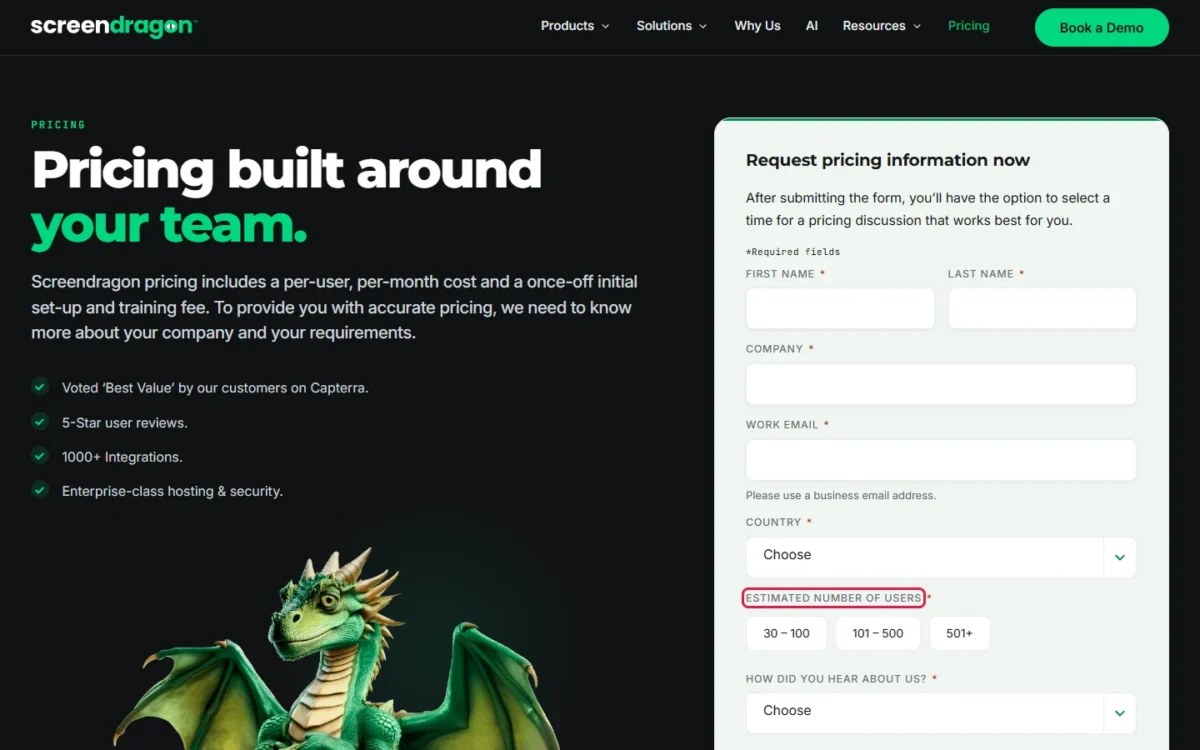
You pay a per-user, per-month cost plus a once-off set-up and training fee, with no published figure. The pricing form starts at 30 – 100 users. The vendor’s own category range of around $30 to $100 per user per month means $30 x 30 x 12 = $10,800 through $100 x 30 x 12 = $36,000 a year at 30 seats, before that fee.
After the missing price, the next trade-off is time: implementation usually takes 4-12 weeks and no trial is listed, so you evaluate through a tour or a demo.
Quick verdict
- Worth it for: agencies and enterprise marketing teams with many clients or markets, layered approvals and margin to protect.
- Skip Screendragon if: you have under 30 users, need simple task tracking or must go live inside a month.
- Main strength: estimates, resourcing, approvals and profitability reporting in one platform.
- Biggest limit: the pricing page prints no price, plan or module gates.
- Price basis: per user per month plus a once-off fee; the vendor puts its category at around $30 to $100 per user per month, checked November 2026.
In This Article (14 sections)
Screendragon at a Glance
- Category: marketing and agency work management
- Best for: agencies and enterprise marketing teams with complex approvals
- Price basis: quote only, by seat tier and module
- Trial: none listed on the pricing page; a 30-minute product tour and an on-demand demo
- Pricing form’s smallest band: 30 – 100 users
- Main limitation: no seat price, plan name or module gate on the pricing page
- Implementation: usually 4-12 weeks
- Security: the vendor states ISO 27001 and SOC 2
Screendragon Pros and Cons
The gain is one platform for commercial and creative work; the first obstacle is a price you can only get through a sales form.
Pros
- Estimates, time and cost share one job record with live margin, which helps agencies losing money to over-servicing
- Retainers track by period with consumption alerts, which helps account teams on retained clients
- On-asset proofing with an audit trail covers static, video and rich media, which helps legal-heavy brands
- A no-code editor lets your operations team maintain workflows and forms without IT, once initial setup is done
- AI agents follow the same approvals and logs as people, which helps teams with governance rules
Cons
- No public price or plan, so a form and a call come before any budget figure
- The pricing form starts at 30 – 100 users, leaving smaller teams no option to select
- Implementation usually takes 4-12 weeks, too slow for a team starting this month
- No trial is listed, so you get a tour or a recorded demo before paying
- Module gates are not listed, so you can’t tell which features a tier holds until you request pricing
- Screendragon’s G2 explainer says Screendragon may not have all the features of a traditional DAM vendor, a concern if you plan to replace a DAM
Pick it if margin or approval risk is your main problem; if it isn’t, the cons outweigh the pros.
What Is Screendragon?
Screendragon is a work management platform for agencies and enterprise marketing teams that adds commercial tracking and creative approvals to project management. Its products page splits the offer into Agency Ops Management and Marketing Work Management.
Screendragon says 100+ agencies run on it, and its agency page reports that ARC Worldwide, at 200+ people and 20+ clients, replaced Excel, email, chat and Smartsheet. That vendor-reported case shows the buyer it expects, and Screendragon is worth it when your team is stitching several tools together the same way.
Screendragon Features
Six features change the decision: estimates and margin, resourcing, proofing, no-code workflows, AI agents and asset management. Screendragon says it brings estimates, resourcing, delivery, approvals and profitability reporting into one platform. No plan gate is listed for any of them, so ask which module holds each one you need. The platform is worth it when two or more of them fix a problem you already pay to work around.
Estimates, retainers and live margin
Screendragon is built to catch over-servicing before a job closes. Estimates start from reusable templates with auto-calculated margins, and rate cards work by role, deliverable or client. During delivery, cost is tracked against budget from timesheets, purchase costs and resource bookings, and you set the thresholds that raise a flag.
Retainers run by period against the agreed scope, so an account team can see how much remains before committing to more work. Profitability can be viewed by client, project, retainer and service line, and the reporting page adds real-time dashboards tailored to each role, on live data, with a direct connection to Power BI for deeper analysis. A leader can see which accounts lose margin while there is still time to change scope.
For an agency losing margin to over-servicing, this is the feature that justifies leaving a task tool plus a spreadsheet.
Resource and capacity planning
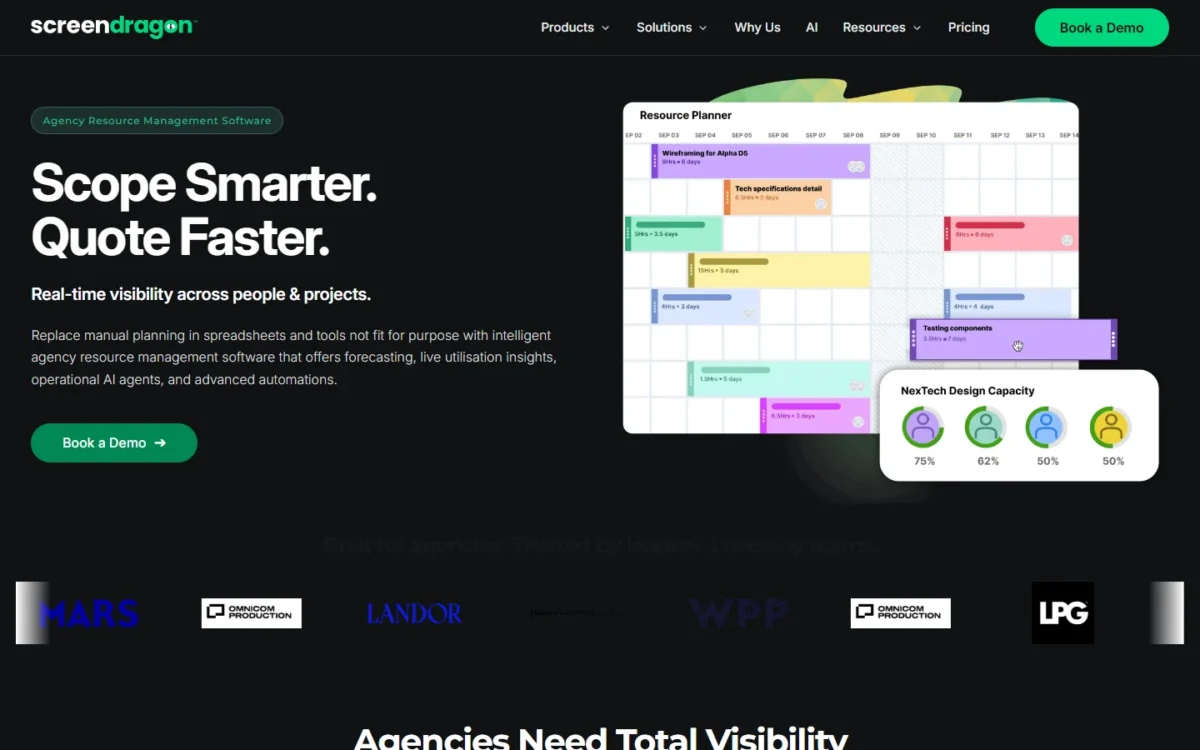
Screendragon’s resource planning matches people to work by skills, roles, previous experience and availability, using an AI Resourcing Agent. Capacity views switch between hours, percentages and tasks, and filter by client, region, team or skill.
Pick this if your staffing lives in a spreadsheet one person maintains; a team with a few full-time people across a few clients won’t need the depth.
Proofing and approval workflows
Screendragon’s proofing can move reviews out of email and keep a record of who signed off. The approvals page lists on-asset review of static, video and rich media, time-stamped comments, visual markups and AI comparison of pixel-level changes between versions. Content routes automatically to internal teams, clients or legal, and audit trails show who approved what and when.
If you already pay for Ziflow, a connector links your workflows to it, so keeping that tool stays an option until you see the module’s price.
No-code workflows and briefing forms
Forms and workflows are configured without code, so your terminology, stages and approval logic stay yours. Briefs use templates with conditional logic, and the agency operations page adds role-based access, custom routing and region-specific steps. A team without an operations lead gets less from it.
AI agents and AI Hub
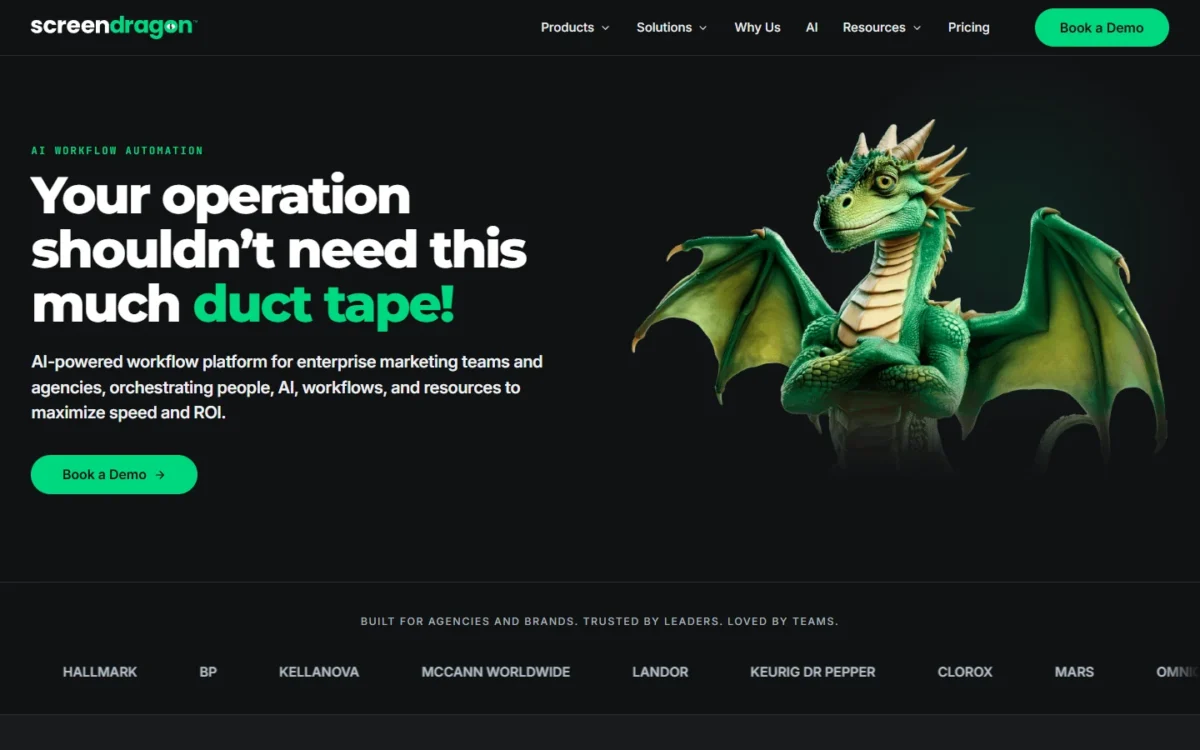
Screendragon’s agents run as workflow steps under the same approvals and permissions as people, with every action logged. The homepage lists six pre-built agents: Operational, Briefing, Proofing, Compliance, Content and Resourcing.
AI Hub lets you build your own, setting each agent’s role, triggers, guardrails, approved knowledge, output contract and AI model. Screendragon’s launch post says AI Hub is available to all customers, and The Digital Project Manager dates the launch to May 10, 2026. No price is listed for AI usage or for AI Foundry, the engineering and consulting team for tailored AI, so put both on the quote.
Asset management (DAM)
For a brand library tied to jobs, it may be enough. The DAM page lists automated tagging, natural-language search, OCR, visual similarity, rights and versions. Yet Screendragon’s G2 explainer says it “may not have all the features of a traditional DAM vendor.” With Aprimo and Brandfolder connectors available, keeping your DAM is the lower-risk start.
Screendragon Ease of Use
Plan on usually 4-12 weeks of implementation, depending on your requirements, with Screendragon’s config team working alongside yours. After that, your own operations team maintains workflows, briefing forms and reports in a no-code editor, without IT. Name the person who will own that configuration before you sign.
Outside sources differ on ease. Screendragon reports G2 Fall 2026 badges that include Easiest to Use, while The Digital Project Manager’s 2026 review says its depth “may be less intuitive for smaller teams” and that setup “can be time-intensive.” Software Advice shows 4.46 for ease of use across 37 reviews, checked November 2026.
The 4-12 week setup and The Digital Project Manager’s line point the same way: Screendragon is worth it when a team can fund a guided setup, and a smaller team should expect the steeper start. Ask the live tour to build one of your real approval paths, since the on-demand demo won’t show your process.
Screendragon Pricing
Screendragon prints no figure, so the useful number is a budget range you can check before the sales call. Its agency FAQ gives one: “Platforms in this category generally run from around $30 to $100 per user per month depending on modules and scale.”
Seats and modules set the tier, and larger deployments are quoted directly.
| Item | Amount | Basis |
|---|---|---|
| Per-user cost | On request | Per month, tiered by seats and modules |
| Initial set-up and training fee | On request | Once-off |
| Pricing form user bands | 30 – 100, 101 – 500, 501+ | Estimated number of users |
Sources: Screendragon pricing page and agency management FAQ, checked Nov 2026.
The form decides the most for small teams: no contract minimum is stated, but a 20-person shop has no band to select.
What 30, 100 and 250 seats would cost
| Seats | Low end, $30 per user per month | High end, $100 per user per month |
|---|---|---|
| 30 | $30 x 30 x 12 = $10,800 | $100 x 30 x 12 = $36,000 |
| 100 | $30 x 100 x 12 = $36,000 | $100 x 100 x 12 = $120,000 |
| 250 | $30 x 250 x 12 = $90,000 | $100 x 250 x 12 = $300,000 |
Sources: Screendragon agency management FAQ, checked Nov 2026. Assumes 12 months; excludes the one-off fee and AI Foundry.
Pricing note
The $30 to $100 range is how Screendragon describes platforms in this category. It is not a Screendragon price list, and a real quote can fall outside it.
The spread is the finding: the high end at 30 seats equals the low end at 100 seats, so seat count alone won’t tell you the bill.
If your budget sits below the 30-seat low end, ask for a quote range before you book a tour, because this range isn’t a price. If it clears that line, the price is worth it when over-servicing or approval risk already costs you more than the seats would.
Two directories show a lower starting figure than this range: G2, which labels its line “Pricing provided by Screendragon,” and Software Advice. I left the number out because the vendor’s pricing page prints none, so raise it on the call.
With no named plans, the upgrade trigger is crossing a seat tier or adding a module. Ask these five questions before you trust any total:
- Where do the seat tiers break, and what happens if you cross one mid-contract?
- Which modules does each tier include?
- What is the one-off fee, and how much training does it cover?
- Does AI usage cost extra, and what would AI Foundry add?
- How does your data get in and out, including at the end of the contract?
Screendragon Integrations and API
The integrations page shows 14 pre-built tiles: Aprimo, Microsoft Power BI, Google Cloud Platform Storage, Slack, HubSpot, Microsoft Teams, Amazon S3, Sitecore, Ziflow, Vidmob, Brandfolder, Workato, Smartsheet and a Universal API Connector. The pricing page’s “1000+ Integrations” line matches the Zapier page, which says “Connect with 1000+ apps,” so I read that number as Zapier’s reach rather than a list of native connectors.
Finance is the connection agencies should press hardest. Screendragon says estimate, time and billing data moves between it and your accounting or ERP system, and its MRM page names SAP, PeopleSoft and MS Dynamics.
Developers get a REST API with OAuth 2.0, rate limits and webhooks, requested through your account manager or the developer portal. If some teams stay on Smartsheet, the connector syncs work and data between the two, and my look at Smartsheet’s strengths and limits can help you decide who stays. Before the demo, mark each system in your stack as pre-built, Zapier, API or unknown.
Support, Security and Implementation
Screendragon states ISO 27001, SOC 2 compliance, single sign-on, encryption and data residency options, plus field-level permissions and an automatic audit trail. Those are the vendor’s claims, so request the ISO certificate and the SOC 2 report for your questionnaire. Screendragon’s product pages list no import or export formats, which makes them a demo question for any team moving years of job history.
Support runs through a support team and Help Centre, and Screendragon’s G2 explainer says every client is assigned a solution expert. The Digital Project Manager notes slower response times for some teams during high-traffic periods. Software Advice shows 4.90 for customer support, checked November 2026. Ask for your response terms in writing.
Who Should Use Screendragon?
Pick Screendragon if complexity is your problem: many clients or markets, layered approvals, margin at risk. It says fit “is driven by complexity rather than headcount,” yet its form starts at 30 users, so a complex 15-person shop would have to ask whether it qualifies; I would look at tools built for small teams first.
In-house teams have a separate case: the in-house page tracks cycle times, utilisation, cost per job, cost-to-serve and chargebacks, which helps a marketing leader prove the team’s value. Brands that hire outside agencies get roster tracking of scopes, budgets and spend.
Best for
- Multi-client agencies with mixed permanent and freelance staff and margin to watch
- In-house agencies that must prove their value
- Brands governing an external agency roster
- Regulated marketing teams that need a record of who signed off
Not ideal for
- Teams under 30 users, since the pricing form has no band for them; Teamwork.com lists prices for smaller teams
- Teams that want published prices and a free trial, which Wrike offers
- Teams that only need simple task tracking, with no estimates or retainers
- Teams that must go live inside a month, given the usual 4-12 week implementation
Screendragon vs Competitors
Pick Wrike if you want published prices, Adobe Workfront if you already run on Adobe, and Teamwork.com if you are a smaller client-services team.
| Software | Best for | Starting price | Key difference | Main trade-off |
|---|---|---|---|---|
| Screendragon | Complex agency and brand operations | On request | Commercial and creative work in one platform | A quote and 4-12 weeks of setup |
| Wrike | Teams wanting published plans | Free plan; Team $10 per user per month, billed annually; Business $25 | Resource and capacity planning on Business | Budgeting and SSO on Pinnacle, “Contact us” |
| Adobe Workfront | Enterprises on Adobe | Get pricing | Integrates with Experience Manager and Frame.io for Business | Select, Prime and Ultimate print no price |
| Teamwork.com | Smaller client-services teams | Free plan (maximum 5 users); Basics $9.99 per user per month, billed yearly | Time budgets and retainers on Accelerate, $24.99 | Quotes and profitability on Optimize, “Let’s talk” |
Sources: Wrike pricing, Teamwork.com pricing, Adobe Workfront pricing, and Workfront overview, checked Nov 2026.
On the same 30 seats, Wrike Business costs $25 x 30 x 12 = $9,000 a year, billed annually, and Teamwork.com Accelerate costs $24.99 x 30 x 12 = $8,996.40 a year, billed yearly. Both sit below the low end of Screendragon’s category range. But financial budgeting on Wrike and quotes on Teamwork.com move to plans with no printed price, so the cheaper rival may stop being cheaper once you need margin tracking.
If you only need resource planning, my Wrike review covers the plan that holds it, and Wrike’s two-week free trial lets you check it yourself.
Under 30 users, the full Teamwork.com review is the better next read, with a 14-day free trial. An Adobe shop should price Workfront for those integrations, plus Creative Cloud for enterprise.
Best Screendragon Alternatives
Look elsewhere if you have under 30 users, need a trial before any sales call or only track tasks. Marketing teams can compare project management tools for marketing teams ranked by job.
Pick my guide to project management software if you are less certain of the category. G2’s Screendragon page, checked November 2026, sets Workfront, monday AI Work Platform and Kantata beside it, a fair starting list for an enterprise buyer.
How I Evaluated Screendragon
I built this review from Screendragon’s pricing page, product pages, API documentation, integrations pages and blog, read in November 2026. Rival prices and plan gates come from their own pricing pages. The budget table and the fit calls are my own math and judgment on those facts.
Screendragon’s pricing page prints no seat prices, tier breakpoints, set-up fee amount or module gates. I treated its customer results as the vendor’s claims and left its homepage percentages out. Interface speed and AI agent output depend on your data, so settle them in a tour or ask for a pilot.
FAQ
Who runs Screendragon and where is it based?
John Briggs is Screendragon’s CEO, and its about page lists offices including Boston, Chicago, Salt Lake City and Cork, Ireland. US buyers on a 4-12 week rollout should ask which office will staff the project.
Can I see Screendragon without a live sales call?
Yes. An expert-led on-demand demo walks through core features and advanced workflows. Use it to decide whether the 30-minute live tour is worth booking with your own approval path in hand.
How can developers test the Screendragon API?
In a sandbox. The API page describes a sandbox site and a Postman collection, and your account manager issues the client ID and secret, which expire after 24 hours for the sandbox. The page doesn’t say whether a prospect can get them before a contract, so ask on the sales call if an integration decides the purchase. Have a developer ready first, since that window suits one planned check.
Screendragon Review: Final Verdict
Shortlist Screendragon if you run multi-client or multi-market work with margin or compliance at risk, and you can fund a seat budget that starts at five figures a year on the vendor’s category range and can go well beyond. You trade a quote and weeks of setup for one platform covering estimates, people, approvals and profitability.
Skip it if your team is under 30 users, your jobs are simple or you need to start this month. Pick Wrike when a public price matters more than margin tracking, and Workfront when your content chain already runs on Adobe.
If it stays on your list, get the answers to the five pricing questions in writing before you compare quotes.