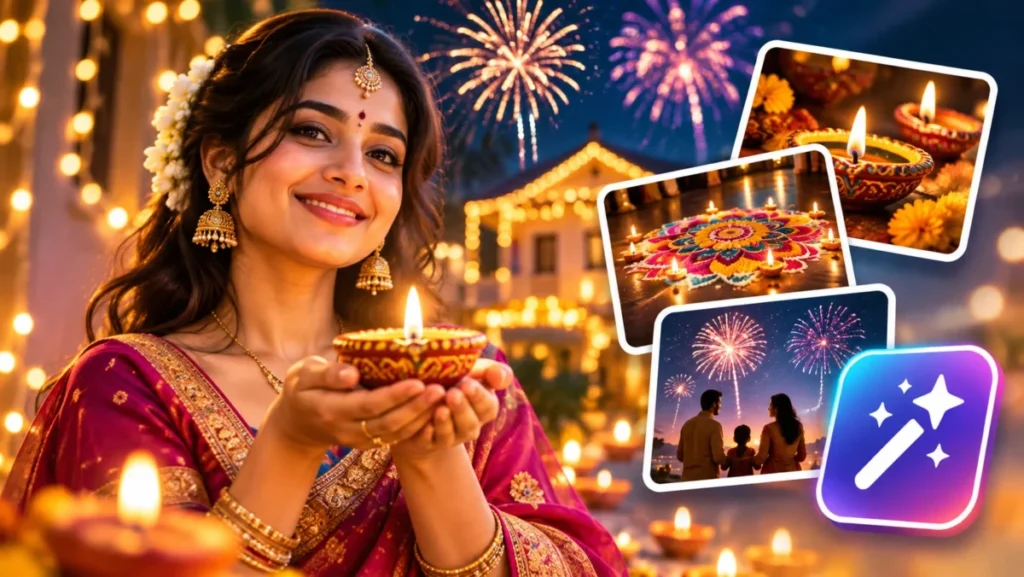
Diwali photo prompts are a type of AI image prompt: written instructions you paste into a tool such as Gemini or ChatGPT to turn your own photo, or a blank start, into a festive Diwali image with the outfit, diyas, lights and frame you name.
Diwali falls on Sunday, November 8, 2026, according to timeanddate.com’s India holiday calendar.
The 40 prompts below are grouped by who or what is in the picture, with the tool to open for each:
| Your photo job | Prompts | Start in |
|---|---|---|
| A portrait of you | 1-10 | Gemini or ChatGPT |
| The two of you | 11-15 | Gemini or ChatGPT |
| Family, kids or siblings | 16-23 | Gemini or ChatGPT, run by an adult |
| A scene with no people | 24-29 | Firefly, Gemini or ChatGPT |
| A card or post with text | 30-35 | ChatGPT or Gemini |
| A small edit to a real photo | 36-40 | ChatGPT’s selection tool, or Gemini |
In This Article (13 sections)
Which AI Tool to Use for Each Diwali Photo
Use Gemini or ChatGPT when your real face has to stay, because both help pages describe uploading a photo and asking for edits; use ChatGPT’s selection tool when one area should change, and any of the three, Adobe Firefly included, for scenes with no people.
| Photo job | Start in | What the help page says | Watch for |
|---|---|---|---|
| Your portrait, couple or family photo | Gemini or ChatGPT | Both: upload an image and describe the edit | The age rule below decides who uploads |
| A group made from several selfies | Gemini | Upload multiple images to create a new one, and keep a person’s look across images | Flash-Lite’s model isn’t designed for multiple references |
| A card or post with text | ChatGPT or Gemini | ChatGPT adds text and makes any aspect ratio; Nano Banana 2 lists better text rendering | Read every letter at full size |
| One area of a real photo | ChatGPT | A selection tool limits the edit to an area | Highlights are not always precise |
| A scene with no people | Firefly, Gemini or ChatGPT | Firefly wants at least three words and no “generate” or “create” | Text-only scenes: no photo prompt here goes to Firefly |
| A print-size download | Gemini | 2K with a Google AI plan, 1K without | Check a 1K file at print size first |
Sources: Gemini Apps Help on generating and editing images, Images in ChatGPT, Adobe’s guide to Firefly text prompts, checked November 2026.
In Gemini, check the model before you paste a photo prompt. Nano Banana 2 runs on Flash or Pro and accepts multiple reference images; Nano Banana 2 Lite runs on Flash-Lite and isn’t designed for multiple image references or multiple edits.
ChatGPT Images is available on all tiers, on web, iOS and Android; OpenAI’s help page, read November 3, 2026, names version 2.5.
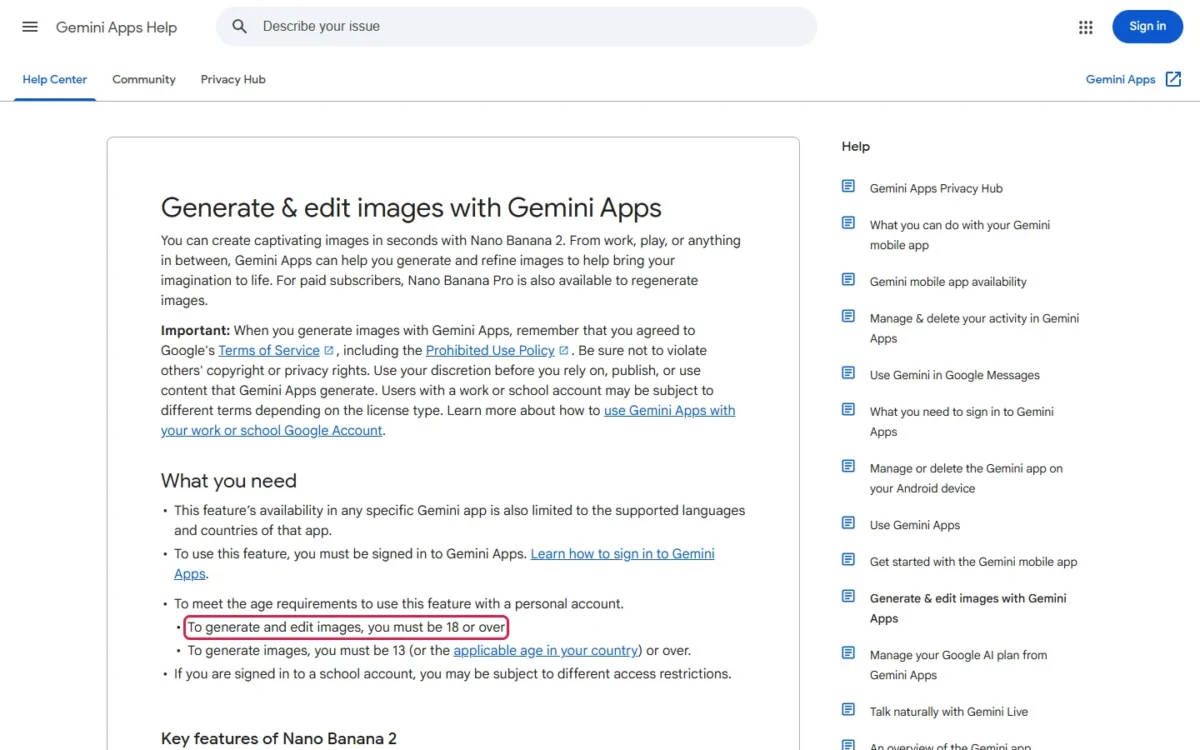
The age rule decides who runs which prompt: on a personal account, Google requires you to be 18 or over to generate and edit images, and 13 (or your country’s age) or over to generate only. In Gemini, a teen can make the scenes and text-only cards; an adult uploads any child’s photo. In ChatGPT, a parent linked to a teen’s account may be able to decide whether that teen makes or edits images.
For a paid generator beyond these three, my ranking of the best AI image generators by job and budget compares the wider field. Whichever tool you pick, name in the prompt what must stay the same: that is the formula’s first slot.
The Fill-In Diwali Prompt Formula
The prompts here take five slots in one order, Keep + Dress + Set + Light + Frame. Some photo prompts leave Dress out, and the scene prompts (24-29) start at Set. The ones built on your photo open with this Keep line:
Keep this person's face, skin tone and hair unchanged.- Keep: what must not change. Google’s Gemini API image guide advises describing a face you want preserved in detail along with the edit, so add what makes it yours: glasses, a beard, a nose ring, curls.
- Dress: outfit, fabric, color and jewelry. Google asks for hyper-specific detail: “a teal Banarasi silk saree with a gold zari border” says far more than “a saree”.
- Set: the place and the Diwali objects. Say what you want (“an uncluttered balcony”, not “no clutter”); Google calls this a semantic negative prompt.
- Light: one main source, such as diya glow or string-light bokeh, so the flames and the shadows on each face agree.
- Frame: shot, lens and ratio. Google recommends camera terms (macro shot, low-angle perspective) and says output matches the input image’s size or defaults to 1:1 unless the request sets a ratio, so every new-image prompt ends with one. The edit prompts (36-40) set no ratio, so in Gemini the output matches your photo’s size.
Google’s Gemini API image guide puts the style in one line, “Describe a scene in rich detail,” so these prompts read as sentences.
One wording conflict matters in Firefly: Google’s Gemini help says to start with words like draw, generate or create, while Adobe’s guide says to avoid generate and create. The scene prompts (24-29) open with “A photorealistic…” instead, so they paste into all three tools.
After the first image, change one thing per message; Google’s follow-up example starts “Keep everything the same, but…”. The same slots work beyond Diwali in my fill-in AI image prompt template.
Diwali Portrait Prompts for Women and Girls (1-5)
These five festive portrait prompts dress one person in a saree, lehenga, anarkali or half-saree; start in Gemini or ChatGPT with one sharp, front-facing photo.
1. Silk saree on a diya-lit doorstep
Keep this person's face, skin tone and hair unchanged. Dress them in a red silk saree with a gold zari border and gold jhumkas, standing in a doorway lined with lit clay diyas under a marigold garland. Warm diya glow from below, blue dusk behind. Photorealistic portrait, 85mm lens, 4:5 aspect ratio.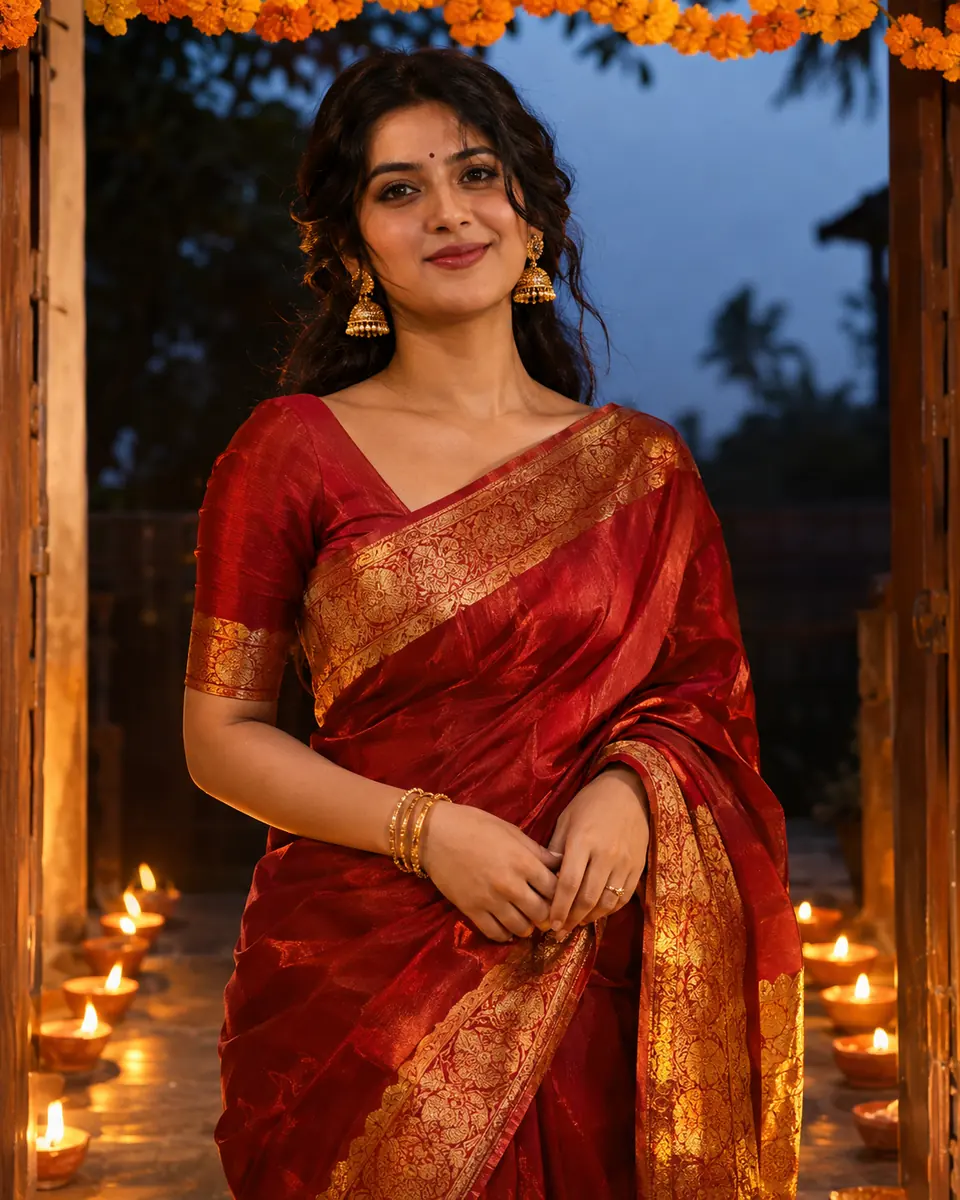
Start in: Google’s Gemini on Flash or Pro, or OpenAI’s ChatGPT.
Swap: red and gold for emerald and silver.
2. Lehenga under akash kandil lanterns
Keep this person's face, skin tone and hair unchanged. Dress them in a blush-pink lehenga with mirror work, leaning on a balcony rail under three paper akash kandil lanterns, string-light bokeh behind. Soft lantern light on the face. Photorealistic, 4:5 aspect ratio.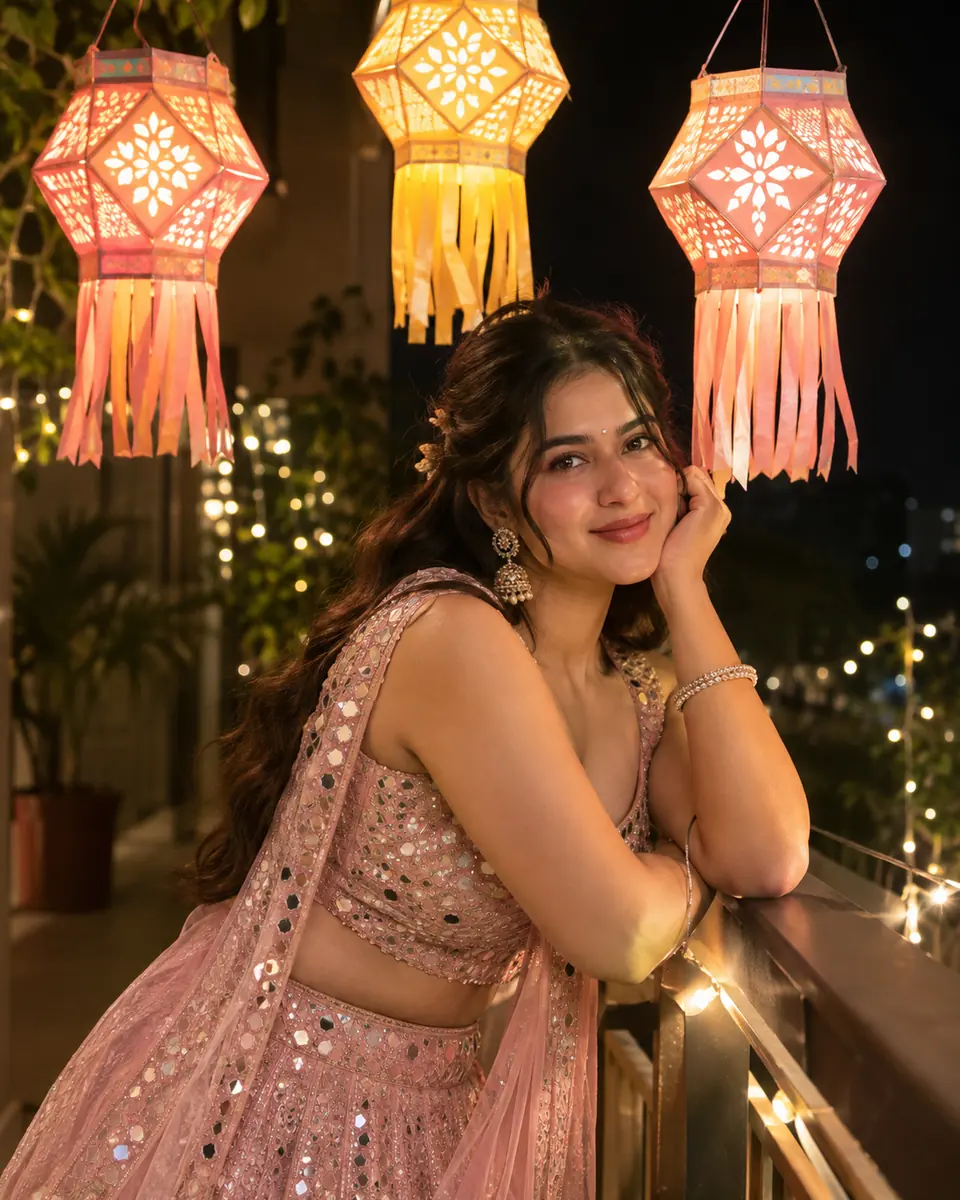
Start in: ChatGPT, or Gemini.
Swap: lantern colors to match the lehenga.
3. Anarkali with a brass puja thali
Keep this person's face, skin tone and hair unchanged. Dress them in an ivory anarkali with gold embroidery, holding a brass puja thali with a lit diya, rice and rose petals. Warm side light from a row of diyas. Photorealistic, 85mm lens, 4:5 aspect ratio.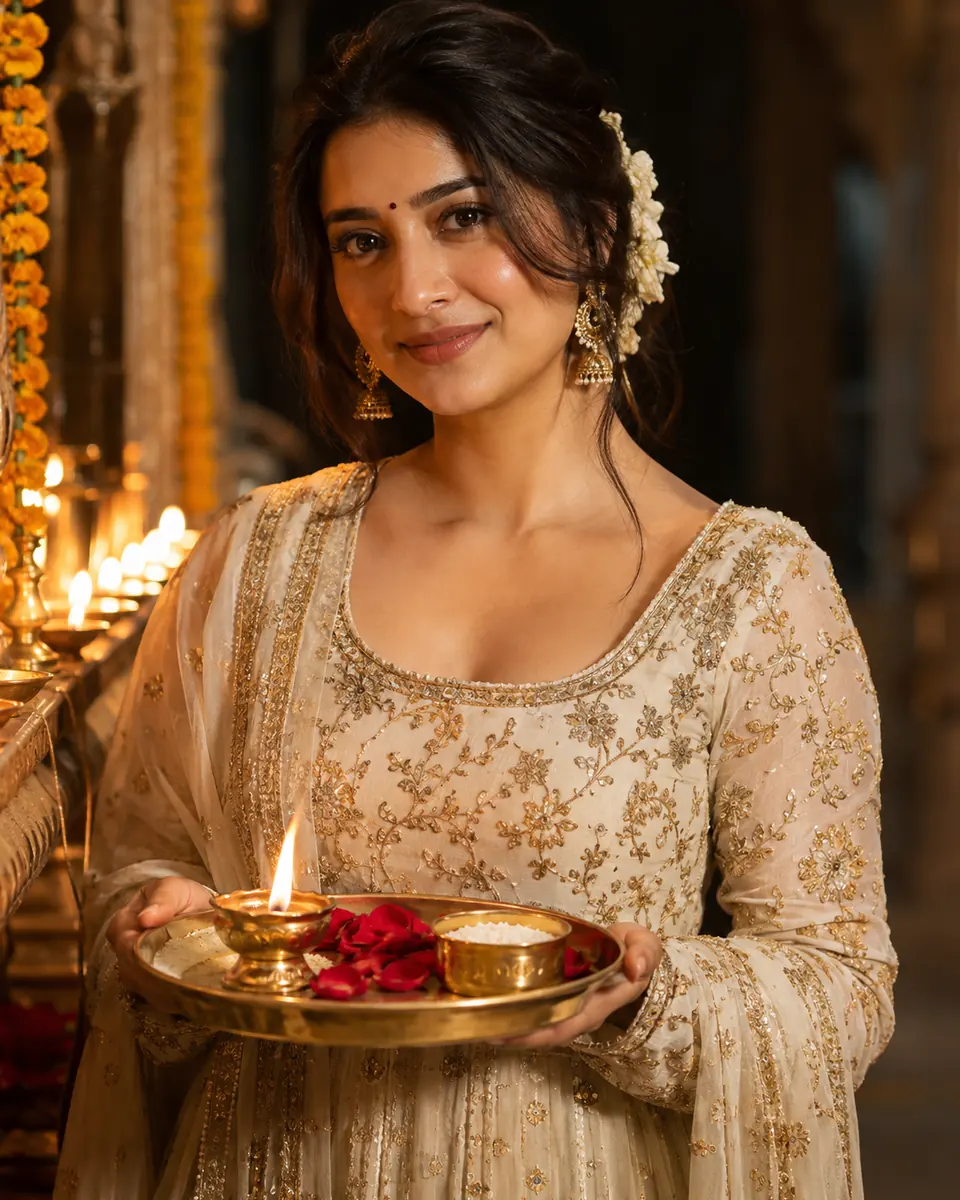
Start in: Gemini or ChatGPT, on a well-lit photo.
Swap: ivory for maroon.
4. Teen half-saree with a sparkler
Keep this person's face, skin tone and hair unchanged. Dress them in a mustard half-saree with a green border, on a rooftop at night, holding a lit sparkler at arm's length and smiling. City lights blurred behind. Candid photorealistic shot, 35mm lens, 4:5 aspect ratio.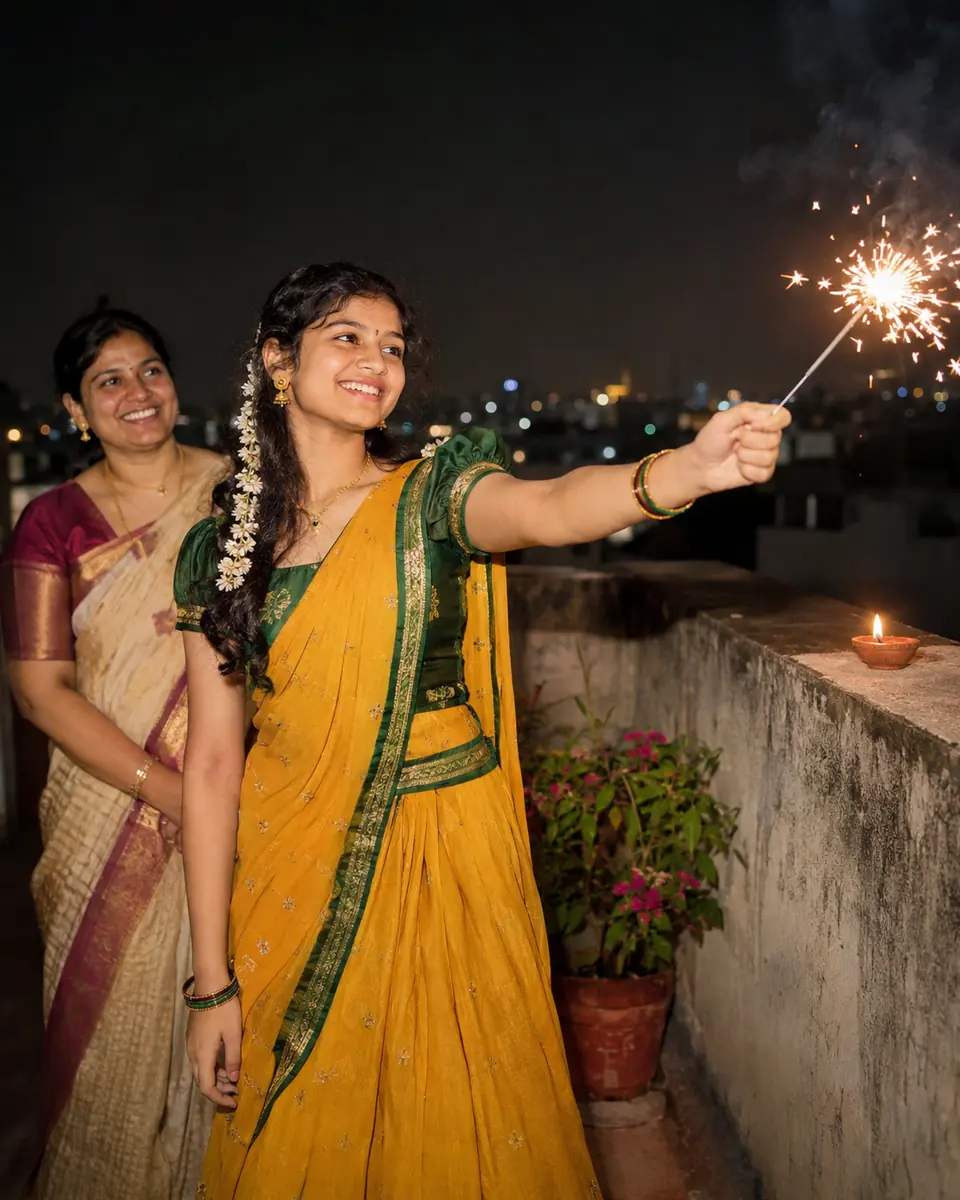
Start in: OpenAI’s ChatGPT, or Google’s Gemini run by an adult.
Swap: the half-saree for a sharara set.
5. Seated beside a marigold rangoli
Keep this person's face, skin tone and hair unchanged. Dress them in a teal silk saree, sitting cross-legged beside a round marigold rangoli with five lit diyas, one hand finishing the pattern. Overhead shot, warm evening light. Photorealistic, 1:1 aspect ratio.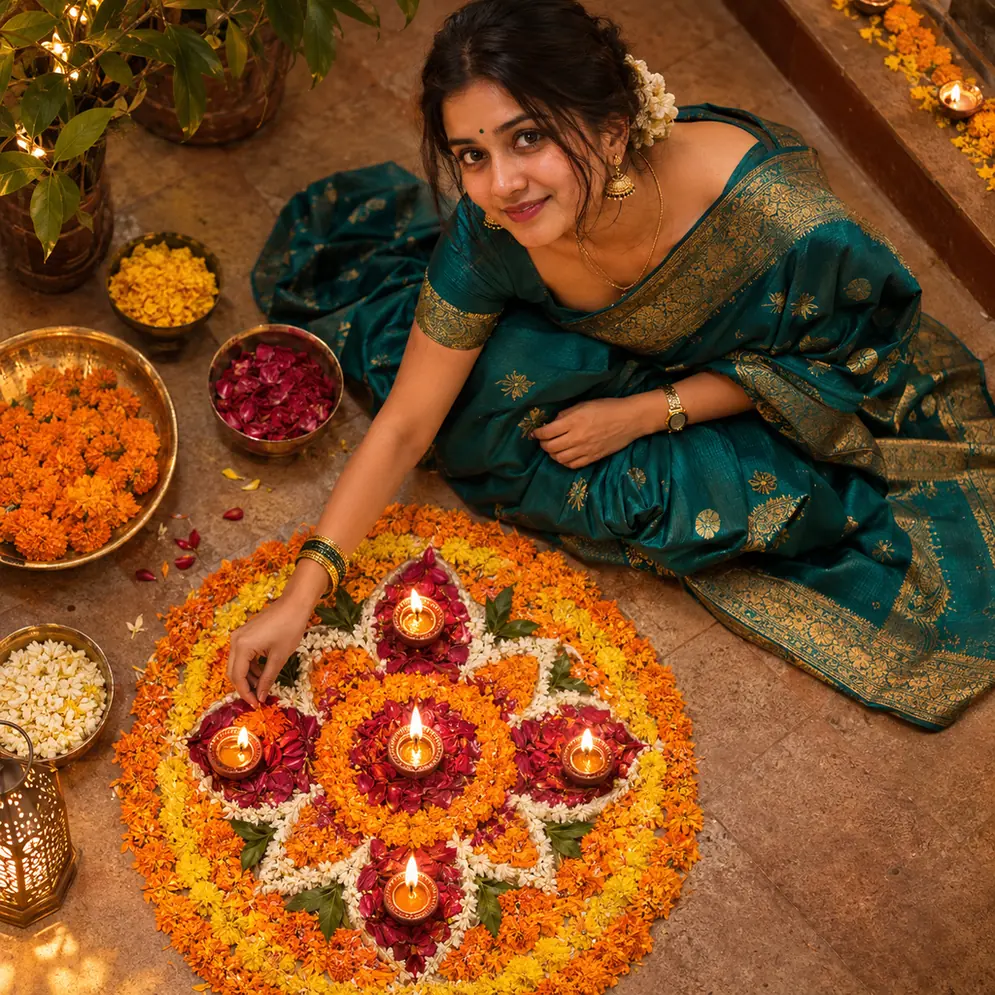
Start in: either tool, photo uploaded first.
Swap: marigolds for rose petals in the rangoli.
Saree looks for other occasions are in my Gemini portrait prompts for sarees and more. The same slots dress a kurta or sherwani next.
Diwali Portrait Prompts for Men and Boys (6-10)
From a casual kurta to a formal bandhgala or sherwani, these five prompts paste into Gemini or ChatGPT after you upload your photo.
6. Kurta-pajama lighting a diya at the front door
Keep this person's face, skin tone and hair unchanged. Dress them in a white kurta-pajama with a maroon Nehru jacket, crouching at the front door to light a clay diya beside a small rangoli. Flame light on the face, dusk behind. Photorealistic, 4:5 aspect ratio.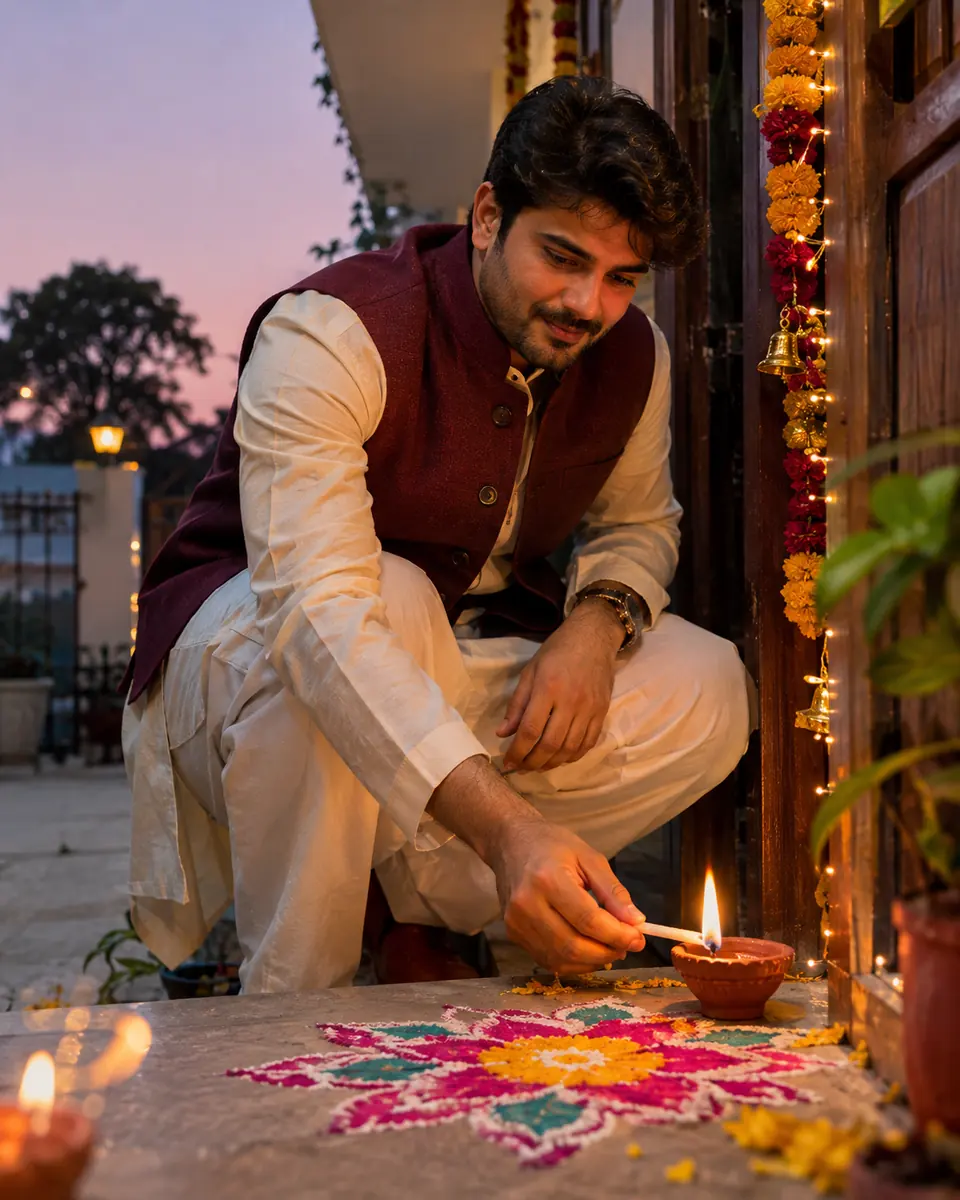
Start in: Gemini or ChatGPT.
Swap: the jacket for a printed stole.
7. Bandhgala portrait for a work profile
Keep this person's face, skin tone and hair unchanged. Dress them in a navy bandhgala with brass buttons. Head-and-shoulders portrait against plain, warm bokeh from string lights. Soft front light, calm smile. Photorealistic corporate portrait, 85mm lens, 1:1 aspect ratio.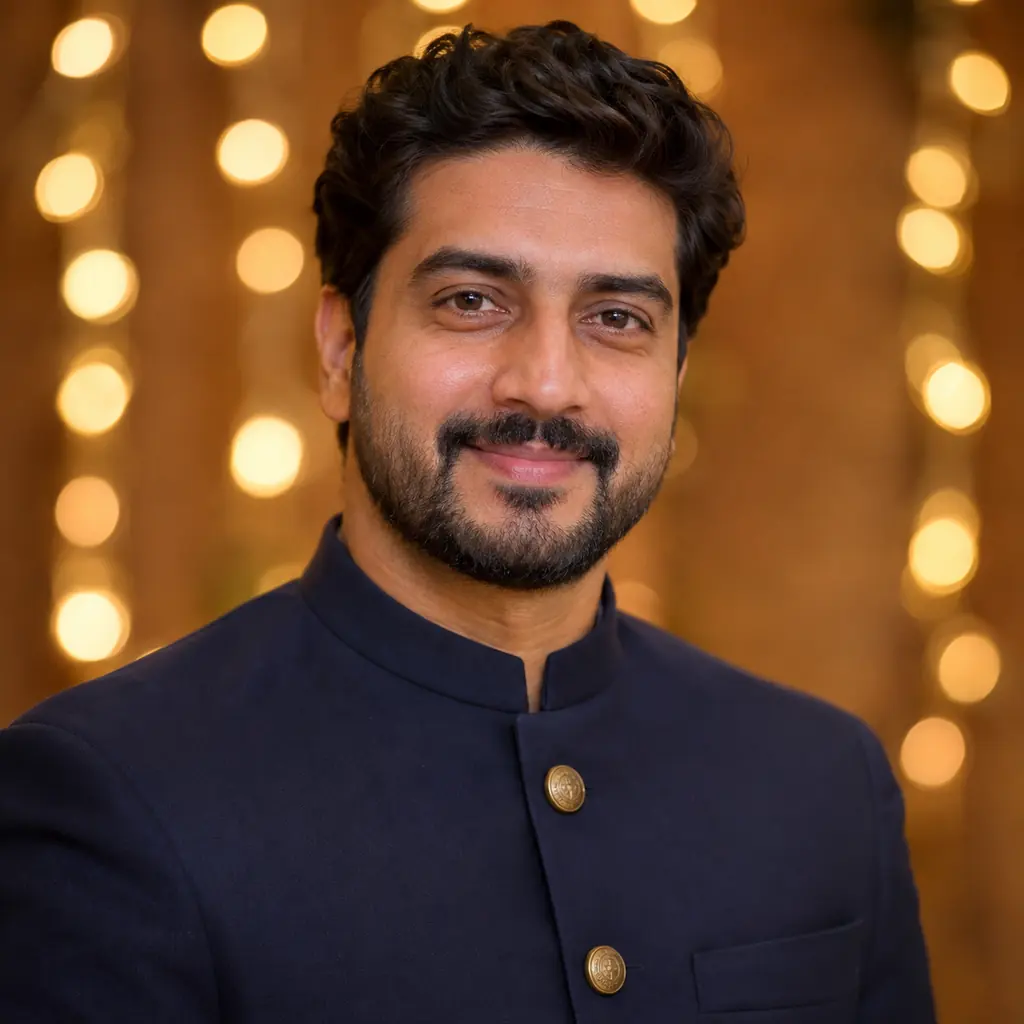
Start in: ChatGPT, or Gemini set to Flash or Pro.
Swap: navy for black; keep the bokeh plain.
8. Silk kurta with fireworks on a rooftop
Keep this person's face, skin tone and hair unchanged. Dress them in a deep green silk kurta on a rooftop at night as fireworks burst behind them, face lit by a small lantern. Photorealistic night shot, 35mm lens, low-angle perspective, 4:5 aspect ratio.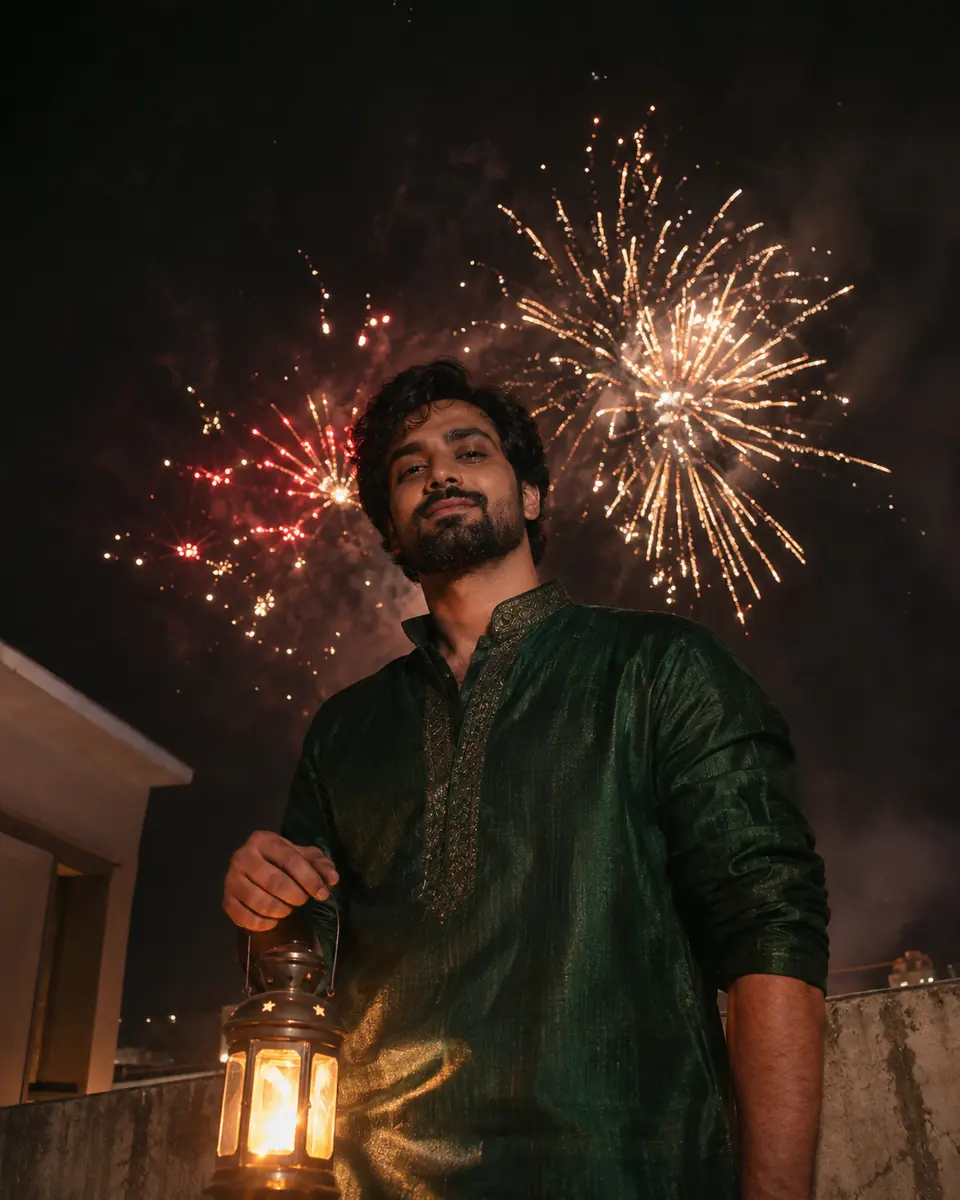
Start in: Gemini, or ChatGPT.
Swap: fireworks for sky lanterns.
9. Teen laughing with a sparkler
Keep this person's face, skin tone and hair unchanged. Dress them in a yellow kurta, laughing while waving a lit sparkler, string lights along a terrace wall behind. Sparkler trails visible, motion blur on the hand only. Candid photorealistic shot, 35mm lens, 4:5 aspect ratio.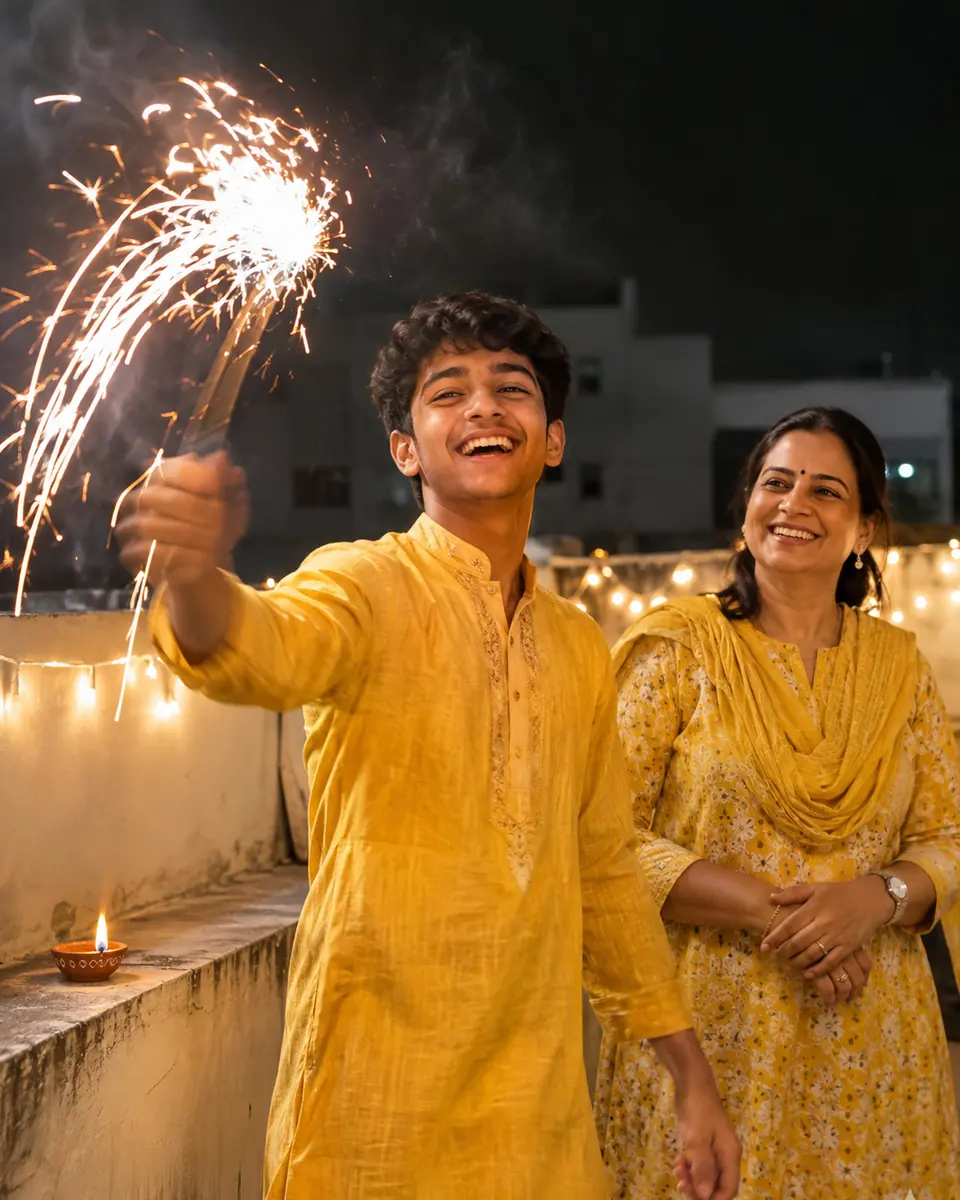
Start in: ChatGPT; Gemini only from an adult’s account.
Swap: the sparkler for an LED diya.
10. Sherwani in a diya-lined courtyard
Keep this person's face, skin tone and hair unchanged. Dress them in an ivory sherwani with a maroon stole, walking through a courtyard lined with lit diyas and marigold garlands. Golden evening light. Photorealistic full-length shot, 50mm lens, 2:3 aspect ratio.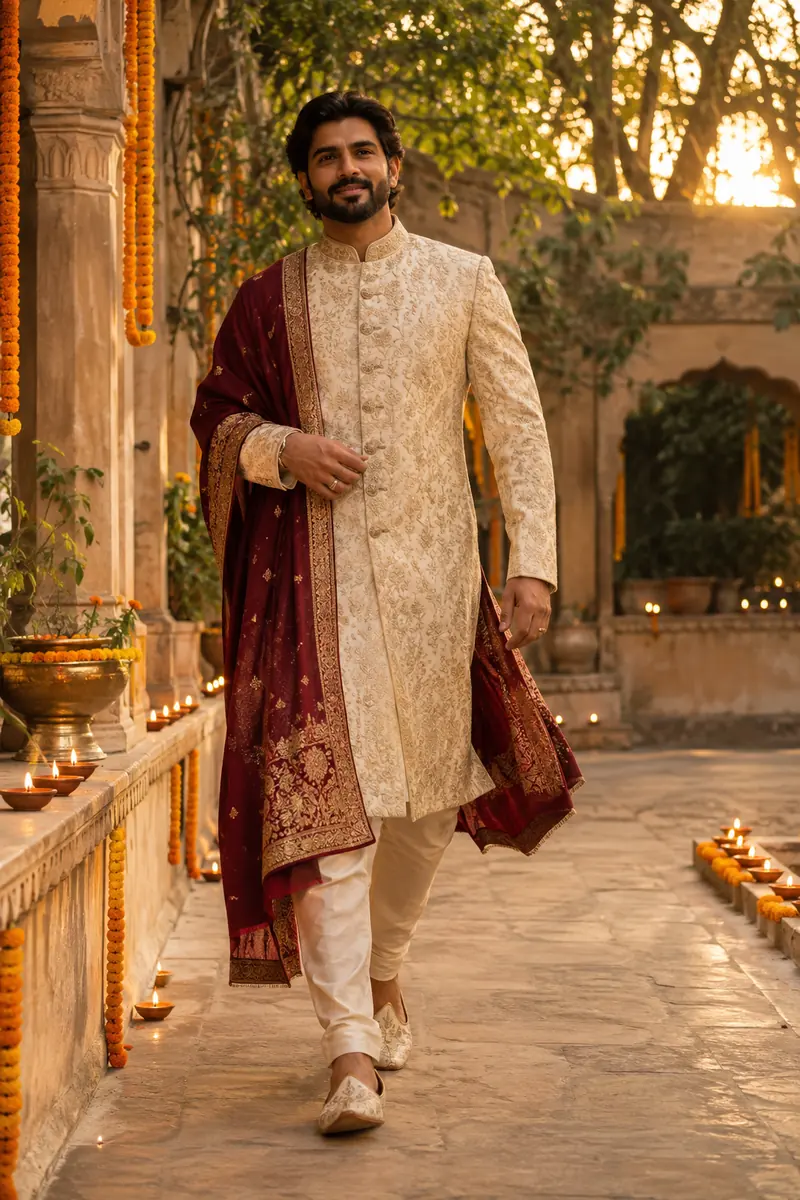
Start in: Gemini or ChatGPT, with a full-length photo.
Swap: add a safa turban.
A second person doubles the faces to keep, so the couple prompts name both people in the Keep line.
Diwali Couple Photo Prompts (11-15)
These five couple prompts name both people in the Keep line and fix where each stands. Upload one photo of you both, or two photos to Gemini, which can create a new image from multiple uploads.
11. Lighting one diya together
Keep both faces, skin tones, hair and positions unchanged. One wears a maroon silk saree, the other a cream kurta. Both hold one brass diya between them, the flame lighting their faces, string lights behind. Photorealistic close-up, 50mm lens, 4:5 aspect ratio.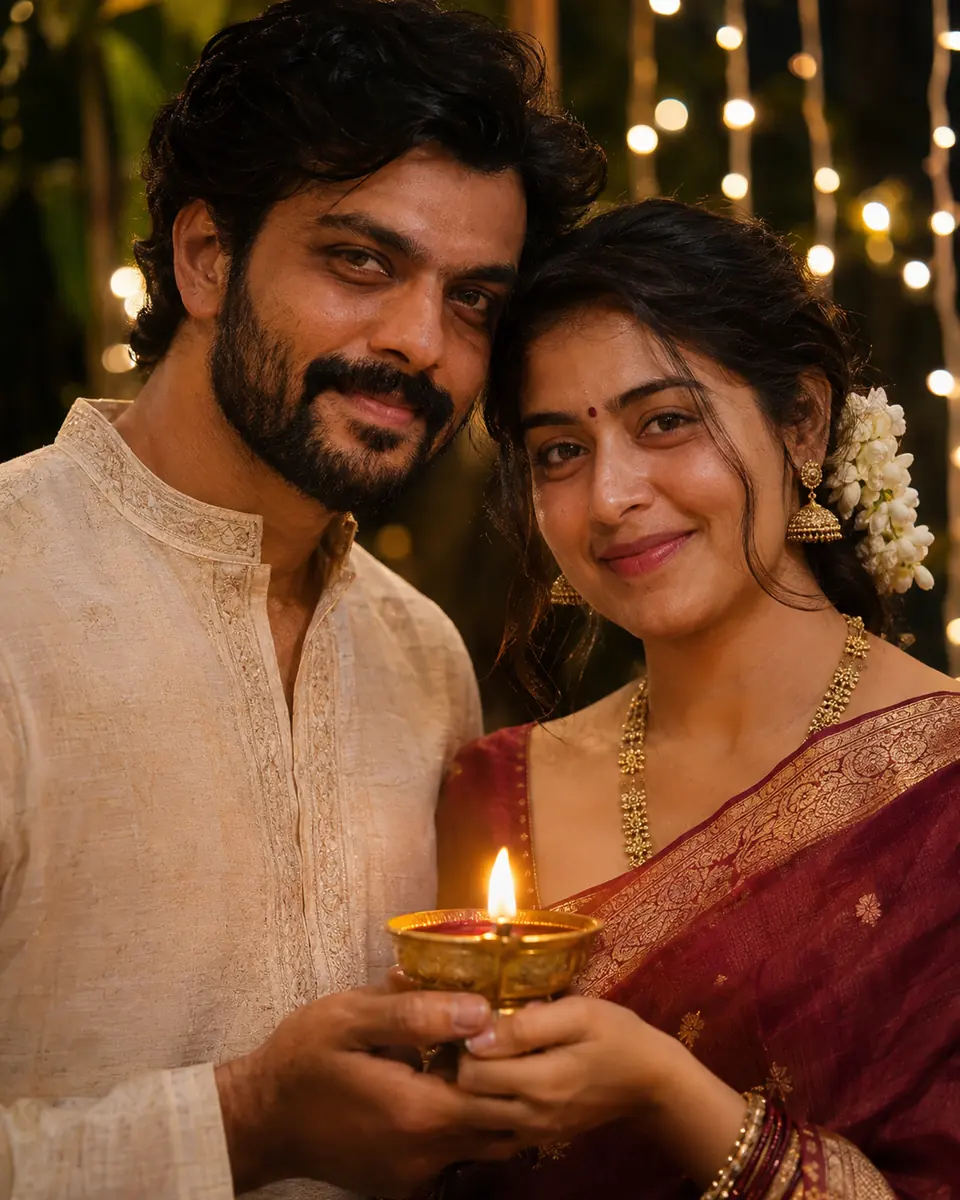
Start in: Gemini, or ChatGPT.
Swap: the outfits; “one” and “the other” fit any couple.
12. Making a rangoli side by side
Keep both faces, skin tones, hair and positions unchanged. They kneel side by side, filling a round rangoli with orange and pink powder, diyas at its edge. Overhead shot, both faces turned up, smiling. Warm evening light. Photorealistic, 1:1 aspect ratio.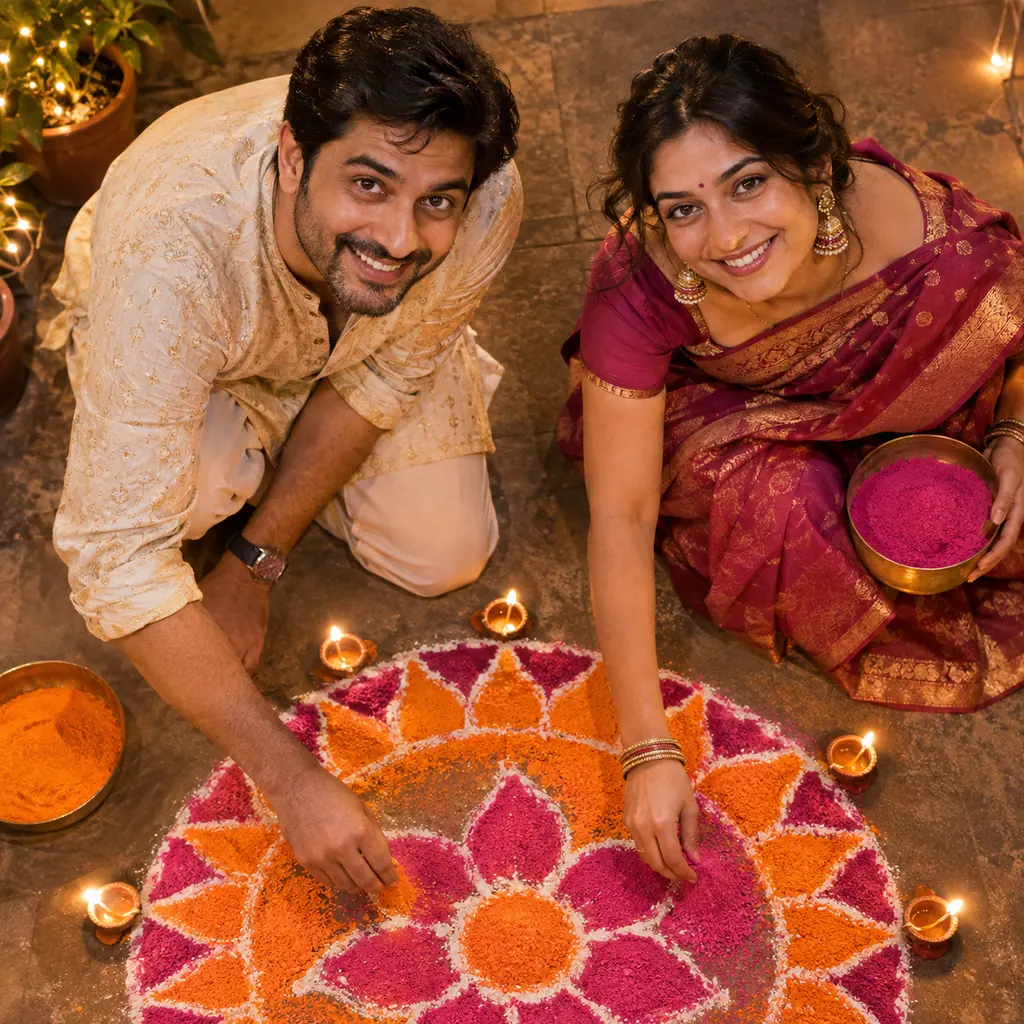
Start in: ChatGPT or Gemini.
Swap: powder for flower petals.
13. Balcony under lanterns in coordinated colors
Keep both faces, skin tones, hair and positions unchanged. Both wear royal blue and gold, a lehenga and a bandhgala, standing close at a balcony rail under akash kandil lanterns, city lights blurred below. Photorealistic, 85mm lens, 4:5 aspect ratio.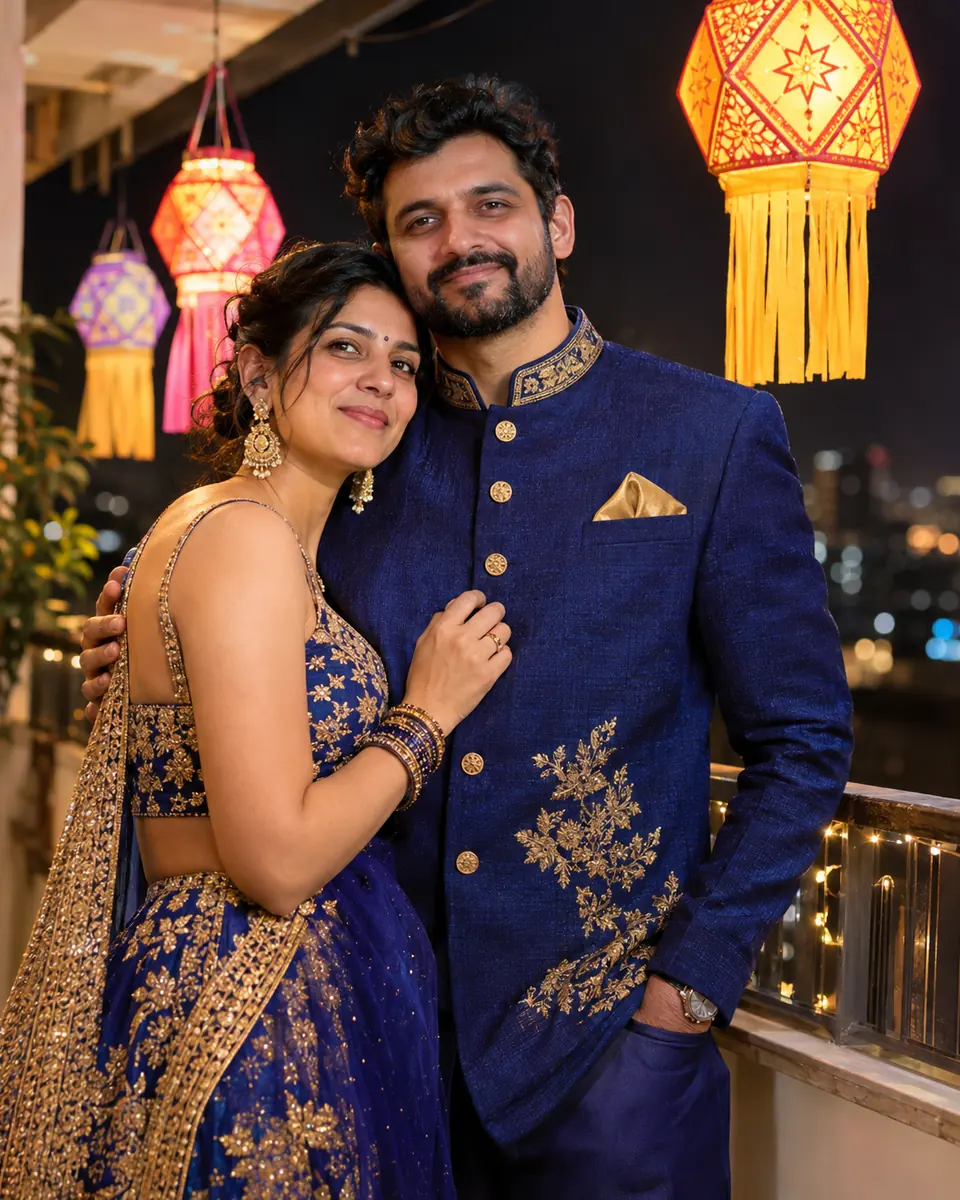
Start in: Gemini or ChatGPT, both faces visible.
Swap: royal blue for emerald.
14. Rooftop sparklers, faces lit from below
Keep both faces, skin tones, hair and positions unchanged. On a rooftop at night, each holds a lit sparkler low between them, the sparks lighting both faces from below, fireworks soft behind. Red and gold silk outfits. Photorealistic, 35mm lens, 9:16 aspect ratio.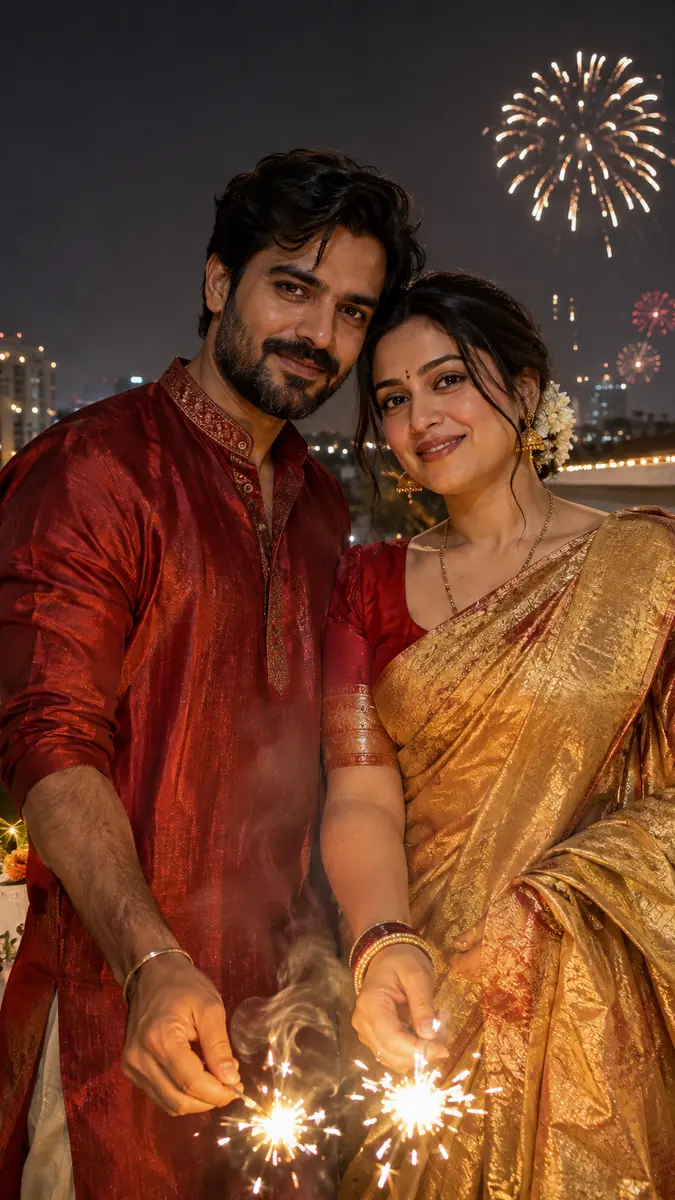
Start in: OpenAI’s ChatGPT, whose aspect ratio picker sets any aspect ratio, or Gemini.
Swap: red and gold silk for purple and silver.
15. At a home puja corner with a thali
Keep both faces, skin tones, hair and positions unchanged. They sit together at a home puja corner, marigolds and small diyas on the shelf behind, a brass thali with a lit diya in front. Hands folded, calm smiles, warm low light. Photorealistic, 4:5 aspect ratio.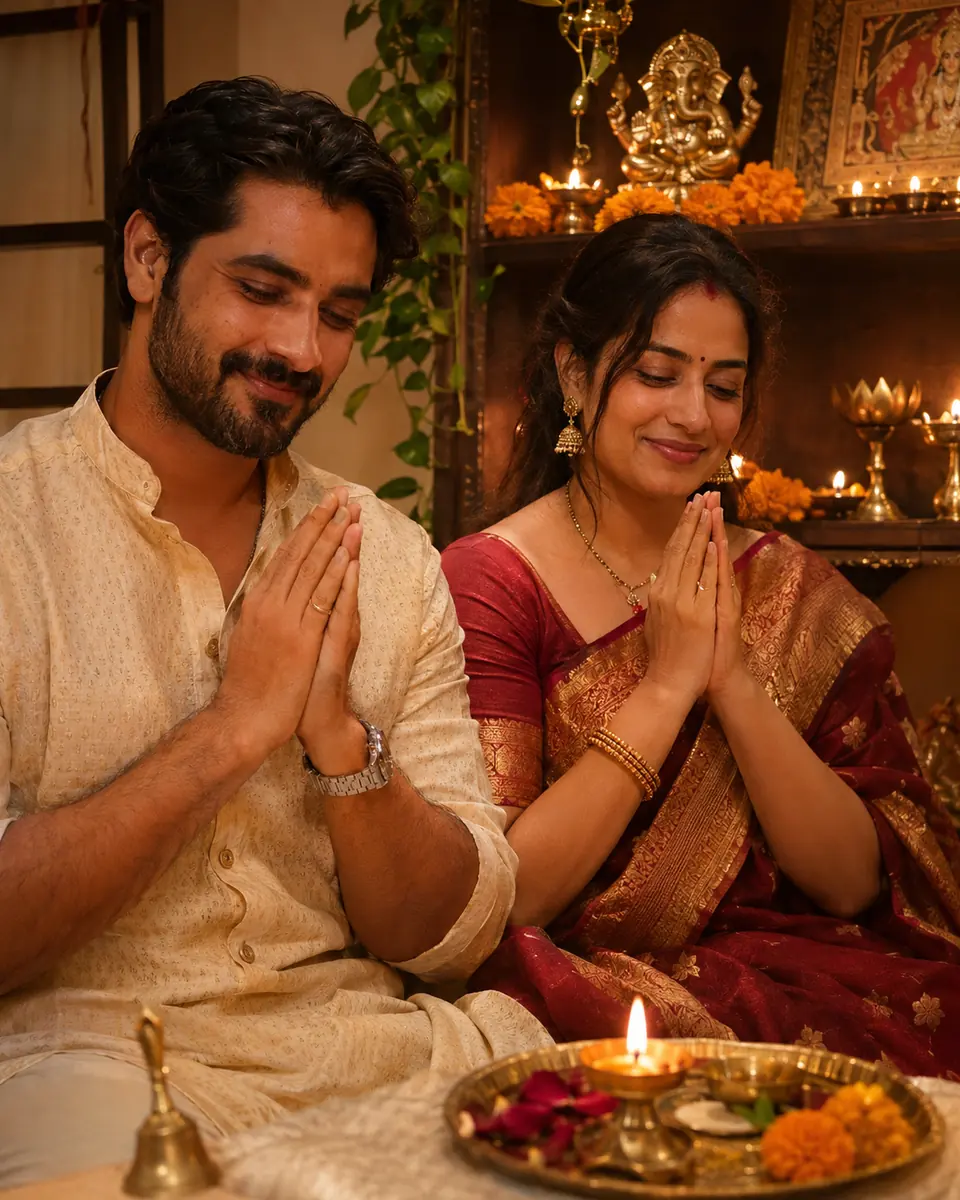
Start in: either tool.
Swap: add “in matching red and gold outfits”.
More couple scenes for other occasions sit in my Gemini couple photo prompts. Each added person is one more face to hold, so the family prompts count and place everyone.
Family and Group Portrait Prompts (16-19)
These four family prompts number the people and place each one; upload one group photo, or one per person to Gemini. An adult runs every prompt that uploads a child’s photo.
OpenAI’s image generation guide says its model may occasionally struggle to keep recurring characters consistent across generations, so these prompts state the head count and each person’s place.
16. Three generations around one diya tray
Keep every face, skin tone and hairstyle unchanged. Show exactly five people: the grandmother seated in the center holding a brass tray of lit diyas, the parents behind her, two children kneeling in front. Festive silk clothes, warm diya light. Photorealistic, 4:5 aspect ratio.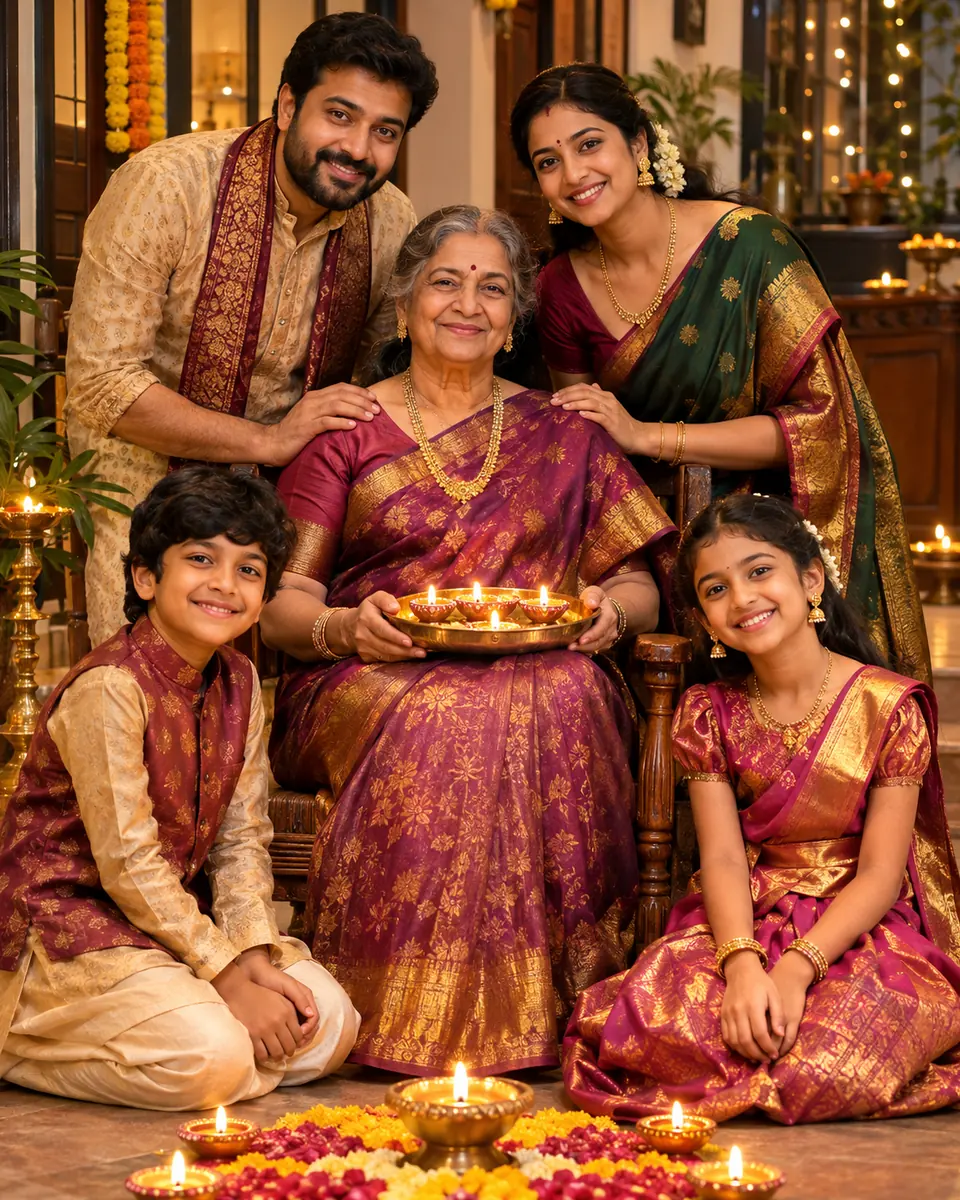
Start in: Gemini, with one group photo or one per person.
Swap: “five” and the placement to match your family.
17. Courtyard behind a flower rangoli, for print
Keep every face, skin tone and hairstyle unchanged. Show exactly four people standing in a row in a courtyard behind a large rangoli of marigolds and roses, diyas along its edge. Golden dusk light. Photorealistic full-length group shot, 3:2 aspect ratio.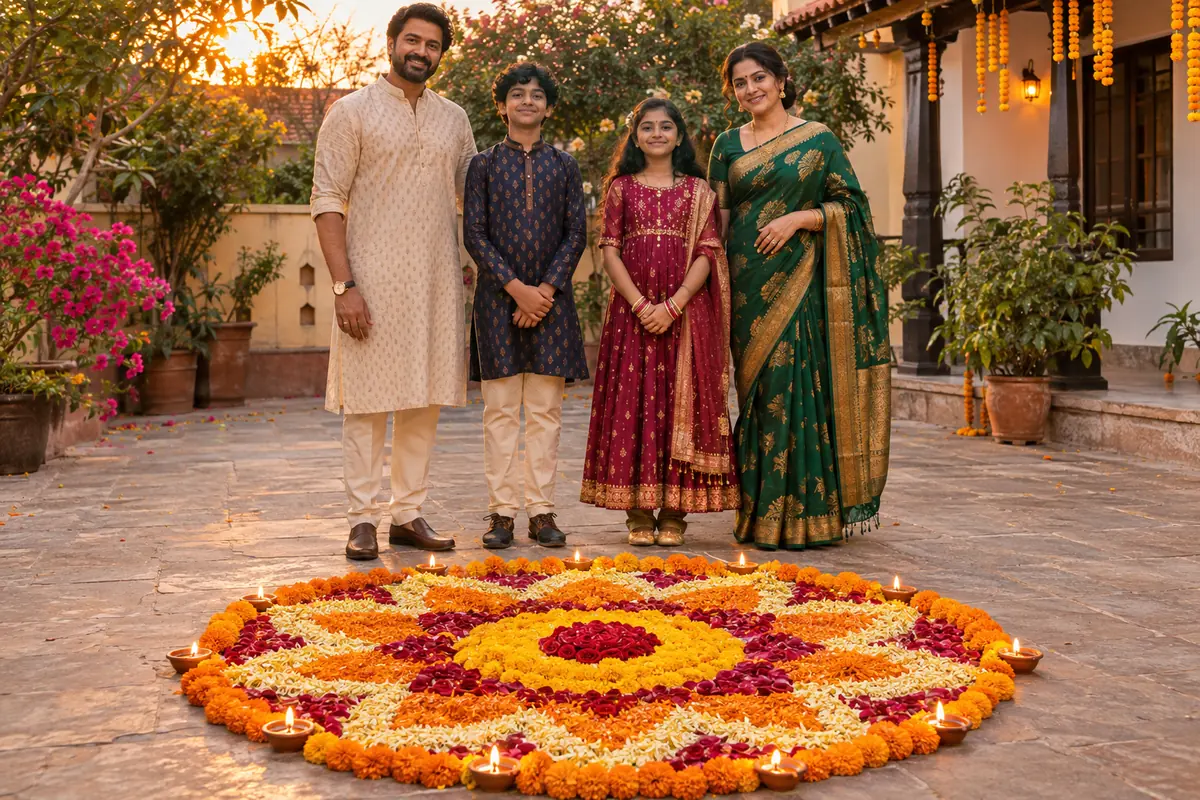
Start in: Gemini; a Google AI plan downloads at 2K, not 1K.
Swap: golden dusk light for diya light after dark.
18. Sharing a box of sweets under string lights
Keep every face, skin tone and hairstyle unchanged. The family sits close on a sofa, passing around a box of kaju katli and ladoos, string lights on the wall, diyas on the coffee table. Laughing, candid moment. Photorealistic, 4:5 aspect ratio.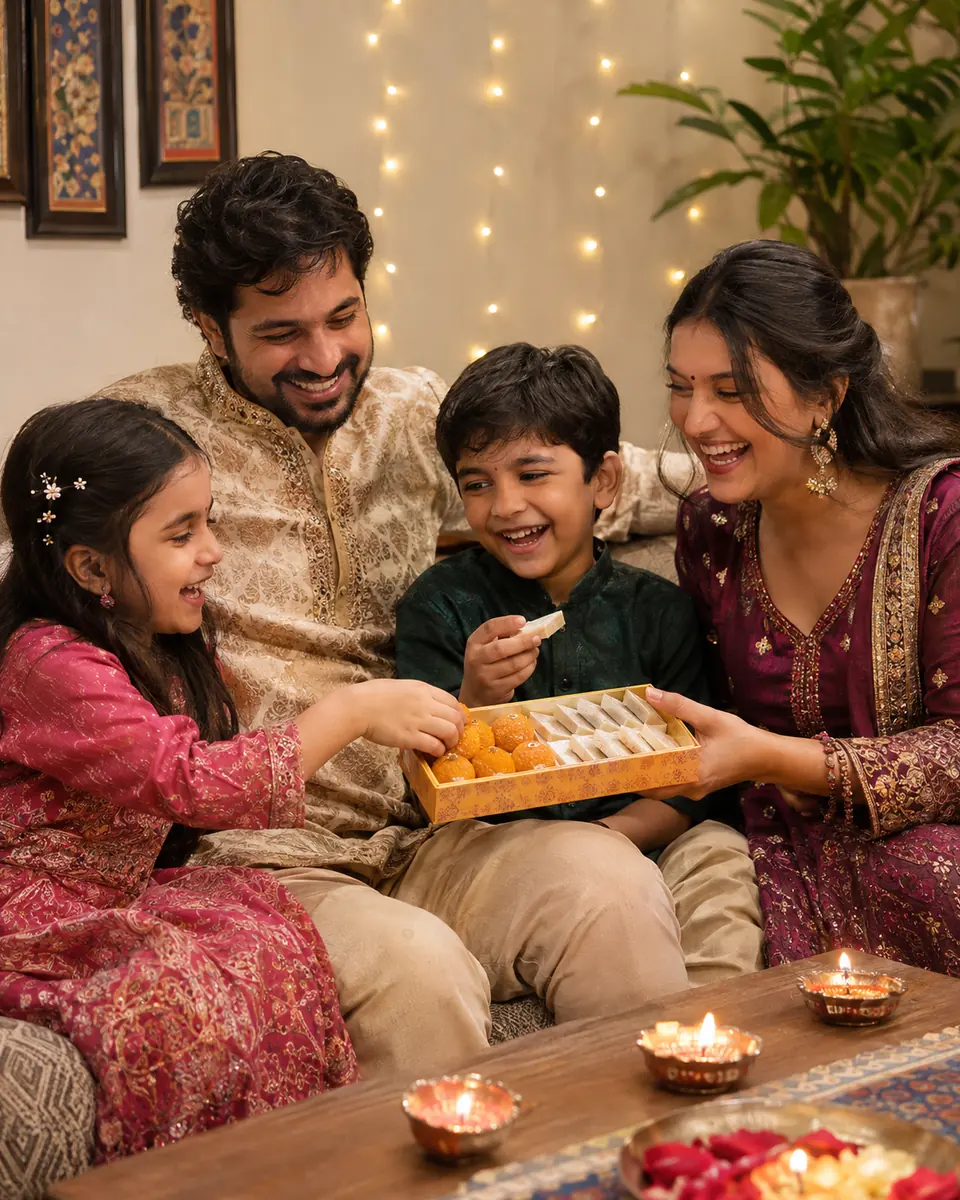
Start in: ChatGPT, or Gemini with the group photo.
Swap: the sweets your family makes.
19. Friends at an indo-western Diwali party
Keep each face, skin tone and hairstyle from my four selfies unchanged, one person per photo. Place them together at an indoor Diwali party in indo-western outfits: a cape saree, a kurta with a blazer, a sequin lehenga skirt, a bandhgala. Fairy lights above. Photorealistic, 4:5 aspect ratio.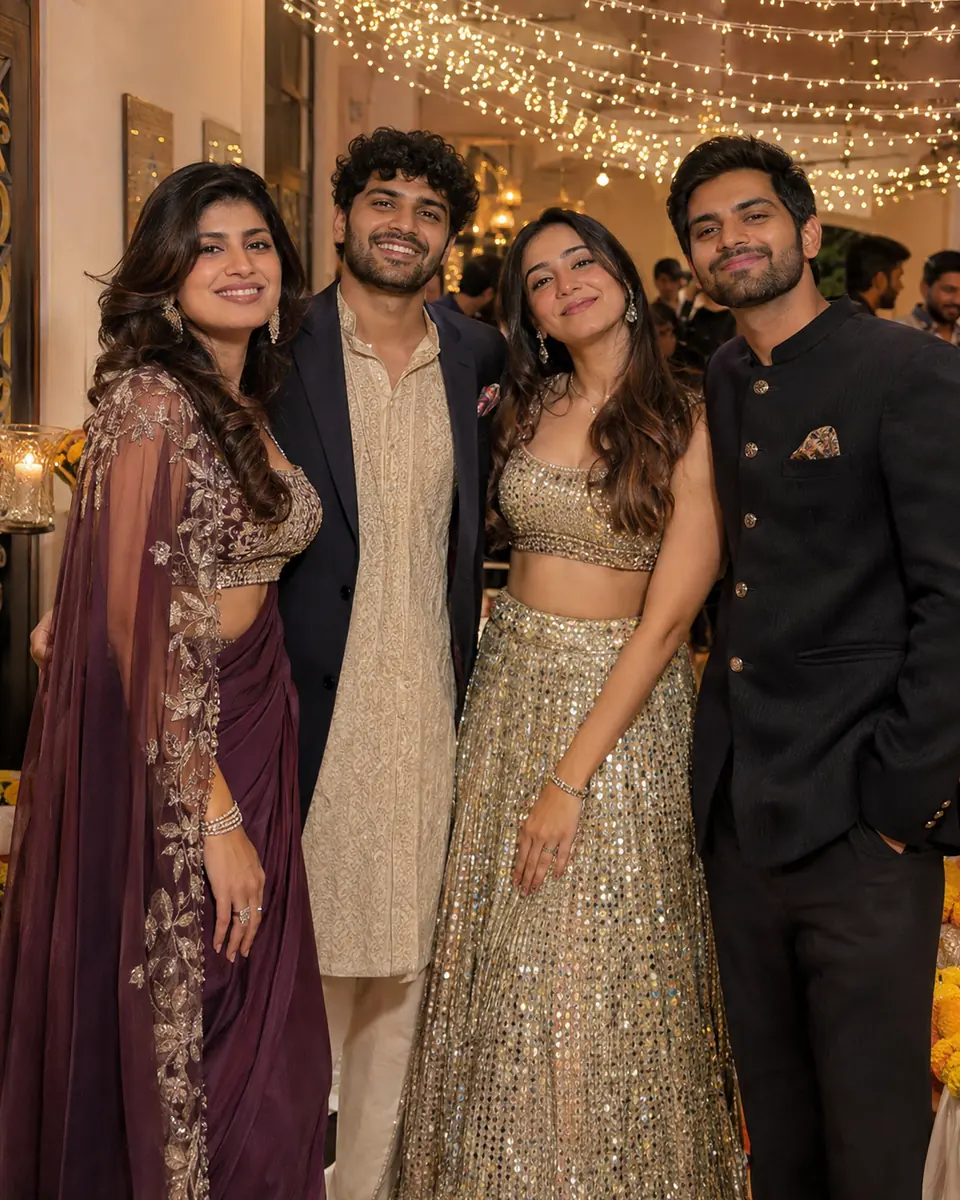
Start in: Google’s Gemini on Flash or Pro, which accepts multiple reference images.
Swap: list outfits in upload order.
Kids’ Diwali Photo Prompts (20-22)
A parent runs these three kids’ prompts from their own account: Gemini editing needs a user 18 or over. Each uses LED diyas, not flames.
20. Child holding an LED diya
Keep the child's face, skin tone and hair unchanged. Dress them in a small yellow silk kurta, holding a glowing LED diya in both hands, its warm light on their face. String-light bokeh behind. Photorealistic, 4:5 aspect ratio.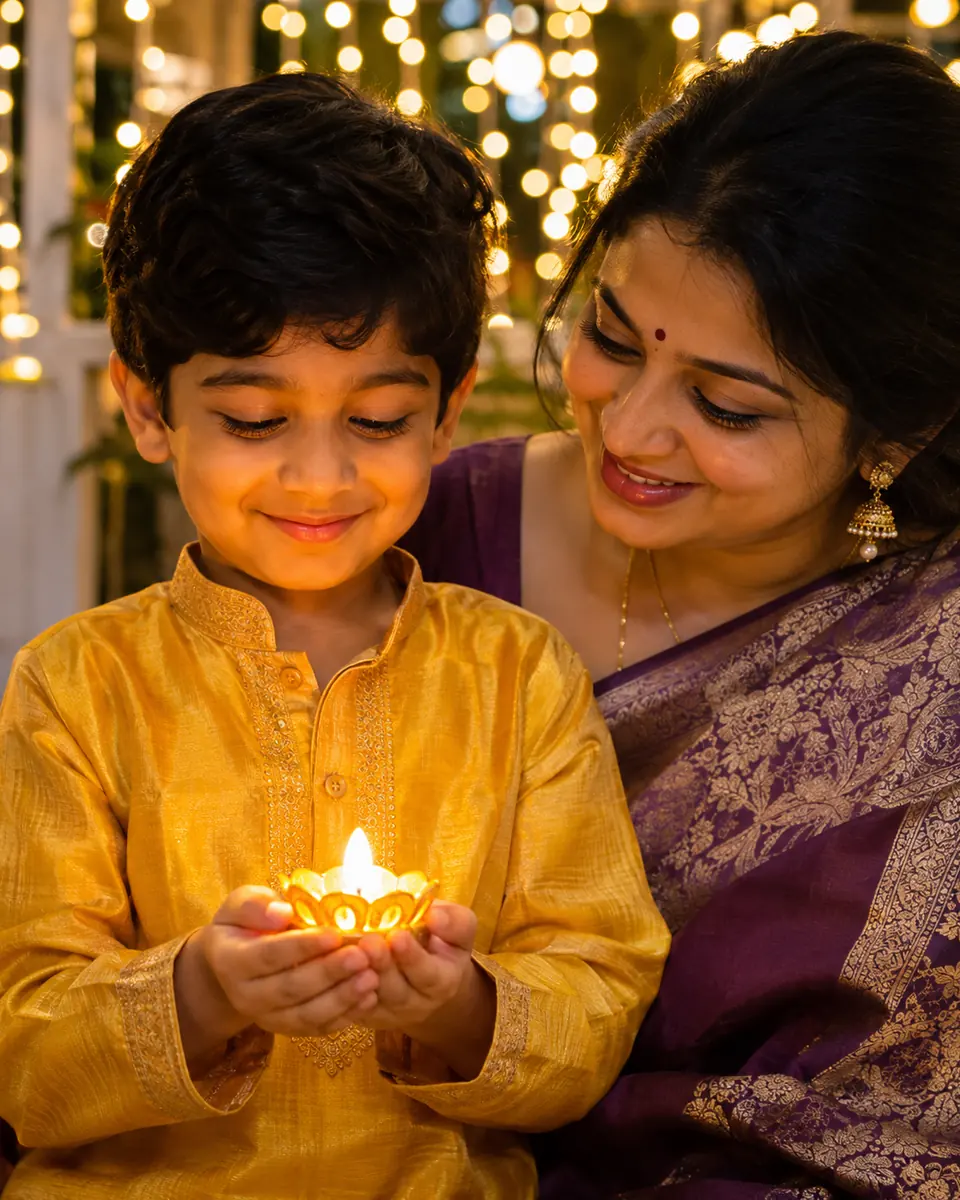
Start in: a parent’s Gemini or ChatGPT account.
Swap: the kurta for a pink frock.
21. Kids coloring a rangoli
Keep both children's faces, skin tones and hair unchanged. They sit on the floor filling a rangoli outline with bright powder colors, hands dusted with color, LED diyas around the edge. Overhead shot, warm afternoon light. Photorealistic, 1:1 aspect ratio.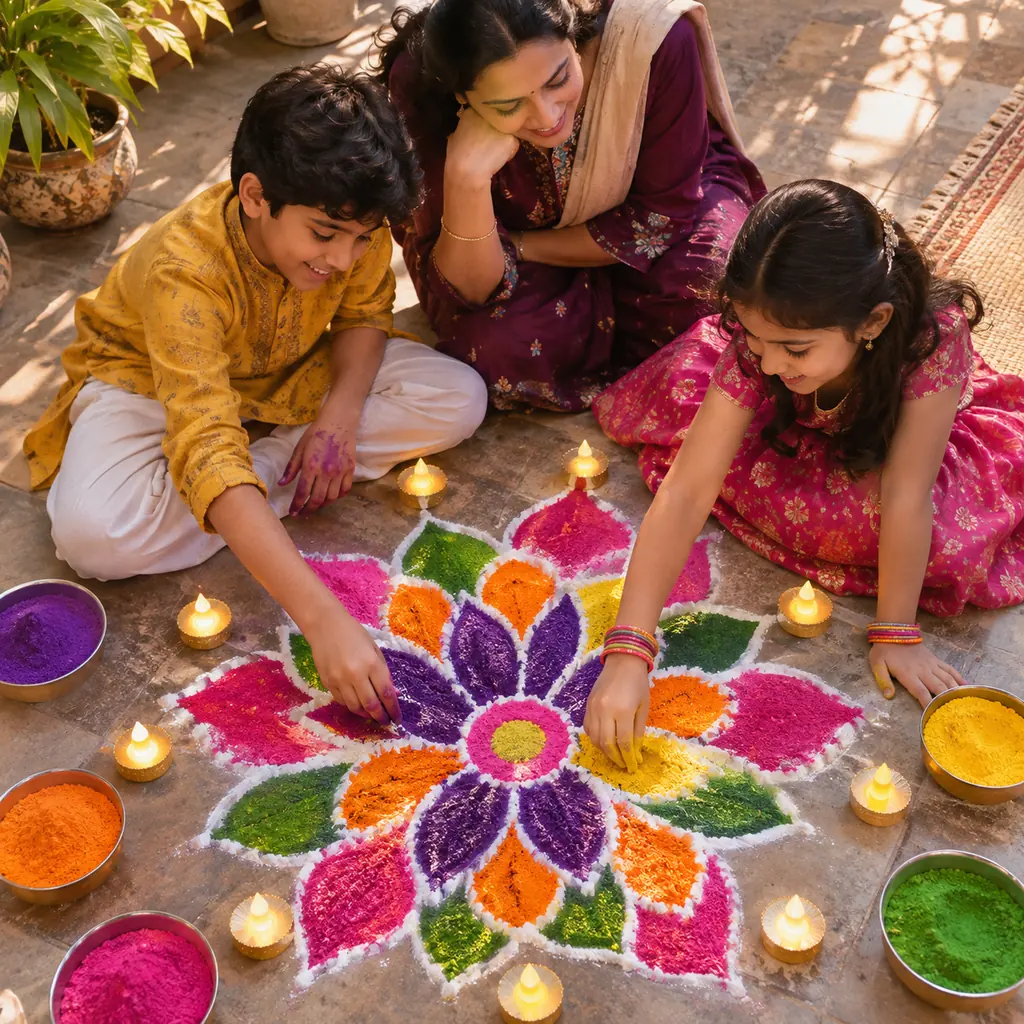
Start in: a parent’s ChatGPT or Gemini account.
Swap: powder for sidewalk chalk.
22. Toddler among marigolds and fairy lights
Keep the child's face, skin tone and hair unchanged. They sit on a cream blanket among loose marigolds and warm fairy lights, a small LED diya beside them. Soft window light, gentle and playful mood. Photorealistic, 85mm lens, at the child's eye level, 4:5 aspect ratio.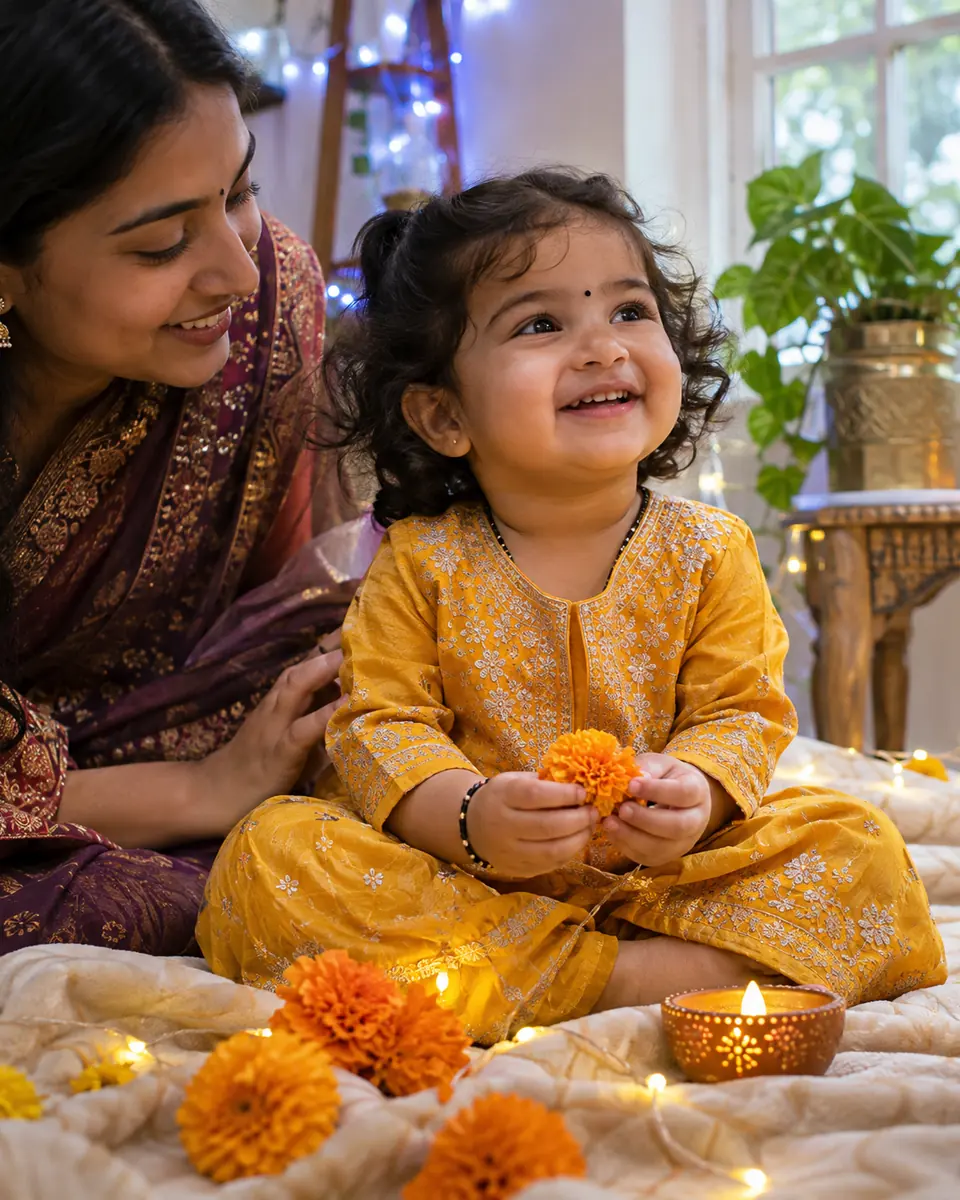
Start in: a parent’s account in either tool.
Swap: cream blanket for red.
Bhai Dooj Sibling Portrait Prompt (23)
Prompt 23 is a sister-and-brother portrait for Bhai Dooj, which timeanddate.com spells Bhai Duj and lists on November 11, 2026, three days after Diwali.
23. Tilak on Bhai Dooj
Keep both faces, skin tones, hair and positions unchanged. The sister, in a green silk saree, applies a red tilak to her brother's forehead; he wears a cream kurta. Between them, a brass thali with a lit diya and sweets. Warm diya light. Photorealistic, 4:5 aspect ratio.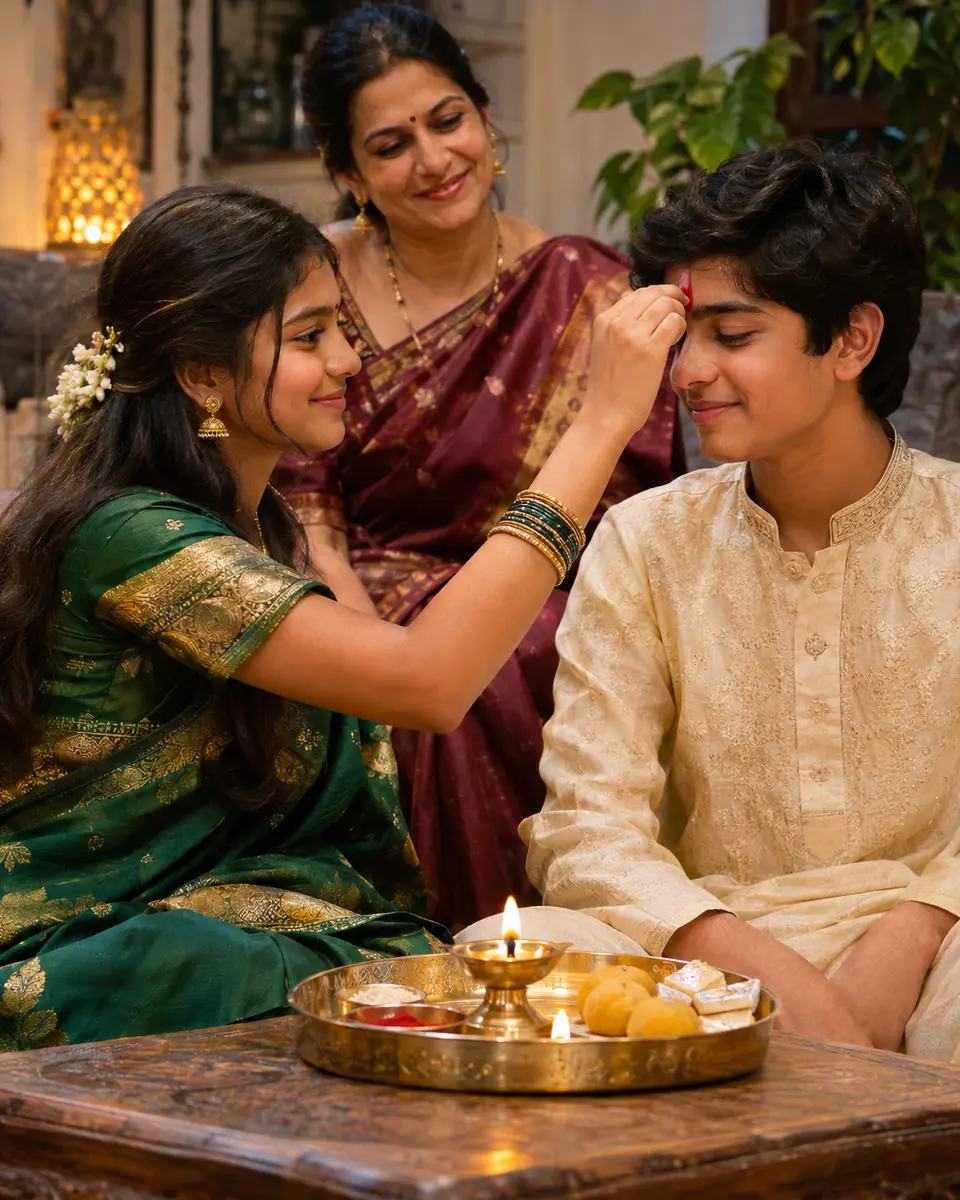
Start in: Gemini or ChatGPT, run by an adult.
Swap: two sisters or two brothers.
The scene prompts need no person at all.
Diya, Rangoli and Lantern Scene Prompts (24-29)
These six text-only prompts make a Diwali scene with nobody in it, for a wallpaper or a card base. Each opens “A photorealistic…” and skips “generate” and “create”, so it pastes into Firefly, Gemini or ChatGPT unchanged.
The objects follow the decorations timeanddate.com lists: small clay oil lamps, tiny electric lights, and bowls of water with candles and flowers floating on the surface.
24. Row of clay diyas on a windowsill
A photorealistic macro shot of eleven small clay diyas in a row on a white windowsill at night, each with a steady orange flame reflected in the glass, city lights beyond. Shallow depth of field, focus on the nearest diya, calm mood, 9:16 aspect ratio.Start in: Firefly, Gemini or ChatGPT.
Swap: the count; an odd number centers one flame.
25. Flower rangoli from above
A photorealistic top-down shot of a round flower rangoli on a stone floor, made of marigold petals, red rose petals and white jasmine in a lotus pattern, seven lit clay diyas around the outer ring. Warm evening light, 1:1 aspect ratio.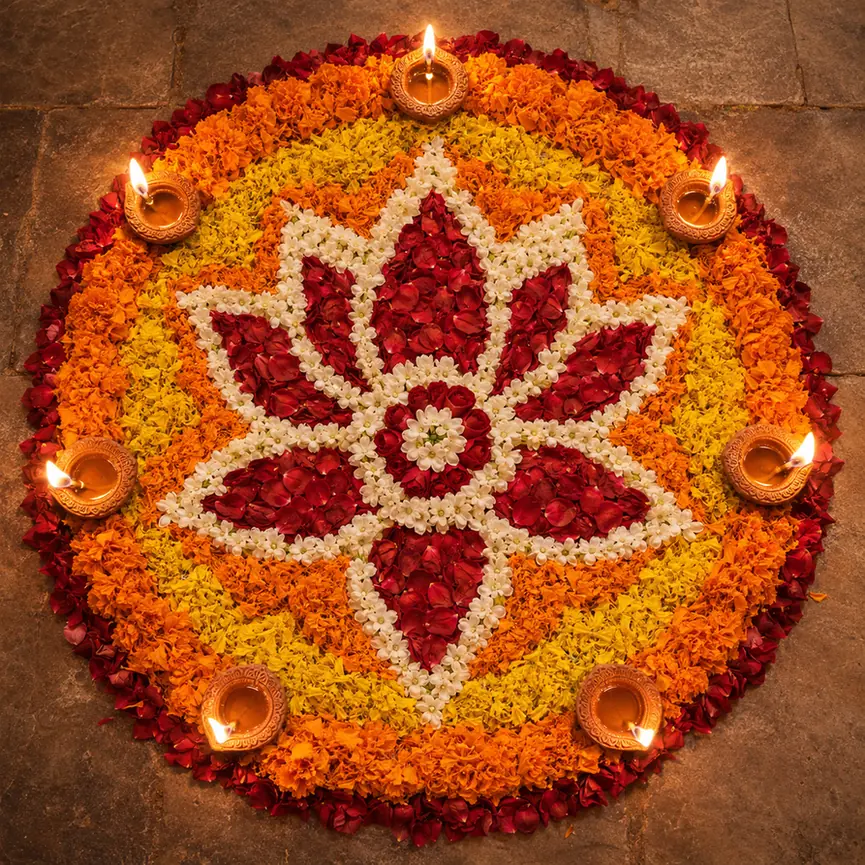
Start in: any of the three.
Swap: lotus for a peacock pattern.
26. Akash kandil lanterns over a street at dusk
A photorealistic wide-angle shot of a narrow residential street at dusk, star-shaped paper akash kandil lanterns in orange, red and yellow hanging from every balcony, tiny electric lights along the railings. Deep blue sky, festive mood, 16:9 aspect ratio.Start in: Firefly, Gemini, or OpenAI’s ChatGPT with its aspect ratio picker.
Swap: orange, red and yellow lanterns for all-white ones.
27. Floating candles and flowers in a brass bowl
A photorealistic close-up of a wide brass bowl of water, floating tea-light candles and marigold heads on the surface, flame reflections rippling, clay diyas blurred behind. Low, warm, gentle light, 4:5 aspect ratio.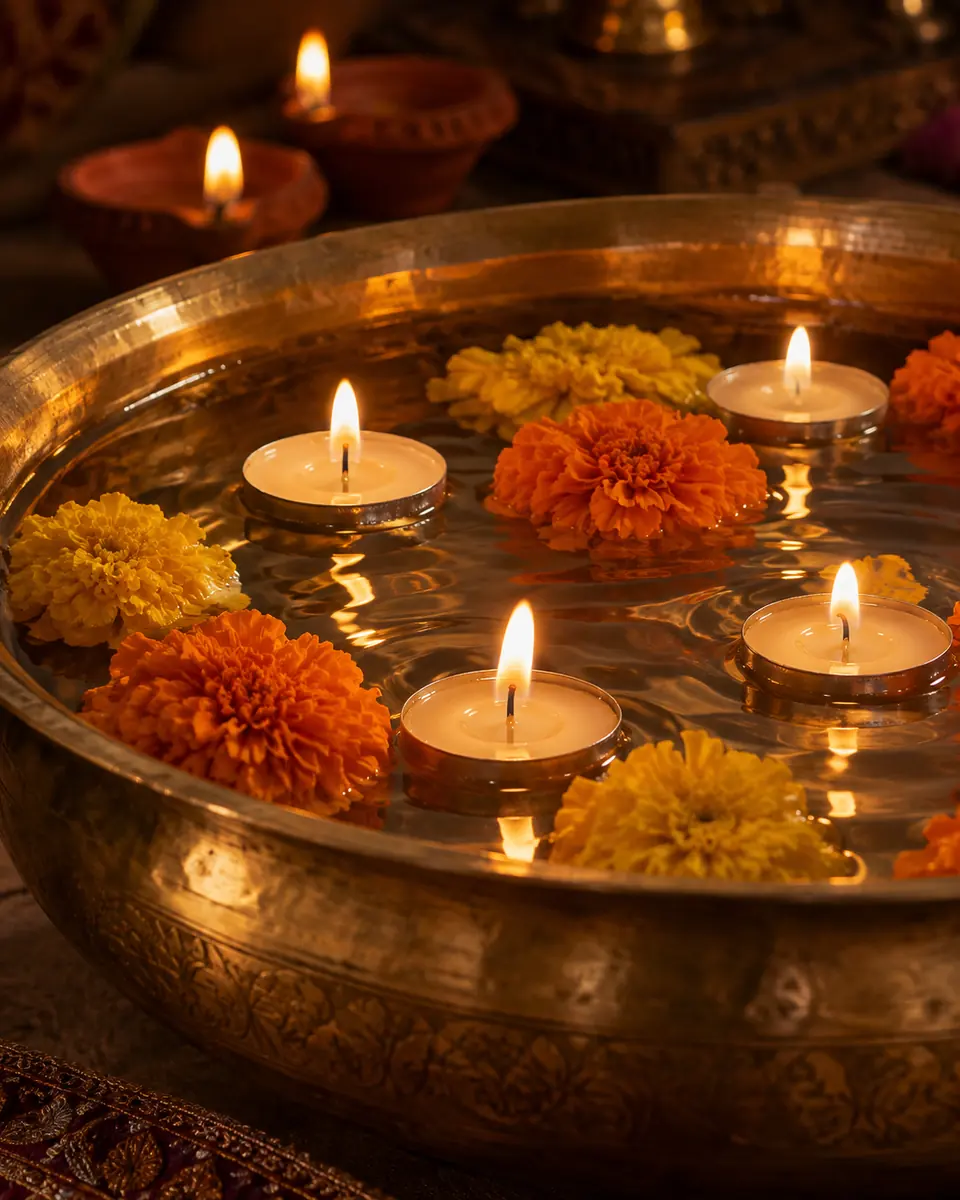
Start in: Firefly, Gemini or ChatGPT.
Swap: brass for clear glass.
28. Sweets thali beside a diya
A photorealistic still life of a silver thali holding kaju katli, motichoor ladoos and gulab jamun, a lit clay diya and marigold petals beside it on dark silk. Side light from the diya, rich shadows, 85mm lens, 4:5 aspect ratio.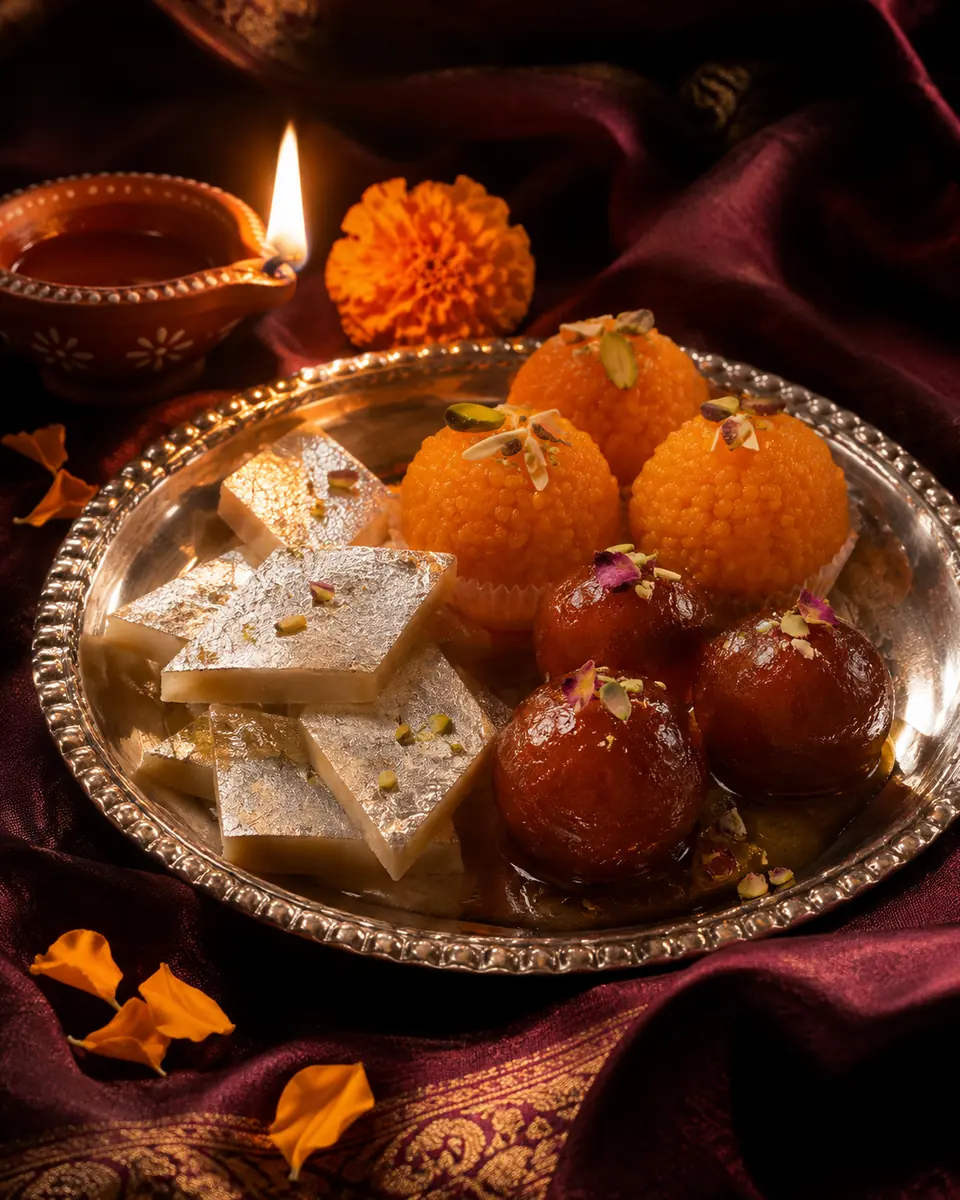
Start in: Firefly, Gemini or ChatGPT.
Swap: your shop’s own sweets.
29. Fireworks over a city skyline
A photorealistic long-exposure shot of gold and red fireworks over a city skyline at night, light trails reflected in a river, rooftops in front lined with tiny electric lights and diyas. Wide-angle lens, uplifting mood, 16:9 aspect ratio.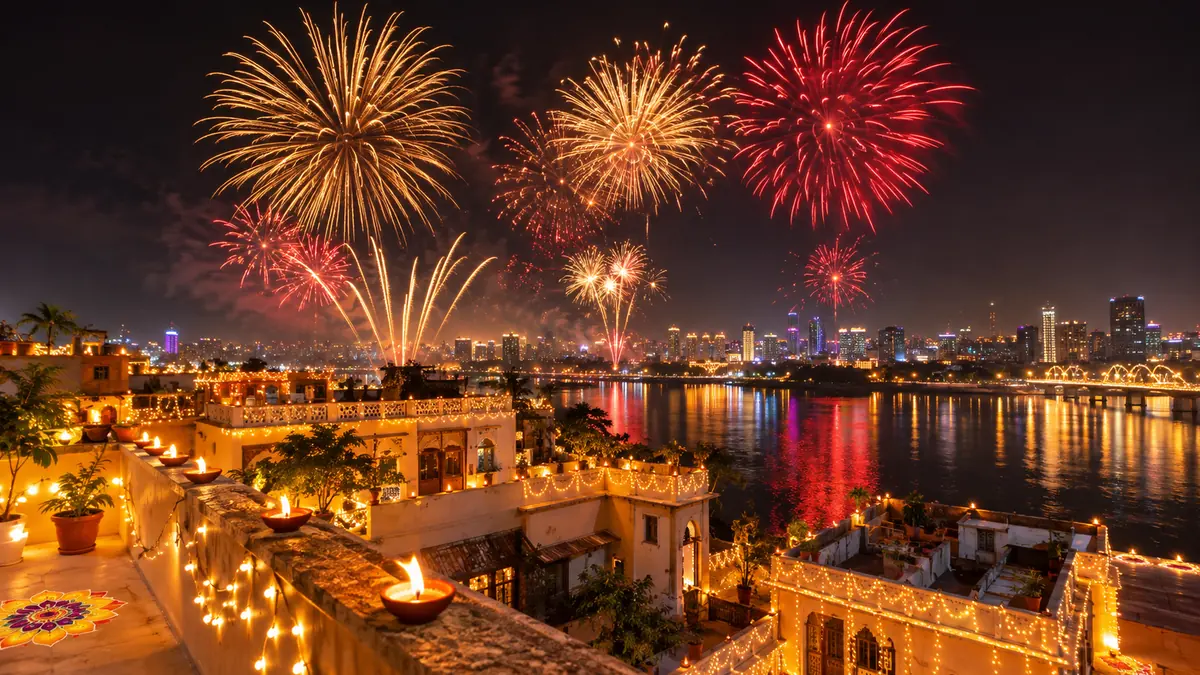
Start in: any of the three, as a text prompt.
Swap: your own city’s waterfront.
A scene becomes a greeting once text sits on it.
Diwali Greeting Card, Instagram Post and Story Prompts (30-35)
These six “Happy Diwali” card and post prompts quote the exact text, place it, name the font and set the ratio. Start in ChatGPT, which follows instructions to add text and makes images in any aspect ratio, or in Gemini, where Google’s API guide says text works best when you first generate the text and then ask for an image with it.
| Where the image goes | Ratio in the prompt | Prompts |
|---|---|---|
| Square card or chat image | 1:1 | 25, 30, 34 |
| Instagram feed post | 4:5 | 27, 28, 31, 33 |
| Instagram or WhatsApp story | 9:16 | 24, 32 |
| Upright print | 2:3 | 35 |
| Wallpaper or banner | 16:9 | 26, 29 |
I chose each ratio for where the image goes; when yours goes somewhere else, change the prompt’s last line.
Get the greeting right in two steps. First send the text alone (“Write this greeting exactly: Happy Diwali from the Mehta family”), then ask for the card with that exact text.
Then read the result at full size, letter by letter: OpenAI’s guide says its model can still struggle with precise text placement and clarity. If a letter slips, re-run with only the text line changed. On a Google AI plan, Redo with Pro regenerates the card with Nano Banana Pro, which Google says can add detail especially for images that use text rendering.
30. Square “Happy Diwali” card with a diya border
A photorealistic square greeting card: a border of lit clay diyas and marigold petals around all four edges, a deep maroon background and a clear center holding the exact text "Happy Diwali" in large gold serif letters. These are the only words on the card. 1:1 aspect ratio.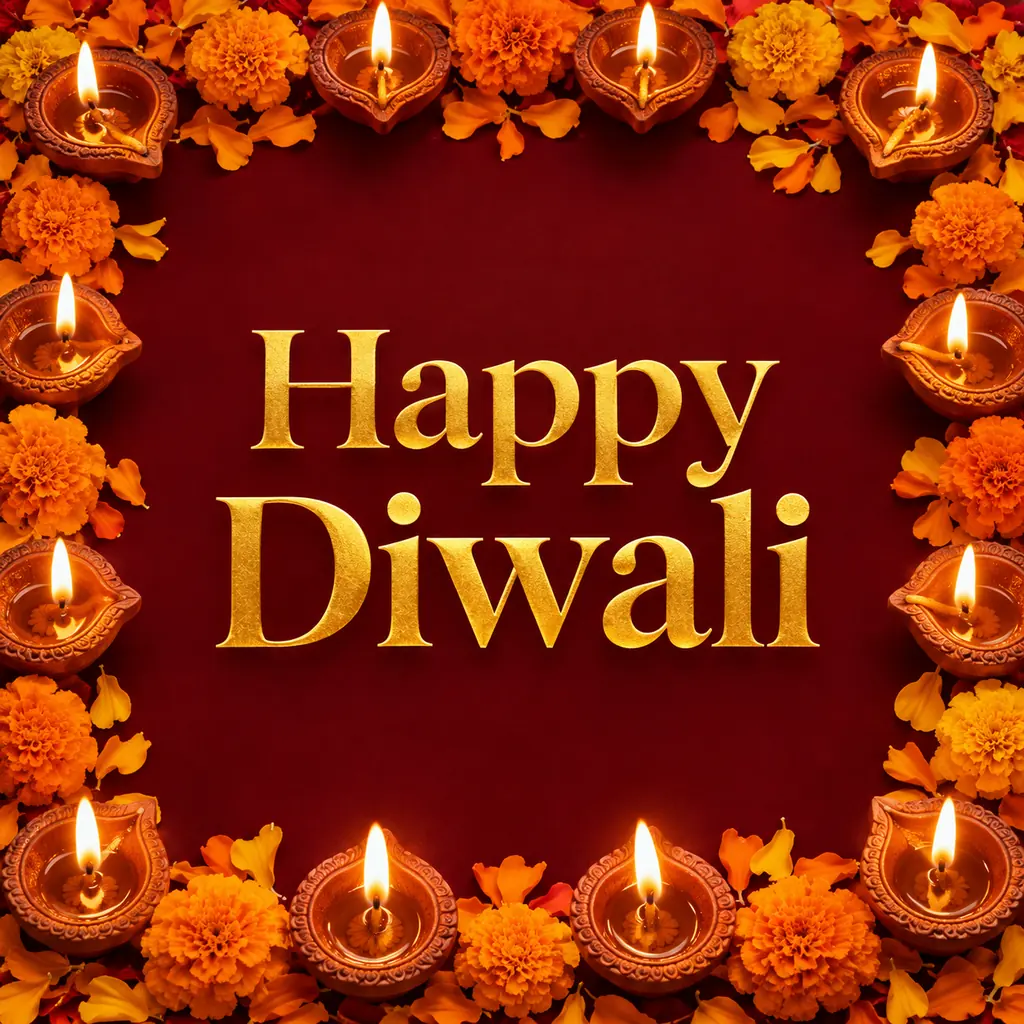
Start in: ChatGPT or Gemini.
Swap: “Shubh Deepavali”, inside the quotes.
31. Instagram post from your photo with text at the bottom
Keep this person's face, skin tone and hair unchanged. Turn the photo into a festive Diwali post: warm diya light on the face, string-light bokeh behind, and the exact text "Happy Diwali" in white script centered along the bottom. These are the only words in the image. 4:5 aspect ratio.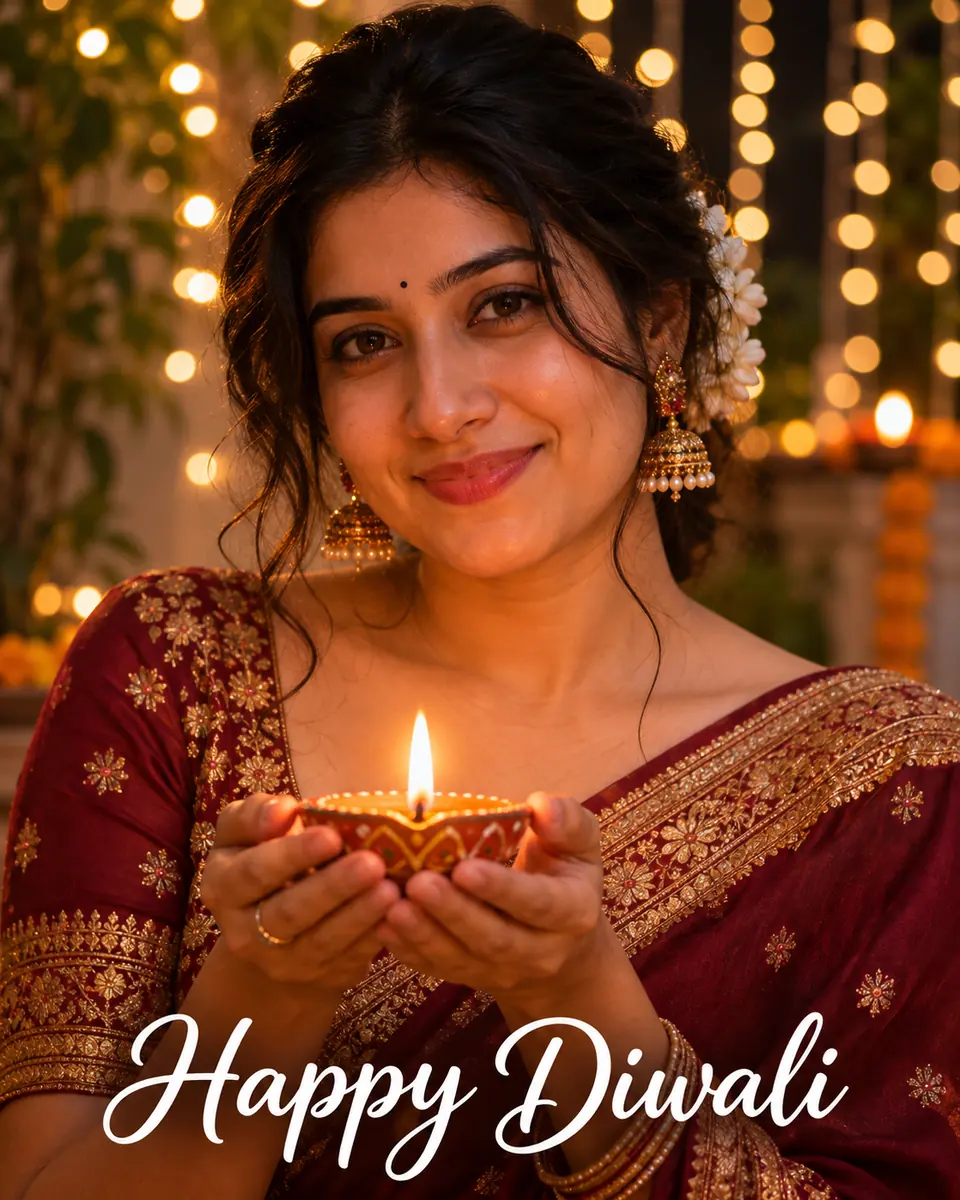
Start in: OpenAI’s ChatGPT, or Google’s Gemini after sending the text first.
Swap: bottom for top if your face sits low.
32. Story background with space for stickers
A photorealistic vertical background of warm string-light bokeh, a row of lit diyas along the bottom edge and a deep plum evening sky. The top third stays plain and uncluttered for stickers added later. 9:16 aspect ratio.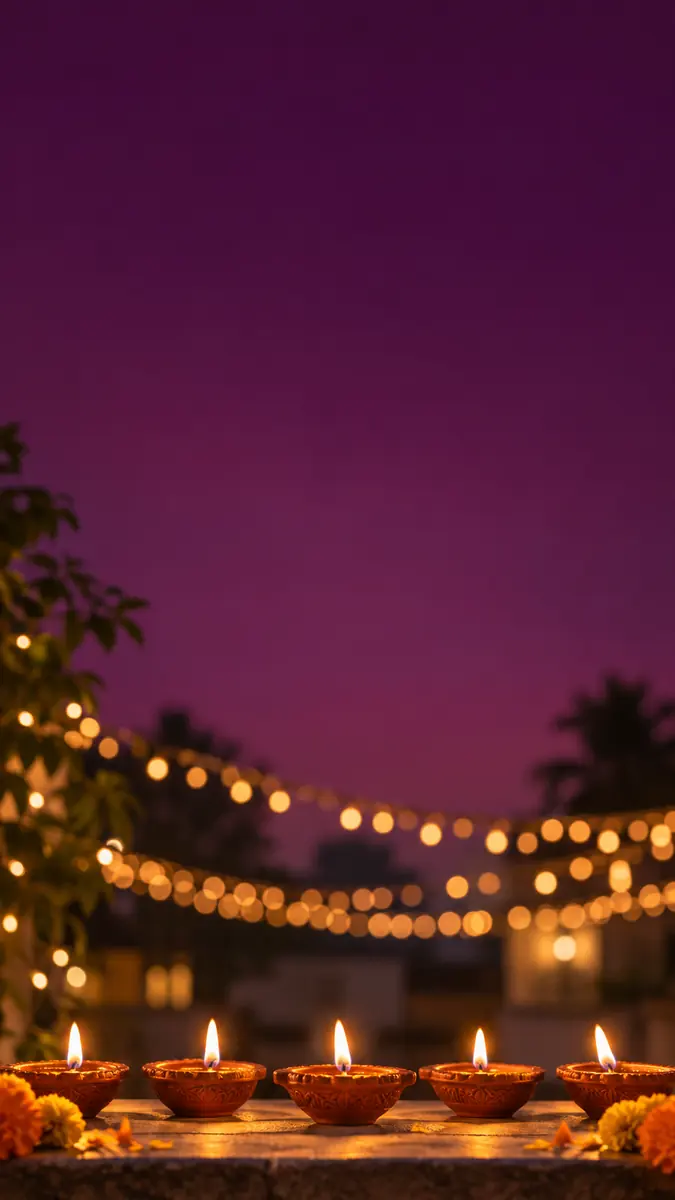
Start in: any of the three, since it holds no text.
Swap: plum for midnight blue.
33. “Our First Diwali” couple card
Keep both faces, skin tones, hair and positions unchanged. They hold a single lit diya together in red and gold outfits, fairy-light bokeh behind. Add the exact text "Our First Diwali" in gold script across the top. These are the only words in the image. 4:5 aspect ratio.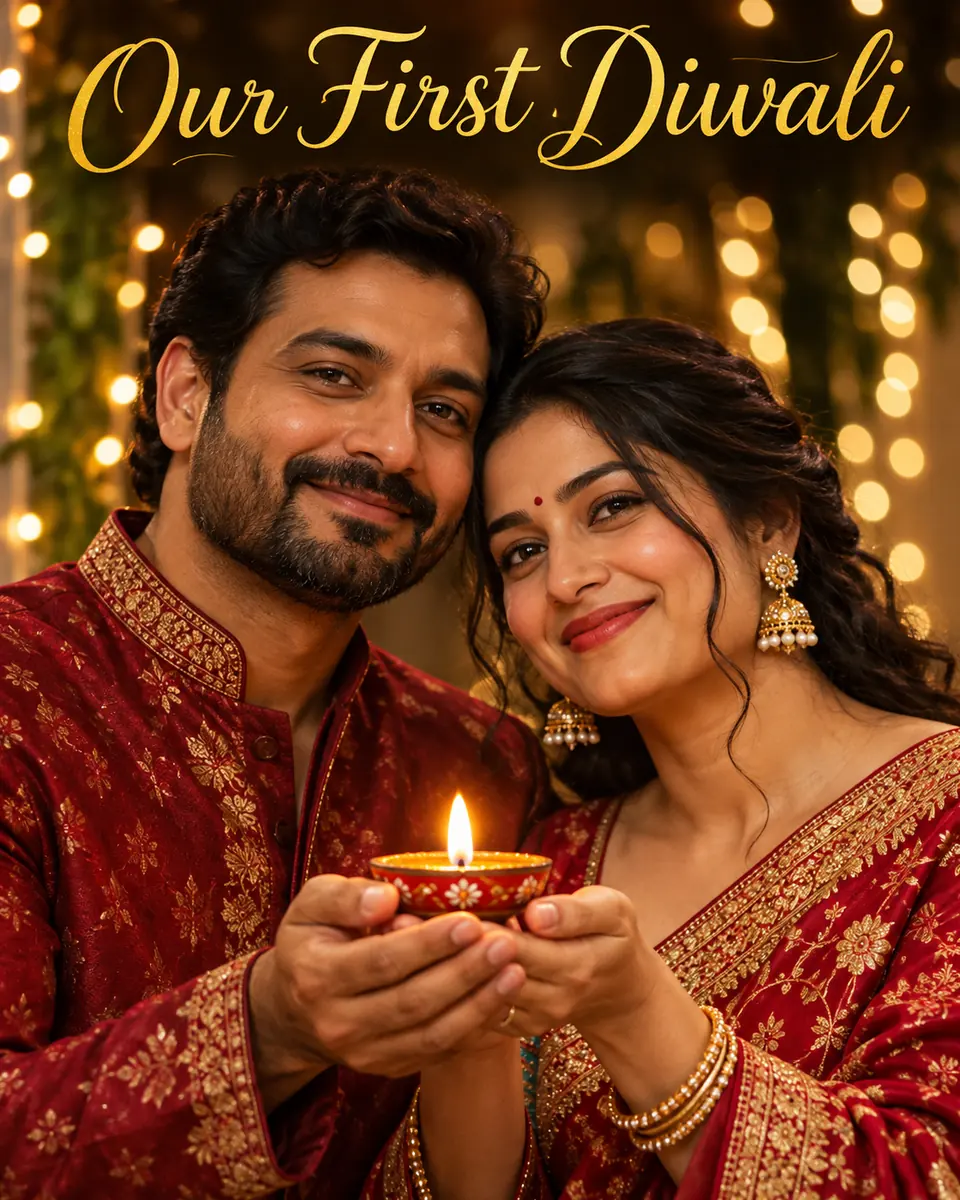
Start in: ChatGPT, or Gemini’s Redo with Pro on a Google AI plan.
Swap: both first names, inside the quotes.
34. Team greeting for a small business
A photorealistic flat lay of a festive desk: a brass diya, marigolds and a box of sweets on a cream surface. Across the middle, a clean band with the exact text "Happy Diwali from Acme Studio" in a bold dark green sans-serif, centered. These are the only words in the image. 1:1 aspect ratio.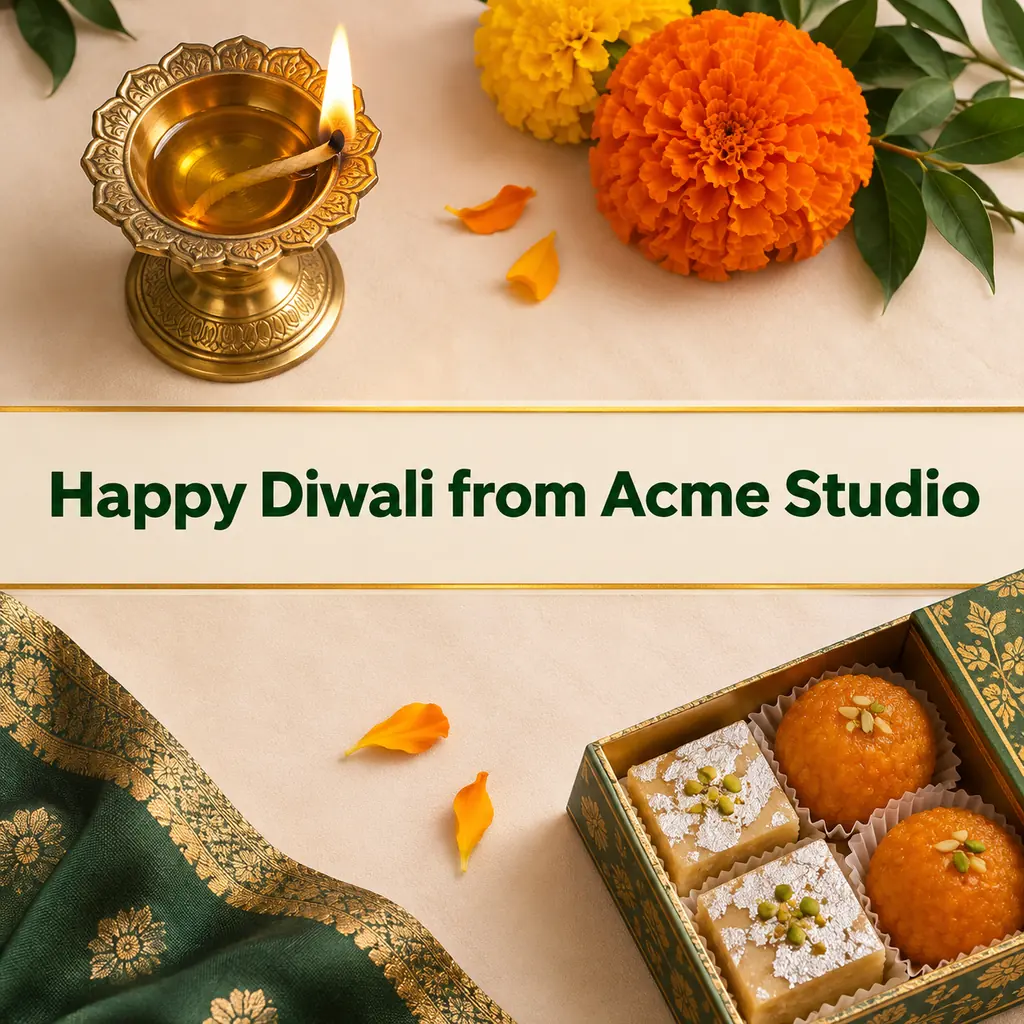
Start in: Google’s Gemini with the company name sent as text first, or OpenAI’s ChatGPT.
Swap: your business name and brand color.
35. Family card with names for an upright print
Keep every face, skin tone and hairstyle unchanged. Place the family in front of a wall of marigold garlands and lit diyas, with the exact text "Happy Diwali, love from the Mehta family" in gold serif along the bottom. These are the only words in the image. 2:3 aspect ratio.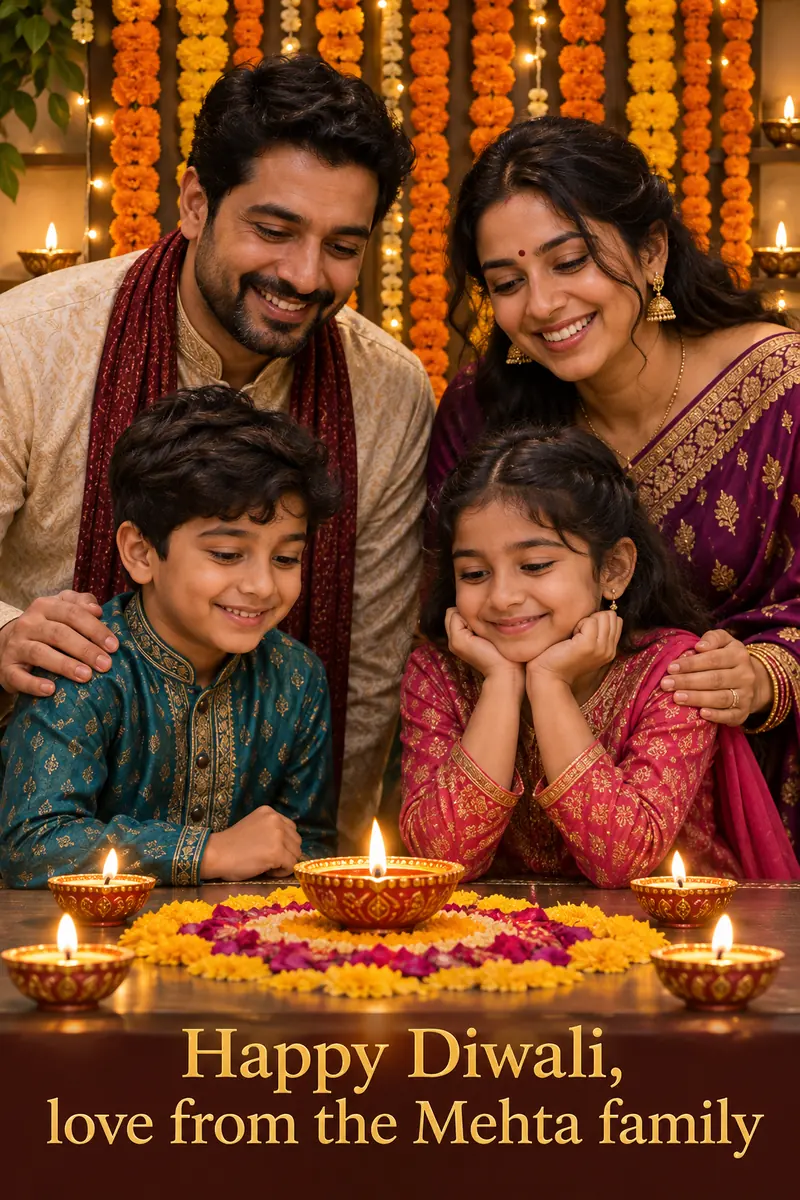
Start in: Gemini on a Google AI plan for the 2K download; without one, check the 1K file at print size.
Swap: your family name, letter by letter.
If you already have a real Diwali photo, the edit prompts improve it instead.
Prompts That Keep Your Real Diwali Photo (36-40)
These five edit prompts change one thing in a real photo and keep the rest. In ChatGPT, the selection tool limits the edit to the area you highlight, though OpenAI notes that highlights are not always precise and edits may extend beyond the selection; in Gemini, upload the photo and describe the edit.
For edits beyond the festival, my ChatGPT photo editing prompts follow the same upload-and-describe pattern.
36. Warm up a dark night photo
Keep everything in this photo the same: every person, face, pose, outfit and object. Only fix the light: brighten the faces gently, warm the colors toward diya glow and smooth the grain in dark areas. Every skin tone stays as it is.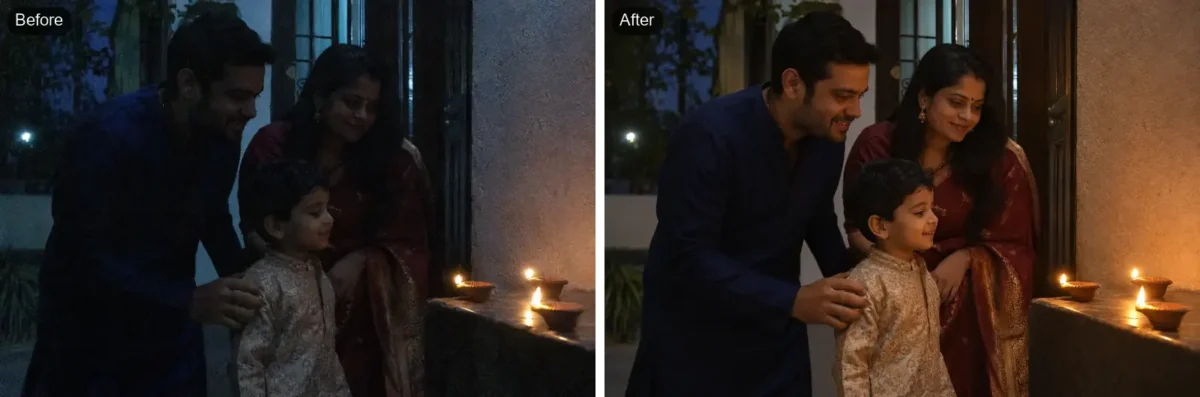
Start in: Google’s Gemini or OpenAI’s ChatGPT, without a selection.
Swap: “keep the colors neutral” if the photo is already orange.
37. Add a row of lit diyas to the foreground
Keep everything in this photo exactly the same. Add a row of seven lit clay diyas on the floor in front of the people, with matching perspective and a soft warm glow on their feet and clothes.Start in: OpenAI’s ChatGPT with the floor selected, or Google’s Gemini.
Swap: a small marigold rangoli.
38. Swap a cluttered background for string-light bokeh
Keep the people, faces, outfits and poses in this photo exactly the same. Replace only the background with soft, out-of-focus warm string lights and a few diyas, as if shot on an 85mm lens, and match the light on the people to it.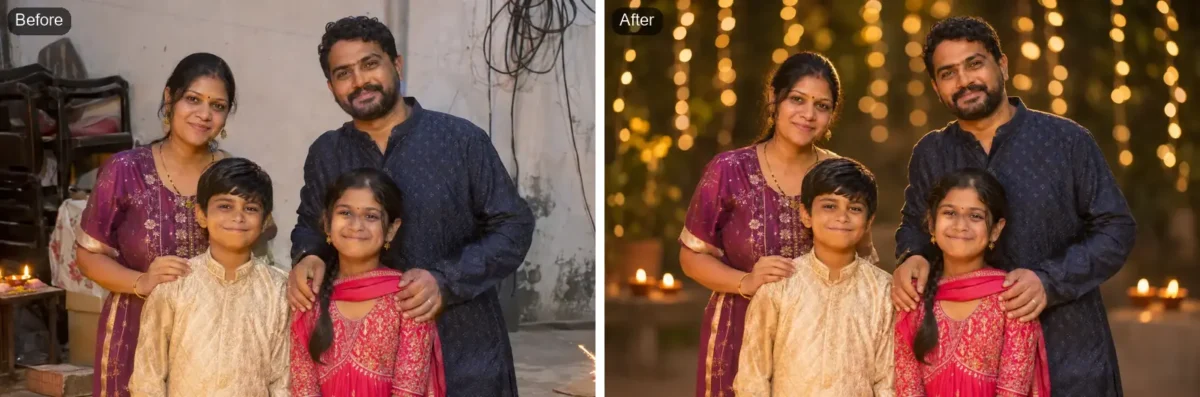
Start in: OpenAI’s ChatGPT with the background selected, or Google’s Gemini.
Swap: a wall of marigold garlands.
39. Change only the outfit color
Keep everything in this photo the same, including the face, hair, jewelry, pose and background. Change only the color of the saree on the woman on the left from blue to deep maroon, with the same fabric, folds and border.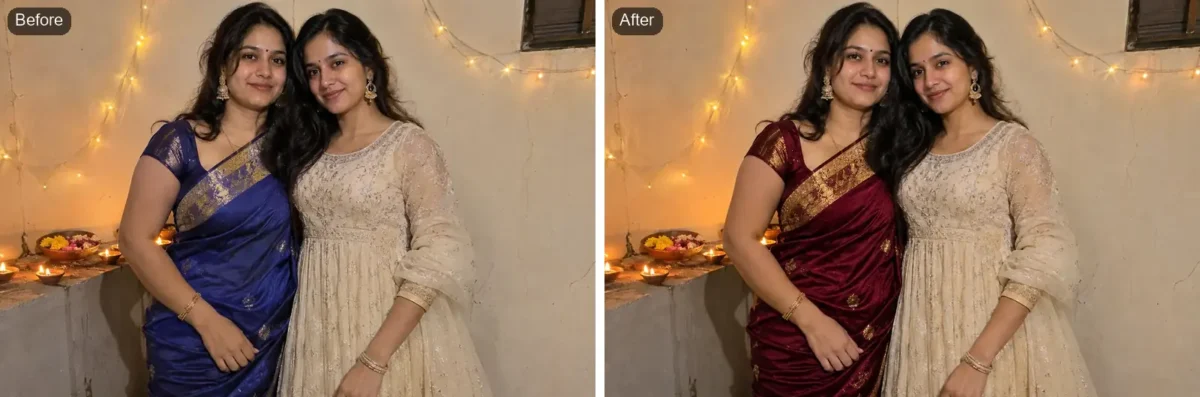
Start in: OpenAI’s ChatGPT with only the outfit selected.
Swap: “kurta” and the two colors.
40. Remove a stray object or passer-by
Keep everything in this photo the same. Remove only the person walking behind us on the right and fill the space with the same wall, lights and diyas around it, matching the light and perspective.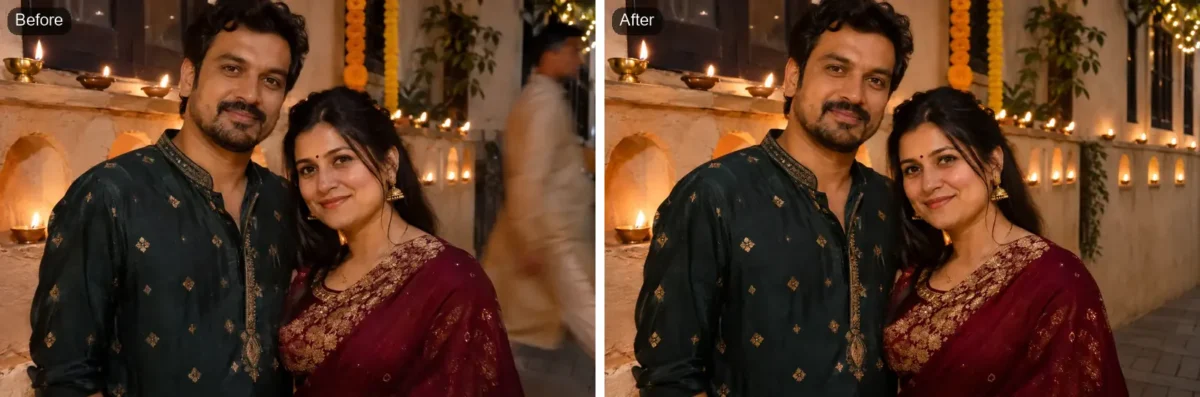
Start in: OpenAI’s ChatGPT, with just the passer-by highlighted.
Swap: the object: a plastic bag, a phone, a parked scooter.
Light, background and retouch edits for any photo are in my AI photo editing prompts for light and backgrounds. When a result comes back wrong, the next table names the line to change.
Where Diwali Prompts Go Wrong, and the Fix
Each problem below has a likely cause and one line to change, drawn from limits the help pages state.
| Problem | Likely cause | What to change | Source |
|---|---|---|---|
| The face no longer looks like you | Short Keep line, or Gemini on Flash-Lite | Name more features in the Keep line; set Gemini to Flash or Pro | Gemini API guide; Gemini Apps Help |
| “Happy Diwali” comes out misspelled | Text asked for in the same step as the scene | Send the text first, quote it, then re-run with only the text line changed | Gemini API guide; OpenAI image guide |
| The image comes out square | No ratio in the prompt | End the prompt with the ratio, or use ChatGPT’s aspect ratio picker | Gemini API guide; Images in ChatGPT |
| Diyas or flames look fake | Vague objects | Name the count, size and material (clay or brass) | Gemini API guide |
| An edit spills past the selected area | Highlights are not always precise | Select a smaller area and name that area in the prompt | Images in ChatGPT |
| Gemini stops making images in Diwali week | Compute-based limits that may change without notice | Check Settings, then Usage Limits; start a new chat for a new image job | Gemini Apps limits help |
| ChatGPT takes a while | A complex request | Wait: generation may take a few minutes, and the chat stays usable | Images in ChatGPT |
Sources: Gemini API image guide, Gemini Apps limits, OpenAI image generation guide, Images in ChatGPT, checked November 2026.
Plan for Gemini’s usage limits before Diwali, which timeanddate.com lists on November 8: Google says users without a Google AI plan may be limited first if capacity changes, and a subscriber who reaches the limit continues on Flash-Lite, the model not designed for multiple edits. Run the photo edits early in the week.
FAQ
When is Diwali 2026?
Diwali falls on Sunday, November 8, 2026 in India, per timeanddate.com, which notes that regions may celebrate on different dates. Timeanddate.com also says celebrations may last up to five days and lists Govardhan Puja on November 9 and Bhai Duj on November 11.
Do I need a paid plan to use these prompts?
Not to start: OpenAI lists ChatGPT Images on all tiers, and Gemini downloads images at 1K without a Google AI plan. A plan buys the 2K Gemini download and higher limits, 2x standard on AI Plus and 4x on AI Pro, per Google’s limits page.
Is a Gemini Diwali image marked as AI-made?
The source here is Google’s developer documentation: the Gemini API guide says all generated images include a SynthID watermark.
Can I turn a prompt into a Diwali video?
A moving clip needs a video prompt, not an image prompt; my AI video prompts cover the motion and camera lines.