
The best AI for math depends on the job: Wolfram Alpha for checking answers against computed results, Photomath for homework from a phone photo, Khanmigo for tutoring a parent can follow, and Claude for written explanations, with code execution available. A year on the plan each job needs costs $0 to $240 for one learner.
This list is for students, parents and adults who run statistics. The deciding factor is usually the plan that adds step-by-step work. I built the ranking from each vendor’s pricing and product pages, read on October 30, 2026.
Quick verdict
To check your own work, take Wolfram Alpha Pro at $60.00 a year: the free Basic plan does not include step-by-step solutions. For homework on paper, take Photomath, which scans the problem with its app.
For a child who needs a tutor, Khanmigo costs $44 a year and shows a parent the child’s chats. For reasoning in plain English, Claude’s Free plan already runs code. Statistics on your own data goes to Julius AI, and geometry and graphing at $0 go to GeoGebra.
The trade-off: solvers compute or scan, chat assistants explain in sentences, so check a chatbot’s numbers against a computed result.

Wolfram Alpha
Best for: checking answers against a computed result
It computes the result, and Pro adds step-by-step solutions for $60.00 a year.
Limit: Basic does not include step-by-step solutions

Claude
Best for: written explanations you can verify with code
Its Free plan runs code, so an explanation can come with a calculation.
Limit: Research needs Pro, $17 a month billed annually
Photomath
Best for: homework from a phone photo
Scan a problem, word problems included, and follow each step on the $0 Basic plan.
Limit: no chemistry or physics on its subject list

Khanmigo
Best for: guided tutoring with parent oversight
A parent account shows a child’s chat history and sends moderation alerts.
Limit: tutoring runs on Khan Academy’s content
| Software | Best for | Starting paid price | Entry plan or trial | Step-by-step on | Key limitation |
|---|---|---|---|---|---|
| Wolfram Alpha | Checking answers | Pro, $5.00/ | Basic, free with sign-in | Pro | No steps on Basic |
| Claude | Explanations you can verify with code | Pro, $200 billed annually or $20/ | Free plan | Not listed | No Research on Free |
| Photomath | Homework from a photo | $69.99 USD billed annually or $9.99 USD billed monthly | Basic at $0 USD; trial on paid plans | Basic | Math subjects only |
| Khanmigo | Tutoring with parent oversight | $44/ | Free for teachers | Not listed | Khan Academy content |
| ChatGPT | Math in Excel | Go $8/month; Plus $20/ | Free plan | Not listed | Monthly billing only |
| Google Gemini | Lowest price of the 3 chat assistants | Google AI Plus, $4.99/ | Free plan | Not listed | Paid plans 18+ only |
| Julius AI | Statistics on your data | Plus, $16/ | Free daily credits | Not listed | Credit-based limits |
| ThetaWise | College STEM from PDFs | Pro, $119.99/ | 7-day free trial | Not listed | 40 video credits a week |
| Mathway | Math, chemistry, physics | Optional subscription | Free, no sign-up | Subscription, full work | Full work needs the subscription |
| GeoGebra | Free geometry and graphing | $0, non-commercial use | Free | Free Math Solver | License for commercial use |
Sources: Wolfram Alpha, Claude, Photomath, Khanmigo, OpenAI, Google, Julius AI, ThetaWise, Mathway, GeoGebra, checked October 2026.
In This Article (16 sections)
Calculators, Tutors or Chatbots: Which Kind of Math AI Do You Need?
Math AI comes in five kinds: engines compute the answer, camera solvers read your problem, tutors guide a learner, general assistants explain in prose, and data tools run statistics on a file.
- Computational engine: Wolfram Alpha.
- Camera and step solvers: Photomath, Mathway, GeoGebra.
- Tutors and study tools: Khanmigo for children on a parent account, ThetaWise for college.
- General assistants: Claude, ChatGPT, Google Gemini.
- Data tool: Julius AI.
If you want one assistant for more than math, my ranking of the best AI chatbots by job and budget covers that wider choice.
How I Chose These Math AI Tools
I weighed the 10 picks below plus the tools under Also Considered. A tool made the ranked list only if it does a math job of its own and publishes a plan or a free tier.
I ordered the picks by five criteria: the plan that adds step-by-step work, the yearly cost for one learner, the input it takes, who may use it (age, parent oversight, license), and how the answer is computed. The ranking rests on official documentation and pricing pages, checked October 2026.
Input decides the shortlist first: a worksheet photo, a lecture PDF and a dataset each need a different tool.
| Software | Photo input | File or data input |
|---|---|---|
| Wolfram Alpha | In the iOS and Android apps on Pro | Uploads up to 2MB on Pro, 5MB on Pro Premium |
| Claude | Not listed | Not listed |
| Photomath | Scan with the app on Basic | Not listed |
| Khanmigo | Not listed | Not listed |
| ChatGPT | Not listed | Excel workbooks on Plus and Pro |
| Google Gemini | Not listed | File uploads up to 1,500 pages (plan not stated) |
| Julius AI | Not listed | Cloud-storage data connectors on Free; file analysis on Plus |
| ThetaWise | Not listed | PDFs up to 1,000 pages on Pro |
| Mathway | Handwritten or printed work, free | Not listed |
| GeoGebra | Math Solver photo of homework, free | Not listed |
Sources: Wolfram Alpha, Photomath, OpenAI, Julius AI, ThetaWise, Mathway, GeoGebra, checked October 2026.
This ranking does not measure answer accuracy. Before you pay, run last week’s homework through the free tiers of your top two picks and check each answer against Wolfram Alpha or a code run.
1. Wolfram Alpha: Best for Checking Answers Against a Computed Result
- Best for: a computed answer to check your work against
- Free plan: Basic, free with sign-in, no step-by-step solutions
- Standout feature: step-by-step solutions and practice problems with hints on Pro
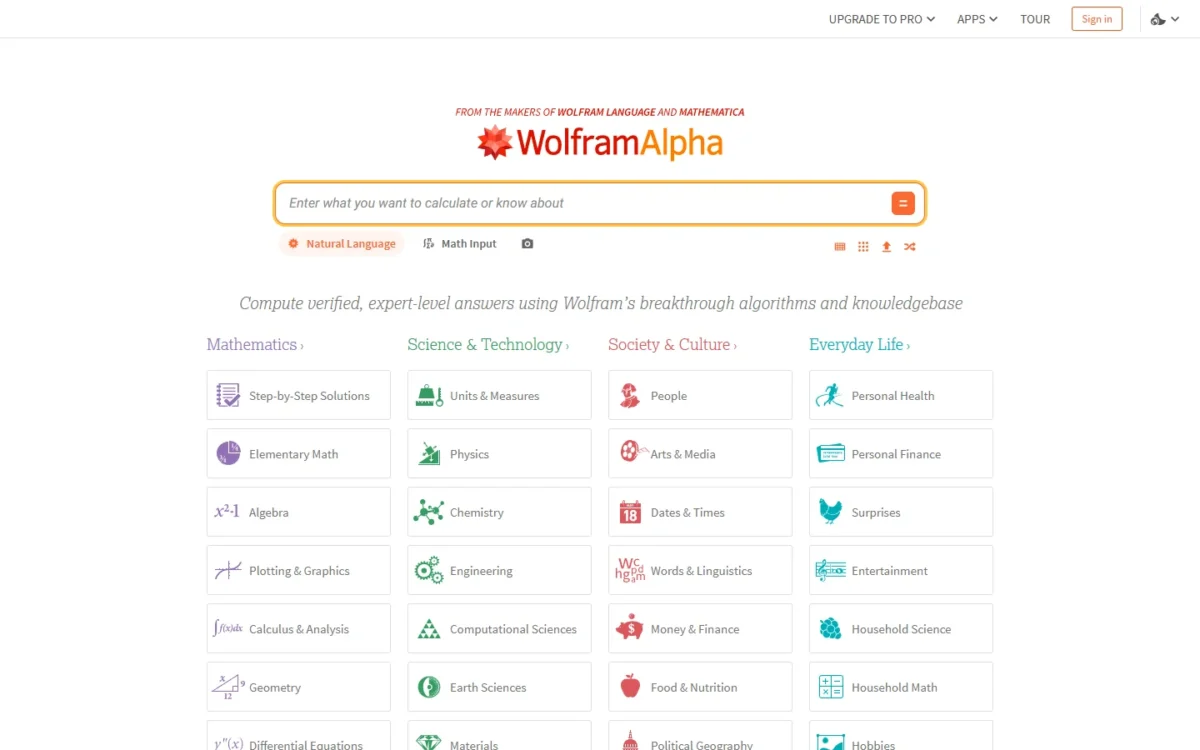
Wolfram Alpha is the tool to check an answer against, because it computes the result instead of writing one. The catch is the free tier: Basic does not include step-by-step solutions, so a student who wants to see where their own work went wrong has to pay for Pro.
Pro turns the answer key into a study tool: step-by-step solutions show each move, and practice problems with hints let a student drill one problem type before a test. The apps add photo input on Pro.
Against Claude, you get a computed result with steps, not a written argument: use Wolfram Alpha when the number must be right, Claude when you need to understand why.
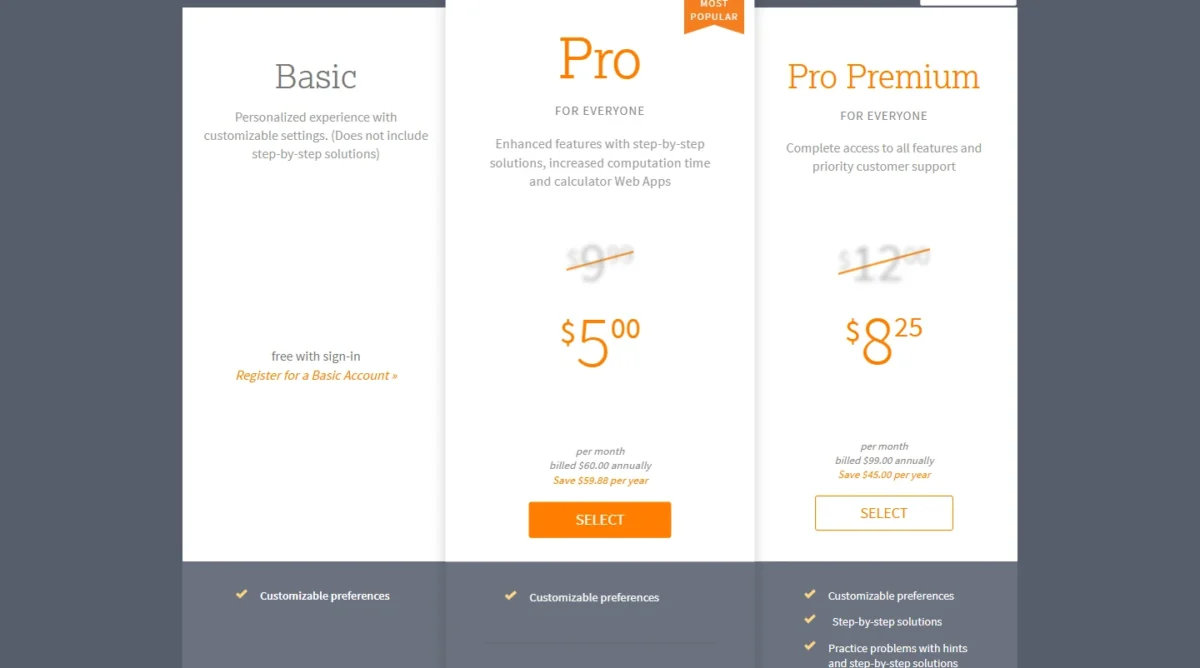
Adults pay what students pay: on October 30, 2026, Wolfram’s general and student pricing pages both listed Pro at $5.00 per month billed $60.00 annually. Pro Premium’s 5MB uploads serve data work, so most students should stop at Pro.
| Plan | Price | Billing | Key limit |
|---|---|---|---|
| Pro | $5.00 per month | Billed $60.00 annually | 2MB uploads |
| Pro Premium | $8.25 per month | Billed $99.00 annually | 5MB uploads |
Sources: Wolfram Alpha Pro pricing and student pricing, checked October 2026.
Pros
- Computes the result, and Pro adds the steps
- Same $60.00 annual Pro price for students and adults
- Practice problems with hints on Pro
Cons
- Basic leaves out step-by-step solutions
- Uploads stop at 2MB on Pro
- Steps, not a written explanation of the idea
- Skip it if:
- you need the reasoning explained in sentences (go to Claude) or a tutor for a younger child (go to Khanmigo).
2. Claude: Best for Written Explanations You Can Verify With Code

- Best for: written explanations of multi-step problems
- Free plan: searches the web, creates files and runs code
- Standout feature: code execution on every plan, Free included
Claude’s Free plan already does the part that matters most for math: it runs code, so an explanation of an algebra problem can come with a calculation that checks it. Pick Claude when you want the reasoning in plain English. The trade-off: its pricing page lists no practice problems and no photo solver.
Projects organize chats and documents, and Free allows up to 5, one per class. Pro adds more usage and Research, which suits a statistics write-up built on several sources.
Against ChatGPT, Claude’s math case starts on the free tier, while ChatGPT’s Excel add-in starts on Plus; my ChatGPT vs Claude comparison of plan limits covers the rest.
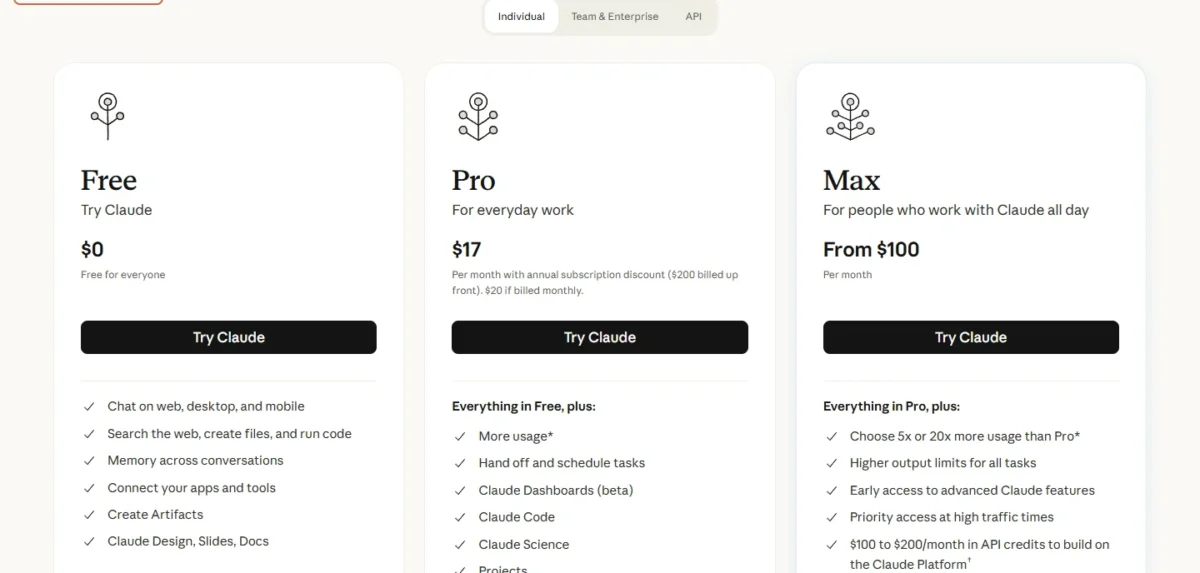
Claude Pro costs $17 per month with annual billing, $200 billed up front, or $20 billed monthly. Once Claude is your main study tool, the annual plan saves $20 x 12 – $200 = $40.
| Plan | Price | Billing | Key limit |
|---|---|---|---|
| Pro | $17 per month | $200 billed annually, or $20 monthly | Usage limits apply |
| Max | From $100 per month | Monthly | 5x or 20x Pro usage |
Sources: Claude pricing, checked October 2026.
Pros
- Runs code on the Free plan to check arithmetic
- Up to 5 Projects on Free for course material
- Research and Claude Science on Pro
Cons
- No practice problems or photo solver on the pricing page
- Research is not on Free
- Usage limits apply on every plan
- Skip it if:
- you want to photograph a worksheet and follow the steps on your phone (go to Photomath).
My Claude review covers the rest.
3. Photomath: Best for Homework From a Phone Photo
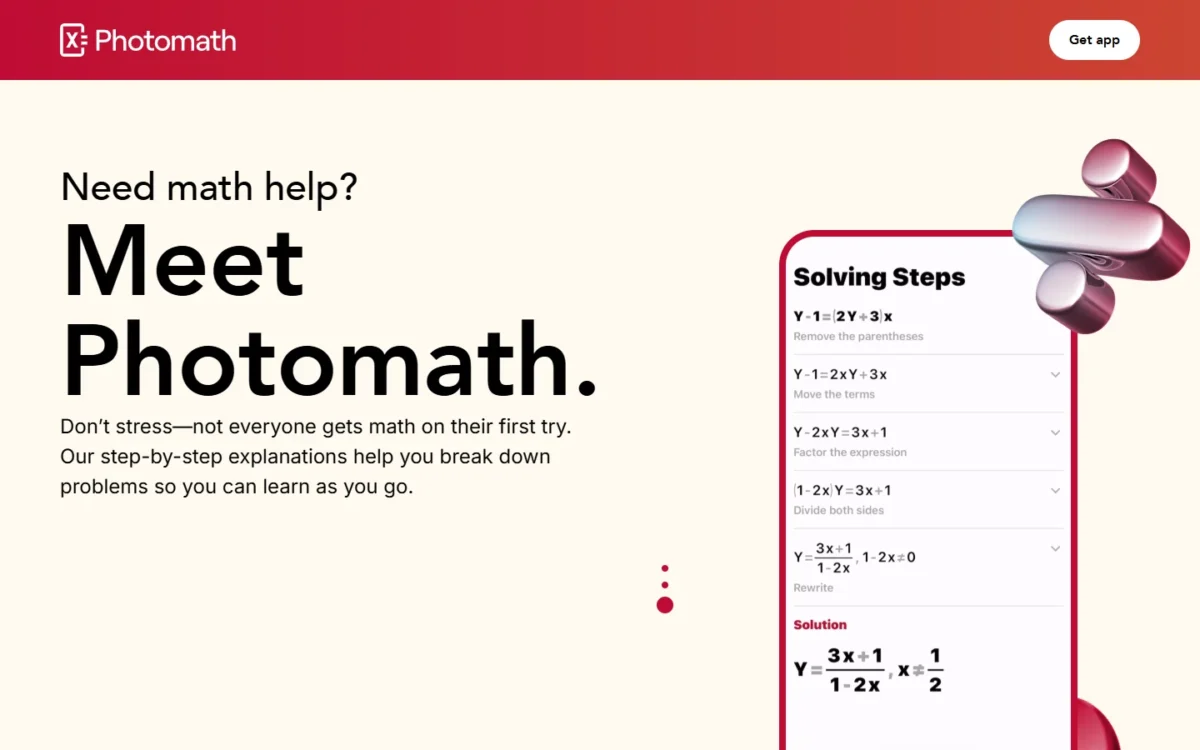
- Best for: elementary through college homework on paper
- Basic plan: $0, step-by-step explanations only
- Standout feature: scans the problem, word problems included
Photomath turns a worksheet into a worked solution: scan the problem, word problems included, and a solution for that exact problem appears, sometimes with more than one method. The trade-off: it hands over the solution, so a parent who wants the child to try first should look at Khanmigo.
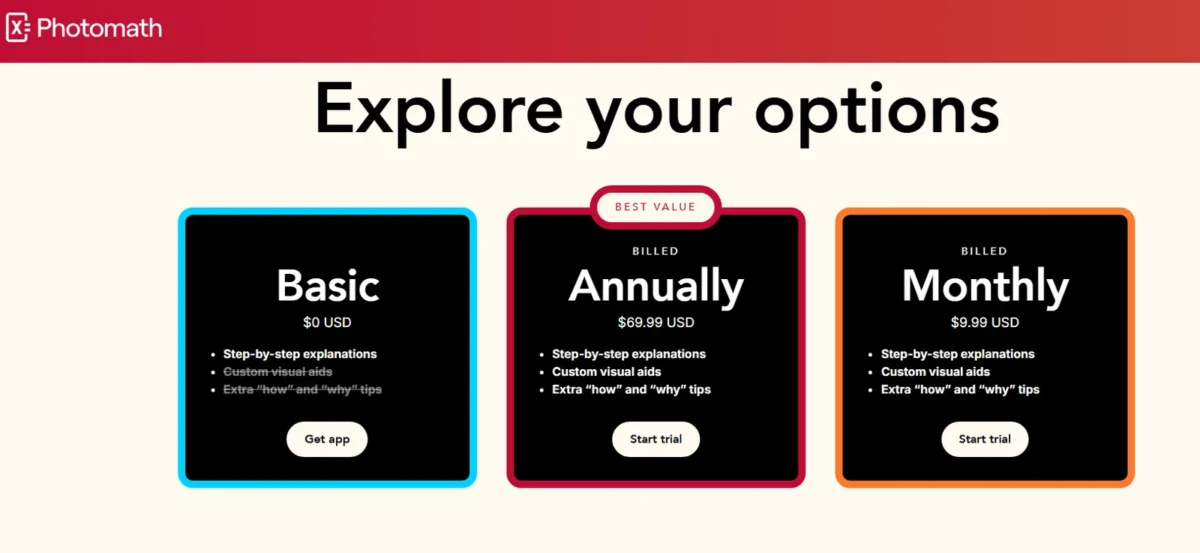
The $0 Basic plan includes step-by-step explanations, while Wolfram Alpha’s Basic does not, so a student who only follows steps may never pay. The paid cards add custom visual aids and extra “how” and “why” tips, both struck through on Basic’s card. Start on Basic; pay once the steps alone stop explaining why a method works.
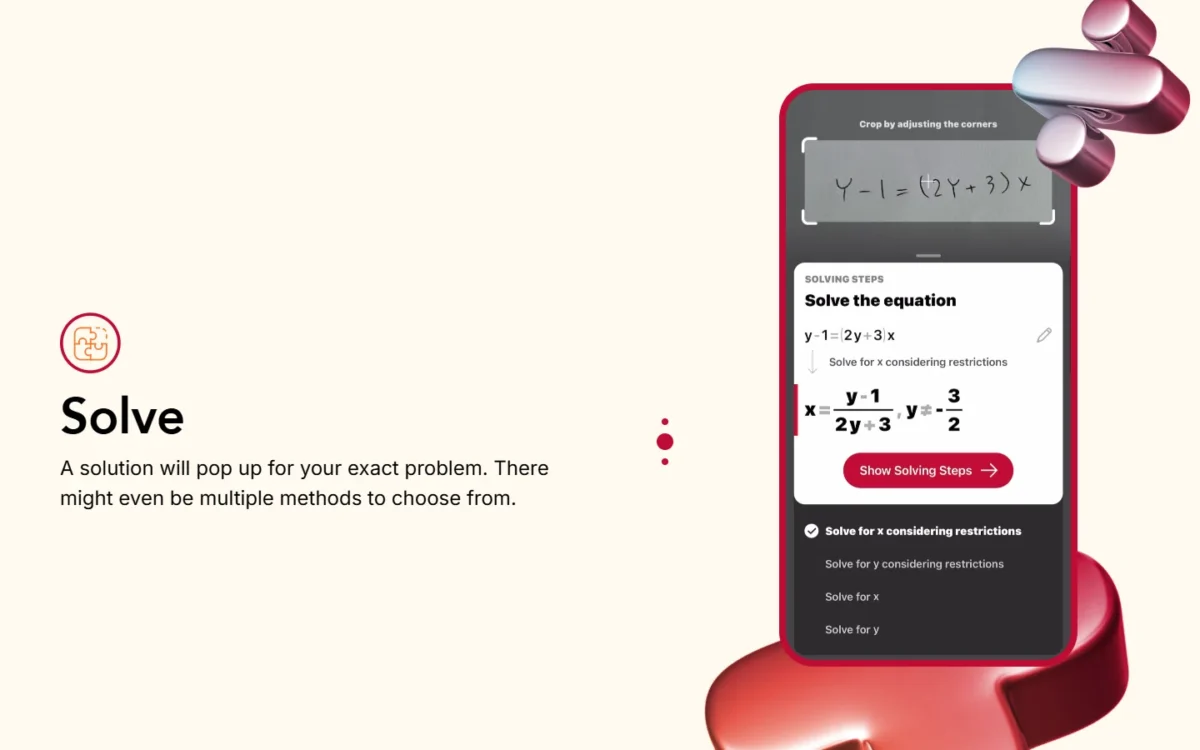
Coverage runs from elementary math through statistics and calculus; Mathway adds chemistry and physics.
Photomath’s paid plan is $69.99 USD billed annually or $9.99 USD billed monthly; monthly billing costs $9.99 x 12 = $119.88 a year, $49.89 more. Neither paid card states the trial’s length.
| Plan | Price | Billing | What the card lists |
|---|---|---|---|
| Basic | $0 USD | None | Step-by-step explanations; custom visual aids and extra “how” and “why” tips struck through |
| Annually | $69.99 USD | Billed annually | Step-by-step explanations, custom visual aids, extra “how” and “why” tips |
| Monthly | $9.99 USD | Billed monthly | The same three items |
Sources: Photomath plans, checked October 2026.
Pros
- Basic includes step-by-step explanations at $0
- Scans word problems, not just equations
- More than one solving method on some problems
Cons
- No chemistry or physics on its subject list
- Custom visual aids are paid-only
- The page states no trial length
- Shows the solution first, which a tutor would hold back
- Skip it if:
- the homework includes chemistry or physics (go to Mathway) or the student should try the problem first (go to Khanmigo).
4. Khanmigo: Best for Guided Tutoring With Parent Oversight

- Best for: children whose parent wants to see the chats
- Free for: teachers
- Standout feature: a parent account with chat history and moderation alerts
Khanmigo sells tutoring rather than solutions, and that is why a parent picks it. The family plan adds children from a parent account, shows the history of their interactions and sends moderation alerts. The limit is scope: the tutoring runs on Khan Academy’s content, so it fits school math better than a college syllabus.
The same plan covers writing and coding help, so one subscription serves more than math.
Teachers use Khanmigo free, with tools for lesson plans, rubrics and exit tickets.
Khanmigo costs $4 per month or $44 per year for learners and families, before sales tax; the yearly plan saves $4 x 12 – $44 = $4.

| Plan | Price | Billing | Key limit |
|---|---|---|---|
| For teachers | Free | None | Teacher tools |
| For families | $4/month or $44/ | Monthly or annual | Sales tax not included |
Sources: Khanmigo pricing, checked October 2026.
Pros
- Parent view of a child’s chat history and moderation alerts
- $44 a year for a family plan
- Free for teachers
Cons
- Tutoring runs on Khan Academy’s content
- No photo input on the pricing page
- Sales tax added to the listed price
- Skip it if:
- you need fast answer checks for college work (go to Wolfram Alpha) or a course built on your own lecture PDFs (go to ThetaWise).
5. ChatGPT: Best for Math Inside Excel Workbooks
- Best for: adults whose math lives in spreadsheets
- Free plan: yes, $0
- Standout feature: ChatGPT for Excel on Plus and Pro
If your numbers sit in a spreadsheet, ChatGPT earns its place: ChatGPT for Excel comes with Plus and Pro, so a budget model gets worked on where the data already is. For homework alone, the add-in is no reason to pay. The trade-off is billing: OpenAI offers Go and Plus as monthly plans.
Go is the cheapest paid step, but the Excel add-in is named on Plus and Pro, so a spreadsheet user lands on Plus, where Excel work shares usage limits with other agentic features. Against Julius AI, ChatGPT is the spreadsheet companion and Julius the data workspace. The ChatGPT review covers its plans beyond math.
ChatGPT Plus costs $20 per month, $20 x 12 = $240 a year, and Go $8 per month, $8 x 12 = $96 a year. Annual plans exist only for Business and Enterprise, so an individual cannot lower either figure.
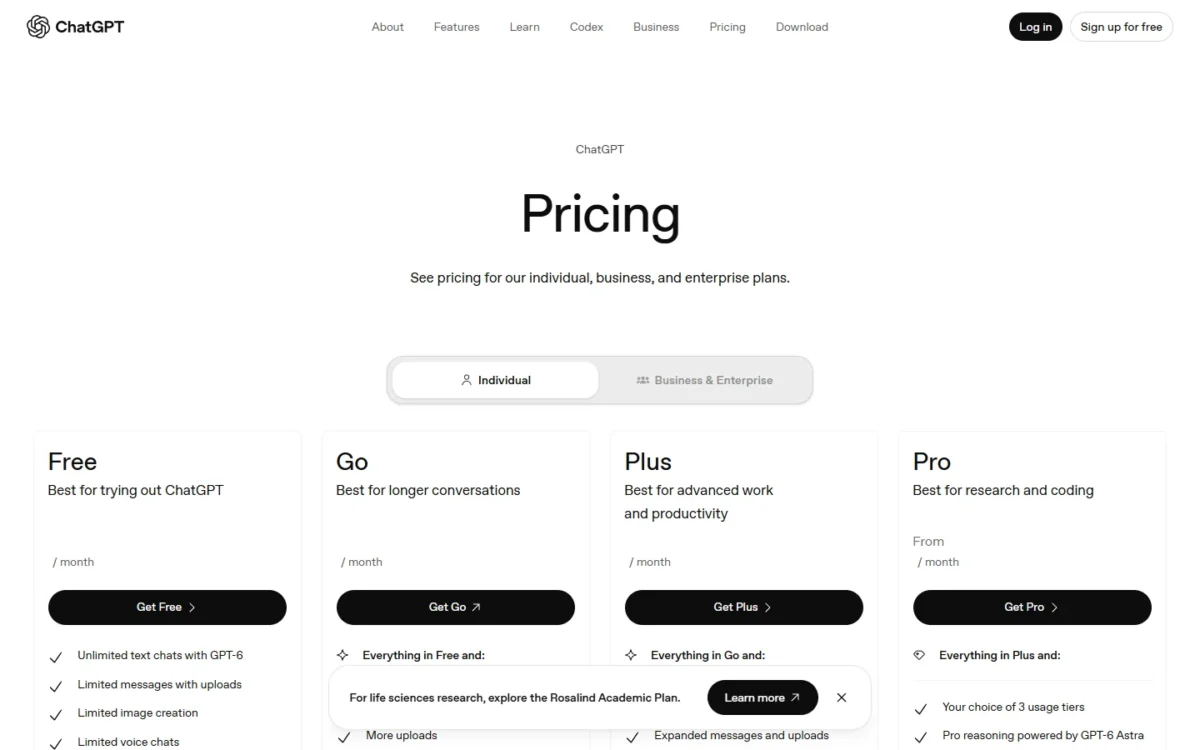
| Plan | Price | Billing | Key limit |
|---|---|---|---|
| Go | $8 per month | Monthly | ChatGPT for Excel not listed |
| Plus | $20 per month | Monthly | Excel shares usage limits |
| Pro | From $100 per month | Monthly | $100, $200 or $500 tiers |
Sources: OpenAI pricing and ChatGPT plans FAQ, checked October 2026.
Pros
- ChatGPT for Excel on Plus and Pro
- Go starts at $8 a month
- Free plan for occasional questions
Cons
- Go and Plus are monthly plans only
- Excel use shares Plus usage limits
- Image generation is not on Free
- Skip it if:
- you work from datasets you want charted and connected to a database (go to Julius AI).
6. Google Gemini: Best for the Cheapest Paid Upgrade in Google Apps
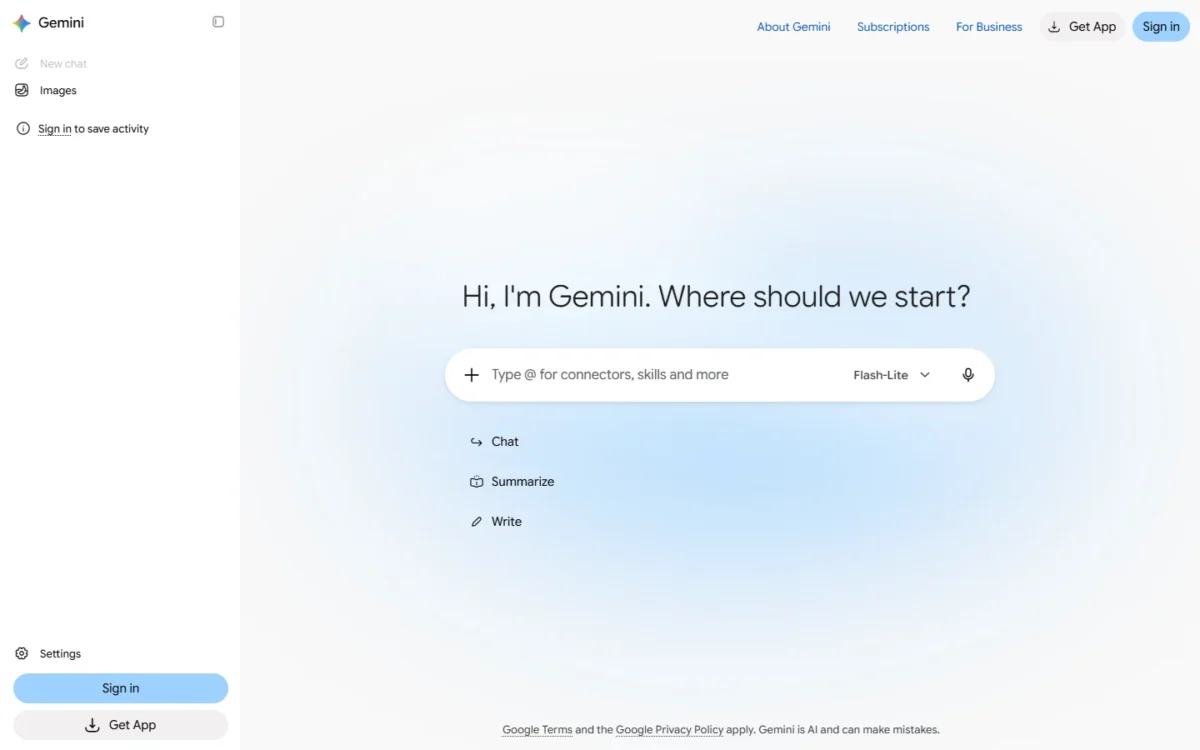
- Best for: adults 18+ who work in Gmail and Docs
- Free plan: $0 with a Google Account, Flash-Lite model
- Age limit: Google AI plans are only for ages 18+
Gemini is the low-cost way for an adult to move past a free model, and the weakest fit for a teenager: Google AI plans are only available for ages 18+, so a parent shopping for a teen should go to Khanmigo or Photomath.
Each plan changes the model: Free runs Flash-Lite, AI Plus moves to Flash with 2x the Free usage, and AI Pro adds Gemini 4 Argon with 4x.
Usage refreshes every 5 hours until a weekly limit, so cramming can hit the cap. Against ChatGPT Go, AI Plus costs $8 – $4.99 = $3.01 less a month; my ChatGPT vs Gemini comparison covers the rest.
Google AI Plus costs $4.99 per month ($4.99 x 12 = $59.88 a year) and AI Pro $19.99 per month ($19.99 x 12 = $239.88). The US plans page lists monthly prices only.

| Plan | Price | Billing | Key limit |
|---|---|---|---|
| Google AI Plus | $4.99 per month | Monthly | Flash model, 2x Free usage |
| Google AI Pro | $19.99 per month | Monthly | Gemini 4 Argon, 4x Free usage |
| Google AI Ultra | From $99.99 per month | Monthly | 18+ like every Google AI plan |
Sources: Google AI plans, US, checked October 2026.
Pros
- Google AI Plus costs $4.99/month, 2x the Free usage
- Gemini 4 Argon on AI Pro
- Gemini in Gmail and other Google apps on paid plans
Cons
- Google AI plans are 18+ only
- Usage limits refresh every 5 hours up to a weekly cap
- No annual price on the US plans page
- Skip it if:
- the learner is under 18 (go to Khanmigo or Photomath).
My Gemini review covers the rest.
7. Julius AI: Best for Statistics on Your Own Data
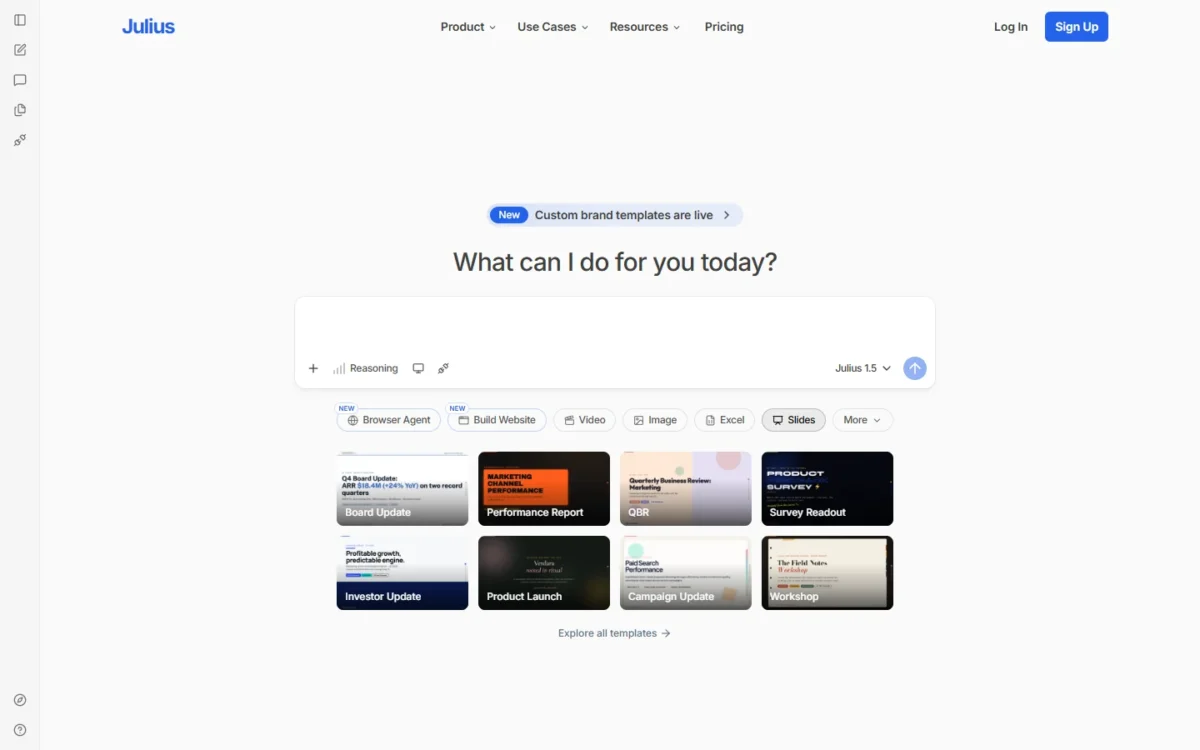
- Best for: statistics on spreadsheets, data files and databases
- Free plan: daily credits and Julius Lite models
- Data connectors: Google Drive, OneDrive and SharePoint on Free; Snowflake, BigQuery and Postgres from Plus
Julius AI is the one tool here built around a dataset rather than a problem: a statistics student brings a spreadsheet and gets the analysis and charts back. Budget in credits, not problems: the pricing page gives Free “daily credits” without a number, so a student cannot plan a semester project on Free.
Plus adds 2,000 credits a month, file analysis with charts, and frontier models such as GPT-6.1 Sol in place of Julius Lite. Against ChatGPT Plus at the same $20 a month, Julius trades the Excel add-in for database connectors.
Julius Plus costs $16 per month on annual billing, $16 x 12 = $192 a year, or $20 per month on monthly billing, and Pro costs $37 per month on annual billing or $45 monthly for 5,000 credits a month. A student who keeps Plus all year saves $240 – $192 = $48 on annual billing.
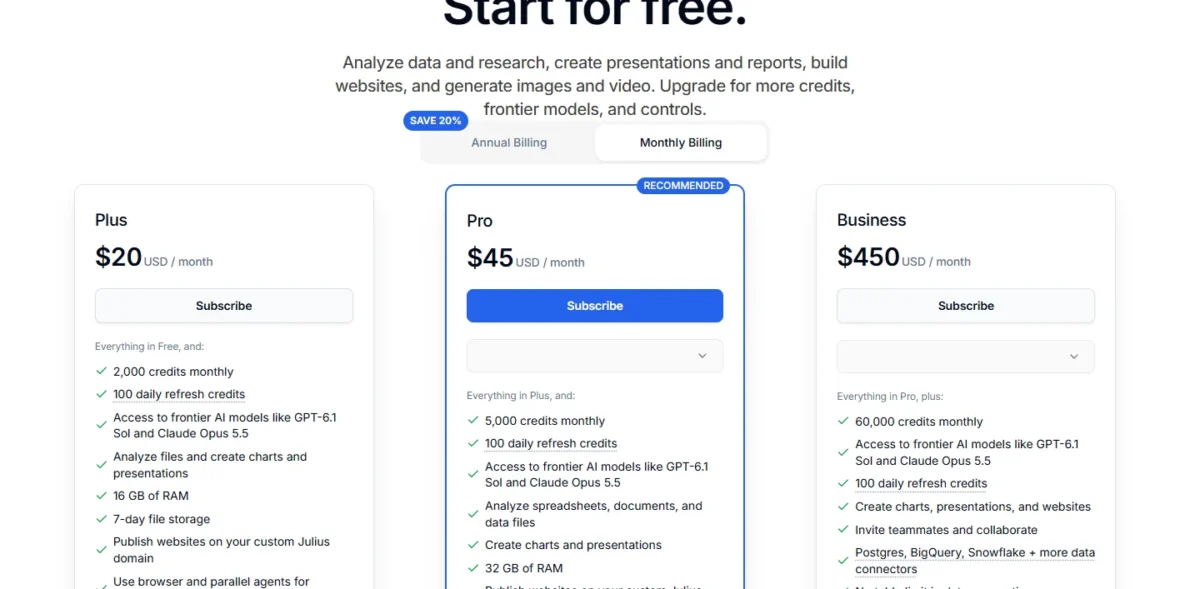
| Plan | Price | Billing | Key limit |
|---|---|---|---|
| Plus | $16 per month | Annual billing | 2,000 credits a month |
| Plus | $20 per month | Monthly billing | 2,000 credits a month |
| Pro | $37 per month | Annual billing | 5,000 credits a month |
| Pro | $45 per month | Monthly billing | 5,000 credits a month |
Sources: Julius AI pricing, checked October 2026.
Pros
- Analyzes data files and charts results on Plus
- Snowflake, BigQuery and Postgres connectors from Plus
- Julius’s Free plan connects Google Drive, OneDrive and SharePoint
Cons
- Free’s daily credit amount is not on the pricing page
- Plus stores files for 7 days
- Credits, not problems, set the limit
- Skip it if:
- your math is algebra or calculus homework, not data (go to Photomath or Wolfram Alpha).
8. ThetaWise: Best for College STEM Courses Built on Lecture PDFs

- Best for: college STEM students who study from lecture PDFs
- Trial: 7-day free trial for new users with monthly or annual billing
- Standout feature: PDFs up to 1,000 pages and AI Video Lessons on Pro
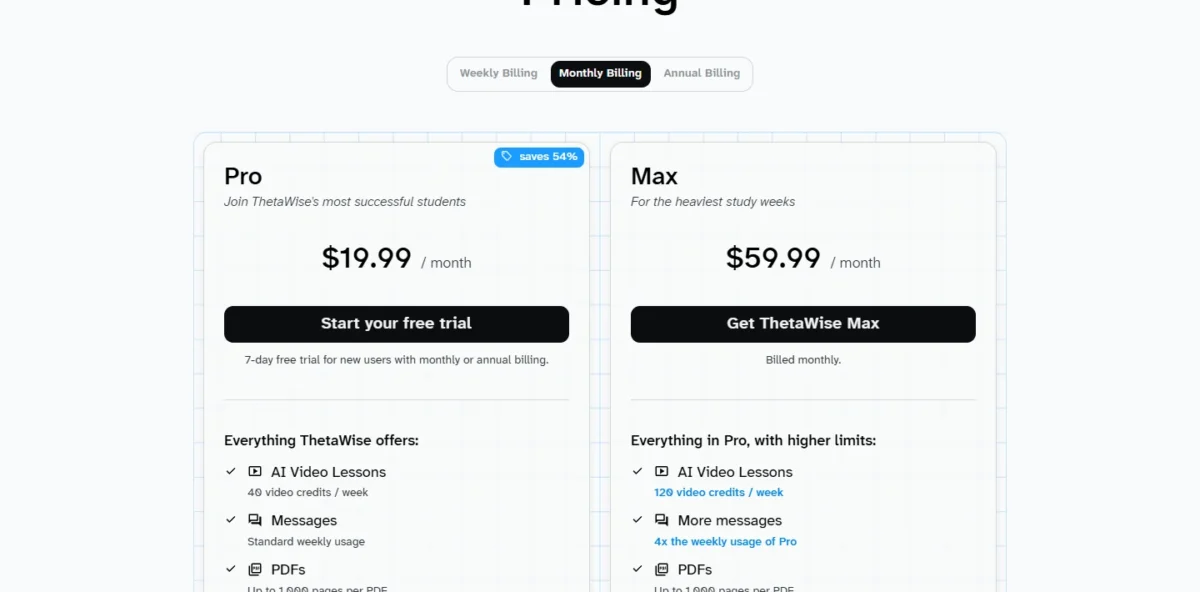
ThetaWise fits a college student whose course lives in PDFs: Pro reads up to 1,000 pages per PDF and adds AI video lessons, whiteboard chats and an Advanced Solver. Watch the billing: the weekly option costs far more over a year than the annual plan.
The video lessons carry a cap: Pro includes 40 video credits a week, and Max raises that to 120.
ThetaWise Pro costs $119.99 a year, $19.99 a month or $9.99 a week. Weekly billing for a year comes to $9.99 x 52 = $519.48, so a student who keeps it all year should pay the annual price.
| Plan | Price | Billing | Key limit |
|---|---|---|---|
| Pro | $119.99 per year | Annual | 40 video credits a week |
| Pro | $19.99 per month | Monthly | 40 video credits a week |
| Max | $59.99 per month | Billed monthly | 120 video credits a week |
Sources: ThetaWise pricing, checked October 2026.
Pros
- Reads PDFs up to 1,000 pages on Pro
- AI Video Lessons and Whiteboard Chats on Pro
- 7-day free trial for new users
Cons
- 40 video credits a week on Pro
- Weekly billing is the costly way to pay
- No free plan after the trial
- Skip it if:
- you only need a few problems checked a week (go to Wolfram Alpha or Photomath Basic).
9. Mathway: Best for Math Plus Chemistry and Physics Homework
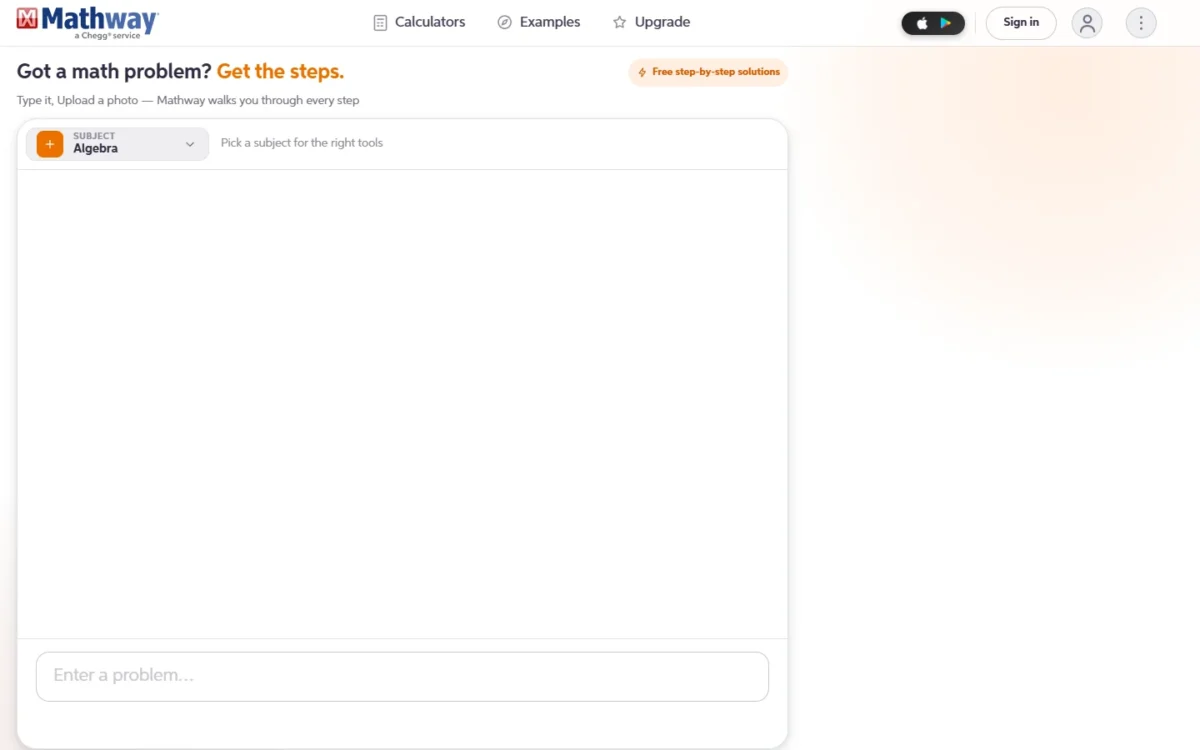
Mathway homepage, first screen, mathway.com, archived by the Internet Archive on Oct 12, 2026
- Best for: students with math, chemistry and physics homework
- Free use: no sign-up needed
- Input: type a problem or upload a photo of handwritten or printed work
Mathway is the solver to try when the homework is not only math: it covers Basic Math through Calculus and Linear Algebra, plus Chemistry and Physics, free without signing up.
The photo solver reads handwritten and printed problems, so a physics worksheet needs no retyping.
Mathway’s free tier needs no sign-up, so a student who only checks answers can stay there; one who wants the full work behind every step takes the subscription.
| Plan | Price | Billing | Key limit |
|---|---|---|---|
| Free | $0, no sign-up | None | Full work for every step needs the subscription |
Sources: Mathway, checked October 2026.
Pros
- Chemistry and Physics alongside 9 math subjects
- Free to use without signing up
- Photo input for handwritten or printed problems
Cons
- Full work for every step needs the subscription
- A dedicated solver, not a chat that explains the idea in sentences
- No parent view or tutoring mode on its homepage
- Skip it if:
- your homework is math only and you want steps from a phone scan (go to Photomath, whose $0 Basic plan lists step-by-step explanations).
10. GeoGebra: Best for Free Geometry and Graphing
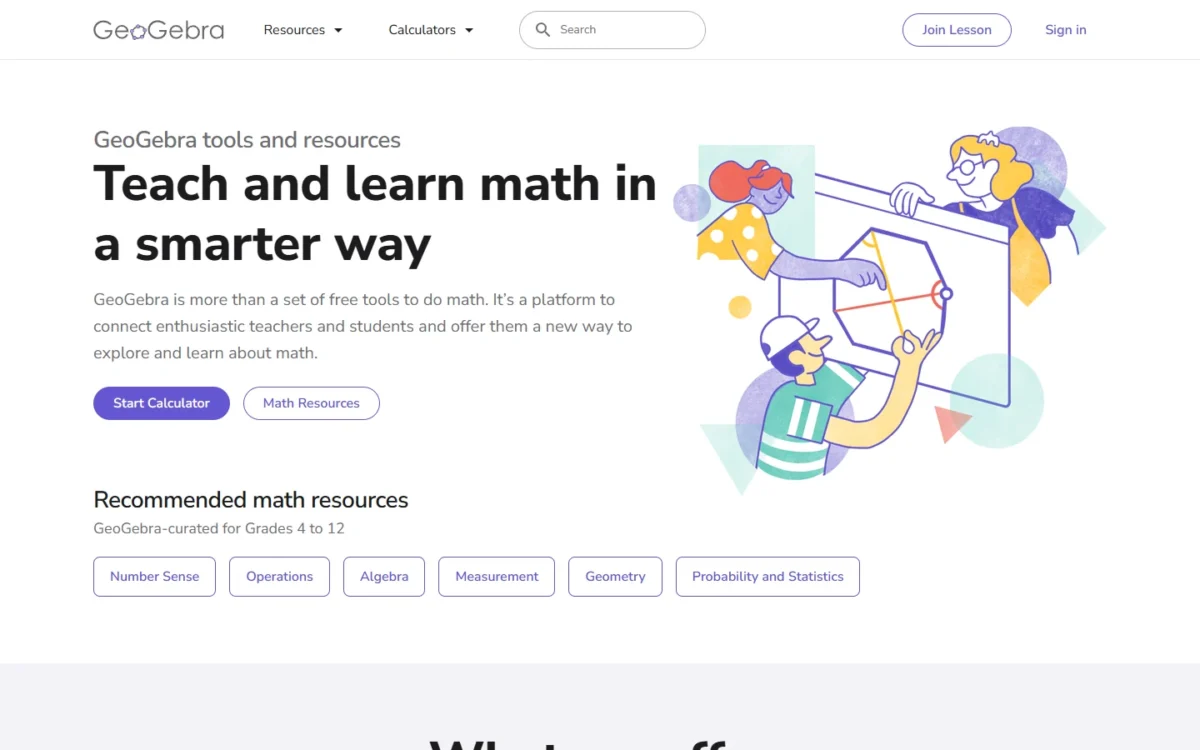
GeoGebra homepage, first screen, geogebra.org, captured Oct 2026
- Best for: geometry, graphing and 3D for students and teachers
- License: commercial use requires a separate license
- Standout feature: a Math Solver that turns a photo of homework into step-by-step solutions
GeoGebra gives geometry a picture instead of a paragraph: it graphs functions, solves equations, builds dynamic geometric constructions and handles 3D, at no cost outside commercial use. Commercial use needs a separate license, so ask GeoGebra before using it in paid work.
The Math Solver takes a photo of homework, returns step-by-step solutions and offers similar practice problems. Wolfram Alpha keeps step-by-step solutions for Pro, while GeoGebra’s steps cost nothing outside commercial use.
GeoGebra’s calculators, apps and resources are free for non-commercial use, which covers school, university and home learning; the homepage lists no commercial license price.
| Plan | Price | Billing | Key limit |
|---|---|---|---|
| Calculators, apps and resources | Free | None | Non-commercial use |
| Commercial license | Not listed on the homepage | Not listed | Ask the partnerships team |
Sources: GeoGebra, checked October 2026.
Pros
- Free for non-commercial use, including at home
- Dynamic geometry, graphing and 3D in one suite
- Photo Math Solver with practice problems
Cons
- Commercial use needs a separate license
- No license price on the homepage
- Explains in steps, not in a chat
- Skip it if:
- you use it for paid work (it needs a commercial license) or want reasoning written in sentences (go to Claude).
How to Choose the Best AI for Your Math
If you check homework answers several times a week, buy Wolfram Alpha Pro; the table pairs nine other situations with one pick and its trade-off.
| Your situation | Pick | Why | Trade-off |
|---|---|---|---|
| You check answers several times a week | Wolfram Alpha Pro | Computed answers with steps | Basic has no steps |
| Your problems are on paper | Photomath | App scan, steps on Basic | Shows the solution first |
| A parent wants to see a child’s chats | Khanmigo | Parent view and alerts | Khan Academy content |
| You want the reasoning in sentences | Claude Free | Can run code, which you can use to check the math | No photo solver listed |
| Your numbers live in Excel | ChatGPT Plus | ChatGPT for Excel | Monthly billing only |
| You are 18+ and want a cheap paid model | Google AI Plus | Lowest assistant price | 18+ only |
| You run statistics on a dataset | Julius AI | File analysis and charts | Credit-based |
| Your course is lecture PDFs | ThetaWise Pro | Long PDFs, video lessons | Weekly video cap |
| Homework mixes chemistry or physics | Mathway | Chemistry and Physics solvers | Full work needs the subscription |
| You need geometry or graphing at $0 | GeoGebra | Free for non-commercial use | Commercial license |
Sources: Wolfram Alpha, Claude, Khanmigo, Google AI plans, checked October 2026.
What a Year Costs One Learner
A year of math AI costs $0 on GeoGebra or a free tier and up to $240 on ChatGPT Plus. The table uses one rule: the annual price where the vendor offers one, otherwise the monthly price x 12, before tax.
| Software | Plan | Billing | 12-month cost |
|---|---|---|---|
| GeoGebra | Free, non-commercial | None | $0 |
| Khanmigo | For families | Annual | $44 |
| Google Gemini | Google AI Plus | Monthly, $4.99 x 12 | $59.88 |
| Wolfram Alpha | Pro | Annual | $60.00 |
| Photomath | Annually | Billed annually | $69.99 |
| ChatGPT | Go | Monthly, $8 x 12 | $96 |
| ThetaWise | Pro | Annual | $119.99 |
| Julius AI | Plus | Annual, $16 x 12 | $192 |
| Claude | Pro | Annual | $200 |
| Google Gemini | Google AI Pro | Monthly, $19.99 x 12 | $239.88 |
| ChatGPT | Plus | Monthly, $20 x 12 | $240 |
Sources: Khanmigo, Google, Photomath, ThetaWise, Julius AI, checked October 2026.
The best free AI for math depends on the job: GeoGebra for geometry, Photomath Basic for steps on a scanned problem, Claude Free for written explanations, with code execution available.
Also Considered
- Symbolab: its Upgrade panel prices Pro at $6.99 charged monthly or $29.99 charged every 12 months, with full solution steps and AI chat. I left it off the ranked list because Photomath Basic and GeoGebra already show steps at $0; at $29.99 a year, Symbolab is the paid step solver to try if neither suits you.
- DeepSeek: its English pricing page prices only the API, per 1M tokens, and its homepage is in Chinese, so there is no consumer study plan to price.
- Microsoft Math Solver: math.microsoft.com presents Math Assistant in OneNote, available in OneNote for Microsoft 365 Education.
Sources: Symbolab, DeepSeek API pricing, Microsoft Math Solver, checked October 2026.
FAQ
Which AI is the best for mathematics?
No single tool wins every math job. Wolfram Alpha is the pick for checking answers, Photomath for homework from a photo, Khanmigo for tutoring, Claude for written explanations and Julius AI for statistics.
Which ChatGPT plan is best for math?
ChatGPT Free covers occasional questions, and Plus at $20 a month is the plan to buy for ChatGPT for Excel. ChatGPT Go costs $8 a month, but OpenAI’s pricing doc names the Excel add-in on Plus and Pro only. Go and Plus both bill monthly with no annual discount.
Is there a GPT built just for math?
Dedicated math tools exist: Wolfram Alpha computes answers, Photomath and Mathway solve scanned problems step by step, and GeoGebra handles geometry. ChatGPT, Claude and Gemini are general assistants; Claude lists code execution on its Free plan, which gives a computed check.
Final Verdict
Pick by the job you do most. To check answers, buy Wolfram Alpha Pro. For homework on paper, start on Photomath Basic, which lists step-by-step explanations at $0. For written explanations, start on Claude Free and move to Pro once its limits get in the way.
By budget: $0 gets you GeoGebra, Photomath Basic, Mathway’s free tier and Claude Free; $44 to $69.99 a year buys Khanmigo ($44), Google AI Plus ($4.99 x 12 = $59.88), Wolfram Alpha Pro ($60.00) or Photomath ($69.99). The plans from $192 (Julius Plus, $16 x 12) to $240 (ChatGPT Plus, $20 x 12) make sense only if the tool also handles your non-math work or your data.
By special need: a parent who wants to follow a child’s tutoring chats should take Khanmigo, and a learner under 18 cannot buy Google AI plans. College STEM on lecture PDFs goes to ThetaWise Pro on annual billing, and chemistry or physics homework to Mathway.