FreshBooks is a good fit for freelancers and small service businesses that bill clients for time and projects. It is a weaker one for product sellers, and for teams, since each extra team member adds $11 a month.
This FreshBooks review prices it the way you would buy it, from $23 a month for Lite to $70 for Premium on monthly billing.
Your client count picks the plan, because Lite stops at 5 billable clients and Plus at 50. Team members at $11 a month each and payroll then decide the bill.

Quick verdict
- FreshBooks is worth it for: freelancers, consultants and small agencies that invoice clients, track billable time and want card and ACH payments from the entry plan.
- Skip it if: you sell products and need inventory tracking, which is not listed on the FreshBooks pricing page, or you want bank reconciliation on the $23 plan.
- Main strength: invoicing, client payments, time tracking and project budgets on all four plans.
- Biggest limit: client caps (5 on Lite, 50 on Plus, archived clients included) and $11 a month for each team member with a paid role, accountants aside.
- Price basis: $23, $43 and $70 a month for Lite, Plus and Premium on monthly billing; Select is priced on a call.
In This Article (12 sections)
FreshBooks at a Glance
- Category: cloud invoicing and double-entry accounting software
- Best for: freelancers, consultants and small agencies that bill clients for time and projects
- Starting price: $23 a month for Lite, monthly billing
- Free plan or trial: no free plan on the pricing page; a 30-day free trial with no credit card required
- Main limitation: Lite sends invoices to 5 clients and leaves out accounting reports, bank reconciliation and accountant access
- Extra users: $11 a month per team member; up to 10 accountants at no extra cost on Plus, Premium and Select
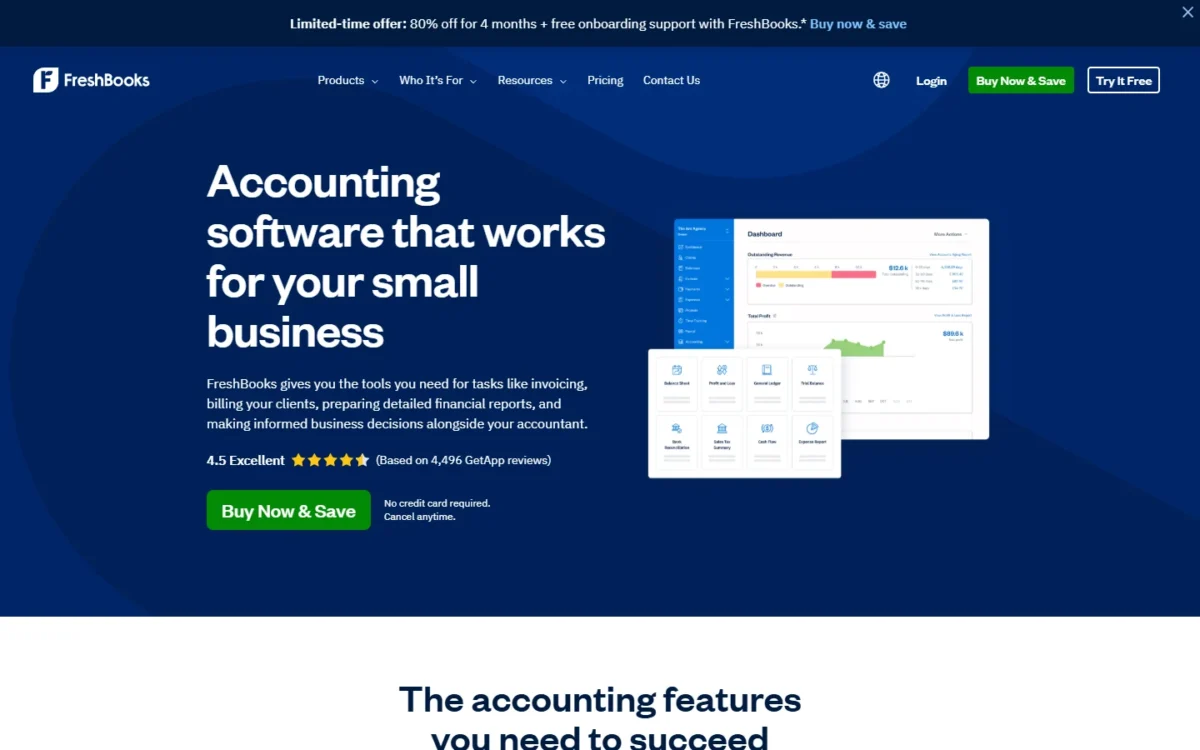
Until November 16, 2026, FreshBooks sells Lite, Plus and Premium at 80% off for 4 months through its Buy Now & Save option, which comes with no free trial.
FreshBooks Pros and Cons
Pros
- Unlimited invoices, estimates, time tracking and expenses on all four plans, so sending more invoices never raises the plan price
- Clients pay by card, ACH bank transfer, Apple Pay, Google Pay or Buy Now, Pay Later on every plan, with ACH at 1% through FreshBooks Payments
- Up to 10 accountants join Plus, Premium or Select at no extra cost, which keeps an outside bookkeeper off the $11 team-member fee
- Premium adds project profitability reports, which an agency quoting fixed fees needs to see its margins
- A 30-day free trial with no credit card, plus a full refund within 30 days of purchase, keeps the cost of trying it low
Cons
- Lite caps billable clients at 5 and Plus at 50, and archived clients count toward the cap
- Lite has no double-entry accounting reports, bank reconciliation or accountant access, so a business with a bookkeeper starts on Plus
- On Lite, Plus and Premium, every team member with a paid role adds $11 a month on top of the plan. Accountants are free on Plus and up, and Select includes 2 accounts.
- Storing client cards and keyed-in payments need the $20-a-month Advanced Payments add-on and cost 3.5% + 30¢ per transaction
- FreshBooks Payroll costs $40 a month plus $6 per employee, is not available on the free trial and does not support owner’s draw
The main disadvantages of FreshBooks are the client caps on Lite and Plus, the $11 fee per team member, and accounting tools that start on Plus rather than Lite.
FreshBooks Features
Five features decide the fit, and each sits behind its own plan gate or add-on.
Invoicing and getting paid
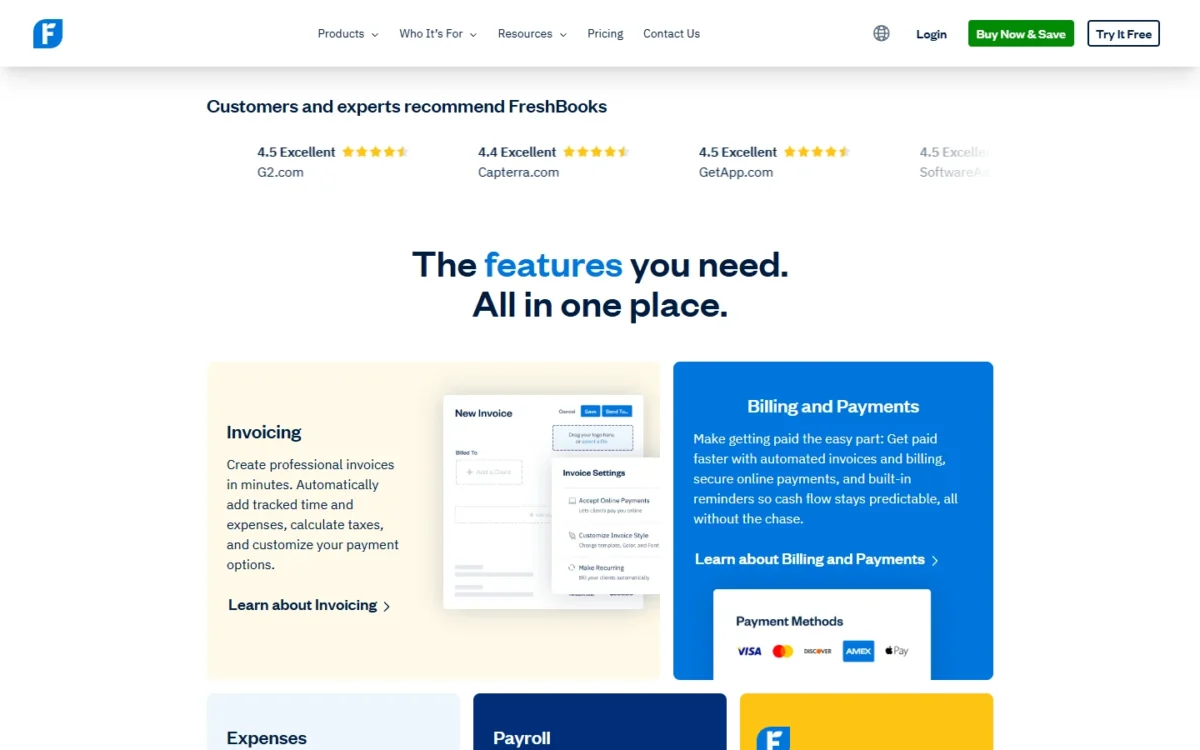
Yes, clients can pay online on every FreshBooks plan: by card, ACH bank transfer, Apple Pay, Google Pay, or Buy Now, Pay Later through Affirm, Afterpay and Klarna. Recurring invoices, scheduled late fees, automated payment reminders and deposits are on all four plans too.
FreshBooks Payments charges 2.9% + $0.30 per card transaction and 1% per ACH bank transfer. On a large invoice that gap adds up, so I would steer clients who can pay by bank toward ACH instead of card.
Card-on-file billing is where the plan price stops telling the full story. Storing a client’s card, or keying in a card taken by phone, needs Advanced Payments at $20 a month plus 3.5% + 30¢ per transaction. It requires a connected Stripe account, and Select includes it.
Plus adds proposals, client retainers and e-signatures for agencies that sign a scope before work starts.
Time tracking and project profitability
Time tracking is unlimited and project budgeting and billing are included on all four plans, so a consultant can bill hours from Lite. Profit per project starts on Premium at $70 a month, through the Project Profitability widget and its Summary and Details reports.
A freelancer billing hourly needs the time log, not margins. An agency quoting fixed fees needs to see which projects lose money, and that view costs the $70 – $43 = $27 monthly step from Plus to Premium.
Double-entry accounting and your accountant
From Plus up, yes. Double-entry accounting reports, bank reconciliation and accountant access all start on Plus at $43 a month, so I would not put a business that works with a bookkeeper on Lite.
Up to 10 accountants per business join Plus, Premium or Select at no extra cost, so the $11 Team Members fee applies to other roles only. The Accountant role works with the chart of accounts, bank reconciliation and journal entries.
FreshBooks’ accounting reports include Profit and Loss, Balance Sheet and Trial Balance. A business with no accountant yet can get matched with one through FreshBooks’ Accounting Partner Program.
Expenses, receipts and bills
Every plan logs unlimited expenses, imports bank transactions automatically, tracks mileage on mobile and pays bills. Data capture climbs the plans: expense receipt capture starts on Plus, bill receipt capture and accounts payable on Premium, and every-line-item capture on Select.
A firm paying subcontractor bills every week gets accounts payable from Premium only, which is a reason to price Premium before settling on Plus.
Team members and payroll
Each invited team member costs $11 a month, whether the role is Admin, Manager, Employee or Contractor; Select includes 2 team member accounts. Only the Business Owner and Accountant roles have full access to the account.
Deleting a team member who still holds a paid role does not stop the charge, so change the role to Unassigned first; an Unassigned member costs nothing.
FreshBooks Payroll, powered by Gusto, costs $40 a month plus $6 a month for each employee. It includes unlimited payrolls, free direct deposit and automatic federal and state payroll tax filing.
Two limits catch owners. Payroll is not available during the free trial, so you cannot run a test pay run before buying, and it does not support paying yourself by owner’s draw.
FreshBooks Ease of Use
Getting started needs no installation: FreshBooks runs in the browser, and the iOS and Android apps sync with the web account. The 30-day trial includes free phone and email support while you set up.
The help center is organized by job: invoices, payments, expenses and bank connections, projects and time tracking, and reports and accounting.
Moving your history in is where the plans differ. Easy Switch, where FreshBooks specialists move expenses, invoices and client details over from QuickBooks, comes with Select. Buy Now offer buyers get one 30-minute onboarding session that can cover self-serve data import.
Run one real invoice, one expense and one time entry through the trial before you pay, with the person who will use it most.
FreshBooks Pricing
On monthly billing, the three listed plans cost $23 (Lite), $43 (Plus) and $70 (Premium) a month, while Select shows “Let’s Talk” instead of a price. The client cap and the accounting tools separate them.
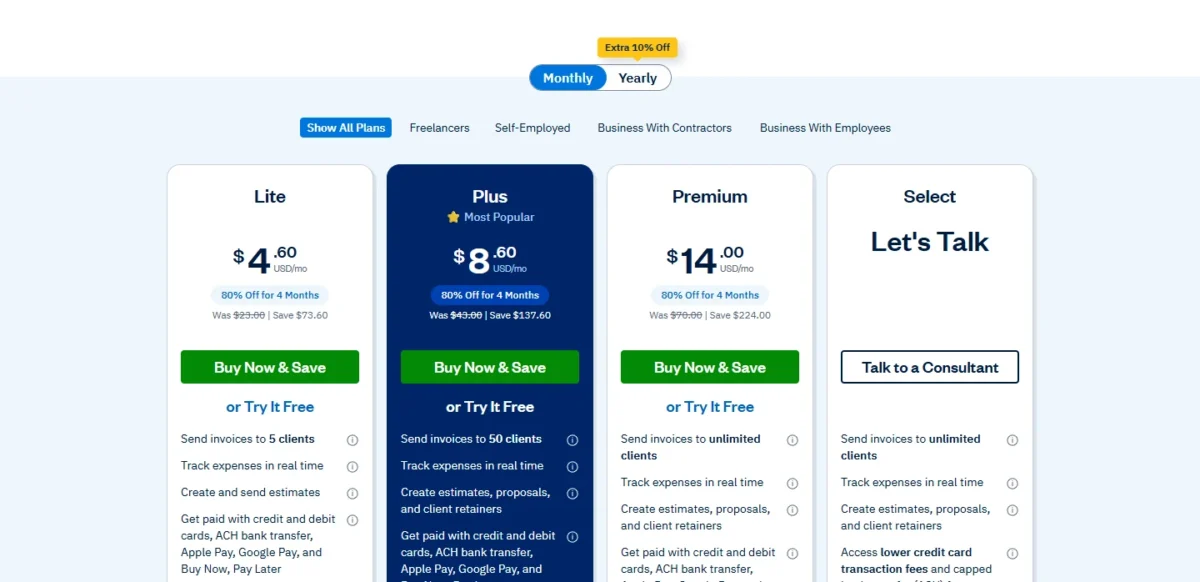
| Plan | Regular monthly price | Billable clients | What it adds | Who it fits |
|---|---|---|---|---|
| Lite | $23 a month | 5 | Unlimited invoices, estimates, time tracking and expenses | A freelancer with a few steady clients |
| Plus | $43 a month | 50 | Proposals, retainers, e-signatures, double-entry reports, bank reconciliation, accountant access | A consultant or small agency with an outside accountant |
| Premium | $70 a month | Unlimited | Project profitability, accounts payable, bill receipt capture, custom email templates | A project-based firm tracking margins |
| Select | Let’s Talk | Unlimited | Lower card fees, capped ACH fees, Advanced Payments, 2 team members, Easy Switch | A larger firm that wants migration help and lower fees |
Sources: FreshBooks pricing page, Monthly and Yearly views, US prices in USD, checked October 2026.
The prices in the table are regular monthly prices; until November 16, 2026 the page shows the offer price beside each. The Yearly toggle is labelled “Extra 10% Off”, and its yearly totals include the offer while it runs, so I priced everything here on monthly billing.
Offer ends November 16, 2026
FreshBooks’ Buy Now offer takes 80% off Lite, Plus or Premium for 4 months, on monthly or yearly billing, for US residents who buy by 11:59 PM EST on November 16, 2026. Buying this way skips the 30-day free trial, though the 30-day money-back guarantee still applies. FreshBooks may change or end the offer without notice.
I would start most service businesses on Plus. At $43 a month it is FreshBooks’ cheapest plan with accounting reports, reconciliation and free accountant access. Lite suits a freelancer with 5 or fewer clients; Premium earns its $70 past 50 clients or when you need margins per project.
Five events force an upgrade or an add-on:
- Your 6th billable client, archived ones included, moves you from Lite to Plus, $43 – $23 = $20 a month more. Deleting a client you no longer bill frees a spot and keeps its invoices.
- An accountant who needs a login, or a bank account to reconcile, also means Plus.
- Your 51st client moves you from Plus to Premium, $70 – $43 = $27 a month more.
- Project profitability or accounts payable means Premium.
- Charging stored or keyed-in cards means Advanced Payments at $20 a month, or Select.
What FreshBooks costs for three real setups
The plan price is the floor. This table adds team members and payroll at FreshBooks’ published rates, on monthly billing, before card fees, sales tax and the Buy Now offer.
| Setup | Plan and add-ons | Monthly cost | 12 months on monthly billing |
|---|---|---|---|
| Solo freelancer, 5 clients or fewer | Lite | $23 | $23 x 12 = $276 |
| Consultancy paying 2 members, up to 50 clients | Plus + 2 team members | $43 + $11 x 2 = $65 | $43 x 12 + $11 x 2 x 12 = $780 |
| 5-person agency paying 5 employees | Premium + 4 team members + Payroll for 5 | $70 + $11 x 4 + $40 + $6 x 5 = $184 | $70 x 12 + $11 x 4 x 12 + $40 x 12 + $6 x 5 x 12 = $2,208 |
Sources: FreshBooks pricing page and Payroll page, checked October 2026.
People, not plans, drive the bill once a team forms. In the agency setup, team members ($11 x 4 = $44) and payroll ($40 + $6 x 5 = $70) together cost more than the $70 Premium plan itself.
If you want the full breakdown, see my FreshBooks pricing guide.
The price buys the tools; whether they connect to the rest of your stack is the next question.
FreshBooks Integrations, Customer Support and Security
FreshBooks connects to over 100 partner apps through its App Store and publishes API documentation for custom integrations. Client payments run through FreshBooks Payments, Stripe or PayPal.
The 30-day free trial includes phone and email support for setup questions. Select adds Select Support with 1:1 help, dedicated phone support and a dedicated account manager.
On security, FreshBooks states that it uses SSL encryption, is PCI compliant and backs up data automatically. A business with a compliance checklist should ask FreshBooks for the reports it requires before signing.
Who Should Use FreshBooks?
FreshBooks fits a service business that bills clients, up to 50 of them on Plus or more on Premium, with a small team. It fits poorly for product sellers, for teams that would pay $11 a month for each extra login and for owners who want full accounting on the entry plan.
Best for
- A freelancer billing 5 or fewer clients, archived ones included, on Lite at $23 a month
- A consultant or agency with up to 50 clients and an outside accountant, on Plus, where up to 10 accountants join at no extra cost
- A project-based firm that needs profit per project, which starts on Premium at $70 a month
- A small firm paying salaried employees inside its books, with Payroll at $40 a month plus $6 per employee
Not ideal for
- A team of six or more non-accountant users on a tight budget, since each adds $11 a month
- An owner who pays themselves by owner’s draw and wants it run through payroll, which FreshBooks Payroll does not support
- A product seller that needs inventory tracking, which is not listed on the FreshBooks pricing page
- A business that wants bank reconciliation on the $23 plan, since reconciliation starts on Plus
FreshBooks vs Competitors
FreshBooks is built around billing clients for time and projects, QuickBooks Online around inventory tracking and 5 users on its $140 Plus plan, and Xero around low-cost bookkeeping with an invoice cap on its entry plan.
| Software | Best for | Starting price | Key difference | Main trade-off |
|---|---|---|---|---|
| FreshBooks | Service businesses billing clients for time and projects | $23 a month (Lite, 5 billable clients) | Unlimited invoices and time tracking on every plan | Accounting reports and accountant access start on Plus at $43 a month |
| QuickBooks Online | Businesses that sell products and need inventory tracking | Free plan (1 user, 2 invoices per month); Simple Start $38 a month | Plus at $140 a month includes 5 users and inventory tracking | Simple Start has 1 user and access for 2 accountants |
| Xero | Small businesses that send few invoices | Early $27 a month (20 invoices, 5 bills) | Bank reconciliation on Early; Gusto payroll at $36 a month + $6 per employee | Early stops at 20 invoices; Growing costs $59 a month |
Sources: QuickBooks Online pricing, Xero US pricing and the FreshBooks pricing page, checked October 2026.
Payroll shows how close the rivals run on cost: for 5 employees, FreshBooks Payroll is $40 + $6 x 5 = $70 a month and Xero Payroll $36 + $6 x 5 = $66 a month.
Seats run the other way: for 5 users who only bill clients, FreshBooks Plus with 4 team members costs $43 + $11 x 4 = $87 a month, against $140 for QuickBooks Online Plus.
Pick QuickBooks Online if you sell products and need inventory tracking, which its Plus plan includes; my QuickBooks Online review covers its plan limits.
Pick Xero if you send few invoices a month and want reconciliation on its entry plan, after checking Xero’s plans and limits against your invoice volume.
Best FreshBooks Alternatives
If billing is the main job and FreshBooks’ client caps or card fees are the problem, start with my ranking of the best invoicing software.
If the books matter more than the invoices, for inventory or deeper reports, my list of accounting software for small businesses covers the wider field.
If you want another invoicing tool to compare, read my Zoho Invoice review.
How I Evaluated FreshBooks for This Review
I built this review from FreshBooks’ own pages, read on October 28, 2026. The core was the pricing page in its Monthly and Yearly views, with the full plan comparison and FAQ answers.
I also read the Select, Advanced Payments, Payroll, team-management, accounting and invoicing pages, the help center’s team-member article, the App Store and the Buy Now offer terms. QuickBooks Online’s and Xero’s US pricing pages, read the same day, back the competitor table.
The cost setups are my own math from the published prices, on monthly billing in USD. FreshBooks does not publish a price for Select, the card and ACH rates Select gets, or which states Payroll covers.
FreshBooks FAQ
Is FreshBooks trustworthy and safe to use?
FreshBooks states that it encrypts transactions with SSL, is PCI compliant and backs up account data automatically. Advanced Payments, the add-on that stores client cards, is PCI compliant too. If you change your mind, FreshBooks refunds the full fee within 30 days of purchase, Buy Now offer purchases included.
Does FreshBooks file my taxes?
Not your income tax return. FreshBooks’ Profit and Loss and Sales Tax Summary reports give you the key numbers to fill out and file it.
Its Accounting Partner Program matches you with a vetted accounting or tax professional. Payroll taxes are the exception: FreshBooks Payroll files federal and state payroll taxes automatically.
What happens to my data if I do not subscribe after the trial?
Your invoices, expenses, bank transactions and other data stay securely stored, so you can upgrade later and pick up where you left off. If you connected a bank account, FreshBooks severs that connection until you resume using the account.
Final Verdict
FreshBooks is worth it for a service business that bills clients and fits Plus: up to 50 clients, accounting reports, reconciliation and up to 10 free accountants for $43 a month. Lite at $23 suits you only below 6 clients. Premium at $70 earns its price once you need margins per project or pass 50 clients.
Skip it if you sell products and need inventory tracking, which is not listed on the FreshBooks pricing page; QuickBooks Online Plus includes it at $140 a month. Skip it too if you want bank reconciliation on an entry plan: Xero Early includes it at $27 a month, while FreshBooks starts it on Plus at $43.
If you are also weighing QuickBooks against Xero, read my QuickBooks vs Xero comparison.
During the 30-day trial, count your clients, archived ones included, and the people who need logins. That count, not the headline price, sets what you will pay.